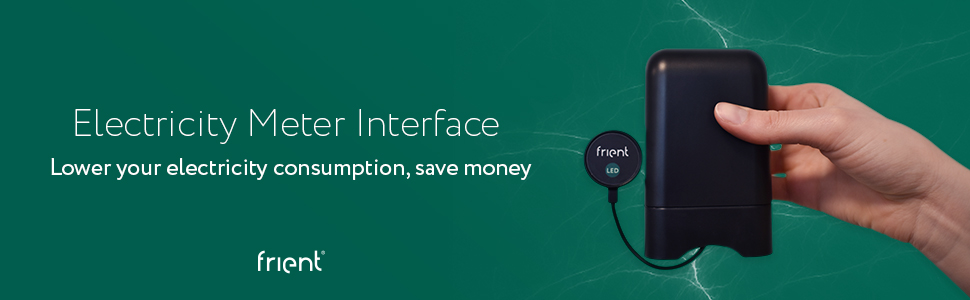
frient Electricity Meter Interface | Wireless Consumption Readings | for Selected Devices | Battery-Powered | Zigbee | Works with SmartThings and Athom Homey
| | | |
|---|---|---|
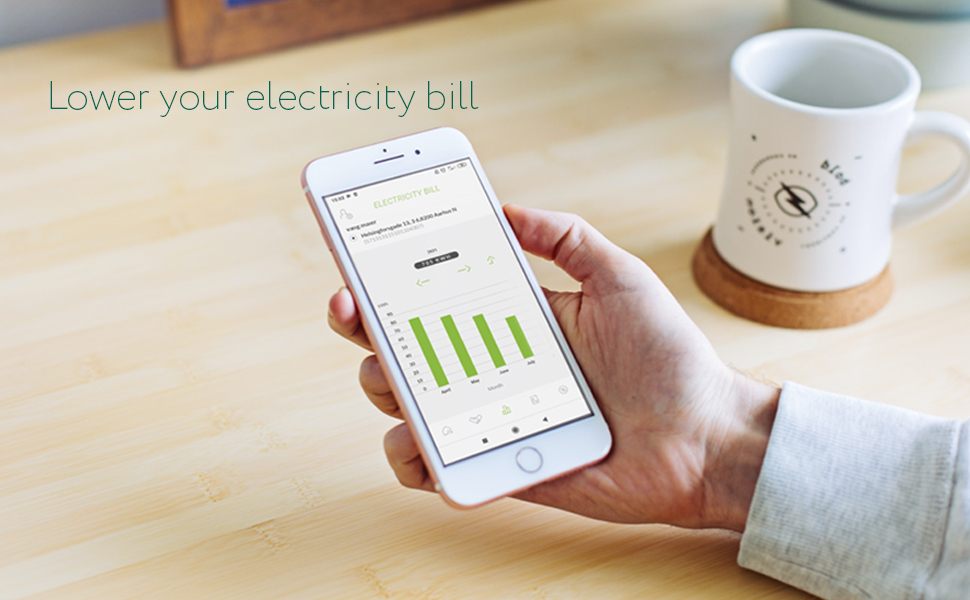
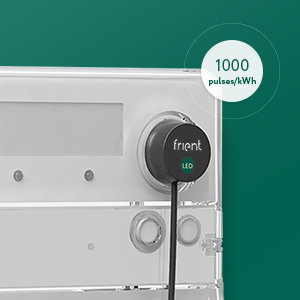
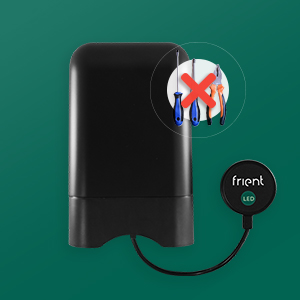
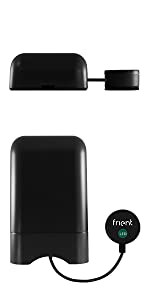
Working with selected electricity metersThe Electricity Meter Interface is compatible with meters that have a blinking LED light with a standard output rate of 1000 pulses/kWh. | Informing your about electricity consumptionWith the friently Electricity Meter Interface, you can help the grid. Use it to identify your peaks and start moving some of your consumption to off-peak periods. | Easy installationMount the Electricity Meter Interface on your electricity meter and start getting remote meter readings via a compatible hub. There’s no need for professional help to install it. You can do it by yourself. |


 |  |  | |
|---|---|---|---|
| Zigbee | Zigbee connected | Zigbee repeater | Zigbee repeater |
| Works with Homey | ✓ | ✓ | ✓ |
| Works with SmartThings | ✓ | ✓ | ✓ |
| Works with OK Google (via a compatible hub) | ✓ | ✓ | ✓ |
| LED probe | ✓ | ||
| Power consumption monitor | ✓ | ✓ | ✓ |
| Remote on/off switching | ✓ | ✓ | |
| Notification | ✓ | ✓ | ✓ |
| Weight: | 110 g |
| Dimensions: | 11.5 x 7 x 3.5 cm; 110 Grams |
| Model: | 20207000 |
| Part: | 5713594002583 |
| Pack Quantity: | 1 |
| Batteries Required: | Yes |
| Batteries Included: | Alkaline |
| Manufacture: | Frient |
| Quantity: | 1 |
Accurate, and easy to install
I use it with home assistant using ZHA and currently there is no way to change it from it’s default of 1000 flashes = 1kWh. Sadly mine flashes at 4000 per 1kWh meaning my readings were 4 times too high. Using templated sensors I just worked around it. I can confirm it matches 100% with the readings my energy provide gets so I’m really happy.
If you use zigbee2mqtt I believe that does allow the pulse count to be modified.
Good for monitoring bills
Used with raspberry running home assistant with zigbee2mqtt dongle. Takes some configuration but seems 100% accurate. EDF have been promising to install energy meter for 3yrs so took matters in to my own hands.. good way to see when and how most of the bill is generated and with prices as they are we have dropped our bill 20% already!
Amazing bit of kit.
Took a leap of faith with this and glad i did. I couldnt get a smart meter and wanted to view by electric use with a smart device. I paired this with smartthings. This device reads the flashing LED on the front of your meter. More flashed…..more consumption. Ive had this running for months and can definitely say its accurate with not of the loss experienced with those clamp devices. When i turn a 1kw device on it jumps my consumption by 1kw. I can now track my use without a smart meter. Great bit of kit. Easy to install. Discovered as a known device by smartthings.
Installazione banale e veloce. Collegato tramite home assistant trovato al primo colpo e funziona alla perfezione. Molto comodo per chi come me deve prestare molta attenzione ai consumi di energia elettrica avendo, oltre ai classici elettrodomestici, anche il boiler e il fornello elettrico. L’utilizzo pi comodo per me attualmente, oltre al classico monitoraggio, tramite automazioni di home assistant, che mi avvisano quando supero una determinata soglia di consumi istantanei o che mi spegne il boiler in automatico per evitare che salti la corrente. Perfetto!
Works great with HomeAssista
With the price of electricity going up and up I decided to get one of these to see our usage in combination with our solar panel system. Installation was very easy and was up and running in 5 mins. I know its spending money to save money but it does give a reassuring peace of mind to see our consumption from the grid fall to zero during the day most of the time depending on what we run.
Paired up real easy using zigbeemqtt and I just had to input our tariff rate per unit to start seeing real p readings. Nice bit of kit.
Gives greater insight into the power consumption in real time.
Works, well, but their support department are difficult to contact should you need assistance. Would give the product 5 stars if the support was better. But once up and running it is grea
Really good, instantly working with Zigbee2MQTT (less success with DeCONZ, though)
I purchased this to monitor my Solar PV generation, replacing a similar, non Zigbee device.
My Zigbee Gatway is the Conbee II – this paired perfectly.
To start off with I was using DeCONZ, this paired straight away though didn’t show up in the DeCONZ dashboard (but the total energy metric flowed straight into Home Assistant).
After some research I decided to switch from DeCONZ to Zigbee2MQTT, this paired again straight away after resetting the Frient transmitter and shows nicely in the UI, as well as transmitting more metrics to Home Assistant than DeCONZ does. Likewise if you need to change the pulse rate from 1000imp/kWh you can do in Zigbee2MQTT easily)
So I’d highly recommend this for energy monitoring, it reconciles perfectly with the generation meter.
Really easy to install with zigbee2mqtt + home assista
What can I say, it arrived next day, I put (my own) rechargeable batteries in, it paired with zigbee2mqtt immediately and then I stuck the collector over the flashing bit on my mains and viola.. working just fine.
My mains are inside a metal cabinet meaning that it acts a bit like a Faraday cage but the cable is very thin and allows me to put the main electronics outside (so my signal is great and my mains cabinet door is shut)
great (for dumb meters)
I’ve been using this for some months and found the readings both accurate and ‘real-time’.
I’ve just had a ‘smart meter’ installed and this product still works accurately and in a timely manner.
Sadly, the Frient can’t tell if the power is coming in or going out. So it will diligently give a reading, but I may be selling that power, not buying it.
Shame, it’s a neat unit and easy to install.
Works well
This Frient unit is actually a rebranded Develco ZHEMI101.
No problems installing this on a Landis & Gyr E470 meter. Just need to pull off the velcro ring from the included sensor and stick it to the front of the meter over the flashing LED. I added a short screw to the wood board in the meter enclosure and hung this unit on it. Good LQI even though it is in a box on the outside of the house.
I connected it to Home Assistant using Zigbee2MQTT. My meter is 1000 pulses/kWh so I used all the defaults. If yours is something else like 4000 pulses/kWh then you’ll need to edit the config.
I compared it against the in-home display unit from the electricity company and readings were accurate within +/- 6W. This Zigbee monitor updates much faster than the in-home display so any larger discrepancy is usually due to update lag on the IHD.
When it comes to smart homes, Europe makes North America look like backwards land. I'd buy all new appliances and switch over to 220V (with the crazy looking, but apparently safer, receptacles) simply to get cool stuff that actually does something beyond wi-fi light bulbs and thermostats. With accurate energy reporting and time of use billing, I can make observations if energy conservation attempts are actually making an impact at peak billing.
When it comes to smart homes, Europe makes North America look like backwards land. I’d buy all new appliances and switch over to 220V (with the crazy looking, but apparently safer, receptacles) simply to get cool stuff that actually does something beyond wi-fi light bulbs and thermostats. With accurate energy reporting and time of use billing, I can make observations if energy conservation attempts are actually making an impact at peak billing.
Really good
Added to deconz with the conbee 2 and straight into home assistant. Create your energy usage and add in. Job done.
Check your meter for the number of pulses per kw and set that using the api in deconz. Could not be easier.
Did not recieve a new produc
Item I received had an open box, missing shrink wrap and some scuffs on the unit. Amazon said they would replace it, but I didn’t want to wait another week or two for a replacement. Very disappointing that an item listed as “new” was not.
As for the unit, it did not seem to be broken. I have had it running for two days now. Setup was super easy, I run zigbee2mqtt in HASSIO. I had it paired and hooked to the power meter in about 5 minutes. Unit shows as Develco ZHEMI101 . Readings look clean and update every few seconds.
My meter box is sheltered, but I do note that there is no gasket in the box (assuming this is not a missing part due to the unit not being new), and not weather sealed around the connectors, so if mounting outside, it would likely need some other protection.
Mit dem neuesten iobroker Zigbee Modul von github (v1.6.7) konnte ich die Pulsrate fr den easymeter Q3ds auf 10000 Impulse umstellen und das Gert funktioniert einwandfrei mit der kleinen roten LED vorne auf dem Stromzhler und liefert mir mit hinreichender bereinstimmung den Wert, den das gert selbst im Display anzeigt.
Top
Enfin une solution pour connecter le Linky sans tre lectricien. Facile installer. Mesure prcise vs relev du fournisseur d’lectricit.
Intgration dans home assistant trs facile.
L’outil parfait pour suivre sa consommation d’nergie.
Packaging de trs bonne qualit.
Le capteur optique est assez epais (4/5 cm) . Attention si le Linky est dans un coffre.
Marque recommander. Protocole zigbee.
Easy to install, took about 2 minutes.
Easy to add to Zibgee2MQTT, I did it via a Sonoff Zigbee gateway, flashed with Tasmota.
Very impressive how accurate it is. Way better than the device you get given by the provider.
This is a rebranded Develco ZHEMI101. The quality is great – It’s very responsive and integrates well with Home Assistant.
Just be aware that Zigbee2MQTT fully supports this meter however ZHA doesn’t – ZHA only records the Wattage at a point in time. It doesn’t give usage in KWh or anything else. I’ve still given this 5 starts because this is a ZHA limitation rather than a device issue.
Accurate and easy to install and integrate
ZWave pairing with Smartthings hub was seamless. There is a device handler ready to go.
As this is a pulse-counting device, its almost as accurate as the smart-meter its connected to.
There is currently no method of changing the imp/Kwh on the device (my meter was 4000 as opposed to the standard 1000), so you may need to adjust accordingly in your own software/logging etc.
Very clear instructions, paired straight away with zigbee2mqtt and readings available in Home Assistant. My meter doesn’t support the magnetic reader so had to use the sticky pad and velcro fastener. Easy to add the sticky vecro onto the meter ensuring that the led showed through the central hole and then aligned the sensor to the sticky pad making sure it was central and readings available straight away in zigbee2mqtt and Home Assistant. The zigbee lqi is low as the whole device sits in the external metal meter housing but values are responsive. Readings appear to be accurate, switch on a 60W bulb and the reading increases by 60, turning the bulb off and the value drops back
Far more responsive than accurate than those meter reading devices that clamp onto the cable