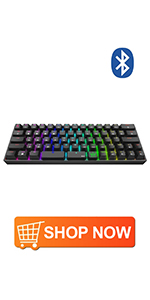
DIERYA 60% Gaming Keyboard,61 Keys Bluetooth 5.1 Wireless/Wired RGB Backlit Mechanical Keyboard with PBT Keycap,Waterproof Hot-swappable,Full Key Programmable (Gateron Optical Brown Switch)

KEMOVE is the name of our parent company. Our company focuses on the field of e-sport equipment, such as the mechanical keyboard, mouse, RGB mouse pad and etc. DIERYA x Kemove series has been committed to providing high quality and reasonable prices to our customers, striving to provide top quality products with our best prices. DIERYA x KEMOVE store will also provide the first-class service. You will find what you like with good value, which means we are focusing on consumption instead of more profit. We would spare us every effort to offer the best service to you. Kemove will be the best choice to make an easier life for you
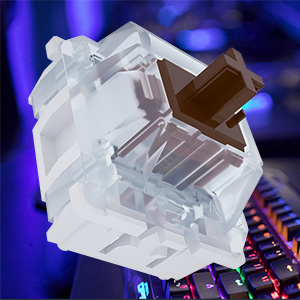
The DK61 Pro Gateron Optical Brown Switch:(Tactile)
Bottom out distances: 4.0+0/-0.4mm
Actuation distance: 2.0±0.6mm
Operating force: 55±15gf
End force: < 110gf
Ideal for those who want a tactile bump and work around peers.
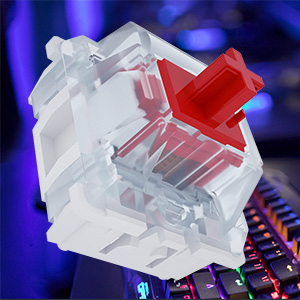
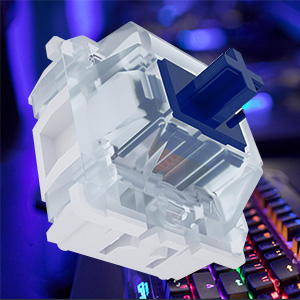
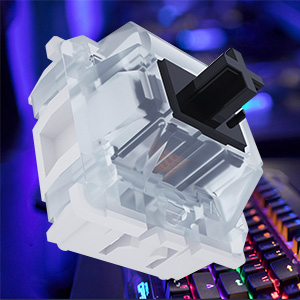
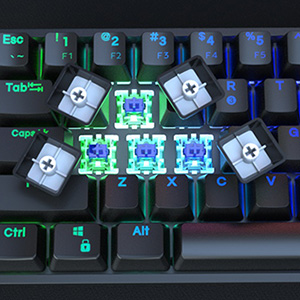
Define it yourself Optical Key-switches
Why Optical Switches?
There are several reasons why optical switches portend to be superior to traditional mechanical switches, including speed, durability/ruggedness and the ability to expand the capabilities of the switch.
The DK61 Pro gives you the freedom to select your preferred switch style based on the functionality and typing experience that you are looking for. The switches are hot-swappable that offer more chances and when you want a quick try-out of some new switches
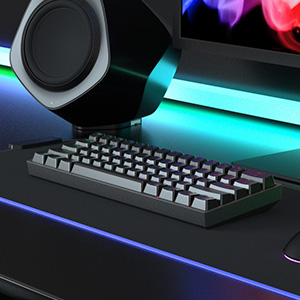
Audio Visualization
The DK61 pro employs audio visualization technique which means external sound stimuli sparks an assortment of lighting effects. It helps to keep you at a state of excitement by providing a treat to your eyes when typing.
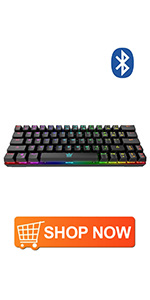 | 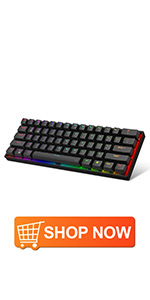 |  |  |  | |
|---|---|---|---|---|---|
| Number of Keys | 63 keys | 61 keys | 66 keys | X | X |
| Switch Type | Cherry MX Brown Equivalent Switch | Gateron Optical Brown Switch | Gateron Optical Brown Switch | X | X |
| Keycaps Type | ABS | PBT | ABS with Nano-coating technology | X | PBT |
| DK Software | X | ✓ | ✓ | X | X |
| Waterproof level | X | IPX4 | IPX4 | X | X |
| Lighting | RGB Backlit | RGB Backlit | RGB Backlit | RGB Backlit | X |
| Hot-Swappable Function | X | ✓ | ✓ | X | X |
| Keyboard Interface | Bluetooth 4.0 & Wired | Wired | Bluetooth 5.1 & Wired | Micro USB | X |
| Operating System | Mac & Windows | Mac & Windows | Mac & Windows | Mac & Windows | Mac & Windows |
| Weight: | 840 g |
| Dimensions: | 33.8 x 4.8 x 14 cm; 840 Grams |
| Brand: | Dierya |
| Model: | DK61-PRO |
| Colour: | Brown Switch |
| Batteries Included: | Yes |
| Manufacture: | DIERYA |
| Colour: | Brown Switch |
To start off with the bad. The keyboard came in near perfect condition (though the box it came in didn't seem to fare as well), except for an issue with the 6 key. The weird bit is that the input is only accepted if I press 5 at the same time. Basically, I need to type 56 at once in order to get the number 6. This may be a minor issue, but I was under the impression that the keyboard would be in tip-top working shape. Aside from that, the other general issues I have with it is the software, it's pretty limiting in what you can actually do with the rgb on it; the arrow keys are by default set to be the "Alt", "CTRL", "Apps", and the "?" "/" buttons, you would need to change that in the software. Now onto the good. Other than those few things, the keyboard itself is an incredible deal for what you get, I got the red switches which are a step up in terms of noise reduction compared to my old blue switches keyboard, they are also hot-swappable which is a big bonus for if you want to change the switches later down the line. The rgb, all-be-it a bit limiting, is actually a full color array, so with some tweaking in the software, you can get whatever color you want on any key. The configuration for keys in the software is fairly basic, you have the option to change the input they have and the ability for multi-input through the use of macros. The keys have an almost soft feel to them, kind of like a lesser form of satin. The fact that it is a 61 key keyboard means it's great if you don't have a lot of desk space or if you just want to use as little space as possible, but, that also means there are a few compromises that need to be made with keys that are no longer there physically. The keyboard features a "Function" button that is used as a sort of "shift" button for keys that have multiple possible inputs. For example, simply pressing the "M" key outputs the letter "M", but, if you were to hold the function button and then press "M", it would output the "Delete" key. This isn't normally a issue because if you want the function input of the key to be the normal input, you can simply change it in the software, but, you then lose the ability to use the input that you had overridden. In terms of look and aesthetics, it's a nice keyboard. The black version is sleek and minimalist in it's colors and rgb, it could go with nearly any setup you have. Overall, this is a good keyboard if you have a small budget and want something that is mechanical, wireless, and good looking. Keep in mind, the keyboard connects directly through bluetooth, so you won't be getting a wireless adapter to connect to.
To start off with the bad. The keyboard came in near perfect condition (though the box it came in didn’t seem to fare as well), except for an issue with the 6 key. The weird bit is that the input is only accepted if I press 5 at the same time. Basically, I need to type 56 at once in order to get the number 6. This may be a minor issue, but I was under the impression that the keyboard would be in tip-top working shape. Aside from that, the other general issues I have with it is the software, it’s pretty limiting in what you can actually do with the rgb on it; the arrow keys are by default set to be the “Alt”, “CTRL”, “Apps”, and the “?” “/” buttons, you would need to change that in the software. Now onto the good. Other than those few things, the keyboard itself is an incredible deal for what you get, I got the red switches which are a step up in terms of noise reduction compared to my old blue switches keyboard, they are also hot-swappable which is a big bonus for if you want to change the switches later down the line. The rgb, all-be-it a bit limiting, is actually a full color array, so with some tweaking in the software, you can get whatever color you want on any key. The configuration for keys in the software is fairly basic, you have the option to change the input they have and the ability for multi-input through the use of macros. The keys have an almost soft feel to them, kind of like a lesser form of satin. The fact that it is a 61 key keyboard means it’s great if you don’t have a lot of desk space or if you just want to use as little space as possible, but, that also means there are a few compromises that need to be made with keys that are no longer there physically. The keyboard features a “Function” button that is used as a sort of “shift” button for keys that have multiple possible inputs. For example, simply pressing the “M” key outputs the letter “M”, but, if you were to hold the function button and then press “M”, it would output the “Delete” key. This isn’t normally a issue because if you want the function input of the key to be the normal input, you can simply change it in the software, but, you then lose the ability to use the input that you had overridden. In terms of look and aesthetics, it’s a nice keyboard. The black version is sleek and minimalist in it’s colors and rgb, it could go with nearly any setup you have. Overall, this is a good keyboard if you have a small budget and want something that is mechanical, wireless, and good looking. Keep in mind, the keyboard connects directly through bluetooth, so you won’t be getting a wireless adapter to connect to.
Ottima tastiera meccanica
Layout US ma sono inclusi gli attrezzi per rimovere ed eventualmente sostituire i keycaps con altri personalizzati ISO ITA.
Good on desk
complicated to use it without the software, but doable.
If you need a small keyboard on your desk. Then this is the keyboard for you.
I am using this keyboard on my lap. There is no where to grab the keyboard, so I have to slide it off the desk to use it on my lap.