XP-PEN Artist12 11.6″ Graphics Drawing Tablet Monitor Pen Display 72% NTSC with 8192 levels Battery-free stylus 1920×1080 FHD
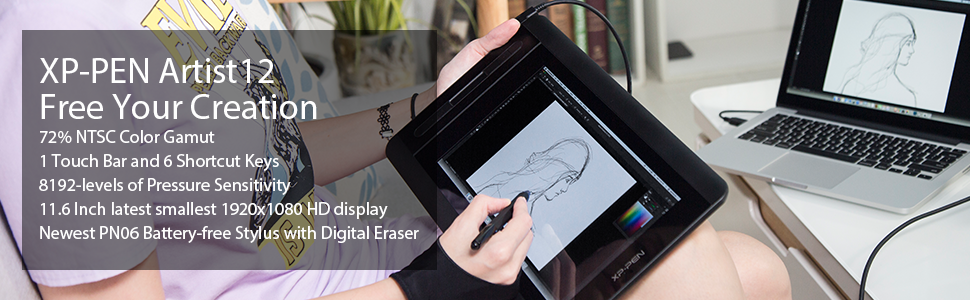
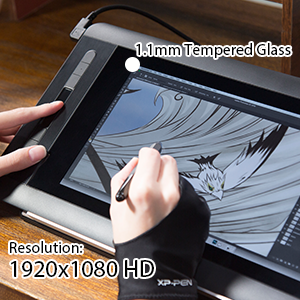
XP-PEN Artist12 Drawing Monitor is the and smallest 1920 x1080 HD display.
Specification: Dimension: 364.11×218.87mm Display Area: 256x144mm Display Resolution: 1920×1080 pixels
NTSC Color Gamut: 72%
Shortcut Keys: 6
Touch bar: 1 Response Time: 14ms
Pixel Pitch: 0.1335(H) X 0.1335(V) RGB
Color Displays: 16.7M Colors Contrast Ratio: 700:1 Viewing Angle: 178°
Current consumption: < 70mA Power Consumption: 0.35W Technology: Electromagnetic Pressure Levels: 8192
Report Rate: 220 RPS Resolution: 5080 LPI Accuracy: ±0.5mm(middle area); ±2mm(the distance from the edge within 5mm) Reading Height: 7~12mm
Supply Voltage: DC 5V USB Interface: USB
USB Cable Length: 150cm(A to C)
Compatibility: Windows 10/8/7(32/64bit), Linux (Detailed versions, please refer to the Compatibility Guide above), Mac OS X version 10.10 or later
Kind Reminder:
- XP-PEN Artist12 is not the standalone product. It must be connected to the pc/laptop to use.
- Your computer needs to have HDMI and USB ports available for the connection, if not, you need an adapter to convert for the connection. Please confirm the Black USB Cable and the HDMI Cable completely plug into your computer. For the Red USB Cable, if your computer cannot supply enough power, please plug it to the wall plug.
- If your computer only has Type-c ports, you need a Type-c to HDMI and USB adapter for the connection.
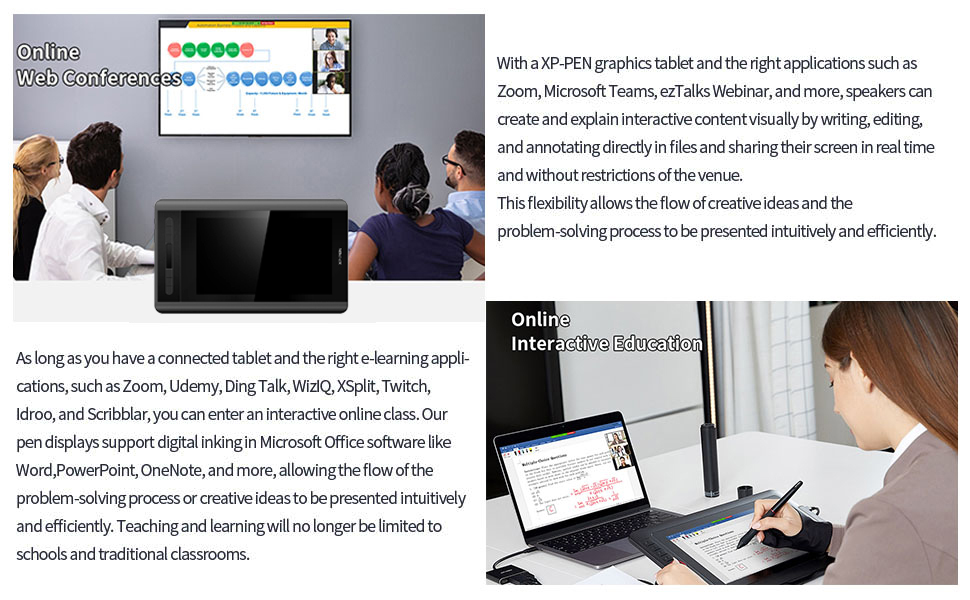
With the XP-PEN Artist 12, enter an interactive meeting room or online course anytime, anywhere.
| | | |
|---|---|---|
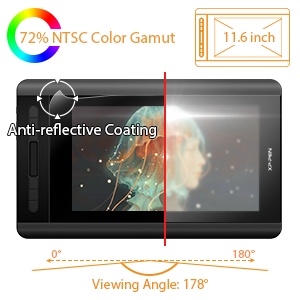
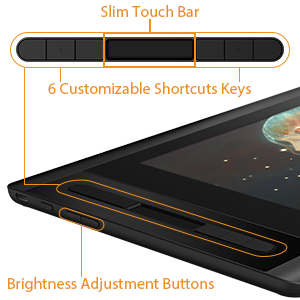
| 72% NTSC Color Gamut and 178° viewing angle, presenting vivid image, vibrant colors and extreme detail for a stunning visual of your artwork. 11.6 Inch display area which can be conveniently placed on your tabletop or anywhere as you like to simplify your work space. The anti-reflective coating greatly reduces glare to protect your eyes. Your screen will continue to look clear and beautiful, even if it’s bright out! | XP-PEN Artist 12 features 6 handy shortcut keys with a slim touch pad. Each shortcut key can be customized as needed to fit you preferred tool while your touch pad can be programmed to zoom in and out on your canvas, scroll up and down, and more. These customization options allow you to optimize your workflow , to create your ideas faster and more efficiently. | 1920×1080 HD display resolution, providing you with precise accuracy to draw and paint naturally with smooth, enhanced performance. You will be sure to enjoy creating directly onto this high-definition display The high quality glass gives you high precision and prevents dust . Expand your creativity and work naturally and intuitively. Artist12 drawing monitor meets the needs of all types of digital artists. |
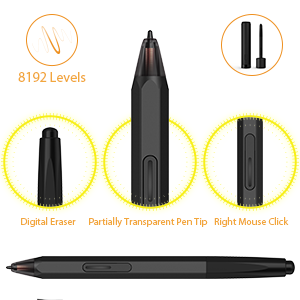
XP-PEN advanced P06 passive pen was made for a traditional pencil-like feel! Featuring a unique hexagonal design, non-slip & tack-free flexible glue grip, partial transparent pen tip, and an eraser at the end! Delivering technical sense, high efficiency, with a fashionable and comfortable grip! Upgraded 8192-levels of pressure sensitivity provide you precise control and accuracy at your fingertips to enhance creative performance. XP-Pen Multi-function Pen Holder. Keep your pen and pen nibs safe!
Compatibility of the stylus’s eraser: Adobe Photoshop CS4/5/6, Adobe Photoshop CC 2014/2015/2015.5/2017/2018, Adobe Fireworks CS4 10.0, Adobe Illustrator CC 2018, MediBang Paint Pro 13.0, Manga Studio 5.0 (64 Bit) 5.0.3, Word 2016, Excel2016, PowerPoint2016, OneNote 2016, Windows ink, Windows paint 3D.
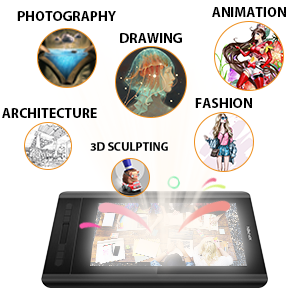
XP-PEN Artist 12 support Windows 10/8/7(32/64bit), Linux (Detailed versions), Mac OS X version 10.10 or later. Compatible with many art software such as Adobe Photoshop, Illustrator, SAI, CDR, and more.
It is ideal for drawing, photography retouching, sketching, digital art, animation, fashion, architecture design, illustration, image editing, 3D sculpting.
Box Included:
1 x P06 Passive Pen; 1 x Pen Holder; 8 x Replacement Pen Nibs
1x USB Cable; 1 x Cleaning cloth; 1 x Black Drawing Glove; 1 x Quick Guide

Enrich your experience and improve your creation skills, XP-PEN provides you with bundle software for different purposes.
- Explain Everything – The most versatile digital whiteboard on the market.
- ArtRage 6 – A digital artist’s studio with a full range of familiar tools that look and work like the real things.
- openCanvas – One of the best programs to use when transitioning from traditional painting to digital design.
How to obtain your software:
Step 1: Create or log into your XP-PEN account.
Step 2: Certify your purchase’s serial number.
Step 3: Select a software option, find the activation key of the software and visit the corresponding page to install it.
| Weight: | 850 g |
| Dimensions: | 30 x 20 x 2 cm; 850 Grams |
| Brand: | XP-Pen |
| Model: | Artist 12 |
| Colour: | Artist 12 |
| Batteries Included: | No |
| Manufacture: | XP-PEN |
| Colour: | Artist 12 |
It’s grea
Great tablet, works well. It is not a tablet where you can take wherever though, you need it plugged into a pc so if you weren’t looking for that, don’t get this one. It’s great quality and works very professionally. I saw someone say clip studio paint doesn’t work with this tablet but it does. BUT get a stand as well, I was killing my neck using this because I forgot a stand.
Amazing price for an amazing produc
Amazing price for an amazing product, great service, quick delivery. Would highly recommend this product.
Very simple to setup but make sure you have a spare hdmi slot in computer.
Very easy to setup and use.
very accurate and can be used for multiple other things too.
Illustrations
Bought this for my son as he is writing childrens books, says onceche got to grips with it works great ,no more waste paper .
Hobby aritst wanted to upgrade from a Wacom Intuos Pro
The reviews I’m reading have left me a bit disappointed, I had higher hopes even though it is a cheap tablet, all I wanted was a decent screen tablet.
The screen- Its small but thats expected from the price, i’m not sure if its only me who has this problem but my screen has a grainy texture overlay over it which is mildly annoying because you want a clear image while you’re drawing.
The pen- The pressure isnt as good as my wacom, i had to completely change my settings and it still does not have anywhere near as good pressure sensitivity as the wacom pen did. It also feels inaccurate even after multiple recalibrations.
The buttons- The side buttons sometimes get stuck and you have to press them again for it to register that you’re no longer pressing the button, or sometimes they dont register at all. It is also easy to fatfinger the other buttons so sometimes small mistakes happen.
There is only 1 pen button when I’m used to two and it only works around 90% of the time. It is small and blends into the pen so I lose track of where it is and have to awkwardly spin my pen around in my hand to find it.
I’m personally going to be changing to a new one in the future but if you want a cheap drawing tablet with a screen this works.
I could look past the screen issues if the pen worked better but all in all I’m left disappointed.