8Bitdo Arcade Stick for Nintendo Switch & Windows – Nintendo Switch )
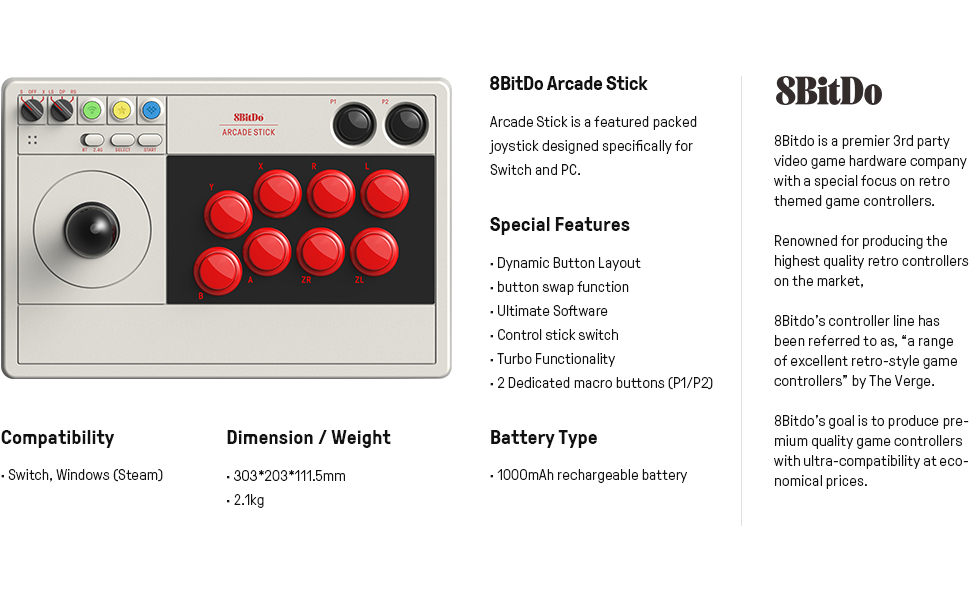
| Dimensions: | 30.3 x 11.1 x 20.3 cm; 2.1 Kilograms |
| Model: | 6922621501350 |
| Batteries Included: | 1 Lithium Polymer batteries required. (included) |
| Dimensions: | 30.3 x 11.1 x 20.3 cm; 2.1 Kilograms |
| Origin: | China |
Voy a esmerarme un poco con esta resea porque, en lo relacionado a la compatibilidad, hay poca informacin al respecto y es complicado encontrar respuestas en internet.
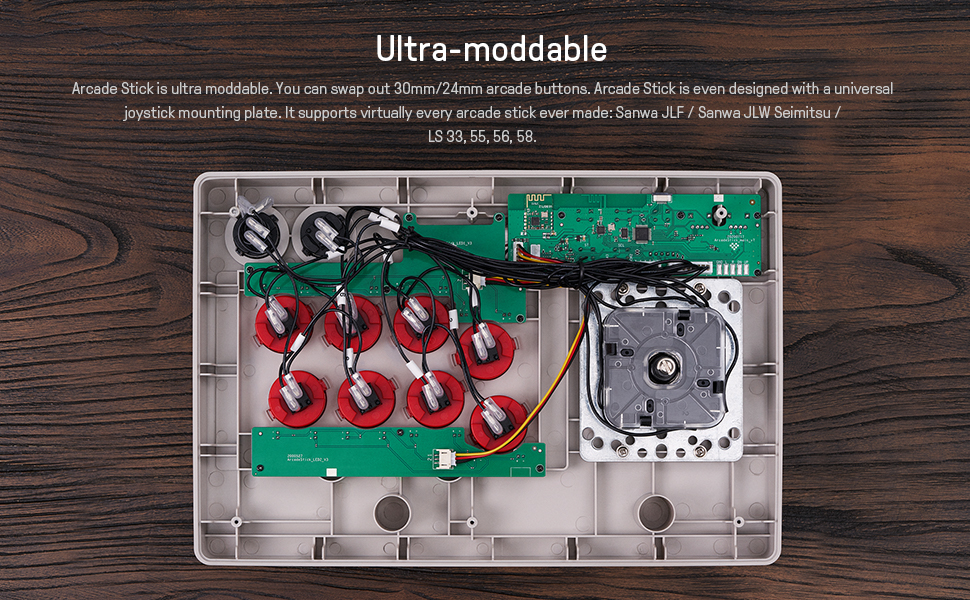
El Arcade Stick de 8BitDo es actualmente el Arcade Stick con mejor relacin calidad/precio del mercado sin lugar a dudas, la calidad de los materiales, los botones y el stick se sienten de muy buena calidad, adems de que son completa y fcilmente sustituibles por piezas de otras marcas como los famosos Sanwa.
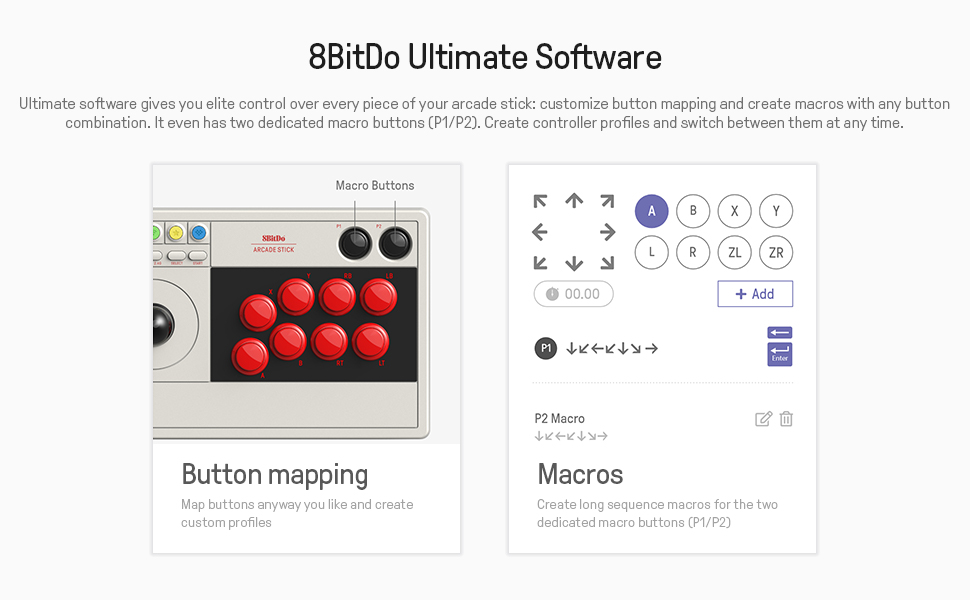
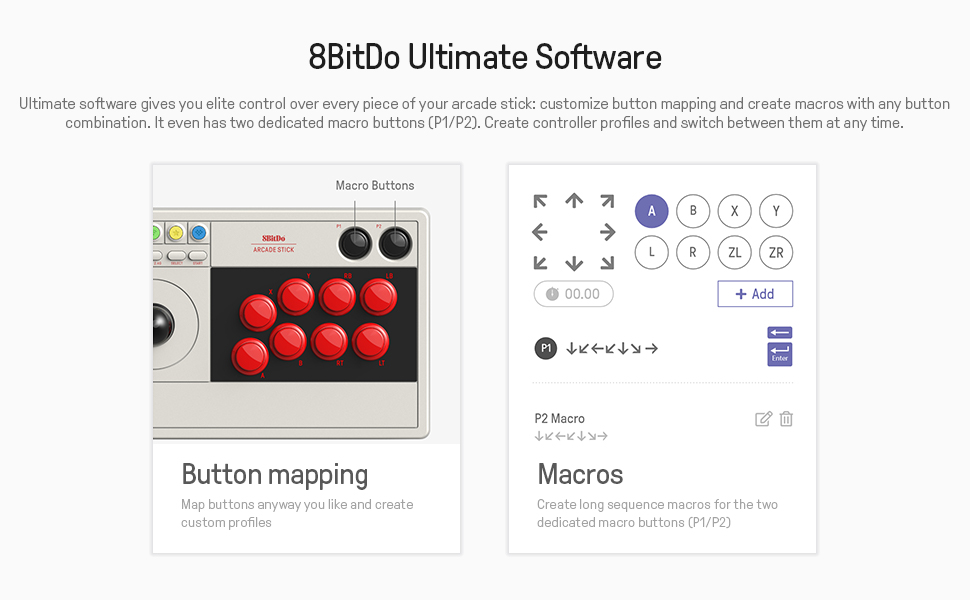
Desde la web de 8BitDo puedes descargar un software con el cual puedes modificar la asignacin de botones.
Para mi, lo mas importante de este Arcade Stick,
es la amplia compatibilidad que ofrece el dispositivo.
Compatibilidades:
Existen 2 versiones de este Arcade Stick de 8BitDo, la edicin licenciada por Xbox, que adems de ser ms cara, solo es compatible con consolas Xbox One, Xbox Series y y Windows.
Luego tenemos esta edicin, la standard, que en mi opinin, es la mejor, ya que tiene una compatibilidad extremadamente mas amplia.
Adems de su compatibilidad directa, que sera Android, PC y Nintendo Switch, tambin es completamente compatible con los adaptadores bluetooth para consolas clsicas de las marcas 8BitDo, retro-bit y Blueretro, por lo que puedes jugar en absolutamente cualquier sistema original como NES, SNES, N64, GameCube Master System, Mega Drive, Dreamcast, PS1, ect… usando los mencionados adaptadores bluetooth.
Adems de la conectividad Bluetooth, el Arcade Stick de 8Bitdo incluye un adaptador de 2.4 GHz para poder conectarlo a travs de este medio a nuestro PC como alternativa.
Por si no fuera poco, adems de la amplia compatibilidad que he comentado, usando el adaptador de 2.4 GHz incluido en el Arcade Stick junto al adaptador USB Wingman Converter de la marca Brook tendremos compatibilidad con absolutamente todas las consolas de Xbox incluyendo a Xbox Series X|S y con todas las consolas PlayStatio incluyendo PS5.
Lo nico a tener en cuenta es que existe un Wingman Converter especfico para consolas Xbox y otro para consolas Playstation, el adaptador Wingman Converter tiene precio aproximado de 50
Great entry-level arcade stick.
I wanted something to play arcade games with, as well as rhythm games and some fighting games. This thing works great on switch and pc, wireless or wired.
Buttons and stick aren’t top-tier but feel really good for the price, and the whole assembly feels extremely rigid. Connecting it to any of my devices has been extremely easy and, though bluetooth is nice, sometimes you dont want to deal with the hassle. The 2.4g option is a great feature as a result, as is the dongle holder.
It also comes with a giant cable, which was a nice surprise.
Fair warning: The button legends only swap between two modes, for xbox and switch. They don’t change based on your custom assignments in the software.
As for modding, the buttons are easy to swap out with anything you want. They swapped the torx bits on older models to regular philips head screws, which is a great sign for customer feedback. The joystick has little room heightwise because of the slim profile, so don’t expect to put in any korean-made sticks. If you want a sanwa or something, though, you can do it fairly easily with a simple 5 pin adapter cable, though it requires you sand down a piece of plastic on the end of the cable. Not hard to do, but I wish they included a proper header for it on the board like the mayflash f300.
If you want a stick that functions on playstation consoles, I’d recommend looking at mayflash’s offerings, either for their arcade sticks or their controller adapters.
Schon die Box, die sichere Verpackung und der erste Anblick steigerte die Vorfreude und der Inhalt enttuscht nicht im Geringsten.
Der 8BitPro Arcade Stick ist designtechnisch eine Wucht, von der Konnektivitt (egal ob wireless ber Bluetooth, 2,4g mittels mitgeliefertem Transmitter-USB-A Stick, der auf der Rckseite in seinem kleinen Geheimfach verstaut werden kann, oder via mitgeliefertem 3m USB-C auf USB-A Kabel) echt vielseitig und top. Verbindungen sind sehr stabil, keinerlei sprbare Latenzen und genau so hatte ich mir das als Einsteiger gewnscht. Ich nutze den Arcade Stick vorrangig mit meiner Switch OLED, aber auch eine BT-Verbindung mit meinem iPad Pro 12,9″ verlief problemlos. Man kann den 8BitDo Arcade Stick also nicht nur mit der Switch, dem PC, Steam und Raspberry Pi nutzen, sondern wie andere Kufer hier bereits richtiger Weise berichteten, auch mit Android, Apple MacOS, iPadOS und iOS. Zu letzterem muss ich allerdings berichten, dass eine BT-Verbindung zu meinem iPhone (14 Pro Max, aktuell gerade mit iOS16.6) zwar problemlos klappte, genau wie das Spielen, aber das iPhone komischerweise whrenddessen alle anderen bis dato laufenden BT-Verbindungen (z.B. zur Apple Watch) ausschaltete/pausierte. Das sollte man bedenken. Warum das so ist, ich wei es nicht.
Zum Thema Langzeitqualitt und Modden kann ich noch nichts sagen. Bislang bin ich als Einsteiger und Casual Gamer sehr zufrieden mit dem Stick und den Buttons. Aber das eine relativ einfach Mglichkeit des Joystick- und Button-Austausches besteht, beruhigt und lsst den eigenen Bedrfnissen und Wnschen gern gesehene Freiheiten.
Fazit: Zum ungefhren Preis eines sehr guten Controllers bekommt man mit dem 8BitDo Arcade Stick einen wirklich schnen, guten und auf Wunsch leicht modifizierbaren Arcade Stick, der fr Einsteiger ideal und selbst fr Dauerzocker optisch und preislich interessant sein drfte.
PPS: Eins noch – fr Xbox X/S Zocker gibt es eine andere spezielle, aber auch teurere Version des 8BitDo Arcade Sticks!
PlayStations werden wohl bislang nur bis zur PS4 und nur mittels eines Drittanbieter-Transmitters untersttzt, aber eben nicht offiziell und Nheres mssen sich Interessenten bitte selbst via Google und YouTube raussuchen!
The picture I attached was after I modded with custom Sanwa buttons and JLF-TP-8YT lever.
You can find most information on Youtube regarding modding tutorials for this stick, so I’ll just talk about my personal experience while modding this.
1) Before you even open the box case, you need to know this: The screw holes are DEEP in the box. I had a short, fat multi-purpose screwdriver, so it didn’t fit in the hole… So I had to get a separate extension part. If you have a simple Phillips screwdriver, it should be fine. But just for your information.
2) The stock buttons’ pins are in a different direction (90 degrees) from Sanwa buttons’ pins. That means I had to reposition the wires to make sure that it doesn’t block the plastic case’s shape. Not a big problem. Speaking of buttons, due to the size of the arcade stick, the layout is tight that you can only fit the snap-in buttons. So if you’re looking to replace the buttons, do not get screw-in buttons, they won’t fit!
3) The default wire layout is a mess. I had to cut open the ziptie, re-organize the wires, and re-zip them. The PCB board is labelled though, so you won’t have to worry about messing up the unlabelled wires. The wire layouts are divided into 3 groups: the first 4 buttons (A,B,X,Y, ground), the next 4 buttons (RB,LB,RT,LT, ground) and the 2 macro buttons (P1,P2, ground). The ground wires are daisy-chained, so you might want to figure out how to organize the wires cleanly.
4) If you’re replacing the lever with a Sanwa/Seimitsu one, don’t forget to buy a 5-pin cable. Watch youtube video by JoyStickNY “8bitdo Arcade Stick – How to Mod – Easy Guide”, around 6:50, to learn how to plug the 5-pin cable. Personally I used a nail-clipper to clip off one side of the tabs so that it fits the slot.
5) The arcade stick itself is pretty good. It’s not as heavy as other sticks like Mayflash f300 or f500, but I love that it is the only cheap arcade stick that comes with Bluetooth/2.4g wireless connection. As some youtube reviewers have pointed out, it’s a little light and the layout is a little inconvenient if you place it on your lap. I enjoy using it so far!
Great stick
I got this because all the other premium sticks were out of stock. I’m happy with it and it’s cheaper than the premium selectio
Bit noisy but does its job
It is wireless which for me it is the main thing. It is a bit noisy but as watched on some youtube videos, replacing parts should be easy. However for my needs it is good as it is.
Feels super high quality
I’ve had this controller for a few months now and I can honestly say it is a dream to use. Fast connection, great feeling buttons and joystick, responsive and clicky and built like a tank. I don’t play arcade games to often but when I do I can’t wait to get this controller out and really feel like I’m in the arcade again playing the classics.
Can play wired or wireless as it comes with a really nice and responsive dongle as well as a cable with good length. 8bitdo is a company I trust after having bought several controllers and loved them all.
Works grea
I bought this for use with the Evercade VS primarily, but it works just as well with my PC. The stick and buttons are all top quality, the wireless functionality is seamless, and if you look on YouTube you can find a number of tutorials for how you can repair or replace any of the components (such as the stick or the buttons) if you prefer a different type.
Highly recommended.