Drayton by Schneider Electric Multi-Zone Smart Thermostat and 2 Smart Radiator Thermostat Kit – Combination Boilers Only – Heating Control
| | | |
|---|---|---|
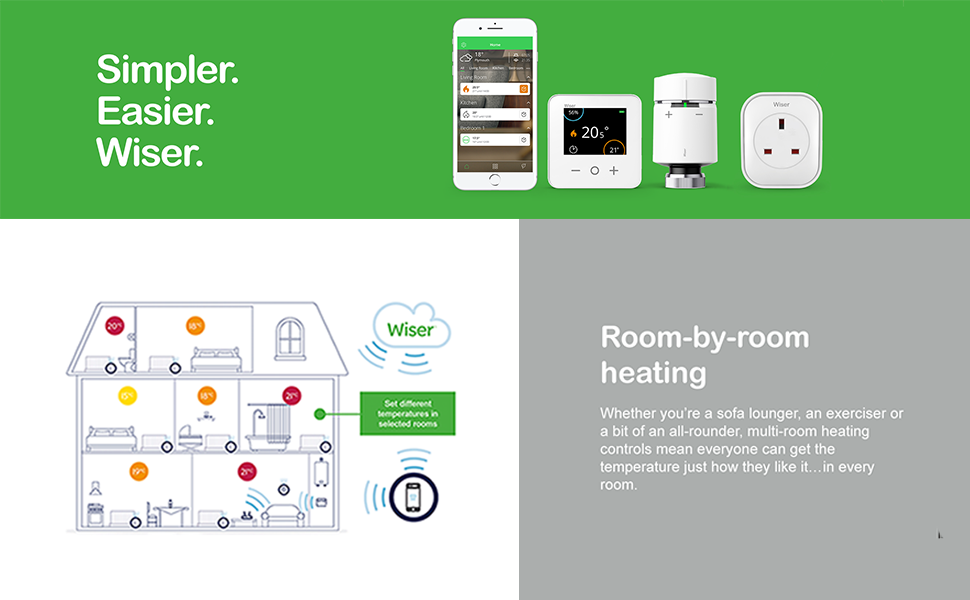
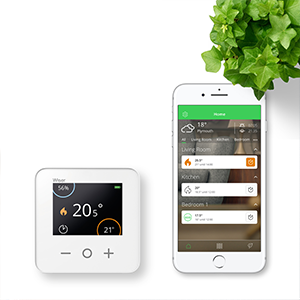
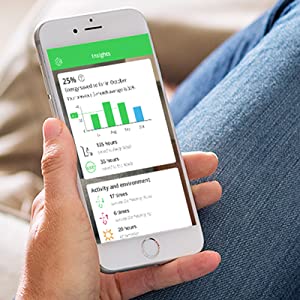
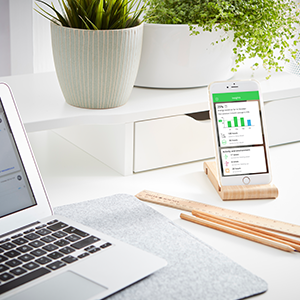
App controlThe Wiser app takes your heating to the next level of smart. With winter on the way comfort is key. Save up to 50% on your energy usage and maximise comfort by controlling your heating and hot water on your phone. | Insights and Heat ReportInsights help you to make wiser decisions when it comes to controlling your home heating. The Heat Report lets you see exactly what your system is up to – anytime, anywhere. Helping you to save energy. | Energy savingsOver 80% of a home’s energy consumption is used for heating and hot water, so when it comes to heating your home, Wiser will have a big impact on your energy usage. Wiser smart heating controls could save you almost 50% on your energy usage. |


| | | |
|---|---|---|
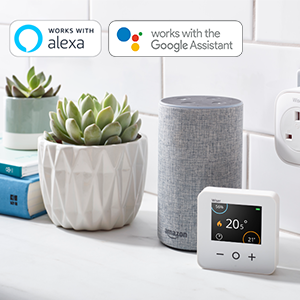
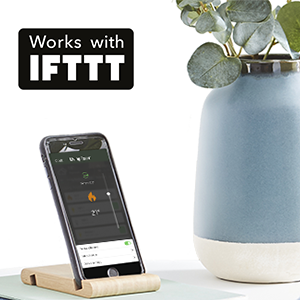
Smart speaker compatible“Alexa, turn off the heating in the kitchen” Connect your Wiser Thermostat to Amazon Alexa or the Google Assistant to enhance control and comfort. Use voice commands to check the status of rooms and make simple changes to your system. | IFTTT compatibleIFTTT automates your heating using geofencing, turning it off when all members of the household leave home, whether it’s for a day or for a fortnight. You’ll never need to think about turning the heating on or off again while you’re home’s empty, just sit back and enjoy saving more energy and money with Wiser. | Wiser smart modesFeel warm and cosy exactly when you want to be in Comfort Mode; let the system turn off the heating at the best time in Eco Mode; and instantly reduce all setpoints while you’re away to avoid over-heating an empty home, using Away Mode. |
 |  | 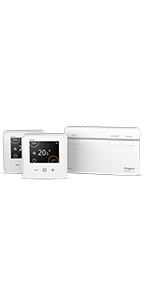 | 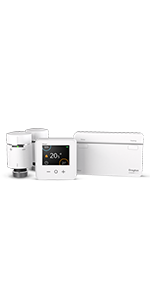 | 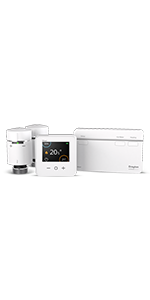 | |
|---|---|---|---|---|---|
| Boiler Type | Combi | Conventional (boiler with separate hot water tank) | Combi or Conventional with two heating zones | Combi | Conventional (boiler with separate hot water tank) |
| Heating and Hot Water? | Heating control | Heating and hot water control | Heating and hot water control with two heating zones | Heating control | Heating and hot water control |
| Radiator Thermostats Included? | ✓ | ✓ | |||
| Can I add Radiator Thermostats & Smart Plugs? | ✓ | ✓ | ✓ | ✓ | ✓ |
| Compatible with Amazon Alexa, Google Assistant & IFTTT? | ✓ | ✓ | ✓ | ✓ | ✓ |
| Energy Saving Smart Modes? | ✓ | ✓ | ✓ | ✓ | ✓ |
| Easy to install? | ✓ | ✓ | ✓ | ✓ | ✓ |
| Weight: | 820 g |
| Size: | Multizone 1 Heating Only |
| Dimensions: | 8.9 x 13.8 x 24.5 cm; 820 Grams |
| Model: | WV714R9K0902 |
| Colour: | Sandstone Fabric |
| Manufacture: | Drayton by Schneider Electric |
| Colour: | Sandstone Fabric |
| Size: | Multizone 1 Heating Only |
User friendly
Used wiser one channel thermostat to replace an older programmer and separate wireless thermostat controlling a combi boiler. After removing old unit the new one clipped onto the existing mount after installing the app the switching times and temperatures were easy to adjust and to monitor using the app. Would recommend.
Great value, so intuitive and simple to configure.
Using this on my LPG boiler (who said you cant have all the mod cons off-grid). What a dream to install and configure, the unit is supplied with the wall mounting back plate which is exceptionally useful for a fresh install, instructions in box and the app and setup of all devices worked like a dream first time, well done Drayton!
Great for fine tuning your heating
Easily fitted. Highly customisable heating schedules via the app.
I subsequently bought a bunch of Wiser radiator thermostats for per-room temperature control once I figured out how flexible the scheduling can be so now, for example, bedroom radiators can be scheduled to be off during the day and the living room radiator can be on.
To be able to leave the heating off whilst away for Christmas (“away mode”) but turn it back on (turn off “away mode”) while traveling home and arrive back to a warm house was fantastic.
After inheriting a hive controller and thermostat when moving to my new house, I soon became fed up with the unreliability as it did not keep time and affected my heating/hot water turning on at the correct time. I spent a long while researching an alternative that had a wireless thermostat as my wired stat had been removed when Hive was installed.
I ordered this after reading the reviews. It was indeed easy to fit and a straight swap onto the universal back plate that my hive was connected to. Once the app was installed and the thermostat linked, worked as expected and controlled both heating and water.
I did notice that it has relatively short cycles where the boiler would shut off before the water in the system had reached temp- this appears to be part of the system’s algorithm (so many on/off cycles per hour). After a bit of googling, I found a guide that said to change the boiler type in the app to oil boiler to reduce the number on cycles and allow the boiler to work for longer and get the flow temp up- the controller still cycles the boiler on/off but I think it has reduced the number of cycles from 6 to 4.
Very happy with my purchase and like the insights the app gives you.
Easy to set up and impressed so fa
Bought to replace an old Honeywell wireless thermostat and relay box (bdr91)
Easy to wire up the new box, simple set up on the app, probably took 10 mins to get going from removing the old one to being able to use the thermostat.
Will see how it goes these next few weeks bit very impressed so far – considering putting their smart trvs onto our radiators to making our system more flexible
Good price/features ratio
Overall is great, easy to install and setup.
Only missing feature is a thermostat connection for the hot water.
Great little produc
Very pleased with this smart heating controller. Installed easily and configuration straightforward – except I had a problem connecting the hub to the cloud. I called tec support – with low expectations – but they were great! picked up after 3rd ring, got straight through to someone who patiently talked me through it and solved the problem. They are also great for advice if you can’t figure out what set of bits you need. highly recommended.
Works pretty much as you'd expect on a 2-zone heating system + HW
We have a 2-zone heating system plus hot water. After doing my research and working out exactly where all the wires went, I did the installation myself in a couple of hours. It’s worked pretty-much flawlessly ever since.
A couple of points. If you have a 2-zone heating system (+ hot water = 3 zones), try and buy the 3-zone hub and skip the 2 display thermostats. You don’t need them and you’ll never use them. Buy more TRVs instead. You’ll then be able to control more rooms separately, and that’s what all this is about, getting heat only where it is needed. You’ll be able to add TRV’s to the 2 different heating zones, so that heat is only sent to that one zone, and not the whole house. But the display thermostats almost never get used. I’d send them back if i could.
I will be buying more TRVs as these are what control the radiators and ultimately control the heat to your house.
Overall, really can’t complain. It does that it should with a minimum of fuss, and that’s all you want from your heating control system.
Drayton swop over.
I had a Drayton Life Style programmer, it is a simple swop that’s why I chose it, I had to put a link across to terminals in the junction box as instructed, works fine after a bit of faffing, but Alexa is being a bitch.
Good working device, easy to use via mobile phone app
This is a good heater / boiler time. I can now switch on the heater using my phone which is very convenient. I asked electrician to have this install for me as I do not want to bother with cable etc. It took him less than 30 minutes. so I guess it must be quite easy. I am pleased with the device. I was hoping the receive will have some display so it doesn’t solely rely on a mobile phone app.
Lovely bit of kit, BUT
We have had a heating control for a combi boiler operating since October 2021. Easy to fit, pair with wifi and use. But last week the wifi router was changed – out of our control as on a park site in a Lodge. The new system is a mesh network – it will not connect to a mesh network. It will not factory reset and reconnect to the old router as the system is open – no security, yet it did before, it can be controlled via the app while there but no longer have remote access, we also have an issue with connectivity to the new network so all in all a frustrating weeks holiday. Tech support have been very helpful but not found a work round without getting a data dongle on a mobile sim – reception is poor so don’t think it will work.
Fantastic ki
When we bought our first house we knew we wanted smart heating, but could not afford to buy the other well known brands and have it installed. This was a really good price and looked simple enough to install so we had a go and so glad we did! Neither of us have prior electrical knowledge. We googled a few things and looked at the wiring diagrams and gave it a go.
We have a Main Eco Elite 30 combi boiler, did have a neomitis wireless thermostat and receiver. All we had to do was change the one wire from position 4 to position 2 and sorted – picture showed the wiring before we changed it.
Had heating working immediately and absolutely love it. We will be adding radiator valves to the system in time, but for now we have the one thermostat and it has already saved us so much money easily paying for itself.
We have this for nearly 2 months now and it is so much more convenient than the traditional thermostat control we had. Setting the times within the app is really simple and more intuitive than older hardware based systems. If you want heat at anytime you can just do it through the app at home or on the way home and want it to be warm when you return, selecting a length of time it is on for (saves money as you don’t forget to turn it back off). There is no subscription, you buy the kit then download the free app and that’s it. I will be adding the radiator valves to a few of our rooms later in the year to give us even more control over our central heating.
Fitting and setup was really easy, and replaced our Center Honeywell EHE0200361 Wireless Thermostat and BDR91 Relay without any modifications to the wiring from our Baxi Duotec combi boiler. See my photos showing the wiring layouts of both old and new.
Drayton being a British company is another big plus for me, I like to support our home grown companies.
New User Feedback
Discovered this product while searching for feedback on the Google product, which I had expected to buy. This is much cheaper and after 3 weeks of use in my house seems much more powerful and ideal for my needs. I have 2 separate heating zones plus hot water, each with a motorised valve so bought Kit 3. Temperature control has hugely improved compared to my old mechanical thermostats. It’s too soon to tell if costs have reduced. I would give it 5* if the app was more powerful such as being able to extract data for more detailed analysis. Although it does integrate with smart meters I am unable to have one. I plan to add the radiator valve kits, fortunately I already have Drayton radiator valves so fitting should be very easy. Unfortunately thir pric on Amazon has just increased by 5 so will have to shop around
Not bad!
Does what it says on the box. Bit of an issue with app crashing but overall happy with the purchase.
Initially app was forcing me to touch thermostat as it couldn’t obtain the temperature but now after 1-2 month of use, that issue is gone. App keep loghing me off randomly and fails to launch many times. I just use the basic features but happy with purchase.
After being advised to get a Honeywell EvoHome system, I researched all options.
The Honeywell system is very nice and gets good reviews, but so does the Drayton at way less than half the price, and can control more zones. It’s a challenge to work out the components of the Honeywell system, and many are not available through Amazon now.
I wanted Alexa control, OpenTherm (though not using it yet), room thermostat and 6 radiator valve heads. The cost for the Honeywell system was about 1050, and the Drayton was 382, BUT on Black Friday I paid 274! It costs more than that just for the Honeywell controller!
Everything is easy to install, the hub comes with the industry standard backplate and cost me less than 50 to replace the old non-standard one; if your system has a standard backplate, you don’t need a plumber or electrician for any of this! Download the Drayton Wiser app, connect the hub, press the setup button, connect to your network, done.
Add the room thermostat, which is simple AND if it is assigned to the same room as radiator thermostats the room thermostat overrides, which makes sense as the temperature near the radiator is warmer.
The radiator thermostats are simple too, connect to network, assign it to a room, allow it to calibrate itself, finished. BUT, be prepared to spend time adjusting the temperature to get it to what feels comfortable where you are in the room, OR buy a room thermostat for every room; I didn’t.
The app is clean and simple and provides some useful analytics that show what you have set the temperature to, and what it achieves by when; there’s an eco mode that predicts when it’s getting near temperature and shuts off a bit before, as the water is still hotter for a while; there’s a comfort mode that will switch on early to achieve the set temperature for the time you set. If you’re a geek, they provide an API so you can write or download programs to extract data and control the system.
So, what’s the benefit of spending the money?
Before, like many, I had a wall mounted room thermostat that turned the boiler on/off, and manual thermostatic radiator valve heads to adjust the temperature in other rooms. The downside of this are many:-
I don’t sit by the wall thermostat, and I now know it’s actually 5C warmer there than where I sit!
The boiler was set at a temperature and was on unless the room thermostat or timer was off. Now, it can come on just to provide heat for the bedroom and bathroom a little before I get up, then mainly the lounge where I am most of the time, and the back bedroom which I don’t use gets a low level of heat at times when the other rooms are up to temperature i.e. a flexible dynamic system.
OpenTherm takes it a stage further and adjusts the boiler water temperature depending on what is required when, saving more energy.
Fantastic smart heating system
This system was really easy to install to my boiler, but if you are are unsure always consult a qualified person. The valves are dead easy to install if you already have Drayton TRVs on your radiators.
Doing the app setup was a little flaky 1st time, I had to cancel and start again and then it went through with no issues.
It’s very good for scheduling heating, for example to not come on during the day, and what I really love is the daily line chart showing how the room temperatures and when the heating comes on.
I have a loft room that gets colder than the other rooms, so the fact this can independently call for heating is great.
I’m glad I did the homework and selected Drayton over more expensive alternatives.
I purchased the Thermostat and a number of TRV’s, NOTE: don’t fit to all the radiators in your house, you need to keep one radiator uncontrolled as a heat load to allow your boiler to cool down – it wont be on all the time, only for a few minutes after the controlled radiators have reached their temperature – I’m only saying that to save you buying too many TRV’s (although Amazon where great in returning the one that I over-ordered), I also used a Drayton Wiring Centre LWC3 to make my life a bit easier, but you can get away without it.
The installation guides are very clear, and even when I got a bit stuck, the tech support from Drayton was prompt and clear. Drayton even offer a series of You Tube video’s to aid the installation process…combine this with videos from Bosch Worcester and you are on a winning streak.
The app is very easy to use, and although I have yet to compare energy use with previous year, I can immediately tell I am saving energy. Whereas before, the whole house heated needlessly to a comfortable level, as I walk around my house I can tell the “lived in” zones are still comfortable, whilst the spare room is cold and the bedrooms are only heated when we need them…..why was I heating these rooms before??
This is a review of the Wiser 1 channel smart heating control system. Facing ever increasing energy bills I had been looking around for a while at the various systems available. Then I discovered this one. After reading so many negative reviews about the Hive system I ruled that out. Many of the cheap Chinese smart radiator thermostats also had very bad reviews with breakages happening very easily, plus they only controlled the radiator so were not a complete heating control system. I started reading reviews about the Wiser system which were all mainly positive. So I decided on this system. I purchased a kit that came with the boiler controller, room thermostat and 2 radiator thermostats. I bought an additional 11 radiator thermostats and 2 range extenders. As all my valves were old I decided to replace all of those too. I then set work over the next couple of weeks installing everything. As we already had a wireless thermostat, the boiler controller was easy to swap over. Just make sure it’s in a good position to get a WiFi signal. Set up of the app was easy, so was adding each radiator thermostat, the room thermostats and the two range extenders. After a week it was apparent that one of the radiator thermostats was faulty, the battery had drained already. That was replaced without a problem. Since then the system has been brilliant. I can heat just one room if I want to. The system lets you lock out control of the radiator thermostats locally just in case you have children who like to fiddle. You can also create custom schedules which you can assign to a single or multiple rooms. The app works when you are away from the house too, so you can control your heating from anywhere. Make sure your routers 2.4Ghz radio is set to channel 1, 6 or 11 and is not set to Auto. Having an Android phone or tablet can help here. Install the WiFi Man app from Play store. The app lets you see which channels are the quietest.
Looking forward to reduced gas consumption...
If all goes well, this system is easy to set up.
After a week of use and a few days where heating is beginning to get called for briefly, I can see temperature control is responsive. Radiators are quiet and they heat up same as they did with the ordinary TRVs.
Some potential downsides.
1) You cannot control the system at all other than via wifi and software. So you could not, for example, turn off the hot water and/or heating manually other than by, switching off power (which in my case is the fused spur in the airing cupboard).
2) The wifi of the hub is weak.
Ping monitoring it, it regularly fails to respond. On two occassions the left LED has came on solid red and the unit was offline. I needed to switch the unit to setup mode and back and wifi connection came up.
3) The iTRVs seem lighweight. Some other reviewers here experience issues with these early on. I hope they last as they will form the bulk of the investment, if you go all out smart with Wiser.
Hopefully it manages to pay for itself with energy savings.
Drayton Wiser - Very Smart!
I replaced my Drayton Wireless Thermostat with new ‘Wiser’ Heating Controls. I bought the Kit 1 and subsequently 7 more Wiser TRVs.
I was disappointed to find that the Wiser Room Thermostat WiFi signal was too weak to successfully link to the new Hub R (which had directly replaced the old Wireless Thermostat Unit (by the boiler in my loft – which always worked reliably!)
The answer was obvious, I had to buy a Wiser Plug ‘extender’ (another 38). Great the system worked.
Next I fitted the two Wiser TRVs (from the Kit 1) at the extremes of distance from the Hub R. One Wiser TRV would not pair reliably. Yes – I had to buy yet another Wiser Plug ‘Extender’ and find the optimal position for its location.
My house covers 3 floors (top a loft conversion) walls all brick. My extenders are both on 1st floor at opposite ends of the house, and everything now works reliably.
I am very impressed with the many features of my Wiser system and in particular the ability for ant TRV to ‘call’ for the boiler to run when it’s room schedule requires heat.
The Hub R is linked to my home WiFi and my iPhone has the Wiser Home App downloaded (needed for set up).
The App is brilliant and very easy to use and navigate. Too many features to describe here!
The system can also use Amazon Alexa and I have even linked Wiser to IFTTT App which now automatically switches the heating off / down when my iPhone is away from home.
You can also control everything from the Wiser Home App when anywhere!
WISER has exceeded my expectations, except for two things, namely:
Poor Wiser WiFi signal strength.
No temperature ‘offset’ to correct the true room temperature for the Wiser TRV measured temperature (shown in the Wiser Home App.
I would buy again as the overall cost /features compares very well against main competitor systems.
What is not to like?
I researched a lot of products, and although this one looked really good, I couldn’t help but wonder why the TRV heads were 40 rather than others which were around 60. I thought they may be inferior. I need not worry. They are brilliant. I’ve worked in IT for 30 years, so setup was a doddle. Even installation was one screw and just swap my old timer for the Wiser hub. It fitted on the old backplate so no wiring required. I just turned my old thermostat to max so it just kept the thermostat permanently switched on, giving control to the new Wiser kit.
Once installed, I set up the schedules for each room individually. On an old system, you set all radiators to switch off at a certain temperature, but if you have all radiators set to 20 degrees, for example, then if the temperature is 18 degrees, then obviously all radiators will switch on. With the Wiser Smart Heating system, you then go one step further by saying (for example). I want the bedroom and bathroom to come on between 6 and 8.30 at 20 degrees with all other radiators OFF. I want the office radiator to come on at 8am at 21 degrees, and the bedroom and bathroom to go off at 8.30. I want the office then to turn off at 5pm, but I want the lounge and hallway to come on at 4pm till 11pm. And I want the bedroom to come back on a 9pm. Stuff like that. It basically means that I am running 1 or 2 radiators all day (or until they reach the required temperature), whereas before I would have been running 10 all day. I can only assume that with the horrendous price increases in the UK for gas, this has made a huge difference. We have a reasonable sized 4 bedroom detached house, and after April, our monthly gas and electricity bill will rise from 100 per month to 130 per month. This is the lowest of anyone we know. We are on standard tariff as our supplier went bust, so we had to change supplier recently to a new one, and they had no fixed price deals going, so we ended up on standard which is one of the highest, and we have smart meters, so they know exactly how much we use. People we know in smaller houses than us are paying far more than us (in some cases more than double). I can only assume it is the Wiser system making the difference. But it makes sense, as having 2 radiators on instead of 10 is a big difference.
The only negative. The app needs some more thought and some work. It’s great at setting basic schedules, but they need to listen to customers more. I think it must have been designed by a developer. When I first had it, I gave them some feedback saying it is really good, but you should be able to have overrides to the regular schedule for specific dates (like on Microsoft calendars). E.g Aunt Ethel is coming to stay next Thursday for 2 nights, so during that period keep the spare room at 21 degrees. The only way I can see is to wait until the day of arrival and then amend the regular schedule to suit or set it a constant temperature and tell it to ignore the schedule. But with both of these options, you have to remember to undo it afterwards. I heard nothing back.
Overall though, this is an exceptional system, far better than I could ever have hoped for, which I believe is saving me a lot of money, and probably paid for itself a long time ago. It just needs (like all apps) ongoing customer engagement and development. I would be happy to perform this role for free as I have been heavily involved in mobile app development and I love this product, and I would love to be able to help others save money with the fuel price crisis in the UK.
Smart Radiator Valve
Have these units on my radiators. They are controlled from a phone app or with the help of an Android simulator can be run from a PC. Commissioning is easy with LED indicators.
Batteries are on the reverse side to the indicators which makes them difficult to change especially since the polarity indicator is difficult to see. I have taken to unscrewing the head, replacing the bateries. refitting and recommissioning. The only indicator of the state of the batteries is in the app which is not ideal.
Works well - 19% gas saving and more even temperature
Installed in November 2021. Used dual channel (water + heating) controller with app. Thermostats installed on 8 out of 11 radiators (3 missing require their TRV1 50 yr old valves to be changed). Participated in Octopus Energy winter savings competition – who measures 19% reduction in gas December to February. Saving of 70 vs 350 cost. House is more even temperature and will continue to benefit. Unfortunately one radiator is outside of Wifi signal range, which is annoying.
Great system. Couldn't self install but worth the cos
Initially purchased specifically so we could keep babies room a constant temp and not have the whole house heated up all night.
We had a look at the instructions for wiring it into the boiler thinking it would be possible for an experienced diyer as videos and blogs seem to suggest. Wrong we ended up not attempting it in case we messed something up and had no heating
Once the unit is wired into the boiler it’s a breeze to set up. We have since added more TRVs so all our radiators are controlled individually. We don’t use the room thermostat at all as it seems to mess up the room it’s in abd make it call for heat more than it should so we’ve turned it right down and left it in a corner.
Great system, wish we had done it sooner.
Ok ish not as good as hoped
Running for about 2 weeks now. Bought as part of start-up set. One wall thermastat, 3 rad thermastats and control box. The control system needs wiring into the boiler. Not as easy as the video suggests. If you’re ok with wiring then straight forward. I had a friend do that bit. The rest, fitting rads thermostats, if you already have manual thermostats, is straightforward. The app on the phone is straightforward. However, there is a 8 second delay between commands on phone and reaction of thermostat. Doesn’t sound alot but when you are programming every radiator for every day of the week if is really really slow. I can’t get the IFTTT bit to work at the moment that could be me or they no longer support Wiser.
The rad thermastats are noisy when they come on. Wake you up with a start noisy, for the one in the bedroom. Not horrendously noisy but you will hear it and I’m a heavy sleeper. In other rooms with TV or radio on it wont be a problem. Putting the heating on when in the car, on the way home from finishing work early is brill. Turning heating up or down from sofa brill. Not tried voice control yet so can’t comment. Had a couple of none responsive commands so system is not 100%. But I will buy further rad thermastats for other rooms. The pros outway the cons
Relatively Easy to install
************UPDATE AFTER 7 MONTHS: System has worked well for the past 7 months and is saving on gas. Only issue I have had is some of the thermostats lose connection on a regular basis. However we recently had a power cut of about an hour after which all thermostats came online with no further drop outs. I must assume the range extenders were not functioning correctly with the thermostats. So if you have thermostats with intermittent drop outs perhaps switch of power to the main controller and any range extenders you have in your system for a few minutes.**************
Installed the system in a 5 bedroom bungalow with 13 radiators. Installing the control unit next to the boiler was simple. Removed old Drayton unit and installed new (uses the same mounting plate). Replacing the radiator thermostats was simple. System configured and now running.
Issues found was with a weak WiFi signal at the control unit next to the boiler configuring the timing and temperature settings was slow, slow to update. Had to move my WiFi booster closer to the boiler. To avoid thermostats not responding I also had to add two range extender/ plug units.
Ran the system for a few days to check if reliable which it is. Changed the mode to ECO mode so hopefully will start to make some savings.
It would help greatly if the App displayed the signal strength at the hub from each the thermostats. Determining the requirement for and positioning of the range extender/ smart plugs would be so much easier.
Also I don’t see the point of combining the range extender function with that of a smart plug in the same unit. The position of the range extender is determined by signal strengths and is unlikely to be where you need a smart plug. Drayton should make two separate units ie a range extender unit and a smart plug unit. It would make more sense.
Note: If you are someone not comfortable with modern technology and want a heating system which is simply on or off not involving batteries, wifi signals, thermostat signals, Apps, etc this may not be for you.
Good but may make your heating noisie
I was looking to stop heating rooms that we don’t routinely use and the radiator valves connected to the Wiser app have achieved this just as I wanted.
We already had manually operated Drayton TRVs and so it was an easy swap to install the automated versions.
We needed to replace the backplate for the hub, disconnect the existing wired thermostat and substitute a permanent link in its place but this was straightforward for a competent DIYer following the wiring diagram.
Some of the radiator valves were too far from the hub to connect reliably and so I needed two extender plugs which addressed the problem but added to the installation cost.
The app has a few minor niggles, but generally works pretty well and integrates with Alexa. Graphs that plot each room’s temperature over time are useful to confirm that things are set up properly.
The major downside that we have experienced is not related to the Wiser system. When several radiators are switched off by the system, water is not necessarily following the route through the pipes that applied when the system was “balanced” at commissioning. This has created a hissing type noise in the “open” radiators that is noticeable but not outrageous.
When the radiator valves open and close there is a very short buzzing noise from the motor.
Finally there can be unexpected noise at night when a room gets too cold relative to what is programmed. The boiler will then fire up and, while it can be annoying, this is what should happen. The solution is to set the room temperature even lower during the night!
It remains to be seen how quickly I might recoup the high costs of the system from reduced heating bills but a month after installation I’m happy enough.
Proper smart heating
Works great but you need the whole system for best experience. Control unit plus thermostats plus valves. App works well but there is no global controller.
Correctly installed, the Wiser system is brilliant. A Smart Radiator Thermostat, on its own, will not control the temperature in a large room; you must add a room thermostat as well. To regulate the whole house every radiator in your home will need a Smart Thermostat. A medium size houses will also need at least 2 smart plugs to ensure a relatable wireless connectio
Works well
I’m very pleased with this system. The control box was easy to install- I had to change the back plate to the one supplied but this was not difficult for a reasonably competent DIYer. I’ve got an existing wireless thermostat connected to a motorised valve and I set that to max to keep the valve open until it’s closed by the Wiser thermostat.
The valves are very easy to fit to the radiators with the adaptors provided, and easy to integrate into the system.
I read from other reviews that it’s not fully functional through Alexa so I haven’t tried, but it’s so easy to control the temperature in each room from the app installed on my tablet and mobile phone that I don’t think I’ll bother.
It’s been installed for about 2 weeks now and although it’s early days I reckon it’s going to oay for itself in heating bills pretty quickly.
BTW customer support is excellent if you need it.
Whats not to like.. I have 2 of them now!
These do everything that teh other well known brands do, and at a much more affordable price. Reliability is good.. I have had teh 1st system for just about a year now, never let me down. ECO mode is a bit hit and miss, in early Autum and late spring as it monitors the outside temperature and ovverides whether the heating should on or not. try telling that to somebody that lives in a North facing house!
The app could be improved, but its adequate, and you still get more info from it than the other well known brands. Can be integrated into IFTTT, but I dont.
All I will say, is dont hesitate, buy it, especially when its on sales prices… cheaper than a regular wireless thermosta
Great smart switch
I was initially a bit miffed at having to purchase this smart plug for the sole purpose of improving signal to my “Wiser” smart heating system but I have to confess, it’s actually been a really good. It feels very well made, took second to configure, I’ve had no problems with my smart TRV’s going offline since installing it (it acts as a mesh signal extender), it works flawlessly with IFTTT, can be easily scheduled and shows me live power usage so actually, not a bad price for all that.
Very good thermostat. Limited adapters supplied.
I have old Danfoss TRV’s and the adaptors supplied didn’t fit. I managed a DIY fix with some aluminium sheeting and some jubilee hose pipe clips. Once I’d got them fitted they were easy to set up and control.
A brilliant purchase
This unit was very easy to fit, no need for a plumber. Paired up quickly and I have found the app very simple to use, connected with Alexa well too. Clear Commands are processed well and the unit keeps to schedule.
Simple setup and works well
I have had a basic switching unit that Google can turn on/off via Smarter Things and Home app. It didn’t have a thermostat so heating is either on or off.
So I took a punt on this after having lots of problems matching Hive units.
It took 5 minutes to install. I added the short link wire as it doesn’t have an internal link.
Now some people have had problems with connecting to their home wifi router. However mine saw both my router and the extender I have downstairs. I’ve a large 4 bed house.
You can’t blame this unit if your house WiFi signal is weak, just get a cheap extender.
The Wiser app loaded easily and has good responsive controls. The thermostat is neat and small but easy to read the data.
Absolute game changer!
I had a new heating system installed this year which came with a Honeywell TR3 programmable wireless stat.
No smart connectivity or app.
I did a bit of research and went for the Drayton because of the cost and reviews.
I’m absolutely delighted.
I bought the starter kit which had a thermostat, control box and 2 wireless TRVs.
After an hour of thorough googling I decided to wire the control box myself, which was easy enough after going through a few forums.
The set-up was a doddle, as was adding the TRVs.
I ordered another 5 TRVs on the spot.
All my rooms are now wirelessly connected to both the app and Alexa.
So I can set room temperatures by voice.
The app itself is easy to use and links to IFTTT, so it’s geofenced and switches off when I leave the house, and back on when I get home.
Handily the app can aggregate temperatures, so where I have 2 radiators in one room it uses an average temperature.
The bathroom radiator is the only one that doesn’t have a TRV on it so I put the thermostat in the bathroom.
Basically I can individually heat any room in the house as long as I leave the bathroom radiator on.
At this price I couldn’t be happier!
Highly recommended.
Simple and attractive multi-zone heating
We recently replaced our boiler and decided to fit to fit Drayton Wiser at the same time. The plumber installed the hub and fitted the needed valves to the radiators, but left us to do the actual configuration and fit the actual TRV heads.
After reading some of the reviews on here I was a little concerned that given the size of our house we’d have issues getting the TRVs to pair. Thankfully the setup was very easy! Walking through the setup steps in the app I didn’t encounter any issues getting the hub to join the Wifi, and the TRV heads found the hub without issues. I did find that when joining to Alexa from an iPhone I had to turn off the popup blocker in Safari temporarily, but that was easy enough to sort.
Some people have complained that the TRV heads miss out on having an LCD display, but compared to the boxy looking Honeywell/Bosch TRVs I think they look a lot cleaner/more attractive for not having them (and that played a part in choosing this system). The twist to boost temperature up/down works well, and anything else can be done in the app.
Future wise, Drayton don’t advertise support for underfloor heating but it appears to be coming – the first time after I power cycled the hub the app sported an option to connect to an underfloor heating controller. It’s available elsewhere in Europe, so I think it might become available in the UK too.
I’ll keep an eye out on the reliability of the system, but so far so good.
(Excellent functionality and Easy to Use (but avoid the radiator thermostat)
Having just replaced our 20 yr old conventional boiler with a much more efficient one I decided to invest some of the projected savings in further enhancements.
Replacing an old freezer and rescheduling the hot water is already making substantial savings on electricity and Smart Heating is an obvious next step.
First I reviewed the available products and decided that Wiser was the best value for money and offers all the functionality that we need.
I considered iTRV’s but eventually decided that the additional cost was not worth the investment but the option is still available in the future (though our Giacomino TRV’s also require a special adapter).
The big worry was installation and a bit of research showed that our BG UP25 controller has exactly the same wiring as the Wiser Smart Hub so I went for it. It took only a few minutes to shut off the power, unscrew the old controller and replace it with the new one. The existing thermostat is now turned to 100% on and will be removed in due course when the boiler is serviced.
Connecting my iPad and programming the hot water and heating was very straight forward and there are some youtube videos available to explain the different modes (away mode, eco and comfort) which offer savings on top of setting the old style TRV’s in every room.
The system has now been commissioned and is working as expected.
I am thinking that I will use Away mode in the Summer so that the heating does not come on and for the Winter I have a schedule with 15C at night and 20C during the daytime.
A bit of research and I found the IFTTT site which links to the Wiser account and allows you to create a free account and automate the system even further eg) an applet that runs at a certain time each day to switch to Away mode in Spring and Autumn so I don’t need to keep altering the heating schedule.
I would certainly recommend checking out this system if your requirements are simple and you want good value for money.
Update:
so it’s been in place for 7 days and I have been closely monitoring the system and the power use.
As regards hot water, I have put extra lagging on the cylinder (12) and I am only heating water on ‘bath nights’ (x3 a week) giving a clear reduction in electricity usage. It actually seems sensible to heat to 65C so that the water is still usable even after three days.
Central Heating – I am not sure that Comfort mode is working with my new condenser boiler set on Economy so I have turned it off and forward scheduled my settings to get the full impact of heating when I get up in the morning. I have also scheduled a boost on ‘bath nights’ so that it doesn’t feel chilly getting out of the bath.
Overall the system is working exactly as I want and giving me control and feedback my major power usage. I already have some understanding of the time it takes the house to cool down and heat up.
It will be interesting to review this when it gets to freezing and sub zero temps later in the winter.
Wiser smart Radiator Thermostat
==========================
Still very happy with the basic system so I tried adding a smart radiator thermostat.
My existing TRVs are Giacomini so I ordered the adapter which is available online from Conrad electronics or Amazon.
Fitting the adapter was ok but does requires a very small Allen key to tighten the nuts.
My experience is that the temperatures recorded by the smart radiator thermostat go wacky at the start of the day about 15 mins before the schedule kicks in and the heating fires up. (Photos attached).
I tried re calibrating and factory reset but the problem persisted and I’m still waiting for a response from the support team so I am looking to return this in the next few days.
Instead I am getting another smart thermometer which I will use as a sensor to record room temperatures and adjust the manual controls and existing TRVs. I could probably acheive the same with a simple digital thermostat but for a little extra cost the wiser smart thermostat will record the temperatures.
Update: 20/11/20.
===============
Overall I still have a very favorable opinion re: the Drayton Wiser Smart Heating system – as it is easy to install, performs well and allows me to control energy consumption in these difficult times.
The Smart Radiator Thermostat did not work for me at all and I returned the product which may have been faulty. As stated above, my strategy now is to have two Smart Room Thermostats and this is working very well. In truth I might have done the same by getting a cheaper analog max/min thermostat but it’s nice to have the data recorded and two rooms allows you to exceed the 8 event s a day limit on a schedule.
Excellent system
I’ve had two control systems from the boiler manufacturer, neither were cheap and both failed within two years. Won’t mention the manufacturer but they are one of the higher end domestic boiler manufacturer. The boiler is a combi but the wiser system would easily integrate with a heat only boiler system ( one with a hot water cylinder).
The system was very easy to install, the thermostatic radiator units simply unscrew and the wiser radiator unit screws straight on. I was replacing my old honeywell Thermostatic radiator controls. The kit comes with and adaptor which will allow the unit to fit most makes of radiator TRV’s without the need to drain the system. I found the unit very easy to set up and pair the TRV to the system. The only criticism is the system isn’t opentherm compatible so its simply a on/off but the way the system performs is very much like a opentherm system.
With standard thermostatic radiator valves these simply shut the water off to the radiator, this doesn’t interface with the boiler, only a room thermostat and time lock can turn the boiler on and off. With this system it is possible to turn the boiler on and off when any of the TRVs are calling for heat which is fantastic. For instance if your working from home and only want to heat say the living room and kitchen this system will allow these rooms to be controlled simply and efficiently without trying to heat the whole house, as long as each radiator has a wiser unit fitted. Instead of heating the whole house you can now control each room however and whenever you wish.
We have noticed a drop in the gas bill which is really why this system was fitted an long with reducing the CO2 footprint.
The house is small but WiFi is always an issue, ro the point the computer upstairs has trouble with WiFi so its hard wired, to date I’ve not had any issues with connectivity at all, this isn’t to say if you have a larger property or a poorly placed router a range extender maybe needed.
We have had this system. I have had to change the batteries in one or two units in that time, to be fair these are the ones that come with the unit so I don’t expect them to be the best, changing the batteries and reconnecting the TRV back to the system only takes a few minutes and probably will take less time now I know the procedure to rediscover the TRV.
Lots of data can be accessed in the app, so the tech minded gadget lover can see what the system has been upto.
Initial cost is a bit high but compared to the benefits this system provides is comparable to fitting a control system to a existing system, without the need to run cables to time clocks, room thermostats etc.
All in all I can’t recommend this system highly enough.
A tad pricey but working ok
Purchased this item really to use as a range extender for the wifi. I used it to replace an existing standard plug-in timer which was okay but being in an area that is susceptible to power cuts I had to keep resetting the timer, with this unit it never loses time not as bulky as my original timer so its another plus point. I am really pleased with its functionality and the control in conjunction with the Wiser App. The downside in my opinion was the cost. I hope some Wiser Geek could explain and justify the cost, probably down to the wifi, Alexa, and Google compatibility. I have also contacted Drayton and asked them on their next upgrade to show how good the signal is on the plugs through the app otherwise how do you know you have them in the best place.
Simplicity
Very simple to install . Competitive price. Recently installed with new heating system . Have every confidence in product so now time will tell
Good Zigbee "extender" for Wiser Heat system
We have a 10 radiator heating sytem with Wiser thermostats. They communicate back to Wiser hub with Zigbee technology. Three of the thermostats were on the cusp of signal range from the hub and were using their batteries much too quickly. This Smart Plug has bridged the gap really well. The Wiser tech support people are VERY responsive to emails and very helpful. They were able to connect to our hub remotely and confirm the original signal problems and when I tried the Smart Plug in different positions in the house they could check to see which radiator thermostats were connecting OK to it. Very happy customer.
Sorry I don’t use it with Alexa so can’t comment on that aspect.
Good integration with old Drayton time
Good upgrade for our manual Drayton timer system – easy to use and set up via the app. Backplate fitted our existing plate – setting the water and heating schedule via the app took me a little time to work out but easy now . My wife happy that she can overide the system from work making sure she is warm when she gets home. Have not set it up with Alexa as yet as using the wiser app is easy to use in the first instance
Seems very good after my disappointment with my previous Hive version!
I bought this on a whim really as I was about to put my old Honeywell, wired, programmable thermostat and Siemens time switch back into my system following the fiasco with the Hive I had for less than 6 months! Noticed this Kit 2 as a warehouse deal “like new” so decided to give it a try.
Very easy to install, with only 2 units – the combined boiler switch/hub/controller and the very small and neat wireless thermostat (the Hive had 3 units – the extra one required an Ethernet connection to your router).
One installation hiccup was although all three boiler controllers state they will fit straight onto your existing, industry standard, back-plate in fact the Hive would NOT fit (it has a couple of extra profiles on the side of the box) so I had to fit Hives own mounting (not very good quality terminals). When I came to fit the Wiser controller it would NOT fit onto the Hive back-plate – it would have fitted the Siemens original one though! So I ended up changing the back-plate on both installs – at least the Wiser version has better quality terminals.
A further problem arose when I was starting everything up on the phone app – it appeared the Hub was already registered to someone else – thanks Amazon! Strange as when I received the unit it seemed to be factory sealed,the batteries were shrink wrapped, protective film on screen ans even the clip in desk stand was included?
At this point I let go a few expletives as I knew that with the Hive system, once the hub is registered to an account, it absolutely cannot be re-assigned – you have to buy a new hub for about 70!
However I decided to ring Wiser support – not expecting much in view of my previous days call to Hive – nearly 2 hours long – 50% unintelligible audio, lots of resetting of my router, changing cables, standing on my head – all to no avail and when they said “advanced tech support would ring me within 72 hours” to sort it out I decided that was the taking the mickey – Screwfix refund beckoned!
My call to Wiser support was totally different – a very helpful, polite, friendly and knowledgeable lady, whom I could easily understand on a clear phone line, just needed to know where the kit had been purchased and the serial number of the hub. Within 5 minutes the previous user had been cancelled and the hub was now registered to me – excellent stuff, exactly how customer support SHOULD work!
Pros:
Easy to fit / very neat small thermostat unit with the option of wall mount or desk mount / so far the app works well (the ONLY way to program a schedule) and has lots of options and information / attractive colour display / simple 3 touch button control to adjust room temperature or select boost feature / possible to control the system from the app if your internet connection goes down – just press the “setup” button once then connect your phone/tablet WiFi to the built in Wiserxxxxxxx access point.
Cons:
No Hot Water display on the thermostat (HW boost or over-ride ONLY available at the hub or on the app) / often the flame symbol stays illuminated for a long time after the room temperature is satisfied and the boiler has turned off (very slow update) / no proximity sensor to briefly turn the display on when you approach it
Overall it seems a good workable system and if it proves reliable I might just shell out and fit the intelligent TRVs to all my radiators BUT, as I need 12 of these at a cost of around 480 I will have to be very sure of the reliability first – It would be nice to be able to schedule and temperature control various different rooms at varying times – almost like “zoning” without the extra plumbing and valves etc!
Just a last word on my previous Hive – when the hub failed it also managed to corrupt the time setting in the thermostat and although they say “you can still run the schedule without internet”, you probably could EXCEPT there is NO time setting function available in the menu so yes, it would run the schedule BUT about 8 hours out of sync with the actual time – useless!
Work well but radiator valves quite noisy
Relatively easy to fit – some rewiring needed for controller though which needs care. Set up is really straightforward. Work well. My one reservation is the radiator valves are quite noisy when they open / close so not best suited to bedrooms if you want the heating to come on before you wake up.
Smart in all the right places.
I will admit I’m not using many of the smart features, but so far this has exceeded expectations.
It came as an Amazon return, which meant I soon had an opportunity to interact with customer services. Despite it being Christmas Eve afternoon the phone was promptly answered and the device reset within 10 minutes with the help of a friendly and knowledgeable gent. Another 10 minutes saw the whole thing up and running. The install itself was a simple matter of following the instructions.
I love the fact it has an Opentherm module even though I cannot use it in my system as it is split into upstairs and downstairs zones. They didn’t cheap out. Both stats paired without issue and have stayed connected ever since. Numerous system changes (heating and wifi) and power outages have failed to upset it.
So far everything works exactly as intended. I am also impressed that it does indeed seem to be quite smart. It measures humidity, which is required for accurate heating. Most impressive has been the way it now chooses to boost the heating early in the evening, while it has less work to do, and then just let the temperature drift down to the set level by the time it is scheduled to set back for the night. The ability to keep track of weather and heating patterns from since it was installed is also great. As I’m just zoned for downstairs underfloor heating and upstairs radiators I haven’t had any of the range or battery problems others have reported when using radiator smart valves.
Overall: Excellent performance so far and the only Smart Device that has proved less trouble than its non-smart equivalent. I’d happily buy another.
Great basic smart heating controlle
We have a house with solid walls. Some rooms are warm and stay warm, others go cold really quickly.
We had a Worcester 34cdi with old drayton RF controller built in, and at night the bedrooms used to drop way below the setpoint of the wall thermostat – not great for kids bedrooms – especially when mold started for form in the colder rooms, so had been looking at Smart control systems. (Insulation is a few k so trying this option first)
This kit came on a treasure truck offer few months ago so bought it, plus 3 additional radiator valves.
Had to arrange an electrician to install the wall plate and the hub to the boiler… 60ish and less than an hours work.
The rest is done via the app on your phone.
Positives:
-Responsive accurate control of the system
-Able to have a temperature zone everywhere you have a sensor
-You can create a schedule of times/temperatures and assign multiple rooms to that schedule, or you can have a schedule per room (as we do as our use of each room fluctuates).
– Radiator valves (TRVs) *very* easy to install and setup (just observe the battery polarity markings!… as the typical “springs” arent the same as other appliances… I spent 30 mins trying to figure out why none of my valves was powering on…to see that the batteries were in wrong!). TRV up/down can trigger a 2c boost for 1hr for that zone.
– If you have a TRV and wall control in a single zone then the wall control automatically overrides the heating-demand on the TRV itself.
– TRVs are simple in that there is no pull out display like the honeywells. Just boost up/down twists to change current setpoint.
– Not too loud… slight whir for split second when temps adjusting… eg if too cold you hear the valve open, then the heating comes on. If the boiler is on and they dont want heat… then they whir shut.
– Make sure your valve-body pins are free… get pair of pliers and shift up down a few times with a little wd40 so the motors dont have quite as much work to do.
– We have solid walls, but didnt need the range extender. Furthermost valve needed to be connected to hub a bit closer, but always responds to control now connected.
– android app is intuitive and easy to make changes in; there are now also battery status bars for each device and alerts when getting low. Plenty of insights of how your house behaves thermally, compared with say the outside temperature and what rooms heat when. (Mine is saying to install a TRV in our lounge as we are overheating it constantly as its an “always on” radiator – which had suspected).
– comfort mode works out over time what your room takes to heat vs outside weather and turns on the heating before scheduled time so it reaches the set point when youve told it to. Works pretty well IMO.
– there is a “eco” mode but not tried it out. Apparently its turned our heating down quite a few times when not needed… time will tell if reduces bills, but we bought it more for comfort so that we didnt have to wake up in middle of night to turn heating up for the kids.
– hub range pretty decent. Our hub is in our outhouse round back of house and we still get 2/5 signal upstairs at front of house; the rad valves seem to maintain decent connection just the app sometimes struggles.
– each of the smart TRVs can be “locked” so can only be changed via the app… useful if you have little hands that like to fiddle with things that whirr and flash
Negatives:
ipad app:
– layout… doesnt landscape when you turn the screen
– doesnt have the “settings” options… for that I have to use my android phone… so wouldnt have been able to setup using our ipad. Also doesn’t work with older ipads (we have a mini it wont install on, which might have been useful to just put on a wall in the hallway)
Android app:
1. latest update… if low signal to the hub it sits waiting to connect to the hub before you can change any settings… previously you could go in, review and only when you came to change something would it complain about hub connection… now… it just blocks everything. Loathe to buy the range extender given its 1 corner of the house that has the problem and we are moving our boiler soon.
2. Initial setup – I couldnt create an account without the app being connected to my hub… so as such I couldnt do that side of things before my hub was actually installed
All access is via the “app”… that is you have to have a phone/tablet to control the system with any granularity; there is no way to login online and make changes, even though you can control the system via the app when away from home.
Only things missing IMO from the infrastructure are:
– TRVs dont have a temp display on them (see honeywell).
– a more advanced display control unit to upgrade to (see honeywell)
– underfloor heating manifold (again…Honeywell) (we are planning this on our extension next year, so if not available will have to change systems, but for the price “right now” this is a no-brainer)
– ability to login via a web-page and do all the same things the app can do
So far so good. Id **thoroughly** recommend and would buy again.
Update: replaced my lounge radiator lockshield with a wiser trv (for some reason this was our pass-thru, so moved them to the bathroom rad instead). Head registered then lights would randomly start flashing. +/- worked in opposite direction and then it disconnected and lights were flashing at random. Clearly a dud. Raised with Amazon who sent out next day replacement (which works perfectly) and now our lounge wont be epicly overheating whenever any other room demands heat.
If you have a smart meter you can also integrate with that, but my supplier (BG Evolve) doesnt do smart meters – not sure how it looks on the app.
I like the insights view shows you when heating was turned on or off during setpoint cycles. It shows external temp (from weather forecast) and internal temp in the room vs setpoint so you can see how outside temp influences internal temp and then when the system triggers. I guess it means you can look and see if its triggering when you arent using that room and adjust the schedule for that room – which I had done up front as our activity is fairly predictable
Great basic smart heating controlle
We have a house with solid walls. Some rooms are warm and stay warm, others go cold really quickly.
We had a Worcester 34cdi with old drayton RF controller built in, and at night the bedrooms used to drop way below the setpoint of the wall thermostat – not great for kids bedrooms – especially when mold started for form in the colder rooms, so had been looking at Smart control systems. (Insulation is a few k so trying this option first)
This kit came on a treasure truck offer few months ago so bought it, plus 3 additional radiator valves.
Had to arrange an electrician to install the wall plate and the hub to the boiler… 60ish and less than an hours work.
The rest is done via the app on your phone.
Positives:
-Responsive accurate control of the system
-Able to have a temperature zone everywhere you have a sensor
-You can create a schedule of times/temperatures and assign multiple rooms to that schedule, or you can have a schedule per room (as we do as our use of each room fluctuates).
– Radiator valves (TRVs) *very* easy to install and setup (just observe the battery polarity markings!… as the typical “springs” arent the same as other appliances… I spent 30 mins trying to figure out why none of my valves was powering on…to see that the batteries were in wrong!). TRV up/down can trigger a 2c boost for 1hr for that zone.
– If you have a TRV and wall control in a single zone then the wall control automatically overrides the heating-demand on the TRV itself.
– TRVs are simple in that there is no pull out display like the honeywells. Just boost up/down twists to change current setpoint.
– Not too loud… slight whir for split second when temps adjusting… eg if too cold you hear the valve open, then the heating comes on. If the boiler is on and they dont want heat… then they whir shut.
– Make sure your valve-body pins are free… get pair of pliers and shift up down a few times with a little wd40 so the motors dont have quite as much work to do.
– We have solid walls, but didnt need the range extender. Furthermost valve needed to be connected to hub a bit closer, but always responds to control now connected.
– android app is intuitive and easy to make changes in; there are now also battery status bars for each device and alerts when getting low. Plenty of insights of how your house behaves thermally, compared with say the outside temperature and what rooms heat when. (Mine is saying to install a TRV in our lounge as we are overheating it constantly as its an “always on” radiator – which had suspected).
– comfort mode works out over time what your room takes to heat vs outside weather and turns on the heating before scheduled time so it reaches the set point when youve told it to. Works pretty well IMO.
– there is a “eco” mode but not tried it out. Apparently its turned our heating down quite a few times when not needed… time will tell if reduces bills, but we bought it more for comfort so that we didnt have to wake up in middle of night to turn heating up for the kids.
– hub range pretty decent. Our hub is in our outhouse round back of house and we still get 2/5 signal upstairs at front of house; the rad valves seem to maintain decent connection just the app sometimes struggles.
– each of the smart TRVs can be “locked” so can only be changed via the app… useful if you have little hands that like to fiddle with things that whirr and flash
Negatives:
ipad app:
– layout… doesnt landscape when you turn the screen
– doesnt have the “settings” options… for that I have to use my android phone… so wouldnt have been able to setup using our ipad. Also doesn’t work with older ipads (we have a mini it wont install on, which might have been useful to just put on a wall in the hallway)
Android app:
1. latest update… if low signal to the hub it sits waiting to connect to the hub before you can change any settings… previously you could go in, review and only when you came to change something would it complain about hub connection… now… it just blocks everything. Loathe to buy the range extender given its 1 corner of the house that has the problem and we are moving our boiler soon.
2. Initial setup – I couldnt create an account without the app being connected to my hub… so as such I couldnt do that side of things before my hub was actually installed
All access is via the “app”… that is you have to have a phone/tablet to control the system with any granularity; there is no way to login online and make changes, even though you can control the system via the app when away from home.
Only things missing IMO from the infrastructure are:
– TRVs dont have a temp display on them (see honeywell).
– a more advanced display control unit to upgrade to (see honeywell)
– underfloor heating manifold (again…Honeywell) (we are planning this on our extension next year, so if not available will have to change systems, but for the price “right now” this is a no-brainer)
– ability to login via a web-page and do all the same things the app can do
So far so good. Id **thoroughly** recommend and would buy again.
Update: replaced my lounge radiator lockshield with a wiser trv (for some reason this was our pass-thru, so moved them to the bathroom rad instead). Head registered then lights would randomly start flashing. +/- worked in opposite direction and then it disconnected and lights were flashing at random. Clearly a dud. Raised with Amazon who sent out next day replacement (which works perfectly) and now our lounge wont be epicly overheating whenever any other room demands heat.
If you have a smart meter you can also integrate with that, but my supplier (BG Evolve) doesnt do smart meters – not sure how it looks on the app.
I like the insights view shows you when heating was turned on or off during setpoint cycles. It shows external temp (from weather forecast) and internal temp in the room vs setpoint so you can see how outside temp influences internal temp and then when the system triggers. I guess it means you can look and see if its triggering when you arent using that room and adjust the schedule for that room – which I had done up front as our activity is fairly predictable
Persevere, Hopefully not 6 hours like me.
Where to start. Well swapping over the controllers was an absolute doddle, and the smart room thermostat did all the work itself. It all seemed so simple. And then the problem hit. Trying to connect the controller / hub to my WiFi. So many times it said it connected but then the app couldn’t find it, red lights flashing, green lights flashing. It nearly went back in the box and to the UPS returns point. However I swapped some emails with Drayton Support and they suggested I try a different phone to the Huawei P30 I had been using. I tried an old Samsung S7. This time during the connection the setup light went solid red so I contemplated an unopened bottle of whisky. As I contemplated for about 10 minutes, the light went solid green. The app still wouldn’t connect. I had set the guest wifi to 2.4GHz having previous experience of smart things. Eventually in despair with thoughts of a hefty hammer I changed the 2.4 GHz WiFi back to 2.4 GHz / 5 GHz auto. Closed the app, restarted. At first it still refused to register / find the hub. And then a miracle – it found the hub after a few tries. It all works now. Only 6 hours later.
So the secret to not spending 6 hours. Set your guest WiFi to 2.4 GHz. Run through the connection routine as far as the register page and remote control. At this stage you are directly connected to the hub on a temporary network. On your phone “forget” the passwords to your home WiFi networks or your phone may switch networks when it shouldn’t. At the end of setup, tell the hub the name and password of your guest WiFi. It should turn solid red. Make sure the hub setup light changes to solid green – can take 10 minutes. At that point, change your Guest WiFi back to 2.4 GHz / 5 GHz auto. Give it a few minutes to settle. Connect your phone to the guest WiFi. Complete the registration and click to remote connect. You may need to try a couple of times. If not return to the register screen, skip, logout, restart the app, try again. Perseverance seems to be required. Put your hammer and bottle of spirits away, relax with a nice cup of tea. You can now reconnect to your main WiFi and test whether the hub can be controlled from a different WiFi. Test with mobile WiFi too. Drayton support come back quickly if you need them but hopefully my experience will help you complete the process a lot quicker.
Once set up you can control both central heating and hot water remotely from your phone. On that basis I would give the product 5 stars but the setup instructions only 2 because whilst it is easy when you know what to do someone needs to tell you how when it doesn’t work first time. Switching WiFi networks around a couple of times – not in the manual, not intuitive unless you’ve gone through the pain before. Changing phones – never would have thought of that. Drayton support were good, 4 stars. So overall a 4 I think.
Persevere, Hopefully not 6 hours like me.
Where to start. Well swapping over the controllers was an absolute doddle, and the smart room thermostat did all the work itself. It all seemed so simple. And then the problem hit. Trying to connect the controller / hub to my WiFi. So many times it said it connected but then the app couldn’t find it, red lights flashing, green lights flashing. It nearly went back in the box and to the UPS returns point. However I swapped some emails with Drayton Support and they suggested I try a different phone to the Huawei P30 I had been using. I tried an old Samsung S7. This time during the connection the setup light went solid red so I contemplated an unopened bottle of whisky. As I contemplated for about 10 minutes, the light went solid green. The app still wouldn’t connect. I had set the guest wifi to 2.4GHz having previous experience of smart things. Eventually in despair with thoughts of a hefty hammer I changed the 2.4 GHz WiFi back to 2.4 GHz / 5 GHz auto. Closed the app, restarted. At first it still refused to register / find the hub. And then a miracle – it found the hub after a few tries. It all works now. Only 6 hours later.
So the secret to not spending 6 hours. Set your guest WiFi to 2.4 GHz. Run through the connection routine as far as the register page and remote control. At this stage you are directly connected to the hub on a temporary network. On your phone “forget” the passwords to your home WiFi networks or your phone may switch networks when it shouldn’t. At the end of setup, tell the hub the name and password of your guest WiFi. It should turn solid red. Make sure the hub setup light changes to solid green – can take 10 minutes. At that point, change your Guest WiFi back to 2.4 GHz / 5 GHz auto. Give it a few minutes to settle. Connect your phone to the guest WiFi. Complete the registration and click to remote connect. You may need to try a couple of times. If not return to the register screen, skip, logout, restart the app, try again. Perseverance seems to be required. Put your hammer and bottle of spirits away, relax with a nice cup of tea. You can now reconnect to your main WiFi and test whether the hub can be controlled from a different WiFi. Test with mobile WiFi too. Drayton support come back quickly if you need them but hopefully my experience will help you complete the process a lot quicker.
Once set up you can control both central heating and hot water remotely from your phone. On that basis I would give the product 5 stars but the setup instructions only 2 because whilst it is easy when you know what to do someone needs to tell you how when it doesn’t work first time. Switching WiFi networks around a couple of times – not in the manual, not intuitive unless you’ve gone through the pain before. Changing phones – never would have thought of that. Drayton support were good, 4 stars. So overall a 4 I think.
Very convenie
If you are operating a Wiser system then the integration of the Wiser Smart Plug into the system is so simple and the plug is easily controlled by Wiser App. Not particularly cheap, but it is very convenient if you want to turn something on an off on the other side of the house, like a heater, before you go to bed, or get back to the house.
Great system
It took me a while to set up because I found the instructions a little confusing – maybe because I’m old! Once it was set up, I was very happy with everything.
On tehe occasion that I had to use tech support, I found that they were very busy and responces from them took a long time. Problems were solved in the end.
I’d certainly recommend the product.
Excellent Heating System
Drayton WiFi TRV easily fitted to existing TRV mounts. Although the backplate to the Drayton hub is universal it didn’t fit directly to the backplate of my existing Honeywell controller (althoug hteh electrical connections were identical) -the Honeywell backplate to my controller stretches to the entire length of the controller). Pairing of the hubs was reasonably easy, but make sure you have the latest Wiser app. I did view the Wiser installation videos prior to installing the equipment, which were very helpful and informative. Linking to my broadband hub was easy but the Alexa link was not particularly intuitive -but i hadn’t used Alexa before so perhaps it was me rather than the link.
Once the system was insatalled it took me a little while to determine the best temperature settings, but it’s great being able to maintain a specific temperature to all rooms at their individual settings. Overall I’m very pleased with the system, which compares favourably with other similar systems.
Simply fantastic
I got this as a Black Friday deal last year, and am incredibly impressed by how this has improved my central heating control. The house has 8 radiators – each of which now has a Drayton Wiser room thermostat (where I bought 6 more in addition to the two that come in this package) – with the room thermostat in the lounge.
I’ve noticed that the temperature in each room is a lot more stable than before – and the boiler fires up a lot less too – which should hopefully save me quite a lot on my gas bill! And the house has been lovely and warm during the recent cold snap, where the outside temperatures have averaged around -5C for a week or so.
Best of all, there is an integration available for Home Assistant – this is an open-source home automation system that I run on a Raspberry Pi 4. So I can control all my Wiser thermostats from within Home Assistant – as well as keeping track of signal strength and battery levels for each thermostat – and graphing the temperature in each room over time in Grafana.
So, to summarise, an excellent system, and fantastic value for money to boot!
Review for Drayton Wiser Socke
For those of you using the Wiser Home Assistant Integration. These sockets provide a power measuring entity as well as extending the Wiser Zigbee network. I am running the Drayton system in parallel with a Zigbee2MQTT system and it all seems fine so far. Expensive until you compare them to other power measuring sockets.
One of my best purchases
I had a failing wireless Honeywell thermostat linked to a Honeywell receiver and then in turn connected to a Drayton Lifestyle programmer.
After researching replacement Honeywell controllers, Smart wireless thermostats etc. considering current ease of installation, future expandability, smart features etc. I was getting a bit concerned how messy this could get
I decided to go for the Drayton Wiser system …. inded the receiver did plug straigh into the old baseplate and I left the Honeywell receiver attached for now and simply joined the live / switched live wires in the terminal to buypass the wireless thermostat functionality from the old Honeywell thermostat.
Installation worked first time, the wireless control of heating and hot water is working properly. After installing the app on my phone I set up the initial schedules. Since then I have activated the eco mode linked to room temperature profiling, outside temperature and also activated the away mode feature through IFTT – all sounds complex but really is not.
I know that I can add smart radiator TRVs at a later stage for individual control of other rooms if I want because we have 3 floors in our house I might do this in guest rooms but not needed yet.
I now have a few weeks data in the Heating Insights, the eco mode and the auto away mode from IFTTT has saved a few % in heating times. At the same time the heating has auto adjusted and switch on earlier according to cold weather outside and we have experienced far more comfortable, consistent heating. I can also check temperature in the room, control hot water and heating via Google and Amazon … Hey xxxx turn on hot water 🙂
This system is easy to use, affordable, expandable and the remote smart learning to adjust heating schedules, temperatures truly is Smart
Can you tell that I am happy and this is one of the best purchases I have made in last few years ? Yep I am pleased
Great solution - but limited unless you make further investment in radiator valves.
I bought this on a Black Friday whim when it was a crazily low price, and that’s a big reason for my score. It’s easy to forget once you’ve installed it, which is great in that it hasn’t caused us any problems – but, I question just how useful it really is compared with a modern wireless thermostat like the one it replaced unless you fully invest in smart radiator valves too.
If you have an existing standard control panel backplate, installation is incredibly simple – one of the key reasons to buy this over something like Nest which would’ve involved very complicated wiring changes, particularly in a multi zone house like mine.
The ability to ask Google Home to warm up a zone is great – though again I wonder whether this just encourages laziness when I could get off the sofa and press a button instead.
Super simple to activate away mode, even if you forget before you leave home, easily switching off the heating until you return and saving energy costs. Doing this via the app remotely is great (and easier than having to go into the boiler cupboard) but it lacks a calendar function to set when it should come back on (e.g. a few hours before returning home), which my old thermostat did have.
The mysterious eco mode is also apparently saving many hours of energy use according to the app, but I have absolutely no idea how it’s determining when / how to do this, so some simpler info in the app would be great. Time will tell whether this is really reducing energy costs.
The app itself isn’t the prettiest, and there are times it feels unintuitive – but it generally gets the job done. There’s a novelty element to it to start with, but after a few months I now tend to just use the thermostat controls, or Google Assistant.
But the key thing I’ve realised is that, dependant on property layout, the truly smart solution would be to warm up the house room by room – and in my case this would mean spending quadruple the price on radiator valves too. This is a cost I simply couldn’t justify based on convenience alone, and I doubt the energy savings would be significant enough to warrant the extra investment either.
In summary, a good purchase if you can find it at the right price, but be well aware of its limitations and whether it’s worth it compared with what you already have.
Update after two years
After many months of research, I settled on Wiser because it seems more specifically designed for traditional British DCH and HW systems. I fitted the system in half a day, replacing the old wiring centre with a 16-way Drayton unit (recommended), and adding the controller in place of the four(!) time clocks and two wired thermostats that controlled the old system. I connected the controller to the wiring centre with a length of 5-core cable from Wickes, and added two extender plugs from Amazon and nine radiator valves from an Independent plumbers merchant. The install was straightforward, although the instructions could be clearer for DIY installers. Allow extra time to make sure you understand everything before you start removing the old system. All the items paired perfectly and provide exact control of every room individually, minute-by-minute, for each day of the week. A massive step forward from what we had before. Since installing I asked one question to Drayton’s tech support, which was answered quickly and helpfully. Highly recommended.
TWO YEARS LATER: I’ve ended up with 14 wireless radiator valves, 3 switches and 2 room thermostats on the 3-zone system. My observations are as follows:
1) The system’s wireless connections are flaky, and subject to interference
2) Drayton Controls doesn’t want to acknowledge any issues publicly, but they have a list of systems they suspect interfere with Wiser (see photo above) which is worryingly long, and included Amazon Echo products, which they specifically say the system works with!
3) Their support lines are responsive, but soon run out of system knowledge. I’ve spent c.5 hours on the phone to them this month.
4) Often the random problems disappear, but without anyone knowing why.
5) The radiator valves are too weak to stop water flowing through radiators when turned off. Noisy too.
I’m keeping the system, as I really can’t be bothered to rip it all out and start again, but I’d advise new buyers to research all other options and assess which has the best wireless connectivity.
Easy to fit and setup
Bought this to replace a Drayton Digitst wireless thermostat as I wanted to add timers and have better control of the heating, was really easy to fit and setup.
Using the thermostat in the living room and have a single wireless radiator valve in the bedroom, and it’s easy to keep the rooms at a comfortable temp or boost when needed from the phone app. I don’t have Alexa or Google Home and the app works fine without them.
Tentative recommendation - while it's working it's grea
Bought the two sets of the multizone (heating+water) controls on the recommendation of my plumber, so two room thermostats and 4 TRVs, plus a spare Hub. Written after 4 months of use though winter:
Pros:
– Easy enough to install and add new components.
– The Wifi range of the Hub is weak, but adequate in a thick-walled brick house as long as the hub is central, otherwise you’ll likely need some range extenders.
– The app works well whilst on WiFi and still seems to be getting improved. The boost function is great, adding a couple of degrees heating to a room.
– The app heating reports are very useful in seeing which parts of the house need more attention with regards to draughtproofing or insulation, or simply more heating
– Hot water schedule has been great, and very easy to give it a quick boost if needed.
– It occasionally fully opens and closes the TRVs around the house so they don’t get stuck through lack of use. The TRV motion is audible, but not overly loud.
– The granular control over the heating times and zones has halved my gas bill, recouping the cost of the system in just 2-3 months.
Cons:
– Rooms occasionally heat up or cool down randomly, rather than following their set schedule. Drayton Wiser support offered no explanation so my solution to this was to add more identical time points throughout the day, so they check every couple of hours and hopefully reset themselves accordingly. Seems to work.
– One of the TRVs has failed already, locked in the open position so an unused room was being heated towards 30 degrees – only noticed as the gas smart meter buzzed a budget alarm. Drayton Wiser support tells me this is not their problem, so doesn’t come under any sort of warranty. Thankfully Amazon exchanged it without question.
– Connecting to the hub remotely whilst out and about is very slow. Support tells me this is my phones fault and the home wifi networks fault despite all the other smart devices in the home being absolutely fine remotely.
– Support is patient with simple queries but do ignore any support tickets they don’t want to answer.
– The Alexa integration is a bit hit and miss. Asking for current temperature or extra heat works perfectly, using a simple routine to turn the heat off in a single room inexplicably sets the whole house to boost mode.
Suggestions:
– Set up a dedicated 2.4GHz SSID for your heating. Should be possible in your router settings.
– Let the hub update automatically to the latest firmware. There’s nowhere online that will tell you what that might be or what the changes are, and if it fails (due to network congestion or whatever) it gives up so it’s worth checking with support that it’s reached the latest version. They can also remotely restart the upgrade process if necessary.
– The warranty with Drayton appears worthless as they won’t accept that parts might fail. Buy it from a retailer that has a decent returns policy.
Despite all that I do like the control aspect and it is saving a lot of money, but do wonder if I might have had a better overall experience with another manufacturer.
Installation is great until something unexpected happens on the install/config
This is just first impressions in terms of a diy-er installing the smart hub, two roomstats and a couple of smart plugs.
The actual upgrade of the controller to a smart hub was very easy. The backplate had to be changed but the instructions were easy to follow as I had the wiring diag of the old controller. That probably took less than 30 minutes after which I could use my central heating and hot water via the boost buttons. Pairing of the roomstats was also fairly straighforward.
What was extremely difficult was connecting to the cloud. The app is buggy and idiosyncratic and I was getting repeated failures. There is nothing on line or via the app to help.
Tech support though were superb. I twice got through on the phone straight away – and on a Saturday.
Eventually they resolved the issue and it was extremely complex to diagnose.
1) I have a 5g mesh network but the hub only works at 2.4g.
2) It doesn’t like vpn so that had to be disabled.
3) There were issues with randomly losing the wifi connection to the hub – it was resolved by putting in some smart plugs to boost the internal signal from the hub but there was no way of knowing in advance whether that would cure the problem as there was no indication of signal strength through the house
So bottom line on the hub install is, Tech Support was the saviour and I needed smart plugs.
TRVs, once installed seem fine – just a little too easy to upset the smart install process when physically installing the valves on the rad (just dont turn the top of the TRV by accident as you do it as it seemed to switch to another function.
Overall though I’ve got a pretty good smart heating system with no installation cost 🙂
Happy
After using the awful salus thermostat. I am really pleased with this product. I have 1 stat up stairs and one down stairs to regulate the house temp to 20’c 24hrs for the baby. Just remember to set up the scheduler in a traditional boiler cackhanded method way when trying to make it run for 24hrs per day. You can control the via the WiFi or data. Also the app needs improving when registering the device.
Easy to instal
Very simple set up and app is easy to use, only drawback for me is that the new Wiser thermostat unit does not replace the old thermostat as its a battery powered movable unit makes for easy instal and portability but you have to keep the old thermostat on the wall or remove and make the wiring safe plaster or patch over / redecorate, would be great to have a version powered from the mains like the Nest/Hive etc. to replace original.