Huion Graphics Tablets INSPIROY Q11K, Wireless Digital Graphics Drawing Pen Tablet with 8192 Pen Pressure 8 Express keys, Ideal for Work from Home & Remote Learning, Supports Windows & Mac
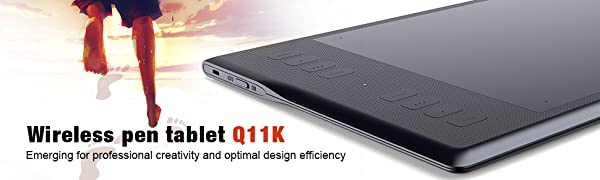
Huion INSPIROY Q11K need to be connected with your PC with Micro USB cable or a USB receiver to work. The pen drawing on the tablet surface replace the traditional mouse and make drawing on PC easy and convenient. Ideal for digital draw, paint, edit, sketch and more.
Driver Download and Installation
- Driver Download: Our driver will be regularly updated, so please go to Huion official web to download the newest driver, and install it on your computer.
1 For Windows Users:
- Please make sure there is no other brands driver on computer and close all drawing program before installation. (IMPORTANT) Please run as administrator when installing the driver.
2 For Mac Mojave (10.14), Catalina (10.15) Users:
- Our driver is compatible with Mac OS Mojave (10.14) and Catalina (10.15), please install the newest released driver on your computer and add the “HuionTablet” and “TabletDriverAgent” into the whitelist first after installed the driver.Simple steps
| | | |
|---|---|---|
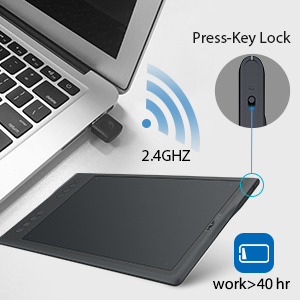
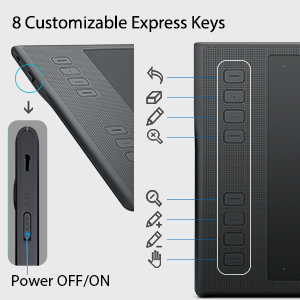
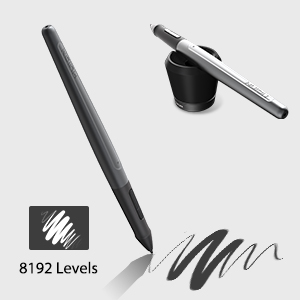
Wireless2.4Ghz and Wireless lock2.4GHZ connection with your PC and the tablet via a USB receiver. The wireless distance ranges to 10-20 meters. There is a built-in Lithion battery with 2500 mAH which allows to be continuously used for about 40 hours. A small switch on one side can lock the wireless function at once, can quickly connect or disconnect. | 8 Shortcut Keys and Press-key LockIt comes with huge working area of 279.4 x 174.6mm without worrying restricted by working space. The 8 customizable shortcut keys design to speed up your work flow. You can set them as your favorites. A small switch on one side can lock the tablet at once and prevent accidental interactions of shortcut keys. | 8192 Pen Pressure SensitivityRevolutionary upgrade pen pressure from 2048 to 8192. The drawing lines will be more accuracy and realistic. The 8192 levels of pressure supported by the pen make for a very smooth writing or drawing experience. Come with a new pen and new pen holder. There are 2 buttons on the pen which can be set according to your needs. Fully charged of the pen can be used for about 350 hours. The new pen holder features never fallen down. And it allows to place the pen vertically or horizontally. |
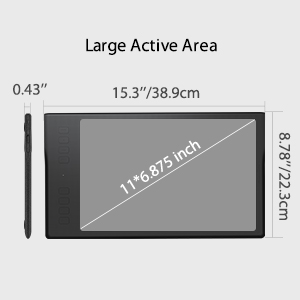
Large Drawing Area & Wide compatibility
1. Made with hi-end materials, the 11-inch drawing area of this tablet boasts great performance and amazing touch sensitivity.
Suitable for both left-handed and right-handed users.
2. OS & Drawing software support
Windows, MAC OS and other mainstream systems are all seamlessly compatible.
It compatible with most of the painting software. Such as PS, SAI, CorelPainter, Illustrator, SketchBook Pro, Manga Studio, Krita and more.
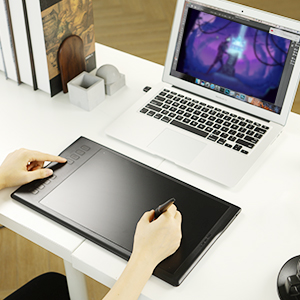
Online Teaching & Working
HUION has equipped many schools, universities and freelancers with technology to make their classrooms, lecture halls and working spaces digital. This includes solutions for remote teaching, collaboration in virtual classrooms, virtual teams and video conferences. Can works with web conferencing or broadcasting software.
Work more efficiently with Huion tablet.You can use it for online conference purpose,Web Conferencing, Webinars and Screen Sharing.
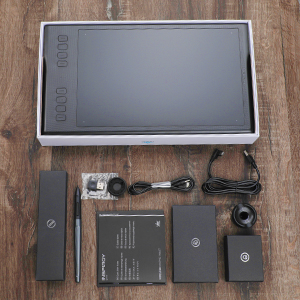
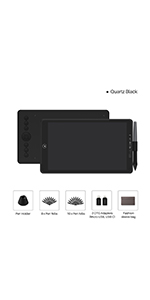
What’s in the box
1 x Huion Inspiroy Q11K Graphics Tablet
1 x Rechargeable Pen PF150
1 x Micro USB Cable
1 x Pen Charging cable
1 x Wireless Receiver
8 x Pen tips
1 x Pen Holder
1 x Installation CD
1 x Quick Start Guide
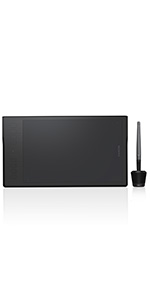 | 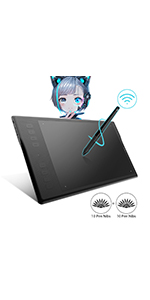 | 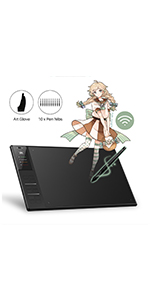 | 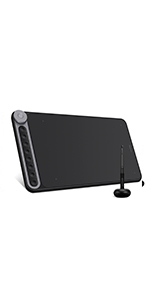 | 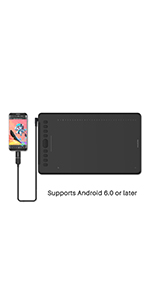 |  | |
|---|---|---|---|---|---|---|
| Wireless Connection | USB 2.4 G | USB 2.4 G | USB 2.4 G | USB 2.4 G | —— | —— |
| Press Keys | 8 Programmable Press Keys | 8 Programmable Press Keys | 12 Programmable Press Keys | 8 Programmable Press Keys+Dial | 10 Programmable Press Keys 16 Programmable Soft Keys | 11 Programmable Press Keys |
| Digital Pen | PF150 | PW500 | PW500 | PW500 | PW100 | PW100 |
| Tilt | —— | ±60° | ±60° | ±60° | ±60° | ±60° |
| Report Rate | 233PPS | 266PPS | 266PPS | 266PPS | 266PPS | 266PPS |
| Pressure Level | 8192Levels | 8192Levels | 8192Levels | 8192Levels | 8192Levels | 8192Levels |
| Working Area (Phone Mode) | —— | —— | —— | 104.2 x 166.7mm | 109.1 x 174.6mm | 89.3 x 142.9mm |
| Working Area (PC Mode) | 279.4 x 174.6mm (11 x 6.875 inch) | 279.4 x 174.6mm (11 x 6.875 inch) | 350 x 218mm (13.8 x 8.6inch) | 266.7 x 166.7mm (10.5 x 6.56inch) | 279.4 x 174.6 mm (11 x 6.875inch) | Pen Tablet:228.6 x 142.9mm(9 x 5.625inch) Writing Tablet:259.2 x 157.4mm(10.2 x 6.2inch) |
| Interface | Micro USB | Micro USB | Micro USB | USB-C | USB-C | USB-C |
| Launch Date | 2017.3 | 2018.8 | 2018.8 | 2019.9 | 2019.7 | 2019.8 |
| Weight: | 880 g |
| Dimensions: | 39 x 22.3 x 1.1 cm; 880 Grams |
| Brand: | HUION |
| Model: | Q11K w/ Cover |
| Colour: | Black |
| Batteries Included: | Yes |
| Manufacture: | Huion Animation Technology Ltd. |
| Colour: | Black |
Great for beginners
This is the third drawing tablet I have ever owned, overall its great, the response is amazing, the compact nature makes it easy for me to take it work and school. The only downside is that sometimes the mobile feature gets set to default and the tablet refuses to switch to pc mode, which makes using it a nightmare.
Great budget drawing table
coming from a cheap intuos pro to this was night and day. Literally anything would’ve been an upgrade but this is probably the best choice if you’re on a budget. The features of an expensive choice but the price of a cheaper tablet. Definitely happy as a hobbiest, I could see professionals getting their money back quick from commissions too and it’s capable of professional standard art.
Brilliant for price
My son is absolutely over the moon with this. My husband has a wacom tablet but we disnt want to spend that kind of money incase it was a fad for our son but he has not been off it since xmas day and has nothing but good things to say about i
Item met my expectations
Lovely tablet, the buttons could feel a bit nicer. No real issues with it.
I wanted to start drawing and was recommended this drawing tablet by a friend, from the few months I have been using it, I can say it is perfect for a beginner, the drawing area is big(about the size of an a4 sheet).
It is compatible with Adobe Photoshop, the buttons are automatically configured to the program(zoom in/out, enlarge pen), and you have the option to customize them yourself in the HUION program.
The tablet is of very good quality, the buttons are easy to use and durable, the bottom of the tablet has grips to avoid slipping. The pen is also ergonomic and comes with a stand, you are also given a drawing glove in the package. The cables are of good quality, one USB cable for the pen and another for the tablet.
The only issue I had was when setting it up after turning the computer back on, you need to make sure the HUION Tablet program is on so your computer can recognize the tablet.
Overall, great purchase for someone who wants to start drawing.
I wanted to start drawing and was recommended this drawing tablet by a friend, from the few months I have been using it, I can say it is perfect for a beginner, the drawing area is big(about the size of an a4 sheet).
It is compatible with Adobe Photoshop, the buttons are automatically configured to the program(zoom in/out, enlarge pen), and you have the option to customize them yourself in the HUION program.
The tablet is of very good quality, the buttons are easy to use and durable, the bottom of the tablet has grips to avoid slipping. The pen is also ergonomic and comes with a stand, you are also given a drawing glove in the package. The cables are of good quality, one USB cable for the pen and another for the tablet.
The only issue I had was when setting it up after turning the computer back on, you need to make sure the HUION Tablet program is on so your computer can recognize the tablet.
Overall, great purchase for someone who wants to start drawing.
Great tablet, not so great pen!
This tablet came with a broken pen, luckily I had a spare that works fine. Bare in mind this couldve been amazons fault, the pens are very fragile and can easily break if the boxes theyre in are bashed around too much. The tablet works great however so I give it five stars.
Great tablet, not so great pen!
This tablet came with a broken pen, luckily I had a spare that works fine. Bare in mind this couldve been amazons fault, the pens are very fragile and can easily break if the boxes theyre in are bashed around too much. The tablet works great however so I give it five stars.
Seller was kind and helpful. Good produc
I bought this product a long time ago and I find it very responsive. The drawing surface texture and pen tip isn’t as nice as wacom’s ctl400 I tried but it was better in other areas at a good price. I found eDigi’s customer service to be very good.
Excellent Graphics Table
The Huion Graphics Tablet Inspiroy Q11K has proved to be an excellent choice, I previously owned and used a Wacom Tablet and found this to be a much better tablet. The set up is very quick and easy. The Pen is very responsive and allows you to customise the pressure you apply to it when using the tablet. The functions on the Tablet greatly assist my efforts in producing art. It only took my a little while to get used to the functions and once I did I found it very responsive and easy to use. I am a beginner to digital drawing and this tablet has really helped me improve my abilities. Would definitely recommend this.
Excellent Graphics Table
The Huion Graphics Tablet Inspiroy Q11K has proved to be an excellent choice, I previously owned and used a Wacom Tablet and found this to be a much better tablet. The set up is very quick and easy. The Pen is very responsive and allows you to customise the pressure you apply to it when using the tablet. The functions on the Tablet greatly assist my efforts in producing art. It only took my a little while to get used to the functions and once I did I found it very responsive and easy to use. I am a beginner to digital drawing and this tablet has really helped me improve my abilities. Would definitely recommend this.
Excellent, very cost-effective pen system
Wow! Replaced my aging Wacom. Larfe area, user-programable buttons, excellent performance, beautiful packaging, all at a fantastic pricebe. The only thing I would add is easily selectable pen pre-sets like switch between pen and mouse mode, for example.
Good for graphic work and online teaching
Love this graphic pad! Very timely when lockdown began and I had to teach from home. This has been useful during my online lessons. Easy to use and to set up and boyfriend uses this for his graphic work.
Highly recommended
An excellent graphic tablet that is a real boon to photographic post-production. Easy to set up and use. Good value too.
Lost leafle
After 6 months I still can’t figure out how to configure it because I lost the leaflet.
Great Value
This is my first drawing tablet so I don’t really have anything to compare it to, but I can definitely say the product is good! The battery is the most surprising part! I had this for two weeks now and I’ve charged the tablet and the pen twice, and I’m using it around 7hours everyday! The setup was super easy as well. The only thing that I would mention is that there seems to be less pressure points than advertised, but that’s easily adjustable in the tablet app so it really isn’t a massive issue, just something to be aware of. Overall a great buy.
Great value
I’ve had this for over a year now. The build quality is above average.. The tablet is a little creaky if you try to bend it (no big deal.. just don’t bend it!) but its still solid and I imagine it could survive a drop. The pen button has a very minor little rattle to it. But for the price? My goodness. Absolutely brilliant. A solid tablet with TONS of space. The pen is really comfortable and works great. The buttons although a little stiff work fine and are well placed. The software is basic but does the job.
Overall, brilliant value. Highly recommended. If I need another I may actually get a slightly smaller one. I’m not using all the space on this. But its still nice to have the extra space, for such a great price.
Just works and good value
I downloaded the drivers and had no issues. Tracks really nicely and feels a solid piece of kit. I’m using it with Autodesk Sketchbook on a 2015 Mac and getting some great results. Better than the admittedly long in the tooth Wacom it’s replaced. You even get a half glove and a nifty inkwell shaped pen/ spare nib holder. Recommended.
Needs a bit of practice but a very useful writing table
I use this tablet as a “scribble pad” when teaching mathematics. I can draw diagrams directly into a word document, and send the result to the student(s) after the session.
Great table
Amazing graphics tablet, love it to bits. Very easy to use and set up, big surface area makes it comfortable to use. If mine breaks will definitely buy again.
-Significant lag when using very large brushes(video is size 370px brush). Not a huge problem but worth mentioning
-The ON/OFF button does not work when plugged in to power, only when connected over Bluetooth. So if you want to leave it charging when you’re not using it you have to be careful not to touch it
-the pen holder should be heavier, it has difficulty standing up when the pen is plugged in. It would be better if the charging cable could plug into the holder somehow, instead of the end of the pen.
+good pressure sensitivity
+large drawing area
+relatively cheap
+good storage space inside the pen holder for replacement nibs and the Bluetooth USB
+can work over Bluetooth or USB
+comes with a glove (doesn’t mention this anywhere on the product for some reason, which is annoying because I bought one, thinking that it wouldn’t be included)
Overall seems very good value for money, only encountered minor issues so fa
Plug and play its that's simple, great piece of kit.
Fantastic piece of kit, my son age 13 has added this to his collection of tech and is enjoying his illustrations
Great purchase
I’d recommend this to anyone looking to get into design.
I’ve been using it for a few days now and it works perfectly with Illustrator and Photoshop. It’s made my job so much easier.
Takes a bit of getting used to – looking at your monitor but drawing on the tablet – so if you’ve got poor hand/eye coordination it’s probably not for you.
Very comfortable to use. No issues setting it up. Literally took a few minutes to unbox, download drivers from their Website and plug everything in.
Great purchase
I’d recommend this to anyone looking to get into design.
I’ve been using it for a few days now and it works perfectly with Illustrator and Photoshop. It’s made my job so much easier.
Takes a bit of getting used to – looking at your monitor but drawing on the tablet – so if you’ve got poor hand/eye coordination it’s probably not for you.
Very comfortable to use. No issues setting it up. Literally took a few minutes to unbox, download drivers from their Website and plug everything in.
Perfect gif
I purchased this for my son’s birthday and it was the perfect gift. He is a graphic designer and is so pleased with how easy it is to use and how it makes it possible to do detailed 3D design. Also, the support has been wonderful! I could not be happier!
Good graphic design pad.
The pad was bought as a birthday present for my 11 years old grandson.
He loves it and is producing some very accomplished drawings and graphic designs after a bit of experimentation.
It’s capable of much more so we are looking forward to seeing his progress.
Very good
I really like the tablet. I use it with Photoshop and I love it. Occasionally, these is a small bug which “carries the pen a bit to the side”, but nothing major and it doesn’t happen very often. I just undo and try again. I also had a problem with a driver after MacOS update – it actually resolved by itself after a day and I got really good support meanwhile from Huion – very fast replies and pretty effective.
Very good
I really like the tablet. I use it with Photoshop and I love it. Occasionally, these is a small bug which “carries the pen a bit to the side”, but nothing major and it doesn’t happen very often. I just undo and try again. I also had a problem with a driver after MacOS update – it actually resolved by itself after a day and I got really good support meanwhile from Huion – very fast replies and pretty effective.
Wonderful tool
I use this most days in photo edits and photoshop manipulation/artistic projects, great battery life, comfy pen, lightweight and will fit in most bags to take it to work or travel with it!
Intuitive!
Really intuitive for a total beginner like me. Really comfortable to use and it comes with spare pen nibs and the little glove, so you don’t need to buy one separately like I did.
I use it with Krita software which is free and seems to do everything that Photoshop does just minus image editing.
Very pleased, Good table
Bought this for my 14 year old son- great quality drawing tablet and it arrived well packaged in a really nice box. There was a slight delay with the pen strokes appearing on screen at first, but this seems to have sorted itself out, and he’s really pleased with it. Recommended!
great product for a great price!
This is a really great product! Set up within 5mins easily. Load up Microsoft paint 3d on my laptop and off I went. The keys on the side of the tablet can be used for shortcuts which is a good help. Can be used wirelessly or I just use it connected with the USB to my laptop. The tablet is it a really good size. If you’re looking for a good priced tablet to get started I would really recommend this!
Either need Knowledge or perseverance it is a good product for those that understand it!
Found it difficult to work out which driver to download as the product code isn’t an exact match but the first Q11K worked even though it had more letters after. As yet I haven’t worked out how to set the buttons so need to find an instructional video as there is no information with the product to help.
Impressive size, handy wireless, so I can use it on my lap infront of the TV
First up I’d like to say that this is my first dedicated drawing tablet, so I can’t compare it with any others and I’ve only owned it for a couple of days….
It is very well packaged, looks smart and the items are secure. Huion have made good use of the available space.
My first impressions, was that it is HUGE. The tablet looks very smart, even though the external parts are made entirely from plastic.
It has a very large drawing area, with 8 programmable buttons on the side. The wireless feature is very useful to. I use it on my lap, while sitting in my arm chair, using my TV screen as my monitor.
The software is easy to download and install, even if you ain’t very technical minded. It’s also easy to use the software, to remap the keys or change the pressure sensitivity curve of the pen, and more.
I used it in Adobe Photoshop, and found the pressure sensitivity to be awesome! Remember, this is my first dedicated drawing tablet though.
It was very responsive and I got the hang of drawing with it very quickly
The battery life is amazing.
You get chargers for both; the pen, and the tablet.
It also comes with a very handy drawing glove, to help your hand slide across the tablet easier when your drawing.
The pen feels very comfortable in the hand. It has 2 protruding buttons on the side and a charging port on top (instead of an eraser). The pen stand has a very nice weight to it. It contains the spare nibs, the wireless USB adapter and has a built in nib remover, very nice!
Overall, I am very impressed with this tablet and I’m excited to start my graphic design journey, with my new Huion Q11K.
Impressive size, handy wireless, so I can use it on my lap infront of the TV
First up I’d like to say that this is my first dedicated drawing tablet, so I can’t compare it with any others and I’ve only owned it for a couple of days….
It is very well packaged, looks smart and the items are secure. Huion have made good use of the available space.
My first impressions, was that it is HUGE. The tablet looks very smart, even though the external parts are made entirely from plastic.
It has a very large drawing area, with 8 programmable buttons on the side. The wireless feature is very useful to. I use it on my lap, while sitting in my arm chair, using my TV screen as my monitor.
The software is easy to download and install, even if you ain’t very technical minded. It’s also easy to use the software, to remap the keys or change the pressure sensitivity curve of the pen, and more.
I used it in Adobe Photoshop, and found the pressure sensitivity to be awesome! Remember, this is my first dedicated drawing tablet though.
It was very responsive and I got the hang of drawing with it very quickly
The battery life is amazing.
You get chargers for both; the pen, and the tablet.
It also comes with a very handy drawing glove, to help your hand slide across the tablet easier when your drawing.
The pen feels very comfortable in the hand. It has 2 protruding buttons on the side and a charging port on top (instead of an eraser). The pen stand has a very nice weight to it. It contains the spare nibs, the wireless USB adapter and has a built in nib remover, very nice!
Overall, I am very impressed with this tablet and I’m excited to start my graphic design journey, with my new Huion Q11K.