Anker USB C Hub, PowerExpand 8-in-1 USB C Adapter, with 100W Power Delivery, 4K 60Hz HDMI Port, 10Gbps USB C and 2 USB A Data Ports, Ethernet Port, microSD and SD Card Reader, for MacBook Pro and More
| | | |
|---|---|---|
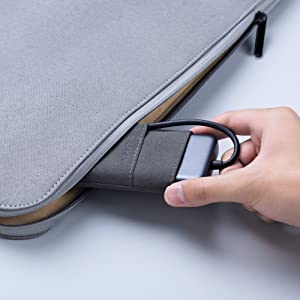
Powerful Pass-Through ChargingThe USB-C port supports pass-through charging up to 100W (minus 15W for operation), allowing you to charge up your laptop at high-speed while retaining full function of the hub’s other ports. (Wall charger not included) | Universal SD Card CompatibilityThe SD and microSD card slots support virtually all SD card formats for seamless access to photos and other media files. | Lightweight and PortableAt only 0.6 inches thick and weighing less than 4 oz, PowerExpand fits easily into your bag or pocket for effortless portability. Travel pouch included. |
Model Number: A8383
PowerExpand 8-in-1 USB-C PD 10Gbps Data Hub
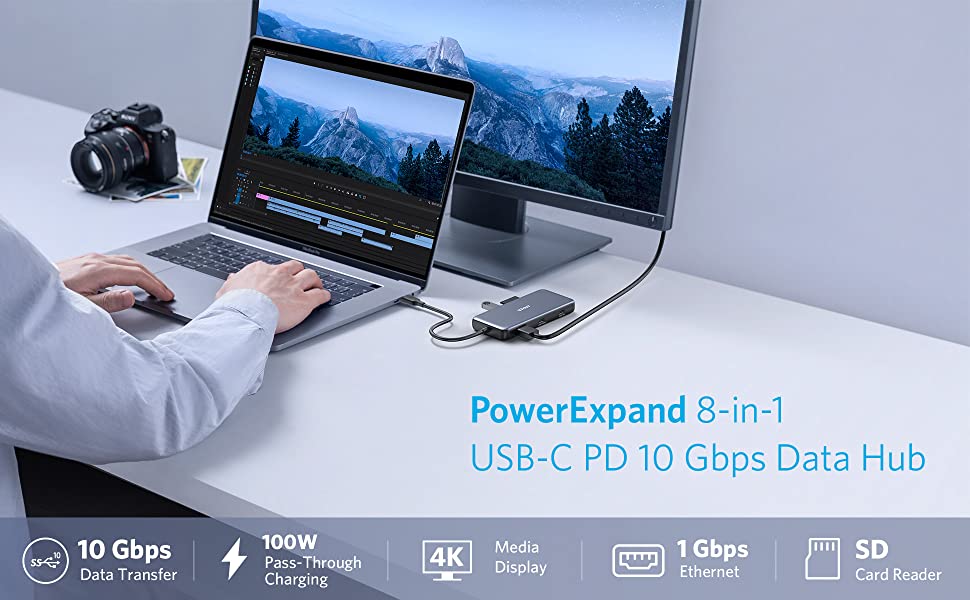
The High-Speed Data Transfer, Pass-Through Charging, and 4K Media Hub
All The Ports You Need
Turn your device’s USB-C port into 8 ports, allowing you to transfer data in seconds, stream media in unrivaled clarity, and provide high-speed pass-through charging.
Crystal-Clear Display
Don’t waste time switching back and forth between programs or documents. Simply connect to an external monitor via the 4K HDMI port for an easier and more productive experience.
Note: The Adopted Trademarks HDMI, HDMI High-Definition Multimedia Interface, and the HDMI Logo are trademarks or registered trademarks of HDMI Licensing Administrator, Inc. in the United States and other countries.
Power Delivery Compatible
Supports up to 100W (minus 15W for operation) pass-through charging so you can power up a 15†MacBook Pro at full speed—all while accessing the hub’s other functions. (Charger not included).
Transfer Files in Seconds
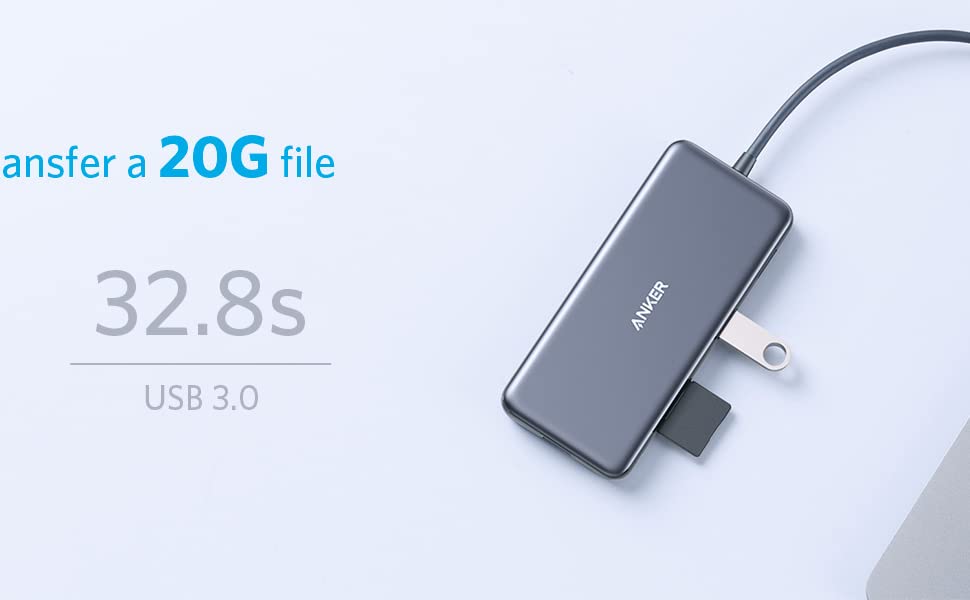
Transfer movies, photos, and music at speeds up to 10 Gbps via the USB-C data port and dual USB-A ports.
Universal SD Card Compatibility
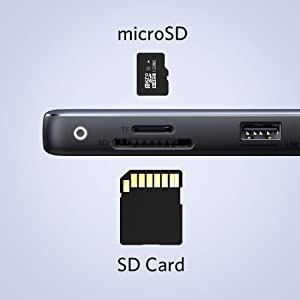
The SD and microSD card slots support virtually all SD card formats for seamless access to photos and other media files.
Compatibility
MacBook Pro (2020 / 2019 / 2018 / 2017 / 2016 / 2015)
MacBook Air (2020 / 2019 / 2018)
iPad Pro (2020 / 2019 / 2018)
XPS (13 inch / 15 inch)
Pixelbook (2017)
Incompatible Devices:
Nintendo Switch
USB SuperDrive
Notes
Media display is only supported via the HDMI port. This hub does not support media display via the USB-C ports, including when using a USB-C to HDMI cable, or USB-C to DisplayPort cable.
Frequently Asked Questions:
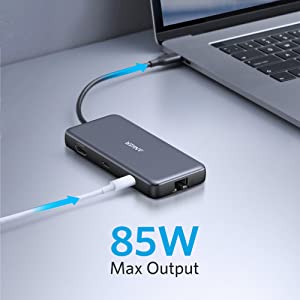
1.How can this hub achieve 85W Power Delivery charging?
To get 85W charging, use a USB-C wall charger and a USB-C to C cable that both support 100W PD charging.
2. Does the USB-C Power Delivery port support charging for tablets (including iPad Pro) or phones?
Due to the power input limitations of mobile devices, this hub can not provide pass-through charging to tablets (including iPad Pro) or phones when using the original wall charger that came with your mobile device. To support full-speed charging for iPad Pro, use an adapter that supports at least 15V (45W).
3. Why can’t my HDMI resolution reach 4K@60Hz
The HDMI port supports a variety of resolutions up to 4K@60Hz, including 1080p, 1080i, 720p, and 480p. For 4K@60Hz resolution, please confirm your device supports DP 1.4. Below are some devices that support DP1.4:
MacBook Pro 15†2018 / 2019
MacBook Pro 16†2019
iPad Pro 2018 / 2019 / 2020 (Only iPad Pros with iPadOS are compatible)
HP EliteBook 1050 G1
4. Does this hub get hot?
When the hub is fully loaded, it may reach a surface temperature of around 149°F. However, this is normal for products of this kind.
| Dimensions: | 12.1 x 5.5 x 1.53 cm; 127.57 Grams |
| Model: | A83830A1 |
| Manufacture: | Anker |
| Origin: | China |
Sarebbe da 5 stelle, ma...
…ma con il mio smartphone (Galaxy S23) la porta HDMI continua a dar problemi causando disconnessioni. Il problema non si presenta con altri dispositivi, quindi potrebbe essere il mio smartphone.
The speed is wonderful. However, it has a heat issue. So, if you leave it connected, it will run up to a thermal shutdown due to resistance overload. The time frame for this is between 8 and 12 hours. So if it is used for a work day, it will be fine. But if you are using the hub for a continuously running laptop/tower then it will give you some disappointments. For the price, this hub is a find. Just keep in mind it's thermal issue, and use appropriately.
The speed is wonderful. However, it has a heat issue. So, if you leave it connected, it will run up to a thermal shutdown due to resistance overload. The time frame for this is between 8 and 12 hours. So if it is used for a work day, it will be fine. But if you are using the hub for a continuously running laptop/tower then it will give you some disappointments. For the price, this hub is a find. Just keep in mind it’s thermal issue, and use appropriately.
Every anker product I have ever owned and back since they used to make the iPhone cases has always been reliable my power core 20,000 still works (1 usb is broken after 7 years) this like every other one works way better than competitor and ever time I bought a competitors product they don’t even compare. The device is compact and easy to carry around and comes with a built in cord so you’re not shuffling for the right cord that you forgot. Plus the warranty is the bes
Every anker product I have ever owned and back since they used to make the iPhone cases has always been reliable my power core 20,000 still works (1 usb is broken after 7 years) this like every other one works way better than competitor and ever time I bought a competitors product they don’t even compare. The device is compact and easy to carry around and comes with a built in cord so you’re not shuffling for the right cord that you forgot. Plus the warranty is the bes
Ottimo per MacBook, funzionale
Ciao a tutti,
prima di recensire un prodotto mi prendo sempre una p di tempo per testarlo in ogni sua funzione cos che vi possa portare una valutazione onesta e veritiera.
Marchio Anker, azienda leader in prodotti tecnologici, offre una vasta gamma di articoli compatibili con Apple tra cui questo hub, ottimo per macbook air essendo sprovvisto di varie porte.
UNBOXING
– Anker Hub 8 in 1
– Custodia da viaggio
CARATTERISTICHE PRINCIPALI
– Cavo di collegamento USB-C
– Presa ethernet
– 2 x USB 3.0
– Alloggio SD Card
– Alloggio Micro SD Card
– 1 x HDMI
– USB-C data (per trasferimenti di file)
– USB-C input (si pu caricare anche dall’Hub fino 100w)
PRO
– Versatile
– Compatto
– Facile utilizzo
CONTRO
– Scalda un p ( utilizzo intenso con HDMI, scambio di dati tra chiavette e alimentazione)
– Mancanza di dissipazione adeguata
CONFRONTO
Voglio portarvi questo piccolo confronto con lo stesso hub della Anker ma 7 in 1, l’unica differenza rispetto a questo che manca la porta ethernet.
Stiamo parlando di 15 euro di differenza:
– 8 in 1 a 60 euro;
– 7 in 1 a 45 euro;
Posso consigliarvi di prendere l’hub 8 in 1, anche se quella presa ethernet non la userete mai, in caso di necessit pu sempre tornarvi utile avere una connessione diretta e stabile tramite cavo con il proprio portatile. Pu capitare che il WI-FI non funzioni e state lavorando, con un cavo ethernet a disposizione risolvete tutto.
PS: Ovviamente una scelta personale ed economica, io vi sto solo consigliando prodotti e prezzi simili, cosi da avere delle vaste informazioni tra un articolo e l’altro, scegliendo saggiamente.
CONSIDERAZIONI FINALI
Dopo vari mesi posso dire di essere soddisfatto, il lavoro lo svolge alla grande e sono contento che aziende come la Anker, ed altre offrano prodotti come questi a prezzi ragionevoli e di ottima qualit
ULTIMO MA NON ULTIMO, ho dato solo 4 stelle perch ultimamente mi sta dando dei piccolissimi problemi sulle porte USB 3.0, quando inserisco le chiavette e le muovo leggermente non le legge pi, quindi mi tocca staccare e riattaccare.
Non avendo altre chiavette non posso dire con certezza se sia un problema delle medesime o dell’HUB stesso. Ma credo sia un problema che riguarda solo il mio articolo. Di per s non mi crea nessun problema perch nel suo insieme funziona alla GRANDE.
I’ve owned Anker 555 hub for about 21 month as of October 2023 and used it across 2 different MacBook pros for about 12 months after purchase. At the time of review, the hub still works with all the functionality it was designed for. However, there were, still are nuances that stops me using as a daily driver.
Since the hub works mostly for what it’s intended for, I will skip the positives. The real consideration is really whether there are ports an individual is looking for and it’s fairly self-explanatory from the product descriptions and pictures. One quick thing to note, any charger below 100W go through the hub becomes ~85% capacity for Mac (i.e. Mac will read a 80W charger as ~68W charger). I never tried >100W chargers.
The nuances that any prospective buyer may want to watch out for:
1) The first thing is not specific to Mac. The port locations can be an issue for some depending on individual cabling situation. I was looking for a hub that had to have ethernet and HDMI ports as well as PD capability. Anker 555 hub offered all the ports I needed and then some, but I did end up having cables coming out of the hub in all 4 directions, making situating the hub and cable management more of a hassle, if not a nightmare.
2) This may be a mac specific thing. For both Macs I’ve tried, the way PD works caused the computers oscillate between sleep and sightly higher power draw in a 40 – 50sec intervals. When the computers sleeps without the hub and connects to charger directly, they go into a sleep mode with a very small current draw. When the hub is connected and providing power, the computers would have 10W power spikes every 40 – 50sec and logs a ton of wake/sleep cycles. I felt tiring, like a restless night of sleep (maybe just my own OCD).
With all the quarks I’m not liking, I still think this hub is still good for traveling and one-off usage (just not for long term desk setup, not for me at least).
Great little dock that I use with my HP work laptop. It also works great with my macbook air M2. The usb c passthrough works great and I can connect 2 monitors to it with the other usb c and hdmi out. I like the size of it as it's nice and easy to keep in my bag to bring along when I don't work from my home or work office.
Great little dock that I use with my HP work laptop. It also works great with my macbook air M2. The usb c passthrough works great and I can connect 2 monitors to it with the other usb c and hdmi out. I like the size of it as it’s nice and easy to keep in my bag to bring along when I don’t work from my home or work office.
Expands from 2 Thunderbolt/USB C ports on my computer to 8 of various configurations. And adds 1gb Ethernet.
Expands from 2 Thunderbolt/USB C ports on my computer to 8 of various configurations. And adds 1gb Ethernet.
Perfektes Teil und ist sein Geld wert !
Dieser Adapter hat eigentlich alles was man braucht. Der Stecker sitz gut und man kommt trotzdem noch an die Ladebuchse dran. perfekt. Ich habe gar nicht erst die billigen Varianten probiert und ich bin der Meinung, dass dies eine richtige Entscheidung war.
New computer! wanted to add number and versatility to ports .
New computer! wanted to add number and versatility to ports .
Hält, was es versprich
Toller Hub, luft einwandfrei am USB C meines Dell. Datenbertragung von SSD mit ber 400 MB/ sec. Ladefunktion mit 75 Watt mit Dell Netzteil. Das Gert ist sehr zu empfehlen.
Needed to connect ethernet, external 24” monitor and various other technology. Has performed very well and would highly recommend. Wish it carried an associated recommendation as to specific Anker chargers that work with it to provide pass through charging.
Needed to connect ethernet, external 24″ monitor and various other technology. Has performed very well and would highly recommend. Wish it carried an associated recommendation as to specific Anker chargers that work with it to provide pass through charging.
Por fin un hub capaz de cargar y sacar hdmi 4k 60Hz, no muy caro y que funciona
Despus de un tiempo buscando un hub para mi Macbook M1 pro que por el mismo cable pudiera sacar video 4k 60Hz y cargar hasta 100W me top con este de Anker y estoy muy contento con la compra. Cumple mis necesidades al 100% aunque me sobra el etherne
Après quelques essaies, c'est le bo
Ce que fait Anker me semble toujours gagnant. J’utilise de Hub sur mon PC et sur mon MacBook sans problmes.
Mfiez-vous des Hubs qui permettent de brancher 2 crans en installant un logiciel ou un pilote qui divise le taux de rafrachissement (30 Hz vs. 60 Hz) et la rsolution (2K vs. 4K) par 2 pour envoyer aux 2 crans. Je me suis fait prendre avec un Hub qui valait aussi cher que celui de Anker.
Je suis tellement satisfait de ce produit!
I really like that it has all the features I need and yet is very compact for travel
I really like that it has all the features I need and yet is very compact for travel
Läuft wie es soll
Ist zwar etwas teuer und hab’s nur gekauft weil es einen kleinen Rabatt gab, funktioniert gut, muss nur noch probieren ob es auch zum zocken geeignet ist bin aber zuversicht.
I connected the Anker Hub to a MacBook Air M2 so I could use a full size 27" Dell Monitor using the HDMI port. I also used the Hub to connect to an ethernet cable. It has two USB-A ports which I have used for a wired mouse, a wired keyboard, a Time Machine backup Hard Drive (to migrate data from an old iMac), and a thumb drive--in other words, all the things for which you might use a USB A port. Worked fine. I haven't yet used the additional USB-C ports as I don't have anything with those kind of connections.
I connected the Anker Hub to a MacBook Air M2 so I could use a full size 27″ Dell Monitor using the HDMI port. I also used the Hub to connect to an ethernet cable. It has two USB-A ports which I have used for a wired mouse, a wired keyboard, a Time Machine backup Hard Drive (to migrate data from an old iMac), and a thumb drive–in other words, all the things for which you might use a USB A port. Worked fine. I haven’t yet used the additional USB-C ports as I don’t have anything with those kind of connections.
Exactly what I was expecting. Excellent quality for the price
Exactly what I was expecting. Excellent quality for the price
Excelente material
Prtico, transportvel e com o nmero de portas que pretendia. Excelente material e uma boa construo. Aconselho.
Great connectivity and keeps from using up storage on my device
Great connectivity and keeps from using up storage on my device
After 2 years, I can no longer charge my Mac through this. But HDMI and other USB ports still work fine.
After 2 years, I can no longer charge my Mac through this. But HDMI and other USB ports still work fine.
Perfect hub for my MacBook Pro
I bought this hub for my MacBook Pro that has only 2 USB-C ports so that I could connect a 27-inch 2560 x 1440 QHD monitor, a USB keyboard and a wireless mouse. I plugged my 65W power supply into the USB-C PD port and everything works flawlessly through a single USB-C port in my Mac leaving one port free. The hub is small, solid and comes with a carry case.
The only item of note is that the hub limits the refresh rate to 60Hz, so people (particulary gamers) with monitors that support a higher refresh rate will need to look at other hubs.
Works great with MacBook Pro 13 M2 processor. Ethernet is honest 1Gbps, HDMI works with 2K 120Hz and 4K 60Hz with HDR and no issues at all. USB3 is also decent speed. Charging fast and good size for travelling.
Works great with MacBook Pro 13 M2 processor. Ethernet is honest 1Gbps, HDMI works with 2K 120Hz and 4K 60Hz with HDR and no issues at all. USB3 is also decent speed. Charging fast and good size for travelling.
It seems to work as advertised. The one comment I have is that the attached cord is really stiff and causes much stress on the computer’s port unless the hub is carefully placed and not moved.
It seems to work as advertised. The one comment I have is that the attached cord is really stiff and causes much stress on the computer’s port unless the hub is carefully placed and not moved.
There is nothing to say. Reviews about product says everything.
There is nothing to say. Reviews about product says everything.
Solid piece of gear. Works great with my Dell for video editing set up.
Solid piece of gear. Works great with my Dell for video editing set up.
as described. works with ipad pro. still need to figure out how to tether the phone and ipad
as described. works with ipad pro. still need to figure out how to tether the phone and ipad
Fungerar klockrent.
Har kpt och provat X antal hubbar till min MacBook Air ingen har funkat fr mina behov. nskar jag hade kpt denna frn brjan, men snlheten bedrar visheten.
HDMI requires quality hdmi cable and short, quality usbc cable
Update: Tried with better cables and had better luck on android, which now works reliably for hdmi out. Haven’t tried steamdeck with new cables yet.
Original review: On both a steamdeck and an android tablet, the hdmi port barely works at all. Disconnects frequently (android) and massive artifacts, jiggles, etc (steamdeck).
Other features seem to work fine.
good value hub with 100w PD. Although, I have yet to need the 100w PD I wanted to be future proof. The 4k 60hz was also something I desired, although my application of it doesn’t necessarily warrant the 60hz, but in presentations thus far, clarity has been great. I require wired ethernet for some functions and this has allowed me the full 10gb throughput without any degradation.
good value hub with 100w PD. Although, I have yet to need the 100w PD I wanted to be future proof. The 4k 60hz was also something I desired, although my application of it doesn’t necessarily warrant the 60hz, but in presentations thus far, clarity has been great. I require wired ethernet for some functions and this has allowed me the full 10gb throughput without any degradation.
Anker una sicurezza
Ho diversi prodotti della Anker Che non mi hanno mai deluso ed anche questo rispecchia quanto detto in precedenza
so chic!
chic c’est la’vie, c’est bon! c’est bon!
as dorit once said about a wind chime, so chic!!!
but for real, this has every port you could ever need, is compact, sturdy as hell, seems to be fast, and is relatively lightweight.
THIS CANNOT BE USED TO CHARGE. I REPEAT, THIS CANNOT BE USED TO CHARGE. if you have a computer with only one usb port and need to use a dongle that charges and transfers data, this is not your dongle. this does literally everything but that (not that I am complaining, just warning!). remember to read full descriptions kids, as this is in the description for the product lol.
does get a little warm when im just using it for an HDMI though?