Dell P2222H 21.5 Inch Full HD (1920×1080) Monitor, 60Hz
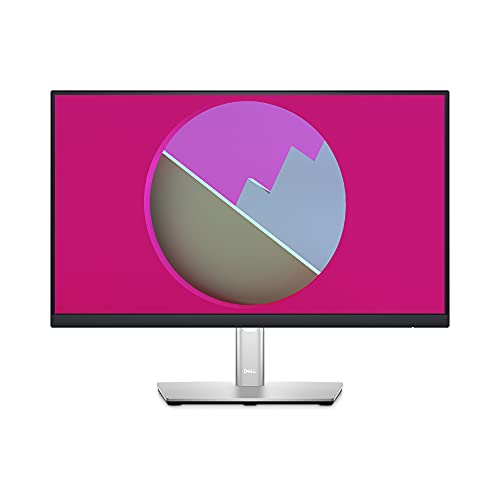
Dell P2222H 21.5 Inch Full HD (1920×1080) Monitor, 60Hz, IPS, 5ms, 99 Percent sRGB, DisplayPort, HDMI, VGA, 5x USB, 3 Year Warranty
A better view from anywhere
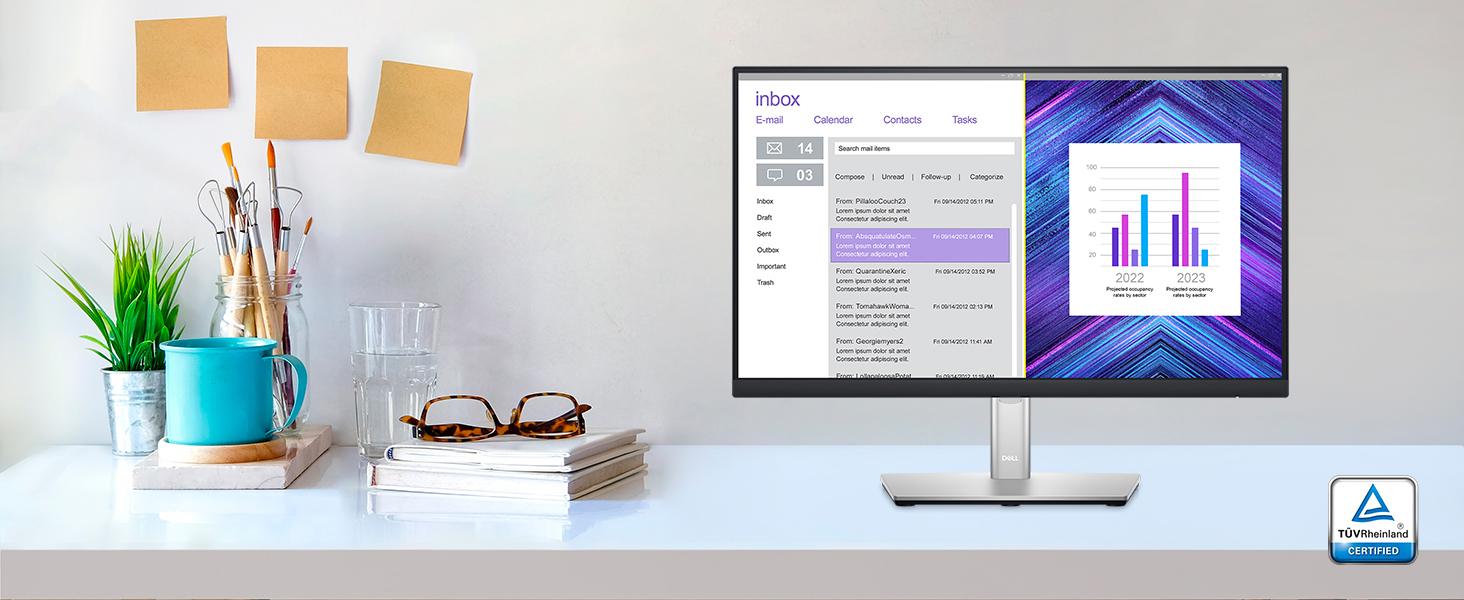
Comfort without sacrificing color: Optimize eye comfort with ComfortView Plus, an always-on, built-in screen that reduces potentially harmful blue light emissions while delivering excellent color accuracy.
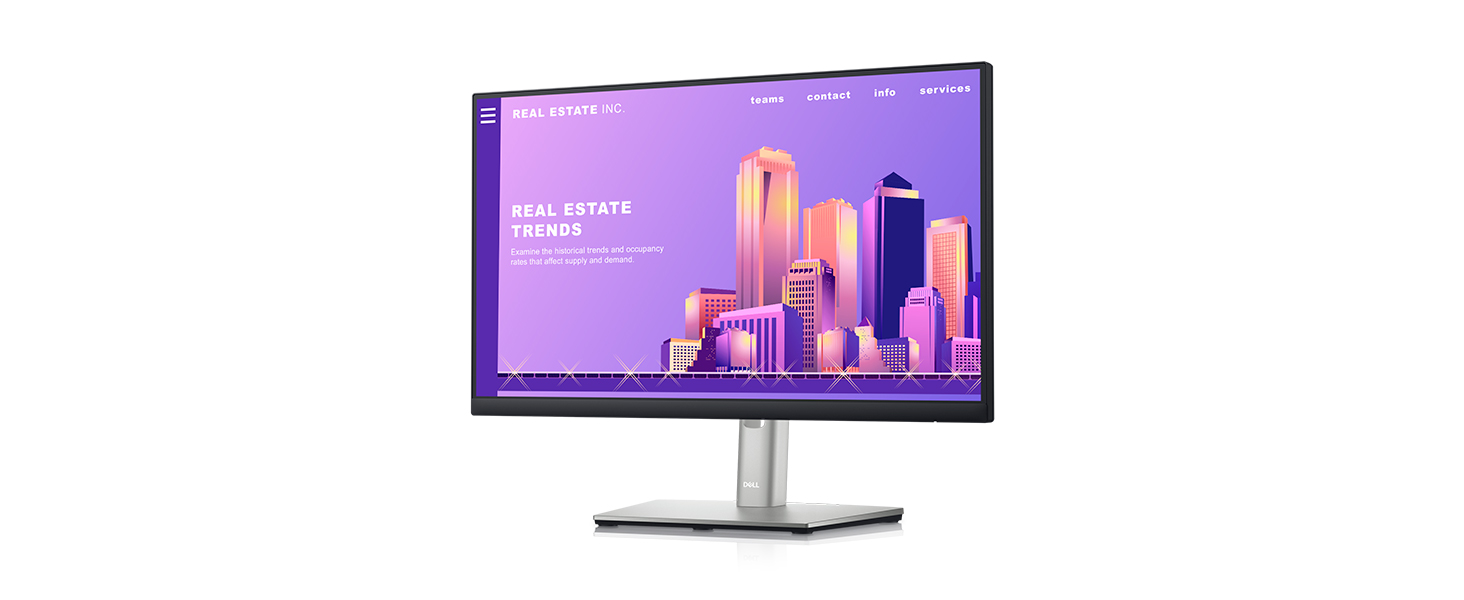
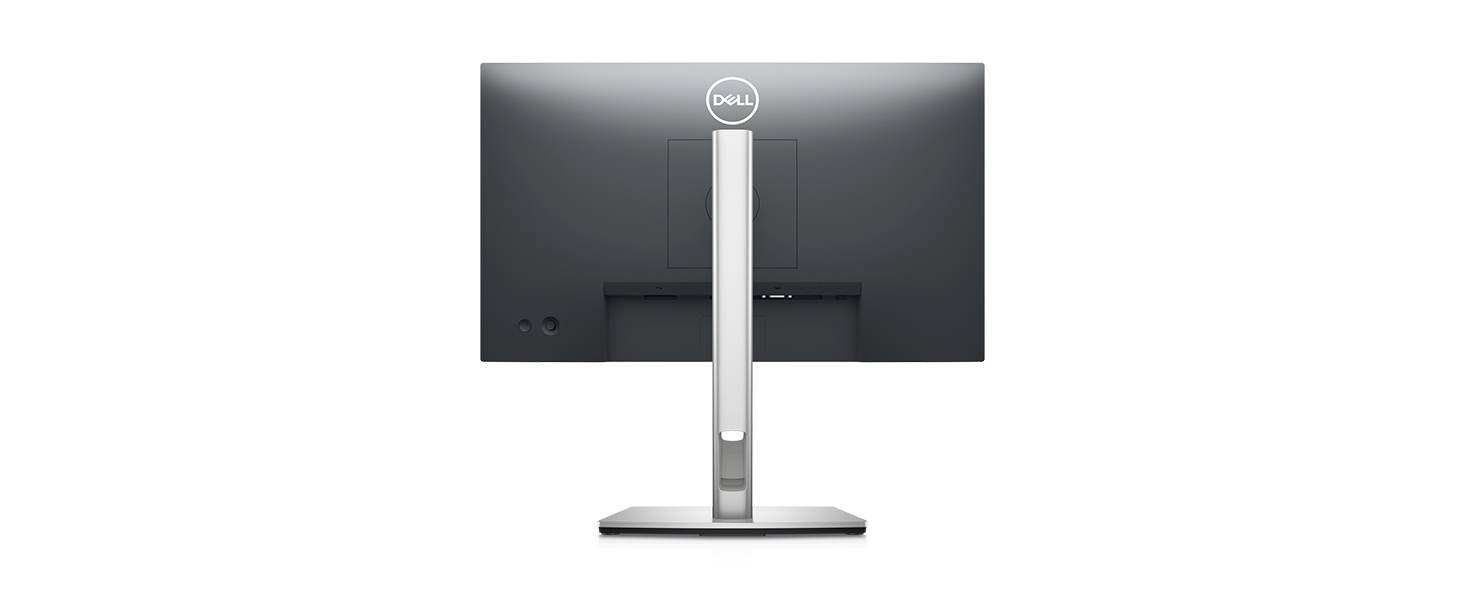
Connect to productivity
Extensive connectivity: Easily connect to a variety of devices with extensive connectivity ports, including DisplayPort, HDMI, VGA and 4x SuperSpeed USB 5Gbps.
Quick-access ports: Easily share and deliver content via quick-access ports conveniently placed at the front of the display.
Easy navigation: Navigate the menu and adjust screen settings with the easy-to-use joystick control.
Expand your efficiency: The three-sided ultrathin bezel lets you enjoy an uninterrupted view of your content across multiple monitors. Furthermore, you can boost your productivity by 21% with a dual monitor setup.

Dell Display Manager
Productive at every level: Easy Arrange allows you to easily tile multiple applications across one or more screens with 38 pre-set window partitions and the ability to personalize up to five windows, giving you improved multitasking abilities.
Seamless transitions: The auto-restore feature remembers where you left off, so applications will go back to where you left them, even after you’ve unplugged.
Green thinking for today and tomorrow
Environmental standards: This monitor meets the latest regulatory and environmental standards such as EnergyStar, EPEAT Goldi and TCO Certified Edge Displays.
Eco-conscious packaging: To reduce our manufacturing impact on the environment, this monitor is shipped Styrofoam-free and the packaging is made of at least 75% recycled cardboard.
Energy conservation: Save energy when your monitor is not in use with PowerNap, a feature that dims or puts your monitor to sleep when it’s not in use.

Ports and Slots
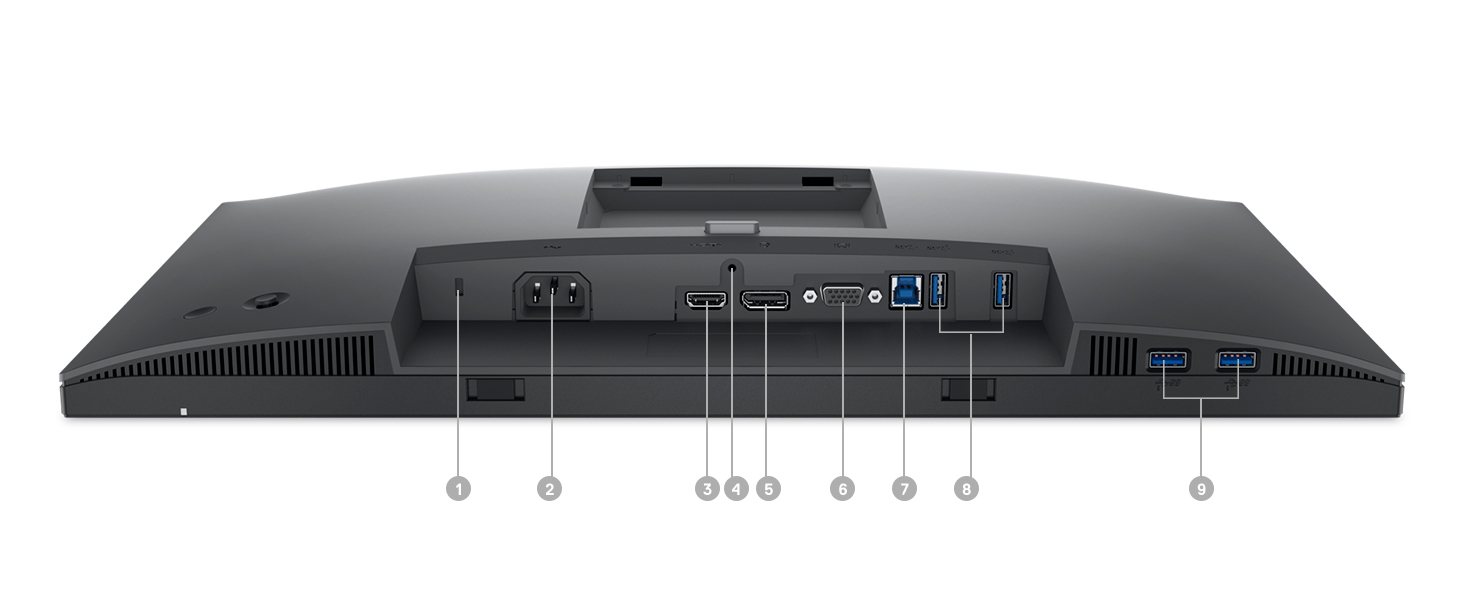
1. Security-lock slot | 2. Power connector | 3. HDMI port | 4. Stand lock | 5. DisplayPort | 6. VGA connector | 7. SuperSpeed USB 5Gbps upstream port | 8. SuperSpeed USB 5Gbps downstream port | 9. SuperSpeed USB 5Gbps downstream port
| Weight: | 4.4 kg |
| Dimensions: | 5.21 x 48.72 x 29.01 cm; 4.4 Kilograms |
| Brand: | Dell |
| Model: | DELL-P2222H |
| Colour: | Black |
| Batteries Included: | No |
| Manufacture: | Dell Computers |
| Dimensions: | 5.21 x 48.72 x 29.01 cm; 4.4 Kilograms |
2 Monitor Setup
Nutze diesen Bildschirm (P2423D) zusammen mit dem P2423DE.
Selbe Qualitt, aber gnstiger, da der P2423DE noch ein integriertes Hub hat.
Super Setup, wenn man zwei 2k Bildschirme mit mglichst wenig Kabeln mit einem Laptop verbinden mchte (z.B. frs Homeoffice).
Top de mais
Gostei muito, qualidade de imagem boa e bastante entradas USB, mas digo logo e um senhor monitor kkkk bem grande, parece um pouco at uma TV em questo do tamanho, mas muito bom
Image de qualité pour photos
Ecran bien quip en entres : DVI, HDMI, DP, VGA. Je cherchais une dalle IPS pour privilgier la qualit d’image au temps de rponse, cet cran en 1920×1200 rpond parfaitement au besoin.
Petit bmol : les rglages se font par une mollette situe derrire l’cran, ce n’est pas le plus pratique.
Monitor maravilhoso
Construo impecvel, detalhes impecveis. Conectei ao meu notebook (um ideapad S145) e uso ele como tela principal. Qualidade incrvel das cores, iluminao perfeita, no cansa a vista. Regulagem pode ser feita conforme seu gosto.
Perfek
Farbe, Helligkeit, Kontrast und Bildschrfe sind gut. Da man vier USB-Gerte anschlieen kann, die man dann mit nur einem Verbindungskabel mit dem Computer verbindet, ist angenehm. Zu erwhnen wre noch die Bildgeometrie (16:10 statt 16:9), das ist einfach und ergreifend schn.
La calidad de image
El mstil es muy verstil. Su calidad de imagen muy buena y los controles de brillo se ajustan de manera perfecta. La manera que tiene de dividir pantallas es genial. Compr antes una de asus y fue un fiasco. Esta se parece ms a la del iMac que usaba antes.
Die Standardeinstellugen “Empfehlung” von Kontrast/Helligkeit “75%”, produzieren ein milchiges Bild, alles wirkte als htte sich ein leichter Nebel ber den Windows-Desktop gelegt.
Die Erhung beider Werte auf 90% brachte Besserung und ist fr mich ideal. Die Farbeinstellung mssen bei diesem Monitor eingetlich nicht gendert werden. Alle anderen Wert z.B. Gamma usw. sind auch alle ok und mssen eigentlich auch nicht gendert werden.
Der Monitor macht ein gutes Bild. Text ist unter Windows 11 gut lesbar, er ist nicht wie bei manch anderen Monitoren ausgefranst oder hat Doppelkonturen. Alles ist scharf und klar.
Fr schnelle 3D High-End Spiele kann ich diesen Monitor leider nicht empfehlen, aber dafr ist er vermutlich auch nicht gedacht.
22 Zoll empfinde ich fr den normalen allround Home-User als ausreichend. Textverarbeitung, Grafikdesign wie auch Videobearbeitung u.. ist auf dem Monitor sehr gut machbar.
Wichtig!
Man sollte sich den Monitor Treiber bzw. das ICM Profile von der DELL Seite fr diesen Monitor runterladen und installieren, Windows 11 steuert den Monitor dann 100% korrekt an.
Auch sollte man sich die DELL Display Manager Software runterladen und installieren, damit lassen sich alle Einstellungen die der Monitor bietet konfortabel mit der Maus einstellen.
a entrega superou as minha expectativas super rapido chegou e 4 dias muito rapido foi a minha primeira compra na AMAZON PARABNS SUPER RECOMENDO.
Agora falando do monitor nossa estou muito feliz o Designer dele e fora do comum muito lindo ainda mais de se trata de uma mega fabricante chamada Dell nao e de se esperar nada alem disso parabns sempre uso os produtos de vocs recomendo mesmo uma outra coisa quer eu reparei ele esta ligado desde quando chegou hoje pela manha e nao esquenta de forma alguma valeu mesmo cada centavo e voce ai quer esta querndo comprar nao espere mais e muido bom mesmo o munitor facinho de motar e muito lindo.
Excelente para trabalha
Utilizo ele na vertical como um monitor auxiliar para o meu ultrawide LG. Tenho que falar, no quesito de cores, mesmo o LG sendo bem mais caro, o Dell deu um show, perceptivel que o Dell tem uma construcao, uma qualidade de painel muito superior, seu brilho tambm uma coisa que deixa o LG parecendo um monitor estragado.
J para jogos, da para notar em meros videos do Youtube que o monitor sofre um pouco na reproduo, a imagem em movimento fica um pouco estranha sim. Nisso, o LG melhor. Mas caso seja para trabalho, no poderia existir monitor melhor, j quero trocar meu Ultrawide por um Dell
Um bom monitor de uso geral, mas vou deixar um review para auxiliar quem no tem experincia com monitores:
*** Apenas 94% sRGB, medido com colorimetro. ***
1) As portas USB apenas carregam devices como celular, mouse, teclado etc. se conectar o HUB a um computador ou carregador externo. Parece pouca coisa, mas no meu Dell P2219H anterior sempre deixei um cabo conectado e nunca precisei ficar ligando teclado ao notebook (que no est to prximo), agora um cabo a mais, a princpio tentarei colocar uma tomada USB embaixo da mesa para fazer a ponte e o cabo no ficar aparente na mesa at o notebook em que est ligado;
2) Ele mais ntido que um FHD, provavelmente um bom custo benefcio entre uso da GPU e FPS em games e simuladores (uso principalmente com MSFS, melhorou bastante, me d viso de meia cabine e mais um pouco sem precisar ficar dando zoom como no monitor que citei acima, 22″ FHD), sem o custo duplo de um 4K (com uma RTX 2060 j perdi 5-10FPS indo do FHD anterior para o QHD, 4K seria -20FPS ou pior);
3) Gostei tambm que no tem o logo Dell na frente, ficou bem discreto considerando que meu notebook atual de um concorrente, o logo est apenas atrs, e fiquei com receio dele ser parte prateado como em algumas imagens, mas todo grafite, exceto a base que prata mesmo (a o bnus, a base do monitor anterior grafite 100% compatvel com o engate VESA e nem tirei da caixa a nova, no gostei, provavelmente riscaria mais que uma grafite);
4) Maior defeito disparado e ponto de ateno para o comprador: ele apenas 60hz, de resposta apenas intermediria (para no dizer lenta), e preferia o conforto e contraste de uma tela VA ou OLED, no caso do MSFS e textos aceitvel, mas seria perfeito se tivesse frequncia maior que 100hz e contraste melhor de pretos.
Abaixo de R$ 2000 no tem muitos concorrentes nesse tamanho, os 27″ perdem muito na nitidez, especialmente para quem senta prximo tela. A Lenovo tem um 24″ QHD nessa faixa de preo a venda inclusive aqui na Amazon, porm tambm no tem sadas USB, e a base de baixa qualidade (para quem usa VESA de parede uma boa alternativa).
Great monitor and great brightness
If you are looking for a great size monitor, with great brightness for a good value. This is a great option!
Works fine
The delivery package looked like a used box because it was not looking new & it looked like opened & repackaged. But the inside product looked new and works fine.
Great for the price
With the speed of the usb ports and using the data cable in a 3.2 port you can set it up with a usb ethernet adapter to use the Internet via a cable. It’s also good for connecting a usb mouse and keyboard. You can also connect usb sticks and copy and read data from them quickly if they are 3.0 Compatable. Great picture as well.
Dell P2222H 21.5 inch monito
The picture quality is great and I like the adjustable sliding height of the screen.
I’m struggling to find a soundbar to work with it on it’s own but other than that it’s a great monitor.
I got this to sit alongside a Dell 24inch conference monitor with teams soundbar. I have daisy chained them together with a display port cable. I just need to colour calibrate them both, but I’ve got used to the slight colour difference so not an urgent task for me.
Good value fro money.
Arrived when expected.
Very narrow bezel around screen is a great improvement on previous one.
Upgraded from Dell P series 21.5 inch to this 24 inch. Lovely generous screen which is easy on the eyes and height adjustable stand. This is a P series professional monitor suitable for working from home. Perfect monitor for work.
A very good monito
Replaced an excellent but old HP monitor and has not disappointed me. Great picture quality and lots of connection options.
Fantástico . Tela confortável, ergonômica , gostei muito !
ima qualidade de imagem . Tela confortvel no cansa os olhos Monitor ergonmico , fantstico para o meu trabalho.
Para jogos no posso avaliar pq n jogo, mas para o meu dia a dia achei timo
Great graphics & sleek desig
Simple set up, with a quality finish, great graphics & plenty of connection options. Does seem a little easier on the eyes compared to my older Dell monitor due to the reduced blue light screen.
A qualidade de construo do monitor excelente! A qualidade de imagem tima e o tamanho foi o ideal para mim. Alm disso, o produto chegou bem antes do previsto. Recomendo bastante.
Good monito
Good monitor for work.
Quick delivery, great colours and pictures quality!
Eu sou designer grfico e o monitor me atendeu super bem, o que eu mais gostei foi da qualidade da imagem e tambm do tamanho da tela, no pequena e nem grande demais, ideal pra um espao mais compacto! Podem comprar de olhos fechados.
Ótimo produto. Atendeu as expectativas
Estava a procura de um monitor que seja mvel e com boa resoluo de imagem.
O monitor funciona horizontalmente e verticalmente e tambm tem ajuste de altura.
Atendeu as expectativas. A tela tbm bem ntida (fullHD, no tenho certeza que seja 4K).
Surpresa mais que agradavel
O monitor incrivel! tem uma otima qualidade de imagem, pesado “no necessrio”, facil para ajuste de altura, inclinao. Design bonito, as bordas so “quase” infinitas: h uma borda, mas que passa despercebida.
Indico a compra e irei comprar o segundo do mesmo modelo.
Produtos excepcional!!!
Este o meu segundo monitor da mesma linha. Ele simplesmente incrvel. Tanto em qualidade de produto como em atributos do mesmo. No deixa a desejar em nada e ainda supera as expectativas. Pode comprar sem medo!
Schlechte Wahl für M1-Macs
Der Monitor an sich ist super, schnes Bild, viele Anschlsse etc. Einzig das backlightbleeding war mir etwas zu stark.
Das groe ABER: In Verbindung mit einem M1 Mac funktionieren die USB-Ports am Monitor nur eingeschrnkt. Nach dem Starten muss entweder das USB-C-Kabel raus und wieder reingesteckt werden oder der Bildschirm manuell aus und wieder angeschaltet werden. Weder der Dell Support noch Apple konnten das Problem lsen.
An einem Windows-Gert (Surface Go) und auch an einem Linux Laptop hat hingegen alles wunderbar funktioniert.
Hier als Hinweis: Dell bietet einen Mac-Support (M1) – Firmwareupdates – nur fr die Monitore der U-Serie, die deutlich teurer sind. Wer also einen Monitor fr einen Mac sucht, holt sich besser was anderes. Ich habe ihn zurckgeschickt und bin nun happy mit einem LG 27 4K.
Auerdem bleibt qhd bei Macs etwas unscharf, hier sollte man gleich zu 4k greifen.
Wertig und Funktional
Nach langer Recherche habe ich mich am Ende fr diesen Monitor entschieden. Ich brauchte einen externen Monitor fr mein MacBook Air, denn ich arbeite im HomeOffice und der alte Monitor (auch ein Dell) war zu klein (24 Zoll) und hatte eine zu geringe Auflsung. Mein Macbook Air htte mit 4K (60HZ) nicht viel anfangen knnen, daher habe ich mich fr einen guten Kompromiss entschieden. Es sollte ein Gert sein, dass mehr als FullHD bietet, da der allgemeine Rat lautet: Wenn du einen Monitor kaufst, der grer als 24 Zoll ist, dann kaufe ein Gert, dass mindestens QHD kann (also faktisch 2k). Dieses Gert kann 2k, ist wertig und berhaupt nicht kippelig oder billig. Es sorgt berdies dafr, dass mein Macbook lediglich am Monitor per USB-C angebracht ist. Darber ldt es. Darber bertrgt es Video, Daten und alle Signale von Tastatur und Maus, die per USB am Hub des Monitors angebracht sind. Das sorgt fr einen sicheren und sauberen Bro-Arbeitsplatz. Die Pivot-Funktion ist gut. Man muss lediglich dafr sorgen, dass die Kabel ausreichend Spiel haben, damit sich nichts verheddert, wenn man das Gert dreht. Kleines, aber wichtiges Detail: Der Standfu ist normalgro. Nicht ausladend. Nimmt also nicht so viel Schreibtisch-Platz weg. Ist mir wichtig. Daher: Tolles Gert. Guter Monitor. Kann ich empfehlen.
Presque parfai
Concernant les couleurs, la ractivit, l’image, le taux de rafrachissement -> RAS.
Mais quelques amliorations faire :
– la luminosit est rgler chaque changement de lumire de la pice, pas de bouton directe
– les pixels de la rsolution 1080p sont perceptibles (passage en 4K pour les personnes exigeantes)
Les couleurs et la balance des blancs correspondent bien au MacBook Pro Retina.
Super rapport qualit / prix.
Used as a computer monitor only - not gaming
Good screen that forfilled my expectations. On/off switch at the back of the monitor not all that convenient. Not at all clear as how to customise the settings (brightness, etc).
Use separate speakers so cannot comment on sound quality.
Auch ich gehre zu den Leuten die wegen der Corona Krise Home Office machen. Wenn man acht Stunden auf den Monitor glotzen muss strengt das schon irgendwann mal richtig an. Ich hatte bisher einen 24 Zoll Monitor von Samsung, der echt nicht schlecht war. Mit dem Bild war ich ganz zufrieden, jedoch hatte er nicht wirklich viele Mglichkeiten der Hhenverstellung. Und der Menknopf an der Rckseite hat mich in den Wahnsinn getrieben. Erst Mal vielen Dank an den Hndler und Amazon, der Monitor kam einige Tage frher als erwartet. Klar, der Dell P2722 H kostete ein paar Euro mehr. Die Begeisterung fing schon beim Auspacken an. Man ffnet automatisch die Rckseite, dort sind getrennte Fcher mit Stromkabel, HDMI-Kabel und zwei USB.Kabel. Alles sauber verpackt in Ttchen, klasse. Das Kabelmanagement in der Sule ist gut durchdacht, der Monitor lsst sich in Hhe, Neigung toll einstellen. Der Ein-Aus-Schalter und die Men-Schaltwippe auf der Rckseite sind gut erreichbar – haben einen tollen Druckpunkt. Ich nutze einen Medion-PC (relativ neu) und habe eine recht betagte Nvidia GeForce GT730 installiert, leider ging wegen des kleinen Netzteils nicht mehr. Deshalb war mir egal, dass der Dell Monitor “nur” 60 Hertz hat. Helligkeit und Kontrast sind aufgrund der Energieoptionen eher nach unten eingestellt, beides habe ich nach oben gendert und habe ein knackscharfes Bild. Der kleine Mehrpreis zum Samsung hat sich absolut gelohnt, das grere Bild tut den Augen gut und so solls ja sein. Wir verbringen Stunden im Home Office – Je besser der Monitor, umso entspannter die uglein. Kann das Teil absolut empfehlen.
gute Verarbeitung Preis Leistung pass
Ich hab 2 27″ Zoll Monitore nebeneinander stehen und bin mit der Gre mehr als zufrieden, fr mich mit die besten Monitore die zur Zeit auf dem Markt sind, Bild ist scharf gengend Anschle vorhanden und USB-C / laden fuktioniert super. Menknpfe unter dem Bildschirm find ich sehr angenehm da man nicht stndig seine Fingerabdrcke auf der Frontseite hinterlsst, Monitor ist auf Grund seines Massiven Fues recht Standsicher da kann man auch mal an den Tisch stoen ohne das der Monitor gleich umfllt.
This is a good monitor for wfh. It’s a good decent size, and makes more space for my desk. Quality is very good, and with the blue filter it doesn’t hurt my eyes.
Quality is excellent as well, crystal clear, and i’m using a macbook pro laptop too. 🙂 Although i needed to buy an adapter for HDMI/ Thunderbolt. Worth the money and good replacement.
Gewohnt super Qualität von Dell
USB-C und die gewohnt hohe Qualitt von Dell machen den Aufbau extrem einfach und das Arbeiten ist eine Freude. Ich kann den Bildschirm nur empfehlen. Perfekt fr HomeOffice. Weniger Kabel geht dann fast nicht mehr.
Ottimo monitor per office
Aggiornamento: purtroppo il monitor dopo pochi giorni ha cominciato a presentare delle righe verticali sulle finestre aperte o in alcune parti delle pagine caricate o sulla barra di navigazione. Sembra essere secondo Dell un LCD failure. Prodotto reso e rimborsato da Amazon.
Ho acquistato questo monitor dopo aver letto molte recensioni positive su vari siti anche specializzati in monitor e le confermo tutte. Non sono un esperto ma avevo gia’ un monitor 27″ Dell un serie S2715H acquistato nel 2017 e ancora perfettamente funzionante mai nessun problema fino ad oggi 2021 quindi la scelta sulla marca e’ stata ovvia.
Rispetto al precedente, il P2720DC un monitor con migliore connettivit (anche usb-c), piu’ veloce nella risposta (si risveglia piu’ velocemente dallo sleep), possibilita’ di rotazione e verticale. La qualita’ costruttiva, e’ molto simile al precedente non noto particolari cambiamenti. Dell e’ una garanzia sui monitor di questa fascia.
Il mio e’ un uso prevalentemente di lavoro (spreadsheet, navigazione mail). Con 2 Dell e un macmini ho creato una scrivania dual monitor.
Assolutamente consigliato.
Excelente Monitor com ótima resolução!
Trabalho com Design Grfico e edio de imagem, alm do bsico com planilhas e demais programas administrativos e esse monitor QHD (2560x1440p) realmente me surpreendeu, muito bom! No uso para jogos! Eu havia comprado outro monitor Dell P2719H com resoluo FHD por achar que essa resoluo em um monitor de 27″ seria boa, mas tive que devolver, pois a resoluo deixou muito a desejar para essas finalidades, inclusive para trabalhos com planilhas e uso cotidiano eu no gostei da resoluo, onde tudo aparece “serrilhado” devido ao tamanho e distncia dos pixels. A qualidade de construo e materiais, da tela, imagem, cores e brilho so excelente, alm do HUB com portas 3.0 que funcionam perfeitamente para transferncia de dados em alta velocidade e carregamento de perifricos! Uso o monitor conectado ao meu notebook com cabo HDMI e estou plenamente satisfeito! Indico esse modelo para quem precisa de maior qualidade de resoluo, fidelidade de cores e espao na rea de trabalho!!!
Dell P-Serie hat wesentlich bessere Bildqualität als Ultra
Wer einen 27 Zoll Monitor mit WQHD sucht und den Wert auf Bildqualitt legt, den Type C- Anschluss braucht – das Modell P2720DC ist bestimmt die richtige Wahl. Die Ultra Serie U2722D ist zwar besser ausgestattet, hat aber billigeres Panel eingebaut und als Folge das Bild hat weniger Helligkeit ,Kontrast und die Farben wirken im Vergleich etwa ausgeblasen.
Scharfes Bild, ergonomisch, gut fürs Homeoffice
Guter Monitor hhenverstellbar, Pivotfunktion, gestochen scharfes Bild, gute Entspiegelung. Vorher hatte ich einen 27′ Monitor mit Full HD Auflsung der war mir viel zu unscharf. Die QHD Auflsung ist fr die Office Arbiet absolut in Ordnung. Auch die Aufladung/Display Port anbindung mit meinem HP elitebook funktioniert einwandfrei, Ladegert ade…
Einzig das Schadowing am Rand ist auffllig, ich hab mich nach ein zwei Tagen einigermaen daran gewhnt, es kann durch die Helligkeits/Kontrast Einstellungen etwas vermindert werden.
Trotzdem klare Kaufempfehlung
Perfektes Bild, aber...
Das Bild ist perfekt, und Ich bin sehr zufrieden mit der Qualitt dieses Bildschirms.
Ich habe einen Stern von meiner Bewertung abgenommen, weil beim anschalten manchmal das Bild sehr verzerrt auskommt. Aber dieses Problem lst sich von selbst, indem der Bildschirm aus- und wieder eingeschaltet wird.
Beste Serie von Dell hins. Preis-Leistung-Qualitä
Wer einen hochwertigen Bildschirm fr Bro, Bildbearbeitung, Home-Office sucht, kann sicher auf P-Serie zugreifen. Getestet und verglichen wurde der P2720D Bildschirm mit S-2721DS und U2722D. Im fehl nur Design von ultra Serie mit schmallen Rahmen unten. Die Helligkeit, Kontrast, Schwarztiefe sind von 20 bis 30 % hher und besser als bei der teuren ultra-Serie. Sogar die Schrfe hat um einen Tick die Nase vorne. Die P-Serie verbaut Panel von LG, die neuere Ultra Serie ab 2018 leider nicht mehr. Der Unterschied in Bildqualitt zw. der S-Serie und Ultra Serie ist sehr marginal. Die S-Serie hat aber wieder wegen LG Panel im Vergleich zu Ultra Serie leicht bessere Helligkeits-, und Kontrastwerte.
Nachtrag: die S-Serie hat zwar bessere H. -,und K. -Werte , als die Ultra Serie, hat aber ab 80% Farbvernderungen. Bei der P -Serie war ist nicht der Fall. Das grte Problem bei allen Dell Monitoren- zwei Bildschirme mit gleicher Kalibrierung zu finden. Mir hat es leider bei keiner Serie gelungen.
Großer Bildschirm, gute Auflösung, weniger Kabelsalat inkl. Stromversorgung für den Rechne
Der Monitor wurde mir persnlich empfohlen. Diese Empfehlung kann ich weitergeben.
Mein Mac luft 100% kompatibel. Ob als zweiter Monitor oder sogar alleine, als primrer Monitor.
Die USB-C Technik reicht aus. 1 Kabel fr Bild, Ton und vor allem fr die Stromversorgung. Deutlich weniger Kabelsalat auf dem Tisch.
Sehr gut für das Home-Office!
Kurzum, Microsoft Surface per USB-C an den Dell und vom Dell aus per DisplayPort an den nchsten Monitor. Funktioniert perfekt, im Menu des Dell muss allerdings die Funktion Bildschirm erweitern manuell aktiviert werden, damit Windows den dritten Monitor auch erkennt
Qualitt und Ergonomie spitze, persnlich hatte ich da nichts zu bemngeln.
Aufbau schnell und unkompliziert.
Zum Thema Gaming kann ich keine Aussage treffen, fr das Home-Office
Und endlich kein Ladekabel mehr fr das Surface, der Dell ist quasi eine Docking Station an dem smtliche Peripherie angeschlossen werden kann.
Good monitor for a normal or professional user, maybe not the best for gaming
Nice quality monitor, big screen, nice colors, sharp image and nice light intensity.
Good for working and for a normal user that needs a bigger screen, maybe not the best option for gamers but in any case that doesn’t seem to be it’s target anyway, for it’s price does the job that it needs pretty well.
besser als Samsung, AOC, LG und vermutlich diverse andere
fr mich ist eine hohe und natrliche Bildqualitt wichtig. ich nutze sie im Office- und Videoschnittbereich. Dies wird mit Dell-Monitoren definitiv erfllt. In der Firma nutzen wir Samsung und AOC, privat habe ich auch mit LG-Monitoren ebenfalls zu tun. Entweder leuchten die Farben unnatrlich, manchen sehr grell und andere wiederum insgesamt matt etc. Auch mit hin- und hereinstellen kriegt man die Bildqualitt nicht so schn hin wie bei Dell-Monitoren… Die EIZO-Monitore habe ich noch nicht ausprobiert. Diese wren vermutlich die einzigen Konkurrenten zu den Dell-Monitore
Excelle
Livr trs rapidement et conforme la description. Parfait pour mon utilisation en tant qu’ingnieur en informatique. L’image est parfaite, la dfinition et le rglage en hauteur sont de rels plus. Mon Lenovo se recharge grce la connexion USB c. Pas de problme avec Manjaro
Tolles Monitor für tägliches Nutze
Ich habe mir dieser Monitor als Upgrade von meinem Dell P2419H. Ich bin mit meinem Monitor Voll zufrieden. Fr Office Arbeiten ist es perfekt. Fr Gaming ist es halt nicht so gut wie gaming Monitore die 300-400 kosten, aber fr mich immerhin ausreichend. Ein kleines Manko ist sogenanntes “backlight bleeding”, was aber alle IPS Monitoren betrifft.
Great for home office
Great monitor, love the USB-C connection + charging for macs. Really sturdy and great quality materials.
Screen itself is great for office tasks but not really for watching movies/gaming due to the refresh rate.
Passt alles.
Der Bildschirm macht alles in allem einen sehr hochwertigen und guten Eindruck.
Im Gegensatz zu meinen vorherigen 24 Zoll Full-HD Bildschirmen ein echter Quantensprung.
Die 4K-Auflsung ist wirklich spitze, Pixelfehler habe ich keine. Der Displayrand ist sehr dezent.
Besonders hervorzuheben sind die umfangreichen Anschlussmglichkeiten wie auch der Fakt, dass sowohl ein USB-C als auch ein DP-Kabel beiliegen welche beide bedenkenlos nutzbar sind.
Utilis en dual screen pour faire de la retouche photo, c’est en mai 2021 le meilleur cran pour ce prix (200) d’aprs le site de test d’Arnaud Frish.
Une fois calibr (trs facilement) et avec le bon profil ICC de l’imprimante, j’imprime ce que je vois !
Pourquoi dpenser plus ?
Firstly, before I start to give the review and to save some folks some time, if your main aim is to play fast action 3D computer games then this monitor is not for you; it’s response time is too slow for that kind of gaming usage.
Secondly, to deal with some confusion of the monitor details given by Amazon. The Amazon ‘Product Description’ details say that the monitor language is ‘German’ — it is not (unless you want it to be that). My monitor, out of the box, was English. The language is only relevant to the language of the On Screen Display (OSD) of the monitor and the language can easily be changed by the user with a few OSD button presses. The available languages are: English, Spanish, French, German, Portuguese (Brazilian), Russian, Simplified Chinese, and Japanese. I have to say that the OSD is pretty good, easy and intuitive to use.
It is also the case that Amazon ‘Product Description’ says you get a VGA cable with the monitor. You do not get a VGA cable in the box (unless you live in Japan).
Where I make any comparison with in this review I will be comparing this Dell P2421 monitor with a resolution of 1920 x 1200 pixels with my old monitor, a Dell Ultrasharp U2312HM monitor which has a resolution of 1920 x 1080 pixels.
Some points I would make for the monitor are:
(1) I’ll deal with a deficit first. My means of connecting this monitor to my computer for video input was by DVI cable so I can’t comment on any other connection method, just DVI. (Note that for video input the monitor is not supplied with a DVI cable, only a DisplayPort cable.) If you intend using DVI then it is best to check the details of your motherboard to ensure that your DVI resolution capabilities are within the range that allows it deal with the 1920 x 1200 resolution of this monitor. In my case that was the maximum resolution that my motherboard allowed for DVI — so I had no problems with this — I got the maximum resolution without problems. However, I did have a problem with the DVI cable and the monitor ‘Riser Stand’. The Riser Stand has a hole in it, through which the user can, in theory, feed cables connected to the monitor, in this way the hole is basically a ‘cable tidy’ feature (and very useful it is to, *potentially* for this monitor). However, Dell have made the hole circular in shape. So when I came to try and feed my DVI cable through the hole I found that the plug of the cable was too wide to go through the diameter of the circular hole that Dell had provided. This, I would say, is a *serious* design mistake of the monitor stand. The idiot at Dell that made the grievous mistake of specifying a circular hole should be sacked forthwith. A much better design for that hole would be to have it oblong in shape so that any size (within reason) of plug could easily be passed through the hole. My old Dell Ultrasharp stand had an oblong hole and it was much more fit for purpose because of it than this Dell P2421 monitor stand.
(2) To get good legible text display on the monitor you must use Microsoft’s ‘ClearType Text Tuner’. That you need to use that is not a failing of this monitor — I have never seen a monitor screen in which the ‘Microsoft tuner’ didn’t make a dramatic difference to text display. With respect to sharpness of text on the monitor once the tuner settings are made I would say it is pretty good, but not quite as good as my old Dell Ultrasharp monitor which was pin-sharp with text. The P2421 is just a little bit lacking in that respect with that comparison.
(3) You do not get a User’s Guide in the monitor box. You do though get a graphic-style guide on how to connect the monitor to the monitor stand. It is easy to follow and the monitor and stand are easy to fit together. To get the User’s Guide, and other guides for the monitor, Google the search phrase (including the quote marks) — “Dell P2421 Monitor Usage and Troubleshooting Guide” — Once you get to that ‘Usage Guide’ webpage look for the entry titled ‘Documentation’ and you will be able to download PDF files of a variety of ‘guides’ for the monitor from there.
(4) If you have complex needs for controlling this monitor, or multiple monitors, then there is software, the ‘Dell Display Manager’, that you can download from Dell to see if it suits your needs — you do not get a software CD with the monitor. You can get the User’s Guide for Dell Display Manager from the same webpage as mentioned in point ‘3’ above. To download the Display Manager software itself just Google the search phrase — Dell Display Manager download — (I do not need that software, just use the monitor without it, and everything works fine out of the box so to speak.)
(5) This monitor offered an increase in vertical pixel-count height of 120 pixels over my old Ultrasharp monitor. Is the extra workspace useful? To my surprise the answer is yes. I can now see all of my email accounts and their folders on screen in one go, I don’t have to scroll up and down to do that anymore.
(6) The only ‘glitch’ I had in setting up the monitor itself was that Windows decided that the monitor refresh rate should be 59 Hertz (strange). However, the correct refresh rate of 60 Hertz was available and easy to select with a couple clicks. So, once you have the monitor up and running, just do a quick check on the refresh rate and set it to 60 Hertz if that hasn’t already been done.
(7) Now we come to another deficit of the monitor, though the deficit isn’t one that only Dell has; I have seen other monitors from other manufacturers that do the precisely the same thing. The deficit concerns booting-up the computer from cold start or on a system reboot. During the boot procedure the computer does a Power On Self Test (POST). During that the user is presented with options to get into the computer BIOS if they so wish; there is displayed a textual guide to inform what key to press on boot up to get into the BIOS (and so on). Well with this monitor you will never see that information presented at boot-up. I don’t know what it is, perhaps the monitor isn’t ‘warmed up enough’ to be able to display anything at boot-up. So take good advice, if you think you will ever need to get into the computer BIOS then make a note of the appropriate keys to press — because you’ll never see them with this monitor. I should add that my old Dell Ultrasharp did display this information at boot-up, but only just, it was over in a flash by the time the monitor was displaying the information, you sure had to be quick to hit the key you want to get you into the BIOS or other function you wanted to access. So come on Dell, and other monitor manufacturers, plug this gap in functionality of your monitors, and do it now! Old cathode ray monitors used to work better on this score than contemporary LCD/LED monitors.
(8) Because of the way Dell manage their guarantee system if you bought the monitor from Amazon then you, effectively, have to *transfer* the guarantee over from Amazon to yourself. To do that you will need information that can be found on the Dell box that your monitor was delivered in. You need two bits of information. (a) The monitor Service Tag (alpha-numeric ‘number’), and (b) the postcode of the *Amazon address* that your monitor was delivered from. So study the box careful and get those details from the appropriate label on the box. (You can also get the Service Tag from the label on the back of the monitor or via the OSD of the monitor.)
Now that you have the information you need, Google the following search — Dell Warranty and Ownership Transfer — Once you get to the ‘transfer’ webpage you need to enter “Identify Product” data so just enter your Service Tag number and click the ‘Continue’ button. This will take you to a page where you have to enter “Previous owner details”. For the information there you need to enter the ‘Company Name’ as Amazon and then enter Amazon’s postcode (you don’t need to enter any information other than that). Once that’s done click the ‘Continue’ button on that page. This takes you to the “New owner details” page. On that page enter your own details (and everything should be clear how to proceed from there. Dell will send an email once the guarantee has been transferred to your name.
(9) Bottom-line, would I recommend this monitor? Yes I would, I actually like it, I am reasonably pleased with the purchase, and would recommend it. However, given the deficits noted above, it falls short of an ‘I would *strongly* recommend it’ recommendation — hence I give it an overall 4 star, not 5 star, rating. But 4 stars is pretty well okay considering that the getting into the BIOS problem is common to every contemporary monitor I’ve ever seen; but should that problem be acceptable to users? I would say definitely no! And nowadays I wouldn’t give any monitor a 5 star rating if it fails on that issue — do not reward failure, just press to get things right.
Superbe écran !
Trs bon cran qui sera utilis principalement pour la retouche photo. Trs bonne finition, connectique trs complte. Ecran rglable en hauteur et pouvant tre inclin avant/arrire et pivote en mode portrait.
Trs bonne colorimtrie de base (ventuellement rectifier avec une sonde si ncessaire).
Conclusion : trs bon compromis qualit/prix.
Ottimo prodotto.
Unica ‘pecca’ che arrivando da un MacBook Pro con PPI di quasi il doppio vedo la differenza, ma lo sapevo gi in partenza. Se messo alla giusta distanza non si nota.
Consiglio assolutamente di non prendere 27 pollici FHD, ma andare come minimo su QHD (come questo) o 4K direttamente se ve lo potete permettere.
Lo uso per coding e mi permette di avere 3 file aperti contemporaneamente. Un enorme boost alla mia produttivit da casa.
excellent business style medium sized monitor with UsbC power to laptop
Very high quality 27″ monitor with USB A ports to connect your accessories (keyboard…) to the monitor and use it as a docking station through your laptop UsbC port where it can draw up to 55W (I think) and use the monitor data ports, or old school through HDMI or other video technology
Monitor comes with stand that allows you to raise it about 20cm and rotate 90degrees left/right and a bit up and down
I think the frame rate, and likely the response time are low for gaming, but i do not use it for tha
Ist für meinen Geschmack zu gelb-stichig!
Schtze die Farbtemperatur auf 3000-3300K.
Habe alternativ den Dell S2719DC gefunden, der klares-Wei (4000K) und 600 cd hat
Der Vorteil vom P2720 ist, dass er einen dedizierten Displayport-Eingang hat
hat aber nur “drftige” 350 cd
Aber: Ist halt “Geschmackssache”!
Un très bon écra
Un trs bon cran dans cette gamme de prix. Convient parfaitement la retouche d’images et au traitement photographique. Une finition et un support rglable trs bien tudi ajoutent encore au confort de l’utilisation : le passage la position verticale est trs facile.
Gute Ergonomie
Wunderbar weit drehbar in alle Richtungen, Montage ist super leicht.
Das einzige was ich mir gewnscht htte, wre dass man ihn noch etwas hher verschieben knnte, aber passt auch so gut.
Super unter Linux, Windows und für Samsung Dex
Habe dieses Monitor-Modell inzwischen sowohl im (derzeit selten besuchten) Bro als auch neuerdings im Home-Office zusammen mit einem Dell XPS 15 unter Windows und Linux im Einsatz. Besonders gut gefllt mir, dass das Kabel- und Adapterwirrwar auf dem Schreibtisch mit diesem Monitor im Vergleich zum Vorgnger deutlich abgenommen hat. Ein USB-C-Kabel vom Monitor zum Notebook reicht, das Notebook wird darber auch problemlos geladen (wenn auch langsamer als mit dem Original-Netzteil, sind eben nur 65 statt 130W). Meine anderen blichen USB-Gerte (z.B. Dongle fr Tastatur und Maus, bei Bedarf auch zustzlicher Netzwerkadapter) sind am Monitor angesteckt.
Wenn ausnahmsweise ntig, luft dieses Setup auch zusammen mit meinem Samsung-Handy (Stichwort Dex) gut.
Die Helligkeits- und Kontrastwerte lassen sich gut ber die Tasten am Gert bzw. wenn fter ein Wechsel der Einstellungen gewnscht ist (z.B. Anpassungen fr Tag/Nacht, oder bei Sonneneinstrahlung) auch per Software einstellen. Unter Windows geht das prima mit der von Dell bereitgestellten Software, unter Linux hilft dabei z.B. ddccontrol. Die Darstellung auf dem Gert ist schn scharf, alles ist gleichmig ausgeleuchtet, und das Seitenverhltnis ist fr mich perfekt um z.B. mit zwei Programm- oder Dokumentenfenstern nebeneinander zu arbeiten.
Wichtig war mir auch die umfangreiche Mglichkeit zur Hhenverstellung sowie zur Kippung des Bildschirms, beides funktioniert wie erwartet und macht das Arbeiten mit dem Monitor noch angenehmer. Die ebenfalls vorhandene Mglichkeit zur Rotation um 90 Grad habe ich zwar ausprobiert, aber noch nicht wirklich produktiv genutzt.
Wrde den Monitor jederzeit erneut kaufen und habe ihn auch an Familie und Freunde schon weiterempfohlen.
Gran bel monitor!
Contentissimo di questo monitor 2k. Qualit dell’immagine altissima, angolo di visuale molto buono. Non da fastidio agli occhi, si pu alzare/abbassare, roteare a destra e sinistra e anche girare in verticale. Insomma, ha tutto quello che mi serviva, e sinceramente anche piuttosto bello e elegante. Lo ricomprerei domani.
I purchased 3 of these for a triple monitor setup after trying a curved 49″ screen that failed to connect to my NVIDIA 1050 TI graphics card. Having read in several places that I wouldn’t achieve the full 2560 out of the DVI port of the card, I was relieved to achieve 3 x 2560 without any problems. The screens are bright, sharp and easily adjustable. Also, the extra USB ports come in handy and the narrow bezels make this monitor ideal for dual/triple screen setups. No obvious screen bleeds.
Toller Monitor für das MacBook M1
Design und Bild stimmen. Im Bro arbeiten wir nur mit Dell Monitoren und so musste auch fr das Home Office ein guter Bildschirm her. Dank USB C wird das MacBook direkt geladen. Alle Kabel liegen bei. Einziges Manko ist ein vernnftige Kabelfhrung, aber das ist jammern auf hohem Niveau.
Excellent screen quality and connectivity options
Superb monitor with the added functionality of USB C connectivity that enables high speed links to other devices connected via the monitors additional USB ports. I also appreciate the Dell Monitor manager that enables the screen to be configured into separate windows to display apps.
Achtung: Dell Bildschirm Manager klappt nur mit Windows! (nicht mit MacOS, Apple)
Ich nutze ein Macbook Air (2020) mit 13 Zoll Monitor und arbeite seit einem Jahr nahezu den ganzen Tag am PC im Homeoffice. Ich moderiere online Workshops und trainiere auch live online und kooperiere ber Videokonferenzen mit meinen Kolleg/innen. Daher war ich auf der Suche nach einem groen Monitor.
Das wichtigste vorab:
– Ich habe mich fr den Dell Monitor entschieden, da er eine Art Splitscreen anbietet, den “Dell Desktop Manager” (“Dell Bildschirm Manager”). Der funktioniert leider nur unter Windows, nicht mit MacOS oder anderen Apple Betriebssystemen. Ich hatte dazu extra Kontakt zum Tech Support aufgenommen. Die haben mich erst mal aufgefordert, 60 Euro zu zahlen. Was ein Witz, wenn es darum geht eine Frage zu beantworten. Also habe ich angerufen. Nach etwa 15 Minuten und mehreren Weiterleitungen hatte ich endlich einen kompetenten Mitarbeiter am Telefon. Der mir dann besttigte, dass Apple-Betriebssysteme nicht untersttzt werden. Und auch absehbar nicht untersttzt werden. Schade, damit ist eine wichtige Funktion fr mich nicht zu gebrauchen. Ich berlege nun, ob ich den Monitor trotzdem behalte.
Plus:
+ schmales Design
+ gestochen scharfes Bild (fr meine Zwecke ausreichend, ein/e Grafikdesigner/in hat ggf. hhere Ansprche)
+ Geschmeidiges Verstellen der Monitorhhe.
+ USB-C Verbindung. Dadurch kann ich schnell zwischen Laptop und Arbeit mit dem Dell Monitor wechseln.
Yo quera un monitor para programar y algo de gaming casual (y con casual me refiero a nada competitivo) y he acertado de lleno con esta compra. Dell es una marca que nunca me ha defraudado.
El tamao es perfecto para la resolucin que tiene. La peana no ocupa mucho espacio y tiene soporte vesa en caso que quieras montarlo en un brazo. Los colores son muy buenos, la definicin espectacular, la cantidad de opciones de conexin que tiene es muy amplia y encima tiene un transformador de 65W para cargar el porttil o el mvil o lo que sea. Qu ms se puede pedir?
My wife has been working from home during Covid-19 pandemic lockdowns using a Microsoft Surface Pro provided by her employer. To ensure that she has the best possible workstation, I checked the highest resolution that the Surface Pro could drive and then searched for a good all round monitor. I bought myself a similar 24″ Dell UltraSharp U2415 monitor in January 2018 and have been very pleased with it so this was an easy choice. We have a 2012 MacBook Pro model A1398 and this also drives the 27″ Dell monitor perfectly; in fact it was like a cheap upgrade to a 27″ iMac and so opened up the MacBook Pro for video editing. Very pleased, great value for money.
Monitor de Amazon Warehouse, decente y con un buen precio.
Lo compr de Amazon Warehouse, en principio indicaban que tena unas marcas en la parte de atrs, y que la caja vena algo daada. Si bien es cierto que la caja haba sido abierta, tambin lo es que no he logrado ver las muescas a las que se referan. En definitiva, un monitor decente a un precio competitivo.
Great monitor for working from home
Great picture quality, colours and resolution, and the IPS panel means viewing angles are good. There is a bit more backlight bleed because of it being IPS… but this one doesn’t do so bad. In a well lit room its much much less noticeable compared to a dark room. First monitor I received had a button that did not function but Amazon are great for returns and the replacement is perfect.
Spitzenqualität von DELL
Nachdem mir mein alter 24”-Monitor fr’s dauernde Home Office zu klein geworden ist, habe ich nach tagelanger Suche und berlegung den Dell P2720DC mit 27” und QHD-Auflsung gekauft. Der ist wie erhofft ein Volltreffer. 27” und QHD sind eigentlich das Minimum, wenn man tglich stundenlang “in die Glotze” sehen muss und nicht jedes Jahr eine neue Brille kaufen will. Die Lieferung war Amazon-typisch schnell. Die Verpackung erstaunlich umweltfreundlich. Das Gert war in unter 5 Minuten aufgebaut und durch USB-C schnell angeschlossen. Das USB-C-Kabel versorgt mein Dell Latitude 5300 einwandfrei mit Strom. Noch ein Kabel weniger. Die Bildqualitt ist ein Augenschmaus. Fr 360 EUR auch preismig ein sehr faires Angebot. Klare Kaufempfehlung! Tipp: mit der Tastenkombination Win + P und man kann easy zwischen Laptop Monitor und groem Monitor usw. hin und her springen.
der USB C Anschluss ist der Knalle
Ein ordentlicher Business / Home-Office Monitor, der tut was er soll. Preis Leistung finde ich top. Qualitt von Dell Produkten ist auch super bisher (seit ca 25 Jahren Erfahrung mit Dell Notebooks, Monitore)
Den Fu hab ich gleich gegen einen Schwenkarm getauscht. Das mach ich immer so.
Der USB C Abschluss ist der Knaller. Einfach ins Notebook rein und ich habe Strom u Daten Verbindung incl Bildsignal.
Also habe ich smtliches USB Zubehr (Lan Adapter, Tastatur/Maus Dongle von Logitech, Jabra Bluetooth Sender, Videokamera, ….) hinten in den Monitor gestpselt. Wenn ich nun zwischen meinen Notebooks (dienstlich u privat) hin u her wechsele, dann muss ich nur ein Kabel umstecken.
Ein gutes Produk
Der Bildschirm erfllt seinen Zweck und zeigt ein Bild mit 2560*1440 Pixeln Auflsung an. Bildqualitt ist fr Office Anwendungen vllig ausreichend. Durch die hhere Auflsung gegenber meinem alten 1920*1080 Bildschirm passen mehr Fenster aufs Bild und ich kann sogar den zweiten Bildschirm einsparen.
Der Bildschirm hat diese Anschlsse: DisplayPort, HDMI, eingebauter USB Hub. Kein analog VGA Anschluss fr Notflle. Es liegt ein DisplayPort und ein USB Kabel bei. Stromkabel natrlich auch.
Etwas nervig ist, dass die LED im On-Schalter whrend des Standby-Betriebs pulsiert; eine Anzeige des Standby-Betriebs durch eine gelbe LED (wie frher) wrde ich besser finden.
Die Bildschirm Halterung ist sehr robust und wertig, ist in Hhe und Neigung verstellbar, auerdem drehbar. Bildschirm kann senkrecht gedreht werden.
Ich habe in den vergangenen Monaten diverse Monitore ausprobieren knnen. Dieser hier ist in jeder Beziehung optimal. Ich wrde kaum noch einen anderen empfehlen (vielleicht ein vergleichbares Modell eine Nummer kleiner – fr den, der’s mag).
– groer Bildschirm (war mir frher nie wichtig, aber seit Corona muss ich mit mehreren Dokumenten parallel arbeiten oder an Videokonferenzen teilnehmen). Es passen problemlos 2 Fenster nebeneinander in angenehmer Gre).
– hohe Auflsung QHD (optimal bei der Bildschirmgre von 27 Zoll).
– USB-C-Konnektivitt (der Hauptgrund, weshalb ich dieses Modell gewhlt habe).
– USB-Hub (bei Anschluss via USB-C lassen sich wunderbar die 4 USB-Ports nutzen – bei mir sind Extra Festplatte, Maus etc nicht mehr mit dem Computer verbunden, sondern mit dem Monitor)
– Hhenverstellbar. (sehr praktisch weil ich so meinen Laptop vor den Monitor stellen kann).
– Stromanschluss (das ist ein groer Unterschied von Dell zu vielen anderen Monitorherstellern – das Gert wird mit einem Kaltgertestecker ans Netz angeschlossen, sprich: das Netzteil ist im Monitor eingebaut und liegt nicht irgendwo auf dem Fuboden rum zudem ist diese Lsung viel stromsparender wenn der Monitor aus ist).
– Niedriger Stromverbrauch.
– Bild- & Farbqualitt: Top!
Eigentlich wollte ich nie so einen groen Monitor haben, aber fr meinen Zweck (mehrere Dokumente nebeneinander darstellen) ist das wirklich hilfreich und ich mchte ihn nicht mehr missen. Augenabstand zum Monitor sind etwa 70cm, das ist in Ordnung, nicht zu anstrengend.
Der Dell P2720DC ist von seinem Konzept wirklich rund und das zu einem guten Preis. Die beiden Hauptargumente, weshalb meine Wahl auf genau dieses Gert gefallen ist: (1) Kaltgertestecker/niedriger Stromverbrauch, (2) USB-C-Anschluss. Aber klar ist auch: Wenn’s nicht der geworden wrde, wre es ein anderer Dell geworden (wg Kaltgertestecker/niedriger Stromverbrauch).
Nur eine Sache wrde ich mir anders wnschen: Mehr USB-A-Anschlsse. Das Gert hat 2 an der Seite und 2 wenig strend hinten. Hinten knnten es gerne auch 6 Anschlsse sein!
Mein Urteil: Ein klares “Daumen hoch”!
I wanted to buy a bigger monitor now that I am working more from home and this one replaces a 4 year old 24 inch iiyama HD monitor which I was very pleased with.
The monitor lives in an enclosed cabinet when not in use and so had to fit.
It also needed to be height adjustable and many monitors in this price bracket have only a fixed stand.
The monitor stand was a ‘piece of cake’ to assemble and the setting up of the monitor was easy.
Having read a lot of reviews I decided that 2k was much more suitable for my needs than 4k, especially as beside using Office 365 I do a lot of photographic work with Adobe Lightroom Classic.
This monitor suits my needs perfectly and I quickly realised that a 32 inch which I had considered as an alternative would have not suited Windows 10.
I saved some money by buying the ‘D’ model over the ‘DC’ as I presently don’t have any compiters with USC C and have no need to ‘daisychain’ monitors.
All in all a nice crisp quality monitor.
Very good display and convenient to use with apple latops as it can power them via type-C cable. Unfortunately provided type-c cable stopped working after less than 1 month and I contacted Dell service for a replacement. Dell customer service is pretty bad, first replacement cable was not working at all and second got delivered to wrong address. Cable issue still not solved…
Update: after 1 month of back and forth with Dell, I decided to let it go and bough the cable on my own from Amazon. Informed Amazon about this issue, and they kindly refunded the costs for the new cable. Thank you Amazo
Excellent écra
J’ai command cet cran P2421 principalement pour tltravailler.
Le format 16:10 est trs agrable : plus d’espace que sur un 16:9 de mme taille, sans basculer pour autant sur un format 27′.
Bravo Dell pour le rapport qualit prix.
Au passage, je note le professionnalisme et la qualit de service Amazon : le premier cran reu avait un lger dfaut sur la dalle. Amazon m’a immdiatement renvoy un bon de retour sans frais et expdi un nouvel cran rceptionn moins de 24h aprs (en parfait tat celui-ci).
Un sans faute qui me confirme dans l’ide qu’Amazon est le site de e-commerce avec la meilleure qualit de service / ractivit.
Anständige Qualität zum unschlagbaren Preis
Der Monitor ist bestens geeignet fr alle Broarbeiten, sehr hell, scharf und ergonomisch, hat die wichtigsten Anschlsse (DisplayPort und HDMI) und sieht dazu noch gut aus (schmaler Rahmen). Die Installation ist problemlos, der Fu schwer genug, die Bedienungselemente dort, wo man sie erwartet. In der Sule befindet sich eine praktische ffnung, dur die man alle Kabel nach hinten leiten kann. Ich habe weder die Farbtreue noch die Kontraste getestet, beides ist allerdings fr meine Arbeit ausreichend.
In jeder Hinsicht empfehlenswert.
Ideal für Programmierer, Grafikdesigner und Amateur-Spiele
Ich habe mir 2 dieser Monitore gekauft und bin begeistert. Die Qualitt der Displays ist super. IPS-Displays mit dieser Auflsung sind ideal fr Programmierer und Grafikdesigner.
Das ist zwar kein Gaming-Monitor, aber fr “normale” Spieler reichen die 60 Hertz vllig aus.
This monitor has the same pixel density as macbook pro 13″ (not Retina) . So you will get the same UI size, but much more space. This is good, but someone can find fonts small.
Nutze diesen Monitor vorwiegend im Home-Office und fr’s Informatik-Studium.
Vorteile (fr mich):
– 16:10 Format, viel angenehmer beim Programmieren und beim Arbeiten mit PDFs
– sehr gutes Panel, Blickwinkelstabil, keine Lichthfe, guter Kontrast und Schwarzwert, sehr scharf
– elegantes Design, sieht einfach edel aus auch im Wohnzimmer kein visueller Strfaktor
– schn flache Bauform, sodass der Monitor nah an die Wand geschoben werden kann
– alle Anschlsse und Schnittstellen die man sich wnschen kann. Sogar 2x USB, falls der Hub schon voll ist
– sehr gute und simple interne Menstruktur, Einstellungen lassen sich mit ein paar Klicks vornehmen
Nachteile:
– Da ich lange nur mit hochauflsenden Laptopbildschirmen gearbeitet hab, empfand ich die sichtbaren Pixelbei Full-HD auf 24″ erst als unangenehm. Dies wre also der einzige zu nennende Nachteil.
Allerdings sehe ich hier auch Vorteile im Vergleich zum 4k-Display, weshalb ich ihn nun behalte. Weniger Energieverbrauch als 4k, keine Skalierungsprobleme, weniger rechnerseitige Grafikleistung erforderlich, dadurch ebenfalls weniger Energieverbrauch beim Rechner. Auerdem kostet ein qualitativ vergleichbarer 4K-Monitor z.Zt. (Ende 2020) in etwa das 3-fache. Bei einem Betrachtungsabstand von 50-60 cm passt es am Ende wunderbar. Bin mega zufrieden.
Bought it to use as a second monitor in home office, and it’s very good. The design is nice, both work and personal laptops are now powered through the USB-C, and my USB-hub is now connected to the Dell monitor. Thus, I only reconnect USB-C and speakers when switching the laptops.
Großer guter Monito
Groer Monitor mit guter Helligkeit. Zudem super als Dockingstation fr unsere privaten und geschftlichen Laptops. TOP. Kein Kabelsalat, keine Netzteile mehr… Zudem macht er meiner Meinung nach schne kontrasreiche Farben.
Lieferung schnell und sicher Verpack
Vengo da uno schermo full HD un po datato ma a suo tempo un vero top di gamma pagato una fortuna. Ho cambiato il monitor per passare da 24 a 27 pollici e per avere una risoluzione migliore. Ho scandagliato l’offerta sul mercato per i monitor QHD e alla fine ho optato per DELL per fiducia nella marca visto che le caratteristiche sulla stessa fascia di prezzo erano molto simili. Devo dire che la nitidezza della risoluzione QHD, che io utilizzo al 150% altrimenti tutto troppo piccolo per i miei occhi, veramente appagante. Poi i colori sono pieni, brillanti e ben calibrati. Per il lavoro che faccio io, ovvero lettura pagine web e documenti, fogli excell molto grandi, scrittura, presentazioni, quindi lavoro di ufficio anche se lo uso da casa, veramente valido e non tornerei indietro al mio amato monitor. Poi la connessione USB-C, anche se un p cara rispetto al modello senza, ti lascia la scrivania libera da cavi e alimenta anche l’Hub delle 4 porte USB. Il sistema di montaggio del monitor velocissimo ma sicuro, i materiali sono di buona qualit, l’antiriflesso buono, il monitor bello stabile e posizionabile come lo si vuole.. Che dire di pi: provare per credere.
Der Monitor hat den ein oder anderen Anschluss nicht und wird daher hier tlw. abgewertet. Vllig zu unrecht. Man wei ja vorher welchen Anschluss man braucht und der HDMI-Anschluss macht was er soll. Im Vgl. zu einem vom Arbeitgeber bereitgestelleten Bro Fujitus-Monitor ist der Dell wesentlich schrfer und auch etwas heller. Fr mein Homeoffice die perfekte Lsung. Das einzige Manko war das mitgelieferte dreipolige Stromkabel welches schrg nach unten wegfhrt und durch die Schrge (damit schlechter Sitz in der Monitor-Buchse) und das Eigengewicht immer wieder den Kontakt verloren hat. Da hat ein neues Stromkabel mit 90-Grad Winkel am Monitor-Anschluss Abhilfe geschaffen.
Der Monitor wurde als Nahtstelle zwischen privater Arbeit und HomeOffice in Corona-Zeiten angeschafft und ich muss wirklich sagen, obwohl ich die Investition am Anfang gescheut habe bin ich hellauf begeistert.
Auf der einen Seite hngt ein MacBook Air ber Display-Port dran, auf der anderen Seite eine Bro Notebook ber HDMI. (ACHTUNG: Es ist ein P2720D !!)
Das Umschalten erfolgt automatisch oder ber leicht verstndlichen Schalter.
Das Bild ist groe Klasse und sowohl im HomeOffice als auch im privaten Bereich erfllt der Monitor alle Erwartungen. Zum Thema Spielen kann ich nichts sagen, da ich dies an diesem Monitor nicht mache.
Ich wrde den Monitor ( oder den Nachfolger ) wieder kaufen.
Big enough for most purposes, crystal clear, plug and play AND powers my laptop
I ordered this to use with my work laptop (DELL) and my MacBook Pro. Installation is really straightforward and there are many ways to connect to the monitor. I am using the USB-C option which is superb as it carries video AND charges the laptop too which means I’ve been able to lose the charging cable and video cables from my desk. Stand is great and the monitor is relatively thin.
Pic is really good. Work laptop it offers huge acreage where I can have apps open next to each other making workflows easier. For my MacBook it provides great pic quality for editing photos and also for watching videos.
I haven’t tested the sound quality but assume it’s OK.
Definitely recommend this one.
Ausschlaggebendes Kaufargument war fr mich Daisychaining + Power Delivery bei gleichzeitig guter bis sehr guter Bildqualitt.
Ich wechsle sehr hufig zwischen “Laptop fr sich allein” und “Laptop am externen Bildschirm”, und da kommt die riesige Strke des P2720DC: Ich schliee ausschlielich das USB-C-Kabel an meinen Laptop an (der Displayport ber USB-C ausgibt, wie die meisten Thinkpads u.a.). Und dann kommt’s:
1. Der Laptop wird via Power Delivery vom Bildschirm geladen;
2. Das Bild geht natrlich an den P2720DC als externen Bildschirm;
3. der P2720DC ist via Displayport an meinen zweiten externen Monitor (ein “dummer” alter Monitor, ebenfalls mit 2560×1440 Auflsung) angeschlossen, der vom Laptop korrekt als dritter Bildschirm erkannt wird;
4. meine Peripherie (Tastatur, ext. Festplatte, usw.) hngen am P2720DC und werden auch mit eingebunden.
.
In kurz: Man spart sich die sperrige und teure Dockingstation.
.
Contra: Das Ghosting beim Scrollen mit starkem Kontrast (z.B. Text) ist – wie vor mir schon jemand geschrieben hat – fr das Jahr 2020 in dieser Preisklasse eine Beleidigung und trotz ausgeschalteter “Beschleunigung” auch bei sehr gutem Willen nicht zu bersehen. Strt im Officebetrieb wenig bis gar nicht, wie es bei schnellen Spielen ist, kann ich nicht abschtzen (mache ich nicht).
El paquete ha llegado perfecto. Embalaje del fabricante, muy sencillo de montar e instalar en pocos pasos.
El soporte es bonito, slido y ocupa poco espacio. La ergonoma que proporciona es muy buena permitiendo mltiples ajustes. La resolucin 2K es perfecta para trabajar y la calidad de imagen lo mismo. Muy poco bleeding, slo un poco abajo con la pantalla totalmente negra, totalmente admisible, y mucho mejor que otros monitores IPS que he probado.
Ho deciso di acquistare questo schermo da collegare al portatile per estendere la superficie di lavoro, possiedo un portatile con uno schermo FHD da 15″. Ero prima di tutto indeciso sulla grandezza. Inizialmente pensavo che 27″ fossero troppo ma mi sono dovuto ricredere, se avessi scelto qualcosa di pi piccolo sarei rimasto deluso.
Per quanto riguarda la risoluzione volevo una via di mezzo tra FHD e 4K per trovare una buona qualit di immagine che non desse fastidio per uso prolungato ma che dall’altra parte non fosse nemmeno troppo costoso come i 4k (oltre a richiedere un hardware abbastanza avanzato, ma questo non era il problema nel mio caso).
La serie P la serie Professional della Dell, via di mezzo tra la serie S e la serie U. Ho scelto la serie P a causa della risoluzione e soprattutto per lo stand che accompagna questa serie e la serie U. Per quanto letto, a parit di risoluzione la differenza tra la serie U e la serie P sta nella qualit dei colori. Non essendo qualcuno che lavora con editing foto e video i colori per me non sono una necessit per questo motivo mi sono orientato verso la serie P (oltre al fatto di avere una differenza sostanziale nel prezzo). Altro aspetto positivo lo schermo opaco, mi sono innamorato di questa feature con il mio ultimo portatile acquistato. Permette di lavorare in ambienti luminosi senza stancare gli occhi e senza necessitare di luminosit esagerate. Volendo possibile anche scarica un software che permette di gestire la disposizione di finestre sullo schermo per migliorare la produttivit, ma personalmente mi basta quanto offerto da windows direttamente
Lo stand che contraddistingue queste due serie davvero fantastico. L’orientabilit unica. Lo stand risulta solido e durante un uso normale della scrivania non oscilla n si muove e lo schermo rimane esattamente come impostato. Lo schermo dotato anche dell’attacco VESA per cui possibile anche appenderlo su uno degli stand universali disponibili cos da liberare spazio sulla scrivania.
Parliamo ora della connettivit. Presenta un ingresso HDMI 1.4 e Displayport 1.2 oltre ad un ingresso USB upstream, due ingressi USB 2.0 (dietro allo schermo) e altri due ingressi (in questo caso laterali sullo schermo) USB 3.0. Personalmente avrei preferito ci fosse anche una uscita per gli altoparlanti che presente invece sullo schermo dotato anche di uscita usb-c. Se avete un portatile che supporta usb-c e che si alimenta con 65w o meno, consiglierei fortemente di valutare la versione con usb-c in quanto permetterebbe di tenere il portatile in carica e alimentare video allo schermo con un unico cavo. Il mio portatile purtroppo risulta abbastanza affamato dal punto di vista energetico e per questo motivo sono ricaduto su questa versione.
Segnalo che nella scatola non presente il cavo HDMI ma il Displayport, quindi se usate HDMI dotatevi anche del cavo quando acquistate questo schermo.
Per quanto riguarda il prezzo, l’ho pagato a prezzo pieno. Ho guardato schermi per diversi mesi prima di decidermi ad acquistarlo in cerca del miglior rapporto qualit prezzo. C’ stato un solo schermo che mi sembrato avere un miglior rapporto qualit prezzo che l’Asus PB278QV sempre con la stessa risoluzione e con addirittura un refresh rate migliore, ma essendo datato ho preferito spendere qualcosa in pi con questo Dell (non mi piacevano i bordi troppo spessi ed il fatto che lo schermo poteva ruotare soltanto con la base intera dello stand). Quindi per questo prezzo personalmente non ho trovato di meglio.
Lo consiglio a tutti quelli che sono alla ricerca di uno schermo QHD da 27″ senza particolari pretese dai colori o dalle prestazioni per il gaming (anche se per il gaming casuale io sono pi che soddisfatto!).
Spero di essere stato utile, buon lavoro a tutti!
P.S. Mi pare abbastanza scontato, prima di acquistare qualsiasi dispositivo controllate le specifiche tecniche sul sito del produttore per essere sicuri di quello che comprate. Dico questo perch vedo che rivenditori terzi hanno parecchie info sbagliate e piuttosto importanti. In particolare parlando di questo schermo, ha un refresh rate di 60Hz e non 75, oltre a questo il tempo di risposta normale dello schermo di 8ms e non 5 come indicato ( settabile a 5, ma non di default).
Venivo gi da un ottima esperienza con un monitor Dell Full HD 23′ di una serie simile del 2012.
Si tratta di un ottimo monitor con risoluzione QHD (a mio avviso risoluzione minima per un 27′) ad un prezzo onesto.
Tempi di risposta non eccezionali ma accettabilissimi per uso ufficio, film o gaming occasionale.
Ottima la cornice sottile e buoni i tasti di accensione e configurazione.
Comodissimo l’hub usb3 con le porte sul lato sinistro dello schermo e ottimo che siano disponibili sia la porta hdmi che quella display port (cavo display port incluso nella confezione). Non meno importante, alimentatore integrato nello schermo con cavo di alimentazione standard.
Comoda la possibilit di ruotare lo schermo di 90, anche se non una caratteristica che si usa spesso torna comunque utile in fase di collegamento dei vari cavi dietro lo schermo.
Per quanto riguarda luminosit e gamma colori, non sono proprio un esperto; posso comunque dire che le immagini sono nitide con colori naturali, i filmati scorrono bene senza particolari aloni nelle scene buie e la luminosit mi sembra adeguata.
Per concludere, direi che a circa 300 euro un ottima scelta per chi cerca uno schermo 27′ QHD funzionale ed elegante senza dover entrare nel mondo degli schermi per gaming che hanno caratteristiche s superiori, ma a costi decisamente pi alti.
– Keine kaputte Pixel
– gleichmig beleuchtet
– Benutze auf 20% Helligkeit
– Schne Farben und klare Darstellung
– USB-C funktioniert auch mit IPad Pro 2020
– Ldt Notebook T590 auch im ausgeschaltete Zustand
Zusammen mit Dell Display Manager – beste Home Office Lsung fr mich.
I spent ages reading reviews for 27 inch IPS 1440p monitors and chose this due to the dead pixel warranty and price. I lucked out, it’s amazing for office and coding. I don’t see any back light bleed. Text is very clear and I now have so much space.
The stand is excellent too.
I recommend this highly and I have been in IT for 20 years so have seen plenty of screens to compare against.
Trs bel cran ! Qualit Dell, plus rien prouver. Pied robuste et pas emcombrant.
En revanche petite fuite de lumire, je vais le tester quelques jours voir si elle s’attnue, car passant plus de 10h par jour derrire l’cran, je suis intransigeant sur la qualit de la dalle.
dit : je renvoi car de plus la prise n’tait pas franaise…
It very pleasant as professional monitor, the factory calibration is very good and picture quality is astonishing. Its not for gaming cause of the 8ms and 60hrz. Its plugged with macbook pro all the time and the charging although is 65watt, its enough to keep it at 98% all the time.
Durch die aktuelle Lage, habe ich meine Home-Office-Ausstattung erweitert. Nach langem Suchen und Vergleichen habe ich mich fr diesen Monitor entschieden, mit dem ich sehr zufrieden bin.
+ Hhenverstellbar und kippbar – war mir persnlich sehr wichtig
+/- gute Auflsung fr Windows PC UND Mac Book Pro
+ Windows Auflsung ist super
+ mir war wichtig, dass ich ohne Probleme und Einschrnkungen zwei Fenster nebeneinander darstellen kann
(normalerweise nutze ich auf der Arbeit einen 34 Zoll Monitor – das war mir fr private Zwecke zu teuer,
daher ist das eine gute Alternative)
+/- fr mein privates Mac Book und Schreiben meiner Thesis musste ich mir noch ein zustzliches Kabel holen
>> nehmt hier KEIN HDMI-, sondern ein Display Port-Kabel. HDMI verzerrt das Bild!!! Die Auflsung ist okay
bis gut, im Vergleich zum Retina Display aber natrlich nicht ganz so scharf und brilliant. Fllt insbesondere
auf, wenn man mit beiden Displays parallel arbeitet.
+ schnes Design
+ Preis-Leistungs-Verhltnis
Alles in allem bin ich zufrieden. Erfllt seinen Zweck frs Home Office und Schreiben der Thesis.
Ich war lange auf der Suche nach einem Monitor fr mein Macbook Pro (early 2015).
Jetzt habe ich den perfekten gefunden.
– QHD-Auflsung.
– Hhenverstellbar, Neigung einstellbar, drehbar (Pivot).
– IPS-Panel (ich spiele nicht).
– integriertes Netzteil (ich finde diese Externen einfach nur nervig und unsthetisch.
– Schlankes und schickes Design.
– Premiumqualitt, Dell eben.
Zu beachten ist einzig, wie viele schon geschrieben haben, dass das Modell hier kein USB-C besitzt.
Schade, dass die Leute hier schlechte Bewertungen fr den Monitor abgeben, weil die Artikelbezeichnung falsch ist.
Ja, statt des P2720DC wird ein P2720D geliefert.
Dieser ist fr Home Office Anwendungen wie in meinem Fall vllig ausreichend.
Wichtig war mir auch, dass der Monitor hhenverstellbar ist und mind. 1x HDMI und 1x DP hat. Der USB3.0 Hub rundet das Ganze ab.