HDMI KVM Switch 2 PC 1 Monitor Support 4K@60Hz USB 3.0 KVM
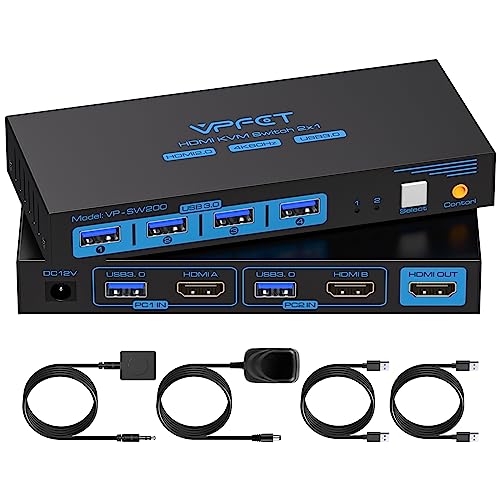
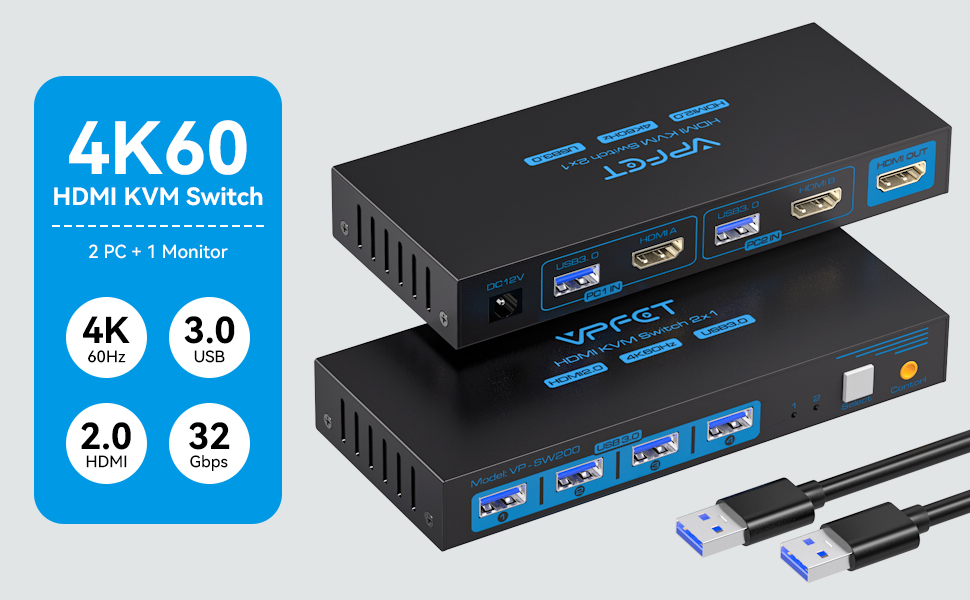
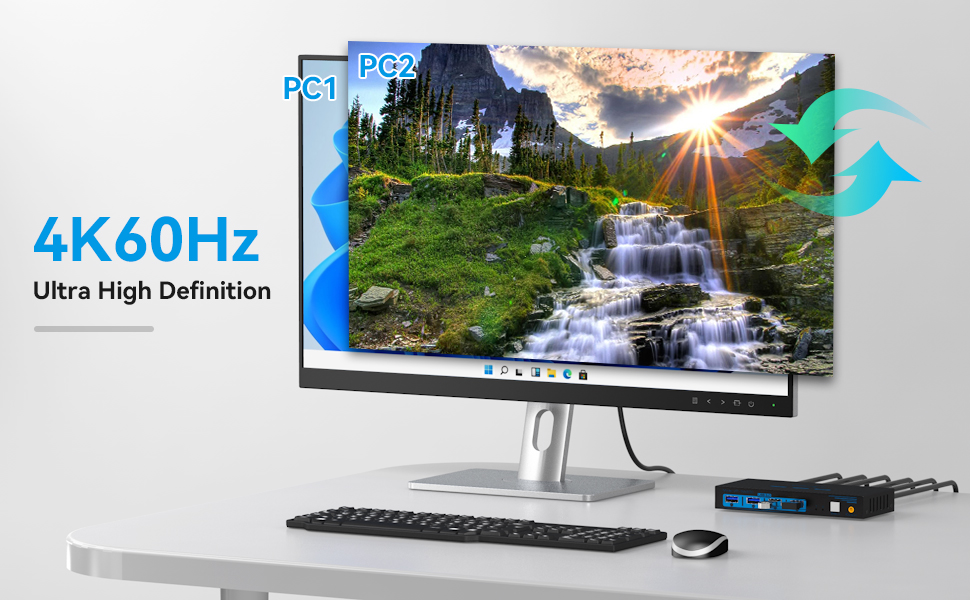
HDMI KVM Switch 2 PC 1 Monitor Support 4K@60Hz USB 3.0 KVM Switches for 2 computers Share 1 Monitor and 4 USB 3.0 devices such as Keyboard Mouse Printer. Power Adapter and Wired Controller Included
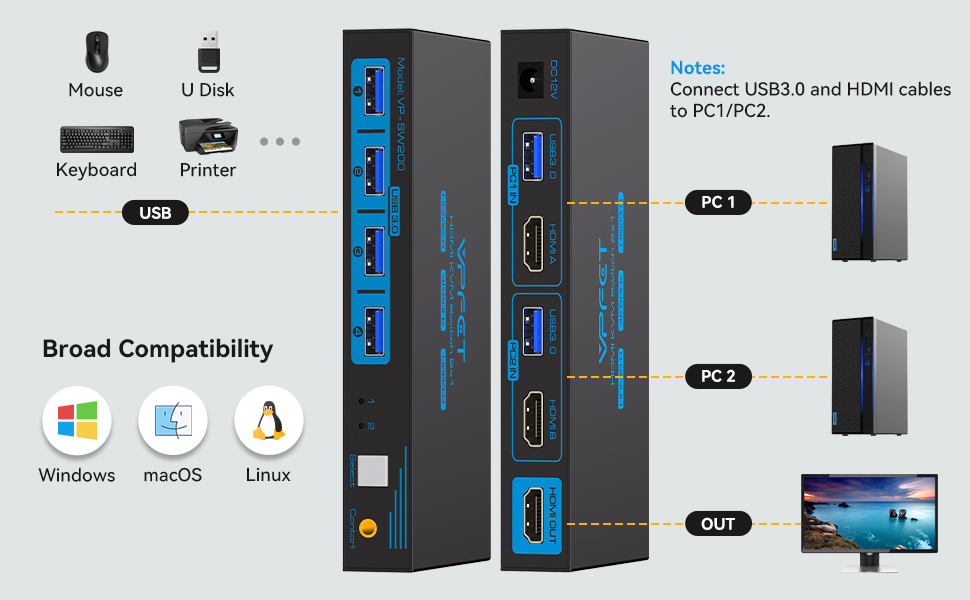
How to Use
- Connect the HDMl output port of the computer 1 to the HDMl_IN1 input port onthe back of the KVM switcher through an HDMl cable.
- Connect the USB port of the computer 1 to the USB_IN1 port on the back of theKVM switcher through an USB cable.
- Connect the HDMl output port of the computer 2 to the HDMl_IN2 input port onthe back of the KVM switcher through an HDMl cable.
- Connect the USB port of the computer 2 to the USB_IN2 port on the back of theKVM switcher through an USB cable.
- Connect the HDMl_OUT behind the KVM switcher to the monitor via an HDMI cable.
- Connect a mouse, printer, uSB stick, etc. to the front USB port.
- Switch between computer 1 and computer 2 through the buttons on the panel orexternal control kits.
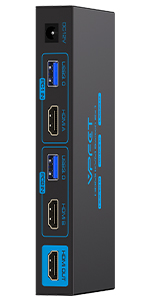 | 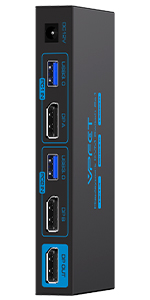 | 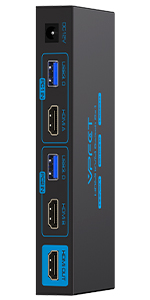 | 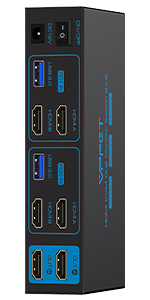 | 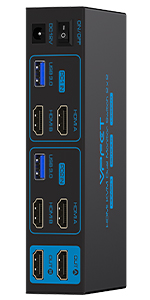 | 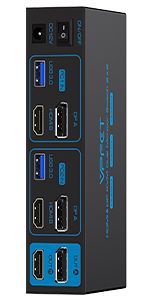 | |
|---|---|---|---|---|---|---|
| USB Standard | USB 3.0*4 | USB 3.0*4 | USB 3.0*4 | USB 3.0*4 | USB 3.0*4 | USB 3.0*4 |
| Input | Per Pc: HDMI2.0*1+USB3.0 | Per Pc: DP1.4*1+USB3.0 | Per Pc: HDMI2.1*1+USB3.0 | Per Pc: HDMI2.0*2+USB3.0 | Per Pc: HDMI2.1*2+USB3.0 | Per Pc: HDMI2.1*1+DP1.4*1 +USB3.0 |
| Output | HDMI2.0*1 | DP1.4*1 | HDMI2.1*1 | HDMI2.0*2 | HDMI2.1*2 | HDMI2.1*1+DP1.4*1 |
| Quantity of signal sources | 2 computers | 2 computers | 2 computers | 2 computers | 2 computers | 2 computers |
| Quantity of Monitors | 1 Monitor | 1 Monitor | 1 Monitor | 2 Monitors | 2 Monitors | 2 Monitor |
| Maximum resolution | 4K60Hz | 8K60Hz | 8K60Hz | 4K60Hz | 8K60Hz | 8K60Hz |
| Wired control switch | Support | Support | Support | Support | Support | Support |
| Features | 2 PC share 1 monitor | 2 PC share 1 monitor | 2 PC share 1 monitor | 2 PC share 2 monitor | 2 PC share 2 monitor | 2 PC share 2 monitor |
| Plug and Play | ✓ | ✓ | ✓ | ✓ | ✓ | ✓ |
| External power adapter | 12V | 12V | 12V | 12V | 12V | 12V |
| Weight: | 363 g |
| Size: | 4K HDMI 2 PC 1 Monitor |
| Dimensions: | 14.73 x 6.35 x 2.03 cm; 362.87 Grams |
| Model: | SW200 |
| Part: | SW200 |
| Batteries Required: | No |
| Batteries Included: | No |
| Manufacture: | CMSTEDCD |
| Dimensions: | 14.73 x 6.35 x 2.03 cm; 362.87 Grams |
| Size: | 4K HDMI 2 PC 1 Monitor |
Currently priced at 119.99 with a 5% off voucher at time of review.
This arrives in a box all secure on arrival.
This looks an impressive piece of equipment.supporting multiple devices.
The box is small and not heavy.
Product works right out of box.just plug in.switch on
There are 4 USB on one side and on the other3 HDMI A with one USB PC 1
3 HDMI with 1 USBPC 2
3 out A..BC
DC 12v and the on/off switch
Will need a family member to set this up for me as not really tech minded.
The CMSTEDCD HDMI KVM Switch is a powerhouse solution for multi-monitor setups and seamless computer sharing. Supporting up to 3 monitors and 2 computers, with resolutions of up to 8K@60Hz and 4K@120Hz, this KVM switch offers unparalleled flexibility and performance. With 4 USB ports and support for extended and copy display modes, it provides optimal connectivity and versatility for various work or gaming setups. Complete with a 12V DC adapter and a wired controller for effortless operation, the CMSTEDCD HDMI KVM Switch is a reliable and efficient choice for managing multiple devices with ease.
Integrating this KVM switch into my setup has revolutionized my work-from-home experience. Effortlessly managing two computers with my triple-monitor setup has never been more seamless. The crispness and clarity of the display are impressive, enhancing my overall visual experience. The switching process is smooth and uncomplicated, contributing to a more organized and efficient workspace. For anyone managing multiple devices and screens, this device is a practical and valuable solution.
This switch unit works really well and it was super simple and straightforward to set up. It’s easy to use and I’m impressed with the functionality as well as how versatile it is. The size of the switch unit is great because it’s not too big or bulky and it’s actually lightweight and portable which is very handy. The quality of the unit is brilliant because it’s strong, sturdy and durable so I know it’ll last a long and withstand a lot of usage. I’ve not had any technical issue or problems with it and it works exactly as I need it to so I highly recommend it. I think it’s superb value for money and well worth getting in my opinion.
This product does exactly what it says on the tin. It works flawlessly and I was able to use three monitors as advertised, I have others like this which support DP. This one is for three HDMI outputs so make sure to check before buying as they can be confusing.
You can connect four usb devices and even split these with a splitter where needed. The switch will allow you to control each system and can be manually changed to the specific one needed.
There’s one HDMI standard input as well as USB 3.0 for linking too.
Supported max resolution is 8k 60hz or 4k 120hz.
This allows you to share up to 3 monitors via HDMI across 2 computers. The setup is pretty seamless. You connect your main outputs to it and the outputs are basically shared.
This means that at the press of a button you can switch over to your 2nd PC and have all 3 monitors switch over. In 4K as well! Up to 8K but I don’t think that’s a big selling point just yet.
Not only does it switch the screens over, you can share keyboard and mouse, USB storage, printers and anything else that’s USB.
It can be amazing for work setups not having to switch over all the cables and monitors each time. We’re very happy with it.
CMSTEDCD HDMI KVM Switch has been an absolute game-changer for me. With its impressive capabilities, I can effortlessly switch between my work and home PCs, making multitasking a breeze.
First off, the setup was a breeze — just plug in the cables, and I was good to go. The switch supports triple monitors, allowing me to enjoy stunning 8K@60Hz or 4K@120Hz resolution without any lag or degradation in image quality. Plus, with USB 3.0 support and four USB ports, I can seamlessly connect all my peripherals and accessories without any hassle.
One of the standout features for me is the ability to share extended or copy displays across multiple monitors. This means I can easily spread my workflow across three screens for maximum productivity or duplicate my display for presentations and meetings with ease.
The included wired controller makes switching between devices a breeze, and the 12V DC adapter ensures reliable power delivery at all times. Overall, I couldn’t be happier with the performance and versatility of the CMSTEDCD HDMI KVM Switch — it’s definitely earned its 5-star rating in my book!
My work supplied me with a new PC unit as they insist I use only their device and software when working from home – due to data protection etc etc – it makes sense of course, but the thought of keep switching keyboard and mouse and cables etc was giving me a headache! With this switching unit, it’s made it all much better and my desk cleaner and tidy. I found it all a little confusing to set up, but genuinely that’s more a “me” issue than the equipment. Once I’d sussed the wiring out, it all made sense and switching between PC’s is with the remote button which is fixed on the desk.
The unit itself is built well, with good aluminium construction, so it’s solid. All ports allow cables to plug in and out easily and plugs locate well. There is good ventilation on the sides, and I’ve not had any issues or even signs of it getting hot. It comes with a plug and reasonable cable length. It doesn’t take up much space. Most importantly, it works well. I’ve had no issues since setting it up around 4 weeks ago.
I’m loving this device. If the insides are as well made as the outer, its going to live forever.
Exstramly well built and definitely durable. Thr metal case is great. It’s only missing some rubber feet or brackets. It slips around if you want to insert USBs into it on the fly.
I found some rubber feet of an old phone and it helps until I find a more long term solution. Knocked a star off for this.
It’s plug play. No big brains needed.
Great For offices. Maybe you want to use your works big screen to play Fortnight on via your personal laptop? 😉
4**** comes with everything you need.
Three high def monitors? Want to run them on two machines? Swop at the press of a button?
Definitely for you to use all three outputs you do need three HDMI monitors and then you can choose to share the same image on each monitor or extended desktops.
4 x USB 3.0 ports which can be shared between the two devices as well, certainly well made with a remote too to make switching even easier 4k@120hz also 8k@60hz and lower resolutions also supported.
Good device
KVM Switch 3 Monitors allow two computers to share triple high-definition monitors and 4 USB 3.0 ports, and connect three displays in extend or duplicate display mode. Extended Mode: PC host in output 3 different images on 3 monitors. Copy Mode: Computer host outputs 3 identical images on 3 monitors. (Note: Please make sure your computer supports multi-display and each connected computer requires 3 HDMI ports). The HDMI 2.1 KVM switch supports resolutions and refresh rates up to 8K@60Hz 4K@120Hz, and is backward compatible with 1080p 3D 720P, etc. There are two switch options.
I use a HP ProLiant MicroServer as a home NAS which sometimes needs attention beyond what’s possible with Remote Desktop, such as updating the BIOS.
This small KVM lets me hook-up both my PC and NAS by HDMI and USB, then switch monitor, keyboard and mouse at the click of switch. That leaves two USB 3.0 ports free, one of which I used to connect 4GB hard-drive caddy to backup Windows. The USB connection isn’t super fast, but OK for differential backups; to ensure there’s no problems, I eject the USB disk before switching over.
The unit is quite small and can be hidden away if you use the wired push-switch to make the change over. Power pack and two USB cables are provided in the box.
Price at time of review was about 33 which I think is good value for a home user.
The ability to share one monitor and USB devices between two computers has made my workspace more efficient. The image quality is crisp at 4K resolution. The USB 3.0 ports ensure swift data transfers. However, while the desktop cable controller is intended for a neater look, I found it slightly cumbersome. But, the external power adapter is a thoughtful touch, ensuring the stable operation of my USB devices.
One of the standout features is the ability to seamlessly switch between two computers using a single monitor and a set of USB 3.0 devices. This has simplified my setup while maintaining a high-quality display at 8K@60Hz or 4K@120Hz, which is crucial for my work requirements.
The wired controller is a thoughtful addition, providing a quick and convenient way to toggle between computers without any lag or delay. Setting up the KVM switch was a breeze, thanks to the clear instructions provided, and it started working right away.
Moreover, the inclusion of 4 USB 3.0 ports allows for easy connection of various peripherals, such as a keyboard, mouse, printer, or hard disk, streamlining my workflow. The switch supports these devices flawlessly, providing a responsive and smooth experience.
The power supply with 12V/1A DC ensures a stable and consistent power source, minimizing any potential disruptions during usage. I’ve experienced no connectivity issues or glitches, making it a reliable tool for my daily tasks.
In conclusion, this has simplified my computer management and significantly enhanced my productivity. If you’re seeking an efficient solution to streamline your workspace and optimize your work process, this switch is a must-have. Its straightforward operation and top-notch performance make it a valuable addition to any setup.
A simple to use KVM [Keyboard, Video (monitor), Mouse] switch that, at a touch of a button, switches your device to a second computer. Easy set up, this is the HDMI version. Very good device.
Arrived fast as expected
Beware, it is not a dual monitor KVM. Don’t mark it down if ordered incorrectly. Seller is clear about it in the description and title.
What is my need?
I got myself a new standing table and KVM and as one would know, KVM requires multiple cables for it to work between 2 devices. I noticed that my cables where far too bulky and some of them were showing their age. Some even came with very old sky boxes. I was time to upgrade.
Feature of the HDMI cable
This HDMI cable supports resolution and refresh rate up to 8K@60Hz and 4K@120Hz/144Hz. 1m meter cable and compared to my other HDMI cable this are slightly bulky. The cable wire between the HMDI male ports are actually nylon braided. This is the reason I went for the product. The nylon braided design ensures 2 mainly things for me, It means that it is tangle free and also means that pushing and pulling the cable won’t impact the durability of the HDMI cable immediately.
Although the device is 8k /4k but is will also perform well in the normal resolution too. I am really excited to get it connected with the monitor to docking with KVM in between. The cable is 1m long which is standard and sufficient.
Pro:
– High quality nylon braided outer shell, gold plated connectors
– 8K resolution @60Hz and 4K resolution @120Hz/144Hz
– Supports 2.1 HDMI
– Switch between 2 monitors smoothly
Con
– Could make the cable much thinner.
– Didn’t appreciate the additional power adapter. They could have made it such way that the power comes from PC or Monitors.
Been searching for a dual monitor 2 PC KVM switch for quite a while. There are just so many different types to chose from and some are more expensive than others. Took the chance on this and was very pleased with the purchase. As many others have mentioned it worked straight out of the box and compatibility / connectivity is good. Wasn’t sure if this would work with two g-sync monitors at 1440p 144hz but no issues there. The USB3.0 ports is a good addition as well and works with my Razer keyboard and mouse, including Razer Chroma for that all important RGB.
The only issue for me is that the remote switch controller doesn’t appear to work, which is not a massive issue, since the manual button on the unit works fine. I would of liked it to have a 3.5 jack headphone / mic input/output as well but not a major problem. Instead I just use 2 splitters one for each of my machines. The other good thing is that it has an external power supply rather than others relying on USB to power it and when in the use the unit itself is very cool, compared to some others who have reported over-heating issues.
As someone who frequently switches between two development environments on my desktop this little device has saved me so much time and frustration. It switches seamlessly in a second or two and appears to be a nicely made high quality item. I could have bought cheaper, but it was worth the extra outlay to get USB3 rather than USB2 compatibility. Very pleased…
This product has been an absolute delight. I can now switch been numerous hdmi signals at 4k with any drop in picture quality. I have been great impressed. Very easy to set up with the instruction booklet that it comes with.
Does exactly what it says on the tin!
This is my second similar device after a string of issues with the last one from a difference company but offering the exact same type of switch.
Set up takes 2 minutes and you’re ready to go, Ive also tested the rated hz and I can confirm it works as stated.
Very happy indeed, highly recommend
I’ve tested loads of KVM switches from various manufacturers. This one labelled “VPFET” is just as good as all the rest, at a decent price point.
This particular model allows 2 computers to share an HDMI monitor/TV, plus a keyboard and mouse. All 4 of the USB ports are USB 3.0 (5Gbps), which you’ll appreciate if you connect fast USB sticks or external SSD enclosures. The latest HDMI 2.1 protocol is supported, which provides resolutions up to 8K @ 60Hz or 4K @ 120Hz. That’s good enough for almost everyone.
I like the external “desktop control” switch button, which means you can tuck the main unit out of sight.
This is surely a great switch, high quality and well made, even the looking, beautiful finish of black tinted with blue and chrome, very impressive. It’s well made, lightweight yet robust, feeling really well.
This is designed for 2 PC to share 1 set of monitor/mouse/keyboard. Not everyone needs this, but useful in many scenarios. This is easily done by pressing the button or more conveniently with the controller.
8k @60Hz is another great feature, meaning could be loved my many gamers. I my self find 4K@120Hz is more useful.
Easy to set up as it’s typical plug and play.
Love the quality and performance. It’s a useful and well-specced KVM switch. Very impressed and highly recommended.
This is probably the product you’ll end up buying once you, like me, have tried to save some money with inferior products. This switcher is quality – I can now easily switch between work and home modes in about 1 second. Awesome piece of kit!
I am really impressed with this KVM switch box, the build quality is very good and it works perfectly switching between two pcs. The box is a good size and is easily hidden on a cable management shelf under the desk, the switch remote works well stuck underneath the desk like a panic button in the movies.
The connections are all snug and there is not break in connection even when you wiggle the cables. I attached a usb hub to the desk at the front to avoid having to go near the box at all and it also works great.
Expensive but you get the quality and it’s a great solution for switching between machines.
This is a great switch, does exactly what it states it does. Being able to use a single monitor for 2 machines be it another computer or a console it a life saver. So much time saved from switching out HDMI’s. It is very simple to set up its just a plug and play. The button to switch between machines actually feels quite satisfying to press.
Value for money is good, it has USB 3 and at the time of looking, I couldnt find anything with USB 3 for anywhere near this price. The only con is that it doesnt include any HDMI’s which will be required and add cost. I did have spare cables so for me its a 5/5.
I use my work laptop and my home PC and have been using some USB extensions to keep switching between the two and this was a fiddly situation especially when you have to do it every day, several times a day, not to mention an expensive one as I had to use additional extension cables to connect USB extension to the desktop and every time also have to switch the monitor as well. On top of that, I use two monitors, one of them does not have a Display Port, only an HDMI one.
This KVM switch comes with all necessary cables to attach two computers to two monitors, one using Display Port, one using HDMI port and four additional USB devices as it has 4 x USB 3.0 slots. The only thing missing is the Display port and HDMI cables to connect to your monitors so you’d need three DP connectors and three HDMI ports in total but they should have come with your monitors anyway. So now I am connecting a keyboard, mouse, A UHD camera (much better than my laptop’s) and a USB flash drive to easily switch between the two computers at the press of a button which btw also has an extension remote control supplied within the package so you can keep the remote control near you. This allows for hiding the KVM and almost all the cables away from sight.
The cables provided are all of enough length to reach both laptop on the table and the back of the desktop PC on the floor located under the table. The KVM switch looks so tiny that when I saw it the first time, I thought it would not be able to take in all these cables but it does. The DP 1.4 and HDMI 2.1 support very high resolutions at a very fast speed, check the specs of your monitors but they are kind-of future proof for some years to come.
If I have to pick up on something then it could be that if you have a big table and your monitor is mounted on the wall (I have a table mounted monitor) or if your desktop computer is too far away from the reach of the provided USB-A cables, then you’d had to buy a more appropriately sized USB-A cable but that really would depend on individual set ups and longer cables could be unnecessary and less wieldy for standard setups so my opinion is not effected by this.
Overall an impressive, thoughtful and practical product. Two thumbs up for this one!
This switch device is highly efficient and useful. It effortlessly allows the control of two computers with a single keyboard and mouse. The clarity of images on the screen is commendable. With high-speed data transfer, sharing USB devices becomes much smoother. A practical tool for tech-enthusiasts indeed.
This was provided by Amazon vine program over a week ago
The KVM came in a brown box with minimal printing, inside the box
1 X KVM for 2 hdmi in to 1 hdmi out, 4 usb 3.0 in to 2 usb 3.0 out DC power socket, 1 button toggle and port for wired control
2 X usb 3.0 a to usb 3.0 a cables
1 X power supply
1 X remote control
The switch just works, it provides smooth switching and the output is clear. One thing I’d have liked is dual output monitor support but this wasn’t available as part of the program so if you would like this feature, then get the other one. If you’re not fussed about this feature then it’s a good buy.
This switch comes with its own power supply.
Like mopst switches, it is easy to install — EXCEPT the IN and OUT are labelled the opposite way to what I would expect!
This is a thing with these switches but it doesn’t make any difference to the operation.
It also comes with a ‘remote’ button you can put on your desk to switch across. I like this featyre as it allows you to hide the switch from view.
A great high-specification switch boasting up to 8k@60Hz and using USB 3.0.
The device also has a wired remote, two USB 3.0 A to A cables, and a DC 12V adaptor to power the switch.
The construction is good, with the main box being metal, and the design is also good. I think the blue around the USB ports is a little lairy, but I do like that the USB ‘hub’ ports face forward, and so does the switch. The wired remote also connects here.
Having these connections and controls to the front means a tidier cable run is possible if the device is on your desk, with peripherals like the mouse and keyboard connecting to the front.
The HDMI ports and USB 3.0 to devices are to the rear, as is the one HDMI out to the shared monitor.
The wired remote is, in my experience, a good idea. While an infrared remote may seem a better idea, and it may be – if the receiver is in the line of sight. However, an install often places a hub like this out of sight; in this case, the wired remote at least gives a reliable, although distant limited control of the switch.
I use a software base program that connects my computers, one WIndows, the other Linux, (although it could also be Mac), and this can handle many computers using the same mouse and keyboard.
The experience is like moving between screens on an extended desktop; no switch is required.
That may seem to make a device like this redundant, but it doesn’t because when starting my two main PCs, until the program starts and connects, I have to control both with their own mouse and keyboard, and if the network is not present, I couldn’t use the software at all.
This switch lets me initially control the computers with just one mouse and keyboard, physically switching between the two.
Further, since I have three monitors, I can switch the centre screen giving the Windows or Linux PC the extended desktop, respectively.
I liked this switch, and I think it is a useful and well-specced device, and I find the price point reflects this.