VEDINDUST HDMI Splitter Extend 4K@60HZ USB HDMI to Dual HDMI
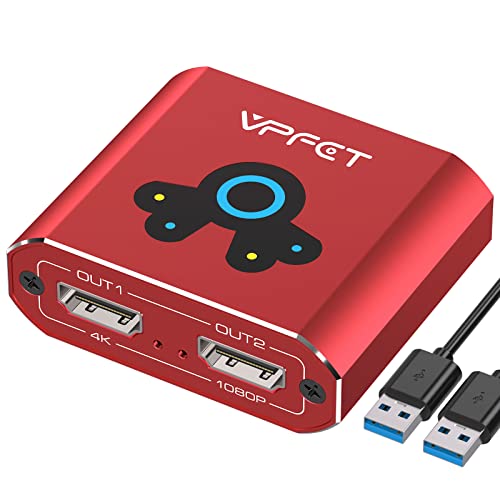
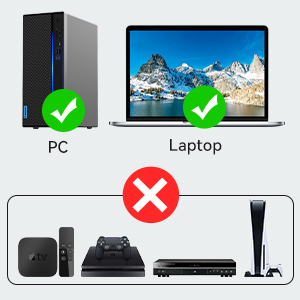
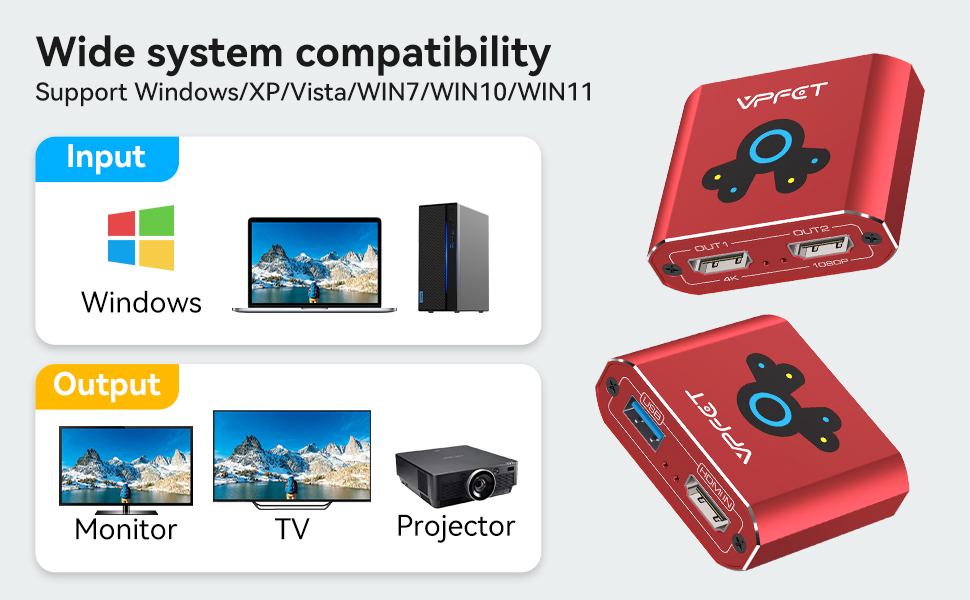
VEDINDUST HDMI Splitter Extend 4K@60HZ USB HDMI to Dual HDMI Adapter Support Mirror or Extend only for computer versions Windows 7/Windows 10/Windows 11

Caution:
1. If “No device” is displayed
Check that the device is plugged in
Check that “MS USB Display” is displayed in the Device Manager.
2. If the projection does not display correctly
Check that the device status is “Plugged in”.
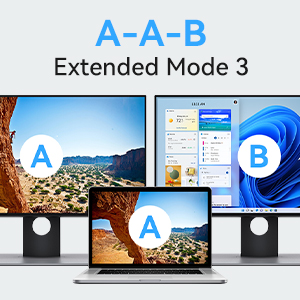
Check that a virtual extension screen is generated in the display settings
3. If the screen projection shows a large delay or no cursor
Check that the graphics driver is installed and that there is a dual graphics card in the computer. If so, make sure that the current application uses integrated graphics card. System>>Settings>>Graphics, configure the application here.
 |  |  | |
|---|---|---|---|
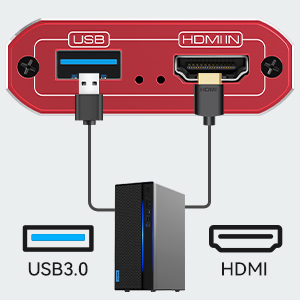
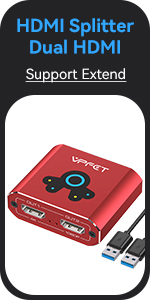
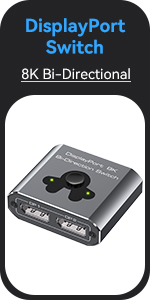
| Input ports | 1*HDMI+1*USB3.0 | 1*DisplayPort/2*DisplayPort | 1*USB 3.0/2*USB 3.0 |
| Output ports | 2*HDMI | 1*DisplayPort/2*DisplayPort | 1*USB 3.0/2*USB 3.0 |
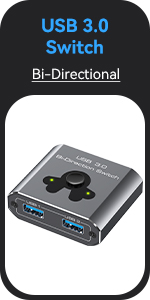
| Product Features | Screen duplication or extension (1 PC to 2 monitors) | Two DP sources to one DP monitor / one DP source to two DP monitors | One PC sharing two USB devices / two PCs sharing one USB device |
| Bi-directional transmission | ㄨ | ✓ | ✓ |
| Screen extension support | ✓ | ㄨ | ㄨ |
| Supported resolutions | 4K@60HZ+1080P | 8K@60Hz/4K@120Hz | ㄨ |
| Included Accessories | USB power cable | USB power cable | ㄨ |
| Dimensions: | 14.6 x 7.8 x 5.4 cm; 170 Grams |
| Manufacture: | VEDINDUST |
| Dimensions: | 14.6 x 7.8 x 5.4 cm; 170 Grams |
| Origin: | China |
| Reference: | 20230515 |
“Long Story Short”
Comes in branded box
It is well solid metal body dongle
It does work and picture quality is perfect
Small device with great performance
Pocket friendly design
Value for money 10 out of 10
Unfortunately this product didn’t work for me but great customers service to assist.
Initially this product worked and easy to install but would freeze the third screen after an hour each day. Possibly faulty item as have bought another more expensive one and it works fine.
I tried a few other brands they didn’t work. The only thing that needs to lower resolution on one monitor as only one monitor can run on 4k. The big positive point is that computer don’t need to have a Thunderbolt driver. Works with Windows 11 but needs a powerful machine I hook up to all-in-one computer to have two additional screens as a result the performance drop down significantly
The VEDINDUST HDMI Splitter Extend is a versatile and reliable solution for adding dual HDMI displays to your laptop. With this splitter, you can extend your desktop workspace, mirror your computer screen, or even set up screen duplication and expansion for enhanced productivity. The installation process is straightforward, requiring the installation of drivers (USBDISPLAY) and running the program on the integrated graphics card. The splitter is compatible with Windows XP/VISTA/7/10/11 operating systems, and for Windows 11, the driver needs to be added to the anti-virus and PC Manager whitelists.
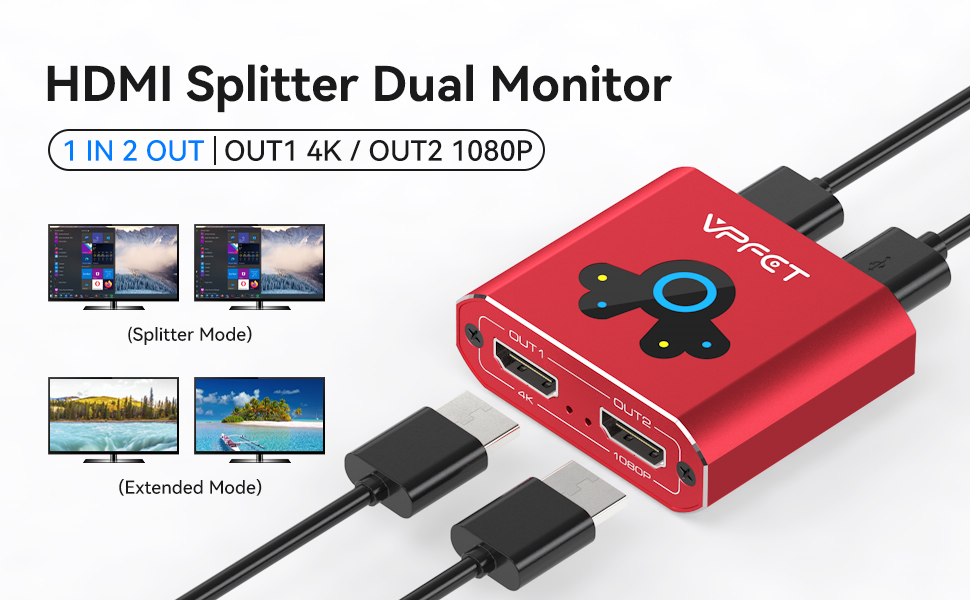
One of the standout features of this HDMI splitter is its support for high-resolution displays. It can handle 4K@60Hz and 1080P@60Hz HD resolutions, ensuring crisp and vibrant visuals on your connected monitors. The splitter features two HDMI output ports, with OUT 1 supporting 4K@60Hz output and OUT 2 supporting 1080P@60Hz output. It’s important to note that the USB port must be connected to your computer, and the USB version determines the output resolution. USB 3.0 offers 1080P resolution, while USB 2.0 provides 720P resolution.
The VEDINDUST HDMI Splitter Extend delivers fast and stable transmission with video bandwidth up to 18Gbps for HDMI OUT1 and 3.2Gbps for HDMI OUT2. This ensures lag-free and high-quality audio and video output. The splitter’s metal housing design not only adds durability but also aids in heat dissipation and electromagnetic compatibility. It’s a compact and portable device, making it easy to carry and use wherever you go. In case of any issues, the customer support team is responsive and committed to providing professional solutions.
In conclusion, the VEDINDUST HDMI Splitter Extend is an excellent choice for anyone looking to set up a dual monitor configuration with their laptop. Its versatility, support for high-resolution displays, fast transmission, and durable metal housing make it a reliable and practical solution. With the ability to extend or mirror your computer display, you can enhance your productivity and create a more immersive viewing experience.
Thank you for reading my honest review, I hope you found it helpful! 🙂
I have to say I got this splinter to work with my iMac and my spare monitor, but I made a mistake and didn’t read the description well as it’s not compatible with my computer, so I ended up giving it to my husband who is a Windows user. He works in IT, so he was very happy about “my mistake” as he was looking to get one of these, but just never got around to it.
The splinter is very well made from sturdy materials and the great thing is that it doesn’t require an external source of power – just use the USB 3.0 cable that comes with the splinter. The installation is very straightforward, so no complaints here, the only minus is that you have to keep your pc on all the time as if it goes to sleep you might get some issues with the mirror image.
Overall a nice choice and we can recommend it.
A easy plug and play device thayt works perfectly. Yuo’ll have no problems with this switch, there is nothing to go wrong with it. The switch is an alloy metal so heat is dissipated through it’s shell. nice looking, easy operation.
The VEDINDUST HDMI Splitter is a compact well-made device. It comes with a driver. It starts as a USB storage device where the driver can be installed. It required a restart on my Win11 machine. After the restart, I could use the extra monitor (1080 port one started display). It was available as 3rd monitor on my Laptop. I didn’t notice any lag, flicker or quality drop on any of the displays. However, I noticed a rise in CPU usage to about 25%-30% when using the device. The CPU was primarily consumed by the display drive of this device. I might try it on my other machine to confirm the over-utilisation of the CPU. Looking at the other reviews, it appears to be specific to my machine. Other than the high CPU consumption the device functions well without an issue.
This device allows you to add up to two HDMI displays to your laptop through one HDMI port.
It allows you to choose between screen copy and screen expansion. With screen copy, both connected monitors display the same screen, while screen expansion allows you to expand your desktop workspace across two monitors, each displaying separate content.
Moreover, it can handle high-quality video displays, supporting 4K@60Hz and 1080P@60Hz HD displays. The first HDMI out port allows for video bandwidth of up to 18Gbps, while the second HDMI out port supports video bandwidth of up to 3.2Gbps. Additionally, this device provides simultaneous audio and video output.
I must mention that while the first HDMI out port supports 4K@60Hz output, the second HDMI out port only supports 1080P@60Hz output. This may not be an issue for everyone, but something to keep in mind if you require both outputs to support a 4K display.
Overall, the HDMI splitter extend is a good device for anyone who needs to connect multiple HDMI displays to their laptop.
If you are looking to take a HDMI signal from a laptop / PC and splitting it between two other monitors, then this is for you. But, remember, it does nothing else. And, as the description says, it’s for Windows only. Although backward compatible all the way to XP. It’s got good build quality, does the job and is reasonably priced. A good buy.
This HDMI splitter is a bit on the basic side, but it’s easy to set up and works as expected with a good, clear image thanks to the fact that it’s capable of 4K and 1080p@60Hz.
You’re able to extend your screen across 2 monitors, which comes in handy for me while working from home and so far, the connection has been stable with no interruptions.
It’s also small, lightweight and feels sturdy, making it easy to transport and I’d expect it to stand up to a knock or two when thrown in a backpack.
All in all, it’s a basic, but handy HDMI splitter.
I hope you found this review helpful.
Please make sure you read the description of this splitter device before purchase as it has one job, that of taking a HDMI signal from a laptop or PC and splitting it between two other monitors, this is not designed to share multiple HDMI sources into one for a TV for example so be mindful you are getting this for the right job. Requiring power via USB and installation of a driver for use on PC, this is a well made and solid quality HDMI signal splitter with one output capable of 4K @60fps and the other 1080p. Made of aluminium casing and a red colour so it will stand out in any setup, this is a quick and effective way of sharing your laptop display for example across two other main monitor outputs. Pricing is fair for what this offers but this is a tool for a specific job, not to be confused with other styles of HDMI Splitters.
HDMI Splitter
Simple active USB powered HDMI splitter. Device is nicely made in red aluminium, light weight at 60g and compact (6*5cm and 2cm deep).
Takes a HDMI input and duplicates signal to two output HDMI ports – though one of the outputs is only 1080P, other is 4K @60hz. So if you have different monitor resolutions, make sure you connect them the right way. Active power is provided by supplied USB-A to USB-A lead which is relatively short at ~50cm.
Requires PC driver, so no good for games consoles etc.
Arrives wrapped in plastic bag on a plastic tray inside a plain brown cardboard box, with USB lead and instruction leaflet.
Not having a network printer, this device allowed me to share a printer with a laptop and desktop. Everything is supplied in general and it’s very compact, but also light. The lack of weight is a handicap and a provision should made to limit its movement. Also, better labeling. Both issues solved with Velcro and a label-maker. In my case, also needed a printer cable. Recommend it – no drivers needed, of course.