EZVIZ CP4 1080P Door Peephole Surveillance Camera Connected
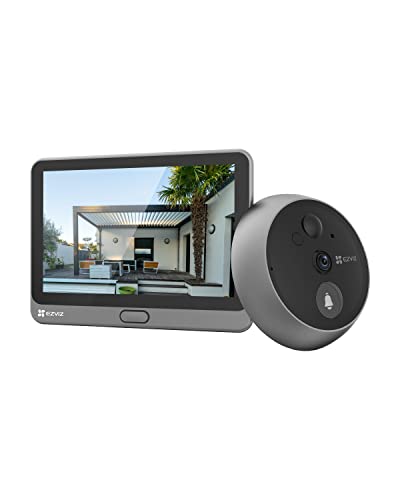
EZVIZ CP4 1080P Door Peephole Surveillance Camera Connected Video Intercom Video Door Viewer 4.3 Inch Touch Screen Battery 4600 mAh Human Detection Two-Way Audio 5 m Night Visio
100% Wire-Free Peephole Doorbell Camera
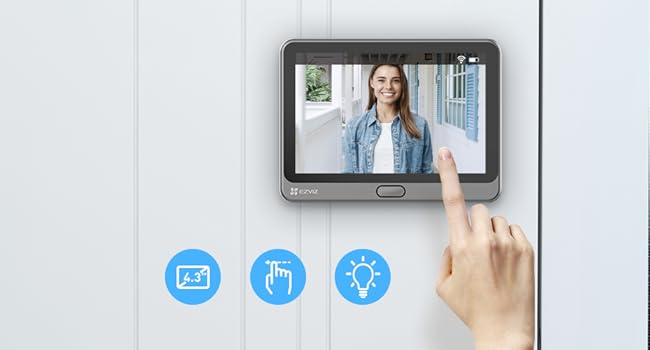
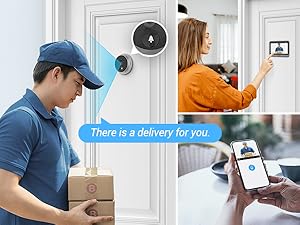
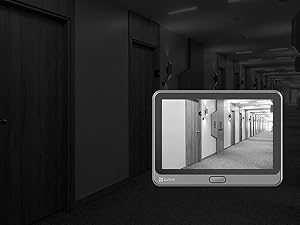
The video showcases the product in use.The video guides you through product setup.The video compares multiple products.The video shows the product being unpacked.Know who’s knocking, from the indoor touchable monitor or via your EZVIZ App. With simple taps on the big or small screen, you can see every detail with clear video quality. You can also set the ringtone as you like and talk to your visitors with ease.
Visible, Reliable Security at Your Fingertips



Work with Alexa
The peephole doorbell camera works with Alexa, Google Assistant and IFTTT, with powerful compatibilities.
What is the diameter of the peephole?
*Supported Peephole Diameter: 14 to 50 mm (0.55 to 1.97 inch)
*Supported Door Thickness: 35.0 to 104.9 mm (1.38 to 4.13 inches)
The peephole doorbell camera can be installed properly if the above two conditions are met.
What’s the difference between the door viewer cameras [DP2C] and [CP4]?
[DP2C] are equipped with a colour display screen that can only be controlled via the Home button, while CP4 is equipped with a touch screen, which is extremely easy to use.
Is it possible to connect 2.4G Hz or 5G Hz Wi-Fi?
This peephole doorbell camera can only be connected to 2.4G Wi-Fi. So please do not select 5G Hz Wi-Fi during network configuration.
What are the product dimensions?
Touch Screen: 115.5 x 85.5 x 24.5 mm
Peephole Doorbell: 71 x 71 x 48.3 mm
What’s in the Box?
CP4 Peephole Doorbell Camera, Touch Screen, Mounting Base, Buckle, 6×Screws, Power Cable, Regulatory Information, Quick Start Guide
Tutorial: How to Install & Setup Peephole Doorbell Camera CP4
The video showcases the product in use.The video guides you through product setup.The video compares multiple products.The video shows the product being unpacked.1. Install the camera. →2. Plug the connector & install the mounting base. →3. Place the panel. → 4. Connect your doorbell camera to 2.4GHz Wi-Fi. → 5. Add your camera to your EZVIZ account.
| Dimensions: | 11.5 x 8.5 x 2.4 centimetres |
| Model: | CS-CP4-R100-6E2WPFBS |
| Part: | CS-CP4-R100-6E2WPFBS |
| Pack Quantity: | 1 |
| Batteries Included: | 1 Lithium Polymer batteries required. (included) |
| Dimensions: | 11.5 x 8.5 x 2.4 centimetres |
| Quantity: | 1 |