L18M3P73 L18M3P74 51Wh 11.52V Laptop Battery Compatible
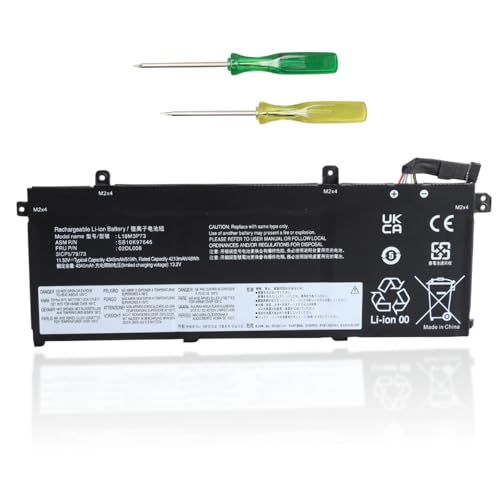
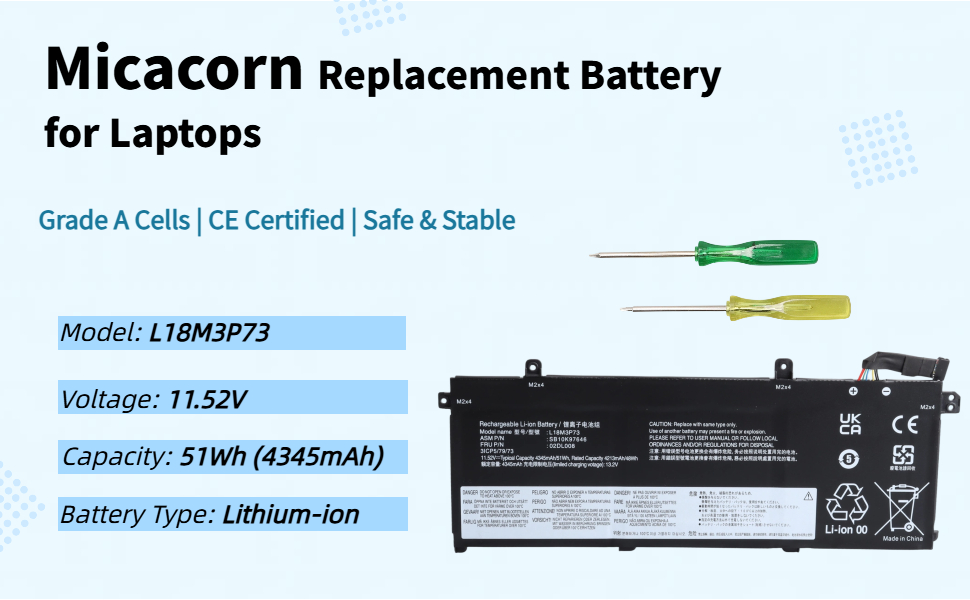
L18M3P73 L18M3P74 51Wh 11.52V Laptop Battery Compatible with Lenovo ThinkPad T490 T495 P43S T14 P14S Gen 1st / 2nd Series, Replaces L18C3P71 L18L3P73 L18M4P73 L18M4P74 SB10K97646 SB10K97647

Note
- Before purchasing, please verify that the model number of your old battery matches the model number on the bottom of your laptop.
- Before replacing the battery, disconnect the power adapter and remove the old battery. Press and hold the power button for 15–20 seconds to release any residual charge on the motherboard, preventing short circuits and damage. This also ensures the new battery can be recognized.
- It is recommended to complete 3–4 full charge-discharge cycles for the new battery to achieve optimal cell performance.
- Lithium batteries have no memory effect; charge them as needed. Avoid storing them with the charge level below 10% for extended periods or at a full charge for extended periods.
- Do not disassemble, squeeze, or puncture the battery; do not immerse the battery in fire or water.
- You can search for battery installation tutorials for your laptop model on YouTube.
| Brand: | Micacorn |
| Model: | L18M3P73 |
| Batteries Included: | Lithium Ion |
| Manufacture: | Micacorn |
| Origin: | China |