WAVLINK USB 3.0/USB C Dual 4K Display Laptop Docking Station with DisplayPort and HDMI for Windows (Dual 4K DisplayPort & HDMI, Gigabit Ethernet, Audio, 5 USB Ports)
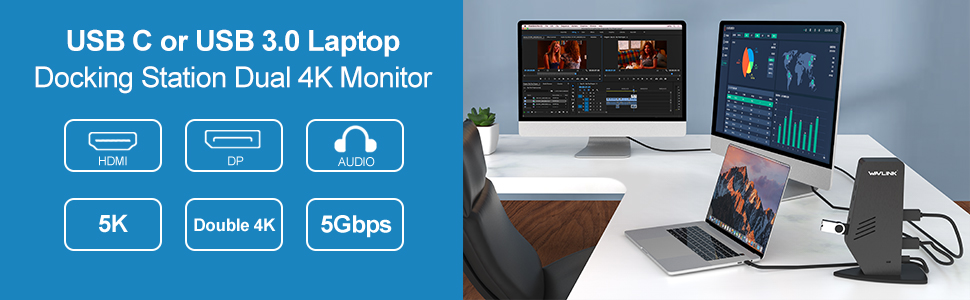
WAVLINK USB 3.0 / USB C Dual 4K Monitor Universal Laptop Docking Station
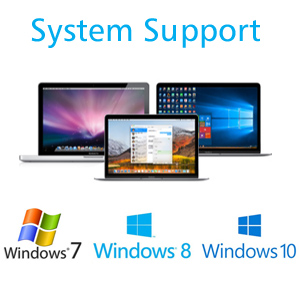
The new USB Type-C connector works seamlessly with this Ultra HD 4K Universal Docking Station. It can connect to any host with standard USB 3.0 Type A or Type C connectors providing a fully backward-compatible and future proof docking solution. Allow you to connect up to two additional monitors and eleven accessories through a single USB cable. Including the latest drivers for compatibility with Windows 10, 8.1 and 7 or Apple Mac OS,it features two DisplayPort or HDMI outputs for mirroring/extending your Windows desktop to external monitors, a Gigabit Ethernet port, audio input and output port, and five USB 3.0 ports(3 USB Type A+2 USB Type C).
– This dock powered by Displaylink(DL-6950 chipset),so you can download the latest driver from displaylink:
www.displaylink.com/downloads
–This dock doesn’t support Power Delivery function.(It can’t charge for your laptop)
-Cannot be mixed with non-DisplayLink USB graphics adapters and drivers (e.g. MCT, j5, or SMSC).
INFORMATION ABOUT MACOS 10.15
Some users updating to 10.15 have found their DisplayLink devices have stopped working. 5.2 software is designed to run on Mac OS 10.15, but the OS can disable our kernel extension during the udpate. Please check the kernel extension is enabled and screen recording is also enabled, to ensure DisplayLink enabled devices continue to work when migrating to 10.15.
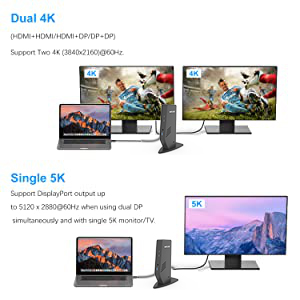
Support dual 4K Display: Dual 3840×2160@60Hz (4K UHD) video outputs through DP + DP, DP + HDMI and HDMI + HDMI.
Single 5K Display: DisplayPort output up to 5120 x 2880@60Hz when using dual DP simultaneously and with single 5K monitor/TV.
It will greatly help you work on high-resolution works, graphically intensive images, video editing, CAD drawings, medical images and so on.
- Does not support DisplayPort MST daisy-chain connections or Dual-Link DVI conversions. Does not support monitors with 1366×768 optimal resolutions.
- Vizio M-Series 4K TVs are only compatible at 4K@30Hz. Not compatible with Acer G-Sync enabled monitors’ DisplayPort port, like the Acer XB321HK.
- Support resolution up to 5K / 4K / 1080p / 1080i / 720p / 480p
- HDMI monitors must support HDMI 2.0 and HDMI cables must support High Speed HDMI.
- DisplayPort equipped monitors and the DisplayPort cable must support DisplayPort 1.2 specification.
- Not recommended for use DisplayPort 1.1 OR previous HDMI specifications.
| | | |
|---|---|---|
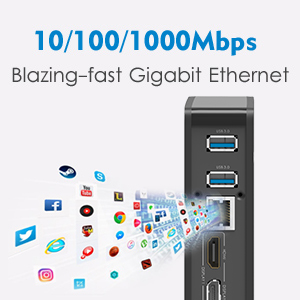
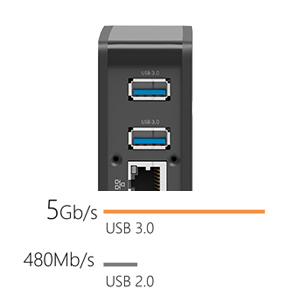
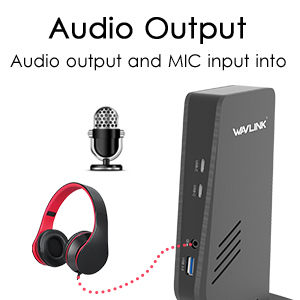
Fast & Stable Ethernet (LAN) ConnectivityWired network connections are faster and more reliable than any Wi-Fi. The dock helps you tap into the full performance of wired network connections with built-in Gigabit Ethernet port. Gigabit Ethernet: 10/100/1000 Mbps rates | 3 X USB 3.0+2 X USB Type C to 5GbpsExpand the functionality and ease of use of your laptop including mouse, keyboards, controllers, printers, external GPU and so much more! 5 x Super Speed USB 3.0 ports provides up to 5Gbps data transfer speeds, which is 10 times faster than USB 2.0. | Crystal-Clear Sound QualityCompatible with any devices with standard 3.5mm Audio port, ideal for connecting a wide variety of devices including headphones with and without mic, speakers, mic system and so much more. Just plug and enjoy premium sound quality with lossless stereo signal transmission . |
| | | |
|---|---|---|
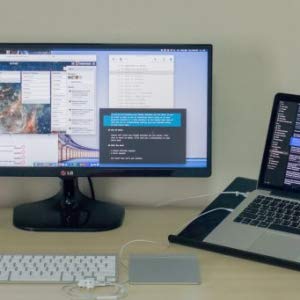
Remote WorkingWorking remotely at least one day a week continues to be a growing trend among companies. For business professionals, it’s a necessity. | Additional Computer MonitorsHaving multiple screens boosts productivity by eliminating the need to minimize windows, allowing you to view multiple browser windows at once, and expanding your viewing beyond the screen of your laptop. | Create a more efficient home officeAs a tech person, it’s important to have dual-monitors because a lot of times working between several different applications. |


System Requirements
For optimal performance the below system specifications are recommended:
- Operating System: Windows 10, 8.1 or 7
- CPU: Intel SkyLake i3 or Intel Core i7, AMD A10 at 2.0GHz or better
- Graphics Processor: Intel HD 4000, AMD Radeon HD 8650, NVidia GeForce 7xxM or better
- Memory: 8GB RAM
- Host connection: USB 3.0 Type-A or Type-C port
Application Compatibility
Does not support HDCP copy protected content (Blu-Ray, Netflix, Amazon Prime video, etc.) Suggested for web/productivity software. We don’t recommend running games with USB graphics, as there are significant compatibility challenges
In the box
- WAVLINK USB 3.0 Dual 4K Display Docking Station
- USB 3.0 Type-A to Type-C Cable – 36″ (91cm) long
- USB 3.0 Type-C to Type-C Cable – 36″ (91cm) long
- Power Adapter (20V at 2.0A) with 46″ (116cm) long cable
- Quick Installation Guide
| Dimensions: | 28.2 x 16.2 x 9 cm; 1.02 Kilograms |
| Model: | RC-UG69DK5 |
| Manufacture: | Winstars |
| Origin: | China |
Perfetto, fa tutto ciò che dice.
Comprato perch era quello che mi ispirava di pi, leggendo le recensioni e le funzionalit. Mi ha stupito molto positivamente! Ricarica il MacBook Pro M1 13” molto veloce, regge il buffer di un monitor 2k e uno 4k perfettamente. Le porte usb e usb-C riescono a ricaricare anche l’iPad, cosa che anche il Mac stesso non riesce a ricaricarlo.
Sicuro lo consiglio a chiunque abbia bisogno di una postazione complessa da collegare in maniera efficace al proprio Mac o PC.
Didn't read the details! Wavlink is a good dock though
This review is for the “WAVLINK USB 3.0 Universal Laptop Docking Station, USB C to 5K/ Dual 4K @60Hz Video Outputs Dual Monitor for Windows and Mac,(2 HDMI & 2 DP, Gigabit Ethernet, 6 USB 3.0,Audio)”.
The docking station works fine if you are not needing it to charge your laptop. I purchased this by mistake, I usually get the 5K with charging that is identical looking, but is about $20 more on a normal day. But the day I purchased this, it was right after Thanksgiving and it was a lighting deal, I didn’t take the time to really read the whole description. We have been using the WavLink docking stations and haven’t had any issues with them. We go with the “WAVLINK USB C Docking Station Dual 4K Display with 60W Charging/PD for Windows Mac OS Systems, Single 5K@60Hz / Dual 4K@60Hz”. I took one star off because the dock looks identical to the charging dock, but the headline doesn’t mention it doesn’t charge, you have to read that later in the description. Not a problem when it’s not a Lightning Deal and you have the time…
I needed to find a replicator or docking station that would allow me to connect 2 LG external 27" monitors to my laptop. Our IT firm suggested a product that cost $270, which I thought was egregious. So, I spent an extensive amount of time researching the options online. I wanted to make sure that my second external screen resolution would not be diminished. I also wanted a plug-and-play gadget that didn't require any driver downloads. Most importantly, my laptop only has USB 3.0 ports and no USB-C port. Fortunately, the Wavlink docking station came with an adaptor for USB 3.0 as well as USB-C. It also had other beneficial features that comparable products don't have - like dual independent HDMI/Diplayports and an off/off switch, so that I don't have to unplug the docking station if I don't want to use it. I plugged everything in and it all worked immediately. The product has a good warranty, which I hope will never be needed. So far, this has been a good purchase. The only caveat is that the electrical plugs to power the docking station and the monitors are large, so a regular power strip may not be sufficient. I ended up plugging one power strip into the wall and a second power strip into the first power strip.
I needed to find a replicator or docking station that would allow me to connect 2 LG external 27″ monitors to my laptop. Our IT firm suggested a product that cost $270, which I thought was egregious. So, I spent an extensive amount of time researching the options online. I wanted to make sure that my second external screen resolution would not be diminished. I also wanted a plug-and-play gadget that didn’t require any driver downloads. Most importantly, my laptop only has USB 3.0 ports and no USB-C port. Fortunately, the Wavlink docking station came with an adaptor for USB 3.0 as well as USB-C. It also had other beneficial features that comparable products don’t have – like dual independent HDMI/Diplayports and an off/off switch, so that I don’t have to unplug the docking station if I don’t want to use it. I plugged everything in and it all worked immediately. The product has a good warranty, which I hope will never be needed. So far, this has been a good purchase. The only caveat is that the electrical plugs to power the docking station and the monitors are large, so a regular power strip may not be sufficient. I ended up plugging one power strip into the wall and a second power strip into the first power strip.
Great product, has worked with my ASUS, Dell, and a IBM.. awesome
Great product, has worked with my ASUS, Dell, and a IBM.. awesome
Works well with laptop that has USB-C, use a USB-C converter for old version laptops
You will need to get a USB USB-C converter for it to work with old version laptops that only has display port or HDMI for it to work. I was expecting to work straight away with such laptops, but it only does plug and play of your laptop is a USB-C. I guess its safe to say this docking station is a USB-C docking station.
I am using it for 2 days and so far no issues. Works as expected. There are cheaper alternatives but none of them provides 4K resolution on display port. Please note this one requires Windows to install drivers and usually it does it automatically once you connect to laptop and power up. Also, it requires a power point in case you wonder.
I am using it for 2 days and so far no issues. Works as expected. There are cheaper alternatives but none of them provides 4K resolution on display port. Please note this one requires Windows to install drivers and usually it does it automatically once you connect to laptop and power up. Also, it requires a power point in case you wonder.
Does the job that needs to be done ✅. It's great.
Does the job that needs to be done . It’s great.
Has been stable and works well with my Dell laptop.
Has been stable and works well with my Dell laptop.
Out of the box, powered up, installed the drivers and had two monitors running off my MacBook Air right away.
Out of the box, powered up, installed the drivers and had two monitors running off my MacBook Air right away.
Exactly what I was after. Wanted to use to monitor screens through my laptop. Downloaded the drivers and then simply plugged everything in and it was good to go.
Exactly what I was after. Wanted to use to monitor screens through my laptop. Downloaded the drivers and then simply plugged everything in and it was good to go.
Used to set up laptop with multiple monitors to work remotely. Small in size. Mighty in function. Love i
Used to set up laptop with multiple monitors to work remotely. Small in size. Mighty in function. Love i
Works perfectly, good price
I strongly recommend the product, it is a proper bargain in terms of price/quality
Really good docking station. works based “DisplayLink” chip (driver needed).
Works fine with all kinds of laptops – windows, MACOS also based M1 chip in extended made and 2 external screens.
Have:
2 Display ports and 2 HDMI ports.
6 x USB-3.0 ports
RJ45 jack
Audio 3.5mm jack separate for mic and headphones.
Unfortunately, no laptop charging option via the dock station. You can connect the power supply directly to the laptop only.
If connecting an additional cable (charger) expecting cable from the dock station is not a problem for you, I recommend buying it.
I initially gave this product five stars, but after six months have reduced it to four. For some reason this dock conflicts with my Dell 7760. The display ports still work. I have virtually every USB port on this docking engaged and it carries them all with no hassles. Sometimes, when you hook a docking station to a USB hub which then, in turn, is connected to a number of USB devices. the combined system does not work well. Not always the best response for a mouse and keyboard through this hub. I have taken to connecting the mouse directly to the compute
I initially gave this product five stars, but after six months have reduced it to four. For some reason this dock conflicts with my Dell 7760. The display ports still work. I have virtually every USB port on this docking engaged and it carries them all with no hassles. Sometimes, when you hook a docking station to a USB hub which then, in turn, is connected to a number of USB devices. the combined system does not work well. Not always the best response for a mouse and keyboard through this hub. I have taken to connecting the mouse directly to the compute
I have virtually every USB port on this docking engaged and it carries them all with no hassles. Sometimes, when you hook a docking station to a USB hub which then, in turn, is connected to a number of USB devices. the combined system does not work well. This unit handles a 4K webcam through a remote USB webcam with no problems. Quick response for mouse and keyboard through a hub as well.
I have virtually every USB port on this docking engaged and it carries them all with no hassles. Sometimes, when you hook a docking station to a USB hub which then, in turn, is connected to a number of USB devices. the combined system does not work well. This unit handles a 4K webcam through a remote USB webcam with no problems. Quick response for mouse and keyboard through a hub as well.
will not work with Mac and now the USBs wouldn't work with windows
Update after customer service got back to me in a couple of days they helped me get it to work with me Mac and got the USBs working again. For the mac you have to down load software to get it to work.
It worked good with my windows computer up until this last week now the USBs will not work! I have never been able to use it with my Macbooks at all! I got it thinking that I could have one station for my Mac and windows but that didn’t work and now that the USBs sent working it really is not helping at all. I am way out of the window to return it now so now I have a paper weight on my desk that will hook up screens on window and that’s all it will do! find something else save your money.
Displaying my two external monitors in 4k at 60hz as promised. My current set-up is using a Surface 7 and connecting to the Wavlink via usb-c. The Wavelink then splits the signal into two hdmi's into my Samsung monitors. I haven's had any issues or had to install any additional drivers.
Displaying my two external monitors in 4k at 60hz as promised. My current set-up is using a Surface 7 and connecting to the Wavlink via usb-c. The Wavelink then splits the signal into two hdmi’s into my Samsung monitors. I haven’s had any issues or had to install any additional drivers.
Displaying my two external monitors in 4k at 60hz as promised. My current set-up is using a Surface 7 and connecting to the Wavlink via usb-c. The Wavelink then splits the signal into two hdmi's into my Samsung monitors. I haven's had any issues or had to install any additional drivers.
Displaying my two external monitors in 4k at 60hz as promised. My current set-up is using a Surface 7 and connecting to the Wavlink via usb-c. The Wavelink then splits the signal into two hdmi’s into my Samsung monitors. I haven’s had any issues or had to install any additional drivers.
Works like a dream! So happy to have dual monitors back on my MacBook Air. All you have to do is download DisplayLink and hook up each monitor via HDMI.
After trying 3 other docking stations for my MacBook Pro, this actually works!! You have to install DisplayLink software for it to work. Great picture on both monitors and easy setup!
After trying 3 other docking stations for my MacBook Pro, this actually works!! You have to install DisplayLink software for it to work. Great picture on both monitors and easy setup!
Connecting my laptop to a monitor and all other items to have my home computer. Works great, easy to set up.
Connecting my laptop to a monitor and all other items to have my home computer. Works great, easy to set up.
5 months. Zero issues. No regrets.
Been using this 10 hours a day for 5 months (remote worker). I use it for USB expansion and also to add a 2nd large HDMI monitor to my HP laptop. I plugged it in in June and it just works now late in November.
I have NOT used the ethernet nor sound ports yet but I intend to do so.
This dock works perfect with new macbook pro (2021). With one USB-C connection you can display on 2 monitors easily. Easy to setup and clean looking.
This dock works perfect with new macbook pro (2021). With one USB-C connection you can display on 2 monitors easily. Easy to setup and clean looking.
This works great with MacBook Air M1. Use one display port and one HDMI Both monitors are 1080p, 32” ultra wide. All negative reviews are not true. Purchase this if you have a M1 MacBook.
This works great with MacBook Air M1. Use one display port and one HDMI Both monitors are 1080p, 32″ ultra wide. All negative reviews are not true. Purchase this if you have a M1 MacBook.
Facil de instala
Ocupa poco espacio, rpido y fcil de instalar. La opcin de tener 2 diferentes cables para conectarse a la laptop es un alivio. El costo en primera instancia se ve elevado, pero compre este debido a que tuve problemas con otro que era un poco mas barato que nunca me reconoci mis 2 monitores, con este a la primera conexin los reconoci y lo mejor es la compatibilidad con 4k, en lo personal a pesar del costo vali la pena cada peso que pagu por el.
Facil de instala
Ocupa poco espacio, rpido y fcil de instalar. La opcin de tener 2 diferentes cables para conectarse a la laptop es un alivio. El costo en primera instancia se ve elevado, pero compre este debido a que tuve problemas con otro que era un poco mas barato que nunca me reconoci mis 2 monitores, con este a la primera conexin los reconoci y lo mejor es la compatibilidad con 4k, en lo personal a pesar del costo vali la pena cada peso que pagu por el.
Love how I can leave monitor, mouse, keyboard attached and only have to change usb c to use different desktops and laptops
Love how I can leave monitor, mouse, keyboard attached and only have to change usb c to use different desktops and laptops
Working grea
When my computer died, I decided to forgo a desktop computer and go with a laptop. But I wanted a full keyboard, mouse, monitor, etc. This dock works great. I connected the keyboard and mouse to USB, monitor to HDMI and card reader to USB. Connected to dock to the laptop. Everything works perfectly. I lift the laptop lid just to turn it on and then immediately close it. From that point, I have a desktop.
Connecting a USB drive (thumb or hard drive) is simple. Plug into an open port and computer picks it right up. Connecting headphones to the headphone port works automatically as well.
The dock has 4 USB 3 ports in the front along with a speaker/headphone port and a microphone port. In the back it has 2 USB 3 ports, 2 displayports and 2 HDMI ports (though it’s not really 4 displays, it only supports 2 displays, you just get a choice of hdmi or displayport connector). And finally the USB-C port to connect to the laptop.
I like that the dock has a power button so that I am not leeching power when unused. The only thing the dock does not do is charge my laptop. It does not support that feature so I do have to plug the laptop into an outlet.
Other than the power, this dock is excellent.
Ordered this docking station for work for another employee. There have been no issues so far. Seems like a solid product. Received quickly.
Ordered this docking station for work for another employee. There have been no issues so far. Seems like a solid product. Received quickly.
One USB-C cable to drive 2 external monitors, keyboard, mouse and other devices... found it was easy to setup and go. That's the sign of a good product.
One USB-C cable to drive 2 external monitors, keyboard, mouse and other devices… found it was easy to setup and go. That’s the sign of a good product.
Buen producto, pero tiene un pequeño detalle
Este dockstation funciona bien en general,puedo tener dos monitores adicionales al de la Lap, tengo conectado al cable de red. El nico pero que tiene es que en ocasiones los puertos USB no son reconocidos por la lap, hay que desconectarlo y volverlo a conectar. Ojo que sucede incluso con solo el hecho de apagar la lap y el dockstation por la noche, sin desconectar el cable y al da siguiente ya no los llega a reconocer, como comento hay que desconectar el cable del dock station a la lap y volverlo a conectar, voy a intentar con otro cable para confirmar que no sea el cable.
Buen producto, pero tiene un pequeño detalle
Este dockstation funciona bien en general,puedo tener dos monitores adicionales al de la Lap, tengo conectado al cable de red. El nico pero que tiene es que en ocasiones los puertos USB no son reconocidos por la lap, hay que desconectarlo y volverlo a conectar. Ojo que sucede incluso con solo el hecho de apagar la lap y el dockstation por la noche, sin desconectar el cable y al da siguiente ya no los llega a reconocer, como comento hay que desconectar el cable del dock station a la lap y volverlo a conectar, voy a intentar con otro cable para confirmar que no sea el cable.
If you are considering buying a dock station this is definitely the way to go! I have tried different ones and believe me there is no comparison. Besides all its versatility and number of available ports, the feature I like the most is the "plug and play" experience. No need for any driver installation!
If you are considering buying a dock station this is definitely the way to go! I have tried different ones and believe me there is no comparison. Besides all its versatility and number of available ports, the feature I like the most is the “plug and play” experience. No need for any driver installation!
Plug and play docking statio
Really easy to use just connect your monitors and accessories and plug and play. Nice looking and practical device. A bit price but great experience so far.
Needed a Hub for a two external monitor setup, and my laptop doesn't support alt-dp usb-c, so 99% of available docks were non-starters. Works great on my 3.1 type-c connection, and a bunch of peripherals attached. Running a 2k and 1080p external monitor with no noticeable lag/flicker. Primarily used for office type work, although I have streamed netflix/hulu/hbo on on one of the externals. I almost Docked one star because the included 3.5mm Audio jack does have buzz if you use your headphones on it, but it's not really an issue since I just use my Laptop's 3.5mm connection..
Needed a Hub for a two external monitor setup, and my laptop doesn’t support alt-dp usb-c, so 99% of available docks were non-starters. Works great on my 3.1 type-c connection, and a bunch of peripherals attached. Running a 2k and 1080p external monitor with no noticeable lag/flicker. Primarily used for office type work, although I have streamed netflix/hulu/hbo on on one of the externals. I almost Docked one star because the included 3.5mm Audio jack does have buzz if you use your headphones on it, but it’s not really an issue since I just use my Laptop’s 3.5mm connection..
Needed a Hub for a two external monitor setup, and my laptop doesn't support alt-dp usb-c, so 99% of available docks were non-starters. Works great on my 3.1 type-c connection, and a bunch of peripherals attached. Running a 2k and 1080p external monitor with no noticeable lag/flicker. Primarily used for office type work, although I have streamed netflix/hulu/hbo on on one of the externals. I almost Docked one star because the included 3.5mm Audio jack does have buzz if you use your headphones on it, but it's not really an issue since I just use my Laptop's 3.5mm connection..
Needed a Hub for a two external monitor setup, and my laptop doesn’t support alt-dp usb-c, so 99% of available docks were non-starters. Works great on my 3.1 type-c connection, and a bunch of peripherals attached. Running a 2k and 1080p external monitor with no noticeable lag/flicker. Primarily used for office type work, although I have streamed netflix/hulu/hbo on on one of the externals. I almost Docked one star because the included 3.5mm Audio jack does have buzz if you use your headphones on it, but it’s not really an issue since I just use my Laptop’s 3.5mm connection..
Ordered 3 for work and all 3 work amazingly. These replaced the older Plugable USB 3.0 Universal Laptop Docking Station as this one supports 4k. The Plugable Docks were a little glitchy at times. I've been using these since Jan and no bugs at all. Everything is smooth and seamless. 4 USB 3.0 ports on front and 2 more in back. I highly recommend. They are pricier than the Plugables and some competitors but as someone who has ordered docking stations for work for the past 8 + years here, these are reliable. The only one i have had a better experience with is a Lenovo dock station that I purchased for a Thinkpad but that one was over $200 AND was not universal. This one is for Windows products.
Ordered 3 for work and all 3 work amazingly. These replaced the older Plugable USB 3.0 Universal Laptop Docking Station as this one supports 4k. The Plugable Docks were a little glitchy at times. I’ve been using these since Jan and no bugs at all. Everything is smooth and seamless. 4 USB 3.0 ports on front and 2 more in back. I highly recommend. They are pricier than the Plugables and some competitors but as someone who has ordered docking stations for work for the past 8 + years here, these are reliable. The only one i have had a better experience with is a Lenovo dock station that I purchased for a Thinkpad but that one was over $200 AND was not universal. This one is for Windows products.
Ordered 3 for work and all 3 work amazingly. These replaced the older Plugable USB 3.0 Universal Laptop Docking Station as this one supports 4k. The Plugable Docks were a little glitchy at times. I've been using these since Jan and no bugs at all. Everything is smooth and seamless. 4 USB 3.0 ports on front and 2 more in back. I highly recommend. They are pricier than the Plugables and some competitors but as someone who has ordered docking stations for work for the past 8 + years here, these are reliable. The only one i have had a better experience with is a Lenovo dock station that I purchased for a Thinkpad but that one was over $200 AND was not universal. This one is for Windows products.
Ordered 3 for work and all 3 work amazingly. These replaced the older Plugable USB 3.0 Universal Laptop Docking Station as this one supports 4k. The Plugable Docks were a little glitchy at times. I’ve been using these since Jan and no bugs at all. Everything is smooth and seamless. 4 USB 3.0 ports on front and 2 more in back. I highly recommend. They are pricier than the Plugables and some competitors but as someone who has ordered docking stations for work for the past 8 + years here, these are reliable. The only one i have had a better experience with is a Lenovo dock station that I purchased for a Thinkpad but that one was over $200 AND was not universal. This one is for Windows products.
El mejor dock para mac M1
Fcil de usar y un buen producto para mac M1 estoy feliz con mis 2 monitores conectados por dp