XP-PEN DECO03 10 x 5.62 inch Digital Drawing Tablet with 8192 Levels of Pressure Stylus for Sketching, Painting, E-learning and Web Conferencing
| | | |
|---|---|---|
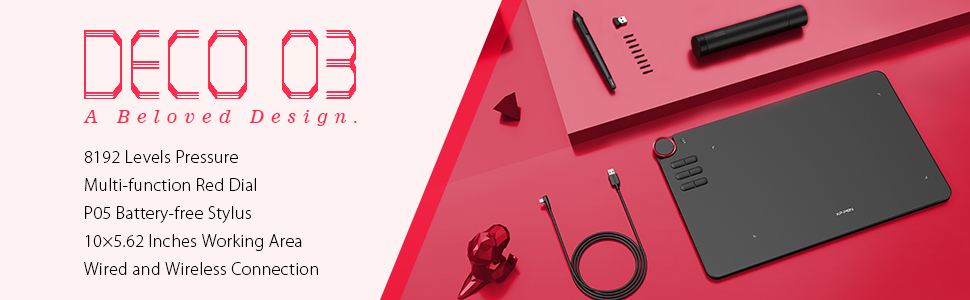
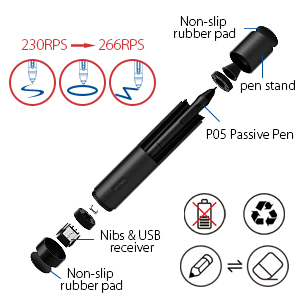
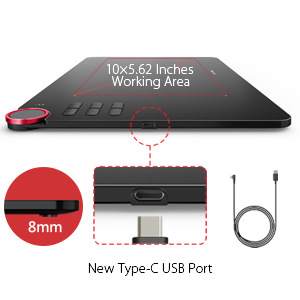
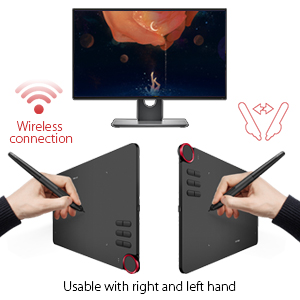
| Newest PN05 Pen with 8192 Levels Pressure | New Type-C USB Port The Deco 03 comes with the new Type-C USB cable so you can easily plug it into the tablet with ease,comes with 10 x 5.62 inch working area, so you have more space to create and get work done. Deco 03 is super thin with only 8mm thick, so you can carry it anywhere without any burden. | Wireless connection for a wireless world. The Deco 03 features both wired and wireless USB capability: Simply plug the included ISM 2.4G USB receiver into your computer to draw wirelessly, or connect the Deco 03 to your computer with the included USB cable for standard wired use. Designed for both right and left hand users, now you can set it to left hand or right hand mode through easy access. |
A Beloved Multi-function Red Dial
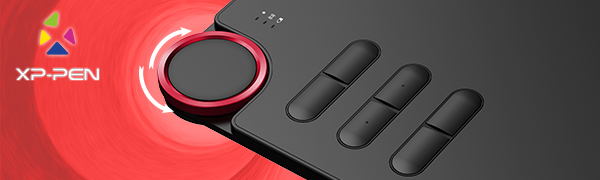
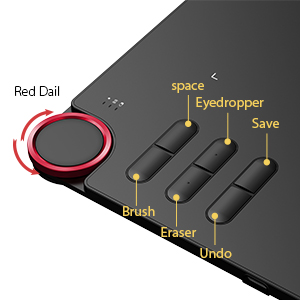
Deco 03 takes an incredibly creative design and refines it even further with a multi-function Red Dial. Crafted from anodic oxidation aluminum for a satin-like finish, this Dial is designed to fit comfortably in your hand and break through the traditional graphics tablet design. Utilize our multi-function dial by rotating its front and side. And the six customizable express keys that fits easily to your finger tip. With its blind spot reduction design, it will help you find the position of your express keys efficiently. The driver allows the shortcut keys to be attuned to many different software
Compatible with most Operating Systems and applications.
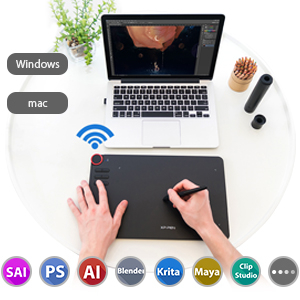
Compatible with windows 10/8/7(32/64bit), Linux (Detailed versions, please refer to the Compatibility Guide above), Mac OS X version 10.10 or later. Also compatible with many drawing software such as Photoshop, SAI, Painter, Illustrator, Clip Studio, and more.Compatibility is always being steadily improved through driver updates.
Bundle Software for Deco 03!
Enrich your experience and improve your creation skills, XP-PEN provides you with free software for different purposes.
- Explain Everything
- ArtRage Lite
How to obtain your software?
Step 1: Create or log into your XP-PEN account.
Step 2: Certify your purchase’s serial number.
Step 3: Select a software option, find the activation key of the software and visit the corresponding page to install it.
User-friendly:
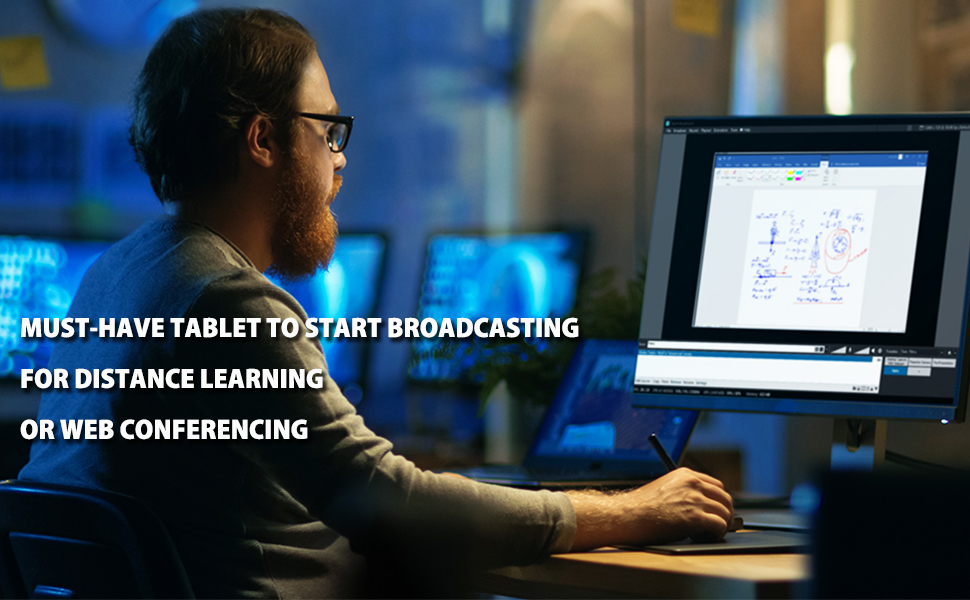
Take home our must-have tablet, the XP-PEN Deco03, and start broadcasting for distance learning or web conferencing. As long as you have a connected Deco03 and the right applications, you can enter an interactive classroom or meeting room anytime, anywhere.
Ideal for Distance Learning or Web Conferencing:
-In the teaching mode, teachers can create and explain interactive content visually by writing, editing, and annotating directly in files and sharing their screen in real time.
-In the office mode, you can record minutes or jot down ideas and inspirations with ease during web conferencing.
Wide Compatibility:
The XP-PEN Deco03 is compatible with Microsoft Office apps like Word, PowerPoint, OneNote and more. Works with web conferencing or broadcasting software including XSplit, Zoom, Twitch, Microsoft Teams, ezTalks Webinar, Idroo, Scribbiar, and more.
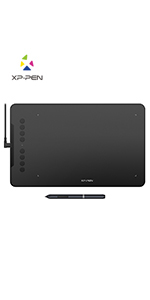 | 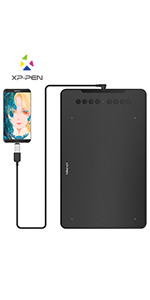 | 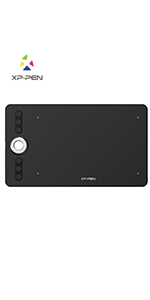 | 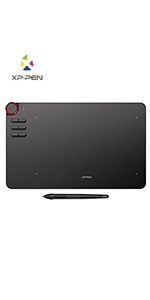 | 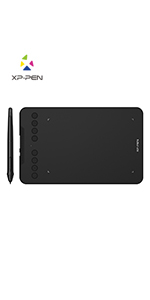 | 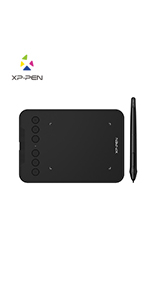 | |
|---|---|---|---|---|---|---|
| Work Area | 10″ x 6.25″ | 10″ x 6.25″ | 10″ x 5.63″ | 10″ x 5.62″ | 7″ x 4.37″ | 4″ x 3″ |
| Net Weight | 570g | 570g | 600g | 580g | 307g | 155g |
| Shortcut Keys | 8 | 8 | 6 | 6 | 8 | 6 |
| Roller Wheel | X | X | ✓ | ✓ | X | X |
| Stylus | P03 Battery-free Stylus | P05 Battery-free Stylus | P06 Battery-free Stylus | P05 Battery-free Stylus | P05D Battery-free Stylus | P05D Battery-free Stylus |
| Pen Pressure | 8,192 Levels | 8,192 Levels | 8,192 Levels | 8,192 Levels | 8,192 Levels | 8,192 Levels |
| Tilt | X | 60 degrees | X | X | 60 degrees | X |
| Wireless | X | X | X | ✓ | X | X |
| Connection | USB-C | USB-C | USB-C | USB-C/Wireless | USB-C | USB-C |
| System | Windows 10/8/7(32/64bit), Linux (Detailed versions), Mac OS X version 10.10 or later | Windows 7/8/10, Linux (Detailed versions), Mac OS X 10.10 and above, Android 6.0 and above | Windows 10/8/7(32/64bit), Linux (Detailed versions), Mac OS X version 10.10 or later | Windows 10/8/7(32/64bit), Linux (Detailed versions), Mac OS X version 10.10 or later | Windows 7/8/10, Linux (Detailed versions), Mac OS X 10.10 and above, Android 6.0 and above | Windows 7/8/10, Linux (Detailed versions), Mac OS X 10.10 and above, Android 6.0 and above |
| Weight: | 1.3 kg |
| Dimensions: | 35.6 x 21.8 x 0.6 cm; 1.3 Kilograms |
| Brand: | XP-Pen |
| Colour: | DECO03 |
| Batteries Included: | No |
| Manufacture: | XP-PEN |
| Colour: | DECO03 |
| Reference: | Wireless Drawing Tablet |
Fantastic
Sheet quality with both build and software. Easy to set up and very comfortable to use, the pen holder is genius and protects the pen and is a holder too.
The scrolling wheel is sooooo useful and saves on haveing at least 6 other buttons to do the same function. Best tablet I have used by fa
Para su precio es de muy alta calidad
Fácil de usa
Value Pricing - Decent Quality for the Price
Arrived as expected, box was well packed.
Be sure to down load the latest driver before you attempt to use the USB plug-in, else you will get an error.
Table is very light, feels tight, and does the job one expects at this price point.
Definitely recommend
I think it’s really really good, especially if you’re a beginner or if you’re not doing anything too professional (like taking notes), and the cost of it is pretty cheap for what I got so I definitely recommend it. It’s also really light and smallish so it’s easy to carry around with your laptop
About the virus issue, I downloaded the driver through the website before it was delivered so when I got it and used the flash drive, nothing bad happened so I think if you just download the driver through the website you’ll be fine.
Muy bueno.
Muy buen producto me ayud mucho para poder trabajar en hacer apuntes o tomar clase e incluso dar alguna ayuda en lnea, es muy fcil que lo reconozca la computadora y tiene varias opciones de configuracin, pero es desde el instante que se conecta se puede utiliza
ottimo rapporto qualità prezzo
La tavoletta molto ben costruita. Purtroppo cerano dei problemi col computer principale che iutilizzo per i lavori di grafica ha prodotto un bluscreen dopo l’altro. Funzionava benissimo con un notebook.
ELLE EST GENIALE
Presque aussi grande que mon cran laptop rog strix et c’est wifi avec un connecteur usb qui dpasse pas trop du laptop en cas de transport + la petite languette pour pas perdre le stylet, avec une facilit d’installation XPPEN en 10 secondes c’est rgl et la tablette est reconnue avant mme d’installer les drivers. Je l’utilise avec krita, blender, inkscape pas de soucis avec la gestion de niveaux de pression. J’ai fait une petite session de sculpt est c’est suuuuuuuper agrable.Je trouve que la proportion taille relle de surface par rapport l’objet est vraiment bien.
Excelente para educación a distancia
Doy clases a distancia de fsica, esta herramienta es de muy buen tamao, practica e intuitiva
Good competitor to Wacom
Love the dial on the tablet which makes zooming in and out easier also the wireless option is good no more getting tangled in wires. Would heavily recommend to those starting out or need a new tablet.
Great Wacom alternative
Have been a long term user of a Wacom tablet but could not afford to replace my old Wacom, tried this and I have to say it is great! An easy switch with minimal adjustments and the pen and nibs are very sensitive.
Would highly recommend to users of tablets especially Wacom ones.
Perfec
Bought for son, he loves it, easy to use and perfect for him for collage work, he keeps finding other things he can do on it also, so it gets better the more he uses it lol
Wireless option is awesome. Pen runs smoothly on surface and tablet itself is slim and light weight. Exelent quality and price is very good for the quality. Totally recommend this one.
Wireless option is awesome. Pen runs smoothly on surface and tablet itself is slim and light weight. Exelent quality and price is very good for the quality. Totally recommend this one.
Conforme à ce qui a été décri
Certains disaient qu’ils y avaient une cl UBS avec un virus, il n’y a aucune cl USB, la bote inclut des instructions pour aller sur le site de XP-pen pour aller tlcharger le programme, aucun problme. Trs sensible, facile d’utilisation mme pour quelqu’un comme moi qui n’est pas trs techno! La grandeur est parfaite, si j’avais pris plus petit, je n’aurai pas apprci. Excellent achat, je ne le regrette pas du tout et pour donner des cours en virtuel c’est un essentiel surtout quand on a des calculs faire.
muy buena tanto para dibujar como para clases online
Se la compre a mis dos hijos, uno de ellos la utiliza para dibujar principalmente
y el otro la utiliza para las clases de matematica y fisica, que esta tomando online.
Para escribir directamente en pantalla formulas, esquemas y calculos.
Comre una primero y luego al tener que compral la siguiente estuve mirando otras y me decante por nuevamente comprar la misma.
La recomiendo, his dos hijos estan encantados con estas tabletas de dibujo.
Make Your Meeting More Productive
Due to the current situation moved to online meeting. This great tool makes my live easier. Shipped very fast. Packed in a very professional way. The wireless option makes you free from any wire and I tested up to 4 m from my laptop without any problem.
Battery will cover you up to 4 hours (In my case). While the charging will take around 30 min.
Overall, very happy with this purchase
Used the heck outta this thing for 9 months so far and it works grea
I work with pixels and I found this tablet to be an excellent value.
I watched a review before buying, and the guy said “It’s very basic and it works – save money and don’t buy a Wacom”. He was laughing because his was even cheaper than this one.
The programmable buttons work well, the pen works well – I don’t see a reason why someone would spend 6 times as much. Here is the link to the Wacom Large tablet – same size as this XP Pen, retailing for over $650 just because of the brand name?
https://www.amazon.ca/Wacom-PTH660-Digital-Graphic-Drawing/dp/B01MTZ9CCD/ref=sr_1_6?dchild=1&keywords=wacom%2Bintuos&qid=1614650588&sr=8-6&th=1
I mean like, why??
I am retouching like a madman and this thing does the job – makes no sense.
Slim, Sleek & Pleasant Unboxing Experience!
+ This thing does the job for my intended purpose which is design drafts and character sketches.
+ It comes with a double ended stylus holder with one end granting access to the stylus dongle and nibs, the other end giving you a stylus stand when taking breaks.
+ I know I stated this in the title but a highlight really was the unboxing experience. It felt very premium and exciting.
– Not necessarily a negative, but if you’re unused to the set-up of a graphics tablet, then it WILL take some getting used to and feels a bit alien after going from pencil and paper (that can be solved by buying one of XP Pens’ lovely screen tablets instead)
No complaints! Just remember to tweak your stylus pressure if you’re finding it difficul
Good for remote teaching
I bought this tablet for remote teaching as I am a maths teacher and have been struggling to annotate my PowerPoint lessons. For this reason, I cannot rate how good it is for someone who might be purchasing this to make designs/draw with. For the purpose of writing, annotating PowerPoints its good. But the shortcuts on the tablet do not work on PowerPoint, it is redundant.
Excellent quality and definitely value for money
My son got one of these for Xmas and he absolutely loves it.. my husband who is a drawing teacher says it’s excellent for kids. Our son is 11 so would recommend this
Ideal para mis clases
No soy diseador o artista. La adquir para usarla en OneNote y paquetes similares para ayudarme en la didctica de las materias que imparto. Es muy til en OneNote para presentar frmulas, sealar detalles en imgenes, escribir cualquier cosa y utilizar los colores y funciones del paquete. Siempre la tengo conectada a mi computadora a travs del puerto USB y la cubro con un Fomi cuando no la estoy usando. Buen producto. Esta marca ya es de mi confianza.
Muy recomendable si no quieres iPad
No hace falta que te compres un iPad pro para pintar. Con esta tablet y un programa gratuito te sobra.
Apple o win ?
Sono uno della vecchia guardia dei Mac, quando poi sono riuscito ad installare tutte le app, e l’assistenza ottima della sede ha semplificato di molto la procedura, mi sono sentito molto sollevato. Abituato ad avere periferiche dedicate Apple, invece l’uso di questa tavola molto facile e intuitivo.Devo confermare le opinioni positive lette sui social di questa tavola grafica, e rifiutare le opinioni negative scritte da persone poco esperte.
Muy buena para arte digital
El detalle en los dibujos y pinturas que se puede lograr con esta tableta es muy bueno, adems est optimizada para su uso en Photoshop, lo cual hace bastante cmodo su uso en esta aplicaci
Installate il driver precedente
Il driver pi nuovo mi ha dato un sacco di problemi. Disinstallato e installato quello pi vecchio, funziona benissimo. Non ho ancora provato i software gratuiti da scaricare dopo la registrazione del prodotto.
La uso principalmente con MS One Note, Skype, MS Teams, Paint e Adobe Creative Suite. Funziona molto bene, nessun problema da segnalare.
Easy to settle and use
It is an amazing product. It is very thin and it has big screen. It is not warming quickly. I am very satisfied with this graphic tablet. It really helped me to make online lessons in easy way. It’s battery lasts about 2 weeks or more. I definitely recommend you this item. You will not regre
Ottima tavoletta
Ottima tavoletta. Acquistata in data 8 Novembre a 79 euro.
Presa per la scuola e per schizzi/disegni.
Superficie disegno ampia ed comoda la rotella.
Arriva in una scatola carina. Se potete spendere qualcosina in pi rispetto a quelle basic, allora ve la consiglio.
Non è da disprezzare
Di per se il prodotto non male. Avevo alte aspettative guardando le diverse recensioni positive, per non stato cos.
La tavoletta grafica funziona decentemente, stesso discorso con la sua penna. Se devo proprio consigliate questo prodotto, allora prendetelo ad un prezzo scontato e non quello originale, perch a quel prezzo trovate di meglio.
Nota positiva la presenza del guanto incluso nella confezione.
Pensando a una conclusione finale, beh…
Visto che voglio essete generoso gli do un 7 su 10.
Manejable, ligera un precisa.
Excelente producto. Conexin casi inmediata, carga rpidamente y tiene una duracin para varias sesiones. Muy precisa y fiable. Totalmente recomendada…
Looking for a Wacom alternative... Finally here's one.
I really couldn’t justify paying for a Wacom tablet with the spec this Deco-3 has. So I took a gamble on this following reading numerous reviews and watching Youtube videos. The earlier versions of this tablet were not up to scratch according to many, but this model is everything! Easily customisable, you can adapt to your work flow easily. The assignable wheel (and buttons) are something you will wonder how you’ve managed to function without before.
The ONLY reasons it doesn’t get a 5star is:
1) Literally straight out of the box light use has scratched the surface of the tablet. So you really need to work on the pressure settings as soon as possible before getting into some work.
2) I love the fact that the blue tooth is so easy to set up, but with everyone working at home, it seems I was losing connection a bit, so I use the USB cable and haven’t had a misstep since.
For the price I paid I really can’t complain. Packaged great, lots of spare nibs, tidy pen caddy, nice weight and dynamics to the pen, all round very nice bit of kit.
Highly recommend the wireless version, it comes with both a wireless and wired modes.
Highly recommend the wireless version, it comes with both a wireless and wired modes.
This tablet is the best value, by far, of any tablet that I've previously owned or used. The convenience of being wireless combined with its long-lasting battery life is second-to-none. The writing surface is smooth and the pen nibs are long-lasting. It is very well built, slim and elegant. The pen stand is handy and so are the hot keys. It is made in Japan and you can tell by the quality of the finish and its performance.
This tablet is the best value, by far, of any tablet that I’ve previously owned or used. The convenience of being wireless combined with its long-lasting battery life is second-to-none. The writing surface is smooth and the pen nibs are long-lasting. It is very well built, slim and elegant. The pen stand is handy and so are the hot keys. It is made in Japan and you can tell by the quality of the finish and its performance.
The tablet is great for assisting in virtually teaching math!
The tablet is great for assisting in virtually teaching math!
Wireless is a big plus
I have a up to date iMac and it works perfectly, the wireless is a huge plus especially if you want to relax in your chair and enjoy drawing. It’s comfortable to hold and works with Adobe great.
Came in good time. Box and packaging superb. The tablet is excellent, used it a lot already, restoring old photos, a bit of gentle colourisation. Best of both worlds with bluetooth and a cable connection. both work as described, and straight from the box onto Win8. Cable plenty long enough, and more, to reach either side of your machine for whichever is most convenient USB port. Very sleek and thin, but ruggedly sturdy, comfortable to use even if not on a flat surface like a table. Pen and holder, design is impressive too. Only thing to watch for, the bluetooth dongle is small and very easy to lose, fits in the end of the pen holder nice and tight, but don’t put it down anywhere else. Keep it either in your machine, or back in its holder. The tablet is sleek, smooth, a dream to work with. Had no idea it was so configurable for screen sizes, even to phones. Also can be used sideways, with facilty to use tablet upright, ‘portrait’ fashion if you wish, just set it to 90degs either way. I’ve come to this from a smaller Trust tablet, and I have to admit most impressed. In many ways, even better than I thought it would be. A lot of thought and design has gone into this, and seriously, I cannot fault it. A class product.
Great graphic tablet at a bargain price! AWESOME!
Great graphic tablet. The size is really accurate for the work with graphic designs and I was pleasantly surprised with the quality too. The set up process is a bit of a downfall as even thou the basics are easy to configure yet there is no proper manual and its more like try and see kind of task. But when its done its absolutly fantastic. Each software can also have additional options so it’s a matter of learning them. Other than that its amazing graphic tablet and at this price it’s an absolute bargain!
It's pretty good for its price. The shortcut keys are very useful, just that it's a little loud when you click on them in a quiet room. I like the strap on the tablet that holds the pen. Haven't really been using the wireless feature because it seems to not connect very well after a few hours of using it (Only tried using for a long period of time once so far and it could be issues with my laptop running on low battery)
It’s pretty good for its price. The shortcut keys are very useful, just that it’s a little loud when you click on them in a quiet room. I like the strap on the tablet that holds the pen. Haven’t really been using the wireless feature because it seems to not connect very well after a few hours of using it (Only tried using for a long period of time once so far and it could be issues with my laptop running on low battery)
Sin duda un gran producto y por un precio bastante competitivo.
Es la primera tableta que utilizo y me gusto mucho la calidad y funcionalidad es muy buena, aun que no conozca de este tipo de productos una persona conocida que usa estas tabletas constantemente me dice que le gusto mucho el manejo.
Perfecta!
Nada que envidiar a las Wacom.
Precisa y muy buena al tacto.
En inalmbrico si que es cierto que tiene un poco delay, pero no s si es debido a mi PC.
Super producto
Yo la uso para clases en linea. Me resulta muy til, evita los problemas de audio y enfoque que son comunes cuando se trabaja con un pizarrn. La ventaja son las aplicaciones disponibles para este tipo de dispositivos, prcticamente los alumnos tiene el pizarrn en su pantalla y al mismo tiempo las notas de la clase (las aplicaciones disponibles tienen la opcin de exportar las pantallas a un documento pdf).
Como docente quiz estoy sub utilizndola, pero ha valido cada centavo, la considero una excelente compra.
Another Brilliant Produc
Have used a wacom before buying this, but this product is dope, so good, the pen movement on the tablet is smooth and accurate size. The function keys and scroll wheel of the tablet is dope. Highly recommend.
Very pleased overall!
Overall, I can say I’ve had issues in the past with the software for XP-Pen tablets, mainly due to Windows 10 being very fussy. So far, it doesn’t seem to have any issues, which is really nice. The software is really easy on the eyes, and simplistic to use and install.
Tablet wise, I’m honestly impressed. The first thing I had noticed was the pen, it’s a very sturdy and nice feel to it, it doesn’t feel like a flimsy noisy plastic. (This is in comparison to the pen that would have come with Star03 V1.) I really enjoy the fact that the stand actually has a little tip remover made right into it, that’s a nice feature, if I do say so myself.
Now, I can say, I’m REALLY enjoying the fact that the dial moves so smoothly, I squealed with literal joy when using it the first time. Very satisfying. The feel, although mildly gritty, does have the texture of almost a high quality paper. It’s a very natural, and comfortable feeling. It’s also a really good size, I believe. I’m excited to see how this holds up to consistent daily use. The Star03 V1 did well for durability, considering mine is 3 years old at this point. If anything, I’d recommend this to someone who is looking for a good quality tablet within a great price range. As someone who does a fair bit of art for a living, I’m hoping this holds up to my overall impression, and holds up as well as the Star 03 V1 did.
Edit as of Jan 24th, 2022: Its been almost two years of consistently using this as my primary tablet, with considerable amount of use, and I can say. It’s held up it’s end of the bargain with absolute ease. I rarely use the wireless option that it has, mainly because my desk/drawing area rarely shifts/moves. But, I can say when I do use the wireless feature, I find there is a small big of lag to some degree, so it doesn’t feel *as* reliable as using it corded.
I think though, at this point in time, really the only issues I have with it is software related, and its usually a quick fix. Often times I find the software doesn’t always recognize the tablet is still plugged in, which completely tanks any sort of pressure sensitivity, and so the tablet becomes essentially a glorified mouse until I exit out of the software, and whatever art program I’m using, and restart the software first, then art program. Although, I’m normally using a portable version of Photoshop, so that may be part of where my own issues lies, as I haven’t really noticed this happen much with Clip-studio. I can say though, that Photoshop settings will more or less ignore whatever you have set for the tablet, such as specific buttons/actions for the hotkeys. Or at least, that’s been my experience with it anyway. Otherwise, this is definitely a tablet worth trying, both for it’s quality, and it’s features.
NEARLY SET ON FIRE!!!
Had the tablet 3 months and while normally charging it the plug melted and tablet got that hot it nearly set on fire!! Very disappointed after on 3 months use and very worrying with young children in the house!! Unfortunately I’m unsure after 3 months if I can even send it back.
Replacement for my cintiq 13 HD
My cinque broke not too long ago, I didn’t used it much because of Wacoms terrible drivers and set up time.
This tablet was so easy to use and set-up in comparison, I can’t stress enough how nice the wireless feature is it makes jumping on to draw so much easier.
The drivers are also just work so much better.
If you are a hobbyist or similar professional illustrator / digital artist without much space I can’t recommend this one enough.
The wheel is actually really useful when you want to change brush sizes. The pen itself is a little lightweight compared to Wacoms but it is still really good quality and nice to use.
I still think having a wireless tablet is definitely the best selling point this product as it only takes me 10 seconds to get started drawing compared to the 1 or 2 minutes time to find cables or something.
Grown on me (No more Driver issues!)
When I first got this tablet back in May 2019 I found that its drivers weren’t working great on windows. I often had to restart Windows (10) to get it working and reinstall the drivers (I did remove my Wacom drivers and it was still happening).
I was using my old damage Intuos for a while but eventually got tired of it misbehaving. There are no more driver problem with this tablet for anymore for me. Keep in mind there’s an off/on button underneath the tablet, I switch it off whenever I’m not using it which use to cause problems with it not being detected but I think the drivers have been updated since I first bought it.
The tablet looks really nice and I like the placement of the red dial and buttons. You can customise the hotkeys for each program just like Wacom.
What you don’t get is tilt and rotation functionality. These are used to mimic traditional media, so if you were to tilt a pencil to shade, etc. If you’ve had a lot of experience as a traditional artist you may want to look for a tablet that does support tilt and rotation. Keep in mind not every program supports it though so maybe look into that first too.
All in all I think for 89 this is a great price for this tablet.
The product came in just 2 days of shipping and I’m in Canada. The boxing was not damaged at all as you can see. The tablet is really big and has a nice feel to it. It works on the drawing software I use, Krita, with some little tweaks to your settings. I was able to install the driver and everything quickly and get the tablet working right away. I would definitely buy another one for a friend.
Fonctionne parfaitement par rapport aux attentes
Arrive en temps et en heure. Trs bien protge.
Elle fonctionne merveille et n’a rien envier des marques bien plus onreuses comme wacom. Je suis trs satisfait de mon achat.
A voir dans le temps.
Da leggere se possiedi un MacBook con porte type C
Arrivata con la plastica protettiva abbastanza rovinata, ho deciso di toglierla e comprarne una nuova per pochi euro sempre qui su Amazon. A parte questo la tavoletta funziona veramente bene, grande e le rifiniture e il funzionamento sono veramente professionali, per 50 euro al Black Friday veramente un acquisto incredibile. Altra piccola pecca che magari vi sar utile che funziona solo ed esclusivamente con il cavo proprietario, essendo il possessore di un MacBook Pro Touch Bar (con solo porte type C) ho provato a collegarla con un generico cavo type c- type c ma non lo riconosce, ho provato con un paio di cavi ed il problema rimane lo stesso, riconosce solo il cavo nella confezione, l’unica soluzione quindi un adattatore da usb A ad usb C.
I teach math and love using this instead of Dry Erase markers. And I can walk and write which doesn't tie me to the front of the room.
I teach math and love using this instead of Dry Erase markers. And I can walk and write which doesn’t tie me to the front of the room.
Star 06, Wireless Pen Tablet - Great Product and Regular Software Updates
This is a decent size tablet forworking with graphics or digital writing based work.
Whether you are interested in painting, drawing, digital handwriting (e-signatures etc). The tablet works for whatever you need it for.
What I like generally, apart from the wireless/or wired use is the continuous updates from the company, even after two years! Considering they have released more pen tablets since this model, it’s a commitment to customers that regular or semi regular updates are received and there have been improvement as far as I could tell e.g. pen detection, wireless function, resolution sizes.
If you are looking for a decent priced pen tablet that has regular updates I would suggest to buy or look at the other new products from the company, why pay more for the fancy expensive products from other companies when you can get same functionality from a cheaper and better value for money – like this one from XP-Pen.
Update: their most recent/current software update is from Sept 03-2019.
My Girl has the wacom pro and this honestly is comparable. Feels great and awesome price. Simple set up and accurate. Definitely recommend. I've worked with a few graphics pens and this is my personal favorite. (Working on illustrator, photoshop and lightroom)
My Girl has the wacom pro and this honestly is comparable. Feels great and awesome price. Simple set up and accurate. Definitely recommend. I’ve worked with a few graphics pens and this is my personal favorite. (Working on illustrator, photoshop and lightroom)
XP-PEN STAR 06, BIEN!
Tableta fcil de configurar, muy buena para principiantes, sin embargo, de forma personal pareciera que no funciona correctamente en pain to sai, y arrojo uno que otro error en photoshop, sigo buscando si es solo cuestin personal de mi compu o de la tableta, de ah en fuera funciona perfectamente en Adobe Ilustrator y Medibang.
Really easy to use. But you will need a protective cover if you do not want to scratch i
Really easy to use. But you will need a protective cover if you do not want to scratch i
J’aime normment le fait qu’il y ait pas mal de touches personnalisables. Je ne l’ai pas trop utilise encore pour le moment, mais j’en suis extrmement contente pour le moment. Parfait pour ceux qui veulent se mettre la tablette graphique pour tester sans avoir un norme budget.
It was what I was looking for. It is quite accurate and the pressure sensitivity is great. The only problem was the delay in transition. If it's report rate were higher than 300, that would have been great.
It was what I was looking for. It is quite accurate and the pressure sensitivity is great. The only problem was the delay in transition. If it’s report rate were higher than 300, that would have been great.
Seems to have been really easy to setup and use
I’m not useing this, my son is. He uses it on the big PC computer ans the lolder laptop. Both Win10 kept up to date.
He uses it for all sort and is very happy with it, nothing more to say really.
Draws pictures, artwork etc.
Gets scratches easily , But really nice tablet!
I really like how smooth it feels, it’s a really good tablet, the only problem that you guys need to improve: is that the tablet gets scratches really easily with every single line you write on it. P.S. Ive been only using this tablet 3 times and already looks old. That’s the only problem otherwise it would be a perfect tablet 🙂
ho acquistato qs tavoletta dopo aver consultato il web e letto diverse recensioni. vengo da un brand pi “blasonato” e sinceramente non ne sento assolutamente la differenza. risponde benissimo ai comandi, fluida, pronta, leggera e precisa, tutti fattori importantissimi e fondamentali per quelli che come me passano le giornate a “pane ed editing fotografico”. consigliatissima!!!!
Love it and so worth it!
I think this product is wonderful! I didn’t make a review straight away but I’ve had this since November and it’s been around 7 months and it’s my fav! Not only is it inexpensive but so worth it! It works really well and I did a lot of research about it so when I got it I already had really high standards trust me. The glove didn’t fit me as it was quite big but I don’t use it anyway so it didn’t really matter, the only issue I have had is the tablet not working on a few applications when I start it up but once I re install the driver (from the website) it’s back to normal, only happens on paint tool Sai but downlaoding the drive is only a few clicks so it didn’t matter! Thank you for this great device! I’m a beginner and it was so simple and good!
Cette tablette graphique est juste gniale. C’est vraiment pratique de pouvoir s’en servir sans avoir faire des branchements, puisqu’elle est sans fil. La batterie tient tonnamment longtemps, et il suffit d’un cble USB/micro USB fourni pour la recharger. La batterie est amovible. Il y a une molette et 6 boutons qui peuvent tre entirement personnaliss via le logiciel pilote qui vient sur une cl USB. Je trouve la zone de dessin assez prcise et assez grande, et les diffrents niveaux de pression sont suffisants. Le stylo n’a pas besoin d’tre recharg, ce qui est trs pratique aussi.
Aprs il s’agit de ma premire tablette graphique donc je ne peux pas la comparer des modles plus hauts de gamme, mais pour l’instant, je m’en sers depuis plus d’un an et j’en suis pleinement satisfait.
Brilliant tablet two thumbs up
The scroll feature combined with the hot keys make using most drawing applications much easier and very convenient instead of having to switch to the keyboard and the tablet. Used wacom before and from my amateur level use could not notice any viable reason to pay 3x more for an equivalent wacom tablet. If i ever need or want any uograde in the future I’ll choose xp-pen for sure.
Comparada a una wacom esta es mas barata, mas grande, y tiene las mismas funciones, ademas de EXCELENTE servicio al cliente, puedes configurar los botones express por-aplicacion, ademas de que usa un dial mas preciso (con clics) que las otras wacom. Incluye funcin inalambrica y bateria intercambiable en caso de que tras el paso de los aos se descomponga.
Literal lo unico que no tiene es un borrador fsico, siendo esta la unica desventaja, ya no la pienses tanto y solo compra esta.
Love i
Ok so I use to one the smaller one if this and I did not like it as it was too small
but this one was so a good size and i use it all the time
Unsere Tochter ist begeiste
Unsere Tochter hat dieses Tablet geschenkt bekommen und hat es ausprobiert. Sie hat uns schnell die Rckmeldung gegeben, dass sie begeistert ist. Von der Handhabung her und vor allem, weil es schn gross ist und deshalb viel besser, als ihr voriges, zu benutzen.
I ordered this tablet at 13.01.19. and courier brought it at 18.01.19. Very, very fast shipping to Latvia! It’s my first graphic tablet ever. It came very well packaged and designe was nice. Tablet itself is pretty large, perfect for my 13.3″ laptop. It came with instructions, waranty, drawing glove and greeting card. Stylus has nice designe and handy pen holder, it came with USB memory, 8 replacement pen nibs and the pen is very comfortable to hold, it’s battery free and I love it! Program instalation was easy, I just downloaded the programm from their homapage wich was mentioned on the package and thats it! It works good on my Windows 10. Drawing itself on this tablet is nice, scroll option is handy (you can set more than 1 task to scroll button and you can switch it by using KL/KR mode switch), all buttons work and task setting is easy. Buttons are a bit loud and tablet gets scratched easily but it doesn’t affect my drawing expirience. For now as a beginner at digital drawing I’m using MediBang Paint Pro (free program), everything works great and I drew those 2 cherries in the added picture, my first drawing with this tablet. For the price and service it’s worth to buy it! I recomend this product and this seller! 🙂
AMAZING!
Has a premium feel, which I found better than my Wacom. I took it to uni to show my class mates and they were shocked at how good it was!
Everything works great right out of the box. Easy to set up, easy to use. The only thing I wish was different was the pen weight, it's a little light for me. That's really really picky, and something I'll try to change myself.
Everything works great right out of the box. Easy to set up, easy to use. The only thing I wish was different was the pen weight, it’s a little light for me. That’s really really picky, and something I’ll try to change myself.
Fantastic tablet, very happy with it, with its feel and its software. Is an excellent product very much recommended.
I haven’t used much the wireless option so I won’t go into that, but if we were to compare with a Wacom tablet (3 or 4 times its price) I found 2 main differences:
-No ‘pan/scroll’ feature like in the Wacom, but a ‘scroll wheel’ option. While limited in options (should at least allow for inverted scroll) it doesn’t affect its functionality.
-Works with ‘duet’ app which allows iPads to be used as external screen. Wacom doesn’t recognise this screen but XP-PEN doesn’t have any problem, making it the ultimate combo for freelancers (my tests are on Mac only).
Overall very pleased with the product. Hopefully they will add the pan/scroll option which could make the product flawless. I’ve also recently got an XP-PEN artist 12 and I am extremely happy with it.
So glad I picked this one, drivers and set up are super easy (especially compared to Wacom), love the buttons. it’s showing some scratches a few weeks in but that’ll happen with any tablet.
So glad I picked this one, drivers and set up are super easy (especially compared to Wacom), love the buttons. it’s showing some scratches a few weeks in but that’ll happen with any tablet.
Elle est parfaite
Tres bon produit.
Installation facile il suffit de prendre les derniers pilotes sur le site du fabricant.
Je n’utilise pas gants la main glisse parfaitement sans.
Les boutons paramtrables sont un gain de temps et la roulette de zoom peut avoir plusieurs fonctions.
Le stylo sans batteries c’est aussi genial et il est tres bien dtect par la tablette.
Great table
So long as you remember the traditional rules, it is super easy to install. Best product so far, beats any huion product I have seen or used. Costs the same as last huion product I had which was 1060plus. 1060plus relies on wires – wires for pens wires for pad wires your brain. I lasted two years as it reject wires so hard to work with. Comparing to x-pen huion feels coarse and un-fluent. As if for a novice no ever real desire for art but decided to take on art as a career randomly and chose digital at a bargain. X-pen respects the flow of an artist with the ease off pressure giving you a device like paper – wireless. No charging for the pen and the board charges and then disconnects from any shackles. It feels fluent and dynamic with a soft feel between sketch and screen. The pen on board felt a bit tough to start with but I got use to it after about half hour to an hour. It feels great and leaves you feeling like the artist that you remember. It is swift and pleasant to use especially as a temporary tablet then it is perfect. This one though I may just keep. I won’t no longer invest into huion as its quality is below acceptable. If you want to feel free and yet very much so involved with your creativity and your art…
This tablet is the way to go.
Thanks X-pen
Great job team
This is a very good product. Very easy to setup and use. I like the free of charge OpenCanvas 7 it came with. Otherwise, I would have to pay around $72 for it. The driver included with the package (came with a 4Gb USB memory stick) however, wasn't the correct one for the Star06 and it didn't work. Just go to their official site and download the driver for your operation system. Once installed, it worked well.
This is a very good product. Very easy to setup and use. I like the free of charge OpenCanvas 7 it came with. Otherwise, I would have to pay around $72 for it. The driver included with the package (came with a 4Gb USB memory stick) however, wasn’t the correct one for the Star06 and it didn’t work. Just go to their official site and download the driver for your operation system. Once installed, it worked well.
Great bu
I had some issues with this tabled. As great as it is, it only works properly on fire alpaca. Previously I used Krita because of how many brushes there were but when I tried this tabled the sensitivity just wouldn’t work so it wept like drawing with a mouse. On the bright side though: the tabled it light and has quite a long lasting battery life.
Muy buen precio, un tamao excepcional, 8192 puntos de presin que se notan. Me dedico al retoque fotogrfico y esta tableta se convirti en mi favorita. Ya haba probado la Wacom y una de las diferencias que ms me gustan es el lpiz, el cual tiene una textura un poco ms rugosa evitando que se vaya resbalando causando cansancio.
Haba ledo que era complicado configurarla, pero no fue as, simplemente la conect, instal el software y listo, la configuracin de los botones fue sencilla e intuitiva.
My old Wacom Intuos 3 died just before I had to leave for uni and I needed an affordable tablet fast and this one is amazing! You don’t see a scroll/slide/dial in new tablets which is sad because I completely fell in love with the slide in intuos 3. It made zooming so quick and easy! And after I managed to get the Star06 dial configured the tablet turned out to be everything that i wanted.
My only complaint is that the dial was so hard to configure. I wanted it to be solely zoom in and out but it automatically only wanted to change my brush size and the window to mess with the settings was confusing and had absolutely no explanations or guides. But in the end I did manage to get it right (even if I had to change the shortcuts of my programs, although sadly photoshop doesn’t allow to put pg up and pg down as zooms) by setting all of the options to only be pg up and pg down.
But that was the only negative I had, otherwise I would definitely buy this product again!
Pretty good, but amazing for the price.
Fantastic large size. Everything is good about it save a few drawbacks.
Basically, no USB cords fit, save the one it came with.
The edges are very large.
The pen is slightly too light, but that’s hardly a problem.
Excellent tablet. Works so well and so precise, I love it. It's hard to believe that a tablet that works so well costs so little compares to the "other" known brand. Recommnded
Excellent tablet. Works so well and so precise, I love it. It’s hard to believe that a tablet that works so well costs so little compares to the “other” known brand. Recommnded
I love to draw, but unfortunately, I do not have the talent to practice drawing so I’ve been looking for a way to draw and make it “easy”
no paper, pen, marker that costs a lot is not that you can not do this just because you do not have everything in one program so I decided to grab a graphic drawing but I started to draw graphics I can say that we have evolved and that I have managed to put on the “Sheet” what I have in mind. I chose this tablet because it is not very expensive nor cheap is a fair price for what the 8192 offers helped me enormously to draw the most perfect lines the 6 buttons 100% programmable buttons are like a 3 hand much easier than to use and the keyboard while drawing at least this is my opinion that everything is in one tablet and do not have to use the keyboard and mouse as to read dial is brilliant and beautiful at the same time very useful zoom to zoom and zoom cat and the brush even when sitting on social media use it as a scroll down and up the size of 254 159mm is more than necessary is not too big but neither will not feel the need for more.
PROS
-Very thin
-Stylish
-Level Pressure Sensitivity 8192
-Wireless
-Free Battery Pen
-Very High Quality
-Very useful Red Dial
-6 programmable buttons
-Very good compatibility its work with every program I used (Krita, PhotoShop, Adobe Illustrator, PaintTool SAI, Manga Studio )
-Type C port and Cable
-Usable with right and left hand
-Free drawing glove
-8x extra Pen Nibs
-Pen Holder
CONS
-Easy scratchable (like all tablets)
-It’s picking a few fingerprints
If you want a graphics tablet and you have the budget you definitely should go with this you have no reason to not do it, it’s a perfect tablet it’s has everything you need.
Bought this instead of the Artists22E as it is much more budget friendly for the work area provided and wanted to do a test run of this brand. Very simple installation with easy to follow instructions. The response is great in both wired and wireless and very smooth to use. Have been using it with Adobe Illustrator and Photoshop with no issues. Much more reasonable price and no lack in quality compared to other products in this category.
Bought this instead of the Artists22E as it is much more budget friendly for the work area provided and wanted to do a test run of this brand. Very simple installation with easy to follow instructions. The response is great in both wired and wireless and very smooth to use. Have been using it with Adobe Illustrator and Photoshop with no issues. Much more reasonable price and no lack in quality compared to other products in this category.
This is a really top notch drawing tablet. I use it with a Windows desktop and with my MacBook Air and it plays superbly with both. The pen and tablet sensitivity is excellent and it’s really responsive. It connect to the computer really easily via Bluetooth and is a really solid connection and th battery life is great. I’ve used it for a number of work and personal projects involving heavy use of very detailed selections, layer adjustments and drawing and it has performed brilliantly. It is easily as good as Wacom tablets costing hundreds more. I have previously used a Wacom tablet and I do think this X-pen tablet is just as good if not better and such good value. Highly recommended.
LOVEEEEE ITTTT!!!!
I love the pad, working fine pen doesn’t need a charge also it works with Bluetooth dongle. 🙂 Only the on-off button is rubbish, makes me feel like it does not belong to this item. Weird. But besides all, it is an excellent product!!! :DDDDD
This is my first Drawing tablet. And it’s super easy to use. And get used too. I am left handed and it works perfectly upside down. My own wish from this is that the glove that came with it was a little bigger. (But my hands are abnormally larger than average). If you’re wondering how hard this will be to set up. The tablet comes with a guide. All you have to do is plug the tablet into the pc and install the drivers from the USB key and you’re done.
One more thing. This tablet comes with a 4gb USB key that you can use right after installing the drivers. So if you have any pictures you want to transport you can just store them all on the USB tablet. It comes with gloves that can be worn on the left or right hand. I love it! I would definitely buy a tablet from this company again.
I love it, I am not an artist, i do not even draw often. But this has changed my life, I love playing around and have an earnest desire to learn more about making digital art. Sometimes I just color things in and others i just play with different brushes...its just so much more fun in a tablet and pen form
I love it, I am not an artist, i do not even draw often. But this has changed my life, I love playing around and have an earnest desire to learn more about making digital art. Sometimes I just color things in and others i just play with different brushes…its just so much more fun in a tablet and pen form
a great tablet for the price and that's given the size. i have always been a hard writer and drawer. this tablet is pretty durable but after time it has left some scuffing and clear as to what i may have been drawing when really giving some pressure. but overall would recommend this to beginners or artists who may want the wireless flexablity.
a great tablet for the price and that’s given the size. i have always been a hard writer and drawer. this tablet is pretty durable but after time it has left some scuffing and clear as to what i may have been drawing when really giving some pressure. but overall would recommend this to beginners or artists who may want the wireless flexablity.
Great device, frustrating issues
I love this tablet but currently can only get half the working area to respond. I am using Windows 10 and Paint Tool Sai with dual monitors, and it actually took a lot of googling to get the elements all working. However, if I could just use 100% of the tablet instead of 50% it would be a 5*
I love it! Not only does it work with Painter and Photoshop, it also works with software I use for demo purposes like note taking and such. I didn't expect that so I am very happy with this tablet.
I love it! Not only does it work with Painter and Photoshop, it also works with software I use for demo purposes like note taking and such. I didn’t expect that so I am very happy with this tablet.
Recommended
The device works very well.
But every driver update comes with some bugs, old version has bug that when you pressed alt+something it freezes.
Also I discovered a new bug in newest driver update, when your pc goes sleep and you turned it on you need to unplug and plug device for work.
But I think it is not a big problem. If you want to buy low budget medium sized drawing tablet, buy it.
The person this was purchased for is very happy with product. The replacement nibs anf and it comes with a glove to prevent smudging.
The person this was purchased for is very happy with product. The replacement nibs anf and it comes with a glove to prevent smudging.
We had some difficulty I'm talking it. It seems to work but it never did come up with an icon like it said it would. That being said my daughter loves it and uses it daily. She said it is so much better than drawing with a mouse!
We had some difficulty I’m talking it. It seems to work but it never did come up with an icon like it said it would. That being said my daughter loves it and uses it daily. She said it is so much better than drawing with a mouse!
Love it! I'm not a pro so I can't tell if it's great for professional works but as a beginner I love my tablet! Works really great and easy to set up!
Love it! I’m not a pro so I can’t tell if it’s great for professional works but as a beginner I love my tablet! Works really great and easy to set up!
Works great right out of the box, both connected with the USB cord or the dongle. I have a number of graphic applications and it works great in all of them. Also works great as a mouse replacement. The no battery pen is a real benefit and the battery in the tablet lasts a long time. I was so impressed I purchased the same tablet for my daughter.
The product itself, XP – Pen Star 06, despite less known still came professionally packaged. The contents are all present and well placed, and the tablet itself is individually wrapped with a disposable screen protector for added protection. The build quality of the tablet is solid, sturdy, and the surface is as good as any other brand. I will update this review once I’ve spent the appropriate time testing it on Adobe Photoshop.
04/05/2021 En Noviembre voy a cumplir 4 aos con esta tableta y sigue funcionando al 100%. La recomiendo ampliamente a cualquiera que est interesado en conseguirla ;D
La tableta es genial y viene con todo lo que est aqu anunciado. En lo personal, siento que recib ms de lo que pagu.
Llevo cinco aos dibujando de manera digital y senta que ya era hora de actualizarme. Estaba algo desconfiada porque el precio es TRES VECES ms barato si lo comparo con otras marcas. Despus de buscar varias reseas me anim y la he comprado. No me arrepiento, ya quiero comenzar a trabajar con ella de manera ms seria.
Pros:
*Sensibilidad
*Inalmbrica
*Uso fcil
*Personalizacin de todos los botones
*Gran tamao
*Textura en la superficie
Contras: No he encontrado nada de momento. Actualizar mi resea si algo surge.
La recomiendo bastante, tanto para principiantes como artistas experimentados.
NOTAS IMPORTANTES:
Si ya tenas una tableta instalada y compraste esta, es de suma IMPORTANCIA que quites todos los controladores de tu vieja tableta de dibujo. Si no lo haces vas a comenzar a experimentar varios problemas con los drivers de ambas.
No conectes tu tableta hasta que hayas instalado los drivers desde la pgina (esto ltimo porque son la versin ms reciente).
Debes reiniciar cada que tu computadora te lo pida para que la instalacin sea satisfactoria.
If you really want a Wacom tablet but can’t afford their ridiculous prices, look no further. This is an excellent, smart looking professional tablet for less than a third of the price of an equivalent Wacom. However, the things this tablet doesn’t include are pen tilt and touch functionality, but checking online, it seems most people don’t use these anyway.
Installation was really simple, I made sure to uninstall any other tablet software, close all other programs and disable antivirus/firewall, as per the instructions and everything ran fine, both wired and wirelessly.
After researching online, prior to purchasing, XP Pen are the only Wacom alternatives that have both batteryless pens and wireless functionality. The tablet is also very thin and lightweight, and it is the smallest you can buy with a 10×6 active area, so great if you have limited desk space.
I actually use it as a mouse replacement for video editing in Premiere and After Effects and it’s a complete game changer, especially with a Logitech G13 instead of a traditional keyboard. Everything becomes a lot more fluid and precise. The tactile scroll wheel is really handy for this setup as you can use it like a mouse wheel. The only annoyance with it is that it takes three clicks for one scroll, so it’s not quite as precise as a mouse wheel, but hardly a deal breaker. [EDIT: Since the latest software updates, the scroll wheel now works as it should, one click of the wheel per scroll] You can also use one of the function buttons on the tablet to switch between wheel functions, such as zoom or increase brush size, which is also really handy. However, it would be nice to have an option to choose which functions to switch between instead of having to cycle through every one.
As I use this with 3 monitors, you can set a button to cycle through the individual monitors and also a mode that covers all 3 on the tablet surface at once.
I’ve also tried this in Photoshop and Illustrator and it works great with the pressure sensitivity and you can use the function keys for various actions, such as brush size, layer select, zoom and more.
All in all, after much online research, I decided to go for this tablet as it seemed to offer the most for this price range – scroll wheel, wireless, batteryless pen and compact design.
I cannot recommend this tablet enough, not just for digital artists, bit for those that want a mouse replacement to speed up and improve your workflow. The best Wacom alternative for under 100.
This is a great tablet! I bought this on a whim during ...
This is a great tablet! I bought this on a whim during prime day and it honestly was the best decision I made!
It was very easy to install and set up. The settings for the tablet are easy to adjust depending on what you want. The drawing area is a very nice size, bigger than my previous tablets and therefore find it better to move around in. I found it very easy to get used to this tablet (but this obviously depends on the person what they have been used to using until now). I recommend this to anyone who is looking for a new tablet or even for their first tablet!
After using Wacom graphics tablets for almost 15 years, I thought I’d try something else, and I am glad I did. Don’t get me wrong, there is nothing wrong with Wacom, but when I needed a new one, replacing my old one unfortunately was a bit out of my current budget. Luckily, there are few things I will miss.
Compared to my old Intuos, this is lighter, wireless when you need it to be (though surely you get that with Wacom too these days? I’ve actually not checked), and it even has more levels of pressure sensitivity. The only thing I will miss is the angle sensor of the Wacom. I can live without it for now.
This one is a great size, suitable for a relatively small desk, yet big enough that it doesn’t feel cramped. It has a handy jog wheel and definable buttons. The wheel defaults to zoom, which is just what I’d normally have used it for anyway, which is great. I think that with some tinkering, I’d be able to control brush angular tilt with it too, which could come in handy.
The pen is light, sits perfectly in the hand, and comes with a solid stand that also doubles as a secret cache of extra pen nibs. I didn’t realise this until after making the video, so I didn’t show that bit.
It comes with a very easy-to-use control software on a USB stick, which I immediately upgraded online. I assume one can just download the latest from the support section online anyway. In the control software one can adjust area, define buttons, both on the pen and on the tablet, select which screen, or both screens, and also test the pressure sensitivity.
It is provided with a long-plug angled micro USB cable, which might not be the easiest to replace if it breaks, but I’ve never had a micro USB cable break, so I’d not worry about it. Inside the battery compartment is the Bluetooth dongle for connecting to a USB port which instantly connects the tablet to the computer, just like it would a keyboard or mouse.
I noticed no difference using it cabled or wireless, which is great, and it worked a charm in Corel Painter, the pressure sensitivity easy to control straight out of the box with no fiddling of settings or calibrations necessary.
The tablet has a nice feel to it, a gentle resistance to the nib, and it all just feels right and comfortable, which is what you need for it not to get in the way of your creativity.
In short: I am very happy with it and look forward to using it a lot.
I am not using this in a professional capacity – I wanted something to be able to draw/sketch on my pc, so I can have the designs in electronic form.
It works perfectly and does everything just as described. The wireless feature is amazing – you can sit on your sofa and draw if you want, without any space restrictions. It responds very well so far and am very impressed with the pen pressure sensitivity feature.
It was immediately recognised by Photoshop and the pen pressure feature worked instantly. It also works well with a variety of software for painting/sketching etc (although this is very dependant on the quality of the actual app you download).
Initially I had a problem with the Wireless USB dongle, but the company sent me a new one and it works perfectly. The communication and customer service I received from XP-Pen was excellent.
I am very satisfied with this purchase overall.
The latest XP-Pen carries on the tradition of their well made graphic pen tablets. This Star 06 is wireless and also USB cable connected to your pc, the previous 05 also had these options too but the work area is larger on this newer model 10 by 6 inches (05 was 8 by 5). The set-up was no problem, the manual explains it but nicely the included flash drive had a short video about the this as well as the driver downloads (or you can do that from the XP-Pen website).
The pen is extremely light, probably not much more than a pencil and perhaps a bit thicker and there’s a toggle bar on the barrel with two positions and it doesn’t need a battery. I liked the pen holder, a heavy metal chromed base with a domed top, twist it off the base and inside are eight replacement tips. As the wireless usage works with a battery this has an on/off switch on the tablet’s base, after thirty minutes of non-use it goes into a sleep mode. Actually I would have liked some way of changing this to suit my usage, maybe a range of five minutes to thirty before the sleep mode kicks in.
The tablet has the usual scroll wheel and six short-cut key options. So far it works perfectly for my photo-retouching and general graphic design work and I like the larger work area than the Star 04 I was using.
Incidentally I found the tablet’s packaging worth a mention. Everything in the box is individually wrapped, even the instruction manual and a cloth bag is included to keep the pen safe.