Yale SD-L1000-CH Conexis L1 Smart Door, App Control, Key/Phone Tags, Remote Lock/Unlock, Chrome Finish
Key Features
| | | | |
|---|---|---|---|
Easy AccessEntry that requires less effort thanks to handy Key Fobs and Cards | Holiday HomeShare virtual keys with tenants or temporary residents for remote access management | Loved OnesReceive notifications when loved ones arrive home with entry alerts | TradespeopleSchedule access periods for your cleaners or dog-walkers and revoke instantly |



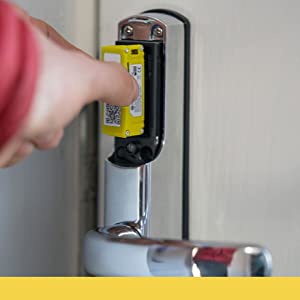
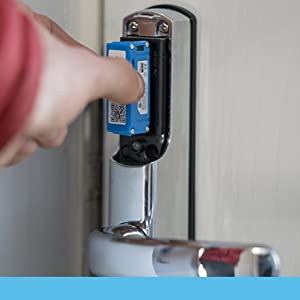
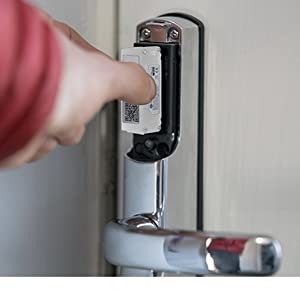
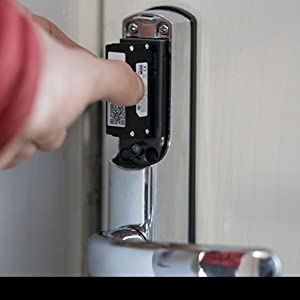
Yale Module
Make your lock even smarter with the addition of one of our modules.
The Yale Module 2 allows you to control your Yale Smart Door Lock from anywhere in the world when linked to your Yale Smart Home Alarm System. The Yale Module 2 creates the link between your Smart Door Lock and Your Home alarm, making your home security even smarter.
Yale Module
| Weight: | 2.1 kg |
| Dimensions: | 8 x 3 x 28 cm; 2.1 Kilograms |
| Model: | SD-L1000-CH |
| Part: | SD-L1000-CH |
| Colour: | Chrome Finish |
| Pack Quantity: | 1 |
| Batteries Required: | Yes |
| Batteries Included: | Alkaline |
| Manufacture: | Yale |
| Colour: | Chrome Finish |
| Quantity: | 1 |
Great lock terrible app
I’ve had mine almost a year, it was easy enough to instal following videos on the web, and works really well but the iphone app to allow you to unlock with your phone is terrible, it logs you off regularly and seems incapable of remembering your password via apple key store so you are left outside your house in the rain trying to remember your yale password.
Product docs could do with some extra conte
Configuration documentation not very good when it comes to placement of door sense and programming keytags. I worked it out myself. Very little content online to support Conexis L2. Someone needs to sit down and carry out process step by step on and provide printscreens of interaction with app. Although Yale do not provide remote unlock you have to rely on Alaexa to do the job. This could be researched.
THERE ARE BETTER LOCKS BUT NO KSI LOCKS.
ONLY BECAUSE OF KSI CERTIFICATION. THEY SHOULD REALLY IMPROVE THE YALE HOME APP (NOT ANY MORE YALE ACCESS).
Good sturdy door lock, but software is a bit flakey.
This was fairly easy to install. There is a good Yale video to take you step-by-step. I made the mistake of not lining up the actuator correctly, so had to dismantle and re-do the process, but got there in the end. The lock is a similar size on the outside to my previous lock, but noticeably bigger on the inside with the extended module and battery sections plus it’s quite chunky.
Setting up the lock wasn’t too bad. However, I did struggle setting up the module and bridge. The app kept failing to connect to the module (even though I was right next to it) but it got there in the end. The biggest problem was connecting the bridge. I followed the instructions and it consistently kept failing to connect to Wi-Fi. I am an IT professional and no matter what I tried, I could not get it to connect.
I eventually realised that the bridge DOES NOT CONNECT TO 5GHz WI-FI. My phone was connected to our home Wi-Fi and the 5GHz signal. I presume the app uses your phone’s connection to configure the bridge. So I disabled the 5GHz Wi-Fi on my home router (so now only the 2.4Ghz was broadcasting) and it worked! I am surprised this issue isn’t more common. Hopefully, if someone else experiences this issue, then disabling 5GHz might resolve it. I re-enabled 5GHz once the setup had completed and all is fine.
So overall, a well made piece of hardware, let down a little by the software. It is great to not have to worry about carrying around or remembering my keys any more.
I decided to replace the traditional door lock with a new one. To match the doorbell, I chose the black version.
It was fairly simple to install, taking about 20 minutes, but the manual did not explain how to register the key fobs. That confused me, and it also kept beeping continuously due to alignment or something. I just moved it around and took the battery out and put them back in to resolve it.
To install, watch the YouTube video and then simply follow the instructions in the box.
Download the Yale Access app after installing the battery and turning on the lock. Enter the serial number or scan the QR code to register the device.
Once registered, you can connect to the lock and register fobs using the app. I registered four. You can do as many as you want and it will not cost you anything.
The Wi-Fi bridge is a game changer because it allows you to remote unlock the door and see which fob has unlocked it (names assigned to fobs).
I also used a magnet called “DoorSense” to determine whether the door was closed locked or open locked. It works, and you can “calibrate” at any time, so do it last.
It’s only been a day but it’s pretty good so far.
Great lock but follow instructions carefully!
I already have a Yale smart alarm and Keyless connected smart lock, so this seemed the obvious choice for a UPVC door. The installation was tricky, but as other reviews have said, watch the utube video all the way through and then watch it again and follow the steps.
The lock fitted the door without any need for modifications which was brilliant – old lock out (following the video) and new lock in.
I played with the app specifically for this lock and as others have said, it’s awful, and I had already purchased the white Yale smart plug in for this (different to the one for the Yale Smart hub and the ZWave) – this one enables you to access the lock from the Yale Smart alarm app and lock, unlock plus you get email notifications when the door is unlocked/locked. You can also link it to disarm the alarm automatically when the lock is unlocked.
As other reviewers have said, register all of your RFID cards/phone tags/etc at the same time as none of the apps seem to work properly for this.
The [generic cheap] batteries which came with the lock lasted about 4 months, roughly 3-5 uses per day – have installed Energiser now which I’m expecting will last up to a year if similar to the Keyless Connected lock.
I am happy to recommend this lock but do take your time with the install!
This was bought for a friend but I fitted it. In my old house I had the keyless Yale lock for wooden doors which was excellent and had no issue with, so my friend wanted something similar for her composite door. This seemed to fit the bill.
Before you get something like this you have to ask what you need. I am quite tech savvy , though my friend is not. The bluetooth and wifi functionality would never be used. Used with RFID fobs/cards, this is a good lock with some locking quirks (see other review).
Nevertheless from my own perspective, using bluetooth would serve only as a back up. The Yale app is ok, and why would you want to whip your phone out, hope BT in on, wait for connection and open the app to open the door, when all you need is to have a fob in your pocket. This is slow. Do you want to do that in the rain?
I have not used the wifi ability so cannot comment. It does have a 9V square battery connection on the outside should the internal batteries die and you have not noticed to replace them.
This is a hefty lock, but Installation was extremely simple. Youtube was also helpful in this department. Slight modification to the door was required, in particular the area where the wire protrudes out from the back of the front face section. A rut had to be created so the the wire would not be squashed between the lock and the door.
Assigning fobs and cards to the lock is easy. You do not need the app and can be done from the lock itself. However all the fobs/cards have to be done at the same time. I bought extra fobs and realised it erases all the previous information and you cannot assign another at a later time without erasing the previous keys. Just want to make that clear. You need to do all at the same time in the same process.
I did not try the app for this function as one, I have read it is not great for this, and 2, my friend would not be using this ability.
Once installed, this lock worked great. It is a bit slow and I am not so sure about the longevity of the internal mechanism (just from the noise it makes during its lock activation).
Like I said, I had the Yale keyless one and rate that more than this. Buy this lock on sale, not for full price. If you can do tech, great. Don’t expect much from BT. Tech should fit into normal like and having to wait for something when OLD SKOOL keys are quicker defeats the point. Just because it is modern does not mean it is better. This applies here. There are a lot of good ideas with bad app implementation, which renders the concept of them moot.
Personally, I like the lock (not as much as my previous Yale keyless), and if used as it is without the wireless connectivity, it is fine…so far!
Handy if you've a lot of keys.
This was installed on the front door (PVC). It was extremely useful regarding having a fob, card and app as I am awaiting MRI results for my lower back and the steps leading to the door are steep. One of my legs can give way at any time.
Also the ability to assign digital keys to people’s phones is handy if I’ve had a slip or fall.
Lifting the handle on exiting will automatically lock it. I think this can be changed in the settings. To exit from inside, push the knob and turn.
This is where problems arose. I was unfortunately locked inside (the mechanism did something it wasn’t supposed to). Had there been a fire. Only heaven knows.
Yale were extremely good in regards my complaint about this issue. I was issued with a replacement after some troubleshooting.
I could still leave via the rear door which is a normal key.
Ultimately I called a locksmith – I could not get the door to open. After providing proof of purchase, a copy of the receipt, along with confirmation from the locksmith that the door mechanism was perfectly fine – it was the lock. I was reimbursed the full cost of the locksmith too by Yale.
I would recommend this lock as I truly believe I unfortunately got one that didn’t pass quality control and slipped through. I would however not have one on every door in the house.
I have had this Digital Yale Smart Lock installed on my front door since 2017 – so a long time now!
The lock itself is fairly substantial, much bigger and heavier than my previous door handle/lock. It feels very well made and give a good impression when removing from the box that this is a great security lock. The handle and unit are chrome with a plastic RFID reader. On the rear of the lock is a plastic screw cover which takes 4 x AA batteries and a plastic cover for the reset button and additional yale modules (more about them later).
So why would you want a smart lock? It’s technology… and i personally love anything tech related. It’s also great not to have to carry keys around with you. The app boasts unlocking and locking via the conexis app, as well as little plastic RFID fobs and credit card type RFID passes. You get a selection of these in the box.
Fitting – this was fairly straight forward and i had zero issues with this. The lock alignment needs to be perfect though. If you are unsure then ask a local locksmith to fit. However this product is certainly ok for DIY installation. I did it myself in about 20 mins and had no issues. As mentioned before it is a very big and chunky lock so take this into consideration when purchasing.
Locking/Unlocking – to lock the door you must pull up the handle. Although the lock is fully motorised it will not lock the multi-point locking section of the door. It only electronically locks the deadbolt. To unlock you can either use the app, an RFID fob or if inside you must depress the knob and turn. This lock would be no good for an elderly person who has dexterity issues, due to the knobs push in and turn design. My grandmother can not open this lock despite trying her very best. Once the knob is pressed and turned you then can open the lock by pushing down on the handle.
RFID FOBS : These work well – although you have to assign them first within the app. Programming is fairly simple although everytime i update the fobs it does take quite a while for them to actually register correctly in the app, i normally have to do this several times before the conxeis app recognises the fobs. You can assign names to the fobs but this is beyond rubbish as the app does not ever notify you correctly (if at all) on who’s fob has been used. To use the fobs you just tap them on the black plastic at the front of the lock and if accepted you will hear the lock spring to life and open the dead bolt. I find most of my fobs dissapear from the app after adding, but they all seem to still work okay and unlock the door without issue.
Phone unlocking – just does not work via the conexis app! I have reported this to yale several times and have now given up. I have a very early unit so they may have updated the firmware within the latest locks, but my original lock is still rubbish when it comes to the conexis app. (If you have a Yale Smart Hub then use the Yale Alarm app as unlocking works flawlessly within this addional app)
I have locked myself out several times during the initial months after i first installed the lock. This was beyond frustrating. I ended up resorting to ensuring all my family had back door keys in case we couldnt open the front door. Contacting the Yale customer helpline is so frustrating – trying to find/speak to someone who knows anything about the lock became a joke. However i have to say that once i managed to track down a single yale employee who was knowledgeable – he was absoloutely fantastic and kept in regular touch with me to iron out most of the issues in the very early days of me installing the lock. I can’t thank this chap from Yale enough! Eventually though, after many communications via phone and email he also gave up and arranged for me to be sent a Yale smart hub to connect the lock too. I have a Yale alarm system so the smart hub just linked into this. I had to purchase the Yale access module though to get the lock to talk to the Yale Alarm app. This was another 50 at the time. Once i had linked the lock to the Yale Alarm system it just worked brilliantly. I have never had a problem with the lock since – this does however use a different app to the conexis one.
Batteries in the lock last a good few months, however again don’t reply on the conexis app to alert you when the batteries are dying. It just never works at all! You will get to notice the sound the lock makes when it is struggling to draw power. I just replace the batteries when the motor sounds different. If you do link it to the Yale Alarm smart hub then this does notify you correctly when the batteries in the lock are starting to fade, but again this is via the Yale Alarm app not the dedicated conexis app.
Conexis App – RUBBISH beyond belief. Now i have had this lock for 5 years and it still does not work with the dedicated app! I have now just given up using it. The problems i had with it are that it continually logged you out – having to log back into the app every time you want to open your front door was beyond frustrating. Even then on tons of occasions the app said my details were incorrect even though they were not. The twist to unlock feature via your smartphone again hardly ever worked. Touching your smartphone to the lock again just failed miserably most of the time. Notifications never ever work! History of the lock being used never works. It really is the worst app i have ever installed on my phone. I genuinely can’t understand how a company such a Yale would release such a poor app, more importantly why they have failed to sort it out and correct the issues over the last 5 years! Another really frustrating thing about the conexis app is that it uses digital keys. You only get a small amount of these digital keys (5 if i remember correctly) and these get wasted very quickly when the app messes up – which is frequently and at no fault of the user. You have to then purchase additional keys as an in app purchase at 2.99 per key!! This is daylight robbery! If you change your phone you again need a new key. Adding a time limited key again just expires one of your keys never to be used again. The amount of keys i wasted due to the poor app design was ridiculous. My contact at Yale again was super nice and provided me with 10 extra keys at no cost. I now never ever use the conexis app.
So should you buy this lock – You may be surprised to hear me say YES… i do recommend this lock. My only caveat to that recommendation is that you also buy a Yale Smart hub and the access module. I did try the zwave module with smarthings but this again didn’t work great so i went for the access module. I have spent over 300 in addtional tech trying to get the lock to work correctly in the early days. The lock does however integrate great with the Yale Alarm app fantasticly. With the smart hub you can also remotely lock/unlock the door which is an excellent feature. You could not do remote locking/unlocking with the standalone lock and the conxeis app without the modules. This lock combined with the smart yale alarm system is excellent. If you don’t have the yale ecosystem then i would say avoid this lock like the plague especially if you only want to use the digital keys within the conexis app. The lock also has a battery back up feature that we have used twice – if the batteries in the lock fail placing a 9v battery on the contact at the bottom of the lock on the outside will just give it enough power for you to unlock it. This is a very handy backup feature that yale have included.
Hopefully yale may have released updated firmware for the newer conexis locks – if they have then maybe some of the problems i am still experiencing 5 years later may have been fixed. I really do wish they would update my lock as i would love it to work how it is suppost to work, but that is not likely to happen.
Overall i like this lock a lot, it’s just frustrating the lock doesn’t work without the additional items which cost a lot of money – next time i am not so sure i would be one of the early adopters of such new technology. I have certainly had my fingers burnt! Hopefully Yale will have addressed a lot of these issues in thier latest locks.
I hope that you found my review helpful
I have had this Digital Yale Smart Lock installed on my front door since 2017 – so a long time now!
The lock itself is fairly substantial, much bigger and heavier than my previous door handle/lock. It feels very well made and give a good impression when removing from the box that this is a great security lock. The handle and unit are chrome with a plastic RFID reader. On the rear of the lock is a plastic screw cover which takes 4 x AA batteries and a plastic cover for the reset button and additional yale modules (more about them later).
So why would you want a smart lock? It’s technology… and i personally love anything tech related. It’s also great not to have to carry keys around with you. The app boasts unlocking and locking via the conexis app, as well as little plastic RFID fobs and credit card type RFID passes. You get a selection of these in the box.
Fitting – this was fairly straight forward and i had zero issues with this. The lock alignment needs to be perfect though. If you are unsure then ask a local locksmith to fit. However this product is certainly ok for DIY installation. I did it myself in about 20 mins and had no issues. As mentioned before it is a very big and chunky lock so take this into consideration when purchasing.
Locking/Unlocking – to lock the door you must pull up the handle. Although the lock is fully motorised it will not lock the multi-point locking section of the door. It only electronically locks the deadbolt. To unlock you can either use the app, an RFID fob or if inside you must depress the knob and turn. This lock would be no good for an elderly person who has dexterity issues, due to the knobs push in and turn design. My grandmother can not open this lock despite trying her very best. Once the knob is pressed and turned you then can open the lock by pushing down on the handle.
RFID FOBS : These work well – although you have to assign them first within the app. Programming is fairly simple although everytime i update the fobs it does take quite a while for them to actually register correctly in the app, i normally have to do this several times before the conxeis app recognises the fobs. You can assign names to the fobs but this is beyond rubbish as the app does not ever notify you correctly (if at all) on who’s fob has been used. To use the fobs you just tap them on the black plastic at the front of the lock and if accepted you will hear the lock spring to life and open the dead bolt. I find most of my fobs dissapear from the app after adding, but they all seem to still work okay and unlock the door without issue.
Phone unlocking – just does not work via the conexis app! I have reported this to yale several times and have now given up. I have a very early unit so they may have updated the firmware within the latest locks, but my original lock is still rubbish when it comes to the conexis app. (If you have a Yale Smart Hub then use the Yale Alarm app as unlocking works flawlessly within this addional app)
I have locked myself out several times during the initial months after i first installed the lock. This was beyond frustrating. I ended up resorting to ensuring all my family had back door keys in case we couldnt open the front door. Contacting the Yale customer helpline is so frustrating – trying to find/speak to someone who knows anything about the lock became a joke. However i have to say that once i managed to track down a single yale employee who was knowledgeable – he was absoloutely fantastic and kept in regular touch with me to iron out most of the issues in the very early days of me installing the lock. I can’t thank this chap from Yale enough! Eventually though, after many communications via phone and email he also gave up and arranged for me to be sent a Yale smart hub to connect the lock too. I have a Yale alarm system so the smart hub just linked into this. I had to purchase the Yale access module though to get the lock to talk to the Yale Alarm app. This was another 50 at the time. Once i had linked the lock to the Yale Alarm system it just worked brilliantly. I have never had a problem with the lock since – this does however use a different app to the conexis one.
Batteries in the lock last a good few months, however again don’t reply on the conexis app to alert you when the batteries are dying. It just never works at all! You will get to notice the sound the lock makes when it is struggling to draw power. I just replace the batteries when the motor sounds different. If you do link it to the Yale Alarm smart hub then this does notify you correctly when the batteries in the lock are starting to fade, but again this is via the Yale Alarm app not the dedicated conexis app.
Conexis App – RUBBISH beyond belief. Now i have had this lock for 5 years and it still does not work with the dedicated app! I have now just given up using it. The problems i had with it are that it continually logged you out – having to log back into the app every time you want to open your front door was beyond frustrating. Even then on tons of occasions the app said my details were incorrect even though they were not. The twist to unlock feature via your smartphone again hardly ever worked. Touching your smartphone to the lock again just failed miserably most of the time. Notifications never ever work! History of the lock being used never works. It really is the worst app i have ever installed on my phone. I genuinely can’t understand how a company such a Yale would release such a poor app, more importantly why they have failed to sort it out and correct the issues over the last 5 years! Another really frustrating thing about the conexis app is that it uses digital keys. You only get a small amount of these digital keys (5 if i remember correctly) and these get wasted very quickly when the app messes up – which is frequently and at no fault of the user. You have to then purchase additional keys as an in app purchase at 2.99 per key!! This is daylight robbery! If you change your phone you again need a new key. Adding a time limited key again just expires one of your keys never to be used again. The amount of keys i wasted due to the poor app design was ridiculous. My contact at Yale again was super nice and provided me with 10 extra keys at no cost. I now never ever use the conexis app.
So should you buy this lock – You may be surprised to hear me say YES… i do recommend this lock. My only caveat to that recommendation is that you also buy a Yale Smart hub and the access module. I did try the zwave module with smarthings but this again didn’t work great so i went for the access module. I have spent over 300 in addtional tech trying to get the lock to work correctly in the early days. The lock does however integrate great with the Yale Alarm app fantasticly. With the smart hub you can also remotely lock/unlock the door which is an excellent feature. You could not do remote locking/unlocking with the standalone lock and the conxeis app without the modules. This lock combined with the smart yale alarm system is excellent. If you don’t have the yale ecosystem then i would say avoid this lock like the plague especially if you only want to use the digital keys within the conexis app. The lock also has a battery back up feature that we have used twice – if the batteries in the lock fail placing a 9v battery on the contact at the bottom of the lock on the outside will just give it enough power for you to unlock it. This is a very handy backup feature that yale have included.
Hopefully yale may have released updated firmware for the newer conexis locks – if they have then maybe some of the problems i am still experiencing 5 years later may have been fixed. I really do wish they would update my lock as i would love it to work how it is suppost to work, but that is not likely to happen.
Overall i like this lock a lot, it’s just frustrating the lock doesn’t work without the additional items which cost a lot of money – next time i am not so sure i would be one of the early adopters of such new technology. I have certainly had my fingers burnt! Hopefully Yale will have addressed a lot of these issues in thier latest locks.
I hope that you found my review helpful
Yale Smart Lock
So I was looking for a lock for my modern UPVC door that my kids could lock without the need for keys and this looked like the answer. Going through the reviews there are a lot of negative reviews and after installing mine I can see where many of them come from. I was very very close to giving up with the installation on the very first stage, fitting the “actuator” . Getting this right is probably the most important part of the install and must have taken me 15-20 minutes to get it perfectly lined up. The rest went together very easily it’s now working perfectly. When you leave the house just close the door and lift the handle up! It locks itself, perfect for what I was needing. When I get back I just hold one of the fobs against the lock for 2 or 3 seconds and it unlocks. I have several fobs programmed to the lock which I can delete as and when the kids inevitably lose them. Should pay for itself over the next 10 years lol.
Great produc
So good, I bought a second!
It’s quite expensive compared with a traditional lock, even a high security lock, but so far, I think this might be even more secure.
It’s slower to open a door compared with a traditional key but the flexibility of the app, fob or card to open the door is good.
May require WD40
The review that made me buy said if you follow the instructions exactly you should do it in one hit. Find the installation video on YouTube or on this page. Read the instructions carefully then follow the video.
After some faffing and frustration I figured out that the bit that comes out to lock the door fully (that you don’t replace here) just needed WD40. It’s an old door.
I might have a postgraduate degree but am far better with my mind than my hands. If I can do it, so can almost anyone.
I replaced my old Yale Keyfree with the connexis l1. I’m quite a competent DIYer so figured I’d do it myself.
Things I learnt during my 10 hour ordeal:
1) ENSURE that your multi lock system is housed properly. This lock will not work if your multi locks out out of line.
2) MAKE sure that you do not turn the actuator once you have installed it. The manual tells you to check that it moves slightly left and right, just do not move it, causes alignment issues.
3) make sure that you register your master card before trying to make the yale lock stay locked.
I have to say, hats off to the yale helpline, they were great (was on hold for an hour but that’s fine tbh).
I also now have two holes in my door, from my old Keyfree due to the difference in the models. I’ll fix this with filler and then a metal cover (6 from amazon) once that I’m over this ordeal.
Installation was not easy for me, but it was my own faults and unluckess.
I dont use the app to open my door, it’s slower than using a key, but I do have a remote fob that I can press whilst in the car and the door stays open for 30 seconds.
Points of interest: you will need the z module if you wish to connect to smartthings.
Don’t rely on the app for entry.
Remember you only get 5 FREE virtual keys. The rest you have to pay for.
If you are replacing this with an old keyfree yale, remember you will have two holes in your door. It would be nice if YALE rewarded customer loyalty by some kind of discount if they are replacing one product for a newer one, specially if the old product malfunctioned.
As for reliability, time will tell.
A decent Smart Lock for most UK doors
It’s a decent smart lock. Bought the Yale bridge to be able to lock the door with Alexa. Also bought the Yale Keypad, which works but there can be a 5/6 second delay before the lock unlocks but nothing major. Very convenient really. The battery drains in about two weeks but have bought some rechargeable ones so not really an issue. Got this when it was on offer so would definitely buy it again but not at full price.
Don’t see the problems!
I’m not the best at diy and was worrying about installing this a little, however it was incredibly easy! Works fine to lock the door, and was super easy to fit following the YouTube videos and instructions.
Would recommend the YouTube vids to accompany the booklet.
Sometimes takes a few seconds to read the NFC tag to unlock the door but that’s all I can find wrong with it at the moment.
Just works!
Really like this lock, reasonably easy to install had to for it a couple of times to align it up but once done all ok, the lock just works it’s great, looks nice on the door and the app sunrooms are ok, the app is a bit dull and it would be nice to get notifications with the key fobs not just the electronic keys but that’s how it works. Very happy with it and the price was reasonable compared to other smart locks, I fitted the ZigBee remote access module and that was a bit fiddly but all working now, I did find on a forum that if you install the zigbee module and it does not work correctly to reset the ZigBee module you need to hold the site handle in the up position and you or the button 3 times to reset then go through the process again to install the module via the app. After this it all worked fine.
Just works!
Really like this lock, reasonably easy to install had to for it a couple of times to align it up but once done all ok, the lock just works it’s great, looks nice on the door and the app sunrooms are ok, the app is a bit dull and it would be nice to get notifications with the key fobs not just the electronic keys but that’s how it works. Very happy with it and the price was reasonable compared to other smart locks, I fitted the ZigBee remote access module and that was a bit fiddly but all working now, I did find on a forum that if you install the zigbee module and it does not work correctly to reset the ZigBee module you need to hold the site handle in the up position and you or the button 3 times to reset then go through the process again to install the module via the app. After this it all worked fine.
So if you spend time going on forums etc you will find a lot of people HATE this lock for the simple reason they can’t get it to work. Here’s my L1 love/hate story and I hope it helps you.
I am an average DIYer and will give things a go. I’d never done anything with locks before so didn’t know anything about the terminology. But I like gadgets. A couple of weeks ago my ‘lift to lock’ UPVC door got stuck locked shut. For no apparent reason it wouldn’t unlock. I took the handle off and managed to get it working again. I now know that the gearbox was likely at fault (I didn’t know that at the time and I didn’t know what that even was).
My door like most UPVC doors has a multipoint lock on it. It was probably from 1985 but the cylinder had been replaced 4 years ago.
This seemed like a great time to change it to a smart lock. So I researched and the L1 seemed perfect. I saw plenty of negative reviews but thought ‘how hard can it be?’ The answer is VERY and NOT AT ALL. I will explain.
NOTE: If your door is having problems locking it might not be the key bit (cylinder) that has the problem but the gearbox and that’s an entirely separate piece and may well need replacing. You should only fit the L1 onto a door that is already working well.
As long as your door is UPVC and the lock has 92mm between the centre of the handle spindle and the centre of the bit where the key goes in (the cylinder) AND your door thickness is between 44-70mm then you are very likely in business. Check the compatibility template here https://help.yale.co.uk/wp-content/uploads/2019/02/Conexis-L1-Compatibility-Guide.pdf
So I carefully followed all the instructions. They aren’t hard. Some of the fixing lugs didn’t perfectly fit my existing door but it’s UPVC so easy enough to file or drill the plastic to make it work. It wasn’t quick the first time due to little adjustments here and there. But eventually it was all on the door and I was happy as Larry to have installed it. I fired it up and carefully followed the procedure. It gave off some chirpy beeps to confirm everything was progressing nicely and then I got to the ‘handing’ section where the lock configures itself and you get to have some fun… except mine made a lot of whirrrrring and then gave off 8 beeps. Oh dear! The instructions tell you to remove it and go back a load of steps as you haven’t aligned it properly. So I did this multiple times. No joy. So I then removed it and factory reset it and reinstalled TWICE. This was making me a tad frustrated. I could operate the lock using the (actuator – in the cylinder so I knew it was working OK) but the L1 would lock it fine but never unlock it. I ran out of time and had to lock the door manually and leave it off the door. The next day I phoned Yale Support. A helpful guy stayed on the phone while I took it apart again, factory reset again, made sure everything was lined up etc (I was getting pretty good at this by now). It did the whirrring and 8 beeps. He said hmmm let me speak to someone else I’ll call you back. He did call me back within the hour and said can we try something else which we did and no joy. He said he’d speak to a supervisor and come back to me by email. I got an email telling me that my locking mechanism was ‘auto-fire’ and that the Yale Lock is not compatible with ‘auto-fire’. For those that don’t know the Yale L1 is basically turning a small device that either permits or blocks the multipoint lock from being opened. So Yale are saying the L1 is not compatible with the locking system on the door. Mine was made by GU. Now they are wrong as it’s not ‘auto-fire’ (this means you lock the door simply by closing it behind you). Mine required a handle lift. I replied to the email asking what I needed to do to get it working… 8 days later and no reply (even though it says you can reply to the email). So while phone support tried to be helpful they never solved the issue and email support never replied (maybe they will one day but it will be too late). Maybe they could help with other issues but if you get a whirrring and 8 beeps don’t hold your breath.
So it was either send it back to Amazon or take the next step….
Your door has the handles, the bit the key goes in (cylinder) and then likely a strip up the side with some little rollers or mushrooms or hooks that can lock into the bit that is attached to the wall side (the multilock which also has a gearbox inside the door where the handles are). So I decided that I wanted to make the L1 work and would replace the whole multilocking piece. I bought the Yale YDM-UNI-PVCU-35 Doormaster Universal Multi-Point Door Lock Replacement, 35 mm Backset, 16 mm Faceplate).
It was very easy to remove the old gearbox and strip from the door (5 mins). Putting on the replacement one was more hassle because I needed to cut out some larger holes in the UPVC to fit the Yale as it was larger than my original GU. But with a drill and pad saw (7) it is very easy to do. Within 2 hours I had it all replaced.
So now back to the L1. I was very very familiar with it having taken it on and off so many times before. Which is why it was now so easy. It took me 10 mins to put on and it worked perfectly first time. I love it and am glad to have gone through the hassle. But to be honest it is questionable as to whether it is really worth it… But I do really like it.
You can set it up to work with card, fobs and via bluetooth on your phone. You can make it connect via Z Wave via the extra module available (49) to hook it up to Ring or Smarterthings.
Also you can send virtual keys to people. This could be great if you have a holiday let or something like that BUT be aware that you get 5 keys included when you register the lock and one of those keys goes on the master phone. So you have 4 spare. If you want more than 5 then you pay for them as an in app purchase (5 keys = 8.99, 3 keys =5.99, 1 key=2.49). I think when paying for an rrp200 smart lock it’s very cheeky to charge extra for keys. Sure pay for physical cards and fobs but for virtual keys that’s just cashing in.
Just a note regarding Z Wave and SmartThings etc. I can’t see why people are buying this except in a few very specific circumstances. It can tell you if your door is locked. You can unlock your door. But you can’t lock the door as the handle has to be cracked up to pull the locks across/up down (the Conexis L1 can’t do that). You could check it from bed to see if you need to go down and lock it…
If you only have one door this is not suitable for you (if it fails there is no physical key backup).
If I had known in advance what a load of hassle this would be I would probably not have bothered. I could have just bought a GU compatible gearbox and in 15 mins replaced the faulty one. But now I’ve done it I’m pretty chuffed with my DIY, I’ve learnt a lot and love the lock….
My wife likes it too… so much so that despite all the hassles I am going to go through the whole experience (with a lot of gained knowledge) and will be changing the whole multi-point and then installing an L1 on one of our other doors too. I’m expecting that to take 2-3 hours for the whole thing and the actual L1 install should be no more than 30 mins if all goes to plan.
This is great with the kids as they can get in without keys going missing etc.. but it would be cheaper to keep replacing the keys/lock rather than do this. But this is much cooler.
So first time round I hated it. It was the worst install ever. Second time round it was pretty much fun as it worked so well in the end.
If you have a compatible multi-lock in the first place then you should be able to get this working no problem at all. If you are able to look up your multi-lock manufacturer and model (often on the side of the strip or gearbox) then you could contact Yale and ask first… could save a lot of hassle. If it’s a modern Yale system then pretty much sure you are going to be fine.
Hope this is helpful to someone.
Easy to fit and set up
After reading many reviews on the yale smart lock I decided to take the leap, many of the reviews claiming how hard it was to fit etc.
Well it was super easy even when I got to the last part about to add the batteries realising I had a spare bit that should have been fitted at the beginning, so had to disassemble it all and put back together still done and dusted in 45mins. The motor has no issues locking or unlocking it does it with ease.
I added 2 cards 2 tags and one phone tag which all appeared to add easily when i went to test 1 of tags didn’t work and I couldn’t remove it, I will come back to that at a later date as i don’t actually need it.
I wanted a smart lock to integrate in to my smart home so the zwave module was a must, it paired first time with Hubitat using S2 security. So now I don’t need to use any tags as it now auto unlocks.
Over all I’m happy it’s a little noisy but it was never going to be silent, the beeps to confirm locking and unlocking I disabled straight away as they are a proper wind up but that was simple todo.
The yale app is basic at best but i never plan to use so not really an issue for me, but it seems to work OK just not as polished as you would want in 2022.
First Smart Lock
There aren’t a huge range of smart locks available for UK locks but this has been out a while. Installation was easy and the instructions are super clear.
I also bought the Yale access module which adds some features and allows the use of the newer Yale app (vs the old app you need to use if you don’t have that module).
Whilst I thought unlocking with phone/watch would be my main use I tend to use the keyfob as it’s just a bit easier.
Wasn’t sure
Having been looking for an alternative lock for a few months as my kids can’t be bothered to lock the door behind them; seems to difficult for them to pull out a key and lock the door. After reading all the negative reviews I took the plunge. Was very easy to fit. Watched the video first and then followed the instructions. Works as expected. Pull up the handle (hopefully my kids can handle this!) and the door locks. To open you simple press the button to wake up the lock and hold your card/fob against the lock. Pretty much the same for the phone when you open the app. Haven’t yet worked on the phone rotate option so far.
Wasn’t sure due to the negative reviews here. Ordered, watched the you tube videos and read the instructions. Old door handle took less than 5 mins to remove. Read the instructions and just check the length of your actuator you need, mine measured 2 distances so went for the longer measurement. Handle was assembled onto the door in 20 mins dottom of the handle lifted from the door when tightened about 2mm gap, but only I notice think door is not level composite door, tags coded and working fine. The app is bit basic but allows the phone yo be used to open/close door and to send digital keys to someone if needed. Battery life has been great with hardly any reduction. Pro’s – Handle auto locks when pushed ip so you never forget to lock the door via key when handle pushed up, – family love it and we are now keyless, – has integrated into my Samsung smart things hub with z wave module – available separately Cons – software is awful I spelt my name incorrectly and won’t allow me to amend, saying that it does the job, – handle seems to droop slightly and is not at the 90 degree angle more 80 degree (wife noticed and picked up on this lol)
Overall I’d recommend
Easy install and good security
Just installed this today. Installing the lock was straight forward and took about 45 minutes and I had to do it twice because I left a part out. Stand alone with fobs/tags etc works great. The conexis L1 app doesn’t work with Android as advertised. I installed the Yale access module and used the Yale Access app and that works great. Adding extra fobs/tags is a breeze. I’m really pleased with the lock. I no longer have to remember to deadlock the door when I leave, I just lift the handle and the lock deadlocks it for me. Very pleased and would recommend.
Impressed with the produc
After reading some of the reviews I was concerned but went for it and genuinely pleased with it. I found the YouTube install video easier to follow than the instructions supplied but it was fairly easy to replace the existing lock. The product comes with all the right sizes to fit most doors and it worked first time. Don’t get me wrong if the door locks don’t fit perfectly and needs a bit of extra encouragement then it will be the same with this. The actual lock feels well made and works well. I have used the app and the fobs to open the doors without issue and even used the remote unlock feature.
My only disappointment is the lack of integration with Apple Watch. Surely that wouldn’t have been so hard to do even if it was to integrate with the Wallet app for extra security.
On the whole good product and really pleased with it.
Impressed with the produc
After reading some of the reviews I was concerned but went for it and genuinely pleased with it. I found the YouTube install video easier to follow than the instructions supplied but it was fairly easy to replace the existing lock. The product comes with all the right sizes to fit most doors and it worked first time. Don’t get me wrong if the door locks don’t fit perfectly and needs a bit of extra encouragement then it will be the same with this. The actual lock feels well made and works well. I have used the app and the fobs to open the doors without issue and even used the remote unlock feature.
My only disappointment is the lack of integration with Apple Watch. Surely that wouldn’t have been so hard to do even if it was to integrate with the Wallet app for extra security.
On the whole good product and really pleased with it.
Customer service is the only problem.
1: Remove all doorhandle (instructions are in the manual supplies)
2: Put new door handle on. (yes it is that simple)
3: Insert batteries.
4: Attempt to sync “keys”
5: Fail
6: Ring customer service.
7: Wait an hour on hold
8: Find video on YouTube
9: Sync “keys”
10: Celebrate as I successfully changed the door handle.
11: Finally get Yale to answer their phone.
Basically this is very easy to install and if in doubt YouTube.
At first I wasn’t a fan with not using keys. But after a day or two it just feels natural now.
Feels safer as noone can pick my lock, they’ll have to break in the old fashioned was, by smashing a window.
YALE CUSTOMER SERVICE IS AWEDUL AMD IF YOU THINK YOU WILL NEED HELP DONT GET IT!
But YouTube will have the answer.
Easy installation and excellent build quality
There are a lot of mixed reviews for this product because if the installation is not done correctly, or you have existing issues such as stiff locks etc you could run into problems. I decided to have a look at the 5 star reviews on here and sure enough, they all mention it being excellent if you watch the installation video and proceed carefully. Don’t just go screwing things in as and when you think is correct, and make sure you follow it to the letter. I opted to use both the video (playing and pausing it as I went along) and the manual to double confirm my understanding at every step. I will say that the installation is actually very easy and the product is very thoughtfully designed. Start by laying out the contents of the box and setting aside the parts that are not needed. This will leave you with only a handful of parts that you actually need for your type of door and it won’t take long at all. The only tool you will require is a screwdriver.
Setting up the fobs and cards was simple. Setting up the app was simple. And the overall look, performance, and construction of the lock is excellent. Locking and unlocking the door couldn’t be simpler.
The app itself isn’t great and I will only use it when needed. The cards and fobs are great with my personal favourite being the fobs. I have ordered some extras for certain family members.
Overall, I would say to anyone on the fence to go for it. Take your time with the installation and you will have a well built product you will be really happy with.
Need to buy extras
The lock itself does a good job the only frustration I have with it is that although it’s already 200 you have to pay extra if you want a module to connect it to your smart home and if you want more than 5 digital keys they charge you for that too! Was 200 not enough to expect that?
NOT a “Smart Lock” - Upgrades required £££
This lock isn’t a Smart Lock as advertised. Yes you can gain access now whilst using a card/fob/tag etc, but to make it genuinely “smart” you have to purchase a further module to benefit from any said “smart” features which they advertise come with the lock – but actually don’t.
It was easy to install
Functionality isn’t as smooth as a gadget of this price tag should be. The log doesn’t always engage, even when you’ve lifted the handle all the way. It’s also very hit and miss whether it decides it’s going to recognise your app or card when you get home. I’ve been left on my doorstep for a good few minutes a couple of times waiting for it to open.
First one didn't work, but replaced with no quibbles
When I bought and fitted this it wouldn’t work. It would lock the door but the motor would keep running. Eventually rang tech support who told me to go to the trouble shooting pages on the website and if that didn’t work, call back and they would replace it. The troubleshooting didn’t help so called back and the lock was returned. The new one worked fine. I then wanted to add it to my Alarm, be carful there’s lots of connectivity adapters and it’s easy to get the wrong one and they are expensive. If I’ve got any gripes it’s that it’s a little slow to wake up when you present a fob so you often are left wondering if the batteries are flat.
First one didn't work, but replaced with no quibbles
When I bought and fitted this it wouldn’t work. It would lock the door but the motor would keep running. Eventually rang tech support who told me to go to the trouble shooting pages on the website and if that didn’t work, call back and they would replace it. The troubleshooting didn’t help so called back and the lock was returned. The new one worked fine. I then wanted to add it to my Alarm, be carful there’s lots of connectivity adapters and it’s easy to get the wrong one and they are expensive. If I’ve got any gripes it’s that it’s a little slow to wake up when you present a fob so you often are left wondering if the batteries are flat.
I’m glad I didn’t listen to the negative reviews, I was very cautious buying this and researched the product thoroughly before making my decision however the negative reviews did nearly sway my judgement!
I’m pleased to announce I’ve had this lock for 2 weeks now and it has worked perfectly with all keys, fobs and Bluetooth devices.
Pros – quick and simple to install, just please read the instructions to the letter, I had to pull off the lock once as I hadn’t aligned correctly which was my own fault for rushing.
Very heavy, feels secure as well as looks it.
Works well with all keys provided, and asigning keys via the app is simple.
Looks beautiful!
Smart locks are a future technology so insurance companies will no doubt look to these for lower house insurance premiums soon.
Cons – the app doesn’t seem to like Android users for some reason, Apple works just fine however a lengthy delay in anyone using the android version of the app on my door.
The connector wire looks and feels flimsy so do take great care feeding it through the door and looping it round when assembling the handle flush against the door.
In conclusion I am so glad I bought this product, its elegant and sturdy and worth every penny so far. additional keys to purchase off Amazon are cheap and it has wowed everyone I know. Very happy with this product.
For fitting there is a handy step by step guide on YouTube if you’re after a more visual tutorial than the attached instructions.
Very very happy with this produc
I’m glad I didn’t listen to the negative reviews, I was very cautious buying this and researched the product thoroughly before making my decision however the negative reviews did nearly sway my judgement!
I’m pleased to announce I’ve had this lock for 2 weeks now and it has worked perfectly with all keys, fobs and Bluetooth devices.
Pros – quick and simple to install, just please read the instructions to the letter, I had to pull off the lock once as I hadn’t aligned correctly which was my own fault for rushing.
Very heavy, feels secure as well as looks it.
Works well with all keys provided, and asigning keys via the app is simple.
Looks beautiful!
Smart locks are a future technology so insurance companies will no doubt look to these for lower house insurance premiums soon.
Cons – the app doesn’t seem to like Android users for some reason, Apple works just fine however a lengthy delay in anyone using the android version of the app on my door.
The connector wire looks and feels flimsy so do take great care feeding it through the door and looping it round when assembling the handle flush against the door.
In conclusion I am so glad I bought this product, its elegant and sturdy and worth every penny so far. additional keys to purchase off Amazon are cheap and it has wowed everyone I know. Very happy with this product.
For fitting there is a handy step by step guide on YouTube if you’re after a more visual tutorial than the attached instructions.
Highly Recommended
TAKE YOUR TIME ON THE INSTALLATION
and this replacement will bring you ease of use
Retro fitted to a UPVC door with a lift to lock handle.
Installation easy using the instruction manual
Make sure you get the alignment correct using the tool provided.
Adding Tags/Fobs is easy using the app
(1 x master card 1 x Tag Provided)
I did find occasionally i had to comply close/relaunch the app then add tag or make changes to user name
As stated the app is a little glitch be patient and it works.
I have 3 x vertual keys All working to unlock the door
You have to be at the door to use the vertual key open the app press open door within the app then present you finger to the lock to awake the bluetooth (door unlocked)
I understand there is a add on to control from elsewhere.
Easy to use
To enter from outside
1 Present tag, shunt lock disengaged sound green led
2 Push handle down enter house
3 lift handle (when unlocked) Moter shunt lock engaged sound red led door locked
To exit from within the house
1 Turn thumb twist on lock, to manually disengage shunt lock sound green light
2 Push down handle
3 Exit
4 Lift outside Handle to Lock motor shunt lock engaged sound green led
I have removed the battery’s and tested the 9v battery backup (bottom of outside unit) tested ok
If the handle has not pushed down after a tag has been presented the shunt lock will re lock after approx 15sec
Used due to kids kept leaving there key at home (or losing them) added 4 x phone tags 4 x keyring tags to device. Attached each phone with a phone tag hay presto never locked out again. (As kids don’t seam to leave home without there phone)
Overall I’m Extremely Satisfied with this lock but mostly using it with the Tags/Fobs
Due to the teething problems i had with the app when contacting customer services Depending which Customer support Representative you get some of the are very knowledgeable but others are just reading from a pre written scrip
Not worth the money
Costly piece of equipment for a next useless phone app, an absolutely useless Apple Watch app, tag and card errors, virtual key issues and an alarm that goes off in the middle of the night for no reaso
Yale Conexis L1 - Video Review
CC:
The Yale Conexis L1 is a smart lock that does away with keys to lock and unlock the door. This was purchased from Amazon on the 11th February 2021 and cost 184.49 at the time of purchasing. Included in the box is the Conexis door handle unit, 4 AA batteries required for powering the unit, 1 fob, 1 card and installation instructions.
The lock is relatively simple to fix to your existing PVC and composite door with just a screwdriver. I was able to fit the lock myself, even with limited handyman skills, using Yale’s instructions and online videos. The installation took approximately 30-40 minutes in total. The only complication I ran into during the install was a screw being too big in diameter to fit through the door. To overcome this I was able to use a drill and make the hole wider which solved the problem. This is unlikely to be an issue for most installations.
For myself, I was able to power on the unit and pair the unit to the Yale Conexis app running on an iPhone 8. So far I have had minimal issues unlocking the door with my phone with it being 9/10 times successful. When it fails to unlock, restarting the app generally gets it to work correctly. Using the app, however, is not the quickest way to unlock the door. Within the back of my phone case is a compartment for cards. I have the card in the back of my phone so when I approach the door I have to wake it by touching the sensor. Then I press the back of my phone to the handle, the light will then go green, the lock will beep and will unlock allowing you to open the door. The process takes approximately 5 seconds. From the internal side of the lock, there is a thumb turn which can be pressed and turned for the handle to unlock.
To lock the door ensure the door is fully closed and pull up the handle. You will hear the lock operating and see the red light on the inside and hear the beep. I always press down on the handle just to double-check. Within the app, you can set an auto-lock timer. If the lock is not used for an amount of time lock will automatically lock. Like a deadlock, you will need to make sure you have a key with you if you pop outside for a few minutes or you’re going to get locked out.
The main selling feature for me was the keyless entry so I only need to take my phone and wireless headphones out with me on dog walks.
The biggest fear of using the lock is the lack of a manual key override. If the lock ever becomes unresponsive there is no easy way of unlocking the door. For me, I have a spare key in a lock box at the back of my house which I am able to enter if this ever becomes an issue. If the batteries were to ever run out there is a connection at the bottom of the external lock to hold a battery in order to power on the unit to gain access.
With all this in mind, I would recommend the lock and give the lock a 4 star. The convenient keyless entry for me is perfect and the handle seems to be working as it should using the card for access. The only thing letting the lock down is the app.
Yale Conexis L1 - Video Review
CC:
The Yale Conexis L1 is a smart lock that does away with keys to lock and unlock the door. This was purchased from Amazon on the 11th February 2021 and cost 184.49 at the time of purchasing. Included in the box is the Conexis door handle unit, 4 AA batteries required for powering the unit, 1 fob, 1 card and installation instructions.
The lock is relatively simple to fix to your existing PVC and composite door with just a screwdriver. I was able to fit the lock myself, even with limited handyman skills, using Yale’s instructions and online videos. The installation took approximately 30-40 minutes in total. The only complication I ran into during the install was a screw being too big in diameter to fit through the door. To overcome this I was able to use a drill and make the hole wider which solved the problem. This is unlikely to be an issue for most installations.
For myself, I was able to power on the unit and pair the unit to the Yale Conexis app running on an iPhone 8. So far I have had minimal issues unlocking the door with my phone with it being 9/10 times successful. When it fails to unlock, restarting the app generally gets it to work correctly. Using the app, however, is not the quickest way to unlock the door. Within the back of my phone case is a compartment for cards. I have the card in the back of my phone so when I approach the door I have to wake it by touching the sensor. Then I press the back of my phone to the handle, the light will then go green, the lock will beep and will unlock allowing you to open the door. The process takes approximately 5 seconds. From the internal side of the lock, there is a thumb turn which can be pressed and turned for the handle to unlock.
To lock the door ensure the door is fully closed and pull up the handle. You will hear the lock operating and see the red light on the inside and hear the beep. I always press down on the handle just to double-check. Within the app, you can set an auto-lock timer. If the lock is not used for an amount of time lock will automatically lock. Like a deadlock, you will need to make sure you have a key with you if you pop outside for a few minutes or you’re going to get locked out.
The main selling feature for me was the keyless entry so I only need to take my phone and wireless headphones out with me on dog walks.
The biggest fear of using the lock is the lack of a manual key override. If the lock ever becomes unresponsive there is no easy way of unlocking the door. For me, I have a spare key in a lock box at the back of my house which I am able to enter if this ever becomes an issue. If the batteries were to ever run out there is a connection at the bottom of the external lock to hold a battery in order to power on the unit to gain access.
With all this in mind, I would recommend the lock and give the lock a 4 star. The convenient keyless entry for me is perfect and the handle seems to be working as it should using the card for access. The only thing letting the lock down is the app.
Feels sturdy and secure, easy install
Firstly it is a fairly sturdy and impressive piece if kit, it felt more secure in operation than the original one I was replacing. Installation was pretty easy and possible with just a screwdriver. It would help if the instructions mentioned setting up all the tags In one go. We stored each one in turn and then found out only the last one was working, figured it out eventually. We also bought the z wave module which just pushes in, you do need their app initially but as soon as it is registered I switched to Smartthings and it was also immediately picked up by Alexa. And it all works beautifully. You do initially keep checking it is locked but one week later that has worn off.
Seems fine but strange lock made installation a problem
Where shall I start ,make sure your existing door handles are level ,my old handles used 2 different holes ,wierd but made job of fitting it a nightmare, apart from that and the expensive cost and the z wave chip and not knowing what colour and too much choice all was fine ,I chose the blue one ,still don’t know if I needed it ,hope it doesn’t drain the batteries too much ,time will tell .fitted on 20th Feb 21 ,by a tech save electrician, should take about half hour but my strange old lock didn’t conform see 3rd pic ,good luck
Seems fine but strange lock made installation a problem
Where shall I start ,make sure your existing door handles are level ,my old handles used 2 different holes ,wierd but made job of fitting it a nightmare, apart from that and the expensive cost and the z wave chip and not knowing what colour and too much choice all was fine ,I chose the blue one ,still don’t know if I needed it ,hope it doesn’t drain the batteries too much ,time will tell .fitted on 20th Feb 21 ,by a tech save electrician, should take about half hour but my strange old lock didn’t conform see 3rd pic ,good luck
5 STARS - I can forgive the poor phone app
LOCK INSTALLATION:
For complete peace of mind, I opted to have my Conexis L1 installed by a YALE approved locksmith. I just did a quick search on the YALE smart home website for approved Conexis L1 Locksmiths in my area.
The Conexis L1 connects to the existing physical locking mechanism within the door. In my case this mechanism was more than 10 years old. The Yale locksmith checked the mechanism to ensure it would operate trouble free with the Conexis L1. He found the existing mechanism was badly worn internally (probably where the door had been slighly out of alignment for a while and force had been used to lift the door handle upwards to latch into place when closing the door). The locksmith showed me evidence of this wear. He advised replacing the internal mechanism otherwise the Conexis L1 could fail / have issues locking (this is an issue commonly reported in reviews!). I asked the locksmith to replace the mechanism which cost 45. He installed the lock and gave me a demonstration. All worked brilliantly. Total installation price: 145 including VAT including 12 month warranty.
INSTALLATION TIME
The YALE approved locksmith fitted my Conexis L1, changed the internal door locking mechanism and paired the master key within 2 hours.
PAIRING PHONE AND KEY FOBS
The key fobs are really easy to pair one by phone. Do this slowly and take your time.
I have also set my iPhone to unlock the door using the YALE smart living app.
YALE SMART LIVING APP
The app honestly isn’t as bad as some people report but it does have several annoying bugs. For example, if you change the locks beep sound volume loudness it sometimes reverts back to the default setting on its own. Not the end of the world and certainly doesn’t affect the functionality of the Conexis L1 lock itself.
ADD ON CONNECTIVITY MODULES
I was going to install the blue Z wave module so I can connect to Alexa. However, I decided against it for three reasons,
1) it will only allow me to ask Aleza if the door is locked, open or closed. it can’t lock the door for you. But Alexa can be configured to remotely open the lock (see point 3 below for potential security issue).
2) The lock batteries deteriorate far more quickly.
3) The biggest issue is the security risk. I don’t feel comfortable with a burglar shouting through my letterbox “Alexa, open the front door”.
USING THE LOCK:
It’s actually not as noisy as it appears to be when seen on videos on line. I was concerned the whirring sound would annoy me but it’s fine.
To open the lock from outside, just put the yale fob against the yale logo on the lock handle and it will beep, produce a green LED light and you can open the door and enter the house. Once inside, close the door and lift up the handle, you will hear a confirmation beep confirming the lock is now closed.
To open from inside the house, press the thumb wheel inwards while also turning and the door will beep, the green LED light will appear to confirm the lock is open and you can exit.
SUMMARY:
If installed to the right kind of door (the Conexis L1 won’t fit all doors) by a Yale approved locksmith then it’s approved by UK insurance companies, and to the best of my knowledge it is still the only fully insurance approved smart lock in the UK. Check this yourself though with your own insurers.
Don’t take too much notice of the poor reviews as it is a brilliant lock, even if the YALE app does need some further updates. One assumes the majority of these negative reviews are from people who have done a DIY installation without enough DIY knowledge, or people not reading through the instruction thoroughly before starting the installation. I have actually found two online videos where people had issues then later admitted in the video they did not read the instructions before starting!! As long as you have the lock installed by a YALE approved locksmith you will be fine and you will wish you’d fitted the Conexis L1 years ago. Good luck.
5 STARS - I can forgive the poor phone app
LOCK INSTALLATION:
For complete peace of mind, I opted to have my Conexis L1 installed by a YALE approved locksmith. I just did a quick search on the YALE smart home website for approved Conexis L1 Locksmiths in my area.
The Conexis L1 connects to the existing physical locking mechanism within the door. In my case this mechanism was more than 10 years old. The Yale locksmith checked the mechanism to ensure it would operate trouble free with the Conexis L1. He found the existing mechanism was badly worn internally (probably where the door had been slighly out of alignment for a while and force had been used to lift the door handle upwards to latch into place when closing the door). The locksmith showed me evidence of this wear. He advised replacing the internal mechanism otherwise the Conexis L1 could fail / have issues locking (this is an issue commonly reported in reviews!). I asked the locksmith to replace the mechanism which cost 45. He installed the lock and gave me a demonstration. All worked brilliantly. Total installation price: 145 including VAT including 12 month warranty.
INSTALLATION TIME
The YALE approved locksmith fitted my Conexis L1, changed the internal door locking mechanism and paired the master key within 2 hours.
PAIRING PHONE AND KEY FOBS
The key fobs are really easy to pair one by phone. Do this slowly and take your time.
I have also set my iPhone to unlock the door using the YALE smart living app.
YALE SMART LIVING APP
The app honestly isn’t as bad as some people report but it does have several annoying bugs. For example, if you change the locks beep sound volume loudness it sometimes reverts back to the default setting on its own. Not the end of the world and certainly doesn’t affect the functionality of the Conexis L1 lock itself.
ADD ON CONNECTIVITY MODULES
I was going to install the blue Z wave module so I can connect to Alexa. However, I decided against it for three reasons,
1) it will only allow me to ask Aleza if the door is locked, open or closed. it can’t lock the door for you. But Alexa can be configured to remotely open the lock (see point 3 below for potential security issue).
2) The lock batteries deteriorate far more quickly.
3) The biggest issue is the security risk. I don’t feel comfortable with a burglar shouting through my letterbox “Alexa, open the front door”.
USING THE LOCK:
It’s actually not as noisy as it appears to be when seen on videos on line. I was concerned the whirring sound would annoy me but it’s fine.
To open the lock from outside, just put the yale fob against the yale logo on the lock handle and it will beep, produce a green LED light and you can open the door and enter the house. Once inside, close the door and lift up the handle, you will hear a confirmation beep confirming the lock is now closed.
To open from inside the house, press the thumb wheel inwards while also turning and the door will beep, the green LED light will appear to confirm the lock is open and you can exit.
SUMMARY:
If installed to the right kind of door (the Conexis L1 won’t fit all doors) by a Yale approved locksmith then it’s approved by UK insurance companies, and to the best of my knowledge it is still the only fully insurance approved smart lock in the UK. Check this yourself though with your own insurers.
Don’t take too much notice of the poor reviews as it is a brilliant lock, even if the YALE app does need some further updates. One assumes the majority of these negative reviews are from people who have done a DIY installation without enough DIY knowledge, or people not reading through the instruction thoroughly before starting the installation. I have actually found two online videos where people had issues then later admitted in the video they did not read the instructions before starting!! As long as you have the lock installed by a YALE approved locksmith you will be fine and you will wish you’d fitted the Conexis L1 years ago. Good luck.
Update
Ive had this lock for over a year now and touch wood, not a problem. The one thing I would say is I have the front door unlock through smartthings alot and the battery level isn’t reported to smartthings properly. The only way to check the battery level is to use your phone app to open the door. I’ve not had them runout on me yet.
Other than that it’s brilliant
I read the reviews first. I’m well into Home automation now. I’ve been setting it up in my place for about 10 years. I Love this handle it works well. Integration with Alexa is good. I can unlock my front door with alexa if a say a PIN. I can lock the door. Although locking remotely for a multi point lock is pointless as you have to push the handle up. However with the smartthings zigbee adapter installed and integrating with smartthings and webcore you can do some cool stuff.
I now have alexa tell me if rain is expected when the door uocks for the first time in the day. Warns me of ice etc. I can check the lock status remotely.
Install wasn’t that hard. Youve gotta read the instructions before your start and give yourself from half an hour to and hour. There are different fixing kits for different width doors. I found that the longer screw worked better form my door. Mine was 70mm.
All in all works well. Had it for about 6 weeks now. Battery level has not moved.
Update
Ive had this lock for over a year now and touch wood, not a problem. The one thing I would say is I have the front door unlock through smartthings alot and the battery level isn’t reported to smartthings properly. The only way to check the battery level is to use your phone app to open the door. I’ve not had them runout on me yet.
Other than that it’s brilliant
I read the reviews first. I’m well into Home automation now. I’ve been setting it up in my place for about 10 years. I Love this handle it works well. Integration with Alexa is good. I can unlock my front door with alexa if a say a PIN. I can lock the door. Although locking remotely for a multi point lock is pointless as you have to push the handle up. However with the smartthings zigbee adapter installed and integrating with smartthings and webcore you can do some cool stuff.
I now have alexa tell me if rain is expected when the door uocks for the first time in the day. Warns me of ice etc. I can check the lock status remotely.
Install wasn’t that hard. Youve gotta read the instructions before your start and give yourself from half an hour to and hour. There are different fixing kits for different width doors. I found that the longer screw worked better form my door. Mine was 70mm.
All in all works well. Had it for about 6 weeks now. Battery level has not moved.
Great product, don't use if you only have 1 door to your house..
Great product, I use myself and as a window/door fitter I also install a lot for customers. Makes life easier with the tap of a fob, about 10 gets you a set with a card, a fob and a sticker .. cheaper than getting keys cut all the time and it comes with a card and a fob also.
I wouldn’t recommend it to anyone who has only one way in to their house, that would be silly relying on this as your only entrance to your house, after all it’s technology and it can go wrong like everything eventually does.
Great lock and very easy to install – ignore the negative reviews
I was quite apprehensive about buying one of these locks due to all the negative comments about the installation process. After watching the Yale installation video, I thought, “How hard can it be? It looks fairly straightforward.” and it was. Very. If you follow the video exactly, it works perfectly. To be honest, I didn’t even look at the instructions that were included in the box!?
The only modification that I did after I installed the lock, was to add 2 more screws at the top and bottom of the lock (just normal screws screwed into the uPVC door). This is because my original lock only had 2 screws holding the handle on and when I installed the smart lock, when tightening the screws, the top and bottom bowed out slightly. Easily fixed with 2 normal screws.
Highly recommend this lock.
Great lock and very easy to install – ignore the negative reviews
I was quite apprehensive about buying one of these locks due to all the negative comments about the installation process. After watching the Yale installation video, I thought, “How hard can it be? It looks fairly straightforward.” and it was. Very. If you follow the video exactly, it works perfectly. To be honest, I didn’t even look at the instructions that were included in the box!?
The only modification that I did after I installed the lock, was to add 2 more screws at the top and bottom of the lock (just normal screws screwed into the uPVC door). This is because my original lock only had 2 screws holding the handle on and when I installed the smart lock, when tightening the screws, the top and bottom bowed out slightly. Easily fixed with 2 normal screws.
Highly recommend this lock.
Instructions not clear so took quite a few attempts to fit before it worked ok
Three things to be aware of –
1) You need to make sure you align the actuator in the keyhole so that it spins freely AND align the tailbar so that it is vertical with the smaller of the two slots (on the outer edge) at the bottom. Not very clear and took me several tried before I realised what it was trying to get me to do.
2) The alignment tool did not seem to align the lock properly so in the end I centrally aligned the keyhole to the lock body by eye and that seemed to work better.
3) You can add as many key devices as you want without using the App. Once the device is working off the initial key simple press R, scan whatever keys you want (you’ll get a beep for each) and then press R again.
Good luck with installation – a bit of a fiddle but got there in the end. I know many give up straight away but it is just the case of checking you have everything correct. If it gives an error then go back and double check everything again.
Instructions not clear so took quite a few attempts to fit before it worked ok
Three things to be aware of –
1) You need to make sure you align the actuator in the keyhole so that it spins freely AND align the tailbar so that it is vertical with the smaller of the two slots (on the outer edge) at the bottom. Not very clear and took me several tried before I realised what it was trying to get me to do.
2) The alignment tool did not seem to align the lock properly so in the end I centrally aligned the keyhole to the lock body by eye and that seemed to work better.
3) You can add as many key devices as you want without using the App. Once the device is working off the initial key simple press R, scan whatever keys you want (you’ll get a beep for each) and then press R again.
Good luck with installation – a bit of a fiddle but got there in the end. I know many give up straight away but it is just the case of checking you have everything correct. If it gives an error then go back and double check everything again.
Read the manual first, then start work following each step in turn!
A sleek and modern quality lock. Very easy to install but take you time and read the manual first before starting. Then when installing follow each step precisely in order and you won’t have any problems. Ensure the actuator is set straight and lined up correctly. With this check done, you shouldn’t have any other issues. When registering the unlocking accessories, ensure you do them all in one go. Press button, register each one in turn, then press button and they will all work perfectly. It took me about an hour to install, I was working slowly and carefully. Also installed the z wave module, which again, is easy to do..but follow the manual word for word.