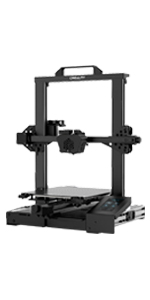
3D Printer Creality Ender-3 V2, 2020 Upgraded 3D Printer with Silent Motherboard, Resume Printing, Convenient Tool Box, New Display


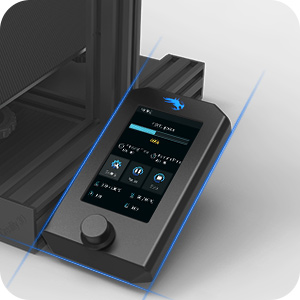
Smart add-ons
With the tool box integrated to the machine body, it is more convenient and quicker for tools organization and storage.
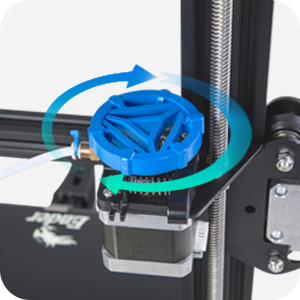
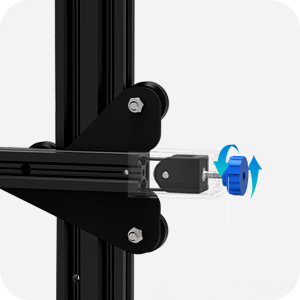
New injection tensioner
The XY-axis tensioner supports adjusting the belt tension in a quick and more convenient way.
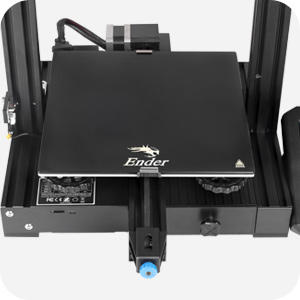
Carborundum Glass Platform
The carborundum glass platform enables the hotbed heat up quicker and prints adhere better.
Ultra smoothness even on the first layer.
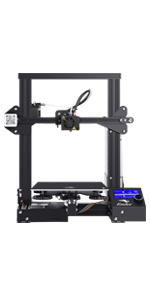 | 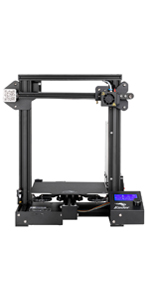 | 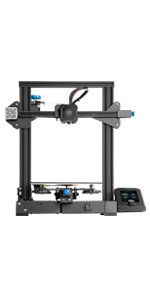 | 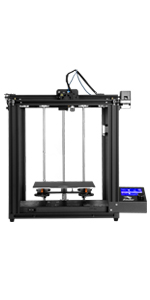 |  | |
|---|---|---|---|---|---|
| Printing Volume | 220*220*250mm | 220*220*250mm | 220*220*250mm | 220*220*300mm | 235*235*250mm |
| Machine Volume | 410*420*465mm | 440*420*465mm | 475*470*620mm | 552*485*510mm | 442*462*540mm |
| Silent Motherboard | × | × | ✓ | ✓ | ✓ |
| Resume Printing | ✓ | ✓ | ✓ | ✓ | ✓ |
| Filament Sensor | × | × | × | × | ✓ |
| Auto Leveling | × | × | × | × | ✓ |
| Duel Z axis | × | × | × | × | ✓ |
| Weight: | 10 kg |
| Dimensions: | 47 x 47.3 x 47.5 cm; 10 Kilograms |
| Brand: | Creality 3D |
| Model: | Ender 3 V2 |
| Colour: | Ender 3 v2 |
| Batteries Included: | No |
| Manufacture: | Creality 3D |
| Colour: | Ender 3 v2 |
| Dimensions: | 47 x 47.3 x 47.5 cm; 10 Kilograms |
Brilliant piece of kit for beginner or casual printers
As a DIY first machine, this is just about perfect. Easy to setup and assemble, nice color screen to naviate through menues, etc… operation is quite simple.
For what I do, few prints here and there, this is all you’ll ever need. The machine has a lot of buffer to do good fine quality prints, it’ll just take a long time.
A great 3D printer with great customer service from supplie
I had a Weedoo Tina 2 as my first 3d printer and decided I wanted to print bigger items.
This Creality Ender 3d V2 Neo met my requirements, there is loads of feedback that I reviewed along with YouTube videos.
From my perspective it was easy to set up and so long as you take your time in setting the level Z offset ( and do not move the machine once set up) you should be fine.
Use a good filament and keep it fresh, I use the large sealable food containers from the Supermarket to store when not in use.
Printing on the Heated bed is easy and the filament sticks well. Just wait for it to cool down after printing is completed to remove from the flexible bed.
I have read some horror stories about support from some sellers, however I had to contact them about a small issue which Creality EU HYD customer service were really very helpful. They are located in Asia, but were prompt in replying, in my opinion good customer service.
There is so much support from groups and lots of free STL files out there.
The only issue I see is loading and uploading the filament is not as automated as on the Weedoo.
So to sum up a good choice and many happy models printed.
3D printer with a proven track record.
First, if you are not comfortable with technical assembly it may not be suitable for you. The printer comes in several parts and so assembly is required. It took me about 4 hours to assemble and configure this printer. The instructions are ok but the parts are difficult to identify in some places as the drawings are quite small and requires a bit of detective work to identify the correct part during assembly. With perseverance and patience you should not have too much trouble. One problem I had and why I dropped a star is because the firmware was out of date. The first couple of test prints were good but then the control panel screen went dark. After some head scratching I updated the firmware to the current one and the panel came back to life. Usually when I buy electronics etc the item is supplied with the appropriate latest firmware. I think this was a major omission as finding the correct firmware for this model was difficult. Flashing with an incorrect one could brick the printer so I’m thankful YouTube is here. You need to be mindful when assembling that the gantry must be square so checking for this at stages is helpful in ensuring everything is correctly secured and accurately placed. It is also a good idea to check the pre assembled bolts as some of them were not quite tight. Printed models are clean and nicely printed. The printer is very quiet and the noisiest is the hot end fan but it’s ok. I bought this to teach my son how to 3D print his blender models. It is not too heavyv and can was be moved. In summary, a good printer for small projects and I would recommend it bearing in mind the above caveats. Bed levelling is easier than some printers but still a pain so I have invested in a CR Touch auto bed levelling kit. As long as you don’t expect to open the box and start printing straight away this is a great little printer. Happy printing.
very cheap for how good it is
it’s a really damn good printer, already printed a replica 1887 and 1897 shotgun, the cable is a bit short, and 3d printers in general are a bit loud, but it was definitely a good purchase
Insane Print Quality!
Didn’t expect much for such an affordable printer however the print quality is amazing for the price. I previously used makerbot printers that were 10x the price and feel that I prefer the quality of print that comes off this machine even at 100% print speed. Very very happy.
Impressive Performance and Endless Fu
The Creality 3D Printer Ender-3 V2 Neo has surpassed my expectations and continues to impress even after several months of use. Not only does it deliver outstanding print quality, but it also offers incredible value considering its affordability. From the moment I received the package, everything was included, and no essential components were missing.
Setting up the printer was a breeze, and the level of enjoyment it has brought me is unparalleled. Whether you’re a hobbyist, a maker, or a professional, this printer offers endless possibilities for bringing your ideas to life. I highly recommend the Creality Ender-3 V2 Neo to anyone looking for a reliable, cost-effective, and exhilarating 3D printing experience.
Great product, never gonna regret the money spe
Hey guys,
This 3D printer is one of the best you can get, print quality is great, it’s easy for setup, a great community behind it too! 5 stars for it no doubts if there was option for 10 stars was gonna give it 10!
Amazing!
It is common knowledge that Creality make great 3D printers, and my standards were met with this printer.
Great to assemble, although I was missing one screw (that wasn’t really needed).
Easy to get going, but make sure to go over print settings in your slicer.
Seems good for a beginne
Not bad. We had it out and printing within an hour.
Simple construction, followed a Youtube video by the manufacturers. Skips a couple of details, but they’re pretty obvious. Calibration and levelling took 20 minutes, but again it’s not difficult to do.
Tried a couple of prints from Thingiverse, for which you need to use a slicing program to produce the file the printer needs, but there are loads out there, and it’s not complicated.
Print quality is good – as with any 3d printer as of March 2023, it isn’t mirror smooth, but it’s absolutely fine for the hobby kind of prints me and my 12 year old son want to do.
Slightly noisy when running, the fan is noticeable, but not like vacuum cleaner loud. You wouldn’t want it in your bedroom when you’re sleeping, but you can;t ehar it if you leave it in another room.
Have had a couple of prints turn into spaghetti, but I think that’s more to do with our lack of experience than any fault. I’m sure we’ll improve.
Overall, recommended for newbies, it does what it’s supposed to do.
First 3D printer and it pretty much didn't stop for the first week.
It was simple enough to put together by following a Youtube video. I would say I’m a complete beginner and I was up printing within hours. The only tip I wish I knew before was to let the hotbed cool first, it’s much easier to remove the printed parts. I just wanted to print something else and didn’t know at the time how much easier it would have been if I had let it cool down. The new plate was about 20. Using websites like Thingiverse (look at other people’s 3D prints and download them) and Tinkercad (Edit 3D or create your own 3D projects) should help you get started if you are new to 3D printing. And I use Ultimaker Cura as the slicer.
I don’t really have anything to compare it with but I think it prints quite well and for my first printer, I’m happy with it.
This thing is a miracle
I had next to zero 3d printing knowledge and exactly zero experience. This printer is a miracle – it has not put a foot wrong since I opened the box. Easy to assemble and fairly straightforward to do the initial levelling after watching some YT videos. There has been no days since I set it up 5 weeks ago where it hasn’t been printing something. I’ve learnt Fusion 360 (Free for non-commercial use) – which I never expected to be able to do. Some stuff I download. I’ve done many many dozens of prints and it has never once failed to produce a perfect print. I ma so pleased with this. I do need to source another magnetic plate some how, since I’ve scratched mine quite badly – this was my fault, I was using too much and the wrong kind of force to remove the print. You just need to bend the plate a lot and the print pops off. One of my better choices.
Best value and best quality prints!
Very happy with this unit. I now have four of them! A bit fiddly to assemble, but absolute work horses really impressed!
Very Exiting
Waited until Christmas to buy myself one!!
Ways to get started, helpful email from customer services reminding me they are tricky at first but to use the support team and I got started!!
Don’t forget to but more “3-D printer ink” though as easy to get carried away!
After spending an hour or so setting up and making sure everything runs smoothly, another 30 minutes doing the bed levelling paper thing, it was ready to print.
I found if you want good prints then repeat the manual bed levelling every day, repeat the Z-Offset adjustment on every print. If your prints don’t stick lower the z-offset, if they look smeared raise it slightly.
It now happily runs of print after print without issues. Would highly recommend this for anyone getting into 3d printing.
Pretty good choice for entry level 3d printing
Relatively easy to assemble. Print quality is pretty good.
Maximum resolution: Can be pushed up to 0.08mm layer height.
Maximum speed: Goes up to 150mm/s but it’s suggested to stay within 50-100 if quality is a concern.
Works much better with die cut springs as opposed to the stock ones.
Worst printer ever ...
The worst printer ever, its difficult to level the bed. I also bought CR touch and my experience get worse !!
A collection of parts...
This is the place to start with 3D printing, but beware, the Ender 3 Pro2 is best described as a collection of parts that can be used for 3D printing. Expect to be tinkering with bed alignment, with z-stop consistency, with a wiring noise the hot end fan makes when it’s cold. But there is also a solid following and lots of advice on how to make the most of the Ender 3 and you will be printing great parts with this thing.
Toller Drucker, wenn man weiß, was man tu
Das ist mein zweiter Drucker nach einem Einschalten Fertig Renkforce 100 Gert. Der Grere Druckbereich war mit der Hauptgrund fr die Wahl auf den Ender. Die ersten Schritte waren holprig, da das Leveln schon ein wenig pingeliger ist. Dafr bekommt man ein Gert, das man sehr gut erweitern kann, und wirklich Raum fr Creativitt setzt.
Allerdings muss man auch sorgfltig aufbauen, kleine Variationen an den Rdchen sorgen fr ungleichmiges Druckbild. Auch empfehlenswert: Den Drucker auf dem Einsatzplatz zu montieren, damit die Schrge unterlage direkt sauber ausgeglichen werden kann. Sonst macht man das wie ich, zwei mal.
Der Renkforce war als Einstig gut, weil er leicht schnelle Druckergebnisse geliefert hat.
Der Ender hat den greren Druckbereich, ist deutlich leiser und Schneller. Das Druckbild ist 1 A. Leider hatte ich einen kleinen Fehler im System, das Bauteil wurde aber schnellstmglich nachgeschickt.
Fr Leute mit kogischem Denken und keiner Angst davor etwas zu schrauben ist das ein Top Gert.
Love this, can’t stop.
Well what can I say LOVE THIS. Brought it for myself & to encourage my daughter into the design world. I just can’t stop printing stuff. Comes has a kit for so After first building it & a couple of prints you soon learn about upgrades. The bed, the bed levelling spring, Boden tube, extruder (needs to be a metal one) but yeah right from the word go great product but made better with the upgrades.
Love i
Easy to put together with a good youtube video.
The printer is amazing for the money
Printed great straight away
Printed dragons, lizards etc etc
So easy to upgrade or get extra/new parts since its all inexpensive
V2 is 100% the way to go the heated bet is perfect for keeping builds stuck to the bed.
It was easy to build, looks well made and has a nice interface. This one is recommended for beginners, but the 3D process wasn't plug-and-play by any means. It took 4 days to work out the kinks and print something successfully. I added Creality's auto-leveling sensor and that took almost a full day because the Z axis wouldn't go down (a commonly mentioned problem on forums). I tried multiple BIOS downloads as mentioned on the Internet, but finally resolved the problem by re-wiring the original Z bottom sensor that the instructions had said to remove. It's a kill trigger that interrupts a circuit which tells the Z motor to stop. For my machine, that circuit needs to remain to work properly, so the trigger sits off to the side and the machine now works as advertised. I had some filament issues, but by tweaking the temps, I was finally able to print some big prints with no problems, and the auto-leveling upgrade was totally worth the initial hassle.
It was easy to build, looks well made and has a nice interface. This one is recommended for beginners, but the 3D process wasn’t plug-and-play by any means. It took 4 days to work out the kinks and print something successfully. I added Creality’s auto-leveling sensor and that took almost a full day because the Z axis wouldn’t go down (a commonly mentioned problem on forums). I tried multiple BIOS downloads as mentioned on the Internet, but finally resolved the problem by re-wiring the original Z bottom sensor that the instructions had said to remove. It’s a kill trigger that interrupts a circuit which tells the Z motor to stop. For my machine, that circuit needs to remain to work properly, so the trigger sits off to the side and the machine now works as advertised. I had some filament issues, but by tweaking the temps, I was finally able to print some big prints with no problems, and the auto-leveling upgrade was totally worth the initial hassle.
Great as a budget printer to tinker with
This is very good option for someone who wants to get into 3d printing and learn about it as they go. It comes with everything you need to get going (there’s even a sample of filament provided), and it’s easy to assemble, and get up and running.
That said, there are a whole host of things that you may want to upgrade over time on it. If you read around, there will be evangelists telling you that you need to upgrade pretty much everything apart from the frame. To me, that means that something that starts off good, at a decent price, has options to get even better over time if you have spare money up into upgrades. But many people will be happy with it as it comes.
Best printer for the price
The best printer the market at this price point in my opinion. I have bought cheaper and regretted it. Everything is included in the box tools, SD card and reader.
Ender 3 V2
First things first… well packaged and simple enough to assemble. this isn’t my first 3D printer but I wish it had been as this is a lot more user friendly than several of the others I have had previously. it’s modular design means that this machine functions as a stand alone unit but is also very easy to upgrade with almost no specialist tools or know how. I have added the CR-touch to mine so it’s now self leveling… this isn’t essential at all but like most geeks I’m lazy and like a machine to do the work for me.
This machine has taken the community by storm and because of that its a great first time machine with mountains of videos online exploring its full list of features.
unlike machines 10 years ago this runs almost silently other than the fans running… which is means you can use it without deafening everyone around you.
it’s also worth mentioning that this machine is fully supported by CURA and most other mainstream slicing software so you can expect reasonable results pretty much out of the box.
I’ve added a light on to mine that enables me to see exactly what’s going on while I’m printing the link to it is below.
https://www.amazon.co.uk/gp/aw/d/B07FCKKVW9?psc=1&ref=ppx_pop_mob_b_asin_title
Very Addictive
My first 3d printer. Wanted one for years but finally got the chance to use one and was hooked. Opted for Creality Ender 3v2 due to bed size, and someone I know having this model. Disappointed that it came with a lower spec chip (RCT6), but works and prints well. Currently a good way into 3d printing, but in hindsight might have made a different choice and gone for a cheaper clone of this printer.
Fantastic printer for the money.
Ender 3 printer. I upgraded to this from an old 3D printer so I have experience in printing.
Assembly took an hour or so and the instructions are fairly clear and there are plenty of videos on youtube of people assembling the machine, worth watching just to get an idea of what to do, and things like adjusting the offset wheels is well worth knowing.
My old printer had a bed leveling program that talked you through it step by step, which this lacks but apparently there are downloads from Thingiverse that do that for you. I managed without them. Threw on a roll of PLA and printed the cat from the micro SD card and it printed perfectly first time, though I don’t expect that to happen every time….
But so far I’m very impressed.
Note: There are slightly updated versions out, with a magnetic printing surface, this one holds the bed in place with clips, and a redesigned power supply in the base not on one arm, but pretty much the same machine.
Perfect Printe
The first 3 print not so good but i make a little calibration and now ….. im very happy.
great intro to 3d printing
Great printer which I ordered with some amazon basics filament. Very impressed as this is classed as entry level but seems easy to expand..
Fdm printer that is great for making useful things
You can design something in 3d software and have it a few hours later. It’s incredible.
Don’t buy an fdm if you want to make miniatures or objects with high detail. Fdm is better for making useable objects with very little hassle. Resin is what you want for miniatures or sculptures.
Really good 3D printer!
Really good 3D printer!! It prints good! Bit wobbly at times but its ok. Great for a starter printer aswell!
Lovely printer 👍
This is my 6th 3d printer and so far, the best!
Not too easy to put together if youre a beginner, although even my very first printer went together in just over an hour, but I’ve gained experience and found that I could put this together quite easily.
I upgraded the extruder kit and springs from the outset as other purchasers and reviews advise, but so far, I’ve only had 1 failed print and that was one of the samples supplied on the SD card lol
Printed off benchies in different filaments, one of which I got impatient with as I was waiting to start another print and although not perfect, it was adequate printed at 200% speed!.
Even a planter that was anticipated a 3 day print came out great in less than 24 hours.
Adhesion on the removable glass bed has been perfect with no problems so far with sticking to the plate or removing after printing.
The colour screen is best slightly shaded – in bright light it can be difficult to see the settings but it’s very organised and clear.
Highly recommended printer from a great brand name and lots of manufacturer and customer support forums.
Very good, but don't bother with assembly instructions in the manual
managed to assemble it and level the bed in a couple of hours but I recommend looking up video instructions on youtube as there are a few things that are not explained very well in the manual. Very pleased with my first print coming out without failure
quality prints at a good price.
have a look at YouTube for a video of how to build this printer it easy to build and easy to print with.
Ich habe lange berlegt, mit einen eigenen 3D Drucker zu kaufen, letztendlich ist die Wahl auf dieses Modell gefallen.
Vorgeschichte: Ich hab bereits in einer Werkstatt mit einem Prusa gearbeitet, aber sehr wenig, nur vielleicht 10 mal etwas gedruckt.
Zum Zeitpunkt der Bewertung war der Drucker 6 Monate in Betrieb
Hier mein Feedback in aller Krze ( VORTEIL) ( NERVIG ABER VERKRAFTBAR)( (kleiner) NACHTEIL):
insgesamt leicht zu bedienen
keine intensiven Wartungen / Reparaturen / Neueinstellungen ntig (bis jetzt)
fr den Preis wirklich super Ergebnisse
Preis-Leistung fast unschlagbar
arbeitet super mit Cura
Strom”verbrauch” super, ber 3 Monate bin ich bei ca. 7,70, hab unterschiedlich viel gedruckt, daher kann ich nicht so genau die Kosten pro h Druck nennen. Gibt aber Werte dazu im Internet.
Druckbettnevellierung ist fters ntig und etwas nervig
Jede Datei ber die SD Karte vom PC zu bertragen ist auf Dauer echt nervig
schon echt laut (wenn auch wohl leiser als Vorgnger)
Letztendlich berwiegen aber die Vorteile, die anderen Punkte sind einfach etwas nervig. Nur die Lautstrke ist schon extrem, daneben zu sitzen (bei mir steht er im Arbeitszimmer) ist echt kein Spa. Da sind die Prusa Modelle echt deutlich leiser.
Aufbau:
Fr den Aufbau habe ich persnlich schon relativ lange gebraucht. Ich finde ehrlich gesagt die Anleitung nicht so gut, bei vielen Punkte war ich mir unsicher. Ich empfehle, ein YouTube Video dazu zu gucken, denn da bekommt man gleich ein paar wichtige Tipps, die man sonst als Anfnger nicht wsste (wie wichtig die exakt senkrechte Anbindung der Streben ist etc.). Insgesamt hab ich ich ca. 4h gebraucht.
Mein Drucker hatte gleich ein Glas Druckbett dabei.
Druck:
Der Druck war eigentlich seit dem ersten Druck wirklich perfekt. Viel dafr machen muss man nicht, die Standard Einstellungen bei Cura waren fr mich super. Mit der feinen Auflsung (0.12mm) sieht man auch kaum noch Schichten. Daher schon wirklich Top!
Gute Erfahrungen habe ich mit den Filamenten von Giantarm gemacht. Auch Spezialfilamente wie mit Carbonfaser oder nachleuchtend waren bisher kein Problem.
Was mich wirklich strt: Die Lautstrke.
Der Lfter ist extrem laut, der Drucker steht im Arbeitszimmer direkt neben mir. Es hrt sich an, als wrde permanent neben mir jemand staubsaugen. Das ist schon echt schade. Es gibt zwar auch hier Hacks, die sind aber nicht trivial und nicht einfach durch Lfteraustausch zu machen. Da wrde ich beim nchsten Kauf definitiv mehr drauf achten.
Wartung:
Ich hab den Drucker nun 6 Monate in Betrieb und musste noch nichts austauschen. Klar war hin uns wieder mal die Dse verstopft, aber mit dem beigelegten Tool ist das in ein paar Sekunden behoben.
Das Druckbett muss man immer mal wieder Leveln, das ist schon nervig. Allerdings gibt es da auch Hacks im Internet, aber vom Hause aus kommt da nichts mit.
Besonders nervig: Die groen Rder zum Leveln sind extrem empfindlich:
Am Anfang hatte ich mich gefragt wie es sein kann, dass die hintere linke Ecke des Drcukbetts nach jedem Druck wieder zu tief ist. Nachdem ich erst die Katzen verdchtigt hatte kam die Erkenntis: Das Netzkabel hing hier ganz leicht in den Drucker rein. Es hat bei jeder Vor-Bewegung des Druckbetts an der Stellschraube zum Leveln gedreht… danach hab ich das Netzkabel fixiert und alles war gut, es wre aber echt praktisch, wenn man einfach das Druckbett durch Konterschrauben fixieren knnte.
Auch auf Dauer fr mich nervig: Das stndige bertragen der Daten per SD Karte:
Es mag albern klingen, aber es ist auf Dauer echt nervig immer wieder die Karte rein und raus zu holen usw. Da wrde ich mir doch einfach die bertragung per WLAN oder Kabel wnschen, aber das ist bei den Preis auch etwas viel verlangt. Auch hier gibt es Lsungen, z.B. durch Octopi aber da traue ich mich nicht so recht ran. Das ist aber schon eine Sache, die ich vor dem Kauf berdenken wrde.
________________________________
Fazit:
Also insgesamt ein super Drucker bis auf ein paar nervige Kleinigkeiten. Ich frchte trotzdem, ich wrde ihn Aufgrund der Lautstrke nicht wieder kaufen sondern mich informieren, welcher Drucker leiser ist.
Sonst wrde ihn wahrscheinlich wieder kaufen, es sei denn ich she ein Modell, das unwesentlich mehr kostet und entweder autolevelt, oder ein fixierbares Druckbett hat UND eine bertragung per WLAN oder USB Kabel ermglicht.
Simply amazing
Wanted a 3D printer fir a while & read reviews and video on YouTube. The Ender 3 is the best thing I have purchased for a long time.
Simply amazing with great quality prints
Solid bit of kit (but maybe change the buildtak bed)
Had my Ender3 for about month and it’s been very easy to use. The Instructions are bit unintuitive but I followed a guide on YouTube. They’re fine but they could probably have a little more detail.
Print quality is very good but I don’t use the included slicer (I use Cura) and I’ve had some good results on the recommended settings. I haven’t had to play with the settings too much.
Tuning and calibrating the bed plate was a bit tricky. Once it was leveled it was okay for about 6 or so 40min prints until I lost adhesion. I tried releveling it but the centre would still be too far away from the nozzle. I changed to a magnetic bed and it’s been perfect since.
To sum, it works well out of the box, only had a few failed test prints but nothing unexpected so far. Good value, lots of tutorials and tips out there, pretty solid bit of ki
Very good 3d printe
This the second one I purchased.
Building the printer is reasonably easy, but do watch some of the video guides
Worked very well from the very first print.
Highly reliable
The 32 bit control board is excellent and can take Bltouch
Print quality has been great with PLA.
Very good printer for a first time buyer.
It is not touch screen, but the control system works well
Fan noise is present but rest of printer noise is very good.
Highly recommended and one of the best printers at this price range
Top Anfänger Drucke
Amazon liefert wie gewohnt in 2 Tagen und der Drucker an sich ist super stabil verpackt.
Ich hatte zuvor einen anycubic i3 mega S mit dem ich mit Glck einen von fnf drucken als gut bezeichnen konnte.
Der Zusammenbau ging mit dem beiliegenden Video Recht einfach. Kein Vergleich zum i3 Mega S -> acht schrauben, Thema durch.
Nah dem Aufbau habe ich ein Kassenbeleg geschnappt und gelevelt. Der erste Druck hat mich dann umgehauen. Das was der Ender da fabriziert ist echt beeindruckend.
Fr Anfnger ist das Teil super. Man lernt den Aufbau und verliert die Angst doch Mal selbst Hand anzulegen.
Recommended though some challenges
Product is excellent, with the usual speedy delivery. My only issue is that it takes practice before you can confidently assess the temperature settings for the nozzle and baseplate. Worth it in the end. Future improvements would be allowing the printer to talk directly to my wired or wireless network… it’s a nuisance transferring via USB. Enjoy. S
This is the original Ender 3 and not the Ender 3V2. Excellent product though
I had this product recommended by a trusted friend that has had one for a couple of years.
There are a couple of niggles that don’t have lasting effect.
The first is that the instructions for assembly are fairly basic and not the easiest to follow. There are a whole collection of YouTube videos on the subject, I recommend you watch them.
The second is the product is essentially unfinished. There are a number of things that you are advised to print and attach to the printer to improve reliability.
The print quality is excellent for the price point, the software is easy to use, it is reasonably quiet Following reading what there is online, I thought I had the noise equivalent of a Jack Hammer coming to my home. While I wouldn’t want to sleep or watch TV in the same room as it, it cannot be heard outside the room it’s in and I’ve currently got the radio on while printing and typing this and can clearly hear the radio.
The output, printed with reasonable quality PLA is sturdy, durable and aesthetically pleasing, although on the default settings there is some patterning caused by the printing method.
I am new to 3D printing so cannot compare with other products but this has lived up to, and exceeded, expectations.
Be sure to claim your free glass bed with the special offer!
Good starting point into 3d printing
This was my first 3d printer after pondering the topic for years!
Originally I was looking at a Prusa but really couldn’t justify the price of it, especially as prices had fallen rapidly on competing products over the years.
When deciding to set my budget, I ended at 400 max – so was originally considering the Ender CR-6 SE.
After watching multiple youtube videos on the subject, the ender 3 v2 was clearly the better choice for quality and flexibility though (which was nice, as it was even cheaper than the 6!)
One of the deciding points for me about the ender 3 v2 was how much it can be modified. I’m sure this is also the case for other printers, but the ender 3 series definitely seemed to have more available models on 3d sites than other printers. There are so many mods and addons for this model that you can print out., it’s almost overwhelming – think I have about 200 models bookmarked so far :/ It does really amuse me that the printer can produce it’s own parts too – it’s almost having like a perpetual engine!
So at this point I’ve added a BLtouch auto-leveller (essential purchase!), changed the hotend for an all-metal microswiss one, made it virtually silent with noctua fan and hotend mods, changed the extruder to a dual-gear, etc. Quality-wise it’s now superb, silent, and all-in still much cheaper than any off the shelf Prusa, etc. Oh, the other essential addon imo is a pi running octoprint – you won’t regret it!
Regardless of any mods though, the printer is really solid and well thought out, and works well out of the box.
I didn’t have any issues assembling the printer at all – the instructions included aren’t amazing perhaps, but there are plenty of great videos on the topic online, from beginner to more complex topics on calibration and tweaking.
I’ve now printed with PLA, PETG, TPU and all have come out just as hoped. PETG is probably my material of choice currently. PLA does have less stringing and comes in more finishes, but PETG is really tough! The all-metal hotend means that I can print in ABS, but the fumes it gives off sound horrific so I won’t be going there…
Negatives? Well perhaps the included instructions could be better, and the default fans they fit can only be described as ‘industrial’ – they work but are really quite loud… Apart from that though, nothing awful to say about the machine at all thus far, regardless of the price.
Ender 3 v2
Good starter printer, not for the feint hearted though as requires assembly and constant tweaking, adjusting and upgrading (optional), lots of advice groups online, YouTube videos and Facebook groups available for pointers and tips
Kann man mache
Als Einstiegsmodell ist dieser Drucker nicht schlecht, um sich mit dem Prinzip des FDM 3D-Drucks vertraut zu machen, doch man wird bald feststellen, dass es auch Drucker mit besserer Druckqualitt gibt. Fr den niedrigen Preis ist die Qualitt aber durchaus nicht zu verachten.
Einfache Modelle kann man mit diesem 3D-Drucker gut erstellen, doch fr sehr filigrane Gegenstnde ist dieser Drucker nicht przise genug.
Das Slicer-Programm von Creality lsst meiner Meinung nach einiges zu wnschen offen, doch zum Glck kann man auch einfach einen Slicer seiner Wahl verwenden, der Marlin untersttzt.
Zuletzt sollte man sich vor dem Kauf bewusst sein, dass trotz der Behauptung des Herstellers, alles sei Open Source, keine Plne des Mainboards zu finden sind, was es erschwert, selbst Modifikationen an der Hardware vorzunehmen. Wer den Drucker allerdings unverndert benutzen will, sollte da keine Probleme haben.
Alles in allem ein 3D-Drucker, der fr diesen Preis recht gut ist.
absolutley brilliant printer for such a small amount of money.
purchased this printer after a friend dropped 2.5k on a printer and i wanted one but couldnt afford to spend loads.
This printer in my opinion prints in very similar quality to a 2.5k printer. Highly recommended. Its a bit tricky to assemble i recommended watching a youtube tutorial as the instruction manual is poor.
Great printer, user error is the main problem!
Nice printer. I suggest buying firmer springs for the print bed so you don’t have to level it every other print. Make sure the Z stop sensor is firmly in place other wise it’ll get pushed down and down like mine did
What a great printe
For the last few years I have been struggling with a cheap i3 clone printer, I have had no end of problems and finally I decided to bite the bullet and purchase the new Ender 3 V2.
From the moment you open the box this feels like a slick professional product, it is well packed and includes everything you need to get started, even a small amount of filament (PLA I assume). The instructions are readable and simple to follow.
The printer requires some assemble but nothing like by last one, all the cabling is done and just needs to be plugged in the right holes, the most fiddly part is the hot end belt but even that just needs patience, to be fair I have bought children’s toys that were more difficult to assemble so just take your time and make sure everything is lined up and tight, check every screw even the ones fitted in the factory (30minutes to an hour should see you ready to print).
As soon as I had it assembled I levelled the bed with a piece of paper and loaded the supplied SD card, and set it printing the first model, I was amazed to see that it worked immediately, the filament stuck to the bed and the entire model printed without a problem, in fact the print quality was soo much better than I could have imagined, this really shows up the failings of my other cheap printer.
Setting up Octoprint was very easy on my Raspberry Pi, although I did have to purchase a Pi Camera but it only cost about 10 delivered so was well worth it. Octoprint displays an error with the V2 but it is simply fixed by using the recommended plugin to ensure that temperatures are reported correctly.
So my first impression of this printer is that it seems to be a great printer for the price, but would I recommend it to others? The answer is a resounding Yes, if you want to get into 3D printing then this is a great place to start and at under 300 it gives impressive results and won’t break the bank.
If like me you are tempted to spend less and buy a self build cheap clone kit then please learn from my mistakes and don’t waste your money. My old printer will now be stripped for parts to be used in other projects.
I tried an ender 3 (very good but needs tweaking, still a great machine) Then I tried an Anycubic (noisy and I could not get a fine detail) but then I ordered this one. Ok, so you do need to assemble it but just check youtube and in assembling it you will get to know how it works, I really enjoyed this part. Plus it’s mostly assembled as opposed to the ender 3. Levelling the bed was much easier than I thought. Take your time and don’t force anything.
Very well built, so silent I actually thought it was not printing but it was and the results are excellent. I tried cheap PLA’s and then SUNLU both printed really well. The cheaper PLA’s are a little more powdery when finished but fine for playing with. An excellent upgrade to an already brilliant machine the Ender 3 V3 is well worth the extra money.
Great 3D printe
Easy to assemble and use. Took a couple of test prints to make sure everything was aligned after that it’s produced great results (using PLA+).
Good value for money.
Would definitely recommend.
Great introduction to 3D printing
Great introduction into 3D printing. Assembly instructions are not the easiest to understand but there’s a number of YouTube videos which take you step by step into building the frame and levelling the base. I followed these and was set up and printing within a couple of hours. Printing is quiet and the results of my first prints are impressive.
I’m sure there are plenty of tweaks I can make but the the printer is well built and hopefully will carry me through the next couple of years.
Great support from Creality EU
I unfortunately had the issue of damage during delivery (gauged rail and broken switch) clearly done by the courier. As I live in a remote location returning to amazon was not cost effective or realistically possible. Amazon was useless however Creality EU were excellent. The correspondence and support they provided was excellent and they have shipped replacement parts. I would fully recommend buying from them.
As a newbie to 3d printing this printer is superb. Asembly is a simple process however time sent now ensuring the gantry and frame is as square as possible is highly recommended. Also check all the bolts for tightness including those installed by the manufacturer, many of mine were loose. My first prints have all been successful and I’m just waiting on delivery of more filament.
Awesome bit of ki
Been looking at 3D Printers for a while now. A friend of mine said he had one (Creality Ender 3) but didn’t use it and said I could borrow it. After using it for a few weeks I decided I wanted to buy my own so went for the newer version the Creality Ender 3 v2. Wow what can I say this is an even better machine and prints like a 1000 printer. Putting it together was very very easy and then setting it up with your favourite PC software was straight forward. It’s now printing perfectly and I’ve had no problems what so ever and I’m very happy with it. I can’t believe that i had gone so long without a 3D Printer, there an absolutely awesome bit of kit so if your looking for a 3D Printer then I definitely recommend this one without hesitation whether it’s your very first, beginner or you have been 3D Printing for a while the Creality Ender 3 v2 will do the job and more without fail. Don’t sit there putting it off like I did buy one now you won’t regret it.
Fantastic Values and Great Prints from Day One
I’ve really enjoyed using this excellent 3d printer and I’ve made so many useful things already.
The assembly can be a bit tricky, especially if like me you don’t realise that the included thumbdrive/ sd card has a video that is much more helpful than the written instructions. I should mention some of the parts weren’t quite to the accurate tolerances I expected but it did not stop from getting the thing together and printing.
And wow the prints are really good. I had high expectations because of the good reviews this thing has exceeded them. I’m very happy with my purchase and I can’t wait to print more useful things!
Great addition to the gadget family
Can’t compare to other 3d printers (can only afford the one)
but great fun from assembling to using. There are a few learning curves but overall fairly straight forward to use.
Also there are loads of youtube vids for advice.
Ender 3 V1 - New Versio
Hi I’ve been using my Ender for a few weeks now and it’s excellent. My Ender 3 already had the new 32bit mainboard (v 4.2.2) fitted, older V1’s had a 8bit mainboard. Dont forget to level the bed and you should get good results. There are a few upgrades most people do to the Ender 3 V1, to make life a little easier It needs tensioners on the X and Y axis as the V2 has but there are plenty of them on Thingiverse for you to print then fit as I did. The ones I printed are excellent. There’s also the option of buying a set of after market X and Y tensioners on amazon I’ve seen for as little as 16. I’d also say a BL Touch or one if it’s clones is one of the best upgrades to any 3d printer.
looks like a good piece of ki
Had problems assembling the X axis but a bit of you tube sorted that. Am waiting to put a 3d touch on it so hopefully good quality prints coming soon, stay tuned for price can’t be bea
The Ender 3 has been a mainstay of 3D printers for some time, and has contributed to making this technology available to the masses given its price point. This model (the V2) is Creality’s latest version of this model, and builds on the solid heritage of the Ender 3. Sturdier, stronger, and overall more feature rich, including a heated bed and glass building surface.
Out of the box you need to assemble the unit, yes you will read reviews citing how bad the instructions are, but to be fair they’re not that bad. My recommendation would be to fire up YouTube, there’s plenty of great walk throughs on building these, just follow along pausing as you complete each step, and you’ll be setup in no time.
Other reviews you may read concern poor print quality. Ignore them. All of them. If you take the time to set the printer up correctly, you’ll get amazing quality prints repeatedly. The key here is that out of the box you need to tweak and tune it to achieve the best results. “You get out what you put in” may be a cliche, but it applies here. Again, if you’re new, YouTube is your friend here. Lots of great videos on setting up and calibrating Ender 3’s. My overriding advice is to tighten every screw, all of them! There’s some hidden behind plastic covers, take the covers off and tighten them. Also, the belts need to be tensioned correctly, if you’re not sure a little too tight is better than a little too loose. So these, start off printing a calibration cube rather than an enormous intricate model for your first prints, and you’ll get super quality results in no time.
There’s an active community for these too. Don’t like the cable bring cable-tied together? Download and print off cable chains instead! Want somewhere to hold the larger tools? Download and print off a tool holder than clips on the side of the machine! What else have you ever known where you can browse internet, create a “thing”, and use that to upgrade the machine you’ve just used to make it?! Put the time in, and you can upgrade your printer yourself, meaning a budget printer suddenly rivals some much more expensive machines.
In summary, it’s a budget 3D printer, you won’t be running off any commercial grade print runs anytime soon, but for home and hobbiest users, this thing is fantastic. Take the time to get the setup right, learn the ropes of 3D printing, and you’ll be set.
Good Printe
Only 4 stars because they almost have a great printer, it needs a metal extruder also the fans in the case are starting to make a loud noise after two weeks, this was an issue with V1 and thought they would have sorted it. Apart from that as long as you take your time in putting it together it prints beautifully
Great produc
Very good piece of kit. I baught this for my partner for his birthday and anniversary present and he loves it. Tha kyou for a great produc
Cracking printer straight out of the box (after assembly)
I was torn between this and a reain printer, and decided to go for this one due to all the faff that comes with resin printing, smell, mess, cleaning, curing. Having run this printer for a while now, I’ll say I’m pleased I did. It does good detail, enough for the sort of thing I am after, its quiet, apart from the hot end fan, and it looks sturdy.
If you want to be printing miniatures then first choice is always resin, but I have recently tested out printing a mini on my Ender 3 and I have to say, I was impressed with the results.
The glass bed heats up quickly and the prints stick to it well without any additional agents like gluestick or tape but they were a pain to get off until I realised I just had to wait until the bed had cooled down to 25 degrees or below, then they came straight off with ease.
If I had any complaints, it would be that I found the assembly instructions s difficult to follow (and this isnt my first printer assembly) and ended up following a youtube video.
Another complaint would be the fan noise. Now, I’m not saying it’s bad, just that it’s the loudest thing about the printer and it couldn’t cost more than a few bucks to add a quiet one in. I’ve looked into doi g it myself but it requires messing with the power board and a few other mods that I’m not prepared to do at the moment.
Great 3D printer but a few issues.
1/ manual is very hard to read and understand, better to either download a different version or watch YouTube as parts are not labelled.
2/ mine came with the old version board so had to upgrade. That’s a different story lol.
Other than that very fast delivery and very nice printer, just plan yourself if you decide to upgrade parts which you will more likely have to do for safety (power supply & motherboard).
UPDATE:
I would highly recommend that anyone using this machine with the micro sd card either buy a more reliable sd card or use via USB that being micro usb (upgraded silent board) or mini usb (basic board), as some of the micro sd cards fail and will make your machine freeze partially through a 3D print.
Superb choice for my first 3d printe
So far the Ender 3 V2 has produced superb results across the board. I’ve used mostly eSun PLA+ filament at 208 degrees which prints consistently and reliably, along with a few bits in a silk grey and a white. I’ve had no issues with adhesion to the bed.
The printer was fairly easy to put together in the first place (with extra guidance however from a couple of YouTube videos which really helped – especially pointing out which other bits to check, tighten etc).
I’m very pleased that I went for the Ender 3 V2, it has such a huge user-base so there’s plenty of information out there for any problems, upgrades etc. I’ve added a BLTouch for auto-bed-levelling. I’ve also printed out a few upgrades like a filament guide, smaller reel holder, SD card adapter bracket, filament sponge holder – not often you buy an item which then starts improving itself!
One thing to note, I’ve seen this mentioned in a few places as having a filament break sensor – but it doesn’t. I believe it’s relatively easy to add one though, and if you add a BLTouch you no longer need the z stop sensor which apparently can be re-purposed. Not sure about firmware support though yet for the break sensor on the V2.
Amazing value
A very good printer wih plenty of software. The assembly instructions supplied are too basic to use but YouTube videos are excellent. It took me about 4 hours to assemble and then it worked straight away
Great Printer from a Great Company
Brought this after spending 2 months reviewing 3D printers, as a beginner to 3D printing I wanted something easy to use, and that had a decent build area. I am more than satisfied I would highly recommend this as a starter printer or even for someone that has used 3D printers in the past, that are looking to upgrade to a larger build area.
This is not without its negatives but rarely you will find a perfect product.
Positives:
Good size build area
Large updated display
Easy to assemble
Great after sales support from Creality
Quiet
Negatives:
Bed levelling could be easier
No wifi
No touchscreen
Overall its good value for money, and it gives you confidence to buy other Creality products.
I purchased the Ender 3 V2 as my first 3D printer and as such there was a learning curve in order to operate this machine to its full potential. Doing my research, I compared it to the current Ender 3 Pro and as this machine has the newer motherboard and display it made it a worthy upgrade to the existing models.
The machine is easy to put together and I would recommend watching any of the excellent Youtube tutorials covering these steps. Once constructed the printer is very sturdy and feels strong. All the tools you need are included and with care should take no more than an hour to complete.
The filaments for creating the prints are easily purchased on Amazon and are available in many colours.
Starting out with 3D printing does require patience; bed levelling, slicing, temperatures and settings are all part of the process. Anybody who is entering the fascinating process should be prepared to learn about this but it is not difficult, just part of 3D printing.
The Ender 3 V2 makes all this particularly easy and once setup will quite happily go about its job producing quality prints. The support page by the manufacturer, Creatality, has plenty of information and software updates are produced timely.
So, in summary, a great machine to get into the world of 3D printing; sturdy and well supported in the 3D printing community. The V2 tweaks designed from previous build versions of the machine certainly make it worth buying this version of the previous designs.
Easy to build if you use YouTube tutorials, included manual rubbish.
So easy to build, just not with the included instructions. Look up a good YouTube tutorial (I found Tomb Of 3d Printed Horrors to be best), there’s so much the bundled instructions don’t cover at all.
I’m running it completely stock at the moment with a few upgrades planned for the future. If you’re after a printer that’s easy to get going with you can’t go wrong with this guy.
Very good entry level printer.
This was a fantastic buy.
Building the printer was complex – but with the help of the many online videos out there – I had it up and running in a couple of hours.
I’ve been printing things nearly every day since and it’s been fantastic.
Absolutely recommend this printer for the beginner or anyone who wants a simple good 3D printer.
This printer is easy to assemble and it printed perfectly first time for me
I have bought and built a few printers over the last few years. I bought this to replace the first printer I built, I had expected for this price I would need to do a lot of configuration and set up, but I had it up and running in no more than two hours and the first print worked perfectly, this is one of my first reviews on amazon but I was so surprised at the performance of the printer I felt I needed to praise the sellers. With no configuration on my end it prints faster and smoother than another printer I have from a big name brand that cost me 4 times the price of this one.
Great quality for the price!
For the price you pay, the print quality is amazing. Was able to print perfectly fine on the first try using the file provided by the sd card given. The only downside is the instructions given by the manufacture is very hard to follow. I advise people to go on youtube and follow a tutorial as it will be 100 times more informative than the manual given.
A really good 3D Printe
i bought this as a Christmas present for my 17 year old son. It was easy to assemble, and is a brilliant product. Its a little noisy (mostly the fan) but nothing major. Looks good but you will need a fair bit of space to place it on and for the printer itself to move around while in use as the place itself also moves back and forth. I really recommend this product, Im really happy with it and for a “first” 3D printer, I was definitely impressed with the price and speed of delivery.
Great starter printer.
Great starter printer. Out of the box it prints well. Spend time squaring it up and it will print well, add mods and small upgrades and it’s even better. Had mine for 5 months and printed some great prints.
Perfec
You can’t go wrong with the ended 3, took about an hour to set up. But I have had no problems since. Recommend upgrade to the sturdier yellow springs for the bed to give greater levelling. But even without these it is consistently level and no problem with a warped bed.
This is my first 3D printer, it’s excellent for beginners and even hobbyist. I followed a excellent YouTube tutorial by 3DPrintingCanada and had it printing within 2 hours. The build plate adhesion might even be too strong, the only fault I can point out is there might be a bit of Z-axis hopping? Basically the layers aren’t a lined up 100% but that might be because I haven’t tightened the lead screw enough.
I would 100% reccomend this printer to anyone interested in buying a 3D printer within a budget of 400
Get a video for the assembly
The machine is great and it’s prints impressed my friend who owns an original Prusa. Only thing missing is a better instruction for the assembly, both the paper instruction included and the video from the vendor are pretty useless, I ended up searching in YouTube and found a very good one that showed how to assemble the printer step
By step and with tips to get it right the first time.
I'm a 3d printing noob and managed to make it work
I liked that it’s really good, and not so hard to assemble it.
I just preferred to watch some youtube videos that give some tips that are not present in the official videos (like for example, checking and tuning the nobs before assembling everything, and other stuff like that).
Also I think that in order to test if the leveling is ok, the basic test models in the micro SD should be waaaay more simple, like one that I saw in a youtube video, that is just some squares (3mm of high ) in each corner.
For other noobs that want a good youtube video ref, I’ll just post the name of the channel: Tomb of 3d Printed Horrors
Awesome
So far it’s been a brilliant printer. Very good resolution on prints. Upgraded to the glass bed which is much better for removing prints from.
The Ender 3 came well packaged, I can’t imagine it getting damaged in transit unless someone drove over it. Assembly was fairly straight forward. I took my time and spent perhaps 2 hours. Things not in the instruction manual? –
1) does your base frame sit flat? – mine didn’t. Loosen the four bolts holding the side pieces (and remove two bolts holding the enclosure front plate) to allow you to readjust this.
2) Bed wobble. – mine wobbled side to side/tipping not good. This is easily fixed by adjusting the eccentric nuts. Turn the nut/washer thing with the supplied small spanner until there is no wobble. – this is also the ‘trick’ to solving loose play in other parts of the printer.
3) hot end carriage – also had wobble, also fixed by adjusting the eccentric nut.
4) bed leveling. – no instructions provided but this is fairly generic. Screw down the springs so they’re fully compressed. Set the z axis endstop so the printer zeros a couple of mm above the heatbed (for me this was at the lowest if could be). Move the head to the centre of the board (you should disable steppers in the menu or at least move the head very slowly to avoid generating too much current and frying your electronics), lift the bed until it just catches a piece of paper. Next repeat this step at each four corners & keep repeating all corners until your happy.
After this the printer just works for me. Hassle free printing – so far. For slicing software (stl -> gcode) I downloaded the free CURA which does now support the Ender 3 model (no need to adapt from a CR10).
I’ll be ordering or printing belt tensioners in the future though it’s not needed right now. Out of the box this printer is miles better than the DIY 3d printer I’ve spent the last 2 years working on (great learning process but pain in the neck).
Am I glad I didn’t spend 3 times as much for a Prusa i3 Mk3? yes. Manual bed leveling is not a big deal. – though the option is there to stick on a BL touch sensor.
Very easy to build as a first time owning and building a 3d printer. Print quality is great so far, printed a nice buddha, crazy frog and shrek crucifix!
The Ender 3 is my first printer. It was easy enough to assembly rather like self assembly furniture. All necessary tools are provided. I have printed 1 kg of PLA and am very pleased with the results. I found the stepper motors are a little noisy so I was reluctant to leave it running overnight. Damper plates on the x and y axis stepper motors have quietened the printer a lot. To fit the dampers requires the drive pulley to be moved. It required replacement grub screw pulleys since the motor shaft is to short for repositioning the press fit pulley.
The supplied build bed is excellent and I have had no issues with adhesion in fact it is often a challenge to remove the print from the bed. I won’t be looking for a glass bed anytime soon.
I am very happy with my purchase.
I researched this printer for quite a few weeks, before taking the plunge … watching endless YouTube channels (CHEP, Teaching Tech, Just Vlad, Nexi Tech) … it was those guys that helped make the decision to buy the Ender 3 …
Boy what a fantastic printer … the first prints came out better than I expected … very smooth and better than some of the YouTube channels efforts …
This is a no brainer 3D Printer, at this price … it’s the best bit of Tech I’ve bought in years … I am now making the classic ‘LACK Enclosure’ for it …
The filament I bought, at the same time, was the SUNLU 3D Printer Filament (Twin Pack) PLA+ 2KG (Black-White), 1.75mm … this filament went out of stock for quite some time but I just checked again (April 2019) and it’s back in stock …
MY ENDER 3 NOTES:
The Sunlu filament:
With the above Filament, I used 60Deg ‘C’ for the Bed Temp … and 212 Deg ‘C’ for the Hot End … I used this setup for all my prints and seems to work great …
THE ORIGINAL ENDER 3 FIBERGLASS BED:
The removable (not genuine) “Buildtak” bed plate (with fiberglass bottom) was a bit of a devil to get a proper bonded print evenly … it worked OK after a few tries … it still didn’t seem to want to bond on certain parts of the bed … there were spots it didn’t like to stick to … I even tried Pritt Stick … that seemed to work but what a mess! …
NEW BED:
After watching a few more videos, I noticed that a lot of people were printing on GLASS … so I investigated and found a great supplier, on the Bay (seller: gcc-systems) … this type of bed was a ‘Mirrored Glass Tile’ but cut to Ender 3 bed size, 220x220mm (they cope for other printers too) … it cost about 14 and damn was it worth it … the official Ender 3 glass base is 28 (ish) … this new glass bed just clips on as before, with 4 small bulldog clips …
You do not need to prime the base with hair spray, Pritt stick or any other product, in order to get good adhesion … the glass just needs to be cleaned properly … after it cools down you start to hear little noises as the print starts to release itself … so much easier to get prints off glass … you get a nice silky smooth underside too …
Glass Bed Pre-Print Washing Tip:
The thing I was doing wrong, with cleaning the glass bed, was using de-greasing agents like Isopropyl (alcohol), etc … no, no ,no, and no! … these agents actually leave a ‘very fine’ film of ‘something’ and so prevents the filament adhering to the glass … even if they say smear free there is still a deposit left behind …
I discovered that you only have to wash the glass thoroughly with washing up liquid and dry it off with a kitchen paper towel … do not touch the clean surface afterwards (use the corners) … but to see if it is clean enough you need to rub your fingers over the glass while washing it, so you get that squeaky feeling/noise … then you know you’re done … that’s all you need to do … and BAM! with the first print the filament stuck like glue, everywhere it printed … success! …
After I had done all of the above, I recently watched CHEP’s video (Older ENDER 3 vs New ENDER 3 – 3D Printer Review/Comparison) … he experimented with 2 x Ender 3 printers (from different suppliers) and he had the same issue with the Buildtak fiberglass plate … he said it was actually the fiberglass base that had blind spots … so it’s possible it’s not as level as the glass bed …
GENERAL TIPS:
1. To get the bed just right and level and without any slack (the main issue for wobbly prints) watch Just Vlad’s ‘Creality Ender 3 Pro – 3D printer – Unbox & Setup’ as he is the only one, that I noticed, who shows you how to set the slack up on the slotted ‘V’ runners …
2. To make the printer even quieter I cut a few thick square blocks, from the grey packing material and put them at each end, under the base supports … damn if this doesn’t reduce the noise by a ton! …
I have attached some photos of the first set of prints I did … all downloaded from Thingiverse …
If you’re just starting out or thinking of getting a 3D printer then this puppy will do you proud …
great entry printer = good quality, great price, good way to get started and lea
great entry printer = good quality, great price, good way to get started and learn. Bought this for my teenager, and they have spent lots of time learning how to configure and optimise the printer and its settings. Good materials and support online and they have become quite knowledgeable as well as printing out some neat small projects.
Amazing quality
This is perfect low cost printer , I spent a long time ensuring a prefect assembly and that everything was aligned using YouTube video , my first test print was flawless, best purchase eve
This is the most fun I have had with my clothes on.
Excellent first 3d printe
Brilliant first 3d printer. Very pleased I chose this one. Assembly took a few hours, helped by a YouTube video.
The best money I have ever spent!
Totally new to 3D printing – this item is amazing. I would advise though that you do need several hours to set this up as a beginner and make sure it is all right. Then you will spend many many hours watching tutorials on tips and techniques but bear with it – once you understand your printer and 3D printing you will not regret it. Good luck!
Having held off buying a 3D printer, a chance feature on the Creality Ender 3 prompted me to look closer just last week. The reviews I found were all saying the same thing, that it was a very good entry point into 3D printing. Arriving within two days, I had it assembled and working within two hours, taking my time to assemble the sub-assemblies supplied. It all went together easily even with the scant detail on the instructions.
The test print went well (I bought a 1kg reel of pla as the supplied material is way too short to complete the test print) and I’m more than impressed.
A quick search online revealed a host of cheap upgrades and some free models of parts to improve the machine as well.
This was a good addition to my tool set and I am very excited to work through my list of projects.
I read and watched dozens of reviews before deciding which 3D printer to buy. In the end I decided to give the Ender 3 a go… and I’m glad I did!!!
It’s nice and easy to build, set up and use. I had no issues at all.
I printed the test dog on the included SD card and (to my surprise, I expected it to go wrong as I put it together!!!!) it printed perfectly. I’ve now printed 2 other items (a Christmas decoration and a fan cover) again l, they printed perfectly!!!!
A highly recommended printer!