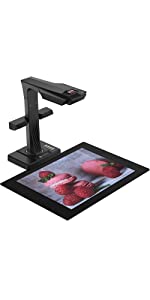
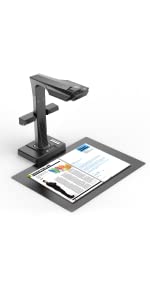
CZUR Document Scanner, ET18 Pro Book Scanner Smart A3 Document Scanner Document Camera with OCR WIFI Function Auto Flatten Curve Tech, 18MP HD Camera, 180+ Languages OCR for Windows & Mac

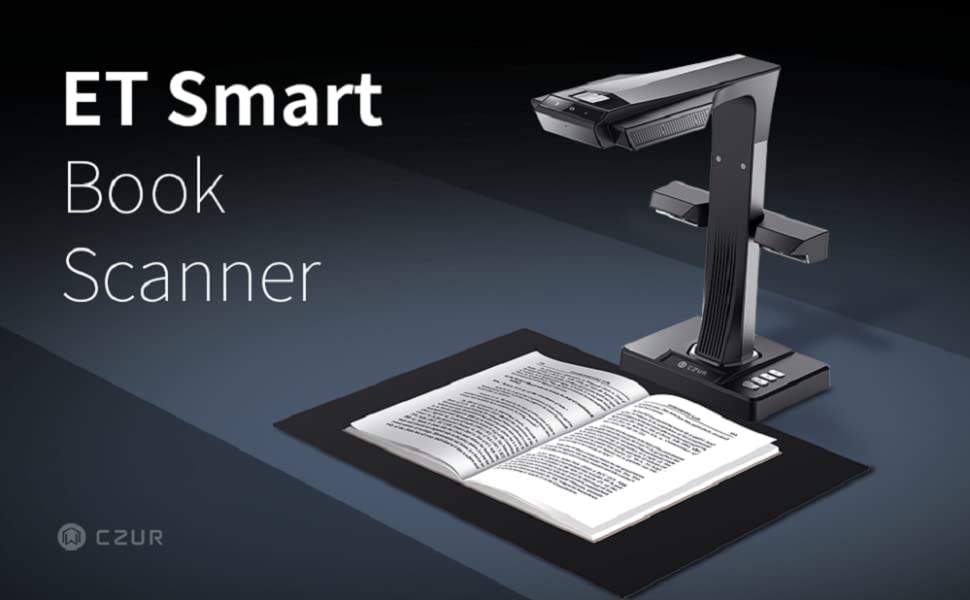
Scanning is as Easy as Turning a Page
- The Quality You Deserve
Whether you need to digitize blueprints for your business, thick bound history books for your research, generate and present in real-time to demonstrate material with your class or office, or other objects for your work and hobbies, the ET Series Scanner will get your projects done in less time with no headaches.
- Simple to Use
Usability is our top priority. Though professional and sophisticated in features and technology, our ET Series Scanner is easy to use for anyone. Simple in design and functionality, the ET18 Pro document scanner makes the logistics of your project streamlined and easy to operate without bulkiness or taking up space.
How to download CZUR Software
- Go to CZUR website by simply Google ’CZUR’
- Click ’Download Software’ located at right top corner.
- Select the model for your device.
- Move your mouse to the red square to select Windows or Mac, then click Download Button for your area. For example, ’Europe’ version for downloading.
| | | | |
|---|---|---|---|
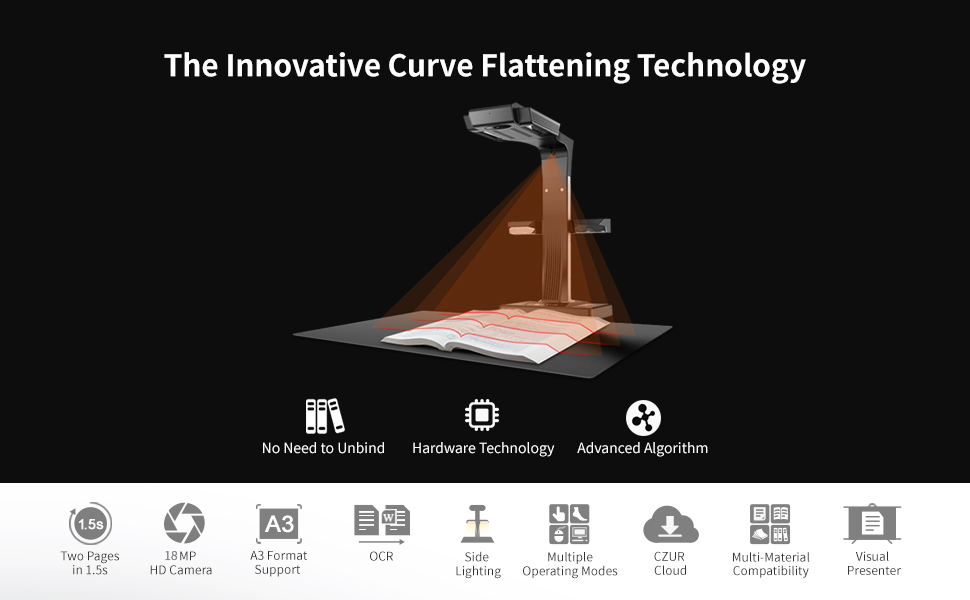
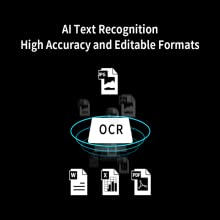
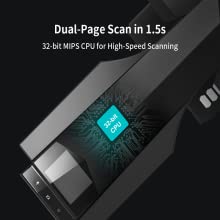
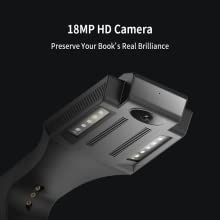
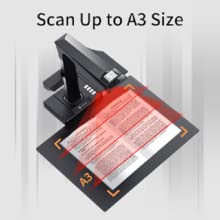
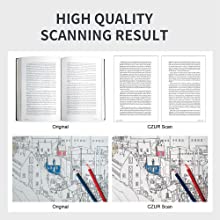
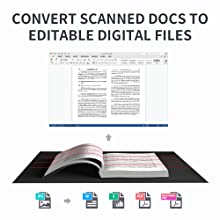
Patented Book Curve Flattening TechnologyThe patented book curve flatening technology scans virtually over the bevels and bumps of bound books, flattening the curves so no shadows or distortion appear in the digitized version. | Convert Scanned Images to Editable FilesThe OCR (Optimal Character Recognition) technology can convert your scanned images to editable files. Digitze, search and edit your files in one place. All of your scanned documents can be converted to editable Wordã€PDFã€TIFF and Excel via OCR (Optical Character Recognition) function. | Fast & Save TimeCZUR Document Scanner revolutionizes scanning experience by bringing simple, intelligent and fast scanning performance. All books, magazines, contracts and any paper documents within A3 size can be scanned directly without cutting or unbinding at the speed of 1.5s/page. | Keep Real
|

| | | | |
|---|---|---|---|
| | | | |
| | | | |
|---|---|---|---|
| | | | |
 |  | 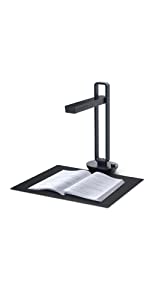 |  |  | |
|---|---|---|---|---|---|
| Sensor | CMOS | CMOS | CMOS | CMOS | CMOS |
| Pixel | 18 megapixels | 16 megapixels | 14 megapixels | 14 megapixels | 16 megapixels |
| Top LED Lights | ✓ | ✓ | ✓ | ✓ | ✓ |
| Flattening Curve | ✓ | ✓ | ✓ | ✓ | ✓ |
| OCR | ✓ | ✓ | ✓ | ✓ | ✓ |
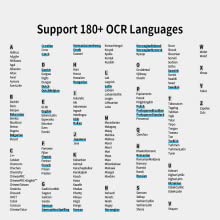
| OCR Support Languages | 180+ | 180+ | 180+ | 180+ | 180+ |
| Color Mode | Color, Patterns, Stamps, Gray scale, B&W | Color, Patterns, Stamps, Gray scale, B&W | Automatic, Color, Patterns, Stamps, B&W | Automatic, Color, Patterns, Stamps, B&W | Automatic, Color, Patterns, Stamps, B&W |
| System Support | XP, Win 7/ 8/10, 32/64-bit; macOS 10.11 and above(macOS Monterey 12 is not supported) | XP, Win 7/ 8/10, 32/64-bit; macOS 10.11 and above(macOS Monterey 12 is not supported) | XP, Win 7/ 8/10, 32/64-bit; macOS 10.11 and above (macOS Monterey 12 is not supported) | XP, Win 7/ 8/10, 32/64-bit; macOS 10.11 and above (macOS Monterey 12 is not supported) | XP, Win 7/ 8/10, 32/64-bit; macOS 10.11 and above(macOS Monterey 12 is not supported) |
| Wi-Fi | ✓ | × | × | × | ✓ |
| CZUR Cloud Service | ✓ | × | × | × | ✓ |
| Weight: | 4.72 kg |
| Dimensions: | 37.5 x 22 x 39 cm; 4.72 Kilograms |
| Brand: | Czur |
| Model: | ET-18 Pro |
| Colour: | ET18 Pro |
| Batteries Included: | No |
| Manufacture: | Czur |
| Colour: | ET18 Pro |
Sehr guter Gesamteindruck
Verpackung edel wie bei Apple…
Installation war problemlos.
Habe erst mit Nutzung begonnen. Rasche Auskunft zu Frage nach Windows11
Bin begeistert. Die Seitenlichtkorrektur bringts. Macht sehr professionellen Gesamteindruck!
Sul mercato esistono diversi modelli di scanner e spesso acquistare quello pi adatto alle nostre esigenze risulta alquanto difficile , questo perch non tutti sono uguali , funzioni diverse , controlli diversi ed ecc. Tra le varie alternative presenti sul mercato questo gioiellino della CZUR probabilmente lo scanner pi completo e versatile sul mercato, essendo multifunzione con diverse modalit di scannerizzazione e con diverse modalit di salvataggio dei testi , tra cui anche PDF modificabili , ideale , quindi , per la digitalizzazione dei libri e non solo, ottimo anche per studenti universitari oppure per chi vuole rendere SMART la propria libreria, convertendo interi libri da cartaceo a digitale.
MATERIALI COSTRUTTIVI, FUNZIONALIT E MODO D’USO
Lo scanner arriva perfettamente imballato, quello che colpisce soprattutto il packaging, i singoli pezzi sono perfettamente imballati e lo scatolo pu essere utilizzato anche come valigetta di trasporto.
All’intero troviamo tutto il necessario , in particolare:
– Scanner
– Tappetino
– Alimentatore con diversi adattatori
– Luci led laterali
– Telecomando per scanner manuale
– Pedaliera per scanner
– Anelli per scannerizzazione manuale
– Cavo USB per collegare lo scanner al PC
– CD di installazione del software ( ma pu essere tranquillamente scaricato anche sul sito della CZUR)
– Garanzia e istruzioni
Esteticamente elegante e robusto , non particolarmente ingombrante ed anche abbastanza leggero , occupa pochissimo spazio.
Il suo funzionamento molto semplice , come prima cosa bisogna installare il software, o tramite cd di installazione oppure basta andare sul sito e scaricarlo e installarlo. Una volta installato il software ( disponibile anche in italiano) lo scanner pronto per l’utilizzo, basta semplicemente accendere lo scanner , posizionare il libro o ci che si vuole scannerizzare sul tappetino e avviare la scansione , lo scanner funziona molto bene ma soprattutto veloce , scansiona 2 pagine al secondo ( considerate il tempo che si impiega con uno scanner tradizionale) , infatti ho scansionato un libro universitario da 480 pagine in nemmeno 20 minuti , la scansione ineguagliabile sia grazie alla fotocamera SONY HD da 18 megapixel posta in alto e sia grazie alla tecnologia
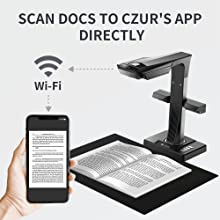
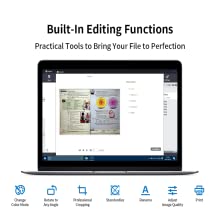
” Book Curve Smoothing ” , ossia la funzione di appiattimento, in pratica, soprattutto con i libri , vi sono le curve e questo scanner appiattisce l’immagine scannerizzata e corregge , grazie all’ottimo AI integrato, le levigature dei bordi , con un un risultato ottimale. Altra caratteristica, da non dare per scontata , che ho apprezzato molto lo schermo LCD a colori posto sopra allo scanner , che da un anteprima del documento scannerizzato , simile all’anteprima di stampa per rendere meglio l’idea. Una volta finita la scannerizzazione, sempre tamite il software, vi sono a disposizione diversi strumenti di modifica del documento , in pratica possibile cambiare colore , ritagliare, pressare , standardizzare , modificare la qualit dell’immagine ed ecc. Infine scegliere il formato di salvataggio, in PFD normale , PDF modificabile e ricercabile , Word , TIFF ed Excel , nulla di pi facile ed intuitivo , ma non finita qui , infatti possibile scansionare qualsiasi documento direttamente dall’applicazione CZUR ( sia per Android che per IOS) oppure anche tramite Wifi , per cui uno scanner completo sotto tutti i punti di vista.
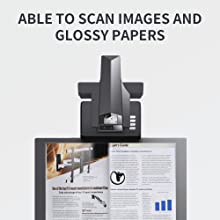
Per quanto riguarda la scannerizzazione dei documenti lucidi e delle foto , per evitare problemi di riflessi ( problema che caratterizza la maggiorparte degli scanner) basta semplicemente spegnere la luce in alto servendosi solo delle luci supplementari ( quelle poste ai lati dello scanner).
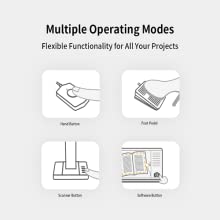
Come detto in precedenza, diversi sono i modi di scannerizzazione, ossia pu scannerizzare tramite pulsante oppure tramite pedale ( quindi con il piede) oppure tramite telecomando , oppure tramite scansione automatica ( quella che ho apprezzato di piu , in quanto i sensori riconoscono i movimenti della mano e ogniqualvolta si gira la pagina parte la scansione, in questo caso necessario servirsi degli anelli di formatazzione compresi nella confezione per evitare che scansioni anche la mano ) ed infine tramite il software ( servendosi del PC o del dispositivo associato ad esso) , per cui completo e personalizzabile al 100% sotto questo punto di vista. Infine l OCR funziona benissimo, riconosce circa 180 lingue diverse e per di pi gratuito a vita , non si pu pretendere di pi. Unico limite che purtroppo supporta solo formati A3 a scendere, per cui con i formati A4 bisogna dedicarci un tempo maggiore per la modifica successiva, nulla di invalidante assolutamente.
Per cui ricapitolando
Ottima qualit costruttiva
Multifunzione
Accessori in dotazione
Ottimo software
Qualit dell’immagine
Diverse modalit di scannerizzazione
Versatile
Funzione di appiattimento
OCR
Facile da usare
Non compatibile al 100% con formati A4
In conclusione uno scanner di tutto rispetto , professionale e personalizzabile , ottimo per ufficio ma anche per uso prettamente personale , buon equilibrio tra prestazioni e funzionalit.
Spero di esservi stato utile.
Ottima esperienza d'utilizzo.
Ho comprato questo scanner per il mio ufficio, si era rotto il nostro vecchio scanner e scansionavamo momentaneamente tutto con le app per il cellulare, neanche a dirvi che qualit scadente che avevano i nostri file. La risoluzione invece qui ottima.
Posso dirvi che sono rimasta piacevolmente colpita dalla facilit d’uso di questo scanner, usato in ufficio anche dai miei colleghi meno tecnologici, nonostante appena l’hanno visto arrivare si erano gi preoccupati, forse per le grandi dimensioni, che appunto un po’ ingombrante quindi direi non adatto per uso domestico, a meno che non si abbia uno studio.
Sicuramente una delle qualit che mi ha indotto a comprare questo rispetto ad altri stata la “Tecnologia Brevettata di Levigatura Delle Curve” di cui avevo letto in descrizione e che era per me una qualit assolutamente necessaria, in quanto con lo scanner in ufficio ogni volta avevo il problema delle pieghe nei documenti, che oltre a darmi fastidio visivo, per certi documenti era davvero un problema. Confermo che la tecnologia funziona e le scansioni vengono senza pieghe.
Ottima la funzione wifi per inviare direttamente al cellulare le scansioni effettuate, eliminando qualche passaggio futile di invio tipo scanner – pc – cellulare. Ci troviamo spesso a dover scansionare e inviare contratti ai clienti e collegando lo scanner al telefono aziendale tutto velocissimo.
Il software dello scanner, molto intuitivo tra l’altro, consente di apportare diverse modifiche ai file scansionati, possibile ritagliare, regolare la nitidezza, il contrasto e altre varie, dopo la scansione. Insomma i file scansionati risultano perfettamente leggibili, al pari degli originali.
Nota di merito per il packaging, oltre ad essere ben imballato e a prova di urto, la confezione dello scanner molto elegante, oltre ad avere in dotazione anche la strumentazione per aprirlo, c’ un taglierino incluso, che non mi sarei mai aspettata di trovarci dentro. In generale imballato benissimo, quindi non abbiate paura degli urti da trasporto.
In generale in ufficio pareri positivi da tutti, lo usiamo giornalmente per scansionare contratti vari, e nessuno si finora lamentato.
Acquisto utile per l’ufficio ed esperienza d’acquisto molto positiva.
Di buona qualità, ideale per chi deve scansionare grandi quantità
In ufficio da anni stiamo digitalizzando tutti gli archivi, un lavoro molto lungo che dobbiamo fare con attenzione, fino ad oggi abbiamo utilizzato il classico scanner delle stampanti con ADF e degli scanner documentali (comodi e veloci), tuttavia queste due soluzioni diventano scomode quando i documenti da scansionare hanno dimensioni differenti, graffette, clips e pieghe, anzi nel caso delle graffette il rischio anche quello di non notarle ed alla lunga passando nei rulli dello scanner lo rovinano. Per questo motivo mi sono messo alla ricerca di uno scanner documentale alternativo ed ho puntato su questo modello.
Parto con il dire che l’imballaggio di prim’ordine, non mi era mai capitato di trovare assieme allo scatolone il taglierino per aprirlo, inoltre la valigetta che contiene lo scanner e tutti i suoi accessori ben fatta e comoda per il trasporto.
Lo scanner non piccolo, sulla scrivania impegna almeno un 53×60 cm, il solo tappetino misura 53×40 cm. i vari cavi tra cui l’alimentazione, tasto da scrivania, tasto a pedale, cavo USB hanno tutti una lunghezza adeguata per arrivare dove serve. Il materiale con cui realizzato metallo quasi totalmente rivestito con una finitura gommata di colore nero opaco e piacevole al tatto, l’impressione quella di un oggetto di qualit. In merito al modulo led aggiuntivo segnalo che si innesta magneticamente allo scanner e lo stesso pu essere rimosso se necessario, lo scanner ha gi di suo una bella illuminazione led dimmerabile.
Nella confezione si trova ovviamente anche il cd che contiene il manuale di istruzioni in diverse lingue tra cui l’italiano ed il suo software che una volta installato consiglia di scaricare gli aggiornamenti, si dovr anche inserire il codice seriale che si trova impresso nella parte inferiore dello scanner.
Il software in lingua italiana, apparentemente sembra complicato ma dopo pochi minuti di utilizzo si comprendono le varie funzioni che sono davvero tante e profonde. E’ dotato anche di una modalit presentazione in cui sullo schermo del pc si vede cosa sta riprendendo lo scanner in tempo reale come fosse una telecamera, la stessa funzione viene svolta dal piccolo display posizionato sullo scanner. Come dicevo le funzioni e le modalit di scansione sono parecchie ed ognuno deve trovare quella che pi fa al caso suo, nel mio caso dopo svariati tentativi ho optato per la scansione di un area circoscritta da me ed in bianco e nero, ho attivato la modalit automatica che scansiona il foglio ogni volta che rileva che ho cambiato pagina, pi o meno impiega poco pi di un secondo, anche la modalit a pedale o tasto comunque comoda.
Di default il software salva la scansione in formato jpg e poi si pu convertire anche massivamente tutto i svariati formati OCR e non come pdf, word, excel, tiff, txt, a questo proposito conferma che la conversione OCR perfetta e non mi ha sbagliato un colpo.
Non posso dire nulla in merito alla funzione wifi perch fino ad ora non l’ho utilizzata poich prevede che le scansioni finiscano sullo smartphone cosa che attualmente a me non occorre. In conclusione un’apparecchio valido che mi sento di consigliare per un utilizzo professionale o per chi deve scansionare grandi quantit di materiale come libri o fogli, se invece la necessit scansionare due fogli al giorno si fa prima con altri strumenti. Mi auguro di esservi stato utile.
Fa quello che promette, però
Fa quello che promette, ottimo il software ( anche in italiano ).
La qualit per non paragonabile ad uno scanner piano. Una acquisizione a 275 dpi ( valore predefinito ) corrisponde a circa 150 dpi di un’acquisizione fatta con uno scanner tradizionale.
Per il resto ha un buon rapporto qualit/prezzo.
Really quick to scan large number of documents
Scanner very easy to set up. Software downloaded from Czur website also easy to use. Was able to easily scan over 530 pages (larger than A4) in 3 hours which software compiled into a pdf. This would have taken days with my flat-bed scanner & would have given lower quality scans of curved pages. Only draw back is the price which is a bit steep!!
Klasse Gerät mit guter Software
Ich wollte eigentlich einen Fujitsu-Dokumentenscanner kaufen, habe mich dann jedoch entschieden, dieses Gert anzuschaffen, weil es eine Dokumentenkamera enthlt. Das System hat meine Erwartungen bertroffen. Es ist sehr einfach zu installieren. Ein weiterer, wesentlicher Grund war das Vorhandensein eines Fuschalters. Es ist sehr bedienungsfreundlich. Die Qualitt der Aufnahmen ist sehr gut und insgesamt sehr gut. Das System ist gut geeignet fr die Dokumentation und produziert auch mit historischem Material sehr gute Ergebnisse. Die Verpackung ist sehr praktisch. Die schwarze mitgelieferte Matte ist notwendig, damit das System die Grenzen des Papieres erkennt. Das zustzliche mitgelieferte Lichtsystem kommt mit vielen Lichtsituationen gut zurecht und ist wird nur angedockt. Insgesamt volle 5 Sterne.
Ein kleines Problem zeigte sich in der Bearbeitung, dies hatte jedoch nichts mit dem System, sondern mit der Umgebung zu tun. In einer Bibliothek war die Zimmerdecke mit Kunststoffrhren ausgestattet, die ein strendes Signal in Form eines Streifenmusters produzierten. Die Fotos sind trotzdem von sehr guter Qualitt und gut lesbar. Aber sie wren mit der Abschirmung oder Mglichkeit des Abschalten dieser Lampen perfekt gewesen.
I’ve only had the scanner for a week or so and I’m pretty impressed with what it can do. It’s not perfect by any means but speed-wise it’s brilliant.
The packaging is really good, with a sturdy cardboard carton with a foam insert to store the scanner when not in use.
Everything is pretty sturdy, though the scanner itself is a little top heavy so will fall forward if you aren’t careful. It can take the odd knock and suffer no ill effects.
Setting up was really easy (Windows 10).
The reason I bought the scanner was to digitize the mass of journals I have lying around. Most of these are A5 and above, some with glossy, full colour pages.
First try with out of the box settings and no top light was pretty poor. No image processing at all, and no splitting of images. Then I realised that the SW package doesn’t resize on the secondary monitor, so the options to choose facing spread were hidden. Once that was sorted every thing was good.
Setting 400DPI produced better capture images and improved OCR. The image quality was nearly as good as I can achieve on a flat bed scanner (300DPI). Exposure across the page isn’t even but other than aesthetics, it doesn’t seem to affect much. I know from past experience that more light isn’t better. Dark room, close the curtains and use low angle lighting.
The CZUR software isn’t perfect. It doesn’t do a 100% perfect job of flattening the image and it sometimes struggles to split a double page correctly, but you can select a rescan.
The OCR isn’t perfect, but I haven’t seen one yet that is. Apparently CZUR use the ABBYY SDK and it works pretty well. Comparing it against my version of ABBYY 12 gave similar results with the same images.
Speed wise it beats every other method I’ve tried before (and I’ve tried a few). Scanning 60 pages and generating a searchable PDF took about 20 minutes. File size was about 40MB with original capture images in the PDF. There are some artefacts (like the faint yellow blobs where the finger cots were).
If I wanted a “perfect” digitized document, I’d be looking to buy a couple of top of the range DSLR cameras, plus lenses and make a rig to hold the pages flat. That’s before taking hours to process the images. But I just want to create a digital version of paper docs in the quickest way possible.
I only really have one gripe. CZUR have decided to use video instructions rather than produce a user manual for the software. I don’t have problem with that, but please drop the background music – you can’t hear the instructions
This is a brilliant, high definition scanner that is very fast. I did have to upgrade software on my old laptop before I could use. It takes a fraction of time of a conventional scanner and effortlessly compiles document into different format including pdf. The image quality is very good and it transformed the task of producing a digital archive.
You know from the moment you open the box that this is a quality product. It produces great results but isn’t perfect.
Niggles :
– the Mac software is buggy. Frequently loses connection. PC software works fine.
– not always intuitive. Again the PC software is better but things are sometimes hidden on menus and it’s not always obvious what to do next.
– poor manual. Had to go on the website and look at the videos to even begin.
But those aside, this is a great device and does what it says, and very well.
Not obvious
Easy to unpack and set up, but I found the software and hardware combination difficult – Czur have videos on tehir site that solved my problems, and I used it a lot in the last couple of weeks, and now it is very quick and good. Took a full morning to work it out.
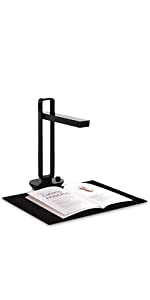
I came across one of those annoying adverts for a still in development baby brother of this. Normally I’d have ignored it, but this intrigued me so I did some research. Found the new one was a lower resolution than this one, so ignored the one in development and went for this instead. It’s basically a frame with a camera and lamp mounted in the head with a foot pedal or finger switch for initiating the scan. I was impressed with the Apple-like packaging. Very functional, easy to get at. Easy to put everything back in the box for storage. Very useful when there is nowhere (at present) that I can leave it out. The software is straightforward. Still works if sitting in the background. It claims 2 seconds for a scan. Might be a slight exaggeration, but scanning a book I could not turn over the pages fast enough. This evening I scanned two books, one 460 pages and the other 424. It took one episode of New Tricks (about an hour). It will scan both pages of a spread in a book and save as two separate images. It will measure the curl on a page and correct for it. It’s not perfect, but it is impressive. I’ve also been scanning the archives of our village hall. Some of the material was rolled up into bundles and tied up. Not easy to get flat, so more suitable for a flatbed scanner? A bit of quick thinking and I used a perspex sheet to flatten the paper. Reflection from the overhead lamp? Turned it off and used the side lamp (that’s the horizontal bar you can see in the image). I am very pleased with it. It doesn’t completely do away with the need of a flat-bed scanner, but it does come close.
I got this as a replacement for a conventional scanner.
Much easier to use. You put the target face up under the lamp, rather than face down and put down a lid.
For quality, maybe a bit better, especially for things that curve.
The OCR is OK, but for one text I scanned, it persistently read ‘the’ as ‘die’.
Still, if you can afford it you do get your money’s worth.
The Czur ET18 Pro scanner is both identified and priced as a “Pro” grade solution to anyone who needs to convert paper documents to electronic form. This is a compact, ergonomically sound device that will fit on almost any desk [the biggest constraint being one with the space to allow the scanning mat to sit flat]. It is trivially easy to operate – especially with the provided foot pedal and operationally is a joy to use. For anyone with a large or on-going amount of material that needs to be scanned, this might be a perfect choice… As I often do with reviews, here are a few plus/minus points for consideration:-
Pros:-
1. Excellent build quality. Tough injection-molded body [not sure if it is drop-proof, mind] and really excellent assembly. Controls and switches have a positive, tactile feel; this device is nice to work with.
2. Excellent shipping materials – well laid out and generally perfect to survive transit. Worth hanging on to.
3. Fantastic, absolutely *fantastic* scan quality. Even with browned, slightly dog-eared, 40-year-old material, this scanner returns excellent image quality. The inclusion of “extra”, bright-white LEDs certainly help to ensure excellent image quality.
4. Remarkably effective OCR quality. A side-by-side comparison with using the scanner built in to my Epson XP-950 and a copy of OmniPage 18 results in the Czur winning hands down. Really, it runs rings around OmniPage. No idea why – although the ability of laser-profiling the page before scanning and then the clever software to “virtually flatten” the scan is certainly a big part of this.
5. Quick – although certainly not as quick as claimed… I’ve scanned 31 documents totalling some 560 pages, then OCR-scanned and saved, in 2 hours 20 minutes. This really is crazy-fast in comparison with say a flat-bed scanner.
6. Silent. *Completely* silent – there are no moving parts [save for the click of the activate buttons]. Unlike flat-bed scanners, which often have noisy servo-motors, this is *completely* silent. After a couple of hours, that’s a joy.
7. Ergonomically friendly… quite possible to sit comfortably in front of a desk and just turn the pages of a book and click, page at a time. Scans will take a double-page spread effortlessly.
Cons:-
1. The cables provided with this “professional-grade” machine are too short – one metre or less. The foot-pedal cable barely reached the floor, even with the scanner 10cm from the edge of my desk… I had to move my PC close enough for the cable to reach…
2. OK, this is going to sound a bit silly, but… this thing is *so* fast, it is easy to “get ahead of yourself” and take an image of your hand turning pages. Easy to back up, delete and go forward though.
3. The software could do with a little more polish. Some functions are non-intuitive [for example the main panel includes an “Export” function and a “Bulk Operations” function: which one do you pick if you want to bulk-OCR and Export some scanned pages??
Overall sum-up: This is certainly not a cheap solution for anyone who needs to scan large volumes of information, but, oh my goodness, it *is* effective. Today (August 2019) the greatest weaknesses in the product are the short cables [should be easy for Czur to address] and the slightly non-intuitive software.