Osmo 901-00028 Genius Starter Kit for Fire Tablet- 5 Hands-On Learning 6-10-Problem Solving & Creativity-STEM Base Included-Exclusive, Ages 6-10+, Multi Color, 5 Games/Classic

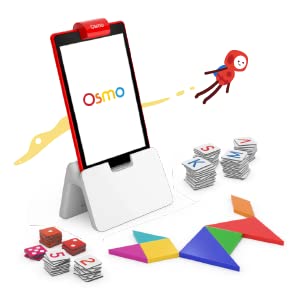
Genius Starter Kit for Fire Tablet
Educating Children 6-10 years old
As a parents you can expect your child to have the following game play experience: Shapes & placing in designs (Tangram), problem solving/early physics (Newton), creative drawing skills (Masterpiece), counting with numbers/dice (Numbers), letters, spelling & vocabulary (Words).
What’s in the box:
- Osmo Base for Fire Tablet
- Tangram pieces
- Numbers tiles
- Words tiles
- Stackable storage for each game
- 5 Game Apps: Numbers, Tangram, Words, Newton, and Masterpiece.
What They Will Learn
| | | | |
|---|---|---|---|
Reading & VocabularyPlay alone, or with friends. Over 150 puzzle images created by the community! | Number Sense & Maths ConfidenceWhen there are multiple good ways to solve a problem, math becomes creative and fun. | Problem-SolvingYour child will exercise visual problem-solving skills, thinking with shapes! A timeless game reinvented using an interactive video experience. | Creativity & ImaginationLet your child learn while having fun and not realise that the fun is really all about learning. Share a time-lapsed video of the masterpiece! |




Ways to Learn
| | | | |
|---|---|---|---|
NumbersFreestyle math. Explore & play with math in an open-ended environment. | WordsUnlimited content. Guess & spell hidden words with physical tiles. | Tangram500+ visual puzzles. Arrange wooden puzzle pieces to build challenging shapes. | Newton & Masterpiece60+ levels of creative engineering guiding virtual balls with real-life objects. Supercharge your creativity & awesome drawing skills, draw anything. |
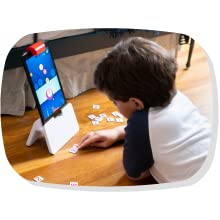
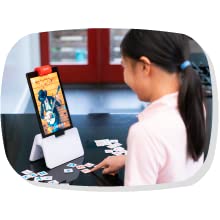
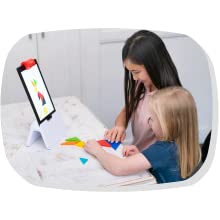
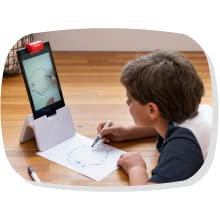

Real Play, Real Learning
Osmo is Magic!
Osmo brings learning to life, using hand held pieces with a Fire Tablet.
A great entry to the Osmo universe, the Genius Starter Kit for Fire Tablet includes everything your kids need to experience hands-on learning and digital fun in five different ways.
You will have the ability to monitor what your child is doing in the game and their progress as they start the program and grow into more advanced learning.
Your child can self-guide themselves on this learning adventure.
| Dimensions: | 22.86 x 27.94 x 25.4 cm; 570 Grams |
| Model: | 901-00028 |
| Material: | Plastic |
| Colour: | Multicolor |
| Batteries Required: | No |
| Age: | 5 – 12 years |
| Assembly: | No |
| Colour: | Multicolor |
| Material: | Plastic |
Good so far, with some inconveniences
My son got this for his new Fire tablet for Christmas it’s fairly easy to use, but the kids area of the tablet doesn’t allow you to install some parts of the Osmo app and i haven’t found a work around without avoiding the kids version.
It also wants you to use a reflector adapter for the fire which is fine but not clear that it’s needed and doesn’t really make sense since it says it’s for fire tablets right on the box.
All in all it’s good. My son seems to like it just some of those little annoyances
She is still exploring all the software can do but really enjoying the drawing component, Can't comment on value for $ until she explores more and we can see what she does with it.
She is still exploring all the software can do but really enjoying the drawing component, Can’t comment on value for $ until she explores more and we can see what she does with it.
Pretty nea
This kit is pretty cool!
Although it needs an almost rubberband like attachment for the reflector before it is usable, so make sure you buy that for $10, or you can’t use the kit (at least for the Kindle Fire)
My child really likes it so far, but the tablet has to be out of its case, so that’s fun. And I wish the kits all came with a work surface area so my kid knows where to place to pieces without the app telling her to scoot everything side to side or up and down. (She gets frustrated with that)
Pretty nea
This kit is pretty cool!
Although it needs an almost rubberband like attachment for the reflector before it is usable, so make sure you buy that for $10, or you can’t use the kit (at least for the Kindle Fire)
My child really likes it so far, but the tablet has to be out of its case, so that’s fun. And I wish the kits all came with a work surface area so my kid knows where to place to pieces without the app telling her to scoot everything side to side or up and down. (She gets frustrated with that)
Got this for my 8year old son he loves to be on here and is excited to have all the different learning games .anything to make his education better. I am all for ..This highly recommended.
Got this for my 8year old son he loves to be on here and is excited to have all the different learning games .anything to make his education better. I am all for ..This highly recommended.
Be sure to get the reflector adapter. The kit does not come with it and you need it for the software to read the tiles correctly. Would have been helpful to know.
Be sure to get the reflector adapter. The kit does not come with it and you need it for the software to read the tiles correctly. Would have been helpful to know.
We bought this as a Christmas gift for our 7-year-old and he absolutely loves it -- he only stopped playing when the computer battery was about to die. The games included are great and he really felt he was playing games and didn't realize he was learning.
We bought this as a Christmas gift for our 7-year-old and he absolutely loves it — he only stopped playing when the computer battery was about to die. The games included are great and he really felt he was playing games and didn’t realize he was learning.
This is so much fun with so many activities. My daughter loves this game so much.
This is so much fun with so many activities. My daughter loves this game so much.
Kiddo loves this
I got this as a warehouse deal, but I would’ve gladly paid full price. My son loves this system. He just turned 5 and started kindergarten, and still wants to play with Osmo after dinner. He loves the math and letter games and the tangrams especially. The Newton and Masterpiece portions are still a little difficult for him but with some parental help he manages them OK and it gives him some room to grow his skills.
The app was very easy to set up and install, and I appreciate it can be used offline. We set it up on an old Fire tablet we had, and we use a flat white board sheet for the drawing portion. That also gives him a space for tangrams. I’m not sure if a new one would come with the actual whiteboard, or if mine was missing since it was a warehouse deal. But even a sheet of paper would work, laminated or in a clear sleeve if you have it to use a dry erase marker, or just a pen for Newton and Masterpiece if you don’t mind getting a new paper each time.