TESmart 2 Port HDMI KVM Switch 4K Ultra HD 3840×2160@30Hz | 2×1 KVM Switcher 2 PC 1 Monitor with 2×1.5m KVM Cables Supports USB 2.0 Devices Controls up to 2 Computers/Servers/DVR-Matte Black
# HKS0201A20-UKBK
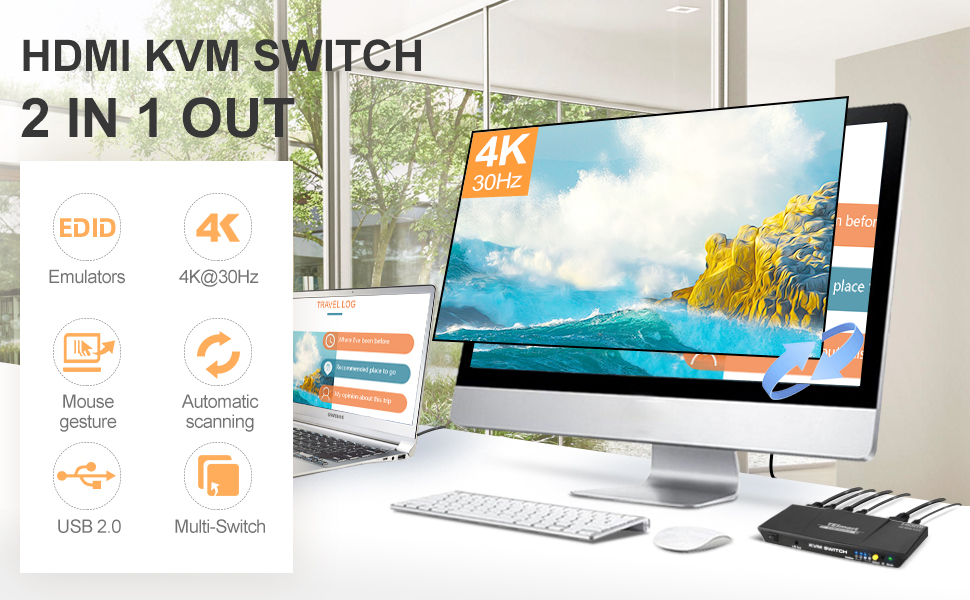
This 2×1 HDMI KVM Switch provides you great flexibility in integrating cross-platform computer equipment easily. It makes you available to switch easily and reliably between any HDMI computers using 1 HDMI compliant display. Support USB 2.0 hub and USB 2.0 keyboard /mouse, so that you can connect the PCs to printers, scanners, USB drives, etc.
Features:
- Using only 1 set of keyboard, mouse and monitor to control 2 PCs
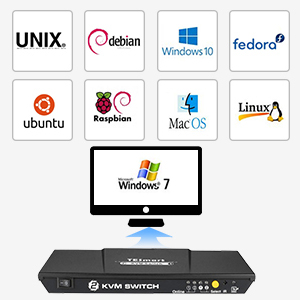
- Support Unix/Windows/Debian/Ubuntu/Fedora /Mac OS X/Raspbian/Ubuntu for Raspberry Pi and other Linux based systems
- Support auto-switching to monitor computers in a specified time interval
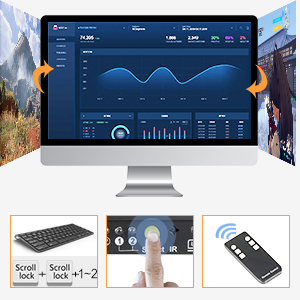
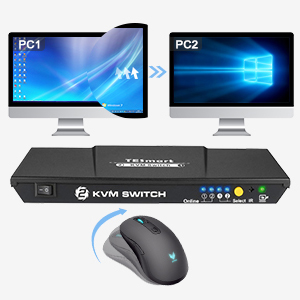
- Support front panel buttons, IR signals, keyboard shortcut keys and mouse gesture to control KVM to switch inputs
- Available to use keyboard and mouse without any delay after switch input sources
- Support resolution up to 3840*2160@30Hz
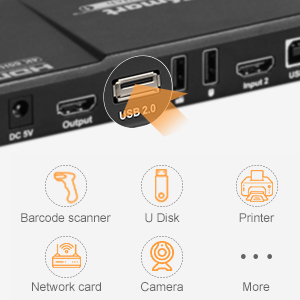
- With extra standard USB2.0 port, make it possible to connect a barcode scanner, USB hard drive or other USB devices to the KVM
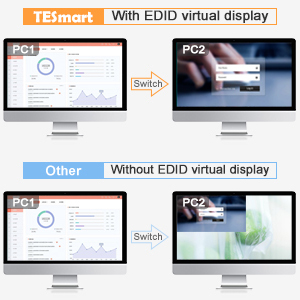
- With EDID emulator in each input port, keep PCs always having a correct display information
- Support DVI-D single link sources and displays with the use of HDMI-to-DVI adapters

| | | |
|---|---|---|
Multiple Switching MethodS
| Auto ScanSupport automatic detection of input source when connecting a new device | Multiple Operating SystemsSupports Unix / Windows / Debian / Ubuntu / Fedora / Mac OS X / Raspbian / Ubuntu for Raspberry Pi and other Linux-based systems |
| | | |
|---|---|---|
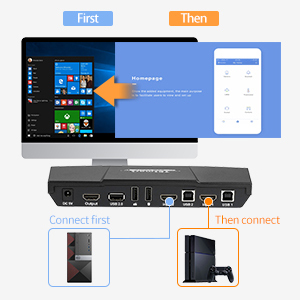
Extra USB 2.0 PortWith an extra USB 2.0 port, make it possible to connect scanner, printer, USB hard drive, or other USB devices to the KVM as your requirement. | with EDID EmulatorWith EDID emulators on each input port, keep computers always having the correct display information. | Switch with Mouse GestureQuickly switch between two computers with mouse gestures. |
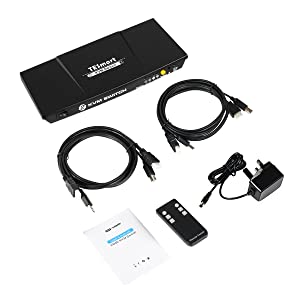
Packing List
1* 2x1HDMI KVM Switch
1* DC 5V Power adapter
1* IR Remote control (not include battery )
1 *User manual
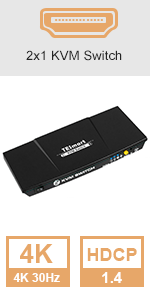 | 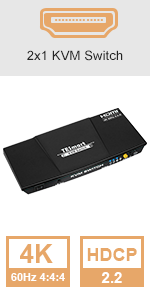 | 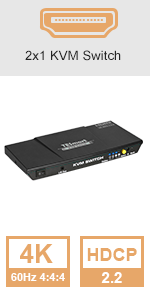 | 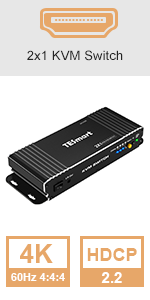 | 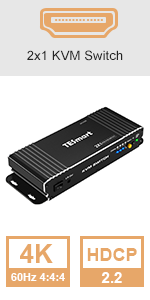 | |
|---|---|---|---|---|---|
| Resolution | 4K@30Hz | 4K@60Hz | 4K@60Hz | 4K@60Hz | 4K@60Hz |
| Input x Output | 2 in 1 out | 2 in 1 out | 2 in 1 out | 2 in 1 out | 2 in 1 out |
| Keyboard and Mouse Pass-through Mode | × | × | ✓ | × | ✓ |
| HDR 10 | × | ✓ | ✓ | ✓ | ✓ |
| HDCP | HDCP 1.4 | HDCP 2.2 | HDCP 2.2 | HDCP 2.2 | HDCP 2.2 |
| Dolby Vision | × | ✓ | ✓ | ✓ | ✓ |
| Data Rate | 10.2 Gbps | 18 Gbps | 18 Gbps | 18 Gbps | 18 Gbps |
| EDID Emulation | ✓ | ✓ | ✓ | ✓ | ✓ |
| Material | Aluminum Alloy | Aluminum Alloy | Aluminum Alloy | Aluminum Alloy | Aluminum Alloy |
| Weight: | 260 g |
| Brand: | TESmart |
| Model: | HKS0201A20-UKBK |
| Colour: | Matte Black |
| Batteries Included: | No |
| Manufacture: | TESmart |
| Colour: | Matte Black |
A brilliant piece of ki
Excellent little switch, now both my laptops can utilise my one screen, mouse and keyboard.
No more messing around with cables.
very impressed
Works as described
Provided cords could be longer. Lights should be a lot dimmer.
Otherwise works like a treat. Gaming mouse works including special functions if software installed on pc. Mechanical keyboard all works (no software all built in). Scroll scroll Pg up to switch always works.
Have had 2 occasions where switching hasn’t worked, both relating to laptop, quick unplug and replug of cords solved issue. Twice in over 45 days of continuous use isn’t an issue as far as I am concerned and think this is probably more of a laptop issue than switcher.
Speakers work great switching when pc switches, just wish there was a jack on front and back of unit.
Haven’t bothered with remote and with 2 switch it doesn’t make sense as quick key to change is quicker and easier. Remote makes loads of sense with +2 pc where you would want to pick and choose.
The device disconnects randomly USB ports: keyboard and mouse.
The first device after a while started disconnecting random USB ports: keyboard and mouse, I have to restart KVM all the time which was annoying.
The KVM has been replaced by TESmart for a new working device, so I leave a good review.
Excellent KVM Switch
Have had this now since the end of May 2020 and it has been brilliant. I play all my games from one machine in 4k at 60Hz through it no problem at all and switch to my laptop to work in 4k also. Have had absolutely no problems with it. The only small issue I had was that the keyboard and mouse usb on the device doesn’t work well with wireless keyboard and mice but if you plug a usb hub into the usb port on it, everything works fine without issue.
Missing cables.
Package didn’t come with KVM usb or hdmi cables between KVM and PC
Brilliant solutio
Does what it does really well, hooked up my 2 machines to a Philips 34″ Curved 3440×1440 monitor, Corsair Gaming Kb and Logitech G402 mouse, using keyboard shortcuts to switch, no need for the remote and can tuck away the box if needed.
Great but limited mouse/key setup
First of all, this switch is rather well-built and having the remote control can be very handy for some use cases.
It only has *3* USB ports for peripherals though and 2 of them are reserved for mouse+keyboard. These slots will not work for some peripherals, like a webcam, and need to be used if want the keyboard shortcut/gesture features.
While 1 generic USB port is mostly reasonable, any “unusual” keyboard signals might not work through the dedicated keyboard slot (such as playback/volume controls), which is important if you have media keys, macro keys or a programmable (mechanical/gamer) type of keyboard.
This effectively means that if you have an advanced/unusual keyboard and want to retain its features, you need to use it on the generic slot and basically only have the dedicated mouse+keyboard USB slots for your mouse, that may not work for other kinds of devices.
So, for some cases this switch needs to be coupled with a 3/4 slot USB hub in its generic slot in order to be flexible enough, so be advised. If it had 2-3 generic slots it would have been much better as you wouldn’t need an extra device and extra cables.
Very impressed
Been after one of these for a while and saw a review on YouTube and took the decision to buy one. Very easy to set up, as always, cable management has to be sorted out. Well made and has a feel of quality about it. Didn’t bother with the remote control.
A decent DisplayPort KVM at this price poi
This KVM is pretty good at this price point. However, I did return for refund….
I purchased this to replace another DisplayPort KVM that was USB bus-powered, which meant it did not have enough ‘oomph’ to power my backlit keyboard. I can use this other KVM by disabling mouse emulation and attaching a powered USB hub for the mouse and keyboard in the mouse USB socket. It’s not great, I was looking for something better.
The TESmart looked promising, as it had its own power supply. I went one step further and asked the vendor if my specific keyboard was supported, before purchase. A promising start when it arrived, my keyboard sprang into life, however, the media keys were not mapped, given my keyboard was standard it would almost certainly work fully. This was frustrating, as this again would mean bypassing the specific keyboard port for my setup, which left me in no better position than I was. To be fair to the vendor, my ‘is my keyboard supported’ question was probably not specific enough.
Given I had purchased the KVMs in the other order I probably would have the TESmart sitting on my desk at the moment. It is a well-constructed unit and certainly does not seem to have any issues with display switching.
Given my existing KVM had more or less the same issues, I plumped to keep the existing one with all its faults – ‘better the devil you know’.
Whether it’s this particular price point or for all KVMs in general, I am beginning to believe that there is no such KVM that can emulate anything other than a standard keyboard layout. For those not ‘in the know’, the emulation is important if you wish to be able to use ‘keyboard hotkeys’ to control which PC is currently using the display, mouse, and keyboard. Of course, all these KVMs offer other switching methods.
Great bit of kit - able to effortlessly share KVM AND webcam
I bought that to be able to share my keyboard, mouse and screen between my home PC and my work laptop. But just as importantly, I was looking for a KVM which would also support a Webcam so that I could also share that between the two devices. For reasons I won’t go in to here. the keyboard and mouse USB ports on a KVM are dedicated to that purpose. And so to support a webcam you need an extra, generic, USB port. This one had one which was the reason for my purchase.
I’ve installed it all today and it worked perfectly first time. I can effortlessly swap all those peripherals between my two machines.
It’s also a neat bit of kit, it looks tidy on my desktop with all cables fitting to the rear. And it has a simple switching mechanism (and useful indicator lights) between connected devices.
For those reasons I highly recommend this product.
I assume that as the third USB is generic, by simply adding a USB hub you could share other devices at the same time (such as storage media) but I have not tried this.
Highly recommended.
5.0 out of 5 stars Nice piece of kit, does the job.
Very simple to set up. No issues so far. Switches quickly between desktop PCs. (Win 10 and Linux) Nice design, looks good on desk.
Great little KVM switch - and looks good too!
I was looking for KVM switch with now working from home and getting fed up with the mess of cables around my desk and need to keep swapping cables to switch between home and work computers. Looked at several KVM switches ranging from much cheaper to more expensive. The seller was very helpful in answering questions as many of the cheaper alternatives always seems to be lacking in something or had mixed reviews. Glad I went with this one. The package has all the cables needed and a power pack (some don’t have that and rely on power from USB) and was easy to set up — so intuitive you won’t need the decent manual and I had everything set up within minutes. Lots of options to manage and control, the switch could even be put out of the way under a desk or out of reach. I’ve found the key-combo simplest for me, but you can use mouse or even hit a button on the box. Not sure I’ll ever use the remote control though, maybe useful if connecting games machines or similar I suppose? Switching between computers takes 2 seconds which seems reasonable, and I experience no lag in using keyboard or mouse and no degradation of screen image. It has nice metallic case that does not feel cheap or nasty, liked the option for a coloured case, makes a change from all the other black boxes. It’s a very small and discrete size, which could sit anywhere without taking up space — mine lives under my monitor stand so keeping desk clutter down even more. One feature I really liked and was a key factor in getting this one is all the input and output cables are at the back, keeping clutter to a minimum and gives more freedom for placement, though the audio socket is at the front, which would be useful for headsets. There is one ‘spare’ USB input socket (assuming you have separate inputs for your mouse and keyboard) which is useful for connecting to other peripherals you may want to share. I have a USB hub there that connect speakers, webcam and a few other things so these also available to both computers. All in all, highly delighted in this product in terms of functionality, build and aesthetics and would highly recommend to others looking for a KVM switch.
Brilliant piece of kit.
Brilliant piece of kit which included HDMI and USB cables from it to the pc’s. Strangely it didn’t include a cable from it to the monitor. However I was amazed at the superb quality, the excellent functionality and great value. If you need to operate two pc’s on one monitor this is the perfect answer.
Product is exactly what I was looking for. Stuck it below my desk to hide all the wiring. Functionality is great!
Product is exactly what I was looking for. Stuck it below my desk to hide all the wiring. Functionality is great!
Easy set up.
My monitor is a TV so can only give review based on my set up. Needed an extra HDMI to HDMI cable for laptop to TV also an adapter for the laptop (USB to HDMI). The instructions are reasonable, and the switch works well. The extra USB port and headset jack point are useful when using Microsoft Teams. As others have stated it works with a mechanical mouse and keyboard but cannot pick up the configurations for my GS10, although this is an older keyboard now. This however cannot be blamed on the switch, just something to bear in mind if your set up is configured for gaming and macros, something I will overcome with a mini keyboard plugged direct to my main pc. Overall, it does what it says on the box and way better than others that I have tried and returned. When working from home the positives far out way the negatives where this KVM switch is concerned.
Works like specification describes
Don’t hold your breath even though you are ording this from amazon.co.uk, this thingy is shipped from China.
Easy installation, good manual and works as described.
Changing hot-key on the keyboard started the beep sound on the KVM, had to turn it off. Back on new hotkey worked.
I have Microsoft Sculpt with a small USB key, that I need to insert to the backside of KVM, maybe not optional if keyboard/mouse is too far away.
Works well. B
Bought to present my laptops to a single screen. Works well. Responsive. It’s unobtrusive as it should be.
Shared devices in USB are seamless. Using one as a charging source is a bit weak..
Mechanical Keyboard Software, Great little Box
Keyboard: Logitech G910
Monitor: Samsung U32J59x
Resolution: 3840×2160 Refresh Rate 60Hz 4K
Running on HDMI 2.0 I get 60hz@4k Res of 3840×2160.
Mechanical Keyboards are supported. Yes, and No. The keyboard works without issue including the use of Hotkeys for switching, however the Keyboards software does not see the Keyboard via the normal Keyboard Connection Port.
I bought this model as the Manufacturer did say the Mechanical Keyboard would be supported and in all Fairness, the hot switching does work as advertised, just not the Keyboards software which I don’t believe to be flaw more of a feature that would be nice to have.
Good 4 port kvm for the money
Sturdy, well laid out product, easy install and good remote. I have not stressed the video capabilities but works fine with my home office setup.
Solid little device
Works with a USB hub and switches all the devices. No issues with my mouse, keyboard, headset and camera.
Looks and feels robust.
I’m ignoring the remote, as I don’t need it, it’s still in the box.
Simple set up
About 2 minutes to connect up and get working; first day of use and it seems fine. Takes about 2 – 3 seconds to switch which is OK for my requirements which is to switch between a work and home laptop. The good thing is that the two input cable pairs are supplied. There is no battery supplied with the remote so I spent more time searching my garage for a CR2025 than it did to set the KVM swith up.
Audio is fine too but I not tried hot keys yet (I’m not sure I will need to)
All in all it seems a good buy, not the cheapest but but a fair price for me.
I will provide an update if I have any future problems.
Is working, after a bit of effo
It’s a neat little box and I’m using it now – but I did have some problems: it has 3 USB sockets on the back, for keyboard, mouse and any other device but I’ve tried three different keyboards and mice and none of them work in the dedicated ports; I had to use the generic one. The first – a wireless keyboard + mouse (with one USB dongle) -didn’t work too well; the mouse movement became very laggy. It was a horrible keyboard and I was getting fed up putting batteries into the mouse every couple of months anyway, so switching to a wired keyboard and mouse was no hardship – but because I now needed two USB ports I had to plug a USB hub in as well. I don’t think the hot keys are working to switch between machines and I haven’t tried the R/C – but I don’t care; there’s a button on the device to switch and I really don’t need any of them. Video is rock solid (I’m using HD, not 4K), it was one of the cheaper options available and I’m reasonably happy with it all now – but I’ve dropped a star for not working very well with a wireless mouse, and the keyboard/mouse ports not working.
Made my WFH life so much easie
Build quality is fantastic, visual quality is perfect. I’m s little confused by having a USB port to share a device, but all in, it’s a great device.
Works as expected perfect fit for joining 2 devices
Works as advertised. I combined 1 mac and 1 pc under the same key/mouse/monitor combo. U dont need extra cables
Compact KVM
Takes about 3-4 secs to switch but works well . Not used the RC
Excellent KVM
Got this to replace another KVM I got cheaply and what a difference in picture quality for starters, plus works well with my cordless keyboard and mouse and supports sharing a printer or any other usb device. The only downside is that you only get 2 set of cables.
Great little KVM
This works a treat and allows me to run four different devices on my desk. They will probably need to be selected when they boot to pick up the video details, but other than that this is a greta little product. Using it with Raspberry Pi 4, PC, Jetson Nano and a Pine 64…
Decent piece of ki
Good piece of kit.
– Has a USB slot so you can share wifi keyboard and mouse.
– Supports extended screen on Mac without issue.
– Picture quality is great – no issues with my gaming rig.
– Easy to set up
Remote does not come with batteries included. (Not an issue for my use case but may be something to note if your use case is different).
Overall decent piece of kit.
Effective and easy to use
KVM switch works well with only a small delay (1 or 2 secs) to switch between computers.
Picture quality, sound, keyboard and mouse all work as they should.
Note that sound is from HDMI connection – there is no separate connection for sound input.
A bonus is that all the HDMI and USB and power connections are on the back panel so if you have it sitting on the desk below the monitor (as I have) then there is no tangle of cables as would be the case with some other KVM switches that have connectors on both front and back edges.
This switch also has a separate power supply so it is not dependent on power from the USB connections and it works even if only one of the connected systems is powered up.
Not used the remote. simpler in my case to just press the switch.
Just works!!
Very impressed with this. I bought this (Oct 2019) to replace a Belkin Flip VGA KVM, as my home setup had changed and no matter what I did, I couldn’t get the Flip to work successfully. No such issues with the TESmart 2×1 HDMI KVM Switch HDMI 4K 3840×2160@60Hz 4:4:4 with 2 Pcs 5ft KVM Cables Supports USB 2.0 (putting this here as Amazon seems to mix up reviews with other devices).
My set up has become slightly complex:
Late 2011 MacBook Pro (13″) with a Mini Thuderbolt connection (converting to VGA for the Flip worked fine).
Dell Latitude 5490 connected to a Dell D6000 Docking station. (This never worked with the Flip, no matter whether I used Display Ports of HDMI (converted to VGA); the dock always defaulted to 640×480 without any options; Displayport were unable to help).
Fujitsu L22W-7SD (ancient VGA/DVI) Monitor
Logitech K800 Kbd and MXMaster 2S mouse, both via a single USB dongle.
Despite a variety of adaptors, alternative cables etc., there was no way my Flip KVM could give me the functionality I wanted.
I also operate my setup within a purpose built but restrictive cabinet, meaning that I wanted to hide the KVM away and have a remote control to switch outputs, limiting my options.
The TESmart arrived on time, I provided the required battery to the little IR Remote, plugged all the cables in (using many that I had used with the Flin unsuccessfully) and hey presto! Everything has worked faultlessly ever since.
Day 3 of using the TESmart and I haven’t a single complaint. Well, I can’t get the hot key switching to work (yet), but they may be down to the type of keyboard I am using.
Very happy customer. Well worth spending the tiny premium to buy a decent KVM that ‘just works’!
Update: have added keyboard switching instructions from the manual as someone was asking how it is done (and the manufacturer doesn’t make the user guide available for download on their site)
2nd Update: I’ve added a further grab of hotkey instructions for the questioner asking how to turn off buzzer in the absence of a [ScrollLock] key.
I had got the HKS0201A20- Black model...Item as described ...Good quality KVM Switch+HDMI connection ...serves the purpose as described...Good Packaging and accessories provided ...also good TESmart support team ...Recommended
I had got the HKS0201A20- Black model…Item as described …Good quality KVM Switch+HDMI connection …serves the purpose as described…Good Packaging and accessories provided …also good TESmart support team …Recommended
Haven’t rated the remote control as I’ve had no need to use it yet.
Setting up was easy once I purchased some longer HDMI & USB cables (I needed 5m ones), Two pairs were supplied in the box but are only 1.5m long.
Once set up (only took a matter of minutes), All you have to do is press the button on the front of the box until you have selected the PC that you want to control. Works VERY well, No complaints.
Was after one of these as I am working from home a lot and want the ability to use both my work pc and home of on the same setup.
Works flawlessly, now I have one quick flip between the 2.
So much tidier and quicker. Very impressed
Just gave the manual a brief glance, as it’s obvious where everything plugs in. Takes maybe 2 seconds or so to switch, which is fine for me. Remote takes a 3V Lithium cell, CR2025, and is handy if you want to tuck the box away at the back of a desk. Approx 20cm wide, allow 15cm for depth with cables plugged in at the back. Sharing a Microsoft desktop set via the dongle plugged into the box’s keyboard USB slot, and sharing a portable SSD drive via the USB slot. USB is only 2.0, but is perfectly usable unless you really need the extra speed of USB3. Highly recommended and a bargain at the price.
Recommended
I spent some time shopping around for a KVM box that would give 4K, flicker-free performance and I am pleased to say this does the job. A nice, low profile too.
TESmart 2-port HDMI KVM switch
Arriving in a nice compact box, the TESmart KVM switch is a good-looking compact unit with a nice array of ports on the back and a nicely laid-out front with informative pretty blue led’s indicating ‘Online’ and ‘Selected’ status, a port ‘Select’ button and a stereo audio output.
Included are the wall-wart power pack, infra-red remote and a pair of perfectly acceptable composite HDMI/USB cables (the latter USB-A at one end and USB-B at the other).
The unit was tested with Dell and HP 2K displays and a Dell U2515H 2560×1440 display, switching between a MacBook Pro (2018 model) and a Dell Latitude 5290 (the latter both with and without a Dell USB-C dock), an Apple wired keyboard and a Logitech G700s wireless mouse with dongle.
In use the unit performed quite well with a couple of provisos. The MacBook Pro is USB-C only and has no HDMI output so was tested with an economy USB-C to HDMI/USB/CF/SD adapter, a Lenovo composite USB-C adapter with ethernet support and finally Apple’s own USB-C to HDMI/USB adapter. With the other adapters occasionally producing a screen full of snow on switching the best results by far were with Apple’s own adapter. Being a fan of Apple products I also use an Apple keyboard and discovered that the ‘official’ keyboard port does not recognise Apple keyboards but when plugged in to the auxiliary USB port the keyboard works and switches perfectly. The penalty is that the ability to switch ports via the keyboard is lost. This is where the remote control comes in to it’s own as using it you don’t have to reach across the desk to push the ‘Select’ button. The lack of an included battery isn’t a big issue (it’s a common low-cost type) but could be mildly annoying when setting up if you need the remote and don’t have one to hand. Fortunately, I did have one!
The mouse performed flawlessly with the dongle plugged into the mouse port on the switch with no apparent lag even at the higher resolution and reporting settings of which the G700s is capable.
I should comment on the very loud beep the unit makes when switched on and switching ports as it has been noted in a few reviews and was a concern to me when considering the TESmart as I intended to use it in an open office. This is not, repeat NOT an issue. A couple of keystrokes involving a function key and the beep is disabled. If you have an Apple keyboard you will need to borrow an ordinary PC keyboard temporarily. Once off, the beep-on-switch will remain off apart from a brief beep when the unit is switched on. RTFM, folks!
Remaining untested are the audio outputs and the ‘fast switching’ which flips the ports when the mouse points gets to the edge of the screen. I had no need of the former and found the latter to be a mixed blessing however for my purposes neither detract from the usability of this kVM.
In summary, I am pleased to have purchased this KVM and it has been an absolute boon in my daily use as a Data Migration specialist where a couple of laptops and several screens are a must. My desk is far tidier as a result.
Pros
Good robust unit, sits well on desk.
Cables fit for purpose.
Remote control more useful than it looks.
Good stable image quality.
Switch speed good.
Does what it is supposed to.
Cons
Short PSU cable (only about 1 metre).
Loud beep on switching (BUT see text).
Limited Apple Keyboard support.
No battery included for the remote.
The usual disclaimer: I have no affiliation with the seller and have received no remuneration for this review. I am a satisfied customer who is pleased with the product and very pleased with the responsiveness and help from the seller’s support team when I have had need of it.
Probleme clavie
Bonjour, parfois les touches ALT ou Control ne passent pas… je dirais 5% du temps. Tout le reste marche nickel.
Y’a-t-il une option a regler?
Only had this product for a week but my first impressions are very good. Its case is metal case, with clear legends and the LEDs make clear which devices are powered and to which the monitor is currently connected . The device is around 20mm high and 300mm wides and fits between the legs of my monitor making a tidy setup with easy access to the controls. I particularly like the front mounted power switch so I can turn it off when not needed. So far the KVM switch works flawlessly with my mixed WIndows and Linux setup.
I bought a cheaper kvm initially that when switching actually disconnected the video and usb ports so when you returned to it all your open windows had moved, this doesn’t do that, everything is exactly where you left it. So far has worked flawlessly.
Does what it says on the ti
I have gone through a few KVMs in my time and this one did exactly what it says in the description, straight out of the box. The features are great and just what you would want. The only downside is the USB input for the KVM is 2.0 instead of 3.0. If they updated the USB to 3.0, it would definately be a 5 star product.
Bought this to make use of my main KVM from my work laptop. Worked 1st time after hookup. No more squinting at a tiny laptop screen or getting RSI from the mousepad.
Well recommended.
Works that well that i am returning it as I now need more than 2 ports…
Decent Small KVM Switch box
Good points:
– Well built. Sturdy metal construction and I like the red top!
– Comes with remote to switch inputs.
– Small and light. Much smaller than I expected.
– Fast switching (sometimes, see below).
Not So Good:
– If you stay on one connection too long (over an hour) and then switch to the other connection it takes 1-2 seconds for the keyboard to become active.
– Light. As it so light it moves easily even when you shift the cables slightly.
– My Mac Pro won’t boot (gets stuck on the white screen) if I reboot with the KVM connected. I need to disconnect the cable to the Mac and reconnect when it has booted up.
– Annoying blue lights!
I had a different ‘cheap Chinese’ 4 port KVM from another company. This stopped working with my intel NUC after a firmware upgrade. I think it’s to do with the HDMI protection signals not being passed.
Anyway, I searched around for a replacement and found this one. I works straight out of the box. The only slight downside is that it needs to be plugged into a PSU for power, my previous KVM could be powered by one of the USB ports OR PSU.
Im not working with 4k, but with a LG ultrawide monitor, but all is good with the PCs interacting with the monitor, and during switching.
Very happy with the product.
TESma
Works great, tells me which computers I’ve got on and connected and which I have selected.
Works like a dream, easy to setup, and DOES handle gaming pass through 3840×2160 to an LG Ultra HD 32″ Screen. Switches seamlessly between three PC’s and 1 Mac. Construction quality feels good when the metal boxed unit is picked up. All in all an excellent purchase and well worth the money. Quite the best there is. Buy it if you need a first class HDMI 2.0 KVM.
A Grey box that works well.
I just got this and put it on my 34inch ultrawide lg and it worked straight out the box I am running 4 machines and it switches between pcs without a issue, I was a little sceptical at first given I don’t know the name and the fact it comes in a plain white box, so far I am impressed so I give it a 5 star rating
Works like a dream. Looked at cheaper options but really pleased I went for this I one. Plugged in desktop and laptop to single keyboard, mouse and shiny new 28 inch 4K monitor and smoothly switches between the two preserving display layout. Switching via hot keys or button smooth too.