VIVE Pro 2 Full Kit (Windows 8)


| Dimensions: | 57 x 38 x 22 cm; 3.2 Kilograms |
| Model: | 99HASZ002-00 |
| Dimensions: | 57 x 38 x 22 cm; 3.2 Kilograms |
| Origin: | Taiwan |
| Dimensions: | 57 x 38 x 22 cm; 3.2 Kilograms |
| Model: | 99HASZ002-00 |
| Dimensions: | 57 x 38 x 22 cm; 3.2 Kilograms |
| Origin: | Taiwan |
Making it easier for you!
i found it really hard to configure my tracker. so i decide to write a list to help you!
1. Unbox the VIVE Tracker 3.0
Carefully remove the VIVE Tracker 3.0 and accessories from the packaging.
Ensure you have the tracker, USB dongle, USB cable, and any necessary mounts.
2. Charge the Tracker
Use the USB Cable: Connect the included USB cable to the VIVE Tracker 3.0.
Plug into a Power Source: Connect the other end of the USB cable to a power source or directly to your PC to charge the tracker.
Charge Indicator: The LED on the tracker will indicate the charging status (orange while charging, green when fully charged).
3. Install Steam and SteamVR
Download and Install Steam: If you haven’t already, download and install Steam from Steam’s official website.
Install SteamVR: In Steam, search for SteamVR and install it. This is necessary for using the VIVE Tracker.
4. Connect the USB Dongle
Locate the USB Dongle: The VIVE Tracker comes with a USB dongle and dongle cradle (optional).
Plug in the Dongle: Insert the USB dongle into an available USB port on your PC.
Use the Dongle Cradle (Optional): If using the cradle, plug the dongle into the cradle, then connect the cradle to your PC via USB.
5. Pair the VIVE Tracker 3.0 with SteamVR
Launch SteamVR: Open Steam and launch SteamVR from your library.
Access Devices Menu: In SteamVR, click on the small arrow next to “SteamVR” in the upper-left corner to access the menu.
Select “Devices”: In the dropdown menu, select “Devices” and then “Pair Controller.”
Turn On the VIVE Tracker: Press and hold the Power button on the VIVE Tracker 3.0 until the LED starts flashing blue.
Pairing Mode: The tracker should enter pairing mode, and SteamVR will search for it.
Complete Pairing: Follow the on-screen instructions to complete the pairing process. The LED will turn solid blue once successfully paired.
6. Attach the Tracker to Your Desired Object
Use the Mounting Options: Attach the VIVE Tracker 3.0 to the object you want to track using the provided mount or any compatible accessory.
Ensure Stability: Make sure the tracker is securely fastened to avoid any movement or detachment during use.
7. Test the Tracker in SteamVR
Open the SteamVR Dashboard: Check the SteamVR dashboard to ensure the tracker is recognized and tracking properly.
Calibration: If necessary, calibrate the tracker within SteamVR or your specific VR application to ensure accurate tracking.
8. Configure in Your VR Application
Open Your VR Game/Application: Launch the game or application where you intend to use the VIVE Tracker.
Assign Functions: Map the tracker to specific functions or roles within the application as required.
9. Monitor Battery Life
Check Battery Levels: Keep an eye on the battery indicator in SteamVR. The tracker’s LED will turn red when the battery is low.
Recharge as Needed: Recharge the tracker when necessary by connecting it to your PC or another power source via USB.
10. Enjoy Enhanced VR Tracking!
You’re now ready to enjoy your VR experience with the VIVE Tracker 3.0, enhancing your immersion by tracking additional objects or body parts in the virtual environment.
Elevating Virtual Reality to New Heights!
Greetings, fellow adventurers of the virtual realm, for today we embark on a journey through the wondrous world of the HTC Vive Tracker 3.0 — a beacon of innovation that promises to redefine the boundaries of virtual reality as we know it. Prepare yourselves for a review that delves deep into the intricacies of this technological marvel, leaving no stone unturned in our quest for enlightenment.
Let us begin by marveling at the sheer quality and precision of the Tracker 3.0. With its sleek design and unparalleled accuracy, this tracker is a true testament to the ingenuity of modern engineering. Whether you’re engaging in high-octane virtual sports, immersing yourself in the latest VR blockbuster, or simply exploring the vast expanse of digital landscapes, the Tracker 3.0 delivers a level of immersion that is second to none.
But the true magic of the Tracker 3.0 lies in its versatility. With full body tracking capabilities, this device opens up a world of possibilities for developers and users alike. From enhancing your VR fitness routine to enabling more realistic character animations in games and simulations, the Tracker 3.0 is a game-changer in every sense of the word.
And let us not forget the endless potential for creative expression that the Tracker 3.0 affords. Whether you’re a professional artist looking to bring your creations to life in the virtual realm or a hobbyist exploring the boundaries of digital sculpture, the Tracker 3.0 provides the tools you need to unleash your imagination and push the boundaries of what is possible in VR.
In conclusion, dear adventurers, the HTC Vive Tracker 3.0 is more than just a peripheral — it is a gateway to a world of endless possibilities and boundless creativity. So, strap in, buckle up, and prepare to be transported to realms beyond your wildest dreams. With the Tracker 3.0 by your side, the only limit is your imagination.
First VR Produc
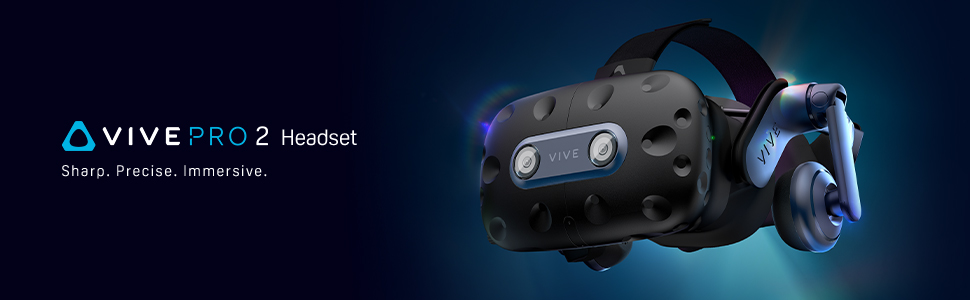
I originally bought this after looking for hours at different VR headsets. I can’t speak for others who have tried numerous headset generations and comparing to the Index but I am overall happy with the headset.
I also purchased with this headset a smaller profile face pad which increased my FOV slightly and a cable management track to help hold the cable out of the way.
The visuals are crisp, the 5k display is great, you do not perceive any screen door effect, and the high refresh rates allow for really smooth gameplay. As everyone says this does get let down by the lenses. In menus and beat saber I immediately noticed the so called ‘god rays’ although when actually playing I never noticed this as they only appear on high contrast menus (white text on black background) in HL Alyx gameplay I never noticed this. Finding the sweet spot is important in reducing artifacting and making sure the lenses are as close as possible to your eyes, which is a problem for any people such as my partner who wears glasses, they need the lenses moved further away, severely reducing FOV and increasing distortion. Contacts can help but there are some other headsets which have adjustments to allow prescription adjustments.
The tracking is also a strong point as the Vive Pro 2 comes with 2 lighthouse bases for room scale tracking which works flawlessly and allows you to switch out for any number of accessories like leg trackers, or to even swap out the controllers. I will be swapping out the controllers for the Index ones which feature finger tracking, the Vive controllers I found are not great for gaming and are clunky.
It’s difficult to say if I would have gotten the Index as in pure specs the Vive Pro 2 beats it which was the deciding factor for me. It feels very much like a push of last gen tech, and the argument for the Index Vs Pro becomes challenging, apparently the lens design on the Index is better.
I think overall this gives you the best of both worlds, if I could get this as a bundle with Index controllers I would do it in a heart beat. I will likely keep this for a few years and when the time is right and other tech has matured I will likely go down the upgrade path of the Bigscreen Beyond which should be a drop in replacement to the existing ecosystem although that headset alone at the time of reviewing is about the same cost as any leading VR kit.
Impressive
It’s amazing, much better than my nephews oculus quest by miles. The high resolution of the display makes this a dream to use. Tracking is spot on and the audio is fantastic. Running on a 6800XT, 5800X3D, 64GB RAM.
Work perfectly for FullBody VR
So first of all, I bought these in 2022 for the price of 128.99 and now they are 139. Kind of sucks but not the end of the world.
However these trackers are great, I was looking at Tundra’s VS Vive 3.0’s but couldn’t get my hands on Tundras as they were sold out (at the time). My Vive’s have been working perfectly since I bought them, no tracking issues whatsoever and always connect without fail.
I do recommend them even though trackers aren’t cheap, it changes how VR feels and once you go fullbody you can’t really ever go back to half body, it feels wrong.
Overall a good purchase.
leggies
I now have 4 vive trackers, all are great and super easy to setup, i use three for my lower body and then the fourth on the front of my quest for continuous calibration, super cool and will change ur vr experience.
Legit, best thing for VR
Incredible price, got 3 of them and it did the trick and they came in all brand new! Don’t think about if you should get these, just get them, they are incredible.
10/10
One of the best products on the market for easy full body Tracking
It’s not the most affordable but it is the most accurate for full body tracking. Can be used just in small play spaces, but would recommend buying this in larger play spaces if you have one. Three are usually required for full body tracking, so save up some money.
Great for full body tracking
Brought 4 of these to go alongside my other 2.0 trackers for full body. Well worth the investment, and last as long if not longer than the 2.0 trackers connected to trackstrap+ power packs.
Much smaller size, and being lighter weight, they’re a lot more comfortable to have attached. Just make sure you don’t have much interference in the area, and have enough usb bandwidth available.
Great little trackers!!
Not gonna lie they had my scared. They sent the 3 trackers in one massive corsair box. I thought inhad received the wrong product. But it was just the box. All of them work and are perfect working condition too
If you have the money just go for it, it’s actually incredible how much more immersive it makes you feel, apart from it being expensive its amazing I’ve managed to hit these against the walls and other things multiple times and only tiny scratches have appeared
Great so far. So sharp and easy to get setup. Upgraded from the quest 2.
My only gripe is that it’s a lot more expensive than the competition and it comes with the older controllers. The headphones are fine but not as good as the index. And the foam it comes with limits the FOV slightly.
literally have a tail, and legs.. i can dance, switch my hips, i can wiggle and jiggle and dance to my hearts content…
real easy to set up
instructions were very easy to follow, works right out the box!