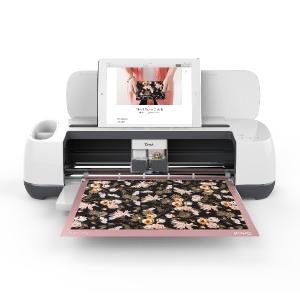
Cricut 2007004 Maker Machine, Rose
More Details About the Cricut Maker
| | | |
|---|---|---|
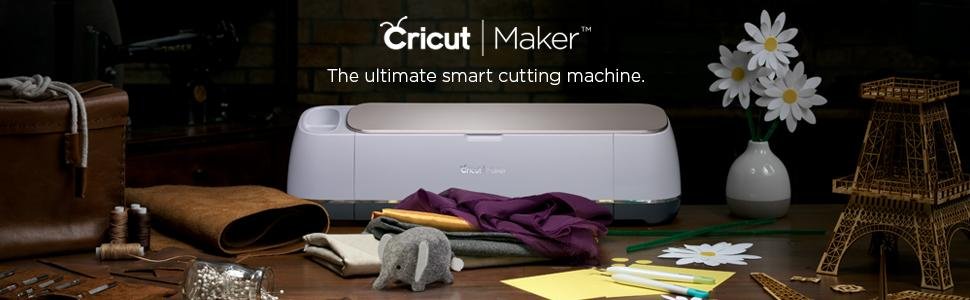
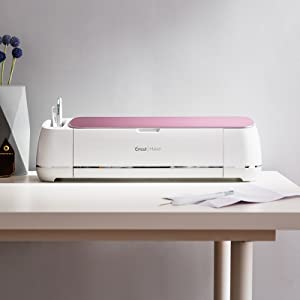
About the Cricut MakerIntroducing the Ultimate Smart Cutting Machine now available in either Champagne or Rose. With its expandable suite of tools and advanced rotary and knife blades, circuit maker gives you the freedom to make virtually any DIY project. Circuit Maker cuts hundreds of materials, from the most delicate fabric and paper to mat board and leather. It’s professional-level cutting performance, accessible to everyone. | Included in the Box
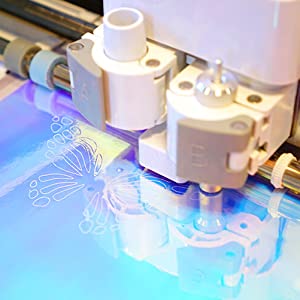
| Cuts a Variety of MaterialsCricut Maker does everything Cricut Explore can do and more. Cricut Maker isn’t just for sewing or balsa wood projects. It cuts over 300 different materials, including all the materials that made Cricut Explore machines so popular like cardstock, posterboard, vinyl, and iron-on – so you’ll never be held back! |
More Tools. More Materials. More Possibilities
| | | | |
|---|---|---|---|
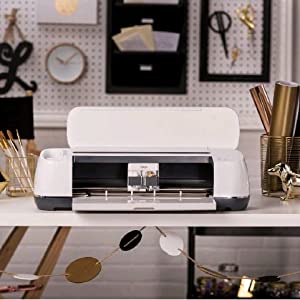
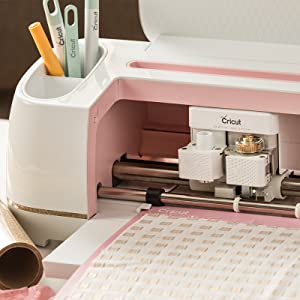
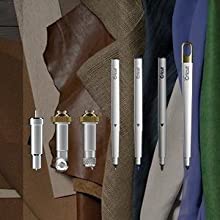
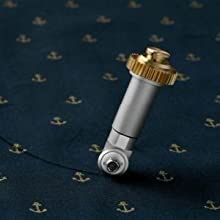
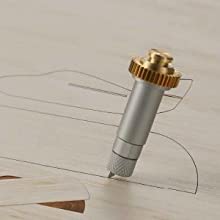
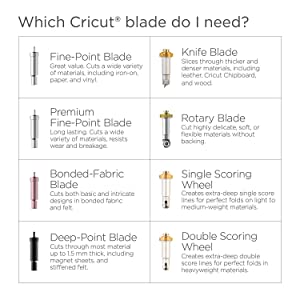
Expandable Suite of ToolsWith its powerful blades, pens, and scoring tool, Cricut Maker works with hundreds of materials, from delicate paper and fabric to chipboard and balsa. | Rotary Cutting BladeCuts through virtually any fabric quickly and accurately – without backing material. It’s also ideal for cutting crepe paper and felt. | Knife Cutting BladeWorks like an X-ACTO knife to cut heavy materials like matboard and 2.4mm balsa. | Cuts Over 300 MaterialsCricut Maker cuts over 300 different materials, like cardstock, posterboard, vinyl, and iron-on. So you’ll never be held back. |
Further Instructions
| | | |
|---|---|---|
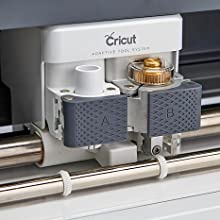
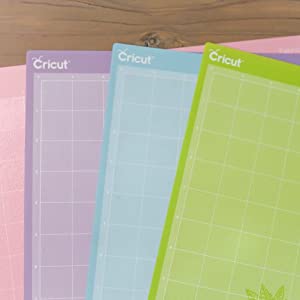
Cutting Blade InstructionsPlease check the correct Cricut Cutting Blade is inserted. Please check the Cutting Blade is inserted correctly by pushing down properly into place. The Cricut Maker Machine will tell you if it’s the wrong blade or fitted incorrectly. For further instructions on the Cutting Blades please refer to the Cricut Amazon Store Support Section at www.k4s.uk/cricut | Cutting Materials InstructionsPlease note that cutting materials is dependant on the type of material you are cutting and the size. If you choose from the front screen, it may not cut the correct material correctly, but when selecting the correct material it cuts perfectly. The blades will cut differnet materials but you have to manually select the rotary blade. Check you are using the correct Cutting Mat as suggested in the instruction booklet. Re size and proportions, and restart the machine. For further instructions on the Cutting Blades please refer to the Cricut Amazon Store Help Section at www.k4s.uk/cricut | Cutting Mat InstructionsCheck you are using a Cricut branded Cutting Mat, specifically for the Cricut Maker. Check that the Cricut Maker Cutting Mat has been inserted correctly using the arrow feed button (first button on the left) Please ensure that you do not rip out the Cutting Mat after it’s been recognised. For further instructions on the Cutting Mats please refer to the Cricut Amazon Store Support Section at www.k4s.uk/cricut |
Sewing Crafts, Simplified
| | | |
|---|---|---|
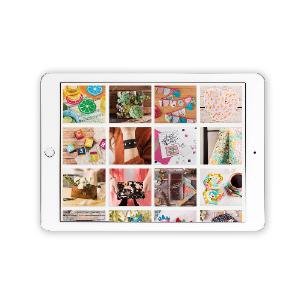
Step 1. Select a Digital PatternHundreds are available from top brands like Simplicity and Riley Blake. | Step 2. Cut all the PiecesCricut Maker cuts and marks all your pieces amazingly quickly, saving you time and hassle. | Step 3. Sew it together and you’re doneSince each piece is cut to perfection every time, you’ll get professional-quality results. |
| Weight: | 9.5 Kilograms |
| Dimensions: | 17.75 x 53.8 x 15.06 cm; 9.5 Kilograms |
| Model: | 2007004 |
| Pack Quantity: | 1 |
| Batteries Required: | No |
| Quantity: | 1 |
Ich bin schwer begeistert - ganz große Liebe
Kurz zur Vorgeschichte:
Mein Mann wurde von unseren Feunden gefragt – nachdem es bei uns blich ist, fr ein groes Geschenk zusammen zu legen – was ich mir denn wnschen wrde. Eigentlich hatte/habe ich alles aber ein Hobby-/Schneidplotter fr den Heimgebrauch stand schon lange auf der Liste.
Nach 2 Tagen Recherche, Rezensionen und Berichte lesen und Warentests durchforsten waren dann nur mehr 2 Gerte von 2 Herstellern in der engeren Auswahl und ich bin wirklich MEGA happy, dass ich mich fr den Cricut entschieden habe.
Da ich gelernte Grafikerin bin und selbst mal in einer Schilderherstellerei gearbeitet habe, ist mir der Folienplot und die Aufbereitung der Daten nicht neu, deswegen kann ich nichts zu den fertigen Vorlagen sagen ABER:
Ich glaube, es hat keine halbe Stunde vom Auspacken zum ersten fertigen Sticker (inkl. Entgittern) gedauert.
Die Software war fr mich von Anfang an verstndlich, das Einrichten des Plotters ging schnell und unkompliziert.
Ich bin wirklich verliebt in das Ding!