Focusrite Scarlett Solo 3rd Gen USB Audio Interface, for the Guitarist, Vocalist, Podcaster or Producer, Studio Quality Sound, and All the Software Needed for Recording and Songwriting
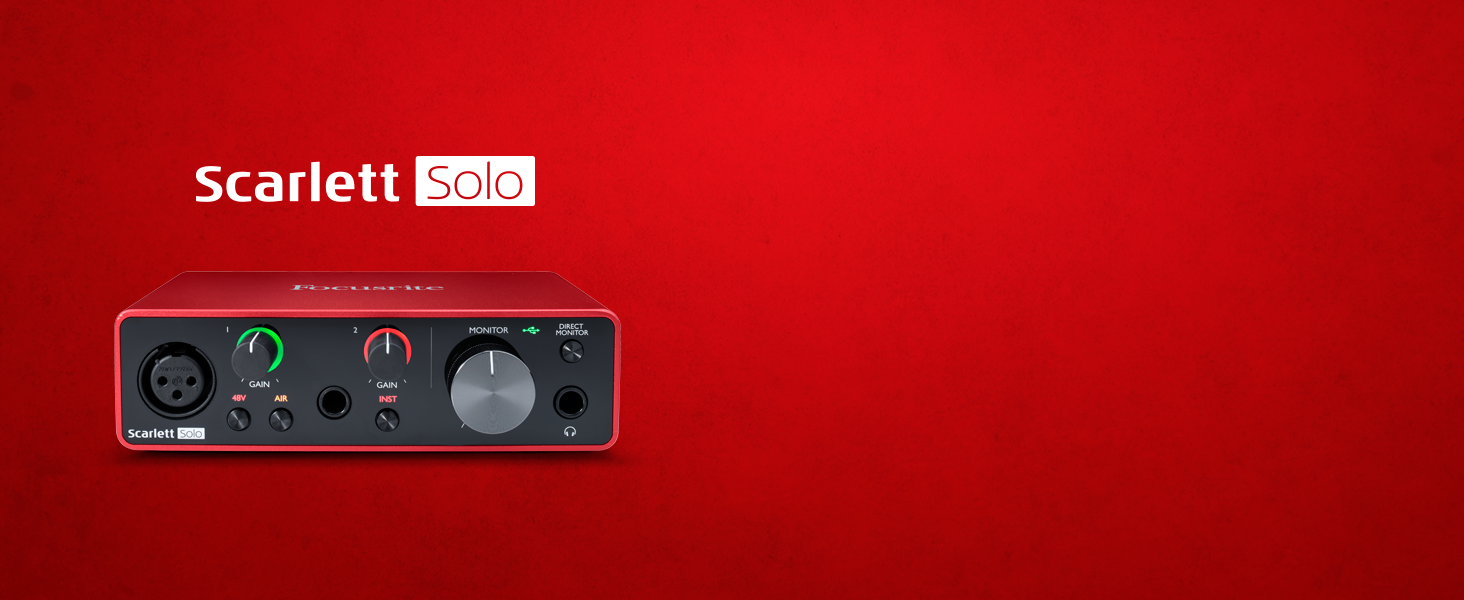
The perfect audio interface for a singer-songwriter
You’ve found the simplest USB audio interface we make. If you want to start creating studio quality recordings with your guitar, the 3rd Generation Scarlett Solo provides an easy way in.
-

The interface we’ve all been looking for
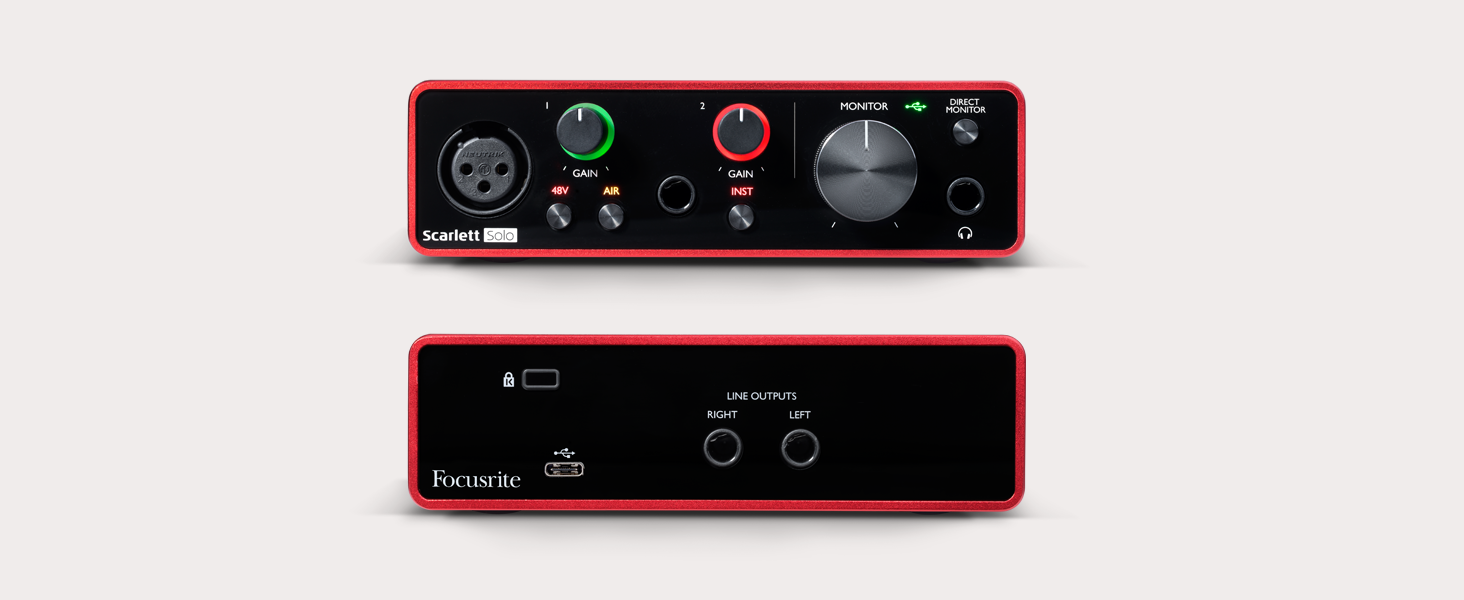
Scarlett’s most compact interface – thousands of guitar players use Solo to capture studio-quality sound every day. Capture your music anywhere by simply plugging your guitar straight in or miking up
-
The best sounding, easily
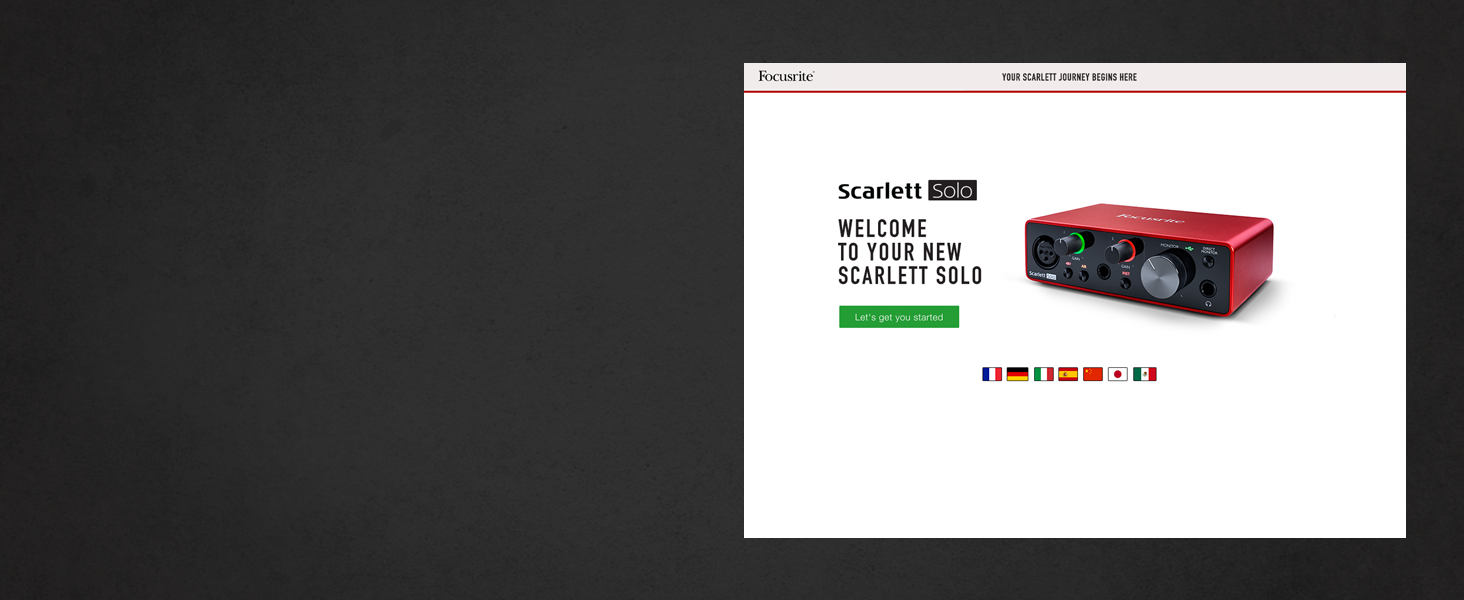
Getting studio-quality recordings at home has never been easier. Easy Start gets you set up, recording and playing back within minutes.
We’ve worried about the tech, you can focus on the music
-
Your recording is 30 years in the making
We’ve been making mic preamps for 30 years, and the 3rd Gen mic pre is the best Scarlett has ever heard. Our decades of experience mean Scarlett sounds just like you
-
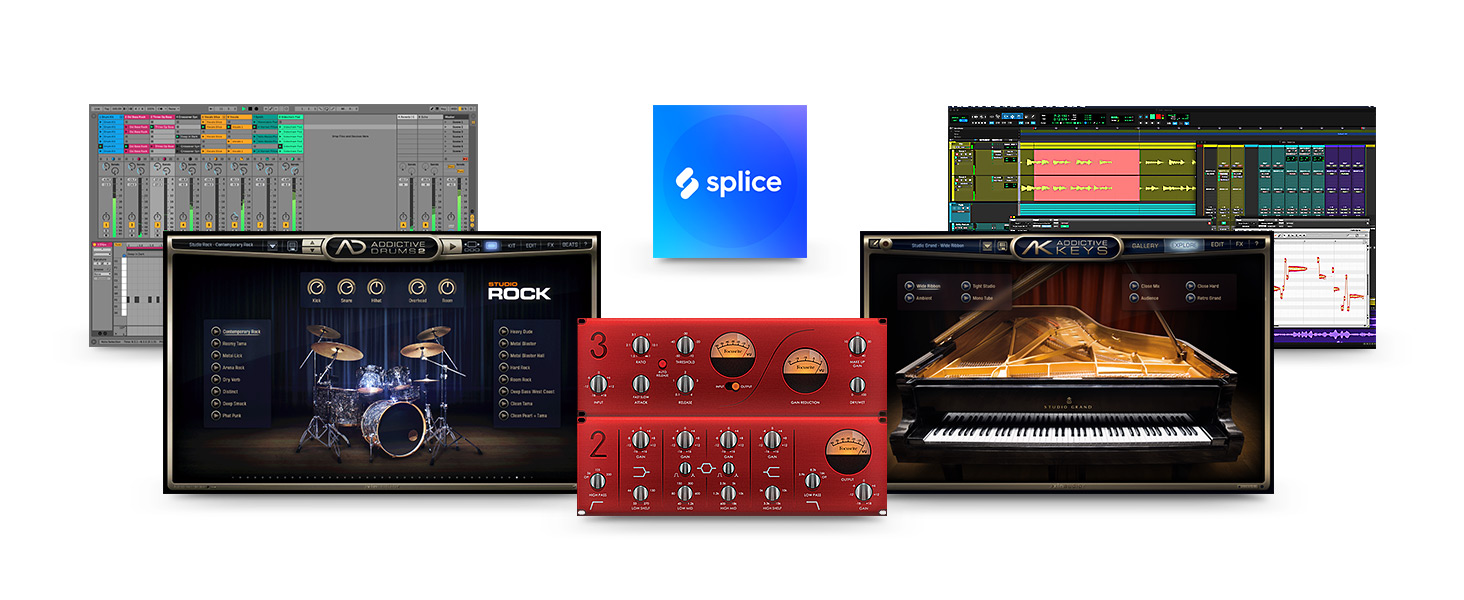
Plug-In Collective, for a lasting connection
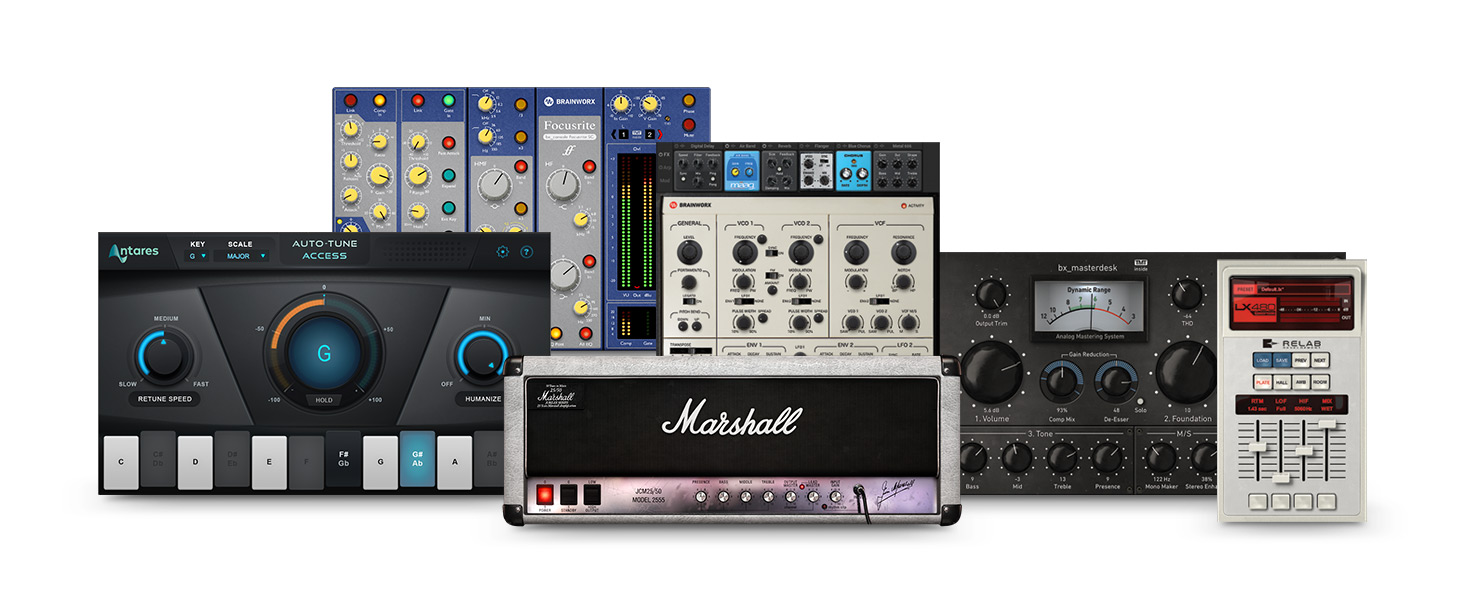
One free plug-in will be featured in your Focusrite account every couple of months, keeping you up to date with the tidal wave of releases. Nobody else works with software manufacturers like us



Comparison Chart
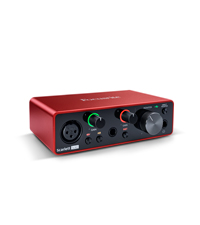 Scarlett Solo 3rd Gen | 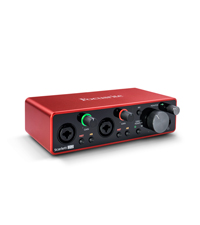 Scarlett 2i2 3rd Gen | 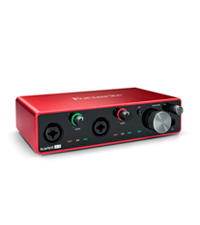 Scarlett 4i4 3rd Gen | 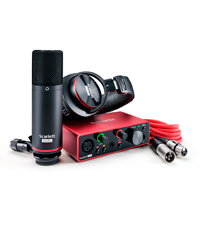 Scarlett Solo Studio | 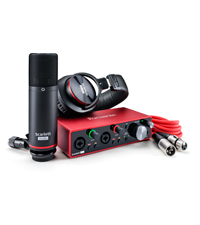 Scarlett 2i2 Studio | |
| Connectivity | USB Type-C | USB Type-C | USB Type-C | USB Type-C | USB Type-C |
| Protocol | USB 2.0 | USB 2.0 | USB 2.0 | USB 2.0 | USB 2.0 |
| Form Factor | Desktop | Desktop | Desktop | Desktop | Desktop |
| Simultaneous I/O | 2 x 2 | 2 x 2 | 4 x 4 | 2 x 2 | 2 x 2 |
| Resolution | 24-bit/192kHz | 24-bit/192kHz | 24-bit/192kHz | 24-bit/192kHz | 24-bit/192kHz |
| Number of Preamps | 1 | 2 | 2 | 1 | 2 |
| 48V Phantom Power | ✔ | ✔ | ✔ | ✔ | ✔ |
| Instrument Inputs | 1 | 2 | 2 | 1 | 2 |
| Line Inputs | 1 | 2 | 4 | 1 | 2 |
| Balanced Line Outputs | 2 TRS | 2 TRS | 4 TRS | 2 TRS | 2 TRS |
| Headphone Outputs | 1 | 1 | 1 | 1 | 1 |
| Bus Powered | ✔ | ✔ | ✔ | ✔ | ✔ |
| Weight: | 363 g |
| Dimensions: | 9.58 x 14.35 x 4.34 cm; 362.87 Grams |
| Model: | AMS-SCARLETT-SOLO-3G |
| Colour: | Red |
| Colour: | Red |
Lacking one feature that would have made it perfec
Focusrite Scarlett interfaces are perfect for Gamers, Producers and Podcasters.
This variant is the lowest entry of the line that has access to Fucusrite Control, which is really good for configuring your interface.
The feature lacking is more independent channels in rear TRS out.
its currently 1-2 (two ports) 3-4(4 ports mirrored) which is kinda dumb. would be great if it was 1-2 + 3-4 +5-6. Shouldnt have to need to spill a bit more money to get this configuration on next line up.
one of the bes
great unit been using it a while now with no problems with the unit or sound
Great little interface
Great value for money.
Use it with a pair of high(ish) ohm headphones, can drive them pretty hard.
Was able to get a nice clean signal out of an XLR microphone I have, 48V phantom power produced no noise to my knowledge, guitar signal going in was nice and clean and the ability to direct monitor my inputs was a real blessing.
Getting it set up was dead simple, just went to focusrite’s website and downloaded their driver + software for it.
Lights showing when you’re peaking on input channels is also a nice touch to help you dial in the right amount of gain.
Lastly, it looks and feels like a quality product.
Reliable improvement over inbuilt PC sound card
I use my Focusrite audio interface to replace my previous inbuilt Realtek sound card/chip in my PC motherboard.
The Focusrite stops the “burbles and sizzling” of audio anomalies which are common with PC soundcard/chips. My audio is now crystal clear.
I wouldn’t have invested in the Focusrite if I’d not been trying to run a Piano VST (Garritan CFX). Previously, with the old set up, I’d been getting the common audio anomalies which interfered with the purity of the VST.
I now also have independent use of headphone channels and audio enhancements which make the VST now tolerable.
Another important improvement is the removal of “latency” – i.e. the time taken to hear the note after the key is struck. After installing the Focusrite, I can now get more sample and buffer size options without the stuttering, or dropouts or latency issues. Everything is now immediate, so to speak. This has helped greatly with my playing.
I use my Focusrite directly linked to my PC via the USB C connection. I don’t use the “instrument” inputs on the front of the interface. My Yamaha MOXF8 connects to the PC via its own USB connection, which in effect is the MIDI channel communication too. The VST sends out the audio via the Focusrite, which then connects to my hifi. I plan to get studio monitors in time, to use as the amp/speaker output connected to the Focusrite.
I did start with a Presonus 24C but it wasn’t happy with running the VST when trying to launch YouTube content at the same time. The sound would be dumped from YouTube every time I tried to launch my VST player. I sent the Presonus back for a refund.
The Focusrite is completely stable and reliable, whatever I throw at it. It also comes with a slightly longer USB C connection lead, which makes placement of the Focusrite more conducive. The Presonus came with only a very short USB C tail, which meant it needed to sit right on top of the PC, which was inconvenient.
TIP: I would recommend installing the Focusrite USB ASIO drivers FIRST before connecting your Focusrite to your PC for the first time.
Great USB Audio Interface
I researched USB Audio interfaces and viewing the reviews on Amazon UK of other, cheaper brands, the Focusrite Scarlett range looked to be the best value for money. I decided that the Solo gen 3 was my best option. I only need one microphone and 1 guitar/line in input, so the Solo more than fits the bill. It is very easy to use and the bundled Ableton Live 10 Lite DAW software is a bonus.
Great and sturdy design and a great price. Highly recommend this unit.
No idea why people are having issue works perfectly for me
So I owned Focusrite Scarlett 18i8 1st gen Audio interface, after discord was giving me issues as well as other communication apps where the audio would crackle and sound robotic I’ve decided to upgrade my Audio Interface. So I picked up PreSonus Studio 26c and although it was great when I used DAW software, for Discord, Viocemeeter Potato and OBS it really was bad where I had issues such as my guitar and my Mic would sound mono panned left and right and it did have a DESIGN FLAW in that regard. so I got a refund from amazon which was fantastic and as soon as I got my amazon gift card amount credited I purchased the Focusrite Scarlett 2i2 3rd gen and it’s so much better not only I have no issues now with my Voicemeeter Potato but also OBS streamlabs since I’m also a streamer on twitch. The setup process was super easy so no idea why people have issues with it, and first of all, it’s common sense YOU never plug in a device before YOU INSTALL drivers from the website and after that, it worked flawlessly.
so if You’re looking for a reliable Audio Interface, you can’t go wrong with this I will update this after 3months of use as the pre-amps on the older generation were losing quality then so I will update this review when the time comes but so far very happy custome
It works!
This really is plug and go hardware. Reduces latency, sounds good, integrates with DAW nicely and it looks smart. A great small home studio addition.
Great easy to use interface - great company that provides exceptional customer suppo
Fantastic product great sound easy to use. Fantastic customer suppo
Beas
What a beast. I love my new Audio interface, the output is great, more than enough for studio recording.. Two inputs is again more than enough for my needs.. Zero detectable noise interference. Highly recommende.d
I hesitated to buy this USB interface from some of the reviews. I’m completely self-taught when it comes to home recording and have always struggled to get stuff to work the way it should! I absolutely loathe trial and error, but, unfortunately for me, it’s the best way to learn.
For the last few years, I’ve used a Lexicon Alpha USB interface in my home studio and the learning curve was never-ending; the latency SUCKED and I could never seem to fix it regardless of anything I tried (and I tried EVERYTHING!) My home recording schedule is only getting busier, and so I finally decided to upgrade to the Scarlett 2i2 and take the plunge.
READ THE REVIEWS FIRST THOUGH! You may be tempted to plug it straight into your computer. DO NOT! Download the Focusrite Control software from the company website. Takes a few mins but it’s SO worth it. Your PC will reboot and the software will open automatically saying ‘no device connected’ or words like that. Now you can connect your interface and set it up following on-screen instruction.
Just to give you an idea of how good this thing is and how easy it is to use – today I recorded three whole songs-worth of guitar.. boof!.. just like that. No messing about re-starting my DAW and dealing with latency.. It just works 10/10.
Absolutely brill. Love it.
Solid produc
Good product for a solo worker. I just use it with my Daw, Mic and speakers.
Quality British produc
After watching a load of reviews on home recording I settled on this scarlet 3rd gen and it’s been great. Super easy to setup, solid construction and excellent sound quality. Use it for playing my guitar and keyboard through ableton and listening to Spotify. Quality British produc
Excellent budget audio interface.
Bought to replace a previous 1st gen Scarlett. Plenty of expert reviews so check those out before committing but I am very happy with Focusrite gear and can recommend it to anyone wanting a simple good quality interface. My only criticism of the 4i4 is that in reducing the footprint the output volume knobs and headphone socket are now slightly too close together for comfort – otherwise fine, and I do like the software control. I note that some folk have had problems with driver/software installation but I had no such problem. I did get a corrupt driver but I believe that is because of the previous installation. If you are upgrading I would strongly recommend a full uninstall of previous drivers first.
Impressive and easy to setup for beginners!
Great piece of kit, I’m currently using this with the Procaster XLR microphone, I’m totally new to this kind of thing but found that this doesn’t quite amplify the microphone enough so it can still be a bit quiet. I ended up working around this with software though (VoiceMeter). I like that theres a light around the microphone volume knob that gives feedback when it detects voice, I found that really useful for quickly identifying if there’s an issue with the cable or something!
It’s quite small which is good and feels very well made.
Focusrite Scarlett 2i2 3rd Gen USB Audio Interface
This is plug’n’play for PC Windows 10.
It’s great – with the reservation that I am still getting used to it.
It also looks good too, nice clean-cut design. It’s quite light, I may need to brace it somehow, so that it doesn’t move about every time you push buttons on it, or insert plugs into it.
Only swapped to Scarlett because my M-Audio interface became unreliable on Windows 10 – the Scarlett works every time.
Good customer service.
Focusrite has got really good customer service, l had an issue with the scarlet after 1 year of purchase and they sent me a new one.
Amazing interface
This is my first ever music interface I’ve bought and I’m blown away
Mix this with the at2020 and you’ve got yourself a professional sounding home studio
It’s easy to use and gives great sounding results, would definitely recommend
It’s a great piece of kit! I’m a relative newcomer to recording and found this interface easy to set up and use. It has a really “clean” tone and the headphone utility is really helpful. WARNING! DOWNLOAD ANY NECESSARY DRIVERS BEFORE CONECTING THE INTERFACE. This will save a lot of time and head scratching. The unit comes with several pieces of software including Ableton Live Lite and Pro Tools First. WARNING! you can only download one or the other.
Having spent all afternoon on line gathering info I decided on Pro Tools. Luckily during the download setup I clicked on hardware compatibility. It was only then that I learned that Pro Tools isn’t compatible with AMD processors so I downloaded Ableton instead. I’m happy with that but it would have been helpful it this fact was made clear in the video’s and literature. All in all I’m very pleased with this product.
You Get What You Pay Fo
When my son’s interface stopped working mid way through his final year music project , I tried very hard to find a new one that was cheaper than this one. However at the end of the day this kept coming up as one of those industry brands that are reliable and quality and do the job . I am not saying that this was expensive for what it is, the cost just came at a bad time. However, having now used it for a few days son is well happy, it is well out performing the one he had before in speed and quality. I suspect it will last a long time so have concluded that it is well worth the money. Would definitely recommend this product.
Love it!
This is so much better that I was expecting. Really simple to use and works really well, it has opened a whole new aspect to my guitar playing.
You can't go wrong with this
It’s really good and the industry standard for singer/songwriter
You can’t go wrong with this,
very easy to use,
(you need to register it online first, and download “Focusrite control”
and go through the steps they provide)
Just buy it already!
I love this little unit! – I’ve upgraded from my Liquid Saffire 56 which is sadly unsupported by Windows so it had to go!
That being said, the interface is so sleek & portable whilst also being fantastic in sound quality, I rate the instrument inputs very highly!
The signal to noise ratio is also fantastic, it’s so clean you forget this ever used to be a thing!
If you’re just starting out or you need a smaller setup, this is great! – I’d also say this is a great podcast/steaming setup as the direct line inputs mean you can plug a console in!
Highly recommend!
Too product. More than value.
Great piece of kit for ANY recording situation. Would benefit from level indicators rather than the traffic light system round the gain knobs……
Clean audio, solid build, great price
I bought this to try and make my life easier as I was recording demos with a band and found my previous app based approach (Bandlab) wasn’t really helping, it was difficult to stitch together mutiple takes and the UI made it tricky to edit that together.
So – this was money well spent for a few reasons…
1) a good clean signal. My bandmate who normally produces and mixes his own music was quite jealous of the tone of my bass guitar (which is what I have been recording)
2) Simple controls – I’m not a massive gearhead when it comes to musical gear so I appreciated the minimal and simple to use interface as a great introduction to recording
3) the onboarding for this is fantastic. Possibly the best I have seen in any hardware product. It takes you through each step, with clear instructional videos, and helps you out with all the freebies you get with the product.
4) as mentioned above you get some freebies – including some basic versions of audio editing workstations (DAWs). I went with Ableton Lite but there were a few others… and this has really helped my workflow. I’m able to easily record demos in a fraction of the time it would normally take with my previous app. The Scarlett also includes a few free vst plugins (EQ and Compressor) which makes for a nice entry point into the world of audio recording.
That is to say that this is a package that is perfectly aimed at amateur/beginner musicians, or anyone wanting to dil their toes into the world of audio recording. The unit feels solid and well engineered. With the extras included and the build quality it delivers solid value for money.
Great box of tricks
Got this for hubby & he loves it. With obtaining additional leads to connect to Mac, really happy with the sounds and what he can do with his music. Now he is saving to get an electric guitar to plug into i
Best interface I’ve ever used.
I’ve tried m-audio (pretty good), behringer (good for the money but limited performance) and rascal (awful) and I was sceptical about spending the extra on this. I’m not disappointed at all, this is easily the best interface I’ve ever used by a long way. Improved stability, achieved lower latency through smaller buffer then any other interface I’ve tried, and has loads of inputs and outputs. I went for this over the next model down as it saved money and an extra USB port being spent on a separate midi interface. Outstanding build quality and just all round a great interface. Highly recommended. Only thing I would improve is that there is no hardware control over input options (instrument/line, air, pad) and direct monitoring is only available in the control software but only a minor thing.
Fantastic piece of ki
I bought this for one main reason: To get electric guitar in to my PC, and get it recorded into a DAW. If you’re looking to do similar, then I can’t recommend it highly enough!
For that purpose it is perfect. The dedicated ASIO drivers work perfectly with numerous bits of software (Cubase, AmpliTube, BIAS FX2, and other amp sims), meaning I have no noticeable latency whilst playing/recording (which is of course essential). Does all the things my sound card can’t!
Monitoring is easy via speakers or headphones, and it’s powered via USB so no additional power cable is required. Set up was really easy, I read a tip from another review to download all drivers before you plug it in to avoid letting the PC start searching for drivers (as apparently it can cause issues). I followed this advice and had an issue-free installation via the Focusrite ‘getting started’ page. Thanks, other reviewer!
There’s a decent bundle of software that comes with it to help get you started with recording: Ableton Live Lite and Pro Tools First starter DAWs (I’m using Cubase so didn’t try these), Ampify Studio (not really one for me either), a handful of decent VST effects, and a good quality VST piano (a choice of one instrument from Addictive Keys), some drum samples/loops etc.
An interesting aspect is the ‘Plug-in Collective’ which by virtue of purchasing the Scarlett gives you access to a free plug-in every month-or-so from various providers/developers, which is a great benefit.
All-in-all I chose this device for its functionality, if you need an audio interface don’t hesitate: this one is superb. If you also can make use of the bundled software, then that’s a great bonus (I enjoy the VSTs).
As mentioned above, I got this for electric guitar, but I got the 2i2 so I have an additional input if I need one, and there’s also a mic input which will send power to the mic if required.
Build quality feels totally solid with a sturdy metal case. Pic attached so you can see how compact it is. Very happy with this device.
Ease of Use
As this is the first time I have used a piece of kit like this I wound it very easy and does what I want it to, nice product.
Works great with broadcast headset, nice sound
I use this with a broadcast headset and it works really nicely and the sound is very good. The main negatives in the reviews is that it was hard to install or didn’t work. I followed the instructions in a review titled ‘USB Driver Installation Not Simple’ and it worked straight away – big thumbs up to that reviewer! Also plugged in a guitar and again, sounds really nice. Have already recommended to a friend, just make sure you install the software before plugging in the USB!
A beautiful box of good quality technology.
These guys have jumped through every hoop to ensure easy set up. I still think a little tech knowledge is useful, though I doubt you would buy one of these unless you had a little. Ships with some great additional software.
If you’re looking for a quality, no-nonsense audio interface then the Focusrite Scarlett absolutely has to be at the top of your list.
This is a handy little audio interface that feels well built, has 48v phantom power for condenser microphones, an instrument input jack and a monitoring section to plug your headphones into. It’s bus powered, too, so you can just plug it straight into your laptop and get cracking.
It’s best used with a Digital Audio Workstation like Pro Tools, Ableton or GarageBand (for Mac users) but it’s brilliant when used with video conferencing software like Zoom. As a guitar tutor I’ve had to move all of my lessons to an online format, and using this little Scarlett has been fantastic. I plug my Rode NT1A and guitar into their respective inputs and change the preferences on Zoom to utilise the Scarlett and the sound is perfect. It’s crystal clear for vocals and guitar, and allows my students to hear exactly what I’m trying to teach without Zoom’s noise suppression software drowning out the music.
In this Solo form, it’s the perfect size for portability and life on the road, and doesn’t take up a lot of space on your desk or in your studio space. The controls are really easy to use and it’s easy to get plugged in and start using it right away; if you’re using it in your DAW, however, you’ll need to do a few extra things. These are detailed by Focusrite on their website and once it’s done, you’re set up for recording music with your interface.
Focusrite have pioneered the home recording revolution over the last few years and have made it accessible to so many people, and as an industry professional I can highly recommend this Scarlett Solo. It’s a neat, tidy and intuitive little interface that opens up a whole world of recording possibilities and makes sure your instruments, vocals and equipment sound their best in whatever context you’re working in.
Excellent Audio Interface
good build quality and solid drivers make this an excellent choice for computer audio. I did try an M-Audio interface first but I sent that back and picked this one instead… This one is far far better. Highly recommend it.
Radio broadcast quality
It is what I use for my broadcasts on the World Broadcasting Network wbn324. Was recommended as a simple solution. Works out of the box with no software required under Linux. I use it with a Sure SM58 mic.
Love i
A great option for home recording. As a non-expert in this kind of thing it was dead easy to set up and works really well. Special mention for the online help which is excellent – especially the tailored guides for different DAWs.
Amazing product for budge
I have this connected to a Samson C01 and it honestly sounds amazing. It’s great value for money and I’ve been able to produce professional sounding music from my bedroom. Must buy for anyone on a budget.
Pros:
* Great sound quality
* Amazing price
* Fairly easy to setup
* Built great and feels really solid
Cons:
* A little difficult to get working in FL Studio 20
* Included USB is very sho
Replaced my Fast-track solo
Bought this as a replacement for a Fast Track Solo, which kept crashing my PC – easy to use – syncs straight away – using with ProTools 12 – excellent piece of kit.
Market leading Audio interface
Considered the market leader at this price point. And I wouldn’t disagree. I had an Audient ID4 which took a fall and needed replacing. The Scarlett is superior. Everything feels sturdy, and slick. Looks good. Smooth. Sounds great.
Easy to work, sounds good
I researched what I wanted; as a result I ordered this box. It arrived, I plugged it in; it works.
In a world where quite frequently goods sold on Amazon are cheap tat and not what they seem in photographs, this is refreshing. Recommended.
Transition from 1st Gen to 3rd Gen 100% recommend!
Aside from the great sound quality and ease of use, it feels extremely well made. I appreciate the type C cable and the sleek desig
Highly recommend
I had the solo 3rd gen but didn’t realise that the solo didn’t have a separate monitor / headphone dial so i had to keep knocking my monitors on & off when recording. This allows me to just bounce in between hassle free with a turn of a dial as it has the two separate dials. Alot of people I know use these for vocals etc and the sound quality is like no other… can’t beat a good piece of focusrite equipment!!!
Great sound quality, but beware.
I have a little home studio that I have set up and did my research for the best audio interface for my budget. This one was at the top of the list (I am not disappointed). I went with this Solo version as I am a novice in the studio and do not at this moment need all those inputs/outputs. But please be aware that it is not possible to isolate your monitor headphones when they are plugged in to the interface from your monitor speakers. You will need to unplug your monitor speakers to use your headphones. This is why I have only given a 4 star rating. If it is necessary to isolate your headphones from your speakers, the Focusrite Scarlett 2i2 3rd has a separate headphone volume knob (I wish I had noticed this before I bought the Solo).
Good buy
So far, can’t complain of anything. Installation and setup was easy and well documented. It’s not always the case with these devices. Good sound for all I know!
Do not plug Scarlet into PC before installing DAW software
Reading the reviews I was worried about the software being difficult to download.
Believe me it was, although I read the review from the IT guy and it was pretty much perfect. I will paste his review below.
Couple of things. DO NOT PLUG IN THE SCARLET UNTIL YOU INSTALL THE SOFTWARE. If Google Chrome blocks the download, use Microsoft Edge, that worked fine. If you get error message 13001 (I think), you need to right click the app and run as administrator. You can change the default app settings to keep it as ran by administrator.
Heres the notes from the IT guy ————-
My mistake was to plug in the Scarlett Solo to USB before installing the software.
DO NOT DO THIS because Windows will then search Windows Updates for drivers and then get into into mess which won’t be solved when you go to install the downloaded Focusrite Control software and USB driver. That will hang for a very long time and maybe not complete at all.
Follow these steps:
1. Download the FocusRite Control software
2. Right click and Run as Administrator
3. Select either Full Installation or one of the specific USB/Thunderbolt options
4. Accept to install each of the the USB and/or Thunderbolt driver. This might seem to take a long time installing the drivers but leave it to get on with it.
5. Reboot your computer and wait for the Focusrite Control window to come up saying “Hardware Not Connected”.
6. Now plus in the Scarlett Solo and WAIT while Windows goes off and searches Windows Updates. This may also seem to take a long time but be patient.
7. If all is well, Windows will come back saying device is ready, having linked the driver to your Solo and Focusrite Control will show the Solo configuration options.
8. Lastly, it is advisable to go to your Windows Playback Devices, and in the Properties of the Focusrite Usb Audio, go to the Advanced tab and untick the option to “Allow applications to take eclusive control of this device”.
I have had this unit for a few days and everything so far has been great.
It arrived packaged in a small box without acres of excessive packing materials. The unit feels nicely heavy and of good build quality. The unit is well really well finished and all of the controls have a high-end feel and weight to their movements.
Plugging in, using the supplied USB lead, the unit lit up and was ready to work pretty much straight away. I not other people have had problems with the USB driver. I had no issues although I did go to the Focusrite website before it arrived and downloaded the reccomended software.
On the software: The driver works straight away, my DAW saw the unit and it worked perfectly. The Focusright control software that installs with the driver does seem a bit of a waste of time for this unit. The unit controls are replicated in the software and each of the unit switchess can be turned on or off in this software but, since all of the controls are on the front of the unit, I cannot see much point in this; the knobs stil have to be turned manually. I noted from the intro video that the Solo and the more complex units do get some controls in this software so maybe it is more use for those. I have uninstalled this control software and the unit works perfectly without it.
The recording quality is superb, I have a couple of dynamic mics for recording from guitar amplifiers; the recording from these has never been so good. The mysterious ‘AIR’ function does seem to add a sparkle to the recording and everything is being recoded with this on at the minute.
There are a good number of options for setting the recoding bit depth and the recoding frequency and this all seems to work without problems through my DAW (Studio One 5). The latency issues that I had previously have pretty much gone. For live recodrding latency is effectively zero due to the direct Monitor control. I do have some latency whit software instruments within the DAW but that is probably due to my aging computer rather than this unit.
Overall I am very happy with this purchase. I had previously a lot of software freezing and latency problems that made recording a very stressful chore rather than the ‘fun’ it should be. With this unit in place the fun has come back and the DAW is recording perfectly.
The unit is not the cheapest but feels really good and I think will be in use for a very long time.
I hope this helps.
Reliable as always
Background Fluff (actual review below): By chance I’ve been using Focusrite Sapphire’s and Scarlett’s almost exclusively since I was 14. What started out as neccesity because they were the only option at school etc. has turned into a bit of brand loyalty.
That’s because I’ve had (mostly) nothing but good experiences with them so I’ve never seen any need to go elsewhere. Extremely simple and easy to set-up and use. And at least in recent years when I have had an issue (with a 2i4 that I still own) Focusrite have a really receptive team that are friendly, quick to respond, and actually know what they’re talking about! (Hallelujah! Unfortunately this isn’t a given these days)
Actual Review:
As for this little 2i2? Purchased it for a relative that needed a simple, reliable Audio Interface to record guitar and bass. The only other requirements were durability and not breaking the bank.
I am very pleased to say it does its job perfectly. It’s not the first time I’ve recommended Focusrite, it will not be the last.
(not a paid review in any way at all – I’m aware it does read a bit like that. I’m just a very satisfied customer/user for the best part of 2 decades now)
Want to step up in music? But this now!!!
Awesome product, I’m in love with it. It made my life as a musician much easier. I recommend it. It requires a 6.5mm (big jack) to connect to a headphone. Sturdy, classy and lightweight. Simply perfec
As soon as I plugged it into my Mac (Mojave) my browser opened up linking me to the software to download. I duly did then selected the Scarlett Solo as the input device in sound settings, did the same in Garage Band, hooked my Sontronics STC-2 into the XLR, turned on the phantom power and off I went. 5 mins tops to setup and use . Sound quality is very impressive. Build quality is top notch. Love the flashing ring light around the gain knob which changes colour to warn you if you’re clipping. Another bonus is all the power is drawn through the USB so no external power supply. Excellent stuff. Thoroughly recommended.
Got rid of studio monitors noise
I bought it because I had issues with my studio monitors humming when connected to pc via unbalanced cables.
Focusrite and xlr cables resolved this issue.
Lovely piece of ki
Despite it’s ‘Solo’ name it does in fact have *TWO* front panel inputs. One XLR & one in jack. The jack input has plenty of gain, and you can use it with two mics 🙂
There is a reason that this had become the de facto standard desktop mic interface
Plug and play on windows, excellent sound quality, low noise level. There is nothing to complain about. I only wish the volume knobs were of equal height on the front and wouldn’t mind having a slightly larger unit with larger volume knobs.
I drive a Rode Podmic with the interface and it performs great. With low noise floor. I am a bit obsessed so I have also bought a fet head mic booster that works with phantom power but in my tests there is no need for the device except for giving yourself a bit more headroom if the source of recording is quite dynamic between highs and lows. For podcasts, etc where the voice stays more or less constant, the 2i2 is more than capable of producing excellent results with low noise floor.
Does what it says on the box!
They say good things come in small packages, where the Scarlett Solo is concerned, they are not wrong.
Up to now I’ve been recording by feeding output from my Xenyx mixer into the line in of my computer sound card and decided to risk buying a dedicated interface. I had seen a lot of the focusrite interfaces in use so, though not the cheapest interface by any means, I thought I’d opt for the Solo as I only really need a mic & gtr input.
After putting it through it’s paces over the last couple of days, I am very impressed, the noise floor is so much better than I have been used to and even without and adjustment in my DAW (Reaper), the latency was pretty good. Did a quick loop-back test and set the latency to ‘reported’ plus 16 samples and it is spot on for everything, operating at 48K samples and a 128K buffer.
The direct monitoring is great, the build quality is rock solid and feels sturdy, the controls are smooth and feel “expensive”. I now understand why these interfaces are so popular, you truly do get what you pay for.
I wasn’t sure at first about leaving it plugged in, having no on/off switch, but having done a quick search it seems many people leave it on permanently with their system and some have done so for quite literally, years. Though given your on-board soundcard are permanently “on”, it’s only logical that it would not be an issue. One thing to mention, the USB connector on the cable isn’t very clearly ‘flat’ on one side, if the cable doesn’t go in smoothly all the way, you have it the wrong way around. That said, it’s USB, so the ‘3 tries’ rule applies anyway! 😉
As regards setup, I’m not sure why people are having the issues described, it is super straight-forward and I was up and running in no time at all. Plug it in, it’s seen as a ‘drive’, click on the URL mentioned in the quick start guide, follow the on-screen instructions. Once you have run the control software and your system is rebooted, it is seen in it’s true form as an audio interface. Setup the required input/output in your DAW and job done.
You can set it up as your default audio for your system as well, I did not initially, but I have done now as I like having the headphone volume control.
Looking forward to more recording with this little beauty, very happy indeed.
Really easy and simple to set up!
I love the build quality. Its body is made of metal which makes it feel higher quality and more sturdy. It is smaller than I thought it was, but it is still an amazing piece of kit.
The sound quality of this product is amazing! I paired it with the AT2020 and it sounds amazing i love it!
It is very easy to set up and easy to use with Ableton Live.
Overall amazing piece of kit!
A saviou
I have had real problems with latency and this has saved the day. It is crisp and clean sounding and the build is good. Fully recommend.
Great quality.
I had read reviews and thought it was going to be good but wow the quality is amazing. Really easy to use and and perfect for a singer guitarist.
Great little device
Some popping and crackling but it’s solved by increasing the buffer. Gives a little split second latency when you do this but my computer is getting on. I imagine with a newer machine it’d work just fine.
Excellent interface.
I was in need of a new interface to replace my um22, while good, it had a noteable noise floor.
This product has a much lower noise floor and comes with an air option which lifts the mid range frequency for a more…. Airy recording. It actually works pretty well, but it can easily be replicated in a daw, so it’s a bit of a gimmick.
The product feels sturdy and the turning dials have a nice tactile and premium feel to them when used.
I use a Rhode ntg1 shotgun mic with headphones that have 60ohm resistance, the headphones are a tiny bit quiet, I think lower impedance headphones would probably be louder.
However the sound is great.
If you want to stream, record, or improve your sound for gaming you won’t need to replace this for a long long time. It really is an excellent choice.
Note that the jack is a ‘large’ jack so you will need an adapter if you have normal headphones.
Great interface
Already own the 2nd generation.
This one has better direct monitor switching, plus the ‘air’ button which gives a subtle hi/mid boost.
Slightly smaller than the 2nd gen, plus seems to have more leeway and output.
On a Mac, just plug into USB, and that’s it.
It's very good
I used it immediately to live stream to facebook and it was dead easy.. Plug in the USB cable to the PC let windows detect it and download the software.. then plugged in the guitar and headphones.. (I don’t have a XLR capable mic). So plugged in my pedalboard Output lead into the Inst. input socket selected USB and pressed the DIRECT MONITOR button set the levels..Then did a live stream.. sound quality was excellent.. I then switched to my electro acoustic 12 string guitar and did another live stream.. again it sounded brilliant.. There’s the option in Facebook Live to select it so the sound of your instrument comes out of your speakers too at same time as the headphone. I dare say it could be used live instead of a guitar amp if used with pedals .. then out to a PA or mixing desk.. Buy it if you’re live streaming music.
Super USB interface to go between my 2020 Mac Mini and some JBL 308P MkII active monitors.
I wanted simple, plug & play and this is exactly that.
Word of advice, when you get it. Sign up to the website and follow the instructions. I did this and got full 192khz DAC playback, without it my Mac would only offer it 48k.
Sound quality seems to be very good. Only just received it so not really test driven it properly ye
I’ll be brief as lots has already been written about the Scarlett products.
It’s great! Setup was a cinch. Don’t try to be clever like me, just follow the instructions on the box to install.
I was going to buy the Scarlett Solo but realised in time that if I ever wanted to record in stereo, e.g. a keyboard or digitising my LP collection, I would need something with 2 identical channels. I don’t think you can record in stereo with the Solo.
Recorded sound quality is brilliant to my ears. I cannot imagine needing anything ‘better’.
The only drawback (and why I do not give 5 stars) is that the headphone output was not powerful enough for my 600ohm Sennheiser HD430 headphones. For now, I have a cheap pair of low impedance cans that are plenty loud enough but will need to find cash for a decent pair of new headphones.
It's the business! It does everything they advertised and more.
I wanted an audio controller that I could plug the Roland VT4 Vocoder into (coz my singing voice resembles a gargling cod). The main thing I wanted was to be able to hear the music I made on my DAW (Ableton 10) on my headphones and then sing into the mic. The Roland VT4 kept bleeding the backing music into the singing track (not good).
I took a gamble on the Focusrite 3rd Generation 2i2 and it’s perfect. Now I can hear my music through the headphones and the mic track is clean.
Focusrite – if you included public liability insurance against hearing loss (because of my vocals) – I’d be completely covered. 🙂
Thanks Focusrite!
Great audio interface
If you’re thinking about getting an interface, you won’t go far wrong with one of these.
I opted for this over the 2i2, simply because I needed the extra input, as I need to feed in from a mixing desk.
Great unit, doing exactly what I need, and at a price that hasn’t broken the bank
Good for this beginner guitarist, easy to install and use.
I found this product easy to install and use as a beginner guitarist. Sound quality through my headphones is excellent (when used in conjunction with a VST plug in, of which there are many you can download. I use Neural DSP amp sims for that metal flavour).
I’m an IT professional and even I struggled to install the software.
My mistake was to plug in the Scarlett Solo to USB before installing the software.
DO NOT DO THIS because Windows will then search Windows Updates for drivers and then get into into mess which won’t be solved when you go to install the downloaded Focusrite Control software and USB driver. That will hang for a very long time and maybe not complete at all.
Follow these steps:
1. Download the FocusRite Control software
2. Right click and Run as Administrator
3. Select either Full Installation or one of the specific USB/Thunderbolt options
4. Accept to install each of the the USB and/or Thunderbolt driver. This might seem to take a long time installing the drivers but leave it to get on with it.
5. Reboot your computer and wait for the Focusrite Control window to come up saying “Hardware Not Connected”.
6. Now plus in the Scarlett Solo and WAIT while Windows goes off and searches Windows Updates. This may also seem to take a long time but be patient.
7. If all is well, Windows will come back saying device is ready, having linked the driver to your Solo and Focusrite Control will show the Solo configuration options.
8. Lastly, it is advisable to go to your Windows Playback Devices, and in the Properties of the Focusrite Usb Audio, go to the Advanced tab and untick the option to “Allow applications to take eclusive control of this device”.
Having gone through this learning curve for a couple of hours, I’m very happy with the sound quality. The earth hum and other unwanted noises I was getting from my older 1st generation Scarlett is no longer present.
Excelle
I recently replaced my old M-Audio controller that i used with Reason 11. This tiny Solo 3rd Gen is an Excellent audio interface. As a Mac user this works straight out of the box no drivers needed worked straight out the box. . All the negative reviewers seem to be Windows users…. Enough said
Amazing product and quality
This has transformed my set up for our podcasts and live streams making attaching any microphones and headphones an easy task. With full frontal control its very easy to adjust.
Great product and quality
Easy, better quality replacement for NI Komplete Audio 6
Just bought this to replace my Native Instruments Komplete Audio 6 which had, as others have complained, a dodgy USB port. The 2i2 was plug and play for me on both my personal and work laptop. I didn’t have to install anything. I just plugged in the USB, swapped over the studio monitor connectors, plugged in the mic, switched on the 48v and it all worked first time.
For me, at first, it seemed to sound better than the Audio 6 – definitely a higher output. I’ve noticed the sound seems a little more cluttered with the 2i2 but it might be subjective – I haven’t done a side by side comparison. So far, so good!
I now realise how rubbish my old NI Audio 6 was… With this 2i2, the bass is more solid and the sound stage is wider – my Yamaha monitors have never sounded so good. The other thing is, unlike my last audio interface, the speakers don’t pop when I turn on and off the equipme
Great for GarageBand on iOS
Excellent.
I use this to connect a XLR Mic to iPad to record vocal and guitar in GarageBand on the IPad & Iphone. (Must be used with official APPLE USB3 adaptor).
If you are doing home recording or wanting to collaborate with other musicians online then this is your starting point. I have tried a number of other interfaces and this is far better in terms of audio quality and simplicity of setup. It is a little more expensive than some but I would say it is well worth it.
The Scarlett Solo is Focusrite’s entry level model but it hasn’t made any compromises in the quality of construction or components used. It only has two inputs, microphone and instrument, but that is all that many people will ever need. Crucially, it uses the same Focusrite ASIO driver as the rest of the range and this is essential to achieve the low latency needed to make online collaboration possible. Having just returned five cheaper units from another well known manufacturer that stated similar spec and functionality to the Solo, I would strongly advise you to check what driver is supplied on the manufacturers support page. If it’s the freeware ASIO4ALL do not waste your time. Whatever the advertised spec and branding, if the manufacturer does not provide their own driver the unit will not be optimised to achieve low latency and you will experience delay in your monitoring and recording.
A stunning piece of kit for musicians and broadcasters.
I’ve only used the Focusrite Scarlett 2i2 for half a day, and it really is a great buy for anyone needing an interface for an xlr compatible mic. You’ll need to download the driver which you’ll be prompted to upon installing through Win 10. I also have it working on Windows 7 also. The driver can be downloaded through the website. You’ll have a piece of handy software installed so you can control features of the device, or you can control the device manually via the device itself.
You can use standard USB, or USB Thunderbolt as another option.
Firstly this thing looks brilliant, and with the software you can edit the colours of the round led lights of the sound display, something I feel is a nice flex.
Installed within 10 minutes I then hooked up my mic and got started.
If you’re a YouTuber or Podcaster then I recommend you to use Air mode which is super useful, it will amp your voice but not make any negative saturated effect, I noticed through my recordings they are clear and punchy. While broadcasting I was listening actively to my voice. I was amazed to notice, it seems like any background noise is reduced. Now I don’t know if that is my mic, but something feels very good, clicks and keyboard noises could not be picked up, my washing machine in the background, in the kitchen was reduced also. I’m pretty sure my old USB interface picked up every bit of noise possible.
I’ve tested the Focusrite with my music program FruityLoops which I’ve had for many years. I play synth keyboard often and from what I have found there is no latency issues. Everything works as it should and possibly better.
Register your product, I received a free gift on top of the free software. A piano plug in worth a decent amount of money which adds to the fact, you seriously get your moneys worth and the quality is incredible.
I will update my review, but so far, this is great, a really great experience so far.
better produc
I received a better product. it came with 4 mic preamps not only 2 as mentioned in the description.
I discovered this when I got back to my country as it was a gift for my friend!! thank you but what should I do?
I don’t understand all the negative reviews 😉 Took a few minutes to visit the website and get everything installed and up and running, after that I’ve had no issues at all. Using with Cakewalk and it works as described, I’ve recorded guitar and vocals with it. The only slight negative for me is not having an on/off switch so I have to unplug it everytime I turn my computer off as otherwise it stays on. I also have the Behringer U-PHORIA UM2 and this is superior in build and sound quality, although the Behringer is a lot cheaper…
Great Product for First Timers
Arrived earlier than expected. Great quality, easy to use with comprehensive setup instructions.
I’m a first-timer with music recording and productions and the instructions on setup of the property and included DAW assisted in what would have been a very difficult process.
The audio quality is very good
Installed easily on my Windows 10 laptop. Used along with Sonar Professional for recording rock/pop
instrumentals. I have been home recording since 1982 and have used a lot of different equipment over
the years and this interface is very good.
Christmas Gif
Can’t give first hand recommendation, but my musician Son was pleased to receive this at Christmas.
Great Product, but Poor Quality Cable
Loving the Scarlett 3. Unfortunately the USB cable provided stopped working within two months of extremely light use.
Nice quality bit of kit.
There are 2 manuals, one for the software and one for the scarlett itself, make sure you get the software one from the site, or you will be scratching your head.
4 stars only because the headphones amplifier is weak.. I was hoping it would be able to drive my 250 ohm Beyerdynamic DT990’s but it failed miserably.. (my Samsung S7 can drive them without a problem, so why can’t this thing. 250 ohm headphones are not exactly exotic in the studio)
The ability to record from other programs straight into your DAW is fun, especially if you want to mash up some tunes from your favourite streaming service.
The Air feature is not worth bothering with, and I only went for this model over the 2i4 because it had midi ports and my midi interface was ready for retirement… Just EQ your recording, or push it through a few plugins, the air is a gimmick in my opinion.
I was worried about the lack of switches on the front compared to the 2i4, but to be honest, once it’s set up you don’t really need them.. One input for guitar, one for. Mic, midi round the back, and don’t forget that super weak headphone port on the front (drives my M50x’s absolutely fine.. Just a shame it can’t cope with a real pair of headphones)
Good for the basics and mid end range
Great bit of kit for low to mid end mics, anything requiring high gain (60 db +) and or more outputs/ inputs would recommend alternatives such as pre sonas studio 68c (80 fb of clean super quiet gain)
Very nice
Bought for the extra inputs after owning a two in put Presonus interface. This feels like quite a big step up in terms of quality of the pre amps. On vocals the ‘Air’ function really adds some nice top end, which means you don’t have to use too much EQ later on. The control app works well on both iPhone and iPad. Highly recommended.
Fantastic audio interface
I bought a 2i2 so I could listen to PC music and my play my guitar (via effects unit) through the same desktop monitors I have, so enabling me to ditch my old PC speakers and just have 1 pair on the go. Fab bit of kit, simple to use etc. Only disappointment for me was the Focusrite Control SW is next to useless for the 2i2 due to the fact you can’t alter any volume settings with it or with the phone app. This is due to the fact this model of the unit has limited inputs essentially so full PC integration isn’t needed. So apart from changing the colour of dial illuminations and selecting the INST button, it is a pointless addition that takes up space on my HDD. Not the end of the world I know, but its a bit naughty to market it saying you can control it fully with PC SW, when in reality for a 2i2, you can’t!
Other than that, fab bit of kit, compact, well made and works a dream for how I intended to use it. Recommended!
Great Quality & Simple To Set Up
We needed something for voice over recording. This was perfect. For the price, you can’t beat it. The set up was so simple with a video to watch for every step of the way. Free software as well so you have everything you need aside from the microphone. Thoroughly recommend for anything from vblogs to musicians to vocal recordings.
I was stuck for ages on whether to choose the solo or the 2i2 model – that was when youtube videos really helped me decide if i needed the 2i2 or not. and the answer for me is ‘no’ – So the Solo was purchased. The most i will ever record at one time is a vocal and my electro acoustic guitar so the solo is perfect for me. The Solo was simple to set up, the focusrite software installed on my Mac with ease and i was in Garageband using the scarlett within minutes of having the box open. The functionality is everything I need – phantom power for my condensor mic, the ‘air’ preamp setting is also pretty nice and subtle so i am using it. i did fear it would be really harsh and not useable but i was pleasently suprised. the instrument input is also well deisgned with the selector for guitar or line in for example to boost the signal when needed. the light around the gain knob to signal peaking is also good to use; its not a db display, but for this price it is really useable. I love the ability to have direct monitoring on to reduce issues with latency. Just a great little red box with loads of opportunities!
Great little audio interface
Great little audio interface, perfect for Travelling with when you can’t take your full studio setup along!
Been a big fan of the Scarlett series for a long time now, and they’ve never disappointed. Sturdy build and Solid preamps too
Good piece of kit.
Still getting used to it but first impressions are very good. Simple to use with my iMac – plug and play. No problems.
This is the perfect audio interface to buy as your first one. I bought a pair of sennhesier HD6XX’s and obviously I needed something to power them and honestly this interface has not disappointed.
It’s able to have 192,000khz on both output and input so don’t worry about it’s capabilties. If you are on Windows then you will have to download the drivers before use but thankfully the drivers are really good and easy to use.
Plugging in both my mic and my headphones was simple and I recommend this interface fully, especially if you’re new like me to this whole game.
The 4i4 is superb, very clean sound on all I/O and it works a charm in Garage band and Ableton on Mac, iPad and iPhone.
As for the bundled ProTools First software, its a nightmare…..You first have to register with Avid, then register with iLok, link accounts and authorise the software, only to find out that ProTools hangs and isn’t yet Catalina compatible…..a simple alert to this affect on focurite or avid website before downloading would have saved an hour or so of faffing about.
Anyhow,the 4i4 has very low latency with DI guitars, Rode NT1-A and Lewitt 040s…..Great hardware….poor bundle!
Amazing value for money
Have tried it just a few times, but it is just incredibly performant for the price. Almost 0.0 monitoring delay. Sound is still very digital, missing those natural analog curves. I am using a Epiphone LP and the sustain I get from this interface is very decent.
Easy to use high quality audio interface !
If you are looking for a no nonsense solution, for the most part an audio interface as basic as this unit will meet your requirements.
It’s a brilliant piece of kit and well worth buying instead of the cheaper units out there. Low latency, high quality and easy set up make this an obvious choice.
👌
Really great piece of equipment. Physical controls are precise and pleasing to use. Lights and tactile feedback are optimal. The volume wheel has the perfect resistance to provide precision control. After setting up, my issues with crackling in Ableton Live were immediately eliminated. The headphone and audio input ports are very handy.
I bought this because I was looking to set up a small home studio and record vocals and guitar on GarageBand. As soon as I plugged it in it worked instantly with good sound quality. the component feels very sturdy and not cheap. very simple to use, would recommend.
Excellent sound quality
I got this to solve the problem of humming and hissing sounds that my friends heard when skyping/gaming. Used to use the integrated audio, 10e usb mic and had various small problems with both. This product is perfect for me. No humming, no hissing and superb sound quality only limited by the mic. Total overkill for my purpose you might ask, yes, total – never would go back still!
Great interface. Had to send it back though as the one I received was second hand. The little silicon bag had burst and the little granules gone into the interface. Also one of the labels over the knob was missing. All in all a bit of a disaster. Great interfaces though. Super low latency.
Can't fault it.
Can’t fault it. I had bought a cheaper one to use with the budget behringer dynamic mic I also bought on Amazon, for recording flute, but there was a hiss in the background. Sound quality is far better when using this with the behringer mic and my laptop recording onto audacity.
This has been a god send, really easy to use and looks great.
A massive plus is the fact that there were loads of free plugins to be able to use in DAW packages (like ProTools and Ableton).
I use this all the time for recording my guitar and vocals.
Really excellent sound quality and great features such as quick access to direct monitoring that make recording a pleasure.
The drivers are great for low latency work – I can get 0.4ms with minimum buffer size and it still only uses about 5% CPU (i5 8600k @ 4.8GHz)
I have had a couple of bluescreens when changing setting though, and it is the only time in the two years i’ve owned this PC that it has bluescreened, so there’s something up with that but I’m not going to knock a star off; now I’ve got my settings dialled in I don’t need to change them again.
Came with free VST download which was a bonus. Picked up A nice piano and Rhodes keyboard. Great product, easy to setup. Wish I bought the 2 output version though to run click from Ableton. Size wise it’s excellent. I’ve taken this along with my launchkey mini in my laptop bag
I have been home recording for over 30 years and arguably vocals are the hardest thing to record and get right.
This week I bought the Focusrite 2i2 gen 3 and I am not disappointed.
The results are nothing short of staggering. The few test recordings I have done have been clean, warm and balanced.
Based on my experiences so far, I can fully recommend this unit and look forward to redoing many of my projects with a much improved vocal.
I’ve used many audio interfaces, this is the first with decent ASIO drivers that just work. I’ve finally been able to ditch ASIO4ALL. On PC latency is 5ms with a buffer at 64.
My M-Audio Fasttrak Pro and Behringer UMC22 were never as well behaved, and both needed ASIO4ALL to run at semi decent latency. This Focusrite, however, has proper genuine real ASIO drivers, and even recording both inputs at once latency is excellent at under 5ms.
The pre-amps are also very nice, and the AIR switch adds, something… a bit of high frequency clarity maybe.
PS:- the process for getting all your freebies is a pain, and nothing is essential if you already have a DAW and some plug-ins.
Buy this. The cheap interfaces are cheap for a reason. This isn’t. It’s great.
EDIT:- After some heavy use, still working quite happily on PC in Ableton, Cubase and Reaper.
The microphone monitoring port can be a little bit flaky at times, somethings goes really quiet for no reason.
Other than that it’s a great little interface for any xlr microphone, provides excellent quality audio with my NT1-A.
It works well with a Shure SM58, althought i have use almost all available gain to get a decent level.