Asustor Lockerstor 6 Gen 2 AS6706T | 6 Bay NAS, Quad Core 2.0GHz CPU, 4 M.2 PCIe 3.0 SSD Slots, 2 2.5GbE Ports, 8GB RAM DDR4, Network Attached Storage (Diskless)



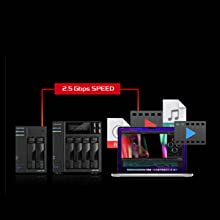

Data security protection
Drivestor 2 Pro comes with the most up-to-date version of ADM to help protect against ransomware attacks. Snapshot Center and Btrfs provide the ability to efficiently create snapshots to protect and restore lost data. ADM Defender firewall provides blacklists and whitelists features. With ability to add additional replacement administrator accounts, change default ports, disable SSH and Terminal. Implementing AES 256bit encryption to further boost hard drive security.
Cross-Platform Multi-User Access
The ASUSTOR NAS provides seamless cross-platform and multi-user access, allowing you to easily connect to your NAS from Windows, Mac OS X or Unix-like operating systems no matter if you are using a PC, notebook, tablet or smartphone.
Removing your Storage Constraints
Edit videos directly on your NAS with Adobe Premiere or Final Cut Pro. Both applications, as well as the full suite of Adobe software are supported on an ASUSTOR NAS ensuring that the SSD on your laptop is no longer a constraint.
Wake Up From Anywhere
Local Adobe Creative Cloud folders can be synchronized and backed up to and from your NAS. Take advantage of snapshots to increase protection of your data.
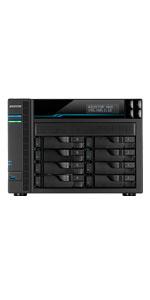 | 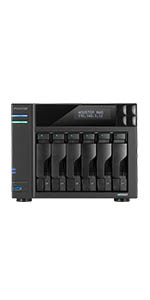 | 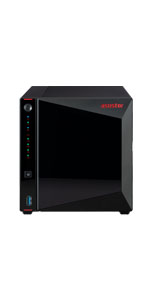 | 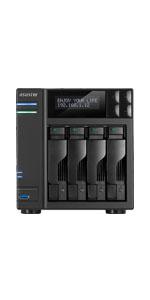 | 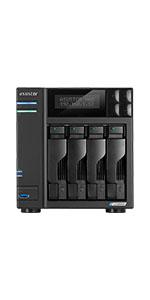 | |
|---|---|---|---|---|---|
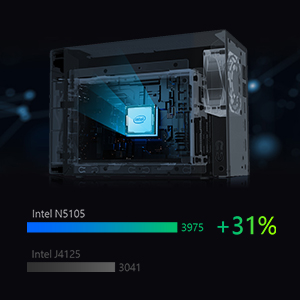
| CPU | Intel ATOM C3538 Quad Core 2.1GHz | Intel Celeron N5105 Quad-Core 2.0GHz (burst up 2.90 GHz) | Intel Celeron J4105 Quad-Core 1.5 GHz (burst up 2.5GHz) Processor | Intel Celeron J4125 Quad Core 2.0GHz (burst up 2.70 GHz) Processor | Intel Celeron N5105 Quad-Core 2.0GHz (burst up 2.90 GHz) |
| Memory | 8GB SO-DIMM DDR4 | 4GB SO-DIMM DDR4 (4GB x1, Expandable. Max 16GB) | 4GB SO-DIMM DDR4 (4GB x1, Expandable. Max 8GB) | 4GB SO-DIMM DDR4 (4GB x1, Expandable. Max 8GB) | 4GB SO-DIMM DDR4 (4GB x1, Expandable. Max 16GB) |
| Storage | 8 x SATA3 6Gb/s; 3.5″/2.5″ HDD/SSD | 6 x SATA3 6Gb/s; 3.5″/2.5″ HDD/SSD | 4 x SATA3 6Gb/s; 3.5″/2.5″ HDD/SSD | 4 x SATA3 6Gb/s; 3.5″/2.5″ HDD/SSD | 4 x SATA3 6Gb/s; 3.5″/2.5″ HDD/SSD |
| Expansion | 2x USB 3.2 Gen 1 | 2x USB 3.2 Gen 2×1 | 3x USB 3.2 Gen 1 | 3x USB 3.2 Gen 1 | 2x USB 3.2 Gen 2×1 |
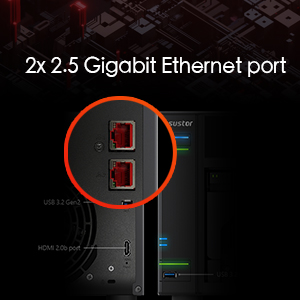
| Network | 10 Gigabit Ethernet x 2; 2.5 Gigabit Ethernet x 2 | 2.5 Gigabit Ethernet x 2 | 2.5 Gigabit Ethernet x 2 | 2.5 Gigabit Ethernet x 2 | 2.5 Gigabit Ethernet x 2 |
| Output | HDMI 2.0b x 1 | HDMI 2.0a x1 | HDMI 2.0a x1 | HDMI 2.0b x 1 | |
| M.2 Drive Slots | 4x NVMe | 2x NVMe | 4x NVMe |
| Weight: | 4.87 kg |
| Dimensions: | 23 x 23.3 x 18.6 cm; 4.87 Kilograms |
| Brand: | Asustor |
| Model: | AS6706T |
| Batteries Included: | No |
| Manufacture: | Asustor |
| Dimensions: | 23 x 23.3 x 18.6 cm; 4.87 Kilograms |
I have been a long time user of a competitors product. I needed to add another NAS to my home/small business office network. I do a lot of photo editing and some video editing and need to back up my work to a very reliable NAS. After careful research I concluded that the ASUSTOR Lockerstor 2 Gen2 AS6702T (2-bay unit) was the best NAS to meet my needs. The unit received high reviews from third parties and it lived up to the hype.
PROS-
Fast file transfers (much faster than my older NAS)
Dual multi-gig LAN ports (but of not value to me since my LAN supports 1000mbs only)
Four slots for M.2 NVMe SSDs (for storage or caching but not both)
Expandable
Large catalog of apps both from the manufacturer and third parties
CONS-
Expensive
Expanding RAM to 16GB requires disassembling the unit (although the manufacturer has a step-by-step video to guide you through the process, and I did upgrade to 16GB and found the video helpful)
Setup was easy (except for the memory upgrade installation which took about an hour). I installed 2 10TB HDDs and was up and running in less than 15 minutes. File transfers from my desktop were speedy.
Besides my desktop I use an apple laptop as well as a windows laptop on my LAN and they have no problems accessing and using the NAS.
I strongly recommend using a UPS with this unit.
I would not recommend enabling remote access to the ASUSTOR from the internet unless you are very well versed in the security issues involved, especially using VPNs.
I have been using the unit for over a week and so far I am very pleased with its performance. Recommended.
BLOODY BRILLIANT BUT OF KIT! Much much better than others!
As an IT professional, I am utterly impressed!
I tried the other brands at great cost with flaky software and rubbish errors, crap support ,this product is simple to use and if you are skilled, even better. As for support I havent needed it, it just works.
I havent got time to go into detail, but as the Company Director, I highly suggest you buy this first.
Pas si facile à configurer !
Premire fois que j’ installe ce genre de jouet !
D’abord le hardware
en dmontant les 3 vis derrire, on enlve la coiffe.
au dessus, on voit les 4 emplacements pour les carte SSD
sur le ct, une feuille de plastique noire avec 4 vis ne pas dmonter.
le plastique est fendu et en le soulevant, surprise l’emplacement d’une carte SO DIMM de .. GB
soit c’est 1 x 4 GB soit c’est 2x 8GB et max 16GB en tout
Pour les disques dur 16GB teste Ok. On peut peut-tre aller jusque 20TB mais pas tester !
Pour l’installation des disques durs, le feuillet n’est pas trop mal. Utiliser les vis gros filet pour les gros disques durs
Pas de doc ! C’est triste
Pour la partie software qui n’est pas si facile mme en franais qui est un bon point !
Le point noir est qu’il n’y a pas de documentation fournie, je dois chercher pour voir s’il n’y a pas un fichier PDF ! Donc 1 toile en moins.
Faire sauter l’anti virus pendant 30 minutes
N’oublier pas de tlcharger le logiciel sur le site et de mapper pour avoir un accs au serveur pour Total Commander au autres sinon impossible d’avoir accs.
Une fois de plus j’ai d faire appel Mac Gyver pour rsoudre le problme.
En rsum, je suis satisfait mais Asustor a encore des efforts faire pour que ce soit top !
Bien entendu, en temps que fanatique de la technologie, je vais suivre cela de prt !
Bon j’ai gratt un peu ! J’ai trouv de la documentation sur le site mais pas complte.
Comment utiliser les cartes SSD ? Capacit souhaitable ? Vitesse souhaitable ?
Pas de rponse dans la doc. Je dois tester moi-mme !
Merci Mac Gyver (C’est moi ! LOL)
Well, every NAS will work flawlessly as an ordinary fileserver, so that's never a problem. This NAS serves also as a mediaserver with Emby. That's also not a problem for this Asustor!
Well, every NAS will work flawlessly as an ordinary fileserver, so that’s never a problem. This NAS serves also as a mediaserver with Emby. That’s also not a problem for this Asustor!
Works great, no issues with my 24TB RAID 5 setup. The dual 2.5Gb ethernet ports and 4x m.2 slots are features you don't get anywhere else in the same price range. Get read/write speeds that are limited only by my network and drive speeds, run Plex without any issues streaming 4k video locally and remotely while transferring files. I upgraded to 16GB ram and installed 2x 500GB m.2 drives for read/write caching. I'm able to stream videos and edit RAW photos in Lightroom right from the NAS. Very impressed and happy with my purchase, especially considering the price compared to competitors. I've trust Asus for motherboards, routers, laptops, and now NAS.
Works great, no issues with my 24TB RAID 5 setup. The dual 2.5Gb ethernet ports and 4x m.2 slots are features you don’t get anywhere else in the same price range. Get read/write speeds that are limited only by my network and drive speeds, run Plex without any issues streaming 4k video locally and remotely while transferring files. I upgraded to 16GB ram and installed 2x 500GB m.2 drives for read/write caching. I’m able to stream videos and edit RAW photos in Lightroom right from the NAS. Very impressed and happy with my purchase, especially considering the price compared to competitors. I’ve trust Asus for motherboards, routers, laptops, and now NAS.
Überzeugt durch Vielseitigkeit und Leistung - hat aber kleinere Mängel
Eigentlich sollte das NAS nur ein wenig Speicher bereit stellen. Dann aber zeigten sich viele andere Mglichkeiten. Die Verwaltung ist sehr einfach, die Dokumentation im Internet mit detaillierten Anleitungen und Hilfsvideos sehr umfassend. Gelungen ist auch – zumindest fr eine bergangszeit – die Mglichkeit Platten per RAID einzubinden und trotzdem auch noch Platten Stand Alone im Gehuse zu betreiben.
Der Datentransfer der 16 TB Platten im Raid 5 Verbund liegt exakt auf der vom Hersteller angegebenen Maximaltransferrate der Platten. Nicht nur beim Umziehen der Daten von vielen einzelnen externen USB-Platten machen sich die beiden USB-Anschlsse positiv bemerkbar. Auch beim Sichern von Teilen der Daten erlauben sie einen schnellen Transfer.
Inzwischen habe ich mich getraut SMB Multichannel auszuprobieren. Da der Laptop nur einen 2,5GBit Anschlu hat, kam als zweiter NIC der CableMasters 2.5 GBit USB zu Ethernet Adapter zum Einsatz. Als unmanaged Switch wurde der Asustor-Switch eingesetzt. Als Kabel wurden 2x 20 Meter Kat 6a Kabel verwendet. Mit 575,32 MB/s Read und 559,02 MB/s Write blieben die Ergebnisse nur hauchdnn unter den von asustor spezifizierten Maximalwerten. Die WD Black Gaming SATA Platten kommen direkt am PC angeschlossen nicht einmal auf die Hlfte dieses Durchsatzes. Damit das funktioniert, mu am NAS – komfortabel per Men Befehl – “SMB Multichannel” eingestellt werden und am Laptop das gesamte Killer Performance Gedns entfernt und mit native Ethernet Treibern gearbeitet werden.
Nachgerstet wurden auch 2x 500 GB Crucial P5 Plus als SSD Cache im Read/Write Modus. Sie bringen vor allem bei Unmengen von kleinen Dateien um die 500k eine Steigerung des Datendurchsatzes um den Faktor drei bis vier. Allerdings bleiben die Werte – bedingt durch das umstndliche SAMBA Handling fr jede einzelne Datei – auf geringem, nun etwas ertrglicherem Niveau. Ein wenig zu spt gefunden habe ich die Hinweise, wie die Cache NVMe M.2 abhngig von der Anzahl der Sticks zwangsweise in unterschiedlichen Raid Leveln formatiert werden. Zwei gehen im R/W Modus nur als RAID 1, was die effektive Kapazitt auf 50% vermindert. Entsprechend werde ich wohl noch um eine dritte Crucial erweitern um dann zumindest 1 TB Cache zu erzielen. Vier wrden RAID 10 aktivieren, woraus etwas mehr Sicherheit, aber auch nicht mehr Cachespeicher resultiert.
Nicht funktioniert hat der Anschlu von Blue-Ray-Playern an die USB-Schnittstellen. Sie wurden zwar erkannt, die Daten waren aber nicht lesbar.
Nicht wirklich gelungen ist auch die interne Firewall, die zustzlichen Schutz hinter dem Router bieten soll. Der vom Hersteller empfohlene miniDLNA Server sollte z.B. eigentlich mit zugeschalteter Firewall bei nur ein oder zwei freigegebenen Services laufen, erfordert allerdings die unntige Freigabe aller Services – sonst wird er von den Gegenstellen nicht erkannt. So bleibt nur noch die Einschrnkung der Daten-Weitergabe an bestimmte IP-Adressen…
As advertised
Great product. ADM operating system is intuitive, setup was manageable. I also love all the ports – HDMI, usb, and dual network ports.
In the NAS world, you get what you pay for -Highly recommend.
Delivers much, but has shortcommings.
Negatives:
– Don’t take advantage of all the features that btrfs offers like subvolumes and btrfs raid, for 12T disks it takes 28h to replicate the data, had it used btrfs raid instead, then the time would depend on the amount of data.
– It’s really difficult to replace the original ram module, you need to remove the cover and the back plate and then disconnect the fan and the PCIe expansions and the ram slot is reversed, so the module has to be “up side down”, which makes it less secure as the side holders ain’t reversed.
– Administration UI has much to wish for, they shouldn’t tried to make it to be as a “desktop computer os”, feels this slows down the UI quite a lot. Some things are a bit confusing and much is samba share focused and it’s not as easy to find where to setup NFS shares.
Positive:
– It’s quite quiet and if you have good hard and quiet HDD, then you will not be disturbed by the noise (possible to have in your bedroom).
– Has 4 m2 slots for ssd, which can be used as cache (read only one is needed, read/write cache needs 2) or as storage.
Like option to add software so nacemos my private cloud
Like option to add software so nacemos my private cloud
Superb!
I’ve had Asustor NAS for many years, but this is the best format / power so far. Having 6 bays makes it much more versatile, especially when buying drives. I was thinking of 4 x 20TB under Raid5, but with this I could go with 5 x 16TB, and a massive saving on the drive prices alone. I’ve not yet populated the 4 x M.2 slots, still debating what function and capacity to use, I’m leaning toward cache rather than volumes, but need to think it through properly still.
The overall performance is brilliant, I’m really enjoying using Docker and Portainer to facilitate the features I previously had. This has stopped the issues I had with PHP versions clashing and there’s no perceivable change in performance. OwnCloud & Plex as containers for now, but planning to add NginX and more.
It’s a very cost effective chassis, a highly recommended upgrade by a long time use
Disks will be erased.
There is no way, that I could find, that you can add a disk to this system that has data on it. I had an older JBOD device, not Asustor, that has 5 disks in it. I wanted to transfer them to this newer device. I had to manually copy the data off 3 5TB drives and 2 3TB drives before I could put them in this device.
Extremely time consuming.
Yes, most people use this device with RAID of somekind. But I’ve had problems with RAID devices over the years and stay away from them. I choose to have devices that are JBOD.
I managed to get all the data saved and moved over to these drives after wiping them and starting all over again. I have PLEX running on this device and it works nicely. Better than keeping a computer up 24×7 just to watch my over 408 movies.
Ease of use, Simplicity
The Fast CPU and NVME storage having 4 banks besides the 2 front.
4k movies over network are outstanding
From Qnap TS253A to the Asustor is formula 1
Photos are a cinch
Transfer data takes much less time
I have a friend who was shopping for his first NAS and asked me if I liked the Synologies I own (3) and love them. He was looking and found these but knew nothing of them. After reading up on them we went shopping and found that there were only these 10 in the USA. So we both bought 1... They are a great device for the money and easy to set up. A couple of 1 TB NVMe sticks & few HD's and off we went. Never looked back, now I can ditch my Old Plex Server and the download utility server (VM's) too...
I have a friend who was shopping for his first NAS and asked me if I liked the Synologies I own (3) and love them. He was looking and found these but knew nothing of them. After reading up on them we went shopping and found that there were only these 10 in the USA. So we both bought 1… They are a great device for the money and easy to set up. A couple of 1 TB NVMe sticks & few HD’s and off we went. Never looked back, now I can ditch my Old Plex Server and the download utility server (VM’s) too…
Solidly built NAS, good UI and a goog selection of apps. The best part is the hardware side, with 2.5 Gbps ports and expandable to 10Gbps. I can't wait to upgrade my home network to fully use its potential.
Solidly built NAS, good UI and a goog selection of apps. The best part is the hardware side, with 2.5 Gbps ports and expandable to 10Gbps. I can’t wait to upgrade my home network to fully use its potential.
Very impressive NAS but not quite perfec
I wanted a 6-bay NAS so the release notification email from Asustor came at the right moment. I compared the Lockerstor 6 Gen 2’s specs with Synology’s DS1621+ and QNAP’s TS-673A which are much the same spec and price. The DS1621+ lost out on its CPU and 1Gb/s network ports. The TS-673A nearly won as it has two standard PCIe slots for expansion and two NVMe slots for cache but, at 14 litres, it’s 40% larger than the Lockerstor 6 which is a very compact 10 litres (the DS1621+ is 11 litres). The major downside of the Lockerstor 6 is that, if you want 10Gb/s LAN speeds, you’re forced to use Asustor’s dedicated 10Gb/s card which isn’t available in this country yet and you have to give up all the NVMe slots to make room for it. The other problem is that the compatibility list hasn’t been updated yet so you’re guessing if you want to upgrade the RAM. The 8GB Crucial SODIMM I had didn’t work but the 16GB Samsung left over from a laptop upgrade did.
Installation went smoothly enough with six 6TB IronWolf drives in RAID10. These took almost 24 hours to initialise then another 17 hours to copy 12TB of data across (would have been 10 hours with a 10Gb/s card). The overall performance is excellent as expected and I expect the CPU will handle any apps I throw at it. The whole thing is very quiet, even when the disk are working. I’ve only had it for a week so it’s early days yet but I don’t think I’ll regret my purchase, apart from the niggles noted above. It’s well worth considering if you’re after a six-bay NAS but do give the TS-673A careful consideration too.