DIGITNOW! Video Capture Card, 4K/2K/1080P 120 FPS HDR Zero-Lag Passthrough, Full HD USB 3.0 Game Capture Device,Ultra-Low Latency,Plug & Play, Recording and Streaming for PC,PS5,PS4, Xbox,Switch
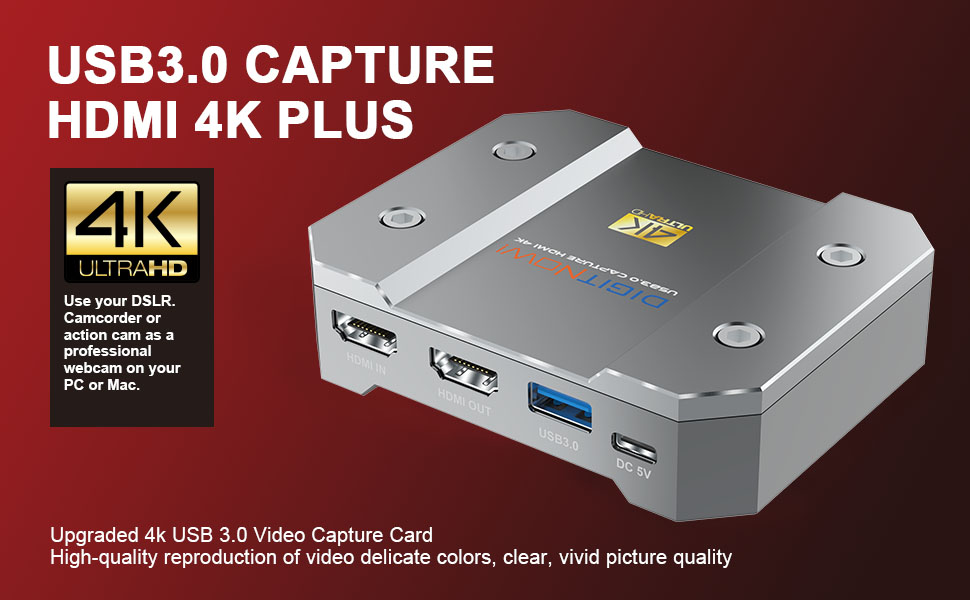
DIGITNOW! 4K HDR Video Capture Card
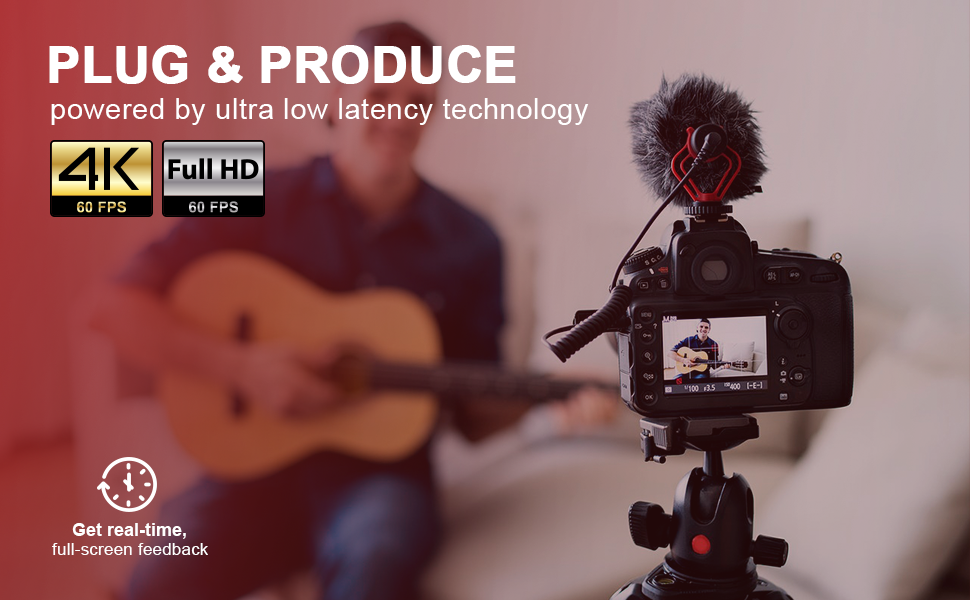
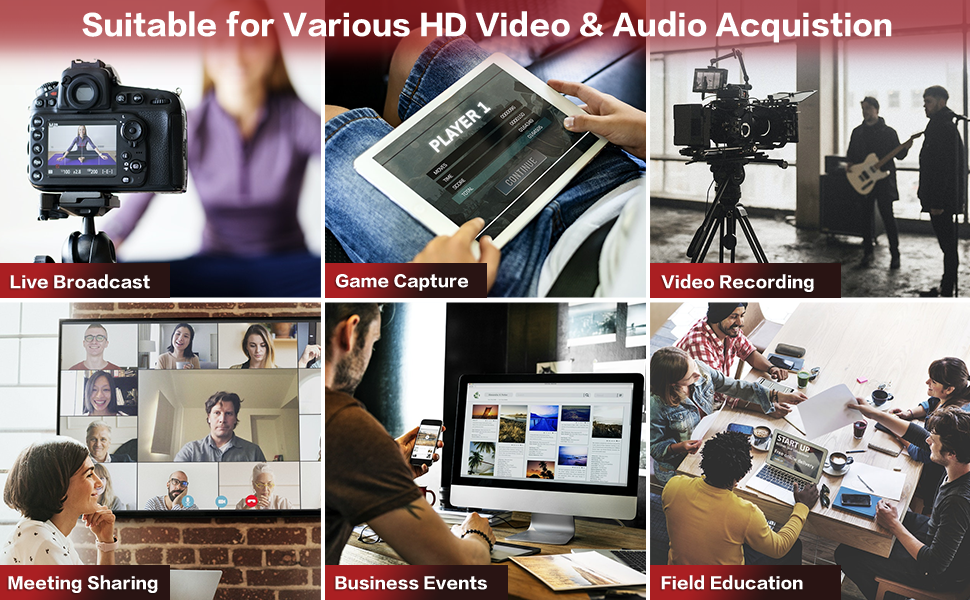
With USB 3.0 HDMI Video capture , just plug to your PC(Windows,Mac,Linux) , no need install driver,you can use any 3rd party software to capture or stream your HD game,or other HD video source. Support microphone audio input ,3.5 stereo output;It also can be used as a screen sharing device for internet meeting,easily sharing presenting slides,spreadsheets,documents,and video recordings into online meetings.
Features:
- Plug and play, no driver required.
- All-aluminum body has strong heat dissipation.
- Support ARGB gorgeous lighting effects, easily grasp the current working status.
- Support microphone audio input ,3.5 stereo output;
- Support microphone audio and hdmi audio superimpose capture;
- Support input max resolution 4K 60Hz;
- Support capture max resolution 4K 30Hz;
- Support most acquisition software, such as VLC, OBS, Amcap, etc;
- Support Windowsã€Androidã€Linux and MacOS;
- Conform to USB Video and UVC standard;
- Conform to USB Audio UAC standard;
| | | | |
|---|---|---|---|
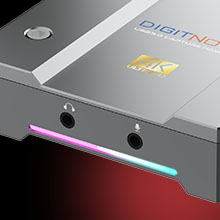
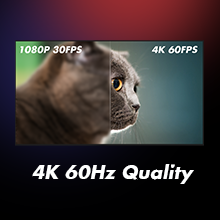
3.5mm Mic Jack and Audio Input/OutputYou can connect the audio video capture device with your earphone with 3.5mm audio out port and 3.5mm Microphone so that you can stream your voice and record your voice by the ports easily. You can also use it to add external commentary when playing a game. | USB 3.0 and HDMI PortIt can capture HDMI 4Kp60 input, output HDMI 4Kp30 signals. The HDMI video capture meets UVC and UAC standard, without having to install drivers and settings, the real PnP, easy to use. | High Performance ChipSuper Performance Chip makes video conferencing, game live streaming, business meeting etc. clearer and smoother. No delay, no blue screen. | Ult-HD 4K HDR Clear ImageFull HD 4K HDR video capture, 60Fps video recording and live broadcast.High-intensity reproduction of video delicate colors, clear, vivid picture quality. |

| | | | |
|---|---|---|---|
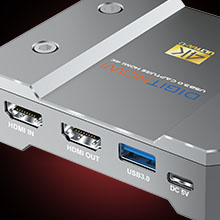
HDMI INPUTThe 4k HDMI capture card ideal for hdmi device such as Wii U, PS4, PS3, Xbox One, Xbox 360, Wii | HDMI OUTPUTHDMI capture card USB 3.0 supports 2 devices output, it can work with TV, Monitor, Projector, and other displays | UNIVERSAL PLATFORM4k capture card suitable for Windows, Android, Linux, macOS, Twitch, Youtube, OBS live broadcast. | WIDELY USEThis 4K capture card can easily connect your DSLR, camcorder or action Cam to your PC, and you can connect the game capture device to headphone with a 3.5mm audio output port, or you can connect a microphone and record voice comments when playing games. |


Specifications
| Interface | USB 3.0 |
| System Requirement | Windows 7,8,10, Mac OS 10.12 or later, Linux,Android 9 or above |
| Desktop hardware requirements | CPU:Intel Core i5-6XXX or above. NVIDIA GeForce GTX 1060 or above. RAM:8G(Dual channels) |
| Laptop hardware requirements | CPU:Intel Core i7-7700HQ or above. Graphics card:NVIDIA GeForce GTX 1050 Ti or above. RAM:8G(Dual channels) |
| Video format | NV12,YUY2,MJPEG |
| Package Content | DIGITNOW Video Capture Device, DC Cable, USB 3.0 cable, HDMI cable, User Manual |

If there is no picture or the device itself displays “NOT SUPPORT” , please check whether the resolution is corresponding.
The input setting resolution does not correspond to the acquisition setting resolution
(The input is 1920x1080P 60hz signal during acquisition, but the acquisition resolution has chosen 3840×2160 or 2560×1440.)
Solution: The input is 1920x1080P 60hz signal during acquisition, and the acquisition resolution is selected as 1920x1080P 60hz. (Resolution enhancement is not supported)
| Dimensions: | 9.5 x 7.5 x 2.2 cm; 558 Grams |
| Model: | U601Silver |
| Manufacture: | DIGITNOW! |
| Origin: | China |
Superb quality product and images - Perfect for PowerPoi
I purchased this to take HDMI out of a PowerPoint laptop and key slides over live images in vMix. Immaculate images and motion at 4K30p. Also, the image text was a lot easier to key than using NDI.
No need to use a power supply if you use the back-to-back USB cable supplied and have a USB 3.0 port.
Constuction is a nicel chunky metal enclosure and all interface connections have good grip. I stuck four black rubber feet on it to prevent it sliding around on the desk. Still fits back in box with the feet on. Much, much cheaper than AJA or Blackmagic 4K capture alternatives.
Superb quality
This is really light but the build the build quality is brilliant. Easy to hook up and use and the quality is amazing. Nothing not to like and I wouldn’t hesitate to buy agai
If you need to record something from your PC this is the device to get it is truely plug and play and works extremely well. Its ideal for capturing data such as Zoom calls, gaming sessions and whatever else you need to record. You can also use this to capture audio as well so its extremely handy.
Since the beginning of 2021 I’ve been on the hunt for a capture card that meets the following requirements:
1. USB
2. Cross-platform and plug-and-play
3. 4K resolution, minimum 30 fps
There are several cross-platform 4K capture cards, but those use the PCIe interface, whereas I needed something that was more portable.
This is the first card I’ve come across that has met all 3 requirements! I tested this on Windows 10, MacOS version 11.6. It worked right out of the box on both systems, no drivers needed.
I’ve tried using this with my PS4 and capturing to my PC and it does work. It’s not as lag free as something like Elgato would be but it works well enough to record a video or stream
So first of all, I have 2 relatively small complaints about this product:
– The marketing makes it sound like you have everything included in the box, which you don’t. If you want to use it as it shows in the images, you will either need to buy/own another HDMI cable, or, in the case of using a DSLR as a webcam, you will need to purchase a separate micro-HDMI cable.
– Secondly, and a more serious issue, is that it says “DC 5V” for the power. Well, DC 5V what? 5W, 10W, 15W, 35W? Do I need to plug this into a power-brick in the wall (not included), or can I use it hooked up to a PC USB port?
Luckily I saw in the reviews and questions here on Amazon that you can indeed just use a USB port, but this should really be mentioned in the instruction booklet. What if someone plugs this into a 35W fast-charging power-brick for their phone and just fries it?
Outside of those 2 complaints, it is exceptionally easy to get working.
Micro-HDMI (again, sold separately) from DSLR into the back of the device. Power-cable from the device into my PC and then the USB data cable from the device into my PC.
My PC (Windows 10) immediately picked up the device and I didn’t even need to install OBS to get it working as I wanted. I just selected the device as my webcam in Discord and bingo, there it was working.
No extra bloatware, no faff, no nonsense, it just works.
The price is darn good as well, seeing as other 4K capture cards are either being scalped for ludicrous prices or are just brand-prices to begin with.
If it wasn’t for the 2 small complaints this would be an easy 5-star product.
Ok. So I’ve had an elgato. A Razer Ripsaw ( garbage) and several other External Cap Cards. I decided to go for this one after a lengthy chat with Customer Services about getting a refund for the Razer .
I dont have a top of the line PC only a series 8 I3 with inbuilt GPU and 8gb Ram. When I USED to run streamlabs on every other capture card at 720p 30fps my processor would easily hit 90% and I’d lose frames every couple of minutes.
Now I don’t know what kind of dark magic these people have put inside thus box but it’s fantastic. I can run a stream at 6000kbs. 1080p. 30 fps. And my processor never even goes over 50% . Brilliant piece of kit. Just make sure if you are adding a voice overlay you use a 3 pole lead and not a 4 pole. You’ll get static like mad. Sound is crystal clear with NO filters on. Video colours are as is in console or video feed. Works really well with streamlabs. I’ll attach a video of it in action once I get past copyright rubbish. It’s for information not profit.
I can’t believe how well this works!! I have an Xbox Series X and this works perfectly with it. I have wanted a fairly priced capture card for a while now. I found this one and it seemed to offer everything I wanted (4K60 Passthrough with HDR10) – Perfect!! I have tried it with OBS and my recordings are crystal clear. It also passes through to the TV with no added lag or latency. So far I am very very impressed. The build quality also feels solid. Overall this is an amazing little capture card and I can’t recommend it enough.
Overview:
We bought a 15 Video Capture Device before this one, the colour wasn’t precise enough and it kept malfunctioning. With this 130 Device, you get a professional piece of equipment and it’s professionally packaged too.
Pro’s:
-Lights on the device change depending on if you are receiving and sending video or just receiving video.
-Easy and straightforward to connect up to your computer
-Not installation software
-Colour is almost exactly the same as the camera
Con’s:
-Computer recognised the device but wasn’t showing the video feed the first time we used it. Turned the computer off and back on it started working, no problems since.
My cousin has been using this as he is into gaming and YouTube. He found it easier to use than his previous video capture card. It is pretty much plug and play. You just need to connect the device you want to capture video from to it as well as a device with a screen to record to. My cousin said once he began recording he could just get on with gaming as it was so reliable and did not freeze etc. The recorded footage looks impressive and is perfect for YouTube.
This HDMI capture card is extremely good quality – the construction is in heavy-weight steel, giving it a really high-end feel. All the cables that you need are included, although the cables don’t quite match the quality of the device. The device is easy to set-up (being plug-and-play) nd works well with OBS Studio. I haven’t tried it with any other software yet but it works well without lag in the HDMI pass-through.
I have been using this to stream from my Xbox to twitch, I found this very easy to set up by following the instructions provided.
I have also tested this via my pc and found it also worked with no issues or errors.
The picture quality is great and the overall quality of the product itself is fantastic.
Overall I am very happy with this capture card
I have an old camcorder but had no way to capture video from it into a digital format. I have a small device which converts the RCA output to HDMI to play back on my TV, so this HDMI based capture device looked like just what I needed to get that signal into a digital version and into my PC for recording.
It was simple to set up, just connect the HDMI lead into this capture device and the USB lead from this into the PC. There’s another USB connector and lead for power (for which you will need a USB power supply) and that’s it.
I tried this with OBS, which is an open source product that is simple to use. The instructions included with this capture device give details of the OBS settings, which is helpful, but all I could get initially was a “Not Supported” message. The instructions tell you to set the resolution in OBS to 4K, but my old camcorder footage was in a much lower resolution. I changed the settings in OBS to 1080P and hey presto, the image appeared.
I tried recording some converted footage, but again had problems, the footage was jerky and unwatchable. I realised that I had plugged this into my laptop using a USB 2 port, which wasn’t up to the required performance. Swapping to the USB 3 port and all was well, the recorded footage was smooth, the audio clear.
This is a solid metal device, which seems very well made, with a bit of weight to it. There’s a light at the front which changes colour, I assume that this is there for aesthetics only. It gets moderately warm in use, but nothing to get concerned about. The included cables are all good quality too.
At around 140 this isn’t cheap, but if you have a decent laptop or PC with USB 3 port then it delivers great results.
Good plug in for capturing 4K video to one’s hard drive from say an Xbox. Using an Xbox Series X the capture is very good. To my PC it’s also good. Works well and is well made.
If you need to capture 4K video (or lower) then you can’t go wrong with this. It’s not cheap, but is faultless.
Has HDMI input which is passed through without degradation in quality. Extracts the data to the USB-3 lead for storing on your computer. I’ve a fairly quick system, so noticed no problems at all. Older computers or less-powerful laptops should be OK, but expect buffering issues if they are a bit slow.
Ideally you’ll have your own video capture software. This is recognised with all the software I’ve tried, just appearing as a device like any other.
No audio sync issues encountered.
This capture / streaming device is one of the few that really does capture at 4K resolution.
If you want to record yourself playing games on a console, or copy recordings from your cable / satellite box this DigitNow capture device is really easy to use and it works well. With the right adapter cables, you can also use it to copy old home-movies from VCR or a video camera.
It can be a little more difficult to use for capturing and saving gameplay from a PC. It’s certainly possible – see my video clip, but it’s easiest if you use a second PC or laptop as the capture / streaming device.
The device is very nicely packaged, and most of the packaging is recyclable cardboard.
Inside, there’s the device itself, a USB link cable, a USB ‘C’ power cable and an HDMI cable. Full marks for providing everything needed to use the device.
The device is a reassuringly weighty metal construction with the USB and HDMI ports on one side and the microphone / headphone sockets on the other. I can’t help thinking that it would have been more logical to have one side for ‘in’ and the other for ‘out’. However, in use it does make sense. The USB and HDMI leads are intended to be left connected, and are on the side that’s supposed to be away from the user. The side facing the user has a flashing RGB lighting strip on it which serves no real purpose and is actually a bit annoying.
I carried out my first test using a soft-modded Playstation 2 plugged into a Component + Audio to HDMI converter box. I wanted to make this as challenging as possible, because if it worked with this lash-up of cables and adapters, it should work with anything. I plugged the converter box into the DigitNow device with the supplied HDMI cable, and another HDMI cable went off to the TV. Essentially, the DigitNow device is ‘intercepting’ the signal on the way to the TV. I used the supplied USB cable to hook the DigitNow device to a USB 3.0 socket on my PC and switched everything on.
I did not install any drivers or download ANY software for this test. The device was instantly recognised by Windows 10, which treated it as a USB camera / webcam. I used the Windows 10 Camera App as my capture software, just to see if a zero-cost option would work. It worked perfectly, and I was able to record my Playstation 2 in 1080p with no trouble at all. It took maybe ten minutes from opening the box to recording, without reading the instructions. I did try higher resolutions, but the Playstation 2 doesn’t output them, and anything higher than 1080p showed as ‘unsupported’.
For recording a console – in fact anything which outputs an HDMI signal – this box works really well. You can use a laptop or old ‘potato’ PC as the capture device. The Windows Camera App automatically saved the output as MP4 without any faffing about. You can use other software if you have something you are familiar with. Nero and Arcsoft Showbiz both recognised the device and gave more control over the capture settings. Personally, I don’t need that much control so I stuck with the simple option.
You CANNOT just plug a hard drive into the DigitNow capture device. One review implies you can. That is not the case — you have to use capture software on a PC / Mac to save the output.
The mic and headset sockets allow you to add a voiceover to your capture in real time. This could be a commentary on the game you are playing, or instructions on how to do something you are demonstrating on-screen.
Capturing content from a PC is a bit more challenging than from a console. In fact, the easiest way to do it is to treat the PC exactly as if it was a console and do the capturing on a separate PC or laptop.
The first challenge is connecting the DigitNow device. It has HDMI sockets, whereas PC graphics cards and monitors increasingly use DisplayPort. Luckily, my trusty GTX 1060 has an HDMI output.
As soon as you plug the DigitNow capture device into the HDMI socket, Windows sees it as a 4K monitor. Depending on how you have set your desktop (especially if you already have multiple monitors), Windows tries to incorporate this new ‘monitor’ into your desktop. My system turned it into the Primary Monitor, so my Start button, taskbar and menu moved themselves onto an invisible screen. Awkward.
With a bit of patience it IS possible to capture gameplay on the same PC the game is running on. Ideally you need two monitors – that’s how I made the video I’ve attached. I did successfully capture video using just one monitor but it required a lot of Alt-Tabbing around and wasn’t really the best option.
I did my capture tests at 1440p, 60Hz, and the results were impressive. The recording of Black Desert is indistinguishable from my in-game experience (I only have a GTX1060 graphics card). Checking the file properties afterwards confirms that it really is 2560×1440. It is important to ensure that the game is set to the same resolution as the capture device. If you try to capture an old game that only runs at low resolution (in my case Half-Life), the capture stops as soon as the game switches resolution, at least with the basic App I was using.
The capture device did give me the option of recording at full 4K resolution. I don’t have a 4K monitor, but when I selected the 4K setting, the preview window did display a picture, so I am confident it would work as advertised. This device captures 4K at 30Hz, NOT 60Hz as one reviewer mentions.
You could quite easily use this device for streaming. Ideally, you would want one PC (or laptop) managing the streaming process, leaving the gaming PC or sim rig free to run its own software.
This device is expensive compared with many here on Amazon. There is one good reason for that. This device will capture at 4K and 1440p (2K) resolutions. The cheaper devices don’t. They capture at 1080p and have a ‘4K passthrough’. If you need to capture and save a true 4K picture, it’s going to cost you, and this device is actually quite competitively priced.
Whether or not you really need that facility is entirely up to you. If you are going to record your PS5 or X-Box X/S in 4K, then you definitely do. Likewise, if you are a Flight or Driving Simmer and want to record your races or flights in 1440p, this device will do it. The lack of DisplayPort connectivity might be an issue for some, especially as you’ll lose access to refresh rates over 60Hz on some monitors through HDMI.
If you only want to capture from old consoles, or copy VHS tapes to your computer in HD, 720p or lower resolutions, the cheaper cards will do that.
Thanks for reading this far, and I hope you found the review helpful. If you did, please click the button below to let me know.
4k 60Hz. This is definitely HD hdmi as they state. NO having to install one of many drivers. Lightweight and small enough to smack behind your monitor and keep it low key. Played it, pushed it and will add it to the setup.Great productFollow me on here daily reviews and/or answering questions on the products reviewed
I’ve been using this with DSLR and mirrorless cameras and also an XBox for capturing gameplay. In both cases it just works perfectly. I’ve had zero problems capturing great quality footage and it doesn’t introduce any noticeable lag into the HDMI out feed so it’s perfect for capturing fast paced gameplay.
The unit itself feels very solidly built. It does get a bit warm during use but that doesn’t have any effect on its performance so isn’t an issue.
The quality of the footage it captures is every bit as good as the signal you feed into it. What more could you ask? Love it.
This is an excellent quality video capture unit that works seamlessly with my PS4. Simply connect using HDMI and you are good to go with no lag. The box looks very well built and professional and does warm up but not excessively and the colours add a nice effect too. If you’re serious about your streaming and recording then this device is highly recommended as the picture quality is excellent and will help with your numbers.
Designed with All-aluminum body.
Has strong heat dissipation.
LED light at the front.
Capture max resolution in 4K 30Hz , Support NV12/YUV2 /MJPEG.
Is compact and portable.
Easy to set up and use.
You can use any 3rd party software to capture or stream your HD game, or other HD video source.
Has a solid feel to it but is still lightweight.
Is portable.
Powered by whatever device you use which has a USB port.
No lag or freezes.
Manual is easy to read and understand.
Good quality for the price.
The capture box is absolutely amazing! I got this product to start making youtube videos.
Before I had this product my youtube videos were 10x lower quality and not as well edited.
The capture box came along and made my youtube videos so much better.
It helped me gain more views!
The better PC you have I’d say the faster the product is as the requirement is to have an i5 processor but most cheap PCs and laptops have that these days.
The capture box comes along with a really good software where you can record really long videos in 1080p.
You can input a microphone and you can also use custom overlays onto the video.
Also the design of the capture box is very nice, it is extremely slim and is very lightweight.
it comes with all the cables needed.
If you are starting youtube I would definitely recommend this game capture box as it is the most popular game capture out there and it will improve your videos by miles.
This video capture card is really awsome and works very well. You wont need to install any drivers to start using. Can be used as a screen sharing device for example to internet meeting, easily sharing presenting slides ,spreadsheets, documents, or video recordings into online meetings. Supports two devices output, it can work with TV, monitor, projector, or other displays. Very good quality I have to say, Support microphone audio input ,3.5 stereo output, input max resolution of 4K 60Hz and capture max resolution of 4K 30Hz.
I can highly recommend this product foe anyone, even this price at the moment 139.99 is very reasonable.
DigitNow Video Capture Card USB 3.0, 4K 60Hz HD Resolution HDMI Capture Cards for Live Streaming.
My son’s got this hooked up to an Xbox One and the quality of the streaming is top notch, there’s no doubting for a second that this bit of quality kit wouldn’t perform as expected. He has this integrated into OBS and live streams his Minecraft exploits using this machine.
Of course it’s expensive and probably costs more than other similar specification machines but it looks good and you have the RGB tax on top 🙂 The unit has a 100% aluminium outer casing, nice finishing and looks the part, the ARGB lighting on the base adds to the quality. Two ports are located on the front for quick access to headphone and microphone inputs. The back features HDMI in, HDMI out, USB 3.0 and 5V power port, the power is sufficiently supplied by plugging into a spare USB port on the PC.
In use, there isn’t any lag and as promised by the manufacturer, with my son’s older capture unit, a slight noticeable lag was seen, with this machine that has gone.
At 139.99, it’s a good bit of kit that works perfectly with cool lighting effects.
Happy to recommend.
Key features:
Solid aluminium body
ARGB lighting
Very well made
Effortless integration
Plug & Play
Audio superimpose
Max input resolution 4K 60Hz
Max capture resolution 4K 30Hz
Very impressive and quality is very good. Its small and light but does the job superbly well. Picture clear and connection is easy . There’s hdmi in and out but also can be used with USB. Overall its fantastic quality.
DigitNow has some really good products in their lineup and as far as video capture cards go, their Video Capture Card USB 3.0 does not disappoint.
This device has an HDMI in, HDMI out and a USB 3.0 output. You also get a headphone and a microphone slot which is handy.
There are 3 main considerations when it comes to video capture cards which are: cooling mechanism, need for drivers and potential latency. The DigitNow Video Capture Card addresses all these 3 factors well. The aluminium body allows heat dissipation, no drivers are needed for installation, and lastly, there is no noticeable lag. Using a video capture card also reduces the strain on the source device which in turn allows it to run better and smoothly.
This product, like any other video capture card, converts your unencrypted HDMI signal from a camera, camcorder or game system into an encoded USB 3.0 signal for playback, editing or streaming. You do need a software program to do this. I use the OBS studio.
I used this video capture card to record, edit and stream my PS5 gameplay as well as my wife’s vlogging content but where this device really stood out for me was to use my DJI Pocket 2 camera with pan, tilt and zoom function, as a webcam during video conferences and even to live stream on social media. Brilliant!!
Overall, at the current price of 129 (including the voucher), this is a very good product deserving full 5 stars.
Hope this review was helpful in some way.
So far, I am very pleased with it. Built quality is excellent with strong aluminum body. Small compact size. The best feature is the 4K recording with no delay to observe. It supports microphone and HDMI devices. I needed to connect my video camera and microphone to record videos and observe the outcome simultaneously on a big monitor. It works perfectly fine for me, and the stream was lag-free. In addition, it is light weight and the casing is very strong. It worked plug and play, and was very easily to attach with PC/Laptop. Good for people who want to capture games or videos. Overall, it is a very impressive device and flawlessly records. Price is well justified. Will recommend.
Now my Elgato HD60 has been great but had recently starting having problems and the opportunity to try this Digitnow 4k 60hrz card excited me as I mainly stream PC but wanted to try out the Xbox Series X in preparation for the wealth of new games hitting the scene this coming winter.
It’s a beautifully machined bit of kit and feels like a premium product from the get go. It is incredibly easy to hook up and get started and presented no issues with my streaming software or connecting to the Xbox and sound gear.
Now i was having issues with my old HD60 and lag was becoming a problem which wasn’t great as a streamer and certainly not great from a viewing perspective but the DigitNow has no such issues and the quality is sublime.
No lag, great image and so easy to plug, play and forget about. It’s really that good.
Twitch, youtube or Tiktok it’s a game changer for me and I will be sticking with it for the foreseeable future as it’s the best capture card I have yet to use.
All i can say is, try it and you won’t look back.
SB
This is a cracking piece of kit.
Previously i had to hook my consoles up to the PC to record gaming but this has made it so simple.
No lag, perfect quality picture and no stuttering.
Very impressed with it so far. It is solid but feels very lightweight. It provides a HDMI input from your input device, such as games console and a USB 3.0 output (for computer/laptop) and HDMI output for monitor/tv/projector. Ports for microphone and headphone are also provided. No need for it to be additionally powered externally as the power from PC/laptop via the USB port is enough for it.
I use it to capture gameplay footage from my PS5. So far I have been very impressed. It outputs at 4k 30Hz and I haven’t had any lag or freezes of the sort so far. It is easy to use overall – simply boot everything up and the sofware detects the capture card and away you go. It is all explained nicely in the manual as well though. For the price, I am very impressed with it – quality captures look great when uploaded to YouTube.
Very good Quality and super solid. Easy to use, hooked my computer in, with HDMI cord and the USB to my iPad and the quality was remarkable. Comes with a manual, but is pretty self explanatory too. Great price, Highly Recommend!
After looking around found this simple version of video capture box. Very simple design and incredibly easy to use.
No need to download or get extra side programs, also no extra monthly subscription fee for using the program. It’s just plug and use , all necessary programs already preinstalled and it’s comparable with my pc and PlayStation.
As our old model this one doesn’t give error message or doesn’t stop when high capacity 4K deeded. Decide can take 4K resolution even on 60 frames per second rate, no single error due to high resolution, it also cable record on 4K in 30fps.
Recording smooth and sharp, picture colour resolution also recorded with proportion.
Overall small, very simple to use and sharp video capture card. Please none it had hdmi so if decide on DP need DP to HDMI converter.
The DIGITNOW 4K Video Capture Card is a great device. It’s very simple and easy to connect up. There’s an HDMI in and an HDMI out and alternatively if you prefer you can use the USB interface, but for 4k content I’d recommend sticking with the HDMI. The device is a no lag device so it’s ideal for gaming, simply connect your prefer gaming setup to the HDMI in and connect your preferred monitor or display to the HDMI out, the signal will pass through the device and be recorded in your prefer format. It can accept 60hz inputs and will record 4K at 30Hz.
Overall a very impressive device, I’ve used it already for my flight simulator setup and love it, it records flawlessly and in perfect quality for YouTube. Great device that’s worth the money.
my last one broke.. but it worked amazing! just I dropped it! I was converting my nans vids for her and still got loads to do! so… hooked this up and boom off I go again .. really easy to set up and the playback is clear and easy to watch
I bought this for my daughter who is starting a YouTube channel to show off her gaming. This box is great because it connects easily to her PC and she can even connect a microphone to record her voice while recording the games. She connects a 1TB SSD to record her sessions and she can record in 4K at 60Hz which provides an absolutely amazing recording.
My daughter is only 10 years old and she can use this easily with no problems so that just shows you how easy this is to use.
It looks great thanks to the aluminium chase and the RGB lighting matches her PC too so she is well happy. So overall I am delighted with this HD Video Capture Card and have decided to rate it 5 stars.