Doro 8080 Unlocked 16 MP Camera Smartphone for Seniors with 5.7″ Display, GPS Localisation and Cradle Included (White) [UK and Irish Version]


DORO 8080
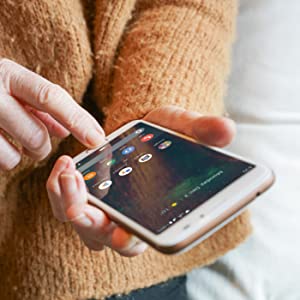
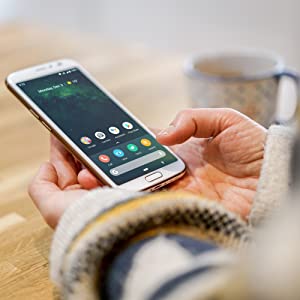
Smarter, more elegant, and easier than ever! The sophisticated Doro 8080 is unlike any other phone you’ve ever tried. Fully redesigned from the inside out, it not only looks great but also incorporates Eva the new Doro user interface designed for seniors. Navigate using your voice with the built in Google Assistant. A powerful combination for ease of use and simplicity.
MADE FOR 4G LTE NETWORKS
The Doro 8080 is compatible with 4G LTE networks for a faster connection to the internet whilst out and about. Specifically, 4G LTE delivers the fastest connection for a mobile internet experience, up to 10 times faster than 3G. Note! The Doro 8080 is compatible with 2G, 3G and 4G SIM cards.
EASY CHARGING
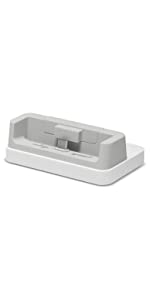
This smartphone comes with a UCS power adapter, a USB detachable cable and a docking station to charge the device. Thanks to the desktop charging cradle you will always know where your Doro 8080 is and that it has charge and you will avoid the fuss of connecting cables to your mobile phone. Have it on your desk, shelf or living room table. The cradle is perfect especially for anyone with limited hand mobility or partially sighted, as you won’t need to insert the micro USB connector into the port on the side of your mobile phone to charge it anymore. Plug the USB cable of your device into the cradle and simply insert your Doro 8080 in it and it will charge automatically by staying securely in place. This docking station is compatible with the Doro 8080 only.
Handset size (mm): 156.7*73.6*8.72
Handset weight including batteries (g): 175
Box contains:
- Doro 8080 Smartphone
- UK Plug and USB Detachable Cable
- Charging Cradle
- Earphones
- Quick Start Guide
| | | | |
|---|---|---|---|
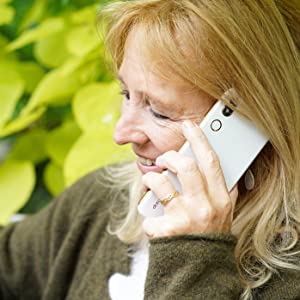
Google Applications and Google AssistantThe Doro 8080 comes with the standard pre-installed Google Apps, such as Google, Chrome, Gmail, Maps, YouTube and Drive. You can easily install more applications such as WhatsApp, Facebook, Instagram, Twitter, Messenger, Hangouts, etc. Tell your pre-installed Google Assistant to play your playlist, make a reservation, set a reminder or send a message for you. Thanks to it, you can even dictate your message if you cannot use your hands in that moment or have limited hands mobility. | HAC (Hearing Aid Compatible) for Loud and Clear SoundThis smartphone for seniors is Hearing Aid Compatible so you will get loud and clear sound even if you are wearing your hearing device and thanks to the HD Voice technology it has never been so easy to hear and to be heard in busy and noisy environments.
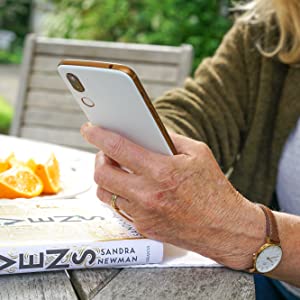
| GPS PositioningThe built-in GPS functionality is a great way to keep family and friends in informed of your location if you press the Response button (located on the back of the device) as well as using it for Google Maps and other navigation or positioning apps to show where you are, the weather or directions to places around you or a specific address. | Response by DoroThe Response button features on the back of the Doro 8080 and when pressed with simultaneously alerts the ‘responders’ that are set up in the pre-installed app. Responders are alerted on their smartphone that the Doro user requires assistance and are shown their location. They can easily accept the alert and talk to the senior directly via a call automatically on hands-free mode. Responders simply need to download the app and accept an invitation from a Doro user or invite them to connect. Within the Response by Doro app, users are also able to help manage settings such as screen brightness or call volume. |
Fingerprint Reader and Sensors
Fingerprint recognition uses the unique characteristics of each fingerprint to enhance the security of your device and to make the phone more convenient and easier to use. In fact, this feature can be enable to unlock the device and for certain apps such as banking apps. For fingerprint recognition to work, your fingerprint information needs to be registered and stored in your device. The device features sensors that can detect light and proximity to them, which are located near to the front facing camera. The light sensor detects light and automatically adjust the brightness of the screen and the proximity sensor can, for example, turn the touch screen off during voice calls when your ear is close to the screen to prevent unintentionally activating other functions.
| | | | |
|---|---|---|---|
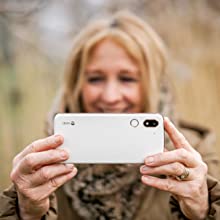
Display & CameraThe Doro 8080 features a wide, very easy-to-read, 5.7″ display, with a resolution of 720*1440 pixels. With such a large display, you will enjoy taking pictures/selfies and recording videos using the 16MP main camera and the 5MP front camera. Camera specs:
| Reduce Battery Consumption Tips
| Call Blocking & WhitelistThe call blocking feature allows you to prevent specific numbers from calling or texting you. This option is very useful especially if you often receive spam calls or messages. You can even decide to create a whitelist. It works much like a spam filter, once activated, you can only receive incoming calls from contacts saved in the phonebook. | More Specifications
|
 |  |  |  | |
|---|---|---|---|---|
| Compatible with | ✓ | ✓ | ✓ | ✓ |
| Dimensions: | 17.6 x 15.6 x 5 cm; 280 Grams |
| Model: | 7704 |
| Batteries Included: | 1 Lithium ion batteries required. (included) |
| Manufacture: | Doro |
| Origin: | China |
Doro mobile phone
Bought this for my husband for his birthday and he loves i
Great for the golden oldies
Purchased in 2021 for a grandparent.
She loves it.
The style is current, the user interface is quite modern and easy to use.
Not quite an iPhone, but anyone in their 70’s upwards will find this an asset.
It's easy to use for old folk
The 8080 was to replace a 825 that was in need of updating ant it has turned out to be just the job
Very Different compared to Doro 8040
Having backed up my 8040 to my google account it was fairly straight forward to install most of my apps on to the 8080. Certain things like Norton 360 and Chipolo required additional inputs.
All my contacts were transferred, but the 8080 does not seem to have a Favourites section like that on the 8040. For someone partially sighted the symbols to control the phone are difficult to make out, but like most things it is a question of adapting and learning.
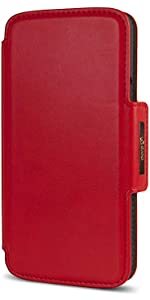
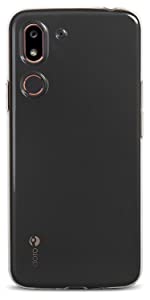
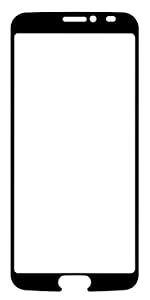
I am much happier with the 8080 as my 8040 was clearly in need of scrapping. It is definitely louder and the battery is lasting longer. The 8040 battery was regularly down to 40% by the end of the day. The 8080 is rarely below 80% under the same daily usage. I do normally charge every evening using the USB C cable direct into the phone. I don’t normally use the cradle as I have fitted the phone in the Doro 8080 folding case. I have also had the Doro screen protector fitted. A job best done by someone with full vision.
I really appreciated Amazon providing the link to the Doro instruction manual before the arrival of the phone as this is some 84 pages it needs time to learn and understand.
At least I can now answer phone calls more reliably than I could with the 8040.
So far the finger print unlock has proved beyond me to set up but the provision is there and hopefully it will come right as I learn more about the phone.
On balance I wish I had replaced the 8040 sooner and I am glad I stuck with Doro.
Excelle
My wife is very happy her first smartphone and she’s copied admirable with i
My mother has had many Doro’s, and her latest Doro is the 8030 smartphone which she loves & finds very easy to use – but unfortunately it has far too little memory (8Gb). Also, she lives in a very rural location with only intermittent network coverage….
Therefore a decision was made to buy another Doro smartphone (similar interface & user experience), with more memory, and also Wi-Fi Calling so that the phone can connect via her broadband router when there isn’t a 2G/3G/4G normal mobile phone network signal.
The Doro 8080 is the top of the range Doro Smartphone, has much more memory (32Gb), apparently supports Wi-Fi Calling (according to the Doro website), and also has a slightly improved interface according to the Doro video (eg a much bigger icon/button to click to get to the Voice-to-Text function).
I double checked with Doro that the 8080 supports Wi-Fi Calling, and explained the issues that my mother has with network coverage in rural UK… Doro advised me that both of their 8050 & 8080 smartphones support Wi-Fi Calling.
What they didn’t tell me!
Doro hasn’t yet gotten the 8080 certified by ANY of the UK phone networks for Wi-Fi Calling – therefore Wi-Fi Calling will NOT work on this phone in the UK – nor could Doro give me a date on when this functionality will actually work in the UK on their 8080 smartphone.
Other issues:
* could never replicate the big button/icon for Voice-to-Text functionality that is shown in the video
* issues getting certain widgets to show on the Home Screen (tbh – this wasn’t really important to me)
* ICE functionality when the phone is locked (In Case of Emergency – eg stuff that paramedics want to see) is not obvious nor particularly easy to access – this issue is of medium or greater importance to me as my mother is elderly with health problems
BTW – everything else on the phone is excellent – particularly good: speaker-phone (very loud & clear), Bluetooth functionality (eg connect to car and hearing aids), loud ring tones, screen, camera (much sharper than on previous Doro’s – the dachshunds have never been in so many photos), etc
Summary:
* after a month of many phone calls and emails with Doro Support (who were excellent) I have sent the phone back to Amazon (who were also excellent)
* will now be ordering a Doro 8050 (less memory, not just as good as the 8080) directly from either O2 or EE as they support Wi-Fi Calling with the Doro 8050 smartphone (but of course, buying the 8050 from either of these mobile phone companies is MUCH more expensive than buying from Amazon)
Conclusion:
* still believe that the interface on the Doro smartphones is the simplest out there, and especially great for the technically challenged (eg my elderly mother who generally believes that technology is the work of the devil…)
Great phone for older people. This was bought for a lady of 87 and she has no problems using it. I’m so proud of her. Easy to use, guide you through what ever you want to do. The phone is also compatible with her hearing aids. She is one very happy owne
As an older person, I found this ‘phone much easier to navigate than the Samsung S10, which often out smarted me, and its on screen keyboard was too small for my fingers. The facility to dictate via the onboard mic., saves mistakes; the various functions are clearer. It is for those who struggle with “samart” phones,Glad I changed to Doro.
This is an upgrade from the 8030 which my Mum had for three years. The difference in the look is comparable to some high end models. The screen clarity , colour , address book & camera so much better than the old one. The sound quality is clear & crisp on the hearing aid setting. My Mum loves it.
Love the doro 8080 phone, didn’t like the doro 8080 wallet case. As a pensioner who is not into technology I found the phone fairly easy to set up. However, I printed out the Manual (70 pages) so I can refer to it in the future.
My old Doro 820 began acting up after an update that I couldn’t undo so I upgraded to this 8080 and I’m very pleased with it. At first, I had cold feet as it seemed so complicated to set up but I worked through it all and now I use it like an old hand although I did get the calendar stuck on the home page for a while. Still, now I have the shortcut widgets that I actually use on the front page and I enjoy using it. I’m impressed with the life of the battery – sometimes I only need to charge it once a week. There are only two things I’m not too sure about and that’s the camera settings and the speakerphone. The camera, which is a better one than my old phone, doesn’t seem to take very good photos. They’re always dingy and disappointing and that’s one thing that I really wanted when I bought this one. However, more than that, the speakerphone is very quiet. I think I’ve found all the settings for the volume and tried it on all three settings for different types of hearing but voices still sound very quiet and I can barely hear callers. My old Doro 820 was loud enough to be heard right across the room and the rest of the family could join in but this one is so quiet that I have to hold the phone right up to my face to hear anything. I must/might be doing something wrong as I’d have thought that an OAP phone would be booming. Does anyone have any idea what I might be doing wrong? I’d love to solve this as I really like this phone, otherwise. Thank you.
The phone from DORO OFFICIAL STORE came with only a quick start guide. You will need to download the full manual from the DORO website (only 9 languages so check that yours is listed BEFORE you purchase). The phone itself does not have the usual onboard extensive language selection so is not suitable for many European countries. The phone is ONLY supplied with a UK plug, even when exported. That said it is a good looking smartphone with many features targeted at us oldies. The speed is reasonable and there are some special features for older users but check to see what works in your county.
If you live in UK or can accept the limitations this is a very pleasant phone to ow
This phone was bought for a senior pensioner because they were struggling to use an iPhone. They had help to set up but after this they have found it easy to use. They are very pleased and showing it off to all.
Also bought was the red case. They were very pleased. It was well packed and fits the phone perfectly.