USB C Docking Station Dual Monitor HDMI for Dell HP, Laptop Docking Station Thunderbolt 3/4 Dock USB C Hub Multiport Adapter with 2 HDMI,VGA,Ethernet,5 USB,100W PD,SD/TF, Audio for Lenovo,Surface Go
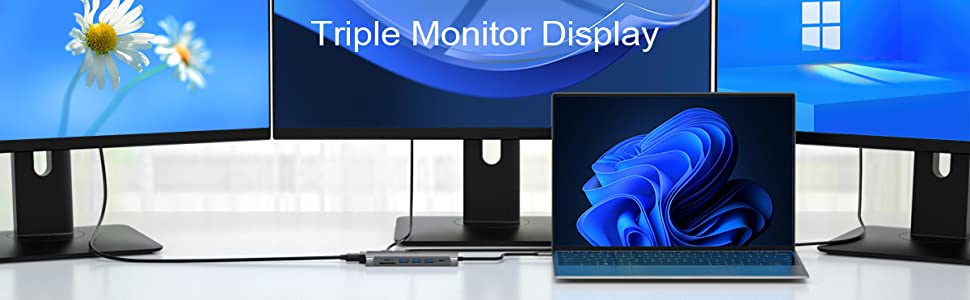
Common FAQ for USB C Docking Sation
| Q1: | Does this usb c docking station compatible with my laptop? |
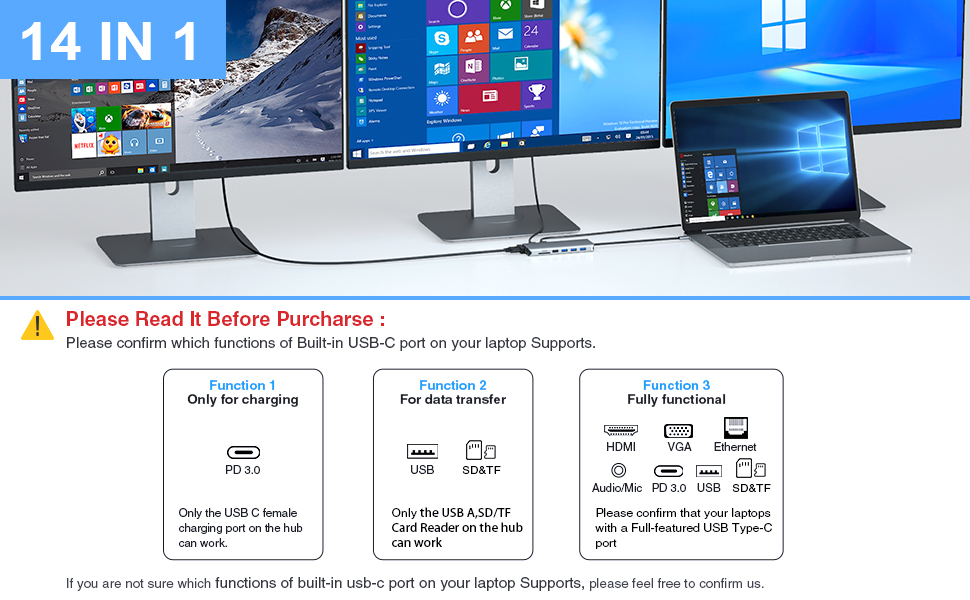
| A: | Please check which type of the built-in USB C port of your Laptop’s first, only if your laptop’s built-in USB C port is fully functional port which support Data transfer & Video Display & PD charging, you can use the full functions of our docking station. |
| Q2: | Below types of USB C port are Fully Functional Port |
| A1: | Thunderbolt 3 |
| A2: | The USB Type C 3.1 Gen 2 with Power Delivery & DisplayPort, |
| A3: | USB Type C 3.2 Gen 2 with Power Delivery & DisplayPort |
| Q3: | Why there is no pictures of the external monitors when I connect the monitors via the HDMI or VGA port of this docking station. |
| A1: | First, please check which type of the built-in USB C port of your Laptop’s first, if the type of the built-in USB C port of your laptop isn’t the Fully Functional port, then the HDMI,VGA of the hub doesn’t work for your laptop. |
| A2: | Check your HDMI cable. |
| A3: | Plugin the Laptop’s power adapter to the USB-C PD port before connecting external hard drives or multiple devices to the hub. |
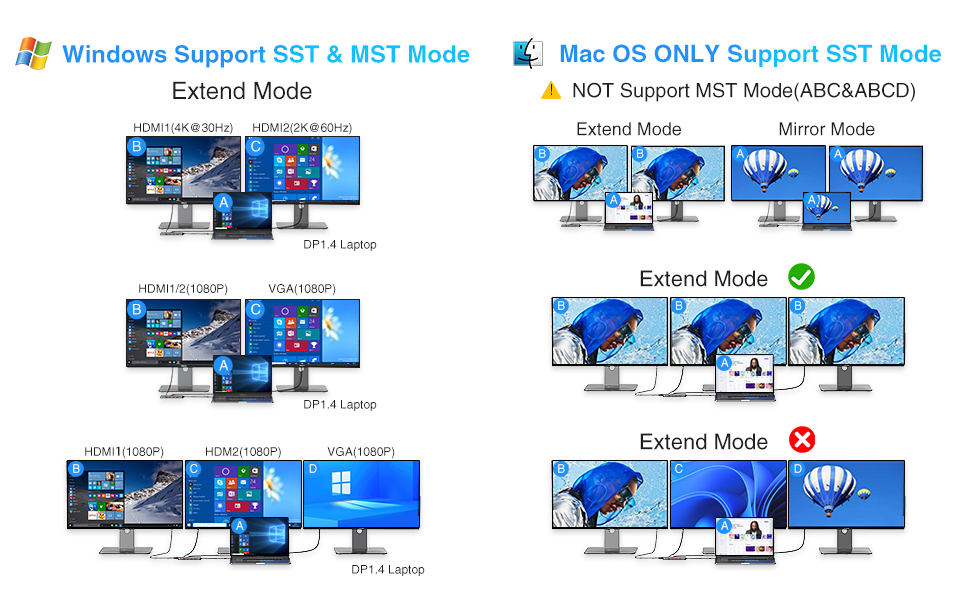
| Q4: | Why can’t my Mac laptop extend the display screen to the monitors? |
| A: | For Mac OS, due to its system restrictions the docking station could only support to extend one monitor, the other monitors could only copy the monitor you extend. |
| Q5: | Why I can’t charge my Dell/HP Laptop with the usb c charging port of this usb c docking station? |
| A: | The USB C Power Charging function of our docking station doesn’t works for laptop use a AC charging adapter over 100W. Those Laptop (Dell/HP/ThinkPad…) do not allow 3rd party charger to charge their laptop in other ways. |
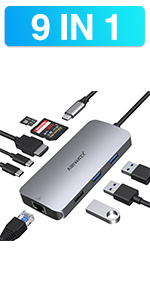 | 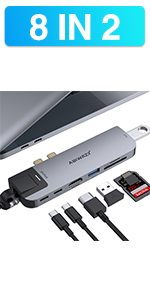 | 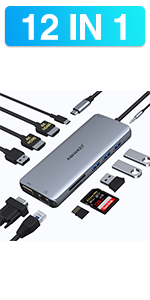 | | |
|---|---|---|---|---|
| Feature | 9 IN 1 | 8 IN 2 | 13 IN 1 | 11 IN 1 |
| HDMI | 1* HDMI -Max resolution up to 4K@30hz | 1* HDMI -Max resolution up to 4K@30hz | 2* HDMI – Triple Display for Windows Laptop -Max resolution up to 4K@60hz | 2* HDMI – Triple Display for Windows Laptop -Max resolution up to 4K@60hz |
| VGA | 1*VGA -Max resolution up to 1080P@60HZ | 1*VGA -Max resolution up to 1080P@60HZ | ||
| Ethernet | 1*Ethernet-1000Mb/s Lan | 1*Ethernet-1000Mb/s Lan | 1*Ethernet-1000Mb/s Lan | 1*Ethernet-1000Mb/s Lan |
| USB Port | 2*USB3.0 & 1*USB2.0 Ports | 1*USB3.0&1*USB2.0 Ports | 2 *USB3.0 Ports & 2*USB 2.0 Ports | 2 *USB3.0 Ports & 2*USB 2.0 Ports |
| USB C Port | 1* USB C Data Transfer Port-Max speed up to 5Gbps & 1* USB C Charging Port-Max 100W Charging | 1* USB C Data Transfer Port-Max speed up to 5Gb/s | 1* USB C Charging Port-Max 100W Charging | 100W Power Delivery |
| SD Card Slot | Max speed up to 104Mb/s | Max speed up to 104Mb/s | Max speed up to 104Mb/s | Max speed speed up to 104Mb/s |
| Micro SD Card Slot | Max speed up to 104Mb/s | Max speed up to 104Mb/s | Max speed up to 104Mb/s | Max speed up to 104Mb/s |
| Thunderbolt 3 Port | 100W Power Delivery &5K@60hz video output &40Gb/s Data transfer | |||
| 3.5mm Port | 1*3.5mm Audio & Microphone | 1*3.5mm Audio & Microphone |
| Dimensions: | 17.1 x 9.1 x 2.4 cm; 160 Grams |
| Model: | ABTT61 |
| Manufacture: | ABIWAZY |
| Dimensions: | 17.1 x 9.1 x 2.4 cm; 160 Grams |
| Origin: | China |
4.0 out of 5 stars Bridging the tech divide
In a world cluttered with gadgets, finding a unified hub to connect them can be rather vital. This docking station bridges the divide, offering a multitude of ports. From a personal experiment, seamlessly attaching hard drives, mouses, and keyboards proved no challenge. The pleasure of multitasking extends further when screens multiply; however, Mac users might want to note some nuances with extended displays. Data transfers were prompt, while the Ethernet ensured a steadfast connection. Listening to a playlist while working? The audio port managed that seamlessly. While the power charging promise sounds grand, it may be prudent to understand your device’s limitations. A sturdy dock, but always check compatibility.
4.0 out of 5 stars Great hub for my macbook
For this product, i’m impressed by its functionality. Featuring 14-in-1 ports, it effortlessly turned my laptop into a multi-screen workstation with its dual HDMI setup, providing crisp visuals. The additional USB slots, Ethernet port, and SD card reader made connections a breeze, all wrapped in a sleek, compact design that fits nicely on my desk. A slight issue with heating keeps it from perfection, but it’s a minor gripe in an otherwise fantastic piece of tech. It’s a game-changer for anyone juggling various tasks and looking to declutter their workspace.
4.0 out of 5 stars The ports I tested worked grea
Used a few of the ports just when I needed a few extra USB slots and it worked great, I can’t really ask for more. Not lightning quick transfer speeds, but nothing horrendous eithe
4.0 out of 5 stars Useful but Would Benefit from an Upgrade to the Video Ports
This Abiwazy docking station expands one Thunderbolt 3 / Thunderbolt 4 / Full-Functioned USB-C laptop port into fourteen ports. These are:
2 x HDMI (4K@60Hz for HDMI 1, 4K@30Hz for HDMI 2);
1 x DisplayPort (DP 1.4 – 4K@30Hz maximum resolution / refresh rate);
2 x USB-C 3.0 (5 Gbps);
2 x USB-A 3.0 (5 Gbps);
2 x USB-A 2.0 (480 Mbps);
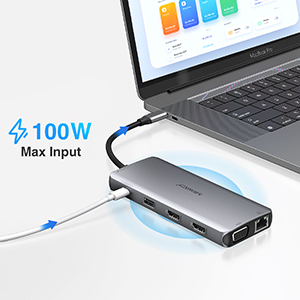
1 x USB-C 100W PD (supports 65W pass-through charging);
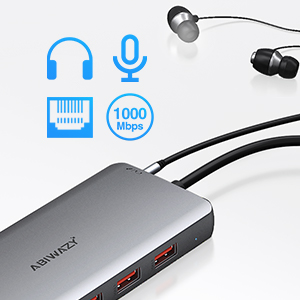
1 x RJ45 Gigabit Ethernet (1000 Mbps);
1 x SD Card Reader (104 MB/s);
1 x TF (Micro SD) Card Reader (104 MB/s);
1 x 3.5mm Audio Jack.
All ports work as per their stated spec, which in the case of the video ports isn’t as impressive as it could have been. There are plenty of other multiport docking stations that feature 3 or even 4 video ports capable of delivering 4K video at a refresh rate of 60 Hz. Only one of this docking station’s video ports (HDMI 1) can deliver this resolution and refresh rate. The manufacturer should have spent a little more on components in order to improve the spec of the video ports. Most gamers, cinephiles and video editors would gladly pay an extra 5 or 10 in order to get a docking station that features HDMI and DP ports which can all achieve 4K@60Hz performance, even when used simultaneously. Plenty of other manufacturers are producing docking stations capable of that. I think that Abiwazy should have followed suit – that would have broadened this docking station’s appeal and future-proofed it to a degree.
All the other ports work well – no criticisms there. The USB-A ports, of course, could all have been 3.1 or 3.2 instead of 2.0 and 3.0, but the 2.0 ports are meant for keyboard and mouse (which they’re more than adequate for) while the 3.0 ports offer fast enough data-transfer rates to satisfy the vast majority of people.
The shell is made of aluminium alloy – a good choice of material for the job, as it is strong and lightweight plus its high conductivity makes it effective at dissipating heat, thereby keeping internal components at a safe operating temperature.
The current retail price of 49.99 (down from the RRP of 59.99) is decent value. I’d rather see the price a little higher and the video ports’ spec improved accordingly, though. Nevertheless, this 14-in-1 drive is a useful piece of kit.
4.0 out of 5 stars Wide expansion, some limitations
I recently got my hands on this multi-port USB C docking station, and it has really improved the compatibility of my laptop. The design is sleek and compact, giving it a strong and durable feel. It comes with a bunch of different ports, including dual UHD 4K HDMI, DP display port, 100w PD, RJ45 port, 2 USB-A 3.0, 2 USB-C Data Transfer port, 2 USB-A 2.0, SD & TF Card reader, and 3.5mm Audio/Mic 2 in 1 jack. Thanks to all these ports, I can now connect multiple displays, a keyboard, a mouse, USB storage, and other devices simultaneously. It even supports pass-through charging, which is super convenient. I really appreciate how it has both USB A and C ports, keeping up with the latest technology trends. Overall, this docking station meets my needs, effectively turning my laptop into a desktop workstation. It works perfectly and offers a wide range of connectivity options, boosting my productivity. However, I should note a few limitations: it doesn’t support output charging for mobiles and tablets, and the power output to my laptop is a bit slower. Also, I found that using a wired mouse and keyboard provides a more stable connection. Despite these drawbacks, It still offers wide expansion and good performance.
4.0 out of 5 stars Useful
There are many USB C hubs available. Most follow a similar design, a grey alloy box and a short USB C connection cable to leverage a high-spec (at least data and display) USB C socket.
The various hubs for sale on Amazon offer different ports, and when considering which hub to buy, the principle question has to be; “how many ports and what kind of connections do I need?”
The main price driver is usually the number and quality of the display connections. However, the quality and speed of the data ports are also important.
The price point of this hub is on the higher side; however, does the impressive number and the quality of these connections justify the asking price?
Here you get two HDMI ports (4K@60Hz if used individually), and the third is a DP port which is also 4k.
If you use all three ports, the output is limited to 1080p.
Regarding connecting multiple monitors, how the desktop will present depends on your OS and hardware, so worth checking out what your device and software can deliver. (Also see the descriptions infographic).
The data connections are:
Two USB-C 3.0 5Gps data ports.
Two USB-A 3.0 5Gps data ports.
There are then SD/TF and Micro-SD card reader slots; this is a useful feature if you use these data storage devices frequently.
In addition, there are two old-school USB A 2.0 ports, and while USB A 2.0 has been around for over twenty years, it is still the standard used by peripherals such as a mouse, keyboard or webcam.
So these have utility in this way, but data moves at a pedestrian 480Mpbs.
There is an up-to-100w pass-through charging via a USB-C PD port.
Further, there is an ethernet port at 1Gbps via the standard RJ45 socket.
Lastly, there is a 3.5mm Audio and microphone combined jack port.
While this product deserves consideration, MOKIN and others have hubs with higher-definition display connections and faster USB 3.2 data ports at and above this price point.
However, 14 expanded ports from a single USB-C make this a useful device for the range of good standard connections at a reasonable price.
So, in conclusion, the value of this impressively titled 14-in-1 USB-C hub must come down to how well it fits your individual user requirements.
Works exactly as expected/wanted
Very easy to setup and sits nicely on the desk. I have Elitebook G8 laptop connected to 2 x 1440 monitors with extended desktop in Windows (so 3 screens).
Connected ethernet, camera and keyboard and everything works as it should.
Only thing I haven’t tried yet is adding a PD power to charge the laptop – currently just using the laptop charger.
Docking Station for HP Z book
I purchased this for a HP Z book with a VGA and HDMI monitors as well as a wired network connection and it worked a treat. The only problem is that it wouldn’t power the laptop, I had to plug power into the laptop and power the hub from that other than that I can happily recommend it.
Does the job
Using it to run 2 screens from my laptop (colleagues using same device to run 3)
Does the job perfectly and makes things so much easier at work.
Plug and play
Using it with an Elitebook 840 G8 – three monitors ( 2 x HDMI and 1 x VGA) in extended mode – Windows 10 – and the laptop display stays active also. Running the audio from the hub also. All good, no issues so far. Browsing and office apps, no games.
Best USB-C Multiport Hub
This is the best USB-C Multiport Hub I’ve ever used, does exactly what it says in the product information!
Works Great !
I like the fact that it does what it’s supposed to do
Docking Station Review
I have the following set-up:
Docking station connected into the laptop thunderbolt interface.
Dual monitors connected to the docking station via the HDMI ports.
Keyboard and mouse connected to the docking station.
Docking station is being powered from the laptop thunderbolt interface.
Laptop is being powered from its own power block (not using the power pass through from the docking station as its underpowered [100W] for the laptop – as are all third party docking stations).
Docking station is working perfectly and reliably so far.
Excellent purchase and thoroughly recommend.
Slick design with all the necessary ports
Would of preferred to buy with the charging station but it was not available. I bought the hub and bought a 100W USBC charger separately. With the charger plugged in the power socket I can keep my computer charged with out plugging the power cord.
I have plugged in: Two screens (HDMI), one conference speaker, one mouse and a keyboard, a external camera and the ability to charge a compute
Simple and worked straight out of the box
An excellent product at a fraction of the HP price for the same thing. I use it on an HP Laptop to primarily view two monitors – which works fine. Would recommend to anyone that uses HDMI cables.
Works as expected
I use this device on a daily basis with 2 dirrerent laptops.
Job laptop is not powerful enough to drive 3 screens.
But my personal laptop has no problem outputing on all 3 screens I have using the 2 HDMI + VGA output.
Mouse, keyboard & printer all work perfectly plugged in the hub.
Havent tried much using an external HDD tho.
Works well on my gaming laptop
Did have a problem when I connected a USB C ssd drive. Simply connecting drive direct to laptop worked.
Works as it should
Haven’t had any issues with the adapter, a bit expensive to me but so was every other adapter with this many inputs.
At least it’s reliable for the money – I have 3 usb’s, 1 HDMI, and a usb-c plugged in every day and it’s been seamless.
I have it connected to a 27 inch 4K monitor, works fine. Used interchangeably between a HP i7 laptop and a Dell i7 laptop. Really good replacement to a OEM docking station given its flexibility and its portability. Overall good value for money in my opinion.
I have it connected to a 27 inch 4K monitor, works fine. Used interchangeably between a HP i7 laptop and a Dell i7 laptop. Really good replacement to a OEM docking station given its flexibility and its portability. Overall good value for money in my opinion.
A simple device that does it perfectly. Connected straight into my Acer laptop, and allows connection to two 24" LG HDMI screens, a Focusrite 2i2, a midi keyboard, a wireless mouse and more !
A simple device that does it perfectly. Connected straight into my Acer laptop, and allows connection to two 24″ LG HDMI screens, a Focusrite 2i2, a midi keyboard, a wireless mouse and more !
This product acts as a hub for a Lap Top and is working fine as such so far. It accommodates two monitors, charging, and audio, plus the numerous USB ports. One improvement might be to have one or more of the USB ports manually switchable.
This product acts as a hub for a Lap Top and is working fine as such so far. It accommodates two monitors, charging, and audio, plus the numerous USB ports. One improvement might be to have one or more of the USB ports manually switchable.
Two Simple Questions:
1. What device do you use the adapter for?
2 AOC E2070S whn monitors and wireless keybord
2. Did the adapter compatible/work well with your device?
Yes, a Lenovo Yoga 7
I use the adapter with a 17″ HP Envy laptop using windows 11.
The device is perfect for my needs. I was plugging several different devices into my laptop each time I wanted to use it and since I use the laptop in a family space I can’t leave it set up. Now I have the new docking adapter I only have to plug one thing into my adapter because all the other drives stay plugged into the adapter which can be easily stored out of the way between uses. It does get hot when I use it but that has not caused any problems so far
Andrew
Works exactly how described. No issues at all after a few weeks of using i
It works. With the power supply and HDMI cable attached it tends to get a little hot. I wished this had ethernet. USB doesn't work when daisy-chaining with another USB hub/switch.
It works. With the power supply and HDMI cable attached it tends to get a little hot. I wished this had ethernet. USB doesn’t work when daisy-chaining with another USB hub/switch.
Portable and light port replicato
I purchased this for my work HP laptop as our HP docking stations are out of stock for some time. It is working well for my 2 HP screens that I’m connecting via HDMI and all my peripherals such as wired keyboard, mouse, headset, jabra etc.
The only issue is the usb-c lead itself is so short so there is no flexibility about where you can put it on your desk. Also, I was led to believe I could power the machine via this product but not sure how ??
Excellent with my HP Envy laptop, for me it was worth buying the USB C extension lead, the one built into the unit is sho
Been using this all the time as i work from home, mainly connecting macbook to a monitor. It doesnt reduce picture quality. So far, i dont have problem at all.
I use it on my notebook air1. And it worked out on the box straight away. Get a bit warm but not a problem.
Purchased this hub to attach to Dell XPS 15 9510 laptop.
Very happy with my purchase, the device appears well made.
I have used the HDMI port, USB ports and the SD Card port successful, the others I have not had time to try.
I use the hub on one of the Dell’s Thunderbolt 4 ports.
HDMI support was flakey, Ethernet kept dropping out and it wasn’t charging the laptop properly, but now I have the laptop and hub charging separately everything is working perfectly so I’m very happy, especially considering it cost 150 less than Dell’s own version (I’m using an XPS 15 Core i7)
The docking station arrived quickly and is surprisingly compact. I am using it with a Dell XPS 15 9520 laptop; two Viewsonic VG2439M-LED-T monitors; a LG wireless keyboard and a Leadsail wireless mouse. It is easy to use and worked straight away. The mouse doesn’t always respond as smoothly as I’m used to, but it does function at all times.
One issue I have is that the monitors do not display at greater than 1920 x 1080 resolution. I had thought that when I previously used the laptops own adaptor that the monitors had provided higher resolution but this is not currently the case, and the monitor specs say that their optimum resolution is 1920 x 1080, so they may be the limiting factor, and I might be delusional.
This does not provide enough power to the laptop to charge it, so rather than connecting my laptop adaptor to the docking station, I prefer to plug it directly into the laptop. This means I need to make two connections instead of one, but I need to take my laptop adaptor when not using the docking station anyway; and the docking station doesn’t come with it’s own power adaptor.
Great bit of ki
Simple bit of kit not a lot to say plug in and away.
Had no problems did what I wanted it to.
Really good dock with all the connections you need
Bought two of these, one for a work device – Windows laptop with only 1 USB C slot and a home MacBook with only 2 USB Slots. Works great with both, plenty of standard USB ports, HDMI as well as USB C, connects everything I need. I actually replaced a supposedly specialist Apple dock as it give you more ports and only uses on of the USB slots (the old one used 2). Works easily, just plug and play.
Great featured usb-c dock let down by the short captive usb-c connecting cable meaning of you want to hide it away you’ll need an extension cable
Great portable dock
Great portable dock for USB C, USB, HDMI and multi screen display. Works just as well as a Microsoft dock if not better.
Great suppo
I had an issue and it was corrected swiftly by support, great product support. The item itself is sturdy and works well, I only get one output in 1440p and one in 1080p but that’s acceptable.
Great 13 in 1 hub for hdmi and vga
After returning equipment to work, i needed 2 screens to still work from home.I had a newer HDMI monitor and old VGA flat screen monitor. Both work fine with this hub along with several USB devices. I still use my laptop power supply, plugged direct in to my laptop.
You can’t have VGA securely fastened, nor have VGA and ethernet plugged in at the same time. There is also no power supply like other models on the market… however this seller has great customer service and I look forward to see if they tweak their product design in the future to make it more practical.
I won’t talk about the positives as it does what it says on the tin. The only limitation is that the power is taken from the host computer via USB C. If your computer in my case laptop does not supply enough power to run all the peripherals then you may get screen or network dropouts. I had my headset charger and my wireless QI charger for my phone plugged in. I haven’t yet worked out which, but probably the QI charger causes the problem. I doubt the mouse and keyboard are an issue! So all in all it is a good product and I have to say that I am very impressed with their customer support namely a lady called Alice.