XP-PEN Deco Pro MW Graphic Drawing Tablet 11"× 6" Wireless Pen Tablets for Sketching and Drawing, with 8 Shortcut Keys and 2 Dial Wheels, Supports Windows, Mac OS, Android, Chrome OS and Linux
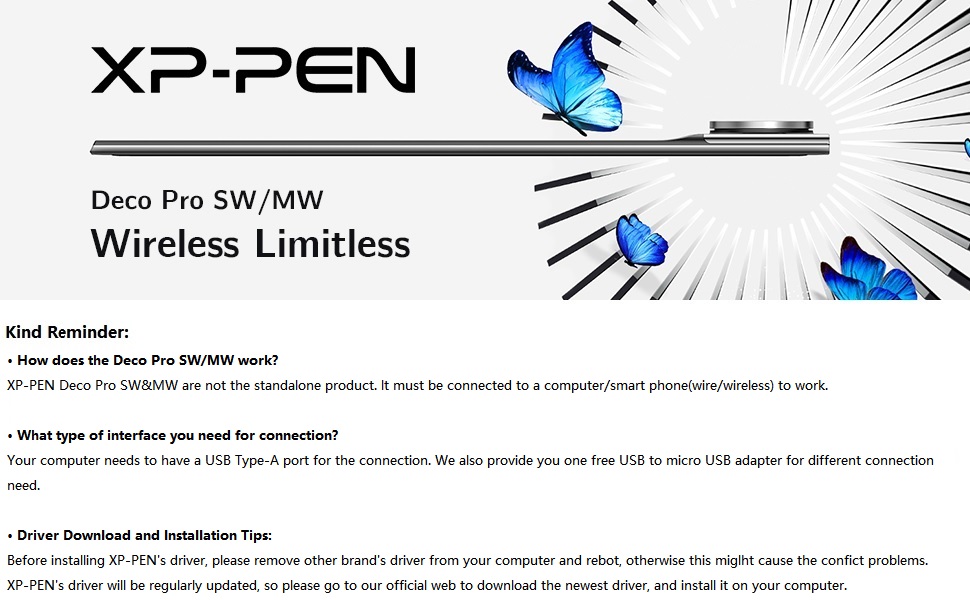
Package Includes:
1 x Deco Pro Pen Tablet; 1 x Battery-free Stylus; 8 x Replacement Pen Nibs; 1 x Pen Holder
1 x USB-C to USB Cable; 1 x USB to USB-C adaptor; 1 x USB to micro USB adaptor; 1 x Drawing Glove; 1 x Quick Guide
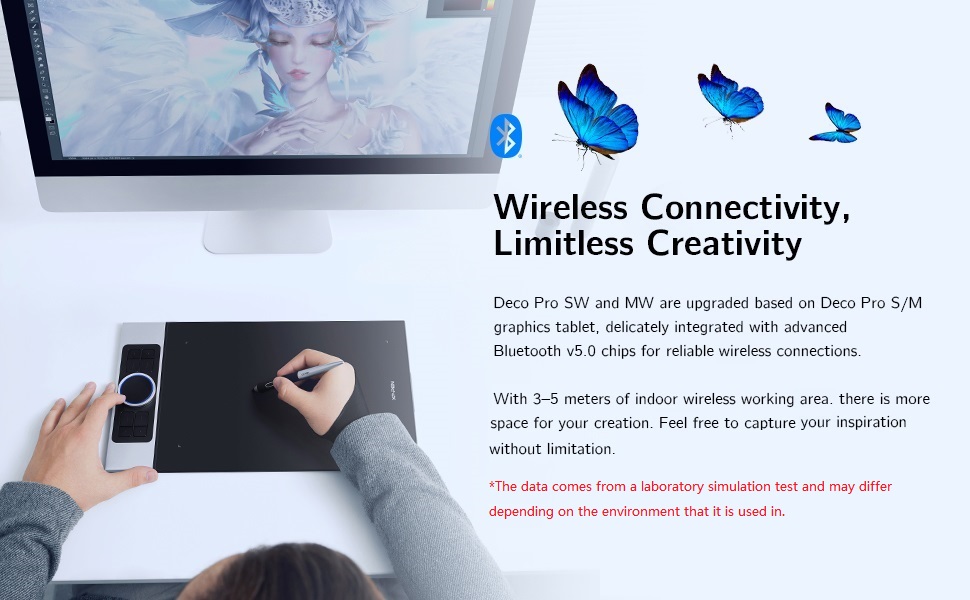
Level up the way you create
| | | |
|---|---|---|
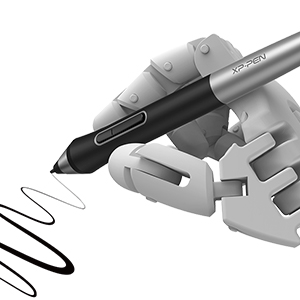
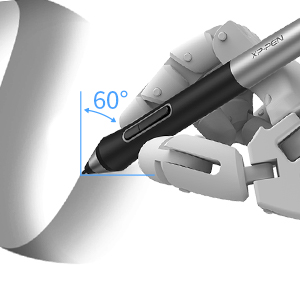
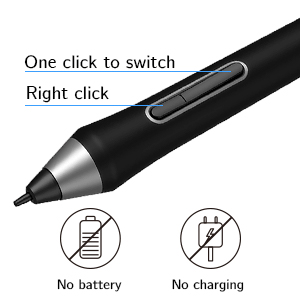
| 8,192 levels of pen pressure sensitivity With up to 8,192 levels of pressure sensitivity, the Deco Pro SW/MW graphics tablet provides you precise control and accuracy. Create fine lines in anincredibly natural and fluid experience. | ±60°tilt function The XP-PEN Deco Pro SW/MW supports up to 60 degrees of tilt function, quickly and easily responding to the way your hand moves, simply tilt to add shading to your creation. | Newly designed battery-free stylus The new PA1 stylus is battery-free, weighs only 13.3g, and featuresa nice black and silver design with a sleek pointed end. The one-click toggleallows you to switch between pen and eraser modes instantly. |
More Compatibility, More Possibilities
Bundle software for Deco Pro Series!
Enrich your experience and improve your creation skills, XP-PEN provides you with bundle software for different purposes.
- Explain Everything
- ArtRage 6
- openCanvas
How to obtain your software?
Step 1: Create or log into your XP-PEN account.
Step 2: Certify your purchase’s serial number.
Step 3: Select a software option, find the activation key of the software and visit the corresponding page to install it.
| | | |
|---|---|---|
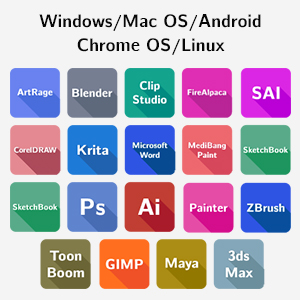
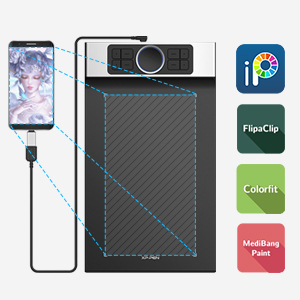
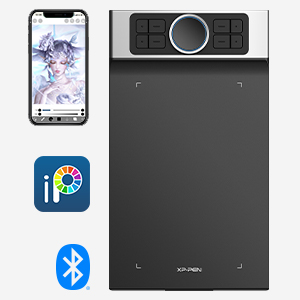
| The Deco Pro SW/MW drawing tablet supports Windows, Mac OS, Android, Chrome OS and Linux systems. It’s compatible with most drawing and design software, including Photoshop, SAI, Painter, Illustrator, and more. Empower your creativity with more possibilities. | It supports connections with Android devices(Android phones and tablets) 6.0 and above. Works with most major software including: ibis Paint X, FlipaClip, Medibang, Autodesk Sketchbook, Zenbrush, Artrage, and more. | Connect Deco Pro SW or MW to your iOS device and experience the ibisPaint’s abundant, easy-to-use features for drawing. New compatibility frees your creativity! * Deco Pro SW/MW only support ibisPaint iOS version 9.1.0 or later (in iOS 11.0 or later). |
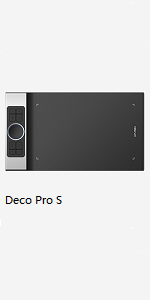 | 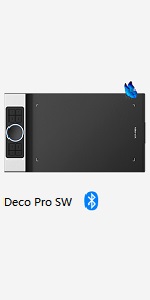 | 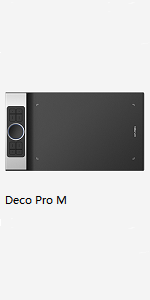 | 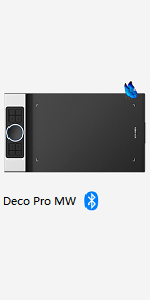 | |
|---|---|---|---|---|
| Dimensions | 350.8 × 199.5 × 16.5mm | 350.8 × 199.5 × 16.5mm | 399.7 × 227 × 16.5mm | 399.7 × 227 × 16.5mm |
| Active Area | 9"× 5" | 9"× 5" | 11"× 6" | 11"× 6" |
| Stylus | PA1 battery-free stylus | PA1 battery-free stylus | PA1 battery-free stylus | PA1 battery-free stylus |
| Wireless Technology | / | Bluetooth v5.0 | / | Bluetooth v5.0 |
| Reading Height | 10mm | ≥10mm | 10mm | ≥10mm |
| Power Key | / | 1 | / | 1 |
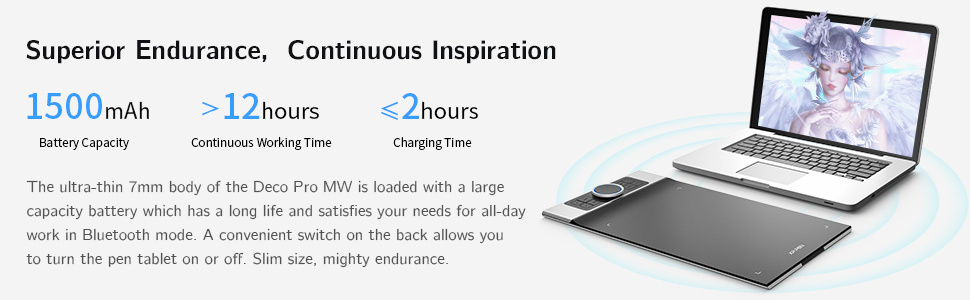
| Battery Capacity | / | 900mAh/3.7V | / | 1500mAh/3.7V |
| Continuous Working Time | / | >10h | / | >12h |
| Charging Time | / | ≤2h | / | ≤2h |
| Compatibility | Windows 7/8/10, Mac OS X10.10 (or later), Android 6.0 (or later), Chrome OS 88 (or later), Linux | Windows 7/8/10, Mac OS X10.10 (or later), Android 6.0 (or later), Chrome OS 88 (or later), Linux | Windows 7/8/10, Mac OS X10.10 (or later), Android 6.0 (or later), Chrome OS 88 (or later), Linux | Windows 7/8/10, Mac OS X10.10 (or later), Android 6.0 (or later), Chrome OS 88 (or later), Linux |
| Dimensions: | 43 x 25.9 x 6.6 cm; 1.94 Kilograms |
| Model: | Deco Pro MW |
| Batteries Included: | 1 Lithium ion batteries required. (included) |
| Manufacture: | XP-PEN |
| Origin: | China |
good produc
I have no regrets of buying this product.
Have not used it a lot jet, but it makes a very good first impressio
Fast delivery, great product quality and does what I need
Fast delivery, great product quality and does what I need
Ottima tavoletta senza schermo
Buono il software a corredo, semplice da configurare se si ha dimestichezza. Materiali buoni, sia il metallo della scocca che i tasti in plastica, stabili e funzionali. Preziose le due ghiere, specialmente la touch interna. La penna leggera ma assolve il suo compito bene, specialmente se ben tarata con il driver. Al momento forse la tavoletta senza schermo con il migliore rapporto qualit prezzo.
Responsive and accurate
Not a picture of the Xpen but images of photoshop working with said Xpen
A cheaper one I had previously didn’t give me the thin strokes depending on pen pressure and angle. This one does, I’m very pleased with i
Pratica e di buona qualità costruttiva
Materiali buoni; solida e ben costruita.
Non ha lo schermo ma facile da usare.
Il cursore si vede sullo schermo del PC gi ad una distanza di 1 cm dalla tavoletta.
Presa per un regalo e quindi non l’ho provata a lungo.
Completer la recensione dopo che la persona a cui destinata mi riferir le sue impressioni.
Qualit complessiva e costruttiva comunque superiori alle mie aspettative.
Perfetta
Sono arrivato a questa tavoletta dopo vari passaggi in altre marche anche molto pi blasonate, che dire… per il mio utilizzo perfetta! Ho aspettato qualche tempo per scrivere una breve recensione, per provarla a fondo e devo dire che mi ha soddisfatto in pieno. Su Windows 11 stata riconosciuta subito, i driver sono stabili e funzionali, permettono di configurarla in modo ottimale in base alle proprie esigenze. A livello tecnico funziona perfettamente, legge bene la pressione, l’inclinazione ed molto precisa. Personalmente ho optato per la versione cablata, perch sono vecchia scuola e preferisco ancora avere tutto collegato con cavi, ma si tratta di una preferenza del tutto personale! Sia la tavoletta che la penna sono costruite con materiale ottimi e assemblate in modo ineccepibile, maneggiandole si ha la sensazione di prodotti fatti per durare nel tempo! Se siete alla ricerca di una tavoletta avanzata, e non avete bisogno di un pen display, mi sento di consigliarvi senza remore questa xp-pen, prodotto pro ad un prezzo molto valido!
Molto soddisfatto
Scrivo la recensione dopo alcuni mesi di utilizzo. Premetto che ho avuto un paio di tavolette grafiche “entry level” in passato, una della Wacom, usata per anni senza problemi. Mi sono deciso a comprare qualcosa di pi serio e devo dire di essere assolutamente soddisfatto della spesa.
Cerco di riassumere gli aspetti principali:
HARDWARE
Dal punto di vista del materiale mi sembra tutto molto curato, la superficie piacevole e la penna leggera e si impugna in modo confortevole, con i tasti ben raggiungibili. La punta scorre bene sulla superficie della tavoletta. Anche i pulsanti e la rotella sulla tavoletta sono ben disposti e funzionali.
SOFTWARE
Il software semplice da configurare e permette di customizzare ogni pulsante, salvando profili diversi in funzione dell’applicazione di utilizzo. L’ho trovato intuitivo da usare e non ho riscontrato problemi ad oggi.
COMPATIBILITA’
Ho utilizzato la tavoletta soprattutto con Rebelle 4 e con Photoshop 23.1.0 senza riscontrare alcun problema di compatibilit. A volte su Photoshop mi incarto fra la selezione dei tool con scorciatoia da tastiera ed il pulsante di switch fra pennello e gomma a bordo della penna. Ma questa pi che altro una questione di abitudine. Non ho riscontrato alcuna latenza fra il movimento della penna ed il tratto nei software.
CONCLUSIONE
Rifarei l’acquisto domani, a livello di controllo del tratto c’ un abisso fra questa e le mie precedenti tavolette grafiche. Chiaramente c’ anche una differenza di prezzo fra questo ed i precedenti prodotti ma secondo me questa tavoletta vale i soldi che costa. Sono stato indeciso a lungo se comprare questa o una tavoletta con schermo e devo dire che sono felice di aver preso questa. La sensibilit eccellente ed i tasti configurabili sono estremamente comodi. Nella mia esperienza basta poco esercizio per abituarsi a disegnare sulla tavoletta guardando il monitor.
Consigliata!
Presque parfaite ...
Aprs l’achat de la huion q620m pour remplacer ma huion q11k, j’avais des problmes de drivers et la tablette ragissait mal. Je l’ai chang par celle ci, qui une fois tout installer marche la perfection… ou presque ! Je m’explique ; une fois les drivers et Krita installer tout fonctionner au-del de mes attentes !
Mais une fois fini, j’ai tout dbranch et quand j’ai rebranch, a fonctionnait mal. Le bouton gomme me donner un autre brush, la pression du stylet pas reconnu bref le bordel ! J’ai donc tout dsinstall et rinstaller, et tout est rentr dans l’ordre pour le moment. Pour le reste la tablette l’air solide, en aluminium de trs belle qualit, j’en suis trs content, il faudrait juste que Xpen mette jour les drivers et le petit programme du pilote pour avoir quelque chose de plus “rcent”.
My first Graphics tablet and it’s great!
I wanted to use a graphics tablet(GT) for a retro game I am writing and I’ve now been able to use the retro software on my laptop with this GT. (zx-Paintbrush)
I’ve used the Clip Studio Pro trial and it’s lovely to use with the pen!
Still learning but so far so good!
Presque parfaite ...
Aprs l’achat de la huion q620m pour remplacer ma huion q11k, j’avais des problmes de drivers et la tablette ragissait mal. Je l’ai chang par celle ci, qui une fois tout installer marche la perfection… ou presque ! Je m’explique ; une fois les drivers et Krita installer tout fonctionner au-del de mes attentes !
Mais une fois fini, j’ai tout dbranch et quand j’ai rebranch, a fonctionnait mal. Le bouton gomme me donner un autre brush, la pression du stylet pas reconnu bref le bordel ! J’ai donc tout dsinstall et rinstaller, et tout est rentr dans l’ordre pour le moment. Pour le reste la tablette l’air solide, en aluminium de trs belle qualit, j’en suis trs content, il faudrait juste que Xpen mette jour les drivers et le petit programme du pilote pour avoir quelque chose de plus “rcent”.
Ottimo prodotto
Non conoscevo questo prodotto, mi sono fatto consigliare da un amico per mio figlio a cui piace disegnare, da un primo utilizzo la lavagnetta non sembra male, segue bene i comandi ed e’ facile da usare.
Ottimo prodotto
Non conoscevo questo prodotto, mi sono fatto consigliare da un amico per mio figlio a cui piace disegnare, da un primo utilizzo la lavagnetta non sembra male, segue bene i comandi ed e’ facile da usare.
Ottima tavoletta grafica
Articolato arrivato nei giusti tempi.
Prodotto eccellente, l’inclinazione della penna ottimale come gli 8 tasti programmabili, la funzione rotella di una utilit incredibile. La tavoletta rispecchia le ottime impressioni avute, facile da utilizzare.
In conclusione decisamente soddisfatto dell’acquisto, ottimo il rapporto qualit prezzo.
My third tablet this by far the best I've owned
Upon opening The XP-Pen Deco Pro screams quality and it doesn’t disappoint it’s responsive and accurate, I use the tablet for Blender sculpting and I love the feel of this tablet I have one gripe and that’s the tablet software doesn’t seem to be letting me setup the hotkeys for Blender, I change them and and they tend to do the default settings when in Blender, for instance I wanted the middle mouse button as my lower pen button so I can rotate my model with the touch pad in the centre of the mechanical wheel and it just continues to see it as right click so instead of setting up the tablet for Blender I have to set up Blender hotkeys to mirror the software’s default settings but even with that gripe cos it may evolve with software updates I still give it 5 stars
So smooth and light to work with, great build quality
The build quality of this tablet is impressive, with a strong metal back and positive controls. The whole kit is very well presented, with the pen storage tube and holder containing ten spare nibs and nib extractor, together with two connecting leads and a USB adaptor.
I find that the lights at the corners of the active area are particularly reassuring to show that the setup is working. The matt surface of the tablet gives good control of the pen and the pen sits lightly in the hand for extended working periods. I found the pen and tablet combination very easy to use at the basic point and draw level. The pen moved completely smoothly from painting to mouse operation when operating outside the canvas, and for control of tools within the graphics program.
I used my desktop Windows 10 PC via the USB cable with the free graphics program GIMP installed. I got some great results but I had to set download the software from XP-PEN and then also chose the graphics tablet on the list of input devices under the Edit menu in GIMP. It took a few minutes but once set up everything worked brilliantly. Using the tablet through a Bluetooth dongle plugged into the PC resulted in a certain amount of latency.
Next I tried the tablet with a laptop running Ubuntu 20 and the results there were impressive too. After initial set-up the Linux graphics program MyPaint easily linked to the XP-PEN and provided all the expected tools.
I tried this tablet on my Android tablet, but I couldn’t get it to map to the screen. I think the drawing program I used was too rudimentary for the XP-PEN tablet.
There are many controls which I have yet to explore, but you can see the results you can get with a decent graphics program and just the basic pen settings. Having seen how good those are, the additional customisable buttons and the rotating dials will be a joy to use once I get the hang of them.
I am not a proficient artist and I am red-green colour blind so the Colour Picker tool is especially important to me. To create the image that I have included with the review I opened one of my photos in GIMP then added a new layer. On the second layer I sketched the outline of the main shapes of the image, then copied the new layer into a new file. From there I added all the detail and colours myself. It took me quite a number of hours to complete the picture.
Fantastic piece of kit.
The XP-PEN DECO Pro MW graphic drawing tablet is an excellent piece of kit. I got this for my university student son to try out and I can definitely say he was very impressed. I will base the next part of my review on his feedback:
The XP-Pen is a really lovely device, that is excellent for beginners in drawing and is especially a handy tool for those using it to make notes digitally on their PC. It comes packaged with a pen that has multiple replaceable nibs and it can connect via Bluetooth or USB-c cable. It also comes with an artist glove. As a budget option, I’d heavily recommend this option as it has many necessary features and is even more useful if you have the drivers installed which you can get online. I’ve been heavily using this product for months and have not once encountered an issue. I can definitely recommend this for beginners in digital art or those that want a more convenient method of writing notes.
This is an excellent product at a reasonable price. It comes in a nice box and all the items are very well packed inside.
Great tablet, but bluetooth doesn't work in Linux.
Over all a very impressive tablet. Unfortunately the company has not added bluetooth support for Linux, so I’m returning this item.
Wireless and wowsome
The graphic tablet is very easy to set up, I haven’t used a graphics tablet in a long time – and aside from the poor usability, it was very difficult to set up and came with a CD full of cryptic drivers. It was also not Mac compatible. This XP-PEN tablet is so much better in many ways. Setup was near-instant via bluetooth, and the unit itself is very slim and ergonomic. The drawing surface is a great size and does not feel limiting, especially for detailed graphic work or 3D designs. Windows ink is also surprisingly useful, another software I had not used before this. The deco pro software provides a lot more options for specific actions, and I would definitely recommend you install it. The included glove is a nice touch to prevent accidental jerking motions and ruin your lovely artwork!
Impressive Performance for Mid range table
This XP-PEN Deco Pro MW Graphic Drawing Tablet is a very convincing all rounder. It isn’t the best I ever tried but it definitely excels at every area and is one of the very appealing options in the mid range category.
Starting with the design, this tablet packs a convenient form factor and makes it easy for my main drawing hand to slide easily. The surface is smooth enough for me to move my hand without an issue. I used this for a 2 hour design session and it was ergonomically convenient since I didn’t feel any discomfort.
The performance is equally acceptable and the drawing area if pretty accurate once you spend some time with the tablet. I didn’t encounter accidental touches that would ruin my work.
I like that this can be used as a wired or wireless tablet. I use it wired on my desktop and wireless on my MacBook. So far connectivity seems flawless and response times are quite impressive.
I like that this comes with software support which would be helpful for beginners.
It’s been a while since I received this tablet and I used it three times. So far so good!
Versitile tablet but at a price.
This drawing tablet from XP-Pen is very well put together and, in the box, you get the Tablet, Pen, Pen Holder, Spare Nibs, USB-C to USB-A cable, Glove and Instructions. You do really need to download the free-of-charge XP-Pen software, which enables you to adjust the Work Area, Pen Settings, Shortcut Keys and Roller/Touch. It is very thin and lightweight, making it ideal for travel.
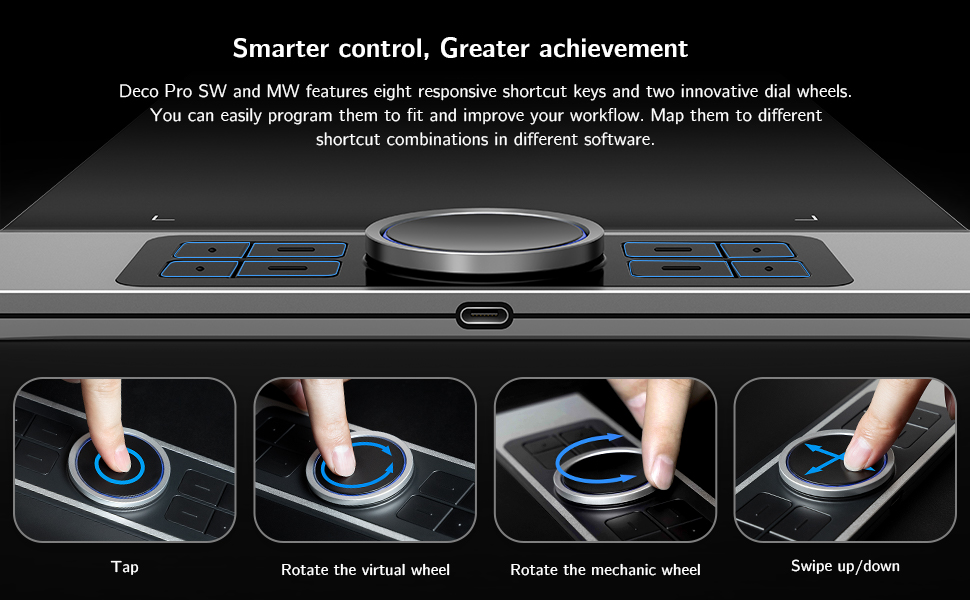
On one side you have a dual function wheel and eight shortcut keys. These keys, along with the buttons on the pen, can be set with a specific shortcut. Enabling you to tailor then to your own needs. These shortcuts can also be set by application.
You have a choice one one-of-three free software packages to download, these vary slightly in what they offer, and you can find the one that is best suited to what you want to do with the tablet.
I found drawing with this tablet to be very easy to do and it is very smooth. Latency is not bad, although it does increase the faster you draw. I did find myself pushing the pen buttons by mistake but that it most probably down to practice. You get plenty of spare nibs for as and when you need them. You do get a handy glove, that stops the tablet thinking your hand is the pen. This is soft and smooth and very comfortable to use.
This can be used with an android device, although you are restricted to portrait orientation only. Being left-handed, I was able to have the wheel and buttons and the right-hand side. This is since you can rotate the screen orientation between 0 and 270-degrees.
You do need to bear in mind that the performance of this tablet is going to be partly down to the laptop/PC you are using, and I have found that older tech is a bit slower and can struggle a little.
IF you have limited space and/or want to travel with your tablet, then this does tick a lot of boxes.
Overall, it is hard to fault this very good quality drawing tablet.
I hope you found this review & photos interesting, informative, and useful. Thanks for reading.
NB. For a sizing guide, squares in photos are 1cm.
Great replacement for a graphics display monitor!
When my Huion GT-220 V2 finally gave up on me I was looking at getting another display monitor, but after seeing all the great reviews about this tablet on Youtube I decided to give it a try.
Initially a was a bit concerned that I would struggle with hand-eye coordination when drawing but so far that hasn’t been a problem.
The tablet itself feels like it should cost a lot more than it does. With brushed aluminium and a decent weight, it feels sturdy and well made. The programmable hot keys are really useful in Photoshop when switching between tools and the scroll wheel makes zooming in and out a breeze. I don’t really use the track pad in the centre of the wheel but it seems to work well. The pen feels premium and it’s good to not have to worry about charging it.
The main thing that i’ve noticed, coming from a graphics display monitor, is that my posture has improved considerably and I no longer get pain in my neck and shoulders like I did before as i’m now looking straight ahead rather than stooped over a screen.
Overall I would recommend this tablet to anyone who needs one for graphic design or illustration work and I certainly don’t think i’ll go back to using a display monitor.
Brilliant table
For a while I had been using the Deco Fun tablet for drawing, I liked it but it honestly wasn’t that great for anything other than simple use, I got this Deco pro because it looked exactly like what I needed, something big and quality with plenty of controls.
I mostly used this in Adobe Fresco, Photoshop, and Lightroom, it’s really nice to use and feels great, the pen comes with a little weighted stand for putting it in when not in use.
The tablet is wireless which I didn’t know about until I found the USB receiver in the pen case, works just as well as wired, no noticable delay whatsoever.
Definitely recommend!
A really attractive alternative to a Wacom
This really surprised me at the quality and functions for the money. We have an older Wacom Bamboo laying around, and I remember the sticker shock I got when I saw what that entry level product cost. At the time of this review the XP-PEN was only 127GBP for the larger version, a real steal. Installation was simple and all the controls are easy to use. Some folks have found the stylus a bit large but I haven’t found that to be an issue at all. The stylus comes in a case that contains extra nibs and the top serves as a stand for the stylus which is kind of nice, but I think the case would be a bit bulky to carry around if you needed the whole thing to be portable. But those are nits– it seems to have good accuracy, works with GIMP, in general feels like a real deal.
I have been really impressed with this XP-PEN Deco Pro MW graphic drawing tablet, it has been one of the easiest to connect and set-up.
First off it comes nicely presented and looks very well put together. The drawing table has a very slim 7mm body and has a large 11″ x 6″ active drawing area.
After unpacking I unscrewed the base compartment on the pen holder and removed the USB Bluetooth receiver, also stored here is 10 spare pen nibs. The battery free stylus is housed at the other end of the holder under a larger screw on lid. I turned on the power switch on back of the tablet and the tablet’s rotatory wheel lit up blue, I then plugged in the USB Bluetooth receiver into my Windows 10 Pro PC and this got recognised and set-up instantly. I then open Windows Ink Workspace on my PC and tried the battery-free stylus, and to my surprise it was working. At this point I went onto the XP-PEN website and downloaded and installed the Windows 10 driver/software after restarting my PC I then had access to the DECO Pro MW software. This software lets you adjust work area size, all the pen settings, the shortcut keys for the tablet and the roller wheel settings. This also shows the battery charge level.
This tablet has a large 1500mAh rechargeable battery, and this is charged through a USB-C socket on the side. The tablet will go to sleep if not used for a period of time, it will also wake the PC when one of the buttons on the drawing tablet is operated.
I’m using the drawing tablet for projects within Adobe Photoshop Elements 12 and Windows Office PowerPoint.
I am now having trouble getting time to use the drawing tablet, as my daughter seems to spend a lot of time use it now. It’s especially useful for the kids PowerPoint school presentations.
Overall, this is a lovely looking well-built drawing tablet. Very easy to set-up and wonderful to use.
I hope you find my review helpful
Ala
This Graphic/Drawing tablet by XP-PEN is a versatile and very decent for beginners or intermediate users. This version of the product line has a focus on wireless connectivity and minimal hassle. The tablet has a built in 1500 mAh battery and can connect wirelessly over Bluetooth 5.0 with the included USB receiver. The stylus is also battery free and activates the immediately bringing it close to the tablet. If wireless isn’t required in your setup, you can plug in the tablet with a USB-C cable which will charge it and pass through data.
Inside the box you get quite a few different bits and accessories, 8x replacementpen nibs are included inside the pen holder, along with various cables (plus a handy micro-USB to USB-A adaptor for connecting an older phone) you might need for connecting and charging the tablet. Also included is a drawing glove which is a nice added bonus, it helps to reduce smudging and helps your hand glide smoothly over the surface whilst adding comfort and grip.
The tablet itself has a great build quality, the aluminium uni-body design makes it feel solid and durable. The tablet is slim and lightweight at 7mm and 860 grams. The pen holder that contains the USB receiver and spare nips is made of plastic but feels decent enough, it has a rubber grip on the top and bottom which is a nice touch. The only point to mention is I found it really difficult to get the stylus out of the pen holder, it sticks out but not enough to get a grip on and makes it tricky to remove, but this seemed to get a bit easier after a few times – the trick is to not push the pen too far in the holder.
The included instructions granted are not the best written, but it doesn’t take too much of a genius to set this up, as long as you have a bit of experience with these things you should be fine. XP Pen have drivers readily available for Mac OS which is what I am using, Windows and Linux operating systems (supposedly it also works with Android/Chrome OS, but I have not tested this). Included with the drivers is an application called ‘PenTablet’ that allows you to customise the tablets settings and macro key buttons. It has a fairly basic design but the software is intuitive, it has plenty of customisation options without it feeling too overwhelming or unfriendly to use. If you spend time tweaking and setting it up, you can get it to do pretty much whatever you’d like – for example you can easily setup the buttons to launch your favourite drawing app or set them to different shortcut keys. You can setup different hotkeys for the application you are in, but it’s important to know that these keys will only work if the PenTablet software is running in the background at all times.
One feature I didn’t realise immediately is that the dial wheel actually doubles up as a mouse which can be useful for quickly selecting another tool, or you can set it to roller mode for scrolling across large digital canvas’s which I found to be the most useful function. It also has LED lights built into the ring that shine blue when you are connected over Bluetooth – and there are some lights on the drawing surface itself that illuminate when you bring the pen close to it. The tablet has 8192 levels of pressure sensitivity which you can see being triggered in realtime in the PenTab software if you want to adjust the pressure curve. I find the placement of the 2 button toggles on the pen to be a little too easy to press, especially if you have larger fingers, it takes a bit of getting used to and you can disable the buttons if required in the software. The surface of the tablet has a matte finish which you can feel through the pen.
Overall its a nice piece of kit, certainly everything a beginner would need or an upgrade for a more intermediate user that’s at a sensible price point. The build quality and included accessories mean this should last a good while and hold up to a very fair amount of usage, and the software is very customisable and decent as well, plus it should get better with future software updates. Thank you for reading my review, if you found it helpful let me know below!
Wireless Digital Drawing
This is the first time I have used a wireless Graphics Tablet. It is really convenient and there is no noticeable lag between the Tablet and the PC. I set it up for my daughter as she had difficulties installing the Tablet. It was not being recognised so I had to remove the driver, reboot, and reinstall it to make it work.
She uses graphic software called Mediubang, which I have never used but was surprised to find that it is actually listed as compatible with this tablet.
Oozes quality ..
From the time you take it out the box you know that your hard earned cash is well spent. It is so well made from the fit and finish down to the choice of materials.
Setup is relatively easy (PC-WIn10) – I am assuming if you are spending this amount of money on a device like this then you should be relatively tech savvy.
Everything that XP-PEN provides seems so well thought out. Instead of telling you what’s included as the listing will tell you this, this is my experience with it.
The control software is simple to understand. Setup can take a while as you assign shortcuts and quick keys for the buttons on the side. Assigning function to control wheel and pad is also a must and again you’ll probably experiment with what you need the most – brush size or zoom or rotate – argghhhh !!! So many choices. It’s almost bad because it’s so customizable.
In use it’s good. Just plug in the BT receiver housed in the pen holder and turn on, pairing is instant. One thing I wish was provided is a proper desk pen rest and not just the lid of the pen holder.
Out of the box there was non need to adjust any of the parameters for pressure sensitivity. My use is photoshop, not for drawing but for clipping images for ecommerce. The large size of the drawing surface is nice, movements seem more like for like on the monitor instead of amplifying small movements. This gives better control and less stress on my arm for long sessions.
A stand is not included which I have show in my pictures but I prefer to use this slightly elevated instead of flat, just makes it more ergonomic.
So far after more than a week using this everyday for at least 4hrs each day I am quite settled and my older more mainstream branded tablet can finally be put to rest. The XP-PEN Deco Pro really is for professionals like me.
Excellent product, robust but responsive
A really good product this. I’m not interested at all in how something’s put together and the specifications, incidentally, I’m only interested in how it functions and whether it’s up to the job or jobs that it says it can do.
This does all of those, allowing you to do absolutely anything you want – to a top professional standard if you want – including very light-touch stuff but all of this within a very robust structure that feels like you could drop it from a building and it would still work (I wouldn’t advise actually doing that, by the way).
I lent it to a friend who does this sort of art thing in her profession and she was extremely impressed, which probably attests more to its excellence that my opinion but now you have both, so there you go.
Wireless and amazing!
This is an all in one bundle, and it won’t break the bank!
First off, the pad itself is strong, sturdy, and quality feeling. The aluminium backing plate really gives this a more expensive feel. You get various cables for connecting, multiple nibs, a pen case, a non-conducting glove (which also protects from hand oils), and a bluetooth dongle to connect.
This was SUPER easy to connect via the dongle. The sensitivity is amazing, and the added bonus of the smart wheel and shortcut buttons makes this so much more fun and efficient to use.
Changing the nibs is a doddle, and everything, including the dongle, is stored in the handy pen case.
Overall, this is an amazing tablet for the money, with so many features and ease of use.
Expensive but impressive quality and desig
This is a review if the MW tablet which measures 11×6 inches as there is also an SW version which is slightly smaller at 9×5 inches. It is supplied in an impressive branded box which contains the following; the Deco Pro Pen Tablet along with a stylus pen, 8 x replacement pen nibs, and a USB dongle which are all contained in a stylish cylindrical pen holder. Also included is a USB-C to USB Cable, a USB-C to USB-C cable, a USB to micro USB adaptor; a Drawing Glove; and a Quick Guide plus a 12 month warranty card.
The packaging as well as the tablet itself has a real feel of quality. It has a slim metal case with a smooth plastic work area. The scroll wheel rotates smoothly and seems to be accurate and the shortcut buttons are logically arranged and easy to operate. It needs to be powered using the USB-C socket in the side and it connects via Bluetooth using a dongle.
I used it with my Windows 10 PC which is especially useful as it doesn’t have a touch screen. It was recognised immediately and the correct drivers were installed from Windows. When the tablet is powered on there are blue lights around the scroll wheel which show it is connected. I tried it with Coral Painter and it worked well with this software, it should also be noted that the scroll wheel can be set to zoom which makes things much easier, especially as the middle is also touch sensitive and can be used for navigation.
The pen comes in a cylindrical case where both ends have screw caps, one extra tips and the dongle while the other houses the pen, which is a little tricky to remove at first, and also doubles as a pen holder. The pen feels nice to hold and supports X, Y, Z and Tilt functions as well as being pressure sensitive and having an action button on the body. The pen is comfortable to hold and feels well balanced and accurate to use, a key requirement for a drawing tablet.
When fully charged via USB-C the tablet offers a claimed 10 hours of use. I have not confirmed this but this sounds feasible. With its metal construction and internal battery the tablet is fairly hefty for its size weighing nearly 900g but it feels very solidly made and this weight actually adds to the feeling of quality. The stylus does not require power but is very accurate and responsive and you soon get used to drawing over the plastic covered working area. This offers more resistance than metal or glass but actually feels more natural in use.
It is also worth visiting the website to register your tablet. There is free software and training available to download as well as the full manual which is handy as the quick start guide is very basic. Overall this is an impressive tablet both in quality and design. If you are serious in using art packages to the full potential this is well worth considering and produces much better results than using a mouse or just a stylus. It is not cheap but has a real premium feel and demonstrates real thought in the design.
Deco Pro MW
Really good tablet. Bluetooth V5. Responsive with customised shortcuts. Really good quality and fair price for what it is. The remote is really nice. It’s a great feature that the pen doesn’t need recharging or batteries. It is battery free. Works with Android, Windows, MACOS, Linux and Chrome just make sure it is of a certain update ie Android 6 or later. So works with a vast array of devices. Includes a USB-C port. Overall I would recommend.
Definitely feels 'professional'. Many features, nice design and amazing build
This tablet is under the Deco Pro line. There are different lines such as the Deco line and Deco fun line. This is the pro line and from the initial impressions, lives up to the name.
First of all, the size of the tablet is 11×6 inches, which is larger than the usual 10×6, which allows for more precise movements. Although a little smaller than the size of an A4 page, the size is somewhat similar and so people who like to draw on A4 sized sheets may feel more comfortable.
The number one feature of this tablet is the wireless functionality. The tablet connects via Bluetooth using a dongle. It would have been nice to have the functionality to connect to the device without a dongle (just in case it gets lost), or the dongle to be a WiFi connection instead for a stronger signal, but this is more than enough for artwork. The reason why I regard wireless graphics tablets much higher than wired ones is because you are free to move them around – if you wanted to angle the tablet for certain strokes, or sit further back from the table, you can do so. This also means that you can just store it elsewhere when not using without needing to disconnect.
Everything about this tablet feels of amazing quality (other than the pen). The majority of the tablet is made out of metal, and of a decent thickness that when you touch it, it actually feels cold. The entire back is metal and the side where the buttons are also have the metal. The only place which isn’t of this metal is where the active surface is. The buttons are plastic, but do not rattle at all (like my Huion HS610) and have a noticeable bump helping to press the correct buttons without looking. Pressing the buttons are also softer and not as sharp which is more comfortable. The scroll wheel spins smoothly and doesn’t feel uneven or off-centre at all and is detentless (does not have the notches). The buttons are on a raised platform, and instead of making a step, they have curved the two heights making the surface more seamless.
The pen holder is something really impressive. The pen comes in a cylinder case where both ends have screawable caps. One end exposes extra tips, the dongle and a hole to help remove the tips, while the other houses the pen itself. It feels of good quality and very safe in there. Initially, I was quite disappointed as I thought “they spent all this effort designing this case but couldn’t design a pen holder”, but then looking at one of the caps and feeling that it had quite a bit of heft, I realised that the cap also functions as the stand for the pen. Very impressive! The caps also have a silicone/rubber base to prevent them slipping/damaging the surface underneath.
Turning the tablet on, you can see the blue lights around the scroll wheel. The lights are blue and function as a battery indicator and a connection indicator. Solid lights indicate connection. You can connect the tablet directly via Bluetooth or use the Bluetooth dongle. I find that if I connect devices using BT on my PC, devices become dormant after some inactivity and require waking up, resulting in me using the dongle. It would have been nice to have a WiFi dongle for stronger signal and higher refresh rates, but this is more than enough for artwork. I’d also imagine that you can get the full polling rate when connected via cable.
Another amazing feature that I have only seen on this tablet so far is the LED(s) which show the pen activity. Instead of a small, dim light that most tablets have, the corner markers, which are usually printings are actually lit up! When in hovering distance, the corners flash relatively slowly, and when the pen tip is depressed, the corners stay lit.
Inside the scroll wheel is actually a touch pad!
With a device like this, there are always some compromises. The main compromise here would be the weight. Being metal and housing batteries, this weighs considerably more than a plastic wired tablet of similar size – this one weighs around 860g. While this does not sound like much, it feels heavy due to the thinness. I personally enjoy the weight as it reminds me that this is a quality product.
Of course, the software is what really opens up the tablet’s ability. With the software, you can change the sensitivity, working area and program buttons. With a touchpad, you can use gestures to carry out different functions as well as navigate, and as you’d expect, software would be the limit to what you can do with this.
One interesting point to mention is what writing/drawing feels like. Other tablets such as the Huion HS610 has a matte texture which feels fairly rough, but feels like it glides over the surface so easily. This on the other hand feels a little different. While the texture may be a little smoother, it doesn’t feel like it glides as easily, but more natural. The sound is higher pitched, which is closer to that of a real pencil, and there is the occasional sharpness to the feedback which feels like the sharp edges you get when using a pencil. Overall, it doesn’t glide over as easily as I expected, but is much easier to control and feels more natural to me. The listing does not state this, but there is some angle detection in the pen. In addition to the two programmable buttons in the pen, there is also a grip which is made out of silicone. The silcone makes it more comfortable to use for extended periods, but does not feel as natural as a proper pencil. Looking at the pen, there are some differences between Huion’s pens, but they look suspiciously similar to each other.
I am really happy with this tablet. The design and build is beyond what I expected, even for the price. The fact that it provides a dongle is also really useful and even the thought that went into the pen case/holder is appreciated. The tablet is also slim and the idea of a touchpad is amazing. While there are some other graphics tablets which are wireless, I doubt that it’ll be easy finding something with better build quality than this. Unfortunately, my one had a scratch on the underside, but I’m willing to let that slide as I can’t see it when in use.
Hope this was useful.
Great tablet; drivers not quite perfect on a mac
The experience with XP-Pen Deco Pro starts with a delightful unboxing experience. The tablet itself has a lovely silver and black finish. The pen is a delight for me as its a nice and thick pen with a rubbery tip to make it easy to hold. The pen comes with a tubular pen holder that stores the usb radio adaptor and 10 spare nibs – so they expect this to last a long time. The build of the tablet is very nice; it has a metal base with huge long rubber strips to keep it in place – there is also an on/ off switch. The wheel spins nice and freely; and all the buttons have a nice positive click as you use them. This feels a nice quality device.
Using the pen on the tablet surface there is a nice paper texture – its not light writing on an iPad where the pen just slides around. It feels more like the paper and pencil you start out with. That is also a benefit as the pen gives very fine control; its easy to lasso around an object on screen with the pen with high resolution. That I took to using the pen immediately; and the relationship of the active area to my monitor was one to one it was a natural and i was instantly more productive when editing the images.
I used the tablet with my MacBook Pro; and that required using the usb-c dongle to attach the wireless transmitter when running in battery powered mode. Though on my desk its just as easy to plug the tablet into the computer and just run it in wired mode.
I particularly like that the wheel on the side also has a trackpad inside it; though there is no press to click function on that pad. You can use the pen as a mouse in the general operating system; and the button on the pen makes it easy to right click.
The driver install was easy; though i don’t know if it’s my M1 macbook or the drivers; i found that the customisation features didn’t work for me. Setting up two of the buttons to the square brackets [ and ] to let me adjust the brush size with the hard buttons didn’t work nor did zooming in and out with the wheel in zoom mode. This driver issue is disappointing as it reduces the benefit of all the buttons on the side of the device. It was possible to use the standard configuration; buttons in Photoshop and Lightroom though; so it may just be the keyboard emulation feature isn’t working.
Its a very nice tablet; and shows that you really don’t need one with a screen in it; the one to one mapping of screen to tablet. The thick pen really works for me; and i think the only thing they didn’t include in teh box that might be useful – i mean they include a pen glove – is a vertical store so you can get it out of the way when you don’t need it. 4* because of the driver app issues
Excellent graphics tablet that is easy to set up and use
The XP-Pen Deco Pro MW graphics tablets is supplied in a very sturdy box with a fitted plastic insert and some further plastic bags and boxes (pic 1). It certainly looks like a quality item and the arrangement of the packaging has been well thought out. It is very well constructed and there is little flex in use. It comes with pretty much all you could need in the box and includes the thoughtful additions of a drawing glove and spare nibs. There are several ways of connecting your computer, tablet or phone to this XP-Pen depending on your needs and preferences. I have used it with Windows 10 and an Android tablet and in both cases connection was easy for me.
With Windows 10 I chose to use the Bluetooth dongle that lives in the tube case provided for the pen. It was simple plug and play and I was up an running in seconds. I followed the instructions in the quick guide and downloaded the latest driver for my device from the XP-Pen.com website. Again without a hitch. The tablet may also be linked to a computer or tablet via a wired connection and two cables and an adapter cover the most common configurations. So much so that I could connect all of my available devices should I have wished to do so. Finally, instructions are given to connect directly to a Bluetooth enabled device without the need for the dongle. Again I tried this, for completeness of the review, and found it was very easy to do and followed more or less normal procedure for such connections. So there it is all the flexibility and versatility one could ever need.
The tablet is just fabulous to use. I was only able to try it with Paint because my dedicated drawing Apps licence needs to be renewed and this has not been a priority recently. I must say I absolutely love it. I am not a great artist but I was able to quickly create some pleasing images and cartoons. All the functionality is there at your finger tips and it is very smooth, subtle and accurate. The pressure levels are just great. This is easily the best tablet that I have tried.
I love the controls and the way they are laid out. The scroll wheel, buttons and touch pad all work brilliantly. The subtle blue light effects both add to a ‘cool’ ambiance and reassure the uses that the tablet is working and the status is ‘A’ okay. I am really struggling to stem my hyperbole of praise and so far I have found very little to criticise. If it works as well with my now relicensed drawing App and I see not reason why it shouldn’t, then everything is indeed rosy.
At the current price of just shy of 150 it seems a bit of a bargain. It is less expensive that other offerings that have near corresponding functionality, it is well made and should last. In my experience it was a pleasure to set up and use. I would happily recommend this graphics tablet. My problem now is that I may have to get another one for my artist daughter before she comes home and ‘borrows’ this one.
Brilliant tablet, well made, responsive and a joy to use
This is a really well presented drawing tablet, it is a solid unit and feels professional with an aluminium back. The tablet comes with everything you need including the pen, USB to USB-C and USB- C to USB-C leads, an OTG micro USB adaptor for mobile devices, extra nibs, a glove to stop smudging and a case for the pen and nibs.
The tablet was really easy to pair to Bluetooth on my pc, just hold one of the buttons down and it goes into pairing mode, it popped directly up on my computer as a device and connected without issue.
The tablet itself is really ingenious in that it has a circular trackpad, which can control your mouse pointer and a number of buttons which can be mapped via the downloadable software.
I think it can only work wired with Android, the instructions don’t mention wireless and when paired only the trackpad works, however as soon as I connected the tablet with the wire the tablet area sprung into action.
The drawing area itself has four lights, one in each corner which are off when the pen is out of the area, flashes when the pen is in the tablet field but not touching and a constant light when the pen is in contact with the tablet surface. I like this as it gives a nice indication of where you are in relation to the tablet.
The tablet surface is not smooth but has a matt texture to it, which you can feel as you run the pen over it, this gives you good control and means that the pen does not slip, it is very responsive even over wireless. The pen is light but nicely manoeuvrable, it is small but there is enough grip to be able to hold. On the pen are two buttons, which are customisable but out of the box one right clicks and one swaps between them eraser and pen.
I did find the position of the buttons a little too easy to press by mistake but you can disable them if this becomes an issue for you. The pen feels nice to hold and use, it is light but has a solid construction and I love the fact that it has a case to store it in. I also like the fact it has an on and off switch, this helps in saving battery life when not in use. The battery life is really good but it’s also handy to charge it with the supplied leads.
The downloadable software is nicely put together and simple to use, it enables you to customise the tablets buttons and functions and well worth downloading to get the most out of the tablet. There is also some art software that can be downloaded on registration, you can choose one of a selection of paid software.
The tablet is really comfy to use, the aluminium back means it is strong and feels solid, it can be used on your lap or a desk. This is an excellent wireless tablet for pc use, though the Android functionality is not quite as good, for me I will only be using with the PC. It’s a really well built and quality wireless graphics tablet that works a treat. I absolutely love it.
Pros:
– Solid construction
– Nice to use
– Ingenious circle touch pad
– Lots of customisable buttons
– Pen feels nice to use
– Matt surface means the pen does not slip on the surface
– Handy indication lights
– Connects to Bluetooth quickly
– Nice and responsive
– Case for Pen and extra nibs
Cons
– Pen buttons are in a place that it easy to touch them by accident
– No wireless with Android (well I couldn’t get it to work)
– Would have been nice to have a separate pen holder so you don’t have to keep screwing and unscrewing the top on the case if just putting it down for a while