Logitech MX Keys Advanced Illuminated Wireless Keyboard

Logitech MX Keys Advanced Illuminated Wireless Keyboard, Bluetooth, Tactile Responsive Typing, Backlit Keys, USB-C, PC/Mac/Laptop Windows/Linux/IOS/Android, English Layout QWERTY – Graphite Black

PERFECT STROKE KEYS
Type with confidence on a keyboard crafted for efficiency, stability, and precision.
SHAPED FOR YOUR FINGERTIPS
Spherically dished keys match the shape of your fingertips, offering a satisfying feedback no matter where you tap.
FLUID AND ULTRA PRECISE TYPING
Increased key stability reduces noise while optimizing responsiveness – and tactile reference for hand positioning makes it easy to orient your fingers and stay in your flow.


COMFORT, STABILITY, PRECISION
Confidently type on a keyboard built for long hours at the desk. The entire body of the keyboard is held together by a single metal plate – resulting in a remarkably solid build.
CONFIDENCE-INSPIRING DESIGN
A balanced design, quality materials, and a remarkably solid build inspire focus and confidence at the desk.
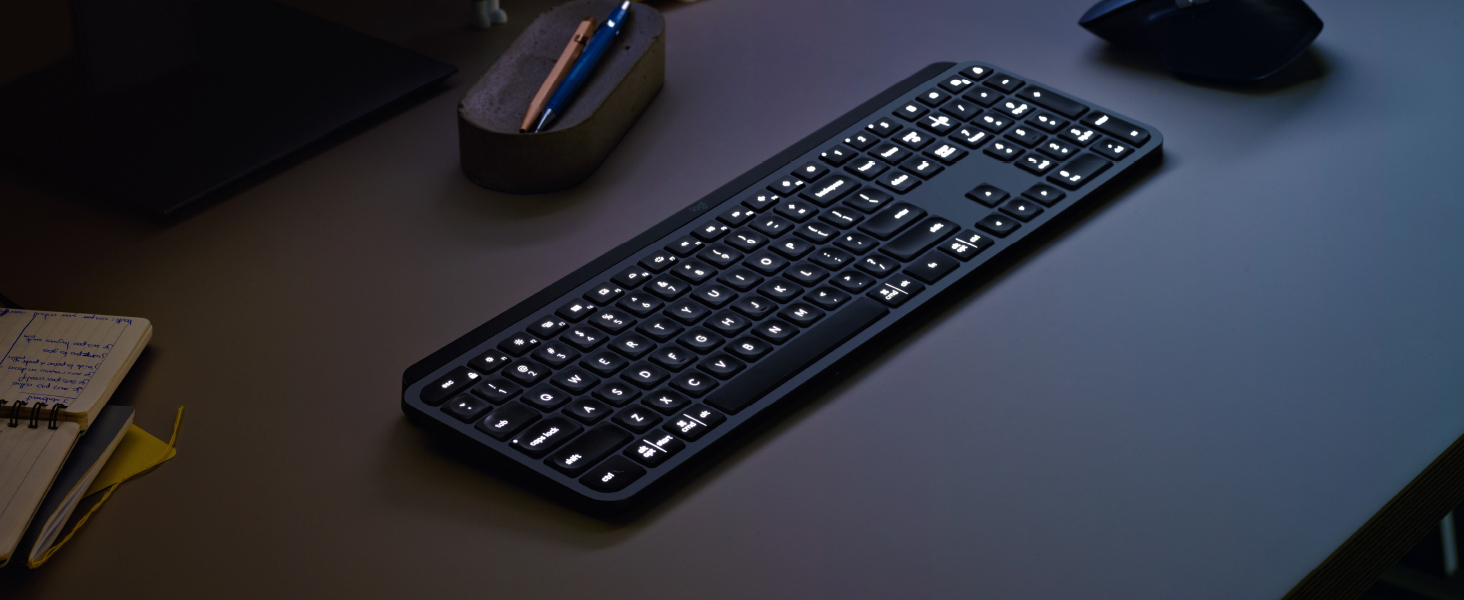
SMART ILLUMINATION
The backlit keys light up the moment your hands approach and automatically adjust to suit changing lighting conditions and save battery power.
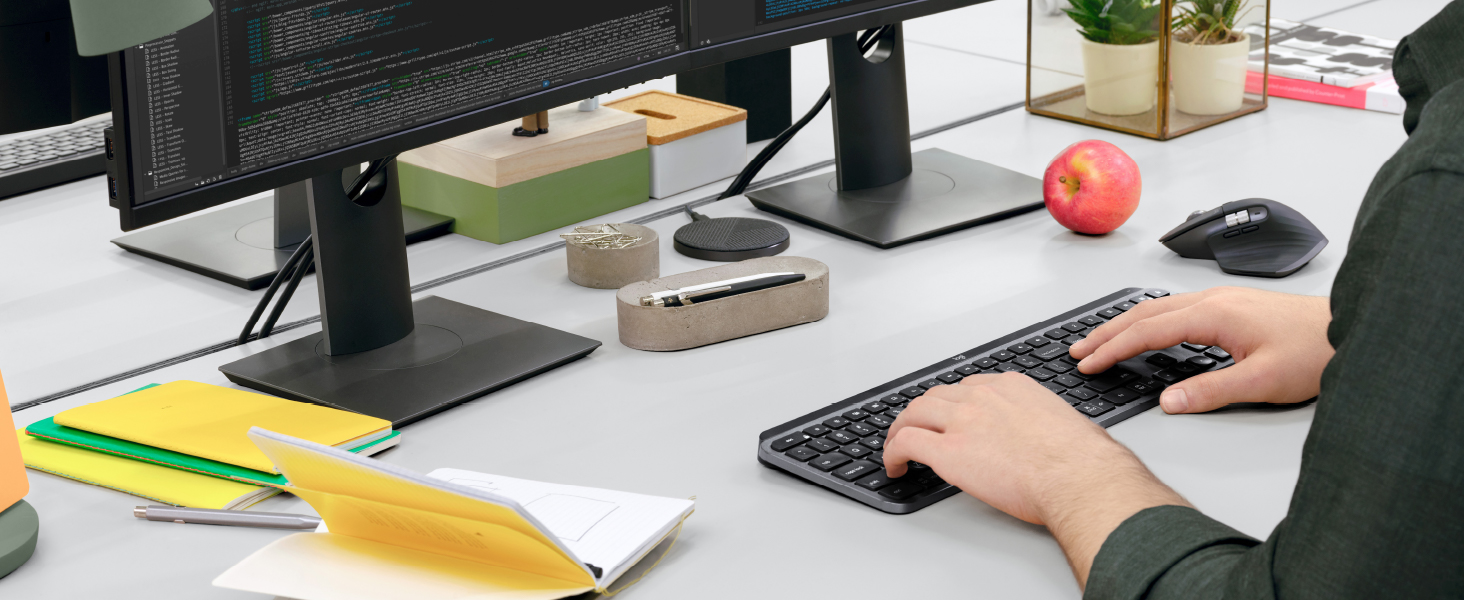

FLOW CROSS-COMPUTER CONTROL
MX Keys follows your MX Master 3 – or other Flow-enabled mouse – from one computer to another, meaning you can type on multiple devices in one fluid workflow.
FLOW + OPTIONS
Personalize MX Keys in Logitech Options software. Assign the F-Keys for specific functions or custom shortcuts, and monitor battery life.
MX + CREATIVE CLOUD
Get a complimentary 1-month Adobe Creative Cloud subscription with this keyboard purchase.



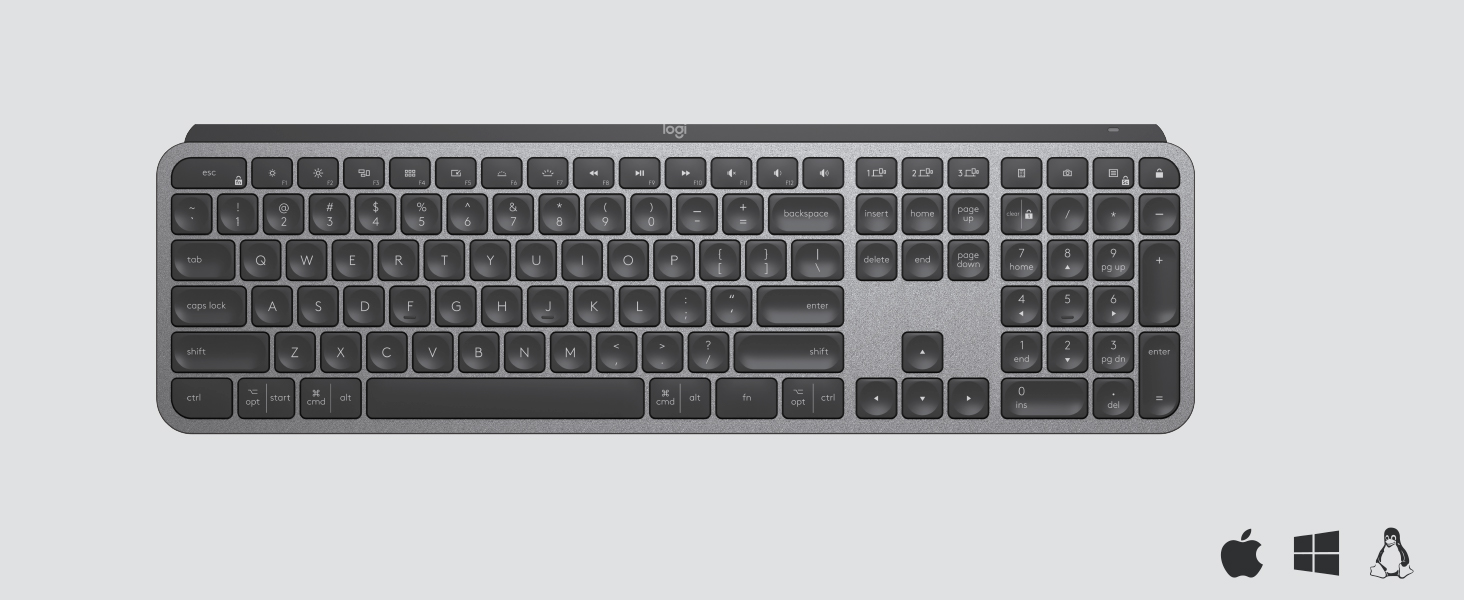 2
2Backlit keys with smart power management
” data-position=”triggerHorizontal” />4USB-C Fast Charge
” data-position=”triggerHorizontal” />6Multi-OS – Windows/Mac/Linux(2)/iOS/Android
” data-position=”triggerHorizontal” />
Comparison Table
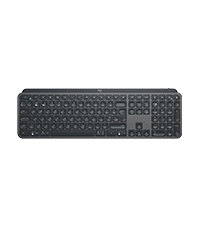 MX Keys | 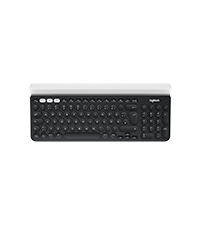 K780 | 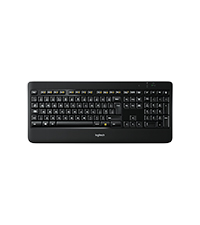 K800 | 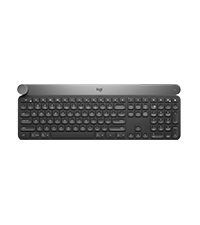 Craft | |
| Layout | — | — | — | — |
| Illuminated Keys | ✔ | ✘ | ✔ | ✔ |
| Power | USB-C | 2 AAA batterie | micro-USB | USB-C |
| Power | up to 20 weeks w/o backlight | 24 months | 10 days | 7 days |
| Connected devices | up to 3 | up to 3 | 1 | up to 3 |
| FLOW Control | up to 3 | up to 3 | No | up to 3 |
| Compatibility | Windows, macOS, Linux | Windows, macOS, Linux | Windows | Windows, macOS |
| Compatibility | Chrome, Android, iOS | Chrome | — | — |
| Weight: | 810 g |
| Dimensions: | 13.15 x 43.2 x 2.05 cm; 810 Grams |
| Brand: | Logitech |
| Model: | 920-009413 |
| Colour: | Graphite |
| Batteries Included: | Yes |
| Manufacture: | Logitech |
| Dimensions: | 13.15 x 43.2 x 2.05 cm; 810 Grams |
I'm using it for more than a year now, and I'm still happy with it. :)
I’m using it for more than a year now, and I’m still happy with it. 🙂
Yes it’s a bit pricey, but I’m glad that I can use the same keyboard for my personal and work computer.
Looks cool, feels cool, and saves space on my home office desk.
Clear winner!!
Bought this as a Xmas present. They absolutely love it. Great touch & ergonomics for a small keyboard. Looks beautiful. Cool light system. Question for seller: Would like to have option to turn on/off light? Definitely worth every penny. Recommend over & over. Thank you
Great keyboard
I loved this keyboard so much when I got one at work I bought myself one, I love the fact that even with the lights out I can use this keyboard, I love the keypress, when the battery is getting low it might take a second for the backlight to come on. When the lights stop coming on stick your cable in as the battery is too low. It might be on the expensive side, but for me, it is well worth the money, all day every day. I would recommend and buy it again. I can’t comment on gaming as I don’t use it for that.
Lovely little keyboard
I got this after a folding keyboard I purchased for portability completely failed.
Fed up with messing about with poor quality low-to-medium priced equipment failing me, I went for the mx mini as I had seen it recommended quite a bit, and indeed it is a very comfortable and responsive bluetooth keyboard. The multi-device pairing is also very intuitive and it’s convenient and fast to switch between them.
Not quite as tiny as a foldable keyboard, but this feels like you could use it to beat somebody to death with it in a pinch, and I no longer trust the folding ones to survive even low-impact usage.
Compact keyboard
Good keyboard for office use and designed well for smooth typing. Battery life could be improved for those of us that spend a lot of time typing. Backlight works well when looking down at the keyboard but not when typing with outstretched arms in a darkened environment. Keyboard could also benefit from a slight lip at the bottom of the keyboard as the bottom line of keys are very close to the edge. However overall a decent keyboard compared to other compact keyboards used.
Professional great feeling keyboard.
Wireless keyboard with great convenience for Bluetooth link to multiple devices. You can switch from typing on your pc to typing on your phone, and back with a single button press each time. 3 bluetooth links supported. The only snag was combining switching to Bluetooth and the provided wireless USB link was not possible. It seems to only use one or tge other, not seamlessly switch between both types.
Very comfortable, but battery drains very fas
The keyboard is indeed super comfortable and silent. But the battery make is very heavy and for me that uses is about 9 hours a day (light on low) I need to recharge about every 10-15 days. For a battery that heavy and big I would expect a long battery life. But besides this, I don’t regret buying.
Great typing experience, but otherwise compromised.
The typing experience is great, no question about it. I love it.
However, Logitech sacrificed PrntScr, ScrLock and Pause/Break to add a worthless feature of connecting to three different machines. I have much more than 3 and I am yet to see someone not using kvm or remote access for this purpose. And those keys are useful, for me.
With an automatic backlight at the dimmest level, the rechargeable battery life is about a week. 12 hrs a day use.
The unifying receiver range is abysmal. Forget about USB at the back of your monitor. Forget about USB extender cable. The receiver is very sensitive to voltage drop or timing.
At the time of writing (July 2023) – 60 would be a great price, 90+ is a rip-off.
I wish this synced with mx master mouse automatically
All around very good keyboard. Definitely recommend anyone. There is only 2 things that would improve this keyboard.
1- I am using this keyboard and mx master mouse with 2 computers simultaneously. I wish this synced with mx master mouse automatically. I have to manually change computers on both mouse and keyboard separately. I found a workaround but I haven’t tried it yet.
2- backlighting turns of automatically by default in a very short time to save power. This is annoying especially when you are writing slowly due to thought processes. However you can set this up for your desires.
Almost perfec
Love the keyboard, design and feel is fantastic. Only two minor issues:
1) some of the lesser used keys are missing (but can be programmed using the Options software you just don’t get the key cap symbol). The break key is seldom used, so was one of the ones “replaced” – not an issue unless you use VMs a lot, so for me it is an inconvenient omission.
2) Because of the backlight, which I have absolutely no issue with, the keyboard needs charging every 6 or so weeks. My previous Logitech wireless keyboard used a pair of AA batteries which needed replacing every two years or so. If I turn off the backlight it may be significantly better, but then why have a backlit keyboard at all. Battery life is disappointing.
I am happy to live with these issues given how happy I am with the rest of the design. I had been looking for a replacement for years – hope it lasts as long as its predecessor.
Chuffed
Chuffed to bits I finally have a sturdy solid functional wireless keyboard. Works great with my M1 Max Macbook Pro. But too heavy to be portable.
Now I want to write a book as typing is so comfortable. No flimsy feel about this and battery lasts a long time (weeks so far). Although the battery has lasted so long, I have not tested the charging cable yet!
So buzzing about this purchase. Why did I not get a wireless keyboard years ago? I was not sure if this would be worth the money but I feel it is. Only issue is now I want to buy a wireless trackpad!
Great aslong as you dont use bluetooth
I’ve been using logitech products for some time now. I loved the MX Keys, so i thought as i was in the market for a smaller keyboard, i’d give the MX keys mini ago.
To cut a long story short, dont bother buying if you plan on only connecting via Bluetooth (in windows). It was the most frustrating few days of my life trying to troubleshoot. In the end i gave up and purchased the MX master 3S to go along side the keyboard, but for most importantly, it comes with the new bolt reciever.
Its been fantastic to be honest. No more sporadic dissconnects. Solid experience so far.
I can honestly on recommend this keyboard, but only if you’re either buying/already have the bolt reciever.
Wow, I'm impressed by the build quality!
So I was merely looking for a Wireless keyboard that used the 2.4Ghz USB mini adapter; as I preferred that over Bluetooth. (more solid/reliable IMO)…and so I was having a hard time finding one that seemed worthy…I came across this Logi keyboard and while I was not a fan of the price at all, I know that I loved my Logi MX Anywhere 2 mouse that I had since around 2016, and still going strong. And so I took the leap and got this keyboard. And WOW, it’s build quality has totally blown me away…strong, sturdy, has good weight to it. Just a ‘premium’ looking and feeling keyboard. The only downside is that you need to buy the BOLT USB receiver separately (https://amzn.eu/d/18eBq77) for an already expensive keyboard. But at the end of the day, with the premium ‘look’ and ‘feel’ of this keyboard, I’d say it’s worth the investment.
This will change your work life!
I need to be honest. I always bought the most reviewed and cheaper keyboard and mouse around when I needed it. But I never thought that investing on a more premium keyboard and mouse set would make a difference in my life. The Logitech MX Keys keyboard is something else, it’s an absurd how its keys feels good when typing, how smart it is the backlight that illuminates confirming your space brightness, conserving battery when it does not need to be lit.
As for the M720 Triathlon Multi-Device Wireless Mouse, it’s comfortable to use, you can customize ALL its buttons via software, and the fact you can use both products on three different devices with a click of a button makes it more interesting so you can swiftly changes devices while working on different things at the same time.
Very comfortable keyboard with excellent build quality
Bought this keyboard for general office use and software dev. It came with a unifying USB dongle but I don’t use it because I already have a Logitech mouse that also came with one. It’s great that I don’t have to waste another USB port.
It’s a good looking keyboard and wonderful to type on. High quality plastics. Key action is solid with a perfect amount of travel. Very useful shortcut keys and has a num pad but still manages to be quite compact. Height is not adjustable but the fixed height is fine for me. Battery is excellent so far. I don’t use the backlight so after a month’s use the battery level is still full. Logitech’s unified Options+ software is really good. It allows management of all Logitech devices and good level of customisation.
I live and work abroad and unfortunately Logitech do not allow exports of their localised products. I was desperate to get this keyboard with UK layout so a big thank you to Amazon UK for shipping this renewed product (actually good as new) to Japan with no hassle at all. Took about a week to arrive and still worked out cheaper than buying locally.
I really love this keyboard. It makes typing feel joyful and it’s made a huge difference to how I feel during the working day. I’m even getting better and faster at typing because of it – I used to sort of touch type but mostly look at my fingers while doing it, but pressing the keys is now so easy I am looking at the screen more and my typing is getting better. I have nerve damage in my little finger and ring finger on one hand and they are a bit weak and numb but the little dents in each key help those dodgy fingers know where they are on the keyboard and the amount of resistance as each key goes down is perfect – very light but enough that you can feel it.
A lot of the special keys are unfamiliar which is taking some getting used to and I don’t know what most of them do yet. I couldn’t work out how to take a screen shot, it’s supposed to be the camera icon but that didn’t work for me, but the snipping tool shortcut is to hold down opt|start and shift and then click s, which is more useful anyway.
I hesitated before spending so much on a keyboard but it was definitely worth it.
Backlight feature to be aware of.
I’m very happy with this keyboard, I deducted a star because Logitech has plenty of time to add the ability to have the backlight timer set to be longer than 5 seconds. In logi Options+ all you can do is turn the backlight on or off.
If set on the backlight activates when your hands are close to the keyboard but then only lasts 5 seconds. This wasn’t so much an issue for me because I have a light on my desk and prefer to disable the backlight to have the keyboards battery last as long as possible.
This keyboard also works with same usb receiver that the mx master mouse does which was another reason I wanted to try this one.
As long as you don’t care about the backlight issue I’m sure you will enjoy using the keyboard it’s really nice to type on.
It’s a multi OS keyboard, which I use for MacBook Pro & windows laptops.
It arrives in a lovely box which the inner slides out to reveal the keyboard all wrapped in crepe like paper, dongle underneath it and cable in a small box within.
The colouring is lovely, but it’s not made of metal.
It has a nice weight to the keyboard which keeps it stable when using.
The backlighting of the keys is controlled by a proximity sensor, but I have noticed it sometimes illuminates momentarily when I close, but not that close to it.
You can switch off the backlight when using during daylight or under lighting, this will increase battery life.
If you get the chance see if you can try one in a shop as the angle may not suit you, as it has no adjustable feet.
The base has thin rubbery feet which hold it in place firmly.
Build quality of mine is very good.
It can be connected either by dongle or Bluetooth.
When connected by Bluetooth to a Mac (well my Mac and I’ve since read probably all types of Mac) it does not work when you initially start up your Mac from shutdown, you need to sign in either on laptop keyboard or physically attached keyboard, then it will work okay.
You can connect the keyboard to 3 devices using Bluetooth.
You also get a dongle and usb c cable.
The on/off switch is on rear right side so is usb c port.
I noticed the large escape key, which makes all the top row keys not aligned with the row beneath, my other Logitech keyboards are aligned.
Fn key is bottom right of main keys.
If you use the dongle (unifying type) it works even after startup from shutdown.
This Bluetooth issue is mentioned on apples forums, it’s to do with how the driver loads up.
I find it a bit weird as my older solar k760 works just fine, even after shutdown, but I assume it’s due to older Bluetooth technology.
I now just put my Mac to sleep.
I do like the versatility of being able to change what the top row keys do with different programmes.
The lock button is very handy when needing to leave your desk.
I like how the keys feel when typing, with their concave centre shape.
This is my 6th or 7th wireless Logitech keyboard, having used the larger solar keyboard before with windows only, my k780, k760 and a variety of smaller other ones.
Reliability I have found to be very good, and expect same from MX.
My k760 & k780 still work.
Two things I would like on this keyboard are solar & being able to type password after a shutdown.
I use this keyboard in conjunction to my mx masters 2 or my Ergo mice.
The keyboard works just fine with windows based pc’s I have noticed no startup password quirks.
Overall in the short time I’ve been using I do like it.
Will update this once I’ve used it a bit longer, especially on battery life.
I’m using mainly as my main work from home keyboard on windows and personal on Mac.
I should also say it supports moving docs etc from one system to another, when both on same network, but I don’t use that, only experimented a couple of times to see it work.
Do I find it worth the price, so far I would say yes and if as reliable as my very ancient Mac k760 ( got it around 2012/13) I will be pleased, though I think my k750 is older but that’s a windows only one and it still works too but have changed rechargeable battery once on it.
In summary, lovely typing keyboard, well made, a couple of quirks and especially multi OS.
****Update****
I read on Reddit, that turning off FileVault on Mac allows keyboard to connect after starting from shutdown.
But then you need to weigh up security or convenience, I keep an encrypted portable hard drive.
I also have my old K760 just for startup issues.
One little point, Logitech needs to supply a usbc dongle, having to use a converter, makes it look terrible on the MacBook Pro, sticks out, but also gets round startup issue.
Since I’ve been working from home (during and following the pandemic), I’ve had to make do with either my son’s cast off gaming keyboards (not ideal for office work) or a cheap Logitech wired keyboard which I think cost me about 10.
I looked at various keyboards before buying this one, and it has been a pleasure to use…
It has Bluetooth built in, and can also connect to a USB wireless dongle, which is provided. It can connect to 3 different devices, and has a quick button to connect to each, so I’m able to connect this to my work laptop, my home desktop or my Chromebook as needed.
The keyboard is kind of like a top end laptop keyboard, in that it is a scissor switch, membrane type (it’s not mechanical) with a very shallow degree of travel on the keys. However, I find that this lets me type relatively quicker compared to a full mechanical keyboard that has a greater amount of key travel.
It is also LED back lit, which is great if using in dim light. This can be set to be fully on (which shortens the battery life) or through a range of settings to being completely off. I have it set on the minimum light setting… this detects your hands near the keyboard and switches the back light on. When you stop typing for so many seconds, it will automatically switch off again.
The battery last probably a couple of weeks between charges on this setting, however, I have a USB 3.0 to USB C cable plugged into my laptop, so I can easily recharge if needed.
It might seem expensive for a non-mechanical keyboard, though given how many hours I spend using it, and how nice it is to use, I definitely think it’s worth the price.
Quality feel and robust but does it try to do too many things
The Logitech MX Keys Advanced Illuminated Wireless Keyboard is a solid and robust kb with lovely clicky keys that feel great to type with. I am not a gamer but us the PC for work and personal admin so on it for about 10 hours a day. I only have it linked to one PC but it will link to 3. I linked it easily to an existing Unify dongle that I was using with my MX vertical mouse.
The kb is compatible with apple and that is where I have only given 4 starts. The kb tries to do too much with the following keys having MS and apple markings: windows, alt, alt gr, left Ctrl, @, 2. This is very distracting and I have not yet got used to them, my muscle memory being the only thing helping me out.
I would also love a vol down key like the vol up key that does not share an F key. I have my F keys set to default so the media buttons need a fn plus key stroke.
Despite this kb annoyances, I would buy it again.
I initially bought the Logitech MX Master mouse, and was so impressed I bought this keyboard to go with it. I was a bit apprehensive as I’ve historically just used whatever keyboard came with my device, and it’s a fair chunk of change to spend on something that I might not like the feel of.
My concerns were unfounded though, as this keyboard is brilliant; very slim profile, very nice feel to type on which is very Apple keyboard-esque with low profile keys. Keys are well marked, and feel nice to type on with very little noise and, for me anyway, enough travel to feel like I’ve reassuringly pressed them but without causing typing fatigue.
I use a keyboard extensively at work from 9-5 and this feels fantastic, and has only been charged once initially when I got it. Admittedly I do not use the backlighting on the keys as I work in a well lit environment mostly, so I would imagine were I to use this and the “automatically light on hand approach” sensor would reduce my battery life. The battery can be replaced relatively easily with a bit of online research should the need arise anyway, and with this rate of discharge/recharge I shouldn’t envisage having to do this for a long time.
Physically switching between devices is very easy with 3 distinct pairings to specific devices above the cursor keys, with the current one being illuminated with an LED. I just connect via Bluetooth rather than use the unified receiver dongle, and have had no issues with drop outs or interference or anything of that nature.
I found that, in use, the feeling of typing was improved with the official gel wrist rest which is purpose designed for this very slimline keyboard. As this was very much a personal preference, I’d try without the wrist rest first and then buy it later if you felt like you might benefit from it, as the wrist rest is kind of expensive for what it is.
Some folk complain that having both the Apple and Windows specific key functions marked on some keys was messy, ugly, or a bit cluttered looking but I haven’t found that in use and as someone who switches between Windows and Mac/iPad I actually found it incredibly useful. Guess it might be slightly annoying if you only used one particular operating system but, even if I did I don’t know what the big deal is as to me it is still very aesthetically pleasing. I don’t know how they could have solved this being a multi OS device any more elegantly to be honest.
The backlight looks great and is dimmable, but as previously mentioned, I have it turned off as my workplace is well lit.
Absolutely great piece of kit, all I’d say is having experienced all the bells and whistles of the MX Master mouse, it would have been nice if this similarly had some tricks up its sleeve, but in this case it’s just a keyboard with limited customisable stuff other than a few buttons and the F keys. Might have been nice for my purposes had it had a jog shutter dial or something as is on the Logitech Craft keyboard or some kind of added value, but hey, that’s just a wee gripe about what it doesn’t have; everything it does have works well, and it feels great.
Much like the MX Master Mouse, I don’t regret the spend at all as I feel the quality of life improvements I didn’t even know I was missing are more than worth it for something I use for many hours on a daily basis.
Best keyboard I’ve owned.
I bought this to go with my MX Master 3 mouse. I use them primarily to control an iMac and my laptop to do work on.
The build quality is great, it’s mostly plastic, but has a metal back and it’s actually fairly heavy. In a good way.
It’s easy to connect, I didn’t need to use the dongle however, cause both my computers have Bluetooth.
The Logitech software is good too. You can customise some of the keys functions to whatever you want, be it a function, open an app or perform a key combination.
Pairing it with the likes of the MX Master mouse is handy when controlling 2 or more computers too. I just move my mouse to whatever side of the screen the other computer is on, and the Logitech software automatically pairs the mouse and keyboard to the other computer, to provide a ‘near’ seamless controlling of each computer. All without using. KVM switch or that. You can even copy a file or text from one computer and paste it to another, as if it was the same computer you were on.
Manually changing the keyboard to another computer is easy too, it has 3 buttons at the top along side the function keys, so you can select and connect to the relevant computer quickly.
My laptop is a gaming laptop, so I have tried the keyboard for some gaming too. It’s actually decent for gaming. It’s not going to beat a full on gaming keyboard, and I do tend to find myself pressing cap lock or shift keys by accident. But this is probably due to being used to higher profile keys.
If you are looking to control multiple systems with one keyboard. Want some customisation options. And good build quality. Then it is worth the price. Best keyboard I’ve owned.
Brilliant Keyboard
Hands down this is one of the best keyboards I’ve ever used. It’s very easy to set up, simply follow instructions. It does come with a partial charge, but you will need to give it a full charge for a few hours before the battery is full. It might be worth doing before you set up.
If you use a few computers/devices at once, then this keyboard will be easy for you to switch between devices, which will be a huge plus for some. The second huge plus is that you can use this if you are a PC or Mac user. Some of the keys will have 4 symbols with a line down the middle. The symbols on the left are for Mac users, the right for PC users.
The F keys also have 2 functions. One is for the usual F functions, the other is for the keyboard. Simply press the ‘fn’ button then the F key and it will do various things. For example, fn & F6 will turn off the backlight, fn & F7 will turn the backlight back on.
If you like the backlight, then you will get about 10 days of battery, if you are happy without then you will supposedly get about 5 months (although I’ve not had the keyboard long enough to test this out).
Ergonomics: This keyboard is very well built, and much more solid (and heavier) than most wireless keyboards. The keys have almost a cup in them to support your finger tips. As a touch typer, I appreciate this. It’s very comfortable to type on for long periods of time. The keys aren’t cramped together so you won’t get uncomfortable. However, it doesn’t have any adjustable feet. It does feel quite low down and it does have a slight slant downwards, but the lack of any adjustable feet may be a deal breaker for some. The keyboard isn’t silent when you type, but it’s not the loudest I’ve had either. I quite like the sound this one makes.
For a wireless keyboard, the connection is brilliant. There is no lag or missing of key strokes, unlike every single other wireless keyboard that I have used.
The reason I’ve knocked a star off is 2 fold: 1 is that it is expensive for a keyboard (although brilliant, the price point will put people off) and 2 is that when you select to turn off the backlighting, whenever you switch your keyboard off and back on again, it defaults to the backlight being on. Not a huge deal, but it is a little annoying.
Overall though, a brilliant bit of kit, worth investing in. Highly recommend.
Best mac-style keyboard for PC you will find
Moving from Mac to PC, I was looking for a high quality keyboard with really low profile keys.
There’s a few around, but many get bad reviews, and others just seem poorly designed (such as the Microsoft Surface keyboard).
Some even have those compact arrow keys, where the up and down keys are only half size. I can understand why they do this on laptops, but who really wants this on a full size keyboard?
Pros:
– This Logitech one is nearly the exact same dimensions as a full size Mac keyboard, which is great.
– Very low profile keys, not quite as shallow as mac keyboard, but very close. Maybe 1mm more travel distance.
– I did worry the concave bevels on the keys would annoy me, but you can barely notice them. The photos do make them seem a lot more pronounced than they actually are.
– Connectivity is excellent, either via the dongle or even with bluetooth. Ability to switch is a cool feature
too.
– Battery life is great too. I use mine every day, for hours at a time, and have only charged it once since I bought it 3 weeks ago.
– Full size arrow keys!
– Great build quality. Nicely weighty, and the metal body looks and feels great with no sharp edges.
Cons:
– You can buy a model of this keyboard with Mac keys cut out of them, or one with combined Mac/PC keys. There is no version with just PC keys which is really annoying, especially as some keys look very messy displaying both layouts (such as the # key, which has 4 different symbols printed on it (2 for PC and 2 for Mac)).
– The backlight turns off very quickly, and is not configurable. Obviously this is to maximise battery life, but it would be nice if it was configurable.
– Not a huge fan of the strangely wide ESC key. I’ll get used to it I’m sure, but would have preferred a normal ESC key so the Function keys line up with number keys below them
– Non standard key caps mean if you lose or damage one, you will find it difficult to replace. Not too bothered about this myself, but something to bear in mind given how costly it is.
Definitely a quality produc
This keyboard feels lovely – quiet action, good tactile feel and a reassuring weight. The illumination is refined and classy and just about perfect. It has nothing of the ‘gaming’ feel about it – just elegant precision. I hesitated before spending this much on a keyboard because I wasn’t sure it was going to be THAT much better than a standard one but, for me, it definitely is.
I have been using it for about 9 months now (professional CAD, software coding and general use for about 10 hours a day, most days )and I am still extremely happy with it.
I like the fact that it works with the MX Anywhere 3 mouse with the ‘flow’ – when you move the mouse from a monitor on one computer to a monitor on a different computer, the mouse and keyboard automatically switch over. What’s more, anything you copied into clipboard one the first computer is still in the paste buffer on the second (e.g. copy a browser link, a screenshot or text form an editor using any normal copy command, and it’s there for pasting when you move the mouse to the second computer. No more emailing things to myself or waiting for Dropbox to sync). This is a very significant advantage to me.
Battery life seems reasonable – I was unsure whether I wanted a rechargeable keyboard as wireless ones I had lasted about a year or more with one or two AA batteries but it isn’t a problem. I plug in the supplied USB C cable every 3-4 weeks for an hour, and don’t really have to think about it. Having a cable on your keyboard very occasionally isn’t a problem to me at all.
The only very slight negatives are:
1) the ‘flow’ can be slightly sluggish and take a second or three when moving from one computer to another. That might be more a mouse thing than a keyboard thing but it’s hard to tell.
2) The keyboard layout seems to be dual format for Windows/MacOS. I knew this when I bought it but in an ideal world I would have only the layout for the OS I am using. I use both Windows and Mac so it’s easier for me to confuse myself and press ” instead of @ or ~ instead of ~ .
I don’ t know whether it would be such a useful experience without a ‘flow’ enabled mouse but it would still be a lovely keyboard to use and I would purchase this for use on its own. It pairs with up to 3 computers so, even without ‘flow’, you press the key associated with each computer (see photo) to swap. In this case the swapping from one to another seems flawless and instant.
The user experience is so good, that despite the very minor points, that I still feel it deserves five stars.
An Amazing Keyboard, But a Few Gripes Especially Given the Premium Price
Anyone claiming this is a poor quality keyboard and not worth the money is very much writing a work of fiction. This Logitech MX keys takes the place of my 3rd K350 which had become too worn; the build quality and weight of the MX keys is instantly notable given its one piece metal build frame, no doubt packing a hefty battery – after 2 months of daily use, 8+ hours per day with the backlighting turned off, my battery warning light has finally come on!
The fact that the battery isn’t removal is a minimal negative but with no need for AA batteries you really do get a lot of life out of a single charge so it seems. For the first few hours of use i didn’t like it at all… but then something clicked and my writing speed and accuracy increased well beyond what was achievable with the K350. That said there are times when I’m not completely compos mentis or when typing words with characters in the top left of the keyboard when typing discrepancies tend to occur where normally on the K350 I wouldn’t have had any issues. This may well be due to the K350 having a slightly curved, ergonomic layout compared to the MX keys’ very ridge straight key alignment by comparison.
A few reasons why you shouldn’t buy this keyboard – firstly you’re a gamer… put simply this is no good for gaming, partly because of the key sizes but mostly due to amount of travel. You basically need a mechanical keyboard if gaming is your poison.
Secondly you shouldn’t buy this keyboard if you like to customise the gradient of keyboard angle. There is no way to raise or lower the angle of the keyboard, whilst although I bought the version with a palm rest, i didn’t actually find it useful and have ended up using it to place some of my USB cards or smaller, regularly used, desk knickknacks; a bit of a waste of 20 or so.
Finally I’ve found the customisation of the function buttons rather… frustrating… it would be good to be able to have a wider variety of function allocations. For example F5 i’d like to keep as “refresh” whilst maintain the added functionality of the other buttons on that row. Seemingly “refresh” isn’t an option that can be allocated however this is more a limitation of the software rather than a reflection of the quality of the hardware itself. Edit: the newer Logi Options+ beta software does seem to provide a greater variety and flexibility of key function customisation.
It would also be good to not have to always use the required dongle – I can’t seem to find a way to simply use my built in bluetooth rather than having the dongle connected… this also seemingly limits the ability to use the 3 different device buttons (of course unless you have a further 2 Logitech dongles handy).
All in all, a few gripes but a solid keyboard and a jump up from my previous K350 – the true test will be how long the non-replaceable battery actually last over the long term (given the built in battery cannot be replaced) and how long until the key labelling starts to rub off!
Going from MS Sculpt to MX Keys - Not bad at all!
Compatibility between Windows and OS: 9/10
I’ve always been a fan of using an additional keyboard, especially with using a laptop for approx 15+ hours a day. Having previously owned a windows pc, I used the MS Sculpt for 2 years, and love the keyboard because it just worked so well, but it was Windows-Windows. After purchasing a MacBook, i got to quickly realise that the compatibility aspect of the MS Sculpt with the MacBook was not catered for at all, the keyboard lagged and was not responsive to the Mac.
My work laptop however, is a Windows PC, and the MX Keys (because of the dual compatibility) works flawlessly with it, due to the flow feature designed for the MX keys.
Bonus? You can customise the top row of the keyboard using the Logi Options software and change it to whatever you want. I’ve kept most of them in place since that’s what I’m most comfortable with.
Ergonomics and comfortability: 9/10
I did a lot of research on a range of ergonomic keyboards – before I came across the MX Keys and the Logitech k860. Since the Logitech K860 is the same shape as the MS Sculpt, I thought that that I would be really happy with it and return the MX Keys, but boy was I wrong! Even though the MX Keys is ‘flat’ and doesn’t have the split features like the Sculpt or the k860, the dips in the keyboard keys make it incredibly easy to manoeuvre your fingers and type on the next key because as there is no snagging of the keys. The dips in the keyboard makes it as easy for me to type on it as the MS Sculpt.
Every ergonomic keyboard is different, so of course it’s going to take some time to adjust. it’s taken me about a couple of weeks to adjust properly to the MX Keys, but i absolutely love it. It doesn’t even take a second for it to respond to the Mac, which for me is one of the best features.
Backlit features and Battery life:
This keyboard is backlit – one of the things that is absolutely necessary for me – having owned the MS Sculpt for 2 years, I really did want to not have to settle for a keyboard that wasn’t backlit. Ergonomic keyboards are expensive, 70+, and the majority of them (if any of them) don’t have backlit keys. The only problem with backlit keys is that it does drain the battery – the MX Keys is supposed to last around 10 days with backlit keys, and around 5 months without. For me, with the backlit keys on, I got around 14 days worth out of it using the keyboard for 15h+ a day. I do wish the battery life was a little longer, but it’s not a dealbreaker for me.
Appearance/Sleekness/Arm Rest:
I LOVE LOVE LOVE the way this keyboard looks against the MacBook. It’s elegant, sturdy and doesn’t give way to normal wear and tear.
My only regret is purchasing the arm rest thing that comes with the MX Keys – it wasn’t for me – it’s too flat, and is uncomfortable as it’s a rubber material and not cushiony. I have a large mouse mat that takes up most of the space on my desk, and this works well for my comfort.
Gaming:
Since I use a Mac, I haven’t really used any gaming software since Windows is much better for it, so I can’t really comment.
Keyboards are very personal. My son uses a mechanical keyboard with incredibly ‘clacky’ keys and loves it, but I completely hate the long travel and the noise! This keyboard is the complete opposite; it feels like a high quality laptop keyboard.
The keyboard is full size with a numeric keypad and all the usual keys in all the usual places. This was particularly important to me as I use things like the function, tab and number keys all the time. The only exception being a slightly oversized escape key which pushes the F keys slightly to the right, but thats not an issue. It uses a function shift to activate the special functions of the F keys which is fairly normal, especially if you’ve come from a laptop. About the only time I have to use these is to change the backlight. The calculator and print screen keys are separate and nicely positioned.
The keyboard is heavy! Surprisingly so. Something like 800g. You can buy carry cases for it but i’m not sure I’d want to put this in my backpack very often! On the plus side, its solid and does not move in use. I was worried about it not having an adjustable tilt but they’ve got the angle nailed, so you don’t have to worry.
The typing action is light and short. The keys are very stable with very little wobble, including the space bar. They are quiet and, certainly for me, the actuation pressure and travel is perfect, being a little more than a laptop but still a nice fast response. I’m using this keyboard for business work as well as gaming and its working equally well for both.
I have it connected to a PC using the included Logitech unifying receiver and notice no wake up/sleep lag or typing latency of any type. I was already using a Logitech M510 mouse, so the software saw the keyboard instantly using that same receiver. I’m also switching that one receiver between a laptop and PC using a USB switch and its completely fine jumping between those too.
My only very small gripe is that whilst the backlight is very good (even at its lowest setting), it does seem to forget about the backlight from time to time and I have to hit Fnc+F7 to turn it back on again. It’s a small thing.
I’m using the keyboard all day long and quite a lot of evenings and the battery is easily lasting 2 weeks. I tend to plug it in whenever it occurs to me, so i’ve not done a real test of that. You can still use the keyboard when its plugged in.
It’s a good quality keyboard that feels like it should last a long time, making it worth the fairly high investment.
I don't know why it's so expensive
I’ve used 1 wireless keyboard before, it was some crappy wireless keyboard I got for 20 or something. But not gonna lie, as a windows user, I really don’t fully get the hype of this keyboard.
I got the MX Master 3 mouse and I was looking for a high-end new keyboard, since they work together I thought “why not!” and got the two. Initially I was enamoured by the lighting of the bluetooth keyboard, but after putting it on max for a day it ran out of battery 🙁 not to worry, you can use it while charging and honestly the bluetooth aspect isn’t a necessity for me.
Now the layout of the keyboard is actually really useful, as I’m used to the UK keyboard layout, but my girlfriend is from the states so it’s useful for her to have a keyboard she’s used to. Neither of us have apple computers but she has an ipad pro and I connect it to my iphone as well. The apple keyboard layout is really useful for connecting to those devices also, so I really do feel as though I get all the benefits of the layout of this keyboard.
Connecting to multiple devices is terrific, sometimes I want to type out or use my phone without leaving my keyboard and mouse, so just being able to switch over like that and type out a message on my keyboard really makes it feel worth it in the moment! I’m yet to use the flow support as I only use one device, but I know I’m future-proofed when I eventually get a new computer/desktop.
I have no issues with delay or anything like that. I’m a casual gamer and this keyboard has been absolutely perfect for all my needs.
I think my only real gripe with this keyboard is the buttons and price. I’ve thought about returning multiple times just because I really don’t know if I’m getting my moneys worth. The buttons don’t feel AMAZING to type on, don’t get me wrong I’m completely used to typing on a laptop keyboard so it doesn’t really change too much for me, but I guess with very little depth and feedback I’m left wishing for more.
Overall though if you are getting it with the MX Master 3 for flow device support, you’re looking for something to replace the apple keyboard on a new windows computer or you’re just looking for a really solid bluetooth keyboard and you’re not too concerned about the price, I think this is a really great option! I couldn’t really find much better at this high a price range, so I recommend it! I just don’t get why they go from like 30 mid-end to 100 high-end. There’s almost nothing in-between?!
Finally, a decent keyboard!
As a programmer who lists technology as a hobby/curse, I’ve been known to type a few lines. For a good few years now, I’ve been trying to find a suitable keyboard for a reasonable price. I didn’t think my list of requirements was excessive as it comprised of R/F wireless and backlit. I believe my mistake was “reasonable price”
After trying a number of offerings from companies such as Jellycomb (which are good, I don’t deny), I decided to bite the bullet and shell out for one of these to go with my excellent MX Anywhere mouse. I should have got one of these in the first place. It’s solid it weighs as much as a medium-sized bungalow. The case is so sturdy with its construction from a neutron star. If anyone ever breaks in, I’m clouting them with this
Typing has become enjoyable again! Just the right amount of travel, good consistency and nice tactile feedback. The solidity lends confidence to keypresses and helps eliminate “bounce” (sometimes my fingers don’t hit with the right pressure and cause two keystrokes as a sort of bounce). It’s quiet, but not so silent it starts to feel mushy. There’s a nice resistance to keypresses
The backlight is so handy and pretty clever. Other keyboards I’ve found (all one of them) require a keypress to illuminate whereas this just needs me to reach my hands towards it. Neat! It does result in random illuminations when I place it next to me and grab a drink, but I’d say that was a bit of a niche issue
I’ve seen such complaints as “too heavy” and read this as “too quality” and also a complaint that the charging cable doesn’t act as the data cable. The *charging* cable. On a *wireless* keyboard. I suppose in that vein, I could complain the USB-C isn’t Thunderbolt compatible. What if I want ray-traced backlighting?
I think some of the hotkeys might suffer the worryingly prevalent “repeat strike” which causes them to fire 8-12 times per keypress, but I’ve only experienced that with the Task View key so far. If it goes all K380 on me, I’ll update this response
I don’t game, but from what I know, I’d never give a low-profile keyboard a high gaming score. This is a productivity keyboard, rather than a gaming one. Though if you don’t prefer a mechanical for gaming, give this a try! The tank-like build should handle a losing streak pretty well. Just don’t slam it into a wall unless you want to lose the wall
Key layout is fine and if the multi-OS key-printing confuses a little, just remember the Windows characters are on the right side of the key and the Mac version on the left
Update: I’ve had this for a little while now and by this point, the K380 had started exhibiting weird key repetition behaviour. This is a known thing for Logi keyboards, apparently. I got worried when, while using AnyDesk, I started getting multiple versions of keys sent through at random. However, I’m 99.9% certain that the repetition there was the product of the connection/software rather than the keyboard. Connected directly, I’ve had no issues at all. Such a relief as I love this keyboard (enough to spend 21 on a hard case)! The Flow software is, as ever, really useful. I’ve switched off Caps Lock, Num Lock, Scroll Lock and Insert (bloody annoying keys) and set up my own versions of the hotkeys. A neat little feature is gestures: Hold the fn key and move the mouse to perform an action
I have to use Ubuntu 18.04 in work and was a bit disappointed to discover that Logi doesn’t provide *nix software. But I was determined to get this working. Bluetooth may have worked, but my work machine has no adapter. There was no recognition when I connected it. Bugger. But it wasn’t beating me, so after a bit of looking around, I found Solaar. It’s not perfect and it can’t alter keyboard or mouse settings, but it at least gets them working and even takes a guess at the battery level! I say ‘guess’ because the two display locations change frequently and never agree with each other
Anyway, more than happy now to recommend the absolute s&*t out of this keyboard. And the MX Anywhere 2S mouse
I bought this keyboard to connect three computers (iMac OS 10.11 El Capitan; a Windows 10 laptop and a MacBook Air OS 10.15.7 Catalina). Initially i could only connect one device at a time using the unifying receiver. The iMac and Windows laptop were not compatible with ‘Bluetooth Low Energy’ required to connect to the keyboard without the unifying receiver. So connecting all three at the same time impossible.
EVENTUALLY FIGURED OUT A SECOND UNIFYING RECEIVER WAS NEEDED.
I dropped a star dropped for minimal instructions. It was a struggle and required lots of patience (and I work in IT). No mention of ‘Bluetooth Low Energy’. A single diagram on how to connect. I ended up spending three days trying to figure it out. Many YouTube instruction videos watched, trawled comments, forums for help; I ended up puchasing a MX ANYWHERE 2S MOUSEE which comes with its own receiver. So two receivers (for iMac and Windows 10 laptop) and connected via bluetooth to MacBook Air.
Second issue, was the version of Logitech Options to configure Flow. Ended up with different versions on each computer, but they all now do connect to each other.
Setting up the connections seems a but random, switch on/off devices, click connect, wait for a minute or two before a response/connection is seen. Patience needed but eventually the devices/computers find each other.
FLOW WORKS GREAT!! So much so that I do not need to use the buttons underneath the mouse to switch between the three computers. THE KEYBOARD ALSO FOLLOWS THE MOUSE so no need to use the keyboard quickswitch keys either EXCEPT for the iMac which does (not yet) have the keyboard linked and following the mouse. I need to still use the keyboard keys to switch the keyboard to the iMac. I hold out hope, more reboots, updated versions of Logitech Options (or another utility). Note: the iMac is old purchased 2008 and cannot be upgraded any further than OS 10.11 El Capitan, but still works as well as the day it was purchased.
The physical keyboard is solid and feels well made. The low profile is good. The spacing between keys and slightly smaller layout is taking some getting used to, feels slightly crowded and i have small hands, but expect to get used to it from my old larger Dell keyboard. I have not yet fully tested the mac/windows keys or customised any, but no doubt will. Lots more to learn. Logitech Options gives loads of customised configuration.
Very happy with no more cables!!! One keyboard, one mouse actoss all three computers Mac and Windows.
Fantastic keyboard
As a developer, I spend several hours a day at the keyboard, and I need a good keyboard, this fits the bill. Depending on which keyboard you have, there is a slight learning curve for your fingers, and the concave keys feel a little odd at first, not bad, just odd, the shiny surface just adds to that oddness.
The combined PC/Apple keys can be a little confusing when looking for the windows key.
The backlight is nice when it is on but doesn’t remain on whilst you are typing which can be frustrating.
The key strokes though are lovely, they are not heavy, nor arre they too light. the keys are also nicely attached and don’t rattle around at all. The result is the key strokes are short and positive which really feels good to type on and I found my speed increased based on other keyboards such as my DiNovo edge which was still a great keyboard but this is in a different league. I have used other MS and Logitech keyboards, that had much more travel and were inconsistent in how much pressure you need to place on a key, sometimes sticking. This suffers none of that. Every stroke is the same as the preceeding one.
Battery life for me tends to be much more than a week, i find it is down to 50% after a couple of weeks. The unit is heavy for its size and you probably will not want to carry it around with a laptop but at a desk it has plenty of weight to keep it firmly planted where you put it. There is no real flex or give in it when you are typing and it does feel like this thing could last for years.
The connection is reliable and fast to initialise whether with Bluetooth or the unified receiver. If you do change device one, to a bluetooth connection as I did, in order to get the inified receiver connecting again you need to add a device in the Logitech Options software.
If you spend your life at the keyboard, this is worth the investment and is so much nicer to use that one half the price.
This is the best keyboard I ever own. I got two computers that I need to switch between and with mx keyboard and mouse it is much easier to do. You can add up to 3 devices and switch between using dedicated keys.
This keyboard works best with Logitech MX3 mouse and create a really good productivity tool. It comes with great software that allows you to setup function keys differently for different apps.
Keys are working great. I found out that I manage to write on average 10 words per minute more than on my previous keyboard. I am also making less mistakes. Key travel is great. Keyboard is nicely finished and plastic used for keys has a nice feel to it.
Battery life is great, even with backlight I need to charge it after few weeks of use.
From experience I know that Logitech has a great support, so that is additional advantage.
I found only two problems with this keyboard.
1. It works more stable with dongle compared to Bluetooth. When using Bluetooth I had a problem with connection on both of my computers (ThinkPad and Dell ). When using attached dongle, problem is gone. Not sure if its problem with my computers or with Bluetooth, but sometimes keyboard would lose connection or repeat letter multiple times.
2. There is some kind of a bug with that keyboard when using volume keys. Sometimes when you press volume key once it will move it to 100% or when lowering volume with keyboard it would go to 0%. When it happen it will ignore the other key when you try to adjust it back and just keep going up or down. The only way was to switch it off and on again which is annoying. I stopped using keyboard to change volume. This problem is known problem and many people had it with MX Keys.
Overall, if you don’t mind of using attached dongle, that keyboard will work well. It is great product for people who need to type a lot and looking for flexibility. You can connect multiple devices and switch between quickly, also give a lot of options to setup function keys to your need for each program. It works well both on Windows and Mac OS.
Well, I took the plunge and paid the hefty price for this keyboard and I have to say, from the moment I took it out of the box I knew that I was not going to be disappointed.
It has a super-premium look and feel – even the heft of it when you lift it up says ‘expensive’. It is beautifully compact and slimline and yes, it has that aforementioned solid feel that says there is some quality engineering going on. The fascia has a brushed aluminium look but seems to be plastic when touched, this doesn’t really detract from the impression of a luxury finish though.
The keys are flat and square-ish, softened at the corners with rounded indentations to help you type and a decent spacing between keys. It’s just a personal opinion but I really like this form factor for keys, I seem to make far fewer false keypresses where I also hit an adjacent key when I type something. A nice touch is that the keys at the four corners of the board are extra rounded on their corners to match. The keys also have, for me, just the right amount of travel and very slight tactile feel with a bit of resistance. Definitely the best non-mechanical feel I have yet experienced. Nicer even than my trusty K800 which now feels ‘mushy’ in comparison. This kind of feel is fantastic for office and general purpose use but probably isn’t ideal for many kinds of serious gaming, especially things like FPSes where you may want to also get a mechanical board.
Key legends are very clear and easy to read. As a bonus for me, there are also Mac markings so if you are using it with a PC and Macbook as I am, you get the full functionality on both machines. I also paired it with my S10e and it worked great with Samsung Dex desktop. You get marking for media control and extra OS functionality on the function keys.
The backlighting is well implemented – adjustable from subtle to quite bright and like my previous K800 keyboard there are proximity sensors that light it up whenever you move your hands near. Very useful as being wireless, it’s not practical to keep backlighting on all the time.
Surprisingly, there is no way to adjust the tilt – There is a fixed tilt courtesy of the ‘step’ that spans the width of the keyboard along the top at the back. I get the impression that Logitech designed the keyboard to be used at this specific angle and optimised everything around that. It certainly works for me but I guess some might want more adjustability?
Connection is via Logitech’s nifty ‘Universal’ USB nano-receiver and/or bluetooth. Bluetooth is great for secondary and tertiary devices but the Universal receiver is a very good solution for the main connection and comes paired out of the box. It provides a fast and stable connection and supports many other Logitech input devices. You can switch between the three supported connections with dedicated buttons on the keyboard and if you are using Logitech’s ‘flow’ software, when you press the appropriate selection on the keyboard then you can have your pointing device switch too (if it’s a Logitech device that supports it, older stuff won’t).
You don’t have to use it, as the dongle makes the keyboard act like a standard USB device to the host computer, but Logitech’s new ‘Options’ software handles configuration. This is flashier than their old Setpoint software but to me didn’t seem quite as functional, perhaps that was down to familiarity or maybe because it is pretty new and will develop over time. It covers the basics though.
Charging is via USB-C which is good to see – this is definitely the way forward for connectivity. Note that the USB-C is for charging only, connection to computer is still via dongle or bluetooth. That’s a shame as a fully wired option would have been nice and allowed always-on backlighting but in practice probably won’t be much of an issue.
I can honestly say that this just might be worth the price. Yes, it’s super expensive for a non-gaming, non-mechanical keyboard but it for me at least, is pretty much the pinnacle of a general purpose keyboard. Looks and typing feel is off the scale (or maybe they just happened to nail my own personal preference for keyboard feel – these things can be pretty subjective). If you want to use it with multiple machines and across platforms, it offers even more functionality to justify the steep price. But anyone interested in a really good keyboard should at least try this out.
Having succumbed to the fact that my MacBook’s keyboard was not going to miraculously improve (ahem, butterfly switches), I decided to bite the bullet and invest in a quality alternative. Trying to operate a small business with a keyboard that becomes ‘flat’ when tiny crumbs creep into is is, well, hard to say the least.
Logitech have done a tremendous job with this product. From the moment you un-package it, it’s clear that a lot of thought and attention has been paid to how the keyboard feels overall; and yes, it literally does feel it’s worth. This is easily the weightiest keyboard I’ve owned, and it does provide a sense of reassurance in the longevity of the product. It’s a dense aluminium frame with a hard-plastic battery/antenna across the top, nice rubber feet and velvety-feel keys.
They even wrap the keyboard in tissue paper! Doesn’t make you a better typist, but I mean come on!
Set-up requires no instructions; just flick the On/Off switch, connect to it on your device’s Bluetooth menu and you’re done. You then connect to other devices simply by pressing one of the other three connection buttons, which instantly ‘switch’ to said product during normal use.
The backlight does bleed a little more than I’d like, but to be honest you don’t need it super bright. It also has an auto-dimming feature for when you’re not typing, which is useful and clever.
Function buttons are well placed and exactly where you’d expect them – more reliable than the Touch Bar. The addition of a Calculator button that opens the said app is borderline genius.
But what about the main feature, the typing experience itself? On the whole, impressive. In its class I doubt there are many (if any) better alternatives for a slim profile keyboard, so I believe this is a safe consideration. Is it as good as the pre-butterfly MacBook keyboards? Difficult to say, but what I would also say is that MX Keys does feel more modern.
Yes, the velvet finish does make for pleasant transition between pressing each key, as crazy as it sounds. The way the keys bottom-out softly is very nice and reduces the pressure on your fingers, while the actual force required for input is balanced more on the heavier end. While it can take some getting used to, I’ve found that it does actually provide reassuring feedback, compared to lighter keys that may feel more gentle, but end up making more mistakes on.
The concave recession in the keys also takes a little getting use to, but again, provides a more stable and reassuring experience.
Speaking of typing errors, I’m making considerably less with the MX Keys. I knew I was bad with MacBook’s scissor keys, but it was only once I compared the two side-by-side that I realised how much more fluently I could type on the MX. It’s just a real joy to fly through work without having to constantly backtrack! Apart from stupid spelling errors…
So, is MX Keys worth your cash? Yes. It is on the verge of being eye-waveringly expensive (though I held out for a good sale), but do consider that Apple’s own Magic Keyboard – whilst very good in its own right – costs upwards of 30% ‘more’ than MX, and is not nearly as advanced or even well built.
Keep your eye on the price and go for it.