Samsung 870 QVO 2 TB SATA 2.5 Inch Internal Solid State
Samsung 870 QVO 2 TB SATA 2.5 Inch Internal Solid State Drive (SSD) (MZ-77Q2T0), Black
Samsung 870 QVO Solid State Drive: go big, do more
The 870 QVO is Samsung’s latest 2nd generation QLC SSD and the largest of its kind that provides up to 8TB¹ of storage. It offers an incredible upgrade for everyday PC users who want to ramp-up their desktop or laptop to the largest available storage on the market without compromising performance.
Enhanced in every way
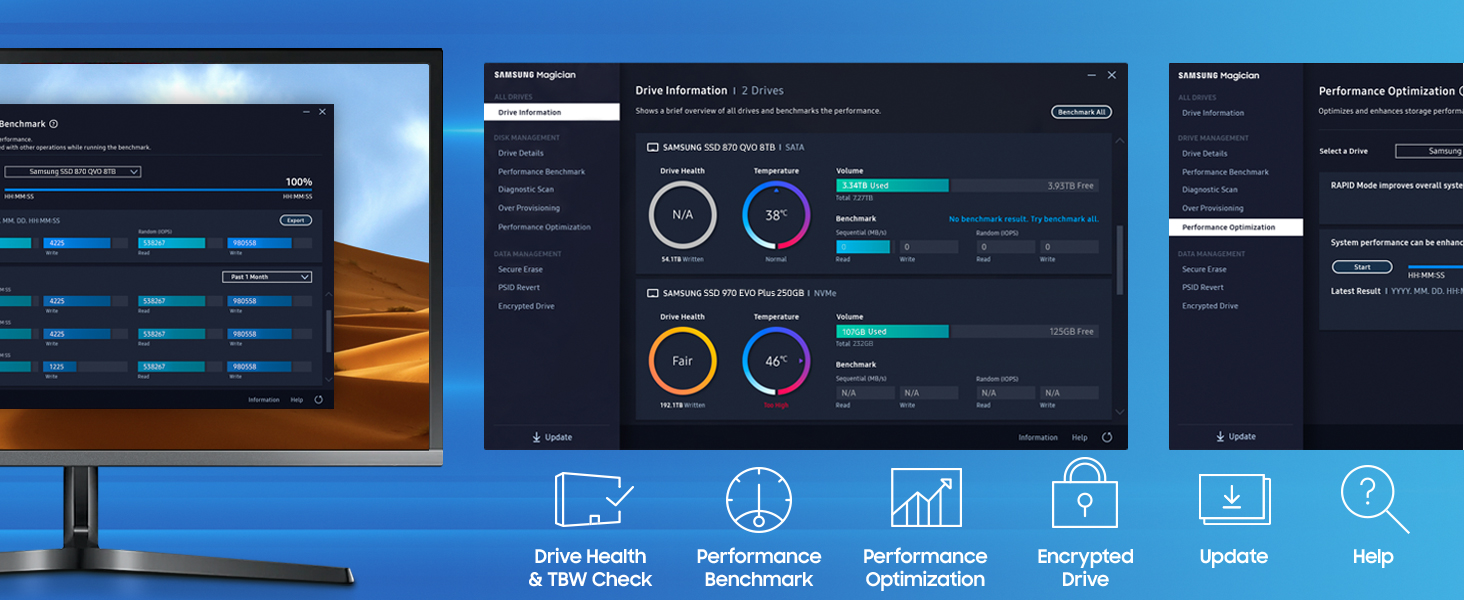
Make your drive work like magic. The new and improved Samsung Magician 6.1 software will keep your SSD in check. You can easily manage your drive with a wide range of useful tools to keep up with the latest updates, monitor the drive’s health and status or even enhance its performance.
¹ 8TB is the largest Client SATA SSD as of its release date.
² Performance may vary based on SSD’s firmware version and system hardware & configuration. Random performance improved up to 13% in QD1 Random read. Sustained random write performance improved up to 31%. Test system configuration : Intel Core i7-7700k CPU 4.20GHz, DDR4 1200MHz 32GB, OS -Windows 10 Pro 64bit, Chipset – ASUS-PRIME-Z270-A.
³ 1GB=1,000,000,000 bytes by IDEMA. A certain portion of capacity may be used for system file and maintenance use, so the actual capacity may differ from what is indicated on the product label. Available dates may differ by capacity.
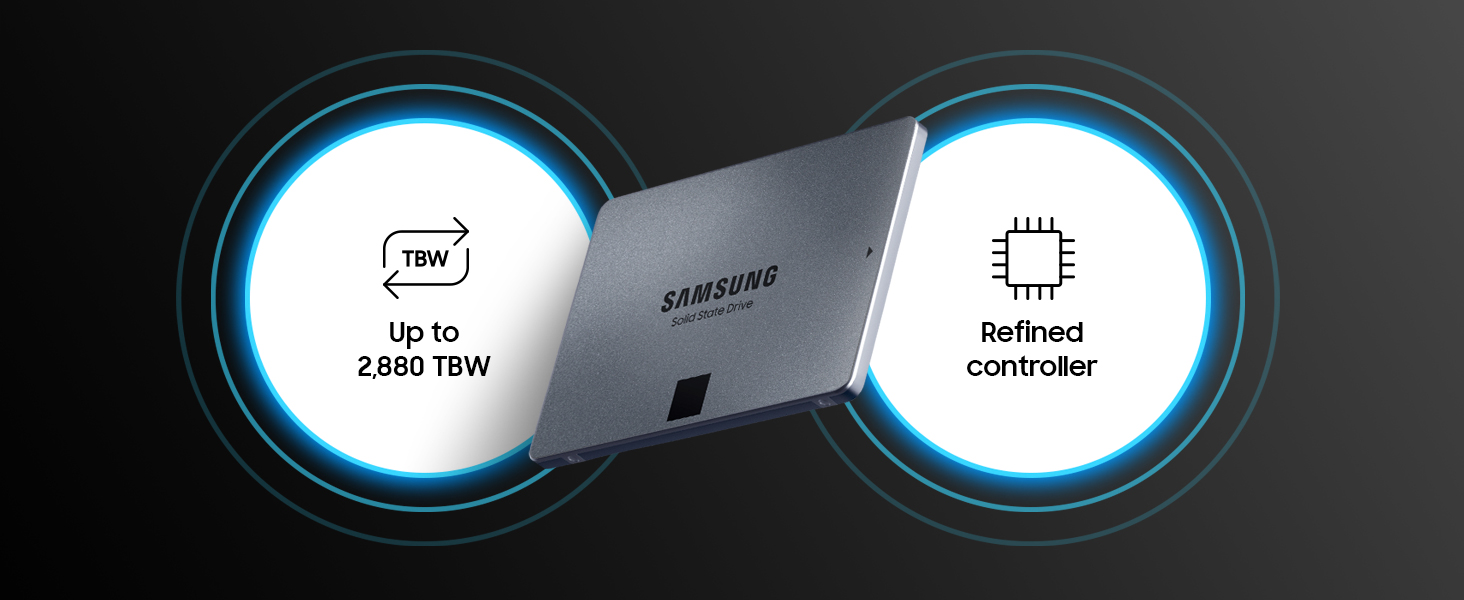
⁴ TBW : Terabytes Written. TBW : 360 TBW for 1TB model, 720 TBW for 2TB model, 1,440 TBW for 4TB model, and 2,880 TBW for 8TB model. ECC : Error Correction Code.
| Weight: | 57 g |
| Dimensions: | 10 x 6.99 x 0.68 cm; 57 Grams |
| Brand: | Samsung |
| Model: | MZ-77Q2T0BW |
| Colour: | Black |
| Batteries Included: | No |
| Manufacture: | SAMSUNG |
| Dimensions: | 10 x 6.99 x 0.68 cm; 57 Grams |
Works perfectly in my Xbox series X. Makes boot up and game access much faster plus it’s double the space of the original.
Download the Microsoft install pack to rebuild the drive, very simple upgrade.
Sata drive
Purchased to expand to storage on series X. Good speeds when paired with a decent cable and enclosure. Easily store my previous gen catalogue of games and several new gen games I’m not currently playing.
I got this as Samsung was doing a cashback offer, so reduced the price after standard purchase.
I also got this SSD as needed to store videos and photos from holidays and also to use for backup device.
Always good quality from Samsung and would buy again if required.
Only downside, as with all hard drives, format 8tb and only get 7.27tb for use
Replaced existing 2.5in smaller disk and worked.
Used to replace existing 2Tb HDD in 2018 Dell Inspiron 17 5770 laptop which was giving errors. This went into the same 2.5in slot, doubled my storage and speeded it up. Before SSD, I could not fit bigger than 2Tb because they were too thick and would not go in. This is data disk, Windows is elsewhere, so installed with no data and copied on to it. I had to initialise and format it – using instructions from the web.
Fantastic but had to buy extras
Disappointed that I had to buy extras like ssd connectors and adapters considering the original price however its a great item that does what it says on the tin. Happy
Hdd to ssd replaceme
Got this to clone a traditional hard drive which was getting old and wanted to do it before it was too late. Used minitool 10 which is free and worked OK so fa
Worked in my sanho colourspace
Bought as a test/trial to see if a sad would actually work in my sanho colourspace udma2. Well the answer is yes! Works perfectly meaning I now have a travel backup solution for photos!
The Price is Righ
On sheer reputation this must be one of the best SSDs out there for speed, durability and cache.
Since it’s a bad idea to fill any drive over 90% pays to buy the biggest size you can.
Cheap and Fas
I use SSD storage for multiple purposes with a double SSD docking station.
This gives cheap but high performance for temporary storage, data transfer, and archiving. In addition to other back-ups, I take large, old files that I am unlikely to need off my computer hard drive to make space , then store them on SSDs in case I need to use them at a later date.
I use Samsung and other brands, and so far all have worked reliably with no failures.
Please be warned that you really need some computer experience to get anything above 2TB as a boot system. I wanted this for my operating system and I spent about five to ten hours getting this to work. Firstly you need a bios that is capable of UEFI if you do not have this, then you will not get this drive to work. Well you can get it to work, but only for storage and not for Windows 10 as an example. If your computer is an old system and can only handle MBR which is the older file system then it will only register two terabytes, which is why you need UEFI and format the drive as GPT. If you are scratching your head wondering what I am talking about, then anything higher than a 2 TB unless you are using for storage will not be for you. I had to use Rufus and a copy of Windows on a USB stick. I shall buy another one in the future, I cannot comment on games etc etc as I do not play them, but for storage it is more than suitable.
Samsung is the only brand I buy apart from the Crucial MX series. It is worth the extra 10 over the cheaper options as it will not slow down randomly when you need it the most.
Plugged in, partitioned and formatted in seconds, all good.
The Blackmagic RAW write/read test came out better than my Macbook Air M1’s soldered on SSD.
Enough said. 😉
Notes:
1. It comes with no screws, you have to buy your own. I used double sided tape instead.
2. Like all SSD manufacturers, they cheat with the size. It’s not 1TB, it’s 1,000,000,000 bytes that actually works out as 931MB storage space. So don’t be surprised if that’s the free space you see, it’s by design.
Samsung 870 QVO 4tb SSD
The SSD arrived on time and it was very easy to track delivery driver so knew when it would arrive, new and sealed in original retail packaging, SSD is as described in Amazon advert, all good Thanks
I replaced two 5TB 2.5″ HDDs with two 8TB QVO 870s at the end of June 2023 when they were 399 each, I now see that six weeks later they’re only 339!
One is in an always on NAS mini PC, and the other is my portable software repo, in a UGREEN portable USB C Superspeed plus enclosure (ASIN B07D2BHVBD)
Nothing to fault. I now have far faster access to the NAS (the HDD used to spin down to conserve power), and I have a more lightweight solution for a software repo on the go. I run Bitlocker with a password on the portable drive.
Only thing to note is that once the SLC cache is full (78GB), the sustained write speed drops to 160GB/s, not a big deal except to be aware of it particularly when you first load up the SSD with your data, or embark on sustained exceptionally large data transfers.
Quality!
Easy install and now Laptop much faster, however, had errors using my USB 2 to SSD cable to migrate to the new drive so then I tried another one I had and all good!! Time for 250GB to 1TB and took around 2 hours ish.
Fast and reliable
I Bought this 2 TB sata SSD so I could store all historical familiy photos within my PC. It has absorbed everything and more in record time, with the speedy silence expected from an SSD. Both my laptop and main pc are now exclusively drived by Samsung SSDs, after a recent mistake of buying a cheaper make, now rectified, I will not stray away from dependable Samsung again. I also have an off line 2TB Samsung SSD, for fast backup.
5.0 out of 5 stars Incredible speeds possible
I get phenomenal speeds from this Samsung 870 QVO 2 TB SATA 2.5 Inch Internal Solid State Drive. (see image). And that’s in an old 2011 HP Compaq 8200 Elite computer!
Smooth upgrade
This one I put in a Freesat 4k box. Undo two screws, spluger. Pull out four grommets. Disconnect, reverse process, bobs your uncle. Freesat 4k has the drive running all the time if set for app use. Steady sound with mechanical drives. Reports on the internet of the drives only lasting a couple of years so went for broke voided the warranty and put an SSD in it. Plan ahead :). Now no humming sound :).
I’ve used the 850, 860 and this one now. Four in PCs / laptops Windows 10 upgrade ~ 2016 ish. One in Nvidia media player since 2018, no issues where it’s merged into Android main memory and my old laptop donated it’s to the Chromecast TV dongle when I outed it. Those cases can be used to put the drive in for external use, deliver USB3 how I got them on the Nvidia and Chromecast TV dongle.
For PC / laptop you use the Magician software that clones the existing drive then pop it in. A cradle can be used during the process or one of those cases or a spare port. All very painless. You get the fun of where to put the drive in the PC. Mounts are sold to bolster them up to the normal size HD, plastic or a dummy card it clips into. Have used both. Might require a usb3 card if no port. Did that on one.
100% reliable.
Easy and quick
Took perhaps 5 minutes maximum to be up and running! Followed alongside a quick 5 minute YouTube video and off I went. Definitely recommend over a hard drive (what I swapped from, stopped a lot of my freezing issues and high cpu usage) and the price was incredible! Definitely would buy again.
5.0 out of 5 stars Fast and reliable
Using it as an external drive on Mac. Not the fastest SSD you’ll find, but far exceeds ‘fast enough’.
5.0 out of 5 stars Pretty good
Really speed up system start and loading in games. Worth buying.
5.0 out of 5 stars All is perfec
Everything works as it should after formatting the drive installed and visible to the system.
Fantastic purchase
Received on time, was as advertised. I used the ssd to replace my failing PS4 Pro hdd. So happy I purchased the 2TB ssd, my PS4 Pro storage is fast as anything. Recommend buying.
Old laptop with new life!
My old laptop had got so frustratingly slow so I decided to replace the hard drive with one of these SSD drives. Wow what a difference it has made! So much faster in every respect, really pleased. Simple to swap over using the migration software, only extra thing needed is a usb cable to copy over your system to the new drive. I’m not really tech savvy but found this pretty hassle free. Great!
If you are looking for a fast, reliable, and spacious solid-state drive (SSD) to upgrade your PC or laptop, you might want to consider the Samsung 870 QVO 1 TB SATA 2.5 Inch Internal Solid State Drive. This SSD is the latest model in Samsung’s QVO series, which stands for Quality and Value Optimized. It offers a great balance of performance, capacity, and price for mainstream users who want to enjoy the benefits of SSD technology.
—Pros—
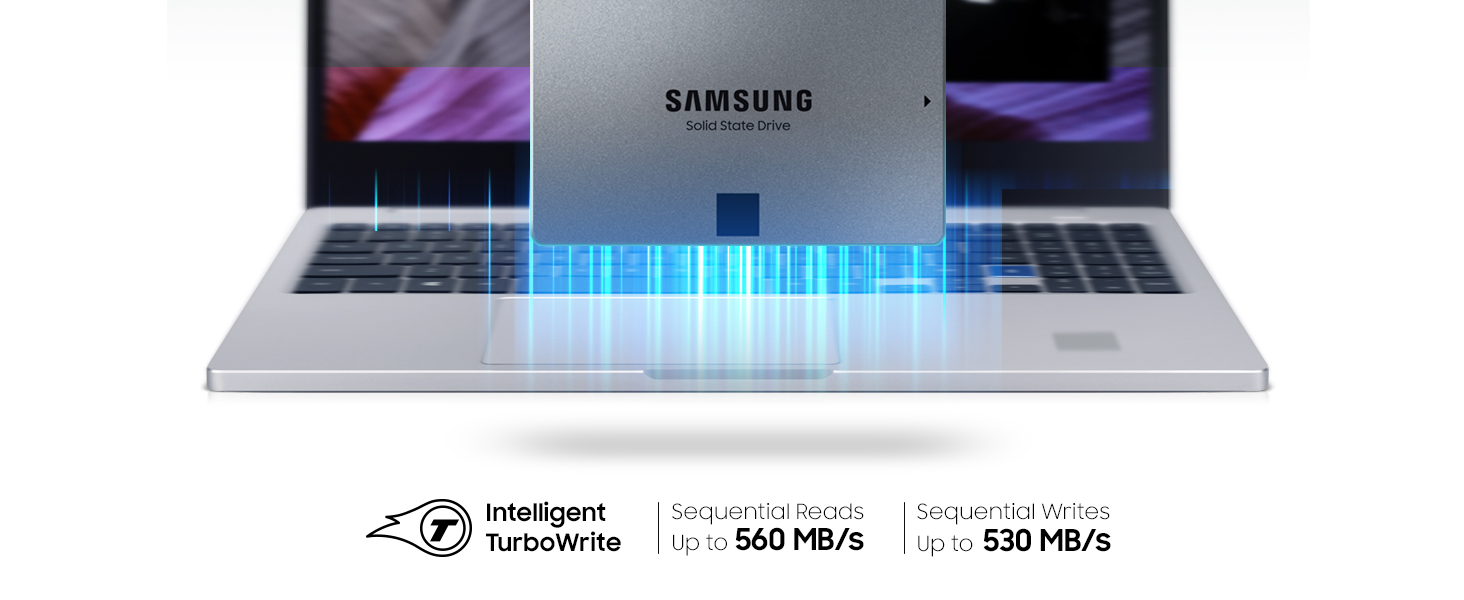
+The Samsung 870 QVO has a sequential read/write speed of up to 560/530 MB/s, which is much faster than traditional hard disk drives (HDDs) and comparable to some of the higher-end SSDs on the market. This means you can boot up your system, load applications, and transfer files in a matter of seconds.
+The Samsung 870 QVO has a large capacity of 1TB, which can store plenty of games, photos, videos, and other files. You can also choose from other capacities ranging from 2 TB to 8 TB, depending on your needs and budget.
+The 870 QVO has a long lifespan and reliability, thanks to its advanced QLC NAND flash memory technology and Samsung’s Intelligent TurboWrite technology. The SSD has a terabytes written (TBW) rating of 360 TB, which means you can write up to 360 TB of data before the SSD wears out. That’s equivalent to writing 98 GB of data every day for 10 years.
+The Samsung 870 QVO is compatible with most PCs and laptops that have a SATA interface and a 2.5-inch drive bay. It also comes with Samsung’s Magician software, which helps you monitor the SSD’s health, optimize its performance, and update its firmware.
—Cons—
-The Samsung 870 QVO is not the fastest SSD on the market, especially when it comes to random read/write speeds, which are more relevant for multitasking and heavy workloads. If you are looking for the best performance possible, you might want to consider other SSDs that use NVMe or PCIe interfaces, which are faster but also more expensive than SATA SSDs.
-The Samsung 870 QVO is not the cheapest SSD on the market, either. You can find other SSDs that offer similar or slightly lower performance and capacity for a lower price. However, you might also compromise on quality and durability if you opt for cheaper SSDs from less reputable brands.
—Reasons to Buy—
*You should buy the Samsung 870 QVO if you want to upgrade your PC or laptop with a fast, reliable, and spacious SSD that offers great value for money. You will notice a significant improvement in your system’s responsiveness, boot time, loading time, and overall performance. You will also enjoy more storage space for your files and less noise and heat from your system.
*You should buy the Samsung 870 QVO if you are a mainstream user who mainly uses your PC or laptop for browsing the web, watching videos, playing games, or doing office work. *You will get enough speed and capacity for your everyday needs without breaking the bank.
—Reasons to Avoid—
*You should avoid the Samsung 870 QVO if you are looking for the fastest or the cheapest SSD on the market. You might be disappointed by its random read/write speeds or its price tag compared to other SSDs that use NVMe or PCIe interfaces or that have lower quality and durability.
*You should avoid the Samsung 870 QVO if you are a power user who frequently runs multiple applications or heavy workloads that require high performance and endurance. You might experience slowdowns or reduced lifespan of the SSD due to its QLC NAND flash memory technology and its limited cache size.
———-Conclusion———-
The Samsung 870 QVO is a great SSD for upgrading your PC or laptop with a fast, reliable, and spacious storage device that offers great value for money. It is suitable for mainstream users who want to enjoy the benefits of SSD technology without spending too much or compromising on quality and durability. However, it is not the best choice for power users who need the highest performance and endurance possible from their SSDs.
Ordered the ssd drive as I was planning to get one and got this Samsung 1tb drive got it on a deal as used but like new and works like a charm and a good job to as my old drive decided to dye on me lucky lol
Was a little nervous about buying a drive from Amazon as the last time I bought one (from a different listing) and empty box turned up.
This turned up, well packaged and brand new. Was super quick to set up and copy all of my games onto. Now games load very quick and it’s actually fixed a couple of stuttering issues I had with certain games. Great buy for that price
This was bought to replace an aging Western Digital SATA 1TB HDD.
*It’s early days, but the 2TB drive is insanely fast in comparison to traditional (old school) drive.
* Really easy to install and set up, but you NEED to buy a 2.5 – > 3.5 bracket for desktop PC cases.
I didn’t read the description and thought it was much larger.
I’m really impressed with it so far and recommend this product.
I had this old Toshiba laptop which I got when windows 7 was all the rage. The PC must be ten years old now. I had loaded win 10 but the PC was very slow to start up {over 5 mins} and sometimes overheated and shut down. So I got this SSD, they are not too expensive and easy to fit on the laptop. What a difference. I just timed it now and from pressing start to windows main screen {including logging on } was 21 secs. Shutdown was 11 secs. So now I am going to get a new battery for it. Also it has not shutdown from overheating and its been on all day. The fan I only heard once so that’s a winner too. SSD’s are also good when gaming as they reduce loading speeds but this laptop is not very good for gaming so couldn’t test that.
I recently upgraded to the Samsung 870 QVO 2 TB SATA 2.5 and it’s been a fantastic addition to my computer setup. The drive is lightning-fast and I’ve noticed a significant improvement in boot times and overall system performance. The 2 TB capacity is more than enough for my needs and allows me to store all of my important files, photos, and videos in one place.
Installation was a breeze and the Samsung Magician software made it easy to clone my old drive and transfer all of my files over without any issues. The drive is also very quiet and doesn’t generate any noticeable heat, which is a plus.
Overall, I’m very happy with my purchase and would definitely recommend the Samsung 870 QVO 2 TB SATA 2.5 to anyone looking for a high-performance and reliable SSD. The price is a bit higher than some other drives on the market, but in my opinion, the speed and reliability are well worth the investment.
I’d already used a 128gb one of these to upgrade my desktop PC. These are so much faster than a conventional hard disk – you will really notice a faster boot-up time. In addition, if you are short of memory the page file will be quicker too. People typically use the SSD as the windows disk and use the original, larger hard-drive for all the data. This is fairly simple to do (samsung have migration software) but make sure you have space to mount the disk and an available sata socket on your motherbord ans a sata cable. Loads of help online if you are not confident. HELPFUL HINT: I thought I needed to replace my smaller SSD with this larger one because itunes insists that my partner’s iphone and ipad are backed up to the C-drive, hence my 128gb disk was not big enough. However, you can get around this – google “symbolic link” and “iphone backup” to find out how to fool itunes into using another disk for backups. This saved me having to use the larger SSD, which I returned. Sorry Samsung, but I have bought two of these disks so far, and it probably won’t be long until I want another one.