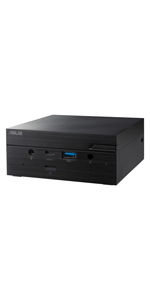
ASUS MINI PC PN51-BB3102MD-E1-AC, RY 3 5300U, 2 D4 SODIMM
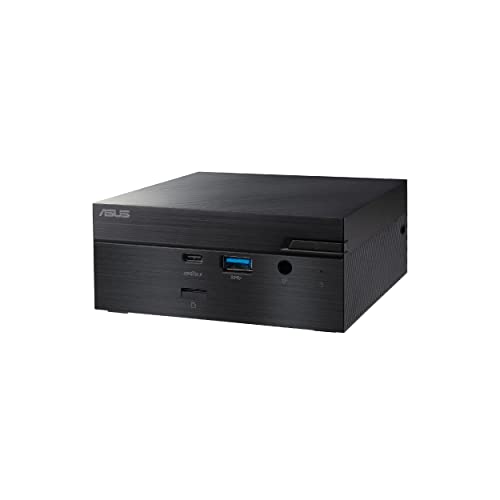
ASUS MINI PC PN51-BB3102MD-E1-AC, RY 3 5300U, 2 D4 SODIMM, M.2, WL, BT, HDMI, DP
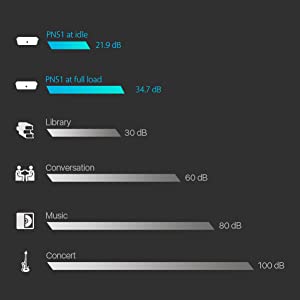

Quiet and Energy Saving
ASUS Mini PC PN51 has an energy-efficient design that reduces environmental impact while helping to lower operating costs for your business. Mini PC PN51 consumes as little as 10W at idle. It is also whisper-quiet, generating just 21.9 dBA of noise at idle and 34.7dB at full load.
High-Speed Connectivity
ASUS Mini PC PN51 provides comprehensive connectivity with multiple ports, including dual USB 3.2 Gen 2 Type-C ports (Supporting DisplayPort 1.4), HDMI 2.1 and DisplayPort 1.4.
HDMI CEC header and IR sensor
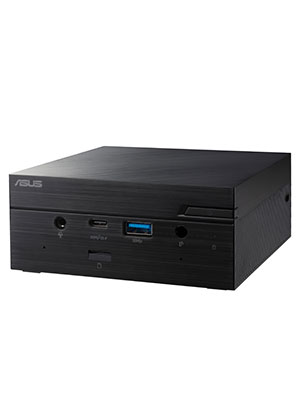
ASUS Mini PC PN51 features an infrared (IR) sensor letting users control applications via remote control. HDMI CEC can also be enabled to wake you display from standby or to turn on Mini PC PN51. HDMI CEC enabled display required.
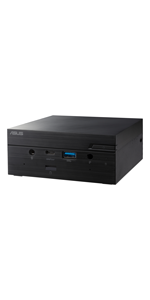 | 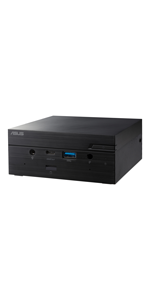 | 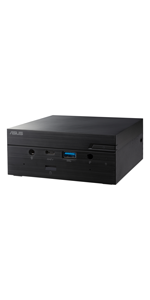 |  | |
|---|---|---|---|---|
| PN62 | PN62S | |||
| OS | Windows10 64Bit, Windows10 Pro 64Bit or W/O OS | Windows10 64Bit, Windows10 Pro 64Bit or W/O OS | Windows10 64Bit, Windows10 Pro 64Bit or W/O OS | Windows10 64Bit, Windows10 Pro 64Bit or W/O OS |
| CPU | AMD Ryzen R7-5700U, R5-5500U, R3-5300U | AMD Ryzen R7-4800U, R7-4700U, R5-4500U, R3-4300U | Intel Core i7-10710U, i7-10510U, i5-10210U, i3-10110U | Intel Core i7-10710U, i7-10510U, i5-10210U, i3-10110U |
| Graphics | Integrated – AMD Radeon Graphics | Integrated – AMD Radeon Graphics | Integrated – Intel UHD Graphics | Integrated – Intel UHD Graphics |
| Memory | 2 x SO-DIMM , DDR4-3200MHz memory (4GB to 64GB) | 2 x SO-DIMM , DDR4-3200MHz memory (4GB to 64GB) | 2 x SO-DIMM DDR4 2666 MHz (4GB to 64GB) | 1 x SATA 6Gb/s for 2.5″ 1TB HDD 1 x M.2 2280 for PCIe 128G/256G/512G/1TB SSD *Support NVMe |
| Storage | 1 x SATA 6Gb/s for 2.5″ 1TB HDD 1 x M.2 2280 for PCIe 128G/256G/512G/1TB SSD *Support NVMe | 1 x SATA 6Gb/s for 2.5″ 1TB HDD 1 x M.2 2280 for PCIe 128G/256G/512G/1TB SSD *Support NVMe | 1 x SATA 6Gb/s for 2.5″ 1TB HDD 1 x M.2 2280 for PCIe 128G/256G/512G/1TB SSD *Support NVMe | Intel Wi-Fi 6 (Gig+) and Bluetooth, 2*2 Intel 802.11ac and Bluetooth, 2*2 Intel LAN, 10/100/1000 Mbps Onboard: Intel I219V Configurable port: Intel I211AT |
| Wireless Network & LAN | Intel Wi-Fi 6 AX200 (Gig+) and Bluetooth 5, 2*2 Intel 8265, 802.11ac and Bluetooth 4.2, 2*2 Onboard: Realtek 8111EP 10/100/1000 Mbps or Realtek RTL8125B 10/100/1000/2500 Mbps Configurable port: Intel I211AT | Intel Wi-Fi 6 (Gig+) and Bluetooth, 2*2 Intel 802.11ac and Bluetooth, 2*2 Onboard: Realtek 8111EP 10/100/1000 Mbps or Realtek RTL8125B 10/100/1000/2500 Mbps Configurable port: Intel I211AT | Intel Wi-Fi 6 (Gig+) and Bluetooth, 2*2 Intel 802.11ac and Bluetooth, 2*2 Intel LAN, 10/100/1000 Mbps Onboard: Intel I219V Configurable port: Intel I211AT | 1 x USB 3.2 Gen2 Type-C(Support Battery Charging 1.2) 1 x USB 3.2 Gen1 1 x Audio(Line out/Mic in/Headphone out) 1 x Microphone Array ( 2 x dMIC ) 1 x IR receiver 1 x 3 in 1 Card reader |
| Front I/O | 1 x USB 3.2 Gen2 Type-C (Support Display Port 1.4, Battery Charging 1.2) 1 x USB 3.2 Gen1 1 x Audio Jack(Line in/ Mic in/ Headphone out) 1 x Microphone Array (2 x dMIC) 1 x IR receiver | 1 x USB 3.2 Gen2 Type-C (Support Display Port 1.4, Battery Charging 1.2) 1 x USB 3.2 Gen1 1 x Audio Jack(Line in/ Mic in/ Headphone out) 1 x Microphone Array (2 x dMIC) 1 x IR receiver | 1 x USB 3.2 Gen2 Type-C(Support Battery Charging 1.2) 1 x USB 3.2 Gen1 1 x Audio(Line out/Mic in/Headphone out) 1 x Microphone Array ( 2 x dMIC ) 1 x IR receiver 1 x 3 in 1 Card reader | 1 x USB 3.2 Gen1 Type-C (Support Display Port 1.2) 2 x USB 3.2 Gen1 1 x HDMI 2.0 Port 1 x Configurable Port (options: Thunderbolt 3/HDMI 2.0/ Display Port 1.2/COM/ VGA/ Intel LAN) 1 x Intel (RJ45) LAN 1 x DC-in |
| Rear I/O | 1 x USB 3.2 Gen2 Type-C (Support Display Port 1.4) 2 x USB 3.2 Gen1 1 x HDMI 2.1 Port 1 x Configurable Port (options: Display Port 1.4/COM/ VGA/ LAN) 1 x RJ45 LAN(DASH) 1 x DC-in | 1 x USB 3.2 Gen2 Type-C (Support Display Port 1.4) 2 x USB 3.2 Gen1 1 x HDMI 2.1 Port 1 x Configurable Port (options: Display Port 1.4 or 1.2/COM/ VGA/ LAN) 1 x RJ45 LAN(DASH) or 2.5G LAN 1 x DC-in | 1 x USB 3.2 Gen1 Type-C (Support Display Port 1.2, PD power input*) 2 x USB 3.2 Gen1 1 x HDMI 2.0 Port 1 x Configurable Port (options: Thunderbolt 3/ Display Port 1.2/COM/ VGA/ Intel LAN) 1 x Intel (RJ45) LAN 1 x DC-in | 1 x USB 3.2 Gen1 Type-C (Support Display Port 1.2) 2 x USB 3.2 Gen1 1 x HDMI 2.0 Port 1 x Configurable Port (options: Thunderbolt 3/HDMI 2.0/ Display Port 1.2/COM/ VGA/ Intel LAN) 1 x Intel (RJ45) LAN 1 x DC-in |
| Dimension & Weight | 115 x 115 x 49 mm (0.62L) 0.7 kg (including 2.5″ HDD) | 115 x 115 x 49 mm (0.62L) 0.7 kg (including 2.5″ HDD) | 115 x 115 x 49 mm (0.62L) 0.7 kg (including 2.5″ HDD) | 115 x 115 x 49 mm (0.62L) 0.7 kg (including 2.5″ HDD) |
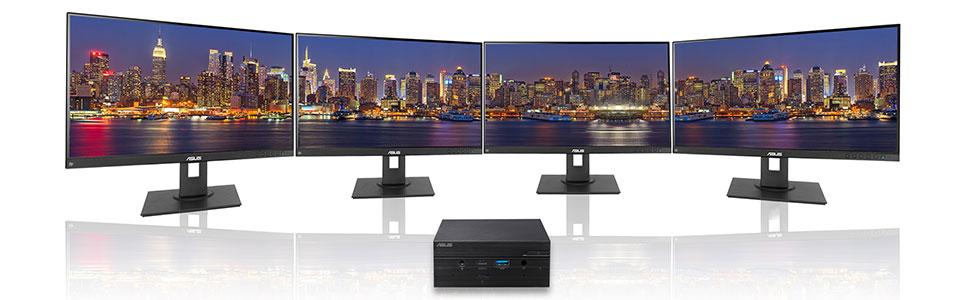
| Note | * Supports up to four displays at the same time via the front and rear USB 3.2 Gen 2 Type-C ports, configurable port, and on-board HDMI port. | * Supports up to four displays at the same time via the front and rear USB 3.2 Gen 2 Type-C ports, configurable port, and on-board HDMI port. | *Power supply device need to support Power Delivery & at least 65W output. *Supports up to two display via USB 3.2 Gen1 Type-C and configurable ports, or USB 3.2 Gen 1 Type-C and HDMI. | Supports up to two displays via HDMI and configurable ports, or HDMI and USB 3.2 Gen1 Type-C. |
| Weight: | 1 kg |
| Dimensions: | 28.8 x 17.7 x 6.7 cm; 1 Kilograms |
| Brand: | ASUS |
| Model: | 90MR00K1-M000C0 |
| Colour: | Black |
| Batteries Included: | No |
| Manufacture: | Asus |
| Dimensions: | 28.8 x 17.7 x 6.7 cm; 1 Kilograms |
Great little barebones PC with a couple of wrinkles
I bought the 4500U model in November 2021, so I’ve had it for a year. Overall I’m very happy with it. Most importantly it’s a BARE BONES PC, so it comes with no RAM & no storage, despite what the website may say. I installed 16GB RAM and a 512GB SSD. I also happened to have a 512GB SATA drive lying around, so I added that as a data drive.
As others have mentioned, the documentation is sparse (although there are several YouTube videos that will take you through the installation and configuration). You really do have to know what you’re doing. I had an initial problem with the ethernet network drivers – a bit of a challenge as you need those to be able to connect to the Internet to get the updated versions.
I’ve had no issue with WiFi or Bluetooth connections nor have i had any cooling issues, but I read a lot of reviews before I bought, and it was clear that the faster processors generate more heat and so the fan may run a lot more (depending on what your’e doing with it). I run two Full HD monitors – one using the HDMI port and the other using the Displayport. I haven’t tried using either of the USB-C ports with a monitor.
My biggest gripe is regarding the 3.5mm audio socket on the front – if you insert a plug here then you disable the inbuilt microphones. Great if you want to use a full headset, but not if you want to drive external speakers. My work-around was to buy a USB-C to 3.5mm adapter cable and plug my external speakers into one of the USB-C ports, but I didn’t anticipate having to do that.
I initially installed Windows 10, and the upgrade to Windows 11 was straightforward as the unit has the necessary TPM 2.0 module.
EPIC fast nice quality
Absolutely fantastic price quantity performance 2 type c ports and 2 usb 3.0 ports buy a type c hub there 10-15 and it extends the port massively got 4 hhd on one of the type c ports and works perfectly
Great little PC to replace my previous mini-PC which had reached the limit of upgradeability. I added Win 11 Pro from DigitalLicense, 64GB 3200MHz DRAM, a 1 TB M.2 SSD and my previous 1 TB SATA SSD. All for around 550. What’s not to like?
Other reviewers almost put me off with talk of fan noise, but I find any noise to be barely audible and very acceptable with the unit placed on my desk.
Highly recommend this little barebones, mini-PC.
Love it, bought it to sit on a desk where i already have a lot of stuff and screens, another screen (laptop) just wasn’t wanted. Added 32 GB of RAM and 1 TB M2 drive from the links suggested below it on the amazon page. Bought OEM of windows for less than 30 quid and everything worked off the bat.
I bought this mini PC a month ago. A barebone PC without RAM or Hard drive. The DC power adapter is included. I installed Windows 10 64-bit Home edition. All drivers are automatically installed. The problems I have:
– Still couldn’t make Bluetooth be detected. Reinstalled Windows 10 several times and tried various drivers.
– I have a MK270 Logitech wireless mouse and keyboard which doesn’t work with this PC. It seems it’s a noise problem as it works when I use a USB hub. I think it will also work with a USB extension cable if you move it away from the PC itself.
– A software like Realtek HD Audio Manager is not installed automatically by Windows, so when I plug my mobile headset into the front audio jack, no dialog is popped-up. I tried once to install an Audio Manager but I failed.
Get informed that this is not a fan-less device, so sometimes you hear a fan noise when you use CPU-intensive programs. Not annoying for me.
Amazon did another excellent job delivering this PC. After the problems I had with the first PN50 not displaying on any of my HDMI monitors, I was relieved to see this PN50 booted up correctly on the first switch-on. Fan is a little noisy especially when the CPU is working hard but as this PC will be living in a cupboard it won’t worry me!
I spent weeks researching processors and you tube reviews before I settled on this tiny unit. It is just perfect for software development. Easy to install memory, storage and buy a genuine Windows 11 license (15) online and this worked out so much cheaper than a complete built unit. Yes, there is a tiny fan noise at times but I’m not sensitive to that and personally find it okay. Absolutely delighted with this unit.
I’ve received ASUS PN50-E1. The only difference between normal pn50 is 2,5Gbit internet from Realtek (rtl 8125). Can’t see any other differences
Some updates:
CPU (4700u) hits 97’C under stress test after 15 mins, and throttles to 3,0ghz. My conclusion is, that cooling system is insufficient. But I’ve bough akasa turing MKII passive case, and temps dropped significantly to around 70C under full load, without throttling.
Still I think it’s great piece of kit for as a small NAS/ home theatre pc.