Crucial BX500 2TB 3D NAND SATA 2.5 Inch Internal SSD – Up
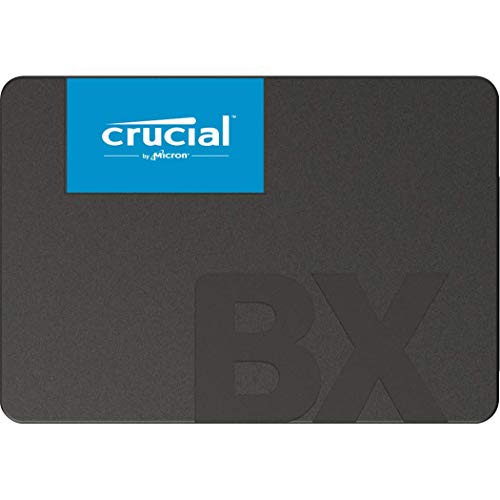
Crucial BX500 2TB 3D NAND SATA 2.5 Inch Internal SSD – Up to 540MB/s – CT2000BX500SSD1

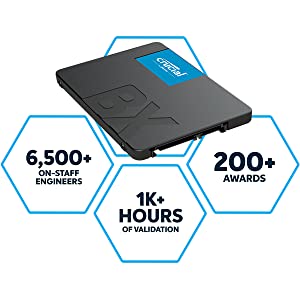


Improve Performance
Boot up faster. Load files quicker. Improve overall system responsiveness for all your computing needs.
Tools for Easy Installation
Our simple instructions, cloning software, and how-to videos make installation straightforward! Millions of people have upgraded with a Crucial SSD.
Award-Winning Support
Get questions answered by our expert support team. Read SSD articles, connect with other users on our forum, or chat live with one of our specialists.
 |  | 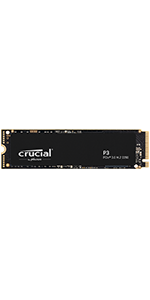 | 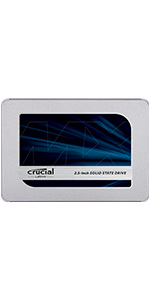 | 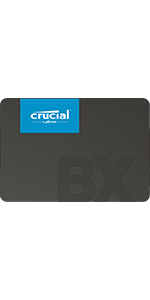 | |
|---|---|---|---|---|---|
| Capacity¹ | 500GB, 1TB, 2TB | 500GB, 1TB, 2TB, 4TB | 500GB, 1TB, 2TB, 4TB | 250GB, 500GB, 1TB, 2TB, 4TB | 480GB, 1TB, 2TB |
| Internal/External | Internal | Internal | Internal | Internal | Internal |
| Form Factor | M.2 | M.2 | M.2 | 2.5 inch | 2.5 inch |
| Interface | NVMe PCIe | NVMe PCIe | NVMe PCIe | SATA | SATA |
| Sequential Read Speed² | Up to 6600MB/s | Up to 5000MB/s | Up to 3500MB/s | Up to 560MB/s | Up to 540MB/s |
| Sequential Write Speed² | Up to 5000MB/s | Up to 4200MB/s | Up to 3000MB/s | Up to 510MB/s | Up to 500MB/s |
| Optimal For | Fast Gen4 NVMe storage for high-performance computing and hardcore gaming | Designers, Editors, Creatives, gamers, and professionals with heavy workloads | DIYers, casual gamers, professionals, and entry-level designers | Professionals, upgraders & college students | Universal, value-conscious users |
- Some of the storage capacity is used for formatting and other purposes and is not available for data storage. 1GB equals 1 billion bytes. Not all capacities available at initial launch.
- Typical I/O performance numbers as measured using CrystalDiskMark with a queue depth of 32 and write cache enabled. Fresh out-of-box (FOB) state is assumed. For performance measurement purposes, the SSD may be restored to FOB state using the secure erase command. System variations will affect measured results.
| Weight: | 55 g |
| Dimensions: | 10.03 x 0.69 x 6.99 cm; 55 Grams |
| Brand: | Crucial |
| Model: | CT2000BX500SSD1 |
| Colour: | Black |
| Batteries Included: | No |
| Manufacture: | Crucial |
| Dimensions: | 10.03 x 0.69 x 6.99 cm; 55 Grams |
Excelle
It gave a new life to my 4 years old laptop, I have an impression that my device works faster then when originally purchased, easy to install and very good quality, 100% recommended.
Great upgrade
I had a couple of PC’s with older 256GB SSD’s and was running out of storage. These were easily upgraded using the supplied Acronis True Image software. I used an external SATA connector to clone the original disk and operating system – check their online video tutorial.
Trusted Brand
I have trusted this brand time and time again without any issues.
Purchased to replace an old HDD drive and was delighted with the results with the SSD.
The computer is much faster to use and boot up.
Great Value and Great Product.
Best thing I've ever purchased for my pc
Bought this for my pc as my computer was slow and boot up took ages. Fitted this , installed windows and I couldn’t believe the difference it made. I’m writing this review around a year after purchase and my computer still boots up in seconds, definitely the best upgrade I’ve ever made.
A very cost effective laptop upgrade!
Purchased this to try and improve the performance of my wife’s Acer Aspire laptop. Had already upgraded the RAM to maximum, but the laptop was still painfully slow.
We downloaded the free cloning software from Crucial.com and set the new drive up ready for cloning. Although the cloning process took a few hours to complete, it worked faultlessly.
Opened up the laptop, removed the old HDD and slotted in this new SSD.
Fired up the laptop and everything worked as before, only much faster.
So, for less than 30, my wife’s got a much better laptop that does everything much faster than before.
A really cost effective upgrade!
Very easy to fit, works grea
I recently had to replace a failing hard drive, and this drive was exactly what I needed. Fitting was very easy, with a simple 4 screws to attach to the chassis and into the laptop, plug the cable in and switch on. The drive was recognised in disk management and a quick format and partition created, and that’s it, ready for my data.
Speed wise it is on a par with other SSD drives in that it is adequate but not lightning speed like nvme drives.
Still, as a data drive it works well.
Certainly makes a big difference
Simple installation and a very noticeable difference to performance. I installed a 480GB SSD in a 12 year old Lenovo G770 as an experiment just to see what difference it would make. The answer? Well it’s like having a new laptop! I can’t talk about gaming or durability, I don’t play games and the the installation is new, but the performance is quite stunning.
I’m running Linux Mint 21.2 and my old G770 is happily coping with all the usual internet and mail requirements, office packages and photo editing. So far no complaints whatsoever and while the I5 processor is only 2 core, the laptop is performing within acceptable limits for everything I’ve thrown at it thus far. I’ll see how things go over the next few months, but initial thoughts, I’m very happy with the new SSD.
I’ve bought 5 or 6 Crucial products in the past without any disappointment.
I ordered this at about 8.30am, received it by about 7.00pm and had it installed with an amazing transformation by 10.30pm in an 8 year old Lenovo laptop.
The instructions, on paper are virtually useless and the online guide is little better! Nowhere does it say to first attach the SSD then initialise and format it! Had I been more of a novice, I would’ve had to contact support to find out why I couldn’t get past step one in their instructions. It would be so simple to add a few extra lines to the instructions.
The performance has transformed my old fairly meager specified laptop to be responsive again. The SSD, which is really their base model is about 3-4 times faster than the Toshiba hard drive that it replaced. From my experiences with other Crucial SSD’s, this should keep me from recycling the laptop for a few years yet.
It does ...
… exactly what it needs to do. It’s not the fastest SATA SSD on the planet, but that shouldn’t be a massive issue unless you use it for your system drive / boot device. I’ve never had issues with Crucial products in the past, and can see no reason why this should be the first.
On a Gb/ scale, this cannot be faulted – and it’s NOT some no-name thing from China that purports to be a true SSD but is actually an SD card in a box.
Wow, just wow
Going from a standard had to an ssd has blown my mind. This was easy to install, it was easy to clone to and now my co outer boots quicker than my Mac. I am truly blown away with the quality of this produc
Great value
Amazing value for this SSD. First time I’ve installed on of these and there’s plenty video of how to on YouTube. Your pc needs a spare internal SATA connection and a SATA power connection off the Power supply unit.
Remember to initiate and format the drive in disk management for your PC to recognise it and allow access.
is as advertised
I just put it in on this fri it was easy peasy i was stressing before but it just plugs in and was recognised stright away.
but if you are haveing trouble, hit WIN and X to bring up console window and chose disk manegment.
its not going to change the world as the tell you but it will speed up loading times and travel times in open world games, but thats about it unless you put the OS on there which i would not recomend for this size 1tb you want at least 2TB as windows is a data hog.
Perfect up grade
This 1TB drive was the perfect upgrade for my aging windows 10 PC . Even though it was listed on crucial’s own side as not compatible, but sold by other companies as compatible, whilst it’s not the fastest SSD it loads programs fast and windows is a lot more responsive on this drive. The only problem I had and I think it’s because my old drive was failing was I had cloning errors, so I just bought a new windows 10 pro instal disk.
5.0 out of 5 stars Excellent value from a well know brand
I was close to ordering an unbranded hard drive but was swayed by some of the reviews. I then found this crucial one for the same money.
Chucked it into my PC initiated it and cloned my aging HDD on to it. My PC now boots super fast and programs load much quicker. An excellent upgrade in my opinion.
5.0 out of 5 stars Great fast hard drive
My new PC had a mechanical hard drive and was very slow. Replacing the mechanical hard drive with the crucial ssd drive has transformed the boot up time of the PC.
5.0 out of 5 stars Amazing value and crucial quality
I was upgrading my partners PC and this was a perfect addition to replace an damaged HDD. The crucial quality is that of higher end I find. The SSD itself I bought in a sale and honestly it’s cheaper than some that CEX sell second hand. Will buy again.
5.0 out of 5 stars Good speeds and exceptional value for money
Good hard drive with good transfer speeds. Purchased to add to a solid state array in an UNRAID server and have had no issues.
Very good value for money for the capacity and performs better than expected. I will be getting more in the future.
5.0 out of 5 stars Relatively cheap for the capacity
Bought to replace the existing HDD in an old Ultra Small Desktop PC. Very cost-effective upgrade that also doubled the storage space that I have on an old Win 10 PC
5.0 out of 5 stars Cheap, fastish storage.
My desktop computer was running out of storage for games. This drive is a cost effective solution. It’s not the fastest SATA SSD or the best specified, but does the job.
5.0 out of 5 stars Does exactly what it suppose to say
So I purchased this to install the operating system on it for faster loading ability . Its been several months since I have installed it and its working perfectly . I have not tested however the data reading and writing speed to comment about it .
Well it was only 39.95, so really good price for a 1TB SSD, and I only needed it as a 3rd emergency backup store of family photos, which is going to sit in a drawer in its enclosure for most of the time.
But the following is for those of you interested in it’s performance. Comparing this SSD to an admittedly much more expensive Samsung EVO 870, is like comparing an SSD to a memory stick for large write jobs. The read speeds weren’t bad, running it in a tried and tested enclosure on USB3.1, around a constant 400mbps, but constant write speeds can only be described as awful. I needed to transfer 505GB of family photos and videos to it, and at first things didn’t look too bad with speeds of around 350mbps. But after a minute this dropped to around 60mbps or less, stayed there for around 30 secs, then went up to 325mbps for a few secs, then down to maybe 70mbps for a further 30 secs and so on. The result of this constant speed seesawing was that it took over 1.5 hours to transfer the 505gb, around the speed I would expect from an old hard drive.
But to be fair, if you were to put this into (say) a laptop and replace an old HDD, it would still dramatically improve the speed of boot up, because of its comparatively high read speeds and for normal everyday use the laptop would feel quick enough, unless you copied large amounts of data onto it regularly. So for normal everyday use, it is going to be adequately fast and represents good value for money.
Update: Just uploaded 3GB of photos from a holiday shoot. At this size there was no speed reduction and the job was done in a few seconds. So unless you are transferring huge amounts of data, slow speed isn’t going to be an issue.
With regards cloning your existing hard drive to the new SSD, the instructions that come with the drive include information on where to download their free cloning software. I had a dummy run at this right up to the final instruction to start the cloning, and it was all very easy and intuitive. However, you will need to purchase an inexpensive enclosure to place the SSD in whilst cloning from your laptop. These are available on amazon for as little as 9. Probably the hardest thing you will have to do is remove the old HDD from your laptop after the cloning is complete. As laptop designs vary greatly, I can give no advice on this. However, once the SSD is in your laptop Windows will boot up just as before, but massively faster.
I bought this product to upgrade the space for my OS drive. Currently using Windows 10 and the 120GB SSD was getting too full. Decided to upgrade to a 1tb SSD and sadly my motherboard couldn’t support the M.2.
Installation is standard with any other SSD. If you are stuck, there are some good tutorials on how to do this with this model. I used a 3rd party cloning software to clone my drive and once this was done (about an hour), it was easy to setup.
I can’t really compare speeds as I’m going from one SSD to another and it’s barely noticeable. 5 months in so far and I haven’t had any problems. Hopefully this will last me for at least a while.
If you are looking for a fast, reliable and affordable way to upgrade your laptop or desktop computer, you might want to consider the Crucial BX500 1TB 3D NAND SATA 2.5 Inch Internal SSD. This solid-state drive (SSD) uses flash memory to store and access data, which means it has no moving parts and consumes less power than a traditional hard disk drive (HDD). It also offers faster boot times, quicker file transfers and improved overall system responsiveness.
—Pros—
+ Easy installation: The Crucial BX500 SSD comes with a 2.5-inch form factor that fits most laptops and desktops. It also includes a spacer for 9.5mm applications and Acronis True Image HD software for cloning your existing drive. You can follow the step-by-step instructions on Crucial’s website to install the SSD yourself or use their online support if you need any help.
+ High capacity: It offers 1TB of storage space, which is enough for most users to store their operating system, applications, games, photos, videos and other files. You can also choose from other capacities ranging from 240GB to 2TB, depending on your needs and budget.
+ Fast performance: It delivers up to 540MB/s of sequential read speed and up to 500MB/s of sequential write speed, which is much faster than a typical HDD. It also supports the SATA 6Gb/s interface, which is compatible with most systems. The SSD improves the overall performance of your system by reducing boot times, loading times and lagging issues.
+ Low power consumption: It uses 3D NAND flash technology, which stacks layers of memory cells vertically to increase density and efficiency. This reduces the power consumption of the SSD by up to 45x compared to a typical HDD, which extends the battery life of your laptop and lowers the heat generation of your system.
+ Affordable price: It is one of the most affordable SSDs on the market, offering great value for money. You can get the 1TB model for around 47 on Amazon UK, which is much cheaper than some of its competitors. You also get a 3-year limited warranty from Crucial, which covers any defects or malfunctions of the SSD.
—Cons—
– No DRAM cache: It does not have a DRAM cache, which is a small amount of memory that acts as a buffer between the SSD and the system. A DRAM cache can improve the performance and endurance of the SSD by reducing the number of write operations to the flash memory. However, it also adds to the cost and complexity of the SSD. The lack of a DRAM cache may affect the performance of the Crucial BX500 SSD in some scenarios, such as heavy multitasking or sustained workloads.
– Low endurance rating: it has an endurance rating of 360TBW (terabytes written), which means it can write up to 360TB of data before its performance degrades or fails. This is lower than some other SSDs in its class, such as the Samsung 860 EVO (600TBW) or the WD Blue 3D NAND (600TBW). However, this rating is still sufficient for most users who do not write large amounts of data frequently. According to Crucial’s calculations, you can write about 197GB per day for five years before reaching the limit.
—Reasons to Buy—
* You want to upgrade your system with a fast, reliable and affordable SSD
* You need a high-capacity SSD that can store all your files
* You care about the battery life and heat generation of your system
* You are comfortable with installing the SSD yourself or using online support
—Reasons to Avoid—
*You need a high-performance SSD that can handle heavy multitasking or sustained workloads
*You prefer an SSD with a higher endurance rating that can last longer
*You are not confident with installing the SSD yourself or using online support
Conclusion
The Crucial BX500 1TB 3D NAND SATA 2.5 Inch Internal SSD is an excellent choice for anyone looking to upgrade their system with a fast, dependable, and reasonably priced SSD. It provides high capacity, low power consumption, and simple installation at an affordable price. However, it may not be appropriate for users who require high performance or endurance from their SSDs.
Before installing the SSD you will need to transfer your HDD image onto the SSD drive otherwise your Laptop will complain that it doesn’t have a Boot Disk. To do this, buy a “SABRENT SATA to USB 3.2X1, SSD HDD Hard Drive Adapter” and install Macrium Reflect (Free version) software onto your Laptop HDD. Plug the SSD into the Laptop using the “SABRENT” lead to the USB Port. Start up Macrium Reflect which will then show the partitions on your HDD and the blank SSD. Click “Clone this disk” selecting the HDD as the source and the SSD as the destination and just follow the on screen instructiions. Once the cloning is complete you can install the SSD into your Laptop. On boot up for the first time, your Lapton will complain that it can’t find the boot disk – hit Return and it will show you available drive options – in general the only drive shown will be the new SSD – select it and hit Return and the Laptop should then Boot up. It may be slow the first time as the system needs to sort itself out but thereafter the machine should be a lot faster.
The only problem you could experience is that the HDD image is bigger than the available space on the SSD – the solution is to buy an SSD that is bigger to start with – if this is not possible then you will have to play with the sizing of the HDD partitions and be choosey about which partitions to copy across – not recommended for the novice.
Working well
Bought this to replace another. I have it on my Bitcoin node and the extra space is needed to hold the whole Bitcoin network. Seems fast but I would have hoped that writing to it would be a bit faster. On our 4th day of trying to write the network to it now.
I'm not 100% convinced by this
When it’s in use it makes no noise at all, I hope it’s not broken or on the way out, hard drives usually make noise, no vibration either, it just sit’s there getting warm.
Perfect for Gaming setup
Needed a quick upgrade to my pc, I only had 500gb of space left on my SSD which can be used but by 2-3 games. To stop the dreaded thought of uninstalling 1 or 2 games to make more space I decided to take the plunge with this well known brand. I wasn’t disappointed for the price and the size I was expecting poor performance but its blown everything I throw at it out the water. Highly recommend.
Replaced old hard-drive with this ssd
Replaced old hard-drive with this ssd to double the data storage and increase read and write speeds, this computer not used for games so cannot comment. good price at the and matched my BX500 240GB system drive.
Has been running for a couple of months as a replace system drive - all ok so fa
I replaced a system drive using a drive mirroring program and have had no issues so far. The bootup time has been massively decreased (i.e. much faster startup).
No reported issues, don’t have any idea of the current life-span at present. (My system is too old to support faster PCIe M.2 drives.)
Perfect replaceme
Upgraded my Mac and it now works the best it has ever bee
Brillia
Years on and it still works a treat. Brought new life into my old MacBook.
Would have been 5 stars, but I spent ages trying to get the recommended software for cloning to work (kept locking up) and eventually gave up and used Macrium Reflect (free trial), which worked seamlessly.
Once up and running this made a stunning difference in speed to my relatives aging PC.
Replaced laptop hdd
Brought some life to a laptop that was slow, now boots ups and loaded I’m mo time. No issues so far.
I recently purchased the Crucial BX500 1TB SSD for my son’s PC build, and I’m extremely happy with my purchase. This SSD is an excellent choice for anyone looking for a reliable and fast storage solution for any file / program. The price point was just right also for the SSD as some where far more than this locally.
This fit into the tool free cradle that came with the PC case in moments and was up and running quickly after that.
No idea if this is a fast drive or not, as it’s an NVME drive, and my PC’s motherboard won’t recognise it
It’s the second drive I’ve bought in a month which I’m now having to return because of incompatibility.
Yes, I searched all the product info available on Amazon and elsewhere.
Do not purchase if your motherboard can’t handle NVME drives!
Arrived within 24 hours. I then realised that I needed a control cable and power cable but once I had those I was able to install the new drive in less than a minute. It works fine so happy customer.
In every computer in which I’ve had an SSD, I’ve never had anything other than Crucial. Time has taught me to trust in them implicidly, not a single one has ever failed, in fact none has ever given me any problems at all and those that have been replaced were only replaced when I bought a new PC or upgraded to a larger O/S drive. The ones I removed were put in enclosures and are still being used reliably by my friends and my nephew.
So, when so when it came time to buy 3 new SSD drives to replace ageing platter removable/portable drives, Crucial was literally the only search I did, and the only choice I was interested in.
A few weeks ago I bought two 240GB ones to replace my two small platter drives. And this week I bought a 1TB to replace an ageing and noisy six-year-old Samsung 1TB platter backup drive.
Usibg past experience as a reference, I foresee absolutely no problems in the future from any of them.
I have used Crucial a lot over the years and they have been my preferred choice for anything memory related. Having used dozens of their memory and SSD products, I only ever had one issue with a stick of memory that Crucial replaced very quickly.
I bought this to help someone out with a Dell All In One PC where the old 1TB HDD had died. Once replaced and this SSD put in its place, the PC ran better than it was new. Really good performance for their day to day office tasks and hopefully the usual Crucial reliability.
If you are replacing an old SATA HDD disk drive with an SSD, this is perfect for the job. It’s vastly faster than traditional HDD drives and very affordable. Installation was quick and easy with the included software (you’ll probably want to buy a connection cage for it separately to facilitate the cloning process if swapping out an old drive) and the device booted up very quickly after installation. It’s not as fast as the latest flash SSD’s, however for an older laptop that still uses SATA drives this is an enormous improvement. It has saved my old laptop from becoming redundant and is now vastly more useable. If you have a very slow laptop with a traditional HDD, replace it with this and you’ll have what feels like a brand new machine. Well worth the money and far cheaper than a new computer.
I won’t bore you with technical details – you can Google the read & write specs.
I bought 3x 1TB drives to replace ageing HDDs in a RAID 5 array in my desktop PC. I use this for media and data storage only, so the lack of DRAM isn’t a problem. I’d think twice about using one of these as a game installation drive if save & load speeds are important to you.
I also bought a 480GB model to put in my PS3 slim, in which the data speeds are limited by the 1st gen SATA interface. It’s not really an improvement over a decent HDD, but at this price it’s worth it for a (slightly) quieter console, and for Crucial’s brand reputation (I’ve bought several over the years and never had a failure).
Purchased to upgrade an old Acer Aspire 5-series laptop, which someone had foolishly installed Windows 10 Pro, 64-bit o.s. despite it only having an Intel Celeron 540 processor, and 2GB, 533MHz, DDR2 RAM! The machine was so slow as to be virtually unusable. You couldn’t even run You Tube or open photos.
Changing the processor to an Intel C2Duo, T7500, and upping the RAM to 3GB, made You Tube and opening photos doable but still slow. The boot up time of 1m 40secs, however, was ridiculous, compared to a more modern machine.
My first thought was to put it back through the site with 4 letters, and get something else. I liked the tank-like build quality, however, and the screen appeared to be fairly new, so I reckoned it was worth experimenting further.
There are many cheap SSDs available, but one has to be careful because, as with memory cards, you could end up with something dodgy which isn’t what it claims to be. Best to stick to recognized brands; Crucial being one of them. At just over 26 for 240GB, this was also one of the cheapest.
It arrived quickly, and I was surprised by the total lack of metal. 100% plastic, but well made nonetheless. Impressed by the fact that though thinner, the width and length were the same (see pictures) and it fitted the laptop’s metal caddy, perfectly (see photos).
I’ve noticed some reviewers mention the need to use third-party cloning software such as Macrium Reflex, as an alternative to the Arconis True Image software recommend by Crucial. Apparently, some owners state that their SSD wasn’t recognized by it, and for those that were, many have reported manually adjusting the partition size, rather than leaving the software set to auto. People have also spoken of the need to allow over 2 hours for cloning.
Well, without my new SDD connected to laptop by SATA to USB cable (see photos) the Acornis software wouldn’t open, because it detected no Crucial device connected. When connected, however, it did, and the process took roughly an hour to clone a 320GB HDD, with about 120GB of data; and the auto setting worked fine. The ‘time remaining’ message was all over the place (often the case!) first stating in excess of 2 hours, then 1 hour 40 after only three minutes, etc.
Acornis True Image software is massively large (600Mb) compared to Macrium Reflex (about 130Mb). One reviewer stated that Acornis isn’t free; you need to pay to use it! Not so in my experience. Maybe some folk are sold fake Crucial SSDs, which the software is good enough to spot!
So, was it worth it? The boot-up time on Windows 10 Pro, 64, is now 27 seconds (previously 1 minute 40 seconds) so yes, in terms of boot-up time. Overall, however, it’s still slow opening apps; and only marginally quicker than before, so I’m not overly impressed. Can’t be bothered to conduct scientific tests to confirm just how small the advantage is!
One big surprise was no noticeable reduction in noise. Clearly, the old HDD was not to blame, even though it seemed likely, and for me was a motivating factor for changing to an SSD!
Only time will tell whether this is as good a deal as it seems, but one thing which did bother me was the short length of warranty (only a year). Compared to a 5-year warranty, it might prove false economy! Would I buy it again in retrospect? Probably not! I’m quite interested in the even-cheaper, 500GB, hybrid drive by Seagate, on Amazon at only 25. It loads Windows as fast as an SSD; and with a spin speed of 7200rpm, probably wouldn’t feel much slower in use. The memory capacity, however, is over double though!