Kingston A400 SSD Internal Solid State Drive 2.5″ SATA Rev
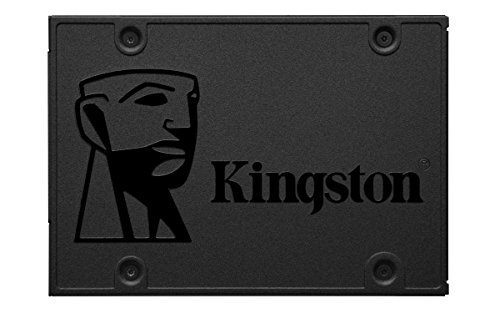
Kingston A400 SSD Internal Solid State Drive 2.5″ SATA Rev 3.0, 480GB – SA400S37/480G
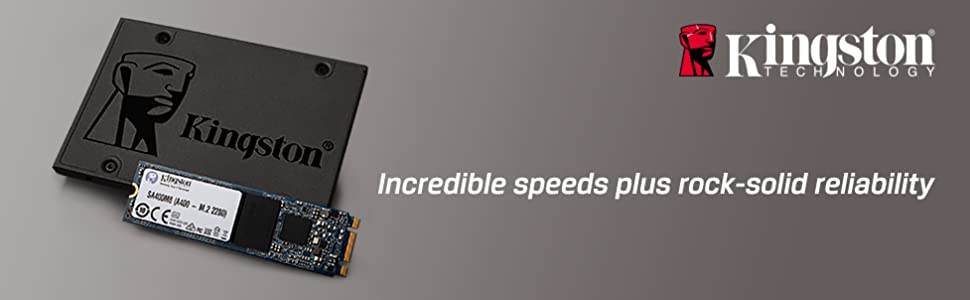



10x faster than a hard drive¹
With incredible read/write speeds, the A400 SSD will not only increase performance but can also be used to breathe new life into older systems.
Rugged
A400 is shock- and vibration-resistant for rugged reliability when used in notebooks and other mobile computing devices.
Multiple capacities
A400 is available in capacities of up to 1.92TB² to suit anyone’s needs
Ideal for desktops and notebooks
A400 comes in 2.5” 7mm and M.2 form factors to fit in a wide array of systems. It is ideal for thin and light notebooks with limited space.
1.Based on “out-of-box performance” using a SATA Rev. 3.0 motherboard. Speed may vary due to host hardware, software and usage. IOMETER random 4k random read/write is based on an 8GB partition.
2.Some of the listed capacity on a Flash storage device is used for formatting and other functions and thus is not available for data storage. As such, the actual available capacity for data storage is less than what is listed on the products.
| Weight: | 40.8 g |
| Dimensions: | 10.01 x 0.71 x 6.99 cm; 40.82 Grams |
| Brand: | Kingston |
| Model: | SA400S37/480G |
| Colour: | Black |
| Batteries Included: | No |
| Manufacture: | Kingston |
| Dimensions: | 10.01 x 0.71 x 6.99 cm; 40.82 Grams |
Works with PS2 opl
I brought this for my PS2 to use opl and it works perfect games loads fast and no issues from what I can see hope this helps someone, to use this you need freemcboot and download winHIIIp to format and install PS2 games to this SSD to work with PS2.
Great HDD Replaceme
I wish id known about these drives before
now!
I was going to buy a new CPU & Motherboard
as mine is 10yrs old and slow.
Then i heard on youtube about SSD drives being
10 times faster than HDDs.
Its the best thing that i did buying this, now my PC is
so fast, so i dont need a new CPU & Motherboard!
More than (id say) 10 times faster than my old
outdated WD HDD drive.
Highly recommend.
Direct replacement for old 2.5” hard disk
Removed old drive and replaced with this SSD. Cloned the old drive using USB-SATA adapter in less than 30 minutes. Rebooted laptop and it worked perfectly first time. Breathed life into a 7-year old machine which was destined to be scrapped.
Easy to install
Very easy to install, two simple cables. Comes in very eco friendly packaging compared to others who put such a small drive in a large box. Very fast and the transfer speeds excell – this was an upgrade from a HDD on windows 11 which made a huge difference since windows 11+ no longer performs well without a solid state drive.
SSD hard drive / brillia
My PC hard drive died, and my friend who works in IT told me to buy this one as he had a pleasant experience with it and I can happily say it made my day . Very happy with it and works so fast and so quick and quiet. Love it , money well spent and you won’t be disappointed of performance of this hard drive .
abuse a ferrari and you will wear it out quickly
I have had no problems with Kingston A400 SSD’s. I suspect the main reason others have had problems is because they are clueless about how computers work. If you use an app that needs lots or RAM and your swap file (or partition) is on the SSD then you are going to be hammering the SSD without knowing it. If you regularly edit or download large video files then again you are going to hammer your SSD. When you buy an SSD look at the expected lifetime (this is normally specified in terabyte writes). If you previously had problems because your hard disc (HDD) was too slow ask yourself how hard you were using it that caused you to notice. You might feel you are not doing a lot with your computer but that doesn’t mean some poorly written software you are using isn’t. Don’t forget WinBlows has turned into a monster and so have modern browsers. Before you complain about a Kingston A400 SSD check your usage and see how fast you are wearing it out.
If you insist on always driving a ferrari everywhere at high speed in first gear you will wear it out quickly.
Transformed by old laptop
Installed easily and quickly in a Dell laptop from 2017 that had become unusable, even after re-installing windows back on its original mechanical hard disk.
This SDD has totally transformed the machine and has given it a new lease of life. It’s now super fast and easily capable of all the work tasks I need it for, running office 365 and other tools with instant responsiveness. Still can’t believe that this much storage was so cheap!
Great price for performance and capacity - when on sale
This is a great ssd, and honestly my only regret is not buying a second. This is a great value ssd for its price, capacity and speed.
Yes the speed may not be the fastest like others but for its speed its a lot. For gaming the speed is more than adequate for daily use and gaming. As this is my main drive for games I have a decent bit to say. The write speeds to begin with are amazing as with a a good internet speed of 250 I am having a stable 1 GB written to the disk in 20s. This makes installing games fast. In game the performance is also great with open world games loading with ease and games like cyberpunk in seconds with low wait times.
For price, this is defiantly one of them products you wait to get best bang for buck. In my case I got 480 GB for 19.99 which is a great deal.
Use in PS4 is adequate, but most importantly a significant one and I could easily recommend this as games have benefit crazy amounts with open world games and environments seeing the most improvements. But coming from hdd this is expected. A sizable improvement while still staying light on the wallet.
So overall great, cheap product that is excellent for old pc and console but need to wait a bit before buying.
After almost a year of relentless use, this SSD, the 480GB variant (SA400S37/480G), has proven itself to be a reliable and transformative addition to my computing setup.
The noticeable improvement in performance was immediate when I upgraded a few years old laptop from a traditional HDD to the Kingston A400 SSD. The laptop, once sluggish and unresponsive, underwent a remarkable transformation. The speed and responsiveness brought about by this SSD have revitalized the overall computing experience, making everyday tasks more efficient and enjoyable. Even after almost a year of intensive use, the SSD continues to operate with the same vigor as when it was first installed, a testament to its durability and longevity.
The 480GB storage capacity strikes a well-balanced chord, providing ample space for my data without compromising speed. This, combined with the SATA Rev 3.0 technology, makes the Kingston A400 SSD an ideal choice for those seeking a performance boost without sacrificing storage capacity.
Moreover, the Kingston A400 SSD boasts impressive read speeds ranging between 500~550 MB/s and write speeds between 480~520 MB/s when connected to a SATA III interface or a USB 3 interface with an adaptor this time (SATA III, operates at a maximum speed of 6 Gb/s; first generation of USB 3 supports data transfer speeds of up to 5 Gb/s).
This Kingston A400 SSD has exceeded my expectations in terms of both performance and durability. Its transformative impact on an older laptop and its continued reliability almost a year later make it a standout choice for anyone looking to enhance their computing experience.
Good SSD
Hits its target speed in crystal mark, hasnt lost or degraded in performance after over half a year of daily use – editing videos which moving the videos to the ssd, and later to longer term HDD storage.
Excellent Value
Maybe not the best SSD but so far no complaints.
Performance is certainly adequate for solid state and way better than any HDD.
Reliability should be good, not on par with Samsung, but that remains to be seen.
No problems
I bought this to put in an external case as additional storage for my photos. It works perfectly and is good value for money. I can’t comment on use for gaming or its longevity but I don’t anticipate and issues.
Fantastic value!
A genuine Kingston 1TB SSD for 40 didn’t seem possible until I bought one for a client to speed up an ageing laptop. It was so good I’ve bought another for myself.
Good value archive
I have used several brands of “internal” SSDs via a dock for archiving older files that I no longer need to access regularly but would like to keep “just in case”. This type of SSD is a cheap yet reliable option for data storage. The kingston is fast and effective.
super cheap and it works
Not the fastest drive out there but it works well with a USB to sata connector to function as a giant usb stick. It would be churlish to complain in any way about a half terabyte drive for 12
Great replaceme
I was putting together a new DLNA server and wanted to keep the os away from the data. This appeared to be good value. When I received it I was surprised by the build quality. I’ve had similar 2.5″ SSDs in the past but they much flimsier. Would definitely recommend and would buy again.
Significant performance increase
Running out of space on my 256Gb drive, I chose this as an inexpensive way to nearly quadruple my storage at modest cost.
Installation was a breeze. I cloned the existing drive to this one using a simple USB drive enclosure, which makes the target identified to the source including useable size, then used the disk management app in Windows to extend the unused portion of the target drive into the used portion, giving access to the full drive capacity.
Cloning process took a couple of hours, but when it was done, a simple swap out and the new high capacity drive was in service.
Excellent value from Kingston.
A cheap, reliable and fast SSD for storing large games.
I finally wanted to remove my old failing HDD and get a new SSD to store my large games like Flight Simulator and Forza, I didn’t want to spend a lot and I don’t need tons of storage so this 500GB SSD was perfect and its working very well and my games are much faster. Recommend if you are on a budget!
How to speed up 3 very old laptops
I have three very old laptops, two running linux and one Win10. All are showing their age, so I decided to bite the bullet and see what difference upgrading one of them with an SSD would make. I downloaded the latest version of the GParted Live CD swapped the blank SSD into the laptop and the old SATA into a USB caddy, and booted up the Live CD. Checking that GParted saw both drives, I then used the linux command dd to clone the 320GB to the 480GB SSD. Took a good couple of hours but when it had completed successfully I then used GParted to resize the partitions up to the full capacity of the SSD. Unplugged the caddy, took out the CD, and rebooted. The laptop had previously taken 2 minutes to boot to logon, and then a further minute to get to a workable desktop. With the SSD, it now took a minute to get to the desktop, and every program now runs much quicker. A further plus is that the SSD takes less power, so battery life has increased. This SSD has breathed new life into my laptop.
Flushed with such success, I bought two more, and now all three laptops boot up and operate much faster than before. I’m now looking speculatively at my linux server’s 320GB system drive and may well make a 4th purchase. Of course it’s early days, and of them may still fail (I have no experience with SSDs) but I picked Kingston as they’re a reputable name so here’s hoping this will remain a 5-star review.
For anyone wondering what cloning software to use, GParted is the one for me. The interface is pretty intuitive, and you don’t need to know linux to use it as it’s graphical. It’s reliable, it’s free, and it can copy linux or Windows file systems.
Great capacity and speed.
I managed to get a second hand iMac, which was perfect for my needs apart from the fact that it had a traditional hard drive. Macs with SSD’s command significantly higher prices, even secondhand, so I plumped for this alternative. Even paying to have it installed has saved me a huge amount of money over buying a Mac with an SSD already installed. And everything is now almost instantaneous, from booting up to opening programmes. Soo happy!
Using as main drive for 2 months
No issues. Using 480gb version as main OS drive and game storage. Very for games and general use. Huge upgrade from HDD. Hopefully it lasts a few years. I’ve never had problems with Kingston devices.
Ssd
Purchased for my PS3 due the the hardware you don’t get the full capability the drive can offer. As my console runs custom firmware certain games like the last of us runs direct from the drive giving faster loading times fantastic produc
Great Value for money from a reputable brand
I purchased this Kingston A400 SSD 480GB with the intention of storing cherished photos and videos for my children, utilising it as external storage. So far, it’s been a fantastic experience — the device performs admirably and the transfer speeds are truly impressive. I’m optimistic that this product will prove to be durable over time, allowing me to share significant milestones with my kids once they will grow older.
I should note that I acquired this item from Amazon’s warehouse, and while it arrived without the retail packaging, its functionality remains unaffected. Overall, it’s an excellent value for the money spent.
I also bought another one Kingston A400 SSD 960GB – the higher storage capacity for my old iMac and I can say that overall performance of the computer improved significantly and everything I do loads much faster than before, I cant recommend this product enough.
I brought this to replace my small standard PS4 hard drive. Very easy to swap over and you can see the increase in speed of games, loading and additional storage space. Finally able to store more than three games at a time! I have the very first version of the PS4 (The fat one!) and it fits perfectly. It was just a few simple screws to undo to fit the new drive. And download the latest system software from PlayStation to a USB drive. After swapping the drive it’s just a case of plugging in the controller with the cable and holding it for eight seconds. It will then go into safe mode plug in your USB with the files on the PlayStation does the rest. Hopefully this will give extended life to my PS4 as I don’t feel the jumped a PS5 is worth the expense currently. Very quick delivery.
Reliable and plenty of space
Bought a couple of these during the last prime day. Great items and at under 20 each they’re an excellent price. Good speeds and have been checked and confirmed as genuine storage capacity.
When it says 10x faster its not lying , I bought this to replace a failing hard drive that when removed met it’s final fate by being dropped out of a bed room window whilst myself and my 10 year old son rated it’s chance against the concrete floor below , it landed next to another fallen for in what was left of my son’s previous computer that we decided would have it’s own final farewell from the same window ….anyway enough about it’s fallen predecessor and onto the it’s replacement , it is very fast at accessing it data and is more or less instant in what it does , very happy with the new hard drive
When purchasing 480gb model to put in ssd holder I couldn’t get it to work on windows machine. Went to my daughters to try on her Apple Mac and with another holder found combination OK. I’ve dropped a star because nothing told me of the formatting. Had I not been able to check in this way I would have bee stuck. Reformatted on Mac to exFat and now working perfectly for me when connected to Windows machine and Ipad.
I bought this to breathe some life in to my main desktop PC, which I built 12 years ago, and is still fine for our needs, but I was getting fed up with it getting bogged down with massive disk activity whenever windows decided to check/download updates, or carry out indexing etc.
I bought this relatively small size purely to move the windows (still on 10) C: partition on to (and the hidden System Reserved too).
I spent a long time looking for something free that would perform the system migration (cloning the two partitions and putting them in a state that they would boot properly). I tried some allegedly free tools, like Aomei Backupper or Easeus Todo Backup, but despite the fact that they offer “free” downloads, or trial periods, neither included this function in the free versions, and let you go all the way through installing and starting the operation before telling you that you need to spend some money after all.
Eventually, I found Diskgenius, which DOES offer this system cloning option for free. So I plugged the disk in, cloned the two partitions, updated the bios to boot off this new drive, and we were in business. The drive is fast, massively so compared to the previous HDD, and startup, loading of programs etc. is very fast and snappy, and the machine is also now incredibly quiet without the constant chatter of the hard disk doing whatever windows keeps doing all the time. I bought a smaller SSD about a year ago to put on my raspberry pi that runs my home automation system, and prices of these lower end SSD drives seem to have about halved even since then. Incredible value.
The benchmark pics show the new drive and the old partition (now the O: drive) for comparison.
I recently purchased the Kingston A400 SSD with a capacity of 960GB, and I must say I’m extremely satisfied with its performance. This SSD has exceeded my expectations in terms of speed, reliability, and overall value for money.
First and foremost, the installation process was a breeze. The drive came with all the necessary cables and mounting brackets, making it easy to set up in my desktop PC. The included software made cloning my existing hard drive a seamless experience, saving me a lot of time and effort.
Once up and running, the Kingston A400 SSD delivered outstanding performance. The read and write speeds are incredibly fast, significantly improving the overall responsiveness of my system. I noticed a significant reduction in boot time, and applications load almost instantly. Whether I’m gaming, editing videos, or multitasking, this SSD handles everything with ease.
In terms of reliability, the Kingston A400 has been rock-solid. I’ve been using it for several months now, and I haven’t encountered any issues or performance degradation. It feels robust and well-built, giving me confidence that my data is secure.
Another aspect that impressed me is the storage capacity. With 960GB, I have more than enough space to store my operating system, software, games, and media files without worrying about running out of storage anytime soon.
The price point of the Kingston A400 SSD is another strong selling point. It offers great value for the performance it delivers. Compared to other SSDs on the market, the A400 provides a perfect balance between affordability and quality.
The only reason I’m not giving it a full five-star rating is the lack of advanced features like hardware encryption or a longer warranty. However, considering its exceptional performance and affordability, these minor drawbacks are easily overlooked.
Overall, I highly recommend the Kingston A400 SSD to anyone looking to upgrade their system’s storage. Its exceptional speed, reliability, and value for money make it an excellent choice for both casual users and enthusiasts alike.
I’ve bought a few of these now to use both as new primary hard drives for old computers, as well as external drives. And so far the only hint of any problem is on one 2017 iMac that i have had nothing but multiple problems with since i got it 2nd hand through Amazon last year. So i am 99.999% sure that the problems there are nothing to do with this drive.
.
Since they came out, these kind of drives have now come down in price so much that, along with installing Linux, they are a great way of getting some further, practical use out of older computers that are otherwise struggling to be useful in 2023. I have put these in a couple of Dell Optiplex (low powered PC’s nearly a decade old), and a pair of 2012 Mac-Minis (one of which was previously glitching and over-heating, and the other hardly even worked at all). In every case i could easily spot an instant improvement in the computers functionality that felt well beyond the small cost of these drives. In fact the Mac Mini that was barely functional was instantly and completely fixed by simply replacing it’s hard drive with one of these.
.
And with small adaptor that is dirt cheap on here, these also make great external drives as well.
.
I bought a used Lenovo M700 mini computer and it was so slow it was almost unusable even though it had a fresh installation of Windows 10. In desperation I bought one of these drives and it’s completely transformed the computer. My issue turned out to be an error on the original hard drive which didn’t allow Windows Update to download the update (even though it kept trying) but this review is about the Kingston drive.
It’s tiny and lightweight and cost less than 21 for 480Gb. Installation is a doddle on the Lenovo requiring one screw to be removed and the lid slid off. The original drive is held in place by one screw and it took less than 5 minutes from unplugging the power lead to switching it back on again.
Because the original drive was a clean installation with the addition of Comodo Internet Security and another two programs that take ages to configure I decided to copy the drive onto the Kingston rather than start another installation. This was where I had my only issue with the Kingston albeit not Kingston’s fault but mentioned as others may want to try and copy a larger drive with plenty of space onto a smaller drive. I had problems with the free disk copying programs. To copy a 1Tb onto a 480Gb drive requires a paid subscription in most of the available programs. I eventually downloaded Clonezilla onto a bootable USB drive and just copied the partitions using a USB3 to SATA adaptor cable. There’s plenty of useful guides available. Now my tiny Lenovo starts quickly and runs like it should. I’ll probably do the same with my laptop but this time using a larger SSD drive as it’s not suitable for update to Windows 11 and Microsoft seem to do something to the operating system that makes the older computers so slow.
“Kingston A400 SSD Internal Solid State Drive 2.5″ SATA Rev 3.0, 480GB – SA400S37/480G”
-67% 20.97 from amazon April 2023.
Short version – used in a Zgemma H9 Twin SE – no other drives.
I DID buy a MicroSD card as well, but the two did not like each other, so just this drive as the STB has a LOT of internal memory for software.
I wanted plug and play and got it.
I am contemplating Linux for my PC, so am looking for internal / external drives, not certain if i’ll pick this one, it’s a little too basic and I HATE slow loads.
Recommended – unlikely you’ll get better for the price.
I am going to buy a spare as a precaution.
Bought this for 15 and arrived by 10pm same day.
Service was amazing, price was amazing at 15 for an SSD of this spec.
The package arrived promptly and was well packaged in a sealed card what you may expect from a micro SD. The device didn’t come with any screws or anything, just the physical 2.5″ style drive and the printed packaging.
It was an easy swap out on the laptop and the screws / process to install in physical device and software worked with out problems. It was notably slower than a modern m2 style ssd but compared to the likes of Samsung Evo, the difference was marginal. This was bought to replace an aging mechanical hdd which instantly showed a performance boost.
Boot times halved (About 10 seconds on Win 11)
Opening programs such as Chrome / MS Word was 1-2 seconds on low load and about 4-5 seconds on high load which was likely more RAM constrained.
Doing a basic file transfer it took about a minute to transfer a couple of gig from one location to another. After extensive use, It is still running strong, I wouldn’t advise it’s use for gaming, however; to give that old laptop or PC a new lease of life, it is well worth the 15-25 price tag.
I purchased the 240 GB which was more than sufficient for the purpose and if anyone wants a reasonable 240gb ssd portable, you could buy this and small usb 3.1 hdd caddy for about 8 to have a well performing portable.
Excelle
Very happy with the product. Changed my old mechanical hard drive to this SSD and my computer now boots within 5 seconds instead of minutes with the old drive. Downloads have also sped up and opening applications too.
Good ssd drive
Bought this to update a hdd drive for my operating system, works well
Plug and play
Simple plug and play, gave 2nd life to my 2011 laptop, loading windows for 30 seconds, overall performance much quicker.
PC Upgrade
This product was compatible and easy to install, worked first time.
Trusted name and good quality
This is the second one I have purchased and they have not let me down. They have sped up my laptops like new!
Cheap effective upgrade
Installed this into an 8th gen i3 and it improved performance dramatically, boot time from 90 seconds to sub 20 seconds. Cheap, cheerful and v effective
Replaced an old standard 1TB drive, laptop was running slow with little or no storage used. Replaced with SSD drive and boots up quickly. I did a time comparison old HDD (1 minute), new SSD (10 seconds). Yes, 10 times faster to boot. OK, I did purchase an 8GB RAM module which added to the original 4GB (equalling 12GB). But even without the memory I think it still would have been a huge improvement. Yes I would recommend coupling with a memory upgrade if you are on the standard 4GB, you will not be disappointed.
Cheap fast storage
Installed this SSD into an ageing AIO PC . It has sped it up and extended it’s usability.
incredibly smooth
Love this, absolute necessity if u are running on a hard drive, upgrade to this it will make your pc feel amazing. Was running a harddrive prior and it was making my games lag like crazy and making my pc take 20 seconds to load, so if u have these issues, this could be the fix. Awesome SSD, LIGHTNING FAST……..
Very efficient produc
I bought this to boost my laptop and makes it more decent. I’m very happy with the results.
Did the job
Gave a new lease of life to a HP Elitebook which had its original sata disk, but plenty of spare processor & memory
Kingston 480gb SSD drive
Great price with 5 of Amazon promo code. Put into an aging i5 ASU’s laptop which had a 1tb 5400rpm disk. This has noticeably sped up boot time and general day to day work. We’ll worth upgrading, old drive now being used as backup disk.
Great replaceme
Had for a couple weeks and my laptop is acting like new again. Well packaged, easily installed booted up no problem as mass storage.
Cloned my current HDD to this SSD and hey presto new fast laptop. Brings me to my start screen in under 10 seconds, reboot time about 15 second. Before we were taking minutes now takes seconds.
I gave my daughter my old (11 year old 2nd gen i5) Intel Core PC for schoolwork and games (minecraft etc…) and it used to chug along with it’s original mechanical HDD. I was told of the wonders an SSD could do for an old system and I was amazed with the results, it has quite literally brought an old pc back from the brink of death!!
We have since upgraded the RAM and bought a graphics card for it and it seems to run very well for it’s age and can even play The SIMS 4 in high settings.
One very happy little girl!!
Great amount of storage for the price also.
Fresh
I just plugged one of these into my old laptop. It’s an old Core(TM)2 Duo Santa Rosa running 32-bit Windows 10. Sharing my first benchmarks. It all seems rather speedy in my opinion. Enormous improvement over any HDD. It was a breeze to install using the caddies you can find all over Amazon. Seamless job. I finally understand the results I posted here. My old machine uses SATA rev. 2 (3 Gbit/s) This Kingston drive is capable of using rev. 3 (6 Gbit/s) I’m running a SATA 6 drive @ 3 Gbit/s. Hence the lower performance figures. It’s still more than x5 faster than the previous conventional hard disk drives. Quite happy altogether. Great option. Recommended.
Very easy to swap out a HDD for this new SSD. In not massivley computer savvy when it comes to actually building or switching out PC components but this was a breeze.
Be sure to purchase the SATA Hard Drive Enclosure or something similar to what is in the picture here. The one in the picture just connects via USB to transfer data from the HDD the the new SSD, no software instillation needed.
I used a peice of transfer software called Macrium Reflect. The home version is free to use with no need for a credit card to be entered.
You need to format your new SSD before Macrium will recognise it but then it’s just a few clicks and it will copy your HDD to the new SSD.
Once Macrium has fished copy, simply unplug the SATA connection from the old HDD and plug into your new Kingston SSD, fire up your PC and your done.
I Brough a little refurbished office Dell Optiplex off Amazon for about 70. Teamed it with a 1G Radeon low profile graphics card for about 19 and got this Kingston SSD for 13 in the black Friday sale.
I’m currently 3/4 of the way to a masters degree in economics and needed something I could read and edit pdfs on in portrait format. This little trio does not disappoint. The SSD makes all the difference, its a nippy little unit now that’s more than capable of what’s required.
Go check out the website in the second picture, this is a step by step guide of how to use Macrium Refelct and was invaluable. Massive massive shouts to Mauro Huc for sharing this with everyone. Many thanks dude.
The capacity of the 480GB drive is reported by the computer as 446.08GB because 446.08GB usually means 478,971,850,752 bytes in computer talk, which is the actual capacity in bytes (as reported by the PC I put it in – see screen-shot). But GB can mean a metric multiple. Similar to KB in computers normally meaning 1024 bytes (2^10), but Kilo in non-computer speak normally meaning 1000x. This difference is amplified to be more noticeable and significant by the time you get to Giga. It’s not just Kingston who use the more favourable definition, I’ve bought hard drives from other brands who do the same.
Anyway, when your PC says your new drive is 446GB (not 480GB) that is why…
The drive seems really good so far and was easy to install. But 4 stars rather than 5, because the capacity size could have been advertised more transparently with this difference between 480GB and 446GB. For example, stating quite clearly alongside that the true size in bytes is 478,971,850,752
Bought to speed up a relatively new but low-spec Lenovo laptop which was painfully slow to use even after a clean Win10 install. Enough RAM so upgrading the sluggish 2.5″ hard drive to a solid state drive the next logical choice for a quick cheap boost to performance.
The upgrade has transformed the base computer from having a ponderous and slow startup to one which takes a few seconds. The desktop loads instantly and everything runs beautifully even with visual effects enabled. To be fair any SSD will do similar but I’ve always had good experience with Kingston – excellent price/performance ratio.
The owner only uses the laptop for basic web apps and browsing so 120GB for Win10 and LibreOffice is more than adequate. Any files saved to disk are uploaded straight to the cloud via Google Drive and can then be safely deleted. The basic process follows:
Prepare a bootable USB drive with the Windows 10 image downloaded from Microsoft.
Ensure any files you need to keep are backed up. The data on the old drive can still be accessed so don’t panic too much. Remove original drive from the machine and replace with SSD.
Boot from your previously prepared USB stick to install Windows on the new SSD. This gives you a nice clean version of Windows – even Lenovo add a bit of bloatware to their OEM installs and they are better than most! Click through any activation prompts as Windows will be activated automatically during final setup. Setup the desktop as desired and install any programs you really need including your preferred cloud storage – if you wish to install a lot or save large files then a bigger SSD will obviously be required to allow the OS to ‘breathe’.
20 for 120 gigabytes of flash memory is so cheap – prices fluctuate so it’s a good time to grab one. I’ve used several Kingston drives and I’m yet to have a problem. If you have a slow computer and can use a screwdriver it’s the best and most cost-effective upgrade you can make.
Sadly the days of easily swapped drives and memory are rapidly becoming a thing of the past as laptops get thinner and thinner so do make sure it is viable on your machine first. The old drive was retained and converted into an external with a 3 caddy.
Recently I gave my brother some serious upgrades on his ageing desktop. Coming from LGA 775 components and integrated graphics, once the computer got up to speed he couldn’t believe how fast it was, however the ancient hard drive that was installed in that computer meant that it would take forever for it to get up to speed. Eventually I persuaded him that a 30 investment into faster storage would do incredible things for that computer, and he let me buy him this.
Installing this into his case wasn’t ideal, as it had no 2.5″ bays (the case was that old), however with SSDs being so light I screwed one side into the existing 3.5″ bay and that was secure enough. Other than that, installation was a breeze, and in any system with 2.5″ bays it would be even easier. As I was installing Windows 10 on the new drive he couldn’t believe how fast it was going. When he had upgraded from Windows 7 a few years ago he had to leave the system running overnight to let it install, with this drive I was able to install Windows 10 in front of him.
After Windows 10 was installed he was shocked at how fast tasks now are. Opening Opera is nearly instantaneous, installing drivers for his graphics card takes no time at all, and game loading times are now many times faster. He finally has a drive that can keep up with his new components, and if he wasn’t wanting to get more into PC gaming then I have no doubt that this drive could have prolonged the life of his old system for another few years.
In fact this drive is even impressive to me coming from the Crucial M500 SSD on my own PC, which was bought about five years ago. It’s clear that SSDs have come on alot since then and I am now considering an upgrade to my own computer as his SSD is now so much faster than mine.
Overall this drive offers both excellent performance and superb value for money, and I would consider this a must-buy for any system without an SSD – the difference in performance really is night and day.