WD 2TB My Passport Ultra Portable HDD USB-C with software
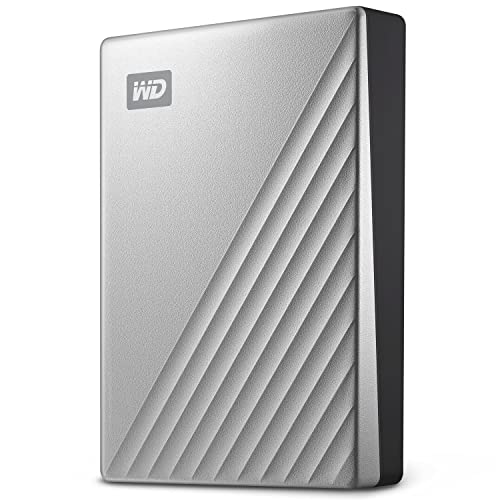
WD 2TB My Passport Ultra Portable HDD USB-C with software for device management, backup and password protection – Works with PC, Xbox X, Xbox S, PS4 and PS5 – Silve
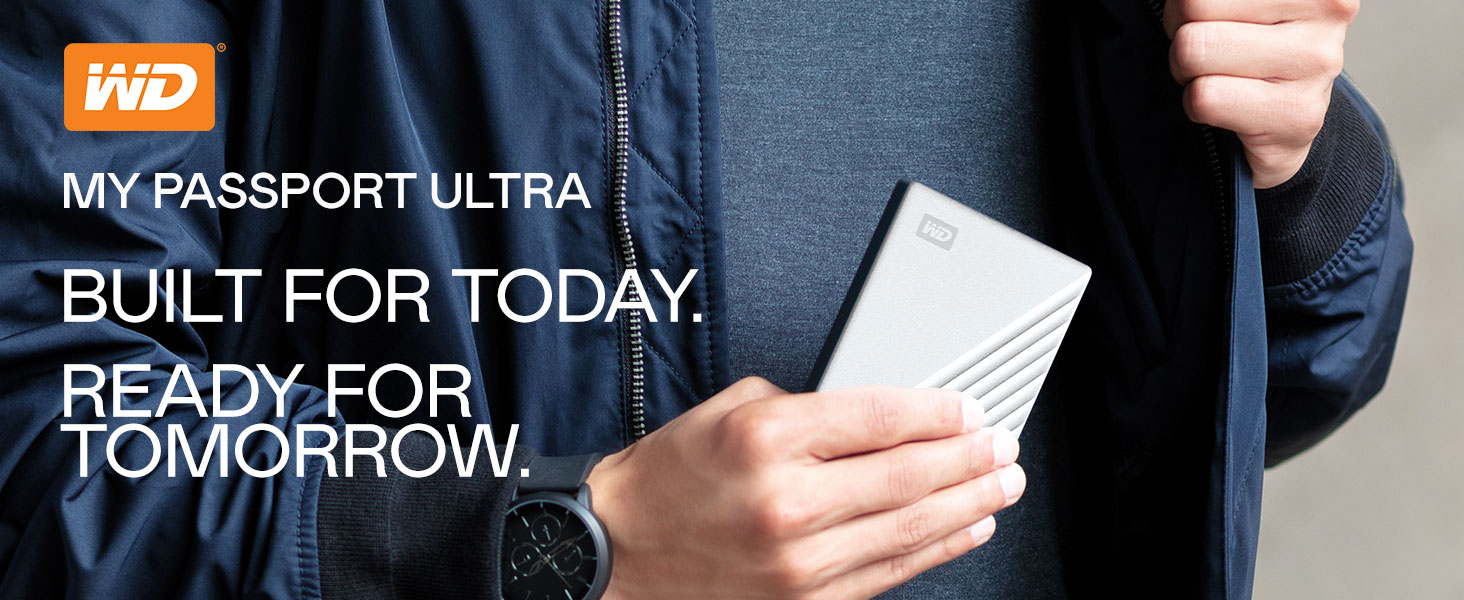
USB-C ready, USB 3.0 compatible
Featuring the latest in USB-C technology, the My Passport Ultra portable drive delivers quick and easy storage for your PC, while the included USB 3.0 adapter makes sure it’s compatible with older machines.
High Capacity
With capacities up to 5TB(2), you have the space to keep your photos, videos, music and documents with you.
Comparison Metric
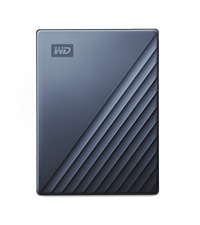 My Passport Ultra | 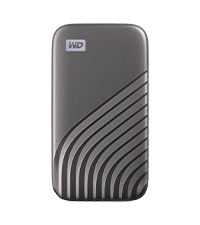 My Passport SSD | 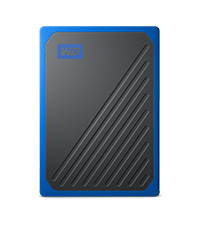 My Passport Go | 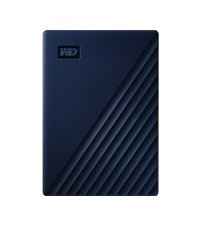 My Passport Ultra-Mac | 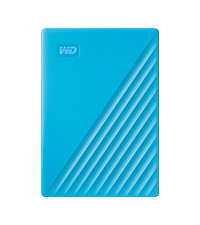 My Passport HDD | |
| Technology | HDD | SSD | SSD | JDD | HDD |
| Interface | USB-C/A USB 3.1/2.0 | USB-C 3.2 Gen2 | USB 3.0/USB 2.0 | USB-C/A USB 3.1/2.0 | USB-A 3.0 |
| Password Protection | 256-Bit Encryption | 256-Bit Encryption | – | Hardware Encryption | Hardware Encryption |
| Auto Backup | WD Backup for PC | WD Backup for PC | WD Backup for PC | Time Machine Ready | WD Backup for PC |
| PC/Mac Ready | PC (Mac w/ Reformat) | PC and Mac | PC and Mac | Mac Ready | PC (Mac w/ Reformat) |
| Shock/Drop Resistant | – | Up to 6.5 ft (1.98m) | Up to 6.5 ft (1.98m) | – | – |
| Great for | Backup w/metal design | Accelerated Backup | On-the-go Storage | Backup w/metal design | Backup & Storage |
(1) Download and installation required. Terms and conditions apply. User account registration may be required.
(2)1TB = 1 trillion bytes. Actual user capacity may be less depending on operating environment.
Product specifications subject to change without notice. Pictures shown may vary from actual products. Western Digital, the Western Digital Logo, WD, the WD logo, My Book, and My Cloud are registered marks or marks of Western Digital Corporation or its affiliates in the U.S. and/or other countries. All other marks are the property of their respective owners.
2022 Western Digital Corporation or its affiliates. All rights reserved.
| Weight: | 132 g |
| Dimensions: | 11 x 8.15 x 1.27 cm; 131.54 Grams |
| Brand: | Western Digital |
| Model: | WDBC3C0020BSL-WESN |
| Colour: | Silver |
| Batteries Included: | No |
| Manufacture: | Western Digital |
| Dimensions: | 11 x 8.15 x 1.27 cm; 131.54 Grams |
Purchased this product as was running out of storage for PS4. Easy set up (check YouTube for PS4) otherwise instructions are clear and easy to follow. Only regret is that I didn’t buy more TBs of storage as PS4 updates are getting crazy big.
We needed a backup storage unit, and this fit the bill perfectly. It is not the fastest, but frankly, I don’t care, as it is supposed to be a media mass storage solution, and for that purpose, it is perfect. Simple enough to use (just plug it in to a USB 3.0 slot), Windows recognised it immediately, and I could start archiving straight away (which took some 6 hours, filling it up to about 80%). No issues during that period, got only lukewarm, and was rather quiet (despite it must have 5 platters inside). I can’t comment on longevity, I can only hope that it would be as reliable as its (smaller) predecessors (which didn’t disappoint). Overall, I’m happy with the little guy, and fingers crossed it will serve well on the long run too 🙂
First point ..
Ignore : Any of the reviews which mention storage space ..
If you buy any Disk – Hard Drive (Internal or External) – you need to remember OS Formatting ..
Whatever the size you will never get 100% of that on any operating system ! ..
Purchased this item to take over from my old WD mechanical external hard drive (500Mb) It was easy to install and the 2TB should do me for a while. In my opinion, this external hard drive is a good value-for-money item.
Connected the disc drive to my Mac mini, with no problems. It was easy to reformat the disk for my Mac so I could use the disc for Time Machine. So far so good!
Bought this as a replacement so that I could connect it to my iMac and use it for Time Machine plus Time Machine for my MacBookAir and a couple of other attached HDDs and a SSD.
Works perfectly – and loads of space.
Recently brought 2 of these to add to a third I already had. Works as expected. No issues. Came ready to use on a Mac but I did re-format to make it Mac/windows useable. I use to store and manipulate my data. One now holds my entire photo collection at my sisters house so there is a fail safe back up
So far so good. Light weight and fast but very hot.
A simple transfer of 80 GB and it’s super hot.
I will test a bit more before deciding. It should not be over heating this way.
I have an Apple iMac computer and use the auto back up time machine. My old hard drive which had served me well for many years was starting to play up so began my research for a replacement. I constantly found that the WD drives were highly recommended and although there are cheaper drives about I decided to buy this drive which was Apple ready. I connected it to my machine and was told it needed to format to be ready for time machine as the disc had data pre loaded, I clicked OK and it was ready in seconds. I then had it make a full back up of my computer about 300 GB which it did amazingly in about an hour!! It has been working perfectly ever since.
I am extremely pleased with my purchase which was about 95 on Amazon compared to 145 on several well known sites. Yes I recommend this hard drive.
This hard drive I purchased to help clear out photos etc from my Macs hard drive which was so full I was running out of space and decided to change to storing photos etc on the second drive in order to make the Mac run better. This hard drive is pretty much plug and play, and that’s the reason I haven’t given a rating for tech support as I didn’t need any.
Smaller than expected. Bought this for use with PS5. Speed is easily 10 x faster than my previous external HDD. I’m not sure if it’s the PS5 firmware yet but when I transferred a lot of large games to/from it (nice and quickly :-), it would occasionally freeze on a loading bar and the PS would have to repair it then it was back fine. Done this a few times in a couple of days. Hoping a PS firmware update fixes this as other reviews sound great. It does get quite warm but never hot. 5 year warranty is great too, if WD’s registration page worked properly that is. Tentative thumbs up for now.
Solid well made. Have bought two of these to make automatic backups of 2 PC’s using Acronis True Image. Comes with backup software but I haven’t used it preferring Acronis instead. Connected thru USB 3 ports and are ideal for backups.
Over all a good product, connected easily to my mac and functionality wise efficient. I did see some files in there that looks like built in and can’t be removed. Good to have some storage place where i can keep my old stuff.
Using this for backing up my movies etc. speeds are great but make sure that you also use a usb 3.0 port on your PC or Laptop to get the best speeds. The software is easy to use and the auto backup software is good. Paid 75 which is an absolute steal for 4TB.
This portable hardrive was 100% required considering my setup…
I had less than a TB of storage on the interal hardrive, now I am able to install all my games on my G: drive, without being concerned about space. I know it’s only 2TB but it serves well and I still haven’t ran into any issues; at all.
My son was running out of storage on his Xbox one, so we got him this. It plugged straight in and worked with no hassle or complicated set up. Son is happy with it and has allowed him to store more games
Em, it’s a hard drive, I’m using it on an Xbox one. It plugged in and worked straight away no hassles. All games run seamlessly so what else can I say? It’s really small and slim.
As a photography storage is a huge must for me and this portable hard drive is fantastic.
– It’s compact and easy to travel with and store away
– Extremely simple is to us
– Came with both a usb-c (Mac compatible) cables and a usb cable so I can easily use it on both my Macbook and and older Mac desktop
– Looks good with a simple design
– The 4tb storage is huge and will hold hundreds of thousands of raw photo files.
– It both downloads and uploads quickly.
– it’s great value for money
Overall I couldn’t by happier with this item and would definitely recommend it!
DOES NOT WORK FOR PS4
do not by for a ps4 or anything that requires a 3.0 usb port. (i learnt this the hard way) i’m giving it a 4star because it is still really good for 2.0 usb ports as it is really cheap for a 2tb external hardrive. 🙂
The product is a little louder than I thought & the usability is difficult to Navigate around. It doesn’t just pull items & products off of my Macbook, it just Copies it all & sounds like it is about to take off with wings. Its storage is enormous & very slick & portable, because of that i will get by with it.
Th eonly problem this devise has and im sure its the same on all of them, when you insert the wire into the drive, that it wobbles, whch only suggest flimzy work to me. that connection needs to be solidd and fixed. otherwise a excellent drive.
Thus far my 2tb WD external storage devise is working well, no problems. Was easy to install and format. I am using mine as extra storage space for my PS4. Previous to this device I used a Toshiba 1tb storage device which was fine, until it broke, it lasted 12 months. So in conclusion, it looks cool (I chose a red one) , it works well but let’s see how my WD passport is working in the next 12 – 24 months. Time is the real test for the reliability and function of these types of storage devices.
Update: still working and going strong with no problems to report.
I use this portable hard drive as my Time Machine, and it does a good job. There is a slight lag, perhaps about a second when browsing through folders using the Time Machine software, but it does the job it is designed to do and has never failed me. When restoring a file, the action is instant. I am happy with that.
It has a small footprint on my desk, and the silver colour looks good sitting underneath my Mac. It has a silent operation; I never hear a murmur from it and have to check periodically if it is still working, which it always is.
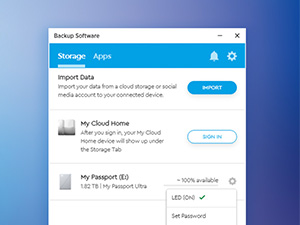
The WD app comes with utilities, security settings and a My Cloud Home, enabling you to access files remotely. Definitely a handy bundle in addition to just using this as an external hard drive or a Time Machine.
Full marks out of 10 for me.
FOR
Same day delivery via Prime
Good price
Good speedget
2TB of storage in a small package
Power via USB so no separate power cable required
AGAINST
USB cable very short at circa 18 inches. Fortunately I had a USB extension cable
Discovery software already on the drive would not install. Had to download from WD web site.
No lights / leds on box so can’t tell of any activity
Bought 2 Tbyte drive as a time machine backup of iMac. Worked first time straight out of box. Small footprint (passport size) and easily portable or unobtrusive if left permanently connected.
Very pleased with purchase. In my case 2 terabyte is more than enough for backup. Time machine will back up multiple copies (hourly, daily, weekly…etc) until drive full.
it does exactly what its designed to do and does it very well, i use it on a mac as a backup for my NAS drive, had no difficulty at all converting it from the defaul EX FAT to mac os format, SSD really is the way to go now, the cable could do with being a bit longer but nothing really to complain about.
I like small form factor for the capacity.
Very poor instructions and software – all online if you can find them.
It is an encrypted drive enabled by a password.
If you do not set a password it behaves like a normal USB drive until the electronics fail when you will have difficulty in recovering the encrypted data. To be fair the hardware platter is more likely to fail and you should always have your data on more than one drive.
If you do set a password you are just disabling decryption. You are not setting an encryption key or anything as secure as that. Probably OK for taking to school or to a hotel where you do not want anyone snooping through your stuff but not OK for serious protection. Need also to think about which computers to allow auto unlocking on.
The software WD Discovery would not load until I allowed error reporting (snooping) I never did find a pdf manual for my model of drive.
Worked great with my play station 4 , just what I bought it for, whats more it was at a snip of the price of other rivals. I recommend it. Thank you
I had trouble registering this and getting it to work in a way I wanted. However, registration finally took place, and when that happened it seemed that all things worked as expected.
I’m much happier. I’ll see how it goes over time but it seems fine.
I hav’d a problem with the HD, I wrote at midnight for helping, I was lucky to found the Amazon tecnical assistance immediatly. He help me a lot for the problem and at least for the refound. I buyed another one, but the assistence was grea
Backing up the resources from several web sites, this worked easily in Windows 10 and the inbuilt software set up is good to use once the USB port limitations are discovered.
The devices architecture is based on legacy USB 2 ports. Connecting to a USB 3 port means the device is not recognised and no initial install of the device software can happen. So, at install time only your backward compatible USB 2 ports will do the job.
Once set up its easy to use and will appear in your file explorer as whatever drive letter you choose to allocate.
All in all its a worthwhile purchase and I highly recommend it to anyone loking for a cost effective and portable backup device. There is no technical support other than that which is available through search engines as the tech sheet in the tiny package is totally irrelevant being based on 4 years old architecture.
First Win10 laptop everything worked as expected but second almost identical machine the software would not recognise the drive being present – although Windows would. I con’t find any tech support on WD site but eventually found a blog or similar that mentioned COM+ needing to be enabled in the registry – did that and then the WD backup software installed and worked flawlessly. Early days yet but it looks good so far – just a pity that WD tech support is a bit lacking on this range of products as many others seem to have had this identical problem.
My first one went drastically wrong and cost a fortune to recover 90% of the data. I now have 3 of these Passports. I think they are great. Get lighter, smaller and bigger capacity every year. Just have my data on all 3 so I don’t have to fork out all that cash again 🙁 Will keep buying and backing up.
Bought this one after trying a Seagate 2TB and Transcend 2TB Slim. This replaces a ten year old chunky Maxtor with writing speeds of just under 1.5 mbps. I wanted a larger drive to backup three pc’s and two laptops, and didn’t really know what to expect from the new generation of external drives. Pleasant surprise. Windows discovered the drive straight away. Used the short cable provided and immediately got a write speed of 120 MBPS, which to me is supersonic. The USB-C cable is a plus, as is the security software.
The actual drive space is 4.54 TB, which is enough to back up my three PC’s. The cosmetic finishing on the drive makes it feel genuinely premium and I also bought the protective case to go with it. This one is more expensive than the main competitors like Seagate but the security feature and cloud backup- and USB-C connection- makes it worth the twenty pounds extra. One word of caution- I tried it with a longer generic USB-C cable and the speed dropped to 20 MBPS. This one is a beauty
Good cheap USB backup storage with encrypted access – I have a few of these over the years 1TB and 2TB and not yet had one fail ( dangerous thing to say! ) . Plugged into my desktop PC if I am logged in, it auto-decrypts conveniently. I run Robocopy and XXcopy nightly for which I don’t need to be logged in (the scheduler does that).
Bought this as my PlayStation 4 was running out of storage space and didn’t fancy deleting the stuff I currently have installed on it! Struggled a little with formatting, etc. But Google assisted wonderfully!
Good price for a 4 TB hard disk just wish it was a usb type-c than this unusual 3.0 micro double not standard port that you can’t use any other usb cable.
Good quality product, comes with a cable. Easy to set up, although, i was hoping a use of Internet would not be required.
the description says the product contains 2 TB of memory whereas it the system showed me it is 1.81TB. that is still a lot of memory for a very good price so cannot complaint much.
If you like blue colour then I recommend taking it in this colour as it looks great.
Overall experience positive.
Confusingly this product comes in a box which has a list of contents on the back saying [This box contains} the drive; a cable; additional software (if required); and a “Quick install guide”. Now it could just be that mine was missing the install guide as a one off (which lead to me worrying in case it said something significant), but in any event I needn’t have done so as I gather this is simply a bit of paper which says, in terms, ‘plug it in’. Why they chose to mention it on the box at all is beyond me (and if they have stopped including it as a matter of course hen I think it’s a pretty poor show that they haven’t amended the packaging to suit).
For anyone with a Mac who isn’t au fait with the technicalities this is a very simple bit of kit to use – you do indeed just plug it in and open Time Machine (it may indeed even do that for you, I can’t recall). Anyone who does know what they’re doing however might just as well save a few bob by buying the plain My Passport or similar and formatting it themselves, or if the drive is too big partition the excess (1Tb would have been ample for me as I have <300Gb of data but wasn't available at the time, so I had to pay extra for the 2Tb one). I may know the terminology but that's the extent of it and I'd only end up in a cold sweat if I tried to fiddle!
This is my third Passport for Mac - my back-up back-up [in the cupboard] is still going strong but the other which was plugged into my iMac and had been chugging away quite happily for the past year suddenly developed a fault for no apparent rhyme or reason and said it was useless, hence the need for a replacement. Moral - one back-up may not be enough!
This review is for the My Passport 2 TB standard version (not Ultra) – I just got this drive yesterday, and I’m a bit wary of writing such a positive review so early on, but I know if I don’t do it now then I never will and I’ll forget all the details. I’ll definitely update it if I do start to have any problems with it later though. Be warned – this review might be very long, but there don’t seem to be that many reviews of this particular model so I’d like to cover everything that would have been useful to me in case any of it helps anyone else.
The reason I went for this particular drive is that I needed a portable drive of at least 2 TB, but wanted it to be as small and light as possible, so while 4 TB would have been nice, those seem quite a bit bigger and heavier and the reviews for them seem worse in terms of both performance and reliability, so decided to stick with 2 TB. All the drives I could find to have plenty of reports of them failing etc in the reviews, but the WD ones *seemed* to have less, and I get the impression that most knowledgeable people on other forums etc with experience of different drives tend to favour WD for reliability over other manufacturers these days. I almost went for the Ultra version, as my new laptop has USB-C and it does seem nicer than the extra-wide MicroUSB 3 connector, but I didn’t particularly want it to be made of metal (it’s just extra weight for me), and my laptop’s USB-C ports are usually taken up by the charger and a hub anyway. Plus lots of reviews say the USB-C cable that comes with it is really bad, and I didn’t like the choice of colours. So when I realised the standard version was 20 cheaper, available in black, and doesn’t seem to have any real drawbacks apart from the wider connector (maybe the performance is slightly worse, but I’m not sure because that’s not really mentioned anywhere) I decided to go for that one instead.
Amazon’s packaging of it wasn’t great – I saw other reviews saying to order other items at the same time as a hard drive so that they get packed around it in the box, so I did, but unfortunately that didn’t help because the packaging consisted of one small strip of the large air bubble type stuff placed on top of all the items, which left literally half the outer box empty for everything slide around in. Just picking up the box after it was delivered, everything loudly slid over and thudded into the other side of the box. It seems to have survived ok though (and of course it was in its own retail box which I would hope provided some protection). From looking into it I’ve found people saying that hard drives these days can survive huge forces as long as they’re not turned on at the time, so anything that was enough to damage it in transit would have caused visible damage to the casing too (in this case even the cardboard retail box it was in doesn’t have any signs of damage), and that it would be likely to not work properly at all straight away rather than just failing later. So I think it’s fine.
I currently have two similar-style drives – an older WD My Passport (Essential SE, apparently) 1 TB from sometime around 2010 which has a MicroUSB 2 connector, and a slightly newer Samsung M3 1 TB with MicroUSB 3 (same as this drive), so it’s interesting to see how this compares to those. The first thing I noticed when unboxing it was that it is considerably smaller than either of those (about half the height, despite having double the capacity), and also noticeably lighter. So I am impressed and pleased with that – it looks very sleek, and the casing feels solid, so definitely no complaints about the plastic of the drive itself from me. When plugged in and spinning, it is slightly noisier than my Samsung M3, but still pleasantly quiet (no noticeable seeking noises at all so far, just the constant spin). And this is with a Razer Blade Stealth (late 2019) laptop which is almost completely silent when not doing much, and the drive in front of it at the moment, so I probably wouldn’t be able to hear it at all if I wasn’t in such a quiet environment.
The cable that came with it seems to be working fine so far, but possibly is of similar bad quality to the USB-C version – it is quite stiff, possibly a bit wobbly when connected in the ports on both ends (although no loss of connection so far even when moving it) and is noticeably thinner than the cable (of the same type) that came with my Samsung M3 drive. So I might still get a better cable at some point, at least if/when this one starts to have any connection issues.
In terms of performance (which I’m surprised isn’t mentioned at all in the product details/marketing etc, other than I think I saw the USB 3.0 maximum speed of 5Gbit/s mentioned somewhere which is obviously ridiculous as the drive won’t be capable of anywhere near that), I’m getting maximum read/write speeds of 126/116 MB/s in ATTO Disk Benchmark, and sequential read/write speeds of 138/116 MB/s in CrystalDiskMark (just as it came, with NTFS formatting and nothing on it yet). My Samsung M3 (which I remember performance being a point of when I bought it, although I hadn’t been able to make full use of that until recently as my old laptop only had USB 2) seems to be maxing out at about 85 MB/s for both read and write (although with a lot more data on it, if that makes any difference), so I’m pleased with this.
One issue I have with my old My Passport drive is that it always seems to spin down (to a lower speed if not completely off, I’m not sure) about 20 seconds after it was last accessed, and then takes about 5 seconds to get going when something tries to access it again, which can get very frustrating. I’ve tried increasing/turning off the sleep timer in both WD Drive Utilities and the Windows Power Management “Turn off hard disk after” setting, but neither makes any difference, it seems to have its own fixed internal idle timer for some sort of low-power mode which even WD’s own software can’t change. Thankfully that doesn’t seem to be an issue with this new drive.
I’ve tried enabling the encryption on this drive to see if it makes any difference to performance – it doesn’t, but as the “encryption” process is so basic (it’s basically just setting a password on the drive in the “WD Security” software, and it seems to take effect immediately), I’m guessing the drive is actually encrypted at the hardware level all the time (as otherwise it would surely take time to encrypt/decrypt the existing data when setting/unsetting the password). So I’d say that’s a drawback as it means even if you don’t use the drive encryption, if the controller fails but not the drive itself, you can’t take out the actual drive and connect it up to something else, but on the other hand you apparently can’t do that with these particular WD drives anyway as the controller board is soldered directly to the drive rather than it using standard SATA connectors or anything. I’m not sure how the password system would work if you connect it to other devices such as phones/tablets etc (on Windows, the drive having a password set causes it to appear as a CD drive with an executable file on it which you run and enter the password into, which then causes the actual hard drive to show up as well), but if I wanted the drive encrypted I don’t think I’d rely on this as a solution anyway as WD’s system apparently has a lot of vulnerabilities.
I also tried enabling write caching for the drive in Windows (before trying the encryption), but it seemed to make barely any difference at all (write speeds very slightly higher, read speeds possibly actually lower, but probably all within the margin of error anyway) so I’m going to leave that off as it’s not worth the extra risk if the drive gets disconnected by accident (especially if the cable does become dodgy).
I think that just about covers everything I’ve thought of so far, so I hope someone finds it useful 🙂
I needed some extra room and saw the WD My Passport with Password Protection and Backup software. It just plugs into any USB connector and away you go dive runs as smooth as silk no sound at all and highly recommended. Why only 4 stars I do not believe anyone gets 5 stars as that indicates perfect with no need for improvement I think engineers should always be looking for ways to include their upfront product but there is no way to give 4.5 so 4 has to do. However you can buy this extra capacity drive for peace of mind
After the failure of a rather expensive Lacie NAS drive I purchased this in some haste, worried that I had no other back up of my ageing (2013) MacBook. Worked immediately – after a brief prompt from OSX that it wold have to change the file system…. was up and running within 5 minutes of arrival and backed up 336Gb in just over an hour. Very happy….
Right some of the ‘star’ ratings are misleading. The storage capacity is what I expected: you get to play with about 1.8 TB of storage – fine by me. Tech support – doesn’t seem to be much out there as I didn’t get any answers to my problems. Which leads me to Ease of use. It is very easy to use, just not with the included software. This is the second WD 2TB passport I have bought. The first one was fantastic and I used the included software to perform an update and then continue with live updates as I added or changed existing docs. This doesn’t seem to work anymore as you can’t actually open the software! No answers provided for this either. I am now using MS Backup for this and it seems to work fine. As long as you are not intent on using the WD supplied software. it will be absolutely fine.
Western Digital make good external drives at a good price. This has already outlived two external SSD (one crashed within a week and lost a whole month’s work). A spinning drive might be slower but in the event of a catastrophic failure there’s a good chance of being able to rescue some if not all of your data. With a failed SSD, it’s over.
Oh what a slow Hard Drive! It’s ok but if you have a big work flow keep in mind it will take a long time to transfer large files over (despite being USB 3.0) but it is a small hdd with a low rpm. But still a handy little item.
Easy to use for PS4 back up. Plugged it in. Formatted through the PlayStation. Ta da.
Now I can download and save games on my 1TB PlayStation as I’d run out of space.
Nice relatively small hard drive, great for storing all my photos and music files. So far the drive seems very quick to access my files, no delay or lag even when opening large data bases. I can upload pics direct from camera (via laptop) to the hard drive keeping laptop drive free for main program software. Only one small negative with this drive compared to an older drive I have is the cable connecting the drive to laptop is not a straight usb to usb. The connection on drive end is a special which means dont misplace it. I’m sure you can buy a spare cable but you have to make sure it’s the right one, as I said not a major problem but a niggle.
Quick flawless set up with my Mac! I encrypted the drive which for my GB size took days but it’s speedy when done on updates! No errors, just background updates with no fuzz backing up my Mac image on the drive! Good buy for Mac user!
The product itself is excellent, but I had substantial issues getting it to work correctly. In my experience (others may find differently) it was not Time Machine Ready out of the box and required a significant amount of research and experimentation to get it to work.
When first connected it backed up 2 or 3 times, then said ‘back-up failed’. Googling and experimentation ensued. I downloaded the more comprehensive WD Utilities software and used it to ensure the sleep function was not the cause of the failure. It would then back up once after restarting, and the next backup would fail as the first one still said ‘in progress’. Restarting meant it would again back up once, then fail the second time.
Further Googling found instructions posted by someone allegedly from Apple Support to use Apple’s First Aid function after restarting the computer in Recovery Mode, the object of which was to ensure both drives were in the same state, and fix minor issues in one or other of the drives. The drive was then deleted. I did this twice as it did not work the first time, and the second time I did all the drives on my computer including the WD backup.
The problem notification changed to something else, I forget the exact wording, but it still failed after the first backup. Then yet more Googling suggested removing all the WD Utilities (which I downloaded separately as part of problem-solving) and WD Discovery (came pre-installed) software. I searched my hard drive and deleted all WD software. Then restarted the laptop and it backed up flawlessly. It has functioned perfectly ever since, backing up as regular as clockwork.
As I said, it’s working great now, but it took more than two weeks to sort. I contacted Amazon support and they promptly offered to replace it (great service from Amazon), and that was the point at which I got it working.
All in all it is fine now, but the key issue for me is it says ‘Time Machine ready’ (which is why I bought it) meaning in my book it should be plug and play. In my experience it was not. Still, a happy ending overall.
EDIT: after a further two months of working flawlessly the problem returned. I returned it and got a refund.
No problem with the item or delivery as such. I did asdk for the item to be put in a safe place but the messgae didn’t gt through. However, putting the delivery card on the door for all to see when there was a postbox on the wall just next to it was not sensible.
I read a few reviews before purchasing and wasn’t 100% sure. Two weeks in, the hard drive is working fine, I’ve set up an automatic daily back up and get notifications on my laptop to remind me. Price wise it’s ok, it could be cheaper but my version had the back up and lock option, so I shouldn’t complain.
I have bought several WD portable external drives over the years, and found them to be totally reliable. Once set up, my experience is that they just work. If you are a Mac user like me, you will need to run Disk Utility to format the disk, for example as “Mac OS Extended – Journaled”. This is very quick and easy, and only needs doing once.
Although neither as fast (nor expensive) as an SSD, this traditional kind of disk is ideal both for routine backups and transferring large amounts of data between machines. Just be sure to check current prices and any special offers, as you can quite often get a larger capacity disk for similar price to a lower capacity one.
My WD Passport ULTRA 4tb was suffering from a very low data transfer rate until I stopped using the supplied cable and instead replaced it with a good quality USB-c to USB-c cable bought separately . As soon as I did that the problem disappeared and the drive now seems to be functioning normally. With the supplied cable the drive was often hot to touch but with the new cable it seems much cooler.
I have tried Seagate, La Cie and Western Digital (WD) external hard drives. Being a Maccie, I found WD’s ‘My Passport for Mac’ drives the most reliable. Would not touch other brands. My first WD ‘For Mac’ is now 5 years old and still working well. Beware — external hard drives fail without any warning — always back up in duplicate or triplicate!
It arrived in good time but when I tried to use it on my Mac Pro I couldn’t even get it to light up. I tried and tried but no good. I realised that it must be the usb cable sent with the ext hdd. Luckily I had a spare cable which I plugged dint and lo and behold the light came on and I could then go ahead an backup my pc, The hdd itself is very good.
This item arrived as described and free from damage. It is a good price for the storage size and works straight away for my 2019 16″ MacBook Pro. It is slightly noisier than my other hard drives though.
Capacity and speed excellent, software easy to use and functional although a decent user guide would be helpful.
Only gripe would be build quality is average and the data/usb cable does not fit on the housing well and is difficult to connect and overtime is likely to become faulty I suspect. Not normal WD quality disk enclosure.
Great little HDD, comes with own USB 3.0 cable which makes for much faster transfer speeds compared to standard USB 2.0. Bought to replace an ancient and full 200GB as backup for my laptop and have absolutely no complaints about the product. Comes with its own software suite which I haven’t used as I just drag and dropped my files and worked perfectly.
I’ve been using this to back up all of my blu rays and dvds. Very compact, easy to use and quick data transfers.
It’s amazing that 5 full cardboard boxes in my shed and loft now take up the space of a chunky mobile phone.
Very pleased.
I accidentally bought the wrong one (this one) as I have a PC but actually you just need to download the right driver from their website and re-format the drive and it works fine. My computer recognised it once I had done that. If you accidentally buy this don’t worry. You might even want to buy it on purpose too. Great size (as in it’s small and takes up no space). Would be good to travel with, store youtube videos (if you make those). Worth it.
Been using this on my Playstation 4 for the past 2 weeks and its solid. Very quiet and no cheap feel to the product. I hope it lasts a while as its getting punished right now running the games from it!
Excellent product – we are creating a back-up regime and added this model as we are 100% satisfied with the previous External HDD from Western Digital , which continue to work flawlessly. Software is good too and easy to use. This colour is great – it would be good if they had other nicer colours to choose from – but that is a minor point.
We bought this to extend our back-up regime. We already have other versions of Western Digital external hard disc drives and found them incredibly reliable, when trust is everything when backing tup your valuable data. The accompanying software is excellent – it is simple enough to set up the scheduler, and you can recover old folders to individual files. It also keeps previous versions of file if there is enough space, so if you had a major accident deleting something important you may well still have a fallback.
My first one, worked OK in win10, then suddenly it disconnected and I could not find it in windows, not matter what. I suspected the cable and WD agreed with me and a new one is on it’s way. Anyway, returned it to Amazon, and they replaced with another but for windows, the first one was for MAC and I formatted it for windows NTFS. All appeared ok until I disconnected. When next connected nothing what so ever.
Received a new device from Amazon and again the same problem. Finally, located the problem.
This is a USB-C connection and I had to use brute force to insert the cable into the drive, unlike normal USB.
Thereafter, everything was OK and I felt a bit silly with it all. But I should never have had to use Samson strength on it in the first place. So be aware, make sure it is fully in and at the same time, note the cable comes with a MAC connection and an adaptor to use normal USB, it has two small pegs to ensure insert is correctly done.
Bought to act as backup system. Misleading box information. Box states comes with software and easy install guide. There is no guide and the software is pre-loaded with no instructions as to how to activate.
Authentic to the description, a GPT sytem partition, the only disadvantage that i noticed it’s the real storage size, in my case i bought a 5To product but the real size was only 4.54 To, I know as a computer scientist that firmware and system partition occupy a part of the total size but not until 500Go is much than i excepted, apart from that i really recommend it, the transfer rate goes up to 8gb/s to clone the full system with clonezilla as exemple.
Got my second of these drives for use with my MacBook Pro and iPad Pro and both work seamlessly ONCE I replaced the included cable. A short, bulky and ill fitting usb c cable with what feels like a brilliantly built product just ruins it. A good quality usb c cable isn’t expensive and in the bulk WD could be buying would make s minimal impact on the RRP so it’s just laziness.
Once the cable drama is dealt with the drive performs great. High speed transfers and compliments my setup well. Have seen a few reviews which moan about the speeds but the included pictures almost always have as picture of as windows setup and my guess is that they are using the included usb A adapter so ofcourse your going to get low speeds, throttled by your equipment. Transferring 4K files from mac and iPad takes no time at all.
Small neat tidy looking external hard drive. Using with my Mac as it’s already formatted. Just plug it in & off you go! I’m busy creating folders & dragging my photos in there for back up. Once I got into it, it’s working very well & im very pleased with the speed & how easy it is to eject. A neat device & 2TB to boot! Recommended!
It’s a robust chunk of storage, easy to use, and can be partitioned via the pc/Mac. Don’t really bother with the software on it, but you can use it if must.
Always faithfull to WD brand since early 500 GB 2.0 drives ( still working ).
I am using this one for raw storage.
When I was working, I tried to use the WD backup tool but never really understood how it was working ( or is it buggy ? ) since it ended up filling the drive without overwriting older files . Anyway, I am now using weekly AOMEI backups.
I decided to buy this drive despite the SMR technology. It’s main usage is a “poor man’s NAS” connected to RaspberryPi. I put there different backups from my PC’s/mobile devices. Also I host several containers with some apps. So far I’m pretty happy with the performance (even if it’s SMR drive). I hope the drive will not fail out of the blue after some time, but it’s HDD so you never know.
I purchased this wd hdd for use with my laptop it reads and writes very quickly as I’ve got previous experience with wd hdd as Ive got two in use on my xbox one x I had no issues purchasing this one they last quiet a while would recommend
You have to cringe on reviewers previous complaining its 4.5tb when formatted. That’s basic hard drive 101 stuff people and has been for decades. The filesystem reserves some of the space you’ll never get the full amount.
Anyway. Perfect drive. 5tb physically smaller than 4 year old 2tb WD ultra which I dropped, doh! So we’ve come a long ways in 3/4 years. Speeds as fast as any self powered USB 3 on the market, its not solid state and no better or worse than any other 5tb self powered on the market. Basically at the price point on sale (about 70 euros i think it worked out as) and the fact its WD its a bargain. Buy it. Top marks! (had it about 3 weeks now zero issues)
I purchased the portable hard drive for backups of my Windows pc. It is a nifty bit of kit and I use it with the backup software allsync.
It’s perfect for the job and of course very easy to use; literally just “plug and play”
Great for copying large files, a bit on the slow side for copy/moving lots of small files. It gets the power needed from the USB port so no need finding a spare mains socket.
The form factor is perfect. It is very compact and light weight for a 5TB device. About 4.54TB was available for me to use. The only issue I find is that the micro-B connector on it doesn’t appear to be very robust. The connector wobbles a bit inside the housing. If you are going to buy this then my recommendation would be to leave the usb cable connected to the hard drive permanently to avoid too my connect/disconnects which can stress the connector and damage it.
I’ll have to say, I’ve always go for WD for hard disks. From my experience, they’re more reliable than other makes. This new generation of external hdd is very light compared to previous version and when I registered it with WD support, it registered with a three year warranty. Just as well, otherwise I would have returned it. WD warranty gives me a peace of mind as I have had WD replace my hdd even with 6 bad sectors. So I’m relying on WDs reputation and their warranty promise..anyway, so far the hdd is brilliant.
It is great for mac (I have used it on my macbook pro) and the password protection is easy to set up.
Although not major, but I have seen tiny glitches while copying data into it. I have not used it for long (bought it 3 months back) and hence I would recommend this to be your 2nd back-up drive 🙂
I hope you will like my review, if you found it useful please hit ‘Helpful’. It will make my day 🙂
Great little external hard drive. Bought it to move all my music and videos on to, making more room on my pc. Fast transfer speeds and very small so would be good for travelling. Highly recommended!
This was a difficult item to install as the new Mac would not accept the plug in and go. Took a load of messing around and another Mac friend to get it connect. But when it eventually connected. Easy peasy. Remember to not move it when plugged in as you could easily wreck the disk inside. But in a happy 4terrabyte storage person now. Phew
This is a nice, neat device. Worked as expected as a Time machine backup device so easy to set up. Careful when encrypting the device AFTER data has been written to the device it took nearly 4 days to encrypt. Create the partition with encryption right from the start. Apart from that I am very happy with the device.
Bought this hard drive a month ago. Seems well made and strong. Massive capacity. Have been using it as a stationery drive on my Macbook – as some other portable drives, ahem, S**gate, can fail if moved around too much. Have an older Western Digital portable hard drive, bought 7 years ago. Still working with occasional use. It’s nice that the Mac version of this Passport hard drive comes with a USB C adapter, meaning it’s future proof if I upgrade my laptop etc.
Did a lot or research and this came out on top because of the superb Value for Money. Huge capacity for the price. Can’t yet comment much on on the reliability of this product, but so far it appears to be fast and reliable as a back up disk for a couple of computers and mobile phones and additional storage for photos and videos on my home network
I bought this when it was on special offer of only 70.99.
At this price it really was a no brainer as it does not need a separate power supply to the hard drive.
It’s a case of pull in and off you go.
A thing to watch out for was that I did use it on a hub and it must not have had enough power supplied to it so I attached it to a separate USB3 socket.
It is super quick and a must have to use as a windows back up.
I have this set to back my computer up every Sunday.
I may decide to partition it later but at the moment I do not feel the need.
It is super quick when copying to and from and for a 5TB Passport hard drive I thinks its a great addition to my computer.
I bought this drive to perform some backup and recovery work and swap some data between an old and new PC.
However, upon plugging in the drive to both computers, each came up with an error saying the drive was ‘corrupted’ or the disc ‘could not be located’.
So, I am currently in the process of formatting the drive, I have gone to the Western Digital website and have found the appropriate programs to reinstall into the device and see if that works and I will edit an update on my progress after said trials.
It’s a pain to be honest on something that should just be plug and play.
In addition (as in another review I had read and I can confirm) it was shipped in only an Amazon cardboard sleeve, not the best way to treat a fragile harddrive.
EDIT:
The drive was replaced within a couple of days, the new drive was shipped in a bubble wrap envelope and worked immediately, was uncorrupted and had all of the initial files installed as they should be. I ran all drive checks just to be sure which took its time but was worth it to learn the true condition of the drive.
The drive passed all tests, which I then waited a month before running again to make sure no underlying weaknesses were unveiled, the drive passed all these tests again so I have now taken the liberty of updating my review.
4-star, it’s good drive, ashame about the first drive I received, I don’t know the chances or receiving a defective drive but I have read other reviews cataloguing similar issues, I’m glad it was replaced without any problems, but it’s a shame I have lost so much of my time dealing with it.
I hope this edit helps refine your decision to purchase this drive, I hope it gets back to the distributor to better learn how to treat a harddrive and the manufacturer to improve their equipment and testing if it left the factory in this condition.
Thanks
As above, (WD 1TB My Passport Portable Hard Drive) I tried everything in my brothers 65″ C9 LG OLED, it would not record live TV using a USB pen drive, no matter the formatting, it point blank refused, Tried different sized 8gb, 16gb, 128gb…all suggestions on the internet. In the end I heard someone mention you needed a physical platter drive rather than a flash USB drive. I looked and not a lot of information out there. It came down to whether or not the tv could power this drive. It does, and live tv finally works.
Masses of storage space and useful builtin backup software, but software is a little basic. Doesn’t need separate psu so usb port must have sufficient power which means it may not be suitable for some devices.
Device works great. Please be aware that you will not have 5 TB due to software backup tools and also because 1 GB = 1024 MB
The only issue i found is that if i try to copy large folders (say 100GB) it will not copy from one device to another… I had to copy it in separate folders. Not sure if that was due to windows 10 acting up or the device itself
Worked straight out of the box with no setting up required. Prompt delivery and well packaged. I only need the drive for a static back up device. It’s a little heavy but I am not interested in portability so weight does not matter to me.
Easy setup, but for the first 2 weeks couldn’t get it to backup time machine on a Mac, but in the last few days seems to have kicked in and is working fine now, let’s hope it keeps working
Bought palm-sized product to back up an old mac- does what it say on the tin so to speak.
Nice tactile feel and does not leave greasy fingerprint marks which I lothe with shiny products…
All good thus far! 🙂
Working fine , with OS13 until PC goes to sleep , then drive moves from unlock to locked & requires the unlock key. This is a Mac OS problem tho for High Sierra software not WD..
I use it to keep important files on and back ups for my laptop, so far its been perfect. It’s easy to set up and start to transferring files onto it.
I really like the design of this latest WD Ultra passport drive. It’s much better than the standard passport drives and why shouldn’t tech look good? The important thing is that the drive performs well. This does as it writes and reads fast over USB3 gen1 and seems to work on any powered USB port that I have tried and that’s on Linux Mint, Windows 10 and Mac.
The unit is half metallic and half plastic. I would have prefer for it to be all metallic but at least this is better than the normal passport drive.
I would definitely recommend this if you need a good capacity portable drive.
one of the best drives used, was able to connect to mobile phone direct, no need for external power supply, excellent size it goes with me everywhere , i back up my Laptop daily, it comes with software , plug and play , lots of options to use
emailed tech support, they responded promptly.
i have used other brands before but nothing beets WD,
transfer speed excellent,
silent operation,
4TB what more do you need.
Why 4 stars and not 5?. The only draw back to this wonderful little machine is when you encrypt the data. Mine currently has 0.83TB of data which it is trying to encrypt. It currently stands at 52% encrypted and has been running for 6 days. Apart from that it is sturdy and well made and backs up at a good speed (see above re encryption). Works perfect with the Mac Time Machine programme without any fiddling. I did download the WD Discovery software as recommended but cannot see the point as Time Machine does what I want it to do.
Works like a charm, lightweight but feels solid in your hand (wouldn’t trust it with any amount of fall damage though). Comes with a USB-C to USB-C cable but includes an adapter to turn it to USB-A 3 which is really handy. No drivers needed at all, just plug and play. I did end up downloading the Western Digital Drive Utility program to disable to the sleep timer as I feel it goes to sleep very quick compared to other external drives (which is more of a personal preference than anything).
I don’t normally leave reviews but I am pleasantly surprised by the tactile feel and built quality of this portable hard drive. It has a nice anodized metal top that is nice to the touch with a plastic base. Overall it is a nice design.
The main reason I bought this drive is the 3 years warranty, compared to the 2 years on the WD Elements. At the time of writing this this drive was 93.50 and the Elements was 84 so the 10 difference for me was worth paying for the 1 year extra Warranty.
I have included a photo of the box that shows the 3 year warranty, as well WD website confirms it. I do not see it mentioned on the item’s description on Amazon which is a missed marketing opportunity for this product because it is one of the main features that separates it from the WD Elements, that clearly shows 2 years on its box.
Another advantage of this hard disc is the USB Type C connector. If you use this on a wide array of newer phones and slimmer devices that are starting more and more to have this connection. Buying a drive with this connector helps somewhat future proof your device. Who knows what slim device you may wish to hook this up to in a year or two. It thankfully also comes with an adapter that connects to USB 3. However, I wish WD had included a lead at least 1.5 times the length it is very short, and one of the few negatives I can think of regarding this product.
Again, for me the main reason I paid the 10 extra for this item over the cheaper WD 4TB Elements, is the extra 1 year warranty. I often travel, or move the data around to different locations. I am always concerned regarding mechanical drives when they get banged around or moved or thrown about in a bag on a bus or Tube. For me the extra year of warrant is worth the added cost. Your needs may vary and the extra cost may put some people off.
By the Way, do not Buy this drive if you intend to ‘shrunk’ it. Also known as breaking it out of the plastic case, because according to my friend the USB power interface is soldered directly onto the drive, and you can’t use it as an internal drive as there is no way to connect it to the Sata cable. I looked around at some videos on Youtube that confirmed a lot of WD 2.5inch drives are like this. I can not confirm it myself though, as breaking it open would Void the warranty and that was my main reason for purchase.
I have been buying WD drives for years and was wary of this latest one, as it had a lot of mixed reviews… I had a little trouble with the USB adapter to USBc cable to begin, but the minute I realised I had a better cable it sorted out all the conectivity issues, I’d suggest purchasing your own cable on purchase if you don’t have a USBc port in your computer. These drives are perfect for storing files, stack well and back up quick.
Much more portable and much nicer design by WD really. Sleek and industrial looking, lighter and faster data transport! Giving 4/5 cause they sent the wrong item in the first place… Amazon, you can do bette