WD Blue 3D NAND Internal SSD 2.5 Inch SATA – 1 TB, Blue
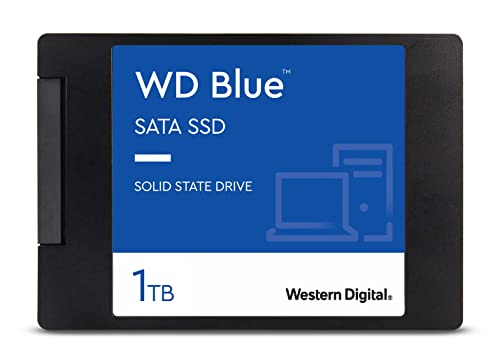
WD Blue 3D NAND Internal SSD 2.5 Inch SATA – 1 TB, Blue – High Performance
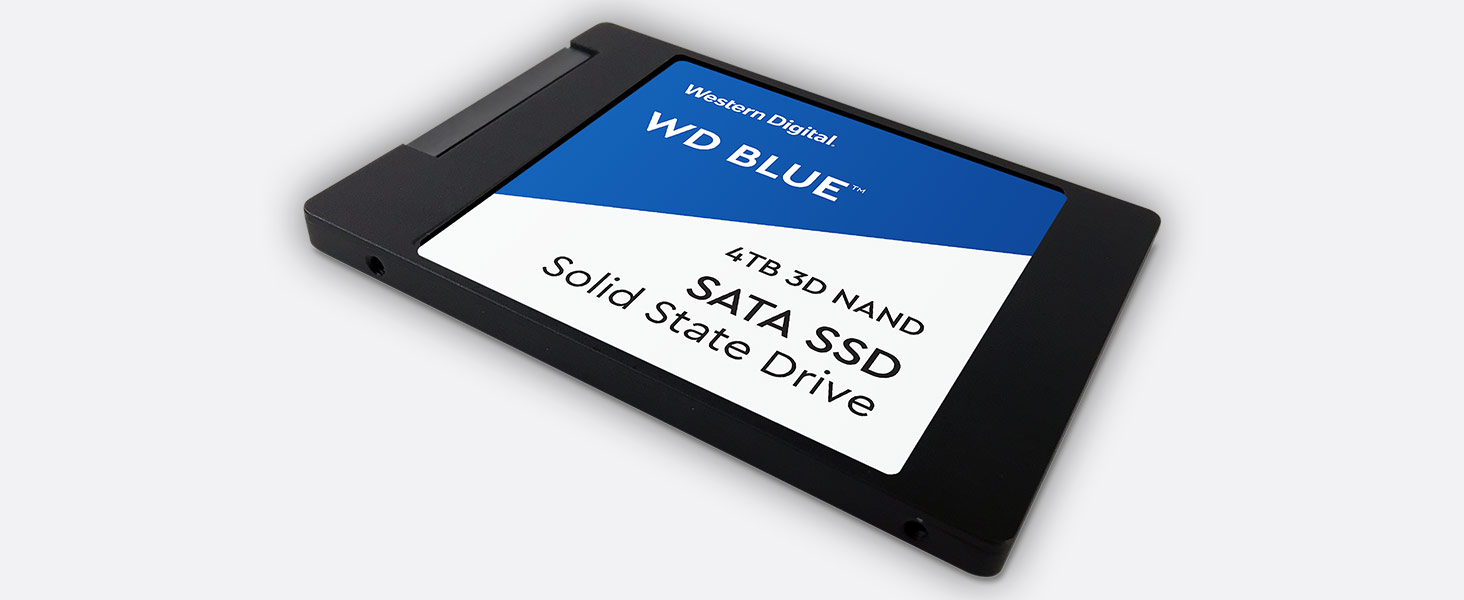 High capacity
3D NAND SATA SSD for capacities up to 4TB
” data-position=”triggerHorizontal” />
Step Up Beyond SATA
Western Digital is setting the pace by providing a range of performance NVMe SSDs. You get the quality and confidence of the Western Digital brand plus the cutting-edge speed of today’s NVMe.
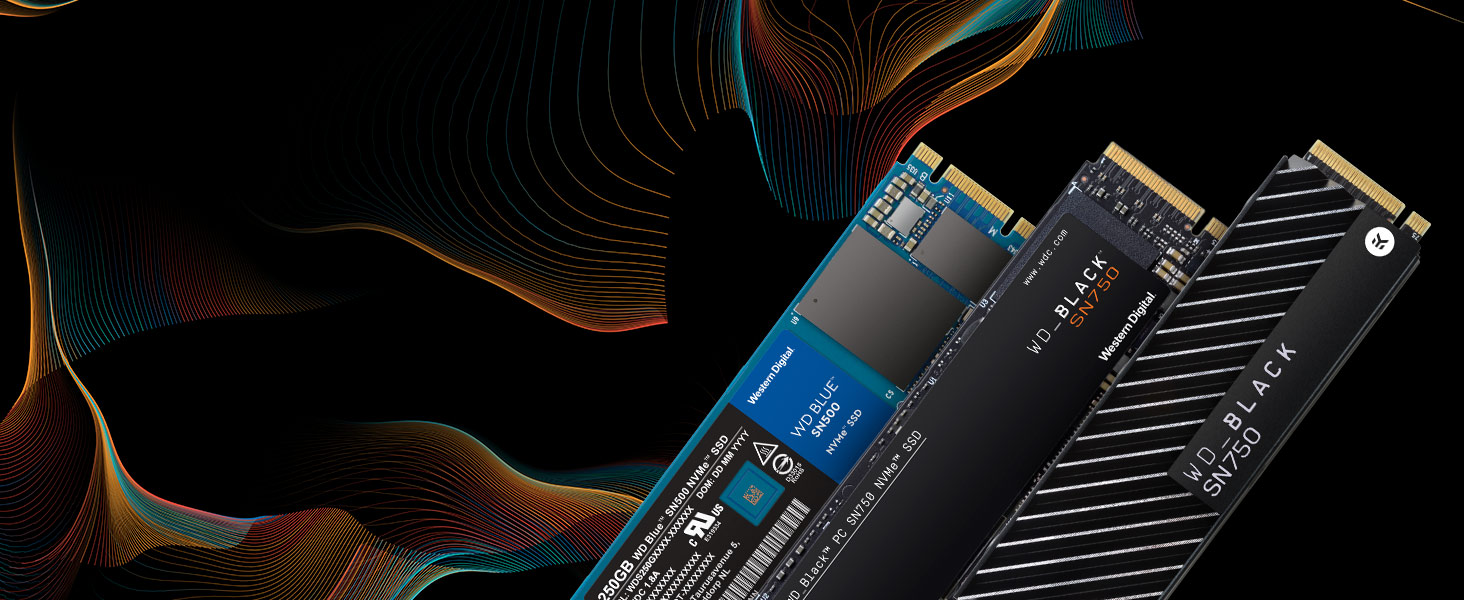
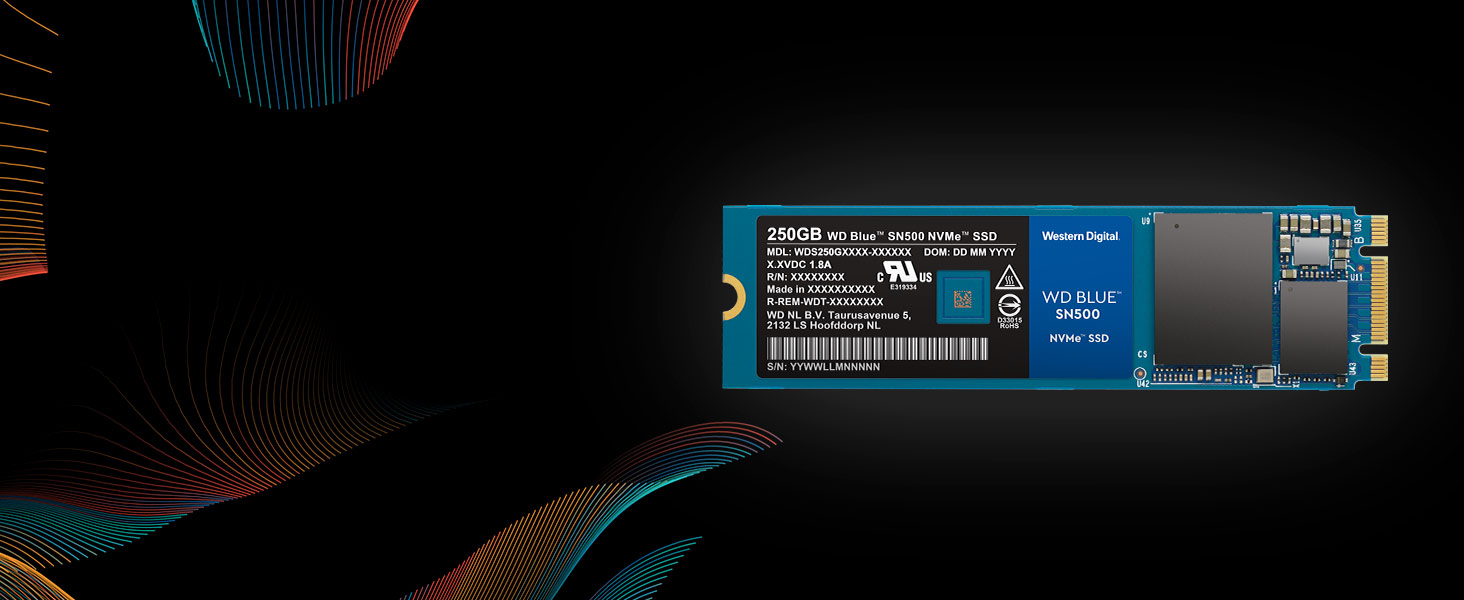
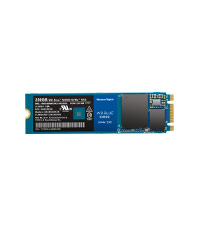
WD Blue SN500 NVMe SSD
Step up performance three times over our high-end SATA SSDs with a superior NVMe solution for high-performance and mainstream PCs. The WD Blue SN500 NVMe SSD will give your system the boost you need.
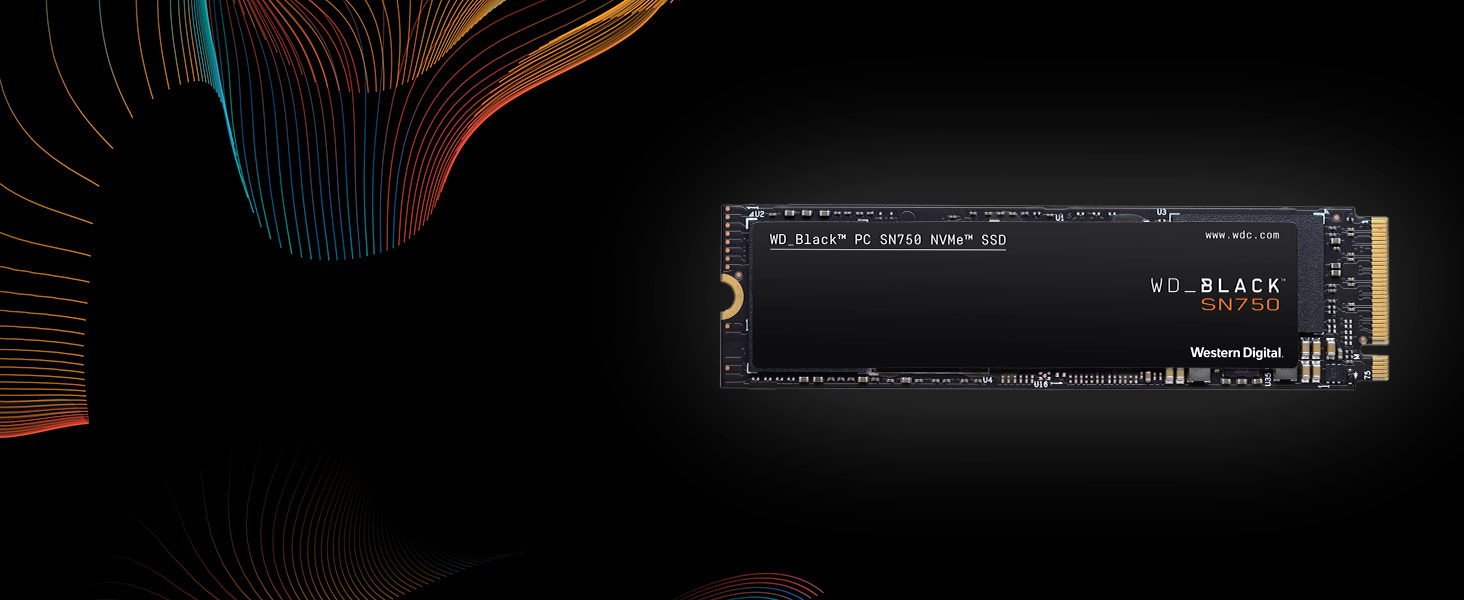
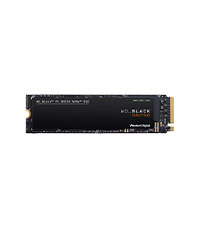
WD_BLACK SN750 NVMe SSD
The WD_BLACK SN750 NVMe SSD delivers top-tier performance for gaming. With speeds up to 3,470MB/s, the WD_BLACK SSD rivals some of the best performing drives to help give gamers a competitive edge.
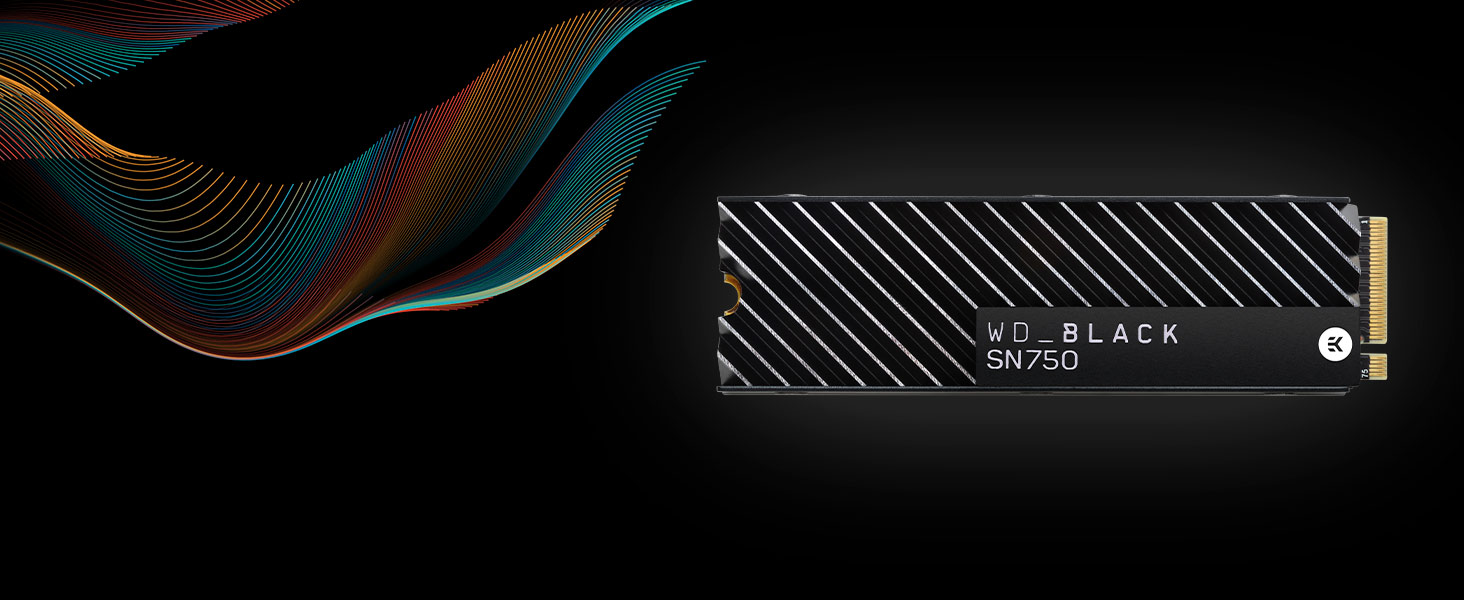
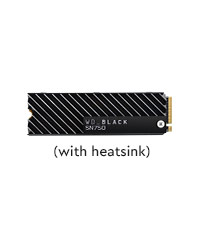
WD_BLACK SN750 NVMe SSD with Heatsink
The WD_BLACK SN750 NVMe SSD with heatsink is designed to help keep your drive running at peak performance for longer periods. Its sleek design helps your drive maintain optimal levels of performance.
WD Blue 3D NAND SATA SSD
WD Blue SN500 NVMe SSD
WD_BLACK SN750 NVMe SSD
WD_BLACK SN750 NVMe SSD
Ideal For PC enthusiasts, creative pros Creative pros, media Gamers, hardware enthusiasts Gamers, hardware enthusiasts Form Factor SATA 2.5”/7mm & M.2 2280 M.2 2280 M.2 2280 M.2 2280 Interface SATA III 6 Gb/s PCIe Gen3 8 Gb/s up to 2 lanes PCIe Gen3 8 Gb/s up to 4 lanes PCIe Gen3 8 Gb/s up to 4 lanes Sequential Read Speed up to 560 MB/s up to 1,700 MB/s up to 3,470 MB/s up to 3,470 MB/s Sequential Write Speed up to 530 MB/s up to 1,450 MB/s up to 3,000 MB/s up to 3,000 MB/s TBW up to 600TBW (4TB) up to 300TBW up to 600TBW up to 600TBW Highest Capacity Available 4TB 500GB 2TB 2TB See our family of portable SSDs
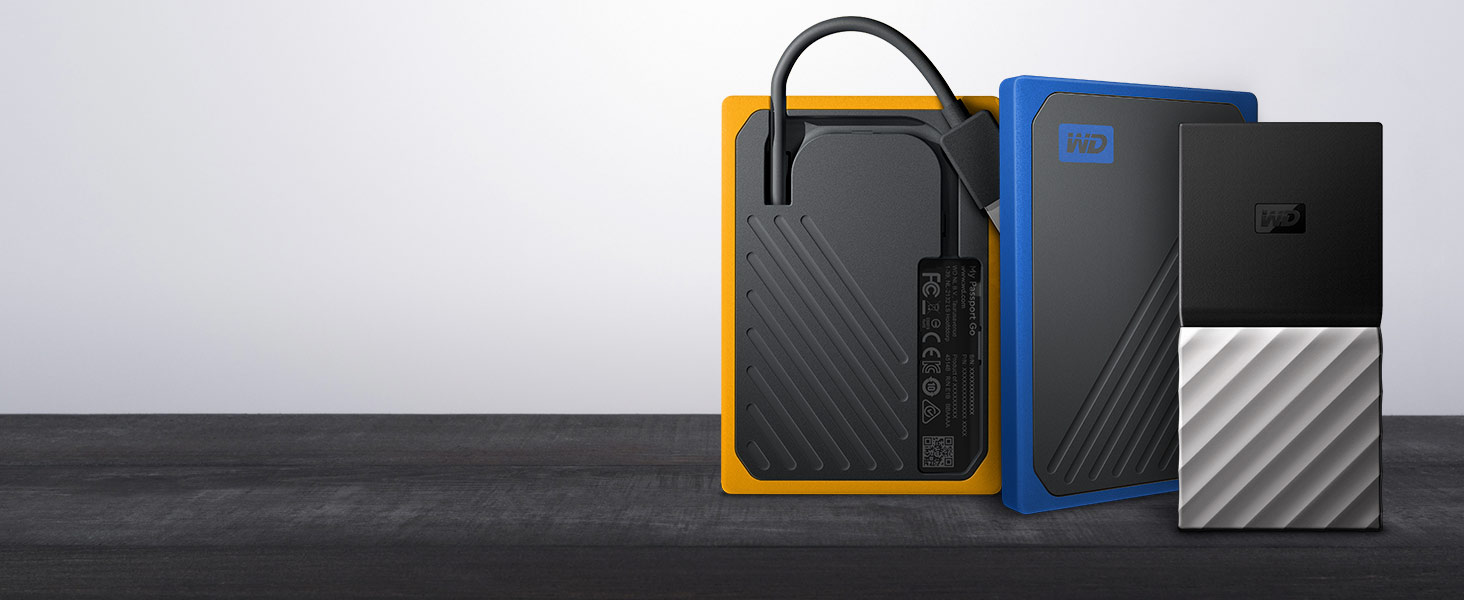
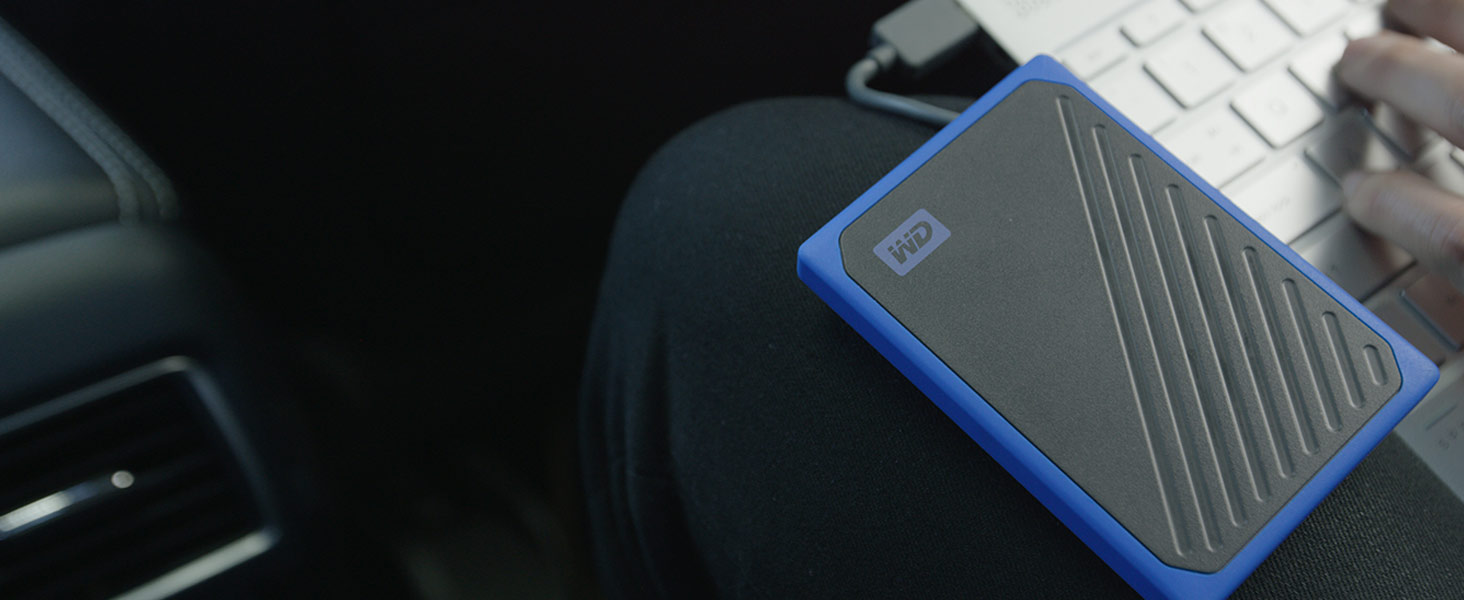
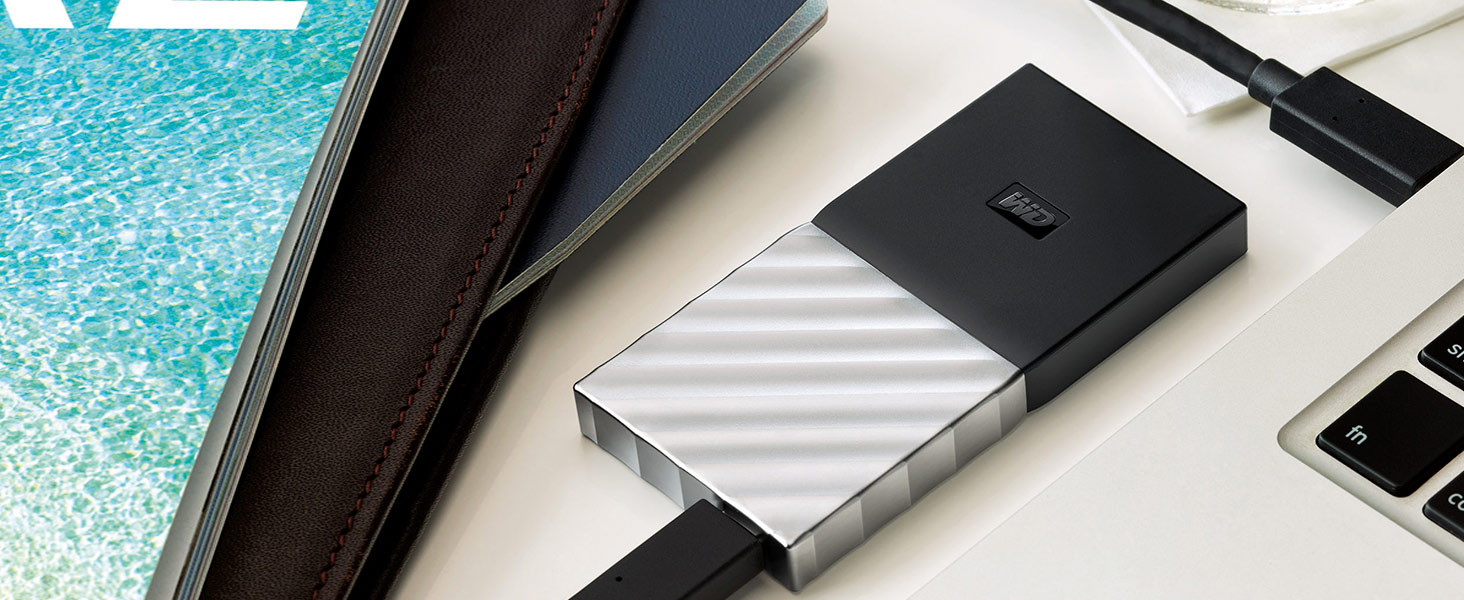
WD has a portable SSD for every need. With an integrated cable, My Passport Go is the drive built to travel. Or transfer files at blazing fast speeds with My Passport SSD.
My Passport Go
The My Passport Go portable drive fits right into your on-the-go life. Small and light with a built-in cable for convenience, this durable SSD fits in your pocket for wherever you go next.
MY Passport SSD
With My Passport SSD, you get the best of both worlds. It’s incredibly small. But it holds up to 2TB. It’s blazingly fast. Up to 540 MB/s. Yet with a sleek, shock-proof design.
| Weight: | 37 g |
| Dimensions: | 10.03 x 6.99 x 0.71 cm; 37 Grams |
| Brand: | Western Digital |
| Model: | WDS100T2B0A |
| Colour: | Blue – High Performance |
| Batteries Included: | No |
| Manufacture: | Western Digital |
| Dimensions: | 10.03 x 6.99 x 0.71 cm; 37 Grams |
Good and Fas
For a fair price, this is a reliable and fast option for storage. It made my pc much faster as we used as the primary disk. And we bought another one for our child’s pc too
Grea
Great speeds that do not drop after a few mb and doesn’t get too hot either. Fantastic.
Brilliant little SSD
I used this SSD to upgrade an old workstation from a HDD. As is the the nature of SSDs, the boot time decreased from over 2 minutes to less than 20 seconds and the computer just overall felt more responsive. Yes, it isn’t the highest performance or the highest capacity but, what it lacks in performance it makes up for in affordability, and its not like the difference between a high performance SSD and a lower end SSD is even noticeable. The warranty is great peace of mind and the free download of Acronis from Western Digitals website is incredibly useful, in my case trying to move the windows install from the old hard drive.
Overall, great quality and reliability for an affordable price.
Needed to upgrade my 256gb
Although I had a few issues with cloning my 256gb operating system drive I was eventually able to get my windows transferred over.
The problem was more likely that my windows had got corrupted over time.
Now it’s working all is really good and I now have a lot more storage on the C drive.
Fast and reliable storage, very happy
yup, good
bought it so long ago i can’t even remember when. still works fine, no issues whatsoever. max stars in all categories as well, 1st – yup, it is. 2nd – well it’s an SSD so yup. 3rd – guess that’s why i picked this one
Western Digital have been doing this a long time, and it shows
As far as SSDs go, the market is a bit saturated, especially in the, um.. “budget” department. These smaller capacity SSDs can be a bit of a raffle, as to whether or not they’re any good. So what about this one?
Well, in most use cases it’s perfect. There are times when you realise that it’s not as fast as something like a WD Black or something, but for the price it’s pretty damn good. Boot times for a Windows install are down from 1:28.388 (Seagate Barracuda 1TB 7200RPM HD) To a mere 9.122 (This SSD) and the difference between this and an NVMe drive of the same capacity is only 2 or so seconds for the same windows install.
For gaming experience, it’s perfectly serviceable. Load times are short and sweet, so that’s all good. Forza Horizon 5 only had to wait a few seconds to catch up at one point, and that’s a very unfair game to test anything with. And yes, this does have DRAM cache, I checked. After months of use, drive health is still at 100% on CDM, so quality is very good in that regard.
TL;DR – Good price, good performance, great value.
Great for a SATA limited Laptop
Bought this for an upgrade to my works laptop which had a miserable 256 GB. Installed and working well now with oodles of space at similar speeds to previous SATA product. The motherboard was limited to a SATA interface for the M.2 port unfortunately, or I would have bought a faster drive. Great price though for the storage capacity though.
Easy to install
I just installed it into my laptop today, it was easy to install. After I installed it I formatted it in two clicks, so far its been working like a charm hopefully it lasts a long time.
Whisper Quiet at Super Speed
I am ashamed I didn’t do this earlier in my PC’s life. But anyway, I upgraded to Windows 11 and this was a must to get my old creaky and noisy machine running super fast and noiseless!!!
Fast and good value
Swapped an old SATA hard drive for this to give a faster Windows 10 boot time. Did the job very well, in fact so well I bought another one for a second PC and it did the same for performance.
Good Stuff
I am really pleased with the SSD and I have been able to upgrade my PC from a 128 Gb SSD to 1Tb. I did need to buy a caddy to connect the new SSD externally and after I cloned the internal SSD onto the external SSD, it was a simple matter to remove the old SSD from the mother board and replace it with the larger one. When I restarted the PC I held my breath, but the PC bounced back to life and has been running fine ever since.
Great upgrade
Have used these in a few computers and have had no problems, very fast after installing these in place of a standard HDD and from a brand you can trust.
Very Easy To Install
Took me about 5 minutes to get this into my system – however it did not come with a motherboard screw. Luckily I knew this beforehand so purchased some separately.
Other than that small issue, the process of getting this installed and set up was very easy. All in all it took less than 15-20 minutes from installation of the drive in my MOBO, to having a new windows OS installed.
Boot drive.
Increase the longevity of older computers or improve the boot time of any spinning disc drive computer by having a friend (not saying you don’t know how) install one of these. You will not regret it.
Lightning fas
First impressions were on receipt. Ths SSD is so light, that initially, on receipt, I thought there was nothing in the box (actually lighter than a floppy disk ! which is amazing
OK down to facts:
Very easy to install. If you are fortunate, the SSD will fit exactly into the old frame, everything should line up nicely (I have a HP Pavilion Entertainment
This machine is running good after 10 years.
I Purchased a Win 7 disc with a bonus disk of additional drivers. Loaded to the SSD which BTW you do not have to format, or partition, just leave the new drive Unallocated, and the Win 7 disc will do the rest
Results after loading with Win 7
A quick test
Power down the laptop
Power on after after brief 10seconds, and My God, this is where you will see a remarkable difference
Previously, the old HDD took about 2 minutes or more at times to reach the Desktop, which included router activation kicking in and settling down (am running Broadband BTW, out of choice.
Now the SSD kicks in immediately with super speed, reaching Desktop in approximately 25 SECONDS, ready to go, equating to about FIVE times faster
Will be interesting to see how things go after a few months…I don’t expect anything less than this speed
One good thing is, I won’t bother getting fibre connection as my brother tell me he is getting the same speed results with his fibre connection as I am with plain Broadband
Overall, a fantastic drive, well worth the outlay. Easy to install and you won’t regret swapping this for your old slow outdated HDD.. Go for it and enjoy
Quality Produc
Installed this SSD in my 8 year old MacBook Pro and it is now like having a new machine. The speed of my machine has been restored and I am very happy.
Great product and easy to install in MacBook Pro.
New lease of life for an aging laptop
Got this along with an extra 8GB RAM update to rejuvenate an aging dell laptop (3rd gen i3, so prety ancient tech nowadays) and it made a huge difference, coupled with dumping the micrisoft spyware/bloatware OS in favour of Linux the machine is now plenty good enough for anything I would use a laptop for (I don’t need the latest greatest blistering performance for prety much just occasional office suite, Web browsing and film/music while away from home) massive difference in boot up, shut down, and app opening times plus longer lasting battery from not needing to sping up the disk any more. Well worth the money.
Simple and worked
Got this for pure storage on my laptop as a second internal ssd, once it was initialised in windows disk management (and i did full format but thats up to you) works as described, and for those who get confused because its sold as 1TB but shows around 930GB in windows, this is because of how windows allocates memory so it is a true 1 TB stick, plenty of things online explaining why this is the case, and the printed sticker with the assembly date on the board is cool, as it was august this year so the item itself was only 3 months old, which is good to know as then you know its not been kicking about for several months
I’m happy but everyone has a different experience i guess
not 500gb
its marked as a 500gb drive bu only 465gb is usable (shouldnt be allowed ,motorcycle manufacturers do it as well you buy a 1100 get home and find out its really a 1052 cc
and remember this drive may not show up in win 10 at first you must register and asign it in disk management if thats the case
SO quick!
These m.2 cards really do make a difference to the speed of your PC
Transfer rates as published
Easy to install
They do get hot, so make sure you have sufficient fans – preferably with at least one pointing directly at the card
They have been reliable, so the cooling comment is only a cautio
ot really a gaming ssd
it seems there are 2 versions of this ssd going around and this one is the slow one. in the end I took it out of the machines and bought a Samsung!
Completely revitalised my PC
I’ve been struggling with my 5/6 year old desktop being slow for some time now. Restarting or waking from sleep would take ages and I would often get 100% disk usage at random, causing it to become practically unusable. My HDD appears to be healthy, and I tried all the solutions I could find online to no avail.
In the end I decided decided to buy this SSD and install a fresh copy of Windows 10 on it. Windows took about 10 minutes to install and the difference I’ve seen so far is incredible. The time it takes to restart or wake and get to a usable state has reduced from what felt like a lifetime to just seconds. All the programs seem to start and run a lot faster too. I reinstalled steam and a few of my favourite games on the SSD. They now load a lot faster and I seem to be able to multitask a lot more easily whilst gaming, meaning I shouldn’t need to upgrade my RAM which I had been planning to do.
Overall I’m really pleased. I’m sure the fresh Windows installation helped a lot too, but I don’t remember this PC ever being this quick.
just what I needed
fitted into a PC spare compartment but it wasn’t recognised. However, AOMEI Partition Assistant soon came to the rescue and we were up and running within a few minutes of installation.
Does what it is supposed to.
I used this WD Blue SSD card to extend the life of my aging laptop while safeguarding data and apps reliability as the original HDD has been heavily used for several years. Using the utility software made avaiable by WD the installation of the SDD went well with the entire disk – systems, Windows 10, partitions, folders, apps and all data files safely restored to the new drive. It is still my laptop – albeit with a more spritely step when starting up, loading apps and opening large files from it.
I bought this M.2 SATA SSD to replace the 5400rpm mechanical hard drive in a laptop. As someone whose never installed an SSD before, I cloned the old drive to it quite easily using the free version of Macrium Reflect (with the help of a YouTube tutorial), installed the drive with no problems, and everything booted up successfully. Yay me!
I’m going with 4 stars rather than 5, as it has not made quite as big a difference to Windows boot up speeds as I expected. Everything does load up a bit faster – but not hugely so. If anything, the increase in battery life from the new SSD is more noticeable than the improvement in boot speeds. As others have noted, you need a screw to install the SSD and this is not included. If you don’t have one on your motherboard, the Dell website will currently sell you a single M2 screw for 35p delivered – the only place I’ve found where you can buy them individually.
Works well in RAID5 in a Synology
I bought four of the 2TB version to use in RAID5 on my Synology DS918+. I had WD Red in before for three years but they started to fail and they were always a bit too noisy so replaced them with these SSDs.
I have been using them for 2 months now with no issues. They are in the Synology compatibility list for the DS918+ and the the TRIM functions works fine when using RAID5. I was originally concerned about the 400 TBW on these but after 2 months of use the total data written per SSD is only 1.8TB so for my use case (personal data storage and Plex server with eight Docker containers) these will definitely last longer than I will need them too.
The Plex server and Docker containers all run very quickly now and in total silence. For me the extra expense of the SSDs was worth it and better than my previous drives even though I previously had 256GB of NVME cache with the WD Red drives.
HP ZBook superb additio
HP ZBooks have two SSD slots with the base one filled for the OS. This extra SSD turns the already excellent laptop into somewhere you can store plenty of music, films or other data.
Great upgrade for my ps4
What else can you say about 4x the storage you started with?
I would like to say it’s made the ps4 faster to load games but honestly it’s not that much of a difference. As for the swap yes once I had the right install file it was quick and easy to do, but if you use the restore feature be warned it takes upto 40 hours to complete the swap and have all your old data transferred. Trust me, just backup saved data for your games and then download fresh copies of your games as it will save you hours of waiting around.
As for the drive itself, it’s a perfect fit and for the price your getting a well made product from a well established company with a great track record of making solid drives.
SSD
Replaced a WD 1tb HDD with this WD 1tb SSD.
Cloned the disk with the WD software found online. Faster boot time by around 1 minute. Faster file access, runs cooler and less power hungry. So impressed I upgraded another 2 laptops with this. Same results. Yes recommended.
I’ve had this SSD for around 4 months now and I’ve had 0 complaints with it.
I was initially worried that I wouldn’t be able to install it with my HDD or that I’d lose data trying to transfer it over. It turns out it was incredibly easy to do after installing the drivers. I now have the majority of my data on my HDD while my SSD boots my pc like a bat out of hell. The fact that I forgot I had it is a testament to the quality of the product. I’d highly recommend it if your current pc takes around 2-5 years to boot.
I use this for recording 10-Bit 4:2:2 4K 30fps ProRes HQ files on Atomos Ninja V.
2TB is the minimum size I would recommend for this task, or even as a laptop upgrade.
The disk isn’t super fast compared about NVMe, but it does the job at a reasonable price.
I got this for my dad’s laptop as his old HDD was really giving up, taking 3 minutes to get to the login screen. When I showed him the 10 seconds it took to boot and post from this, he was taken back and couldn’t believe how much a single component can change your system. If you’re still running your OS from a HDD, I’d definitely recommend you upgrade to an SSD and this one in particular is priced pretty well I’d say. It’s been great for my dad so far.
Great value.
This m.2 drive is a wonderful choice for gaming and is one of the cheapest, good M.2 SSDs in the market. For me it was not easy to install as I had to get a m.2 standoff , however this is the fault of my motherboard manufacturer not the company who sent this drive.
Great Product!
Replaced my old WD Green SSD for this one. Was very easy to install Windows on it and had no issues whatsoever. Fits perfectly in PC and speed is faster than my old one.
Transforms an old PC
I should have swapped to an SSD some time ago. Having become frustrated at the time it was taking my six year old PC to boot into windows and after a clean install made little difference, I finally decided to swap to an SSD for the boot drive. It has made a real difference. What seemed to take minutes now takes seconds. After booting almost immediately into windows, programs and apps also open faster. The only hassle was actually migrating windows from my old hard drive to the SSD but with some free online tools it was soon accomplished. I recommend that anyone with a little practical knowledge of PC’s take the leap and swap to an SSD.
Faulty?
I built my gaming pc on tuesday 29th June and I went to install windows however neither my usb or m.2 SSD are showing resulting in me being unable to boot windows. Does anyone know how I can fix this or whether this is a faulty SSD.
Upto date
This is being used as a cache drive for a unRaid server and is working great so far.
Easy to install.
Space is fine for what I need it for.
I bought this SSD to replace the old mechanical hard drive in a laptop that should be retired. It is very old running on Windows 7 and for various reasons I could not upgrade to Windows 10. So having cloned the original drive I saw significant gains in the boot up time.
Raspberry Pi 4... performance upgrade
WD Blue – 250GB. Used with an RPI4 and Argon One M.2 case.
Tested with hdparm = 280MB/sec which is a massive increase on the mSD of around 40MB/sec.
This drive arrived promptly, was cloned and straight into my laptop. What a difference it has made to an old machine. My laptop now flies along. I have a number of large collections which are now a pleasure to work on. Instead of waiting, I’m working. Good times.
Good storage on new PC build
I use two of these in a new build “creative” PC, so not targeted at gaming. I keep applications on M2 drives for speed, this is simple for file storage and does it’s job very well. WD software for Blue and Black drives works well with both. Highly recommended for storage and value.
A bit less than the Evo 850 etc.
If you’re thinking about it just buy one.
These ssds are at a good price point (a bit less than desired the Evo 850)
1tb for less than 80 of your hard earned quids (at the time I purchased) had me on the quick draw from the hip!!
I can’t say there’s any I don’t like about it,that will be left down to time.
If you make Video. Get one.
Has become my main “holding” drive for storing Video files while editing and does a great job. Obviously, the rest of the machine is a big factor (Motherboard, CPU and GPU) on performance, but most important thing is nothing about this is cuasing a bottleneck. 4K 60FPS Raw files? No problem, no glitching and fast to copy to it.
My 4 year old laptop’s 128 GB Windows system SSD was getting close to capacity, especially with the swap file and hibernate file. Also, with only a relatively small amount of free space, there is a much greater risk of the SSD wearing out from repeated writes to one area.
Using a caddy and Marcium Reflect (free edition) it took less than 30 minutes to copy everything across and install the new SSD in the laptop.
The new SSD is performaing as expected.
The 500 GB SSD is big enough (as there is also a 1TB hard drive) with a good price per GB.
I can now move a video editing program back to the faster SSD.
Great to use a external drive
I purchased the item to be used as an external drive, when I purchased this internal SSD to use as External SSD I was not too sure about the idea, however after watching few online videos, I manged to convert this as external drive and it is working absolutely fine as back up drive, very fast and very cost effective
If you have an iMac mid 2011. This makes a BIG difference. ( NOT for the feint hearted )
For my iMac mid 2011, I had tried other SSD drives, all more expensive, with no luck. Then I thought, as the original HDD had was a WD Blue range, would it be too obvious to fit a WD Blue range SSD ?
I ordered it ( it was about 15 cheaper ). Fitted it and wow what a difference, just amazing.
Cloned the HDD using Carbon Copy, used OWC SATA kit.
Results.Worked without any problems, now boots up in 58 seconds .
It has now been installed for almost a week..brilliant.
Laptop now has plenty of storage
Used in an Acer Swift 3 which came with 226GB SSD storage. I was near full so needed more storage. WD is a well known brand and this was cheap so decided to give it a go. There are many customer reviews and they have a high amount of satisfied users. Using it now and happy enough.
Does The Job At Twice The Speed
Used this (1TB 2.5″ SATA) to replace a noisy old WD Black HDD. Cloned the data across without issue (used Macrium Reflect Free Edition), swapped the new SSD in, and machine booted first time with no problems.
Speeds are as specified – On an i7-3820 I’m getting the speeds showing in my picture.
I bought this to replace my Release date PS4 Hard Drive for the extra storage space. It was easy to replace, install and you do notice quicker load up times on some games. That wasn’t the reason I bought it but is a bonus. I read reviews stating it wasn’t compatible with the older PS4’s but I can confirm it is.
Installation was easy and formatting was very simple. If you’re just replacing the Hard Drive with the Solid State Drive without backing up and reinstalling your Data then it won’t take too long. If you are backing up Data and restring on the new SSD and looking to wipe the old HDD after backing up, it will take around 45 minutes to Initialise the system. As a guild, the process for me took around 3 and half hours. This was: Backing up my saved data, Initialising the old HDD, taking the old one out an replacing with the SSD, installing the SSD and then restoring the data to SSD. Back up and restore time will vary depending on how much saved Data you have.
Get rid of that mechanical harddrive!
100 words or less review:
This SSD is really great for the price.
Fast and durable with decent writing capacitiy.
For 80 for 1tb there’s no reason not to get rid of the old noisy slow mechanical harddrive.
Just plug in and drive! (Unless it’s changing your OS harddrive.)
I strongly recommend this product.
This was bought as a replacement for the “rotating rust” drive in a 6/7 year old i7 laptop that had become distinctly slow.
I didn’t have great expectations and bought in the expectation that I’d probably end up putting it into a case and using it as an extra backup.
The reality is that the boost was excellent. Cold start to login screen down to about 10 seconds (it had been nearly a minute), and it’s ready to go within a couple of seconds of completing login, rather than the again nearly a minute I’d been waiting.
I’d already moved to a new laptop as my main work PC, but the old one now makes an excellent second machine.
It’s a standard, simple, SATA plugin, so ease of installation is going to depend pretty well entirely on the ease of access in the computer you’re mounting it into.
Does the job and does it well
This is now my go-to for SSD upgrades. I have had several of these put in office systems over the past couple of years and they are all faultless.
Be sure to grab the software from WD to monitor the remaining life etc.
Great buy
Changed from a Firecuda to this, used to take 3 to 4 mins to boot Windows 10, now takes 15secs ! Cloned one drive to the other, so no need to re-install or re-activate anything 🙂
Use this if your motherboard has an m.2 slot but the cpu/motherboard combo doesn't support nvme
Whew! I finally figured this out. I have an ASUS motherboard with an m.2 slot and an Athlon processor, and when I put in an nvme type ssd, the bios said the m2 slot is ’empty.’ Turns out there are TWO TYPES of ssd that can go in an m.2 slot. There is the nvme type and the Sata type. They look identical so one should not get confused with a sata ssd. It is an m.2 ssd but the internal electronics is sata type. That is what this product is, and after I returned the identical-looking nvme product and got this, I have a new SSD and it initialized using windows disk managmenet without needing to do anything in the bios.
WD Blue
WD reliability is unmatched. High quality sad, had this in a ps4 (has to be formatted via pc) and now in laptop with regular use. Still has very healthy cells, will give your pc and new lease of life if you have a older mechanical hard drive in your system.
Reliable and fas
Bought this as it had good reviews and a 5 year warranty. The screw holes seemed a little tight for the screws I had (none supplied) but they did the job. Everything else was pretty easy. I did a clean install of Linux so didn’t use any disk cloning software.
Bought this back in December, Back when Cyberpunk 2077 released. SSD Still works as of writing.
There is also a noticeable decrease in loading times in games. And obviously Cyberpunk looked better because of the SSD. As it prevented NPC’s from having low poly models due to poor texture streaming from the ps4’s HDD.
Copied the old 1tb HDD easily using an external dock, and the ps4 recognised the drive after cloning the old HDD to this SSD.
So for adding into the now last generation PS4 Pro, This is certainly an improvement.
Difficult to detect and ready up.
As per all WD drives, do not expect a plug and play experience. They take some time to actually be detected and work. Got mine cheap but usually wouldn’t both with this brand.
Boot drive
Use this as a boot drive with windows installed on it. All I use it for, can’t really say the capacity is good for anything else. So it’s perfect for what I need it fo
Best quick replacement for a slow laptop. WD 500GB
This is the second SSD drive I have cloned from an original slow 5600rpm drive in two laptops. What a difference. From taking 4 to 5 minutes (or longer) to boot up to less than a minute. Opening applications like Word or Pic editing software is much factor. Doing this gave the laptops a new lease of life at a low cost. Used a free piece of software to clone (AOMEIBackupperStd) first with the drive in a caddy and after a couple of hours, it’s done then just swapped the drive. I am quite PC literate but looking online for help was easy. Hope this helps someone.
Easy to Install, Noticeable improvement in boot time.
-Fantatic Value For Money
-No Screw or fixings included, but my motherboard had a screw that i had to take out and then replace
-Noticable improvment in boot time
-Highly Reccomend
Reliable and faster than the original HDD
The SSD drive arrived well packaged , was very easy to fit and worked without any problems. WD products have been consistently reliable in my experience. I used this to replace the original HDD installed in my Acer laptop, which had failed after 15 years of use. The whole replacement took less than 10minutes and the SSD but reloading Windows 10 and the other items from my failed HDD took a lot longer. Very pleased with the final installation which has not only restored my laptop to full working order but is operating much faster than the original HDD ever did.
Exactly What I wanted.
The stats look fine. Got confused during buying, it comes with (M+B) keys. My laptop’s motherboard had only one key SSD slot but it worked. Windows loads up faster I guess within 10 secs.
I have a HP Envy X360 15XXXX which came with a 128 M.2 SATA SSD (C:) with the system drive on and a standard 1TB 2.5″ SATA drive (D:).
I initially configured it so that the bulk of installed app files went to D: drive with only the essential ones going to C: drive. However, two and a half years on and C: was quite full.
I decided to go for I purchased the 500GB M.2 version of this drive, along with a Sabrant M.2 SSD 2.5inch SATA III Aluminium enclosure adapter (EC-M25A). I already had a WAV Link dual bay SATA III disk cloner which will also act an external drive bay.
I downloaded a free version of AOMEI Backupper for copying. For managing the disk, I used two built in utilities – Windows Powershell – needed to remove partitions. Windows Disk Management (Found under computer management in Control Panel). This is used firstly to mount the new disk and give it a drive letter. I suspect some who reported the disk DOA failed to do this. Also for managing the partition sizes.
I proceeded as follows:
1. Having created recovery disks, the recovery partition was obsolete as it is a one-time deal creating the media. I used HP recovery manager to delete the partition – except it doesn’t, it just deletes the data.
2. I used Powershell to delete the partition and there are instructions here if you don’t know how to do it https://www.windowscentral.com/how-delete-drive-partition-windows-10
3. I inserted the new drive into the Sabrant adaptor, placed it n a bay of the WAV Link SATA bay and connected it to the USB 3 port. (There us a USB-C version of the adaptor to connect directly to a USB C port if you don’t have a dive bay)
4. The drive is not detected in Windows until it has been mounted, so I opened Disk Management > Storage and found the unmounted drive. I right clicked and used the wizard to do a basic mount and assign it F: Drive.
5. I opened AOMEI Backupper and selected the clone option from the left-hand side. I selected the Disk Clone option from the bottom row.
6. On the next screen, I selected Disk 0 – the one with Windows on – as the source disk.
7. On the next screen, I selected Disk 2 – the new disk and the destination. Hit OK and it took less than 10 minutes to clone.
8. I then opened Disk Management and found the cloned volume at 118GB with around 350 GB of unallocated disk.
9. I right clicked on the cloned windows partition and selected ‘Extend Volume’ and allocated the maximum available space and the new window volume increased to 465GB. I removed it from the adaptor.
10. I turned of the Laptop, removed the rear cover and disconnected the battery by removing all the screws and lifting out.
11. I then located the current disk, removed the screw and replaced it with the cloned disk.
12. I reconnected the battery, replaced the cover and booted up the machine. There was a pause and a message as the BIOS had detected the hardware change. It then rebooted through to windows and everything looked hunky-dory.
13. The I ran all major applications and everything was sweet. It was as if I had done nothing, except the was an appreciable increase in speed, especially on boot up. and Windows hello was working great every time – it had started to hand and drop to PIN access.
The disk has been sweet since Monday (now Thursday) and I am considering up grading the D: to an SSD as well.
So far – very happy. I am of course keeping the Old disk safe . . . . just in case!
Perfect for OS - Great for Gaming - Decent Speed
Super simple to install. Swapped over my OS (Windows 10) on my laptop to this SSD and never looked back. Huge difference from using a HDD for my OS. My laptop used to start in around 3 minutes but since switching to this, my laptop can be off to on youtube video in less than 30 seconds. Even with the SATA speed limit on this drive of around 500MB/s when comparing to my younger brothers NVMe drive which can do around 3500MB/s. It’s still quite snappy. I have the 250GB storage capacity so obviously you’d need to juggle a few files to fit things to this drive. My recommendation is to use this solely for the OS and smaller files. I do install some games on this drive however as the load times get a huge boost. I never have any overheating issues or anything. Works fine
I have a laptop which because of a ‘Virtual machine’ had rapidly run out of storage.
The solution was an upgrade from 500gb SSD to 1TB SSD. Thanks to Amazon this was done the next day.
I would like to thank the reviewer CCT for his top tip – ‘Macrium Reflect – free Standard Edition’. I was able to find few 100mb to download and install this. I would also recomend you get a CD CADDY, to host the new drive for the clone. https://www.amazon.co.uk/2-5-Inch-SATA-III-Universal-DVD-ROM-silvery/dp/B08RHL7W3H
I initially tried a ‘usb to sata adaptor’ but the cloning software kept dropping the usb connection. Luckily I had a CD CADDY which has the benifit of direct to sata interface with higher transfer rates. This meant i had the SSD cloned in about an hour.
Following the cloning, the rest was a simple matter of swapping out the drives, then finding extra space, turning that into a new partition, and then moving data from the main drive to the new partion to free up space.
You can use the Control PanelSystem and SecurityAdministrative ToolsComputer Management tool to find the new drive, initialise the drive so that it has the same ‘partition style’ as the orginal drive, [in my case this was GUID GPT ], and then after the cloning, sort out your new partitions from the available space.
(Btw – if you already have an ssd as your main drive, you could just use the new ssd as second data storage drive, via the cd caddy. Its faster than cloning but It would mean losing your CD-ROM drive, ie using an external USB CD-ROM drive for the occasional use.)
Good value for money for what I use it for.
Rating this is relative to my experience as a first time buyer of an SSD to replace a failing HDD, I’m very please with what I got. It’s put new life to my laptop, it boots up much quicker than before, also my games and the software i use are quicker to load.
Price and storage where my main focus for choosing, but also wanted it to be one of the brands i knew, especially being my first SSD, i may try others in the future, to upgrade other devices.
WD Blue 500GB M.2 SSD
Give me much more flexibility. My laptop originally came with 256GB, now 500GB. Most of the storage is use for movies and tv shows. Less need to transfer to my external HDD. 256 for me was not practical and the doubling of my storage capacity has made a massive difference in my devices capabilities.
HDD To SSD
Flawless clone from 500gb HDD to WD Blue 500gb SSD using trial version of Macrium Reflect (previous reviews highlighted issues with packaged cloning software). New drive recognised from 1st boot and has now given my ageing Packard Bell laptop a new lease of life. Only getting just under 300mb transfer speed but then only have a 2.1ghz processor. However, in all respects the PC is better and faster than when new so investment paid off! Early days but it has saved an old PC from wasting away collecting dust. No more HDD for me and at 50 for a well branded 500gb SSD I think it justifies the spend.
Makes your PC fly!
Replacing my hard drive with this SSD has had a phenomenal effect on my PC. It was all cranky and irresponsive but now it flies at every task especially start up! Strongly recommend to put new life into an old PC.
I’ve had a conventional 4TB Hard disk in my Dell Optiplex 7010 workstation for a while and when it started to take over 15 minutes to start Windows, I knew something was wrong.
I’ve just bought the Western Digital 4TB SSD as a replacement, did a backup image to a 10TB WD back up drive, which took 8 hours, swapped out the drives and restored everything to the new SSD in less than 3 hours.
Booting Windows 10 now takes abut 20 seconds to load and I’m ready to get to work. Everything works better and my PC is much quieter without the constant HDD drive noise.
Build quality is excellent, its incredibly light and I’ve fitted the SSD into a Sabrent 2.5″ to 3.5″ HDD tray which slipped straight into my Mini Tower.
I have 32gb of RAM, a 4k NVidia Quadro 1000 graphics card, Elgato 4k HDMI Capture Card, running MS Office, Adobe Creative Suite and Solidworks. Overall I’m very pleased; this is the single most significant speed enhancement to my rig ever. I highly recommended this SSD drive for value, warranty and overall performance.