WD Blue 3D NAND Internal SSD 2.5 Inch SATA – 1 TB, Blue
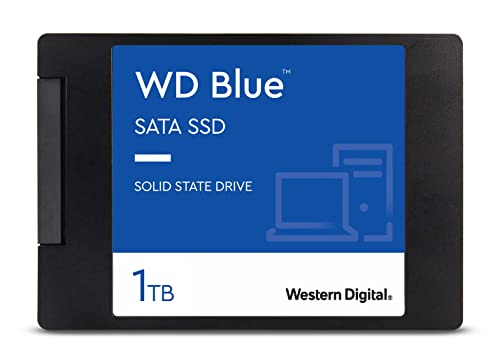
WD Blue 3D NAND Internal SSD 2.5 Inch SATA – 1 TB, Blue – High Performance
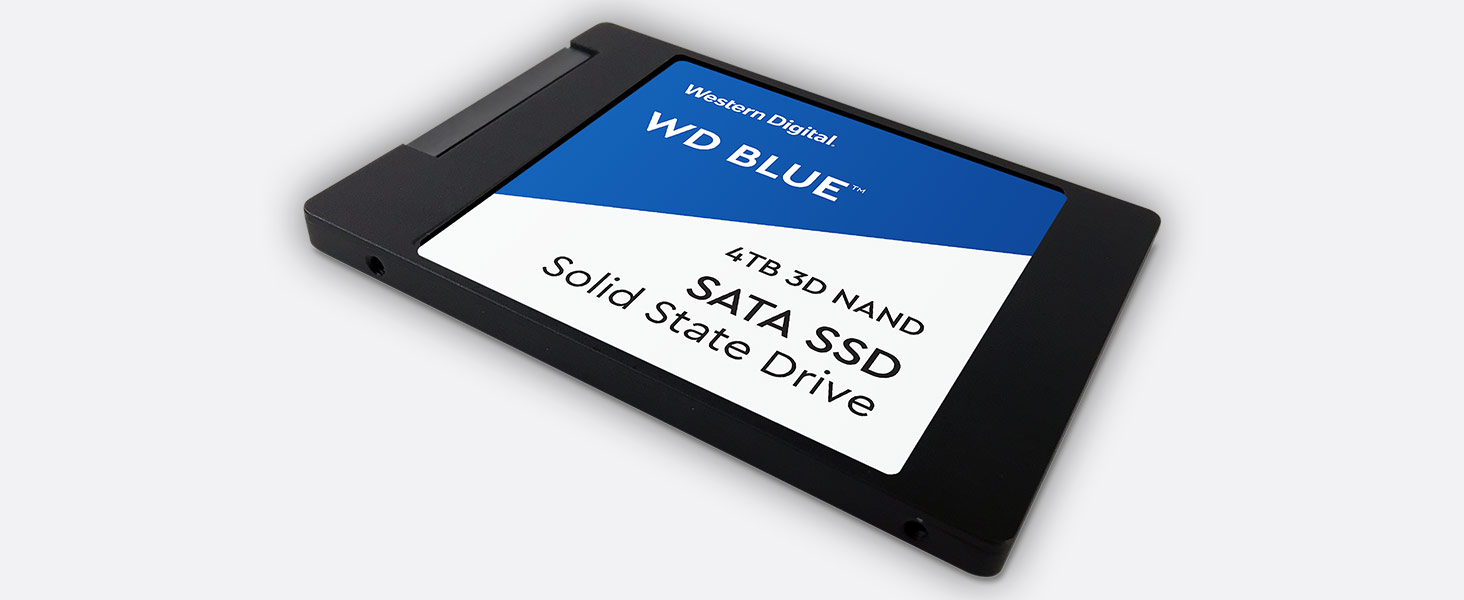 High capacity
3D NAND SATA SSD for capacities up to 4TB
” data-position=”triggerHorizontal” />
Step Up Beyond SATA
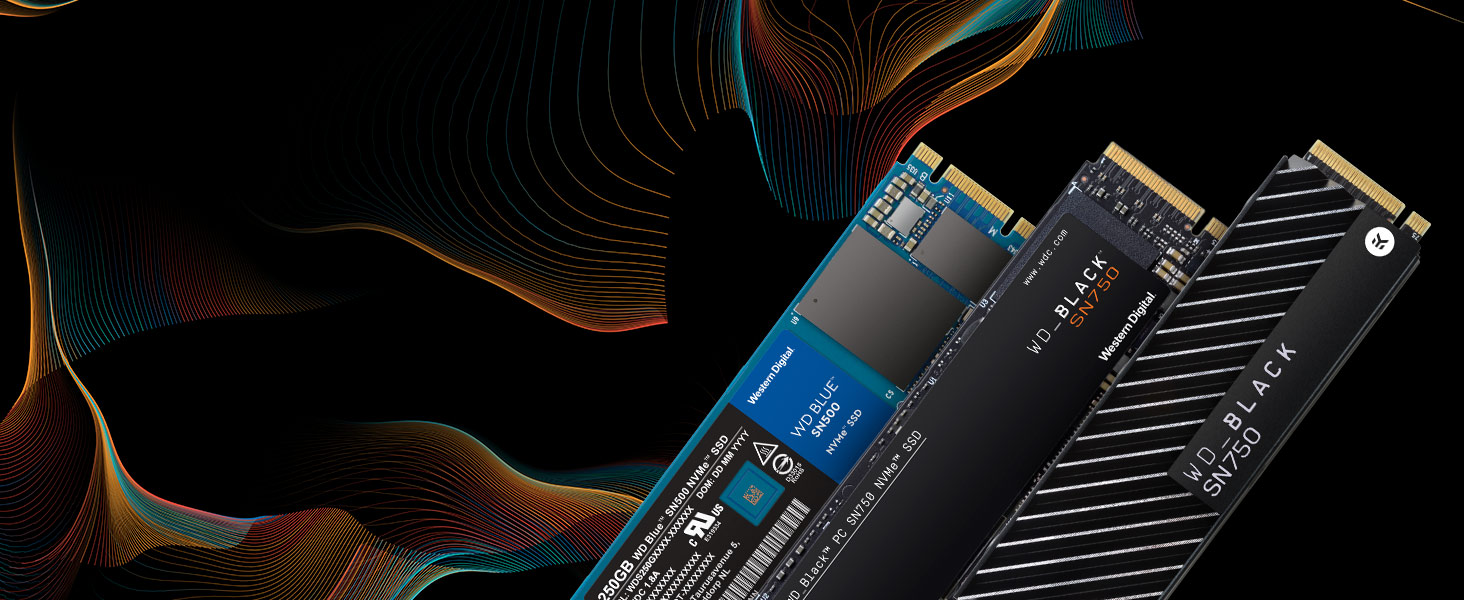
Western Digital is setting the pace by providing a range of performance NVMe SSDs. You get the quality and confidence of the Western Digital brand plus the cutting-edge speed of today’s NVMe.
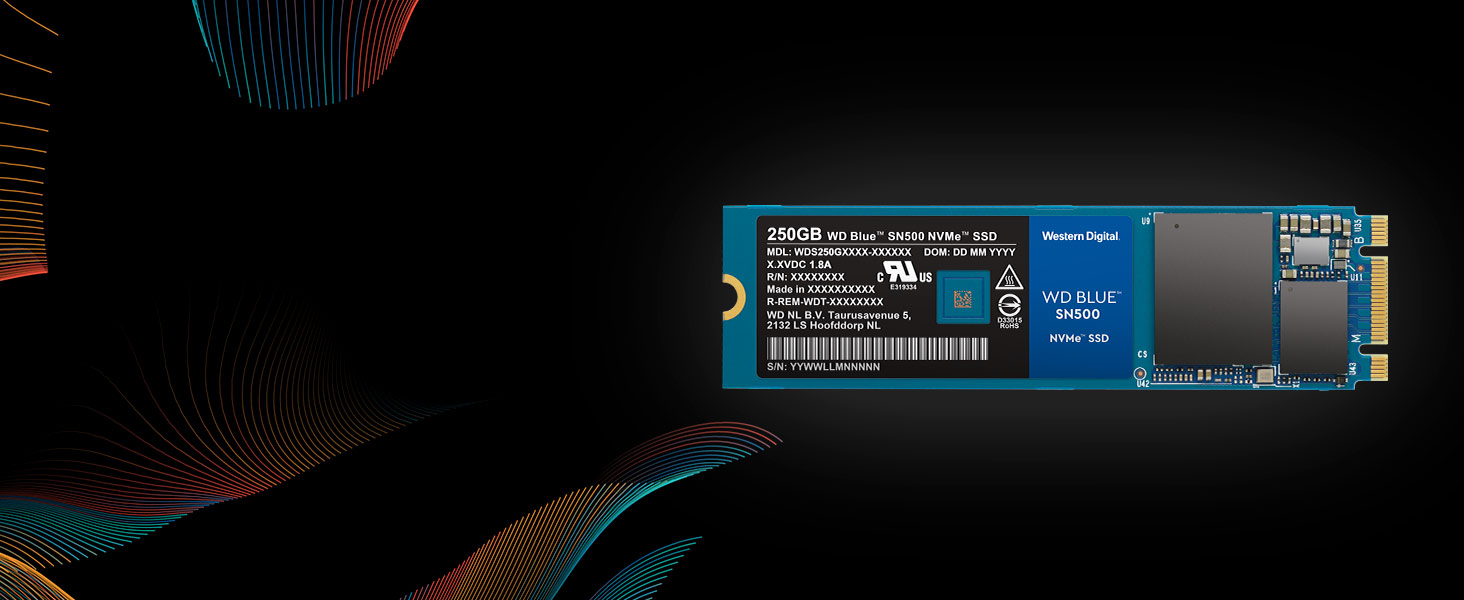
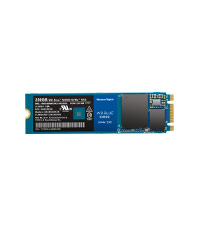
WD Blue SN500 NVMe SSD
Step up performance three times over our high-end SATA SSDs with a superior NVMe solution for high-performance and mainstream PCs. The WD Blue SN500 NVMe SSD will give your system the boost you need.
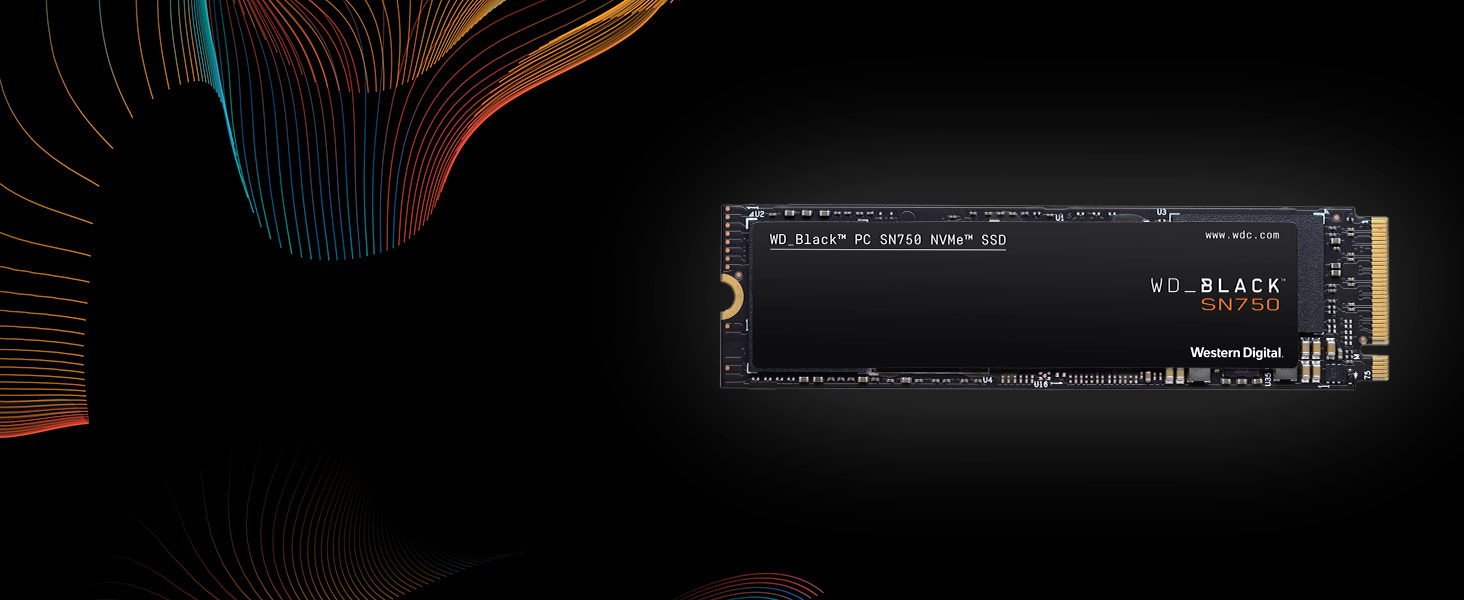
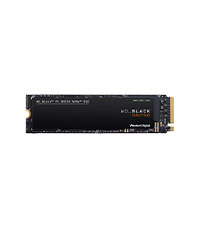
WD_BLACK SN750 NVMe SSD
The WD_BLACK SN750 NVMe SSD delivers top-tier performance for gaming. With speeds up to 3,470MB/s, the WD_BLACK SSD rivals some of the best performing drives to help give gamers a competitive edge.
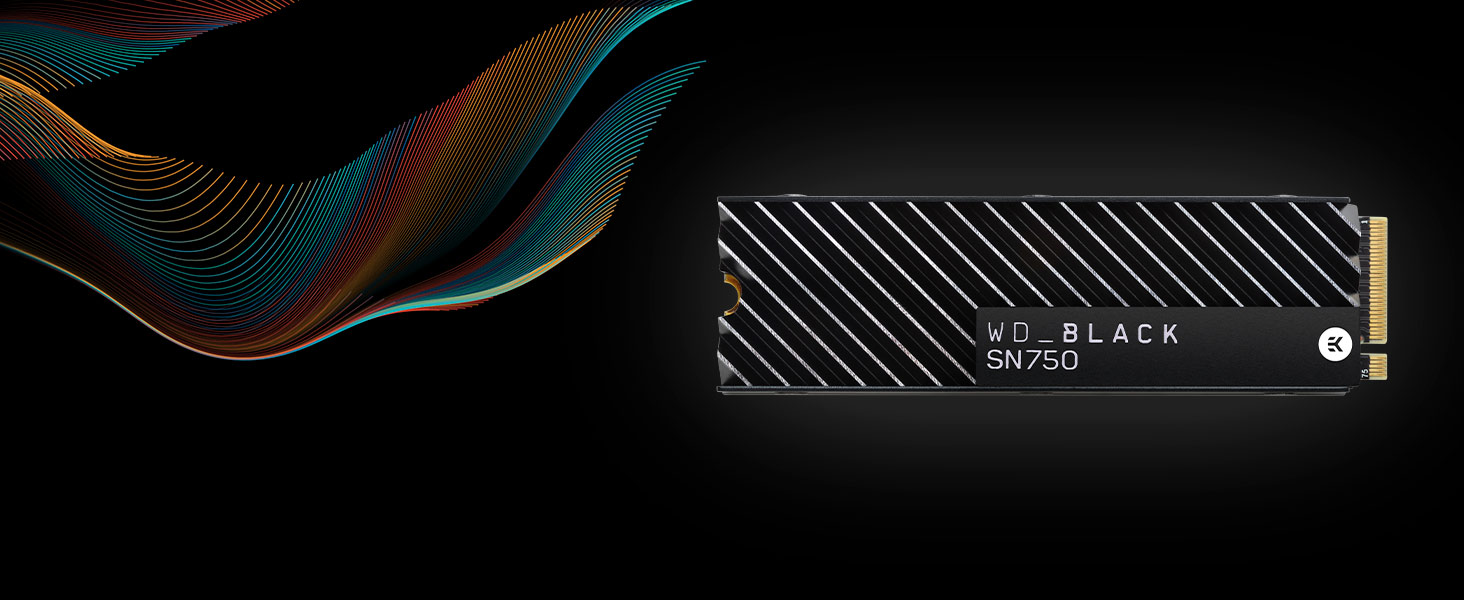
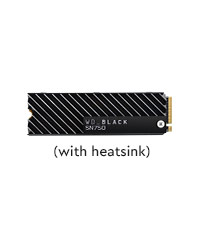
WD_BLACK SN750 NVMe SSD with Heatsink
The WD_BLACK SN750 NVMe SSD with heatsink is designed to help keep your drive running at peak performance for longer periods. Its sleek design helps your drive maintain optimal levels of performance.
WD Blue 3D NAND SATA SSD
WD Blue SN500 NVMe SSD
WD_BLACK SN750 NVMe SSD
WD_BLACK SN750 NVMe SSD
Ideal For PC enthusiasts, creative pros Creative pros, media Gamers, hardware enthusiasts Gamers, hardware enthusiasts Form Factor SATA 2.5”/7mm & M.2 2280 M.2 2280 M.2 2280 M.2 2280 Interface SATA III 6 Gb/s PCIe Gen3 8 Gb/s up to 2 lanes PCIe Gen3 8 Gb/s up to 4 lanes PCIe Gen3 8 Gb/s up to 4 lanes Sequential Read Speed up to 560 MB/s up to 1,700 MB/s up to 3,470 MB/s up to 3,470 MB/s Sequential Write Speed up to 530 MB/s up to 1,450 MB/s up to 3,000 MB/s up to 3,000 MB/s TBW up to 600TBW (4TB) up to 300TBW up to 600TBW up to 600TBW Highest Capacity Available 4TB 500GB 2TB 2TB See our family of portable SSDs
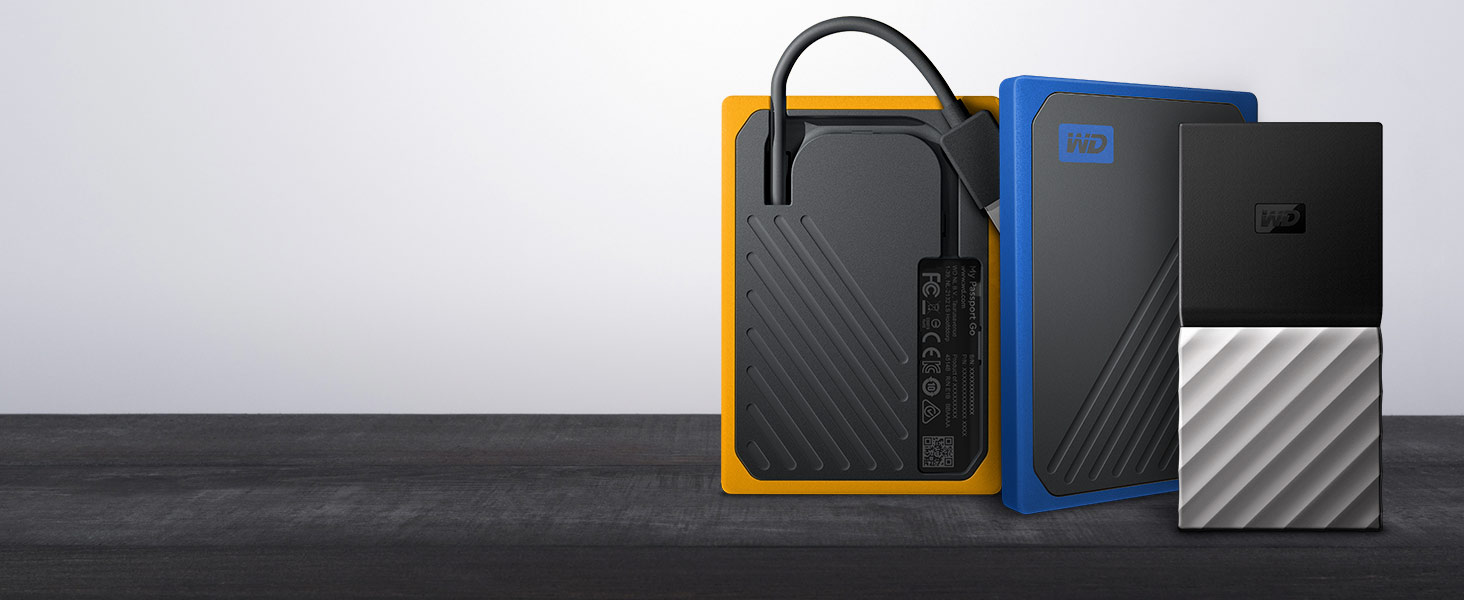
WD has a portable SSD for every need. With an integrated cable, My Passport Go is the drive built to travel. Or transfer files at blazing fast speeds with My Passport SSD.
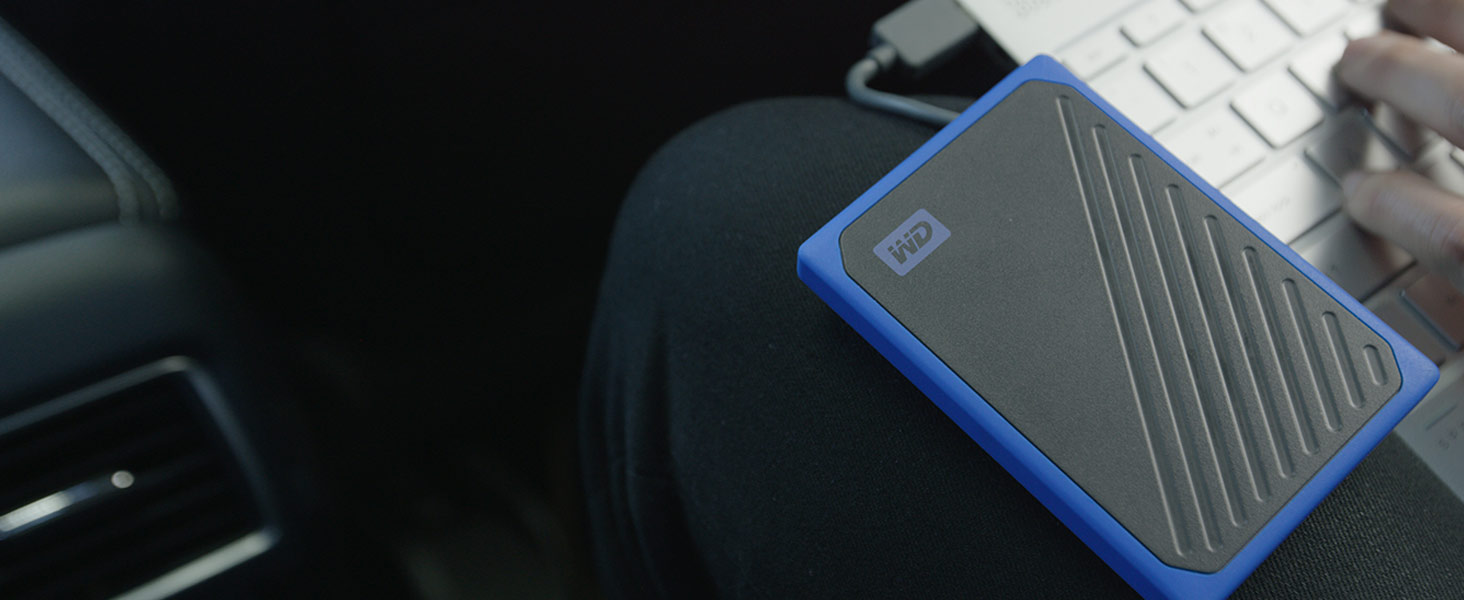
My Passport Go
The My Passport Go portable drive fits right into your on-the-go life. Small and light with a built-in cable for convenience, this durable SSD fits in your pocket for wherever you go next.
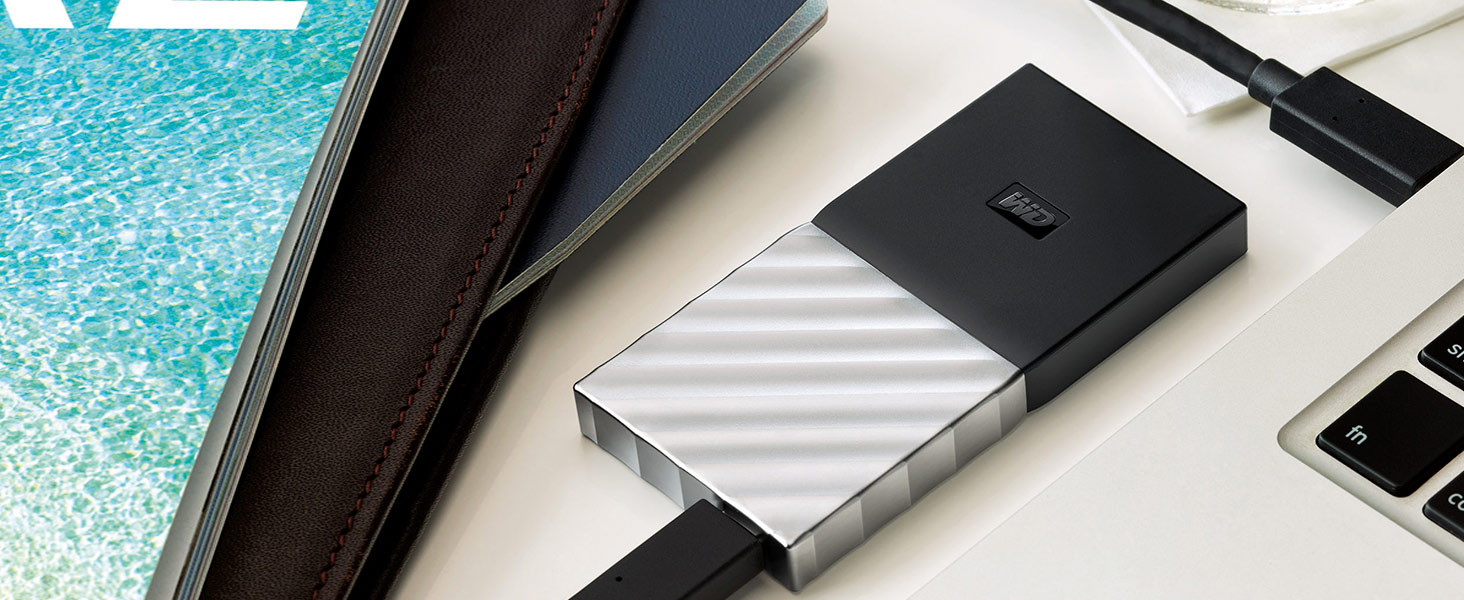
MY Passport SSD
With My Passport SSD, you get the best of both worlds. It’s incredibly small. But it holds up to 2TB. It’s blazingly fast. Up to 540 MB/s. Yet with a sleek, shock-proof design.
| Weight: | 37 g |
| Dimensions: | 10.03 x 6.99 x 0.71 cm; 37 Grams |
| Brand: | Western Digital |
| Model: | WDS100T2B0A |
| Colour: | Blue – High Performance |
| Batteries Included: | No |
| Manufacture: | Western Digital |
| Dimensions: | 10.03 x 6.99 x 0.71 cm; 37 Grams |
Just what my computer needed
My old gaming pc came without SSD so over some time just became unusable, it’d take so long to power up and open programs that I put it to one side and bought a macbook. In lock down I have decided to upgrade said pc and the SSD was the first thing I bought and what a difference its made. It now powers up in 15 seconds and runs everything so quickly. Well worth the money and easy to fit. Would definitely recommend to those out there with slow unusable computers.
Inexpensive fast Storage.
Now in use in my new build Ryzen system for storing my games on, and is a great upgrade for a hard dive for mass storage at reasonable cost. The main boot drive is a Saberent Rocket NVMe M2 SSD fitted on the motherboard. You may need to purchase an adaptor if you need to fit into 3.5 inch bay. Have bought several of lower capacity drives for Laptop upgrades, which makes booting much, faster.
Used this for my PS4. As my mechanical drive had died. PS4 loads up much faster than before. Wish this drive was cheaper so I could install a 2tb version.
Bought this for my PS4 PRO. Easy to install. Back up system to another hdd first, then download the PS4 reinstallation file (1.1GB)from the PlayStation website and save onto an exfat or fat32 formatted USB drive, 2GB minimum storage. You will need to add a file PS4, then in that file add a file UPDATE, all in uppercase, save downloaded file in UPDATE file. Plug USB drive into ps4, and hold power button for 7 seconds, after hearing two beeps, will enter safe mode. Will need to connect the ps4 controller to console with USB cable. Hit reinstall file and follow the instructions. The PlayStation website has a step by step guide, you must add the files as indicated or the file wont be recognised. Once the PS4 os has reinstalled, plug in your backup hdd and restore all your saves and settings. My 1tb drive had about 800gb on it and took approx 4hrs to restore, so planning is everything.
A few things I’ve noticed is the menus seem alot smoother and faster, loading times are reduced, some are more dramatic than others. Gran Turismo Sport seems to load faster than before aswell as menus. Not groundbreaking but a nicer experience and more fluid. I would recommend this ssd drive as the ps4 pro apparently has a maximum 600mb bandwidth speed, and this drive has a maximum 560mb, so paying more for a much faster drive would be counterproductive, unless you plan on reusing the drive in a PC.
If like me, your willing to wait a while before taking the PS5 plunge and are still happy to to stick with the PS4 Pro, this is a nice little upgrade in the meantime.
I’ve always found WD and to be very reliable and have never had an issues with their drives.
Highly recommended
A PRETTY DAMN FAST SSD
Its like the m.2 ssd is speedrunning loading times!!!, I turn on my pc and its already at the login screen. Its a great budget m.2 and will be great paired with a hard-drive of some sort. Absolutely fantastic. I picture I provide may be a little vague but its the ssd I use in my current pc. Lets just say I dont know what loading times are anymore
Well Worth It Upgrade to Elderly Laptop.
I installed this item in an elderly Acer laptop which has an Intel i3 processor. When running a hard disk the machine was becoming sluggish and taking many minutes to boot up. This SSD was installed physically into the Acer very easily and the improvement was immediately noticeable – the laptop now processes like the proverbial off a shovel! Well worth the money. The only tricky bit was cloning my old hard disk to the SSD, but I achieved this process using a good Backup Application.
Matches a 2.5" hard disk drive in size and fixing holes
Easy to clone an existing SATA disk and speed up a computer.
If the computer is a laptop make sure that you are capable of taking it apart – some are easy some are very fiddly.
If the old drive is a 3.5″ drive choose your adaptor with care as most are dreadful and leave the drive unsupported.
The increase in speed is limited by the SATA drive interface but not having head seeks gives real improvement in booting up an operating system with lots of small files.
Can't go wrong with WD
Installed this in a USB 3.2 Gen 1 enclosure for backup purposes and have been very pleased with the perforce. Second only to Samsung for SSD device I’ve always found WD to be reliable.
The Blue series is mid range so ideal for everyday use and large sustained throughput (ideal for backups).
If you want performance go for the Black series.
If you have an old MacBook 2012 this will speed it up … really. I was amazed at how fast the Mac now boots..,now no need to buy a new mac…. seriously.
These M.2 SATA 2280 drives are going out of fashion in favour of the M.2 NVMe. Alas the Raspberry Pi Argon One M.2 case needs SATA – and this one works fine. Carefully seat the drive into the case mounting. I decided to connect the base via USB A to USB A cable, format drive on Pi then use the copy memory stick to disk utility (under accessories). Then modified the boot options, shutdown, take uSD card out, reboot and now have 330MB/s speed. Slightly faster to boot relative to Samsung EVO uSD but everything feels snappier.
Transferred video and stills to disk. Will.be using the Pi to render videos – cheap and acceptable performance for what I want.
The card works out at 10Gb per 1 in 2021.
I bought a SCSI 2 drive at work in 1991 2000 for 2Gb. Quite an amazing bang for the buck nowadays!
It does get hot but so I doubt you can use this for long in a normal Pi4 case – especially given I overclock the CPU and GPU. The M.2 case is neat BUT it does seriously degrade WiFi performance – probably a USB linked SSD might be a better option BUT careful as you may need powered USB – the Pi4 power supply doesn’t supply a lot of current to USB bus and what little it does is shared.
Bottom line – this M.2 SATA is working well
A good SSD. purchased this together with a Ziyituod PCIe SATA Card, 4 Port (I bought the latter to take full advantage of the SSD’s speed).
Looked at YouTube vids for installation guidance.
Works fine, and has significantly sped up the time of computer startup.
Satisfied with this.
Fast and reliable
Using this as my new boot up drive compared to my old HDD which was slower and began to make a weird rattling noise and a lot more reliable than my SSD which sometimes the BIOS failed to acknowledge.
Brilliant product, excellent read and write speed
I bought this drive to upgrade my 10 year old laptop having a 5400 RPM SATA HDD. I must say that my laptop is significantly faster with WD blue SSD. I’ve cloned the operating system from my old HDD to this one so it is NOT a fresh install but still there is a remarkable improvement in startup and shutdown time. Well worth every penny.
HDD to SDD. Wow, what a difference! Like a new machine!
Fitted this to an HP AMD A10 Quad core laptop with 8gb of ram. This machine was struggling with windows updates with it’s original 1tb HDD fitted. WOW!! What a difference! Like a new machine. Turn it on and Pow! Up and running in a matter of seconds! Was minutes with the HDD. Windows updates took hours with the HDD fitted and when downloading updates, rendered the machine unusable. Not with this drive fitted though. Windows updates downloaded and installed in a matter of minutes.
Right…..to the install. I did buy this with the intention of cloning the HDD over but decided to re-install windows 10 and then all my other software. For those who don’t know, Microsoft do a setup media creation tool which you can use to download Windows 10. As long as you have a windows licence, you can re-install Windows using a flash drive or DVD. My laptop has a digital licence, so didnt need to enter a key code.
I have quite alot of music production software on my machine so it took me a long time to log onto various websites to find out how to re-register licences etc but once I’d done this and re-installed everything, the laptop worked like a dream.
This is one of the best tech purchases I’ve made in a long time. If you’re thinking of upgrading to a SSD from a HDD drive, do it. You’ll be amazed at the difference it makes.
Note: You do need to know your way around a computer though. Just getting into back of the machine itself was a bit fiddly and you have to be careful not to break anything. Once I was into the machine, there was a ribbon cable installed over the top of the HDD, which i had to remove to enable me to change the drives over. I had to be very careful not to damage this when removing the HDD and then re-attaching after installing the SDD. Once the computer is re-assembled, you may possibly need to enter the computer’s Bios to change the boot order and also re-install the up to date drivers and software for your machines hardware. HP have a great website where I was able to input my machine’s serial number. The website then listed all the drivers and software available for my machine. Tip: Down load and install one thing at a time. This way you can make sure everything works as you install them and avoid glitches. If you’re not good with computers, maybe let a local computer guy do it for you.
I’ve put three stars for ease of install due to the fact that computers are not the easiest things to upgrade sometimes. Nothing to do with the SDD itself though.
Hope this helps someone thinking of upgrading.
Fastest and coolest for Sata M.2
Excellent drive for storing Steam games, one of the fastest and coolest in it’s class, mine idle is 27c and gaming hits just 32c.
548mb/s read and 531mb/s write.
I do not use this for win10 that goes on an M.2 NVMe 3500mb/s drive as games will not load any faster, I have tested both and makes no difference.
I use it for converting WAV files into MP3s, so it’s nice to have fast copy times with bloated WAV files.
With two SSDs in my Linux box, I no longer need to use ramdisk, as writes from one physical SSD to another are fast enough.
“Ease of installation” was no better and no worse than all the other bits and pieces that I have sworn at, as I tried to get them into my computer case, and with standards-compliant connectors, I certainly wouldn’t blame the vendor for that ordeal.
4 TB Size. Excellent value for money. Well made and performing well
Easy to fit in place of 1TB HDD – took about 100 minutes to re-format as a data drive and about 75minutes to copy contents from the previous drive, Diagnosticsfound no faults and has been working perfectly for over a week. Very fast compared to HDD.
Amazing, bit of a pain to install
Was a little bit of pain to install for me had to remove the CPU fan. Other than that it’s brilliant boots up windows really quick. Definitely worth the investment.
A trusted brand with good speeds
PC was getting “old” for gaming with Star Citizen, Conan Exiles etc on a standard HDD, so dived into this WD SSD and could not be happier.
Fitting could not be easier but needed to get an internal power cable for it. Screwed it into the spare drive mount and plugged it in. On booting the PC it was recognised and all I needed to do was assign a drive letter.
Speed test with Crystal Disk Mark proved it to be nice and quick. Time to move and try the games… Wow what a difference! A great worthy upgrade rather buying a brand new pc! 😀
Just instaled and it works straight out of the box as didn’t need to do anything else to make it work and it is fast enough for most of the needs.
Only just installed but works like a dream in a Lenovo Yoga 2 13.
After much asking around on forums, some saying it is not compatible, I bit the bullet and decided to go for it! I can confirm that this M.2 SSD 1 TB is working and has transformed my old laptop into another dimension. Easy to install and cloned my old drive successfully. I am now running both drives, the old drive (500 mb SSHD) now relegated to backups. I am very happy. 🙂
Can get hot!
Been running the WD Blue for a few months now and it’s been performing as advertised. However this M.2 does run hot! I have seen temps of 75 degrees plus at times!
Great Price, Great produc
Fantastic product, very lightweight. In fact I worried he had given me an empty box it was so light lol, but very fast food drive, great price for 1TB, I highly recommend
Great value SSD
I’ve been using this drive for over a year now after swapping it in for an old hdd in a laptop, really simple to install and with the relevant cable easy to transfer data to, it’s made a world of difference, an old laptop now starts instantly I could never go back to using a hdd after this.
I’m not IT technie, but decided to build my own computer (systems in the market place always seem to have one or two internal items that are poor choices). I wanted a decent SSD and this has shown itself to be a good purchase. I’ve used WD hard drives on other occasions and not bee disappointed and so far my trust in the brand has been delivered. I do not use the PC for hard gaming but mainly for home use and storage of photos etc. So this SSD seems to be at least a good all rounder.
CCL - fast delivery service once again 😁
CCL have provided another seamless delivery service got my m.2 ssd a lot sooner than expected – same delivery service with a psu I ordered from this company- absolute legends
Very happy with produc
A reliable and excellent value SSD with great performance.
Over time I have bought several Western Digital Blue 500gb drives, for use in desktop PC builds and as an upgrade to replace HDDs in laptops, and have always been delighted with my decision. I find these drives to be extremely reliable, good quality and with an excellent SATA 3 performance which is the equal of any 2.5″ SATA drive you might care to buy.
If you are buying this SSD to up-grade the system disc on your desktop or laptop from a mechanical hard drive then I recommend that you use the Acronis WD edition software. This free software has an excellent clone facility which makes cloning your current HDD onto your new Western Digital SSD a simple and painless process. All partitions are cloned exactly, including system back-up partitions, and the transfer can be carried out via a SATA or USB connection.
If you are thinking of buying this SSD for your desktop or laptop then I recommend that you go ahead. With an excellent price point, great performance and time proven reliability it is a purchase which I am sure you will not regret.
Regards, Ade.
I bought this for inserting into a 128Gb Ace micro PC for use behind the television. It contains all our digitised photos and videos. It was easy to just insert and works perfectly up to now.
New life for an old PC
A great replacement for a slow traditional hard-drive. Easy to fit as the PC had a vacant 2.5inch slot and used the bundled software (downloadable from WD’s support site) to clone the existing drive making the migration to the new drive quick and easy. The 250Gb is not big by modern standards, however this was the capacity of the ‘current’ drive and there was no need to increase the capacity, but options are available if you want to go for a larger capacity.
Good Drive but not amazingly quick
Bought this as my first m.2 SSD and used it as my boot drive as i was previously using a SATA Kingston HyperX Savage 240gb SSD and performace wise i think the kingston drive was faster. But the drive has been rock solid stable and has only been replaced recently due to running out of space its now in use as a games drive the same as my kingston ssd now is.
Perfect for an older PC
Having and older pc that took over 2 minutes to get into windows, I thought I’d give this a try.
Bearing in mind my pc used sata 2 rather than sata 3, so this drive runs approx half of its actual speed, but even so it’s way faster than my old 3.5″ Seagate 7200rpm hdd, boots into windows in around 20-25 seconds instead of the 2-3 minutes previously.
Highly recommended for a quick speed boost on an older pc.
Ok for the price
It was easy to install and a vast difference to my win10 loading time, I also bought a caddy as I knew I would need one. The original loading time was probably down to the installation being bogged down with all the clutter on the old hard drive, taking as long as 5mins sometimes. I have now taken steps to organise all documents and pictures etc:- on another hard drive (the old one) and just use this for the installations. The reason I only gave it 4 stars is because as much as it has improved, Crystal disk tests are only reporting between 350 & 390 mbs which is lower than specified. To sum up, I am not dissatisfied.
FYI boot up to desktop settling and using windows is < 45secs, with very few apps installed
I wanted to update my old laptop because it was too slow, I downloaded the WD acronis cloning software of the WD website (only works if both drives being WD drives) and cloned using cloning cable, too about 20mins and now my laptop is super fast.
Excellent product. Amazing increase in performance.
Amazing. My laptop is only two years old. It has 8gb ram, i5 Intel processor and 1tb had. My main use is for editing images with photoshop.
The startup had slowed to around 10 mins and latest PS update was taking around 30 mins to open.
After a very simple installation process, start up with this 1tb SSD is around 20 secs (including entering password). Phhotoshop is fully up and running within 2 mins.
Well worth the upgrade at a less than a 10th of the cost of replacing the laptop.
Free software AOMEI Backupper will only handle SSD >= harddisk size. Also, you may not be able to download the software as blocked by some antivirus/malware tools. Free software EaseUS Todo Backup is better as it can handle all sizes SSD and Harddisk. As long as the SSD has enough space to hold all the data on the harddisk. It takes about 30 minutes to do the job. First step is to initialize your SSD (i.e. format it). I choose GPT as my harddisk is not too old. Next step is to run EaseUS. Choose the Clone icon (2 square) on the left bar. Choose your source and target disks, remember to choose the Advanced options and check the “optimize for SSD”. Then go. Next switch off computer, then pull out the existing harddisk and plug in the SSD instead. Boot and your computer should boot up much much faster. This is the best computer upgrade that money can buy. WD SSD is good and the price has gone down a lot. It would be better if WD can include a link to download a free installation software. I have spent quite a bit of time testing out various software and failed a few attempts.
Should have bough one ages ago! Fast, reliable and great value 2.5" SSD
Bought simply to replace a perfectly fine but aging hybrid HDD and has been first class so fast in comparison to what wasn’t a particularly slow drive in the first place. Number and levels of reviews say it all. Should I experience any issues in the future, I will return to update and adjust if necessary, but highly unlikely with this item.
Great addition of a Desktop
Great addition for storage and use.
Very easy to install, however (and not worth losing a star over) be aware that some M2 slots do overide other SATA ports so you may need to re-jig any other HDDs that you have plugged in to your mother board.
Used by me on an ASUS Z170
Works as should
Received next day installed and all working..
A quick google shopping search reveals that the supposed “deal” price of this is not really a deal but more a normal price across the net and amazons “previous” so called huge price is nothing more than a sales ploy to make you believe your actually getting a deal..
Anyways works fine (i cant add any starts for gaming capabilities as i did not buy this for gaming ) does what it needs to and i will update this review as time goes by if anything changes
Simple to Install
Simple to install, the fixing screw was in place on the motherboard, couple of turns to remove, insert the SSD at an angle and it clips into place, and insert the screw to hold in place.
Great performance improvement, currently used with some caching software in conjunction with a 2TB physical disk
Good quality reliable SSD
I use this as my main boot drive and it is fast enough and secure enough for my needs. It replaced a mechanical drive so the performance hit is great. Crucial make good quality products and this is no exception. I would say you can buy with confidence. Easy SATA fit.
Good SSD for the price
Arrived on time, good price, capacity correct. Had to have it installed since my laptop has the M2 slot (and the RAM) on the other side of the motherboard and it would have been too big a hassle to dismantle the whole laptop. However I am happy with the purchase!
Utterly Overkill, great if you want to avoid Magnetic Drives
4TB is Utterly overkill, but is great if you want to drop Spinning Drives from (for example) a small form factor PC, or a Gaming PC where you run a m.2 boot drive.
Given the current hard drive shortage [Q3/4 2020] a 2TB or 4TB SSD is probably worth the money versus hard drives at their current prices.
Very good price for a good quality SSD
This is my first WD SSD as I have been using Samsung SSDs previously, I would say this is well worth it for it’s price. I was a bit skeptical of the price as it seemed very good however, I am very pleased with the quality of the product.
I have previously used Crucial SSDs but they have an inclination to overheat in confined spaces. The Acronis software for Crucial advises that the cloning should be done with the new SSD plugged into the USB port. WD documentation however advises that doing it this way will mean that the new SSD will not be bootable. However, in reality, it is entirely possible to do it with the WD SSD plugged into the USB port.
It took me a long time to find the Acronis software for installing the WD SSD (it was very easy to find the version for Crucial). I did find a link to some software on the WD website but this turned out to be a very old version. I tried to contact WD technical support but, despite getting an enquiry ticket id, the support team never responded.
So just make sure you get the free Acronis cloning software for WD (from the Acronis website) and read the instructions on how to clone the existing hard drive onto the new SSD that is externally connected to the USB port.
Otherwise this SSD is functioning perfectly and has resolved a BSOD problem that I was having with my old SSD.
My main HDD in my desktop was quite old, and the PC was painfully slow! Decided to try an SSD and migrate Windows etc. Physical installation is easy enough, with a 4 cradle from Amazon, but the migration was a mare.
The WD software merely clones the drive and doesn’t make it bootable. Lots of “helpful” sites guide you through the process, with an aim to buy their software! After a long, long stressful search, installations & try, I came across “Disc Genius” which is free. It migrated a 1TB HDD in just over an hour (well my PC did). A few tweaks in Command Prompt and reset Outlook font settings etc and all works fine. Boots fairly rapidly now – programs appear instantly when the desktop page loads (took nearly 10 minutes before!). See how long it lasts, as some say theirs failed soon after.
Simple nothing really special nice capacity but transferring lot of data in one go speed drops considerably 50gb+ for anything smaller good price performance ratio and nice laptop storage upgrade.
Good value for money
Purchased this SSD SATA device to replace mechanical HDD in an old laptop.
I used it as primary storage device – i.e. with the OS on it, although it is 3D NAND and not SLC. But it’s for my personal old laptop and I just do not mind.
Also, specs state 1.75M hours MTTF (mean time to failure), up to 600 TBW (terabytes written) … and to me works fine.
Installation is straightforward: just beware of static electricity, and be sure both you and the computer are grounded.
Speed is as per standard SATA drives, not on the high end. Double check if you are a gamer.
In brief, good value for money and definitely recommended to renovate an old computer or to use as secondary drive.
It works well
This was purchased as a size upgrade for an existing SSD. I feel I overthought the whole upgrade situation in terms of looking for speed , reliability etc etc when really just a larger version of the existing SSD would have been fine. These days my computing requirements don’t call for blinding speed and reliability for 24/7 running. Anything that is irreplaceable is backed up off the machine on other media anyway. So the drive gave me what I wanted, more space, the same or better speed, updated technology (3D NAND) and a little bit of peace of mind with the warranty. This WD drive was priced mid range and is from a known, reputable source; anyway the machine will probably be replaced long before the SSD gives up.
Can’t Go Wrong With Western Digital
I’ve always been a fan of Western Digital, this was my first M.2 & boy it doesn’t disappoint.
Wether it’s because of 3D Nand technology, I can’t say.. but it’s super quick, runs like a dream.
I’ve given it 5 for gaming (Ps.. I don’t use my pc for games) have purely based it on the performance of the M.2 & can only imagine it would run anything you throw at it with ease.
I went for the 500Gb which is ample for my operating system (Windows 10 Pro) & all the programs I use.
If I ever require another M.2 will definitely be using Western Digital.
Don't think too much about buying one, it's worth i
There’s a reason these have got such great reviews, whether this brand (WD) or others. They really breathe new life into an old pc. The old spinning disk drives are the bottleneck of most computers as they’re really the only moving part. The CPU and RAM are hundreds of times quicker than the old spinning disks which means you change the disk drive first. Windows or any other system loads in about 15 sec instead of 40, programs open up 3 to 5 times quicker. Totally worth the 50 or so if you can afford it, especially if you use your pc a lot.
Easy PS4 upgrade
Used this to add more space to PS4. Very easy install and works well. I don’t notice any speed change, but I bought it for space expansion and that’s what it does well.
The best thing to happen to my PC in years!
I’m not a a very technical person and barely if ever peek underneath the bonnet so to speak, but this one was easy to install. Reached me in good condition. I read somewhere that this didn’t come with the installation kit (brackets, etc to install) so I ordered that separately and then went on to install it. Took about an hour for me to fit it in (but only cause I never do this type of stuff) but works like a charm.
In terms of the difference it’s made – I’ve got an I3 processor and over the years have tried numerous changes to make it faster (including a ram upgrade). Nothing however made as big of a difference as this one. I kept my old HDD in for additional space and reinstalled my OS on the new drive – even the installation was lightening quick on the SSD. Boot times are virtually non existent and I’m still shocked at how responsive the system is overall now. I’d gotten so used to the system going through periods of not responding and crashing that now I feel like ive bought a new one.
The drive did impact gaming to the extent that games load way quicker and things like menu screens are a lot smoother but I won’t say the impact on performance has been been significant.
Overall though a great way of bringing life back to an older PC!!
Convenient replacement for HDD - and quiet!
Bought to replace HDD in HP laptop which was running slow and then became stuck part-way through Windows start-up.
Easily fitted and loaded with Windows 10 from USB boot drive.
Laptop now starts a little quicker, runs a lot quicker, shuts down much faster, and is silent apart from the cooling fan running occasionally.
Bought this rather than Samsung Evo for dedicated ssd for P.C Games. Install was easy, swapping steam files to it a breeze & i was playing Arma3 & DCS in fractional loading times & better map loading in game, which is surprisingly refreshing.
AMD 2600 3.6 ghz, 8 gb GPU, 1TB ssd, 500MG M.2 for Windows 10 etc. Great bit of kit. NOTE: I HAD NO REASON TO CLONE. JUST INSTALL, FORMAT, SWAP FOLDERS FROM D: to E: drive.
Very easy for anyone with a touch of common sense & p.c know how, or can watch a video & repeat its process. Will deffo buy again for Nvidia Shield & PS4 maybe.
Do it 😉
Good quality and value SSD
This is a good quality solid state drive. Standard holes to fit into standard mount plate and so very easy to install. No screws are supplied, so you have to provide your own. If you’re upgrading an existing SSD this won’t be a problem.
If you’re upgrading to the 500GB from a smaller drive, I recommend using Clonezilla to duplicate your existing disk. You can let the Clonezilla resize partitions to take advantage of the new disk size. In in easy 30 minute process, I now have 300G extra SSD! Nice!
I paid around 50 for a 500GB drive from a reputable manufacturer. That seems good value to me.
Great value SSD
Bought as a budget alternative to the Samsung range, seems to perform just as well on day to day usage and gaming. No issues with installing it into the case, the cables fit into the SSD nicely and don’t move around too much. If you want the speed upgrade without paying for the fancy styling, this is the one.
Great new 2020Hard drive
I had to take my laptop to my sons (as usual when I get stuck or have problems) and he said (good god your laptop is running at snails pace.
He suggested that I immediately went to Amazon on my machine and looked up Western Digital WD Blue 3D NAND internal SSD Hard Drive. This was the best 70+ I have had in a long time
It came the next day and the next weekend he fitted it for me. The difference is amazing its as though I have had a super charger fitted. Wished I had had this fitted months ago
Works - As It Should
Bottom line is that this is a value for money SSD that performs as expected. In other words no hassle, quick and silent.
I bought this as a second drive for my wife’s computer I’d just built. The C drive is an M.2 drive which, is far faster than this type of SSD but quite a bit more expensive so I figured that a second drive could be a tad slower but not a mechanical drive.
Fitting is easy. Most PC cases do have mounting points for SSD formats or you can simply use a bit of hot glue which works fine.
Quality is expected from WD being a big name brand in the drive market. So far in a few WD drives I’ve never had a problem and thus I don’t expect this to cause me any problems.
The one small niggle I had was the lack of the drive being recognised when I rebooted the computer. This was easily resolved by going into disc management and enabling the drive. There are plenty of online instructions not least from Microsoft.
Overall I’m very happy with this drive which is a great balance of price, capacity, speed and reliability.
Good, affordable, effective, fast.
I bought this to increase the available storage in my laptop.
The speed seems good although I haven’t benchmarked it yet. Easy to fit, and I moved about 160 gb data from the existing drive to the new one in about 15 minutes. It seems to run a degree cooler than the existing drive (but I put new conductive gel pads on it so it’s not quite a direct comparison) and so far seems perfect.
I confess a historic slight antipathy towards WD but the experience has been entirely positive. I’ll come back with any negatives if they appear but I have no reason to award this less than 5 stars right now.
What a great upgrade, from 128GB to this 1TB lovely, great price, easy to install. Please youtube your laptop or device before upgrading. Please research before you purchase make sure it fits and is compatible.
Really easy to install and far faster than a harddrive
I’m delighted with this. It takes approximately 10-15 minutes to install, using one simple tool – a small cross head screwdriver. Would have bought one of these months ago if I’d realised how efficient it is. Will definitely buy another for my back-up computer. Well done to the inventor/designers! Fantastic!
Storage is good, speed fas
Got it from whe warehouse deals so I got a good price for it. Works as intended. It is mounted in a SATA adapter so can’t vouch for advertised performance Vs real performance. It is fast enough for me and big enough to store my backups and it is a reliable drive
Fast and currently working perfectly.
I transferred the data from the old slow 240GB SSD to this new drive and it works perfectly currently. Also, it is very fast with read speeds of approx 540mb/s and write speeds of roughly 520mb/s. Windows loads in a flash.
I am very happy with the drive performance – in line with my Samsung 960 PRO and Sandisk Ultra in other PC.
Obviously slower than NVME drives but if you don’t have m.2 slot this is great performing SATA drive.
Good price for 1TB drive from major brand and 5 years of warranty to top it off.
Minor niggle for me was that drive was detected as SanDisk and the Acronis True Image WD Edition Software that is available on WD website for cloning the drive does not detect the drive properly, even though it should work with WD and Sandisk drives according to documentation.
I was able to clone my existing HDD using my personal Acronis license in minutes, but if I did not have that I would have to contact Support potentially making it much longer affair.
works like a charm
I ordered this SSD for replacing my damaged HDD and install a clean OS on it, not only it was easy to install, it also made my PC considerably faster. Happy with the result.
Would recommend this
Good ssd I had a 500gb one and wanted to get a second for games so i thought why not a 1tb has the 509gb hasn’t let me down good drives for gaming
I was on the market looking to replace my laptop’s 5 years HDD to an SSD, I narrowed my options down to the WD Blue or the Samsung SSD EVO. In the end i went for this due to it being cheaper and reviews saying that this gives Samsung SSD a run for its money.
Design and quality wise it was much smaller, lighter and plasticky than i expected. Guess I’m more used to having HDD, however this is completely worth the investment. It is easy to install and performance wise it’s amazing. I feel like i can actually use my laptop now, previously with the HDD drive i needed to plug the power in to my laptop to actually use it with the SSD i don’t need to plug it in to the power source and it works like a dream. I’ve been using this for 2 weeks now and have not faced any issues yet.
I carried out for some basic tests to see the changes in performance. All the “Previous test” were with the HDD and power plugged in and all the “current test” were done with the SSD without the power plugged in. Please bare in mind the performance you’ll get will depend on your own laptop/pc specs.
Performance test
– Previous boot time – around 21 seconds
– Current boot time around 8-10 seconds
– Previous opening Microsoft word – around 10 seconds
– Current opening Microsoft word – around 1-3 seconds
– Previous loading Valorant to home screen – around 1 min 30 seconds +
– Current loading Valorant to home screen – around 42 seconds
SSD’s will give you much better performance than a HDD. It’s a perfect minor upgrade to your laptop or pc to add extra life to your machine. I would 100% Recommend this product.
One thing to keep in mind i use Macrium to clone my HDD to SSD. Initially i did come across some errors on the first couple of runs. You just got to ensure that there’s no dust and is plugged in correctly and it should work fine.
why the question about gaming
The disk works, works, simple connection.
The disk works, works, simple connection.
Just why the question about gaming? can’t this disk be used for photo processing? What “different-thinking” person created this mini product survey? Fire from job.
PS4 upgrade
I’ve used SSD’s before in laptops and MacBooks, and they work great, so i installed this WD SSD into my son’s PS4 to see if it was any quicker, it was, much better than the mechanical one and load times are really fast, this WD SSD is a really good price and very quick delivery, so if you want a good upgrade at a reasonable price get this one..
Decent SSD
If you’re not looking for screaming data transfers then this is more than adequate for a fast replacement to your old sata drive. It’s a decent name with a decent warranty and will definitely speed things up on your old laptop for example..
A very good ssd drive
I bought this in conjunction with 2 x 8 fb ram and now my old laptop goes like the clappers and is virtually silent. This has certainly done the trick and is the fastest laptop out of all my friends
Fast enough for the money
Easy to fit.
Cloned old drive with one of these: https://www.amazon.co.uk/gp/product/B07D8S7RN7/ref=ppx_yo_dt_b_asin_title_o03_s00?ie=UTF8&psc=1
Result:
Virtually instant booting. Everything loads loads up like greased lightning.
"But it's only 500 mb/s", yes and that is all you'll ever need
This is a great SSD, it is under rated! I got it because some games take ages to load and I decided, huh this must be due to my HDD. So I upgraded to this and load into games (almost) instantly now! It’s so easy to install as are all SSD’s, just slap in the cables, boot up PC and you can set it up like any storage drive (assuming your motherboard is compatible). This is an amazing product for the price, and honestly you don’t need a faster write read speed for casual gaming, not for today’s AAA games at least as they are fairly optimised.
It’s been around a year since this review was first written, the peak write and read speeds are still good (also yes I am well aware I need to sort my storage space). Here’s what I got on Crystal Disk Mark.
Western Digital 500 GB WD Blue 3D NAND Internal SSD M.2 SATA
GOOD MATERIAL, EASY TO INSTALL, REALLY GOOD STORAGE, I DONT HAVE A GAMING NOTEBOOK, BUT THIS SSD HAS A GOOD WORK WITH SOME GAMES THAT I INSTALED, I DIDNT HAVE ANY PROBLEM SINCE I INSTALED.
AND I GOT IN A GOOD PROMOTION.
Tested it on user benchmark and it came out almost exactly average for the model (52nd percentile), which speaks to the consistency of build quality. Would obviously be nice to win the numbers lottery and get one with above average performance, but as long as it performs as advertised I’ve no complaints.
If you’re on HDD (or a regular SSD) and are hesitant about upgrading to m.2, I’d absolutely recommend going for it. I have a 3.5″ and 2.5″ HDD for mass storage and had a cheap 2.5 SSD for Windows. The latter was noticeably faster than the former(s), but this blows them all out the water. At a minimum it’s four times faster than the HDDs for read and write.
This isn’t the fastest m.2 you can buy, but it’s the best value fast one I’ve seen in the UK and I wouldn’t hesitate to recommend it in a pinch.
I ummed and arred for a couple of months about buying it wondering if I’d rather spend the money on another component; buying this was absolutely the right call. Every time I load something off the HDDs I notice the lag now, and every time Windows decides to update itself without asking first, I notice how much quicker it is than it used to be. Wouldn’t ever want to build a PC without one again.
AMAZING USE FOR SLOW LOADING GAMES
Brought this as it was cheap as hell for what is it and works well to load my games faster, it was super easy to install and givers me boot times of less than 15 seconds
Perfect for holding your OS
I brought this knowing full well my PC would boot like a dream if I JUST put my operating system on this and my god was it perfect, although iit still has shed loads of space I’ve only added 3 additional programs (plus office) onto this and it’s seamless, if you want windows to boot faster, install it onto a Solid State Drive; its the best opetion over standard Hard Disk Drive
Straightforward swap in my case, vastly improving speed, battery usage, noise and robustness of my aging laptop.
I needed a USB sata cable, WD’s Acronis True Image software, and another WD drive plugged into my PC to clone my old drive to this. The other WD drive I was fortunate to have, as without it, due to the indirect connection of this SSD via the USB cable in my case, the software would not install or function as it requires the presence of a WD product. Via USB 3, the clone took about 45 mins.
Now my PC has a new lease of life without the pain of a fresh operating system etc installation. Basically, as it was, but much better.
Purchased for my Father’s old Median Akoya Intel Sandy Bridge machine that has an H61 chipset. The system is never going to be lightning quick but the SSD is providing a reasonable speed boost for the OS and programs over the Seagate 1TB mechanical which now stores his Documents and User Data only.
I didn’t use the limited Acronis software download as he already has a version of True Image Home installed compatible with SSD drives.
You could certainly use it as a single drive in a legacy mITX or laptop system if running Linux which has a much smaller footprint than windows, 250GB would be sufficie
Great thing to upgrade in your PC. Super fast and responsive. My only issue is that it DOESN’T come with a screw for the motherboard. Make sure you have one first or order seperately. Normally they come with a M2 Screw in the motherboard box, but I don’t have mine anymore!
With my ever growing library of games and game updates getting bigger I figured it was time upgrade my 1TB ssd.
I got this during the black friday deals and kind of wish I got two now seeing the price :).
Easy plug and play for the most part, my motherboard’s m.2 slots – only one of them will take an SSD and its the faster slot that I have my nvme drive in.
Considering that the speed of this is on part with a normal sata SSD I ended up getting a 10 enclosure so I could plug it into a SATA port, but for later on I will look for a motherboard that supports this in the configuration that i want.
I’ve had no complaints and it has performed as expected for the price, I am quickly filling it though :/
Recommended buy when on offer!
Very good value for money
I bought this disk to be used as external hard drive and its performance is perfect. Can reach about 550 MB/s over thunderbolt and 480 MB over USB 3.1.
It is very slim and lightweight and very resistant to G force. Recomended.
Saved me the cost of a new laptop
My ancient Dell Aspire N5110 is dual boot Windows 10/Ubuntu 18. Its performance is annoyingly just about good enough to make a difficult case to replace it with a new machine. As the price of 500GB SSDs has dropped enough to justify trying one out, I replaced the Aspire’s HHD with the WDS500G2B0A and found it speeded up the laptop boot process for both OS by a factor of around 3. My laptop has returned to being nice to use and so far I consider it 60ish well spent (May 2020).
The cloning process was OK – I’ve got a 3.5″/2.5″ USB drive caddy, so didn’t need an interface lead. The WD Acronis cloning software was fine – it warned me that when booting from the new drive I would need an installation disk to be able to boot into Ubuntu but this didn’t turn out to be necessary – however, I did get an error message during Windows 10 boot warning ‘no such device: …’ ; ‘setting partition type to 0x7’. Windows then booted normally. A quick internet search showed I needed to run ‘GRUB Customizer’ from Ubuntu and edit the Windows 10 entry to correct the UUID (‘blkid’ from the terminal displays the required UUID). Once changed, everything was back to normal (except a lot faster). Hopefully reliability will also be as impressive….
Brought a new and fast way of life to my old PC
I bought this to replace an HDD in my 2013, Zoostorm, 500GB, 64bit, AMD A4-3300 APU PC. The PC runs Windows 10 Education as the OS.
My PC was really slow at starting applications and would just take forever to save things. I purchased an extra 4GB of RAM, which helped a bit, but it quickly became clear that the issue was my HDD. I’d noticed how fast my work PC, which has an SSD in it, loads up and handles operations, so I thought I’d take a punt.I have to say, thus far, I have not been disappointed. It has sped the PC up no end and I’m glad I didn’t buy a new PC. For the price of 59, I effectively have a new PC.
It was super easy to install with the software from Western Digital. The only thing that took some time was backing up my PC before cloning the HDD. But, if you backup on a regular basis, the cloning takes no time at all. I was worried that something would go wrong and I’d have to reinstall everything, but the cloning took care of it all. After pressing the cloning button, I didn’t have to do anything but wait (and remove the HDD before rebooting.)
I don’t use my PC for gaming, so I can’t comment on that. I imagine it would be excellent.
I’m now going to use my old HDD for storage only.
So, if you are looking for a cheap and reliable way of upgrading your old PC, I highly recommend this awesome SSD.
At 1TB (effectively 931GB according to my computer) it makes a perfect C drive where regardless of the OS or other necessary software that insists it must be installed to the main drive it will likely not fill up as long as you have extra HDDs available to serve as slow bulk storage for less important data.
The m.2 operates faster than a standard sata ssd on paper, but in practice and experience has the same load times for software or operating system. I suppose if you are transferring data to the m.2 such as bulk files being moved around from one drive to the other it would have an advantage there over the standard sata ssd, but this is the only specific case there it has a noticeable advantage.
Installation was simple and debatable more or less complicated than installing via sata cable but in all honesty neither sata nor installing the m.2 are anything above a mundane procedure. You might require a small screwdriver or hexagonal tool to lock the drive in place but aside from that, there is nothing more to it.
Really all this was to me, was a 900GB ssd.
You need an m2x3 pin for this. I didn’t get one in the blister pack and TBF i should have had one from my motherboard box but considering it’s not a common size and is pretty vital I’m surprised it didn’t come with one.
Good value for money
This product did the job as expected, cloning with Acronis for WD was handy even though there is more to making it work than the few tutorials online.
Physical installation is straghtword, open your computer locate the SATA M2 port and plug in.
Upon running I record speed 6 times higher than my HDD, PC boots swiftly and perf on the disk so far never went above 90% use.
Good value for money especially for 1TB SSD storage
I know that drives need a bit of allocated space but a 500gb turns to a 460gb part of that is windows but could of been 1 extra game to install appart from that it’s fast feels good and boots fas
Good upgrade
Swapped mechanical drive for this 250gb WD SSD in laptop and from taking about five minutes to fully boot into
windows, took about 60 seconds. Time will tell as to reliability
Fairly easy to install on a Acer F5-573G-771 but, to clone was a pain. The software provided on WD website, Acronis, didn’t detect the SSD until I’ve created a partition and when it did it got stuck in a loop to reboot when trying to clone. After some research I’ve downloaded Macrium Reflect Free and it cloned 420gb of data from a 5400rpm HDD in 2h30 hours. Also I didn’t have to change the boot order, after the clone the ssd became the C: drive and booted normally.
Perfect to put in PS4 Pro
I brought this WD SSD 1TB Drive and Jesus this was a good buy it easy to replace from stock hard drive that I had in my PS4 Pro. PlayStation makes it easier for people to replace the hard drive and knowing I had to reinstall the system update from PlayStation website, lucky for me my games was already backed up on a 4TB portable hard drive save me downloading games. Oh my god I did notices the improvement the PS4 Pro booted up quicker and games loaded up more faster. I would recommend this SSD for a replaceme
Splendid and fast, moved Windows 10 to it (have a dual boot Hackintosh)
I bought this over an NVMe SSD because I already have one (that 2 operating systems share), a Broadcom chip, and a GPU that use up all my CPU/mobo’s PCI lanes. I either had to settle for a SATA drive or get a much larger NVMe drive, but those are expensive, so I went with this.
OS X sees it just fine, Windows sees it just fine, the drive is really quick (as far as non-NVMe SSDs go), couldn’t be happier.
New life in the old dog (PC)
With the old hard drive on my PC go on the terminal blink, why replace it with a like for like. After considerable research on the following criteria: cost benefit v size, reliability, nand or not nand, brand reputation and speed of delivery I opted for this WD blue SSD. It arrived within 24 hours of being ordered and was a doddle to fit. Having already prepared a bootable thumb drive loading windows was a doddle. Loading my rescued data took ages as the system volume on the old drive was corrupt (couldn’t clone it). Access time on the SSD is so fast, the drive runs very cool, the pc is so much quieter, and the benchmark performance test results raised a big smile. Recommended!! Downsides, none so far.
Fitted and working grea
I recently bought this ssd and fitted it to my pc running 16gb ram and AMD 8350 cpu.
I multi boot half a dozen drives using Grub most of which are old mechanical hard drives. Windows 10 is only used for gaming as I don’t trust Microsoft security or ethics. My other drives are various iterations of Linux, mainly Peppermint which I am perfectly at home with after using it for many years.
I fitted this WD Blue drive and installed Peppermint 10 64bit which only took a few minutes. Once I’d updated Grub I booted into the drive and found it to be very fast, doing everything I wanted without any fuss.
My problem is a Gigabyte motherboard designed for uefi but the older versions of Peppermint only do legacy and it struggles a bit with that. The initial boot into the Grub menu is fairly rapid but once I select my drive it creaks and groans it’s way into life while listing all sorts of errors along the way. And if I select one of the mechanical drives things are also quite laboured until everything has loaded and warmed up. Annoyingly Peppermint now supports uefi but I don’t want to screw everything up trying to swap over.
Now, on booting into this new ssd everything is visibly a lot quicker. So where booting on the old drives might take 20-30 seconds this one is 2-3 seconds. Yes it really is that good.
Obviously the next job is to replace the motherboard but I think I’ll rebuild the pc anyway and use a Ryzen cpu.
In the meantime I see Sandisk are doing a similar drive for 38 so might look into one of those as well.
easy to fit and lightning fas
Bought this to replace a traditional HDD which suddenly packed up. Easy to install a bit thinner than the original WD blue and smaller capacity but well worth the cost of upgrade . Excellent delivery from Amazon arrived next day so my sons got their laptop back rapido.
Value is insane for the price
Great product honestly worth the money, I have a pretty high end system and I’m using the m.2 and it’s just as good as any other m.2. computer boots within 20-25 seconds it’s just amazing, game loads are fast. I would definitely recommend this if you are looking for a great value product.
Good price per storage capacity and performance
This model has a very good price per GB. Usage examples below are true for any SSD, it’s just that this model in particular make it easier to buy higher storage capacity.
– 250GB/500GB is enough to put your system/standard apps on it, you just need good partitioning and data management.
– 1TB allows you to go full SSD, literally replacing your HDD and sometimes external SSD (useful when you have many AAA games or raw movie files)
– 2TB is quite extreme, in general you’d buy a 1TB first and then another one for your second M.2 slot if you need more e.g. a dual boot. In my case though, the 1st slot was already filled with a 250GB SSD, which was a bit small to contain a Windows system and multiple versions of various game engines (especially Unreal Engine).
Performance is good overall, but I haven’t tried different models of SSD with the same OS, so I’m not sure how it compares to others.
As with other M.2 SSDs you’ll find on the market, note that the M.2 screw is *not* included, and you may need to buy a pack from a specialist store. In my case, I could not find one though, so I recycled a screw I picked somewhere else in my computer, and that had a similar size to an M.2 (replacing that screw with a standard screw that happened to fit). Once you have the screw, you can install it with very little force.
For the money this is the best M.2 SSD you can buy, just remember that this is a SATA M.2 and not a PCI one, this difference that i never saw before will mean you will need to buy a PCI-E to SATA M.2 adapter, overall excellent purchase. No regrets.
I changed my laptop a year ago because my old one was over 7 years old. I got a Dell Inspiron with what I thought was a healthy spec. To be honest I was disappointed due to the response and sluggish speed. I tried all sorts to improve and then decided to investigate upgrading the HDD to an SSD. I discovered an excellent tutorial video on Youtube featuring my laptop and upgrading by inserting an M2 SATA card. Until I watched the video I didn’t know what this was but my laptop had a slot for it. Installing was relatively easy and after downloading suitable software I could clone my existing HDD and install onto the M2 card. There were a few hiccups but when completed the transformation is truly amazing. All processes are so much quicker it’s hard to believe. I can fully recommend this card if you want an instant boost to your laptops performance.
Great WD goods.
It’s a sad. Nothing difficult there. Used in a linux machine. Replacing a old 500gb mechanical drive.
I had made a complete image of the old drive with dd
Used the same to write it to the new ssd
Then just expanded the /home partition to use the extra space
Flawless. Obviously all the work was done running from a live USB of Linux Mint to be precise.