NETGEAR Wifi 6 Router (RAX10) | AX1800 Wireless Speed (Up
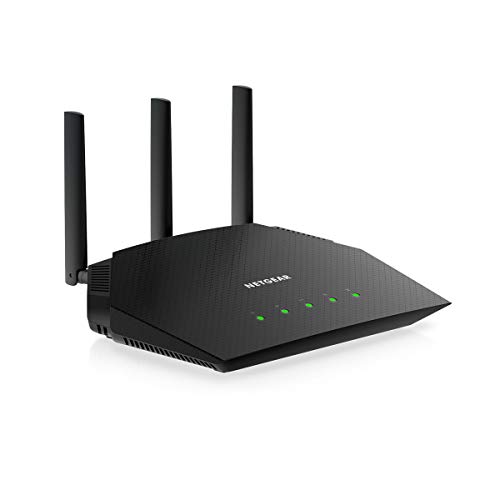
NETGEAR Wifi 6 Router (RAX10) | AX1800 Wireless Speed (Up to 1.8 Gbps) | 1,500 sq. ft. Coverage | PS5 Gaming Router Compatible
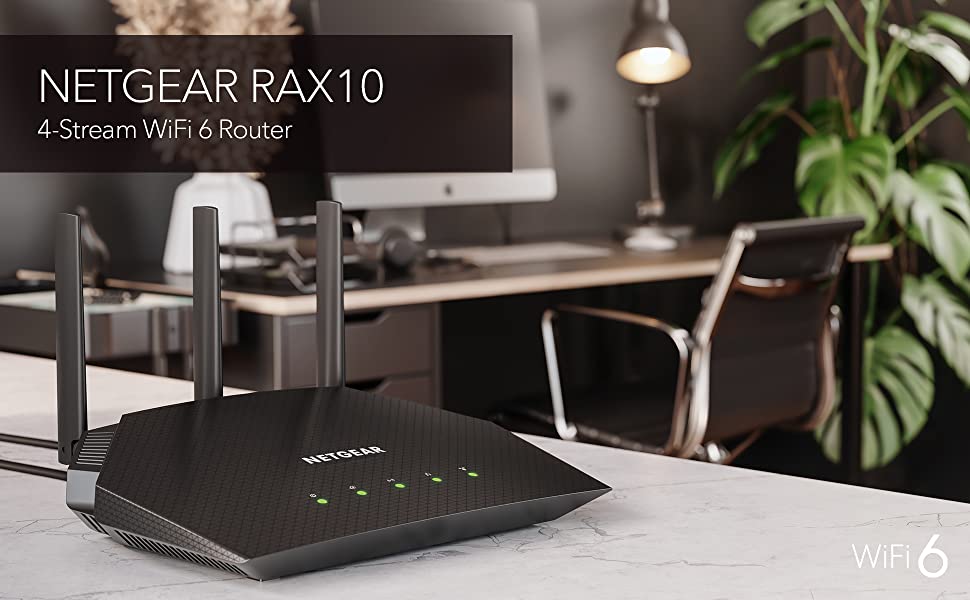

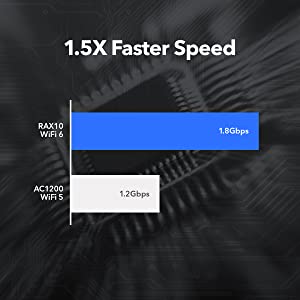
Supports Fiber & Internet Plans up to 1Gbps
RAX10 is designed to support the latest 1G Internet plans. Simply connect the Internet to the WAN port using an Ethernet cable and start sharing across all your devices.
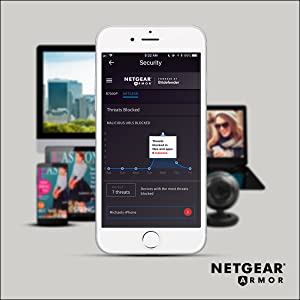
NETGEAR Armor Advanced Threat Protection
Stop paying for multiple anti-virus subscriptions. NETGEAR Armor multi-layer security software protects all your connected smart devices, smartphones and computers with anti-virus, anti- malware and data theft protection.
Easy Setup & Management
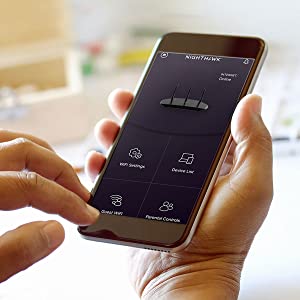
The Nighthawk App makes it a snap to set up your router and get more out of your WiFi, including great features like Internet speed test, remote access to your network, internet pausing and more.
| Weight: | 500 g |
| Dimensions: | 18.4 x 23.6 x 5.7 cm; 500 Grams |
| Brand: | NETGEAR |
| Model: | RAX10-100EUS |
| Colour: | Black |
| Batteries Included: | No |
| Manufacture: | NETGEAR |
| Dimensions: | 18.4 x 23.6 x 5.7 cm; 500 Grams |
Absolutely amazing bit of kit.
Fantastic equipment, easy to use with simplistic instructions to set it up and it has a great WiFi signal. The app which controls it is amazing and netgears customer service support so far has been second to none. All in all a great router. I would highly recommend this product.
I’ve recently moved to Virgin as Sky although stable could only supply 35mb on average to my property. I’ve opted for the 200mb Virgin offering, although via ethernet I was getting full speed the WiFi would vary from 10mb to around 100. I work from home and although I’ve added ethernet for the office my son and other half are also home so I needed stable full speed WiFi. Having read a load of reviews of different routers I opted for the Netgear Nighthawk, what can I say other than night and day! Faster speeds and throughput on ethernet and almost full speed WiFi throughout the house. Having 3 channels means I can balance the load per channel as we have several smart devices.
A quick tip for anyone on Virgin, set the hub to modem only mode and you need to use port 1 on the router to connect to this router. Also if you do need to access the virgin hub once in modem mode the ip address will have changed to 192.168.100.1.
I used the nighthawk app to set this up, all done in 10 mins and has been solid since. Recommended.
Nice piece of kit.
This is a great router, I turned my vigin hub 4 into modem mode and connected the nighthawk as the router. This seems to be working well with a good WiFi signal, not exceptional but good enough. I also connected to this a nighthawk WiFi extender placed on my bedroom windowsill to cover my garden. So far all has been very stable, everything is connected ok without any issues.
Note you can turn off the led’s if you wish there is a switch at the back to allow you to do this. All in all very pleased.
from R9000 to RAX200
I love this unit. Tech support is very beneficial. The only problem I have had, the app and the unit have a link to a speed test, i was worried as i was getting speeds all over the place on the app and router when i tested directly from the nighthawk Lan and got 930 downloads every time, works well with virgin hub 4 in modem mode, great deals from Netgear for 3 yrs support which includes accidental damage. Happy upgrade
Iam using it for long time with daily high usage, till now no issue and has good range. However one one thing ibwould like to highlight is that restart time is very long.
Iam using it for long time with daily high usage, till now no issue and has good range. However one one thing ibwould like to highlight is that restart time is very long.
Top di gamma della linea, potentissimo, impeccabile ed user-friendly
Poco da dire su quello che il prodotto di punta della storica linea nighthawk dei router Netgear ad oggi a 12 stream e con wifi6. sicuramente il migliore in termini di processore e gestione dei flussi, potenza di segnale wifi e, a mio parere, il pi bello di tutti con questo design che, pi degli altri, ci ricorda inevitabilmente Star Wars. Stabilit incredibile del multi stream testata su dispositivi 4 e 8K con multiview e multigaming in casa domotica con pi di 30 device connessi contemporaneamente, non va mai in overclock, non attiva mai la ventola, non perde mai la connessione. il prodotto pi facile ed affidabile da installare presente sul mercato user-consumer, da scegliere per chi vuole la qualit ma non si vuole dotare di sistemi professionali o non vuole sistemi mesh. inevitabile in una conformazione domestica con domotica e con grandi schermi, visti i contenuti attuali digitali in streaming, la profondit dell’attuale grafica del gaming o per chi lavora in web design e si trova in un luogo di metratura contenuta nei 100mq o comunque con volumi, anche multipiano, compatti. Con queste caratteristiche non teme ostacoli, il segnale solido ed efficace anche dopo 4 muri e due piani. Unica pecca: materiale esterno molto plasticoso e le “ali”, dove sono contenute le antenne, sono bellissime ma poco solide alla scocca una volta tirate su.
The best Router by fa
I recently purchased this router for home, compatible and very easy to connect to Virgin broadband. I can honestly say that I am very happy with the device and it was very easy to install. The wifi signal is strong enough for the whole family to use right throughout the house and garden!! By purely installing the Nighthawk the wireless internet speed has increased significantly. I thoroughly recommend this router for anyone who is looking to upgrade their internet services at home or work.
Calidad y estabilidad
Gran Router, la calidad del material y elegante que es lo puedes sumar a la gran potencia que tiene.
Fcil de instalar, el Wifi 6 es una pasada.
Lo tengo conectado a un pc, ps5 y varios dispositivos a la vez y todos cogen la potencia que te ofrece este Router.
Lo recomiendo para aquellos que quieren una conexin estable y sobretodo que te ofrezca en todo momento la conexin que tienes.
Sin cortes y con una estabilidad en la conexin.
Facil de controlar con la aplicacin de Netgear.
Con la aplicacin puedes controlar todos los dispositivos conectados y programar el Router a tu antojo.
Todo un producto a la altura de lo que buscaba.
Netgear smbolo de calidad y eficacia.
Virgin user. Excellent decision to take the plunge.
Excellent, I moved from BT fibre to cabinet 63mb. I signed up for virgin Media 200mb, the hub that was supplied received the full 200mb so devices when hard wired got full wack however my bt hubs wireless was better, with virgin on wireless I was only getting 30mb. So I purchased this nighthawk, I put virgin hub into modem mode via Web interface. connected nighthawk to virgin hub and renamed ssid and password so I did not have to change all smart devices and laptops etc. 10 minutes max and I am getting full 200mb on nighthawk wireless on the 5Ghz… only 97mb available via 2.4Ghz. I am still using my Tenda mesh for upstairs as I still find blank spots due to all brick house. Very happy although I have not used Netgear Armour or the children circle. Great decision to add this into my network, just a pity Virgin don’t offer a paid for router option, then people could enjoy the speeds they pay for..
Seems to be performing well.
I needed to upgrade my router to cope with all the internet linked devices that I now have in the house. My previous, 5 year old router, was becoming unstable. This router, after a bit of trouble setting it up, is now performing well. My broadband upload and download speeds also appear to have increased by 3 Mbps!
Great Router.
Easy setup, works great with my 1 Gig connection. I get the complete 1Gig wired and I get great speeds via WIFI 6 with a new PC I built. I have very solid, thick walls, a real test for any router, and I get 0.5Gig using the old WIFI standard on my Ipad, iPhone etc., at the furthest point in the house. This contrasts with my ISP modem, which delivers around 0.25Gig, and that’s with an extender. I’m delighted, the device is very stable, and I use the Internet a lot. I have TV, PlayStation, phones, Macs, Pc all connected, and things run very well. I paid 410, so the current 350 seems a great deal. I like the software which runs on IOS, Mac, Pc very smoothly.
I’m not a technical expert; I wanted a router that could consistently deliver fast speeds throughout my house, without the need for a mesh system. I’m more than happy that for my needs this router does that. I attach an external USB 3.0 hard drive to the router via one of its USB ports, and it works very well for quick internal file-swapping and sharing.
I’m happy to recommend it, particularly at this new lower price.
Great for flats
I’ve had a lot of issues with different wifi setups being in a flat with a lot of nearby wifi networks and thick brick walls. Google’s mesh network didn’t really help much, so a friend recommended this. The 2.4GHz channel is really great for IoT things and having the triband is fantastic because I don’t think anyone else is using it, so I am getting at least 600mb speeds on the wireless devices, whilst the wired ones are getting the full gigabit internet. The range of the router is also impressive, It has more coverage than the two node google mesh network I was using, and compared to the “superhub 4” it has about 3x the area coverage. For those put off by the price, I rationalised it as a buy once use forever sort of device, but even short term it’s such a nice feeling to not be annoyed by the constant dropouts, and lag I was getting on the old setups. 10/10 recommend for those with gigabit internet to get the most out of i
Good strong signal on both 2.4ghz and 5ghz. No issues so far.
I bought this to replace a 4 year old Netgear Router (d6220) that was starting to lock up on a daily basis. The AX1800 was a pain to set up but that’s because my modem was non standard (a modem router configured to modem only mode) and the AX1800 wouldn’t see the BT Internet connection. However, that was my fault. This router will work out of the box (only need the standard BT username and password configured on the router) with the standard BT VDSL modems such as the Huawei or Draytek Vigor 130 – I tested both. The Wi-fi signals are strong all around a four bedroom modern house – I.e. thin walls. I noticed compared to my old netgear router the 5ghz wireless is about as good but the 2.4ghz Wi-fi is much better on the AX1800 achieving full broadband speeds all around the house which the old router couldn’t achieve. The router user interface via a browser is fast to load and navigate. I’ve got over 40 devices connected (mostly Wi-fi plugs and lights) and it can cope with them without a hiccup. I’ve noticed that web pages load more quickly too even though latency and Wi-fi speed is no better than my old router. Perhaps because the new router has more memory and more and faster CPUs. Only minor quibble is it has no power switch (which my older router had) and no USB port which in all honesty I don’t use anyway. It also runs warm and not hot to the touch like my old router. Gaming wise it has a good stable low ping connection and no lag. And one thing I like about Netgear routers, and why I buy them, is I always achieve open Nat with just the uPnP enabled (for some other brands I’ve tried this has been a pain to achieve).
Nice bit of ki
Purchased this to replace an ageing Apple Airport router. This was an easy install and provides so much information and options for putting devices on to different networks. Love it. My sons gaming PC has its own WIFI network now and not had any complaints so far. Obtaining a constant 220Mbps download with my provider (Virgin). Replicated my guest network for the freeloaders 😉 that visit. All is good. OK, its expensive, but I think it is worth the expense.
Das Geld ist gut angeleg
Auch wenn der Preis anfangs ein wenig abschreckend war, hat es sich dennoch gelohnt. Ich habe mein Fritz Mesh bestehend aus 2 Repeatern und der Fritzbox ist selbst gegen den RAX70 ausgetauscht und habe eine bessere Abdeckung als zuvor. Selbst dort wo ich vorher keinen Empfang hatte kann ich nun Streaming Dienste nutzen. Die Installation war echt einfach. Einstecken und los ging es. Das Bitdefender Sicherheitspaket ist schn, dass es mit angeboten wird, muss jedoch separat gebucht werden. Aber alles in allem sein Geld wert.
Excellent router with very high bandwidth on ax standard. Firmware is rock solid and quad core processor is snappy! Thermals are excellent and looks are eye catching too. I have uploaded a detailed video review on my channel M-DIY Exposing Lies so I won't be able to explain all that in text, so look it up.
Excellent router with very high bandwidth on ax standard. Firmware is rock solid and quad core processor is snappy! Thermals are excellent and looks are eye catching too. I have uploaded a detailed video review on my channel M-DIY Exposing Lies so I won’t be able to explain all that in text, so look it up.
Reliable wi-if at las
Bought this so I could use my ISP hub as a modem only after suffering unreliable signal and weak spots. Wi-if is now strong around the house and working continuously with download speeds not dropping below 160Mbps. Also comes with good security.
Unbelievable!!! Worked in a dead spot on deployme
This is one honest review from a guy who travels a lot and always ends up in the worst dead spots with work ARMY ! . I needed to put an end to no signal with any smart phone, after watching several videos online I began to notice a pattern with the devices people chose, and they all recommended The Netgear Nighthawk M1. So I went ahead and purchased one just last week. I was sceptical as I couldn’t even get 4G on my phone without going outside 20- 30 meters or so , and then it was intermittent. So it arrived and I plugged it in and downloaded the Netgear app and followed the instructions and booooooom I got 4G in my room ! Then it sed 4G+ ? I did a quick speed test on my phone and it was far better than my broadband at home !!!!!! I know this is a bit of a read but hopefully Iv helped someone with there issues of no signal dead spot, I have taken this home and tested it against my internet provider which was around 65MBS NETGEAR – 100MBS !! I have now cancelled my broadband ! Thank you Netgear I don’t know how you don it but your devices are epic and I could talk to my family and steam movies in a dead spot for over 3 months deployment!!!!
Dopo aver avuto, per dieci anni, il mio fedele Router D-Link Archer D7, in una casa di circa 100 metri quadrati, ho sentito il bisogno, dettato anche dagli ultimi acquisti di un Apple iPad Pro e di un Samsung Galaxy S21 Ultra 5g, di avere un WiFi pi performante e veloce come quello nella versione 6 del Nightawk (RAX200). Da sempre nel campo dell’elettronica in generale ho avuto il meglio, ecco perch ho acquistato anche in questo caso il Top. Il RAX200 collegato al Modem Fibra di Tim in cascata, premetto, che ho la fortuna di avere proprio sotto casa la cabina telefonica con la fibra e solo 50 metri di Cavo di rame che me la portano nell’appartamento, oltretutto con passaggio interno nel palazzo. Risultato, con misurazione Ookla Speedtest 96 Mb in download e 20 Mb in upload. Tramite l’applicazione Netgear, scaricabile sia per Android e sia per Ios, posso configurare il Tri-band del Router a mio piacimento. Io per avere pi velocit nello Streaming, usufruisco esclusivamente delle due bande a 5 Ghz che mi seguono in tutta casa senza darmi mai alcun Lag, e in tutte le stanze riesco avere gli stessi risultati in Down ed Up, anche collegando pi apparecchi contemporaneamente. Con l’applicazione, che definisco fantastica, ho tutto sotto controllo, dalla velocit, alla potenza del segnale, dai grafici temporali dei pacchetti scaricati, alla protezione dagli accessi indesiderati e molto altro ancora. Il Router molto bello ed avveniristico nella sua forma, il colore dei LED mai invadente, ed una ventola di raffreddamento pronta ad intervenire per raffreddare la potente CPU in caso di uso intensivo. In conclusione, se vogliamo parlare del prezzo, uno sa, che se vuole una Ferrari, deve spendere e cos per il Nighthawk, dove c’ una giusto rapporto tra Qualit e Prezzo. Se si ha la pretesa di avere il meglio e di godersi lo Streaming video di You Tube, di Sky, di Dazn e si vuole giocare on line con giochi di ultima generazione proteggendo anche con un ottimo Parent Control i propri cari, e si vuol essere connessi tutti insieme in famiglia o con amici tramite la funzione Guest WiFi con il RAX200 vai sul sicuro e ti dimenticherai dei fastidiosi blocchi di connessione del passato. Grazie Netgear un nome, una garanzia.
It works!!
Apart from the great design, this is working very well. I’m using it as Access Point with Sky Broadband. Very easy to setup.
Connecting a Devolo power line adapter to my Sky router and then connecting this one to another Devolo power line upstairs.
I replaced a Linksys Velop AX4200 that didn’t work with this one.
This is an awesome router with wonderful coverage. My house is an old house, where there are big depth walls. I get good signal when I am on terrrace too. Specifically, this model is more stable as compared to a Wifi 6 router of Tip-link with same specification. One will not regret after purchase. Should go for this product, if you have old house like mine.
This is an awesome router with wonderful coverage. My house is an old house, where there are big depth walls. I get good signal when I am on terrrace too. Specifically, this model is more stable as compared to a Wifi 6 router of Tip-link with same specification. One will not regret after purchase. Should go for this product, if you have old house like mine.
Works all around the house
This router, although a little more expensive than I was looking to pay is worth paying for. It gives a more stable signal than my old netgear router and the signal works all round the house. As 2.4G goes further, I use the 5G signal on my fixed location devices like the TVs and media boxes and the 2.4G on mobile devices like phones and tablets. Also has a guest setting if you want visitors to use a different password. Device works in all areas of the house inc loft conversion room, would definitely recommend this router to friends and family.Alsoso easy to install with the Netgear Nighthawk app.
The best router I’ve ever owned
This router is everything I wanted it to be and more. Previously in my office I was getting speeds of 120 mbps, I was considering running an Ethernet cable to the office but instead thought I would try and make use of WiFi 6 and make use of all the advantages that come with it. Now I get 550 mbps, it’s like having a cable to all your wireless devices. Would highly recommend, if your still thinking about it go for it, you won’t be disappointed!
Excellent WiFi Route
After trying several other WiFi Routers, really impressed with the capabilities and range of this device. Setup was straightforward, software very comprehensive, connection is stable, good coverage throughout my 3 story house.
Very Impressed
Purchased to sort out poor wifi on Virgin Superhub 3. Put Virgin hub into modem only mode, connected up Nighthawk, updated Firmware to latest and the results are like night and day. Huge performance from this router on wired and wireless. Happy family of demanding device users! You will not regret buying this router!!
Best route
I have tried many routers but this is one found best router.
As mentioned in description, you will get proper speed during connect with multiple devices.
I am using fiber internet with Syotech router which the worst router but you have to use it because there is no option to connect direct fiber cable in Netgear router.
You can use RJ45 cable between both routers
Fast and strong coverage
I have tried a few Netgear WiFi 6 routers and all have been great. This one is just better everywhere.
I have stopped looking for the router that fits me, because I now have it in the Netgear RAX200.
I’ve been a Netgear customer for years and love their products. When I upgraded my Virgin Broadband to 1gb, the existing Netgear router could not push out the speed needed so I kept to my ISP’s router. This was the most painful experience ever. Dropout connections and poor Wifi were everyday occurrences. I knew it was time to upgrade and I started researching Netgear’s new range of Wifi 6 routers and the Nighthawk AX8 was the one for me. My wireless devices are getting 600mb+ and my Ethernet devices at times are getting 900mb+. Solid connection, incredible range with the Wifi and no dropouts. Love this product!
Super fast and stable WiFi
Bought this to replace a BT HomeHub 2. It’s like night and day: I have a lot of Echo, Homepod, Hue, and other devices that are all running fast and stable for the first time. Setup and management is simple.
Good upgrade to WiFi 6
I’ve recently upgraded from my 6-7 year old Netgear 6200 to a RAX 70 Nighthawk. Initial setup was a breeze using an app on my phone. I also renamed the supplied SSID and password to match my original WiFi from the old router. This saved going to every device already connected and changing them. You can also use a Web based interface to access settings too. Once you enter your Service provider login details, you are away. It took me about 45 minutes to make the change over. WiFi coverage is far better than my old router. Connections are much more stable and faster too. It comes with a 30 day subscription to Bitdefender. I’m not sure if I will continue to use that or not. It keeps reporting the same devices as new devices.
Easy to use, great bit of ki
I thought it’d be difficult to set up a new router but it was actually very easy.
The accompanying app makes it all very simple. I set up the guest network to be the same as my outgoing router so that everything would stay connected while I changed over the networks on each device. I could have done this for my home network but wanted to take the opportunity to have a much stronger password.
The nighthawk is so much better than my old router, I no longer need to set up separate networks for those devices that only operate on the 2.4ghz band and I handles the traffic effortlessly. WiFi coverage is now much improved and areas that were problematic and required extenders to reach are now covered by the router itself. I’ve given my extenders to friends now!!
Another nice touch is we can turn off all the lights on it (apart from the static power one). Which means if anyone comes to stay they are not disturbed by all the lights as the router is in the spare room/office.
Overall I’m very impressed with the RAX70 router and would certainly recommend it.
Also it kinda looks like a sting-ray :o)
Yes, get reet about it.
This router is fantastic. It looks dangerous, is easy to set up and use and the app is really user friendly.
I was able to get rid of the wifi extenders I originally needed because this router reaches everu corner of my Gaff.
Netgear again showing why they are top tier.
So I purchased the RAX200 on APR-15-2021 and have been using it for a week now. My previous router was a TP LINK ARCHER AX11000. Well the RAX200 beats the TP LINK ARCHER AX11000 hands down. The difference in speeds is very obvious and there’s almost a 10% increase in speed. Also the range of the RAX200 is far reaching. This is clear when I can see my 5GHz SSID at places where the TP LINK only offered 2.4GHz. All in all a very power packed performer. And I believe its way ahead of its competition right now. This device will hold you good for atleast another 10 years. Very happy with the performance. Thanks TEAM NETGEAR.
Really good
It’s really good and provides good speed considering the amount of devices I have connect. Very satisfied
Good basic wifi router, with OK but not great GUI
A bit difficult to set up (they want you to use the app, but you can force it to use your laptop) but once it’s running it’s a pretty good basic Wifi 6 router. Better than CCP-owned companies with backdoors and at a lower price too
Pros:
WPA3
Wifi 6 speeds and device handling (no more dropped smarthome devices as with Wifi 5)
Good signal quality/range
Cons:
Ugly
Lots of flashing lights on the front, but these can be switched off in the setup options
Needs a fairly good understanding of computer hardware to get running properly with all settings tuned the way you really wa
Fantastic route
After having fibre optic broadband installed to the house, we weren’t particularly impressed with the speed around the house, so we were advised to get a Netgear Nighthawk…this router is simply amazing…we have fantastic speeds around the house and conservatory, and the app is also brilliant..i thoroughly recommend this produc
Sehr guter Router + Armor Security
Der Router hat die neuesten Technologien an Board. Und das jhrliche Abo von Armor Security lohnt sich wirklich, da ALLE Gerte abgedeckt werden. Also eine gnstigere Alternative gibt es nicht. Ausserdem scannt der Router auch IoT Gerte nach Schwachstellen.
The essential connected home upgrade
After so many WiFi issues with our standard BT Homehub in a house with multiple WiFi devices I decided to buy this for an upgrade. Multiple game consoles, Google nest hubs , wireless printer, PCs and Hue lights as well as mobile phones connected. After a few setup changes (with help from the Netgear community) and we are up and running and the difference is like night and day. Almost no dropouts all across our house and the ping for online gaming is insanely good. Well worth the asking price.
NETGEAR Nighthawk AX12/12-Stream AX6000 WiFi Route
Wanted to update my previous Netgear router which was about 15 years old. Needed something that would cope with a lot of traffic and multiple devices accessing at the same time. This was easy to set up and seamless switchover. Performance is a lot better and exactly what I wanted. Can’t fault it, also like the App that goes with it.
Stabiles, zuverlässiges und schnelles WLAN
Der NETGEAR Nighthawk AX8 8-STREAM AX6600 TRI-BAND WiFi 6 WLAN Router (RAX70) ist einfach einzurichten und komfortabel zu bedienen. Seit der Installation des Routers scheint das WLAN stabiler, zuverlssiger und schneller zu laufen.
NETGEAR Nighthawk Tri-Band AX8 WiFi Router is amazing
Add this router to my existing 2 Netgear WIFI extenders and now I can walk around the house and not lose connection while on Teams calls. I also have taken the NETGEAR Armor subscriptions and it works very well. The router has a lot more features that I am very happy with.
Wifi 6 speeds and stable connectivity
I took the plunge and upgraded to Wifi 6 to future proof my network for new devices. The RAX120 was easy to set up and connected to the internet ISP through my Draytek modem with ease. I set up the router with the Nighthawk app which was relatively simple but you do need to go into the web based settings page to tune the quality of service and security settings. I have set the router to smart connect and this works great for me. All my devices connect seamlessly and the router takes care of managing the streams and bandwidth so I always have excellent connectivity and streaming properties across all devices. The only drawback with this router is the price, it is very expensive however it should last for many years so I can swallow the price in exchange for the premium quality of the product.
A substantial improvement in wifi coverage and speed over my BT Smarthub 2
I purchased the RAX120 to obtain better wifi compared to my BT Smarthub 2 router which was OK, but patchy at longer distances to the router.
First the aesthetics: it is quite a big router and does look like something out of Star Wars. But it is well put together and the lights aren’t too intrusive (although you can turn them off). The ‘wings’ do contribute to its wifi performance, but not everyone will like the design, or want it on full parade in the middle of their lounge.
Onto the setup: I have a BT G.Fast connection which limits what I can use as a modem. My BT Smarthub 2 is a combined modem router so I wanted to use the BT Smarthub 2 as a modem and the Netgear as my router. Unfortunately the BT Smarthub 2 cannot work in modem only mode which I thought would mean a bit more manual setup in the RAX120 to sync the gateways, but the Netgear wizard was quick to identify a potential clash of IP addresses on the original BT network and automatically setup a new network passing the internet traffic through automatically – great job and no more than about 5 minutes to setup. Then it was another quick job to change the wifi security on the RAX120 before switching off the BT Smarthub 2 wifi. All done in about 30 mins. I didn’t really get on with the Nighthawk App; the web interface for setting up the router is much better IMHO. YMMV.
So how does it compare?
At close range, my original BT router and the RAX120 were both good – I would have to be moving large files to really notice the difference. However the Netgear starts to show its real strength at range, both in the house, or out in the garden. Mine hasn’t put a foot wrong since I initially switched it on. I can only assume that some of the poor experiences of the RAX120 you can read on the internet are down to early firmware, defective items, or user error.
Would I recommend it?
Yes – but there are some caveats. If you have a smaller home or flat, or a good Mesh network already, this may be overkill for you needs. Likewise it works well with devices that support wifi 6 (such as newer Android or iPhones) but if you have older devices, then its like having a sports car but never getting out of third gear.
Finally, my understanding is that there is a newer version of the RAX120 on the way with a different (improved?) chipset. To be clear, mine is the V1 which works great. As a consequence I got it at a slightly reduced price – still not the cheapest, but quality rarely is.
Allow your broadband to flow
Easy setup, great smartphone app. I can finally stop yelling at BT, Virgin or SKY, as their broadband is not the bottleneck, but the stone aged dual use modem/routers they provide. Switched them into modem use, connect the Nighthawk router, and the MBs flow freely. If you connect more than 8 WIFI devices, which many of us have (SmatTV, smartPhone, Light-switches, RING, etc), a modern router like Nighthawk is a must, otherwise the TV stops streaming when the doorbell rings.
RAX200 la Porsche dei router domestici/piccolo ufficio
Router strabiliante quanto a capacit di trasmissione wireless, copre una area di 80 mq gestendo device come S21 Ultra a una capacit di 1,1 Gbps a 12/14 metri, un PC Win10 con Intel 9560 a 1560/1300 sulla frequenza 5Ghz a circa 16 metri .
Firmware V1.0.3.106_1.0.58 stabile. Non fidatevi delle recensioni US basate sui primi fw che probabilmente peccavano di fine tuning. Niente disconnessioni. Abbinato al U Fiber Nano G di Ubiquity (non facile di installazione in Italia) d il meglio: FTTH a 940/930 standard su speedtest BBell da rete Wind. Picchi di 985 in download. Testato anche con ONT Huawei HG8001H medesime performance, quest’ultimo decisamente meno ostico del Nano G da configurare.
E’ importante avviare l’install del RAX200 dall’apk Nighthawk per riuscire ad attivare Armor di Bitdefender. Una volta avviato il setup esclusivamente via smartphone e apk su rete NETGEAR30 con le credenziali fornite non proseguire per ultimare la configurazione al provider (nel mio caso Wind FTTH), andare alla console sul 192.168.1.1 e modificare (entrerete con le user id e password standard indicate) in Configurazione avanzata/ Impostazioni/ VLAN/Bridge portandolo da 10 a 835. A questo punto completate il setup via Nighhawk apk e avrete l’attivazione Armor (il fwall di Bitdefender).
Per questo applicativo ho contattato l’assistenza Netgear con due ticket e abbiamo risolto il problema di attivazione dell’abbonamento completo annuale acquistato.
In se un apparato decisamente performante e soprattutto flessibile e si pu gestire in remoto in sicurezza ed attivare anche la condivisione in remoto di un eventuale disco collegato alla porta USB3. L’attivazione del servizio DDNS veloce e semplice. Ho attivato il mio servizio VPN usando il servizio Netgear by NO-IP e il file di configurazione scaricato dal router perfetto, basta seguire le indicazioni e in 10 minuti mettete in piedi una vostra VPN al pari delle aziendali.
Quanto all’efficienza di Armor decisamente adeguata, appena entra in rete un apparato viene scansionato a livello HW e SW generando un report, comportamento e vigilanza continua. Diverse chiamate sulle porte di malware sono state intercettare immediatamente.
Che dire ? Router da 10 e lode. Ci sono solo PRO soprattutto per chi usa la rete con parecchi dispositivi in 2.4 e 5GHZ. La gestione wifi6 sorprendente per chi ha apparati gi in questa classe S21Ultra, iPhone, PC con scheda di rete Intel 9560 r AX201/200 su Intel 10Th generation. Per tutti gli altri dispositivi meno recenti WiFi, 5ghz al massimo delle prestazioni comunque.
E’ gi un multiport e quindi nel caso vi abilitassero a FTTH a 2,5Gbps la porta dual perfetta e non vi costringe a usare il modem del provider (es. Fastweb). La stessa porta pu essere usata anche se avete FTTH a 1 Gbps, in automatico lavorer a 1Gbps.
L’aggregazione porte eth stratosferica se avete una NAS degna e capace.
I CONTRO?
-per chi non mastica bene l’inglese, il manuale solo in inglese, ma un problema minore;
-viene evidenziato poco che l’attivazione di Armor deve avvenire con il setup via apk e non dalla console:
-manca una autorilevazione delle impostazioni internet e di default parte con un IDVlan poco usato in Italia, sarebbe meglio che gi in fabbrica fosse definito in 835 (comune per Tim e WIND) altrimenti occorre modificarlo passando alla console web;
-Sarebbe utile come avviene per altri marchi introdurre un setup per i maggiori provider italiani (magari da gestire via selezione campo) dove inserire in unica videata gi da subito, utente, password per accedere alla rete internet e Id Vlan. Nel mio caso l’autorilevazione ha fallito con Wind perch non pu accedere a Internet sulla class ID 10 ma serve appunto la 835.
Conclusione.
E’ un router sicuramente non a buon prezzo, ma le prestazioni tri-band e la capacit di trasmissione gestita da 8 antenne davvero ottima. Se considerate che i provider vi addebitano 5 euro mese per 48 mesi, scoprirete che pagate 240 euro dei router che non valgono nemmeno 100 euro con prestazioni scadenti che vi obbligano a usare degli extender e firmware e setup il pi delle volte bloccato.
Con 440 euro (prezzo Italia Amazon di gennaio 2021) vi liberate per sempre dagli obblighi del provider e qualsiasi cambio operatore vi rende indipendenti e non succubi.
Ultima cosa, il router non dotato di gestione separata linea telefonica, per intenderci usare il telefono e la linea telefonica abbinata alle offerte dei gestori. Potete risolvere con un telefono VOIP ethernet da 50 euro e configurarlo con i parametri che il vostro gestore vi deve dare. problema risolto se proprio non volete fare a meno di usare la linea telefonica che ormai tutti vi regalano a “illimitato”. Io non la ho mai usata per cui per me una caratteristica non influente.
Buggy but amazing when working
Got this router today, and as some reviews stated its full of problems. Bought anyway as I thought they would be fixed by firmware updates by now. How wrong I am. Out the box the 5ghz is enabled but not showing to any of my devices. I’ve updated firmware and reboot to no avail. After consulting the netgear forums I tried a full factory reset with the pin and alas the 5ghz now shows up. Seems to be a bug where a factory reset is needed after a firmware update. This is a pain after setting up loads of options, taking a settings backup once all running is recommended.
NETGEAR Nighthawk Wi-Fi 6 Router (RAX120) , AX6000 Wireless Speed (up to 6 Gbps)
Top of the line able to watch IPTV without buffering have 15 devices and 4 wired work simultaneously without any hiccups contacted technical support regarding setting up absolute A* service no regrets purchasing this produc
Ottimo! forse il miglior router mai avuto
Come da titolo, c’ poco da aggiungere…
Un ottimo router, installazione semplicissima e copertura eccezionale, per non parlare della velocit della rete
L’unico ostacolo il prezzo non propriamente accessibile, fortunatamente ho avuto modo di comprarlo durante il black friday a un prezzo eccezionale (ma lo consiglierei anche a prezzo pieno)
Great router - well worth the cos
I got this as the generic router my supplier gave me was not doing the job. It’s really easy to set up, the app is great for checking how things are working and overall, my service throughout my house has improved beyond recognition. Don’t hesitate to buy this product – it will save much frustration!
Ottimo Route
Ho sostituito il mio vecchio R7000 con questo RAX200. Ho praticamente tutti gli apparati Wi-Fi 6 (laptops, cellulari). La casa di circa 120mq, segnale eccellente in ogni angolo, velocit stabili. La linea internet una 200Mbps.
Acutally, I've X10 router prior to this one. As my devices iPhone 12 and Galaxy Note20 supports WiFi6, I want to replace with AX12...And it's performing at mind-blowing level. All my rooms are fully covered with 100% signal. My devices are now getting almost 600Mbps in all the rooms. Fantastic Performance. Kudos to AX12.
Acutally, I’ve X10 router prior to this one. As my devices iPhone 12 and Galaxy Note20 supports WiFi6, I want to replace with AX12…And it’s performing at mind-blowing level. All my rooms are fully covered with 100% signal. My devices are now getting almost 600Mbps in all the rooms. Fantastic Performance. Kudos to AX12.
Kein Problem mit vielen Endgeräte
Mein alter Asus Dualband war in Zeiten des Homeoffice berfordert (4 Mobiltelefone, 4 iPads, 4 Laptops). Sobald die Rechner ihre VPN zum Bro aufbauten, brach die WLAN Telefonie regelmig zusammen. Auch die Rechner verloren regelmig die Verbindung. Der RAX ist schnell eingerichtet, 2 Synologie NAS fr Medien und Timemachine laufen Problemlos. Anwendung in einen zweistckigen Haus mit sechs Zimme
Very good stable wireless route
I use the rax200 with a couple of wifi 6 extenders ( ax20) and it gives a faster, more stable wifi set up than my old netgear d7800 set up. I have definitely not had the problems that others have reported. Maybe early adopters suffered from the initial software releases but these seem to have been solved.
Awesome Produc
Since issues with my R7000 I was looking for an alternative Netgear product and settled on the RAX200
which I’d seen mixed reviews about but as I’d never had an issue with the previous Netgear Router I purchased … Couldn’t be happier it covers more area in our House than the R 7000 and the throughput has gone from 866mps to 1200mps other family users in the house have said the lag we had on the old router has dissapered and with the extra ability to use seperate 5Ghz channels this has stopped all the issues we had before… I happily recommend the RAX200 and would buy another in a heartbeat …
1gbps over WiFi
Upgrade to the latest firmware! I would strongly suggested if.
Using this in a home/office environment with server and a nas drive on the same network.
I finally received 1gbps speeds on WiFi!!!!!
However these speeds do drop once you leave the room where it is…(which is understandable).
Overall good strong WiFi coverage throughout the property.
This has been my 6th generation of netgear routers…and I cannot complain.
Fantastic speed, strong and rock solid signal strength with plenty of capacity
Easy to set up and produces a strong and quick wifi signal throughout the house.
This router has two 5GHz bands to help spread the load (means I can have a secure and high speed signal for my work laptop and we can stream HD movies easily and quickly while my son is gaming at full resolution on the other band) and 2.4GHz for the longer range signal albeit at slower speed or for legacy devices.
The router is full of advanced features although what some of these are used for I’ve no idea. The instruction manual shows how to set them up but not what they are for.
This router has proved to be a game changer at our house and is fast enough to be somewhat future proofed which makes up for the higher cost.
There’s nothing I don’t like about the router (except perhaps that I don’t know what the advanced features are to be used for). Performance wise I’m really glad I invested – wifi strength and speed has more than made up for the additional cost over some of the more basic devices.
I recently moved from Sky after 15 years to Virgin to take advantage of faster internet speeds at lower cost. I wanted a router which could take advantage of the speeds as well as work with the Virgin Hub 3. This Nighthawk AX12 is perfect for the job. WIFI speeds are incredible and event ethernet traffic seems to be much faster even on gigabit cables inside the home. The great disappointment was the instructions from Netgear which simply do not work with the Virgin Hub 3. If you want to hook this router up to the Virgin Modem then ignore the instructions as they simply do not work – It took me 2 days to find this out! Netgear and Virgin instruct you to start up the Virgin modem first but this does not work – Nighthawk kept saying no internet connection (red light showing no internet). This worked for me:
1. Set Virgin Hub up as Modem only mode (magenta light on front).
2. Turn off Virgin Hub.
3. Boot up the Nighthawk AX12.
4. Connect ethernet cable from yellow Nighthawk WAN socket to the socket marked 1 on the Virgin hub.
5. Boot up the Virgin hub.
Then use the Nighthawk app to complete the set up, it should detect the router and ask for new password to be set (again, ignore the initial instructions in the app about starting Modem first). This should detect the internet and control all the devices on your network.
Brilliantly fast and easy to set up Rax200
I bought this NETGEAR Nighthawk AX12/12-Stream AX11000 WiFi Router,Wi-Fi 6 (RAX200) as a replacement for an older netgear router. After a week it has proved super fast and reliable and the nighthawk app makes setting up super simple. Would highly recommend
I bought this router with the explicit intention of avoiding range extenders in my large 4 bed house, however I don’t think i will get away it as there 2 large steel beams that are deflecting the signal so the repeater seems unavoidable.
It must be considered that this wifi router requires a separate modem in order to work as it does not have one integrated.
It is easy to set up and includes parental controls which is easy to use but requires a separate app from a third party.
The system guides you to install Netgears security Armour, but sadly this a payable extra that as yet I cannot see a benefit yet. It also guides you to Netgears’ antivirus/antimalware – bitdefender if you find it useful.
I have found the app and setup quick and easy, with navigation a dream. It has lots more features than the standard ISP router making it the obvious choice and with a tech heavy family, a robust, high-capcity router is a must.
The product looks fab and is known as the spaceship in our house!
Despite the continued need for a repeater, I still feel this was a worthy investment giving many benefits that provide value for the money.
Router Impresionante
Vengo de un linksys 9400, una bestia pero no poda gestionar todo con la calidad que deba. Es verdad que cada vez tenemos ms dispositivos y cada vez piden ms ancho de banda. Este router lo ha hecho. Recibo wifi 585mb de los 600mb contratados. Todos los equipos reciben internet sin que se note ningn retardo (viendo video 4k, jugando consolas…). La configuracin es cierto que me costo ya que no detectaba internet a la primera pero .. lo hizo a la tercera !! Ahora todo va genial y es hasta bonito ! Que bueno es cuando las cosas funcionan o que debera ser assiempre 10/10
Easy install, strong coverage and fas
Easy to setup and strong signal across home and garden. All my devices connect to the WiFi with no issue including Smart TVs and game consoles which were a problem when I used my previous router.
Massive improvement over stock ISP route
So far a massive improvement in coverage and maximising the 600meg internet connection we have. The app didn’t want to find the router on set-up but eventually, it worked. You can still log in via the IP address on a browser and set up more specific settings and manage VPN’s etc…
Happy enough with this router so fa
My house is heavily automated and the router provided by my ISP just has not load balancing at all. I wanted a Router that could handle many wired and Wifi connections including cameras. The last router I had keep dropping devices and I had to reboot it every 1-2 days. Amazon refunded my money for the last faulty router and I purchased this router. I currently have about 70 devices wired and wifi connected to this router and it appears to be handling it very will. The wifi signal is okay nothing fantastic but Im also happy enough with it. I would recommend this router and yes it does look like something out of Star-wars.
This is a VERY fast Wifi router.
I bought the Nighthawk for WiFi 6 and it does not disappoint. Initially worried, I realised I was on the 2.4Ghz network – switching to the 5G-1 got good speeds, and 5G-2 got insane speeds (600Mbps over WiFi to my Macbook Pro 16″). The wired connection is even better and I get to enjoy the full 1Gbps fiber at my house. The remote management iOS app is super simple and connects from anywhere with no config, which is a great feature and means you can do speedtests to annoy your mates in the pub. Well worth the money.
Complimenti Netgea
Lo consiglio per chi vuole avere un ottimo prodotto con una ottima stabilit del segnale anche in wifi. Confermo ottimo per lo Stimmung da NOW tv a Netflix a Apple TV in 4K tutto funziona bene e su pi dispositivi contemporaneamente.
Soddisfatto del acquisto ? Si
Powerful stuff!
Ax12 rax200
Router is easy to set up via the app but would recommend setting up enhanced features via the web site.
Connected to my virgin hub3 router which you need to set to modem mode first. Virgin hub should turn red at the bottom.
Now able to get full speed of 216mb up in loft room and dead spots no longer exist. Thoroughly recommend this router as more and more devices will start using WiFi 6 standard.
gran estabilidad en streaming para multiples usuarios
Lo compre para hacer streaming para 20 ipads. Fue perfecto en los ensayos pero despus de 2 horas de evento se apago solo. Supongo que se protegi por temperatura, pero cuando se enfri y volvimos a arrancarlo ya no aparece el wifi.
Aunque lo devuelva, comprar otro igual, porque supongo que es un defecto de esta unidad.
RAX120 - Exceptional Coverage
This router is quite exceptional if achieving broad WiFi coverage is the goal. It also supports the WiFi 6 standard so making it the main router should future proof the wireless environment too.
I would have preferred the software to have more features, especially when it comes to traffic management and logging etc. but I hope future updates will bring more features.
Setup was a breeze and using it in conjunction with the EAX80 extender, means there is continuous and strong coverage throughout.
Excellent performance for all your WiFi requirements
Even though WiFi 6 isn’t widely used, this router still provides a significant performance boost for older WiFi standards too. The addition of NETGEAR Armor is the icing on the cake, stopping threats you didn’t even realise before they can compromise the security of your network and your devices.
Ho provato il router dato dal mio provider, FTTH e wifi a 1Gbit, e usavo Netgear Orbi per casa. Gli Orbi erano della vecchia generazione. Notavo che il wifi a distanze di circa 8-10 metri, o cadeva o restava a velocita’ patetiche, tipo 2-3 Mbit massimo. Ho ho installato un converter FTTH a 2.5Gbit dal cavo fibra al Netgear Nighthawk, e non utilizzo piu’ gli Orbi, vsito che il wifi copre i 200m2 e oltre dell’appartamento. Ho raggiunto velocita’ di DL di 800Mbit con un singolo wifi a oltre 8-10 metri dal router Nighthawk, quindi sono molto contento del mio acquisto. Conosco bene i sistemi Netgear visto che li ho usati da 20 anni circa, da quando facevano solo switch 10/100 Mbit Lan da 4 porte in colore blu.
How much is your sanity worth??
Worth the cost!! There are 6 of us in a 1950s large house, all using the WiFi on multiple devices. We used to have endless stroppy teenager drama because the WiFi went down, or I would have to listen to them playing (shouting excitedly!) at their friends on Xbox because they can’t close their bedroom door for fear of losing the WiFi connection! NOT ANYMORE! It’s been a lifesaver (sanity saver!) we’ve been using it for more than a month and there hasn’t been one problem, and we now get WiFi In every room in the house and even in the garden.
Multi-device heaven.
We have a lot of devices. Smart home stuff. Nothing fancy. Constant drops and pauses seemed to trace back to the generic router supplied by our ISP. I replaced the router with the Netgear Nighthawk AX12 and happy days! Drop-outs are no more and every little packet of bits and bytes seems to know exactly where to go and how to get there without delay. My advice would be to consider getting one if you have more than 10 devices on your network, so that’s pretty much everyone then.
I purchased an AX12 RAX120 to connect to my existing Virgin Media Superhub 3 because the latter was struggling to actually route despite offering 386Mbps down. The router is large but not unwieldy and seems well made. Despite a warm room I’ve yet to hear the fan spin once. To connect the Superb 3:
Put the Superhub 3 into modem mode via its admin interface, this disables its routing and wifi. Wait for it to stabilise with one purple(ish) indicator.
Install the Netgear Nighthawk app on your phone or tablet (ignore the bad reviews).
Start the new router and start the app.
Follow the instructions.
It was that simple and I can already tell there’s an improvement in my WIFI.
NOTE: if you change the new routers ssid and password to match your old ones then all your devices will connect without any need to update their configuration.
RAX120 is 100% better than super hub 3
After months of poor internet signal, drop outs and constant router resets, I decided a router upgrade was needed. I settled on the RAX 120 and it has not disappointed. I now have a solid connection all around the house, with the full speeds that I pay for. It was relatively easy to set up and have only used it for a week so far, so have not needed to use any technical support. It does have a large footprint, but I find it easier to live with than the constant screams of ‘this internet is so laggy’ from my two sons whilst playing xbox upstairs. It has also handled 28 connections with no difficulties so far.
The latest wifi standard with buzzing speed transfer changed the perception and action of my internet speed with record breaking speedy transfer of data, even my latest phone & laptop are struggling to keep up with it. Just Amazing & Outstanding never had a router like it before. Revolutionised the way internet works and completely outdated any router available in the market, some of the key points below ;
Choice of name – Great
Design – Outstanding
Technology – Reliable and futuristic
Scope – Brilliant
Availability – sorry to say but very poor especially in UK & England , need to be more advertised & more available for people to try, the worse thing is there is not even a single add about its performance, such a brilliant machine !
Price – very high but worth it, if you can afford an iPhone if can afford an iMac than you can afford this router but it’s worth its price its technology is futuristic and with updating its firmware its future proof and definitely worth investing in this technology if you have a smart home or if you are a gadget loving person.
Virgin Finally worth the cost!
I recently moved from Sky to Virgin for their 500mb internet. Once installed I soon realised the wifi from the Superhub 3 is appalling. I purchased a cheap TP Link router and that improved the wifi no end but instead of hitting 400 to 500mb I was getting 50 to 80mb… which is nice but not what I was paying for.
After a couple of months worth of research I purchased the Netgear AX12 with wifi 6.. Once installed I was blown away by the speeds I was achieving. This router easily pushes 500mb and sometimes beyond. I have my Xbox hardwired into the router and I’m getting between 750 and 850mb, which is way more than my plan should deliver
It’s very expensive but in this instance, you get what you pay for and it is giving me speeds that mean I can happy use wifi all around the house, and garden even when we have 20 plus things connected.
All my friends now have this
Wifi6 ready was a plus but getting this for a household of 5 people with multiple devices has increased the broadband speed from the device to the wifi 3X from what is was with the providers device.
Security, VPN, multiple bands with one network name and wifi password is all really beneficial and super easy to use when you download the app.
Think the 1 star reviews are people who possibly struggle finding the power button a computer.
Prodotto eccellente
Acquistato questo prodotto per migliorare le prestazioni generali in una casa grande, installazione semplicissima, potenza di segnale ottia. Il router gestisce egregiamente sulle tre bande tutti gli apparati connessi e la personalizzazione delle impostazioni facile ed intuitiva. Veramente contento del prodotto. Ottimo acquisto
L'ebrezza di toccare i 100MBytes (non MBit!) al secondo!!! Rete lan velocissima!
Oltre alla linea fantastica di questo prodotto (sembra davvero un’astronave uscita da Star Wars! WOW!), sono rimasto davvero impressionato dalla velocit di trasferimento raggiunta: quasi 100 MBytes al secondo!!! Sto usando 2 HDD (uno clone dell’altro) collegati via usb al router RAX120 e sul mio pc uso una scheda wifi 6 AX3000 (su PCI express con 2 antenne esterne), e ad una distanza di circa 10 metri, riesco a scambiare sui 85 MBytes al secondo! Anche il mio Surface 7 Pro scambia dati con una velocit che varia tra i 25 e i 60MBytes al secondo!
Finalmente lavorare via WiFi sulla mia rete interna, non mai stato cos rapido e piacevole!!!
Riesco a scambiare giga di dati in pochi minuti!
Il router per ora sta girando in modo stabile 24/7 e grazie all’app mobile posso sempre tenere sotto controllo i dati pi importanti riguardo la mia rete. Sicuramente non posso fare altro che consigliarne l’acquisto!
P.s. Se non potete posizionarlo in un posto areato, vi consiglio almeno di aumentare lo strato dei piedini, anche con semplici feltrini sovrapposti (io ad esempio ne ho messi tre strati), al fine di garantire un minimo di passaggio di aria sotto al router. Per via dell’hardware in uso e delle performance fornite, normale che si scaldi pi di un comune router WiFi 5 o inferiore.
RAX 200 un salto oltre i confini della rete
RAX 200 Tri-Band ha reso la mia rete “stellare” coprendo zone irraggiungibili e portando un segnale di un livello inimmaginabile. consiglio molto Netgear per efficienza e disponibilit pressoch immediata del loro supporto tecnico
Facilità installazione e configurazione
Facilissima l’installazione con la app Nighthawk
Immediata la connessione con un extender EAX80
Ampie e chiare le possibilit di configurazione
Ottima anche l’assistenza tecnica di Monica: subito dopo l’installazione ho avuto un problema tecnico risolto in 1giorno con il supporto online
A Really good router. I Bought this to use on the BT Fibre 900 package as the wi-if on the BT Homehub2 just was not up to the job. Bought the Nighthawlk & getting really good wi-if speeds. A Bit expensive, but a good buy.
After a house move this device hold load of 35+ different devices (computers, phones, tablets, smart devices). Generally planned to use as temporary/backup internet line for working from home, after house move (for no more than 2 – 3 days), but due to lockdown have to wait engineer visit for more than 1 month to get broadband installation. So use it as a primary internet line for a noticeable period of time. Do not use it as a router, only as a modem with pfSense router / Linksys Velop. Used with external antenna (Poynting 4G-XPOL-A0001 Cross Polarised 4G Omni LTE Antenna). An external antenna is more than recommended if modem stays indoor only as it increases the signal level and total speed. Speed varies during the day from 75Mbps down to 8Mbps on busy time (with external antenna) signal level 2-3 bars and around 10 – 2Mbps without – signal level 1 bar or no bars, so if your primary router support traffic management it really helps split traffic from important to less important during a busy time. The device handles around 30-60 Gb daily. Not always best speed, during the busy time we have to get an agreement which going to use the line as a primary person / who is secondary (kids almost always last) and adjust policies on the router. The device holding load 24/7 for a month for the whole household. If you do not have options, with its own limits can be used as a primary internet line. Consider checking cell map to find best or nearest cell mast. For signal level boost It may be beneficial if you get own mast for external antenna (not tested).
Update: I got 2.5-meter mast for antenna and signal level and speed improved. So I got now 90 – 320Mbps with (3-4 bars Fair or Good signal levels). The web interface on modem provides numeric value/signal level, that you can use to adjust / point antenna close to cell direction. I got an omnidirectional antenna, and my cell not very close to the house and I don’t get a direct view to it. With the directional antenna, you can get better results (not tested, but I believe so). Used it in daily camping outside the city. Kind of nice experience to take the internet with you. Very happy with the purchase.
Solid bit of Ki
Can’t fault it so far. Range is great, internet speed drop off is minimal and it can easily handle the volume of traffic in the house. Only problem I’ve had is slow WiFi in a few rooms but this is due to the fireplace and fridge/freezer being in the way which affects all routers. Ordered a netgear mesh to place in a position that’ll negate this.
This review is for the Netgear Nighthawk AX12 12 Steam AX WiFi Router (Model Number: RAx120)
MY BROADBAND PACKAGE:
Virgin Media Fibre Optic Cable. 220MB Download and 20MB upload broadband plan. Using Virgin SuperHub 3.
MY HOME SETUP:
Large 4 bedroom detached property (very wide) over 2 floors (No brick internal walls). Furthest internal point in house, from the router is approx 15 meters.
I have approx 15 devices connecting to the WiFi network.
THE VIRGIN SUPER HUB 3:
The only time I ever received Virgin’s advertised upload and download speeds was when I connected my MacBook Pro directly to the router using an Ethernet cable. Great – if you don’t mind cables running all over your house.
The WiFi was horrendously slow 90% of the time – I was often getting download speeds of just 20MB and that was in the same room as the router. In other rooms or upstairs the WiFi signal would degrade further still, to the point that it was often unusable – frequently I would get faster downloads using 4G (on my iPhone Pro Max). I tried all the usual stuff – turning the router off and back on again – turning off the mobile devices and laptops – and resetting the router back to factory settings. Even resorted to tweaking the router settings, to no avail.
Occasionally, the router would give me a faster WiFi connection when turned off and back on again (maybe reaching 70MB) and then within minutes or a couple of hours it was back to the usual slow speed connection. I tried WiFi extenders etc.. nothing seemed to work, and as I work from home, I would end up using ethernet cable during the day to ensure I had a fast and constant reliable connection.
Fed up with the slow WiFi and having an ethernet cable running over 10 metres to the study I started to research the Virgin Super Hub 3 router online. If only I had done it sooner. The reviews for it are terrible (and that’s from official reviewers – not your average lay person). In view of this and already have spent a small fortune on other devices (extenders etc) I started to look at reviews for the NETGEAR Nighthawk router. Initial reaction was expensive, but the reviews for it were generally very good. Having had enough of my current unworkable setup, I decided to purchase the router.
THE NIGHTHAWK NETGEAR ROUTER REVIEW:
Arrived within a couple of days via Amazon Prime.
Downloaded the app to my iPhone, launched it and followed the step-by-step instructions to complete the router setup. It was an absolute breeze. I had the new router up and running within half an hour of getting it out of the box.
Note: If you’re using the Virgin Super Hub 3, you will need to change the Super Hub 3 from “WiFi Mode” to “Modem Mode”, before you start setting up the Nighthawk router, which can easily be done within the router’s settings.
During the set-up, you’re asked if you want to keep your existing Network SSID and Password… Select “YES” as this means all of your existing devices will automatically connect to the new router (once set-up), otherwise you’ll have a New SSID and Password, which you’ll have to set-up on every device you wish to connect to the WiFi. This worked perfectly for me.
Post setup, all of my existing devices connected perfectly. Note: The 5G network has shorter range but faster connection, whereas the 2G network has further range but slower speed connection. I managed to get all of my smart devices (TV’s, mobile phones, iPads) to connect to the 5G Wi-Fi network without any issues or signal drops anywhere in the house. There are 5 ethernet ports on the back of the router, which I also used to connect some devices (e.g Lounge TV, and PS4).
Here’s THE BEST BIT … THE SPEED… WOW – this has totally blown my socks off!!! Most of the devices are connecting to the WiFi at almost full speed (220MB download) most of the time. In the furthest corners of the house I can still gets signals as fast as 210MB. I’m totally impressed and wish I’d bought this sooner.
The Nighthawk Phone App is great. It allows you to see all of the devices connecting to the network either via WiFi or wired connection. You can ‘pause’ internet to individual devices if you like. You can also check the internet upload and download speed between your Router and ISP, which is handy. You can also turn on a “Guest WiFi” network if you wish to give house gets access to WiFi but not ‘your’ personal WiFi. There is also a traffic meter, if you wish to track how much data you’re using .
IN CONCLUSION:
This router isn’t cheap, in fact it’s one of Netgear’s most expensive. It does however have the latest WiFi standard (WiFi 6 aka “AX”) which the latest iPhones, Samsung Devices, iPads can make use off. It is also backward compatible with all previous WiFi standards. It is quick and easy to setup and doesn’t require any technical knowledge. Most importantly is the WiFi speed which I’ve been completely amazed with. You might also be able to get great results with other cheaper Netgear Routers (I didn’t want to take the chance based on the amount I’d spent cumulatively on other products trying to sort my poor WiFi signal), however, I can wholly recommend this router if you have the budget, want ultra-fast WiFi speeds, and are looking to ensure any new smart device purchases can make use of the very latest and fastest WiFi.
Top quality route
Replaced a Linksys router with this one as the amount of devices on wireless was causing an issue as the previous generation WiFi 5 doesn’t handle multiple WiFi connections very well but WiFi 6 does. Overall coverage is improved and now getting no issues with drop out. GUI is easy to navigate and has plenty of options and the app and to these as well. Ascetics wise this router looks the business without all the aerials that some have. Would definitely recommend!
I must have bought this too early as it is in need of a few more firmware updates. Initial setup was hit and miss, I had to try 3 times. The netgear app was part of the problem and I highly recommend you set this up through your browser for an easy, user friendly time.
Over the first few days the RAX120 devices like my iPhone 11 Pro Max would freeze when trying to load websites and I would have to turn Wi-Fi on the phone off then on to get it to work. In the router settings OFDMA is off by default, enabling this seemed to resolve this issue. I’m not sure why something like this was off by default and I had to google what the setting meant as the interface doesn’t give any guidance.
Next up was game streaming via steam link and PS4 remote play. They both performed like a slide show which was a surprise taking into account my older nighthawk R8000P could run both these services flawlessly from the same location as the RAX120. This was harder to resolve but it seemed to help when I enabled upstream QOS and set the bandwidth randomly to 60mbps. Again there was little guidance on how to use this feature so it was on me to play battleships with the settings, knowing I can always factory reset the router with a pin should I ruin it. This did seem to help mainly with the steam link app where games become fully playable with no lag. PS4 remote play did improve but would still lag momentarily every 10 – 20 seconds.
I’ve reported all the issues I had to netgear who tried to help, they will take you back to basics with their advice and will gradually go into more detail so do use them. If you need a new router you may as well buy a WiFi 6 one but no matter which you buy there will be some issues, for example the RAX120 supports 160mhz out of the box while certain others need a future firmware update to enable this. In my experience the RAX120 needs an update to be more gamer friendly.
Apart from the faults I mentioned this router does a lot very well. It’s signal strength over long range is seriously impressive. I live in a large house where the router is set at the front entrance and I can get a strong signal at the far end of my back garden, good if I want to stream music outside or for outdoor wireless security cameras etc. This is a good stand alone alternative to a mesh set up.
It looks to have a good cooling system, there is a quiet fan on the top which I’ve never turn on but under heavy load it should help keep it cool.
Most importantly it looks like a spaceship which I believe means it is the best router available.
It’s worth mentioning I almost bought the RAX200, thinking it was better because of the higher model number. The difference is the RAX200 is tri band and the RAX is dual band, however the RAX120 has a much longer range and different chipset with a faster CPU at a lower price. I personally value range and performance more than the extra band and overall I’m happy with my choice.
Update: I can get a decent 80-100 Mbps connection on my phone, at about 50ft away from the router at the far end of my back garden. That’s really good and shows me how strong and reliable the signal is. My R8000P router could not achieve the same result.
Sometimes I find I’m still getting random drops and stutter. The cause is unclear, I suspect it’s a firmware issue from various support pages I’ve visited trying to get this to work consistently.
Fast and consiste
Was so easy to set up the app was so helpful, I have 20+ devices connected and having no problems, All my handheld devices TVs and computer are all receiving a fast and consistent speed, great product highly recommend.
Awesome and Unbelievably Powerful Over a long Distance
Since purchasing this device we have had incredibly fast speeds over our whole house. being able to choose what Wifi Band to use is also a great feature, with the usual 2.4ghz Wifi , and two 5Ghz connection points, each with a Guest Wifi Option, giving you 6 different access points to connect to on one router!. We are using it with our 1GB Fibre Connection. We have had no problems since purchase with the RAX200, and with regular updates should prove a great investment. You are getting a LOT for your money. Remember to install the Nightawk App on your iPhone / Android to remotely check and set up your router too!
Transformed my home network
After years of hit and miss wifi with our service providers and many, many, many phone calls to them without satisfactory resolutions I saw an advert on amazon about net gear WiFi’s routers and how they could drastically improve my WiFi signal.So because I was sick to the teeth with the wife and kids ear-bashing me about the very poor signal we were getting from our supposedly 350mbs with the majority of the time we were only getting 20 mbs on a good day and 1 and a half meg on a bad day with some flat spots in the kitchen not even receiving any signal from service provider. So I started researching how I could use my service providers own router as as a modem by putting it in modem mode and to be honest it was quite daunting as I am nearly 60 years old and not very tech savy! But after going on a few tech sites reading articles and looking at home and small office set ups and found out it was easy also found out about including a gigabit switch that enables you to put more Ethernet cables into the gigabit switch because I only have 4 on my service providers router! Once I set up my home computer network with the top of the range Nighthawk AX12/12-Stream AX6000 WiFi Router, Wi-Fi 6 (RAX120 this router use Triband tech that enables every WiFi device on the system to have dedicated service so you could have upto 20 WiFi devices on all together with no problem as long as you are paying for enough mbs from your service provider. I was very proud of myself for researching and setting up my home computer network so our network is totally problem free with speeds far out seeding the 350 meg I’m paying for, it now goes up to 384 meg a second and ping of 7 because it’s a gaming router as well my son has even stopped swearing at the top of his voice as he is now winning the majority of his matches and my wife is happy because her work computer has stopped freezing and is working to the max! The only negative was the price, it is expensive and I didn’t want to pay that much (361.00) and still have the same awful WiFi but to my amazement it all worked beautifully! So expensive yes but i certainly got what I paid for and if I had to buy it again or recommend it to anyone I would say yes in a heartbeat! 9.9 out of 10. I also bought an 8 gigabit switch from neat gear and was a reasonable 61.00
Epic and easy to install
Hopefully future proof but certainly reliable and I used it to replace a system of Apple Airport Extreme routers that kept falling over! I used this to update from a Apple Airport Extreme router and got a great lift to performance and reliability
This router replaces a Nighthawk XR500 that’s being sent back for replacement after it went faulty. I’ve been watching this router for a while and it’s firmware updates and when the XR500 gave up I thought it’s time to move on.
Very easy to set up with either the app or web page, I entered the same credentials and everything connected straight away. The XR was different as it was constant messing to get even Echo devices to connect.
The web page and app are basic and not complicated and within 10mins it was up and running after the firmware updated. I turned off AX mode as I have no AX devices and it’s very stable so far.
Wi-fi coverage is excellent, way better than the XR. I have 2 NETGEAR Ex8000 extenders as I had dead areas but now it just covers the property but I’m using one extender as it has some wired connections from other devices. I noticed too the extender now connects at max strength. For example my Arlo security cameras connect to extender and streaming is now butter smooth with their app and Apples HomeKit.
I’m also on BT and there is no issue but I’m running a HG612 modem and not a home hub which I prefer.
The specs are impressive, 64bit with good ram and cpu power as indicated in the spec. Perfect for streaming and gaming without the complex software many gaming routers supply. It’s a set and forget device.
QoS is basic and I’ve left it off and have streamed and gamed at the same time without any issues so far. A very capable router thanks to its spec.
I’ve also noticed as I’m using smart connect it’s working well at roaming and allocating devices to different channels ie. 2.4 or 5Ghz. Both web page and app show what’s connected to what channels and you can turn off devices if need be. Again this is a vast improvement and does the work for you. I’ve in total 15 devices connect to the network and it’s not even pushing it.
There is a small fan to keep the temp down, it’s not come on yet and the case is slightly warm to touch, not surprising with the cpu power this router has.
To round up if you want a Wi-fi 6 router or just a good modern up-to date router you can’t go wrong. Set it up and forget it’s there, perfect.
I purchased this purely for its size and ability to accept Ethernet, I have had no issues with signal or setup which took minutes, battery lasts a 12 hour shift of constant use but I normally keep it plugged in, If you don’t require Ethernet then I can’t help but think a much cheaper option is available, my colleague used a smaller Huawei hotspot that was 30 and I never saw a difference in speed, I have also had no issues with the app for using it which gives a lot of features, if you need a high end router with many options and features then this one is up there, it could be cheaper but it’s a known brand and gives many features for in-depth network control, for context I use it in my converted sleeper van with my desktop computer for gaming online, all in all, could be cheaper but had no issues in 2 months of constant use.
Compre este producto y dos extenders para actualizar y reemplazar mi network Apple Airport. Sin duda va todo ms rpido pero se nota cuando te sales de eco sistema de Apple. La aplicacin Nighthawk no es estable, varias veces tienes que reseatear porque falla el wifi y aunque lo tengas bien configurado el DHCP no es estable pero tampoco te dice que este es el problema lo tienes que intuir. Tengo una casa de una planta grande con muros de ladrillo , un jardn y un despacho exterior. La seal de mesh no es tan buena que la anterior de Apple. Voy tener que emplear tiempo en encontrar la mejor colocacin y configuracin. Hace cosas raras, por ejemplo si lo tienes para un SSID de vez en cuando ves los 2.4 o el netgear ssid cuando no debe ser as. Creo que voy intentar solamente con el 5ghz por todo el network y ver que pasa. La aplicacin comparada a Airport es nefasta. Son aparatos caros que deberan estar preparados para lanzar al mercado pero an necesitan trabajo por parte de netgear. Los airports podran estar meses sin un problema y te olvidabas de ellos pero esto parece ser otra cosa. Los recomiendo por la rapidez, pase de 230 mbps a 400,500 y hasta 600 se subida y bajada. Tienen puertos ethernet rpidos que van bien para un sistema parcial cableado. Lo negativo es la estabilidad , cobertura , nighthawk app, readyshare para discos duros no funciona (si usas time machine tendrs problemas). El wifi 6 va muy bien si tienes aparatos como los nuevos iPhone 11 . sea que que no es exactamente plug and play y te hace pensar que es una lstima que Apple se march de este segmento. Quizs debera de ver comprado el Linksys que venden ellos.
UPDATE
Despus de muchas pruebas me di cuenta que funciona a la perfeccin con solo un extender. Tambin vi en algunos foros que no funciona bien si tienes dos extenders en la misma red. Ahora lo tengo puesto con un extender y combinado con cableado cat 7a y los resultados son impresionantes.
What a machine
We have had trouble with streaming in my household since there is a large number of devices. Nighthawk AX12 12-Stream Wifi 6 Router has resolved the problem. I am consistently getting 350mbps to 380mbps on virgin media broadband. Signal of the router is incredible too. We live in a large townhouse over 3 floors and the signal is strong all the way through. Everyone can stream in the house simultaneously which is great. I wish i had bought this years ago.
The RAX200 is simply phenomenal. My old VM Hub3 gave an average download speed of 97Mbps and had dead spots around the house. The RAX200 simply provides the 220Mbps constantly all over the house. Dead spot are gone.
Plus with it’s true-band services I can now watch Prime Video on three TVs without the circle of the screen pausing. Previously with the hub3 1 tV took up nearly all the broadband speed for other devices. It has made the impossible possible. And I am only on WiFi5 so it will get even better when WiFi 6 arrives in 2020.
Very good router with great performance and features, as long as you are on firmware V1.0.0.84
Very good router with great performance and features, as long as you are on firmware V1.0.0.84.
My router was shipped with a later firmware and it crashed constantly. I noticed that the NetGear web site had removed the later firmware from their site, so I downgraded and it now works perfectly.
I connected it to my Sky Q router and used the DMZ server feature on the Sky Q router to pass all traffic to the Nighthawk router. I then disabled the Wi-Fi on the Sky Router, miniboxes and the SkyQ box itself. My Wi-Fi devices are now MUCH more reliable and the range has doubled.
All my wired and wireless devices now go through this router and performance and reliability has improved greatly.
I use the VPN feature to connect to my home network when traveling abroad and have attached a 3TB USB hard drive so I can utilise the NAS feature.
Only knocking 1 star off the rating because it didn’t work out of the box
Fast and Reliable
Simple to setup, does as it says on the box. So far seems to be really quick Everything connected to it with no problems, Including all smart devices, Just wish I could activate/deactivate the VPN from the IOS app. Then it would be 110%. But. It’s really a great WiFi router. Just one gripe, My HP Envy X360 couldn’t find the WiFi network, I had to upgrade the driver. Which I found really strange, Then was fine.
Un router maravilloso y muy potente
Compre este router inalmbrico hace una semana para sustituir los 3 ltimos mos Airports AC de Apple. No lo imaginaba que por un solo router AX1100 me cubrira entera casa de 200 m2. La seal es muy fuerte que llega hasta los vecinos. La velocidad de AX llega hasta las narices. Particularmente en mi caso desde NAS por multigigabit link me sale hasta 2,5Gb reales si uso la banda 5G dedicada solo a los dispositivos AX. Digo sincero que es realmente un router de la ultima generacin. Muy contento con la compra.
Speed, speed, speed
This product will blow you away, the speed I am not getting from my ISP is exactly what I pay for. I can have multiple 4k streams all going at once on this product, no buffering in sight and online gaming has been taken to a new level. An outstanding product that I am truly made up with. So easy to set up as well with the Nighthawk app on my Android device