Samsung 970 EVO Plus 1 TB PCIe NVMe M.2 (2280) Internal
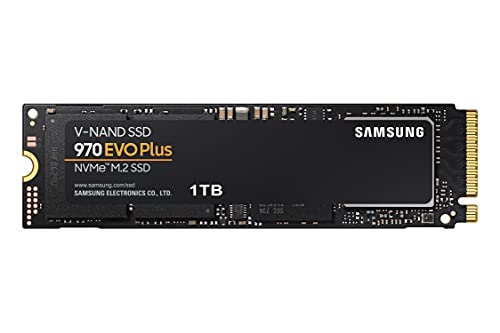
Samsung 970 EVO Plus 1 TB PCIe NVMe M.2 (2280) Internal Solid State Drive (SSD) (MMZ-V7S1T0BW ), Black
Samsung 970 EVO Plus SSD
Design flexibility
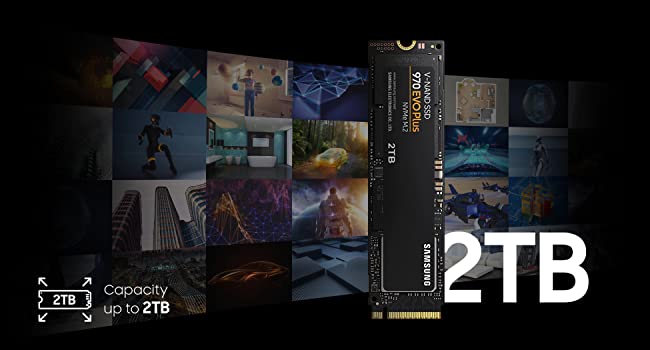
The next advancement in NVMe SSD. The 970 EVO Plus fits up to 2TB onto the compact M.2 (2280) form factor, greatly expanding storage capacity and saving space for other components. Samsung’s innovative technology empowers you with the capacity to do more and accomplish more.
¹1GB=1,000,000,000 bytes by IDEMA. A certain portion of capacity may be used for system file and maintenance use, so the actual capacity may differ from what is indicated on the product label.
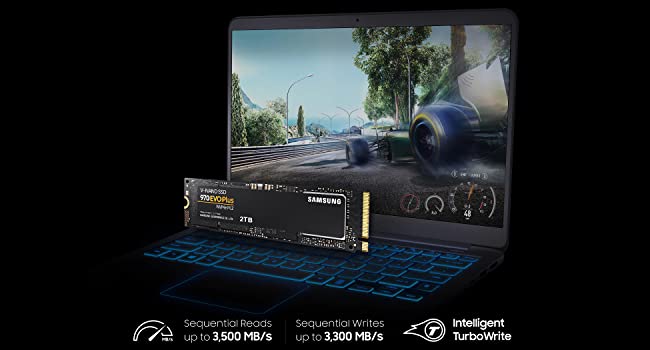
² Performances may vary depending on SSD’s firmware version and system hardware & configuration. Performance measurements based on IOmeter 1.1.0. The write performances were measured with Intelligent TurboWrite technology being activated. The sequential write performances after Intelligent TurboWrite region are: 400 MB/s(250GB), 900 MB/s(500GB), 1,700 MB/s(1TB) and 1,750 MB/s(2TB). Test system configuration: Intel Core i7-7700K CPU @ 4.2GHz, DDR4 2400MHz 32GB, OS-Windows 10 Built 10240, Chipset–ASUS PRIME Z270-A. Up to 53 percent performance increase for sequential write speed for 250GB version.
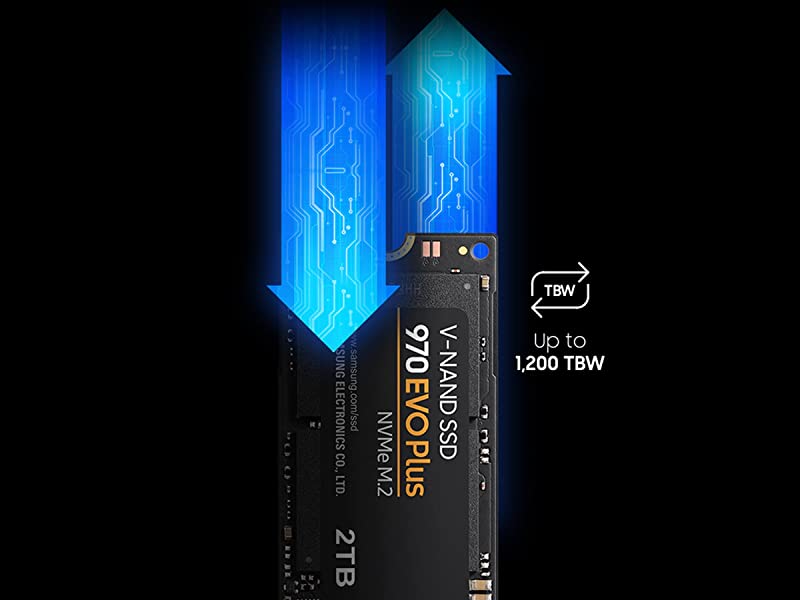
³TBW: Terabytes Written * BW for 970 EVO Plus: 150 TBW for 250GB model, 300 TBW for 500GB model, 600 TBW for 1TB model, 1,200 TBW for 2TB model. * 5-years or TBW, whichever comes first.
| Weight: | 8 g |
| Dimensions: | 0.24 x 8.02 x 2.21 cm; 8 Grams |
| Brand: | Samsung |
| Model: | MZ-V7S1T0BW |
| Colour: | Black |
| Batteries Included: | No |
| Manufacture: | Samsung |
| Dimensions: | 0.24 x 8.02 x 2.21 cm; 8 Grams |
Easy to install and configure
Used with a PCI board to extend storage on my old PC. Works really well. Easy to install on the PCI board. Immediately seen on the disk configuration of my Ubuntu system. Will try to configure it as a boot disk to replace my aging SSD unit.
Great drive with enough performance
Reasonable price for the 1TB model. Great drive with enough performance for gaming and general use. Look up PCIe 3.0 vs. 4.0 vs SATA comparisons for gaming and most people can’t tell the difference between them.
So much better than Starfield, which required this!
So, like the sucker I am, I bought this beauty to play Starfield without 68 million year loading screens on PC.
Starfield is a bit rubbish. However, this Samsung SSD is very good. After I’d circumvented the weird way you have to install it on my Motherboard (TUF Z370 Plus – Gaming) which requires plugging it into the NvMe M.2 port, then lowering it onto a support bracket, not accessible by human hands. (I used wooden toothpicks).
It’s very good though. Get as many as you can fit in. When you copy something to it (Baldurs Gate 3 and all updates) it is amazingly fast and, my rig is 6 years old, decades in gaming. When I use the original 7,200RPM drives it’s like using my old 486 Sx25.
In short: Good. Dead Good.
Unbeatable Performance
As an enthusiast PC builder and long-time user of Samsung storage devices, I recently added the Samsung 970 EVO Plus 1 TB PCIe NVMe M.2 SSD to my setup, and once again, Samsung has exceeded my expectations in both price and performance.
Let’s start with performance. The 970 EVO Plus delivers blazing-fast read and write speeds, thanks to its PCIe NVMe interface and cutting-edge V-NAND technology. Whether I’m booting up my system, launching applications, or transferring large files, the SSD handles tasks with remarkable speed and responsiveness. It’s a true workhorse that significantly enhances the overall performance and efficiency of my PC.
In terms of reliability, Samsung has a proven track record, and the 970 EVO Plus is no exception. With its robust design and advanced heat dissipation features, the SSD maintains optimal performance even under heavy workloads. The reliability and durability of Samsung’s SSDs give me peace of mind, knowing that my data is safe and secure.
Price is another area where Samsung excels. Despite offering top-tier performance, the 970 EVO Plus is competitively priced compared to other SSDs in its class. The value proposition of Samsung’s storage devices is unmatched, making them an excellent investment for PC enthusiasts and professionals alike.
Installation is a breeze thanks to the M.2 form factor, which eliminates the need for bulky cables and simplifies cable management in my PC build. The sleek and compact design of the SSD also helps optimize airflow and maintain a clean and clutter-free setup.
Overall, the Samsung 970 EVO Plus 1 TB PCIe NVMe M.2 SSD continues to uphold Samsung’s reputation for excellence in the world of storage devices. With its unbeatable combination of price, performance, reliability, and ease of installation, it’s no wonder that Samsung remains my go-to choice for SSDs. Whether you’re a gamer, content creator, or professional, the 970 EVO Plus is sure to meet and exceed your storage needs. Highly recommended.
It's a great option for a laptop.
The quality is, I believe, one of the best you can find on the market. At first my choice was the older version of the SSD 980 PRO. But after my laptop does not support gen-4 and most likely will not be able to cope with cooling a very hot sdd. My decision was to choose this product over the gen-3, yes it is also quite hot, but not critically so. If there are concerns about temperatures, I had with my Aser nitro 5 laptop (AN515-43) at maximum load temperatures reached up to 61 degrees Celsius. In normal mode the temperature is somewhere around 30-40. Temperatures in games and with all sorts of tabs from 40-56.
Overall a very decent product, the price matches the quality.
Really good quality for a budget gaming PC
It’s easy to install and works well on the motherboard. A great option if you are building your first PC and there will be enough SSD storage for most people building their PC. It has more than enough space for running games and if you need more you can always buy a HDD or delete previous games.
Fast M.2 Storage and Reliable
I just upgraded my PC from a 500mb ssd, to this 1gb M.2 Samsung storage. Easy to use and easy to upgraded and the performance on gaming is excellent, fully recommended
Great bang for your buck
I was running out of storage space on the C: Drive on my Acer Nitro 5 laptop as it only came with a 128gb NVME SSD. Given that SSD’s have dramatically fallen in price I decided to upgrade to a 1TB drive to compliment my 1TB HDD. The Samsung 970 EVO Plus fitted the bill perfectly. I used a proprietary cloning software that I’d purchased previously, (although you can get adequate cloning software for free) to clone the existing NVME SSD, and then I used an ORICO NVME M2 SSD Enclosure, which can be purchased on Amazon, to provide a link to my laptap via a USB 3.0 connection for the copying operation. Once the back cover was removed from my laptop, swapping the NVME’s over was very straightforward. After the back cover was replaced, the laptop was fired up and; bingo, the new SSD booted into Windows. I noticed an appreciable improvement in read and write speeds and therefore I would have no hesitation in recommending this product.
Got it for quite few years. Works fine.
60TB load on 500GB drive. Quite impressive. 98% life as reported by drive. Real or not. Time will tell.
Full speeds as advertised. However. On the RIGHT drivers.
Windows 7 heavily affected by driver quality/ source.
Full speed constant 3000+ reads.
Writes varies around NOT CONSANT 2000. HOWEVER.
Drive’s real (write) speeds are ONLY present, when it is been written at least ONCE, and with capacity reached.
And overheating. No cooling – forget about any speeds. Reminder. Cooling applies to physical DRIVER chip of the drive, NOT the NVME modules. Driver on the drive wants cool. NVME wants the hot in operation. Hot driver chip will bring down drive to zero stop. ZERO. For several seconds/ minutes. This should be clear in every description.
So. Testing must be done on ALL drive, written at least once, and with majority of capacity used.
Love – as usually – when people do 0.01% drive size test, as any indication. And on fresh drive.
Many of the drives CHEAT. Means. First portion of drive, which is tested is ultra fast, either physically or buffer. Mostly sd cards/ usb drives/ etc. But. Got Crucial nvme first, and it does exactly the same. 10GB ultra fast, then drops down to 1000 for the REST of the drive. As oppose most SSDs will perform 100% all drive day and out.
So. Once you REALLY use the drive. Means written, not once, but several times, and used more capacity, drives starts to show REAL LIFE speeds. If you delete a file. Windows MUST physically delete a lot of drive. Not just entry in File allocation table. It will not do it in an instant, but on buffer. Try to switch off computer after deleting/ copying big files, and you wait for several minutes. Try to do massive files deletion, beyond treshold and windows has to do it here and now. For ages.
Normally you won’t notice, because it’s all in background. On long switch on systems, absolutely not noticable. Try to copy serious data on maxed out drive, and you are for a big surprise on real speeds.
Because majority of people get massive drives, to what they use, they won’t notice. Paying several times for what they use.
On Windows 7, due drivers and structure, massive bottle necks on writes.
It’s much more complicated than just ‘test’ or ‘use’, or capacity, or deletion. There is massive bottle necks on pcie resource allocation.
If you have fast graphic card in use, your nvme drive is heavily bottlenecked. Only very expensive motherboards have this semi sorted.
For majority of people, none of this would matter, they won’t notice.
But. For those who REALLY get NVMEs for the purpose, it does.
Ah yes. Final word for all that lovely misinformation about defraging ssd/ nvme.
It does indeed decrease drive’s life, by zero point nothing.
It does however increase the performance. For regular person, by zero point nothing. For serious use, servers, high capacity data storing, professional high speeds copying, for which all these drives are meant to exist, it does completely.
Drives ssd/ nvmes have ‘lost capacity’, not shown on the tag, exactly for the purpose of internal ‘defrag’, on idle mode. Use the drive heavy in short bursts and speeds are dropping down. To zero. As drive has to operate on ‘loss of power mode’. So. Hard lesson. With power loss or forced resets. Lots of data ‘lost’, because drive couldn’t write it physically on time. As it takes a long while to zero data blocks, and then write tons of data from buffer.
So. Defrag of ssds/ nvmes. You can defrag your drive as much as you please. And it will be zero point nothing of drive use.
Windows uses drive endlessly and massively and constantly. Reads are not hurting. Writes are where drive’s life is. And any windows writes trillions of times.
I’m light user of pc. And my 500gb drive has 60’000gb of reads and writes (half half). Majority of which is Windows. Not me.
So. If you are doing defrag, whenever you please, you will allocate for zero point nothing of drive’s use. 99.9% of drives killing is done by windows. And hm…. Afer quite few years of using drive, and 60’000gb it’s still 98% of life, as reported by drive. Real or not. Time will tell. Means you can use drive for 20 years before it will be dead. Majority of people will change drive a lot earlier than that (hdd 3-6 years, ssd 5 years at best, nvme first generation probably few years).
In other words, defrag has completely no meaning to drive’s life. Zero.
It does have serious meaning to performance for serious – designed for – use.
And for regular user. Exactly the bottleneck of capacity used and non defraged system, where drive will bottleneck in zeroing data and writing new one.
Reading my own words, only high level IT people will understand. Thou – every user is affected, but is not aware.
When copied tons of data, deleted tons of data, etc, thinking it’s done, when bar is 100%. Reality, windows can still clear the data, hours after instruction, same with copying.
Only exception is read only data in big files. Like movies. But then. How many users have data stored in adequate partitions. Read/ write/ rare/ often/ movies/ system/ etc.
Samsung 970 EVO Plus 1 TB SSD: Elevate Your PC's Performance & Efficiency
The Samsung 970 EVO Plus 1 TB SSD is a cutting-edge storage solution designed to optimize both speed and efficiency. Engineered with Samsung’s pioneering V-NAND technology, this M.2 (2280) SSD ensures rapid data access and transfer. Its 2.5-inch form factor is versatile, making it an excellent choice for both laptops and desktop PCs. Boasting an impressive random read of up to 600,000 IOPS and random write of up to 550,000 IOPS, it ensures seamless multitasking and swift data access. With a SATA 6.0Gb/s interface, it also offers backward compatibility with SATA 3.0Gbps and 1.5Gbps, ensuring flexibility across systems. The sequential read and write speeds of up to 3,500 MB/s and 3,300 MB/s, respectively, underline its top-tier performance capability. However, potential buyers should heed the warning to ensure system compatibility before purchasing. A crucial note to consider is its software’s functionality — it operates only when the operating system is installed on the Source Disk. In essence, the Samsung 970 EVO Plus stands as a beacon of efficiency and performance in the realm of SSDs.
Just the job
I purchased the 1TB model to replace my older 500Mb model on my Linux exclusive system (even hiving off some data and Steam programs to other drives, my /home partition was starting to get full). Cloning (using an external enclosure) was a doddle (using Clonezilla), and then the swap out. No problems booting right away from the newly cloned drive, and testing with kdiskmark (a Linux alternative to Crystal Disk Mark) shows that I am making full use of the 4x PCI 3.0 interface (getting around 3.5Gbs). I can’t test the rated speed, since that would need PCI 4.0, which I don’t have, but works just a treat for me.
The old one is now in an external enclosure, and will likely be used for backup purposes.
Adds more fast storage for demanding games.
Originally I was going to use this 2TB NVMe to increase the size of my 1 TB NVMe OS drive.
Unfortunately I had trouble transferring my OS over to the new drive (the external usb adaptor I ordered didn’t work), so I ended up installing it as secondary drive.
That said, it’s working well and helps reduce stuttering and/or loading times in some demanding (or poorly optimised) games.
Boost Your Storage Game with the Samsung 970 EVO Nvme—It's a Game-Changer!
Upgraded to the Samsung 970 EVO Nvme and couldn’t be happier. Coming from the EVO lineup, I knew I was in for a treat. Plugged it into my iMac for some extra storage, and it’s been smooth sailing ever since. Fast, reliable, and does exactly what it says on the tin. A no-brainer for anyone looking to boost their storage game.
Would give 6 stars if I could
This does actually what it says it will. Only thing I will suggest is on the user end for the product, make sure your m.2 port on the mother board is the correct so get the maximum MBPS
Top brand, top quality.
Basically perfect. Performs exactly as specified. Very nice looking board. No aditional cooling is supplied with this, so perhaps a slight negative there, but I found temps to be acceptable in everything I did and decided against adding a cooling block to the drive anyway. Would definitely buy again.
Perfect for a new build almost silent PC
Purchased two of these for a new build PC, one for drive C and one for Drive D
so far they are working perfect, fast boot time and flight simulator running of D drive is nice and fast no lags like I had with the old mechanical hard drive, as for longevity time will tell but so far would recommend these NVMe drives.
I am a great fan of Samsung drives and this 2TB NVME drive is no exception. I originally made the mistake of buying a cheaper brand which turned up and refused to initialize in either of 2 enclusures I tried. So that was sent back and replaced with what I should have bought in the first place, this Samsung drive. There was a sense of relief when it was installed and immediately showed up in Drive Manager, after all the previous hassle experienced fiddling around with that other drive. After that it was just a matter of starting the download of hundreds of megabytes of backup date, safe in the knowledge that it was being stored in a fast, safe and reliable place.
I also have one of these as the main drive for my PC and boot up is lighting fast. Once the password sign in has been done, Windows 11 kicks in instantly with no delay, so this is one amazing drive that is a must have if your PC supports NVME.
However, if as I did, you are going to place it into an enclosure, there are other things that may be worth considering. My PC is only 18 months old, yet it only has the slower USB3.1, so that enormous speed potential of the Samsung Evo 970 SSD is lost. I don’t know how much faster this would be with USB 3.2 and I imagine it would make a significant difference, but I am betting you still wouldn’t get the speed promised. And then there are a couple of other things that may or may not be relevant to you. I wanted to be able to plug the NVME enclosure into my TV or Android mobile phone, but despite formatting the 970 SSD to EXfat, both the TV and phone refused to recognise it reliably. After trying out different USB ports on the back of the TV, one did finally work, oddly not the one that was supposed to be high power. And as for my Samsung S23 Ultra phone, it did seem to work with it at first, but soon stopped recognising the SSD as anything other than a charger. The option to connect the phone was also greyed out.
On the other hand, my enclosures with 2.5″ Samsung or Crucial SSDs in them worked instantly with the TV and my phone can read or write to them via a USB cable totally reliably.
So apart from these perhaps rather obscure glitches, the Evo 970 SSD is highly recommended as a solid and fast upgrade that you can’t go wrong with as an addition to your PC. But its also worth considering whether a 2.5″ SSD might be better if you are going to connect via USB, as the speed difference might not be much different in the real world away from advert claims and its also a lot easier to swap one out if you are going to use multiple drives with your enclosure.
Mini PC SSD Drive
Pruchased this to increase the storage capacity of my Min PC. This was the same type as the original. You will need an enclosure if you wish to clone this drive, I used an Inatek from |Amazon. The SSD will get hot while cloning so make sure you fir the thermal foam and the heatsink in the enclosue. Full details can be found on You Tube For the Process( DanKamYouKnow) is what I followed. Drive transferred after clonig etc, with no problems.
1 TERA UPGRADE FOR DELL i5 LAPTOP - EASY TO INSTALL UPGRADE. VERY FAST M.2 DEVICE.
I CHOOSE THIS DEVICE AS I KNOW SAMSUNG TO BE A RELIABLE COMPANY – AND THE ITEM WAS
COMPATIBLE WITH MY DELL i5 LAPTOP – EASY UPGRADE INSTALL – LOTS OF YOUTUBE VIDEOS TO
HELP YOU IF YOU GET STUCK. THE SPEED OF THE DEVICE WAS IMPORTANT TO ME AS WELL.
Easy to install and Super performance
Easy to install and fits perfectly in my laptop alongside the HDD. Only complaint would be that this does not come with a screw to hold the chip down. So you will need to get one separately.
Apart from the above issue, this product is a 10/10.
Replaced my old HDD with this SSD. Setup a new version of windows on the SSD drive. And now my Laptop’s boot up time went from 15mins to under 10seconds…..yes you heard it right… 10 seconds!!
Absolutely
Samsung 970 EVO Plus 2 TB PCIe NVMe M.2
An absolutely brilliant drive. I’ve always found Samsung SSDs and M.2s to be the best, with great performance and (touch wood) 100% reliability.
The price fluctuates quite a bit, and when I saw it dip to just over eighty quid I just couldn’t say no!
Installation is very easy, and as I use it as a data drive (my OS runs on a 512mb Samsung M.2) I didn’t bother getting a heat sink to go with it and there’s been no trouble with temperatures.
It's not bad!
I bought this as a gaming SSD. It’s running slower than my old nasty Integral drive which is a shame (this gives me about 2000mb/s speed tests whereas the nasty Integral drive was about 3000mb/s. The integral drive was like cheap and nasty.. however it was failing, so I’m hoping this Samsung, despite slower speed, will last longer.
Samsung quality, read/write speeds spot on, value for money
Good NVMe drive that provides the speeds that are advertised. Samsung quality is there in both the build and performance.
Great drives and at under 50 for 1TB it’s a steal. Greta to see prices becoming more affordable for quality tech.
Easy upgrade
Did a laptop upgrade from 1TB drive to 2TB drive. Easy to fit and drive recognized straight away.
Laptop: Acer Aspire 5.
Upgrade to:
20 GB RAM
2 TB NVMe M.2 SSD drive
2 TB Internal SSD drive.
Fast, Spacious but run soooo ho
I’m hitting 70 degrees with these and so had to install heat shinks for each of them which did reduce the running temp somewhat. But, all in all, very fast and, of course, plenty of space.
As genuine as I can tell
Seems a genuine Samsung device. Used the Samsung Magician software which is free to transfer O/S from old HDD to this one. Excellent, much faster than the original HDD and the standard Samsung SSD I’m using
Top Notch
Bought for 42 to use purely as a secondary drive for games. Absolutely cracking performance. just over 1 second loading times on The Outer Worlds. Simple to set up , manufacturer software is decent. Forget the Gen 4 hype it’s purely unneeded. This is all you need and 42 for 1tb is a bargain.
A decent enough choice for a windows installation or new system. With a 13600 intel cpu, 2x16gb 6000mt ram and no graphics card, a newly installed windows 11 from switch on using this 970 evo plus 1TB m2 stick of storage takes around 12 seconds. Which is a great deal faster than my old laptop. I have had no issues with this m2 nvme storage stick yet.
(update – I have had the 970 evo plus decide to not boot up on one occasion, the computer could not find the drive. I believe the system gave an ‘inacessible boot device’ error. The computer however, could still see the drive within the bios. So I added windows iso correctly burnt to an sd card to the pc, booted it up, and performed a windows reset, choosing to ‘keep my files’.
I checked the file system and it showed no issues. All old documents were intact. I backed up everything. I have updated the bios and ssd firmware since then. If I receive the same error again then I will swap the ssd for another of a different model or brand. After looking up Samsung, it seems the 980 pro and 990 pro have also have similar issues causing them to fail or no longer write, but my own 970 evo seems to be newer, with newer firmware. So I am now cautious of ever using another Samsung ssd nvme again.
As for the longevity of m2 ssds in general, just make sure you have more than one copy of your most precious personal files elsewhere at all times (sd card, dvd, bluray, cloud or any other means) and you’ll have little to worry about.
Wish there was a 4TB option.
It’s fast, but don’t expect miracles for a boot drive. Went from Samsung 500gb to this just for windows. No real world difference, but wasn’t expecting any. Not really one to brag I can transfer a movie in blink of a eye, because that’s the only time you would notice any real difference. Going to get another though when in game streaming becomes a real thing with pc games.
Screw Not Included
Downvoted as Tiny Mounting Screw Not Included in box.
Bought as an Upgrade from old 128GB SSD Sata Harddrive.
The mother board did not have a Mounting Screw, so I had to salvage a spare from another PC.
I will have to hunt the garage to find the original motherboard box to see if there is a spare screw to use.
Awesome SSD
Installed, set up, formatted and transferred about 500GB from my other ssd in about 15 minutes.
However, my case doesn’t have much airflow to the bottom of the motherboard since all the air is focused on the GPU/CPU. So the SSD has gotten pretty toasty. Temps have cooled to about 40-45C after i bombarded it. I’ve ordered a heatsink with pads, so will update my review when i’ve got that installed.
Apart from that though i’m super happy with the speeds and capacity for the price.
Purchased a 250GB SSD as it was on the Synology 920+ compatible list to use as a read only cache. I’d seen all the worries and concerns re read write failures using a Raid cache, so decided to install just the one drive, read only.
The main functions of my NAS are file storage and Plex media server. Whilst I didn’t expect miracles, I was aware that Plex UI could see some speed improvements with the SSD cache, and so far, that has proved to be the case. However, I would note that speed improvements have been limited to higher performance devices, and lower performance devices haven’t seen any improvements. As an example, the Plex native app on a cheap LG smart tv has always been incredibly slow to navigate on a local network, images take a while to load and the home dashboard takes a while to sync. Speed of playback start is also as slow as previously seen.
However, on higher performance devices such as iOS, MacOS and Roku 4K, there are very clear improvements. On MacOS and iOS, thumbnails load instantly, dash appears much quicker and when you load a library item, all associated extras are there almost instantly. In the past, film extras, collections, Tidal playlists etc took a second or two or three to connect and load these now appear without delay. On both, buffering before playback starts is also much improved with an almost instant start of media up to 1080p 4k takes a second or two longer.
On Roku 4K, the improvements are there, but not quite as pronounced. Dash and media screens load faster, and although media playback starts quicker, it’s not as instant as MacOS or iOS, but these are obviously much more powerful devices to start with.
For the cost, 30, I would definitely say that I am happy with the outlay and performance boost for my Plex needs.
Great M.2 for the price to preformance
The fact that this is now a low cost option, and comes with solid TBW rating and is a cache based M.2 makes it a perfect storage solution for your OS or even just a game drive. Compared to most M.2 drives on the market, this is a little more expensive (than Curical for example), but comes with extra features on the M.2 which makes it more reliable than most. I have 3 of these now, over a few years, and never had an issue with any of them
A good buy!
Installation was simple and easy. No hiccups at all. And it’s performing fine at the moment.
Blazing Fast Speed and Ample Storage Capacity!
I recently upgraded my computer’s storage with the Samsung 970 EVO Plus 2 TB PCIe NVMe M.2 Internal Solid State Drive (SSD), and I am thoroughly impressed with its performance. This SSD has proven to be a game-changer for my computing experience, providing lightning-fast speed and an incredible storage capacity.
First and foremost, the speed of this SSD is simply astonishing. With its NVMe interface and M.2 form factor, the 970 EVO Plus takes advantage of PCIe Gen 3.0 x4 technology, delivering blazing-fast read and write speeds. From booting up my system to loading large applications and files, everything happens almost instantaneously. The difference in speed compared to traditional hard drives is like night and day. It has definitely enhanced my productivity and reduced any waiting time significantly.
The storage capacity of 2 TB is more than ample for my needs. I can store a vast collection of multimedia files, games, and work documents without worrying about running out of space. The 970 EVO Plus strikes a perfect balance between performance and capacity, making it suitable for gamers, content creators, and professionals alike.
Samsung’s reliability and reputation in the SSD market are well-established, and the 970 EVO Plus lives up to that standard. The drive feels solidly built and durable, ensuring longevity and data integrity. It also comes with advanced features like AES 256-bit hardware encryption, ensuring the security of my sensitive files and information.
Another notable aspect is the thermal management system implemented by Samsung. The 970 EVO Plus employs intelligent heat dissipation through a nickel-coated controller and heat spreader label, effectively preventing thermal throttling and maintaining optimal performance even during heavy workloads.
Setting up the drive was a breeze, thanks to Samsung’s user-friendly software suite, which includes the Samsung Magician software. It allows you to monitor drive health, update firmware, and optimize performance with ease.
The only minor downside is the price, as high-capacity SSDs tend to be more expensive. However, considering the performance gains and reliability this drive offers, I believe it’s worth every penny.
In conclusion, the Samsung 970 EVO Plus 2 TB PCIe NVMe M.2 Internal Solid State Drive is an exceptional storage solution. Its lightning-fast speed, generous storage capacity, and robust build quality make it a top choice for anyone seeking to upgrade their system’s performance. If you’re looking for a reliable SSD that delivers on its promises, I highly recommend the 970 EVO Plus.
Don't understand why they don't supply a screw.
Don’t understand why they don’t supply the screw to secure it to the motherboard or the rubber pad but the drive works great.
Easy to setup good value
Good value for money and easy to setup I.e migrated previous windows 11 installation easily using Samsung magician.
However can’t say i noticed a significant improvement in system speed over my existing standard Sata SSD drive..
An NVME that really worth its price
Reputable 970 EVO Plus. One of the best, if not the best, PCIe 3.0 NVME SSD. Comfy DRAM cache allows for system to work flawlessly. Really like it and will be keeping it for a long time!
Best price for the storage size and speed!
Excellent price for 2TB with great speed. Also have tools from Samsung for all the detail information about the SSD. Must install! Samsung Magician!
931.5 GB instead 1024 GB
Windows installation says it’s 931.5 GB free instead 1024 GB (1TB) as advertised.
Works well, easy to install.
As my Gaming laptop already has a Samsung SSD in it I though I’d go for Samsung for the second drive. Was easy to install and luckily my main board had a screw on the slot reasy for it, thank you Asus
Turned everything on and it wasn’t recognised, of course I forgot to go the drive management and initialise it first. All sorted and so far running at good spead. Installed Modern Warfare onto it and loading quick.
good price and quality produc
what a difference using this SSD card. So much better than the old hard drive, which i now use for storage only. Laptop is like new, its so fas
Genuine product. Does not come with screw.
Genuine Product according to Samsun Magician. Cloned OS drive with Samsung software without issues. Drive was installed into HP EliteDesk 800 G4 with additional radiator (air flow is not great around M.2 slot there). Temps under load around 50. Beware that it does not come with installation screw so order separately if your MB does not come with it. Plenty of options here on Amazon.
Fast M2 NVMe SSD. Not the fastest or biggest but faster than what i had
Crucial P1 500 GB to this Samsung 970 EVO
VW beetle compared to a Porshe.
1 TB is almost needed, now that games are getting to be the hundreds of GB. DCS alone with the few modules that i have is nearly 250 gig’s now. WOW is now over 100 gigs in the 125 GB range.
That is neary half this drive already!
I am already thinking bout getting a 2 TB now 🙁 but the cost is a bit off putting. Although they are gettign closer to the 100 pounds mark.
Funny thing is that the packaging this SSD came in is quite cool. Not something i am throwing away.
As ordered
No problems so far, fitted where it should and formated fine. No problems
Grea
Upgraded my os nvme, bought a enclosure for it took about 3 hrs to clone drive ,great with the Samsung tool BTW, works great .
Single sided NVME drive. Compatible with Dell XPS 9570
I previously bought a 960GB MP510 drive (double sided drive) for my Dell XPS 9570 laptop. The drive ‘worked’ but the PC wouldn’t boot when restarted. It always required a hard power reset. I ended up using the drive in my desktop PC.
I fitted this in my laptop without any issues.
It’s very fast and good value at current prices.
Brilliant produc
I’d been looking for a new larger m.2 drive and for 2tb this was a reasonable price. I ordered with a pci card and it was extremely simply to install and once that was done it was simple to activate it in my settings. Very bappy with the purchase.
I wanted to replace the lamentably small drive on my Asus Zephyrus G14 laptop and figured this was a good candidate. Using the Data Migration tool in the Samsung Magician software (downloadable from the device support page), the cloning of the system drive was very straight forward. Mount the new drive into a NVMe to USB3 caddy (around 27 for the Ugreen one I used) and select Data Migration, follow the on screen instructions and around 45 minutes later, you’ll have a new system drive which you can install in your laptop.
The new drive mounted straight away and was back where I was with the old drive but with a formatted capacity of 1.8TB and noticeably faster. Happy!
I am not a serious gamer but do play games, my work mostly consists of Lightroom photo editing, creating videos and media consumption. My PC is on 24/7 and this is my first NVMe drive having had SATA SSDs for years.
The 970 Evo Plus 1TB runs hot in a traditional sense but this is normal and nothing to worry about. The operating temp stated by Samsung (and many other brands) is 0-70 degrees which means the drive will be fine being used in environments that are in that temp range, so the thermals of the drive itself go well beyond that range.
Samsung also state that:
“A high drive temperature does not necessarily mean that the drive is faulty, especially if it is within the recommended temperature when used.
Please note that Samsung does not manufacture nor recommend the use of a third-party radiator or heatsink on its SSDs, since it is not necessary.
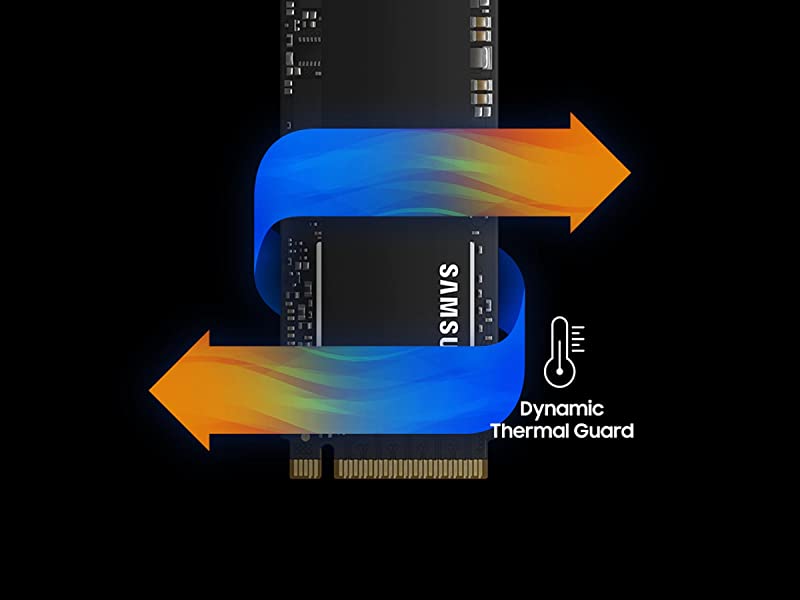
This is because the 970 EVO Plus has advanced thermal control solutions that enhance performance with reduced heat risk. Dynamic Thermal Guard (DTG) technology proactively prevents overheating, and a heat spreader with an integrated thin copper film dissipates heat more efficiently. Additionally, a nickel coating on the Phoenix controller also helps to dissipate heat faster during heavy workload use in order to ensure the high levels of quality and reliability.
You, therefore, do not need a radiator specifically for your SSD 970 EVO Plus.
Please be informed as well that using a heatsink on your SSD will require the peeling of the label on the drive. Removing the label on your drive will automatically void the drive’s warranty and warranty service will no longer be possible.”
So not only is a heatsink not necessary for these drives, but a hot running drive is within the standard operations. Flash storage tends to perform faster at temp anyway.
I am very impressed, will add another Samsung SSD (likely 8TB to replace 2 4TB HDDs) soon.
Pros
Hi bought this off actual amazon not some random seller, it came sealed in retail box i got exactly what i purchased as described, been using this drive for over a week now, im extremely impressed with how windows loads up so FAST and i can instantly start using my pc theres no waiting around for desktop icons to load, ive got 3 games on it Flight sim 2020 Red dead redemption 2 and GTA 5 with 528GB free space so could install more games to it, flight sim loading times have improved greatly no more 10 minute loading screens heck 3 minutes and im on the runway! its super fast at loading MASSIVE difference compared to a regular spinning harddrive, Looks as described.
cons
what dont i like about it? well my pc didnt see it straight away im no expert, i know a little bit about PC’s i struggled to get the drive show up, i had to use my old harddrive log into windows open disk management format it and give it a drive letter, i dont know what i would of done without an already running pc god knows what people do for fresh builds anyways i got it working, the drive does not like been moved around in bios for some reason it causes a blue screen dunno if thats an SSD thing?, i feel like its over priced “they all are” i got a few strange words from my mother when i showed her what i spent 160 on, also ive seen some horrible 1 star reviews of people getting ripped off! that was scary to read as id already purchased and was waiting for delivery i almost pulled out on the sale thinking id be a victim too, hope all those 1 star reviews got their money back what happened there is not cool! hope amazon are looking into that, as a buyer its not a very nice thing to read about. but everything seems fine here looks genuine to me all good. play it safe buy from amazon actual amazon no one else i dont wanna see more people getting robbed.
overall
i would of give it 5 star if i didnt have the headache i got trying to get it working, other than that now its working impressed with how fast its made my pc, was worth it in the end.
Update:
2 months on still very happy with it, it holds up its speed working like the day i got it no issues so far so good.
7 months later
Stll no issues runs like the day i bought it correct speeds etc happy up to now, will keep updating this in future, good luck everyone.
I installed this a couple months ago into my main computer I use to game and stream directly to twitch – before this, I had a normal 1TB HDD. I was skeptical about those youtube videos showing a difference and the internet telling me it’s the best investment I could make. I didn’t think it would make a difference at all! …Boy. I was wrong.
What was previously a 2 minute boot time, with a further 2 minutes to load up start up programs (even after I selectively disabled the heavier ones) and general sluggish behaviour has now been reduced by probably around 90%. That’s right, it’s literally dropped down to 8 seconds for a cold boot with start up applications, including wallpaper engine already loaded up. Previously if I would blue-screen and disconnect from a League game, I would 100% be getting hit with leaverbuster. Now, I can make it back before I even respawn – that’s not even a joke or exaggeration.
So, you understand the benefits now. But the craziest part of all of this is, you can get the same times on a normal SSD, you don’t even need an M.2. The extra speeds an M.2 provides (literally 5x the speed in some cases) is just too fast for even windows to take full advantage of. This will probably change as the new generation of consoles will help standardize things, but that’s still a few years off. Also, with the new SSD’s coming up on the new PCIE channel, you’re basically looking at an eventual double speed increase from the current 3500~ to around 5000 ~ 7000. If you want that extra bit of future proofing, you can wait until 2022/2023 but if you don’t have an SSD at all, buying a 970 EVO at the current price is honestly fine.
There’s a few things you need to know about installing though.
1) If you’re moving everything from your HDD to your SSD, use Samsung Magician. Worked flawlessly for me and was done in around 1 hour. Macrium also works, but if you’ve got a Samsung SSD, just stick to the Samsung software.
2) ALWAYS download the latest Samsung drivers and software directly from their website. I saw a serious speed increase on the benchmarking once I got the latest drivers, so don’t miss out on the free performance boost.
3) When you’re physically installing it, REMEMBER this order: First, mount screw. Second, place M2. Third, screw into mount screw. Basically, you should be screwing an open ended piece into the motherboard first, then getting your M2 secure and lined up, then screwing it down into the first screw. If you need a replacement, you can eBay them for next to nothing.
4) Finally, depending on your motherboard, it will end up disabling some SATA slots (the cables for HDD/SDD). Refer to your motherboard manual for more details on it. This is only important if you’re still using the SATA cables for other HDD/SDD’s.
Anyway, it’s amazing how much difference an SSD actually makes and I’m kicking myself for cheapening out on a HDD for all these years. I can easily recommend the 970 EVO – I wouldn’t buy the PRO or the 980 EVO yet when you can basically get the same thing here for 60% of the price. Also the 980 is relatively new hardware, I’d personally wait for any issues to be manufactured out first…
At 100 – 120, it’s a solid deal. At 140~, it’s still giving you good value. If you want maximum value, buy a cheap 120gb to throw your operating system onto and use a HDD for everything else, but I’d seriously just recommend you take the full dive. It’s a clean FIVE STARS from me!
I’ll keep this updated and come back to it if there’s any major developments. If you’re interested, or if you found this helpful, please hit that HELPFUL button below. It’ll really help me too 🙂
For who wants to know what matters, in summary: This SSD is insanely fast and I am extremely satisfied of my purchase. I definitely recommend and it’s a must if you want to upgrade your pc.
Now a little bit of back story why I am writing this extremely positively review.
I have also a Crucial MX500 that I bought a while ago when first upgraded my pc from a normal mechanical hard drive. Needless to say I was surprised how fast the operating system loaded (win 10) after the first installation and the general responsiveness of my system incredible improved. I was pleased to see that reading speeds and writing speed (circa 500 MB/s) where confirmed in the benchmarks and everything was going fine until I needed more space (VR games are extremely demanding in terms of space). So I bought this Samsung SSD 970 EVO Plus 1 TB. The reason for which I went for the plus instead of the 970 evo was merely because I found a good offer from another seller for a product that had the damaged packing but that is in theory brand new.
Well…I clearly read about sequential reading and writing speeds (up to 3500 MB/s) which were already order of magnitude bigger than my previous ssd. But I wasn’t prepared in terms of what that meant in real life.
It is very easy to mount…if you remember that you need a screw to fix it on the motherboard.i didn’t have any at home so I had to find a screw from one of the toys of my daughter. That wasn’t easy.
Clearly you do the normal stuff (e.g initialise the disk, update firmware etc) and then do the data migration. Samsung magician is very easy to use. Cloning my ssd in the new Samsung was pretty straightforward. All easy peasy.
Now comes the mind blowing stuff. After setting up the boot priorities, I was expecting a booting time of about 20 seconds. Well…it took only 5-6 seconds. Unbelievable.
I benchmarked the speeds and values are what the say on the box. So if you are thinking about this SSD don’t look further and think too much. It is really good.
I’ve previously used all the Samsung NVMe SSDs from the original XP941 (PCIe but AHCI software interface) through SM951, Pro/Evo 960 and now Evo 970. All still work and are in use which is a testament to their quality.
By now all motherboards and most laptops have M.2 PCIe slot (not just SATA) and NVMe supporting BIOS (old BIOSes had to be hacked for this module to be added in order to boot) so it makes sense to get such a SSD rather than a SATA version.
In use – just like previous versions it does not disappoint:
– Performance is stellar, not just sequential read/write but 4kB blocks also (won’t add benchmark values as the kernel changes for multiple vulnerabilities have impacted I/O thus depends on OS /patches)
– Like all TLC drives it does rely on SLC cache (50GB or so) for write, once that is full it goes down to about 800MB/s, still above SATA but may be beaten by “grandfather” XP941 from 5 years ago!
– It does support hardware encryption/Bitlocker but as the older 960 Pro/Evo you cannot boot from it; only Dell, Lenovo, etc. can use it – mainstream brands (Asus!, Gigabyte, etc.) forget it.
– It does not get too hot in use – but spend a few pounds on a heatsink/thermal pads if the mainboard does not already come with one for the M.2 slot (I prefer the ‘Warship’ one – cheap and big)
– It has the latest generation TLC which is a lot better than 1st generation QLC we are seeing now (e.g. Crucial P1, Samsung QVO) which I would avoid – just remember the Samsung 840 debacle…
– All my old Samsung M.2 SSDs either SATA or NVMe (subjective I know) are still working while other competitors’ SSDs have died ;(
But I would question value-for-money aka whether you ‘need it’ rather than ‘want it’:
– Unless you’re running serious I/O on your system (aka your company’s SQL server/Exchange/etc.) or multiple VMs, I doubt you would notice any delta between this and the much cheaper 860 or equivalent (e.g. MX500) SATA versions
– Also SATA versions using AHCI have no problems with hardware crypto/Bitlocker – if using software crypto with NVMe you may end up being slower I/O due to the overhead – not to mention higher CPU utilisation. Just benchmark before and after.
– SATA versions are still much cheaper (1/2 the cost) and have improved a lot in 4kB performance – which is more important than raw sequential speed in most workloads.
In conclusion – if you want the best (and don’t want to pay even more for the ‘Pro’) then do get it. And get a heatsink just in case. But if you want to save money go for the SATA (870) version.