Samsung SSD 870 EVO, 4 TB, Form Factor 2.5&rdquo
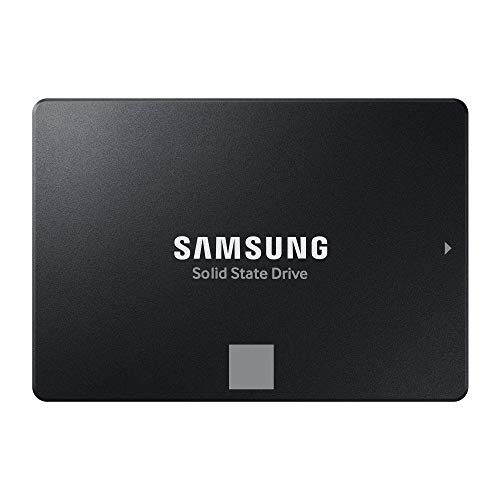
Samsung SSD 870 EVO, 4 TB, Form Factor 2.5”, Intelligent Turbo Write, Magician 6 Software, Black
Excellence in performance
Comparison
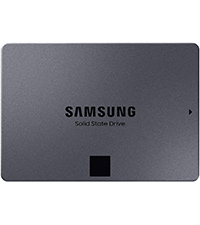 SATA SSD 870 QVO 2.5″ | 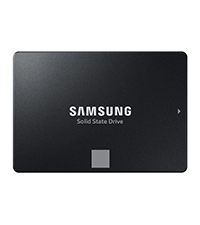 SATA SSD 870 EVO 2.5″ | 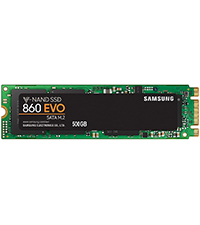 SATA SSD 860 EVO M.2 | 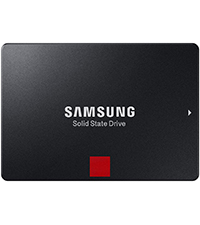 SATA SSD 860 PRO 2.5″ | 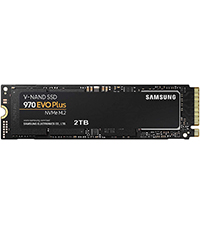 NVMe SSD 970 EVO Plus M.2 | |
| Reading Speed | 560 MB/s | 560 MB/s | 550 MB/s | 560 MB/s | 3500 MB/s |
| Writing Speed | 530 MB/s | 530 MB/s | 520 MB/s | 530 MB/s | 3300 MB/s |
| Capacity | 8TB; 4TB; 2TB; 1TB | 4TB; 2TB; 1TB; 500GB; 250GB | 1TB; 500GB; 250GB | 2TB; 1TB; 512GB; 256GB | 2TB; 1TB; 500GB; 250GB |
| TBW | 360 TBW | 600 TBW | 600 TBW | 1.200 TBW | 600 TBW |
| Flash Storage Technology | QLC | TLC | TLC | MLC | TLC |
| Application | Everyday use | Everyday use | Everyday use | Professional workstations | Gaming, photo / video editing |
¹ Performance may vary based on SSD’s firmware version and system hardware & configuration. Sequential write performance measurements are based on Intelligent TurboWrite technology.
² system configuration: Intel Core i7-7700K CPU @ 4.20GHz, DDR4 1200MHz 32GB, OS – Windows 10 Pro x64, Chipset: ASUS PRIME Z270-A. All performance data was measured with the SSD as a secondary.
³ TBW for 870 EVO: 150 TBW for 250 GB model, 300 TBW for 500 GB model, 600 TBW for 1 TB model, 1,200 TBW for 2 TB model and 2,400 TBW for 4 TB model.
| Weight: | 48 g |
| Dimensions: | 10 x 6.99 x 0.68 cm; 48 Grams |
| Brand: | Samsung |
| Model: | MZ-77E4T0B/EU |
| Colour: | Black |
| Batteries Included: | No |
| Manufacture: | Samsung |
| Dimensions: | 10 x 6.99 x 0.68 cm; 48 Grams |
5.0 out of 5 stars Re-enabled my old laptop
My old laptop was so slow you could cook a five course meal in the time it took to load up at start. Now…matter of seconds and everything us up and running fine! Reliable, quick and exactly what we wanted
A fast reliable drive that does the job
This drive has given an old dual-core Pentium laptop a new lease of life. It’s almost too good for it in a sense. It’s now super fast compared to the slow drive that was in it before and since it’s Samsung you know it’ll last a long time. If you want a fast, reliable drive from a company you can trust then this is more than adequate.
5.0 out of 5 stars The solution to NVME SSD problems, best SATA SSD EVER
This SATA SSD drive works well for several years, I have had no problems with them, including with 7 year old previous generation SATA SSD drives from Samsumg which still work now. The drive speed is great, perfect for any function, they run cool, and everything is well with them. Greatly recommended.
5.0 out of 5 stars The best available
I have fitted thousands of SSDs over the years. The only one that is robust and has not caused any issues with Samsung. Adata were poor as were Netac. Samsung is the standard to beat. Trust me if you need a new SSD go for Samsung. There is no point in saving 30 only to spend hours recovering your data from a failed other make.
Used this for my PS3 Slim
I purchased the 500GB version of this hardrive just to use with my PS3 Slim.
The reason why I did this was because my old HDD from 2011 was showing signs of failing.
Setup process was very simple first just make sure you make a backup of all your saves.
When you are ready to replace the hardrive make sure you are using a Phillips 1 screwdriver when you unscrew the blue screw and the screws for the hardrive tray.
Also make sure you have a USB drive that is formatted to FAT32 I personally used a 1GB memory stick to do this you will need this to reinstall the PS3 System firmware
Works perfectly so fa
Only got it delivered yesterday, had no problems installing it however, I will mention that it doesn’t come with the screws for mounting.
Easy to connect, fits in my case mount and so far I have had no issues with read and write speeds
I recently upgraded my computer with the Samsung SSD 870 EVO, 500 GB, and I couldn’t be happier with the performance. This SSD has significantly improved my system’s speed and responsiveness.
The installation was straightforward, thanks to the 2.5″ form factor that fit perfectly into my setup. The Intelligent Turbo Write technology is a game-changer, providing fast write speeds that make everything from booting up to transferring large files a breeze.
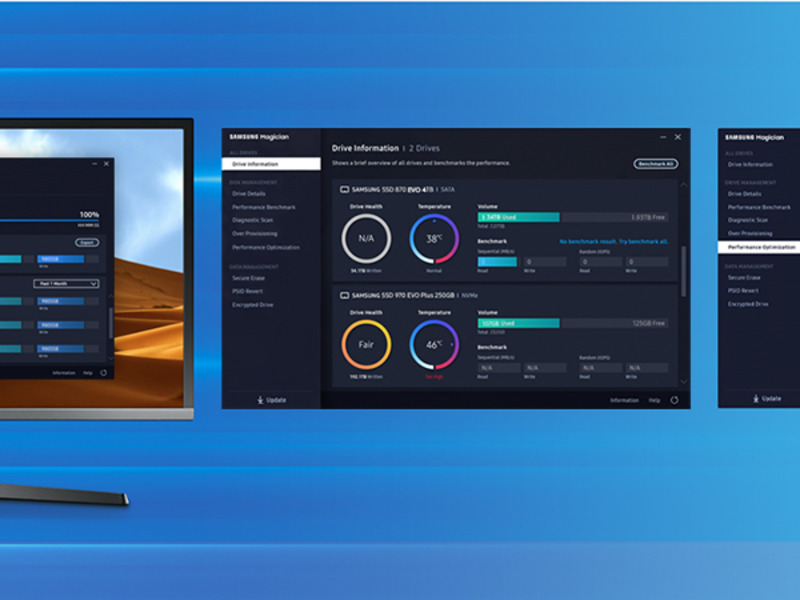
The included Magician 6 software is incredibly user-friendly and offers great features for managing and optimizing the SSD. It provides detailed information on the drive’s health and performance, and even includes tools for securely erasing data if needed.
Overall, the Samsung SSD 870 EVO has been a fantastic investment. The 500 GB capacity is perfect for my needs, offering plenty of storage for my applications and files. The black design is sleek and unobtrusive, fitting nicely with my other components. If you’re looking to upgrade your storage, I highly recommend this SSD for its performance, reliability, and ease of use.
Load Super fast in-game
Loading time in games has dramatically decreased(faster). Couldn’t Be happier with the purchase, not to mention got it on sale for a cheaper price.
Easy Install, No difficulties plugging anything in compared to my hard drive where you have to press uncomfortably hard to plug the cables in.
Also very small and compact, saves space for other things if you had a commander node pro you wanted to put beside it for example.
Lightweight, Reliable, and a Game-Changer for My Old Laptop
I recently upgraded my old 2014 Asus laptop with the Samsung SSD 870 EVO, 500 GB, and the results have been nothing short of amazing.
The installation process was straightforward and easy to follow, thanks to the numerous helpful YouTube videos available. Even with my limited technical knowledge, I managed to install the SSD without any issues.
One of the standout features is the Samsung Magician app. It’s incredibly user-friendly and provides excellent support for managing and optimizing the SSD. This app has made maintaining and monitoring the SSD a breeze.
In terms of performance, my laptop is now about 50% faster. The booting time has significantly improved, and there’s a noticeable reduction in lag. Tasks that used to take forever are now completed in a fraction of the time.
Overall, the Samsung SSD 870 EVO is a lightweight and reliable upgrade for anyone looking to breathe new life into an older laptop. Highly recommended!
I was looking for a 2TB SSD as I play a lot of video games that are quite large, and many of the newer games run very slowly on my 2tb HDD. Obviously a SSD this large will be quite an investment, so after much consideration I opted to purchase this SAMSUNG EVO drive instead of a cheaper off-brand.
This drive has been great, easy to set up as an extra drive (plug and play) and runs well with very high speeds. The 5 year Samsung warranty gives me peace of mind that my experience piece of hardware is built to last
I would recommend these Samsung drives to anyone looking for something fast and reliable. In my opinion no one needs to be faffing around with the risks of trying a cheaper drive when you can pay a little extra for FIVE YEARS of guaranteed functionality. Go for i
Ok so first of all the migration software that Samsung tells you to download called Magician 8.01 would not install but throws up an error and quits out so it seems you will need another program to clone or copy your master drive to this new SSD drive
I fortunately had a physical Hard drive copy station where you put both old and new drives into slots and simply press a button to copy old drive to new to get an identical copy of my old HDD
After three hrs I had my copy on my new SSD and it has certainly sped up loading times immensely saving much time with applications
So we’ll recommend this SSD drive but just make sure you have another program to migrate your old drive to the new one as Magician supplied by Samsung may not install on your PC / laptop etc
OK UPDATE:: concerning the MAGICIAN SOFTWARE
After downloading Magician do not run from your downloads folder
Create a new folder on your desktop and copy the download into that new folder
You will find that Magician can be installed from there without any errors now
In short, this Samsung SSD of 4 TB that I purchased is very good and very very expensive. I don’t like the Magician software and data migration tool that they recommend to use it but it failed in my case.
Let’s discuss with details.
First, this SSD required me to purchase SATA adaptor from Amazon, separately. Then when I plugged it in to my PC, this SSD was not shown so I went to Disk Management to allocate and create a simple volume.
Second, I downloaded this Magician Software and Data Migration tool. In my first try at 100% it shows error and then in my second attempt after I ran Check Disk (chkdsk /f) then it failed at 99%.
Then I searched across Youtube and found MiniTool Partition Wizard, this has given me error of failed to write on the disk.
Then I went to Macrium Reflex software, 30 days free trial. This has done the job of cloning or copying disk or migration from HDD 2TB to SSD 4TB.
After successful migration, I replaced HDD with SSD physically. Then it was like a new universe with speed and performance is very high.
However, I must say it took me about 40 hours from start to finish and with all my trials and errors.
The only reason I give 4 star is because Magician software has no magic and data migration tool within it is absolute rubbish. I would say that Samsung can focus on SSD if they can’t compete with other softwares in the market.
Good value for money
Review
This product essentially was bought for replacing my OS drive as my old one had started to fail on me. I had the previous one for around 7 years. But yeah I got what I paid for. It was a straight forward swap and reinstalled the OS and had no issues since. It’s all fixed and up and running which I am happy with.
I used this to clone and subsequently replace my 1Tb HDD in my old Lenovo laptop – result !
It completely transformed my laptop which now boots in seconds and handles all my programs like never before. Brilliant piece of kit, quickly delivered, I’m very, very pleased !
Good overall SD helped my download times and came with a good helth checker for it. A word of warning when choosing the drive letter do not choose one you have had already in the system as I did thinking nothing of it then windows tried to correct it and change the drive letter but also wiped my old hard drive I was trying to copy from due to this. Lesson learned the hard way did manage to get some stuff back but just as was on cloud.
Nice drive, easy install & fast. I bought this to replace an earlier generation 500Gb Corsair drive. There was nothing wrong with Corsair drive – but I needed to keep the contents and do a fresh install of windows. You can buy cheaper SSD’s than this but I rather pay the extra for a bit more reliability. Installation went well with no issues, seems significantly faster than the Corsair drive it replaced.
Perfect replacement for a dead laptop drive
I used these drives in my own pc so when it come to replacing one in a friends laptop it was a no brainer. Replacing his old HDD with this SDD, he won’t stop telling me how fast his laptop is now, even though it’s several years old
It's samsung
This was a nice big capacity drive at decent money. Bought as a direct replacement for an SSD that was coming to the end of its life, but also to give a bit extra space.
What can I say… download the software, press a couple of buttons and it’s cloned. No reason/excuse not to.
Again as it’s Samsung you hope for their quality but as it’s in a second desktop pc it won’t be used too often.
Very happy and actually first drive from them I have normally used other well known brand and was swayed just due to it being on offer.
Happy though with any as they all do pretty much the same unless you spend lots of money and want to check onboard controllers etc.
For Jane/Joe public this is ideal.
After some deliberation between going for a new hard drive and a solid state drive, we pumped for an SSD. This Samsung SSD, offers good value (there are cheaper names that I’ve never heard of and definitely more expensive ones as well). Spent quite a long time comparing the speeds and things like that. Ultimately, the difference appear to be negligible certainly for the reasonably casual gaming usage that we are doing. definitely felt comfort in going for a known name (as someone fairly new to self build PCs).
The drive was easy to install after watching a couple of quick YouTube videos, but I would be aware that you may need a longer connecting cable depending on the positioning of your components inside your tower. However, these are dirty and Natalie bailable too much about it if you do need one.
Great upgrade
Arrived next day . You need a USB to SATA lead .
With the Samsung APP transfer of old hard disc was easy and so was installing it . It has significantly improved the speed of my laptop.
Good SSD, initial troubles
Initial shipped product was faulty. Disk could be seen BIOS and windows but unable to partition the disk to be usable, replaced extremely quickly at no charge. Otherwise a good SSD choice!
Dependable
I have used Samsung SSDs for years without a problem. Only one (from 10) has shifted its bad storage elements (similar to bad-blocks on a hard disk). Done without problem, unobserved by me when it was done. The SSD was running windows7 on it at the time. Still going!
Computer runs like new.
My pc was running really slow and noisy so my nephew suggested replacing hard drive. Apparently, though a bit concerned he assured me it was simple and would simply transfer all my data.
He was spot on when he said these Samsung drives are brilliant and easy to install.
Well worth a buy.
I got this to be the boot drive for a new rig as I wanted the M.2 drive I purchased to be just for games. Sure it’s faster than a mechanical HDD and it’s slower than an M.2 drive, but with just Windows and a few other programs on its speed is of little concern to me. This SATA drive is of a known, reputable brand and if you need a drive then get one.
Easy to install
Down loaded Samsung Magician, plug in usb to sata cable and cloned old drive 1st time, with the 2nd drive just fitted it and formatted as usual. great value and quality you’d expect from Samsung.
Had it a while...
Had this drive a while and it’s fine.
I’ve never got round, or felt inclined, to test it’s speed or capacity. But i’m happy with it.
Seemed like a decent price when i bought – now they seem to be giving them away.
Happy bunny
My drive had 29 days uptime and 20TB of writes according to samsung magician. Not a huge data volume given its rated for something like 1800TB and a full test showed no faults or leftover files. But someone had been using this drive until I guess they returned it under the 30 day returns window so you might want to check yours if these things are important to you.
I personally would not recommend as a main drive for Windows as nowadays it I on the slow side but for games it is ideal cheap and effective way of installing games on reducing loading times say from a HDD is 20 times quicker! being Samsung quality is not an issue.
Let’s get the obvious out of the way, It’s a Sata drive, So up to 560mbs Read and 530mbs Write,
If you want it ro be fastest you could buy two and used it as a software Raid, Then you get double the speed,
But why when you could just buy a 4tb PCIE3.0 m.2 that’s 6x the speed for the same price for a different manufacturer?
Because simply old laptops/ Pc’s and last generation consoles don’t have an M.2 slot so you can’t use them and sata is the only option,
On the drive itself the 4tb 870 evo is excellent for a sata drive, It has dram inside 4gb infact, That’s like 2008 levels of ram in a top end pc of that time,
Why 4* rather than 5* you might ask?,
Actually plugging the drive in my pc only to run disk manager to format it and well… it could only format it to 2tb rather that 4tb but the remaining 2tb that was an not yet allocated couldn’t be merged into the volume,
The only solution I had was to remove the 870 evo plug in my sata to usb 3.1 cable I’ve had laying about for the past year and formatting as an external drive,
That worked then once that was done I then put it back in my pc to format once again,
I know I said at the start of this review that it’s just a sata drive,
But for most people that’s all you would ever need,
I have a 4tb firecuda 530 PCIE4.0 as my boot drive and this 4tb 870 evo is no where near the speed of that, But in games it’s identical for load times,
With certain games that are out in 2023 with the Direct storage api and now with NVIDIA RTX IO that will be out with rachet & clank rift apart on pc very soon ssd storage will be used to it’s full potential, Much like the near instant load times on the Playstation 5,
With direct storage and rtx io what’s the difference between 1 second with a PCIE4.0 ssd compared to 1.4 seconds to a sata ssd for game load times?,
You can’t even blink your eyes at 0.3 seconds,
Anyway for a summary,
Positive
+ 5 years of warranty
+ It doesn’t use QLC memory cells unlike the 870qvo
+78 GB cache size so you get full transfer speeds ( Most 4k video files are less than that)
Negative
= it’s a sata drive so if you do alot of 4k video editing at 60fps or 120fps then a PCIE4.0 would be better as the faster the drive you have the better really,
– My only personal issue of a brand new 4tb 870 evo not being able to format to the full capacity of the drive unless I used a cable to use it as an external drive to format it, If I didn’t already have that cable in my draw it would of been a problem,
Final summary,
I personal use this 4tb 870 evo as a steam game storage and pc games pass storage,
Why? Because some mad drivers in my area who like to crash into virgin media fiber cabinets and I’m left with no Internet for 10+ days and I don’t want to use my precious mobile data for game downloads because mobile data companies hate it when you use youe phone as a hotspot because apparently 600gb of 4/5g data is now somehow unlimited, And well we all know games are big now like 100gb + some are even 200gb,
If you can pick up a 4tb ssd for a decent price it’s worth it,
I wouldn’t worry at all about games that use direct storage in the future because the difference between PCIE4 or 5 or even Sata ssd will be less that a 2 seconds because the graphics card in your PC will be doing the decompression of the data
This drive has transformed the interaction I have with my PC; probably one of the best investments I have made. This has replaced my system disk using some 3rd party software, enabling me to do the transition with simplicity and peace of mind.
I would certainly suggest this as a suitable upgrade for anyone looking to reinvigorate an old tired PC where you’re just not ready to start all over again.
As everyone know photographs can be precious irreplaceable memories, and it is essential that they are backed up at least once. With the file size of photographs getting bigger and bigger, my 500GB back-up drive was beginning to fill up, so I was looking for a 1TB drive, by a reputable manufacturer at a reasonable price. I already had two Samsung drives in my PC, which I am very happy with, so I replaced the smaller one, which I now use as a portable drive.
NOTE: A minority of batches of these drives have had issues in the past, they should be resolved and if not they should be covered by Samsung’s 5 year warranty but do keep that in mind, its unclear if updating firmware via Samsung magician resolves this(cannot be done through USB enclosures, only SATA and thunderbolt).
TLC NAND like from Samsung’s EVO series doesn’t slow down to below HDD speeds when moving lots of files like QLC NAND that you usually see at this price point, and it also has a much higher long term reliability due being able to be written on more and suffering from potential small charge errors less. This made this easily the best value drive on the market for me as I wanted to put in an external enclosure, format to ExFAT and use for media/games storage across multiple devices/locations, a situation where more expensive NVME would be nearly useless.
Bought it as it was the cheapest sata ssd with a dram cache. It’s honestly not that far off the cost of a high quality hdd but due to its nature as an ssd, filling it up with data will not slow down the ssd and infact, due to its dram, it will actually serve as a buffer to aide in high transfer speeds. The price equivalent bx500 is cheaper and will honestly work great for most people but having a dram cache just helps the ssd feel and work much faster especially since many manufacturers are removing the dram due to cost. How much the dram is worth is upto you but i wouldnt spend more than 15 for it as for larger transfers, the speed will be mostly unaffected
I own 2x 500GB and 2x 2TB, use both 2TB with Akai Force and MPC Live 2, both 500GB i now use as back ups and have never had an issue.
Came across a video last night and started panicking however the date shown is the exact same as the one you’d get if you purchased directly from the manufacturer.
If the SSD was manufactured after 11/2021 you should be perfectly fine, obviously like with everything in life there’s no guarantees.
Like i said i’ve had no issues whatsoever.
Hope this helps.
Not much to say here, most of the other reviews are showing what needs to be shown. The 870 Evo pretty much saturates the SATA6Gbps bus, but aside from this, these drives are great for random IO performance versus their cost. They’ll have the longevity too (as long as not in server applications but even then, their endurance is huge).
Never had a failure in my possession and I’ve been purchasing since the 830 and when they were 250 for a 256GB – almost a pound per GB. I still have an 830 drive right now, it’s in use on a fairly modern laptop. This modern laptop has had an 850 Evo, 860 Evo and 870 Evo, but now has the 830 as it’s not my main laptop anymore, just a tertiary one. I struggled to notice any real world difference between any of these SSDs. I’m sure there are differences but they’ll be fractions of seconds – not seconds.
Reliability is the king though and as I’ve bought 100’s of these models over the years (100’s of every Evo/general model Samsung have released) to use in various client and customer laptops, not one is yet to fail as far as I know.
Samsung’s selling point is that it’s all made under one roof – all of the silicon components – CPU, DRAM, the storage silicon, everything. As you may know, most other brands use different branded components within their SSDs. Not that I’ve seen any big issues over the last 5 or 6 years with other brands – everything is pretty ironclad these days with controllers, firmware, etc etc. But with Samsung there’s no guess games or testing – you know it’ll be solid right off the bat and their endurance rating will be credible. Harder to estimate this when using components from different manufacturers. For that reason alone I’ve always just stuck to Samsung for my SSD needs, whether the SATA models or the NVMe models.
The Magician software simplifies firmware management, the clone tool is great if needed (most I.T. technicians will be recovering images via other means anyway).
I feel they’ve always been competitively priced – I know other brands do price more aggressively but in the grand scheme of things, I feel that data shouldn’t have a price (or not too large a price). The Samsung drives are still competitively priced with that in mind. And I do feel that with real-world workflows, the superiority of the Samsung drives can be felt at times over other budget brands – especially under random loads and I think Samsung’s great processor design comes into play here. Other brands have always been playing catch-up with this – Samsung have always headlined.
Recommended for use in anything you need storage in this form factor – external USB chassis (they’re GREAT for external drives – they’ll beat off even the best USB flash drives once they’re in a quality USB 3.0 chassis), game consoles, computers and laptops, iMacs & MacBooks (SATA only), NAS drives for either storage or caching. I honestly believe that unless for mass storage, the hard disk drive has no place anymore.