Wacom Intuos S Pistachio, Bluetooth Pen Tablet &ndash
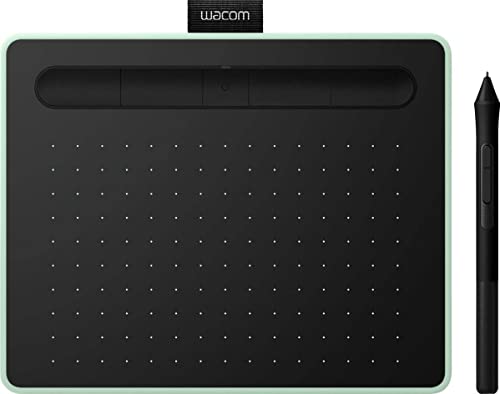
Wacom Intuos S Pistachio, Bluetooth Pen Tablet – Wireless Graphic Tablet for Painting, Sketching and Photo Retouch with 2 Creative Software Downloads, Ideal for Work from Home & Remote Learning



Corel Painter Essentials 8 & AfterShot Pro 3
Corel Painter Essentials 8 allows you to release your inner artist with a wide variety of painting styles, Natural-Media brushes and photo effects. Get the most out of your pen tablet and create an authentic, hand-painted look every time.
With Corel AfterShot Pro 3 you turn your passion for photography into unforgettable memories with powerful processing tools and presets to enhance any image from good to great.
(both are 90 days licenses)
Clip Studio Paint Pro
With natural pen strokes, quick colouring, unlimited tones and 3D figure templates, it has everything a budding comic-book artist or manga lover needs to bring action to life.
Clip Studio Paint Pro is a 2-year limited software use license, with the option to upgrade to an unlimited version at a discounted rate or to continue to use it as Clip Studio Paint Debut version after expiration of the 2-year period.
Boris FX Optics
Boris FX Optics is an award-winning collection of products for creative photo editing. It contains hundreds of Hollywood-grade filters that let you create a unique look and feed to your photos. Plus, add effects like lightning, smoke, and more with Particle Illusion from Boris FX, included in Optics.
(1 year license)
Real-time education with all the tools of the classroom
Teachers, students and virtual teams all benefit from Wacom Intuos and the new educational software bundle. Teach and learn remotely with Collaboard, Explain Everything, Kami, Limnu and Pear Deck. Wacom makes virtual learning and interaction more human, engaging and effective.
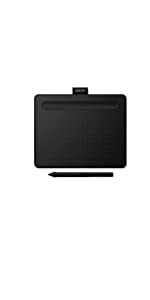 | 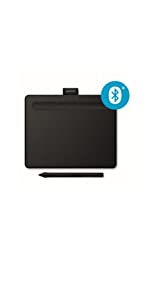 | 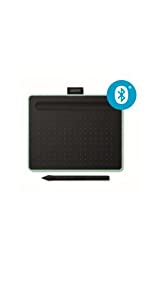 | 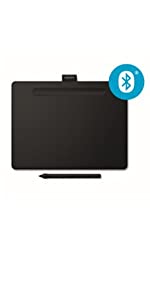 | 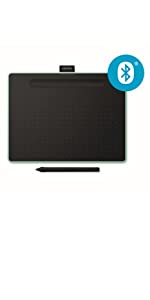 | 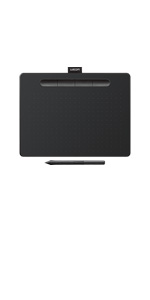 | |
|---|---|---|---|---|---|---|
| Size | Small | Small | Small | Medium | Medium | Medium |
| Active Area | 152 x 95 mm | 152 x 95 mm | 152 x 95 mm | 216 x 135 mm | 216 x 135 mm | 216 x 135 mm |
| Bluetooth connectivity | No | Yes | Yes | Yes | Yes | No |
| Free software: Creative and Education | Yes | Yes | Yes | Yes | Yes | Yes |
| Colour | Black | Black | Pistachio Green | Black | Pistachio Green | Black |
| Weight: | 250 g |
| Dimensions: | 20 x 16 x 0.88 cm; 250 Grams |
| Brand: | Wacom |
| Model: | CTL-4100WLE-N |
| Colour: | Pistachio |
| Batteries Included: | Yes |
| Manufacture: | WACOM |
| Dimensions: | 20 x 16 x 0.88 cm; 250 Grams |
Graphics table
I bought this as a gift , and the receiver told me it’s fantastic and they love it , it offers so much well worth the cost . This person is a graphic designer so I would take their word for i
I needed a graphics tablet to help me with online teaching and I was looking for a cheap option. However, after having a bad experience with a different manufacturer, I thought I might have to splash out on something pricey like an Ipad pro. Then, I watched a review of the Wacom Intuous S from the NY Times and I decided to give it a try. After a fortnight’s use, I am very pleased with my purchase. I decided to go for the slightly cheaper wired option as I thought there might be a bluetooth lag. Setup was easy on my MacBook Air. It takes a while to get used to writing with it as you look at the computer’s screen while writing. The pen has a hover function that allows you to easily locate it on your computer’s screen. Writing is accurate, although there is a rough feel which is supposed to imitate real paper. I disabled the pen keys because I kept pressing them at the wrong moment. The Wacom Desktop Center allowed full customisation of the express keys and I find these really helpful. I use mine to toggle between pen, marker, eraser and text. I still haven’t downloaded the free software as I don’t really need it.
Perfect for drawing and osu!
Only complaint I have is the pen is hard on my hand after extended use. I had to mod it a bit with some softer material. I use this for both drawing and playing osu.
The application included with the tablet is excellent allowing me to set up separate profiles for all my applications depending on what keybinds I use the most often or in the case of osu completely disable everything except pen tracking and change the detection area. Perfect product in my eyes.
Bluetooth is very laggy not really great for me I now just use it wired as it stops the delay.
Good!
It took a little bit to set it up on my pc and connect but overall really helpful and fantastic for beginners! It feels very smooth and I love using it for my art!
Cheap and effective
I used to have a tablet that was triple the price of this one and I was devastated when it broke. I bought this as a temporary replacement and had plans to eventually buy a better one. 11 months later, it’s been serving me well and still works great.
I would definitely recommend this for someone interested in getting into Digital Art. Hell, I’ve been drawing for 6 years and I’d still opt for this. It’s a damn good tablet.
A really nice piece of ki
A really nice piece of kit. It takes practice to learn to write while looking at screen and not your hands. My handwriting is now at the level of a seven-year-old, but that’s good enough to get started.
Compact yet powerful
I use this for digital art using a number of software packages but mainly Photoshop CC 2020.
I did not want a large tablet as I prefer to have a relatively clear desk. I did want a good pressure sensitive tablet with accurate tracking. This tablet has not dissapointed.
Excellent Digital Writing Pad
Good for use with Microsoft one note, nice feeling, accurate. Good customisation options, high quality feeling. Love the fact you don’t need to charge the pen. The tablet it self has ample battery life lasting about 25+hrs
Great for drawing with!
You can change the buttons to whatever you want it to do. I set mine so it can undo, redo, and save. Really good for digital artists like me! However it can be quite annoying when the drawing has errors as I’m always having to restart my computer to fix it. Apart from all the problems, it’s still very good for digital artists and I recommend it!
Great first drawing pad
Daughter loves this but wasn’t easy to set up and you need to make sure you have plenty of space on the hard drive to do a full installation. We could get two free packages, one is a free trial!!
Good product, recommending
Good tablet does take time to learn to use it but definitely good choice for beginners. Works well no issues, long lasting batery, quick charging. 3 softwares included is a great bonus for the purchase. Highly recommend.
Works out of the box with Adobe Photoshop
Purchased for my son who is doing digital media in college. He mainly uses Adobe CS with Premiere for film production/editing. The tablet is well made (as you’d expect from the Wacom brand) and works with Adobe out of the box. He said this had made his editing,etc massively easy when using the Wacom tablet and he has downloaded template overlays for the various programs he uses. The tablet is accurate and responsive and has a high build quality. Although a little pricey (we purchased on a lightning deal so cheaper), it is worth the money as it just works. Highly recommended for art/media work – son is very happy/impressed with purchase.
Grea
Definitely easy to use, straight forward installation and setup. I’ve been using this tablet for years and never had any issue with it, the pen is also very comfortable to hold for hour long drawing! Amazing!
Be sure you need it before buying
It’s ok, I don’t want to mark it down based on my own inability to use it to its full potential but I’m struggling to find it as a better option to using my normal method of photo editing.
Windows updates
Good tablet and great to use but getting it to work with windows 10 took a while to find out,I tried contacting Wacom and they got back to me in about four days,with no help.
All that had to be done is uninstall part of windows updates and now it works great.
The bluetooth version can be use wirelessly or connected using the USB cable included in the package.
other than the software that were suggested for downloading, it can also be use for other programme such as adobe photoshop, onenote for note taking and many others are also supported.
The tablet can be seen as a replacemtn of a keyboard and the pen is a mouse. Once get use to the feeling it is very simple to control.
The pen nib can be wear out quite quickly if you draw a lot but there is 3 replacement nibs included which will last for a long time. Extra replacement nibs can also be purchases with a reasonable price. When i draw, i tape the nip of the pen so it doesn’t wear out too quickly. and it doesn’t feel much difference from not taping.
The screen synced well with the table without delay and everything run smoothly.
I am a tatal beginner for using graphic tablet and i found this tablet very friendly for beginners. For the free software i chose Clip Studio Paint and Corel Painter Essential, CSP works fine and looks professional but Corel Painter Essentials was unable to download on my macbook as it was not supported by mac version 10.12.6 which is a bit disapointed.
Overall this is a very nice graphic tablet, easy to carry around but needed to connect to a laptop/computers before it can be used. It is very suitable and friendly for beginners like me and i highly recommend this product.
I’ll be honest I bought and use this for something way way WAY below its capabilities and target use. I use it to write on MS whiteboard in virtual meetings and to quickly build out flow charts and the like.
I usually do such stuff it on my touchscreen with a stylus but my home computer doesn’t have one and I thought what the hell one day and bought this. (I blame coronovirus lockdown for the near daily queues of amazon delivery folk just about managing to keep 2 meters apart while piling up boxes in front of my door. Anyway I digress.)
I found it tricky to get used to watching the screen while writing on the tablet and the bluetooth was at first a hindrance as id be picking it up, moving it about and trying to find something that immediately worked instead of learning first. Once I ‘got it’ however (a few days of writing with the pen) I actually prefer this, you dont have your hand over the screen, its much lighter, your cant scratch up your laptop screen and testing using both together it lets you write and switch brushed with the touchscreen at the same time. its probably going in my laptop bag after being a purely impulse buy.
I dont like giving up five star reviews as there’re always some flaws with stuff but I cant find any on this thing (it’d be cool if the surface pro pen and the stylus were interchangeable I guess, but I never expected them to be), admittedly I’m using it for maybe 10% of its capability.
I have a 3 year old laptop and had a 10 year old genius tablet with it. I needed to reinstall my windows on it, because my program was constantly lagging and could not make more then 4 brush strokes until it freezed for minutes. It was really annoying. When I redone my windows it still had the same effect so I decided to get a new one as I was thinking of it anyways. When THIS came, it changed my workflow, no lagging, nothing! I am so happy to have this! Though the price, it is reaaaaaallly expensive, so I was crying blood. But I think it is really worth it!
Does what it says!
I have a cable tablket and the bluetooth. Not sure the cable tablet is any worse exceot the Apple lap top no longer has a USB port. Works as you would expect. I use tablets all the time and comopared to some this one gets recognised quickly.
Not just for drawing
During the WFH boom I needed something to use that I can draw network diagrams whilst on calls and screen sharing. In comes the Wacom tablet. Easy to use and very customisable. When using dual monitors you can map just one screen to the tablet. The included software is very good. I find myself doodling if I get bored on some calls.
Lightweight, easy to use
Fantastic and has had a lot of use since I bought it, I was concerned it would be too small but actually a good size that works well for me.
I’ve been using Wacom brand graphic tablets for my job (graphic design) and at home instead of a standard mouse for over 12 years now and they really are the industry leaders. Even this small sized one is perfectly capable of handling any project that I undertake. The functionality and customization options are excellent as are the ergonomc benefits (I originally started using a graphics tablet after years of mouse clicking started to give me repetitive strain injury). I got the wireless version, which was straightfoward to connect via bluetooth. The internal battery life isn’t spectacular (I get about a day and a half of solid work before it prompts me to recharge) but you get a USB cable and can continue to work while charging. All in all, if you’re thinking of getting a tablet, don’t go for the cheap options, spend a bit more and treat yourself to a Wacom.
eally easy to use
I was unsure of what to expect as I needed to order a tablet for the online work I was doing. I was surprised how easy it was to use once I had practiced and reduced the hand wobble! Still to try out the additional photo option bought with i
Easy to use and very pretty!
Works perfectly with both my Windows PC and my MacBook. Easy to set up. Great battery life. Not sure how much of an upgrade it is from my old Bamboo, we’ll see!
Amazing tablet!
I love this tablet! Great value for money, very beginner friendly and it comes with two softwares you can choose from. It has a nice paper texture and bluetooth works just fine with it! Highly recommend it, especially for beginners!
Great drawing tablet but...
This drawing tablet is really good value for money. Nice free software option. The only problem is the pen has a very strange and strong smell from it, it’s quite unpleasant.
Does what was required.
This was an Xmas present for my son so, have had to wait for him to provide feedback. Bearing in mind that he is very competent in the use/operation of Computers and their associated equipment, he is very pleased with the item, which he had previously chosen. It can be operated as he required, and beyond.
Used to mark work online
Easy to instal drivers on windows 10. Bought to make it easier to mark schoolwork submitted as word docs. Took a little while to discover how to enable the draw tab in option on pc version of word and add to ribbon. Now I can tick and correct without typing. Also works like a mouse. Discovered that I needed a usb Bluetooth dongle for my gaming pc (they don’t seem to come with it) in order to use this in Bluetooth mode. The TP link one works well and was ordered on amazon when I realised. Makes it a little more versatile. Takes a little bit of time to get used too but is saving me time in this current work from home situation.
Bought this particular pad as my son has one and I got to trial it first. Medium size is necessary for more precision. There are cheaper Wacom tablets that are not Bluetooth and they probably would have been fine, but unfortunately were not in stock and I was pretty desperate.
Guess if I get time I can try the 3 free software products that come with it.
As yet still have to try it with Adobe Lightroom and photoshop that I already subscribe to.
Seems to hold its charge well.
The tablet is great, it definitely saved me so much time! I can’t believe I didn’t buy this a long time ago. The only problem I had with it was using photoshop, if I click on a button either on the tablet or on the pen, it gets stuck and doesn’t draw curved lines for a few minutes. For someone who is used to sketching with a pen and paper, it feels like the pen has ran out of ink, so it’s not too much of an inconvenience. During the first week I think my laptop had to get used to the drivers installed and this would break sometimes too, but now that works perfectly.
Loving my new tablet - apart from the smell
So far I’m loving this tablet. Bought as a replacement (to my huion q11 v2 which didn’t work very well). The smallness compared to the q11 is taking a bit of getting used to, however I can now use tablet on lap – a bonus. Even though the touch sensitivity is half that of the q11 and with no tilt function, I honestly can’t tell the difference and it’s half the price. I’m very happy with my replacement.
Strangely tho, the pen, straight out of the packet, smells of cat pee. Not sure what that’s all about but hoping just chemical smell
You don't need batteries!
I purchased the Small model and it is brilliant. I was apprehensive about the Bluetooth, thinking it would need batteries; it does NOT need batteries, having an internal battery that is charged via the USB. So you can use it wirelessly via Bluetooth or with the USB – no batteries needed! Lovely produc
Quite good
Everything feels quite good. I just have some issues with LAG over Bluetooth connection and the mouse/pen pointer on the screen (seems to work like on 30hz screen). So I’m using it with the provided cable, but not on Bluetooth connection. It might be drivers issue on Macbooks, thought.
Works Grea
I use with capture one photo editing. I tried a week sing this instead of a mouse. While it worked I had to give up in the end, dragging windows around doesn’t work unless you disable the ink functionality, it is a big issue, fix that and I would move to pen only. However, now I swap to it when photo editing of annotating and its superb for that.
So pleased with this, so easy to use and so effective! I normally draw and paint by hand but this has changed my whole style. Over the moon with it, if your not sure about this don’t second think it, best thing I’ve ever bought… so addictive!
Great tablet, great if you are looking for a well built device
Use it for OSU, I do recommend getting a extra set of nibs as the ones provided in my use wore down quickly. This is mainly down to using the nibs not for drawing. Your mileage may vary.
Amazing
I’m a product design student and wanted to make my drawings cleaner. This product really is amazing. I scan in my drawings and edit over them and it’s so easy 🙂 took a day or two to get my hand coordinated with the laptop screen and wacom but getting there! The lack of cables and bluetooth is amazing too, keeps my desk top tidy
Highly recommended!
This is a perfect tablet if you are just starting out with them! I used to have a Wacom Bamboo but unfortunately they have been discontinued I believe. I upgraded to an Intuos Pro Large but found that it was cumbersome to set up and use with my small desk, so I figured I would buy a smaller tablet.
I wasn’t disappointed! The tablet is a perfect size for someone with limited desk space, and anyone who also uses their keyboard for shortcuts etc, and their mouse all at the same time. The desktop range seems to be good and installing the drivers was a piece of cake! If you don’t enjoy having wires attached to your computer accessories there is a Bluetooth version.
Note: Some windows 7 users (like myself) may experience permissions errors if the tablet isn’t connected and the drivers try to run, this isn’t an issue with the tablet at all but a general windows 7 error which can be easily fixed with a simple google search of said error.
It does exactly what you hope it will
My last Wacom tablet lasted 10 years and I have only replaced it because it no longer worked with the latest iMac operating system upgrade. As a freelance photographer it’s perfect for processing the many thousands of photos I shoot every year.
Can't believe I waited so long to get one
So easy to set up and use and makes a big difference with editing pictures in Photoshop (using a MacBook), let alone trying to draw anything on Adobe software. Extremely handy for logo design and illustrations. I went for the small one for a laptop screen and it’s the perfect size – tablet to screen accuracy is great, and the small size tablet is actually no problem.
First rate
I use this mainly for producing artwork using Photoshop, I find it easier than drawing on a touch screen because you can see where the stylus is exactly. The Wacom software is good and the tablet is first rate.
Perfect.
I bought the S pistachio version as my first drawing tablet and it’s one of my favourite purchases yet.
The choice of free program is great as I dont have photoshop.
I had been looking at iPad Pro. But i can’t afford it. I do have an old Mac.. I also have no artistic skill set whatsoever.
I already owned clip studio pro, which I’d been trying to use with a mouse. Bad. Specifically i need to take fuzzy company logos from websites and make them sharp and pretty so i can make airport greeting boards with them. Not art from scratch, i know i am useless.
Given that these sell on fleabay for nearly the same price as new with warranty on Amazon, thought it worth a gamble. Plus the 2 bits of free software offer.
OK so out of the box. Simple USB to device cable. Needed a thunderbolt to USB adapter – done. Easy. Registration – easy. Updates downloaded – all good.
I hoped I’d be able to use the free software to get me photo editing for mac and clip studio for pc but – yeah software you have to select ONE platform so that knackered me. And the photo software is for working with raw images, not jpg’s etc so pointless for me though i didn’t know that (and clip studio limited to 2 years). Had i known what i know now, I’d have chosen pc and taken clip studio offer
Anyway. On mac. Wacom desktop lets you set what the buttons on the tablet and on the pen do. Clip studio recognised it straight away – the whole screen space maps onto the little tablet but that’s not too bad, hovering shows on screen where the pointer is. I found it necessary but easy to go into clip studio and change preferences for pen pressure, i don’t want to press hard. Sorted.
Oh, initially connnected with cable to set up and charge – then i went to blue tooth so i have tablet on my lap in front of mac, all good, no wires. Whereas the more expensive versions with built in screens also need wire connections as far as i can tell (i was going to buy the Xpen items, but to have a screen big enough for me to see am looking at 16″ / 300 for the pro – hence why i thought this worth a gamble. If i didn’t like it could ebay and lose max 10)
For my use and my complete lack of artistic ability, this does exactly what i want. It seems accurate, if i could stop my hand shaking i am sure it’d draw smoothly. What the xpen has over it is tilt on the pen but i don’t need that.
A Christmas prese
I have given middle of the road stars for this product as it is a Christmas present for my granddaughter, so it has not been used and I cannot review it. I fully expect it to be great.
Great tablet, worth every penny
Works perfectly, very accurate and great texture to the surface. Aside from the extra buttons and touch gestures I can’t see any reason you’d need the Pro over this. Worth the money.
Great product, value and support.
Great product, value and support.
Had issues getting all the drivers to work on my Mac used the Wacom live chat and they had it sorted in less than 5min.
Really good being Bluetooth only thing is you can’t use it when charging but not major.
Flawed design for carrying around
Design flaw – when stowing this in a laptop sleeve it is very easy to accidentally turn in the power. By the time you’ve got where you’re going, the tablet is flat and needs recharging!!!!
It’s great for beginners like me who usually draws on paper or paints on canvas. The software that comes with it is handy. It’s just a handy tool to have when you feel like doodling on your laptop or computer and even great for design work. It defeats having to use the mouse on software such as Adobe Illustrator or Photoshop.
The size is also easy to store and bring with you to places. The drawing surface is large enough. I would recommend getting the size that resembles your screen. It comes with spare nibs which seems to last long.
Bluetooth works well and you don’t need to worry about the range since you need it near your computer or laptop for obvious reason. You can still use it plugged in.
Finally, I’ve seen some complaints that the pen scratches the surface. It’s meant to do that as it leaves white chalky residue which wipes off but it’s not permanent and very trivial.
Photoshop wouldn't be the same without i
Once you use one of these it is impossible to go back to retouching, editing and drawing without it. It is much easier on you wrists when using for prolonged periods of time in comparison with a mouse and the lines produced with it are a lot smoother and much more precise.
Great!
Small, lightweight and gets the job done! I’ve had no problems with it thus far and would recommend Wacom over every brand!
I’ve heard some say it’s too small, but for someone who uses a small laptop it’s the perfect size.
Very Great for Beginners!!
Originally I was a traditional artist but I got recommended this tablet and many have said the digital world of art was very fun, and i couldn’t agree more!! Having the hot keys at the top gives me a very free platform to draw and do everything, it’s amazing. I definitely recommend this tablet for beginners or someone who is on a budget.
Good product for the money
Good product, accuracy is good and battery life as well. Although the top thing broke easily when I pulled it from there to get it out of my BAG, but probably it always my mistake
Good
I personally dislike the small space so for the comfort it’s not the best. But after my intuos pro inevitably stopped like the last one I needed a quick cheap replacement and this has done the job well. definitely recommended for beginners or those who just don’t want to spend a lot.
I have always used Wacom and have never been dissapointed with the overall feel and build quality of thier products. Thier pens are always accurate and thier pressure sensitivity has always been spot on. The battery on the Intuos is amazing. Can easily sit through 2-3 drawing sessions of 3/4 hours at a time before needing to charge it. Not having the cable there is much more comfortable. My only bug bear as will all drawing tablets is the fact they continue to use plastic pen nibs which inevitabley end up marking the tablets surface after a peroid of time. If like me you move your drawing around and tend to use the tablet very centrally the wear does become more noticble quicker. But overall great drawing tablet and would recommend.
Marvellous
I cannot fault this item. It is slick smooth easy to set up and even easier to use
The Driver download ships with a preferences app
It is fully compatible with Lightroom Classic and Photoshop which is what I bought it for. Individual settings for each program and an “anything else” catch all preferences tab. Now 2021, it’s still brill, and keeping up with Adobe’s updates to their software. Well done Wacom
Highly Recommended
Great addition to my desk set-ip
This was ridiculously easy to set up, and it just works. There is not a lot else I can say. Maybe I wish I’d had the budget for the larger one, but this meets my needs well. I would remove 1/2 star if I could for the pen. It feels a little insubstantial. It’s nicely sized and shaped, but I could wish for a bit more heft.
The challenge you should consider before buying this is how long it will take to get used to using this sort of input. I think it will take me a lot of practice.
Great product overall
Pros: Nice size, good battery life, dont need external batteries.
Cons: pencil tip wears after awhile, sometimes there are lagging problems during the first minute after connecting the product and had some issues with creating a wacom account (had to contact them through fb directly to register my device instead of being able to do it myself online)
Great item. Good size. Good price.
Bought this as a Christmas present for my daughter – she absolutely loves it and has used it to improve her digital art. Perfect size for a small desk. Will no doubt see her through her college years and potentially into University.
I am a Linux Mint user. I got a Wacom tablet because I had read these are the only ones that have native linux support. One thing I want to clarify is that the maker itself does not provide linux drivers, however it does redirect you to the github page that provides these. Linux Mint does in fact have pre-installed the drivers, however I had to update one or two of them in order to get it to work. However, after trying for several hours, I could not get the tablet settings to recognize the buttons, and I had to change the settings for them manually from the terminal.
All in all, it will work, it is a good product, but you might find it is not as easy to get it to work on your linux distribution as you might have expected.
Great drawing table
This is a really good tablet and works without issue in blender, photoshop, gimp etc. I’m in two minds if i should of gone for the next size up, but for the price you cant go wrong. The free software you get to choose from is good as well. Would recommend.
Excellent for the price
Wacom can be a bit on the expensive side but then again, they are a quality product. No hesitation in recommending any Wacom product – we have 3 tablets in the house. My Wacom One decided not to work properly, I received a refund, so I replaced with the Intuos S. The extra cost is definitely worth paying, the surface feels great and the programmable buttons as very useful.
Great results
Amazing graphics tablet for the price.
I’m a beginner digital artist, I work on art in my free time, this is the only tablet I’ve ever owned and I don’t have any complaints – I found that the learning curve isn’t that high, and I was able to draw comfortably around the second day of using this product.
Good table
eally good tablet, works perfectly fine for me – although the size does take some getting used to, it is a small version after all 🙂 the product overall works really well for me
Favourite purchase
Smaller than the one I’ve previously used but works just as well, easy to use and Bluetooth makes it more comfortable to use as there aren’t lots of cables around my computer while I’m working
Amazing!
I love this tablet. It was very easy to setup. The Wacom software is great and you can customise it for various uses. I have a multi monitor setup, and have changed the settings so the tablet only works inside the canvas of my photoshop software. This also works with other software packages.
Remember to register the tablet to claim a free software package from Wacom!
Amazing product, but unable to download software
This tablet is absolutely perfect. I’m a beginner and I can say that setting it up, programming the buttons etc, has been incredibly easy and a pleasant experience. The size it perfect, the pen slides into the tag when not in use. The pen not needing batteries is a must have. However, I was unable to download their software so I will be ringing customer support to see what has happened, I have been using sketchbook instead. Overall, an amazing product.
I haven’t had a drawing tablet before, so I was a bit unsure whether I should get one. Having finally bitten the bullet and purchased this, I wish I’d bought one sooner! It makes digital drawing a hell of a lot easier, and I haven’t had any issues with it at all!
It’s also managed to survive being dropped a few times, and I can bring it around with me where-ever I might need in my bag without worrying about it being damaged, which is a bit of a relief! This tablet can survive a clumsy owner!
I bought the small, and the size is perfectly good in my opinion, there’s enough room to draw properly on it.
The free software is nice, and I do use it occasionally, but I feel it works best with Paint Tool SAI.
Good product overall
It’s a good, easy-to-use product. I’m very new to digital art so I had no idea what to expect but it’s been great. Had a bit of trouble getting the software for it – I think I installed the tablet onto the computer before getting the other downloadable stuff off the website, so I haven’t had the chance to use the programs mentioned on the box. Although it did say that I could still download after installing…Still, I’m not dissatisfied. The pen does tend to get stuck every once in a while – the pointer on-screen won’t move, but this doesn’t happen very often and I’ve found it to be a great experience overall.
Love i
This is the first tablet i Have bought and I am so excited about it.
I bought the M because the S looks too small for me.
The M is about the same size as MacBook key pad. So great for me.
The Bluetooth is great and the software you get is brilliant 🙂
I am sure this is a ‘beginner tablet’ but I love it 🙂
Excellent quality and service
Wacom Intuos Pen Tablet M, is fantastick vwey responsive and Wacom, are very quick to reply about any quieries I had and I was able to download my 3 other gifts from them no problem
I love using small tablets like this instead of using a mouse. I’d highly recommend every heavy computer user to buy one.
This Wacom is as good as any other I’ve had. It’s as sensitive as you need it to be, fully adjustable and super responsive. The drivers are great once setup, but they have their issues. I disconnect the tablet sometimes to take with my laptop. When I reconnect I loose mouse mode and have to either reboot or re select it in preferences. Sometimes it randomly looses mouse mode and sometimes touch mode gets stuck on for no reason. All driver issues and not hardware related. Sort it wacom. Other than that, it’s perfect as mouse replacement or for drawing.
I had rsi from using a computer too much for my job, the movement of a mouse constantly over a day took its toll. Using a pen like this solved all my issues. After 10 years using a pen instead of a mouse I can confirm it helped me massively. It’ll take time to get used to the change but persevere with it.
Wacom Pen Table
I bought this as a present and thus I cannot comment on battery life or what it is like to use. However, the tablet arrived quicker than predicted and is exactly what was requested.
You get exactly what you pay for. The size of the tablet is quite small but the quality of it as absolutely top-notch. The only thing holding you back is your own imagination.
Bought for work at college for graphic design and it’s amazing so easy to set up and learn how to use and immediately works with any Adobe software, it’s also so lightweight and easy to take anywhere with you
Wacom intuos drawing table
I will start by saying the tablet is really good, very well made and has many features so for the tablet 10 out of 10. Trying to set it up on the other hand was extremely frustrating but don’t let that put you off. If like me you get into difficulty setting it up just contact wacom via the messaging app and they will assist you.
I’m a training instructor and as well as running courses in classrooms in our centres and at client locations, I sometimes need to deliver classes over the internet using conferencing software and hardware. One issue with this is how on earth do you use a whiteboard? I decided to buy one of these tablets to see if it was any use.
The first thing you notice is that it is smaller than you think. The box contains the tablet, which has rubber studs on the back and four mappable buttons along the top, the stylus, and a USB cable. Software is downloadable from the Wacom website. It’s a cinch to set up – you can pretty much just plug it in and use it straight away, but the software allows you to remap the buttons on the tablet for your own chosen functionality, configure the screen size (important if you are using multiple monitors and have your desktop extended across them all, as the tablet assumes that the complete width of all your monitors is a single screen, unless you tell it otherwise in the app) and so on. The stylus doesn’t use batteries and has some spare tips inside – just unscrew the barrel and they’re stowed inside.
It takes a bit of getting used to. As soon as you hold the stylus over the tablet it works as a mouse, and if you tap on the tablet surface it registers as a click, so if you really take to it I suppose you could even ditch your mouse. Of course, the tablet works with graphics software such as Photoshop and Gimp, but it also works with the likes of Microsoft Paint, Paint.Net and Windows Ink within Windows 10. For my purposes (sketches during courses) I found that Microsoft Paint or Windows Ink were absolutely fine. Sure, these “lesser” packages don’t support pressure sensitivity whereas the likes of Photoshop do, but for me they were perfect. The hardest thing to remember is that as you draw on the tablet, nothing appears on it, just on the screen, but after a little while I found that it became second nature. Weirdly I did find that if I tried drawing in Paint.Net with the tablet some things didn’t work so well, such as if I wrote with the stylus, or tried to draw freehand circles, but it was fine in other programs.
If you’re a trainer like me and you want something that will let you doodle on the screen, present courses remotely with a virtual whiteboard, or if you fancy dabbling with photo editing, this tablet is small, light, portable, and doesn’t break the bank. Of course, bigger and snazzier ones are available, but this one was a brilliant buy for me.
Wacom Intuos Pen Tablet in Black (Size: M)
Very nice piece of kit and easy to set up with the help of Wacom. This is something that takes some time to get used to and you need to work with for a while to be confident in its abilities. I use mine with Photoshop & Photoshop Lightroom, it works great.
It's Magic.
The Wacom is easy to use once you get the hang of it I like the size as it is only small as I get used to it more I will be thinking of getting a bigger one for now I am happy with this one. it is lightweight and I like the fact that you can use the wacom pen with it which makes it a lot easier than using a mouse.
Used it to finish a piece of digital painting.
It’s better than my last one . The Bluetooth feature is cool I was working on it for 5 straight hours and it lasted until then, probably beyond that.
Good for the price. Don’t use the buttons much so can’t rate them.
Wanted it for the Bluetooth feature. My last tablet was Connected by usb to laptop.
The usb is great for charging and connection. Charges pretty quick by plugging it into the wall with an adapter.
This is the second Wacom tablet I’ve bought for my daughter now. The first was the small one. She absolutely LOVES it. The small one we bought about 5 years ago when she was just dipping her fingers into digital/animation drawing. Now she is doing her degree in it and finds this tablet so handy, she can throw it in her bag and connect it up to her laptop or a desk top at home or in Uni. She has arthritis but this is light enough for her to manage and so far has no complaints about battery life. The price we paid was amazing!! And it was excellent order to delivery time. I will definately but from this company again and can’t rate them or the product highly enough.
Excellent produc
I’ve been using Wacom tablets for years. I use them for Photoshop work and video editing. Much kinder on the hand and wrist than pushing a mouse around. The only reason I bought this tablet was because my original – bought in 2008 – was not compatible with Windows 10. That said, it gave me good service for 10 years! Wacom support has always been good and they helped me choose the right tablet for the kind of work I do.
Does what it says on the tin.
I bought this for my partner who is a hobbyist artist. She loves it. She uses the bundled software which is very easy to use for someone who’s not trained in graphic design or whatever… and it’s still pretty advanced software that you can do a lot with. The tablet it self is really slim and lightweight. It has bluetooth, but my partner uses it plugged in via usb. It’s great.
Great item & great price
I bought this tool to work with my MacBook Pro and it’s a great tool. I’m using gimp software as it’s free. Early days as I’m a beginner trying to simulate hair line examples for potential customers, but I think it will do the trick once I have the full time to practice and watch online tutorial videos.
Excellent workhorse
I bought this for my daughter who is studying product design and spends hours rendering images on her computer. She says she doesn’t know how she lived without it. Simple to use and highly functional without being too clever for its own good!
Fantastic tool!
I LOOOVE my Wacom! I am new to Graphic design and am currently doing a degree in Graphic design and Illustration so I decided to treat myself to some new creative tools. It’s a great size, super light weight, colour is great and works so well. I had no problem with the buttons on the pen like I read in other reviews and actually find them very handy. It’s a great tool once you get used to it and was very easy to set up.
I’m a beginner, and I chose the medium size, which I’m more than happy with. It’s very slim and lightweight, but feels well-built for the price. On the Wacom UK website, the price for this is 179.99, but on Amazon, I paid 109.99 (new) which is a steal.
It connects via BT to my Dell XPS (Win 10), and charges fairly quickly. I can also use it via USB although I wish the USB lead was a bit longer as I prefer to use the port on the other side of my laptop (the far side, because my laptop is hooked up to an external monitor, which it’s sitting to the side of… anyways), but I use BT instead.
The colour is pretty cool. Would be nice if they came out with other colours, but that’s not the most important thing here to consider.
The pen feels nice in my hand and it comes with 4 standard nibs (one’s already installed and the other 3 nibs are inside the pen, revealed by unscrewing the top of the pen. The nib tool is built into the top of the pen too. It has a nice weight, and feels natural to hold. The two buttons don’t get in my way but is easy to reach with my thumb because I place my thumb just below the bottom button, normally. Drawing on the tablet feels natural. Looking up at the screen whilst drawing takes a little practice but feels quite natural.
Online registration was fairly straightforward, and I was able to claim all 3 software that’s on offer. I haven’t installed them because Illustrator and Photoshop serves my needs.
Wacom’s software + driver were very easy to install and setup. You can customise your tablet and pen settings for both general use and per-app use, which is very handy.
The only thing I would ask for from Wacom at this point would be to release a Paper version (like Intuos Pro Paper but without the hefty price tag) in Medium size. It kinda frustrates me I can’t lay a piece of copy paper over the tablet and trace over it with the pen, even though there are other ways around that.
Great little table
I was going to get the more expensive one but this one does everything I need at half the price. If you don’t need all the levels of sensitivity that the pro version has then this is a great little tablet. Love it.
As said in title it does what you need it to, it comes with extra pen nibs and all, its just the battery that was a slight let down, takes ages to charge, takes no time to run out of charge
This is a game changer when it comes to editing images, and I guess (since I don’t really use for that) drawing. It is insanely precise, it works perfectly fine with both Lightroom and Photoshop. If you own a recent laptop that has ditched all USB-A ports (such as the new MacBook Pros or DELL XPS 13) the bluetooth version is a must, but I don’t mean this in a bad way; bluetooth connectivity is superb and also being tethered is so 20th century, there is no latency and the battery last for various sessions of editing. You can charge the battery with any standard micro usb (the same one that you already use to charge other devices) so no issues there. Included with the tablet is a micro usb to USB-A cable, so if you need a USB-C you will need to pick it up separately (or if you don’t already own one a dongle) but it really isn’t a big deal since you probably won’t need it (I have only connected the tablet to laptop once, when I was setting it up).
Make sure you download the drivers that come with the tablet so that you can personalise the buttons and functions to your liking. I for instance only use a portion of the pad since I feel 7 inches is a bit too much, but then again it is all personal preference. That tablet also comes with some free software but I personally can’t comment on it since I have not use them.
TIP: if you are into drawing of want to get into it, Sketchbook Pro is free and totally compatible with WACOM tablets
Better than the previous versio
Updated this from the previous version. It is somehow better in all aspects for me. I use it more for engineering software, so I can’t really comment on its behaviour on photoshop etc. I can say that having bluetooth is amazing, no dangling cables around. Battery lasts about a day.
A gift to my Granddaughte
I really can’t comment on this since it was a birthday gift to my Granddaughter. She was tickled pink with it so I would say it was a real success. However I can’t comment further on it.
Great product to get started
Nice tablet to get started drawing digitally. I recommend the Bluetooth option as that comes with the free option to download the Clip studio pro software. This is a great offer and both make it easy to begin drawing. The tablet itself is simple and its just a matter of downloading the drivers to start using. The pen has extra nibs in it as they do wear down eventually.
I enjoy using it for art and animation, and osu!. It’s pretty great and it wasn’t all to difficult to setup. You basically download a driver and then it’s just plug and play (I’m on an old MacBook).
It is comfortable to hold and use though perhaps nibs are wearing down pretty quickly because it begins to feel a little bit scratchy in places.
Wish it was usb C instead of micro USB though. Also a slight delay involved between moving the pen and the reaction on the screen when you use bluetooth as opposed to wired.
Good tablet. Got many hours of work complete on it. It can be tricky to set up and select the right software for your needs.
If you haven’t used one like this before, it takes time to coordinate tablet to screen but results are great once comfortable.
Small, Compact, Functional
It is small, fits just perfectly on my desk littered with wires, coffee mugs and generally very limited space. Very accurate, precise and detects pen pressure perfectly. Will certainly recommend.
It’s lightweight but still feels like it is good quality. The pen is overall a good size, though it took getting used to because I accidently kept clicking the buttons whilst drawing. The buttons on the pen and the tablet can be configured for each app.
I struggled to get the tablet registered in order to get my free software like many other reviewers have ( decent software too, the tablet alone is worth the price so the software is a great bonus), however a 3 minute friendly online chat with Wacom sorted everything out painlessly. The small size is ok. I would have preferred something bigger however the price jumps quite drastically for the medium tablet so I guess beggars can’t be choosers.
Ultimately, I’m very happy with my purchase. It’s great for drawing and editing photos etc and has increased my work rate by a large margin.
Great little thing this one, it is my first pen tablet and I use it for photography retouching. It does the work perfectly. The battery could last a little bit longer, but it general it is a really good product. It works perfectly with Mac.
I needed a new tablet to help at Uni and freelance work and these are the tablets they have us use in lessons. But I figured I’d get my own so I can draw on the go and at home. No need to worry about batteries or cables coming loose – I really like having a portable cable as my previous tablet had the usb cable attached which meant over time it was bending a breaking. Having a pen stylus that needs no batteries is a weight off my shoulders so I don’t have to preserve my drawing time to save battery life. I can’t fault this tablet. Only thing I would say is that when installing the software and tying to get the free drawing program it wouldn’t let me gain access so I did have to call up customer services to get that resolved (in the end I haven’t used the Corel paint program much as I do find it difficult to draw with, as I’m used to Photoshop)
My first ‘proper’ pen tablet, and while I’m still on the learning curve I’m very happy with my purchase. Lightweight slimline design, sturdily built and was so easy to set up and connect via cable, then bluetooth. Slips into my laptop case alongside my laptop, adds very little depth to the case so very easy to transport when needed. Included software bundle easily downloaded and installed with no problems and there is lots of online tuition to help in the learning process for these applications.
Easy to use and comes in handy where communication can otherwise fail
This item arrived just at the right time for us. We are currently building a house and in that connection, we want to make drawings and comments etc. on plans/photos etc to ease the communication with our architect and builders as they are in a different country. Whereas that is possible on mobile apps and with a standard computer setup, our limits for writing and marking anything precisely with a mouse or pointed finger were quickly shown and this is where this pen tablet comes in handy.
It is so easy to set up and then just start drawing, commenting etc. – like you would on a piece of paper.
I think it is clear from the above that we are not specialist users in any capacity, but it has eased our use so much. Once the dust settles after this big project, I’m sure we will be able to spend more time using it for editing photos etc.
Recommended