WD 12 TB Elements Desktop External Hard Drive – USB 3.0
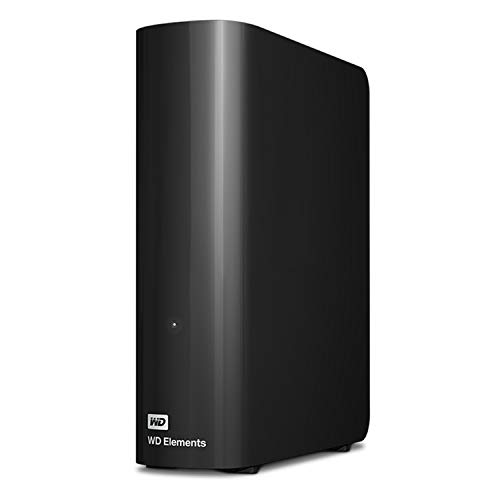
WD 12 TB Elements Desktop External Hard Drive – USB 3.0, Black


Formatted for Windows 10+
The WD Elements desktop hard disk drive is formatted NTFS and compatible with Windows 10+ and can be reformatted for Mac.
Comparison Metric
 WD Elements Desktop | 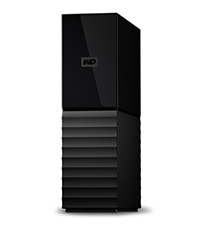 WD My Book Desktop | 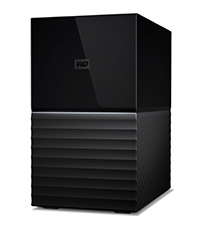 WD My Book Duo Desktop | 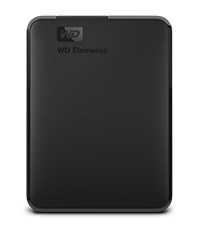 WD Elements Portable | |
| Technology | HDD | HDD | HDD | HDD |
| Auto Backup Software | ✘ | ✔ | ✔ | ✘ |
| Great for | Plug-and-play storage | Backup and restore | RAID backup | Portable storage |
| Interface | SuperSpeed USB 3.0/2.0 | SuperSpeed USB 3.2/3.0/2.0 | SuperSpeed USB 3.2/3.0/2.0 | SuperSpeed USB 3.0/2.0 |
| Compatibility | Windows; Mac w/Reformat | Windows; Mac w/Reformat | Windows; Mac w/Reformat | Windows; Mac w/Reformat |
| Hardware Encryption | ✘ | ✔ | ✔ | ✘ |
| Password Protection | ✘ | ✔ | ✔ | ✘ |
Will this drive WD Elements Desktop work with my Xbox or PS4? What about my Mac or PC?
Yes, however, it’s best suited for PC or Mac. For the best gaming experience, we recommend the WD_BLACK D50, which is designed for optimal compatibility with Xbox/PS5/PS4.
I’m not computer savvy, is the set-up easy?
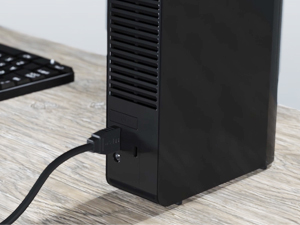
Setup is simple! Plug the drive into a USB Type-A 3.0 or 2.0 port using the included USB Type-A cable and open your device’s file manager, such as File Explorer or Finder.
Do you need a battery for the drive to work?
The Elements Desktop drive is powered with the included AC adapter. There is no battery or battery replacement to worry about.
What needs to be done to format this device for mac?
To easily reformat to Mac, plug in the drive, open your Mac’s Disk Utility application, and follow the steps from there. Please note, this will erase any data on the drive.
| Weight: | 870 g |
| Dimensions: | 13.5 x 4.8 x 16.58 cm; 870 Grams |
| Brand: | Western Digital |
| Model: | WDBWLG0120HBK-EESN |
| Colour: | Black |
| Batteries Included: | No |
| Manufacture: | Western Digital |
| Dimensions: | 13.5 x 4.8 x 16.58 cm; 870 Grams |
Does the job. 10TB of storage means I can get rid of my collection of hard drives of various sizes and have everything in one place. Easy to use, no setup required.
I have never had any problems with WD external disks and so I’ve tended to stick with the brand. I don’t need any particular features, just a plain and simple external disk so the Elements range suits me down to the ground.
Each time I get one though, I end up getting a larger capacity as my data needs grow. So, this one is a pretty whopping 8Tb. Obviously, the usable size is slightly less but this provides a heck of a lot of storage and as it’s USB 3.0 it’s pretty quick too. The only thing I don’t like is the funny socket type on the disk unit so you can’t just use a standard USB cable if you happen to lose or damage the supplied one.
Very cheap for such a high capacity drive! :0
I had to repartition and reformat the drive for my Mac using disk utility as an A4 sheet in the box described a problem with using the drive formatted in NTFS with Mac OS (the drive only works as read only) but once turned into a juicy 4TB partition and reformatted to htfs + journaled I’ve had no problems backing up all my Media files. Like my previous 1TB dive it auto-sleeps when my Mac shuts down, a great feature as they do make some noise in operation.
The WD 10TB Elements are nearly half the price of a WD Red 10TB (which I use a lot) so I decided to buy one. To be honest I was pretty disappointed with the enclosure the drive comes in as it’s made entirely of plastic and resonates the drive noise and vibrations. It doesn’t look like it would offer any protection if you drop the drive either.
After fully testing the drive for any errors (approximately 72 hours!), as an ‘experiment’, I decided to ‘shuck’ it which is essentially removing the drive from it’s plastic USB enclosure. Plenty of videos online on how to do this but essentially:
– Use 4 plastic/credit cards and slide one into each corner of the rear plate, in between the rear plate and sides (this dislodges the hidden internal plastic clips).
– Slide the inner part of the enclosure out from the front part of the casing
– Unscrew the USB controller from the bottom of the drive
– Gently push from the bottom of the drive and slide it out from the enclosure
– Remove the 4 rubber corners from the drive
– Remove the USB controller from the drive by sliding it off the drive
– Remove the USB controller mount from the drive by removing the screw
– Jobs a goodun!
Disclaimer: Shucking the drive will most likely void your warranty so just be aware of that if you are considering doing it!
To my (pleasant) surprise I discover what appears to be a white label WD Red 10TB drive inside. The hard drive chassis is identical to the WD Reds I currently own and has model number WD100EMAZ. The drive has firmware 83.H0A83 which is the same as my other WD Reds and on checking the S.M.A.R.T. values for the drive it also includes a Helium level counter, so, this is very likely to be the same drive as used for the WD100EFAX WD Red 10TB. I now have the drive running in a Synology as part of an array so if it dies it’s not the end of the world.
I think it’s a bit of a lottery what you might get from shucking drive enclosures but sizes 10TB and upwards are likely to be the newer, Helium filled drives and are potentially rebadged WD Red drives.
I have bought several WD Red 10TB drives for use in my NAS’s which tend to be quite expensive and hover anywhere from 280 to 350 a pop. The WD Red I use is the WD100EFAX model which are 10TB, helium filled, 5400 rpm drives and come with a 3 year warranty. WD Red drives are tested and rated for use in NAS enclosures but Backblaze use also 1000’s of desktop drives in their datacentre with great success.
Great capacity for the price, unable to register with WD for the warranty.
This seems a good purchase so far with 4TB of storage for 83 it was far cheaper than a WD internal drive. The enclosure seems well made and this particular unit contains a WD blue drive ( five year old design ) with zero hours use registered.
The drive is very quiet in operation and turns on when a device is connected, since other users have mentioned heat issues with some drives i had a usb fan pointed at mine during a 1TB transfer over usb2 and temps never got over 32 degrees, i don’t know why the light sometimes slow flashes but it may be to indicate drive is in standby, the instructions are basically worthless.
I would have given the drive a five star rating if it had been possible to register the drive on the WD website but after many, many attempts i have given up and since i have never encountered such problems trying to register any product for a warranty this does seem unforgivable.
Incompatible Issue with P541GT-M board
I had trouble with Samsung drives on this board so started using WD’s. My Books run fine but these do not. I noticed the USB connector seemed a bit flaky and did not fully run home – thought it was a faulty drive at first but my replacement is the same. I’ll use ’em on another system.
Curious that this sort of issue is still with us in the tech world and I had an issue with some new DDR3 on this board – mayve it’s just a fussy board like my P5Q3 Deluxe. Drive seems aoverall less quality than the My Book so I’ll go back to them in futire. Weirdly it works via a USB3 hub – timing perhaps?
Cheapest 4TB drive I found on Amazon. I need for backing up my home storage. Just switch on, copy data and then switch back off. It is fast as it has the USB3.
Fantastic price on this as well as for 5 extra an extended warranty it’s fast at Transferring Data and not as noisy as my old ones can hardly hear it as it’s plug and play was set up in 5 minutes and got all my stuff backed up now many thanks good item and decent price
Absolutely the best value high capacity external available
WD Drives have in my opinion been more reliable and have had superior longevity to their big rival Seagate in the years that I have been using internal and external mechanical drives.
The design of their enclosures is also a strong point, the MyBook style is applicable across a wide range of price and capacity points and gives them an Audi-esque family feel.
This 14Tb model replaces a 2Tb MyBook, which is still in perfect working order, despite being ancient. It does however suffer one irritating trait with the earlier model it supplanted, it does not switch off no matter how one pushes the power switch, not a big issue as they go to standby when no connection is detected, hardly consuming any electricity but I’m in the habit of powering down all of my peripherals whenever I shut down.
The Sleep mode function is just bad on so many levels.
I have seen so many great reviews for this drive and yes it has plenty of storage and does exactly what it is supposed to do so I give it 4 stars for that but I just do not understand why no one has addressed the drive going to sleep issue.
Basically if you sneeze by the time you have finished the drive will go to sleep mode. It will then take 10 secs or more to come back to life freezing everything else with it. Its like time travelling back to 1975. Watching a film, quickly read a text on your phone (Sleep mode). Startled by a spider (Sleep Mode) which then gives you enough time to have a bath and wash your hair why it decides to come back to life.
It drives me crazy everything comes up ” Not responding ” because of the stupid drive loosing the plot. and as far as I can tell there is no way to fix or improve the problem.
So its a great drive if you can put up with this incredibly anoying issue. I have the 10tb versio
I purchased the 10TB version, but Amazon sent me the 8TB. Due to the pandemic, I’m eager not to go through the hassle of returning it and waiting for another, so I’ve requested the difference (35).
Like many others I purchased this for what’s inside, to go into my NAS. Took 5 minutes to get the 8TB version in my NAS, formatted and setup to go. No issues with having to cover one of the prongs etc.
Inside was the 8TB white label helium version. Very quiet.
Only downside was Amazons shocking ability not to see the big 8TB written on the box when they’re looking for a 10TB version.
I have stuck to the Elements line since it’s beginnings. Always been amazingly reliable. My 500gb from 10ish years ago still works perfectly and so does my 5tb one. I’ve had this 10tb version a couple of months now and the noises it makes when loading my large audio projects is slightly worrying. Sounds like a low grinding. Not sure if i got a bad one or if this is harmless and typical with the larger sized HD’s. It still performs as normal. Time will tell.
8TB Good amount of space
The hard drive appears to be a good deal. It is the usual huge WD brick. As you can expect the actual capacity is not really 8TB but 7.27TB (after formatting). It is getting a bit annoying that we are loosing so much space due to Formatting-it is getting a lot more obvious with large volume Hard-drives.
The Drive was tested with HD Tune pro and had no bad sectors. It is advertised as USB 3.0 and actual read/write speed was 193MB/sec.
The power adapter is rather small and flimsy (guess the WD had to cut corners again). Its power rating has been reduced from 2A (previous versions) to 1.5A but works just fine.
WD 12TB Elements (Ordered April 2020)
Like most, I was purchasing these for the drives inside, rather than for use as an external unit, typically proving to be the cheaper way of buying larger drives when they’re on offer.
Issues that you may need to know:
Firstly, and not wholely unexpected, this doesn’t have the standard mounting screw holes you’d expect on older/smaller 3.5″ drives, missing the middle of the three on each side in order to accomodate the additional drive platters, and repositioning the mount holes on the bottom for the same reason. This might not sound like much, but if you use a screwless case of any kind, or some kind of tray system that use the older style mounting holes, you’ll likely find that can’t secure these drives into the bay with the standard kit – I had to resort to some adaptation myself.
Secondly, and more importantly, some older PSUs can have a problem powering these drives up due to the use of a newer SATA power specification. There’s a few workarounds, so have a quick look for ‘fix 3.3v issue in white label drives’ if you have a problem. Using a simple molex-to-sata adapter works if you’re stuck.
The good:
It’s still very simple to open the case itself – a small flat-nose screwdriver or some plastic cards will do to pry the top-end open (from there it’s just a case of pushing), and you’ll need a screwdriver (Phillips head) to remove the drive from the two screws attaching the drive to the SATA/power connector. Other than that, there’s some rubber mounts that simply need pushed out. There’s youtube videos about removing it from the case and what to watch for it you plan on removing it (just needs a bit of care to watch snapping off some plastic clips when doing the initial steps).
This is my second – the last contained a WD red, but this latest contains a WD120EMFZ-11 drive (manufacturing date of January this year), hence adding a review for those still hoping for Reds specifically. These latest models are specifically Western Digital Whites: 3.5″ SATA III drive, seemingly 6Gb/s, 5400 RPM disks. In open air, spin and seek noise seems to be far better than a neighbouring Seagate drive, appearing to be very similar to some of my older, very quiet, WD Green drives. For use as a video-hosting server drive, it’s pretty much ideal – very low power on idle, 5A peak during full use. My only gripe is that it runs roughly three degrees hotter than my other WD drives, including the last 12gb (an EMAZ drive), but nothing major.
Good so far; value for money; will update after testing further.
So far so good.
S.M.A.R.T data looks okay upon initial reading; seems to be a new drive and no hardware problems detected at this point (more testing to be done before I entrust any data to this drive – but looks positive at the moment). There were a few initial issues that weren’t directly caused by the drive, but sorted them quick and have re-partitioned the drive for easier testing/management and to allow it to be connected to a variety of systems (including legacy systems).
One slight negative (not a big deal, but worth a mention) upon opening the box and sliding the drive out I noticed a horrible chemical smell, much stronger than you normally get with new electronics. It wasn’t the drive, it was protective plastic pieces that held the drive in place, and the rubber feet on the enclosure have picked up this smell. If you get headaches from strong smells then I recommend opening a window; I can’t quite place the smell, it is not the typical electronic or plastic smell, it’s more like some unusual chemical cleaning solution.
I have this as intended in its caddy but I took an 8TB elements out and put it in my case. They were both 5400 and the 8TB was WD140EMAZ-00WJTA0 (HGST code US7SAL080 / 2W10227). The 14TB is reported in crystal diskinfo as WD140EMFZ-11A0WA0.
The 14TB idles around 40’c is its caddy but the 8TB was 48’c in my 011 dynamic xl (the HGST 4TB was over 50’c) so I ran a molex to the vertical gpu IO port and hooked up a noctua 120mm @ 12v. The 8TB idle is now 28’c and the HGST 4TB is 34’c currently @100% being backed up to the 14TB (which is currently 42’c in its caddy). The HGST is reading @ 155MB/s and the EMFZ 14TB is copying the data with 45% total activity according to HWiNFO.
Bought to upgrade my media collection storage space on my PC. I purchased the 12tb model. It’s important to note that there is only about 10.5TB of usable space on it.
It requires its own power supply (plug included), and connects to your computer via USB.
As for portability, it’s portable enough to be carried around in say a laptop case but I would recommended keeping it at home or in the office, and left plugged in.
The transfer speeds are ok, not the best (slower than my WD black drive).
Ultimately, it suits what I was looking for; large storage capacity for media files.
I’m using this for my Xbox as I got fed up with small drives plugged in everywhere and it does the job spot on.. There is a separate power supply for this drive which I prefer to a USB powered drive and you lose a small amount of space on the drive. I ended up with 2.7TB of usable space on my 3TB version. This drive cost the same as my 500GB drive when I bought it several years ago so the price was excellent I thought..
As far as aesthetics go the drive fits in very well with my black Xbox but wouldn’t look out of place in any modern computer set up either.. I have noticed that write speeds to the drive, when downloading games, have been up to 220Mbs, this speed is limited by the server you’re downloading the game from of course. When writing directly from a game disc Far Cry 4 was playable in minutes so I’m happy enough with my purchase…
Appears to be a good piece of kit and was reasonably priced. Delivery was reasonably fast. The hard drive has good storage capacity and was easily connected to my PC. I think it is reasonable good value for money and should be ample and sufficiently reliable for my needs.
I have had good luck with my various WD external drives, which have all lasted for years. They are very quiet and reasonably fast. I use mine for video storage & playback, which they work great for.
I tried a couple of portable Seagate usb-powered drives but they didn’t last. I will stick with these desktop drives from WD in future.
Fit and forget! I use it for storing images and videos.
I used the Windows 10 software to arrange a backup of my destop system and this was simple to do. However I have not needed to use this backup facility yet.
My desktop is old and so can only transfer as USB2 speeds, but when I do upgrade to a new desktop, this hard drive will run much quicker with the USB3 capability.
If you want cheap, good quality and large capacity hard disk – this is the game in town: you get a “white label” Helium (8TB and higher capacities) that is pretty much the same as the Red version for 1/2 the price. And with a spare USB3 (UASP) case that you can keep or sell.
– “Elements” – this product – gets you a non-SED (unencrypted) firmware White HDD. The other version “My Book” gets you a SED (encrypted) firmware White HDD. Thus with this version you can remove disk with files and read over SATA/other enclosure – as it’s not encrypted.
– 8TB and higher are non-SMR (at this time 2019/2020) Helium disks thus good performance (over 200MB/s read/write) so try to get these versions not 6TB and lower. But they are more expensive. [Stay away for Seagate SMR disks for a NAS]
– If you’re using enclosure there’s not much ventilation and disk may get to 55C+ especially if you copy to it for hours (initial transfer). So try to put it in a ventilated location or get a little fan to blow on it. In a NAS I would expect some sort of cooling system to keep drives cool.
– Keep an eye for bad sectors – I’ve had 3 of the older 8TB 1st generation Helium (also from USB3 enclosures) fail after 2-3 years (out of 6). Perhaps I’ve been unlucky, perhaps it was a 1st gen problem that was solved but you never know. Always backup and don’t forget RAID (whichever version) is not a backup.
Been having this for a few weeks (?) now and initially I did run a disk check which ran for around 48 hours straight. I had to make sure it had no flaws like previous disks I checked. It all passed!
Started using it shortly afterwards and the speeds are great, although they get a lot slower once the disk gets fuller and fuller, which is to be expected. From around 220 Mbps to around 100 mbps max capacity?
I haven’t shucked it since I wanted the extra space without sacrificing a good drive, and the only complaint I have is that the drive itself is a bit noisy during operation, but it can be silenced using soft pads on the bottom and maybe even hiding it somewhere more sound isolated.
14Tb allowed me to have a cold storage drive with enough space for me to back up my NAS for removing drives and starting fresh install of NAS with the 4x 8TB seagate ironwolf.
The USB3 cable supplied is longer than other usual devices (1m).
Work fine for the first week without an issue filling all but 500Gb.
“How to Read Model Numbers: WUH721414ALE6L4 — 14TB SATA 6Gb/s 512e Base (SE) with Legacy Pin 3 config:
W = Western Digital
U = Ultrastar
H = Helium
72 = 7200 RPM
14 = Max capacity (14TB)
14 = Capacity this model (14TB)
A = Generation code
L = 26.1mm z-height
E6 = Interface (512e SATA 6Gb/s)
(52 = 512e SAS 12Gb/s)
** 512e models can be converted to 4Kn format and vice versa
y = Power Disable Pin 3 status(0 = Power Disable Pin 3 support
L = Legacy Pin 3 config — No Power Disable Support)
z = Data Security Mode
1 = SED* : Self-Encryption Drive TCG-Enterprise and Sanitize Crypto Scramble / Erase
4 = Base (SE)* : No Encryption, Sanitize Overwrite only
5 = SED-FIPS: SED w/ certification (SAS only)
“What’s interesting about this is that it looks like a 7200-RPM data center drive that’s been slowed down to 5400-RPM for stuffing into the Best Buy packaging.”
Thanks to jitter skater:
“The ‘F’ in WD140EMFZ actually reveals that it has 512MB cache, like all WD 14 TB drives have. The smaller models like 12TB or 10TB only have 256MB cache (‘A’).
“WD140EMFZ = Easystore / Elements 14TB drive
WD140EDFZ = My Book 14TB drive
“The only difference is that the My Book support encryption on the hardware level (“D”= enterprise drive) and has a three years warranty, instead of two years.
These are all basically Western Digital Ultrastar HC530 drives, slowed down to 5400RPM and hence absolutely comparable to WD Red 14TB drives.”
I bought this as a Christmas present for my nephew, but he reported that it didn’t work. I emailed Amazon about it, promised to return the defective one and received a replacement the following day!! Exceptional service! Would have been 5 stars if not for the defective one.
Mains through USB powered to HDD - faster transfe
Worked plug and play out of the box in the UK.
240 volt to usb 3 transformer means much faster file transfers to HDD storage. Terabyte of files transferred in about 30 minutes. USB powered reported to be hours for this amount of storage.
Have a WD hard drive storage unit already that still going after 4 years. Only had this running for a couple of weeks but so far no problems and expect it to last for years too.
Note:
I do power off my computer system after I finish, so not on continuously.
Not used tech support and sits on desk so not transported thus cannot give star rating for these.
I purchased this unit as a TV recording device and it doesn’t disappoint. It’s very quiet in operation sitting behind my TV and the play back is brilliant. I would think moving it from one location to another for computing purposes would be simple enough, but the recordings from my TV will not play on any other TV or computer I would therefore need to format it each time loosing all my recordings. Brilliant piece of kit with huge memory and well worth the money.
I’ve got this on my nvidia shield for my movies and it’s amazing had a few drives now and this one is by far the best on the shield, well worth the money, works fast, I use it on plex and it store a shed load
I buy a lot of WD products as I find them to be well made, reliable and trouble free. This isa replacement for an old Samsung 1.5TB unit. USB 3.0 is so much quicker, the drive itself is practically silent, and I can just forget about it while it does it’s job. Only had it a few days, but I can’t see any reason it won’t continue to be this way. Quality product, happy customer, and at this price for that much storage, there’s no reason not to have one considering the peace of mind you get by having a regular, accessible backup.
It was less than 2 years ago that I purchased an 8Tb Seagate Backup hub Plus external drive – what I thought then was a “big” drive, but found I had filled that up all too soon. I use this drive to backup my NAS, which stores all my media, so as this slowly grew in size, I needed to get myself a higher capacity drive.
Enter the Western Digital 14Tb Elements drive, which at 249 at the time of writing, represents pretty decent value considering I paid 179 for the aforementioned 8Tb Seagate model a couple of years back. Strangely, if I want to buy the equivalent drive as a bare unit i.e not housed in an external enclosure with all the additional electronics that entails, it would actually cost me over 300! Why a less expensive to produce version should cost more than one in an enclosure is beyond me.
The WD unit is rather like a heavy book, in that one edge is curved, rather reminding me of the spine of a hard back. On this surface you will find the single power/activity LED, which is quite small. The drive has small rubber feet such that it stands in a vertical orientation – like a book in a book case. This is perhaps the best orientation for air flow given the vented top and rear edges. I personally don’t really like drives standing up like this, it’s too vulnerable to being knocked if its stood on a busy desk. Lying flat is OK, but I think my unit ran a little hotter like that. I don’t know why WD do not provide an optional to fit stand with wider feet to provide better stability. Such a simple plastic stand would cost next to nothing to produce and would give customers the option to have a more secure base.
That minor gripe aside, the drive itself is impressive in its performance. Unlike the Seagate which was an SMR type drive and thus termed an “archive” drive that suffered from slow write performance at just 38.7 Mb/sec sequential writes according to my Crystal Disk Mark test, the WD Elements 14Tb drive tested at an impressive 214Mb/sec read and write sequential transfer rate. For reference, the Seagate tested at around 118Mb/sec sequential read as I recall.
As with these large capacity drives, the head seek action is quite heavy, far heavier than my internal 2Tb drives and will feel like the drive is suffering from a fit of the shakes when initializing after a power on. Not an issue, but worthy of note to those who may think they have received a faulty unit. The previously mentioned 8Tb Seagate had a heavy seek action too, but not as heavy as this monster from WD, I can only imagine it may have to do with the high platter count such high capacity hard drives have.
These external drives actually appear to run warmer than internal drives, so it’s advisable to situate the drive somewhere where it is not penned in by other items. The drive performed flawlessly when I backed up my entire NAS to it over my horribly slow USB 2 connection on the NAS (only one I have) and took some 81.5 hours to complete the transfer of some 7.3Tb of data. So, it is certainly able to operate continuously for that length of time without issue. Of course, had I backed up via a USB 3 connection, then the transfer would’ve been far faster.
I suggest that purchasers of this drive, as with all Western Digital drives, register them on the WD website in order to ensure the full warranty cover.
The drive comes complete with the required power and USB cables of generous lengths. The drive has no power switch as such, so once connected to power and an active USB port, will power up. This drive seems to be smart enough to power down/enter standby if the connected computer is shut down or goes to sleep.
Connected to a Windows 10 PC, the drive reports 12.7Tb available. Of course, 12.7Tb is what I call “proper” Terra bytes despite hard drive manufacturers deeming a Tb to be an even 1,000Gb where as I, being old school, see a Tb as 1,024Gb hence the 12.7Tb shown in Windows. That’s fine, not a WD thing as all manufacturers go with this system of measurement. The drive’s default volume label is “Elements”, but of course you can change this if you so wish. Nothing required to do if using with a Windows based computer, so you can immediately start copying files to it once connected as the drive is pre formatted using NTFS. Mac users will either need to reformat or use a utility to permit use of NTFS file systems. No backup software is supplied with this drive, unlike the My Book series from WD. however, this is a bonus as I generally prefer not to use the software provided by the manufacturer for this purpose anyway. A quick note to those less computer savvy; There are numerous free backup programs for Windows you can use if you need backup software.
This Western Digital 14Tb Elements is an impressive drive at an impressive price.
As someone else said here, it’s not really possible to accurately rate a drive when it’s brand new out of the box (after all it could fail next month), but at the time of writing (10th Jan 2020) paying 200 for 14TB is the lowest price point per TB that I’ve seen so far. I’ve previously purchased 6 and 8TB Seagates and had no problems over many years, so we’ll see how this goes.
Points to note for those who are unaware: This drive comes formatted out of the box (or did for me). 14 “TB” displays as 12.7 TB under Windows, but this is normal for all drives, and is due to usage of TB by manufacturers and TiB by operating systems (but displayed as TB). In otherwords, manufacturers correctly calculate the number of bytes per KB (1000), whereas for historical reasons operating systems will use a value of 1024. Putting “14TB in TiB” into Google will show this.
I’m copying large files from one Seagate drive over USB 3 to this new WD drive over USB 3 and it’s sustaining 185MB/s. If you’re copying lots of smaller files you’re unlikely to see this. It’ll also depend on your source drive (read speed, connection).
We were on the lookout for a large capacity hard drive and after much research, this one came up. And the good news was that on the day we purchased it, there was a super special deal. The drive arrived quicker than estimated and is working just fine. The transfer speed is good and it is really quiet. We would buy this product again when we need another storage drive.
Having felt with tec support recently for a product in the same family I will say they are not great but as for the product it’s a very fast and stable drive great addition to a NAS /cloud drive
I got this for 100 and I think it’s the best value on the market rn. It has very quiet operation and very elegant design. There are other drives for 20 less and same capacity but they are old models, don’t have usb 3.0 pass through and the one I got from Seagate was very loud, clicked like broken every time I touched the mouse. This one has very good transfer speeds as well, 130-140MB/s for 60-80GB movie files and 60-80MB/s for photos and music files. If you want better speeds I recommend the Toshiba P300 which goes up to 220mb/s on sequential writes and 250 on reads but it’s quite a lot more expensive at 70 for 3TB disk with no enclosure.
came in good time and seems to be working fine. The real test though is around whether it is working in 1 to 2 to 3 years time. Early feedback on hard drives like this is frankly irrelevant.
Firstly, if you’re using this as an external drive, the enclosure is reasonable and the drive works fine.
But….Ever compared the price of these external disks to internal ones?
Ever thought that they must be inferior?
Well, perhaps in some cases they are. But in some cases, what they are are genuine Western Digital Red Drives – proper ones, not whitelabel costing nearly double what this does – put in an enclosure and sold cheaply for, I guess, stock management reasons.
My one had a WD100EFAX in it – the real deal usually costing 300. So I cracked it open (‘shucking’ is the vernacular used for this job), and have it sitting in my NAS. Now, I’m not saying you’ll have the same luck, but it’s worth a punt if it’s ever on a deal. Basically, I got an enclosure + the drive for 1/2 the price of the internal version. Yes, the warranty is a year less but I’ll live with that!
Easy to set up
I needed to add more storage to my Mac desktop having filled the 1tb hard drive as well as the 2tb backup. I was aware that these WD drives needed to be reformatted to suit a Mac (to OS extended journal). Details were included in the box and can easily be found on the net. This was very easy to do using the Disk Utility tool, anybody with a modicum of computer expertise can do this in a few minutes. There is a warning not to add (too many) partitions, however I added just one to divide the drive into Time Machine and additional storage mainly for photographs. This was very easy to do. I have given only four stars as the drive sits on the desk behind the Mac, the drive can be a little noisy at times with the odd whirr and clunk and there does seem to be a very subdued hum. My previous Seagate drive, now a backup to the backup, is entirely silent. Not troublesome to me, I wear a hearing aid anyway, but could be annoying to some. I may move it to an adjacent filing cabinet where it won’t be noticeable. For 114 this was excellent value at the time of purchase.
WD are good but this one broke down within 5 days and all my data was on it. Took me 3 days to get a replacement sent out to me and as advised, WD have had problems with their power. The adaptor that I had was faulty and I’m glad I didn’t return the HD as I would have lost all my data. Lesson learnt, keep an extra backup on top of it. But once I changed the the power adaptor/transformer it can back to life. Hope this one works well
A large capacity drive taking up a very small space.
I am loathed to write reviews when I have only just recently received the product so on that basis the drive is working ok, but early days. A lot smaller than I was expecting, I have a 4TB drive, and I have only just began loading files onto the drive. 8TB advertised, but shows up at 7.72TB, which I think is something to do with the way these bits and bytes are calculated. As for wear and tear, that is yet to be defined, but for the price I’m pleased to have the extra storage, all this cloud thing, although good, still does not convince me of its usefulness, despite it being all the rage. The only downside, and this is nitpicking, that although being a Prime member the item was delivered late, 1 days late, told you it was nitpicking.
No issues works well. very quiet. Not particularly fast but has performed reliably so far. Copied 1GB in thousands of files from the external drive it replaced with no errors. Happy with purchase.
Easy to Use /Install Comes ready Formatted so you don’t have to worry about anything.
Just take it out of box, plug in power supply & USB lead ” All provided” and it’s ready to go Simple.
I have a friend who has a WD Elements hard drive as well so I decided to get one as he has been using it for quite a while and there have been no problems. I got it to store my personal data as well as my university work (films and documents). It works great so far and I hope I can rely on it in the long term. One thing I’d recommend to anyone buying this is to register your product on WD’s website to make sure you’re using your warranty.
Smaller than I imaged it would be but delivered very well. Simple plug and play. Connected it to the USB 3.0 port on my laptop and it moved files very quickly from the laptop to the drive. Works just as well the the other way too. Cannot detect much difference between the speed of read/write of the internal 1 TB drive and the 5 TB WD Elements – and that is very good given I am running an Asus laptop with i7 8th Gen Intel processor. I have generally found that WD external drives to be fast and reliable. Only ever suffered failed units from Verbatim and Iomega.
Cheap storage, plastic case, compact, easy to use. NOT suitable for editing either HD/4K video or large stills files in my opinion – just too slow, but good for backups of finished videos and heavy duty stills. You can use this as a backup offsite in case your house burns down – lets get our priorities right here! No idea about reliability but I replace all non SSD hard drives every three years and branded SSD drives every six.
Plug-in and go, literally. (Windows 10, anyway.)
Also seemed to transfer files quite quickly. So, so far, no complaints. It’s great.
The real test is the test of time. Hoping this will pass the 3-year unofficial expiry date of Seagate…!
My 5th WD external hard drive. This is the best one yet. Better power supply unit = far better data transfer speed.
And superb value too, with such increased storage capacity. Happy repeat custome
I’m one of those people who keeps close track of family foto’s and homevideo’s, quite meticulously for the past few decades. It’s very valuable to all of the family and enjoyable to watch it back the photo’s in particular. It costs me at least 30 minutes per week to sort, maintain and store. As such I’ve collected 10.000’s of photo’s and over 2 TB in homevideo’s. Ah, and then there is a converted children’s iPad movie library as well. And of course our digital admin..
We have a reliable Apple network drive and several LaCie hard discs to feed our systems and home network.
Yet aside from local network back-ups. I want at least one disconnected drive stored at an other location that the primary home with a reasonable back up. I’ve given thought to a cloud solution but not sure given, cyber risk, the monthly cost of the close to 8 TB I need to back up. I’m not sure I want to stick to 1 single cloud provider over time.. so a physical back up remains the default option in my mind.
My previous network back up drive set started to fail me. Also it had some drawback; it was a heavy set of back up drives – a bit unwieldy to lock away in a cupboard. It was slow – it took we over a couple of evenings to perform my quarterly / half-yearly back ups. And stupidly I lost the password.
Over the past few years the cost of hard drives with large capacity has continued to decline. So I figured rather than going through to the pain of sorting the issues with the existing drive, I better get an even bigger capacity drive currently at a good price.
The pro’s of this WD 10TB desk top drive are that is is light, easy to pack for travel. Its very fast with its USB 3.0 cable, that comes provided ( it just took me a couple of hours to fill it, updating is will be a matter of minutes I guess). The capacity stands out, certainly given the price I paid for it.
The drawbacks are the plasticy-appearance. My former drive set had a luxurious, sturdy aluminium cover. This WD drive doesn’t look nice next to our distinguished mat-chrome and wheel Apple equipment – not that I care since it will locked away in a safe box most of the time. It comes with a power adapter and cable set – I have a huge preference for drives that operate just through a USB power feed. But alas, most large capacity drives seem to a require separate power feed.
Either way, quite pleased so far. After some swift Apple disc conversion it was ready to work straight out of the box.
If you took your car up a Rocky Mountain Road it would be a hard drive. This is also a hard drive but has nothing to do with cars.
This one is the ideal back up drive to use with Time Machine on my 3tb iMac. I plugged it in, formatted it and then told my iMac to use it with Time Machine. It then took approx 24 hours to back up my data, but it’s all there.
Let’s hope I never need to use it again, but it’s nice to know it’s there and everything is backed up.
Great hard drive. No issues as of yet.
I don’t believe in negative reviews for hard drives.
The fact and reality of hard drives is that not 100% of everyone will always receive a 100% functional one. Defective products exist, especially hard drives. So when I look at the negative reviews, I’m thinking, “what, do these people really expect WD to test a hard drive until it actually fails?”. That would be absurd.
A hard drive failing or heating up or experiencing some other random form of a malfunction, doesn’t warrant a negative review in my opinion. That’s how technology works. Sometimes you receive a faulty product and sometimes you don’t so you can’t hold it against the company.
I have had a Seagate Portable Expansion drive fail on me from simply knocking it. I was distraught to lose everything, but I still trust Seagate and I trust my current Seagate 3TB Desktop Expansion Drive. It’s years old and still functions without any issues.
And I trust I will be able to get as much use out of my Western Digital as I can. If it fails, then it fails. Its inevitable and so long as I have a backup of everything, that’s all that matters.
People need to stop complaining and realize technology will never be perfect. You paid for the hard drive and therefore you take the risk of it failing at any point.
LPT: Never have only one hard drive.
Does what I want – safe backup.
Simple to setup.
Fast enough to meet my demands.
How long it will last only time will tell but all my other WDs are v.good so fingers crossed.
Using it ax secondary backup as I am not a big lover ov Clouc.
I know these are great items no problem at all with the product itself.
However it was dispatched in its retail shelf box only, with address stickers all over it, and the box had suffered impact damage. Thats no way to send a hard drive containing delicate components, it should at least have been in a padded bag. As this is an item used to keep important documents/ films etc for a long time I rejected it as damaged who knows what damage would have occurred to the disc etc. inside I sent it back. Hopefully the replacement will be more carefully sent with some impact protection . Five stars only as I know these are great items, i just dont want a potentially damaged one.
As purely a large capacity back-up, it’s great. Didn’t give 5 stars as it was a total pain to format. Just simply wouldn’t be read by my iMac or MacbookPro, had to keep re-booting, turning off, re-booting, turning off etc etc… until it finally read it. Then I formatted the drive and it’s been fine since. The instructions said it had already been formatted for Mac but it wasn’t… so be prepared for a little hassle but then it’s good.
You get two years warranty and it works just like you would expect, the case is plastic and would seem to work great as a usb drive, from what I’ve seen the HDD inside are just like normal sata harddrive, some white, some red, but the white ones are also reds in disguise
It’s being used to store 30 years of family videos. No issues with write or read rates. It takes a while to fire up from sleep, but it runs quietly. I hope it turns out to be long-term reliable, as all my other WD drives have been.
To be honest was not even connect to power, took the drive out from its black case and straight in to my pc. No any setup or pin trick needed working 100% really happy with the drive. Relabelled WD red 😉
Very pleased with the drive … it does not offer free software / passwords etc …. it is just a fine independently mains powered (through a 12 volt transformer) Hard Drive . The drive reformatted to Mac OS Extended easily and is now being used to store data … it works just fine and has a good transfer speed for an external hard drive. In my opinion, good value … I have been told that Apple use WD Hard Drives inside their iMacs so hopefully the Drive will be reliable.
I bought this hard drive to add extra storage for my Xbox One S. The drive works brilliantly and I have managed to store all my games on it with room for more.
Its very easy to set up, just plug into the mains and any USB port and format it from the settings and its good to go.
The drive is fast and games play perfectly from it.
I bought this drive for backing up data – my older 1.5TB drive wasn’t really big enough any more. This drive is fast – seems to sustain up to around 200MB/s – and seems very reliable. It does make a whining noise and takes a long time to spin up, but I think this is normal for a drive of this size – desktop size.
Note: This drive doesn’t appear to support SMART, which is the only thing I’m annoyed about, but other than that it is excellent, and I would recommend it as long as you don’t need SMART support.
I own a number of WD external HDs. They have never let me down and I bought the 4Tb version specifically to back-up graphic materials and videos. It was a simple case of connecting it, switching on the power and I was up and running.
I was very pleasantly surprised at the price – 78.04 – and would have no hesitation in recommending this to others.
This was a upgrade to 4TB from an old 1TB device.
Took me about two minutes to get it plugged in and up and running. That simple, plug and play !
Compact, stands upright, but I suppose you could lay it on it’s side.
You get a 3.0 USB cable, and a power cable and plug adaptor ( UK 3 pin and EU 2 pin ).
The USB cable is only 1m long ! So i purchased a longer 2m cable at the same time – Cable Matters Micro USB 3.0 Cable ( Micro USB 3 Cable A to Micro B ) 6.49.
Have transferred some big files into external hard drive already, the USB 3.0 connection works great, job done quickly.
No problems encountered.
For the price asked (84 delivered) this 6TB drive is absolutely great. Used it on my PC, attached to my NAS for direct transfer, no hitches glitches or grumbles. The unit is quiet and fast enough for backups and so on (and works out at about 1.5 millionth of a penny per kilobyte). What’s not to like?
I bought this for 170 so Its great value for money.
Sturdy enclosure, no issues with it whatsoever.
Transfer speeds of around 160mbps.
The only issue i have with drives in enclosures is they all get hot, especially in summer; keep an eye on the temperatures when in use. Anything pushing toward 50c is unacceptable.
With media content and photographs bloating in size year after year, my current set-up of 2 1TB hard drives, a 500GB hard drive and relying on the 500GB on my laptop have meant that I needed to seriously re-address my storage needs. Having looked at a NAS solution, I couldn’t really justify spending hundreds of pounds on a solution that I wouldn’t really need. The WD Elements external hard drive was on special offer for 83 so I picked it up.
The hard drive enclosure itself was smaller than I expected so it won’t take up much room. There’s a power supply, USB cable and a manual with loads of T&Cs written in more languages than you can shake a stick at.
First thing to note is that after formatting, you only get 5.45TB of hard drive space. I was expecting this was as you never get the full capacity because of the formatting system that Windows employs. I’m not sure what capacity would be available under EXFAT, MacOS and various Linux OSes. In operation, the unit is spookingly quite compared to my old Seagate and Iomega drives. The only sign of activity is a faint flashing LED light on the front of the unit. Using an old HP laptop, the write speed was around 20mb/s. That is slow but considering the age of the laptop, I’m surprised it kept up. On a modern set-up, you’ll probably get significantly faster speeds.
All in one, I’m happy with this external drive until I need more space in future.
I wanted to buy a truly useful birthday present for my brother and since he is a keen comport user I eventually decided upon an external hard disk drive (HDD) but one with a massive storage capacity. I have previously purchased Western Digital HDDs for myself and by-and-large they have proven reliable. I have had the odd failure.
It took me me many hours searching to find a high capacity HDD and the Western Digital 4TB HDD was the best value I could find. It there is a higher capacity HDD for <100 'out there', I did not find it.
I have several 5TB HDDs, which are far smaller and are actually pocketable but they cost considerably more than the HDD being reviewed here. My brother has been using his birthday gift for just about a fortnight and so far it has proven fast, quiet ad reliable. Recommended if small size is not a purchase criteria.
As always super fast delivery been a prime member , tested and all works perfect ( test before removing the HDD ) . Please only remove the HDD if you want to give up your warranty . I buy the drives in enclosures because the savings can be upto 100% ? yes insane but like i said you give your warranty up the minute you open the enclosures . But as a bonus you do find a top end WD red or a white label drive inside the 8TB plus models . This 8TB model had a WD white label build date 12/18 inside
I had already purchased lower capacity versions of this drive so knew them to be sturdy and reliable. I had recently purchased a WD My Cloud EX2 Ultra and wanted to populate it with 4TB drives, so I purchased two of these and removed the drives as I knew they were WD Reds. They were purchased when the drives were on special offer, so I managed to buy two for just over the amount it would have cost for one OEM WD 4TB Red from my local PC wholesale store (already discounted from retail RRP)
There was a doubt in my mind about getting this. I was not that keen on having another powered drive and this version is quite ‘old’ now, but in the end the price and the storage capacity were too good to miss.
I’ve previously purchased the 2TB version of this item and have not had any problems with it in the 3-4 years I’ve been using it. So, I’m confident/hopeful this one will perform as well?
When I first set this up and started transferring files, the drive would disconnect after some time – repeatedly. So I thought “oh dear I’m going to have to return it.” But then I remembered a review saying they had had problems with the lead, so I tried swapping it for another. Success! it’s worked ..and has been very stable for the last few days.
Nice and quiet, so a good buy… but not the USB3 lead
Brought 2 of these to replace some ageing Hard Disc Drives with all of my digital photos and home videos dating back to 2000!!! Transfer rate is not as fast as an internal HDD, but once all of the old files are copied accross the speed should be acceptable and they can be unplugged when not in use, so they cannot be effected by viruses and also portability is good to transfer files to a laptop etc.
With 2X more storage than my old HDD, my old drives go to back up heaven. I would never recommend selling an old hard disc drive as clever people could restore your information from it unless it is properly wiped, not formatted to prevent retrieval of your old data.
I would recomend searching for and installing a good file syncronisation checker if you are transferring data, just as a double check.
Always keep at least 2 copies of your files on more than one HDD, these things can suddenly stop working. I have been lucky to date, but take care of your DATA.
I have this plugged in all the time to my desktop and use it for storage of media and files. The read and write speeds are reasonable and limited more by my old machine. When plugged into a Windows Vista (I know it is obsolete now) machine, it works fine but when I reboot it stalls the boot process unless it is not connected or powered down. A minor point as I rarely reboot the machine and it stays on all the time. Overall, really pleased.
I bought this mostly because of Raymond Moore’s 27/08/18 review saying that the device used a WD Blue 6TB hard drive, which is what I actually wanted. Buying it inside the enclosure saved 47.
I’m pleased to say that it still contains that drive. I tested it as it came and it worked well. Transfer times were surprisingly good for usb, but still noticeably slower than for an internal drive.
Extracting the drive involved gently prising the case apart with a small screwdriver; there are several internal clips that pop open 1 by 1. It was then easy to slide the main (smooth) part of the case off the real caddy (the bit with air-vents). I removed the 2 screws attaching the usb interface to the drive and pulled that off. The drive itself is held in place in each corner by rubber vibration-dampers, which needed more screwdriver-prising to loosen from the caddy. Once that was done the drive could, with perseverance, be pushed out.
The hard drive is now inside my desktop computer and is working well. The enclosure is empty for now, but I’ll probably use it for an old, smaller drive.
Recommended for value if you’re willing to spend a little time and effort, and trust WD drives enough not to mind risking the probable loss of guarantee.
If you have a normal PC with Windows 10 you may need to make lots of changes to your settings in order to get more than 2TB available to you. The suppliers should have mentioned this. It is not “plug and play” – this would only give you 32GB and you will need to search the Web to discover the various adjustments you will need to make to your PC settings. After doing so, I can now get 2.7TB out of the potential 4TB, which is enough for my needs but it took a lot of research and hard work to get that far. If you are expecting to get 4TB of storage when you plug it in, you will be disappointed.
When this 10TB product is available for 199, you should seriously consider grabbing one.
At that price, the “cost per gigabyte” is simply unbeatable value… Especially from a top-end drive manufacturer like WD.
There are videos online of people ripping these open to reveal the enclosed HDD is the top-end WD Red range (some with the red labels, some with white labels but Red SN markings)… I needed mine as a USB drive, so I can’t confirm or refute this as I didn’t rip it apart. (they are not user accessible, and accessing the drive is often destructive to the enclosure).
As a USB drive, it works like a charm… Does exactly as it says on the tin (as they say). Works right out of the box and is currently working well in my home setup, exactly as it is expected to.
Highly recommend for the 10TB version at 199, based on value for money alone if nothing else.
Western Digital make great quality external hard drives and I have never had any issues with any of them…so far!
touch wood
I would always recommend getting a smaller size hard drive (4tb max size) if possible as they can fail and losing so much data (6tb+) can be difficult to take.
I’ve also read that larger size hard drives are more likely to fail but cannot confirm this.
These devices are incredibly easy to setup and use.
Just plug in the USB cable and you’re away.
Note: I would highly recommend using a 3.0 usb slot when transferring large files.
USB 3.0 does downgrade to USB 2.0 slots but the speeds are so much slower.
If you dont have a usb 3.0 lot then use the 2.0 slot but if your desktop pc has multiple drives then make sure you use the faster 3.0 slot.
As mentioned before, I can’t fault these drives so far.
My only concern is the varying write speeds. A few of the hard drives I have purchased seem to have much faster write speeds than others despite being the same model.
I do not know why this is but others have mentioned possible cost cutting and use of slower drives/materials.
It can be frustrating but isn’t too bad on the whole, it just means waiting a few minutes more.
Lastly, PLEASE DO NOT leave your hard drive on all the time!
The heat generated will impact the drive and can lead to problems.
These drives shouldn’t be left unused for a long time but should NOT be used constantly as a seperate drive.
They are for storage/backup of larger files to decrease file space on your pc/laptop.
If you feel like the hard drive is getting hot or been on for a long time, then please safely eject the device and allow it to cool down.
Overall I’m very happy with my purchase. Delivery was very fast and Amazon were much cheaper than any where else.
I will definitely be buying another one in the future and hope Western Digital continue making high quality but affordable products like this.
Excellent external drives returning excellent speeds for large files, but like most mechanical drives small files are much slower. These are perfect for backups and storing video. The drives are both quiet even in operation.
10TB: Large Files: Read 208 Write 165 Small Files Read: 0.83 Write 2.9
14TB: Large Files: Read 205 Write 171 Small Files Read: 0.83 Write 2.8
Inside the 10TB drive I found a WD100EMAZ white drive with 256MB Cache. Part Number 2W10228
It is easy to use a flat screw driver to prise off the plastic outer casing. Then gently work out the four rubber corners. Unscrew the two Philips screws holding the SATA to USB-3 converter. Finally gently pull the drive from caddy — and you are done. I am not very practical, but found this easy.
Once extracted: The performance is very similar to a WD Red 10 TB NAS drive. It has the same version of Firmware, the same SMART parameters, but across a range of benchmarks is very slightly slower (<5%).
10TB White Drive: 210.2 MB/s Read and 209.3 MB/s Write
WD 10TB RED NAS: 213.8 MB/s Read and 214.6 MB/s Write
I have installed this in my Synology DS918+ and it is working well. Very happy.
I have also installed this into a Synology DS119j and it is fully compatible.
The only down side is goodbye warranty.
This is the cheapest way to get a multi terabyte drive – in fact, despite the fact it is a standard desktop drive in a USB caddy complete with PSU and USB lead, it is still cheaper than buying the desktop drive alone!
I am currently using it to back up my NAS system, and as this only has USB 2.0 ports, I can’t really comment on the drive speed. However, I will say that it has been writing to the drive non stop for 3 hours, and the unit it only slightly warm, and virtually silent in operation (the small LED on the front is the only way to tell that anything is happening at all!) So far, so good – but there are a couple of niggles that show that it has been built to a budget.
Firstly, the high gloss plastic wraparound case is horrendous for picking up fingerprints – the worst I have come across in my life. This is possibly something to be aware of if the drive is going to be handled frequently. Which brings me onto the second point – the edges on the plastic wraparound are not finished off well at all, leading to very sharp edges – not badly enough to cut you, but not far off.
So, if it’s a drive that is going to be handled, I’d look elsewhere. However, if it’s a drive that will be in a single location, or for very occasional backups, it’s an absolute bargain.
It was on a very fair price for 4t. Just purchased 2 weeks ago, but there was no problem at all with installation. Copy files to this went fast without any problem. You just need to plug in your computer and you can see it works with it.
My computer, Android BOX reads it so you can play films directly from this device on any TV.
It is mainly without any noise, and taking account that it has own power supply and cooling system it is pretty impressive.
Using this attached to a headless Linux machine. Performance is very good—there’s a WD Blue inside running at 5400 RPM. There is some fan noise, but I wouldn’t say it’s loud. You can set the disk to automatically spin down using, e.g., hdparm.
I like WD External Drives, I have bought them over the last 8 or 9 years and used them for my Windows laptop, my Xbox1x and my LG TV, they are reliable, silent and I started with a 1TB that I consigned to the bin a year ago.
Presently I have one 2TB, one 3TB and two 4TB, 4 WD External Hard Drives in total.
I can’t say much more, other than they all have external Power Supply Units (PSUs) as I do not want to draw electrical power from the units that the External Hard Drives are connected to.
I have added 2 photographs of all my Hard Drives.
Thank you WD.
George Watson, 23.10 hours on Saturday the 22nd of September 2018.
FYI If anyone’s interested I purchased two of these in 6TB and both had the WD Blue WD60EZRZ drive inside.
( WD 6 TB Desktop Hard Drive – Blue )
The enclosure is relatively easy to pry off even without destroying the case so can reuse at a later date if needed.
For some reason this drive and enclosure is actually a fair bit cheaper that just the bare drive on its own.
This drive works exactly as it should I connected it to my Mac ran disk utility formatted it and bingo. (anyone who can’t make this work with a Mac really should get a typewriter, forget computers and cry themselves to death). I plugged it into my Time Capsule and now I have 8TB in total online. Time machine found it and started backing up my Macs. Took 10 Mins at most.
This works well and is about 5 times faster than the Lenovo thing I had before. At first it would not appear on my ‘Folders’ list as there was a conflict (probably my computer) so I had to look up how to assign a drive letter. Now it is easy to use, just like a USB stick, except it need mains power too.
I was told that SEAGATE & WESTERN DIGITAL are made by the same company and are the best on the market. This new design has more vents and is less prone to over heating. I plugged it in and it worked straight away. I wouldnt buy any other brand. I now have 9 externals and they all work perfectly, even after 9 years hard usage.
Arrived before I was expecting it. Well packaged – secure and protected, but not over the top. It’s formatted for Windows, but as a Mac user I use Paragon and had no problems recognising the drive and copying files to it.
It is physically smaller than I was anticipating, it is compact and will make an excellent backup drive and host for my Plex server.
Previous drives have failed over the years, so will be looking to buy another as an archive, which I will save to every month or so, – just in case.
All in all, it promises to be a very good purchase.
The WD 3 TB Elements External Hard Drive is a very neat unit, which sits vertically on my desktop behind my screen, so it takes up very little desk-space. The drive is quiet in operation and has 3 TB capacity, so it has plenty of space for backing up my files, photos and videos. Great value and assuming that it lasts as long as I hope it will, this drive unit will have been an excellent purchase.
I plugged the WD 2TB Elements Desktop External Hard Drive into my computer this morning. It was then simply a matter of clicking and dragging my files across to store them. I found that a 1.5MB file took about a minute to download. The device itself murmured away as it worked. It didn’t even feel warm after downloading a total of about 200MB of data. I don’t know what their ‘trial programme thingy’ is about, and I don’t intend to look. I just wanted something easy to use to back-up my files on.
Does what it says it should – quiet and quick, even on a USB2 connection.
One minor problem though, for some reason which I cannot fathom, if left connected and powered when my (8-years old) PC starts, it tries to boot from it, even though it isn’t configured for that, and won’t give up trying, even though the (8-years old) BIOS has been set to ignore it. It’s a puzzle, meaning that I have wait to connect it until after Windows has started. I’m going for a mother-board (ie BIOS) upgrade soon, so maybe this ‘feature’ will disappear. Hope so.
At present my files are being stored on two Toshiba eStore Canvio 3TB external drives, but in practise only my images and music files are strictly being backed up to one of these drives from my laptop. The remaining movie files of my DVD and VHS collection have been uploaded for easy and quick access for streaming to my TV. So whilst I have “hard copy” as it were of my movie collection, the collection as a whole is not being backed up.
Taking into account the storage I would need, 4TB is sufficient so I opted for this Western Digital model as having a good price/storage ratio.
When the unit arrived I noticed a small tick on the outside of the packaging indicating W10. This is quite small and could easily be missed. Now I don’t know if this has anything to do with a small issue I found, but considering I use two laptops of almost equal specification – SSD drive as drive 1 with the OS, i7 processors of more or less equal speed, and 16GB of RAM, the performance difference between the two laptops was pronounced, and it surprised me. My W7 laptop, i7 2.4Ghz, running Home Premium 64 bit is coming up to 4 years old, whereas my newer Acer V15 Nitro is last year’s model and runs W10 Home, i7 2.6Ghz. Both laptops are equipped with USB3 ports. The older laptop uses DDR3 and the Acer DDR4 for which Acer claims faster data transit.
First up was the W7 laptop to which I had connected one of the Toshiba USB3 hard drives to transfer my movie collection. The transfer speed was not as fast as I was anticipating and soon realised that transferring the 4TB of data from both Toshiba drives would take a lot longer than I was expecting. So I quickly connected the drives to my V15 Nitro to do a check, and the result was like chalk and cheese. File transfer now simply zipped along at quite an impressive rate. I’m no IT expert, but it does look like the combination of W10 + DDR4 makes a considerable difference. I’d sure appreciate it if an IT expert could explain it to me.
Taken all in, the WD 4TB Elements seems to have been a good buy, but only time will tell how reliable it is. It looks like it is intended to be used standing vertically as the rubber feet are on its base. It does have an on/off switch but I’ve not worked out why as switching on and off is controlled by the laptop via the USB3 port.
The hard drive is working fine but… for some reason my Dell PC hates it being connected when booting up as it fails something called the “STOP test”. So I have to unplug it if the PC is to restart or power down, as the PC won’t get past the flash screen on starting up if it’s plugged in. No idea whose fault that is, and it took me a while to figure out what was going on, but happy enough with the work-around and the disk itself is behaving and keeping back-ups safe for me.
For anyone who has a large amount of data and wants everything to be backed up this 4TB Hard Drive is amazing. Holds around 4 times more than an average PC hard drive.
Having a hobby such as photography I always back up my pictures and trust me I have thousands. I have only used about 600GB of 4000GB this has. No need to have small flash drive that can get miss places or broken, This can sit on my desk and still blend into my desk setup
The build quality is as expected from WD. Very sleek and stylish. I have my connect to
Atolla USB 3.0 Hub 4 Ports Extension Super Speed Data Transfer with On Off Switch and 1 USB Power Charging Port (Black)
which enables me to turn the hard drive on and off without unplugging anything or to not have the hard drive displayed on my computer.
After having a problem with a Seagate hard drive, I decided to return to Western Digital as I’ve had very few issues with their drives. I bought the 4TB drive which came in a professional looking box inside of which was the hard drive itself packed in a solid cardboard frame to prevent damage in transit, the power cable, a USB lead and an instruction manual. I am using a Windows 10 PC and setting up the hard drive was just a matter of plugging in the power cable and USB lead following which Windows 10 recognized the drive immediately. I didn’t need to format the drive and was able to start transferring my files straight away.
As this has a USB 3.0 connection, the transfer rate is quicker than USB 2.0 – between 25 and 31mb per second. It’s very quiet when transferring data and when not in use the only way you can tell if it’s on is by the small blue light at the front. The size of the unit is a little smaller than a thick hardback book, but it looks sleek and stylish and doesn’t take up a lot of room on my desk. Of course, all hard drives fail eventually but hopefully that will not be for a few years, and I always create backup to two different external drives for safety. So far, it has worked perfectly and I’m glad that I reverted to Western Digital.
This Western Digital Elements drive houses a well ventilated full size hard drive. The casing adds about 20% to the size of the drive on each side. The plastic is very smooth, oily and slick which means fingerprints. The useable space comes to around 3.6tb which is on the threshold of being justified. The drive is quiet and speedy, has a white light which glows through the fins and is ideal for standard backup purposes.
I have just bought an excellent Brand New Orion i7 PC from Chillblast with Windows 10 installed . I wanted to ensure the system was immediately backed up after setting up and running the PC for a few days. Most external Hard Drives appear to receive very mixed reviews – there is no one absolute must have! I settled on the Western Digital Elements Desktop USB 3.0 2TB as it had fewer negative comments! It is a well made piece of equipment and connected up easily to my PC via USB mini USB 3.0 Cable and a UK power adaptor. The PC immediately found the new hardware! I bought, downloaded, and registered EaseUS ToDo Backup Home software. The software recognised the Western Digital External Drive, and I backed up the System to the External Drive. It took around 15 minutes via USB 3.0. The Drive is quiet in use. I am very pleased with the Western Digital and EaseUS – they work very well together! My PC has a 2TB internal Hybrid Hard Drive – more than enough for all my needs, so the Western Digital will just be used for regular System Backups, and therefore will not be in continual use.
Does exactly what I wanted it for – took it out of the box, plugged it into the mains and the Wii U – within 30 seconds the Wii had recognised it and formatted it ready to store games and data on. I transferred 19GB of content in under half an hour, freeing up pretty much the entire Wii U hard drive to run quicker etc – all games by default now will be saved to the USB drive.
As a bonus it’s very quiet and appears to go to sleep when the Wii U is off. It’s also pretty cute! As shown standing up in the photo, next to the Wii it’s slightly smaller in terms of height, but having a similar curve to it means that they look quite nice side by side.
A great buy and it’ll help me get more out of the console (already downloaded a couple of games I had to delete due to not having the room).
I wanted a cheap as possible solution to provide a backup solution for my mac. I originally had a time machine but this has broken now and I didn’t feel comfortable having my thousands of photos not backed up.
This does exactly what it says on the tin, its got no frills because its the essentials version but I just plugged it in, went into disk utility and formatted it for OS X and that was it. I then selected the drive from time machine settings and let it do its thing.
Its quiet and fanless with only the faint humming of the drive within it which I think is a WD Green drive.
This was brought for my Xbox One as it only has a 500gb hard drive and I couldn’t be happier with it. It comes with all the cables needed and was powered up within minutes, connected to the Xbox One and was formatted straight away with no issues.
The drive is bigger than I thought it would be compared to some others so please bear that in mind but it has a white LED light on the front which ties in really well with the Xbox One. Not too noisy either which is a bonus and has a power switch on the back to completely power down if you wish.
Great product, good price and very fast delivery. Would recommend to any Xbox One user if you’re looking to upgrade the storage
I have a 2tb one of these and a 2tb one of the “older model” of this. They both do a good job. They both serve me well. However I definitely prefer the “older version”, which is cooler, almost silent and has a better feel to it. You can hear an irritating thudding sound as this one records data.This version has always been way cheaper than the previous version. So for that reason alone it is worth buying this one. Otherwise I have always liked the older version better.
I bought this to replace a smaller volume HP backup drive which was full and I’ve been using it about a month. It’s simplicity itself to set up – just plug it in the mains power point, attach by USB to your computer (which will recognise it immediately) and off you go. You can organise backups for specific times and days or allow it to backup whenever you make changes to a file. You can also choose how many backup copies you wish to keep. The first FULL backup is completed during setup and can take a while (about 2 hours in my case), thereafter backups are fast and efficient. It is TOTALLY silent (no noisy fan), it doesn’t get hot not even warm, and there is just a tiny white light flashing intermittently on the front to tell you it’s operating. If you need to restore an item from backup it is easy to find the file. It’s a bit smaller than the average paperback book (and surprisingly heavy) but sits unobtrusively on non-slip rubber feet on your desk or nearby – be aware that the USB cable is only about 4′ long which may limit where you can place it. So far I am very pleased with it.
I like this product for two main reasons. It only switches itself on when its plugged into a pc and switches off with the pc and it seems to work really well. I’ve only been using it for a few weeks but it seems to be great so far. Sure there’s a bit of lag-time when you first plug it in but that’s to be expected. If you want a good use-friendly back-up for all your files (and you should back up regularly) – I recommend this.
This item was bought after a Seagate external drive failed after not very long. I have WD drives in a NAS which have been faultless. I thought I’d go with the same brand. No problem connecting it up. Windows recognised it. I used Norton to run a backup. Again, no problems.
I tend to leave my computer on. If left on for a longish time, windows seems to lose the drive and it no longer shows up in explorer. There is a message about a USB device having malfunctioned and been disconnected by windows. This is correctable by powering down the drive and reconnecting the power. There is an on/off switch on the back of this which works, but not if the preceding situation has arisen. I had to pull the power plug out the back. Not ideal with HDD. I am now switching it off after doing backups and see if that works better.
So, it works, copies files over fast, but not perfect. I hope this glitch doesn’t herald an early complete failure.