Logitech M185 Wireless Mouse, 2.4GHz with USB Mini Receiver
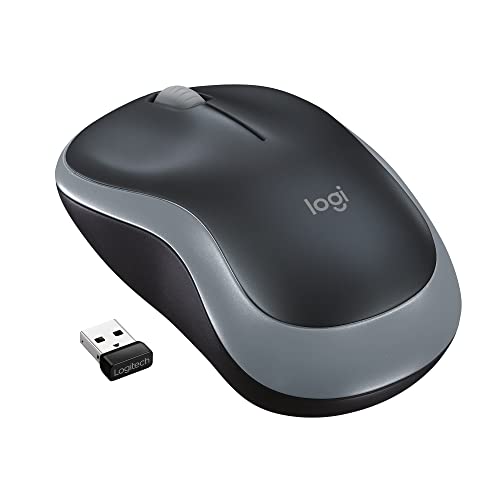
Logitech M185 Wireless Mouse, 2.4GHz with USB Mini Receiver, 12-Month Battery Life, 1000 DPI Optical Tracking, Ambidextrous, Compatible with PC, Mac, Laptop – Grey
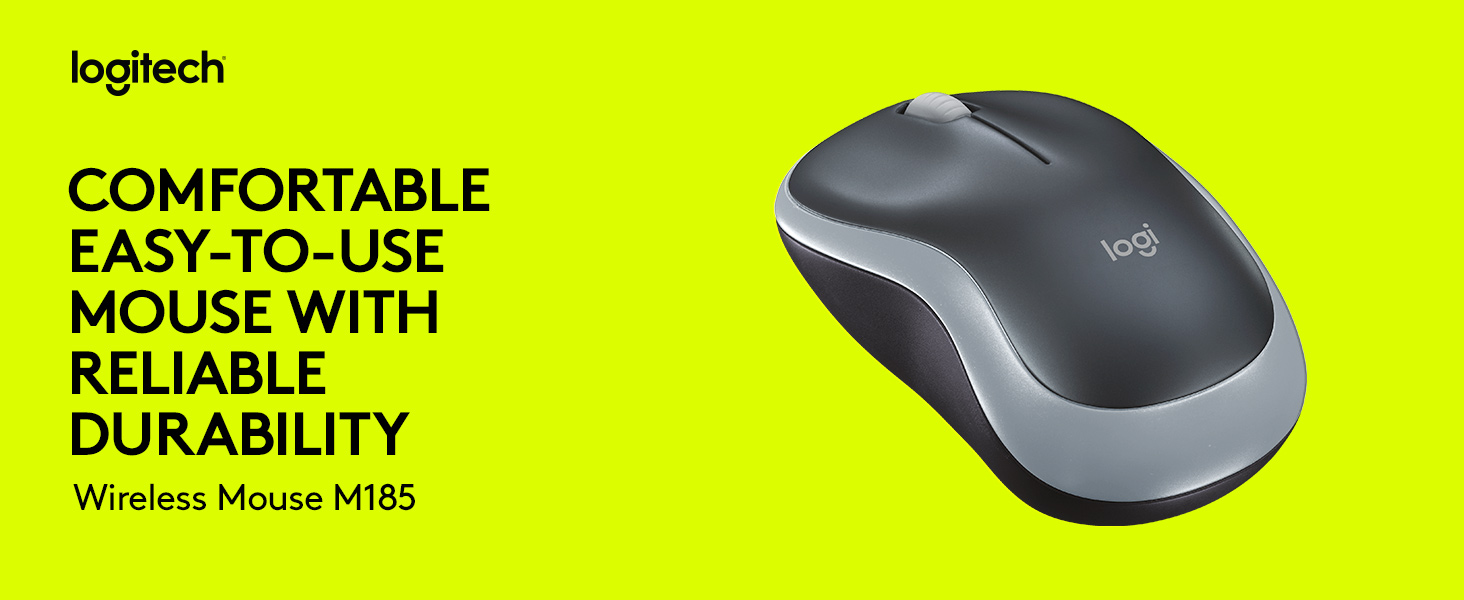

COMFORTABLE SHAPE, COMPACT DESIGN
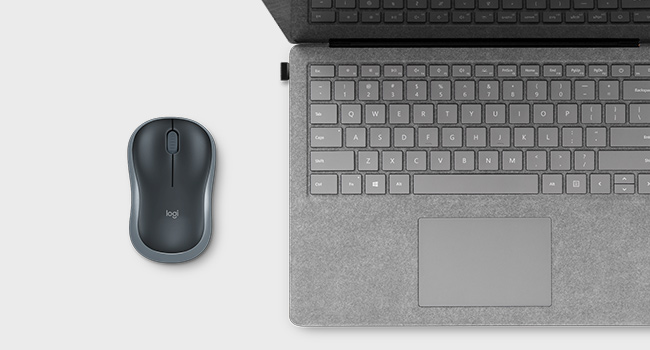
The comfortable, contoured shape of M185 follows the natural curve of both left and right-handed users. Compact and wireless, the mouse fits easily with a laptop in a bag—so you can take it anywhere.
ENJOY THE WORLD OF WIRELESS
M185 is ready when you are. Simply plug the receiver into a USB port on your device to start working in seconds. The small size and smooth cursor control make it great for tight workspaces.
COMPACT OR FULL-SIZE
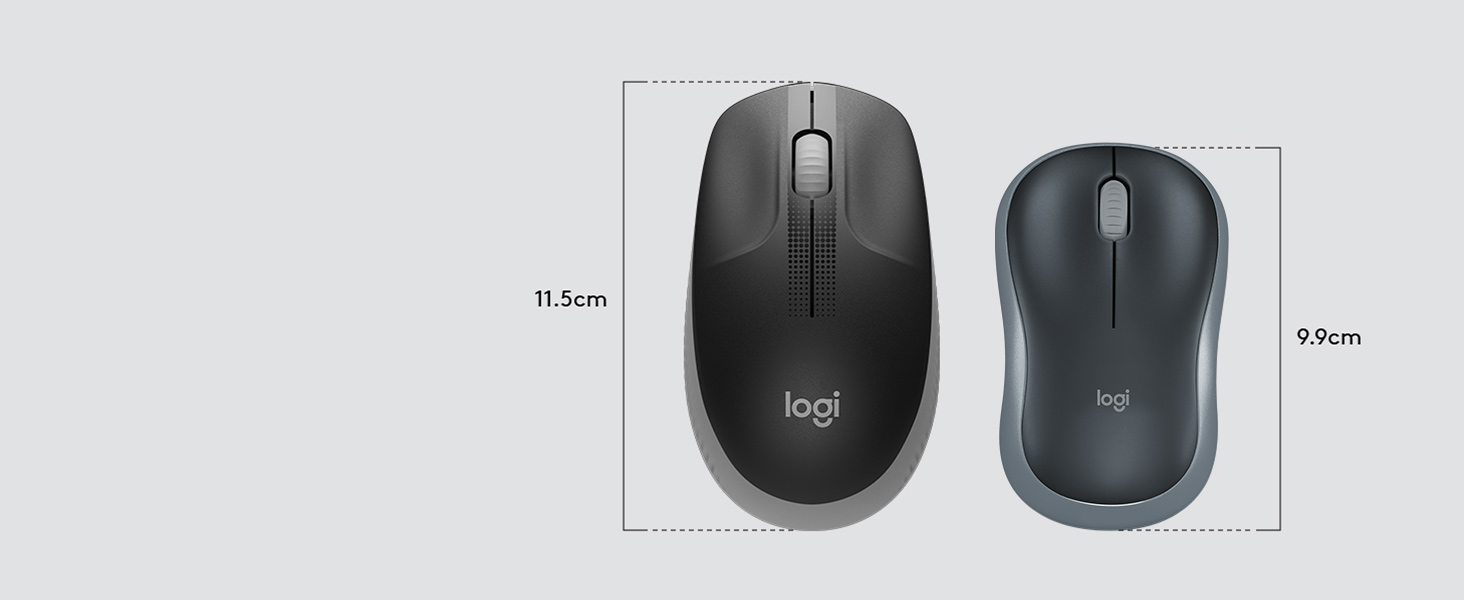
Choose the right size for you. M185 is contoured for mid or smaller hands, easily fits with a laptop in a bag. For a larger, comfortable design that fits with your home office setup, check out M190.
ESSENTIAL TOOLS. BETTER WORK.
Complete your setup with the right keyboard, mouse, headset, and webcam for better typing and navigation, plus superior audio and video—so you can conquer just about any task from home.
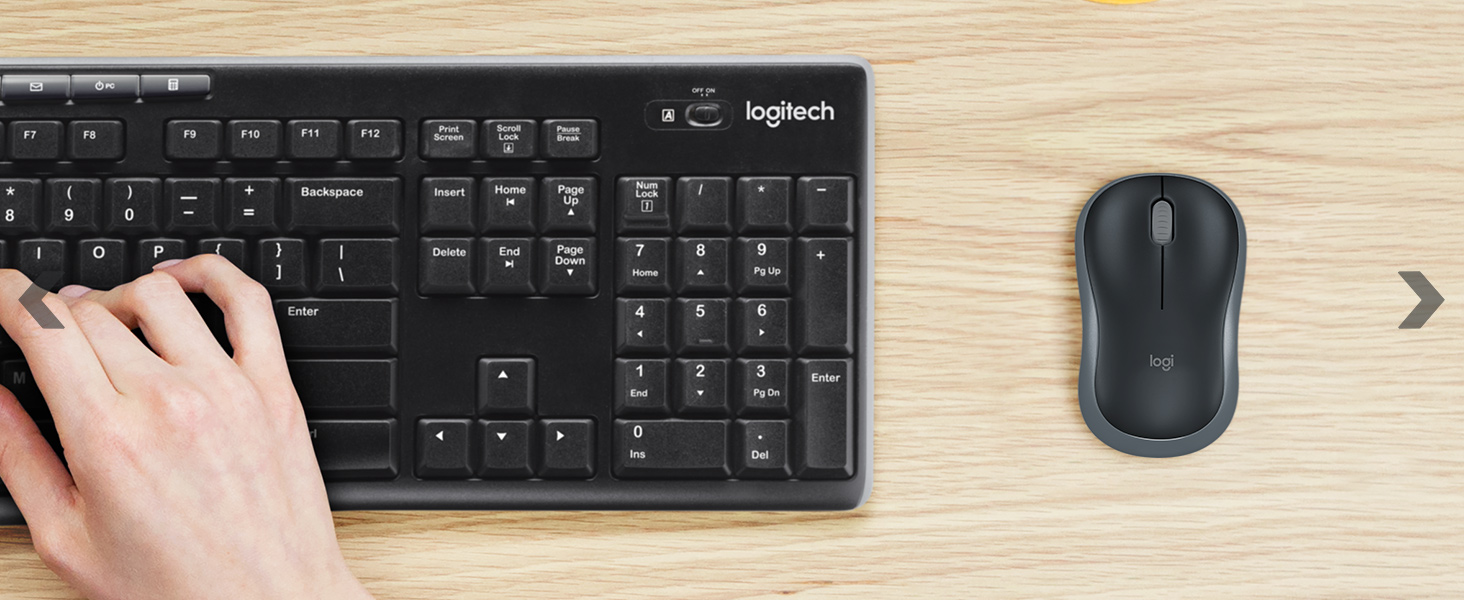
LOGITECH MK270 WIRELESS COMBO
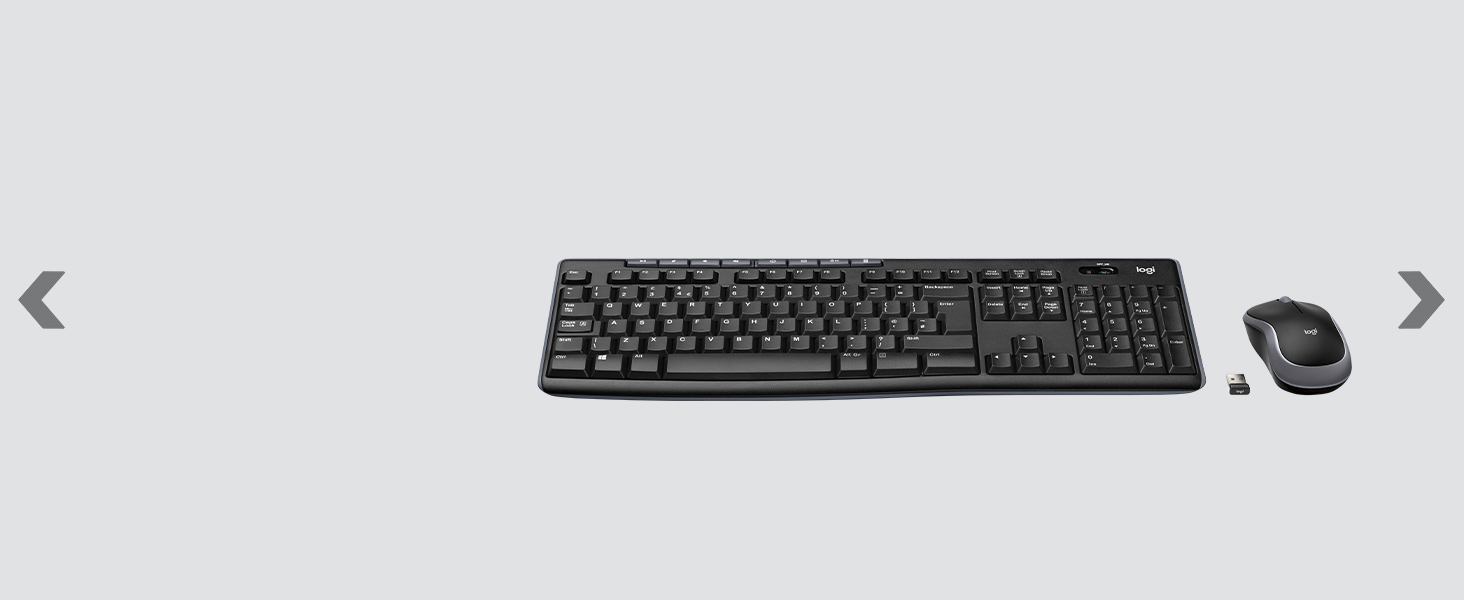
The mouse M185 brings together the convenience and comfort of a full-sized keyboard with a sculpted, compact mouse.
LOGITECH C270 HD WEBCAM
Sharp, smooth video calling with a camera you can attach to your screen or shelf.
LOGITECH WIRELESS HEADSET H390
Experience clear internet calls with a simple plug-and-play USB-A connection and a noise-canceling mic.




| Weight: | 75 g |
| Dimensions: | 3.81 x 9.91 x 6.1 cm; 75.12 Grams |
| Brand: | Logitech |
| Model: | 910-002235 |
| Colour: | Swift Grey |
| Batteries Included: | No |
| Manufacture: | Logitech |
| Dimensions: | 3.81 x 9.91 x 6.1 cm; 75.12 Grams |
Great Wireless Mouse
Very pleased. It does what you expect. I really like the internal storage slot for the USB Wireless dongle for when its not in use or travelling. Saves losing it.
Compac
Compact mouse – great to carry around with laptop – had no issues over the past 3-4weeks of using. Works as expected – no lag or mm miss aligned movement on scree
Work well but a little bulky in the desig
I bought two of these in different colours for different laptops and they both work well. I really don’t like using the finger board on laptops. A little bulkier than my main computer mouse but I soon got used to the difference and the price was very good for such a well known and respected make.
Excellent wireless mouse, but with a catch
I bought the Logitech M185 mouse to replace a very old Logitech M103 which had died. Fortunately I had a spare M103 which I could use, but it was a bit juddery on its tracking, hence the need for a replacement.
The mouse arrived earlier than the stated date (good) and I quickly plugged the USB receiver into my laptop and switched on the mouse. Nothing, nada, no cursor and no red light underneath as is the case with the M103. I checked the battery, no problem. I tried another brand-new battery, nothing. I came to the conclusion that the mouse was faulty, so initiated a return and replacement. Amazon were extremely quick to replace the ‘faulty’ mouse and the new one arrived the next day.
To cut a long story short, the replacement mouse was the same – no response at all. It seemed unlikely that two new units were faulty so I did some Googling and came across others who had had the same problem. I ascertained that the USB receiver was working correctly as it appeared in Device Manager, so the problem was with the mouse itself. As this is a Plug & Play device I had assumed the mouse would automatically pair with the receiver, as my old mouse had always done. Apparently, this is not always the case and a manual pairing process has to be done. This is not mentioned in any of Logitech’s documentation. The manual pairing requires the simultaneous pressing of various buttons, after which the mouse now works perfectly.
If only the documentation was more helpful I would have avoided sending what was probably a perfectly good mouse back to Amazon for a replacement.
Small and perfec
I recently bought the Logitech Mouse, and it has exceeded my expectations. The ergonomic design fits comfortably in my hand, reducing strain during long hours of use. The responsive and smooth tracking makes navigation effortless, whether I’m working or gaming. The buttons are well-placed and have a satisfying click. Setup was a breeze—just plug and play. The build quality is solid, and it feels durable. The battery life is impressive, lasting weeks on a single charge. Overall, the Logitech Mouse is a fantastic choice for anyone looking for a reliable, high-performance mouse. Highly recommended!
Logitech Wireless Mouse - USB Dongle in Battery Compartment!
Really pleased with this little wireless mouse performs well. Like others, I thought I didn’t have a USB dongle until my other half said open the battery compartment and there it was as per photo! Logitech also state this on the accompanying instructions card if you open it up -so don’t send it back the dongle is there!
I find the mouse comfy to hold despite being smaller than a usual mouse it works great and is responsive.
Nice, classy and quality
Logitech have been around a long time for a reason, they make good quality products.
This little mouse is soo inexpensive but delivers great quality.
Classic shape without all the extra buttons nobody ever uses.
Have the same one in the office so when mine gave up the ghost it was the only one I wanted.
Comes with 1 AA battery ready to go.
Plug and play, absolutely no fuss.
Bought this for my elderly mothe
My mum uses a laptop and has always made do with the touchpad despite my advice on getting a wireless mouse for ergonomics and easier movement.
She hasn’t stopped using the mouse since she got it. It’s perfect for her handsize and glides across the mousemat thanks to the PTFE feet. Clicks are responsive and crisp
Sleek and comfortable
I bought it for my son for his gaming. But it’s so comfy to use I really like using it for myself. Less noise, clicks good, great for any work on computer or laptop. Very easy to set up.
Hidden bits
After finding USB and battery all went extremely well. Unit a tad on the small side for those with big hands.
USB and battery are an stored in the base of the mouse.
Perfec
Such an easy set up, no installation needed, just plug and play.
USB connection just plugs in (to your USB port), click the on/off switch on the bottom of the mouse to on and away you go. This connector can be stored inside the mouse next to the battery which is where you will find it when you receive it.
Works perfectly and feels nice to use.
Not as good as the old one.
Ok first the good things: love the coloured edging, very comfortable in the hand, very responsive to commands.
The only bad thing is the fact that it has one central rear pad. The old one (its predecessor) had two, one in each corner. This one has a shorter central rear pad, making the mouse less stable during certain movements, as the rear corners without the previous support tend to dip.
Amazing little mouse
If you’re like me, no matter how hard you try, you just cannot get on with a touch pad. I edit photos a lot, and it gives me anxiety using a touch pad, I hate it.
For the price this is just so immense, small and compact, but responsible and stylish. The USB connector is in the actual pad, by the batter compartment and I just love that.
I don’t game on PC so I wouldn’t know what it’s like, but for ten quid I can’t imagine it’s going to be great, but for what I need it’s perfect. Maybe gaming on the go, it would be perfect. Certainly for something like Football Manager etc.
I don’t know how Logitech keep doing it… But I really love this thing!
Very good
Very user-friendly. The mouse is very comfortable to hold. Clicking is also particularly and effortlessly lightweight. Compared to the HP mouse I bought before, it is much easier to click.
Best wireless mouse on the marke
This is the best wireless mouse on the market. I purchased one years ago and it still works like a treat. I bought a new one as an extra mouse. Comes with wireless receiver inside the mouse where the battery is located. The mouse itself is very responsive and comfortable to use. For the price you can’t buy a better mouse.
Easy to use and great performance
The only niggle is the LED doesn’t work so at first I thought the batteries were duds, but that wasn’t the case. I do prefer a visual confirmation of it working, but so far the lack of LED has not depleted performance.
Good value
It’s small and compact, and the usb connector fits neatly inside it which will help not lose it. Connected immediately on first use (even though it says plug-and-play I’d expected it might need a little more effort to connect to Apple). At one point I thought it wasn’t working well and wasn’t going to be useable at all. When I placed it closer to the laptop it worked fine, so it seems it rather wants to be right next to the computer. Depending on your setup this might be an issue or could be fine; I’m working with a monitor and wanted my laptop to the left but mouse to the right. That’s not working well, making the mouse “laggy” and awkward to use. Putting the mouse to the left is awkward (means working with my arms crossed over!), so will try putting the laptop on the other side of the screen, which I assume will be fine.
If this will be a problem for you it might be worth investing in a higher-spec mouse. If not (eg if you’re using it directly with a laptop) I’d say this works fine. Still given it four stars as I think that’s a fair-enough limitation for the price range. (Though it would be useful for that to be clear in the product information!)
Old Faithful
Since I first was introduced to Logitech they are my go to brand for things like this.
I’ve had cheap and cheerful obscure brands, “decent” brands like Microsoft and Lenovo… And I always come back to the Logitech.
This is the M185 wireless mouse on its own, which is often bundled with various other keyboard and mouse sets from Logitech (I have an MK270 keyboard and mouse set which is an M185 so I knew what I was getting)
My MK270 keyboard/mouse I use on my gaming computer is still only on its second set of batteries (albeit I only use it on average twice a fortnight), and my parents have a Logitech wireless set as well – all its needed on occasion is new batteries, and its been in place foe years.
I needed a new mouse because I bought a new laptop from Amazon and the touchpad was annoying me. Its a modern type with no “buttons” unlike my previous unit and although I’m au-fair with this sort of set up, I miss physical buttons, what can I say?
Plug it in and it just works. This is the definition of value for money, yes its cheap but it works. No custom buttons or all that other jazz you see in gaming mice, but if you need that you wouldn’t be looking at this anyway!
Very well recommended.
Strong and Good Range
This is the second one of these I’ve bought. The first one got smashed when we moved house, but it is the only wireless mouse I’d buy. The USB connector fits beautifully in the battery compartment so isn’t easy to lose. the range is pretty amazing. I can safely say I’ve used it from over a metre away. It is a mouse for regular tasks (browsing, writing, watching stuff etc.) and as I’m not a gamer I can speak to it’s appropriacy, but I would never buy a different mouse for this price range. I’ve also bounced it off the floor a couple of times and it has survived with the same level of usability.
Wireless mouse
Good product well made, under the bettery cover there is a little usb stick that slides out and put that into your pc laptop ect, and your good to go just slide power button on under mouse and your up and running.
Good value.
No idea as the the ‘longevity’ of this item, bit of a stupid category for something you’ve only had for a couple of weeks. Other than that and the, as with everything these days, quite poor instructions, it’s a great little mouse, very pleased with it and the price.
Simple to use
I bought this to go with a new laptop as I don’t like using the track pad. It was so easy to plug in the little adapter into the laptop and it was all systems go. Highly recommended.
Good but small
Product has good build quality and is good value however it is smaller than a regular sized mouse which I didn’t expect. Will not change my use for it but may be inconvenient for some people
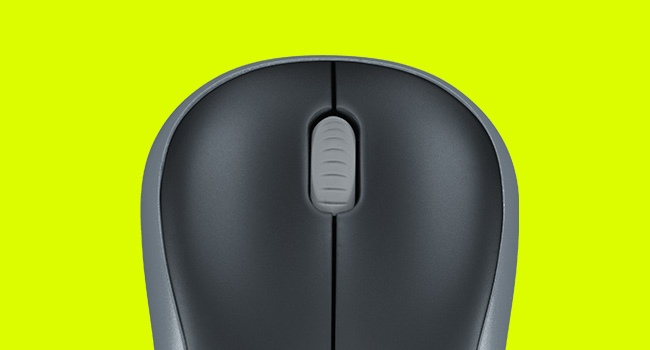
If you are looking for a wireless mouse that is easy to use, comfortable, and durable, you might want to consider the Logitech M185. This mouse is designed to work with any PC, Mac, or laptop that has a USB port. It comes with a tiny wireless receiver that you can plug in and forget about. The mouse has a 2.4 GHz wireless connection that is fast and stable, with a range of up to 10 meters. The mouse also has a 12-month battery life, so you don’t have to worry about changing batteries often. The mouse has a 1000 DPI optical sensor that provides smooth and accurate cursor control on most surfaces. The mouse has a compact and ergonomic shape that fits both left- and right-handed users. The mouse has three buttons: left, right, and middle (scroll wheel). The scroll wheel also allows you to navigate through web pages and documents horizontally and vertically.
The Logitech M185 Wireless Mouse has many advantages over other wireless mice in the market. Some of the pros are:
– It is very affordable, costing only 9.99 on Amazon.
– It is compatible with various operating systems, including Windows, macOS, Chrome OS, and Linux.
– It is easy to set up and use, with no software or drivers required.
– It is reliable and durable, with a 3-year limited hardware warranty.
– It is lightweight and portable, weighing only 75.2 grams with the battery.
However, the Mouse also has some drawbacks that you should be aware of. Some of the cons are:
– It does not have any advanced features, such as programmable buttons, adjustable DPI, or Bluetooth connectivity.
– It does not have a rechargeable battery, so you will need to replace it when it runs out.
– It does not have a battery indicator, so you will not know when the battery is low.
– It does not have a storage slot for the receiver, so you might lose it if you unplug it from your device.
The Logitech M185 is a great choice for anyone who needs a simple and reliable mouse for everyday use. It offers a comfortable and ergonomic design, a long-lasting battery life, and smooth and precise cursor control. It is also very affordable and compatible with most devices. However, if you are looking for a wireless mouse with more features and functionality, you might want to look for other options. For example, the Logitech MX Master 3S Wireless Mouse is a more advanced and versatile mouse that has a rechargeable battery, a customizable scroll wheel, multiple device pairing, gesture controls, and more. However, it is also more expensive, costing about 91 on Amazon.
In conclusion, the Logitech M185 Wireless Mouse is a good mouse for basic tasks and casual users. It delivers what it promises: a wireless mouse that works well and lasts long. However, it does not have any bells and whistles that might appeal to more demanding or creative users.
Very hand mouse unless you have big hands
Cheap and easy-to-use mouse for professionals on the go. I wouldn’t recommend it if you have larger hands but can still use it. Battery life is great. Would recommend it if you are looking for a cheap replacement mouse that is great and easy to use
Highly recommend
I cannot fault this item. Excellent packaging on product and postage. Very easy to use mouse, I would definitely buy again. For the price you won’t get a better mouse.
Pros:
– Hidden place to put USB connector
– Long battery life
– Connects well to computer with no lag
– Comfortable for smaller hands
– Ambidextrous
– Glides well across table/mouse pad
– Comes in branded packaging (good to gift)
– Good value for money
– Lightweight
– Quiet but satisfying clicking
Cons:
– May not be comfortable for larger hands
– (Personally) not my favourite colour combination
Overall, I’d recommend this mouse to anyone looking for a high quality and good value mouse to use with a laptop or computer (with a USB port)
Logitech M185 Wireless Mouse, 2.4GHz with USB Mini Receive
So far I am very pleased with this little mouse. It was a bit more expensive then I have paid in the past but you get what you pay for. I have purchased numerous lower cost mice in the past and they have all developed faults within a year.
It’s early days yet but this mouse feels so much better than previous mice and it wakes up instantly on my Mac when I move it. If the battery lasts a year I will be very pleased.