Sabrent USB 3.0 to SSD / 2.5-Inch SATA I/II/III Hard Drive
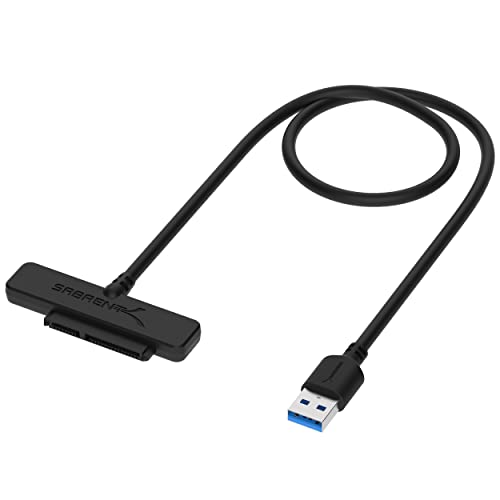
Sabrent USB 3.0 to SSD / 2.5-Inch SATA I/II/III Hard Drive Adapter (EC-SSHD)
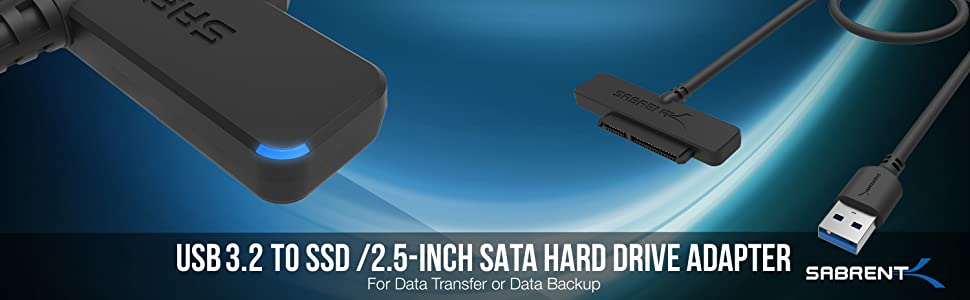
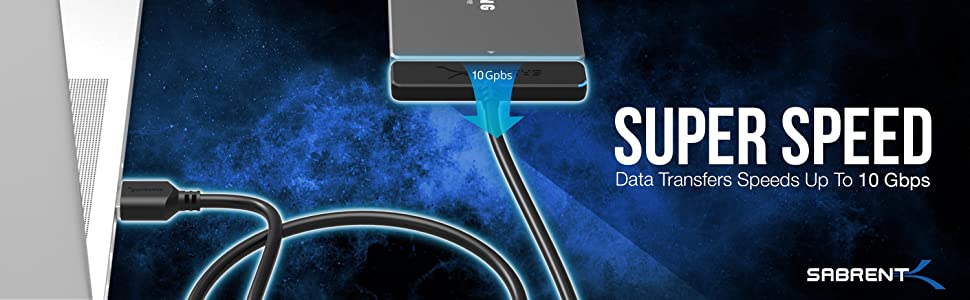
SABRENT USB 3.2 to SSD / 2.5-Inch SATA I/II/III Hard Drive Adapter (EC-SSHD)
Take advantage of the lightening speed of USB 3.2 Gen 1 to quickly transfer files up to 5 Gbps!
Connect any 2.5” Serial ATA (SATA) / SSD or SATA II Hard Drive to your computer through an available USB 3.0 port on your desktop or laptop.
Reverse compatible with USB 2.0 and 1.1, this Adapter is a perfect solution for data transfers or data backup!
SATA II Hard Drive to your computer through an available USB 3.2 port on your desktop or laptop.
Reverse compatible with USB 2.0 and 1.1, this Adapter is a perfect solution for data transfers or data backup!
FEATURES:
- Supports Standard Notebook 2.5″ SATA and SATA II Hard drives.
- Transfer Rates Up to 5 Gbps when connected to a USB 3.2 Gen 1 port.
- Transfer Rates Up to 480 Mbps when connected to a USB 2.0 port.
- Hot-swappable, plug and play, no drivers needed.
- Backwards-Compatible with USB 2.0 or 1.1
SYSTEM REQUIREMENTS:
- Available USB 3.2 Gen 1 port on the computer to achieve full 5 Gbps transfer speeds.
- Available USB 2.0 port on the computer to achieve full 480 Mbps transfer speeds.
- Windows 11
- Windows 10
- Windows 8.1/8
- Windows 7
- Windows Vista
- Windows XP
- Linux 2.4 or Above
- Mac OS 8.6 or Above
WHAT’S IN THE BOX?
- SABRENT USB 3.2 to SSD/2.5″ SATA Adapter Cable
- User Manual
 | 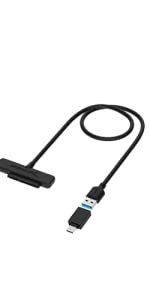 | 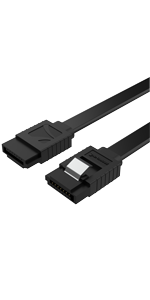 | 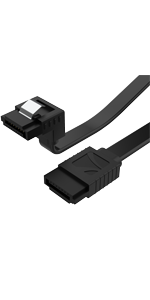 | 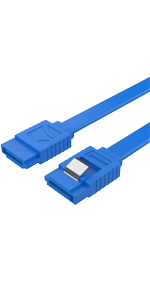 | 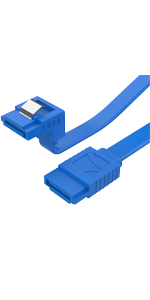 | |
|---|---|---|---|---|---|---|
| Model # | EC-SSHD | EC-SS31 | CB-SFK3 | CB-SRK3 | CB-SFB3 | CB-SRB3 |
| Color: | Black | Black | Black | Black | Blue | Blue |
| Quantity: | 1 Pack | 1 Pack | 3 Pack | 3 Pack | 3 Pack | 3 Pack |
| Cables Length: | 2 FT / 58cm | 2 FT / 58cm | 20 Inch / 51cm | 20 Inch / 51cm | 20 Inch / 51cm | 20 Inch / 51cm |
| Transmission Speed: | Up to 5 Gbps | Up to 10 Gbps | 6 Gbps | 6 Gbps | 6 Gbps | 6 Gbps |
| Compatible Size: | 2.5” HDDs | 2.5” HDDs | 2.5”, 3.5” HDDs | 2.5”, 3.5” HDDs | 2.5”, 3.5” HDDs | 2.5”, 3.5” HDDs |
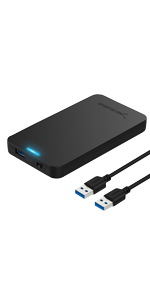 | 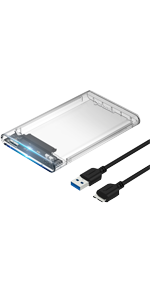 | 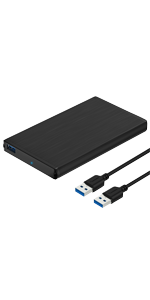 | 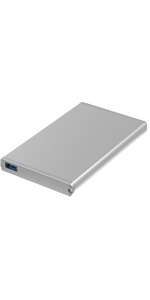 | 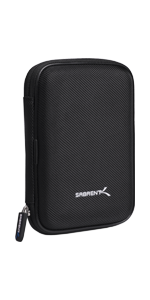 | 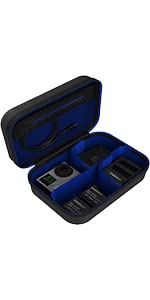 | |
|---|---|---|---|---|---|---|
| MODEL | EC-UASP | EC-OCUB | EC-UK30 | EC-UM30 | EC-CASE | GP-CSSL |
| Port Type | Type A | Type A | Type A | Type A | — | — |
| Capacity | 2.5 Inch | 2.5 Inch | 2.5 Inch | 2.5 Inch | — | — |
| Bay number: | 1 BAY | 1 BAY | 1 BAY | 1 BAY | — | — |
| Transmission speed | Up to 5 Gbps | Up to 5 Gbps | Up to 5 Gbps | Up to 5 Gbps | — | — |
| Material | ABS | ABS | ALUMINIUM | ALUMINIUM | — | — |
| Max HDD capacity: | 8TB | 8TB | 8TB | 8TB | — | — |
| Plug and play: | ✓ | ✓ | ✓ | ✓ | — | — |
| Support UASP: | ✓ | ✓ | ✓ | ✓ | — | — |
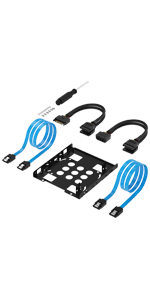 | 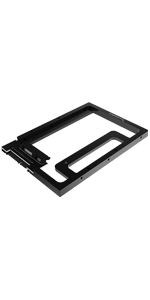 | 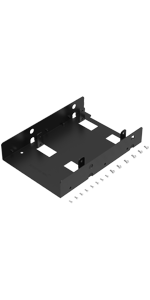 | 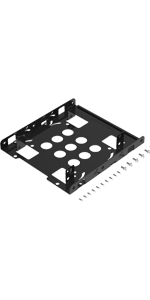 | 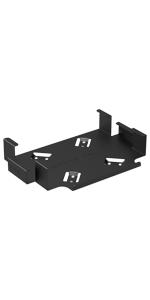 |  | |
|---|---|---|---|---|---|---|
| MODEL | BK-HDCC | BK-PCBS | BK-HDDF | BK-HDDH | BK-MABM | BK-MACM |
| USED FOR | PC | PC | PC | SERVER | Mac mini VESA | Mac mini VESA |
| PRODUCT INFORMATION | Hard Drive Mounting Kit 2X SATA KABLE (Data) 2X Molex 4 Pin To 15 Pin SATA (Power) | Hard disk mounting | Hard disk mounting | SSD & SATA Hard Disk Drive to Desktop 3.5″ | Mac mini VESA mount | Mac mini VESA mount |
| Dimensions: | 7 x 0.6 x 1.8 cm; 28.35 Grams |
| Model: | EC-SSHD |
| Manufacture: | Sabrent |
| Dimensions: | 7 x 0.6 x 1.8 cm; 28.35 Grams |
| Origin: | China |
Bought just in case & very happy I did
I recently purchased an SSD, and despite having 2 spare SATA cables from when I built my PC, I decided to buy these just in case, and I’m very happy I did. After setting up the SSD, and using my old SATA cables, I quickly realised they were dead. Swapped them out with my new cables from Amazon & it worked immediately.
Highly recommend!
Good value
There is not a lot to be said for a cable in fairness. These arrived on time and where well packaged, seem to be made from quality materials and do what they are supposed to do. I think they offer value for money and would happily recommend them to friends and family.
Works perfectly
Good product, lets me connect a still-encased SSD to my computer without unscrewing the case from my Atomos Ninja V. Of course the connection feels a bit flimsy as a result, bit with a little care I don’t see why that should be a problem.
Don’t buy the more expensive “Sata 3.1” 10Gbps version, get the cheaper “Sata 3.0” 5Gbps version instead. SATA drives are limited to 4.4Gbps (550MB/s), so you’re paying more for double the bandwidth that your drive physically can’t use.
Fast SATA SSD/HDD Adapte
I bought this for my Atomos Ninja V monitor / recorder to download the footage to my computer. It’s very fast, with my Samsung EVO 970 1TB NVMe SSD the read and write speeds are almost 500MB/s using the USB type A connector into a USB 3.2 port. The Type C adapter is useless though, the read and write speed drops down to around 100MB/s plugged into my Mac Studio’s USB C ports on the front. Not an issue as I don’t use adapters for this reason.
When I bought this, there was a small blue sticker on the front of the box, saying “Free Acronis Software”. Well, I checked the box, instructions and even the support section on the company website. There is nothing.
The whole point of me buying this cable was the free software to help me clone my old hard drive onto my new SSD drive.
Save yourself some cash and buy the cheap 5 cable that does the same thing, without the promise of free non-existent software.
As for operation, its a USB to SATA cable. You’ve bought it because you know what you’re doing. It either works or its faulty (highly unlikely). It’ll live in the bottom of a dusty draw for 99% of the time you own it, so just consider price over a shiney box and the promise of free software that comes to nothing when making your choice.
The adapter I received was faulty as it would not work with the newer USB standards (3.2 Gen 2×1 and 2×2 with speeds 10Gbps and 20Gbps respectively) so I was unable to use it on my laptop that only had these newer ports. It was fine on USB 2.0 and 3.0, albeit at slower speeds.
I reached out to Sabrent who were very helpful and sent a replacement adapter.
Note that the replacement adapter seems to be of a newer revision. The cable itself feels different and the packaging has been updated (left, white box – old; right, black/blue box – new).
I suggest contacting support if you have similar issues.
The adapter also comes with a handy USB Type-A (female) to Type-C (male) adapter.
I am using this to repurpose my Crucial BX500 as an external SSD for games and additional files. So far so good! I ran a quick CrystalDiskMark benchmark, a screenshot of the results is attached for those interested.
Would definitely recommend for those looking for a relatively cheap DIY external SSD solution.
Does exactly what I needed it to
My 2013 iMac was running very slowly all the time, despite checking the hardware and software, and reinstalling the operating system. I had a hunch that it was slow because of the outdated 5400rpm hard drive that it runs off of so I decided to try attaching an external SSD through USB 3.0 and installing the operating system on it to see if the system runs better, and it does! I now permanently run the computer off the SSD using this cable and I have no problems whatsoever. The computer is much faster than it ever was before.
I tried this with a 2.5″ SSD and it works just fine. The box and manual also says that it can be used with 2.5″ hard disk drives, these are the small form-factor hard drives that one finds commonly fitted in laptops. I don’t have such a drive so can’t comment but the instructions are very clear that it can manage such 2.5″ hard disk drives.
However, the manual that comes with the kit slightly confuses the issue with its wording. The instructions say the following regarding drives (I have quoted and retained the way the wording is presented in the manual):
‘Note: This adapter cable will only work with 2.5″ hard drives, and solid state drives.
3.5″
Hard drives and optical drives require a high power load than can be provided via the USB bus.’
The problem with that information is in part to do with the way it is printed in the manual and also with the way it is worded (which strictly speaking is in lousy grammar), which doesn’t guarantee that the important point will get across to the user. It should be printed and worded as follows:
‘Note: This adapter cable will only work with 2.5″ hard drives and solid state drives.
3.5″ hard drives and optical drives require a higher power load than can be provided via the USB bus. If you attempt to use this adapter cable with 3.5″ drives you risk doing real damage to your computer and/or your 3.5″ drive.’
Look for the Amazon review of this adapter cable by ‘g m.’ titled ‘THIS BLEW UP MY USB PORTS!!!’ I can’t know for sure but my guess is that ‘g m.’ tried to use the cable to attach a 3.5″ drive to his USB port and blew the whole USB system on his laptop. If I’m right about that it would prove the manual needs rewording a bit. It also proves that this cable shouldn’t be left in the reach of kids with a 3.5″ drive they want to attach to the computer. You have now been warned!
In all, good simple piece of kit that does the job it says, I would recommend it. Actually I would give it 5 stars but the deficit in the manual loses Sabrent one star. Sort out the manual Sabrent!
IT WORKS OUT OF THE BOX
This is one of those cables that you have to keep in your bag for eventualities when you are out on the road. We bought a Sabrent one because we have been SO impressed with other Sabrent products – especially their AMAZING XTREME external SSDs.
This cable/adaptor comes beautifully packaged which gives you the sense that like other Sabrent products they care about the whole experience of buying and owning a piece of Sabrent technology.
We would 100% recommend this to anyone needing an ad hoc way to get data from old SATA laptop drives and it will be in our kit bag when we go to our events once lockdown restrictions are finally lifted hopefully towards the end of June 2021.
Purchased this for my Series X and when I’m not using it I will also be using it for other storage transfer means. But my main focus for this purchase was for the Series X. As for the SSD I was using it was a Crucial BX500 1TB I picked up for 70 with a voucher that dropped the price.
Now for speed reads/writes I can’t really calculate, since Xbox doesn’t offer that service. But it has been quick and snappy for what I want from it and is 100% plug and play.
Popped the SSD into the Data adapter and plugged the USB into the Xbox, straight away it picked up the drive and asked what I wanted to call it and I formatted it to what I wanted. Format to storage or have for media viewing, but my goal was for extra storage for my base (non X/S updated games) and original/360 games.
I mean the wire works, the SSD is really quick and snappy in games. For the price it was a bargain and I’ve also tried a Samsung Evo and that works fine on the wire also.
Needs a sata3 disk to hit usb3 top speed
[Updated review as I completely misrepresented the speed of the product. But hopefully my own stupidity will help others]
Bought to use with a SATA hard drive as external storage for a PlayStation4. On putting it in the PS4 and trying to format the disk it warns that the device is not fast enough to use. Tried with several disks and got the same result.
I thought the device wasn’t delivering the USB3 speed (5gb/s) required. Turns out it was the disks. Only sata3 can hit 5gb/s. An older sata2 (3gb/s) or sata1 (1gb/s) won’t cut it. The drives aren’t fast enough to deliver USB 3 speeds. But the adapter product itself is fine (probably).
Hopefully this will help someone out.
I’ve used this with a Raspberry Pi 4 over a 1Gbps Switch and found that the performance is good across the network, with writes at ~90Mbps and reads at ~109Mbps (using Windows Networking/SMB with Samba). However this was inconsistent in results when I wanted to move the contents of the SD Card onto an external SSD/HDD and boot off of the SSD/HDD, with it sometimes not coming up correctly and taking a very long time to boot (5 minutes +).
So if you’re looking to attach external storage to extend the filesystem of a Raspberry Pi (and you do NOT need to boot from it) then this is a good value for money choice.
However, if you’re looking to boot from external storage, then I would recommend the StarTech USB3.0/SATA cable as this working without any issue: https://www.amazon.co.uk/gp/product/B00HJZJI84
The StarTech is more expensive but after testing it works very well if you want to boot off external storage.
An incredibly useful tool if you have a lot of 2.5" drives laying around!
I initially purchased the Sabrent USB3.0 to SATA adapter so I could use the internal USB3.0 header on my server to run the boot drive and leave the SATA ports free for storage drives, unfortunately I couldn’t get OpenMediaVault (Debian) to format and interact correctly with the SSD to use it as I had intended, I don’t believe this is a problem with the device moreover how Debian is trying to set up the drive.
However, I use this adapter almost daily, working in IT refurbishment and being a bit of a geek myself, it saves so much time and money not to have to buy caddies for every 2.5″ drive I need to work on.
Speeds are excellent, the 1TB Western Digital Blue drive I use to back up my game install files reads back at approximately 120Mb/s, which is as fast as the drive can handle, expect to get a lot more speed out of an SSD.
Build quality is superb, the USB cable is very thick (for a USB cable at least) and robust.
Very, very happy with this purchase!
I purchased this so I could essentially backup/restore 2.5″ SATA hard disks. It was especially useful for upgrading one of the harddisks on my laptop which fortunately had a USB 3 port to gain the massive performance benefits to be had.
When the product arrived I was quite pleased at the overall look of of the packaging and the product itself. I’ve not seen many products where the cable is coiled up into a foam insert but they have done that here and it actually looks quite cool. It’s a nice touch and clearly more expensive to manufacture than just shipping it coiled up and thrown in a brown box or stuffed in a clear plastic bag,
The USB to SATA adapter itself seems quite well made and will hopefully last a while. It’s not something that I will use every day – more likely once every so often so it will live in my PC spares box until it services are required again! Some users may be quite happy permanently attaching it to their PC or laptop with an SSD attached, especially if they haven’t got the physical space in their system.
The device was completely plug and play in Windows 10 and no additional driver software was required. It really was as simple as plugging in a USB memory stick and the partitions on the drive were detected straight away.
I performed a couple of benchmarks with this adapter and was incredibly impressed with the results. A 7200K RPM HGST hard disk was nearly as quick as it is when connected to the SATA port in the laptop, reaching 134 MB/s read which is less than 10 MB/s less than direct SATA (the 4K values were roughly the same, although marginally less). When connecting up a Samsung EVO 860 1TB I was pretty much blown away by the adapter’s performance for a USB device. Admittedly it’s about 100 MB/s slower than when connected directly to a SATA port but at up to 448 MB/s it is nearing the bandwidth limit of USB 3 and is very impressive indeed. I also tested the Samsung EVO 860 1TB using a USB 2.0 port and it’s clear that this USB adapter is maxing out that type of port.
For the price this is an absolute bargain and offers incredible performance on both USB 2 and USB 3. If you’re the sort of person that ever upgrades laptops then you definitely need this product in your arsenal. PC users will probably just plug a new drive into their PC to clone it but if you have no SATA ports left then this is the perfect solution.
Very impressed with the product. I hope it does me proud again the next time I get it out the spares box!
Functional and easy to set up USB-SATA adapte
Functional and easy to set up USB-SATA adapter.
Identifies itself to Linux as the underlying JMicron Technology device but correctly identifies itself as a SuperSpeed USB Sabrent mass storage device when queried.
[Tue Jul 25 23:40:10 2017] usb 2-4: USB disconnect, device number 2
[Tue Jul 25 23:41:28 2017] usb 2-4: new SuperSpeed USB device number 3 using xhci_hcd
[Tue Jul 25 23:41:28 2017] usb 2-4: New USB device found, idVendor=152d, idProduct=1561
[Tue Jul 25 23:41:28 2017] usb 2-4: New USB device strings: Mfr=1, Product=2, SerialNumber=3
[Tue Jul 25 23:41:28 2017] usb 2-4: Product: SABRENT
[Tue Jul 25 23:41:28 2017] usb 2-4: Manufacturer: SABRENT
[Tue Jul 25 23:41:28 2017] usb 2-4: SerialNumber: DB9876543214E
[Tue Jul 25 23:41:28 2017] usbcore: registered new interface driver usb-storage
[Tue Jul 25 23:41:28 2017] scsi host3: uas
[Tue Jul 25 23:41:28 2017] usbcore: registered new interface driver uas
[Tue Jul 25 23:41:28 2017] scsi 3:0:0:0: Direct-Access SABRENT 0204 PQ: 0 ANSI: 6
[Tue Jul 25 23:41:28 2017] sd 3:0:0:0: Attached scsi generic sg1 type 0
Works well and a good addition to a mobile computer user.
A Life Saver.
My laptop recently died and as it had been unwell for a while (which I only realised looking back) I didn’t try to fix it as they are cheap enough to mean it’s better in the long run to get a new one. After the last time one died I started backing everything up to an external drive / the cloud, but in the past couple of months I’d been lax at doing it, so quite a lot of data was stranded on old laptop.
I did a little research as I am consider myself to be fairly tech-y but by know way that knowledgeable and realised I could save the old HD by using a simple wire, which seemed too easy. And at the price just seemed wrong.
Happily I was wrong. It arrived the next day and I thought it was too small, the box is about the size of a DVD case so I assumed I’d bought the wrong one, but no waste of space, just a box, wire neatly coiled in a foam insert and simple instructions – neat and simple. It is such a simple thing to use, plug long end into the HD and short end into new laptop. It comes up as an external drive and you can just copy across what you want. I moved across about 1Gb of data and it only took a few minutes (USB3 so very quick connection).
Great if you want to connect a standard SATA drive to a PS4 for ultimate gaming heaven.
I got this so I can use an external HDD for my PS4, as I have a 480GB SSD inside the console, I didn’t want to fill that up with all those Indie games we get with PS+. I have the original HDD from the PS4 hooked up to the USB 3 cable, and I can say I can’t see any difference in load times between that and when it was inside the console originally. Games load up as quick as they always would, and it never seems to have any troubles.
The only trouble I have isn’t with the cable it is the PS4 itself, why Sony.. Why only 2 USB ports, I have FFXIV to play, and I like to use Keyboard to talk, and when the controller dies which doesn’t seem to have much battery life at all, I then have to find my dodgy old USB hub from 1855 (seriously its so old – it says compatible with Windows 98 on it put it that way) to plug all these devices in.. but I digress.. the cable itself works perfectly fine and I didn’t see any slow down or any problems on PS4 at least, I don’t have USB 3 on my PC.. I know I am stuck in the stone ages, so I can’t test it on that.
My old MacBook Pro suddenly gave up and packed in a few days ago and, as is typical, my last Time Machine backup was a month before, meaning my most recent work files were trapped inside what was now basically a paperweight. It was eligible for replacement under Apple’s terms, but I wasn’t happy at the prospect of having to re-do all that work.
After a bit of research into HDD enclosures I landed on this simple looking Sabrent SATA to USB cable. It appealed to me because it was so simple and stripped down compared to the cumbersome (and often cheaply made) HDD enclosures. It comes in a nicely protected package, with the cable and connections buffered and held in place by cut foam. I took my HDD out of my dead Mac, downloaded some software that would allow my clunky old Windows 7 PC to read the Mac format my HDD was formatted to and plugged the drive in. The Sabrent software was auto installed behind the scenes in a few seconds and voila! I was suddenly looking at my files as they would’ve appeared on my MacBook. No trouble at all.
The cable itself is nice and thick, the USB connector is strong and well bonded, with the SATA connection very well made. It looks like it will last a long time. It connected to my HDD as easily an snugly as the cable in my MacBook did originally and a small blue light turned on showing that it’s in action. Couldn’t be happier with this cable, it’s made recovering my files as easy as plugging a USB stick in.
Works well, good value.
How many stars? It’s not clear what to give it.
That’s not because it’s a bad product – quite the opposite: as far as I can tell it’s very good at what it’s intended for. There’s an element of daftness about this whole review thing — I’ve had the thing for little over a week, over Christmas. I have no idea how reliable it is, and I haven’t measured its throughput (speed), and I don’t have a suitable analyser to check what it’s doing on the USB bus. Those things are necessary if you want to make a meaningful comparison between this product and other similar ones.
So, given I can’t test it PROPERLY, here’s a summary:
o It works well with the Samsung SSD drives I’ve used it with.
o It works with 2.5″ magnetic disks too (I wouldn’t risk blowing a fuse with 3.5″ ones!).
o It seems to be fast and well made.
o The cable is about the right length and flexible enough (your requirements may be different!).
I have several of these things, but this is the best one I’ve bought so far. Next time I need another, I’ll look for this brand again.
Before I state anything about this item, I would like to clarify a few things and which items helped me to test this Sabrent USB and how did I test it. The reason to mention this statement in every of my reviews is that people want to see and hear a practical experience that might be close to their desire in which helps them to decide whether to get this or not.
Sabrent USB 3.0 to 2.5-Inch SATA Hard Drive Adapter was used with the following:
1- Macbook Pro (Late 2013)
2- Crucial MX100 256GB (The only SSD I have)
3- Backing up my rMBP to 500GB Toshiba HDD
4- Cloning My rMBP to Seagate Laptop SSHD (The 7200-RPM version + 8GB MLC)
5- My Friend’s iMac Late 2013.
let me start the review and my impression about this adaptor. The Item arrived in a very elegant packaging and with perfect conditions. I like the packaging it seems to have a nice quality feels. The instructions were clear and no need for software to do any other magic rather than allow it to connect your external HDD/SSD and to your Macbook Pro.
First I connected my Crucial MaX100 256 to my MacBook, and I ran a benchmark with App called Disk Sensei (see the picture attached to this review. I like how are the numbers of the Read/Write close to the reality when this SSD connected to an SATA 3 connector. I’m amazed by the result honestly; which encouraging to be used for booting up from the USB “if you like this idea.”
I made a backup of my rMBP late 2013, and it went perfectly. I made a clone of my MacOS into my Seagate SSHD; which at last I made a use if it rather than laying around idle.
After the cloning process had finished; I connected my Seagate SSDH to my friend’s iMac Late 2013, and there you have it. I’m booting my clone of the rMBP into iMac; it feels brilliant and fast too; I know it would be better if I’ve cloned my Macbook to an SSD drive, but this my humble experience.
The reason I get this adaptor because I’m a bit tired of a computer with a small screen and since my roommate has an iMac 27.” I wanted this adapter as a temporary solution until I get an iMac with specs that I like when every Apple release it 2017.
Sabrent USB 3.0 SSD/SATA 2.5 inch HDD Adapte
Very pleased with the performance of this adapter. Little blue shows it’s working! I have just formatted a new SSD drive(Crucial) from Amazon and also installed OSX El Capitan as a clean install. All gone to plan up to now with this little adapter with no problems at all. I only have USB 2.0 on my macbook pro 2009 so cannot comment on the speeds for USB 3.0 but as I am retired time is not of the essence to get things done at lightening speed anymore!
Very happy with this product!
Update 17.6.2016
Just wanted to update on this really excellent piece of kit!
I have successfully installed the new SSD and want to keep the old HDD to use as an external hard drive, so bought a couple of enclosures to try with the external drive, only problem is that neither of them can read the external drive’s original data!!…So I used this adapter with the external HDD and VOILA I can see all the data and manage it with no problems….so I have bought a basic storage case and I am using this adapter!
The 2 new enclosures will make handy coasters!!
I had bought a solid state drive to replace the traditional hard drive in my laptop.
I did have previous SATA cables but couldn’t find them. As a last resort, I bought this adapter, and I am very glad that I did.
The following is my review based on my experience of swapping the HDD.
PACKAGING
=========
The adapter comes in a small, rectangular, black box measuring 12.7cm x 10.5cm and 2cm deep.
The box comes with a sleeve wrapped around it that acts as the ‘security seal’. On the outside it has the standard product title, image and product benefits.
The back of the sleeve has the usual barcodes and features listed in multiple languages.
The inside of the sleeve has the various methods of how to access product warranty and support details.
WHAT’S INSIDE
============
Upon opening, you will find the adapter cable.
Underneath it is the instruction manual and support card to assist you in case of installation difficultiesvery simple really.
THE DEVICE
==========
The adapter cable has a USB 3.0 male jack on one end and the SATA connector on the other.
The ends are separated by a well shielded and solidly constructed cable about 58cm long.
The SATA end is 7cm x 1.5cm long with a male SATA jack on the end.
Using the device was the easiest I’ve ever come across when using a SATA cable, it’s simply a case of plugging one end into the laptop and the other into the solid state drive.
You know that the cable is working because the indicator light comes on right away.
Using the right software, in my case EASEUS Todo Backup, I was able to clone the old HDD in a matter of a couple hours.
PROS
=====
The whole usage of the cable is very, very easy.
Unlike every other SATA cable that I have used, there is no need for a second power cable the plugs into the mains. This makes using it very neat and uncluttered.
There seems to be a lot of support from Sabrent if you get stuck using their product at any point, which is always nice, especially when the product is a mere cable.
CONS
=====
I can genuinely say that there was none. It was simple, straight forward and easy to use, worked first time and done the job brilliantly.
OVERALL
=======
Basically just repeating the last sentence in the ‘CONS’ section.
Buy with total confidence.
Disclaimer: This was a review on a product that I purchased. Being a real consumer, I will always write honest reviewssometimes to the annoyance of the vendors. It takes a fair amount of time to write each one, so I ask that you please support me by marking my review has helpful (if you found it so, of course)
Comparison of USB 3.0 ext. hard drive / SSD (toll-free) enclosures 2.5” & connectors
All of the following were attempted on Windows 7 and Windows 8.1 laptops.
(http://www.amazon.co.uk/Sabrent-2-5-Inch-Adapter-Optimized-EC-SSHD/dp/B011M8YACM?ie=UTF8&psc=1&redirect=true&ref_=oh_aui_detailpage_o07_s01)
Sabrent USB 3.0 to SSD / 2.5-Inch SATA Hard Drive Adapter [Optimized For SSD, Support UASP SATA III] (EC-SSHD)
Included this cable in this review due to 100% performance reliability. Used this to copy to and from HDD/SSD, complete disk images or weekly back_ups = all were successful first time every time. This is my go_to connection for work in the office but doesn’t offer the physical protection of an enclosure (and in Saudi) or vibrations on an exploration vessel offshore — would have to use wide sticky tape around the connector to keep sand out and to use spongy, non-slip type of matting under the HDD/SDD to absorb vibrations. Otherwise would rate this as fantastic.
(http://www.amazon.co.uk/CSL-external-Booster-toolless-Installation/dp/B015Z79SE6?ie=UTF8&psc=1&redirect=true&ref_=oh_aui_detailpage_o02_s01) CSL – USB 3.0 external Hard Drive Case 2.5″ = failed to copy 1st and 2nd attempts. Returning for refund.
(http://www.amazon.co.uk/ORICO-2588US3-Black/dp/B00B0RD2RA?ie=UTF8&psc=1&redirect=true&ref_=oh_aui_detailpage_o03_s00)
ORICO 2.5 INCH USB 3.0 HDD External Enclosure with Cable in Yellow colour =
Copied a 1Tb HDD image successfully a couple of times (different laptops). Used it for a weekly back_up fine. Subsequent attempts to use it for weekly backups mostly ended with failures.
Have to bin this one as can’t take this to deserts of Saudi Arabia or offshore on a job and not being able to rely on it, but bought it over 30 days for a refund from Amazon.
(http://www.amazon.co.uk/EasyAcc%C2%AE-External-Enclosure-Tool-free-Installation/dp/B00PL4QLIK?ie=UTF8&psc=1&redirect=true&ref_=oh_aui_detailpage_o06_s00) EasyAcc Super Speed 2.5 Inch USB 3.0 Hard Drive Case HDD External Enclosure = Copied a 1Tb HDD successfully on first attempt. Used it to back_up the D Drive (Data) a few times successfully without any failures.