TP-Link Deco XE75 Pro AXE5400 Whole Home Tri-Band Mesh Wi-Fi
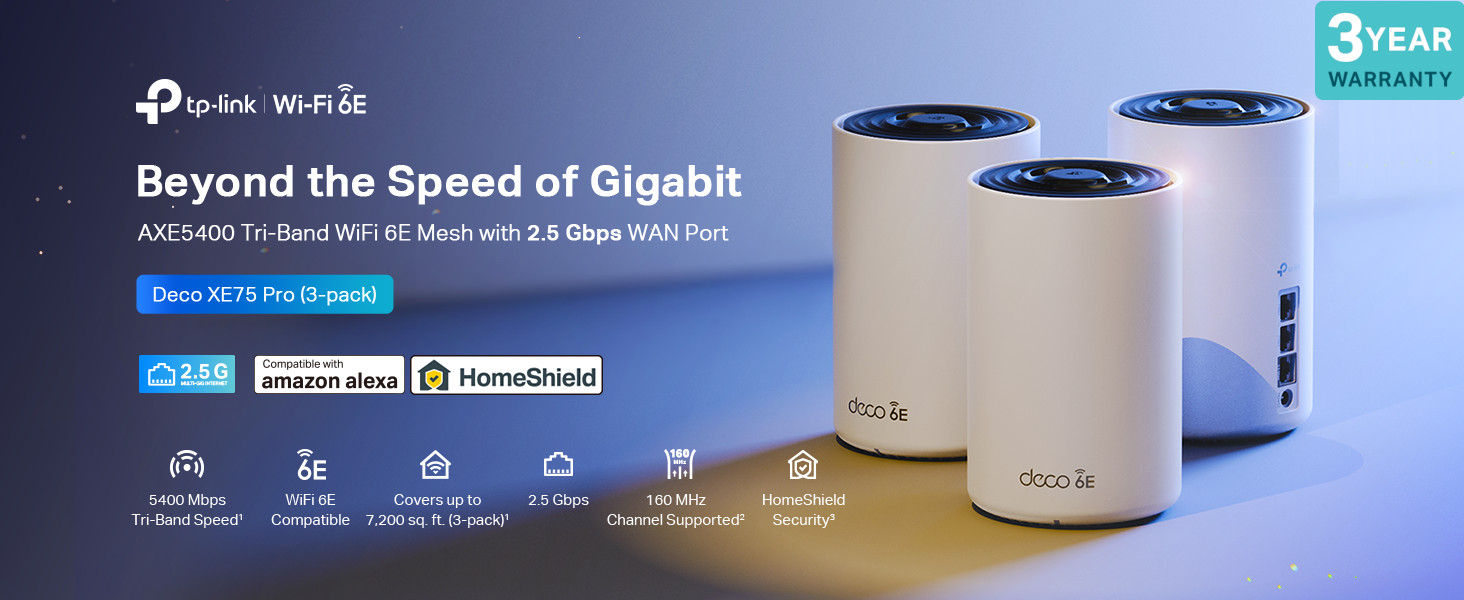
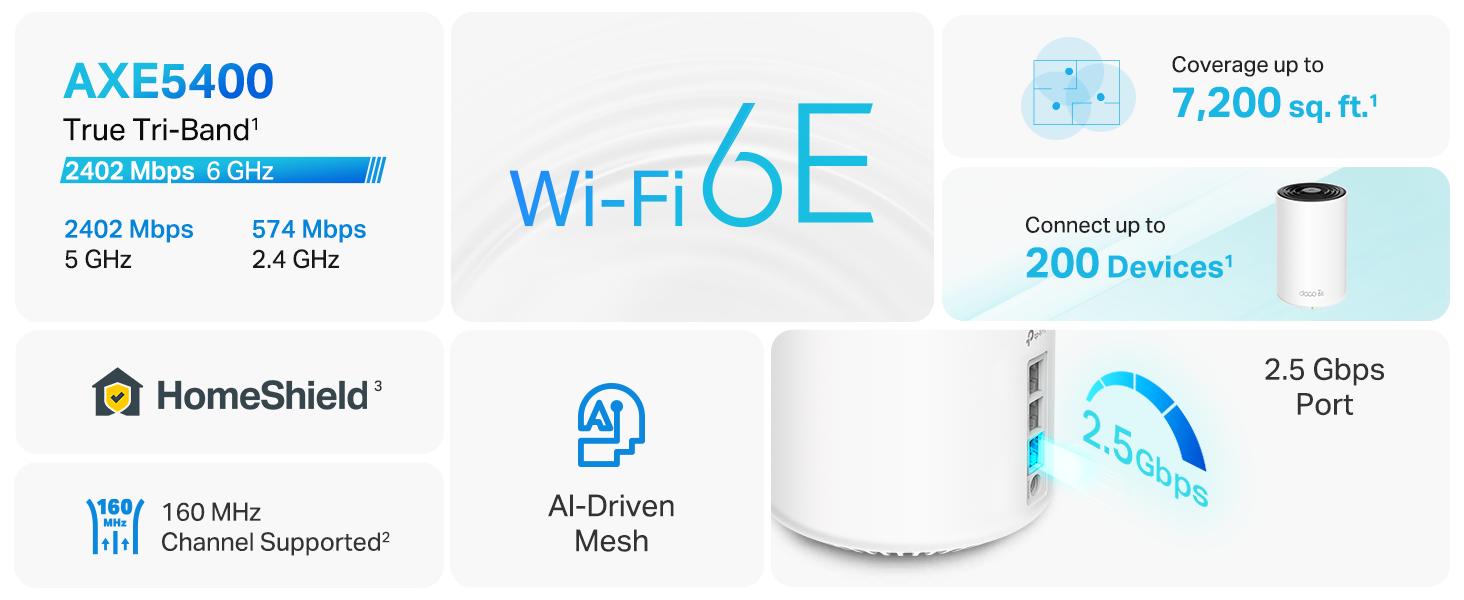
TP-Link Deco XE75 Pro AXE5400 Whole Home Tri-Band Mesh Wi-Fi 6E System, Gigabit Ports, AI-Driven Mesh, cover up to 7,200 ft2, Connect up to 200 devices,1.7 GHz Quad-Core CPU, 8K,HomeShield, Pack of 3

Gigabit+Solution
A future-proof home networking solution.
*Ideal for gigabit+ internet plans up to 2.5 Gbps
Faster NAS Speed
Unleash your system’s full speeds for NAS
Make full use of 2.5GbE port
Better Local Sharing
Send large files between multiple devices
Intelligent Network
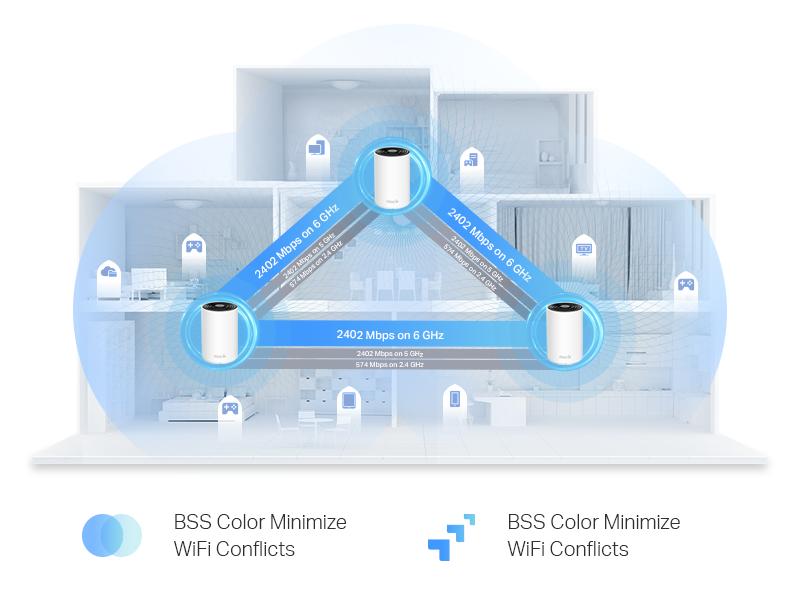
Unites your home under one name and password while delivering the best connections.
Fast Connetions
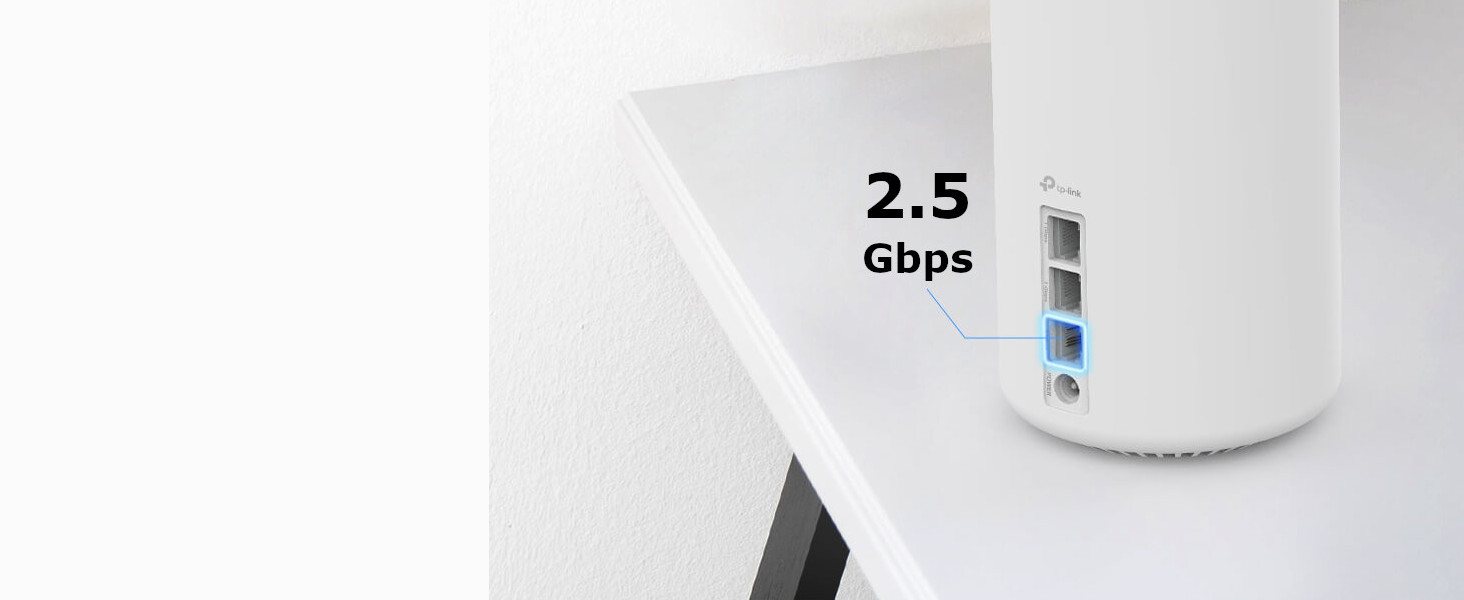
A 2.5 Gbps port and 2 Gigabit ports allow you to take full advantage of your broadband speed.





Home Network Scanner
Real-time network scanner to detect potential threats and security issues.
QoS
Assign your favorite devices to have the fastest connections for top performance.
Parental Controls
Manage time online and block inappropriate content keeping your family safe online.
Reports
Gain full statistics and insights to help you know your home network better.
HomeShield Pro
For More Great Features (Subscription fees apply).
*5.99 GBP/Month or 53.99 GBP/Year





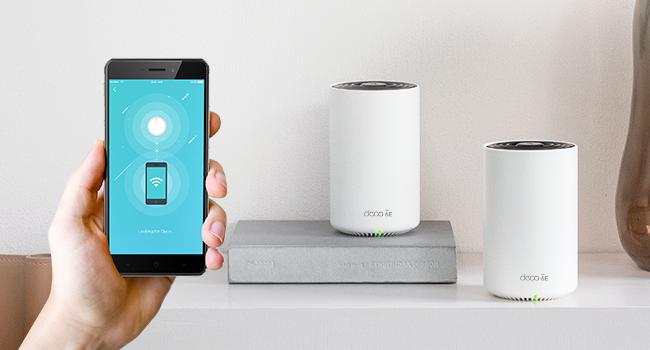
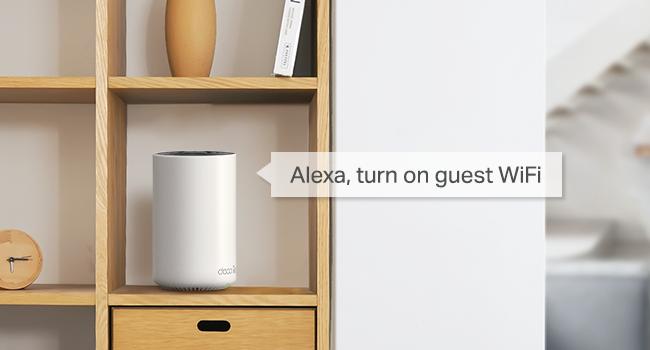
Hands-free Voice Commands
Pair with Alexa to control your network with simple voice commands. Enjoy the hands-free life.
| Weight: | 2.9 kg |
| Dimensions: | 10.5 x 10.5 x 16.9 cm; 2.9 Kilograms |
| Brand: | TP-Link |
| Model: | DECO XE75 PRO(3-PACK) |
| Batteries Included: | No |
| Manufacture: | TP-Link |
| Dimensions: | 10.5 x 10.5 x 16.9 cm; 2.9 Kilograms |
Great wifi system
I’d been struggling to get anywhere near the advertised speeds from my Sky Hub, so decided to give this a go. Its great, wifi speeds are up 3-4x and are very consistent throughout the house. I had a tech problem during intall, that Ice from the TP-Link tech team was very good at resolving. All good so far!
Fix my problems
I have 1GB from Virgin Media, and their modem doesn’t support many devices connected simultaneously. Before installing it, my laptop could download only 40 MB/s. It was a nightmare. However, after XE75 Pro did a transformation for my network, this device is now downloading 700 MB/s, and I don’t have more drop connections. It’s amazing.
Goodbye awful Sky Q Wifi, hello Deco Mesh!!
My Sky q was not delivering and even extenders where causing interference or issues using TP Link. It’s a known SkY issue. So after some recommendations, I got the deco mesh and now have awesome consistent internet. I can control all devices and manage my child’s internet access.
Advice, don’t conntect you sky box to the mesh, connect direct to the sky box via a powerline cable or wifi ( it doesn’t like the mesh after a few days), then run everything else via the Mesh. You can either switch off the Sky wifi.
Replaced an old Netgear Orbi router with the XE75. Setup is simple, the software is far more feature rich and the speeds delivered across the house are excellent. I thought Orbi was a superior product but this was 100 cheaper (on offer) and performs better and is more feature rich. Recommended.
Amazing coverage
I replaced an old power line kit and additional WiFi extender with the Deco Mesh with 3 units. Setup was easy but I had to play around with the configuration to reach my 40m garden. At the modem I have 550mb and 350-400mb upstairs. I’m also getting 125mb in the summer house which is 30m from house. Th best thing is everything is on the same SSID and password so I don’t have continually change networks. Where I have the Deco units I’m using the LAN to connect to gigabit switches so all my TV and computer setups run seamlessly. Expensive I know but for me worth every penny.
Deco X50 ease of use
Upgraded the home wifi and got a recommendation from a friend who has the same and very happy.
House if brick and has four bedrooms which he previous system had problems with the signal and one dud node.
The TP-link set-up was really easy to do with the app installed on the phone [Android.]
The signals are excellent across all rooms in the house. And it will be easy to place all the other entities that require wifi coverage to come together.
Very happy with result.
Expensive but well worth the price.
I could open a shop with old routers that seemed to be piling up, no matter the make and model none seemed to be stable or reached parts of the house that had poor reception.
Decided to take the plunge and purchased a set of the Decos with a price deal that was being offered by Amazon. Well worth it.
We receive the same single strength and speed all over the house and one other important thing is the number of devices that can connect at the same time, 200.
Yes can be expensive even with a promotion price, but in the end, it’s worth it and far cheaper than trying out countless other routers in total!
Easy to set up and install
I have a difficult L shaped house with a new warm roofed conservatory, always been a problem. I am using TP powerline for the Televisions upstairs and down and this mesh system gives me good WIFI
Very pleased up to now The units do seem to get a bit warm so I don’t know how much power they use and I am glad for the three year warranty.
Significant improvement for WiFi
This is an amazing system which vastly improved my WiFi performance compared to the solution that was offered by Vodafone for my 1 gig Internet.
Not only that, the range on the nodes is incredible, I have a the nodes approximately 100 meters away from each other with 2 walls between them and they are connected wirelessly, yet the node furthest from the base station still achieves about 250Mb speeds. (To give an idea, the same setup using Vodafones hardware was only able to achieve around 26Mb speeds).
Great bit of kit, loses a star for some initial stability issues.
This is a great bit of kit. I’m getting huge speed increases over the old devolo powerline kit i was using and way better than the single standalone central router. Downside, it took hours of moving around and faffing with settings to get the best from it. I’d recommend, but perhaps only if you have patience and some know how. Update; I’m several weeks in and performance remains good. However; the lack of configuration options is starting to frustrate, notably I can’t set the WiFi channels like I can on all other devices I’ve used of this type. The result is for example I can’t get my ring doorbell on 5ghz as the mesh won’t extend its bands to accommodate that device. The result? The doorbell only now works at 2.4ghz which is a very crowded frequency resulting in slower response and doorbell video timeouts. Be warned.
Early days but so far very impressed!
Only received this less than 12 hours ago so its still early days but so far I’m very happy. I did quite a bit of research of what WiFi mesh to go for and this one stood out to me.
I’m a BT customer and setup was very straight forward, just follow the instructions I the app. I replaced my old BT Smarthub 2 and associated mesh disc with this setup. I have FTTP so was straight forward in removing the old hub from the modem and plugging in the deco.
We have a large old home with solid brick walls, 3 decos is doing the trick for our needs currently (some rooms were not using yet) we may need a further one in the future.
Speeds in my office have gone from 40mbs to about 300. Using WiFi 6 at my main deco I pulled 480mbs using WiFi on our 500mbs package, very good. Our Internet is being upgraded to 900 today so looking forward to that.
Overall very happy so far.
Overall very happy
Product is easy to set up and generally works well. Have had it for nearly a year. First six months were without problem. Since then it has had occasional glitches and i have had to do a reset a couple of times and set up a new network, but that is fairly straightforward. Online chat very helpful when there are problems – Joshua helped me online and was very helpful.
Let’s hope it keeps working!!
Our virgin m250 broadband router was seriously struggling to reach upstairs rooms in a 100+ year old big victorian house with thick walls, bendy corridors and ceilings.
Initially went cheap on a TP link 13 wifi booster which failed miserably.
Afterwards I researched thoroughly and found this product through ‘which?’ magazine who have it as the number 1 rated mesh system after all their expert tests etc etc.
So I decided to take the plunge and invest in the XE75 pro despite being a good bit more pricey than other systems on the market.
I was very anxious when setting it up because the money spent and wanted the problem to be solved…the result was beyond my expectations!! Previous dead zone rooms now running 260-270mbps. Wifi streaming eff9rtlessly throughout the house now.
Very pleased with the xe75 and would highly recommend it for anyone suffering from poor wifi coverage. Very easy setup which takes under 5 minutes.
Moral of the story…you buy cheap, you get cheap!!
I have a 900mbps and used to have the deco m4 units before upgrading my set of 3 devices. With the m4 set, the speeds I got would vary between 70-220mbps on WiFi. I decided that I would upgrade to this XE75 Pro because I wanted to get the most out of it broadband connection that I was paying for a 900mbps up and 900mbps down link speed.
I’ve had the X75 Pro set of 3 devices at home for about 3 weeks now and get a constant speed of between 860-920mbps when plugged into the wired port.
However, when on WiFi using my mobile devices it isn’t quite so fast.
I tend to get in the region of:
– 650-700mbps when I am within 10-12ft and in the same room as the device
– 280-300mbps when i am within 20ft of the device and one wall in between
– 170-230mbps when i am a bit further away
To me this WiFi speed slows down more than I was expecting it to. It is still fast but not as fast I expected it to after seeing all those quoted speeds on the vendors description.
All in all, the device is ok.
Would I buy it and recommend it as an upgrade to the deco m4? No.
Would I recommend it to someone who hasn’t got a mesh and looking to get their WiFi at home a bit more stable? Absolutely.
Had to write a review here. I was a little sceptical about Mesh wifi and wasn’t sure if it would work very well via wifi connection rather than wired (my house only has one available wired connection and doesn’t lend itself well to having wires running from room to room). I’d looked at reviews and this one was right up there and reasonably enough priced.
My wifi is 500mb and I was only getting 30/40mb in some rooms. Tbf, the ISP is rubbish and their router was useless. However, I was able to set this up really quickly and it boosted the wifi into every single room so I’m getting around 400mb in the room farthest from the main router. I’ve another hub in my kitchen and one upstairs and the connection is amazing throughout the house. Can’t recommend this enough.
Works great but instructions are a bit lacking.
I think most of my issues in setting this up revolve around my Virgin V3 Hub. You have to put the hub into modem mode, which initially seems very easy to do using the web page for the hub, but once you’ve put it into modem mode, it has no wifi anymore, so no home internet. My phone signal is very poor, so this meant that I had to try and set this up with a very intermittent internet connection. Also, the hub takes a long time to reset and it’s not clear what it’s doing and whether it’s even turned back on again. In the end I walked away and left it for 15 minutes. When I came back the green light was on on the M5 unit and after that it’s been working perfectly. Very easy to add other units.
I live in a converted barn that is similar to a normandy long house. We live in the countryside and so standard ADSL is not an option for us. We have 4 kids and I work from home so need a good signal for teams, zoom etc. We have a Gen 1 Starlink satellite broadband solution. The previous configuration was the Starlink router connected to two TP Link RE-450 wifi extenders. The old setup was terrible with loads of issues for the kids. A significant amount of the time we would turn off wifi on our phones and just use 4G since the wifi was that bad. Then I spotted that I can replace the existing Starlink router and put in a 3rd party solution to improve our network. I bought the TP Link Deco XE75 Pro (3 pack) for just under 400. Whilst it was more than I wanted to pay, the instant set up with no pain and no complaints from the kids or wife means it was worth every penny. As an added benefit, my office which is in a separate building is now also covered by the wifi (was previously using 4g or would work from the kitchen if I needed a better signal). Set up was a dream, very quick and no fuss whatsoever. To replace the Starlink Gen 1 router, you simply disconnect the original router, take the cable and plug it into the back of the Deco wifi device. Follow the setup wizard and select PPOE as the option and hey presto, it all works. No passwords or usernames or IP addresses needed for the Starlink connection. I have given 5 stars for tech support since I did not have to call anyone and everything was setup without any fuss in a very short time. Overall very happy. I will update this review if anything changes, but our initial impression is it is a quantum leap forward from what we had before. All our IoT devices moved across, external cameras, smart doorbell, EV charger, Tesla Powerwall etc. If you have wifi issues, give this setup some serious consideration!
Amazing
We all know that routers provided by our ISP are terrible and never seem to cover the whole house/flat.
With TP-links deco mesh system you are guaranteed full bars of reception and stable speed and connectivity throughout your whole house.
The deco pods are stylish and will fit into most living spaces and with the deco app you can control your whole system.
Tp-links extra security measures guarantee you safe online browsing.
I could not fault Tp-Link or there products its a great buy and will be using it in all my properties.
The only down side is for gamers if you use an xbox you may get a NAT typer error or double nat detected i have yet to find a solution for this however a quick nat check and it solves this however speed is not great even on a fibre connection.
Really effective
We have 6 Deco M5’s to ensure WiFi connectivity over a large area.
Originally we would experience devices with a strong connection but the internet would sometimes just not work on a device and didn’t feel like it was allocated any actual bandwidth.
I’ve noticed many months ago following an update this is no longer the case, with several software updates providing some good app functionality and the system seems to work better and better. Encouragin to see they are still actively developing the software.
At one end of the house we have an Xbox plugged into the deco with a LAN cable – gaming and streaming works perfectly, this is connected from rooter – office deco – garage deco – main bedroom deco.
We have a gaming computer connected in a similar way (LAN from the deco but connected via 4 decos to get the range!), no intermittent issues – just a solid connection with no notable lag given they are daisy chained.
App functionality is great, with some good controls you can set for users or even guests. Setup is quick and easy.
Great long term investment to ensure you have strong WiFi in every corner of your property.
5.0 out of 5 stars Great coverage
Excellent – works straight out of the box. Great coverage, no drop-outs. Highly recommend.
Best thing we ever go
Just turned off Wi-Fi on the virgin box and use this meat system instead. So much better, reaches all rooms and the garden. Much better then the Wi-Fi provided on the bog standard box with virgin or sky
Surprisingly Excelle
Bought to replace an expensive ubiquity system with three access points plus a router. This is better in every way – one less device (no router), noticeably faster, more reliable and FAR more user-friendly. Phone app (the “controller”) seems to lack nothing significant and contains more features than I expected, like a dedicated IoT network and VPN server support.
I’m genuinely impressed, and will stick to TPlink products for my home network to maximise compatibility.
Fantastic kit, when used with equipment outdoors (ring cameras etc) probably need the three pack
Replaced my BT router with these as I have fibre to the home, you take the smart hub 2 away and power off the little modem and connect one of your Deco units to it. Setup was surprisingly simple, set it to PPPoE and entered the default username and password ([email protected] and bt) and bosh it was connected. Hard wired two together via the 2.5gb ports to local switches one up and one downstairs and put one in the garage to cover the back garden and cameras that are at the edge of the property (4 bed house with detached garage). I had put the third one in other positions but the WiFi was so weak I had to experiment a bit. The garage one is connected via WiFi to the other hard wired ones. I kept my username and password the same and most of my devices connected straight away, though I had to forget and re learn on a number of devices to get the maximum speed of my connection. The app is very user friendly and works great, my connection (at time of writing) is strong throughout the house, my hard wired devices are running at 1gb (I have some TP link 2.5gb switches on order to replace my gigabit ones) and my internet connection is the same (FTTP). The WiFi in my sons room is around 400Mb which is perfectly adequate for any gaming or needs he will have. I only have one WiFi 6E compatible device my Amazon Fire Cube 4k (the new version) and this can see the 6GHz additional network (can’t remember what speed it’s running at). My 2nd old Fire Cube cannot see the 6GHz network, nor can our iphones 13 and 14. It seems that 6E isn’t compatible with older WiFi 6 hardware, they cannot see it at all. I was expecting anything WiFi 6 to be able to use the higher speed band, but this doesn’t seem to be the case. I have switched the 6GHz range to back haul and usable connection (there are only two options, one for back haul and one for combined). I have soooo many Philips hue lights inside and out and many BG smart sockets, the coverage for these looks good and the 2.4GHz WiFi that these use seems strong everywhere I go. This system is a bit pricey, but I feel that it is going to be great in the future as more and more devices support the newer band. I’m very glad that I chose the three piece kit as I wouldn’t have got the coverage where I needed it with the two kit. If you want the coverage to extend to stuff outside your home deffo go for the three.
5.0 out of 5 stars Perfect option 2023
would highly recommend. one of the best options based on my research.
Makes a very significant difference
I am with Virgin media and their hub is not at all effective, 20 feet away and you lose signal strength. Put these in, one near the original router and one at the back of the house and hey presto, full strength signal with 120mbs. I walked out of the house 30 ft down the garden a d still had a good signal.
I have held one back ready to go in the garden office but may not even need it.
Yes, they are a bit pricey, but you get what you pay for. I also bought the holder that secures then to the plug socket.
TP LINK DECO 5 WHOLE HOME SYSTEM -WORTH EVERY PENNY!!
My Service provider is Virgin Media and even though I had 120mb package, I was suffering with Device drops outs, mainly my Sky Q boxes and when I went through issues with a ‘human’ at Virgin, I was advised I had too many devices connected and I was apparently ‘losing signal strength to devices’….seriously!!……everything works off the internet these days, including the Video Door Bell system….what do you delete??
So after some Amazon research on feedback [thank you serious feedback providers] I decided to buy the T P Link Deco 5 whole home system which included three devices and hoped this might help me boost my signals in my 3 Bedroom semi- detached home.
I downloaded the App and followed the instructions, adding the main one to my Router, the second one in my Lounge and the third one in the bedroom immediately above where my Router is sited.
If was easy to do -I followed you tube video guidance and as I am a ‘Techno Muppet’ I was pretty pleased with it working.
The app is brilliant and gives you access to a lot of tools and set ups and as you play with it, you learn more tricks so to speak.
It definitely improved everything but I still got the odd problem with my Sky Q boxes.
So my next decision was to upgrade my Virgin supply to 250mb and with a bit of negotiation, achieved that for little extra and that was a great move for me.
I use the Deco app regularly to check speed and I am getting it at high speed all around my home and in my Garden and garage now too.
So, from my own experiences I can strongly recommend the TP Link Deco 5 system with three devices for whole house cover.
I tried one or two other single boosters in the past without much success and the Deco 5 system blows them all away….this is definitely a case of ‘you get what you pay for’!!
4.0 out of 5 stars Can watch iPlayer and Netflix in my lounge for the first time in ages
Excellent speeds in fairly close proximity to each unit, but drops from excellent to just fair, simply by walking into the next room. Glad I bought a 3 pack!
Configured these as Access points (vice routers) for a BT hub. Main unit is plugged into Gbit Lan of BT hub. Have 3 nodes in a 5 floor property and the coverage seems superb. Took a little experimenting with locations! Getting full ‘into the house’ speeds and low latency on Wi-Fi on all floors in all rooms and immediate patio areas outside front of back. Access to a wired network via backbone switches and another router configured as Wi-Fi access point at far end of garden is still in tact. Some very old legacy devices remain connected to my non mesh Wi-Fi network which I also left running (different ssid of course). Quite rural so no interference issues at all.
Following a firmware update there are more config options to eg. Force static devices to specific favourite deco units – very handy .
They just work - Brilliant.
Bought these as I just got fed up of the Tenda Nova system I bought and what a purchase this was.
All I can say is they were installed and working in a very short period of time, I have nest products and previously were a bit of a faff to connect to a new router, but they literally just worked.
The wifi signal is excellent so far so good very happy an the software is actually good to use as well.
I recently went from Virgin 350mb to Lit 500 fttp. I had a Tenda Nova MW6 that was simply ok. After the fibre optic was installed, I was getting barely any Wi-Fi signal, even right next to the nodes. Furthermore, the handover from node to node was very poor. After some research, I opted for the TP Link Deco XE75 Pro, three pack. These have been absolutely superb. Setting up was a breeze – download the app, follow the straightforward instructions, and the first/main unit was setup. After that, it was simply a case of plugging in the other two nodes, waiting for around 2 to 3 minutes while they sorted themselves out automatically, and hey presto, full, strong Wi-Fi everywhere. I positioned the main unit upstairs, next to the modem in the middle of my old, thick walled brick built house, and the other two units downstairs, one front and one back. I have not setup any guest network or used any of the other features so can’t comment on those issues. An excellent purchase for me at this time that has really sorted out my Wi-Fi issues.
Firstly this is excellent and gives excellent, stable wifi through the large ish house. The software is good and it does work seemlessly. However, the wifi strength is a bit better than my virgin hub with 3 wifi pods. I say a bit better because I would expect much more for such an expensive bit of kit. I have 1000 meg connection and my fire tv ( about 2 metres from main router) gets about 300. My phone gets about 650 if I am 50 cm away. Now I know many factors come into play here but I would have expected more. Perhaps that is unrealistic and obviously 650 is more than enough to do anything I want but it was still a lot of money for slightly less than expected.
Very simple to setup, but you have to change the Wi-Fi on everything you own.
This would be an issue for less bale homeowner, especially if disabled or much older, it take as lot of time and the Meross WI-FI ambient light no longer functions on the mesh or with Alexa..
Yes, everything needs to be ported and in the case of TV’s and Sky, entering passwords is a right pain from the remote.
It seems to work very well once setup
Note the initial instructions are confusing about turning your modem off, well they meant the wi-fi and just use it as a signal decoder, not Wi-Fi I guess. Badly worded as you need a decoder on the end of the line to function.
The first unit plugs into you existing Decoder or Modem ( mine is a Virgin cable system, so not a modem technically, via the phone line would be an ADSM modem).
The only way to set these up is via a smart phone and the app, it is straightforward once you have registered your self on the app. The first Deco is slow to set up, the 2nd and third ones piggyback onto the first one and they remember the password.
Tip: is you use a suggested password, like ~!8″^%*/ etc, oit is near impossible to type it on a sky remote and sky won’t use my USB keyboard, the two Sony Tv’s did however. There is no WPS button on the Deco M5, but is=t asks you if you want to use WPS. HOW?
In use the network is good, I added a brick built front extension and the Ring Doorbell (which is mandatory) would not work when re-positioned due to the brick twin walls. My Existing TP link Wi-Fi extended AS 1900 could get a send a signal out; so Amazon laid y my package out in the rain, instead of using my parcel bin, and no Ring doorbell signal did not help.
I have mounted the 2nd Deco C5 on a table near the extension, 50% signal, it was better yesterday, weirds how it changes for no reason. It will have it’s own power supply in the extension when wired up.
Now how does one mount it away from the all-fingers grandson?
Buy a wall mount, well they are cheap plastic and ship from China, slowly at 10 each for simple plastic plate with 3 clips. Honestly, they cost pennies to make, so include them in the box.
I have already paid enough guys!
Frustrating, but essential.
I will experiment with a windowsill siting to see if the signal to the porch is better, maybe from above is the answer. If so, I will update this.
If you are using the router from your ISP and have around 15-20 devices in the house, with 5-10 being used at any one time and suffer from wifi deadspots and drop out, then I would definitely recommend the Deco M5 3 kit Mesh system. However, if you perhaps have a more complex set up, you might want to do more research as I couldn’t say whether or not it would do the job. We have a talktalk router which is upstairs as our phone point is there (don’t ask!). My teenager’s room is right next to it but complained that they kept losing connection and couldn’t do their homework or talk online to friends. Devices would drop out constantly and we would have to reboot the several times a week. The router was obviously not coping as we added more and more devices, so much so that I honestly thought of getting talk talk to send another router. However, I hesitated as I felt it would just be ‘more of the same’. I’m so glad I did as this system (so far) has been absolutely ideal. Firstly, before you do anything I would advise that you watch the set up video (search on youtube if you can’t find the link on the product page). You then need to download the deco app to your phone, register your email address and complete the registration when you get the email. Don’t start the set up or plug anything in until you’ve done this as this step is very important! Once you have downloaded the app and registered, open it up and start the set up and it will guide you through the process. You will first need to name your new network and give it a password. Make sure you make a note of this as you will need to reconnect all mobile devices, tv’s etc to this new network once you are up and running. The first deco device you set up will be your main one and this needs to be placed near your router, as it is the only one that will be physically connected to it (it doesn’t matter which one you pick for this as they are all the same). You do need to turn your router off before plugging everything in (the app will show you what to do) and then turn everything back on. The app will then tell you if the first deco has been ‘found’ and set up successfully. With the next device, again use the app but set the next deco up using a plug socket near the router and first deco. I initially tried to do this in the location I wanted the 2nd deco to be but the app couldn’t connect with it so I moved it near the router and retried. This worked but you might have to do this a couple of times. When this was set up I moved the 2nd deco to where I wanted it and then plugged it back in and I could see on the app that it was back online. The app also allows you to select the room where you have placed the devices eg lounge, bedroom, kitchen or custom name your own (you can change this at anytime). It also asks you to pick a house layout that is similar (again watch the video as it walks you through the app). You can also change the layout at any time. Do the same for the 3rd device ie place near your router to set up and once found by the app you can then unplug and take it to the location you want. When finished setting up all 3 (all should have green lights), reconnect all your mobile devices and tv’s etc to the new network. Your phone will ping when each new device is connected. Finally, once every device has been connected, you can use the app to optimise the network. What this does is to spread the device load around the deco mesh system so that there’s less strain on any one deco or the router. So far it’s worked brilliantly, and we have a strong wifi signal in pretty much all the deadspots. One slightly ‘cautious’ note: I did use one of them for the room with my office space but even though it was right next to my pc it wasn’t getting the speed I needed so in the end I’ve connected it to my pc using an ethernet cable with fantastic results. Our laptop and Macbook though work absolutely fine with the deco mesh system wifi so I think this is more due to the wifi adapter on my pc as it’s never really been right! Overall, well worth the investment and the issues around our house have now been officially solved!
**** Overview ****
I should be working, but I’m taking time out to write this elongated review of the Deco M5 X3 for good reason. Read on.
I purchased the Deco x 3 after reading a review here on Amazon stating that it worked great with Virgin Superhub 3. I carried out additional research and the Deco was listed as the best to buy on a few websites, especially for the price. I took the plunge and eagerly awaited it to be delivered 2 days later after suffering a seriously bad wifi connect for 2 months. In the past week, it became even worse and I decided I had to make the move to fix the issue.
Packaging
Upon receiving the package, I admittedly wasn’t particularly ecstatic to see that it was in its cellophane covered retail box without any Amazon other packaging. I usually save boxes for my gear and like them to be in good condition if I resell, but as luck would have it, there wasn’t any damage worthy of note. More to the point, I’ll be damned if i’m selling this any time soon due to it’s astounding performance!
The box is well presented with the 3 ‘Deco’ nodes on the front with PC Pro ‘Recommended seal as well as Amazon Alexa and IFTT logo assuring that the product will work with those devices and service. There’s also a sticker on it which assures that the hardware will work with any broadband provider which definitely gives peace of mind. There a ‘HomeCare’ 3 year free service emblem too, which I believe relates to virus protection.
Opening the box, you’re greeted with the 3 futuristic looking dish style ‘nodes’. Beneath this tray, is a row of 3 power adapters, ethernet cable and a Quick Start Guide. The presentation is immaculate and resembles that of Apple. It looks like quality and feels like quality which gives assurance of a quality product from the get go.
**** Product ****
Each node is a circular disc, around 2.5cm in height and 12cm in diameter with a small multicoloured LED in the centre. The nodes design suggests the form of a radar which I thought was quite innovative. They are fairly light, they look like part of the ‘Deco’.
Ports on the back include power and 2 ethernet.
Power adapters and cables are high quality, as is the supplied ethernet cable.
**** Setup ****
On the top tray, there is a clear, simple instruction to download the app from the Apple or Android store. A quick search and I had the app installed within a minute or so through my then slow wifi. The app is very basic and to the point. It requests the user to create an account (or login if you have an account) choosing email and password. You then confirm on that email address. After this, it prompts the user to plug one of the 3 nodes (it doesn’t matter which) into the modem / router and then plug it in using the power adapter.
The light on-top of the node lights up and signifies its state:
Yellow – Start up
Blue Pule – Ready for setup
Blue Solid – Setting up
Green – All is well.
Red – Issue
The app shows a 3D plan of a property and prompts you to select one of three which matches your home best – one floor, two floors and 3 floors. The diagram shows how you should consider spacing the nodes too.
After asking which room the node will be placed in, the app then connects to the node through your router / modem and the lights change according to the state. After going from all stages (apart from red) from yellow to green, it notifies the user that it’s successfully connected.
The user is then given the option to name their network and apply a password to access within wireless devices.
It then gives the user the option to add another TP Link product. In this case, there were two more to add so I added the second in the same way and the third. Each was a breeze just like the first.
There was a notification for a firmware update, so I ran that and it installed and rebooted all devices within 4 minutes.
Although the product comes with a Quick Start Guide, this wasn’t necessary. The app makes things simple.
This setup process was a godsend, since i’m not tech minded and I always prepare for things like this to just fail to work. It was absolutely childsplay!
Approximately 20 mins to unbox and set up!
**** Speed & Coverage ****
After installing the first node in my office (connecter to the router), I ran a set eager to see what effect it had and to my amazement, on my 100 mbs connection, after testing my wifi previously and getting a mere 8 mbs, I was clocking in 105 mbs- through the air! It’s clearly solved a huge problem with pertaining to Virgins Superhub 3!
What’s more after installing the next two in the same way – one in the lounge and one in the kitchen at the rear of my flat, the speeds, as I moved around with my iPad (after connecting with new Network and password) were almost the same minus a few meg. Delighted!
I reached for the TV remote for my new 60 inch OLED LG which was previously bottlenecking with it’s capability and my previous poor wifi, entered network and Password and booted dup Netflix. It painted the screen immediately with all content. I clicking into a movie and it played after a second and fast forwarding was done equally as quick. Despite it previously pixelating and buffering often throughout media, it is now working perfectly!
General Internet browsing on iPad and iPhone is notably faster.
Whats more.At the very end of a flight out stairs, outside, on a level below, I have full strength WiFi in my GARDEN which i didn’t have previously. RESULT! Streaming tunes in the summer!
Full Strength literally everywhere where I will go throughout the vicinity of my entire 2 bed upstairs flat with downstairs remote garden.
**** Experience ****
Netflix, Amazon Video and Apple TV would take a while to load and the content would often be pixelated and buffer, however now it’s as slick as butter. General Internet browsing is so much more effective and enjoyable now too. I click and something happens – usually a near immediate download of a web page or stream of a video, stable as can be.
**** Alexa ****
To use Alexa with the devices, you need to install the relevant skill.
This is not mentioned in the app, but I’m told it is mentioned in the quick start guide.
Searching ‘TP-link Router’ within ‘Skills’ in the Alexa app and clicking ‘Enable to Use’, the skill is downloaded.
You are prompted to log in to your TP-link account to enable the skill. You do so, by clicking ‘Authorise’ once logged in.
The Alexa app prompts to find new devices to which we accept. It then discovers the TP-Link router.
Clicking ‘Set up Device’ and ‘Done’, the Deco will be shown in ‘Devices’.
You can then add it to any room
Although I’m an ardent Alexa fan as an owner of a ‘Smart Home’ I wasn’t aware of how these devices would work with Alexa. Having searched for the skill however, the page informs us that Alexa allows us to:
* Enable Guest Network when friends come over
* Activate WPS to add new devices to the network
* Turn off the routers (‘nodes’) LEDS at night
* Check the Internet connection speed you’re getting from your provider
* Prioritise online applications or devices at those important moments
Primary commands (at time of writing):
‘[Alexa] Turn off the LED’s’
‘[Alexa] Enable night mode’
‘[Alexa] Enable my guest network’
* I haven’t managed to get Alexa to work with any commands as yet, but will report back.
**** Summary ****
As a Virgin Superhub 3 user, I’m over the moon with this! As an owner of a two bedroomed flat, I did consider that this package might be overkill. Seeing the performance, I could have possibly done with only two, but the pricing for 3 and the availability here on Amazon (x2 were only available for delivery in a few weeks) promoted me to buy the Deco M3 X 3.
This hasn’t only changed the way I entertain myself, but also my actual work which pays for this kind of stuff. I can now work much more faster and more efficient. With this considered, it’s one of the best investments I’ve made in years. I wish I had of bought this much sooner. My fear of tech, error and complications always deters me, but as mentioned, this could not be more simple. It products like this that give me the confidence to spread my wings and buy more.
Running circa 106 mbs – That’s a 98 mbs increase!
Very pleased!
Thoroughly recommended!
It's pretty good, but it's not right.
This is a 3 pack Deco M5 system. Why did I buy this? Because the Virgin Superhub 3 I have leaves deadspots upstairs and at the back of the house and garden. Did it fix this? – generally, yes. So I’ve given it 4 stars but if I could give 3 and a half, I would.
The specific reason for being a bit disappointed is that my VM speed is 500Mbps (advertised) and on a phone, measured using speedtest, in the room where the main Deco unit is and close by I record download speeds of 340Mbps +. But if I move close to the upstairs satellite unit I get 120, in a previous deadspot upstairs 60, next to the furthest away unit 60 and in the garden 40.
These are all judged as good speeds and if you are on line on a mobile device they appear fast and are perfectly usable. My disappointment then is that given the start speed is near to 340, the drop off is large. I am not a technical expert so maybe my expectations should be managed. I’d be concerned to buy however if my base speed was not from a fast fibre connection, so if you have a significantly lower base speed, maybe do a bit more research in other reviews to see that it should still work well for you.
Other things:
Set up is easy and the app works well, it’s very plug and play.
Make sure that you look at the units once operational (via the App, touch the internet button on the dashboard to access) and that they all have at least two bars on the signal source, otherwise the drop off will be much worse. Get the gaps between units as small as you can, this seems most important.
The mesh connection does work seamlessly and as you move through the house switches to the most appropriate unit.
It definitely fixes deadspots and significantly extends range of the wireless network.
Technical support is OK but does feel like they quote from the manual. They ask you for lots of screen shots and in the end just say move the units closer. Even when they “escalated” the query to a senior technician, the answer stayed the same. You’d hope more difficult issues do get more attention and are resolved.
Set up and network organisation:
I set up with the Superhub left in router mode.
Once the Deco network was set up, I turned off WiFi on the Superhub to avoid conflicts between two WiFi networks.
I then changed the name of the Deco network and its password to be the same as the old network (basically the network the hub arrived with). This is easily done in the App and the system then reboots. It meant that all the devices previously connected to the Virgin Hub simply connected to the Deco network without needing to be re-registered with a new network and password (i.e. no one noticed the change).
I also had a powerline connection from the hub to a point at the back of the house to allow a wired connection there and this was not affected.
Things I may still try:
I put the Deco into AP mode once, but that gives less management features and didn’t seem to affect the speeds from the satellites. I might have another attempt at that…
I have not put the Superhub into modem mode. I might try that….
BUT, neither of those was suggested by technical support, so on the basis that it’s doing basically what I wanted it to anyway, I may well leave it alone.
I bought this version (M5) as I felt put off by the price differential between this and the M9 and I was concerned it wouldn’t work, but I noticed that that gap has since closed a little. Reviews suggest the M9 might be more powerful, but it depends what’s most important to you.
It does give me confidence that Mesh systems are good and so, as I said, it’s pretty good, but no gold medal for me I’m afraid.
Bought this system to improve connectivity around the home and also to expand our WIFI network to my workshop, which is approximately 15m from the main unit.
Our original system [BT Home Hub 5] was coping but with 17 devices connected, and more sure to follow as the kids get older, I figured that it couldn’t hurt to upgrade. The Deco claims that it’ll connect up to 100 devices, time will tell on that one.
Installation is simple. Download the App, follow the instructions and you’ll be up and running in around 20 minutes. We found one or two devices were a bit moody when it came to switching to the new network, but we managed to convince them after a couple of attempts.
We set the main unit up first and then wandered off upstairs to install the 2nd unit. The 3rd unit went out to my workshop and initially refused to connect to the main unit, so I took it back inside, connected it there and then went back out to my shop, and Bingo! it worked.
The reason the Jury is still out is because I expected more. I’m not totally sure what I had imagined but there was no heavenly fanfare, just the same old internet, same old WIFI and same old speed. We receive a very stable 36 mb/s and that hasn’t changed. Our upload speed has improved a tad though, but I suspect that’s a coincidence.
The biggest thing that happened, something that has never happened before, is that our trusty SKY Q box decided it would freeze. As said, it had never happened before but around an hour after setting up the Deco, it froze, and then it froze and hour later, and then it did it a third time, and then a forth… at that I decided to try the hardwire option. Luckily I had cable to spare and after a bit of rearranging, was able to connect SKY Q directly to the Deco, and all was well – except as I write this, it just froze again.
I’ve had a read up on the freezing issue and it seems that SKY Q boxes have a reputation for being a bit rubbish and routinely freeze. Lots of people have reported the fault and some have had boxes replaced only to suffer the same thing all over again. I’m not sure whether our box freezing for the first time is a coincidence or not, but it seems a bit convenient. I’m going to hassle SKY and see what they say.
In addition to the SKY Q issue I’ve been less than impressed with the connection to my RING Doorbell. Inside the house, everything is grand. As soon as I go into the garden I’m told that the connection is very weak and I can forget all about the doorbell when I’m in my workshop, despite having the third Deco unit in there – very disappointing. I bought a RING doorbell because I’m disabled and spend my life scooting about in a wheelchair. Having to haul ass back to the house only to find a couple of eager bible bashers or a random courier hoping to fob off the neighbours parcels on me [they all know I’m in all day so make a B-Line to the door] is really frustrating but now that I know my super deluxe new system won’t reliably extend my network by 15m, I’m giving serious thought to boxing it up and sending it back… I’m not sure. I’m going to give it a few days and see if it feels better but will edit my review accordingly once I’ve made a decision.
**UPDATE**
So I’ve decided to keep the kit BUT I’ve spoken to the boys and girls at SKY and it seems that there is an issue with TP-Link and Sky Q. The default SKY position is that TP-Link is not compatible with SKY Q although they change their tune pretty sharpish if you point out that a “known issue” (their words) should be disclosed to prospective customers on sign up. Nobody from SKY ever asked if I used, or intended to use a TP-Link product and therefore it’s mis-selling… that changes their tune straight away let me tell you!
The signal outside still isn’t wonderful but my workshop IS linked to the network and Alexa/Internet works out there so that’s fine. I decided, after a bit of back & forth with SKY, to remove the SKY Q box from the Deco network. I originally connected via WIFI, didn’t work, so then I connected via Ethernet, didn’t work, and now I’ve switched my BT Home Hub WIFI back on and have simply gone back to using my SKY Q box with std. BT WIFI, and have had no problems since.
I’m sure that leaving two networks open isn’t ideal but there are no other options that I can see, short of giving up on the TP-Link, or giving up on SKY Q, neither of which is ideal, especially seeing as SKY Q is my only option where I live.
My advice, if you’re using SKY Q is to avoid this system and/or do more research than I did. existing SKY customers (via the SKY community forums) suggest various alternatives to the TP-Link system so it would be worth reading up on that before jumping in as this system is likely to cause issues with your SKY Q Equipment.