WD 2 TB My Passport Portable HDD USB 3.0 with software
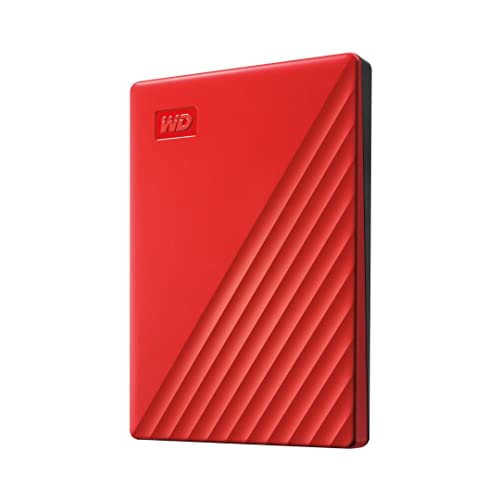
WD 2 TB My Passport Portable HDD USB 3.0 with software for device management, backup and password protection – Red – Works with PC, Xbox and PS4

Slim style.
Make the most of your journey with style that suits you. The new My Passport has been redesigned to feature a convenient, slim form factor and is available in a range of vibrant colors.
Backed up.
Make sure everything you create while on your own life journey – photos, videos, music, and documents – doesn’t get lost. The My Passport drive comes equipped with backup software that can be set to run automatically to your schedule. Just pick the time and frequency to back up important files from your system onto your My Passport drive.
Locked down.
Make sure everything you create while on your own life journey – photos, videos, music, and documents – doesn’t get lost. The My Passport drive comes equipped with backup software that can be set to run automatically to your schedule. Just pick the time and frequency to back up important files from your system onto your My Passport drive.
Super easy.
My Passport portable storage is ready right out of the box including all necessary cables. And with SuperSpeed USB, you can quickly start backing up everything in your life and keep driving forward.
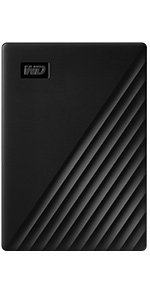 | 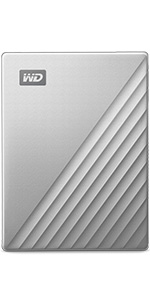 | |
|---|---|---|
| Technology | HDD | HDD |
| Interface | USB 3.0/2.0 | USB-C/3.0/2.0 |
| Password protection | Hardware Encryption | Hardware Encryption |
| PC/Mac Ready | WD Backup for PC | WD Backup for PC |
| Shock resistant | PC | PC |
| Great for | Backup & Storage | Backup & Storage |
Western Digital, the Western Digital logo, WD, the WD logo, and My Passport are registered marks or marks of Western Digital Corporation or its affiliates in the US and/or other countries. USB-C is a mark of USB Implementers Forum. Mac is a mark of Apple, Inc. All other marks are the property of their respective owners. Product specifications subject to change without notice. Pictures shown may vary from actual products. 2022 Western Digital Corporation or its affiliates. All rights reserved.
Troubleshooting:
Undiscoverable by PC and cannot be repaired via software – Connect to another computer to verify if issue is with local host or product. Additionally product MUST be safely removed or ejected from host as not properly removing product form PC will also create issues such as mentioned below.
For Password protection, must install included software to enable password protection.
drive clicking, this device requires USB power only we would recommend trying the device on another computer, try another cable
Every trip needs a passport. The My Passport hard drive is reliable portable storage that gives you the confidence and freedom to move forward in life. With a sleek new design that fits in the palm of your hand, there’s plenty of room to store, organize and share all your photos, videos, music and documents. Perfectly paired with WD Backup software and password protection, the My Passport drive helps protect the contents of your digital life. The total capacity available on a 5TB drive is 4.6TB. The storage industry as a whole measures capacity in decimals. Windows based computers measure based on the binary, that’s why the drive shows as a smaller capacity
| Weight: | 120 g |
| Dimensions: | 10.72 x 7.49 x 1.12 cm; 120 Grams |
| Brand: | Western Digital |
| Model: | WDBYVG0020BRD-WESN |
| Colour: | Red |
| Batteries Included: | No |
| Manufacture: | Western Digital |
| Dimensions: | 10.72 x 7.49 x 1.12 cm; 120 Grams |
I bought this to go with my new IMAC that has a SS HDrive which is only 1TB. I needed to expand the capacity of the computer and this seemed to fit the bill.
So, how did it do?
Set up was as simple as plugging it in and deciding if I needed to create partitions or not, I decided not to.
I’ve now downloaded my music collection to it and “pointed” my iTunes to it thus freeing up my SS hard drive to manage my photos. I can see me buying another one for iPhoto but I’m unsure how to point that software at it.
In conclusion, it’s very easy to set up and has been working flawlessly since I bought it over 6 months ago now.
Nicely designed and crafted. Superfast backup solution for desktop, laptop and mobile devices. Bought together with 1TB SSD for complete backup and portability. Highly recommended. Go buy it. Good Amazon prime day price made it a must buy purchase. Best regards A.
WD My Passport 5TB: Actual size is 4.54TB. Speeds for transferring files via usb 3.0 vary between 70MB/s to 115MB/s. I am not sure what factors affect this but it’s still very fast. The drive itself is of good build quality and is small and compact. I have not used the encryption software as I simply just reformatted to exFat so it works both on my Mac and Windows laptop. (Format to exFat via Mac first)
Having used a larger western digital backup for photos on desktop and laptop, my laptop was still running out of space and slowing down… Hense the smaller western digital 2TB now used as a second hard drive… my laptop is now twice as fast with no clutter… All good…
The cable supplied with this drive is ridiculously short. 150mm including the C type USB plugs. Any one buying will need to factor in buying a sensible length of cable as this is unusable.
Absolutely brilliant. I bought one from curry’s and it stoped working so I found this one and this is absolutely amazing! I couldn’t recommend it enough. When using this if something happens to the storage. The storage will automatically repair itself. So no need to do anything! I used this for my PS4 currently now using this for my PS5
Surprised that this drive failed only after two months and little usage
I had a Seagate drive that failed before this and after reading reviews thought I’d try this one and now this one has
So will try the replacement drive and see how that performs
This sleek and colourful WD drive just arrived …and it initially ‘looks’ promising and seems fast at ‘write speeds’ when copying single files ( Multiple files… and like every other drive, it slows down considerably ) Heft is sometimes thought of… as a barometer of quality. This feels plasticky, but that could also be considered a benefit, as it’s exceptionally lightweight. I’m not sure how long the very striking ‘plasticky’ body of this so-called ‘metallic’ drive will last, or how it might look after a couple of months in back pockets and of day to day use? I’ve photographed it ( upside down for some reason? ) next to the Sandisk Extreme and you can see that the Sandisk is marginally smaller and not as bulky as the WD drive. The Sandisk also has a rubberised coating, that looks like it might withstand a drop. Can’t imagine the WD surviving a similar drop as well as WD says it will? In summary, the drive looks good, performs OK, but is plasticky in a way that says ‘cheap’. Purchased on a ‘special deal’ and I’m not sure I’d chose this option again, over the Samsung ‘T’ range or the Sandisk if it weren’t.
I previously purchased memory sticks to download/backup my MAC but they were slow to transfer data and limited on the volume. I purchased this portable hard drive and WOW the transfer speed its brilliant and the 2TB is more than adequate. It really is plug in and go. No downloading programmes or setting passwords. Brilliant piece of kit.
Great storage capacity, compact size. Easy to set up (I’m using with a PS4). I’ve had no problems with it, WD is definitely a brand I would recommend for reliability.
Good and working on PS5.
I store my PS4 games on it and now you can move PS5 games to this storage to make room for the PS5 storage , that’s much faster then re downloading the game.
I was surprised by the pocket size. It formatted to X-fat quickly and is an ideal companion to the Mac & Windows machines. I bought the 4gb version in blue. File transfer feels fast compared to the 2gb drive that it supplements. I will buy another in six months.
I’ve had negligible problems with WD over the years. I find having a range of colours useful to help distinguish drives at a glance. I can;t rate Tech Support as I’ve never needed it.
Probably one of the best ones out there. I purchased a 2TB one. It is slim, lightweight, with an elegant design. On UBS 3 it achieved a a write speed of 100Mb/sec. One of my main reasons for buying this one was the Password security it offers for my personal files. So while there may be other good ones out there such as Toshiba or Seagate, few offer password protection like WD does (and then at such a brilliant price)
I have two computers. One has Windows 7 the other Windows 10. The Windows 7 computer WOULD NOT download the security et.al. programmes beyond 18% using the WD Discovery provided with this HDD. However it did already have an older version of the security/partition etc. programmes from a few years ago. The new WD Discovery worked fine on Windows 10. I found that the password I installed on the Window 10 computer then worked well with the older already installed Discovery on the Windows 7 computer.
Essentially what I am saying is that the Security et. al software will only download with Windows 10 using the Discovery Downloader (Orange icon) provided with this product. It will not download on a Windows 7 platform . However once a Password has been installed on the HDD through Windows 10 then this will also work on a Windows 7 computer provided a previous version (Blue icon) of WD Discovery is already installed.
Of course if you do not use Windows 7 and only deal in Windows 10 then unlike me you should have nothing to worry about. It should work straight out of the box. Finally do not expect miracles from their help desk. Everything I have written above I had to work out for myself. They did not appear to have any idea of the above basics!!!
Always need extra storage. These days i prefer to use USB Portable drives. This is my 4th WD USB drive and have never had an issue. This current one (5Tb) is faultless and can well recommend.
The WD hard drive 2TB “My Passport” does exactlly as it says. Was purchase with intention of expanding my PS4 storage.
Pros
. Easy to setup (plug> format> play)
. Decent storage
. Appears to be very reliable
. Silent
. Very portable
Cons
. None at the mome
So far this WD drive is proving the perfect Time Machine to accompany my MacBook Pro (M1).
Easy to set up and with the added bonus of encryption for your backup files. The App is easy to install and ready in minutes. It comes with a USB C and standard USB adapter so it will have backwards compatibility to your old hardware.
I used this to transfer files from my old MacBook and it worked flawlessly.
Really nice quality Hard drive, love the blue metal finish, 2TB in such a small box, USB-C connector so much better and some nice bundled software as well. Good speeds on USB3 and everything recognises it when plugged i
Western Digital (WD) is a well-known manufacturer of hard drives. Consequently, there is little to say about this item. It works perfectly, as expected, and is housed in a neat, robust hard case. The price was reasonable and it was delivered with Amazon’s customary promptness. A highly-regarded purchase from a highly-regarded seller.
Does the job nicely on my iMACs. Works a dream and I can easily transport the data between iMac and MacBook Air without any issues. Fairly quick to copy files too, storage is sufficient as I have 1Tb SSD drives on both Apple computers so this is more than sufficient for my needs.
Nice small, neat external storage with connectors. Initially the icon didn’t show up on my desktop and even though the box says it includes instructions it doesn’t! I registered with the company to see if there were any instructions on the website but there aren’t and it was difficult to set up an account because when I registered the product it invited me to set up an account so the two became muddled and I gave up in the end. Eventually the icon appeared on the desktop and I was able to use it to partition the storage in Time Machine.
I got the 5Tb version in silver. The drive itself is great, I’ve never had a problem with WD HDs. Have to 100% agree with other reviewers though, the cable that it comes with is awful, a really poor connection that means if you move your drive or laptop a tiny amount, then it gets disconnected. After trying another cable it works beautifully, it’s just a shame they don’t supply a better quality cable, I’d pay a few quid more if that would help. So this cable will sadly be added to landfill as it’s not worth anything to anyone. One last detail too, if you can, go for another colour other than silver, as the colour is cheap looking to say the least!
I have many WD external drives, all have proven reliable. easy to use .
knocked one star off because like many it plays to the lowest common denominator and wants to install the full gamut of useless (to me) software.
Takes a wee while to figure out how to simply install the password element alone.
Fix WD My Passport Read-only on Mac
In macOS Platform
1.Connect your Western Digital My Passport drive to a Mac computer, and let macOS detect and mount the drive for use. Now, a new hard drive icon will appear on the Desktop.
2.On macOS Dock, selectFinder. Navigate toApplications>Utilitiesand select theDisk Utilityapplication.
3.When the Disk Utility opens, choose the Western Digital hard drive icon from the sidebar. Next, click theErasetab.
4.In theErasedialog window, select theVolume Formatdrop-down list and chooseAPFS(native filesystem), or ‘MS-DOS (FAT)’ orex-FAT. The ex-FAT file system is best for formatting WD My Passport on Mac.
5.Click theErasebutton. Let macOS erase data on the drive and reformat it to APFS, FAT32 or ex-FAT format. Once formatting is done, you can use the drive in macOS or OS X as a regular hard drive.
Ok, here is my review. it took me 10 minutes to figure It out. A bit disappointing, as I never had this issue for over 12 years! I bought many external hard drives and can use them right away on Mac. Didn’t think it happen on WD, and yes, this is my first WD hard drives. At first, I don’t know is a format problem. So it took me some time to figure it out and fix it. Give it 4 stars as this issue shouldn’t happen in 2021.
P.S, If you found this review of us, I’d really appreciate a helpful vote so that I know I have helped somebody out there! Thank you 🙂
Thicker than the previous my passport drives I’ve got, but I guess that’s due to capacity, no dramas so far – but I do believe in backing up the backup.
Plenty of space for a backup drive and fast enough and nice and quiet. Not much heat after a few hours of constant use so overall exactly what I needed.
We needed a backup storage unit, and this fit the bill perfectly. It is not the fastest, but frankly, I don’t care, as it is supposed to be a media mass storage solution, and for that purpose, it is perfect. Simple enough to use (just plug it in to a USB 3.0 slot), Windows recognised it immediately, and I could start archiving straight away (which took some 6 hours, filling it up to about 80%). No issues during that period, got only lukewarm, and was rather quiet (despite it must have 5 platters inside). I can’t comment on longevity, I can only hope that it would be as reliable as its (smaller) predecessors (which didn’t disappoint). Overall, I’m happy with the little guy, and fingers crossed it will serve well on the long run too 🙂
Purchased this item to take over from my old WD mechanical external hard drive (500Mb) It was easy to install and the 2TB should do me for a while. In my opinion, this external hard drive is a good value-for-money item.
Connected the disc drive to my Mac mini, with no problems. It was easy to reformat the disk for my Mac so I could use the disc for Time Machine. So far so good!
Super perfect product for PS4 especially if you have no space on the PS memory.
No problem at all but you should go to the PS settings after blog it and activate it.
Quality produc
Cus if you do, sometime the computer doesn’t recognise it so you’d have to restart the computer for the computer to recognise the Hard disk again. Customer service telephone line you’d have to pay as they are premium numbers.
So far so good. Light weight and fast but very hot.
A simple transfer of 80 GB and it’s super hot.
I will test a bit more before deciding. It should not be over heating this way.
Storage capacity is great! I bought the 4tb which is more than enough space. It’s so compact, i can fit in my pocket if i wanted to. Can contain anything and everything. It’s easy to use and is password protected.
This is a typical reliable WD portable drive. I like it so far and no negatives, good price and performance.
3 years warranty is always good.
Will update if any issues, but unlikely.
Good speeds for a mechanical hard drive. Very slim, lightweight, and quiet whilst in operation. Now has a USB-C port! A USB-C to USB-C cable is included, as is a USB-C female to USB-A male adapter. The drive works flawlessly.
This worked straight out the box. Easy to use & transfer data.
After using a SSD this is a bit slow but seems far more reliable than the 2 Seagate HDD I have that failed to keep working despite minimum usage.
Hopefully This WD passport shall last a few years. Seems sturdy enough for around the desk. Just hope I dont lose on my desk.
This drive is mainly used to provide an offline backup of FLAC files ripped to a laptop and subsequently transferred across my network to a NAS drive. The capacity is sufficient to accomplish this and also back up other documents and files from the same laptop. Since the data on it isn’t being accessed in real time, so to speak, I didn’t see the necessity to spend the (considerable) extra for a 2TB SSD. It’s faster than any USB drive I’ve used previously and, provided it proves as reliable as reviews in various IT tech publications say it is, I can’t think of a reason not to recommend it. I haven’t used the backup software that’s bundled with it as MS Sync Toy does what I need, I’m already familiar with it and if it ain’t broke, don’t fix it.
This is my third WD My Passport drive and they do not disappoint. First two were both 4TB, one as an external drive for my PS4 Pro, the other purely as backup.. this one I bought the 2TB version as I needed another USB HDD I could plug into my TV to watch video files.
4TB drives (or anything over 2TB in general) won’t work on the vast majority of TV’s, Bluray players etc because of the way the large partition is set up but anything 2TB and under should be fine, I didn’t know if I would have to repartition this drive to MBR so my TV would recognise it but thankfully it worked fine straight out of the box.
The newer models are a lot smaller than my old drives too, less than half the size infact!
Smaller than expected. Bought this for use with PS5. Speed is easily 10 x faster than my previous external HDD. I’m not sure if it’s the PS5 firmware yet but when I transferred a lot of large games to/from it (nice and quickly :-), it would occasionally freeze on a loading bar and the PS would have to repair it then it was back fine. Done this a few times in a couple of days. Hoping a PS firmware update fixes this as other reviews sound great. It does get quite warm but never hot. 5 year warranty is great too, if WD’s registration page worked properly that is. Tentative thumbs up for now.
When I read the write-up for these disks it implied, but not actually stated, that it was usable with any version of Mac OS X. However on arrival I found that it works on Mac OS X 10.13 upwards, so I cannot use it yet as I still have Yosemite (OS X 10.10.5). I was wanting to upgrade my system, but first save to this disk. I am sure the disk will be very good once I have upgraded, but I am left without anything to save to.
You can’t go wrong with these drives, have bought many. Just remember to remove drive properly so the spindle inside goes to its reset position and does not stick on the disk in transportation…. This is good hhd health practice.
Small and easy to use. Use it as an auxiliary hard drive clicking and dragging files. Have a WD Elements for a number of years and still working well so picked this Passport because of past experience with WD quality.
Solid well made. Have bought two of these to make automatic backups of 2 PC’s using Acronis True Image. Comes with backup software but I haven’t used it preferring Acronis instead. Connected thru USB 3 ports and are ideal for backups.
Check all the boxes and as per specification. 4TB is more than enough for personal Photos and videos. Very compact and can be easily carried in large Pockets or small bag. Loved it.
Very Fast Free Delivery, under 24 hours
This is the latest version as pictured with diagonal stripes
Thinner than my older WD 1TB version
Excellent product at a great price under 60
My son was running out of storage on his Xbox one, so we got him this. It plugged straight in and worked with no hassle or complicated set up. Son is happy with it and has allowed him to store more games
Easy to use, quick transfer time. This is the second one of these hard drives that I have bought. I am very pleased with the first one so decided to buy a second.
I like tech that just plugs in and works and this filled the bill perfectly. More than easy to use.
I can’t yet comment on how long it will last, of course, but so far, so good.
As a photography storage is a huge must for me and this portable hard drive is fantastic.
– It’s compact and easy to travel with and store away
– Extremely simple is to us
– Came with both a usb-c (Mac compatible) cables and a usb cable so I can easily use it on both my Macbook and and older Mac desktop
– Looks good with a simple design
– The 4tb storage is huge and will hold hundreds of thousands of raw photo files.
– It both downloads and uploads quickly.
– it’s great value for money
Overall I couldn’t by happier with this item and would definitely recommend it!
DOES NOT WORK FOR PS4
do not by for a ps4 or anything that requires a 3.0 usb port. (i learnt this the hard way) i’m giving it a 4star because it is still really good for 2.0 usb ports as it is really cheap for a 2tb external hardrive. 🙂
The product is a little louder than I thought & the usability is difficult to Navigate around. It doesn’t just pull items & products off of my Macbook, it just Copies it all & sounds like it is about to take off with wings. Its storage is enormous & very slick & portable, because of that i will get by with it.
Thus far my 2tb WD external storage devise is working well, no problems. Was easy to install and format. I am using mine as extra storage space for my PS4. Previous to this device I used a Toshiba 1tb storage device which was fine, until it broke, it lasted 12 months. So in conclusion, it looks cool (I chose a red one) , it works well but let’s see how my WD passport is working in the next 12 – 24 months. Time is the real test for the reliability and function of these types of storage devices.
Update: still working and going strong with no problems to report.
FOR
Same day delivery via Prime
Good price
Good speedget
2TB of storage in a small package
Power via USB so no separate power cable required
AGAINST
USB cable very short at circa 18 inches. Fortunately I had a USB extension cable
Discovery software already on the drive would not install. Had to download from WD web site.
No lights / leds on box so can’t tell of any activity
I bought this WD Passport to replace an old one that I’d had since 2009 that was developing problems. I paid roughly the same price as back then, but these days you get a heap more storage – 2TB as opposed to 320 GB. It’s also more compact and much lighter. Very easy to plug in and play straight out of the box. Two cables are provided – USB-C and USB-A – very useful if you have an old Mac but may be upgrading in the future. I am not sure I will use ‘WD Discovery’ software to connect to social media and cloud storage services, as I just want a basic, easy ‘drag & drop’ external hard drive . But it’s useful to have incase you change your mind. All in all – good value, easy to use and nice and portable.
Perfect addition to my gaming rig pc lots of room works perfect idea for my games external storage pictures movies etc if this has helped i out plz press button bellow take care stay safe in these uncertain times added a video to help u ou
Bought 2 Tbyte drive as a time machine backup of iMac. Worked first time straight out of box. Small footprint (passport size) and easily portable or unobtrusive if left permanently connected.
Very pleased with purchase. In my case 2 terabyte is more than enough for backup. Time machine will back up multiple copies (hourly, daily, weekly…etc) until drive full.
I like small form factor for the capacity.
Very poor instructions and software – all online if you can find them.
It is an encrypted drive enabled by a password.
If you do not set a password it behaves like a normal USB drive until the electronics fail when you will have difficulty in recovering the encrypted data. To be fair the hardware platter is more likely to fail and you should always have your data on more than one drive.
If you do set a password you are just disabling decryption. You are not setting an encryption key or anything as secure as that. Probably OK for taking to school or to a hotel where you do not want anyone snooping through your stuff but not OK for serious protection. Need also to think about which computers to allow auto unlocking on.
The software WD Discovery would not load until I allowed error reporting (snooping) I never did find a pdf manual for my model of drive.
Got the 2tb version for my ps5. Just have to connect to your system and it works straight away.
Very speedy and surprisingly small in size.
The only negative is how short the type c cable is
Well I tried to connect to Windows 10 and it had to be formatted but that meant I had to put all my photos and documents onto another storage divice bofore I could format it. I contacted Amazon asking how to do this and the assistant was trying hard to help but we could not get it connected. I had to ring MD to get some help which they were great and sent me an email with each step to connect the MD storage device to windows 10 and it was so easy. I had to purchase another smaller device from Amazon so to download my photos and documents which was extra cash in their pocket. The Device is very very good.
After my second Seagate Expansion failed (this time a Amazon Special Edition 1TB External Portable Hard Drive) I decided to give a WD a try. Seems to backup a quicked that the previous Seagate ones and 4TD backup, four more storage for twice the price. Use Hard Drive to back-ups all my software development every hour. The true test will be after a year or and the WD still has all backups and my Mac can be restored it after it fails!
I had trouble registering this and getting it to work in a way I wanted. However, registration finally took place, and when that happened it seemed that all things worked as expected.
I’m much happier. I’ll see how it goes over time but it seems fine.
I hav’d a problem with the HD, I wrote at midnight for helping, I was lucky to found the Amazon tecnical assistance immediatly. He help me a lot for the problem and at least for the refound. I buyed another one, but the assistence was grea
First Win10 laptop everything worked as expected but second almost identical machine the software would not recognise the drive being present – although Windows would. I con’t find any tech support on WD site but eventually found a blog or similar that mentioned COM+ needing to be enabled in the registry – did that and then the WD backup software installed and worked flawlessly. Early days yet but it looks good so far – just a pity that WD tech support is a bit lacking on this range of products as many others seem to have had this identical problem.
Bought this one after trying a Seagate 2TB and Transcend 2TB Slim. This replaces a ten year old chunky Maxtor with writing speeds of just under 1.5 mbps. I wanted a larger drive to backup three pc’s and two laptops, and didn’t really know what to expect from the new generation of external drives. Pleasant surprise. Windows discovered the drive straight away. Used the short cable provided and immediately got a write speed of 120 MBPS, which to me is supersonic. The USB-C cable is a plus, as is the security software.
The actual drive space is 4.54 TB, which is enough to back up my three PC’s. The cosmetic finishing on the drive makes it feel genuinely premium and I also bought the protective case to go with it. This one is more expensive than the main competitors like Seagate but the security feature and cloud backup- and USB-C connection- makes it worth the twenty pounds extra. One word of caution- I tried it with a longer generic USB-C cable and the speed dropped to 20 MBPS. This one is a beauty
Confusingly this product comes in a box which has a list of contents on the back saying [This box contains} the drive; a cable; additional software (if required); and a “Quick install guide”. Now it could just be that mine was missing the install guide as a one off (which lead to me worrying in case it said something significant), but in any event I needn’t have done so as I gather this is simply a bit of paper which says, in terms, ‘plug it in’. Why they chose to mention it on the box at all is beyond me (and if they have stopped including it as a matter of course hen I think it’s a pretty poor show that they haven’t amended the packaging to suit).
For anyone with a Mac who isn’t au fait with the technicalities this is a very simple bit of kit to use – you do indeed just plug it in and open Time Machine (it may indeed even do that for you, I can’t recall). Anyone who does know what they’re doing however might just as well save a few bob by buying the plain My Passport or similar and formatting it themselves, or if the drive is too big partition the excess (1Tb would have been ample for me as I have <300Gb of data but wasn't available at the time, so I had to pay extra for the 2Tb one). I may know the terminology but that's the extent of it and I'd only end up in a cold sweat if I tried to fiddle!
This is my third Passport for Mac - my back-up back-up [in the cupboard] is still going strong but the other which was plugged into my iMac and had been chugging away quite happily for the past year suddenly developed a fault for no apparent rhyme or reason and said it was useless, hence the need for a replacement. Moral - one back-up may not be enough!
This review is for the My Passport 2 TB standard version (not Ultra) – I just got this drive yesterday, and I’m a bit wary of writing such a positive review so early on, but I know if I don’t do it now then I never will and I’ll forget all the details. I’ll definitely update it if I do start to have any problems with it later though. Be warned – this review might be very long, but there don’t seem to be that many reviews of this particular model so I’d like to cover everything that would have been useful to me in case any of it helps anyone else.
The reason I went for this particular drive is that I needed a portable drive of at least 2 TB, but wanted it to be as small and light as possible, so while 4 TB would have been nice, those seem quite a bit bigger and heavier and the reviews for them seem worse in terms of both performance and reliability, so decided to stick with 2 TB. All the drives I could find to have plenty of reports of them failing etc in the reviews, but the WD ones *seemed* to have less, and I get the impression that most knowledgeable people on other forums etc with experience of different drives tend to favour WD for reliability over other manufacturers these days. I almost went for the Ultra version, as my new laptop has USB-C and it does seem nicer than the extra-wide MicroUSB 3 connector, but I didn’t particularly want it to be made of metal (it’s just extra weight for me), and my laptop’s USB-C ports are usually taken up by the charger and a hub anyway. Plus lots of reviews say the USB-C cable that comes with it is really bad, and I didn’t like the choice of colours. So when I realised the standard version was 20 cheaper, available in black, and doesn’t seem to have any real drawbacks apart from the wider connector (maybe the performance is slightly worse, but I’m not sure because that’s not really mentioned anywhere) I decided to go for that one instead.
Amazon’s packaging of it wasn’t great – I saw other reviews saying to order other items at the same time as a hard drive so that they get packed around it in the box, so I did, but unfortunately that didn’t help because the packaging consisted of one small strip of the large air bubble type stuff placed on top of all the items, which left literally half the outer box empty for everything slide around in. Just picking up the box after it was delivered, everything loudly slid over and thudded into the other side of the box. It seems to have survived ok though (and of course it was in its own retail box which I would hope provided some protection). From looking into it I’ve found people saying that hard drives these days can survive huge forces as long as they’re not turned on at the time, so anything that was enough to damage it in transit would have caused visible damage to the casing too (in this case even the cardboard retail box it was in doesn’t have any signs of damage), and that it would be likely to not work properly at all straight away rather than just failing later. So I think it’s fine.
I currently have two similar-style drives – an older WD My Passport (Essential SE, apparently) 1 TB from sometime around 2010 which has a MicroUSB 2 connector, and a slightly newer Samsung M3 1 TB with MicroUSB 3 (same as this drive), so it’s interesting to see how this compares to those. The first thing I noticed when unboxing it was that it is considerably smaller than either of those (about half the height, despite having double the capacity), and also noticeably lighter. So I am impressed and pleased with that – it looks very sleek, and the casing feels solid, so definitely no complaints about the plastic of the drive itself from me. When plugged in and spinning, it is slightly noisier than my Samsung M3, but still pleasantly quiet (no noticeable seeking noises at all so far, just the constant spin). And this is with a Razer Blade Stealth (late 2019) laptop which is almost completely silent when not doing much, and the drive in front of it at the moment, so I probably wouldn’t be able to hear it at all if I wasn’t in such a quiet environment.
The cable that came with it seems to be working fine so far, but possibly is of similar bad quality to the USB-C version – it is quite stiff, possibly a bit wobbly when connected in the ports on both ends (although no loss of connection so far even when moving it) and is noticeably thinner than the cable (of the same type) that came with my Samsung M3 drive. So I might still get a better cable at some point, at least if/when this one starts to have any connection issues.
In terms of performance (which I’m surprised isn’t mentioned at all in the product details/marketing etc, other than I think I saw the USB 3.0 maximum speed of 5Gbit/s mentioned somewhere which is obviously ridiculous as the drive won’t be capable of anywhere near that), I’m getting maximum read/write speeds of 126/116 MB/s in ATTO Disk Benchmark, and sequential read/write speeds of 138/116 MB/s in CrystalDiskMark (just as it came, with NTFS formatting and nothing on it yet). My Samsung M3 (which I remember performance being a point of when I bought it, although I hadn’t been able to make full use of that until recently as my old laptop only had USB 2) seems to be maxing out at about 85 MB/s for both read and write (although with a lot more data on it, if that makes any difference), so I’m pleased with this.
One issue I have with my old My Passport drive is that it always seems to spin down (to a lower speed if not completely off, I’m not sure) about 20 seconds after it was last accessed, and then takes about 5 seconds to get going when something tries to access it again, which can get very frustrating. I’ve tried increasing/turning off the sleep timer in both WD Drive Utilities and the Windows Power Management “Turn off hard disk after” setting, but neither makes any difference, it seems to have its own fixed internal idle timer for some sort of low-power mode which even WD’s own software can’t change. Thankfully that doesn’t seem to be an issue with this new drive.
I’ve tried enabling the encryption on this drive to see if it makes any difference to performance – it doesn’t, but as the “encryption” process is so basic (it’s basically just setting a password on the drive in the “WD Security” software, and it seems to take effect immediately), I’m guessing the drive is actually encrypted at the hardware level all the time (as otherwise it would surely take time to encrypt/decrypt the existing data when setting/unsetting the password). So I’d say that’s a drawback as it means even if you don’t use the drive encryption, if the controller fails but not the drive itself, you can’t take out the actual drive and connect it up to something else, but on the other hand you apparently can’t do that with these particular WD drives anyway as the controller board is soldered directly to the drive rather than it using standard SATA connectors or anything. I’m not sure how the password system would work if you connect it to other devices such as phones/tablets etc (on Windows, the drive having a password set causes it to appear as a CD drive with an executable file on it which you run and enter the password into, which then causes the actual hard drive to show up as well), but if I wanted the drive encrypted I don’t think I’d rely on this as a solution anyway as WD’s system apparently has a lot of vulnerabilities.
I also tried enabling write caching for the drive in Windows (before trying the encryption), but it seemed to make barely any difference at all (write speeds very slightly higher, read speeds possibly actually lower, but probably all within the margin of error anyway) so I’m going to leave that off as it’s not worth the extra risk if the drive gets disconnected by accident (especially if the cable does become dodgy).
I think that just about covers everything I’ve thought of so far, so I hope someone finds it useful 🙂
I needed some extra room and saw the WD My Passport with Password Protection and Backup software. It just plugs into any USB connector and away you go dive runs as smooth as silk no sound at all and highly recommended. Why only 4 stars I do not believe anyone gets 5 stars as that indicates perfect with no need for improvement I think engineers should always be looking for ways to include their upfront product but there is no way to give 4.5 so 4 has to do. However you can buy this extra capacity drive for peace of mind
Oh what a slow Hard Drive! It’s ok but if you have a big work flow keep in mind it will take a long time to transfer large files over (despite being USB 3.0) but it is a small hdd with a low rpm. But still a handy little item.
Bought this for my macbook to store images and documents on. But then coronavirus hit and i used the additional USB cable and plugged it into my Windows PC instead, and now it is used for both photo storage and video game storage.
So much space, it’s unreal!
It can get slightly warm, but not really noticeable. It’s whisper quiet too! Compact, affordable, definitely worth the purchase.
Bought this for my PS4 and it’s honestly a dream come true, worth the price.
EDIT
Upgraded to a PS5 and able to use this on there with ease. Can also go back and forth, playing the games held on the storage instantly on each device.
The product itself is excellent, but I had substantial issues getting it to work correctly. In my experience (others may find differently) it was not Time Machine Ready out of the box and required a significant amount of research and experimentation to get it to work.
When first connected it backed up 2 or 3 times, then said ‘back-up failed’. Googling and experimentation ensued. I downloaded the more comprehensive WD Utilities software and used it to ensure the sleep function was not the cause of the failure. It would then back up once after restarting, and the next backup would fail as the first one still said ‘in progress’. Restarting meant it would again back up once, then fail the second time.
Further Googling found instructions posted by someone allegedly from Apple Support to use Apple’s First Aid function after restarting the computer in Recovery Mode, the object of which was to ensure both drives were in the same state, and fix minor issues in one or other of the drives. The drive was then deleted. I did this twice as it did not work the first time, and the second time I did all the drives on my computer including the WD backup.
The problem notification changed to something else, I forget the exact wording, but it still failed after the first backup. Then yet more Googling suggested removing all the WD Utilities (which I downloaded separately as part of problem-solving) and WD Discovery (came pre-installed) software. I searched my hard drive and deleted all WD software. Then restarted the laptop and it backed up flawlessly. It has functioned perfectly ever since, backing up as regular as clockwork.
As I said, it’s working great now, but it took more than two weeks to sort. I contacted Amazon support and they promptly offered to replace it (great service from Amazon), and that was the point at which I got it working.
All in all it is fine now, but the key issue for me is it says ‘Time Machine ready’ (which is why I bought it) meaning in my book it should be plug and play. In my experience it was not. Still, a happy ending overall.
EDIT: after a further two months of working flawlessly the problem returned. I returned it and got a refund.
I have bought several WD portable external drives over the years, and found them to be totally reliable. Once set up, my experience is that they just work. If you are a Mac user like me, you will need to run Disk Utility to format the disk, for example as “Mac OS Extended – Journaled”. This is very quick and easy, and only needs doing once.
Although neither as fast (nor expensive) as an SSD, this traditional kind of disk is ideal both for routine backups and transferring large amounts of data between machines. Just be sure to check current prices and any special offers, as you can quite often get a larger capacity disk for similar price to a lower capacity one.
My WD Passport ULTRA 4tb was suffering from a very low data transfer rate until I stopped using the supplied cable and instead replaced it with a good quality USB-c to USB-c cable bought separately . As soon as I did that the problem disappeared and the drive now seems to be functioning normally. With the supplied cable the drive was often hot to touch but with the new cable it seems much cooler.
The support I refer to is from WD, not the vendor, who is exemplary in delivering a working product on time.
The drive has consistently stopped my PC from booting up and the usual subjects aren’t to blame. WD have definitely encountered this problem many times but leave it to the forums to work out a bios fix. Not funny because I’m in my third week of having to manually boot. If you aren’t technically minded, this is far from plug, play and forget, so you’d better hope you have good support from your PC provider, because you aren’t getting any from WD.
As of writing this, my PC supplier is still struggling to overcome it.
It arrived in good time but when I tried to use it on my Mac Pro I couldn’t even get it to light up. I tried and tried but no good. I realised that it must be the usb cable sent with the ext hdd. Luckily I had a spare cable which I plugged dint and lo and behold the light came on and I could then go ahead an backup my pc, The hdd itself is very good.
Owned this for 8-ish months now.
Very good Quality compact HD with password protect. Easy to use and quick file transfers.
I needed a better (quality) 1-stop storage solution, as opposed to keeping various files and photos on numerous/slow SD cards.
Saves clogging up the HD on the laptop, making that faster too!!
Keeps files safer (offline) from any potential malware attacks or any computer crashes etc.
It works every time, little bit of software that comes with it is good, and it can be password protected for extra security.
This is so easy to set up. You just plug it in and it activates Time Machine and away you go. It is much smaller, physically, than I thought but that is no bad thing as you could bring it with you anywhere. Very happy with the price and the purchase.
Capacity and speed excellent, software easy to use and functional although a decent user guide would be helpful.
Only gripe would be build quality is average and the data/usb cable does not fit on the housing well and is difficult to connect and overtime is likely to become faulty I suspect. Not normal WD quality disk enclosure.
Been thinking about getting an external harddrive for some time and happy with my purchase. I can store everything on it as well as putting a password on it to prevent anyone else accessing it if I wished. I’ve used it to plug into various devices and its worked well, without any issues. It performs exactly how its described.
I accidentally bought the wrong one (this one) as I have a PC but actually you just need to download the right driver from their website and re-format the drive and it works fine. My computer recognised it once I had done that. If you accidentally buy this don’t worry. You might even want to buy it on purpose too. Great size (as in it’s small and takes up no space). Would be good to travel with, store youtube videos (if you make those). Worth it.
I produce videos for clients. One of my overseas customers wanted the raw video footage (800GB) but had a company policy not to use Dropbox etc. The most effective way of getting it to him was to buy one of these cheap drives and post it. It arrived safely so I assume that the drive is rugged enough for normal travel use. /GB isn’t great but that’s made up in form factor and durability. Speed of data transfer also wasn’t outstanding so I would only use these drives for archiving off a camera, for example, not as a ‘live’ data drive. I also offer this as a service for my clients on completion of a video project – if they want the project files and raw data to be archived, I bung it all onto one of these drives and stick it in a fireproof cupboard (or send it to them).
We bought this to extend our back-up regime. We already have other versions of Western Digital external hard disc drives and found them incredibly reliable, when trust is everything when backing tup your valuable data. The accompanying software is excellent – it is simple enough to set up the scheduler, and you can recover old folders to individual files. It also keeps previous versions of file if there is enough space, so if you had a major accident deleting something important you may well still have a fallback.
My first one, worked OK in win10, then suddenly it disconnected and I could not find it in windows, not matter what. I suspected the cable and WD agreed with me and a new one is on it’s way. Anyway, returned it to Amazon, and they replaced with another but for windows, the first one was for MAC and I formatted it for windows NTFS. All appeared ok until I disconnected. When next connected nothing what so ever.
Received a new device from Amazon and again the same problem. Finally, located the problem.
This is a USB-C connection and I had to use brute force to insert the cable into the drive, unlike normal USB.
Thereafter, everything was OK and I felt a bit silly with it all. But I should never have had to use Samson strength on it in the first place. So be aware, make sure it is fully in and at the same time, note the cable comes with a MAC connection and an adaptor to use normal USB, it has two small pegs to ensure insert is correctly done.
Authentic to the description, a GPT sytem partition, the only disadvantage that i noticed it’s the real storage size, in my case i bought a 5To product but the real size was only 4.54 To, I know as a computer scientist that firmware and system partition occupy a part of the total size but not until 500Go is much than i excepted, apart from that i really recommend it, the transfer rate goes up to 8gb/s to clone the full system with clonezilla as exemple.
Got my second of these drives for use with my MacBook Pro and iPad Pro and both work seamlessly ONCE I replaced the included cable. A short, bulky and ill fitting usb c cable with what feels like a brilliantly built product just ruins it. A good quality usb c cable isn’t expensive and in the bulk WD could be buying would make s minimal impact on the RRP so it’s just laziness.
Once the cable drama is dealt with the drive performs great. High speed transfers and compliments my setup well. Have seen a few reviews which moan about the speeds but the included pictures almost always have as picture of as windows setup and my guess is that they are using the included usb A adapter so ofcourse your going to get low speeds, throttled by your equipment. Transferring 4K files from mac and iPad takes no time at all.
WD are known for great reliability. After owning many dozens of WD drives over the years, I think only 1 has failed.
2.5″ drives stagnated for a long while. 4TB was the maximum size for 2.5″ for a very long time. So it’s great to see 5TB 2.5″ drives come down to such a low price. 70 for a 2.5 drive at 5TB is a great deal. It’s sill hard to pick 2.5″ at 70 when you can get 14TB 3.5″ drives for as low as 190 regularly but sometimes you just want a low power small dimension device for portability.
Looking forward to 6TB 2.5″ drives soon (I hope).
You have to cringe on reviewers previous complaining its 4.5tb when formatted. That’s basic hard drive 101 stuff people and has been for decades. The filesystem reserves some of the space you’ll never get the full amount.
Anyway. Perfect drive. 5tb physically smaller than 4 year old 2tb WD ultra which I dropped, doh! So we’ve come a long ways in 3/4 years. Speeds as fast as any self powered USB 3 on the market, its not solid state and no better or worse than any other 5tb self powered on the market. Basically at the price point on sale (about 70 euros i think it worked out as) and the fact its WD its a bargain. Buy it. Top marks! (had it about 3 weeks now zero issues)
I’ll have to say, I’ve always go for WD for hard disks. From my experience, they’re more reliable than other makes. This new generation of external hdd is very light compared to previous version and when I registered it with WD support, it registered with a three year warranty. Just as well, otherwise I would have returned it. WD warranty gives me a peace of mind as I have had WD replace my hdd even with 6 bad sectors. So I’m relying on WDs reputation and their warranty promise..anyway, so far the hdd is brilliant.
It is great for mac (I have used it on my macbook pro) and the password protection is easy to set up.
Although not major, but I have seen tiny glitches while copying data into it. I have not used it for long (bought it 3 months back) and hence I would recommend this to be your 2nd back-up drive 🙂
I hope you will like my review, if you found it useful please hit ‘Helpful’. It will make my day 🙂
Bought this hard drive a month ago. Seems well made and strong. Massive capacity. Have been using it as a stationery drive on my Macbook – as some other portable drives, ahem, S**gate, can fail if moved around too much. Have an older Western Digital portable hard drive, bought 7 years ago. Still working with occasional use. It’s nice that the Mac version of this Passport hard drive comes with a USB C adapter, meaning it’s future proof if I upgrade my laptop etc.
I bought this when it was on special offer of only 70.99.
At this price it really was a no brainer as it does not need a separate power supply to the hard drive.
It’s a case of pull in and off you go.
A thing to watch out for was that I did use it on a hub and it must not have had enough power supplied to it so I attached it to a separate USB3 socket.
It is super quick and a must have to use as a windows back up.
I have this set to back my computer up every Sunday.
I may decide to partition it later but at the moment I do not feel the need.
It is super quick when copying to and from and for a 5TB Passport hard drive I thinks its a great addition to my computer.
I bought this drive to perform some backup and recovery work and swap some data between an old and new PC.
However, upon plugging in the drive to both computers, each came up with an error saying the drive was ‘corrupted’ or the disc ‘could not be located’.
So, I am currently in the process of formatting the drive, I have gone to the Western Digital website and have found the appropriate programs to reinstall into the device and see if that works and I will edit an update on my progress after said trials.
It’s a pain to be honest on something that should just be plug and play.
In addition (as in another review I had read and I can confirm) it was shipped in only an Amazon cardboard sleeve, not the best way to treat a fragile harddrive.
EDIT:
The drive was replaced within a couple of days, the new drive was shipped in a bubble wrap envelope and worked immediately, was uncorrupted and had all of the initial files installed as they should be. I ran all drive checks just to be sure which took its time but was worth it to learn the true condition of the drive.
The drive passed all tests, which I then waited a month before running again to make sure no underlying weaknesses were unveiled, the drive passed all these tests again so I have now taken the liberty of updating my review.
4-star, it’s good drive, ashame about the first drive I received, I don’t know the chances or receiving a defective drive but I have read other reviews cataloguing similar issues, I’m glad it was replaced without any problems, but it’s a shame I have lost so much of my time dealing with it.
I hope this edit helps refine your decision to purchase this drive, I hope it gets back to the distributor to better learn how to treat a harddrive and the manufacturer to improve their equipment and testing if it left the factory in this condition.
Thanks
As above, (WD 1TB My Passport Portable Hard Drive) I tried everything in my brothers 65″ C9 LG OLED, it would not record live TV using a USB pen drive, no matter the formatting, it point blank refused, Tried different sized 8gb, 16gb, 128gb…all suggestions on the internet. In the end I heard someone mention you needed a physical platter drive rather than a flash USB drive. I looked and not a lot of information out there. It came down to whether or not the tv could power this drive. It does, and live tv finally works.
Nice and small, easy to carry around also quiet unlike my older hard drive. I use it for games currently for modern warfare and most of my steam games on it. Loads at a suitable rate obviously don’t expect it to be the fastest. You get about 4.7tb not 5tb because it is partitioned but didn’t mind that.
Bought palm-sized product to back up an old mac- does what it say on the tin so to speak.
Nice tactile feel and does not leave greasy fingerprint marks which I lothe with shiny products…
All good thus far! 🙂
Working fine , with OS13 until PC goes to sleep , then drive moves from unlock to locked & requires the unlock key. This is a Mac OS problem tho for High Sierra software not WD..
I use it to keep important files on and back ups for my laptop, so far its been perfect. It’s easy to set up and start to transferring files onto it.
I really like the design of this latest WD Ultra passport drive. It’s much better than the standard passport drives and why shouldn’t tech look good? The important thing is that the drive performs well. This does as it writes and reads fast over USB3 gen1 and seems to work on any powered USB port that I have tried and that’s on Linux Mint, Windows 10 and Mac.
The unit is half metallic and half plastic. I would have prefer for it to be all metallic but at least this is better than the normal passport drive.
I would definitely recommend this if you need a good capacity portable drive.
one of the best drives used, was able to connect to mobile phone direct, no need for external power supply, excellent size it goes with me everywhere , i back up my Laptop daily, it comes with software , plug and play , lots of options to use
emailed tech support, they responded promptly.
i have used other brands before but nothing beets WD,
transfer speed excellent,
silent operation,
4TB what more do you need.
I don’t normally leave reviews but I am pleasantly surprised by the tactile feel and built quality of this portable hard drive. It has a nice anodized metal top that is nice to the touch with a plastic base. Overall it is a nice design.
The main reason I bought this drive is the 3 years warranty, compared to the 2 years on the WD Elements. At the time of writing this this drive was 93.50 and the Elements was 84 so the 10 difference for me was worth paying for the 1 year extra Warranty.
I have included a photo of the box that shows the 3 year warranty, as well WD website confirms it. I do not see it mentioned on the item’s description on Amazon which is a missed marketing opportunity for this product because it is one of the main features that separates it from the WD Elements, that clearly shows 2 years on its box.
Another advantage of this hard disc is the USB Type C connector. If you use this on a wide array of newer phones and slimmer devices that are starting more and more to have this connection. Buying a drive with this connector helps somewhat future proof your device. Who knows what slim device you may wish to hook this up to in a year or two. It thankfully also comes with an adapter that connects to USB 3. However, I wish WD had included a lead at least 1.5 times the length it is very short, and one of the few negatives I can think of regarding this product.
Again, for me the main reason I paid the 10 extra for this item over the cheaper WD 4TB Elements, is the extra 1 year warranty. I often travel, or move the data around to different locations. I am always concerned regarding mechanical drives when they get banged around or moved or thrown about in a bag on a bus or Tube. For me the extra year of warrant is worth the added cost. Your needs may vary and the extra cost may put some people off.
By the Way, do not Buy this drive if you intend to ‘shrunk’ it. Also known as breaking it out of the plastic case, because according to my friend the USB power interface is soldered directly onto the drive, and you can’t use it as an internal drive as there is no way to connect it to the Sata cable. I looked around at some videos on Youtube that confirmed a lot of WD 2.5inch drives are like this. I can not confirm it myself though, as breaking it open would Void the warranty and that was my main reason for purchase.