Xbox Wireless Controller – Stellar Shift Special
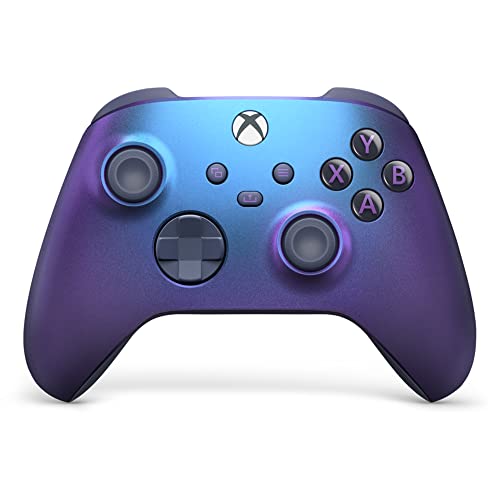
Xbox Wireless Controller – Stellar Shift Special Edition for Xbox Series X|S, Xbox One, and Windows Devices
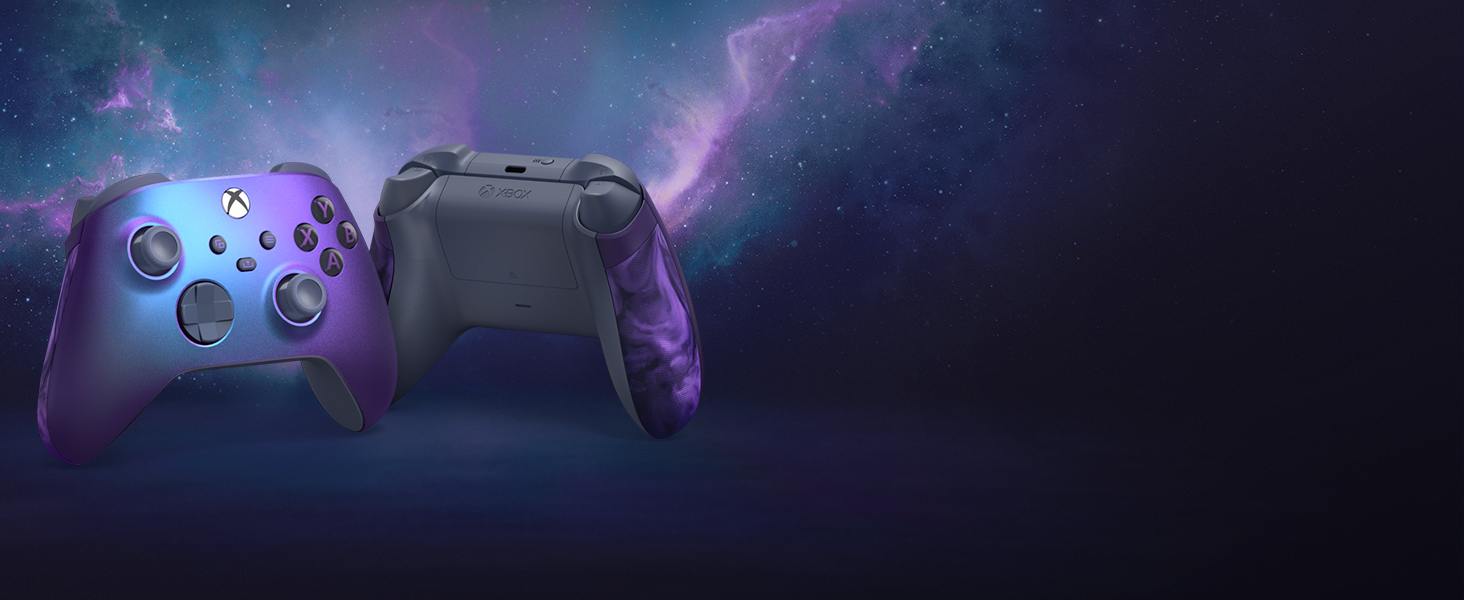
Elevate your game
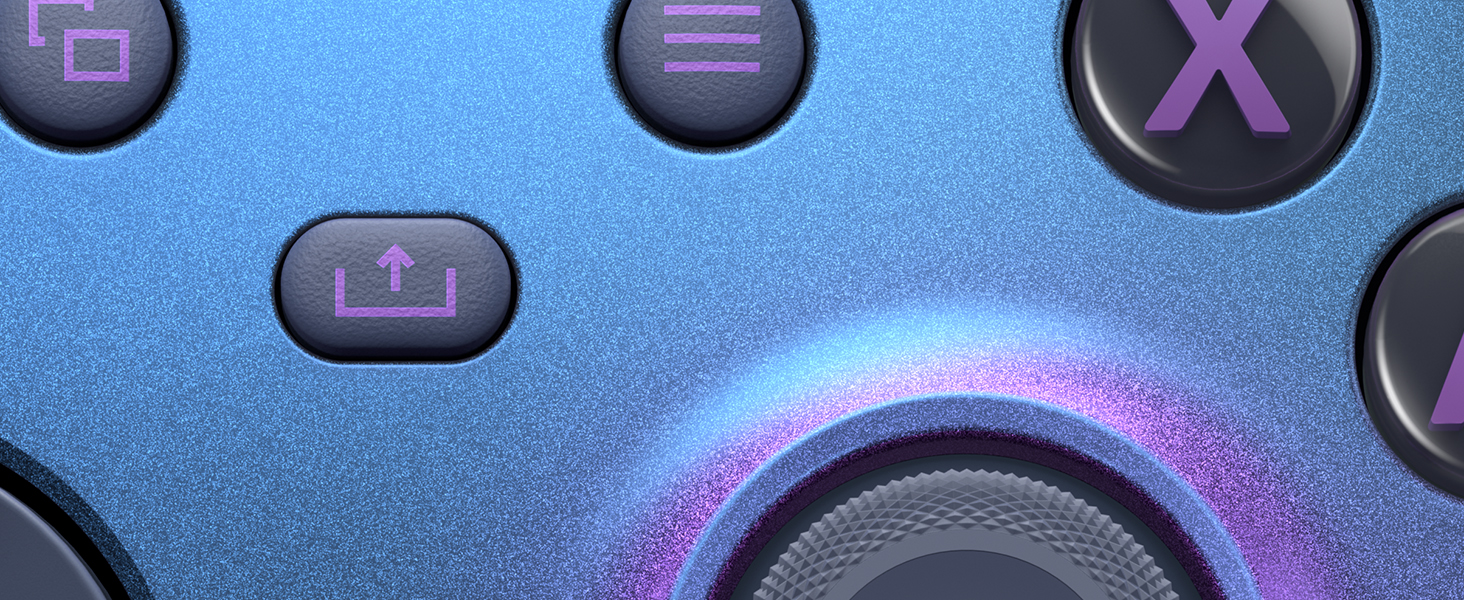
Get surreal with the Xbox Wireless Controller – Stellar Shift Special Edition, featuring a colour-shifting, blue-purple shimmer. Experience the rubberised purple swirl grip, a first of its kind from Xbox with a mesmerising pattern that makes each one unique by design.

Custom mapping
Make the controller your own by customising button mapping with the Xbox Accessories App.* Plus, plug in any compatible headset with the 3.5mm audio headset jack.
Xbox Wireless and Bluetooth Technology
Includes Xbox Wireless and Bluetooth technology for wireless gaming on supported consoles, Windows PCs, and Android and iOS phones and tablets.*
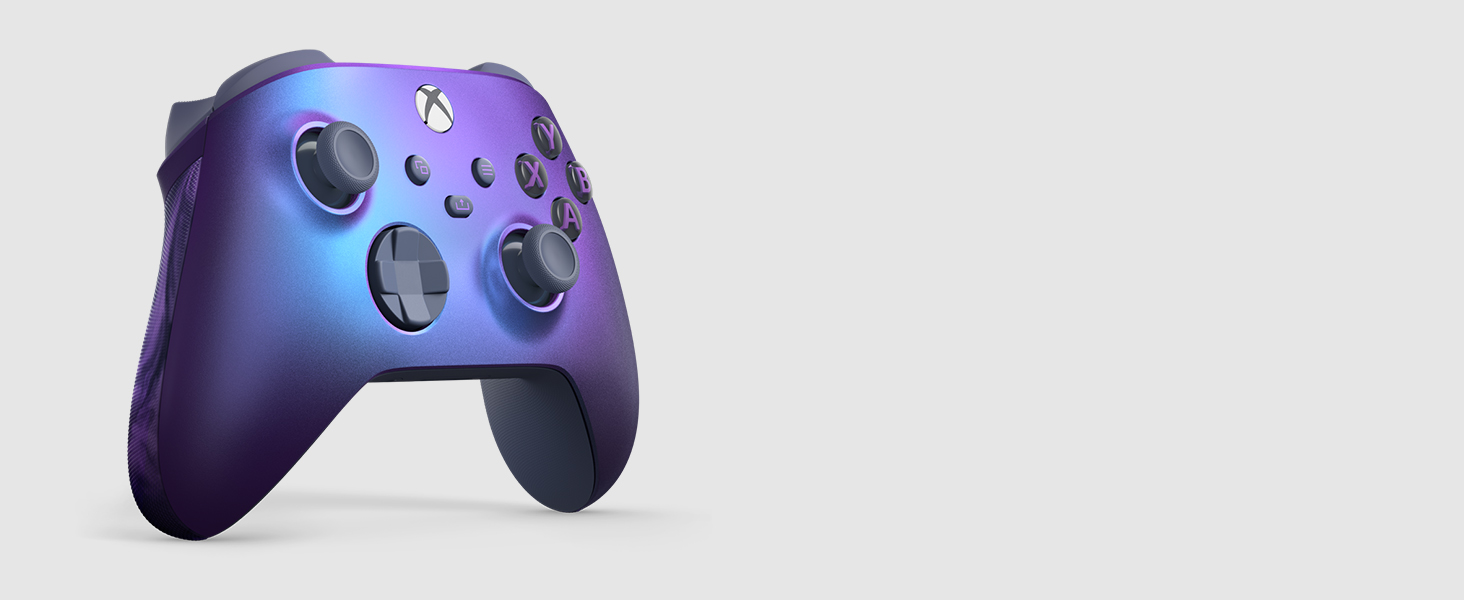

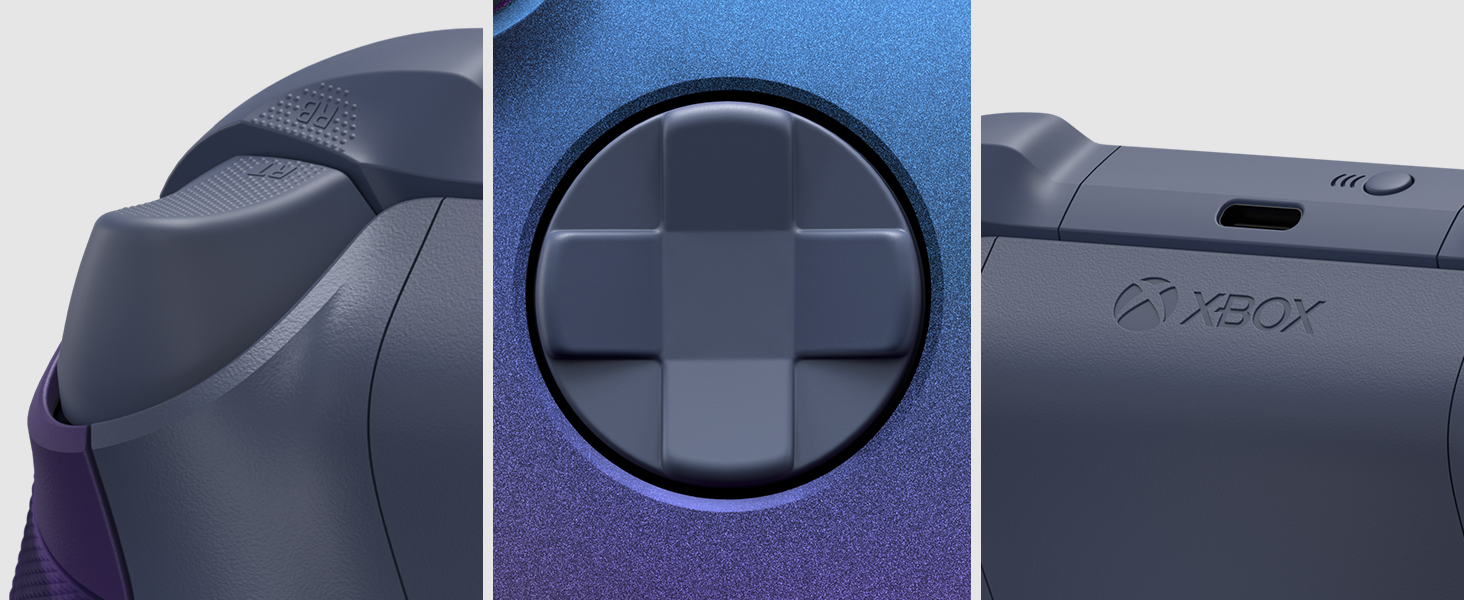
Stay on target
Stay on target with a hybrid D-pad, grey and black rubberised swirl grips, and textured grip on the triggers, bumpers, and back-case. Connect using the USB-C port for direct plug and play to console and PC. Support for AA batteries is included on the rear.
Share button
Seamlessly capture and share content such as screenshots, recordings, and more with the Share button.
Quickly pair and switch
Quickly pair with, play on, and switch between devices including Xbox Series X|S, Xbox One, Windows PCs, and Android and iOS phones and tablets.*

*Important information:
Compatible with select devices and operating system versions; learn more at xbox.com/controller-compatibility. Battery life varies significantly with headsets, additional accessories, usage, and other factors. Testing conducted by Microsoft using standard AA batteries in preproduction units. Button mapping available via Xbox Accessories app for Xbox Series X|S, Xbox One, and Windows 10/11; app for Windows 10/11 requires compatible USB-C cable (sold separately or included with Xbox Elite Wireless Controller Series 2).
Windows 10/11: Requires Bluetooth, compatible USB-C cable, or Xbox Wireless adapter. Each sold separately. Android, iOS, and Bluetooth: Select devices and versions. Some functionality not supported. Software download may be required via Windows PC or console. See xbox.com/controller-compatibility. Use with controller compatible games.
| Dimensions: | 17.8 x 17.7 x 7.2 cm; 440 Grams |
| Model: | QAU-00087 |
| Dimensions: | 17.8 x 17.7 x 7.2 cm; 440 Grams |
| Origin: | China |
Sleek, Responsive, and Essential!
The Xbox Wireless Controller in Carbon Black is an absolute must-have for any Xbox gamer. Its sleek design and comfortable grip make long gaming sessions a breeze. The responsiveness and precision of this controller are top-notch, enhancing the overall gaming experience. Whether you’re a casual or hardcore gamer, this controller’s reliability and performance are simply outstanding. If you want to take your Xbox gaming to the next level, the Carbon Black controller is a perfect choice.
Connects to Steam Account with ease
I bought this to play on my Steam account. It works wonderfully. Very comfortable to hold. It took less than a minute to connect to my laptop and play effortlessly with my games.
I do wish it came with a rechargeable battery pack instead of needing batteries. I feel it is a bit of a waste to use batteries rather than recharging the pack.
Exciting colour - functions as expected
Anyone who owns a controller already knows what to expected. The only thing different here is the colour. I debated for a while, but once my OG xsx provided controller started to experience stick drift, I made the jump – and I’m glad I did.
The pictures don’t do the exciting colour justice.
Connecting to your console is extremely easy. Simply hold the connection button on your console for a second and mimic this on the controller and they should connect.
FUN FACT – did you know you can connect to other consoles in the home without accidentally powering on your default console by using this button whilst the controller is off?
I personally feel that this controller has a much more kinetic feedback on the buttons and it may be down to updates, but it definitely gets more charge than the OG.
I recently discovered that I had the Xbox Ultimate cloud gaming App on my Samsung smart TV, and could now play games without having to buy an expensive Xbox console! So, I decided to buy a new Xbox controller and go gaming. I love my new set-up, especially the controller which feels like it’s well built, quality materials (for a plastic product) that are going to survive being dropped a few times and the wear and tear that comes with gaming.
Unfortunately, the controller/Samsung TV app combo, doesn’t yet support the online chat facility and that was a big disappointment. But saying that, that’s an issue with the Xbox Ultimate app and not a fault of the controller, it’s just something to be aware of. As far as I can find out, there’s no way to get the online chat feature to work, other than getting the Xbox App on your phone and using it at the same time as the TV, but just for the chat features.
Oh, and another small gripe, I also had to spend another 20 or so, on the rechargeable battery pack and 2m USB cable from Xbox, just so I don’t have to keep buying batteries! Come on Microsoft, that’s a pretty lame trick to say the least!
Also being said, the official Xbox controller is well worth the money, and if used with an Xbox console, you’ll have an excellent bit of kit to game on. But, just be aware of the limitations of using it on the Xbox app on Samsung TV, and on Chromebooks too.
I have a PS5 and prefer gaming on my PC because of these controllers
I know it’s a matter of preference, so your mileage will vary, as its form is not to everyone’s taste. However, I changed to Xbox with the first gen and simply to play Halo, having grown up on Playstation and Nintendo.
I stayed with them until PS4 slim, although I still had an Xbox, most friends played PS4 so ended up ditching the Xbox entirely & I hated the switch back as the PS controllers are simply awful with poor ergonomics, poor materials choice and atrocious longevity.
Getting back into PC gaming caused me to buy a newer form of the Xbox controller in a cool lime colour, and it felt immediately better and familiar. Whilst not compelling enough to cause me to ditch the PS5, it might be enough to make me think about getting back into Xbox…. Honestly, Microsoft has nailed the controller and Sony could learn a thing or two.
I’m not an Xbox console owner; I’m very much in Sony’s camp, and have become accustomed with their controllers, the most recent being PS5’s original DualSense. That said, I needed to get a dedicated controller for my PC and this was the right price. I’ve used it now a few days, and it has taken me a little time to become familiar and adept with the unfamiliar layout, and lack of certain things that are present on DualSense controllers. That said, there’s nothing much to dislike; this is well built; layout generally fine for large hands; yes, the position of the d-pad has thrown me off slightly, but quickly getting used to it; Bluetooth is adequate; buttons are good; the only negative, that isn’t due to muscle memory, are the awkward shoulder buttons. I have to adjust my hands when using R1 and L1 (probably called something else on this) which isn’t necessary with DualSense. The good outweigh the minor bad points by quite a bit, though. Very pleased.
The Xbox Wireless Controller is a fantastic piece of gaming hardware that perfectly encapsulates the essence of the Xbox gaming experience. Whether you’re gaming on an Xbox console, PC, or even mobile devices, this controller sets a high standard for comfort, performance, and versatility.
The standout feature of this controller is its ergonomic design. It feels incredibly comfortable in your hands, allowing for extended gaming sessions without discomfort. The textured grips ensure a secure hold, and the button placement is intuitive, making it easy to jump into games without a learning curve.
The build quality is exceptional. The controller feels robust and durable, capable of withstanding the rigors of intense gaming. The buttons are tactile and responsive, providing precise input for a wide range of games, from first-person shooters to platformers.
The controller’s wireless connectivity is seamless, thanks to Xbox’s proprietary technology. It connects quickly to Xbox consoles and Windows PCs without the need for additional adapters. Additionally, it’s compatible with Bluetooth, making it a versatile option for gaming on Android and iOS devices.
The inclusion of a 3.5mm headphone jack is a thoughtful addition, allowing you to easily connect your favorite gaming headset without the need for additional accessories. It’s a feature that enhances the immersive gaming experience.
The controller’s compatibility with Xbox’s Play and Charge Kit ensures you don’t have to constantly replace disposable batteries, making it both eco-friendly and cost-effective in the long run. Great thing is this controller comes with a free play and charge kit included in the price.
This is my third Xbox One controller. My first two were early models with the old style D-pad. They suffered from a broken trigger then a broken D-pad. Hopefully third time’s a charm and this one lasts as long as my old Xbox 360 controllers did.
I needed a controller fast but didn’t want to go off brand. I wanted to stick with xbox so I went with this series x controller. I wanted a black one but for some reason this neon green controller was about 10 euros cheaper so I went with it.
There are a few subtle differences for the old Xbox one controllers. First is the redesigned concave D-pad. This actually took me a minute to get used to as it actually does feel different from the traditional style D-pad. Secondly is the added ‘share’ button which I really like as it allows me to record video and take screenshots without using the keyboard. Thirdly is the textured grip on the triggers, bumpers and bottom of the controller. These are also a welcome addition and feel better than the smooth grips of the original controllers.
The wireless features seem a bit more responsive as well. It seems like the controller connects to my computer much faster and remains connected with any signal drops.
Overall I’m enjoying this controller and I’m glad I bought it.
The Xbox Wireless Controller in carbon black is an absolute game-changer, redefining the gaming experience with its updated design and seamless functionality. As an avid gamer, I must say that this controller has truly elevated my gaming sessions to new heights, making it a must-have accessory for any Xbox enthusiast.
First and foremost, the ergonomics of this controller are outstanding. The sculpted surfaces and refined geometry not only enhance the aesthetics but also make gaming incredibly comfortable, even during marathon sessions. The textured grip surface provides a secure hold, ensuring that the controller never slips from my hands, even in the heat of intense gaming moments.
One of the standout features of this controller is the hybrid D-pad. Its improved design allows for precise inputs, translating to more accurate control in games. Whether I’m executing complex combos in fighting games or navigating through tricky platformers, the D-pad responds flawlessly to my every command.
The customizability of this controller is another fantastic aspect. Using the Xbox Accessories app, I can effortlessly reassign buttons to suit my playstyle. This feature has proven to be a game-changer, especially in games that require rapid button inputs or for creating personalized control schemes that cater to my preferences.
Another notable convenience is the 3.5mm stereo headset jack. Being able to connect my compatible headsets and headphones directly to the controller enhances my immersion in the gaming world. The crystal-clear audio and seamless communication with fellow gamers add a whole new dimension to multiplayer experiences.
Moreover, the inclusion of both Xbox Wireless and Bluetooth technology is a thoughtful touch. The versatility to use the controller wirelessly on supported consoles, Windows 10 PCs, Android smartphones, and tablets makes it a truly universal gaming companion. I love the freedom of gaming without being tethered to a console, and this controller provides just that without compromising on performance.
Battery life is crucial, and I’m thrilled to say that this controller delivers on that front as well. With AA batteries, I get up to an impressive 40 hours of gameplay. Of course, the actual battery life may vary depending on the usage and additional accessories, but it’s comforting to know that I won’t have to worry about frequent recharging during extended gaming sessions.
While I have nothing but praise for the Xbox Wireless Controller in carbon black, I must admit that it’s not entirely without minor flaws. The controller’s black finish, although visually stunning, tends to attract fingerprints and smudges, requiring regular cleaning to maintain its pristine appearance.
Despite this slight issue, I can confidently give this controller a resounding five-star rating. Its impeccable design, comfortable feel, and customizable features make it a must-have for any serious gamer. The ability to use it on various platforms with ease is a game-changer, ensuring that I’ll never have to look for an alternative controller for different devices.
In conclusion, the Xbox Wireless Controller in carbon black has exceeded my expectations in every way. It is undoubtedly the best controller I’ve ever used, and I cannot recommend it enough to fellow gamers. Whether you’re a casual player or a hardcore enthusiast, this controller will elevate your gaming experience to new heights. It’s a solid investment that brings comfort, precision, and customization together in a single package. Kudos to Microsoft for creating a truly exceptional gaming accessory!
Rating:
Review:
The Xbox Wireless Controller — Velocity Green is an absolute game-changer for both casual and hardcore gamers alike. As an avid gamer, I recently upgraded to this controller, and I must say it has taken my gaming experience to new heights. This controller is compatible with Xbox Series X|S, Xbox One, and Windows devices, making it a versatile choice for all gamers.
First and foremost, the design of the Velocity Green controller is a sight to behold. The vibrant green color, coupled with sleek contours and a comfortable grip, not only makes it visually appealing but also ensures a seamless gaming experience. The textured triggers and bumpers provide enhanced precision and control, allowing for precise inputs during intense gameplay sessions.
The wireless connectivity of this controller is exceptional, providing a lag-free and responsive connection to your gaming device. Whether I’m gaming on my Xbox Series X, Xbox One, or PC, the wireless range and stability have been consistently impressive. The setup process is straightforward, ensuring a hassle-free gaming experience without the need for cables or adapters.
One of the standout features of the Xbox Wireless Controller is the built-in rechargeable battery. Gone are the days of constantly swapping out batteries or dealing with the inconvenience of a wired controller. With this controller, I can enjoy extended gaming sessions without worrying about power. The USB-C charging port ensures fast and convenient charging, allowing me to quickly get back into the game.
Furthermore, the controller’s compatibility with Windows devices is a significant advantage. Whether I’m playing on my Xbox or connecting to my PC, the seamless transition between platforms is seamless. The controller’s responsiveness and button mapping work flawlessly with Windows games, providing a familiar and comfortable gaming experience across platforms.
In terms of functionality, the Xbox Wireless Controller offers an array of features that enhance gameplay. The inclusion of a 3.5mm stereo headset jack allows for immersive audio, while the integrated Bluetooth technology enables easy connection to compatible devices. Additionally, the controller’s compatibility with Xbox Game Pass and Xbox Cloud Gaming expands the gaming possibilities, allowing access to a vast library of games.
In conclusion, the Xbox Wireless Controller — Velocity Green is a must-have accessory for any gamer seeking a high-quality, reliable, and visually striking controller. Its impressive design, wireless connectivity, rechargeable battery, and cross-platform compatibility make it an excellent investment. With this controller in hand, you can immerse yourself in the world of gaming and unleash your full gaming potential.
Pros:
– Striking design with vibrant Velocity Green color
– Comfortable grip and textured triggers for enhanced control
– Lag-free wireless connectivity with excellent range
– Built-in rechargeable battery for extended gaming sessions
– Seamless compatibility with Xbox Series X|S, Xbox One, and Windows devices
– Features such as 3.5mm stereo headset jack and Bluetooth technology
– Compatible with Xbox Game Pass and Xbox Cloud Gaming
Cons:
– None observed so fa