ASUS RT-AX59U (AX4200) Dual Band WiFi 6 Extendable Router
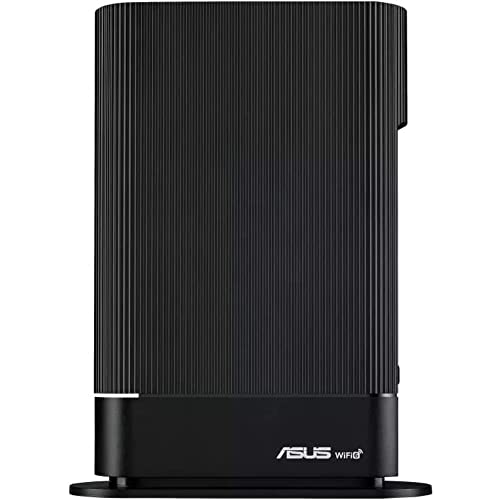
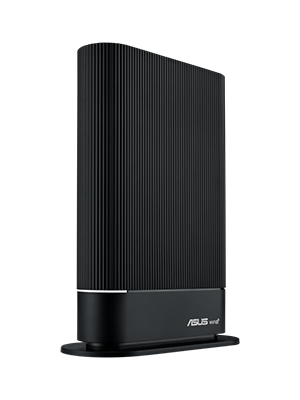
ASUS RT-AX59U (AX4200) Dual Band WiFi 6 Extendable Router, Subscription-free Network Security, Instant Guard, Advanced Parental Controls, Built-in VPN, AiMesh Compatible, Smart Home, SMB, Wall Mou




Free Parental Controls
Gain insight into your kids’ online activity and customize settings for different age groups with the RT-AX59U’s robust parental controls – with no subscription fee. You can also flexibly schedule internet access with one click, or grant extra online time for your kids to reward their good behavior.
Make Free WiFi Secure Anywhere
When you are away from home, the ASUS Instant Guard mobile app gives you one-click secure internet access via your router*, thanks to its encrypted VPN tunneling technology. It can even let you easily share this private network connection with your family and friends through a URL link.
VPN Your Way
Enjoy secure VPN connections to your favorite streaming services or games with the RT-AX59U. Through both the ASUS Router app and the web interface, you can easily manage your VPN connections, including OpenVPN and WireGuard, to meet more of your VPN scenarios. You can also run both a VPN and an ordinary internet connection simultaneously with VPN Fusion, without interfering with the browsing experience of other users.
 |  |  | 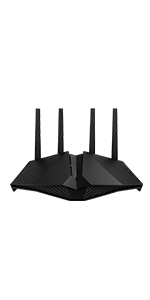 | 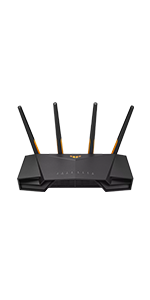 | 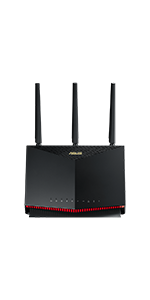 | |
|---|---|---|---|---|---|---|
| Wireless Communication Standard | 802.11a, 802.11b, 802.11g, 802.11n, 802.11ac, 802.11ax, IPv4, IPv6 | 802.11a, 802.11b, 802.11g, 802.11n, 802.11ac, 802.11ax, IPv4, IPv6 | 802.11a, 802.11b, 802.11g, 802.11n, 802.11ac, 802.11ax, IPv4, IPv6 | 802.11a, 802.11b, 802.11g, 802.11n, 802.11ac, 802.11ax, IPv4, IPv6 | 802.11a, 802.11b, 802.11g, 802.11n, 802.11ac, 802.11ax, IPv4, IPv6 | 802.11a, 802.11b, 802.11g, 802.11n, 802.11ac, 802.11ax, IPv4, IPv6 |
| I/O ports | 1 x 1G WAN, 3 x 1G LAN, 1 x USB 3.2 Gen 1, 1 x USB 2.0 | 1 x 1G WAN, 4 x 1G LAN, 1 x USB 3.2 Gen 1 | 1 x 1G WAN, 3 x 1G LAN, 1 x USB 2.0 | 1 x 1G WAN, 4 x 1G LAN, 1 x USB 3.2 Gen 1 | 1 x 2.5G WAN/LAN, 4 x 1G LAN, 2 x USB 3.2 Gen 1 | 1 x 1G WAN, 4 x 1G LAN, 1x USB 3.2 Gen 1, 1 x USB 2.0 |
| Frequency Band Class | Dual-Band | Dual-Band | Dual-Band | Dual-Band | Dual-Band | Dual-Band |
| Antenna | Internal antenna x 5 | External antenna x 4 | External antenna x 4 | External antenna x 4 | External antenna x 4 | External antenna x 3, Internal PCB antenna x 1 |
| Memory | 128 MB Flash, 512 MB DDR4 RAM | DDR3 512 MB NAND 256 MB | 128 MB Flash 256 MB RAM | DDR3 512 MB NAND 256 MB | 256 MB Flash 512 MB RAM | 256 MB Flash 512 MB RAM |
| Control Method | App/Web GUI | App/Web GUI | App/Web GUI | App/Web GUI | App/Web GUI | App/Web GUI |
| Size | 152 x 61 x 204 mm / 476 g | 224 x 154 x 160 mm / 538 g | 190 x 126 x 45 mm / 346g | 275.5 x 184.4 x 165 mm / 740 g | 265 x 178 x 186 mm / 547 g | 242 x 100 x 164 mm (without antenna) / 814.5 g |
| Weight: | 1.05 kg |
| Dimensions: | 25.8 x 17.9 x 10.7 cm; 1.05 Kilograms |
| Brand: | ASUS |
| Model: | RT-AX59U |
| Manufacture: | Asus |
| Dimensions: | 25.8 x 17.9 x 10.7 cm; 1.05 Kilograms |
Seems to do the job
Smaller and lighter than I thought it would be which is good as intended to wall mount. If you’re familiar with the Asus interface then it’s business as usual. Can’t comment on range as it’s in a garage which is tin lined
Won't be disappointed
I used it as a mesh network node using WIFI connection to the main WIFI router, if you are already using the Asus WIFI router and want to extend the WIFI coverage, it won’t be disappointed. Simply plug in the power supply (close to your WIFI router first), using Asus mobile apps to join to your existing network and wait for few minutes, done. Relocate to your place which you want to extend the WIFI signal, enjoy.
I was looking for a new router with WiFi6 and VPN to replace my old Netgear. I found both the AX58 and this, the AX59.
The form of this router is much more aesthetically pleasing than the 58, and with VPN mentioned in the description and the user manual, I went for the AX59
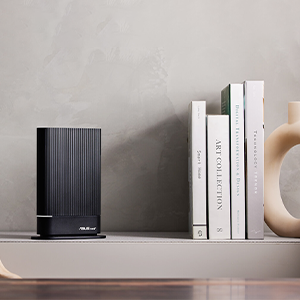
It’s a really neat little unit. The netgear had been hidden away out of sight because it was an ugly brute, but the AX59 is the size of a hardback novel and sits quietly on the shelf with just a glowing white light to show that it’s working.
Setup was simple, plug in the router cable and go to 192.168.50.1 from your laptop and you start the setup routine which asks you how you intend to use the router.
With the wifi setup, it was time to test the reception (with the router placed in the same place as the netgear for comparison). The signal strength in the upstairs bedroom that would normally drop out was really strong, and I got 36mpbs on the download test (60mbps line), through two thick brick walls. Sitting next to it I am getting -31dbm.
There are 4 ethernet ports on the router, one for Wan and three for normal use. In my setup, the wan port connects to my ISPs router. No special setup was required here. One port connects to an upstairs switch to provide low latency for gaming.
You can configure the IP address range the router uses for devices if you need to change it.
The other reason I needed a new router was for builtin VPN, specifically the Wireguard client. This is found under VPNFusion and allows you to either manually configure the client or import a config file. I used a config file and the VPN connected straight away. After that, the only thing to do was to add devices to it. This means that only the devices you want to use the VPN will do so, so you can have your phone/laptop using it, but not your games consoles.
When you add a device and apply the settings, the UI logs you out which is a little annoying. Also, to add or remove devices, you have to turn off the VPN. Otherwise it works, and Wireguard only adds around 10ms to the latency, barely noticeable.
There is so much more that this router can do that I haven’t used or will need to use.
Good route
Took a while researching but wanted wifi6, mesh upgradability, coverage, gigabit, decent chipset and non-Chinese. Works good after 24 hours. Used only off a 4g connection by wan (dhcp) so can’t vouch for speeds (max throughout 60/20mbps), but it took that nicely and the app made setup easy. Guest network setup is a doddle, as is separating 2.4ghz and 5ghz to support iot devices. Hasn’t reduced speed from the 4g router it draws Internet from – very happy and plain sailing so far.
Great router, lots of features, great Wi-Fi Signal.
Wi-Fi reaches the far end of my garden from my upstairs office so very pleased with that.
Lots of security features; though I had to re-install firmware to get the encryption standard to recognise properly.
Fixed the pathetic coverage of my Virgin Media Hub 3. I now have WiFi all the way to the loft and even to the shed at the back of the garden! Amazing speed, get 530mbps at most of the house, about 450mbps at the loft and about 250mbps at the shed (500mbps contract)
Simply set the Virgin kit to work on modem mode and wire this beast to it. There are plenty of videos on YouTube explaining how to do it all if you are not confident enough.
Great home route
This was so good that I purchased 2. Nice compact size, good coverage and fast. Conneceted a second with a wireless mesh system and worked well. Suitable for most small to medium sized homes. If in doubt, plug two together and created an Asus AIMesh for free.
Due to the internal aerials and nifty wall (or shelf) mount bracket it was really straightforward to do a very neat physical installation – in our case behind the TV.
Now to some technical stuff :-
1)Initial setup , note the WAN and wifi details of your old router, then disconnect and replace with the ASUS inc connecting the WAN cable – install the ASUS APP and scan the QR code on the base -a few minutes later and you’re up and running.
2) I’d recommend checking default settings by running the scan function on AiProtection / Router Security Assessment.
3) Took me a couple of hours but I fairly quickly got an IPSec VPN server setup configured with two clients (Win 11 Laptopn & Ipad).
4)Traffic Analyser is really useful but it needs enabling first.
5) It’s running way way cooler than my old Technicolour router so I suspect energy usage is much improved.
All in all thus far – excellent!!
Bought to partner an RT-AX86U connected to a Three 5G router to create a mesh. Works a treat, regularly getting 900Mb Internet connection speeds all over the house.
The Asus software covers security, priority, firewall, secondary Wi-Fi networks. It’s got everything you will ever need.
The quality you can trus
Amazing router coming from virgin media superhub. I was undecided whether to go with ASUS or Tp-link but I have made the right decision by choosing ASUS. The setup was flawless, the speeds are great and connection is steady. Happy days!
Big improvement.
This was purchased to improve our home WiFi connection as our aging Virgin home hub 3 was struggling. Simple to set up, switched the home hub to modem mode and have had excellent results so far.
Stable connection with an excellent app
Bought this to add a quick hardwired extension from an Asus XT9.
Perfect from the start, simply turned it in on, selected “Add a Node” from the Asus app and waited a few minutes while it configured itself.
That’s it, fully up and running!
Plugged it in via Ethernet from my main unit and it quickly switched to ethernet backhaul, giving me full access to all the wireless bands.
Nothing else to say really, signal is incredibly strong thanks to the additional antenna Vs other models and the processor easily keeps up with the 32+ devices connected.
Powerful & brilliant value for money for WI-FI 6
This is a great router at a fantastic price point. It’s powerful, easy to set up and has a great user interface (app). If you want the benefit of WiFi 6, and have the devices to do so, don’t hesitate. This router easily provides excellent coverage for our 1200sq/ft apartment which has a number of solid brick walls. My old router used to struggle in the same circumstances. You can spend a lot more on a WiFi 6 router of you want but I struggle to fault this one. Great product!
Worthwhile
I’m using this router with BT Full Fibre 900Mbps broadband. I’ve boxed up the BT hub they supplied and stored it away.
I now have a number of WiFi 6 devices at home that prompted me to purchase this router. I have to say it hasn’t disappointed me. It was easy to set up, even for me with my limited IT knowledge. The difference it’s made to my network is a joy to behold, even my partner noticed the difference and she isn’t IT savvy.
I’d recommend this router without hesitation.
Great little route
Router went down in price by 15 since I bought it which is a good price for this. This replaced my bt smart hub 2. Set up was a doddle. I used the same personalised ssid that I had on my bt router with the same password and all my devices connected. I separated the 5ghz channel which is essential. Macbook air gets 700mb download on a 1ghz connection. The coverage is amazing. Even at the bottom of the garden I don’t lose much speed. Best purchase I made.
Brilliant!
I bought this to enable me to make use of the wifi 6 capabilities of my new Microsoft Laptop Surface 4. I’m glad that I did, my laptop now runs with the speed of a Porsche & the smoothness of a Rolls Royce. It has also doubled the range of my previous Asus router.
Only 1 point, the set-up insructions aren’t correct.
Like to echo some of the positive reviews on puttig this router behind the Virigin Media Hub 3 which provides very minimal (about 10 yrd air line) wifi coverage.
For the narrowish. longish and very cramped with walls and staircases (seen by German/Danish eyes) “victorian” houses this router’s wifi barely reaches the back (Kitchen) of the house. A repeater / booster solved that problem. Using the repeater / booster with the Hub 3 alone (setting it back to router mode) does not work — the (“real” or dedicated) router was necessary.
If someone has feedback to this review with info on a router with better reach – would be appreciated.
The current router i am reviewing is i think with typical reach. Actually i do not know.
Great WiFi signal and reliable
Had this working for a month now after so many dropouts with Virginmedia superhub 3 which struggled to handle 10 devices. This piece of kit is easy to setup and looks after itself. Has 3 CPUs and memory use is on average 70%. It’s WiFi 6 compatible and you can use as part of a mesh network. Seller had shipped in 24hrs and I confirmed kit was brand new. In total I have 25 devices connected to WiFi and 4 Lan port connections and it hasn’t blinked.
Works with the Virgin Hub 3 in modem mode. A big thank you to the previous reviewer who mentioned rebooting the Virgin hub after connecting it to this router – this was the step I was missing on my first attempt, and had no internet until I did this. Otherwise, setup very straight forward. Using WPA3 so all the Apple devices in the house stop moaning about our old insecure WiFi which is a plus.
No dropouts at all with this, and is working well with some TP Link powerline adapters (using for older devices, not due to WiFi issues). I set it to our original SSIDs/passwords from the previous router, however this had some unexpected side effects so I would recommend taking the time to just go round every WiFi device, forgetting the old network and then rejoining this new one. The only device that threw a strop was a Nokia 6 Android phone – it took a full factory reset to get it to connect to the new WiFi for the first time (it would save the connection but not connect, no error message either) but now it’s fine.
Get really good download/upload speeds, and only a slight difference in latency between the WiFi and LAN.
The interface in the browser is much better than our old router, lots more info and settings if you like to dabble. Not using the advanced security software as the privacy statement didn’t sit well with me, so can’t rate that.
Hopefully this has future-proofed our network for some time to come! I bought this used and apart from it needing a factory reset, it was a bargain – looks brand new. Haven’t thought about it since it was setup, surely a good sign.
Excellent little router for the price
For averaging anywhere from 22 to 28 clients on this device (10 on ethernet, remaining on WiFi) The signal is consistent and excellent, the performance with with AC devices is much better than my previous Netgear R7000P always getting between 95 to 100% of my maximum broadband speed via the 5GHz bandwidth and decent ranges.
The GUI interface is excellent although some of the terms used may be a bit advanced for most people.
BT TV also is working excellently with the multicast routing under IPTV settings, no drops, no error messages.
Features and performance-wise one of the best choices at this price point.
Physically it’s fairly non-descript, which is a bonus if you’re not into the flashing lights and spider looking routers.
Definite upgrade over the VM superhub 3, wifi performance has improved from the office which is 5-10m away through 3 walls.
AI mesh is a nice feature, if you don’t have enough coverage just get another to create a mesh or repurpose another Asus router which supports the feature.
vast improvement on virgin media superhub, but signal issues remain (for me)
A moumental upgrade from the original superhub provided by the folks at virgin media. I actually get the speed (and sometimes more) than i pay for! very easy to use and was up and running in 10 minutes or so.
Unfortunately for me specifically, the signal strength was not vastly improved as i envisaged it would be. As a result of this, I am thinking of a AI mesh system or maybe even upgrading to a higher end model in the asus range!
But would certainly recommend for those with a standard broadband router to upgrade (especially virgin media!)
Comes neatly packed with both eu and U.K. plug attachments which is nice. The antennas aren’t removable from the back which couldve been a nice feature.
The device feels solid and well built, small and compact the materials doesn’t feel cheap which is nice for a 200 product.
Compared to the Virgin super hub 3, the signal quality is much better with significant improvement to connection integrity without dropping out within a reasonable range. With The super hub 3 I often have buffer screen and sometimes freezes in connection, even dropping out within a reasonable range.
Compared to super hub 3, the range improves by about 20% but connection is flaky on the outer edges as expected, but I would’ve expected more for 200.
Data carried across connection improved as well, though I’d say can be better.
Setting it up was alittle bothersome without very clear instructions. Basically you have to set Virgin super hub to modem mode, then attach WAN to WAN on super hub and the ASUS router. Turn ASUS router on and set it up via app or Ethernet (the app didn’t work for me). Turn both super hub and router off, then turn router on and wait for 3 minutes for initialisation then Virgin super hub back on. Then it should work.
It’s a hassle if you don’t know the particular order and had me scratching my head for about an hour frustrated as any different order would result in failure to setup.
Overall it’s a nice device, but I expected more from it due to the hefty price tag; the range can be better and maybe a larger data transfer rate, also better setup procedure.
I would recommend getting this only on a decent discount or if you have money to throw
This router works great and provides better coverage to the whole house. I have a virgin super hub 3 and had consistent drops outs in certain areas of the house. We have multiple devices running simultaneous and knew it was a bandwidth issue and the poor signal coverage from the hub as our speed (200mb) is sufficient for our needs. Installation of the device is relatively straightforward, even for non-techies. Put the virgin hub in modem mode and connect the WAN from the hub to the router (use the top 1 of the 4 wan ports on the hub). Set up the wifi (easier via desktop) and you’re pretty much good to go. Has load of features on the router interface, which is quite useful. I now get 200mb in the attic via Wifi (up from 50mb) and no drop outs in the conservatory. The AI protection features are nice but through a third party. Not keen on that at all, native features are fine but transmission of data to other parties to utilise certain features is the only drawback. Really happy with the router and would have been reluctant to purchase at the RRP price so good value in the cyber deals.
Easy to install - Perfect replacement for VM Hub3
Needed to replace the VM hub3 because the wifi was spotty and getting lag when playing on mobile games. This was easy to install and set up (took less than 30mins). Later on I added an external HDD to it. That took some tinkering with the settings and a bit of online research but its working now.
Interface is easy to use.
Good product.
After years of accepting the limitations of the ISP-provided hubs/routers/modems, and an unsatisfactory try of powerline products, I decided to get a router.
The setup was simple, just logged onto my ISP router and changed to modem mode then connected the RT-AX58U. Followed the easy quick start guide and connected to the router in a browser. Everything is straight forward and self explanatory.
The wi-fi signal reaches all corners of an extended semi-detached house and I haven’t placed the router particularly centrally (in fact it’s in a cabinet with metal mesh doors.) I only have about a dozen devices connected at the moment, including phones, laptops, consoles, and TV. There has been no lag on anything since installation, a change from waiting for a page to load on my phone.
Some big pluses about this router: Manage device access and times they are allowed to connect; in-built online protection; guest network; wifi6; the phone app is useful for a quick glance at the settings and usage. There are many more that I am yet to try out but I’ll be making the most of the features.
All in all, happy with this addition to my home network.
You get what you pay for.. it's a premium priced product, but it's worth i
I bought this as the broadband router wifi that I had through my provider kept on crashing out. The Asus router is a great product, the features in the software are very good, particularly like the parental control and malware software detection. Being able to restrict adult and other specific types of content to specific devices in your home is great if you have kids. In the past I have always been underwhelmed by this kind of support in routers.
The wifi 6 performance is excellent in both coverage and speed (reasonably large home), I have about 30 devices across both 2.4ghz and 5ghz, and it has been very stable (Cameras, Alexas, Chromecasts, Laptops, Phones, Android TV boxes etc). I use with 300mbps broadband and there is no contention that I can see. Highly recommend.
Fantastic Wi-Fi 6 router for the tech-savvy household
Had been looking to improve my home’s Wi-Fi signal from EE’s supplied Super Hub router. While EE doesn’t provide a simple modem mode like Virgin Media routers, after a bit of effort I managed to get the ASUS RT-AX58U router working with it. So far I’m extremely pleased by it; a definite stronger signal all round my house, and my 802.11AX compatible devices have been finally been able to stretch their legs. Especially impressed with connection to the Oculus Quest 2, as I’m finally able to use Virtual Desktop streaming from my PC without any stutters at all. To top it off, the device is quite small and understated compared to some other ‘gaming’ routers, which is something I consider another positive!
After struggling with a virgin superhub 3 for a while. I decided I needed to invest in something that could handle more than a few clients connecting at once (about 2 phones, a pc, laptop, and multiple smart home devices). Turning the hub into modem only mode, and letting this handle the routing. All of a sudden I am managing to get the speed of my fibre at 30m away over wi-fi; 110Mb down, and 10Mb up. With only an additional 1ms on the ping in comparison to ethernet. The only downside is atm there’s only my pc with AX connectivity, but I wanted to future proof. If you’re quite happy with AC / WiFi 5, or you aren’t sure what that means, maybe save yourself 50 and go for the cheaper Asus rt ac68 router, which I’m sure will perform exactly the same for most people
I had to bring back my aging ASUS RN66U in our new house but after adding a video doorbell it was showing itself to be a bit past it!
I was hesitant to jump into wifi6 as we dont have anything to test that side of things but otherwise this router has been brilliant for the last few months, zero issues and a familiar asus interface made it a breeze to set it all up.
So far we havent used the advanced features, but it has a wider wifi coverage than the previous one and has been rock solid which is what matter the most, especially in recent months since I have to remote onto work machines from home to perform my day job.