NETGEAR Nighthawk Wi-Fi 6 Mesh Range Extender EAX80 – Add
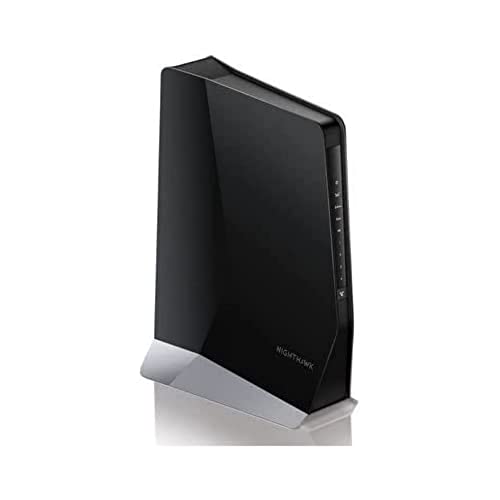
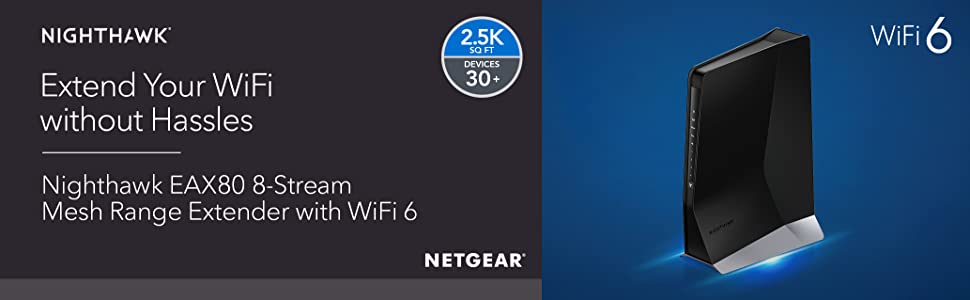
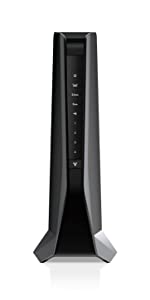
NETGEAR Nighthawk Wi-Fi 6 Mesh Range Extender EAX80 – Add up to 2,500 sq. ft. and 30+ devices with AX6000 Dual-Band Wireless Signal Booster & Repeater (up to 6 Gbps speed), plus Smart Roaming


More Efficiency, Less Congestion
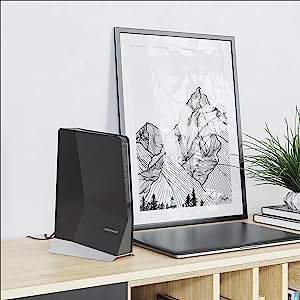
Say goodbye to slow connections when a houseful of devices are sharing WiFi. EAX80 features new OFDMA technology that makes sharing WiFi bandwidth much more efficient. It significantly increases the amount of data that can be sent and received by your devices at the same time, and prevents annoying connection delays.
Smart Roaming with Mesh Technology
Simplify and stay connected with one network name, plus auto-switching to your best network when connected to a WiFi router or cable modem router.
Easy Setup & Management
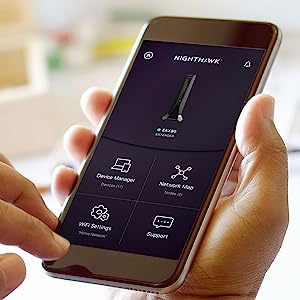
The Nighthawk App makes it a snap to set up your extender to your existing router and get more out of your WiFi, including key features like the list of connected devices and other network management tools.
 | |
|---|---|
| WiFi Speed | WiFi 6 – AX6000 (up to 6Gbps) |
| WiFi Coverage | Add up to 2500 sq. ft. coverage |
| Universal WiFi Router Compatibility | ✓ |
| # Simultaneous Streams | 8 |
| Wired Ethernet Ports | 4 x 1G |
| USB Port for Shared Storage/Printer | 1 x 3.0 |
| Recommended # of Devices | 30+ |
| Network Security | WPA2 |
| Advanced Technology | Dual-band, Smart Connect, MU-MIMO, Beamforming+, OFDMA |
| Weight: | 860 g |
| Dimensions: | 19.7 x 10.6 x 27.9 cm; 860 Grams |
| Brand: | NETGEAR |
| Model: | EAX80 |
| Colour: | Black |
| Batteries Included: | No |
| Manufacture: | Netgear |
| Dimensions: | 19.7 x 10.6 x 27.9 cm; 860 Grams |
Tricky to set up.
5g signal is strong all over the house now and when using WiFi calling never drops the call I am using fibre optic 220 down load speed to. Seems all to work on. A bit trick to set up but after a few hours all on. Recommend.
Excellent piece of kit!
I have had Virgin Broadband for years, and was fed up of the poor quality and performance of their equipment. Due to this, I purchased the Netgear Nighthawk AC3000 gaming router as had this recommended to me and had a superb rating. I installed it and was immediately blown away! Awesome bit of kit! Due to the current pandemic, I’m having to work from home, and discovered a black spot for WiFi in the conservatory. As the router I bought is superb, I bought the complementing WiFi extender and it’s totally squashed that issue! So much so I think I’d get WiFi on the moon it’s that’s strong! Excellent extender, easy to setup and does exactly what’s expected and some. A+
Disappointed
After reading various reviews, bought this hoping to provide a good wi-fi signal in our extension.
Seemed to set up ok although found the app to be pretty useless. Attempts to sync with the extender kept getting message saying wrong password although same as my main router.
Also found my wi-fi signal kept dropping out on some of my devices making my wi-fi actually worse so have now turned it off altogether.
Really disappointed considering it’s Netgear but for me a waste of money.
Makes a good ornament though!
Decided to try again with set up WITHOUT the app and can say that things working ok. Extender upstairs near the extension of the house and signal much better and no loss of signal.
Therefore I have upped my rating.
Great range. Easy Install.
Have virgin media 500mb broadband and my office is in the loft and was a dead zone. Extender easily reaches the loft from the floor below and also services most of my garden. It provides at least 100ft in all directions.
I am getting speeds of 150mb through the extender which is more than enough.
The app is easy to use as well and it tells you what devices are connected and whether they are connected to 4/5G.
Extender was easy to install and the instructions were clear to follow.
I have had to reset it a couple of time over the months but this more than likely my virgin media setup than the extender.
Does What It Says On The Ti
Purchased this to replace an abysmal Wireless N router extension that we tried. We are using it primarily to extend a wired connection into the study, where our internet connection is situated in another room. One PC wired in; one other peripheral wired in as well. Works a treat. No dropouts that we’ve noticed and much better WiFi signal around the house than the previous solution, so does everything it says on the package.
I bought my EAX80 after a year of frustration with bad or no WiFi signals around the house, even with my well known UK broadband provider putting in 3 separate booster boxes in strategic locations. I live at home with my Wife and 4 kids – with the booster boxes I had constant complaints of no Internet from everyone all the time! I bought the EAX80 after reading it’s amazing specs, but still not quite believing it would replace 3 booster wifi extenders that still didn’t cover the whole house. I unboxed it, had it up and running in 10 minutes and now have full high quality WiFi throughout the house where 3 separate broadband extenders could not reach. I haven’t heard a single complaint from my family since installing it. That, for me, means it has already paid for itself 🙂
Best WiFi investment to ge
Bought to get WiFi in our Summerhouse.
Does the job perfectly with no drop in signal at all.
Superb piece of kit. Pricey but well worth the investment for WiFi everywhere.
Excelle
Always had problems getting signal in the left side of my house because the routers on. The right this has eradicated the problem and there’s next to no loss in speeds! AMAZING! Love i
Stable signal at last!
Although my office is right next to the front room where the router is, I’ve had unstable Wi-fi signal due to the thick walls and various obstacles. I’ve tried several repeaters, which never did anything, so gave this a try. I’m so glad I did! It was super easy to install and the wi-fi signal is stable and strong in almost every room of the house.
EAX-80 - Perfect Companion to RAX-120
I bought the EAX-80 to extend the WiFi coverage of my RAX-120 and it hasn’t disappointed. Setup was quick and painless and the whole thing was up and running within minutes.
It didn’t perform as well immediately out of the box but the latest update improved the coverage significantly so be sure to update the firmware.
I wish the management software had more features (especially on the logging side) but given it’s just an extender, I am not that concerned about it. All in all, a solid offering by Netgear!
Simply the best for improving Wi-Fi range
Quite simply this hands down beats other systems and works! Tried Nova MW6 triple pack with their claim of 6000 square feet of coverage and just one of these gives far better coverage and much faster too. 111mb download next to my router, walk through 3 rooms (with solid walls) and 20m down my garden and still get 106mb download. Same 3 floors up in my attic Finally an extender that does what it says it will do. Thank you Nighthawk!
Simple to set up too and keep the same Wi-Fi network and password so no need to set up again on all devices.
Bought this for a stronger wifi signal upstairs but not as effective as shown in the marketing pictures on the box (see attached photo). I get 350mbps from virgin media this extender sometimes gives me 350mbps within a metres range from it or with ethernet or else it averages around 190mbps and that drops by about 10mbps per metre away from it. But the extender struggles to reach the end of my small garden only giving around 5mbps.
Overall its ok as I get stable gaming performances without lag.
Note: if the app doesn’t work or detect the extender use an ethernet cable and set it up with a pc.
* using a WiFi analyser I saw that you get a better signal coming from the back of the extender than the front so I suggest to point the back side towards the direction of your devices or the direction you want the greatest range.
Also the speed tests on the netgear app show much higher speeds to what the actaul speeds I get when I run it on ookla.
Fab and really works
Fab and really works well; have tried another type that didn’t work – my download went from about 0.6 to 16 gb in a room that is far from the router by using this…
Excellent Performance
The EX8000 was easy to setup and connected first time to the broadband router. Where performance had been suspect, with the EX8000 in place the performance is as if the workstation/laptop were placed next to the broadband router or indeed connected to the switch ports. It provides consistent performance throughout the house.
Extremely easy to set up and does the job too
The instructions to set up were extremely easy to follow and complete, we now have wifi in an area of the house we previously couldn’t get it in, excellent produc
NETGEAR Nighthawk X6S WiFi Mesh Extender (EX8000
The WIFI extender works well in a Victorian terraced house where I have the Sky router located in the hallway at the front of the house ! The extender was needed to extend my signal to ensure my CCTV Nest cameras work well with little or no dropping out if the signal. I’ve used other extenders but this one was recommended by a friend and it works great ! An initial investment is well worth it! Quite easy to set up and after it linked with my Sky router , it worked seamlessly! I needed a more secure WIFI signal to ensure the safety of my home and now I feel 100 % protected ! Thank you NETGEAR ! Thank you AMAZON!
I have been trying for some time using different products for a number of years
Since my internet provider (Virgin Media) have never been able to solve the issues
With our WIFI issues, therefore I looked in to the Nighthawk Range and purchased a
Netgear Night Hawk X6s Smart Wi-Fi Router (R800P) and connected that as my router
Via the providers hub, and I kid you not! The performance that I am getting and the range
Is phenomenal! I have has no drops since the instalment and I can see the difference with
Speed and no latency issues what so ever, no lag nothing!
So I thought to extend this further more I shall purchase and Mesh Extender so I can use this
In my outhouse/garage, once again, the setup was absolutely simple, as I learned from using the
Router, I did the same using the Netgear App, and within seconds I had my router up and running
And working with the extender on a mesh setup now we can move freely from the house into the garden and loft, without even thinking, “oh I need to switch to the EXT extender” the tech in these devices has made my world more effective working from home, as we all are at the moment during this pandemic. So while 2 of the family members are working in the house I can have my calls and video calls from the outhouse without interference on the network
The next plan is to buy another Wi-Fi Mesh Extender (EX8000) and broaden my network and have this one maybe connected with a LAN (network cable)
Over all, if you are having issues with your provider and they do have a good package for you,
It might be worth just investing in the “RIGHT” Kit as I have done rather than spending so much
On other extenders that will take up space (plug) or end up with multiple networks that can’t hold the bandwidth because these are Tri Band not the average kit!
I am more then happy with my purchase, and i have installed this in two other homes (family) as they had the same issue.
Strong WiFi at 50m
This was a breeze to set up with thr WPS button. It meant that within 2 mins I had WiFi that reached the end of my garden with a bit rate of 150Mbs download and 50mbs upload speed.
Having one ssid means that no-one has to change over networks when heading out into the garden. I think it’s great!
No grief just strong wifi
Minutes to setup, and so far WiFi has been strong and quick exactly as it was advertised. Great under lock down because no video calls dropping out. Worth the higher price tag.
Excellent range extender, simple set up.
Always had a bit of a problem with intermittent wifi at the extremities of my house. Finally had enough during lockdown when working from home full time meant drop outs became a real pain. The Netgear Nighthawk X6 AC2200 is a doddle to set up with the app and works a treat. Proper stable connectivity and it’s seemless – no more having to manually switch between diffferent networks! The extender works even though it’s not ideally placed because it needs to be near a ethernet connected device. Despite this, network speed and stability is great. Very happy with this purchase!
Easy setup, good coverage
With four adults in the house, up to three using Zoom/Teams at a time, this has made a big difference, and extends the signal well into the garden. Setup was pretty straightforward, no complications or issues.
A Great bit of ki
I purchased this last week to replace my ageing socket based WiFi extender which just didn’t reach all the places on the first floor where I needed it to. As I already have the house hard wired with Ethernet computer cable. I installed the X6S as an Access Point not just as a Range Extender and I gotta say I am super impressed with the coverage. I can even use it on the ground floor without issues!! So easy to install too. Using the wizard I had my new network running within 20 mins from sealed box to full usage!!! I thoroughly recommend this product…
I didn’t score Tech Support on this review because I didn’t need any.
10x improveme
Initial attempt to use WPS set-up was frustrating, but after plugging in via ethernet cable with my laptop, set-up was very easy.
After experimenting with a few different locations, I’m now experiencing a 10x+ speed improvement and no signal drops, in the part of my home furthest (with several thick walls and floor) away from the router.
This product is so much better than mains boosters, and one network name keeps things nice and simple with no switching networks as I love around the house and garden.
I highly recommend this product. Thank you, Netgear.
Netgear Extende
This netgear extender has improved our broadband availability in the house all room now get router speeds throughout, very easy to install using WPS once connected to the router it was just a matter of placing it in the right place to get the best signal. Different components linked to either the 2.4Ghz or 5Ghz signals with easy also lots of Gigabyte connections on the box itself
Perfect For Home Security
I had invested in a WiFi connected security system around my house and then discovered that the signal from my WiFi router was too weak to reach a camera I had installed at the rear of the house. After studying several different WiFi Range Extenders, I chose this product and it is absolutely fine. I was very pleasantly surprised by the Netgear’s Nighthawk app which makes the set up of the product very easy and also measures the signal strength in each room which then allowed me to choose the optimum location to install the product with minumum fuss.
This is my winner.
Easy setup following the instructions.
Cannot fault it so far and would buy again in a heartbeat. Makes such a difference to the WiFi accessibility in the house and garden. Takes a couple of minutes to boot up but if left on that is not an issue. Not the cheapest but for my money worth every penny. No more WiFi dead spots.
We call it the Gillette route
I don’t know if it’s obvious but that’s because of the tag line for Gillette razors … “the best a man can get”. You know, if Carlsberg did wireless routers, this is the one they would sell.Simple to setup, and once it’s deployed, you can just forget about it. It makes the most of the 5GHz network and intelligently switches between the two.If ever I need another extender, this is the one I’m going to go for.
Great Internet extender, sets up a great mesh network and a has a fantastic range to cover the whole house, also great for PCs with 4 Gigabit ports and compatible with newer phones with Wi-Fi 6, not cheap but its a good device to have if you have multiple devices and are looking for everything in one, if anyone ever has an issue with connectivity, make sure you install the latest firmware version for the extender which you can get off the NETGEAR website.
Nice kit. 2 modes. Easy to set/reset.
This is not a cheap bit of kit, and networking is not a simple topic, but I’m pleased with this. I have one set up as an extender and another set up as an access point. Set up is straight forward through the app and can easily be revised through the web interface or by hitting reset. No.1 son is delighted with the WiFi in his room. Devices across the house pick up signal and switch between router and extenders without any problem – or sign to the use – it’s one WiFi address and it just works. The additional Ethernet ports are handy, and necessary for the price. They are not why you’re buying this. Good switches from Netgear and others aren’t pricy. It is pleasingly solid, looks quite cool, but is also quite easy to tuck away unobtrusively – and the leds can be disabled via the settings so it doesn’t keep everyone up at night.
Much improved WiFi on home network
Having suffered a few months with a isp supplier hub that delivered wi fi but kept dropping devices and connectivity I needed to find an alternative solution to give reliable network coverage throughout the house. With the number of wireless devices growing, getting reliable signal has been an issue. So I added a more reliable router t manage WiFi by going for a solution with Netgear router and mesh range extender. Months of wi fi connectivity issues have been resolved! New solution can support up to 45 wireless devices with one network ID. Signal strength is superb throughout the house.Happy family! Happy home working!
A little pricy but worth it !
Maybe a little bit pricy but worth it. One network name (no _5GEXT names) its speed is good, its coverage is fantastic (reaches a WiFi plug for my garden lights in a shed 75ft from house). I connected with WPS which was simple. It comes with an app which does speed tests and signal strength measurements). Glad I purchased, connections stable now and whole house covered (including the shed !)
It reaches places you never thought it would
I honestly didn’t think that this extender would work, but having problems with my wifi I decided to give it a go, after reading up on it. WOW! it performs even better than I thought! It is worth every single penny.
It works
It’s not a cheap thing to buy but it does work. Don’t expect miracles though . I wanted a wifi signal in our garden sunroom which is about fifteen yards from the back of the house . There was no signal at all with our router . Fitted the Netgear box and I get about eight to ten meg which is enough for what we want ie streaming music and watching a bit of YouTube . In the house we get 47meg so you can see the drop off. It’s reasonable easy to set up .
Brilliant, but too many teething problems
Ordered the EX7700 to replace an EX6400, and it wasn’t as straight-forward as expected.
The Nighthawk app took a while to register the device when setting up, and the 5ghz network took forever for devices to find and connect to it.
The biggest problem is no control over channel selection – all my devices use the standard channel set, this uses DFS channels (100+) which keeps coming up with a fault in connecting to the original router.
When it’s all set, it’s brilliant, but too many teething problems and dropped connections stop it being incredible.
Excellent range extende
Have installed this as our Virgin Router is very poor after about 6 meters and a couple of walls. Set the Netgear up about halfway through the house and it has boosted the signal 10 fold. My only gripe is that it does sometimes drop connection with mobile devices every now and then. All in all though, a great product and recommended.
I bought the NETGEAR Nighthawk WiFi 6 Mesh Range Extender (EAX80) to extend my WiFi into the garden for video calls during the Coronavirus lockdown. First connect the EAX80 to the power in the same room as my Nighthawk X6 R8000 router and press the WPS buttons on both units. After a couple of minutes it self setup. Then I moved it to my utility at the back of the house and aimed it through the window into the garden and plugged it in. After a few minutes my entire 50m x 20m back garden has strong WiFi coverage. Very easy extension to my existing setup providing exactly what I needed.
At last a Solution that really works!
I don’t write too many reviews but felt I wanted to with this product (Netgear mesh Wifi Range Extender AC3000). My network system is partially wired, partially wireless and a Sonos system hard wired for the music drive. I could never drive the Sonos system from more than a couple of rooms away. I live in a house with many obstacles to wireless networks and had installed the most powerful wireless router I could find but still no solution. I then purchased a Tenda Nova mesh network system – brilliant, but… a different network name so I could not reach my Sonos system (or wired printers) but the internet was good all over. Then I found this product. Well, it just works!! Same network name, no problems. I have just sat at the end of my garden and controlled my music – wonderful! Tech support I gave four, because in honesty I never used it. Ease of installation, pretty good, a couple of minor issues but on the whole fine. So, yes, it’s worth five stars and worth the extra cost, because it works as it should!!
No more buffering
Bit painful configuration using the Android app but worked fine with the web app. Having placed the extender between the floors of the house the signal downstairs has improved significantly, now no more annoying buffering issues whilst watching Better call Saul. Would recommend.
EXCELLENT Wi-Fi signal but disappointing lack of integration with other nighthawk devices
Really pleased with the extent to which this boosts the signal of my nighthawk d7000 modem router, but I was frustrated that there was an error registering the product and getting help was a pain and tons of redirects. As well, when there’s a power failure, i need to get the primary router booted up first and THEN get this one turned on. It’s a total pain if I am away because it interferes with my smart home devices which counters the point of the mesh. I’d like support to be better and clearer, but from a point of view of signal alone, absolutely fantastic. I’ve disconnected all the little stop gap devices I had around, and have created a single wi-fi name for all bands across this and my primary router, because it has proved most reliable, which previously wasn’t possible. It’s about 30 to 35 metres away from my primary router through a few walls, and it boosts speed in my office at the back of the house from 8mb to 100mb, when my target was in the high 20s or low 30s.
Great WiFi extende
I’ve been looking for a WiFi extender for a while and read a number of reviews. Bought this nighthawk on Amazon and after setting it up, works like a charm. Covers the weak spots on the house and garage. Very impressed
Unclear how good
Looks good, compact and MESH is supposed to be the latest way of fixing everyone’s dead spot and bandwidth problems. Seemed good value, so I invested after being disappointed with all the other extenders I’d tried. We’ve lots of dead spots and weak signal areas and can have up to 4 people streaming (though usually 1-2).
Signal: Not clear how our coverage had changed much and we’ve tried moving this between several locations: All the family have tried on their own PC and tablets but no one can see any improvement in signal strength, connection ease or speeds, whether simple emails or film streaming. Very Disappointing.
Installation, unless you have the latest home hub, you need to use a mobile phone app (free download) to set up the MESH-Hib link up. It was reasonably easy then to follow the instructions on the app. Took me a bit over 10 minutes, though I suppose someone else might be a bit quicker than I was.
Overall: Signal coverage is what this boasts and why you need this: It does NOT deliver. Now I know why it seemed such good value… reviews are misleading.
AVOID: Wait for the next upgrade or tech leap forward
Fantastic, if a little pricey!
Was having trouble with a good WiFi connection marred by a weird deadzone on my home office. Made browsing difficult and listening to music all but impossible. Very pricey product at 150 but incredibly worth it, setup can be a little problematic if you don’t have a router that supports direct WPS connection, but the instructions using the guide online are simple enough. The hard part is making sure it’s configured correctly. Once I’d set it up fully, I did a speed test on my office and was getting upwards of 28 mb/s although this will depend on the internet package you have. Vastly improved connectivity and it can reach all rooms in a standard house without losing the speed which usually comes with WiFi extenders. A near perfect product.
NO MORE MOANING CHILDREN
QUITE CHILDREN
By Neil bartlett
12345
I’ve got a virgin hub3 router that has been struggling for 2 years to serve my 4 children 3 gaming (2 xbox 1 playstation) and the smallest walking around with her tablet.i had devolo plug in the wall jobs x3 to try and boost things they gave me a 2.4ghz really slow speed.loads of moaning in other words.i purchased Netgear Ex8000 after some research and wow.why didn’t I do this year’s ago.fiesta to ferrari.i get 385mbs down and 35 up in most places now on my vivid 350 package.one thing to note I separated the Netgear 2.4 and 5ghz so we all get top speed on 5ghz and put my virgin router on channel 122(5ghz). highly recommend
Amazing Produc
(I am on a 108mbps package and reviewing the Nighthawk X6 Extender)
Before installing an extender, I was getting around 20mbps download in my room, due to thick walls. I then installed a cheaper NETGEAR model (wall plug-in), which increased the speed to 60mbps when placed well. I also attempted to use a powerline adapter, which didn’t work at all and was providing worse speeds than Wi-Fi.
However, with this particular product, I am receiving the full 108mbps download speed. The bottleneck in terms of speed is now simply the package I am on.
This huge speed increase is due to:
A) The tri-band technology, which is extremely important for speeds as it has a dedicated backhaul channel. In simple terms, this prevents your speeds being capped/halved by the extender, which is what most other extenders do. This functions more like a cheaper mesh network, that doesn’t require you to replace your current router.
B) The fact that this is a desktop unit, which allows me to place it better. Whereas, the wall plug-in extenders are fixed to certain positions.
Overall, for just under 90, this is probably the best value extender on the market, given the included mesh-like technology. Other extenders either won’t do the job properly, or are far too overkill (and expensive) for current-day requirements. This is an extender built for the speeds and standards of today, at the most reasonable price possible.
Highly recommended.
Easy set up and amazing performance.
Very easy to set up, simple and clear instructions. Brought seamless WiFi from the front of the house to the back of the garden. Positioned 10m to 15 m away from router and then strong signal at 15m into the garden. Have tried a few solutions but although a little pricey it does deliver on its claims. Highly recommended!
Crucial in today's world
It’s strange how the world changes completely in the course of just a few months – saw that Covid was coming our way and that we may have to isolate – and immediately got one a few weeks ago in case we have to move next door ahead of sales purchase agreements. Sadly my prediction was right and we had to camp immediately, post government advice as we had come back from London and my father-in-law is in the high risk age group. Set this up, and we have now working wifi servicing two houses!
Simple to set up
Just signed up for 4g home broadband and the best reception for the router was upstairs so I needed something that I could plug all the wired stuff into downstairs.
What a brilliant piece of kit literally it is one button set up then plug your stuff in been running faultlessly for over a week very impressed. I also have the VOIP phones plugged in and everything works perfectly.
Game changing impact of NETGEAR Nighthawk X6S WiFi Mesh Extender (EX8000)
Since buying the NETGEAR extender we have had a much more consistent signal throughout our home. The minor glitches we’ve had have been down to the variable signal broadcast by our Virgin SuperHub3. Very pleased with this purchase – wish I made it years ago!
Great coverage
12345
Upgraded from a reliable older netgear, tried a couple of other makes but using the nighthawk as a wifi point works so much better than the others… easy to set up, works very well, brill piece of kit.
Slick and powerful
This was a breeze to set up (using the WPS process) and extended my wifi significantly right across the other side of my house (having tested the signal in several places before and after). Very happy with this indeed!
Does exactly what it said it would
We live in a three storey house and the internet struggled to make it to the far corners/kids rooms – we had a cheaper netgear extender before but it was patchy and due to the extra network name and signal crossover the WiFi was constantly dropping – much to the kids frustration.
I chose this one over the plug in version as I liked the idea of having the ethernet ports if needed.
The set up was pretty straight forward through the app – though it took a little while to realise I was on the old ext WiFi so couldn’t connect to the extender initially (but can’t blame Netgear for my stupidity!) Once on the same network setup was a breeze.
And it has done exactly what it promised we now have whole home WiFi of the same network so once we connect it stays with us!
What has impressed me most is the reliability of the 5ghz channel which now runs through the house and means I have very happy kids now!
It’s early days we’ve only been up and running a day and a half but I’m very pleased with the nighthawk
Good
Easy to setup. Same as any other extender. Signal is excellent. Very pleased. Thibault has a decent review which mirrors my experience, I have Virgin 200 and I’ll be honest the wifi was actually fairly good from the home hub 3. I dont think there was any real need for me to buy this extender in the end really which is absurd considering my BT hub managed to muster about 30mbit in the lounge. None the less the speed increases were very good. Lounge saw my speed increase from 70mbit on the VM hub 3 to 220mbit on the ookla speed test for example (5ghz of course). My tv is also plugged into the extender via ethernet directly and can now stream 50gig files from my NAS upstairs where it couldn’t do this before.
I did consider a Night hawk router and putting my VM hub 3 in pass through or whatever it’s called but given interference through walls etc and wanting to plug my tv into the extender this made sense.
Also get decent speeds at the bottom of my 30foot garden.
Does the job
Seems to do the job well but I did expect it to extend a lot further than the last one I had which is next one down from this model.
Still get the odd drop off which is probably more to do with my feeble providers router than the extender.
But overall is a better performer that previous model anyway.
For those living in houses with thick walls!
Once you understand that this device can be configured as a wired extender as well as a WiFi to WiFi extender then the possibilities are enormous. I have very thick walls and used to use Apple products that were falling over all the time. That meant I had cabling in place and after a call to the help desk quickly managed to configure these extenders. I now have three extenders and a RAX200 router. The two routers are used in wired mode to bring WiFi to areas of our house that were unreachable and one to make a traditional WiFi to WiFi extension. All works well and fast!
This is actually better then my route
I have a netgear router and it sometimes drops devices (weird stuff).
But this mesh extender never dropped any of the devices.
I’ve used the CAT5 cable to connect my laptop to it and it feels like I’m connected to the router itself.
I can game online with 16ping. Amazing.
I was sceptical but this actualy does work extremely well.
Android app did not work for me.
Had to use my iPad to set this up.
I guess it works best if your router is from netgear as well.
Working well
So far this device is working very well, giving wired connections to both the TV and TV recorder which are in a poor signal area in the lounge. It has also boosted the signal to the loft room and other areas from the lounge
update. I contacted Netgear’s Help desk
Credit where is is due, Netgear helped me through all the issues and both their router and extender are fully synced. Nothing but praise for their help.
Update – Netgear have issued an update and 75% of my issues have gone. Thinking i should keep it despite earlier issues.
Having the Netgear Nighthawk I decided as Sky Q and the mini box kept dropping out to buy this extender . I had nothing but problems, as the signal kept dropping, sometimes when left to the wifi units to ‘choose either the 2.5 or 5 ghz bands. Put it on the Smart Connect , well it isn’t smart and the problems got worse,
Sometimes
For a
Few down time swconds. As you walked passed the extender away from
The Nighthawk the signal dropped but you didnt move onto the extender.
Best think about these two units you get plenty of exercise as you run between them.
There must be some software updates due but i am not waiting for that.
Beyond Belief
I can’t believe it was that simple and effective:
Just press WPS button on the Netgear first, then your original router, get yourself a cup of tea and come back after 5 mins and it’s all done. Be patient and be confident – Netgear know what they’re doing!
Full connection and bandwidth available now in the far corner of my apartment – I feel like a genius!
Don’t skimp on these rubbish WiFi extenders out there. Fork out some cash and I promise, you won’t be disappointed.
Fantastic.... it’s exceeded my expectations, and no I don’t work for Netgear :-)
I personally found this difficult to install through my Virgin hub, but the technical support from both amazon and Netgear, was second to none. Especially as I’m not tech savvy at all…. they were very patient. But once it was set up, omg it’s brilliant. I don’t know how I lived without it. My old virgin hub in the rest of my house was an intermittent 9.5, with this in place it’s over 100… thanks netgear, you saved me a lot of expense on wiring through my house… if you struggle with solid walls like me and a distance from the hub, forget plug ins. Get one of these ASAP. It’s worth the expense.
Exceeded expectations
Initially hesitant about purchasing due to the price, but took a leap of faith, and extremely pleased.
My broadband is provided by Virgin Media, via their Virgin Hub 3. I previously extended my wifi signal by a standard wifi extender…gtg on average 50mbps. This beauty matches the Virgin hub, giving me a seamless 219mbps throughout my house and covering my garden. Couldn’t be happier!
UPDATE – changed my provider to EE, so now bonded this unit to the EE Smarthub. A much better – stable experience. When bonded to the Virgin Hub 3.0 I would have to reboot this unit every week or so, NO need with EE, it manages perfectly. No idea if this is to do with compatibility with the Virgin Hub, or available internet speed. I get 74 mbps with EE, which is continually matched seamlessly with this unit. The combination of the EE Smarthub and this unit easily covers all rooms in my home, as well as continual high speeds throughout my garden (20 meter reach from the house with no drop in speed).
NETGEAR Nighthawk X6S WiFi Mesh Extender (EX8000)
WOW what a magnificent bit of kit this has proved to be, simple to setup using WPS. the difference to my broadband signal and speed throughout the house that has thick walls is staggering, I had the Nighthawk AC1900 before and was only getting about 20/30% from the Virgin Media Super Hub-3 Router on a good day and frequent loss of signal – The NETGEAR Nighthawk X6S WiFi Mesh Extender (EX8000) after the firmware upgrade is now giving me 100% (230MPS) everywhere in the house and even the garden shed with no loss of signal. Highly Recommend this model
Excellent device
Can’t comment on Tech support as I have not,as yet, needed it. The range extender is very easy to set up, with very clear instructions. Has been working for a few weeks now and delivers a strong signal despite being two floors away from the router.
Although expensive, I give this five stars !
Needs a bit of effort to get the best out of it.
Installation was simple using the basic settings, but linking with my router through thick granite walls gave very poor contact (red led on extender). I eventually used “MYWIFIEXTENDER.NET” and tuned it, meaning choosing a different channel to the default. Then, Bingo, led went white, bypassing orange” and good contact is established. I could get my router to display a graph of signal vs channel and so chose 108 instead of default 36. It was all guesswork on my part as I thought all channels were basically the same. Not so it seems!
Granite still a problem for device connection, esp if they fancy using 5Ghz but less so on 2.4Ghz. But it all works sufficiently for my needs at 50 Gbs download and 10 upload.
A superb wifi booster.
If you suffer wifi dead zones consider this product. Easy to install and despite early scepticism from my gaming teenagers the signal strength has brought peace to the house. Out performs conventional booster boxes by miles.
Amazing value and works!
We had absolutely no connection in our outhouse and now it is as strong as the front room. Absolutely over the moon. The installation only got 2 stars from me but could be as much to do with me as the actual thing, got there in the end.
Easy to set up no expert knowledge needed and it works
The Nighthawk X6 ac2200 Tri – Band Wifi Mesh Extender Model EX 7000 was easy to set up, and more or less plug and play. It found all of my devices when set up with WPS and It has transformed my wifi signal. It has boosted the signal to my Sky Q box which is the prime reason for purchase. My Sky router is a long way from the Sky Q box and I always struggled to hold the signal and it was constantly dropping out. I have now been able to re site and place my Sky Q box in a cupboard and it now picks the signal up with ease. Parts of the house where there was a weak signal are now all giving good results. It has also made my browser faster and I can now open pages with lightening speed. Streaming is also miles better than before no buffering or drop outs at all. I have nothing but praise for this product it has exceeded my expectations, and it was well worth the extra pounds over a cheaper one. Would I buy another – yes for sure. It’s 5 stars from me.
Great extender - some set-up issues
I needed to boost the signal in my house, as they current location of my router just wasn’t able to give a decent signal around the whole house, and left a few dead spots. After doing a little but of walking around the house, I found the best spot to place the extender, and since then I’ve been getting very good 5ghz signals throughout the house.
The overall d/l speeds have been improved, to the point where I now get 100mb/s more than I did previously, so I can’t fault the extender. I did have a little fun configuring the Extender and Router (Nighthawk X10) as the channels didn’t quite want to co-exist nicely, and there is a small issue that if one is using a throughput of u[p to 1733 mb/s, the other device is dropped to a maximum of up to 800mb/s which is a little annoying as the set-up implies that it should work with maximum through put on both devices. Also I had a few issues with the recommended channel selections as some of the DFS channels would just not allow the devices to talk to each other, so finding the balance between the two was fun.
Once set-up and configured, it’s been great and I’ve been overall very pleased with it. I would recommend the device to those wanting to extend your wifi signal, but just bear in mind the above mentioned issues with configuration.
Solid WiFi and Ethernet connectivity.
The Netgear Wi-Fi Mesh Range Extender EX7700 provides reliable fast WiFi and Ethernet connectivity. It is so easy to set up using WPS, just press the WPS button on your router and press the button on the EX7700. After you have set it up it connects automatically every time. I used the EX7700 to replace ethernet powerline adapters and I wish I had done it years ago. It’s so reliable, you forget it’s there. It just works and I get the full internet speed all around the house
Definitely worth the money as I’ve had many cheap extenders, mid range ones and even tried using a few routers to extend signal.
The three different bands this model comes with are ESSENTIAL for properly repeating a WiFi signal since with most other extenders, you will have to sacrifice a band for router to extender communication. This is a massive problem as you will either need to use the often congested and unreliable 2.4GHz band or the faster but weaker ranged 5GHz band meaning you have to resort to using the awful shorter band to try and extend signal. Close to the extender, I get around 20MB/s transfer speeds to my phone which is excellent since my older Asus Router could only hit about 12MB/s in the best conditions.
The antenni despite being built in are strong and I can get a signal anywhere in my house including outside as is evident by that massive power brick. That thing is a monster and will make it a pain to try and fit into many types of sockets!
My only other gripe is the web interface resembles a web page rather than your typical modern router interface.
All in all, I highly recommend this extender even for the asking price since it works extremely well. You forget you’re using an extender!
I chose a Netgear EX8000 (Nighthawk X6S) Tri-Band Wi-Fi range extender to improve Wi-Fi reception in my house. I have a Virgin Media Superhub, which really only gave good signal strength in the room it was in, and not much through walls and floors.
A key selling point of the EX8000 was being able to use the same UID and password throughout the house. No need to change network as one moves from room to room. The performance of the EX8000 is superb. Signal strength is now excellent throughout the ground floor, and much of the first floor as well. I’m considering a second EX8000 to improve reception for guests in the attic spare room, too.
The fly in the ointment is the software that comes with the EX8000 which is awful. It insists on guiding the user through a set-up wizard. The wizard is easy to use, and would be fine, except it repeatedly fails with an error. In addition to this, and for the first two weeks or so, the EX8000 would inexplicably drop its signal and forget all its settings, so I would be forced to use the wizard again (and again taking two or three goes before the settings would “take”).
I am pleased to report that after that initial fortnight, the EX8000 has settled down, and has been dependably reliable for over a month. I am at a loss as to why any modern electronics need to “settle down”, though. Nothing has changed: the firmware is the same, the position is the same. Why did it give so much trouble to begin with?
To summarise: I would like to have given it five stars, because the raw performance is tremendous; but I have to mark it down because of that awful software. Installation should have been easy, too, but it wasn’t because the wizard kept failing. Even so, I would still buy another one.
Good produc
I used this product for the use of wifi extender. 2.4 ghz works fine and the range is also good, whith no dropouts on connection. However the 5ghz drops connection and the range is decreased slightly. Drop outs could be due to compatability. Overall excellent produc
Excelle
Very easy to set up
Excellent range
Virtually no loss of speed
I had a few extenders over the years, all in the 50 to 75 price range. I bought this one for just over 100 and my only regret is I didn’t do that before.
Well worth paying a little more.
NETGEAR EX8000. This has two types of configuration. EXTENDER (WIRELESS REPEATER) OR (ETHERNET WIRED -TO ROUTER) ACCESS POINT. Could be quite problematic (for me) configured as a WIFI Extender and also takes much longer to boot whilst it negotiates with the router. Set for Wifi extender mode it uses its 2nd /higher speed 5Ghz channel as a Backbone channel to send traffic to or recive from Router. Using as an ethernet wired Access Point (AP) Mode The 2nd 5Ghz channel becomes available as a second user available Higher speed 5Ghz band so you end up with 1x 2.4Ghz and now 2x 5Ghz bands and both fast!!. I am connected to mine in same room now at 866Mbps now on higher speed 5Ghz Channel 100. IF YOU CAN WIRE ETHERNET CABLES TO EX8000 FROM ROUTER THEN CREATING ACCESS POINTS (AP) THERE ARE MAJOR BENEFITS. ADVANTAGES OF ACCESS POINT 1. Easier and fast setup 2. Much Much faster EX8000 boot up time of 2mins or so (compared to extender mode of +5mins. Ensures conflict free for router. Router in full control to allocate EX8000 address IP over ethernet.. NO MORE CONFLICTS. My Access Point connected as follows: Router connects with CAT6 or can use CAT5E etc ethernet to EX8000. Both CAT5e and CAT6 can run 1Gbps reliably. Connected EX8000 to SkyQ and networked pioneer Amplifier etc. Note Sky Q uses its own 5Ghz network between SkyQ units.. so set EX8000 on different channels. You can download a Wifi analyser App on your phone, some others are better than Netgear’s own App. Had no problems at all with EX8000 since connecting to Router via ethernet. No data conflicts on Router. If wiring up ethernet between floors I recommend non adhesive backed 4 inch/ wide trunking and No5 x35mm screws to secure direct to plasterboard. CAT6 cable recommended but does not designed for sharp bends. ENSURE YOU GET CORRECT CAT sockets to match your cable. eg CAT6 cable use CAT6 sockets, if using more flexible CAT5E cable use CAT5E sockets. COLOUR CODING BETWEEN CAT5E AND CAT6 IS DIFFERENT. Connect cable to at each end then mount on wall. Same colours to same colours between sockets.. then off you go using standard network cables at each end. When wiring as Access Point connect from any of the router 4 LAN network ports (NOT WAN) to any of the 4 of EX8000 LAN Network ports via your ethernet sockets. So Access Points.. No conflicts, fast boot, 3 wifi channels incl super fast 5G, fastest connection available. GOOD PRODUCT IF SET UP IN AP MODE
Ease of setup, click two buttons, one on your router and one on the Nighthawk
Nighthawk X6S Extender
I was very sceptical about this product after trying for years with APs, to get a signal around our house. Last count we had 6 different wifi login points of differing frequencies with 4 actual routers configured either as an AP or switch. This was served by very slow BT fibre at the last count. Now we have a dedicated fibre line courtesy of fastershire partnership with Gigaclear at 300mbs and 1 router. This although fast hadn’t got a very good wifi signal, so I thought to try the Nighthawk. Now we have blisteringly fast wifi in parts of the house that before had about 2mbs. Combined with a single login we now show only 2 wifi points, one still being an Apple AirPort Time Capsule (necessary for mac backup and very expensive to chuck out) and the other being our Gigaclear router covered by the Nighthawk. Everyone in the house has now access to 300mbs plus wifi, and no one is complaining facetime, streaming or amazon is unreachable. Why didn’t I do this years ago!! I might get another just for the garden, but then now I can get a signal on my drive!!! As we live in the sticks and mobile signal is pants, this is useful for setting up maps etc for the days grind into work, giving up to date traffic info. So now I know whether to turn left or right onto my street, before getting stuck in the traffic jam.
Buy i
Worked better than I could imagine, I used to get no WiFi in my conservatory at the other end of my house from where the main router was.
Set up this Netgear router within minutes, and put it in the middle of my house, now I get strong signal everywhere.
Best purchase I’ve made in a long time
Extends Signal to Kitchen & Garden. Better than EX8000!!!
I have tried the big brother EX8000, however that kept dropping the Wifi connection, then taking 10minutes to reconnect. this happened about 2 times everyday. I returned it to Amazon and purchased This one (Ex7700). And it was a great choice. Our Router is upstairs in a bedroom, we have Netgear X4S R7800, but was struggling to get signal in kitchen & Garden. (Only getting 5% signal strength). This has now enabled us to get 78% signal with with over 45mbps speed in certain dead spots. It is literally plug & Play, switch it on, wait for 3 white lights to stop flashing (2mins). Your’e good to go.
Positive:
+Does not randomly disconnect wifi.
+Stable connection, its like having a Clone of the router.
+Setup was easy, just follow instructions on leaflet. Max 15 minutes to setup.
+ Looks nicer, and has a modern look, almost like a piece of decor, not bulky.
+Use same wifi name.
+1 Mains Plug On/Off button/ No extra wires.
Negative:
– Only 2 Ethernet ports.
– Have to make Netgear account, with email/password, to setup extender. (No choice.)
WiFi issues 100% solved, huge coverage and enormous wireless speed increase
Solved all my internet speed issues that Previous Netgear Extenders and numerous Powerline Adapters couldn’t. Boosted wireless speeds in patchy areas from 25-30 mb/s to 160-210 mb/s. Previously there was no signal outside the house at all and now I can get 100 mb/s in the shed, at the bottom of the garden, 60 feet away. An odd test as I have no need for internet in my shed but always nice to know I can get it. Also mesh using existing router single SSID makes it easy for everyone to connect once and forget about it. Overall brilliant bit of kit for those wanting to get serious coverage and make use of high speed internet speeds.
A good piece of kit but not without limitations
This produces a good, steady WiFi signal in a room where another make of device provided a signal that was intermittent, regularly dropping out. It does the job I bought it to do so, to that extent, I am very happy with the product. However, the Netgear range Extender does not provide a strong WiFi signal throughout the whole house – not the intended reason for my purchase but a factor others may wish to consider.
NETGEAR Wi-fi EX7700
Well this range extender is excellent and I have tried others but they were not up to the job.
Previously I was getting 9 mps in my Kitchen which is the furthest from my router but now I have 104 mps.
Pleased with purchase.
Speeded up my entire network
I don’t often write reviews but this has been amazing in the week I’ve had it. I bought it to boost signal in the study, which it has done but it has also massively improved my speeds. I was never happy with my Sky router speeds but this ensures I’m on the best channel all the time and my speeds have gone from intermittent 5-25 to constantly over 30. Awsome piece of kit and easy to use
Simples! Excellent wifi extende
I bought this to replace a failing BT extender and it’s excellent. I followed a couple of other product reviews which suggested that you should set it up using the WPS button on your router, rather than doing an on screen set up. This is sound advice, since using the WPS button made it really easy and quick to do.
You’ll have to be more patient than me though – it takes a while for the power LED on the unit to go green, so don’t try to start the WPS sequence until the LED is green, or it won’t work!
Apart from that – perfect. Much better wifi coverage around the house and it mimics the network name of the BT hub, so no messing about with different network names in different places.
UPDATE: Over longer usage, we found that the wifi extender could be intermittent. It turned out that this was due to a weaker signal (in our case on the 5GHz band only. I turned off this band and the unit now seems to work perfectly on the 2.5GHz band. Not ideal, so one star deducted, but still pretty good.
Replacement for Apple Hub
Arrived as promised. Was relatively easy to install if you understand WiFi. It seem to work well with all the devices we use concurrently. A bit big, but we have a place to hide it. We now get a good signal throughout the house and even into the garden.
Barely any lag
Bought this because ive tried connecting over powerline but due my router and PC being on different ring mains the lag was awful and the bandwith was shocking. i then tried the netgear usb wifi dongle. it was ok but it had difficulty with the distance. Ended up looking into this procduct and purchased it. really happy with it. only time will tell if its a keeper.
This will probably solve your signal and speed related network issues.
Does exactly what’s needed: Forms a mesh network with the existing router using the existing name so there’s no need to swap networks as you roam. It has a dedicated link to the router so speeds are maintained. You can connect multiple devices and maintain the full internet speed. My internet would previously slow to 50mb or less, now it’s a solid >200mb on every device.
Super easy set up and use!
Bought to replace old Netgear extender which had just given up after 5+ years. Out the box and set up in less than 15 minutes! No additional set up when connecting laptops, iPads, smart tv, phones etc. Very user friendly. Live in big old house which has a lots of dead areas not tried all yet but so far so good and going to try garden. Will update review.
Corrected all my wireline and wireless issues in one hit. Cant fault i
The signal near my TV was always a bit flaky so I resorted to powerline, but as this area is on a different circuit, connections did drop. I bought this to resolve the issue and it has done better than expected. The separate link back to my router is running on full 5G and the local 5 port switch connects everything else up – TiVO, BluRay player and Amp. The TV is on the local WiFi connection and now never drops a beat on iPlayer or Amazon Video, and I can get 400Mbps on my laptop. Really cant fault it.
Great produc
Easy to set up and a whole host of features when you login opposed to other mesh networks. A single node truly covers a large area and the throughput is amazingly fast. the fact this doesnt need a direct connection to your main router is also a bonus so i can place anywhere. You may think its pricey but you get what you pay for.
No more wi fi deadspots on the house
Bought this to improve the wi fi coverage in our house a three bedroom semi . We are with Virgin media , setup did not work via wpa but its so easy to do manually
I positioned it upstairs in the room next to the virgin router . whereas before we had poor coverage in the hall and kitchen now we have 80% signal and 135mbps speed . Before some or our smart home devices in these rooms would drop out of the network now everything is working as it should ,I even have signal in my garage .
Highly recommended
No hassle setup and great performance.
This EX8000 extender is setup with the XR500 Nighthawk. I used the WPS which I had to do 3 times to achieve max output following the instructions. I then placed it on the first floor where I suffer from weak Wi-fi and it now covers my property.
Worth noting if you reboot the router you have to with this too so its boot up router, wait till it’s up and running then boot up extender. If you don’t it seems to lose max output.
I then went in to the extender via a web page setup and adjusted the channels to avoid my neighbours channels. That’s it, job done and I’m achieving a huge mbps of between 600 and 700 on my iPad Pro which is a bit OTT but no more slow YouTube or iPlayer.
I’ve got a couple of these working with a Netgear router at base. Overall a pretty good experience. The performance where it is ethernet wired to the router (and working as an access point with the same SSID as the main router) is much better than where it is set up as a wireless Network extender using “Fastlane” which tends to create a link much slower than advertised. What I’ve found is that when there is network instability – such as after restarting the base station router – the wireless Fastlane extender struggles to re-establish the external internet connection. Leases have to be renewed on attached devices, or the Fastlane wireless extender itself needs restarting as well (when the wired one doesn’t). The delivery of wireless from each extender/access point is pretty good and the marketing spiel is true that it will switch you from one extender to another (or the router) without dropping. I’ve decided I’m going to wire in the second one when I can be bothered to throw and ethernet cable over the roof and avoid the “Fastlane” palaver. I think with this setup they will actually perform at their best.
Expensive? YES. Worth it? EVERY PENNY!!!
I live in a bog standard 3 bed semi. Sky is my internet provider using a Sky Q HD box which is in my upstairs office so I can use an Ethernet connection for my laptop. The WiFi throughout the rest of the house is grim. The rear bedroom had a plug in extender to make it usable, the dining room was very hit and miss and walking into the kitchen, the connection dropped altogether. Then I bought this!
Easy to set up, had it up and running in minutes. Decided To place it on top of a wall unit in the living room and now I have blowing off the scale WiFi in every room, and it’s definitely faster than it was. I also have a Sonos boost box plugged into it which has made a hell of difference to the speed it connects to my music NAS drive upstairs.
I did a walk round test with my phone, then tablet and there is no variation in signal at all. No dropped connections, no hassle. I can highly recommend this product.
Best wifi repeater I have ever bought....and I've bought a few!
This is THE best wifi repeater I have ever bought. I have bought many others in the past and they are OK, but this one blows them away. It was very easy to setup, I had it setup within 10 minutes. You have to repeat the process for 2ghz to get 5ghz as well. But once that was done, it is amazing. I’ve had dead spots in my house (1930s house) but this has eliminated them.
I can’t recommend this product enough.
After much searching for a solution to our poor WiFi signal in our extension I settled on the nighthawk x6 , I’m currently with talktalk and have the latest talktalk router which gave great coverage through the whole of our 4 bed house however the signal droped to one bar in the extension which happens to be the room we spend most time in. Considered a WiFi mesh solution but it seemed an expensive solution, then I researched WiFi extenders which were a lot cheaper but after reading several reviews it seems that the WiFi speed drops by at least half when using these and also they have a separate network unlike the mesh systems which would mean having to manually change between extender and talktalk router connections when going from room to room. So then I found the Netgear nighthawk, this had the benefits of a mesh system that compliments my talktalk router rather than replacing it. Also as Netgear states it manages to maintain full speed by using its Tri band technology the extra band is crucial in feeding back data to the talk talk router without affecting signal or speed performance, Tri band technology is usually only found on high end mesh systems like the Netgear orbi system. The setup of the nighthawk was easy just press the wps button on the nighthawk and talktalk router ,then they both connect showing three solid white lights. It is important to place the nighthawk in between the area of the talktalk router and the poor signal area, in my case this was at the entrance / inside of the extension at the top end of the hallway and my talktalk router was at the front door at the opposite end of the hallway by the front door. If you go too far away the nighthawk router goes to amber which is still classed as a good connection. Following setup I had full signal bars and near enough full speed at the furthest point of the house in the corner of the extension. In fact I went in to the garden at the shed a further 15 m away n I got 70% signal and approx 90% speed! A great product that looks nice with no unsightly arials sticking out. The cost is at 119 and for that price it gives you a mesh network maintaining the same ssid and password as the talktalk router and gives full coverage and speed operating seamlessly from room to room highly recommended worth every penny it utilizes all of its Tri bands x3 to make sure all devices are spread out on various bands giving full bandwidth ,perfect for gaming and steaming hi definition content seamlessly.
See update at end of review.
This is a review of the NETGEAR EX8000-100EUS AC3000 Mbps Nighthawk Mesh X6S Tri-Band Wi-Fi Range Extender. I bought it to improve the WiFi signal in the house and to provide coverage to the bottom of the garden. It was easy enough to set-up but some might find it a bit too involved. When it worked it was brilliant and produced a stonking signal all the way down the garden. The problem was that some devices (Apple) would report a strong WiFi signal but would not have an Internet connection, despite the Netgear box being sited in an area with a very good signal from my router Turning the Netgear box off and on would fix it. I could see this was going to cause too much pain for the non-technical member of the family and, besides, this is not a cheap bit of kit so I expected more from it in terms of reliability. Reluctantly sent it back for a refund.
Review updated after re-purchasing the same product in August/September 2019.
Having returned my original purchase, I kept coming back for another look because I still needed a network extender and, on paper at least, the EX8000 looked perfect. I noticed that there had been a couple of firmware updates since my last purchase, so I decided to give it another go. I’m glad that I did. The EX8000 now performs faultlessly and my wifi signal is excellent throughout the whole house and down to the bottom of the garden. There is no sign of the connection problems that plagued the original box. I now happily give it five stars for performance and reliability. The only downside is the price – it is a fairly expensive bit of kit, but still worth it.
I’ve been a Netgear user for the better part of 15 years, having upgraded from modem and routers, to duel band modem routers. And finally to Nighhawk modem routers. With finally upgrading my TV’s and blu ray players to smart devices, it was time to find a wifi extender that could handle multiple devices and try and hold the best bandwidth possible. I decided to go for the Orbi, and it was a grave mistake, difficult to install (that alone took me hours), loss of signal and an annoying app to handle the situations. Forget it, the next day I purchased this mesh extender and lo and behold it works. Installation was done in just under ten minutes, and configuration to smart devices even quicker. So far the only complaint I have with this extender is the minute loss of signal I experience for a few seconds with my tablet and smart phone, for all the other smart devices a strong reliable signal is always kept and with doing away with other extender networks it makes transferring devices from room to room very easy.
An excellent extender, way better than the plug in ones, although it may be a bit large for some people. I recently switched to Sky broadband and had to use their router, so the signal that I was getting on my PC dropped to 2 to 3 bars. I bought this extender and installed it in the same room as the PC, connected it by wifi to the sky router (using the same SSID as the router but with 2.4 and 5 added on for the appropriate bands), connected my PC to it and got a full 4 bars. I’m considering connecting the extender to my PC via an ethernet cable, but I’m not sure if there is any advantage to doing so.
Edit: I recently changed back to BT (Smart Hub 2) and the extender keeps dropping the wifi signal. I’m not sure whether it’s the BT Hub or the extender, so I’m going back to my D-Link 890L router (the one that looks like it escaped from Stargate) with a Draytek modem and see if that makes any difference.
Does the job and some!
Bought two of these now. One for my mum’s house. Use mine with Virgin, my mum’s with BT. Both have cured problems at each property. My mum’s was an issue with coverage, to be precise cameras dropping out and not reconnecting to BT router. With mine it cured both coverage in the house and speed issues. Whatever connects via this (and indeed the Nighthawk router that I previously bought) connected to Virgin router in modem mode achieves full download speed on wifi whereas previously I only ever got half speeds on wifi (but full via ethernet).
To start with, having the right settings is essential in getting the best speeds.
As a Virgin Media 200mbps customer, I do not get a WiFi signal in the attic bedroom. This range extender is positioned halfway between the Superhub and the attic providing 200mbps on WiFi most of the time (on 5Ghz channel).
The optimum settings inlcuded having uncongested WiFi channels manually selected, as interference from neighbours etc caused chaos- for 5ghz this was any channel above 100 (and you get a prompt in the UI on mywifiext.net). Also the One-WiFi feature is a gimmic and was completely useless for me, and throttled speeds significantly, as I wasn’t sure which channel 5 or 2.4ghz was being utilised.
Overall performance is impressive and a significant step up to my Ex7000 range extender (where I struggled to get past 150 mbps, even wired).
An issue that has been Intermittent is gaming lag, where ping can deteriorate, this may require some optimisation of settings, or could even be down to another issue. Again, with these types of devices your personal circumstances dictates the performance you get (inner walls, number of devices, performance of existing router, wireless channel congestion and many more).
Really good extender, better than more expensive multi-unit systems
This is a great product. I’ve tried various systee=ms, including the more expensive 3-unit mesh systems. They didn’t actually improve speeds in my house, just signal strength. I have this at one end of the house and my BT hub at the other, connected via eithernet cable. But unlike other extenders, this one appears to all devices as the same wifi network (you can set the same SSID) which means smart home devices all connect to it without issues. This puts out a strong wifi signal and the netgear wifi analyser app (which is free even without this) is great. It’s a big and rather ugly unit, but with the built in 4 either net ports and great performance, that is a small price to pay.
Tri-band WiFi extender - the best option for connected homes
The Netgear EX8000 mesh tri-band WiFi range extender did exactly what it claimed to do when I bought it and placed it in my flat. The item is suitable for those who have a house or 2-tier flat with only 1 router and a big number of devices to cover. This was my case and my router was on the first floor in the corner with no neat option to move it anywhere else. Even devices that were next door to the room with the router experienced lag, so I was looking for a very strong WiFi signal booster, hoping to cover at least the whole of 1-st floor. Turns out that it was able to cover 1st floor with a very strong signal and it also reached to farthest places upstairs as well with a moderate signal strength. Now, I’m capable of connecting more than 10 devices at a time smoothly, with streaming 4K content on my TV (note – I’m paying for 100mbs internet) and full HD content in any location of my flat. And all of that is wireless!
Even though I was paying for a nice internet package, I wasn’t able to do it before. My router is a dual band and couldn’t handle the loads of simultaneous streaming. But it is a recent purchase and I didn’t want to buy another one, so I bought this extender instead and it exceeded my expectations on all levels.
And yes, in my case, tri-band extender works nicely with a dual-band router. After a month of usage, no major problems.
Currently, the best option for large spaces and numbers of devices