Samsung SSD 870 EVO, 500 GB, Form Factor 2.5&rdquo
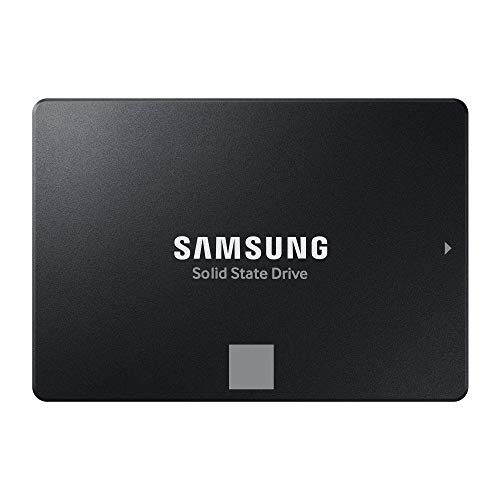
Samsung SSD 870 EVO, 500 GB, Form Factor 2.5”, Intelligent Turbo Write, Magician 6 Software, Black
Excellence in performance
Comparison
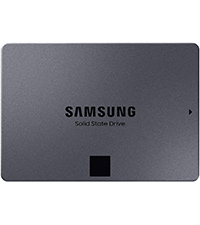 SATA SSD 870 QVO 2.5″ | 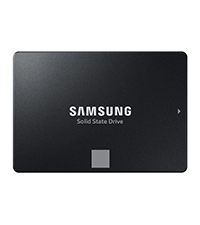 SATA SSD 870 EVO 2.5″ | 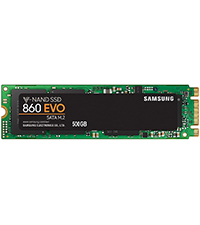 SATA SSD 860 EVO M.2 | 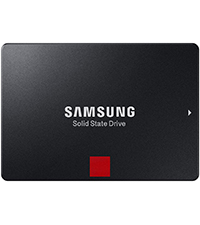 SATA SSD 860 PRO 2.5″ | 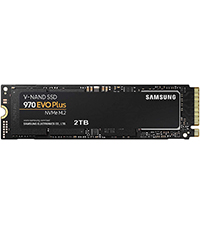 NVMe SSD 970 EVO Plus M.2 | |
| Reading Speed | 560 MB/s | 560 MB/s | 550 MB/s | 560 MB/s | 3500 MB/s |
| Writing Speed | 530 MB/s | 530 MB/s | 520 MB/s | 530 MB/s | 3300 MB/s |
| Capacity | 8TB; 4TB; 2TB; 1TB | 4TB; 2TB; 1TB; 500GB; 250GB | 1TB; 500GB; 250GB | 2TB; 1TB; 512GB; 256GB | 2TB; 1TB; 500GB; 250GB |
| TBW | 360 TBW | 600 TBW | 600 TBW | 1.200 TBW | 600 TBW |
| Flash Storage Technology | QLC | TLC | TLC | MLC | TLC |
| Application | Everyday use | Everyday use | Everyday use | Professional workstations | Gaming, photo / video editing |
¹ Performance may vary based on SSD’s firmware version and system hardware & configuration. Sequential write performance measurements are based on Intelligent TurboWrite technology.
² system configuration: Intel Core i7-7700K CPU @ 4.20GHz, DDR4 1200MHz 32GB, OS – Windows 10 Pro x64, Chipset: ASUS PRIME Z270-A. All performance data was measured with the SSD as a secondary.
³ TBW for 870 EVO: 150 TBW for 250 GB model, 300 TBW for 500 GB model, 600 TBW for 1 TB model, 1,200 TBW for 2 TB model and 2,400 TBW for 4 TB model.
| Weight: | 45.3 g |
| Dimensions: | 10 x 6.99 x 0.68 cm; 45.36 Grams |
| Brand: | Samsung |
| Model: | MZ-77E500B/EU |
| Colour: | Model specific |
| Batteries Included: | No |
| Manufacture: | Samsung |
| Dimensions: | 10 x 6.99 x 0.68 cm; 45.36 Grams |
Samsung ssd 870 500gb
as described fast delivery, speeded up a slow laggy laptop on windows 10,dropped a star because the Samsung ssd did not match the holes of the Samsung caddy in my np300v5a laptop so had to improvise
I wanted it to add to my QNAP NAS
As I am a keen photographer, I wanted this drive to act as a separate “Share” for my QNAP NAS Drive, storing all out family photos on it and then using the QNAP app Qumagie to catalogue them.
Samsung EVO SSDs are dearer because they use MLC/TLC memory/flash, this stores less data per cell but the cells last a lot longer, so this should last many years.
I have 4 other of these at various capacities and an 860 EVO SATA SSD that is still going strong.
You can buy cheaper drives, but you cant buy better.
10/10
Needed to download the latest version of Magician after instalatio
Installed it in a very old laptop (2010). Obviously since the laptop is SATA II, it will not benefit from the higher read/write speeds but needed some extra capacity. The SSD sent was quite old stock with a manufacturing date of April 2023. Had to reinstall the Magician software as at first, the various functions of the software were not available for the new drive. All working fine at the moment. Replaced a 3 year old 250GB 860 EVO which has been brilliant.
Load Super fast in-game
Loading time in games has dramatically decreased(faster). Couldn’t Be happier with the purchase, not to mention got it on sale for a cheaper price.
Easy Install, No difficulties plugging anything in compared to my hard drive where you have to press uncomfortably hard to plug the cables in.
Also very small and compact, saves space for other things if you had a commander node pro you wanted to put beside it for example.
SSD Revelation.
Wow what a transformation, swopped out my HDD with Samsung 1tb EVO, used Samsung magic drive software to transfer data between the drives, took 7 hours to complete 495gb transfer(Laptop uses USB2.0). Swopped out the drives and can’t believe the new performance transformation.
My laptop is an 8 year old Toshiba Satellite Pro and it’s now faster than when it was brand new. Highly recommend this SSD.
Lightweight, Reliable, and a Game-Changer for My Old Laptop
I recently upgraded my old 2014 Asus laptop with the Samsung SSD 870 EVO, 500 GB, and the results have been nothing short of amazing.
The installation process was straightforward and easy to follow, thanks to the numerous helpful YouTube videos available. Even with my limited technical knowledge, I managed to install the SSD without any issues.
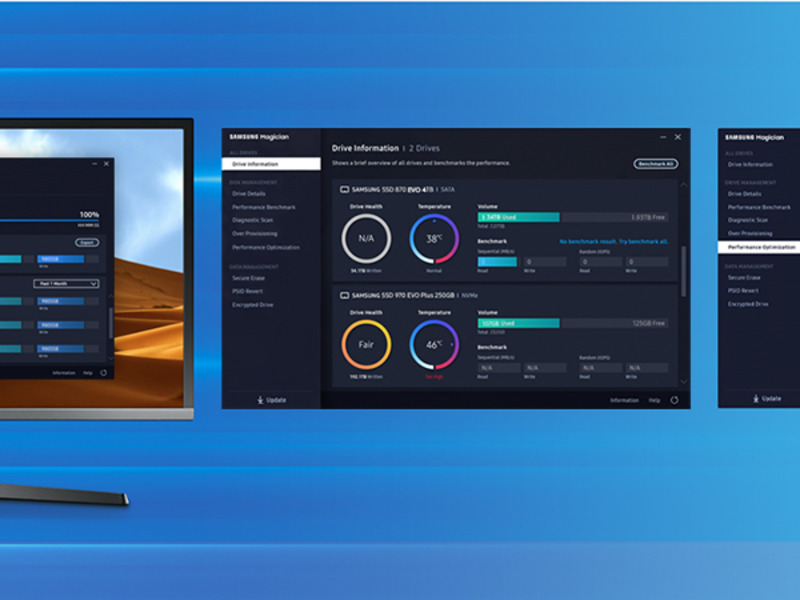
One of the standout features is the Samsung Magician app. It’s incredibly user-friendly and provides excellent support for managing and optimizing the SSD. This app has made maintaining and monitoring the SSD a breeze.
In terms of performance, my laptop is now about 50% faster. The booting time has significantly improved, and there’s a noticeable reduction in lag. Tasks that used to take forever are now completed in a fraction of the time.
Overall, the Samsung SSD 870 EVO is a lightweight and reliable upgrade for anyone looking to breathe new life into an older laptop. Highly recommended!
Excellent upgrade for old PC
I purchased this Samsung SSD internal hard drive to replace a very old style HDD on a Packard Bell iMedia S2780 PC. Very easy to install by detaching the internal DVD drive and using its Sata/Power connections to connect the Samsung SSD. Downloading the free version Disk Genius utility and select ‘System Migration’ under the tools options I cloned the System Drive straight to the SSD which took 1.5 hours. Removing the DVD drive and old HDD, rebooted the PC and all done.
The Samsung Magician software only recognises and works with Samsung SSD disks so won’r be an option to migrate a non-samsung disk to a samsung SSD. Don’t waste your time with it.
Eufy Homebase CCTV add on Samsung SSD 870
This Samsung SSD 1TB Evo 870 SSD has been very reliable since I fitted it into my Eufy Homebase CCTV system. It works well and was good value for money. It copes well with recording multiple cameras 24/7.
Great SSD, trusted brand
I was looking for a 2TB SSD as I play a lot of video games that are quite large, and many of the newer games run very slowly on my 2tb HDD. Obviously a SSD this large will be quite an investment, so after much consideration I opted to purchase this SAMSUNG EVO drive instead of a cheaper off-brand.
This drive has been great, easy to set up as an extra drive (plug and play) and runs well with very high speeds. The 5 year Samsung warranty gives me peace of mind that my experience piece of hardware is built to last
I would recommend these Samsung drives to anyone looking for something fast and reliable. In my opinion no one needs to be faffing around with the risks of trying a cheaper drive when you can pay a little extra for FIVE YEARS of guaranteed functionality. Go for i
Ok so first of all the migration software that Samsung tells you to download called Magician 8.01 would not install but throws up an error and quits out so it seems you will need another program to clone or copy your master drive to this new SSD drive
I fortunately had a physical Hard drive copy station where you put both old and new drives into slots and simply press a button to copy old drive to new to get an identical copy of my old HDD
After three hrs I had my copy on my new SSD and it has certainly sped up loading times immensely saving much time with applications
So we’ll recommend this SSD drive but just make sure you have another program to migrate your old drive to the new one as Magician supplied by Samsung may not install on your PC / laptop etc
OK UPDATE:: concerning the MAGICIAN SOFTWARE
After downloading Magician do not run from your downloads folder
Create a new folder on your desktop and copy the download into that new folder
You will find that Magician can be installed from there without any errors now
Great price, fizzes along perfectly
It’s made a huge difference, and is something I really shouldn’t have delayed for so long.
I went with Samsung as they’ve rarely let me down with tech, and the price here was great.
In short, this Samsung SSD of 4 TB that I purchased is very good and very very expensive. I don’t like the Magician software and data migration tool that they recommend to use it but it failed in my case.
Let’s discuss with details.
First, this SSD required me to purchase SATA adaptor from Amazon, separately. Then when I plugged it in to my PC, this SSD was not shown so I went to Disk Management to allocate and create a simple volume.
Second, I downloaded this Magician Software and Data Migration tool. In my first try at 100% it shows error and then in my second attempt after I ran Check Disk (chkdsk /f) then it failed at 99%.
Then I searched across Youtube and found MiniTool Partition Wizard, this has given me error of failed to write on the disk.
Then I went to Macrium Reflex software, 30 days free trial. This has done the job of cloning or copying disk or migration from HDD 2TB to SSD 4TB.
After successful migration, I replaced HDD with SSD physically. Then it was like a new universe with speed and performance is very high.
However, I must say it took me about 40 hours from start to finish and with all my trials and errors.
The only reason I give 4 star is because Magician software has no magic and data migration tool within it is absolute rubbish. I would say that Samsung can focus on SSD if they can’t compete with other softwares in the market.
Great for the job
I thought it was time to replace my old hard drive, so it went with the name everybody knows great little hard drive installed in under 10 minutes transferred windows 11with ease back up and running in half an hour, very happy with item.
That's better!
Bought to replace hard drive. Computer now working about a hundred times faster, which is great. For anyone with EHS, be warned: the EMFs from the SSD, which I thought would be an improvement, have been quite hard to live with. None the less, I wouldn’t swap back, because the improved performance has been so welcome.
Another Christmas with relatives, and another computer to look at for a family member: is it possible to make this 12 year old laptop usable? Well, it has an Intel Core i3-380M processor with 3GB of RAM, a 500GB mechanical disk, and the laptop has recently taken a Windows 10 upgrade. The laptop starts and runs like molasses, can we make it usable? Yes, we can! Moving from 3GB to 8GB RAM and adding a 500GB Samsung 870EVO drive has made the old laptop instantly usable. It now cold boots in less than a minute and shuts down almost instantly. The machine is never going to break records, but it is perfectly usable for web and office apps.
Samsung drives come with Samsung’s Magician migration software and this makes it straightforward to clone the old drive so it can be replaced with the new one. No issues with the old drive being the boot drive, run Magician, select clone, then replace the old mechanical disk with the new Samsung SSD. Easy!
This disk gets over 400MB/s for sequential read and write, compared to 60MB/s with the old hard drive (NB the age of the machine means it cannot saturate the 870 EVO which can reach >500MB/s for sequential read and write on a modern system). For random I/O, the number of operations per second is up from ~100 IOPS to over 50k IOPs, which is another world of performance and why the old laptop is now usable.
Bit the bullet, and glad I did.
I’ve been buying SSDs for many years, but I’ve always filled them very quickly, as they’ve always been relatively expensive on cost per MB compared to a normal HDD. Even the 1TB one I purchased last year was full within 6 months, so I decided to bite the bullet and grab this 4TB version while the Black Friday sale was on, and I’m glad I did. It’s great to see all that free space! (Oh, did I mention it’s fast?)
Super speedy sata ssd
Samsung know how to make a good SSD. This purchase was an upgrade from an 850 EVO which was still working absolutely perfectly, just needed more capacity. I bought the 2TB version this time not because I need all that storage but to future proof my PC since these are some of the most reliable drives money can buy.
Also the data transfer from the old drive to new was flawless with samsung’s magician software. Very seamless apple-like experience. Love these.
Rock-solid - high reliability
Samsung SSD 870 EVO are reliable, as they can withstand sudden power loss (when using a journalling filesystem), and have the best TBW (terabytes written) value among the top tier of similar products. The performance is enough to saturate the fastest SATA bus. It is likely to be about 10x faster than the old drive you are replacing, and about 3x-6x slower than a NVMe drive on PCIe bus. Basically, if the old computer can’t boot up from an NVMe, then this product is the best. As usual, always get a drive slightly larger than you need, because the reliability is proportional to the capacity in these devices (about 600TBW per 1TB).
I install this SSD into an old desktop that I use for Ham radio, it was running very slowly, so for the low cost of this SSD I thought it’s worth a punt, easy install and easy migration of the OS and programs etc, took 35 mins and works a treat, now the old box is running and booting much faster. Well worth the money, also the Samsung tools are very easy to use.
Good overall SD helped my download times and came with a good helth checker for it. A word of warning when choosing the drive letter do not choose one you have had already in the system as I did thinking nothing of it then windows tried to correct it and change the drive letter but also wiped my old hard drive I was trying to copy from due to this. Lesson learned the hard way did manage to get some stuff back but just as was on cloud.
Nice drive, easy install & fast. I bought this to replace an earlier generation 500Gb Corsair drive. There was nothing wrong with Corsair drive – but I needed to keep the contents and do a fresh install of windows. You can buy cheaper SSD’s than this but I rather pay the extra for a bit more reliability. Installation went well with no issues, seems significantly faster than the Corsair drive it replaced.
Perfect replacement for a dead laptop drive
I used these drives in my own pc so when it come to replacing one in a friends laptop it was a no brainer. Replacing his old HDD with this SDD, he won’t stop telling me how fast his laptop is now, even though it’s several years old
Reliable little SSD
Bought to replace a scavenged drive from an old system I was updating for a friend, perfect little SSD to boot the OS from in a couple of seconds. Third one I’ve had for various set ups and always very reliable for the price
Fast disk, slow to clone.
I had a 500gb ssd which was full. I attached this new disk internally and the magician software could not use it, it could see it but it would not let me select it as the target for cloning. I removed it and attached it via an external usb adapter and the cloning worked fine. It did take 5 hours to complete but it was 100% successful.
This was a nice big capacity drive at decent money. Bought as a direct replacement for an SSD that was coming to the end of its life, but also to give a bit extra space.
What can I say… download the software, press a couple of buttons and it’s cloned. No reason/excuse not to.
Again as it’s Samsung you hope for their quality but as it’s in a second desktop pc it won’t be used too often.
Very happy and actually first drive from them I have normally used other well known brand and was swayed just due to it being on offer.
Happy though with any as they all do pretty much the same unless you spend lots of money and want to check onboard controllers etc.
For Jane/Joe public this is ideal.
After some deliberation between going for a new hard drive and a solid state drive, we pumped for an SSD. This Samsung SSD, offers good value (there are cheaper names that I’ve never heard of and definitely more expensive ones as well). Spent quite a long time comparing the speeds and things like that. Ultimately, the difference appear to be negligible certainly for the reasonably casual gaming usage that we are doing. definitely felt comfort in going for a known name (as someone fairly new to self build PCs).
The drive was easy to install after watching a couple of quick YouTube videos, but I would be aware that you may need a longer connecting cable depending on the positioning of your components inside your tower. However, these are dirty and Natalie bailable too much about it if you do need one.
Great upgrade
Arrived next day . You need a USB to SATA lead .
With the Samsung APP transfer of old hard disc was easy and so was installing it . It has significantly improved the speed of my laptop.
Good SSD, initial troubles
Initial shipped product was faulty. Disk could be seen BIOS and windows but unable to partition the disk to be usable, replaced extremely quickly at no charge. Otherwise a good SSD choice!
Dependable
I have used Samsung SSDs for years without a problem. Only one (from 10) has shifted its bad storage elements (similar to bad-blocks on a hard disk). Done without problem, unobserved by me when it was done. The SSD was running windows7 on it at the time. Still going!
Computer runs like new.
My pc was running really slow and noisy so my nephew suggested replacing hard drive. Apparently, though a bit concerned he assured me it was simple and would simply transfer all my data.
He was spot on when he said these Samsung drives are brilliant and easy to install.
Well worth a buy.
I got this to be the boot drive for a new rig as I wanted the M.2 drive I purchased to be just for games. Sure it’s faster than a mechanical HDD and it’s slower than an M.2 drive, but with just Windows and a few other programs on its speed is of little concern to me. This SATA drive is of a known, reputable brand and if you need a drive then get one.
Easy to install
Down loaded Samsung Magician, plug in usb to sata cable and cloned old drive 1st time, with the 2nd drive just fitted it and formatted as usual. great value and quality you’d expect from Samsung.
Had it a while...
Had this drive a while and it’s fine.
I’ve never got round, or felt inclined, to test it’s speed or capacity. But i’m happy with it.
Seemed like a decent price when i bought – now they seem to be giving them away.
Happy bunny
My drive had 29 days uptime and 20TB of writes according to samsung magician. Not a huge data volume given its rated for something like 1800TB and a full test showed no faults or leftover files. But someone had been using this drive until I guess they returned it under the 30 day returns window so you might want to check yours if these things are important to you.
I personally would not recommend as a main drive for Windows as nowadays it I on the slow side but for games it is ideal cheap and effective way of installing games on reducing loading times say from a HDD is 20 times quicker! being Samsung quality is not an issue.
Let’s get the obvious out of the way, It’s a Sata drive, So up to 560mbs Read and 530mbs Write,
If you want it ro be fastest you could buy two and used it as a software Raid, Then you get double the speed,
But why when you could just buy a 4tb PCIE3.0 m.2 that’s 6x the speed for the same price for a different manufacturer?
Because simply old laptops/ Pc’s and last generation consoles don’t have an M.2 slot so you can’t use them and sata is the only option,
On the drive itself the 4tb 870 evo is excellent for a sata drive, It has dram inside 4gb infact, That’s like 2008 levels of ram in a top end pc of that time,
Why 4* rather than 5* you might ask?,
Actually plugging the drive in my pc only to run disk manager to format it and well… it could only format it to 2tb rather that 4tb but the remaining 2tb that was an not yet allocated couldn’t be merged into the volume,
The only solution I had was to remove the 870 evo plug in my sata to usb 3.1 cable I’ve had laying about for the past year and formatting as an external drive,
That worked then once that was done I then put it back in my pc to format once again,
I know I said at the start of this review that it’s just a sata drive,
But for most people that’s all you would ever need,
I have a 4tb firecuda 530 PCIE4.0 as my boot drive and this 4tb 870 evo is no where near the speed of that, But in games it’s identical for load times,
With certain games that are out in 2023 with the Direct storage api and now with NVIDIA RTX IO that will be out with rachet & clank rift apart on pc very soon ssd storage will be used to it’s full potential, Much like the near instant load times on the Playstation 5,
With direct storage and rtx io what’s the difference between 1 second with a PCIE4.0 ssd compared to 1.4 seconds to a sata ssd for game load times?,
You can’t even blink your eyes at 0.3 seconds,
Anyway for a summary,
Positive
+ 5 years of warranty
+ It doesn’t use QLC memory cells unlike the 870qvo
+78 GB cache size so you get full transfer speeds ( Most 4k video files are less than that)
Negative
= it’s a sata drive so if you do alot of 4k video editing at 60fps or 120fps then a PCIE4.0 would be better as the faster the drive you have the better really,
– My only personal issue of a brand new 4tb 870 evo not being able to format to the full capacity of the drive unless I used a cable to use it as an external drive to format it, If I didn’t already have that cable in my draw it would of been a problem,
Final summary,
I personal use this 4tb 870 evo as a steam game storage and pc games pass storage,
Why? Because some mad drivers in my area who like to crash into virgin media fiber cabinets and I’m left with no Internet for 10+ days and I don’t want to use my precious mobile data for game downloads because mobile data companies hate it when you use youe phone as a hotspot because apparently 600gb of 4/5g data is now somehow unlimited, And well we all know games are big now like 100gb + some are even 200gb,
If you can pick up a 4tb ssd for a decent price it’s worth it,
I wouldn’t worry at all about games that use direct storage in the future because the difference between PCIE4 or 5 or even Sata ssd will be less that a 2 seconds because the graphics card in your PC will be doing the decompression of the data
This drive has transformed the interaction I have with my PC; probably one of the best investments I have made. This has replaced my system disk using some 3rd party software, enabling me to do the transition with simplicity and peace of mind.
I would certainly suggest this as a suitable upgrade for anyone looking to reinvigorate an old tired PC where you’re just not ready to start all over again.
NOTE: A minority of batches of these drives have had issues in the past, they should be resolved and if not they should be covered by Samsung’s 5 year warranty but do keep that in mind, its unclear if updating firmware via Samsung magician resolves this(cannot be done through USB enclosures, only SATA and thunderbolt).
TLC NAND like from Samsung’s EVO series doesn’t slow down to below HDD speeds when moving lots of files like QLC NAND that you usually see at this price point, and it also has a much higher long term reliability due being able to be written on more and suffering from potential small charge errors less. This made this easily the best value drive on the market for me as I wanted to put in an external enclosure, format to ExFAT and use for media/games storage across multiple devices/locations, a situation where more expensive NVME would be nearly useless.
As everyone know photographs can be precious irreplaceable memories, and it is essential that they are backed up at least once. With the file size of photographs getting bigger and bigger, my 500GB back-up drive was beginning to fill up, so I was looking for a 1TB drive, by a reputable manufacturer at a reasonable price. I already had two Samsung drives in my PC, which I am very happy with, so I replaced the smaller one, which I now use as a portable drive.
Bought it as it was the cheapest sata ssd with a dram cache. It’s honestly not that far off the cost of a high quality hdd but due to its nature as an ssd, filling it up with data will not slow down the ssd and infact, due to its dram, it will actually serve as a buffer to aide in high transfer speeds. The price equivalent bx500 is cheaper and will honestly work great for most people but having a dram cache just helps the ssd feel and work much faster especially since many manufacturers are removing the dram due to cost. How much the dram is worth is upto you but i wouldnt spend more than 15 for it as for larger transfers, the speed will be mostly unaffected
I own 2x 500GB and 2x 2TB, use both 2TB with Akai Force and MPC Live 2, both 500GB i now use as back ups and have never had an issue.
Came across a video last night and started panicking however the date shown is the exact same as the one you’d get if you purchased directly from the manufacturer.
If the SSD was manufactured after 11/2021 you should be perfectly fine, obviously like with everything in life there’s no guarantees.
Like i said i’ve had no issues whatsoever.
Hope this helps.
Perfection in a SATA drive
Easy install, most modern cases have points to anchor these, so no issue with it just being loose in the case. Quick response on read/write it’s the pinnacle of storage.
Great price and replacement for a smaller versio
Not much to say here, great drive, I needed to increase my drive size so got the next size up 1TB, transferred my boot drive over to it, installed and its working just fine. Great price too
Grea
I got this while it was on sale and even if it was full price it still would have been great value for money. So much faster than HDD, while being smaller and lighter. If you built your own PC then this will be pretty easy to install.
Very Pleased
I purchased this SSD to replace the hard disk in my aging Acer Aspire E5-571, circa 2014. I switched back to it when my new HP laptop failed to meet its specified stanards, such as the 802.11n dual band wireless maxing out at 44Mbps./30Mbps. I cloned the SSD from the HDD, still in my Acer laptop, before swapping them, the improvement was, as expected, immense. You can’t go wrong with a Samsung SSD and an old Acer E5!
After gradually retiring hard drives and appreciating the quietness gained, I’ve gone full circle and replaced my older system SSD with this. Price drops in SSD technology have lead to a small pile of hard drives not now needed, except for backup.
This is fast as you’d expect, sequential read/writes are consistent around and above 500 mb/s. Other SSDs of this type will show good performance but with drop-offs in speed when benchmarked. As long as there are plenty of free blocks this should always write at about the maximum you are going to reasonably get with SATA drives (system dependant). Only disappointment is that Samsung didn’t make this backward compatible with older versions of their utility software, and the latest software is only going to support the latest windows (and forget any sort of Linux version).
Poor software doesn’t detract too much from what is otherwise a good performer, time will only tell on reliability and longevity.
Works great as a second drive
Had to return previous drive as it failed when trying to clone my windows 10 system drive using the Samsung disk cloning software. Thank you Amazon for the simple returns and refund service – brilliant. Decided to buy another but am only using it as a second drive for backups. Initialised and formatted no problem and Samsung Magic software recognises it as a genuine drive. All good, but the Samsung drive cloning software is useless.
Used to upgrade older PC with a traditional spinning platter hard drive.
The performance boost was excellent however I have deducted a star because the software part of the upgrade was less than straight forward.
Deliberately bought Samsung and paid extra as I knew they provide a software download to perform the drive cloning for the upgrade. This did NOT work and after several attempts and a very late night I purchased some hard drive partitioning software I was already familiar with (Paragon).
This thankfully performed the migration task properly.
Needed to upgrade the C: drive SSD of my PC, which only came with a 256Gb drive. Upgrading to this was straightforward using the supplied software. You will need a USB-to-SATA cable though, or a spare drive bay if you need to clone your existing SSD/HDD to this SSD before installing. If not, and this is just additional storage, then installation is a breeze with just a few clicks in Windows Disk Manager. Overall, a good upgrade for general use.
The Magician software – it’s not fit for purpose if you want clone / replace a HDD. I wasted a lot of valuable time and sense that Samsung make good hardware but can’t hack the software or support issues.
Not much to say here, most of the other reviews are showing what needs to be shown. The 870 Evo pretty much saturates the SATA6Gbps bus, but aside from this, these drives are great for random IO performance versus their cost. They’ll have the longevity too (as long as not in server applications but even then, their endurance is huge).
Never had a failure in my possession and I’ve been purchasing since the 830 and when they were 250 for a 256GB – almost a pound per GB. I still have an 830 drive right now, it’s in use on a fairly modern laptop. This modern laptop has had an 850 Evo, 860 Evo and 870 Evo, but now has the 830 as it’s not my main laptop anymore, just a tertiary one. I struggled to notice any real world difference between any of these SSDs. I’m sure there are differences but they’ll be fractions of seconds – not seconds.
Reliability is the king though and as I’ve bought 100’s of these models over the years (100’s of every Evo/general model Samsung have released) to use in various client and customer laptops, not one is yet to fail as far as I know.
Samsung’s selling point is that it’s all made under one roof – all of the silicon components – CPU, DRAM, the storage silicon, everything. As you may know, most other brands use different branded components within their SSDs. Not that I’ve seen any big issues over the last 5 or 6 years with other brands – everything is pretty ironclad these days with controllers, firmware, etc etc. But with Samsung there’s no guess games or testing – you know it’ll be solid right off the bat and their endurance rating will be credible. Harder to estimate this when using components from different manufacturers. For that reason alone I’ve always just stuck to Samsung for my SSD needs, whether the SATA models or the NVMe models.
The Magician software simplifies firmware management, the clone tool is great if needed (most I.T. technicians will be recovering images via other means anyway).
I feel they’ve always been competitively priced – I know other brands do price more aggressively but in the grand scheme of things, I feel that data shouldn’t have a price (or not too large a price). The Samsung drives are still competitively priced with that in mind. And I do feel that with real-world workflows, the superiority of the Samsung drives can be felt at times over other budget brands – especially under random loads and I think Samsung’s great processor design comes into play here. Other brands have always been playing catch-up with this – Samsung have always headlined.
Recommended for use in anything you need storage in this form factor – external USB chassis (they’re GREAT for external drives – they’ll beat off even the best USB flash drives once they’re in a quality USB 3.0 chassis), game consoles, computers and laptops, iMacs & MacBooks (SATA only), NAS drives for either storage or caching. I honestly believe that unless for mass storage, the hard disk drive has no place anymore.
I swapped my HDD for the Samsung SSD 870 EVO and – wow – what a difference! My laptop was so much faster and a pleasure to use again. The swap was very easy. All that was needed in addition was a budget SATA to USB cable and disk cloning software, which was a free download from Samsung. I cloned my old HDD containing 200 GB of data in about an hour using a USB3 port. Then it was simple to take out the old drive, plug in the new SSD, and that was it done. Remove the battery while doing this. The computer booted up without any further fuss. There is no need to go into the BIOS if you have a standard boot up from drive C: in Windows. If you are nervous about undertaking a disk swap then don’t be: there are plenty of videos on the web to show you how.
Very Impressive SSD by Samsung, it has given my old Lenovo G70-70 a new lease of life over its old HDD.
It Boots up and is ready to use in under 10 seconds – Not 2 or 3 minutes of old, an Unbelievable Speed Boost – No need to buy a new laptop!
All my apps launch instantly, i use photo editing software.. just everything is sooo much faster.
It was easy for me, a lady with some technical ability to fit.. i searched google for info and videos on replacing hard drive for my make and model of laptop.
I got a laptop DVD Hard drive caddy to put my old hdd in to use as a 2nd storage drive.
The magician software that goes with the ssd is good, updated my firmware with no problems, lots of features.. shows drive benchmark performance. I just use Standard speed mode as that is very fast, plenty fast for me (it has speed boost too).
Highly Recommend Samsung Evo SSD. Fast, Reliable, Good price for 1TB storage from a trusted top maker – i always get sold and dispatched by Amazon, you know they are genuine.
High-quality SATA 2.5″ SSD drive. About as good as this technology gets – SATA SSD drives are now a mature technology giving a decent amount of quick storage with a fairly long life at moderate cost. A huge performance improvement over a hard disk drive, but their performance is limited by the SATA interface. If you need ultimate SSD speed, look to M.2 SSD technology.
This Samsung drive is 2020 technology (production of this purchase October 2021) so has a good drive controller and firmware. For SATA drives, performance is good and Samsung are confident enough to give a 5 year limited warranty.
The SATA format SSD is an ideal way to give an extra lease-of-life to an aging computer as it can be swapped for any existing SATA hard disk drive. Samsung provide software to migrate such hard disk drives. (You may need to buy a 2.5″ to 3.5″ SATA adapter caddy to physically install the new SSD.)
The 870 Evo is therefore a great ‘upgrade’ drive. It my case, it is now cheap enough to use as a 1TB data drive in a PC booted from an even faster M2 SSD drive – a nice boost in general system responsiveness over a 1TB hard disk data drive.
Note that some cheaper SATA SSD drives have good headline performance but relatively poor real-world performance due to cutting too many corners on the drive electronics required to cache and transfer data. This Samsung 870 EVO gives good solid real-world performance.
I bought this 1TB SSD to speed up my ageing HP Pavilion laptop. Along with another 8GB ram this has made a huge difference to the speed. I used Samsung data migration to clone the HDD data to the new SSD. I read that cloning should take up to an hour. not mine almost 11 hours to clone the drive and I was a little concerned that something was wrong. I left the program to run and it shut down my laptop after completion, which was somewhere during the night. I needn’t have worried, the cloning was performed faultlessly and I had exact copy of my old drive on the new one. It was then only necessary to install it. The last laptop which I owned had a drawer in the bottom covering both the HDD and Memory card, that would have been too easy I had to disassemble the whole laptop to install both the SSD and Memory. I resorted to you tube for detailed instructions on getting access to both the Disk drive and memory card from Cadillac Computers. It took me quite some time to strip down the laptop, but this at least allowed me to remove dust which had gathered inside the casing and the fan blades. I installed my new hardware and reassembled my laptop. With fingers crossed I pressed the power button and was soon rewarded with windows starting up. I would recommend an upgrade to SSD to anyone, it is a big improvement on the old HDD.
Quick summary
– Lasts **27 days** if you run UserBenchmark testing 24/7.
– Lasts 35.4 years if you run Win10 OS drive with a swap file 24/7.
– Lasts 53.2 years if you run Win10 OS drive without a swap file 24/7.
– Lasts 100+ years in real life conditions working on a computer 9-16 hours a day and power cycling once or twice a day.
**results calculated without taking into account the 10% over-provisioning I’m using, so actual lifespan will be higher
Detailed summary
My 9 year old Samsung 830 SSD, used solely as operating system drive, was running out of space. Windows Search’s database (a lifesaver for me) was approaching 60GB in size pushing my small 128GB SSD near its capacity limits. The 830’s performance was still rock solid and its health was at 80% after 9 years of almost daily use. So decided to purchase this 1TB Samsung Evo 870.
Cloning
I used Samsung’s disk cloning tool to migrate the operating system. This caused me some stress. I noticed not all files were copied. Specifically: my Outlook PST files and Windows’ search database were missing. I worried system files might also have failed to clone so undertook a set of windows checks using SFC and DISM. They all came out clean. Turns out, if you use Samsung’s software, you need to ensure all programs are closed (my Outlook was – but a tray icon was still running probably locking the PST files) and if you want Windows Search databases copied, you must temporarily disable Windows Search. Wish this had been clearer upfront which would have avoided my rebuilding the Search database.
Then came the SSD writes shock
After checking the drive for issues with Samsung Magician, cloning the OS, and completing a tests with UserBenchmark, I was shocked to discover that in 15 Power on Hours (PoH) I had already eaten through 306 GB of SSD writes! The drive was new with 0 GB writes, how could this be possible? At this rate, it was going to last 3.4 years with 24/7 use.
I thought something was wrong with the drive so began recording SSD writes vs. PoH and testing different scenarios.
First, I moved Windows’ swap file to a 12TB HGST helium drive. This instantly ‘fixed’ the SSD writes and I incorrectly concluded Windows was chewing up my drive. Spent a few days reading up about the problem and trying to figure out solutions.
I then decided to test my PC again with UserBenchmark to see what impact having a swap file on a separate HDD was having. I could not believe it: one test burnt off 30GB in SSD writes!! So the culprit was not Windows but the five or six UserBenchmark tests I had completed after cloning the drive.
I placed the swap file back onto my C: drive and sure enough SSD writes were not increasing at alarming rates. I also read that Windows will not let HDDs with a swapfile spin down and sleep, so another reason to leave the swap file on the SSD.
Thanks to all the data points I recorded, I can now estimate that this drive will last 35.4 years powered on continuously, or 102.8 years at the rate that I am using my computer.
So a highly recommend from me.