TP-Link 5-Port Gigabit Easy Smart Switch, Support QoS VLAN
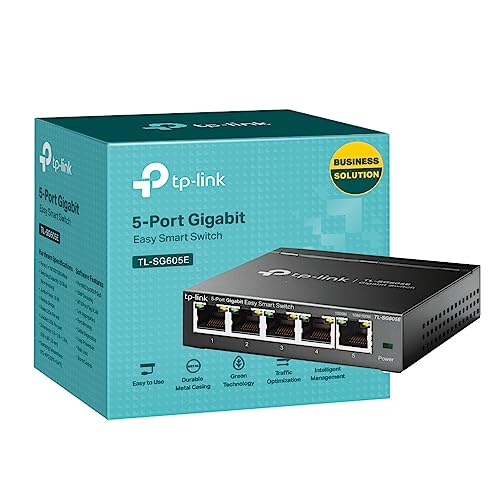
TP-Link 5-Port Gigabit Easy Smart Switch, Support QoS VLAN IGMP Snooping, Network Monitoring through Web Interface, 2.82 W, Fanless, Durable Metal Casing, Easy Management (TL-SG605E)




Surveillance
To improve security and meet more network segmentation requirements, it supports port-based, tag-based and MTU VLAN.
TL-SG605EEasy Smart Switch | Type | Easy Smart Switch |
100 × 98 × 25 mm | Dimensions ( WxDxH ) | 99.8 × 98 × 25 mm |
5 x Gigabit Ports | Ethernet Ports | 5 x Gigabit Ports |
Switching Capacity | 10 Gbps | |
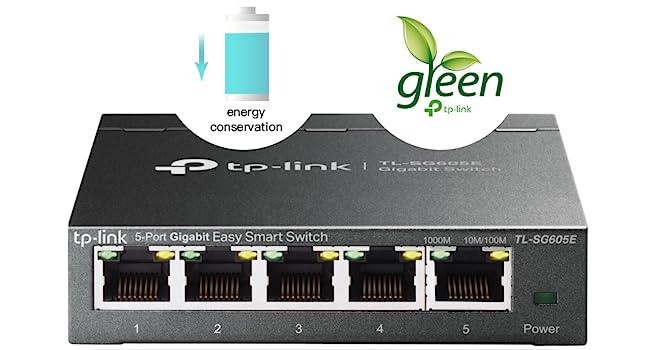
Green technology | ||
Supports PoE | Power up to 65 W |
Easy Smart Switch | Type | Easy Smart Switch |
100 × 98 × 25 mm | Dimensions ( WxDxH ) | 158 × 101 × 25 mm |
5 x Gigabit Ports | Ethernet Ports | 8 x Gigabit Ports |
Switching Capacity | 16 Gbps | |
Green technology | ||
| — | Supports PoE | — |
Easy Smart Switch | Type | Easy Smart Switch |
100 × 98 × 25 mm | Dimensions ( WxDxH ) | 286*111.7*25.4 mm |
5 x Gigabit Ports | Ethernet Ports | 16 x Gigabit Ports |
Switching Capacity | 32Gbps | |
Green technology | ||
| — | Supports PoE | — |
- TL-SG105PE

- TL-SG608E
- TL-SG116E
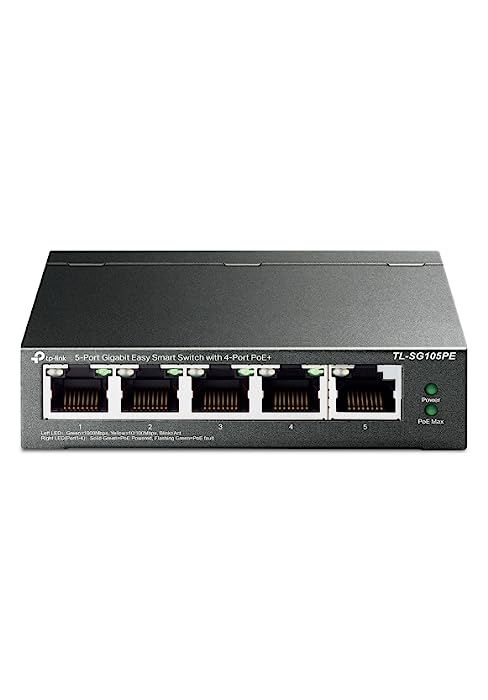
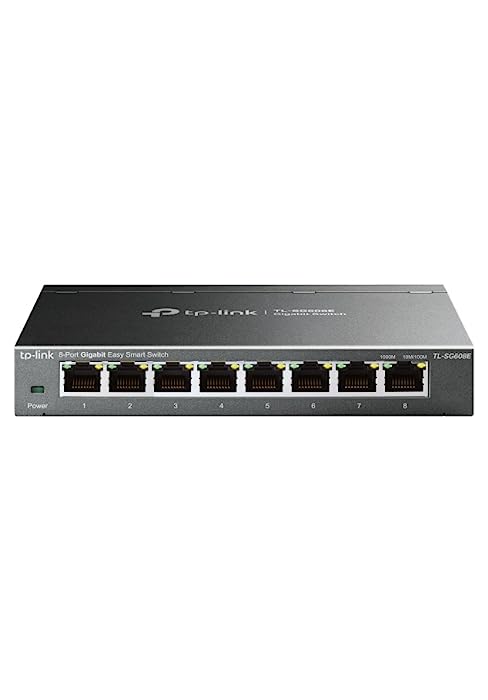
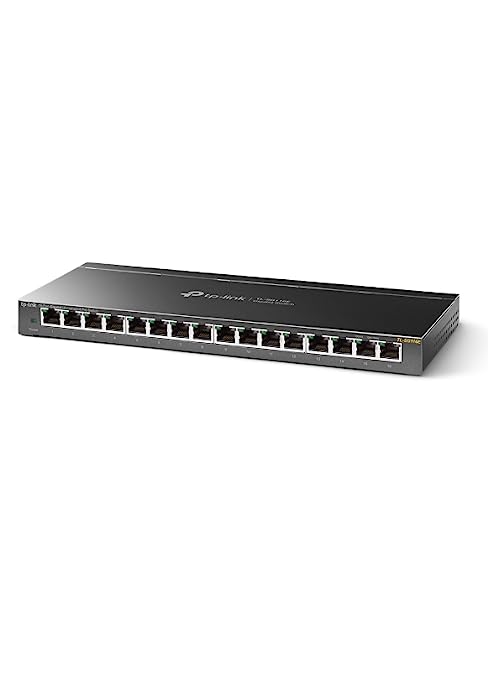
| Weight: | 450 g |
| Dimensions: | 9.98 x 9.8 x 2.5 cm; 450 Grams |
| Brand: | TP-Link |
| Manufacture: | TP-Link |
| Dimensions: | 9.98 x 9.8 x 2.5 cm; 450 Grams |
Extending the LAN ports of my home network
I bought the product as I didn’t have enough LAN ports free in my home broadband router. Recently got a new boiler with a Hive controller and needed to extend the number of LAN ports. Great choice of TP Link switch and it works perfectly.
Fast connection. Easy setup. Good value, quality product.
Have youfibre and the sent eero hub with only one port. So this tp link 5 port hub is just what I needed. Have tv, games console and home security system all with super fast lan connections.
Its TP Link so its good
Its TP Link so its good
Any switch would do but better to keep them the same as the clients
I am happy with my purchase
it is well made
does what it is supposed to
and is decent value
Looks good
I received this yesterday on same day delivery, it was well packed when received. The item came in a moulded fitting inside the box and with a power supply. What would have made it better would be if there were an ethernet cable enclosed also, as if you did not have one available you would have to wait until you acquired one before putting switch to use. It looks well made and solid, all I need to do now is get it put into use.
Does what it says on the box
I bought this to connect an ethernet cable from our router to a number of other ethernet cables that fed bedrooms and our garden shed. It works fine, just plug all your cables in and the box does the rest. It is just a glorified connector but it doesn’t need to do anything else so it’s fine. Weird that the review asks you to comment on “Wifi” and “For Gaming”. I don’t believe this transmits any wifi signal for a start (that’s not what it’s designed for). And good far gaming, well that will depend on the broadband speed you get through your router.
Poor setup instructions
The switch is sturdy and well built, however for non-tech savvy folk like myself, the instructions, or should I say lack of them are very poor. There are no instructions for which port you plug in your incoming ethernet connection from your router or what the loop preventer switch is on the rear of the casing is for? Should this be on or off? After hours of searching the net, I gather port 5 is the best or it would seem any port will do, a vital basic setup missing instruction. It assumes we all know any port will do and what a loop preventer switch is for. Plug and play……I don’t think so unless you know something about 5-Port Gigabit switches?
Gets the job done
Bought it because my ethernet cable was no longer connecting to my pc and I wanted to also connect my ps5 at the same time, solved both issues, it connects to the splitter no issues, no noticeable difference in delay
Easy and fas
Needed this when I re-configured my router/modem and home network. Works a treat. Runs fast as advertised and simple to install. Has been in service for half a year now with no problems.
Plug in and play - Literally :-)
So easy to install and doubled the signal compared to running my PS5 off wifi. Now got smart tv and 3 consoles all hardwired to the router via this excellent piece of kit. Would definitely recommend this.
Very easy
I ran out of ports on my router so I decided to purchase this. Very easy plug and play setup, and does exactly what I need it to do.
I am very happy with this, and would definitely recommend
Splitting signal
Solid bit of kit only purchased as I have a very long ground floor with just one internet connector. This split it with out effecting strength. Easy guide just plug in and connect. power lead and plug supplied.leds to let you know it’s on line at connector.
Reliable Studio Network Hub
The Link TL-SG105S 5 Port Gigabit Ethernet Network Switch has been a reliable addition to my garden studio. It looks really good.
I’ve used it to create a stable and efficient network connection. It’s a sturdy metal switch, and the fact that it’s fanless is perfect for a quiet studio environment. Plug and play setup made it easy, and it’s energy-saving. Highly recommended for network solutions in any space.
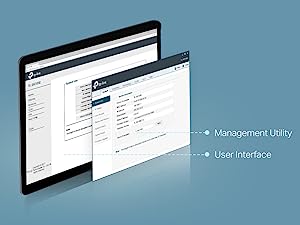
Purchased this switch for behind the TV and to use VLAN functionality with the Omada EAP110 as I already use a DrayTek Vigor VLAN capable router. This switch does exactly what I want at an unbelievable price, good weight to the switch – which screams quality. Another important feature for me was being able to disable the LED status lights, this can be done in the system settings – it even disables the power light. This is perfect, well designed and thought out. UI is very responsive, what more could you want.
Very well priced, and does the job
Not much to say. It’s an unmanaged 8 port gigabit switch, and in that sense it performs as advertised. It is very well priced though, so ideal to provide network connections to multiple devices in a room. I bought 4 for use with media systems, multiple computers at events and for games consoles. I’ve lightly tested them (i.e. nornal usage, and not stress testing with 8 devices copying TBs of data at the same time) and can confirm that I get the expected bandwidth. No thrills, but gets the job done for a normal domestic or small office scenarios at a low, low price.
Compliments my Mesh Network perfectly!
I recently integrated a network switch into my home mesh network setup to enable Ethernet backhaul, and the difference it has made is nothing short of exceptional. The switch is made of metal (not plastic!) and is easily wall-mountable with two screws (adhesive pads could also be used, though not provided). Remember, you’ll ‘loose’ one port because it will be used to connect the switch to the router. If you need more ports, you can ‘daisy-chain’ switches together!
This network switch has become the cornerstone of my mesh network infrastructure. It provides the robust and stable Ethernet backbone needed to ensure consistent and lightning-fast connectivity throughout my home. The setup was a breeze, and it seamlessly integrates with my existing mesh network, enhancing its performance significantly.
If you’re looking to enhance your mesh network with Ethernet backhaul, this network switch is a game-changer. Its speed, reliability, and advanced features make it an excellent investment for anyone seeking a seamless and high-performance home or office network.
The only negative is the time and cost of running CAT5/CAT6 ethernet cable around the house. However, the benifits far outweigh the costs of having seemless and super-fast wifi everywhere.
Super little piece of kit.
I like to keep my PC, TV and games console all hardwired to the Internet for stability. This caused the problem of many trailing wires and figuring out where to hide them. Now it’s much neater having 1 network cable connecting to this switch and running my devices from it. The speeds are great and I haven’t noticed any lag, buffering or slow downloads. Easy to install (just plug it in) and manage. Very happy with my purchase.
Home network
Bought this to extend the few that are on the back of the wifi router.
Does it really well. Just plug it in and forget about it. Don’t even think about it now, it just works.
Don’t like the power plug, big ugly thing, would be better if it could be powered by usb or something smaller, all routes have the same issue.
Works very well
I tried 2 different Ethernet splitters from Amazon and could not get either to work with two or more cables plugged in. I bought this splitter a week ago and so far it works perfectly as it is supposed to do.
The original one is still running strong and this is a second one i needed.
I have two now, one at my in-laws which is the recent purchase.
Just a very sturdy and effective unmanaged switch for expand network ports when you need them.
My original from like maybe 3+ years ago is still running tucked away nicely behind the tv.
I didnt hesitate to buy a new one from my in laws. Love it when a product is well made and becomes a reliable work horse for you over the years and does not break the bank too.
Great!
Changes my broadband provider and even though I’ve got good speeds, my CCTV was slow to load, got this switch and now the cameras come on my phone straight away
A quick and easy way to get more ethernet ports
Bought to replace an existing 4 port TP link switch, but this one not only has more ports but is substantial being a metal case.
Installation was easy as it can be fitted to the wall as it has two slots for screws in the back, and then it was just plug in the connection to the router, and then the connections for all the devices attached.
Speed throughput is good – just been transferring some files from one Synology NAS to another and it was maxing out the Gigabit network speed.
Excellent Ethernet splitter for BT hubs
We are currently stuck with a BT Halo 4 hub due to their 24 month contracts. Anyone with a BT router will know there are only four outlets for wired ethernet connections. Living in a 1720’s grade 2 listed property means – even with three extender discs – our wifi is sketchy at best. We’ve overcome this by hard wiring as many PC’s & consoles as possible but having only four ports on the BT box is not enough. This fantastic splitter has doubled that. It works seamlessly and we’ve had no problems at all connecting up six ethernet cables all running at the same time. We have the TP link extenders throughout our house too so I knew this was brand I could trust. Dispite some negative reviews I gave it a go and haven’t been disappointed. Easy to set up it does now come with rubber feet if needed – however I have stuck it to the wall next to our BT hub. If you need additional ethernet ports to work all at the same time this is a great bit of kit.
Had Bt Broadband 930bps speed in Living room. Its a new house. The builder had broadband points in our three bedrooms the sunroom and the living room. That is five in total. There were 5 ethernet cables in our attic. I crimped these cables. Found the ethernet cable with the 930 bps speeds which was the one coming from the living room.
I pluggled this ethernet cable into port one on the TP Link 5 port splitter. I put the other 4 ethernet cables into port 2, 3, 4, and five. These are the cables going to the three bedrooms and sunroom. I checked the broadband speed in each of the four rooms and got the 930 bps speed. The reviews i read said the TP LInk splitter when left on will not use much power compared to other splitters. The TP Link splits the speed perfectly without losing any speed.
I used the TP link 5 port splitter the living room and sun room as well. The Bt Router has only 4 ports. One is used for the main broadband input. The second port is used the send the speed to the ethernet port on the wall which goes up to the attic. This leaves two ports available. I have a TV, a Manhattan Box, and a Firestick. This needs 3 inputs but i have only two left on the BT Router. I used the TP Link 5 way splitter to overcome my problem. I put one ethernet cable into the 3rd port on the BT Router. The other end of this cable went into the TP LINK into port one. I now had 930 bps going into port one one the TL 5 way LInk. I now had 4 ports available on the TP Link. I sed these ports the send the speed to my TV, Manhattan Box, and Firestick. Now getting the 930 speed on my TV, manhattan box, and Firestick.
Would highly recommend the TP Link 5 way splitter. I got three and all working perfectly.
Easy to set up. No configuration etc it just works
I’m new to network switches and having been using WiFi for my gaming consoles etc up till now. Wifi has been perfectly reasonsble but I’ve become more of a stickler for reliability and getting my input lag down in recent times, so decided to get this to run a long ethernet cable from my router to have my more critical devices wired instead of wireless. I knew switches were simple devices before but to my slight surprise it was literally just plug all the cables in and it just works. The only thing that was my ps5’s fault is that doesn’t auto switch to wired when it’s setup for WiFi. But everything else did just on simply plugging it in to the switch. Did an xbox network test and showed 17ms to the xbox server 0% packet loss of course. Not that I knew what it was on WiFi but latency was probably a little higher I imagine.
My only gripe that prevented me from giving it 5 stars was the lights on the device are a bit bright and glaring for my living room environment. I’ve had to face it away so when I dim my lounge lights it’s not a distracting light source.
The 5 Port Gigabit Ethernet Network Switch has revolutionized the way I manage my home network! This compact and efficient device has made connecting multiple devices a breeze, providing seamless networking with lightning-fast speed. Allow me to share my delightful experience and why this network switch deserves all the praise.
Effortless Setup: Setting up the 5 Port Gigabit Ethernet Network Switch was a breeze! It required no complicated configurations or technical expertise. I simply plugged in my devices, and they were instantly connected to the network.
Gigabit Speeds: The network switch delivers blazing-fast Gigabit speeds, ensuring smooth and lag-free data transfers. Whether I’m streaming high-definition videos or transferring large files, the speed and stability are unmatched.
Expandable Ports: The 5 ports offer ample room for expanding my network. I can effortlessly connect multiple devices, such as computers, gaming consoles, smart TVs, and printers, without any performance degradation.
Compact and Space-Saving: The network switch’s compact design is perfect for optimizing space in my home office. Its sleek and unobtrusive appearance complements my setup, keeping everything tidy and organized.
Energy-Efficient: I appreciate that the network switch is energy-efficient. It intelligently adjusts power consumption based on connected devices, ensuring optimal performance while saving energy.
Plug-and-Play Functionality: The plug-and-play feature is incredibly convenient. I can add or remove devices on the fly without needing to restart the network switch or make any complex adjustments.
Reliable Performance: The 5 Port Gigabit Ethernet Network Switch has proven to be highly reliable, consistently delivering exceptional performance day in and day out. It has become the backbone of my home network, never failing to impress.
In conclusion, the 5 Port Gigabit Ethernet Network Switch has become an indispensable part of my home networking setup. Its effortless setup, Gigabit speeds, and expandable ports have made managing multiple devices a seamless experience. If you’re looking to enhance your home network with a reliable and efficient solution, this network switch is the ideal choice. I wholeheartedly recommend the 5 Port Gigabit Ethernet Network Switch to anyone seeking smooth and lightning-fast networking for their home or office. Simplify your network management and embrace the convenience of seamless connectivity with this exceptional device!
The TP-Link TL-SG108S is a reliable and efficient solution for expanding your home or office network. With its 8 Gigabit Ethernet ports, sturdy metal build, fanless design, and plug-and-play setup, this network switch offers seamless connectivity and hassle-free installation.
One of the standout features of the TP-Link TL-SG108S is its 8 Gigabit Ethernet ports. These high-speed ports provide fast and stable connections for your devices, making it ideal for bandwidth-intensive tasks such as HD video streaming, online gaming, and large file transfers.
The network switch’s compact and sturdy metal build ensures durability and reliability, making it suitable for both desktop and wall-mounting installations. Its fanless design ensures silent operation, eliminating any noise disturbance while maintaining a cool temperature during extended use.
Setting up the TP-Link TL-SG108S is a breeze with its plug-and-play feature. Simply connect the Ethernet cables to the ports, and the switch will automatically detect and configure the connections, allowing you to get your network up and running in no time.
Moreover, the switch’s auto-negotiation and auto-MDI/MDIX features further simplify the installation process by automatically adjusting the port speed and recognizing the type of Ethernet cable used, whether straight-through or crossover.
The TP-Link TL-SG108S is designed with energy efficiency in mind. It automatically adjusts power consumption based on the link status and cable length, reducing energy consumption without compromising performance.
As an Ethernet splitter and hub, this network switch enables you to connect multiple devices, such as computers, gaming consoles, printers, and smart TVs, to your network, enhancing the connectivity and versatility of your home or office setup.
In summary, the TP-Link TL-SG108S Gigabit Ethernet Network Switch is a reliable and user-friendly solution for expanding your network connectivity. With its 8 Gigabit Ethernet ports, sturdy metal construction, fanless design, and plug-and-play setup, it offers seamless connectivity and efficiency for all your network needs. Experience hassle-free networking with the TP-Link TL-SG108S.
Experience Seamless Gigabit Network Connectivity
The TP-Link TL-SG105S is a high-performance 5 Port Gigabit Ethernet Network Switch that serves as an essential tool for expanding your home or office network. This versatile device acts as an Ethernet splitter, hub, and desktop switch, providing seamless and efficient data transmission for your connected devices.
The standout feature of the TL-SG105S is its Gigabit Ethernet capability, offering lightning-fast data transfer speeds of up to 1000 Mbps. With five Gigabit Ethernet ports, you can easily connect multiple devices, such as computers, gaming consoles, printers, and more, to enjoy a stable and high-speed network connection.
The compact and sturdy desktop design of the switch makes it easy to integrate into your existing setup. Its plug-and-play functionality allows for quick and hassle-free installation, without the need for any software or configuration. Simply connect your devices, and the switch will automatically optimize the network performance.
With the TP-Link TL-SG105S, you can enjoy reliable and efficient data transmission. The switch features advanced QoS (Quality of Service) technology, ensuring smooth performance even during bandwidth-intensive tasks like streaming HD videos or online gaming.
In addition to its excellent performance, the TL-SG105S is designed to be energy-efficient. Its innovative Green Ethernet technology automatically adjusts power consumption based on the connected devices’ activity, reducing energy usage without compromising performance.
Whether you need to expand your home network or enhance your office setup, the TP-Link TL-SG105S 5 Port Gigabit Ethernet Network Switch is the perfect solution. Its Gigabit Ethernet capability, plug-and-play design, and energy-efficient features make it an essential tool for achieving seamless and efficient network connectivity for all your devices. Embrace the power of this network switch and enjoy a faster and more reliable network experience.
Great piece of kit for the money
I recently purchased the TP-Link TL-SG105S Ethernet Switch and it does exactly what I need it to. I use it to wire a number of devices to my mesh network hub for faster speeds than wifi.
One of the standout features of this switch is the ease of installation. I’m not the most tech-savvy person, but I got it up and running quickly. It’s also incredibly reliable, with no issues or dropouts since I started using it. Seriously, just plug and play. There is almost no way to get this wrong.
The build quality is impressive, and it feels like a solid, well-made piece of equipment. I mounted mine on the wall, but it comes with little rubber feet, too, if you chose to place it on a desk.
The four ports are incredibly useful and more than enough for my current setup, but as mentioned by others, it’s important to consider your future needs. Better to invest in a slightly larger switch now than need to buy another unit in the future.
Overall, I highly recommend the TP-Link TL-SG105S Ethernet Switch. It’s an affordable and reliable piece of equipment that delivers precisely what it promises. If you need a switch, this is definitely the one to go for.
A network port switch can be a very useful tool, in certain situations.
So, this is one of my reviews written for those who are not sad tech geeks (even though I am one myself).
A network port switch is simply a tool that gives you more sockets to plug in wired internet connections.
Think of it like an extension lead for wired internet connections because that is exactly what it is (only without the choices of length).
Dependant on your requirements (and views on wireless connections) this could be exactly what you need.
Your current router – the internet box that with lights that you try to hide away – has anywhere between 2 and 6 sockets on the back.
1 will be a wire probably coming from your modem (if you have a recent setup) to a socket called WAN.
the others will be sockets for the LAN (your network).
If you run out of connections here, then you need one of these.
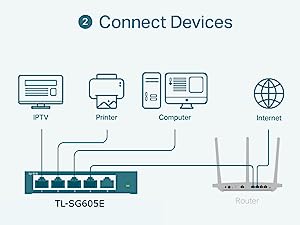
Just plug a lead from the router into the port switch and now you have 4 more connections available 🙂
It really is plug and play (the flashing green lights on each port show things are working).
Things to know.
This requires its own power supply so have a spare mains socket nearby.
A network is only as fast as its slowest element.
This is a Gigabit port switch. That means it can handle a 1,000 megabit per second connection – which at time of writing is about the fastest connection offered by the main providers and more than fast enough to handle anything a home network will demand.
Don’t ignore (ethernet) cables. These are the most common cause of people not getting the speeds they expect over a wired network.
Cables are measured by the data they can handle (or in digital terms, how big the pipe is).
Cat 6 or higher is fine. Anything lower could cause slowdowns.
Finally. This will not affect your wi-fi speeds unless you are placing some serious demands on your network.
Oh and the port switch itself?
Well 18 months in and it has been utterly faultless. It doesn’t even get warm.
If you need one, you will be hard pressed to get a better one than this for the price.