TP-Link Tapo 2K Outdoor Pan/Tilt Security Wi-Fi Camera, IP65
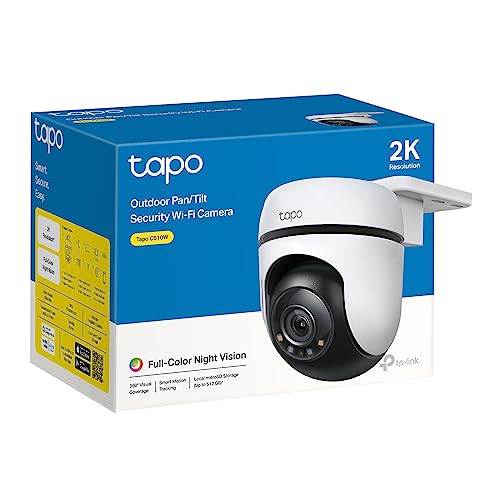
Tapo 2K Security Camera Outdoor, 360° PTZ WiFi Camera, IP65 Weatherproof CCTV for Home Security, Motion Tracking, Full-Colour Night Vision, Cloud&Local Storage,Works With Alexa&Google Home(Tapo C510W)
From the brand
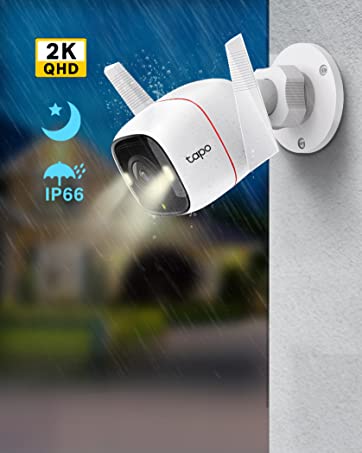
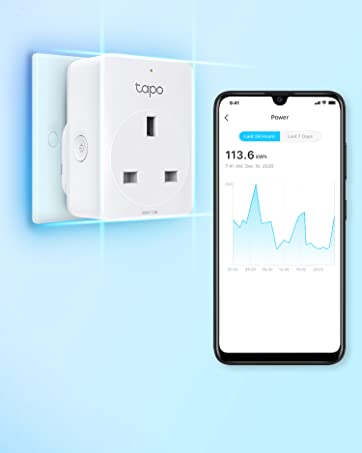

| Weight: | 760 g |
| Size: | Outdoor |
| Dimensions: | 12.38 x 12.3 x 9 cm; 760 g |
| Model: | Tapo C510W |
| Part: | TAPO C510W |
| Colour: | White |
| Pack Quantity: | 1 |
| Batteries Required: | No |
| Manufacture: | TP-Link |
| Dimensions: | 12.38 x 12.3 x 9 cm; 760 g |
| Quantity: | 1 |
| Size: | Outdoor |
Good video quality
I have several tapo camera’s around my house. The lag problem is apparent on all of them and is a little bit annoying but I can live with it. The video quality is very good for the price. I only use 64gb storage cards and find that is sufficient but can put lager cards into them. I haven’t had any problems connecting to my WiFi. Night vision is of good quality and the cable supplied with camera was adequate for my needs. Would recommend item and selle
👍🏼 Great option for CAMPERvans & Motorhomes. 12v power. 👎🏻 doesn’t work with Apple Home Ki
I bought this for use in mobile sytems, eg Campervans, motorhomes etc that already have a 12v power system. This powers directly from that so nice and easy to integrate into that existing system for the power.
it’s easy to setup with the TP link apps, I also have a TP-link router to provide the Wifi internet connectivity. I’ve not tried the cloud service yet which brings some extra features but without that it does enough for me. The first micro SD card I put in only worked for a few mins before throwing an error. I then got a Sandisk Ultra which is working fine.
The amount of data used will vary a lot depending on how much footage you review remotely, but it can be quite data hungry so watch out. I seem to be averaging around 300mb/day and that’s with not a lot of viewing. Any events are stored on the SC card locally, you have to be on the same local WiFi network to DOWNLOAD the clips, but you can still review the clips over the internet from anywhere which is useful.
This does NOT work with Apple Home Kit. I haven’t tried the other equivalents but supposedly it will work with those.
The AI detection of motion/person seems mostly pretty good, although the rain at night time does trigger false detection events.
For 5 stars it needs some tweaks on the AI detection to minimise the false alerts when it rains, and for Apple homekit support. It would also be nice to be able to choose a lower bitrate stream for general viewing remotely, only sending the full res stream when you review/download clips specifically, to cut down on data usage.
Overall I’m happy with it, and even with a 15 128gb SD card, it’s decent value. Would recommend for vanlifers, motorhomes etc.
Even i could set it up
Simple to install, easy to set up via WiFi, linked to mobile phone using either memory card or cloud
Was so impressed i bought another for the back of the house,it is controlled from your phone and is very reliable so far
It automatically tracks movement, night and day, you can choose what it tracks and to what sensitivity
Cloud storage is free for a month,then you pay a small monthly fee , you can cancel at any time via your phone
I chose this because it was recommended by 3 other households i know that have installed them
Im not very techie and dread New stuff
I made it work first go without help,a first for me
Amazing camera with great picture and sound quality. Has clear picture quality day or night. Has a built in light for extra security. Has features to set notifications for movement within your set areas. Can set different view points than can easily be viewed at the tap of a button and seamlessly switch from one to the other. Able to zoom in and record. Has been up all winter and has not budged. Great piece of mind knowing I can check on my home whilst I’m out and about and can even speak through the camera if needed. One of the best purchases I’ve made
Good produc
It’s a good product. Clear footage . Best is I can add it onto the Tapo apps so I can monitor it along with other Tapo products I have on one apps.
Very simple to fit, although the power lead could really do with being longer, but easily remedied.
(In reality, that would always be an issue with an outdoor camera as you will want to figure out how you’re going to get power to it).
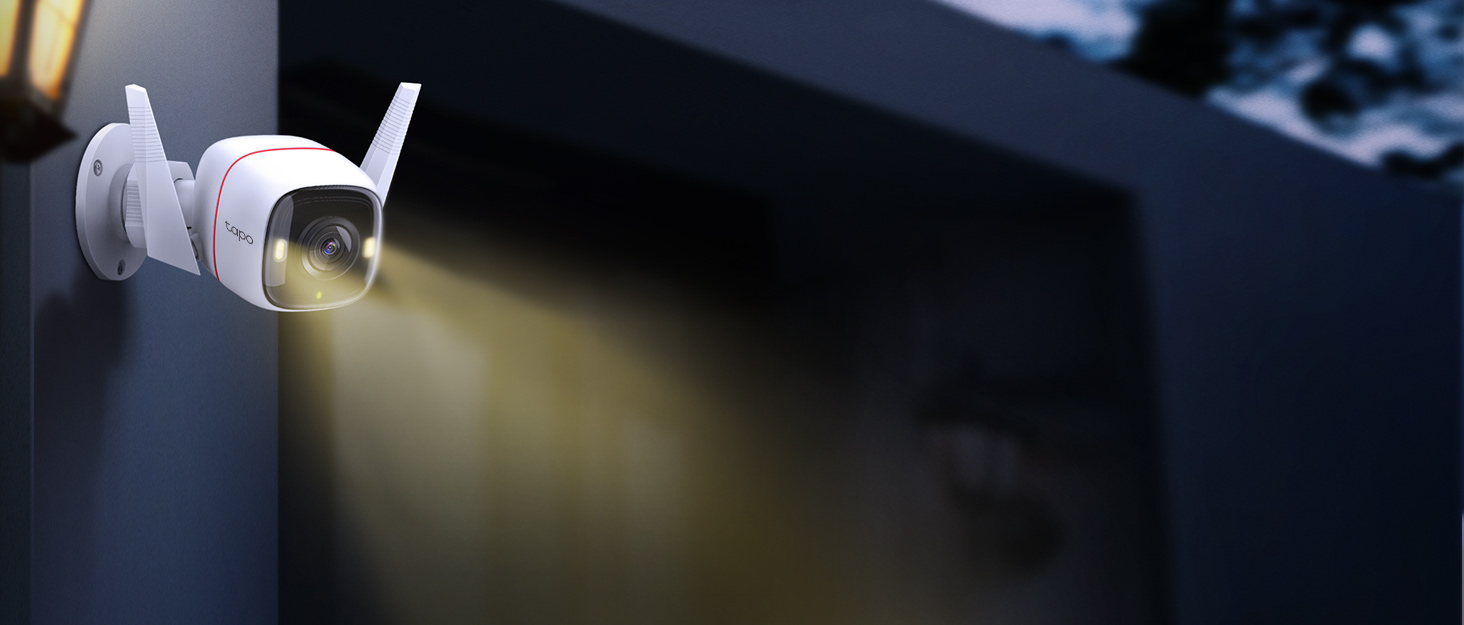
Combine with a few smart lights (or plugs) of the same brand and you can very easily setup a very clever “hey it looks like someone’s home” system (think home alone, the original movie ). So that landing lights etc. go on and off if motion or person detected. The camera also has great night vision, a built in spot lamp (with timer) and talk through.
I’m tempted to buy another for the front of the house.
Clear and crisp. Works on demand. Does not need monthly cost. I added a card to save onto camera itself. Has to be 2.4g wifi. App is sooo easy to use. Spot light is bright, but not enough to scare anyone off. Quick response when away from home. Perfect for peice of mind and enough detail to identify anyone
Great camera
This is a great camera and is also good value. Put a memory card in it and there is no subscription. Tracks people and cars then returns to where you left it pointing. Requires a power feed to it.
Excellent produc
This camera is a great product, the quality is amazing, and picture in both day and night mode is second to none.
The camera features are also good, zoom, sound, it’s got a good clear range, motion is smooth, and steady.
Installation is very easy, once appropriate hole in the wall was created, and setting up was very straightforward, connected to my WiFi was also very easy to do.
It’s a good price. The video quality it decent, and the hardware seems fairly solid. I dropped it on to concrete from around 4 feet and it survived without a scrstch.
I use the Tapo app to control around 15 devices.
It does have it’s issues, but they’re not big issues and they do seem to be improving slightly with updates. My biggest issues with this camera are the motion sensing features. As with most cameras, on night vision they pick up rain as being motion. In my case if wanting an alarm to trigger if someone enters my property this is annoying. I opted for the version with ‘AI person detection’. Load of rubbish. So far (around a week) I’ve had a fox, cats and even a few magpies register as people. Yet I’ve walked Infront of it and it often doesn’t sense me as being a person.
The view back feature is fairly quick.
It’s a tidy unit, but they could offer it in black to make it stand out less. It’s relatively easy to connect, and I’m able to share it with family.
Night vision has a great distance with a good field of view on both Infrared and daylight LED. The LED function seems a bit temperamental though. Seems to have a mind of it’s own.
Mounting was fairly easy, but they should supply either washers or flange head screws. I get the feeling the supplied screws are wanting to pull though the mount.
I have recommended this to a few others, because I do think it is reasonable value. Just don’t buy it if you’re expecting a reliable source of motion detection in British weather.
Wrong position for this camera
This is a lovely camera but for the position we needed it was no good. It spent its time mainly looking out over our neighbours garden (We had checked with them before installing). It followed the trees and shrubs rather than look for intruders on our driveway. When it did get its act together it was brilliant. Sometimes it didn’t follow a person as they moved up our long drive or just skipped bits. Probably ideal looking out over a quieter (no trees!) area. Picture during day excellent, at night more limited but we did get the foxes as they scurried past although the camera did not always follow them. We have replaced this with two stationary Tapo cameras which will be reviewed in a few days.
I have installed this inside my porch as we have had an instance of a delivery driver stealing our post. With this it gives a very clear live feed of the porch and I can move it and see the front garden too.
Popped in a memory card instead of the expensive subscription service and I can access any event I feel I need to. I can also talk with anyone who is at the door while I am not there, without the need for a subscription! Perfect.
Installing it was simple as was the setup.
Good produc
Was good and easy to use. The only main challenge wasthat it would be better to have a plan to have your recording saved on the cloud, so if you are considering having a monthly plan, I suggest you have all similar products from the same provide
So simple to set up...
Bought these as an upgrade on my Neos cameras, very pleased, so simple to set up and unlike the Neos you can access the recordings on the SD card via the app meaning unless you really want Cloud storage you don’t really need it…
Works well except for...
It’s ability to record rain as motion detection as a person or general motion, tried all settings. Sited on lower wall of a conservatory and fitted a piece of plastic, paint roller tray, above to no avail.
WOW it was worth the money
Purchased this camera system as the price was too good not to miss
Easy to setup and install with incredible results
The only negatives based upon my opinions are the following
Wind noise through the microphone if using audio
A selection of mounts would be handy to accompany the standard flat mount
Note: the camera packaging, listing and instructions all mentioned true colour night vision… YES it has it but when only using the camera with it’s led lights on. Not the best if wanting to use your camera in covert or low key setting as the super bright lights easily show the cameras location.
My added photo is the camera running in normal night mode with the standard black & white infrared which in all fairness is brilliant as its completely black outside and the camera illuminates a vast area without any additional lighting.
Yes you can setup constant recording within the schedule
Almost there....
Probably one of the better ones I’ve tried. They all promise so much but rearly deliver everything. I had lots of issues with false alerts i.e. rain. Often I found the camera fixed on a point I did need to be watched. Playing with the settings helped and did manage to greatly reduce false positives. BUT no getting away from the fact it’s rich with features, more than competitors have. Overall it’s a good camera, sharp picture, rich notification (only on trial) quick notifications and patrol mode.
Purchased this to replace a solar panel camera from another company. Easy to install and connect to the Tapo app and Alexa.
Love the way it tracks movement but you have to spend some time getting the sensitivity and other setting right otherwise you get too many notifications.
I wish the company did an extension lead for power as I had to install a waterproof box between the included cable and the mains socket. Other than that it’s a great camera.
Tapo outside camera
I got this camera for the outside of my house as I already have seven Tapo cameras inside and outside my home, however I was placing this camera further away from y Wi-Fi box and therefore had difficulty getting the reception I required. I moved it to the back of my home and it works fine am giving it a four star because I couldn’t get a good reception in the first place. That said I now have eight Tapo cameras and am very pleased with them
I can check them on my phone when am out or away for the weekend.
Cable is too sho
The standard power cable is around 1 metre long. Not long enough. I found a 10m (or 15m) CCTV 12v extension cable on Amazon for about 6 that solves the problem. Doesn’t come with micro SD card, so you’ll need one too.
Great little camera, simple to install and set up and great pan and tilt features
Fantastic CCTV
What a bargain this CCTV is.. pan,tilt,night time colour and a great price. It’s also 2k (which you have to set) but comes 1080p as default.
Tapo have set the benchmark with these little gems.. no more squinting to see faces, they are sharp and clear, plus they are a doddle to set up with the Tapo app…, they also hook up with Alexa and can be viewed on any of the echo show devices.. highly recommended.
Easy Setup
This camera has a brilliant picture, is so simple to set up with the Tapo app and easy to use. It is mains powered so needs to be near a plug socket, but the power lead is 3m long. I’m using a 128Gb Micro SD card for recording and it feels like plenty of storage. Good night vision on it and notifications when set up for movement. Highly recommend this product.
Fabulous
I’ve waited until I have used it for a few months and am happy to report that it is fabulous. An easy Tapo app lets you monitor and move the camera around from your phone, we were 1500 miles away and it worked seamlessly, you can even turn on a bright light on it from your phone. Pan/tilt, zoom and it has sound plus you can talk to the filmed intruder on it to scare the bejeebus out of them!. Highly recommended indeed
Great indoor cam.
I am using this camera on the main entrance and it is very clear. & has never dropped connection since installed. It can record on sd card, cloud and NVRs like synology surveillance station. The only problem I have with this indoor camera is that,although the status led in the front and Infrared lights can be switched off , there is a small white light that can’t be switched off. It flickers continuously. If you need to view from behind the window at night, you need to turn off the infrared by switching the camera to day mode.overall, this is a great product.
We Love It!
So easy to install, works flawless and looks great in place. Easy to connect to the app and we use it everyday to survey out garden and driveway. The “Person Detection” is amazing! we always know as soon as someone steps on to our property and can quickly open the app on iPhone and see who’s there. You can set exclusion zones for the sensor and with a built in LED Search light and Microphone (which is very powerful) you can see and hear exactly whats going on (even several doors away i can hear conversations)
Does what it say on the tin!
Easy set up, good value and works well as expected if you have a reasonably strong WIFI signal at the point of use. Plenty of options and setting to optimize your installation and the subscription costs are, in my opinion, reasonable. You should be able to connect this camera via ONVIF protocol so if you have a CCTV system that can use this standard you can connect it also. Be aware there is no desktop APP that runs under Windows as far as I am aware, but I use ONVIF manager program to view live stream.
Easy to set up and brilliant video
I bought this to monitor a loading yard out of hours and it has been a great success. The video quality is very good and even in night vision mode everything is very clear. The app is very easy to set up on android and I now have multiple cameras on a single app.
Control of the motorised camera is undertaken via the app and this is precise enough for our purposes. The only thing that does need some effort is getting the sensitivity right. I initially was inundated with alerts caused by rain drops and cars 150m away from the camera but after a bit of work in the settings it now works well.
This is the second Tapo camera I have purchased from Amazon, having got sick to death with the limited functionality of other cameras which require a monthly cloud subscription.
This Tapo camera – just like the indoor one I purchased – has excellent quality and lets you download any footage – manual, scheduled or motion-triggered – directly to your phone; you do not need to go via a paid cloud subscription to does this. NOTE: As it’s not clear how do do this, use the scissor icon on video that has been recorded via a scheduled record; you can then download it too to your phone. Footage from “motion detection” will automatically appear on the download page.
The camera is also a proper “IP camera” and can be used with any third-party CCTV application (ispy, AgentDVR, Blue Iris, etc.); just select its IP address and configure it automatically as an ONVIF compatible camera. Many other cameras – like the ieGeek ones – are completely locked down and can’t be used this way, once again limiting your options and forcing you to stump-up continuously for their cloud service.
The Tapo phone software is flexible and easy to use, some of the best I’ve seen from security camera manufacturers.
I highly recommend any of the Tapo outdoor or indoor cameras. Fantastic value for the money.
I already purchased some Tapo products and decided to buy this based upon the quality of my other products – I also wanted to use a single app, so now everything is controlled via my Tapo app.
Firstly, the set-up was very easy, the camera immediately connected to my home Wifi allowing settings and control from the Tapo app. I purchased a Class 10 128GB SD card separately and the Tapo software managed the formatting without issue.
The power cable was just about long enough – I personally would have preferred to place the camera slightly higher but as it can be swivelled, not too much of an issue
I have used most of the settings, its really down to personal preference what you decide, but I now use the Smart mode at night – this has the standard infra red when just monitoring, but switches to full colour mode when something (someone) is detected.
From the default settings, the sensitivity for motion and person detection must have been too high as I got non-stop alerts when raining – clearly this is not too good. I now have my motion detection sensitivity set at 4 and my person detection set at 3.
The main issue with reducing the sensitivity is that the motion tracking now seems to be somewhat jerky but it does still track.
The other function that I would like to see working differently is the spotlight camera, I have my alert set to light and the spotlight brightness is left at the default #4. Although the duration is set to 5 minutes, the light does no tactually stay on for 5 minutes – would be better if it did. you can turn it on manually, but its better to come on and stay on if it detects movement.
All-in-all, I find that Tapo is an excellent, very well made brand, the app is very easy to use and its very convenient to have all devices available in a single application.
I will not hesitate to use further product, very good value and great quality – I do of course need to see how this stands up to the outdoor conditions, but so far, so good.
Great value for money and they work a treat.
Excellent cameras which, (unlike the Bink offering), operate without significant latency or other issues after the trial subscription period ends. Setup is easy and straight forward, the app when downloaded to a smart phone enables you to check the installation area to ensure that the wifi signal is sufficient for the camera to operate properly. Unlike the Blink cameras and doorbell which only operate satisfactorily when operated under the payment of a monthly subscription, these cameras continue to operate after the trail period ends the only difference being all sound and video is recorded locally to the SD card in each camera. Full remote PT control is maintained as is live view. The SD cards in each camera can be set to record over when full and can be accessed remotely for viewing or download from your smart phone. So far very impressive.
Brilliant.
There’s nothing to dislike about this product. Day time and night time picture quality is excellent Including the inferred picture.Sound quality is great.
Would I buy another one YES.Try it for yourself if. You won’t be disappointed. And if you are just send it back within 30 days.
Value for money.
Easy set up, feels premium for the price. The features the camera offers is brilliant all the different zones you can set up, the built in alarm, and lights. The ability to talk through it. I put in a 64gb sd card it formatted it for me and stores all recordings to to app.
Easy to install
Needed a camera for security reasons, I find anything technical difficult so was really pleased to find this was super easy to set up. I managed to install and set up by myself in no time.
Good image quality, good for extra security for the house
I was unsure at first, on purchasing it, to be honest, but I decided I’d go for it, and so i did and am extremely happy i had… for various reasons, i have a fair bit from Tapo. i have their smart buttons, smart plugs, and bulbs. You say it, I’ve got it. But out from all that, this camera is my favourite for sure and getting it when on its lowest in discounts made it even better when it arrived as that was pretty quick too the delivery but when I received it I couldn’t wait too unbox it. So my first thought it’s a bit bulkier than I initially thought but let’s work with it, its very easy as all there devices are, too set up through using the tapo app so before purchase or when you have either is ok make your tapo account and be ready download from Google play or iphone. Features on this 2k crystal clear camera have better eyes than me. It’s definitely smart, though, that’s for sure. One thing a personal fav is with the 2 little white colour bulbs and it’s settings the light is bright enough too actually see where your going you can choose to have colour throughout the whole night or smart mode where then only an avent is detected it will turn the light on and stay on for your desired chosen time and still remember the amout of movement you can do with where you want too see a whole 360 all round pretty amazing. Then you have the built in alarm and call features making it easier too speak with whom at the front door if away never miss a delivery again i say ha, and with all this above you have the choice too cloud save with tapo (they offer 1 month free for each camera purchased on cloud back up for your recordings, Photos etc after this you can pay a small fee or use a memory card to save on without a fee, this camera really is a win win all round reasonable price that’s been well made doesn’t look or feel of bad quality but good. don’t hesitate on my behalf you’ll see when you get it that doing that was the right choice have fun you’ll love it like my nose dose can’t keep away!
Wall Wart PSU
Considering the camera is rated for outdoor use, the power supply is only rated for indoor so therefore you have to find somewhere to deliver mains to the wall wart plug. I am sure you will discover your own way to get power to this in a safe way, but it is worth it. The quality of the camera is brilliant and the tracking feature is pretty cool.
I have delivered power by spurring from an outside, light in to an waterproof enclosure
This is the 1st cctv camera I have purchased, choosing this one based on other reviews / cost and reputation. As this is a pan/ tilt camera I wanted to position it on a corner of the property so also had to buy a “corner mount ” – 10 on ebay. There is no zoom function on this model so I did not want place the camera too high up . I have a pretty standard UK 2 storey property. I positioned the camera 3 metres off ground level – high enough so that it can not be easily removed and low enough to get close images. The camera comes with a fixed 30cm cable attached to the camera itself and also a 3 metre cable with a UK plug. I installed a IP rated junction box into which the 30 cm cable was secured and then connected to a 10 metre extension dc power cable as my power supply is some distance away. If you are a keen DIYer or have practical skills then it will be fairly easy to install. The screws to connect the camera to the supplied mount are tiny and get chewed/rounded very easily. The images from the unit are clear at both day and night. I setup the sd card and connected to WiFi prior to the physical installation. The App ( in my limited experience) is good and intuitive. As other reviews have mentioned the motion detection is very sensitive- movement of plants / hedges cause notifications as well the reflection of headlights on my vehicle- even on the lowest sensitivity. Despite the niggles with the sensitivity I would still recommend this Tapo C500 camera- especially if you require pan and tilt. I have given a 4 star rating at present- we will see how it copes in winter.
Great night vision and very good image quality. Easy to get set up and good coverage. The ball joint is a little limited if you want to mount the camera at right angle to your mounting surface. It would be five stars but I can’t seem to get the zoning software to work so I get notified of movement outside my zones of interest. I am prepared to say it could be user error. But it just doesn’t work for me. I get notifications of any movement in my field of view. Other than that a great camera so much so I bought a second camera a week after getting my first. They are robustly built as well. Very good camera at a very good price. Good value, easy to use, good app ( on iPhone ) high resolution and performance
I purchased this camera because I have purchased a number of TP-Link products, and I wanted the camera to be integrated into the same app, which it does. I can honestly say I have never been disappointed with the purchases, and this camera was no exception. Set up of the Hub and then the Camera is straight forward, especially is you already using the Tapo app and other devices. The camera works well with Alexa and live view can be viewed on Alexa Devices that support video playback, which includes your TV via a Firestick (which also supports picture in picture). I also like the options for privacy, in that its possible to switch the camera off or black out sections should you not want the camera viewing/recording something. On the subject of recording, if you are buying a SD card for the camera, the Hub takes up to 128GB memory cards and not 256GB as is stated in some places.
There are a couple of buts…firstly the installation of the camera mount requires drilling and screwing the mount in place, which can be a little tricky, dependent on Camera positioning. Although it does mean the mount is securely fixed in place. One other thing that surprised me was that its not possible to set the camera video settings to 1080HD as is only possible select 2K and 720p, as I would have expected more options here.
Final point I interacted with TP-Link Customer Services, firstly requesting info about products including this camera, then another matter and the support offered was excellent.
The setup:
The battery for the camera comes uncharged and will take around 3 hours or so to fully charge.
The camera itself is managed via the TAPO app which you install on your phone.
You will need a decent wifi signal for the camera to get it to work outside the house, your mileage will vary here of course depending on size of house etc. I use a TP-Link AX75 router which does the job for me even through thick walls and around 50ft from the router.
The little management hub will need an ethernet connection rather than wifi so you’ll need a cabled ethernet point for it where you want to place it, perhaps consider an ethernet over power adapter for this job if you don’t have a cabled setup.
The management hub is also what makes a loud alarm if you so choose to set one- eg if it detects a human shape during specific hours. The app will only sound a notification on your mobile phone the same as receiving a text which is unlikely to wake you up for example.
It can be setup to record to sd-card, I used the 256GB from integral, ASIN Number B07FC7W2G5.
It can also be set to only record during specific hours and only if it detects activity so you won’t have issue with disk space.
The night image capture is actually very good and there is the facility to even speak using the phone app out of the camera though the volume isn’t very loud.
All said, I’m impressed for the price. Only 4* as it could do with some kind of facility to create a loud warning on a mobile phone somehow rather than the management hub which might not be possible to locate in a convenient location to wake you due to only being ethernet rather than wifi.
As the solution is just under 100 if you buy the 256GB storage too then it’s well worth it imho.
You can also share the camera view with other users but they are restricted to just viewing the camera with the app, no extra management options…again this is something that could be improved upon.
There are better options available but you’ll be paying a lot more for them.
This review covers three products I purchased and tested together. The TP-Link Tapo C210, C225 and C320WS IP security cameras. The C210 and C225 are both sold on Amazon via the same page with same reviews applying to multiple cameras. The C320WS has a separate sales page and reviews, however all points raised in this review apply to all three of these cameras therefore I have submitted the same review across two sales pages for three products.
You may have a different reasons for being here looking at IP cameras. You could be doing it for home security, or perhaps for monitoring babies, children or pets. I’m writing my review from the perspective of a pet owner who likes to know what his border collie is up to, but also with a nod to home security.
I already have in place several security camera systems around my property which have different benefits and weaknesses. We have an 8-channel Swann CCTV system, which is a more traditional wired product using BNC cables and requiring a lot of wiring and thought about placement. While being accessible from an app anywhere in the world they record all of their footage to a base unit. They can be very incredibly expensive to buy, difficult to install and a challenge to set-up, but once in place they are very good quality. They’re not for everyone, though, and aren’t as long-living as their price might suggest. I also have an existing IP camera system, from a company called Victure, which I assembled over several months with purchases from Amazon some four years ago. Amazon no longer sell them, and the quality was rudimentary. They got the job done, but they were showing their weaknesses. A recent upgrade of our home internet with a new router that the Victure cameras refused to connect to was the last straw, which set me on a path looking for a new IP camera supplier.
An IP camera system is generally much simpler and cheaper to set up than the traditional system. You buy the cameras individually and they can operate independently of any other devices, or you can add to them over time to create a really large network of cameras that you can control through a single app. You record either to a memory card which is either in the camera itself or in a central hub, or you can subscribe to a cloud based service. A memory card can be typically 10-30 so you need to factor that into your budget, but that cost is quickly returned after perhaps 9-12 months of paying for a cloud subscription.
IP cameras are normally powered by either a USB (USB-C or USB-A) cable or a DC adapter, although some cameras can be powered by a solar panel. They’re typically quite a bit more expensive though.
There are hundreds of different manufacturers of IP cameras when you look around, and they all have their own app to control them. I mention this because it’s very tempting to buy whatever camera is on offer at that time and find yourself with several cameras from several different brands requiring different apps to view the footage. You’ll get frustrated hunting through the apps that control the camera you want to view so one of the biggest pieces of advice I can give is to find a single manufacturer that you’re happy with and stick to their ecosystem. And, with that in mind, you ideally want a brand that is reputably, reliable, and is going to be around for some time. TP-Link are just such a company.
If you’re not familiar with them, TP-Link manufacture some of the very best WiFi routers, smart sockets, range extenders and network switches. I have examples of all of these in my home and I’ve never been let down by them. They also make a wide selection of IP cameras for different purposes, and the range is continuing to grow. The make internal and external cameras, mains powered or solar powered, static or rotating cameras in different qualities of image resolution. They gave me confidence that if I did invest in a number of cameras I wouldn’t find myself in a dead end in a couple of years time.
My current IP system is 8 internal cameras and 2 external. My intention is to replace all of them. Although I was happy with the brand, I did have my concerns about a couple of things. Firstly, I’d noted that the power delivery to the camera was by a DC adapter and 3m long cable. All of my previous IP cameras were powered by USB cable which are easily and cheaply replaced should you need a longer cable. And, that’s the issue with security cameras. You normally mount them somewhere where they’re not necessarily close to a power socket. I was concerned that I was going to struggle to wire the cameras up in a method that was safe and visually tidy. Additionally, the app is your main interface and you’re never too sure of how good the app is going to be. I’ve tested a lot of camera apps for Amazon over the last few years and more often than not they’re clunky at best. They struggle to connect, even more so to remain connected, don’t offer much in the way of parameter customisation, and either don’t show live screens or only show one camera at a time. I didn’t know what the TP-Link Tapo app was going to be like.
I decided to buy one each of the C210, C225 and C320WS cameras to try them out before I committed to buy the full system. Each of these are the top of the TP-Link Tapo range of their particular styles. The C210 is the traditional internal dome camera, the C225 the brand new internal dome camera with motion tracking ability, and the C320WS is the external camera. There are battery-powered external cameras also available at a higher cost, but these aren’t what I was looking for, so these three cameras are the best available for my particular needs. I should also note that care must be taken in selecting the right camera. TP-Link and Amazon continue to sell older or lower specced versions of their cameras. With some cameras being on offer at different times it can lead you to believe that a more expensive camera is the better specced camera, which isn’t always the case.
Inside each camera’s box you get the camera itself, a DC adapter with fixed 3m cable (note that it’s a 9v DC adapter with the C210 and C320Ws and a 12v DC adapter with the C225), wall fixings with screw marking guide and a basic instruction manual. To set up and operate the cameras you will also need to download the Tapo app for Android or iOS.
My concern over the cameras being powered by DC adapter was realised, and the cables were too short for the locations I wished to place the camera. Fortunately you can be extension cables for DC adapters, so I purchased a twin pack of 5m cables for 8 off of Amazon. Not ideal that it was additional expense, but it was a problem that was easily solved.
The cameras are really straightforward to set up. After you plug the camera in you go into the Tapo app and select add camera. After a few moments the status light on the camera flashes green and red to signify it’s ready to connect. You go to your internet settings on your phone and connect to the TP-Link WiFi that will have appeared, and go back to the app. You’ll hear a voice coming out of the camera to say it’s connecting, and then has connected, and that’s it. The camera will be connected to the app. You can then tailor the settings to suit your requirements. You can set up scheduled recording between certain times or have it recording 24/7. You can change what resolution it’s recording in, which effects how quickly you’ll fill up your memory card. You can adjust when you get alerts to your phone, or no alerts at all. Set up privacy zones so that neighbours aren’t getting recorded, for example. You can also invert the image which allows you to mount the camera upside down should you wish to attach it to the underside of something.
And, most pleasingly of all, you can view up to four screens live all at once. That means I can see the live images from four screens constantly without having to swipe across or back out and choose another camera. That to me is worth so much. My iPad sits above my laptop and I can see the four locations that my dog is likely to be around the house with just a glance. No further interaction necessary. I genuinely can’t tell you how valuable that is. It’s pretty standard for a traditional CCTV system like my Swann, but I’ve not seen that in any other IP camera system I’ve used.
My only complaint with the app is one that irritates me about several apps. The majority of the interface in the app is in portrait mode. If you mainly use your phone for viewing the app then you might not worry about that, but tablets such as the iPad are usually used in landscape mode. Quite a lot of apps don’t take that into account so you’re forced to tilt your head if you’ve got your tablet on its stand. It is a pain, but not the end of the world. Fortunately, when you go to watch the live view of the cameras the orientation does change to landscape if you wish. And that’s where the app will spend the majority of its time, so I can live with that.
I’ve spent two weeks with the cameras and app now, and despite my concerns about a couple of details prior to buying them I have to say that on reflection the cameras have exceeded my expectations considerably. The quality of the image from the cameras are superb. All of them, not just the new C225. All have excellent low light capabilities, even when remaining in full colour. When it does go to night vision the image is crisp and clear. Reviewing footage is also very simple. You can see activity along a time line, or pick out the activity from a list showing times, type of motion detected and a freeze frame. It works very well, rivalling my Swann system and an Arlo 4 Pro I also have which was close to 200 for a single camera. The general footage throughout the day is so much better than what I used to get with my old Victure cameras, I really have been very impressed.
The C210 is highly recommended, especially when on offer. It’s not got quite the overall build quality or motion tracking features as the C225, but it’s also a lot cheaper. If you’re building a multi-camera system then I would go with those. If you’re only wanting one or two cameras then the C225 becomes the better camera.
Are the cameras perfect? No, there’s always ways to improve any system. The DC power cable was a pain for my application and I’d rather it had been USB, but it was a problem that I got around and I’m sure most people wouldn’t even notice. The app being mainly in portrait mode was irritating, but the important views are in landscape so I’m not going to complain too hard. The footage is exceptional for the price of the cameras. I can see what the dog is up to at all times, in any lighting condition.
Overall, despite my initial misgivings that had me thinking it was never going to be more than a four star product I have to say that the TP-Link Tapo cameras have turned it around and delivered three products that I would happily award a five star review to.